# Connect your GTM context graph to HubSpot in 15 minutes
Connecting your GTM context graph to HubSpot takes approximately 15 minutes through a five-step process: deploying HubSpot tracking code via Google Tag Manager, creating custom objects for your context structure, configuring webhooks or native connectors for real-time sync, setting up automated lead scoring, and building dashboards to track ROI. Companies using integrated context graphs report [15-25% EBITDA increases](https://www.mckinsey.com/capabilities/growth-marketing-and-sales/our-insights/insights-to-impact-creating-and-sustaining-data-driven-commercial-growth) from improved data-driven decision making.
## At a Glance
• **Setup time:** Core integration completed in 15 minutes with HubSpot Professional/Enterprise and GTM container access
• **Key components:** HubSpot tracking code deployment, custom object creation for context signals, webhook configuration for real-time updates
• **Performance gains:** [37% better lead quality and 28% shorter sales cycles](https://www.hubspot.com/startups/tech-stacks/sales-csx/website-visitor-playbook) for teams using connected automation versus manual processes
• **ROI timeline:** 64% of customers see returns within four weeks when following systematic implementation
• **Integration impact:** HubSpot customers using integrations close [8x more deals](https://developers.hubspot.com/integrate-with-hubspot) than those without
• **Critical success factor:** Clean data foundations reduce setup time by 26-29% compared to implementations requiring extensive cleanup
Connecting your GTM context graph to HubSpot can turn anonymous web clicks into pipeline in minutes. When visitor data, intent signals, and account activity flow directly into your CRM, your sales team stops guessing and starts closing. This 15-minute playbook walks you through every step.
## Why Connect Your GTM Context Graph to HubSpot?
A context graph is the connected understanding of everything happening with an account, structured in a way that agents can reason over. It captures visitor behavior, engagement patterns, firmographic data, and intent signals in one unified structure that powers smarter [GTM decision-making](https://www.warmly.ai/p/resources/resources).
Without integration into your CRM, this data sits isolated. As one industry analysis puts it: "On their own, website visitor and engagement statistics aren't valuable. To transform data into actionable insights, you need to ensure it's integrated into your full lineup of GTM tools." ([LinkedIn, 2025](https://www.linkedin.com/posts/warmly_on-their-own-website-visitor-and-engagement-activity-7301370272178192384-0vrF))
The revenue upside is significant. Companies using data-driven B2B sales-growth engines report [EBITDA increases of 15 to 25 percent](https://www.mckinsey.com/capabilities/growth-marketing-and-sales/our-insights/insights-to-impact-creating-and-sustaining-data-driven-commercial-growth). When HubSpot becomes your system of record for context graph data, every rep sees the full picture before picking up the phone.
**Key takeaway:** Connecting your context graph to HubSpot transforms scattered visitor data into a single source of truth that drives measurable pipeline growth.
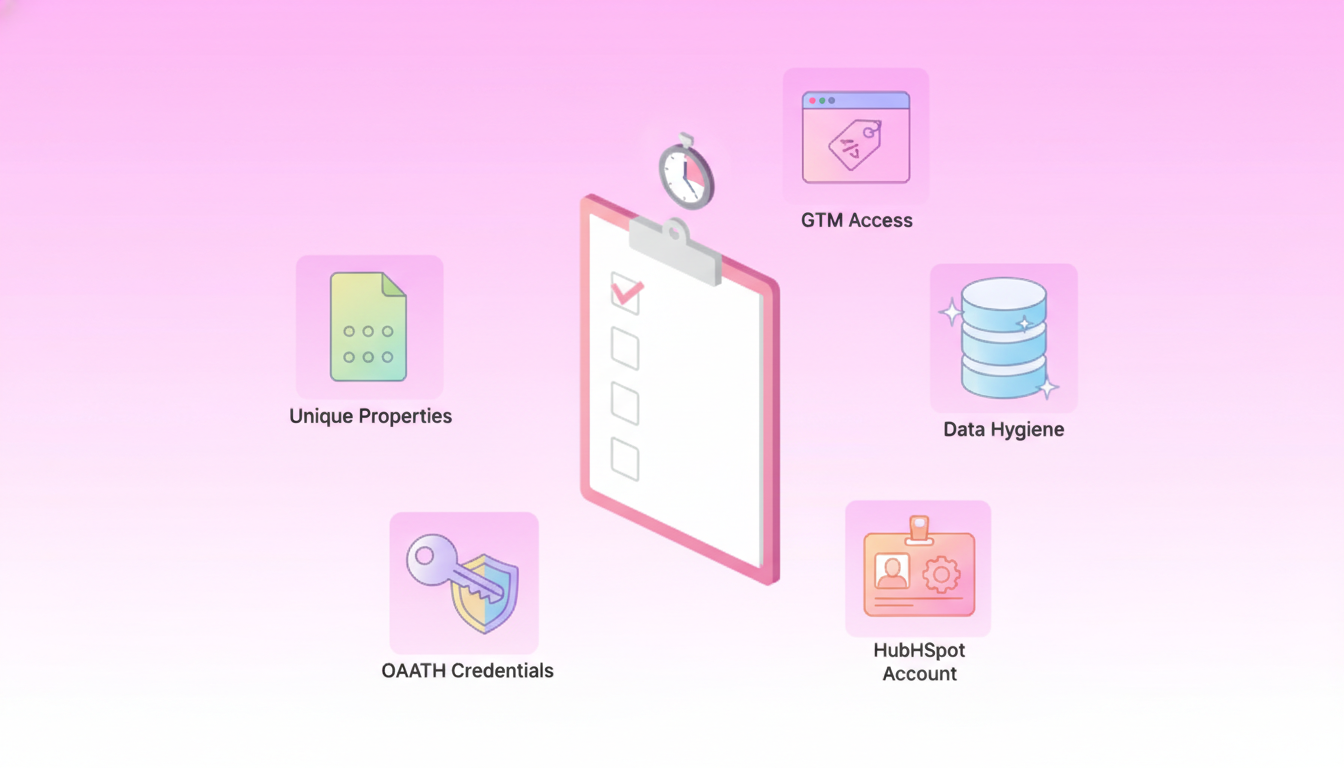
## Pre-flight Checklist: What You Need Before the 15-Minute Setup
Before diving into configuration, verify you have the right accounts, permissions, and data foundations in place.
| Requirement | Details |
|-------------|----------|
| HubSpot Account | [Professional or Enterprise](https://lightgtm.com/guides/lead-scoring-openai-hubspot) for custom objects and advanced workflows |
| Google Tag Manager | Container access with publish permissions |
| Unique Properties | Up to [10 unique value properties](https://developers.hubspot.com/docs/guides/api/crm/objects/custom-objects) per custom object allowed |
| Data Hygiene | Clean contact records with consistent email formatting |
| OAuth Credentials | Client ID and Client Secret for API authentication |
Organizations with clean data foundations experience [26-29% faster setup times](https://warmly.ai) versus those requiring extensive cleanup. Taking 10 minutes now to audit your data saves hours later.
Regarding time investment, 64% of customers see ROI within four weeks, but speed depends less on the platform and more on [team alignment around data](https://warmly.ai) and processes. Organizations following systematic implementation approaches achieve 40% faster time-to-value compared to unguided rollouts.
## How Do You Drop HubSpot Tracking Code into GTM?
The HubSpot tracking code captures every visitor interaction and associates future form fills, chat, and email activity with earlier anonymous sessions. Deploying it through Google Tag Manager keeps your site code clean and your marketing team autonomous.
**Step 1: Get Your HubSpot Tracking Code**
Navigate to Settings > Tracking & Analytics > Tracking Code in your HubSpot account. Copy the full script snippet.
**Step 2: Create a Custom HTML Tag in GTM**
In your GTM container:
1. Click Tags > New
2. Select Custom HTML as the tag type
3. Paste your HubSpot tracking code
4. Name it clearly (e.g., "HubSpot Tracking Code")
**Step 3: Set Your Trigger**
Select "All Pages" as your trigger to ensure the [tracking code fires on every page](https://www.pedowitzgroup.com/convert-anonymous-website-visitors-into-known-contacts-in-hubspot) and template. This enables HubSpot to build complete visitor journeys.
**Step 4: Publish**
Submit and publish your container. Verify installation by checking HubSpot's tracking code validation tool.
Most teams complete this step in under five minutes. The tracking code immediately begins associating sessions with contact records once visitors convert.
## How Do You Model Your Context Graph in HubSpot with Custom Objects?
Custom objects let you represent your context graph structure directly in HubSpot. Instead of forcing visitor signals into standard contact or company fields, you create purpose-built schemas that mirror your actual data relationships.
To create a custom object, you'll first need to define the object schema. The schema includes the object name, properties, and [associations to other CRM objects](https://developers.hubspot.com/docs/guides/api/crm/objects/custom-objects).
To create the custom object schema, make a `POST` request to `crm/v3/schemas` with your object definition. Include:
- Object name (e.g., "Context_Signal" or "Intent_Event")
- Primary display property
- Required properties for your use case
- Association definitions
HubSpot will automatically associate a custom object with emails, meetings, notes, tasks, calls, and conversations objects. This means your context signals immediately connect to [all standard engagement data](https://www.warmly.ai/p/resources/resources).
### Linking Context Nodes to Contacts & Deals
Associations turn isolated records into connected intelligence. Configure these scopes for your integration:
- crm.objects.contacts.read
- crm.objects.contacts.write
- crm.objects.companies.read
- crm.objects.companies.write
- crm.schemas.contacts.read
- crm.schemas.contacts.write
The sync process uses email as the primary key for deduplication. When syncing contact records from your context graph to HubSpot, the system saves the generated hs_object_id back to your database, creating a [persistent link between systems](https://github.com/hubspotdev/crm-object-sync).
Workflow triggers fire automatically when context signals update. For example, when a high-intent visitor returns, a workflow can immediately notify the assigned rep or adjust the lead score.
## How Can You Stream Context Updates with Webhooks or the Warmly Connector?
Real-time sync keeps your HubSpot data fresh without manual intervention. Two primary paths exist: webhooks for custom implementations and native connectors for turnkey solutions.
**Webhooks Setup**
To initiate your webhooks integration, navigate to Settings from the sidebar and locate Webhooks among the integration options. The URL used must be [secure and include https://](https://help.warmly.ai/articles/7839413626-setting-up-webhooks).
Webhooks deliver contact-level data including:
- LinkedIn URL
- Email
- Company firmographics
- Technology stack
- Session URLs
**Native Connector Benefits**
Bidirectional integration with CRMs like HubSpot and Salesforce means you can create custom filters to push enriched data back to Warmly, resulting in even more [targeted segments based on factors](https://www.linkedin.com/posts/warmly_on-their-own-website-visitor-and-engagement-activity-7301370272178192384-0vrF) like partner referrals or visitors using competitors' products.
Warmly's connector syncs contact records both directions, saving the hs_object_id [back to your database](https://github.com/hubspotdev/crm-object-sync) for persistent linking.
**Security Considerations**
HubSpot announced that API key authentication is deprecated. Use private app access tokens or OAuth 2.0 going forward. Ensure your webhook endpoints validate incoming requests and handle rate limits gracefully.
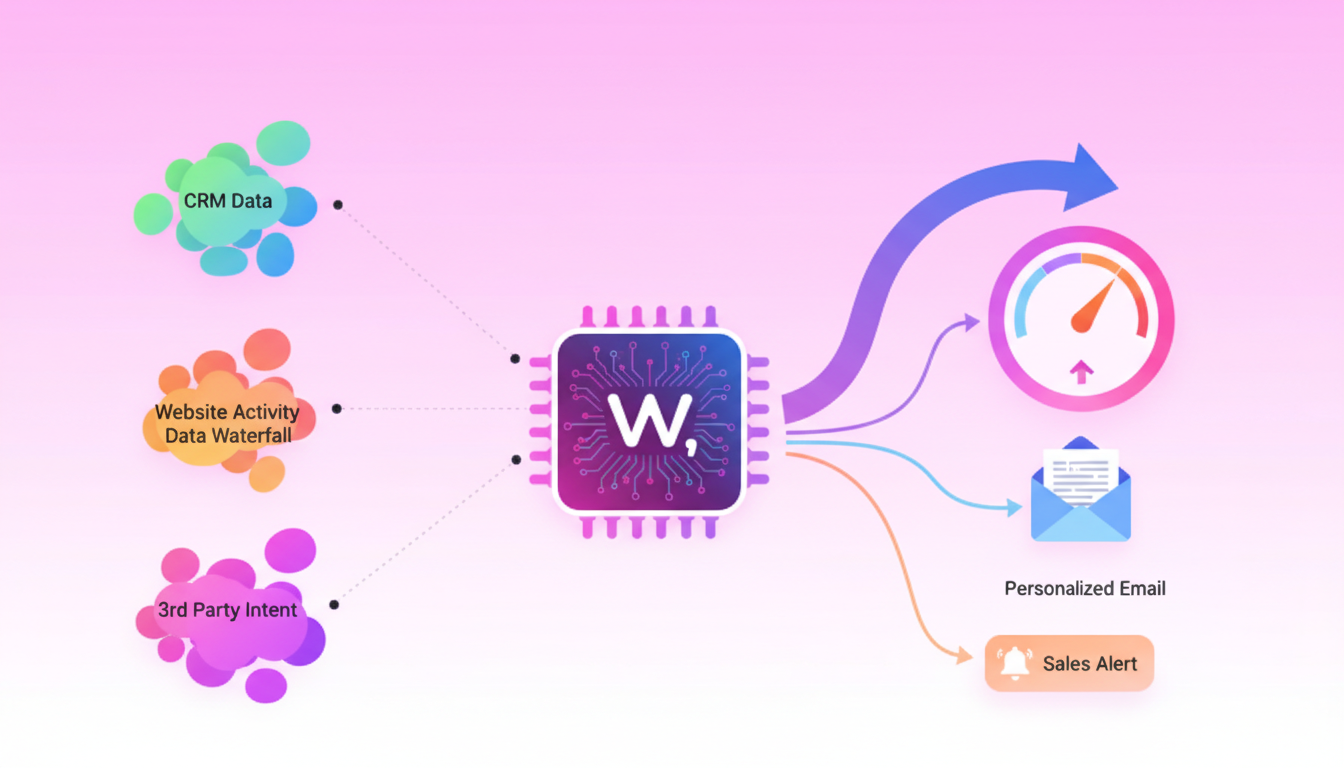
## Step 4 – Automate Lead Scoring & Personalization in 5 Minutes
With context data flowing into HubSpot, you can now build intelligent scoring and personalization workflows.
Traditional lead scoring relies on simple demographic and behavioral rules. But AI can analyze hundreds of variables simultaneously, spot patterns humans miss, and [adapt its scoring based on actual conversion data](https://lightgtm.com/guides/lead-scoring-openai-hubspot).
HubSpot's Buyer Intent feature identifies anonymous visitors by leveraging [known IP addresses associated with companies](https://www.hublead.io/blog/hubspot-buyer-intent). Combined with your context graph data, this creates a powerful scoring foundation.
**Multi-Factor Scoring Framework**
| Factor | Weight | What It Measures |
|--------|--------|------------------|
| Fit Score | 40% | How well they match your ICP |
| Intent Score | 30% | Buying signals and urgency |
| Engagement Score | 20% | Interest and interaction level |
| Timing Score | 10% | When they're likely to buy |
For leads scoring 80+, configure immediate sales notification. HubSpot's AI Prospecting Agent can then [generate personalized sales emails](https://blog.hubspot.com/sales/personalization-in-ai-prospecting) based on rich CRM data.
### Enrich Leads for Higher Scores
Lead enrichment delivers four measurable operational improvements: better qualification, improved personalization, faster routing, and [higher conversion](https://resources.rework.com/libraries/lead-management/lead-data-enrichment).
A form submission with just name and email might score 20/100. After enrichment reveals it's a Series B SaaS company with 150 employees in your target industry, the score jumps to 85/100.
As the Warmly resource library notes: "Rep capacity is the real constraint." Automated enrichment ensures [reps spend time on qualified opportunities](https://www.warmly.ai/p/resources/resources), not manual research.
## Which Dashboards & KPIs Prove ROI?
Tracking the right metrics validates your integration and identifies optimization opportunities.
**Leading Indicators**
- Qualified visitors revealed per week
- Dynamic lead scores over 80
- Reply-rate lift from AI-personalized sequences
**Lagging Indicators**
- Lead-to-opportunity conversion rate
- Sales cycle length
- Revenue attributed to identified visitors
Teams that follow this kind of connected, automated approach see [37% better lead quality and 28% shorter sales cycles](https://www.hubspot.com/startups/tech-stacks/sales-csx/website-visitor-playbook) than those relying on manual handoffs.
HubSpot's integration metrics tell a compelling story:
- [72% of customers](https://developers.hubspot.com/integrate-with-hubspot) implement integrations faster than expected
- 79% say HubSpot effectively centralizes customer data
- [8x more deals](https://developers.hubspot.com/integrate-with-hubspot) are closed when customers use integrations
64 percent of B2B companies expect to increase their investments in [predictive analytics](https://www.mckinsey.com/capabilities/growth-marketing-and-sales/our-insights/insights-to-impact-creating-and-sustaining-data-driven-commercial-growth), making dashboard visibility essential for demonstrating value.
**Key takeaway:** Track both leading indicators (visitors identified, scores generated) and lagging indicators (conversion rates, cycle length) to demonstrate full-funnel impact.
## Next Steps: From 15-Minute Setup to Full GTM Automation
You've connected your context graph to HubSpot. Anonymous traffic now transforms into enriched, scored, actionable leads. But this is just the foundation.
Expand your setup by:
1. **Adding more data sources** to your context graph for richer signals
2. **Building advanced workflows** that trigger multi-channel sequences
3. **Training your team** on interpreting context graph insights
4. **Iterating on scoring models** based on closed-won analysis
Warmly provides [practical resources designed to make you better](https://www.warmly.ai/p/resources/resources) at marketing, selling, and making meaningful connections. The platform's visitor identification and intent intelligence capabilities integrate directly with HubSpot, giving B2B sales teams everything they need to uncover high-intent accounts and automate personalized outreach.
The window to build differentiation is now. Teams that connect their GTM context graph to HubSpot today will outpace competitors still relying on disconnected data tomorrow.
## Frequently Asked Questions
### What is a GTM context graph?
A GTM context graph is a structured representation of visitor behavior, engagement patterns, firmographic data, and intent signals, enabling smarter GTM decision-making by providing a unified view of account activities.
### Why should I connect my GTM context graph to HubSpot?
Connecting your GTM context graph to HubSpot integrates visitor data into your CRM, transforming it into actionable insights that drive pipeline growth and improve sales efficiency by providing a comprehensive view of customer interactions.
### What are the prerequisites for connecting GTM to HubSpot?
Before connecting GTM to HubSpot, ensure you have a HubSpot Professional or Enterprise account, Google Tag Manager access, clean data records, and OAuth credentials for API authentication. Proper setup can significantly reduce integration time.
### How does the HubSpot tracking code work with GTM?
The HubSpot tracking code captures visitor interactions and associates them with contact records. Deploying it through Google Tag Manager ensures it fires on every page, enabling comprehensive visitor journey tracking.
### What benefits does the Warmly connector offer for HubSpot integration?
The Warmly connector provides bidirectional integration with HubSpot, allowing enriched data to flow seamlessly between systems. This enhances segmentation and personalization, improving lead quality and conversion rates.
## Sources
1. [https://www.mckinsey.com/capabilities/growth-marketing-and-sales/our-insights/insights-to-impact-creating-and-sustaining-data-driven-commercial-growth](https://www.mckinsey.com/capabilities/growth-marketing-and-sales/our-insights/insights-to-impact-creating-and-sustaining-data-driven-commercial-growth)
2. [https://www.hubspot.com/startups/tech-stacks/sales-csx/website-visitor-playbook](https://www.hubspot.com/startups/tech-stacks/sales-csx/website-visitor-playbook)
3. [https://developers.hubspot.com/integrate-with-hubspot](https://developers.hubspot.com/integrate-with-hubspot)
4. [https://www.warmly.ai/p/resources/resources](https://www.warmly.ai/p/resources/resources)
5. [https://www.linkedin.com/posts/warmly_on-their-own-website-visitor-and-engagement-activity-7301370272178192384-0vrF](https://www.linkedin.com/posts/warmly_on-their-own-website-visitor-and-engagement-activity-7301370272178192384-0vrF)
6. [https://lightgtm.com/guides/lead-scoring-openai-hubspot](https://lightgtm.com/guides/lead-scoring-openai-hubspot)
7. [https://developers.hubspot.com/docs/guides/api/crm/objects/custom-objects](https://developers.hubspot.com/docs/guides/api/crm/objects/custom-objects)
8. [https://warmly.ai](https://warmly.ai)
9. [https://www.pedowitzgroup.com/convert-anonymous-website-visitors-into-known-contacts-in-hubspot](https://www.pedowitzgroup.com/convert-anonymous-website-visitors-into-known-contacts-in-hubspot)
10. [https://github.com/hubspotdev/crm-object-sync](https://github.com/hubspotdev/crm-object-sync)
11. [https://help.warmly.ai/articles/7839413626-setting-up-webhooks](https://help.warmly.ai/articles/7839413626-setting-up-webhooks)
12. [https://www.hublead.io/blog/hubspot-buyer-intent](https://www.hublead.io/blog/hubspot-buyer-intent)
13. [https://blog.hubspot.com/sales/personalization-in-ai-prospecting](https://blog.hubspot.com/sales/personalization-in-ai-prospecting)
14. [https://resources.rework.com/libraries/lead-management/lead-data-enrichment](https://resources.rework.com/libraries/lead-management/lead-data-enrichment)