Blog

Signal-Based GTM Tips & Insights

Read by 15,000+ GTM pros.
Popular
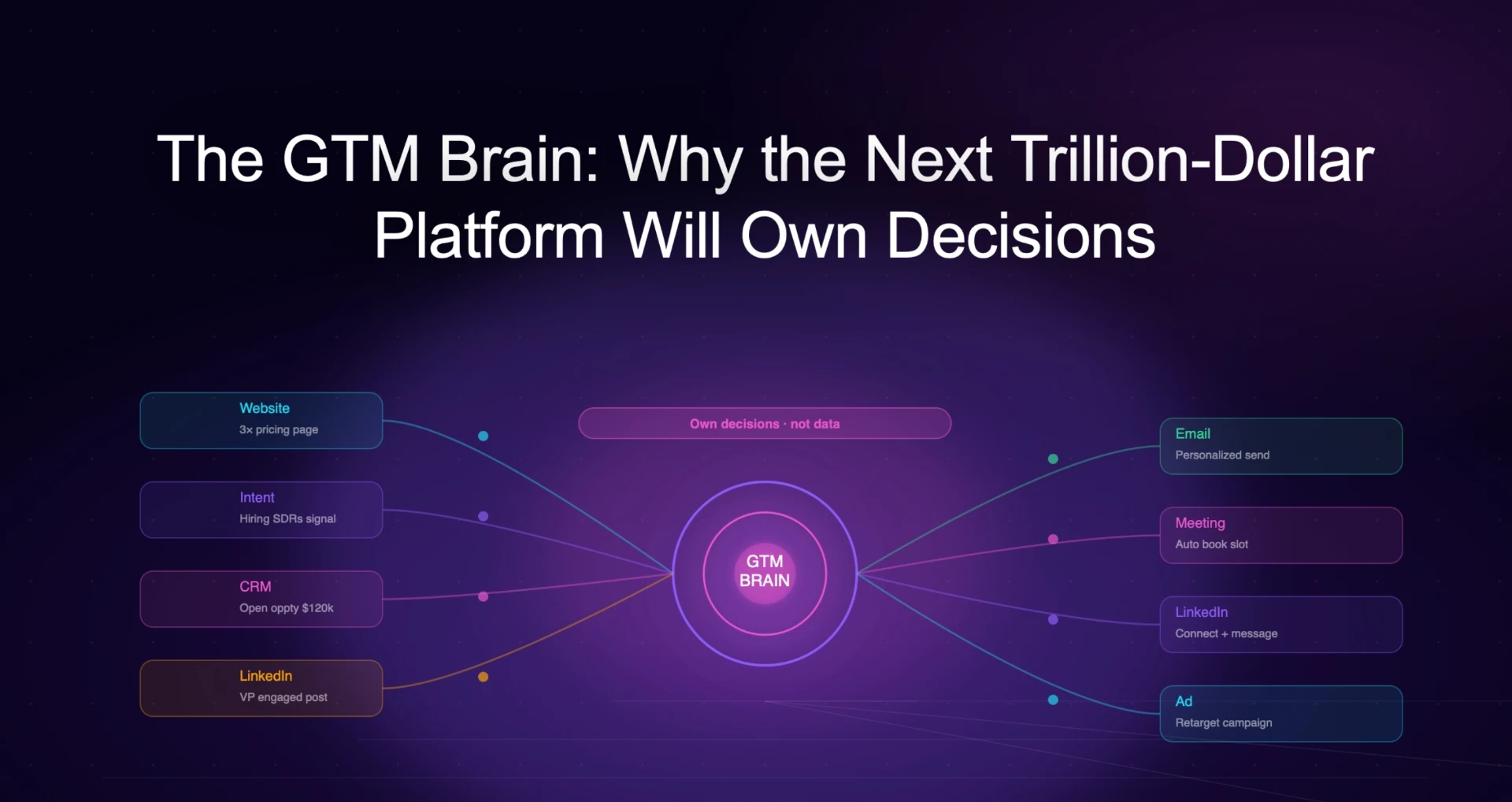
The GTM Brain: Why the Next Trillion-Dollar Platform Will Own Decisions, Not Data
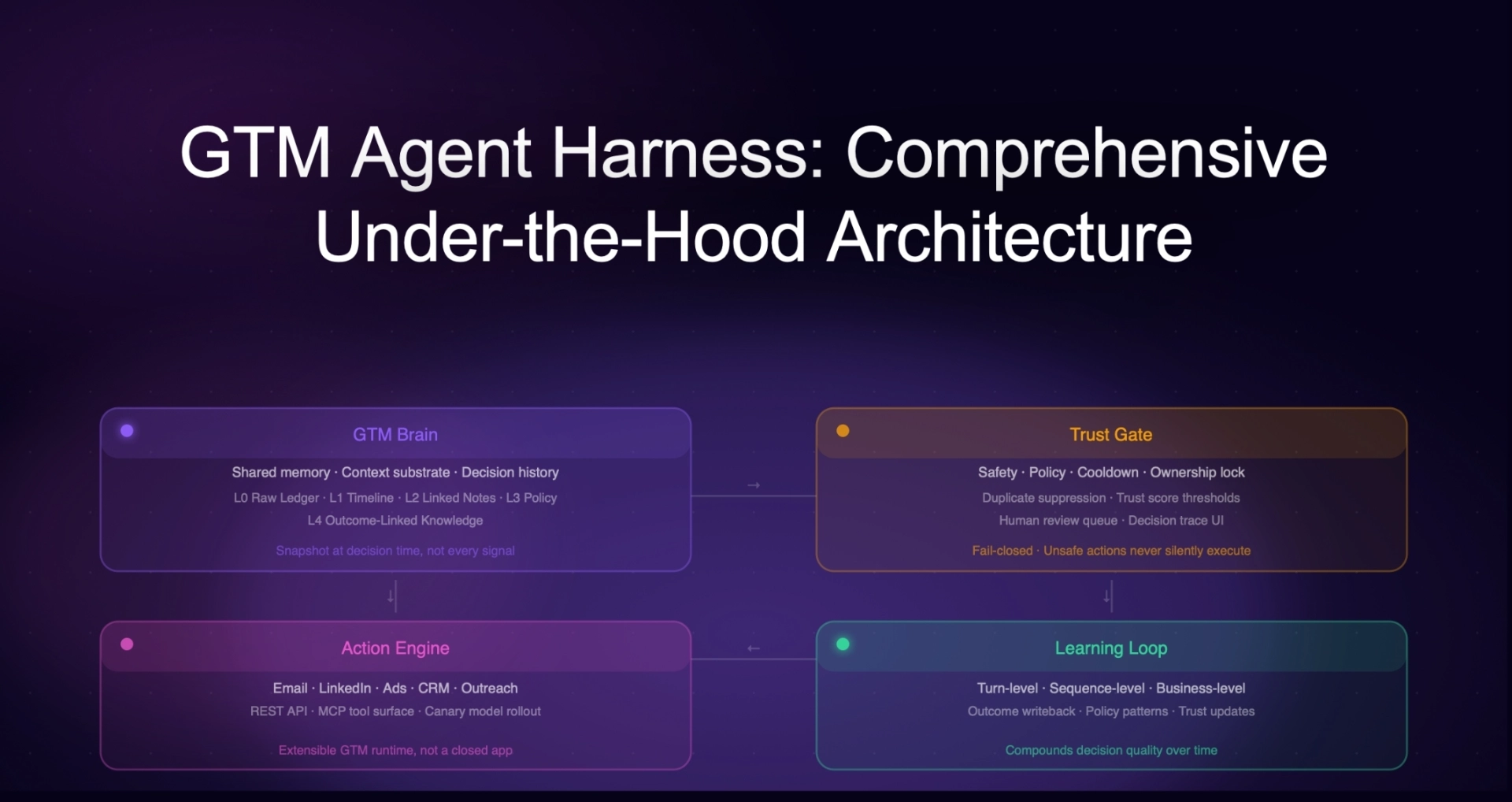
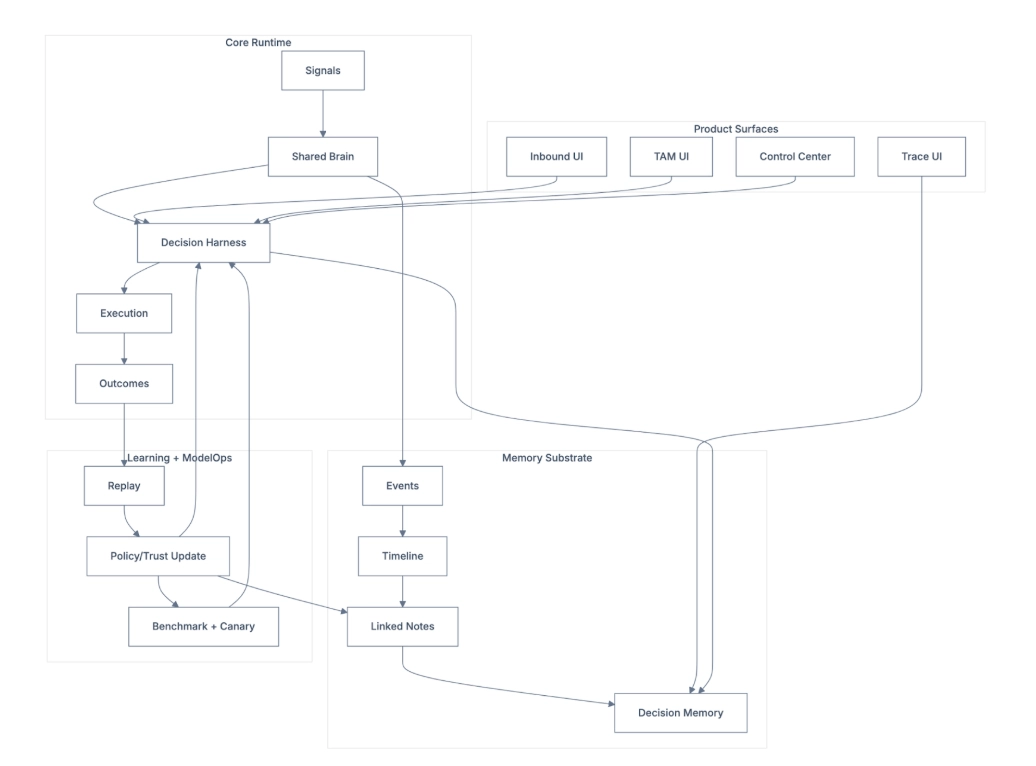
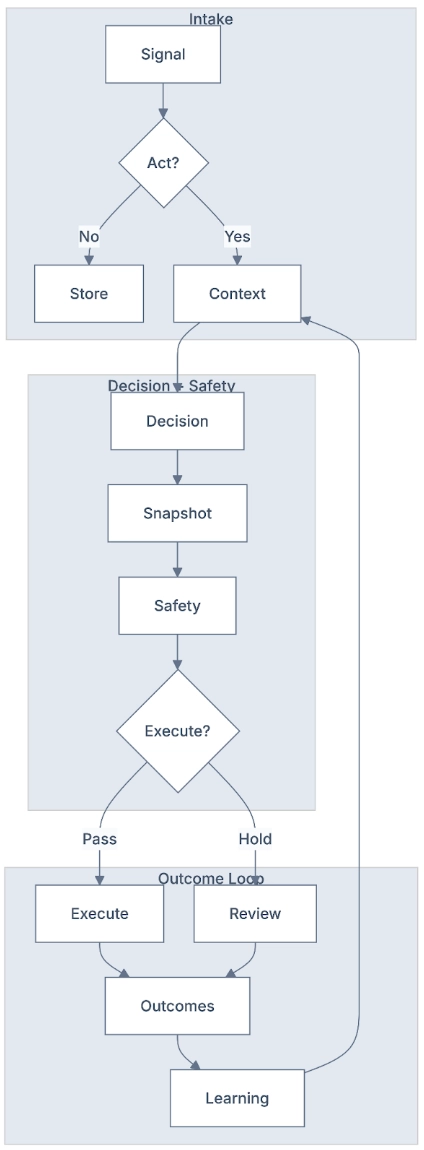
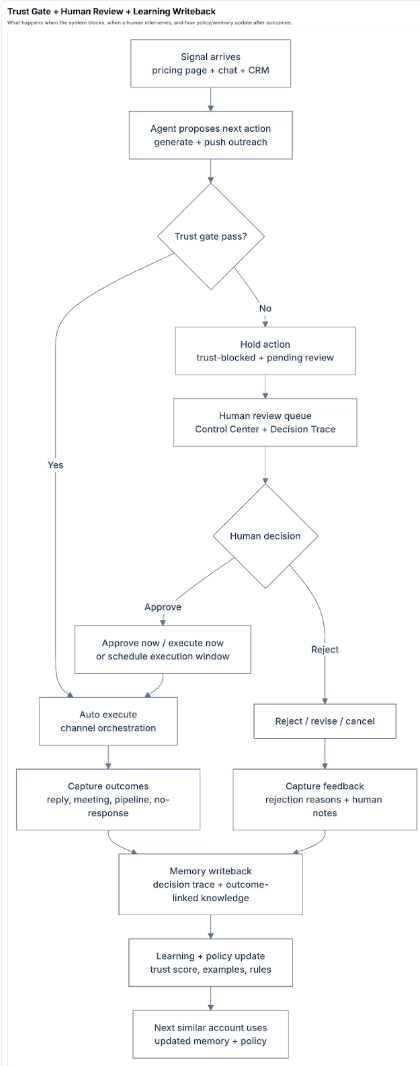
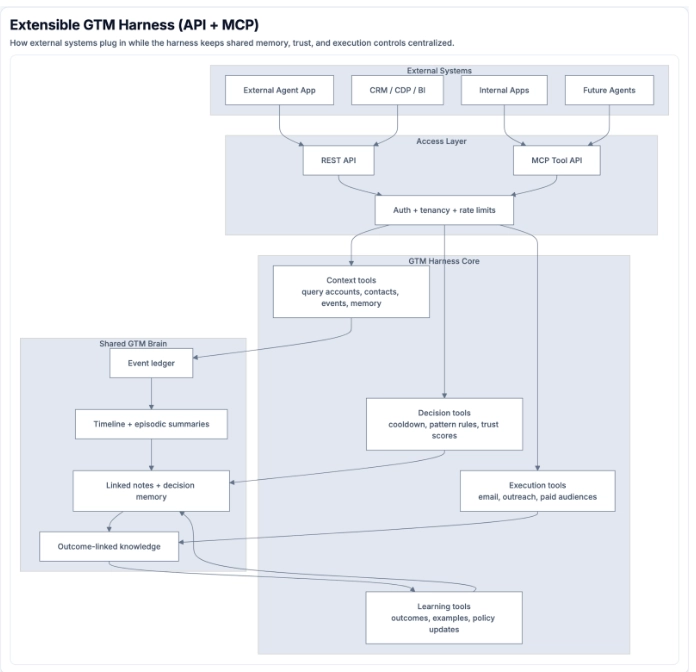
GTM Agent Harness: Comprehensive Under-the-Hood Architecture
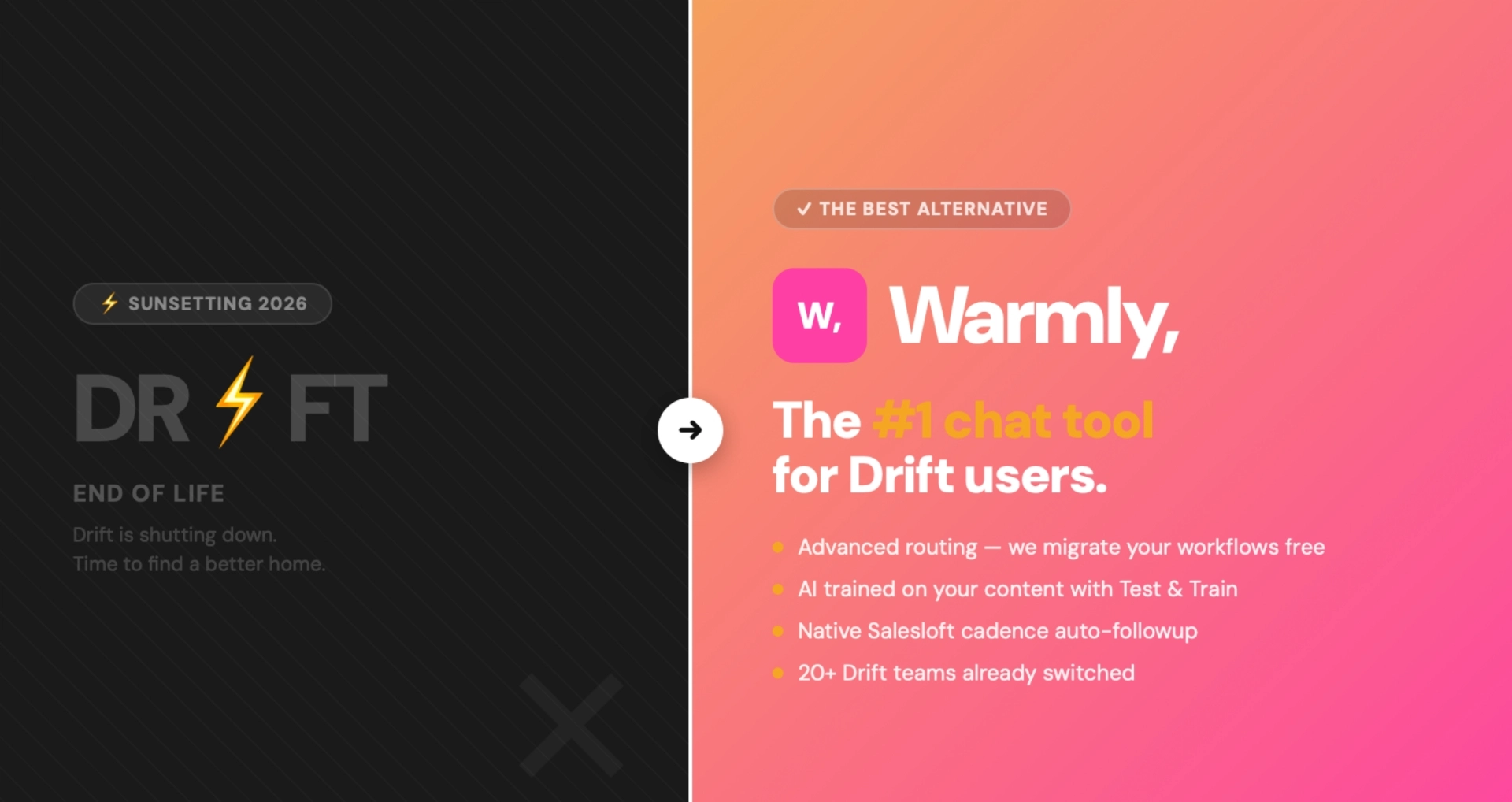
Drift Is Shutting Down: Best Drift Alternative for 2026 | Warmly
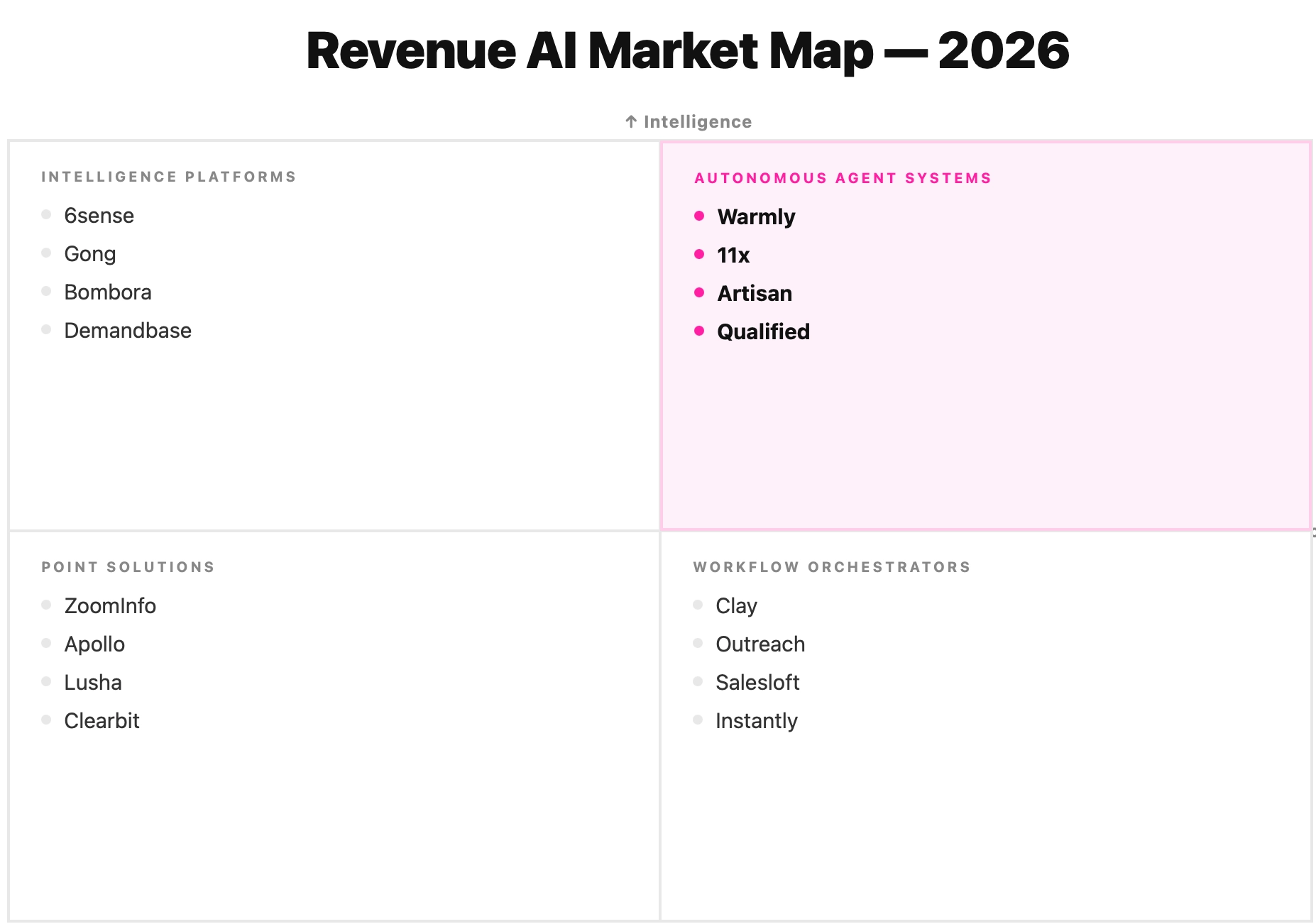
Revenue AI in 2026: The Definitive Market Landscape (From Workflow Hell to Agent Intelligence)
6sense Review: Is It Worth It in 2026? [In-Depth]
AI Marketing Agents: Use Cases and Top Tools for 2026

Articles

Showing 0 of 0 items

Category

Resources
Resources
Resources
Resources
Common Room Pricing: Is It Worth It In 2026? [Reviewed]

Common Room Pricing: Is It Worth It In 2026? [Reviewed]

Time to read

Alan Zhao

➡️ I'll also point you to a Common Room alternative built for full-funnel coverage, with a free plan you can run on live traffic and pricing aimed at teams collapsing a multi-tool stack into one.

TL;DR

  • Common Room uses a tiered, seat-based model. Your price climbs with seats, tracked contacts, and a set of usage allowances (e.g., RoomieAI research credits, Prospector credits, IP enrichment, and website de-anonymization).
  • There does not appear to be a free plan or a self-serve trial as of 1st of June, 2026.
  • Essential opens at $2,100/mo billed annually (about $25,200/yr). Advanced and Enterprise are custom, and Vendr puts the median buyer at $30,750/yr.
  • Warmly offers the best alternative to Common Room if you want person-level visitor ID, AI chat, outbound, and a built-in contact database in one platform.

How much does Common Room cost? Plan breakdown

Common Room offers 3 paid plans that you can choose from:

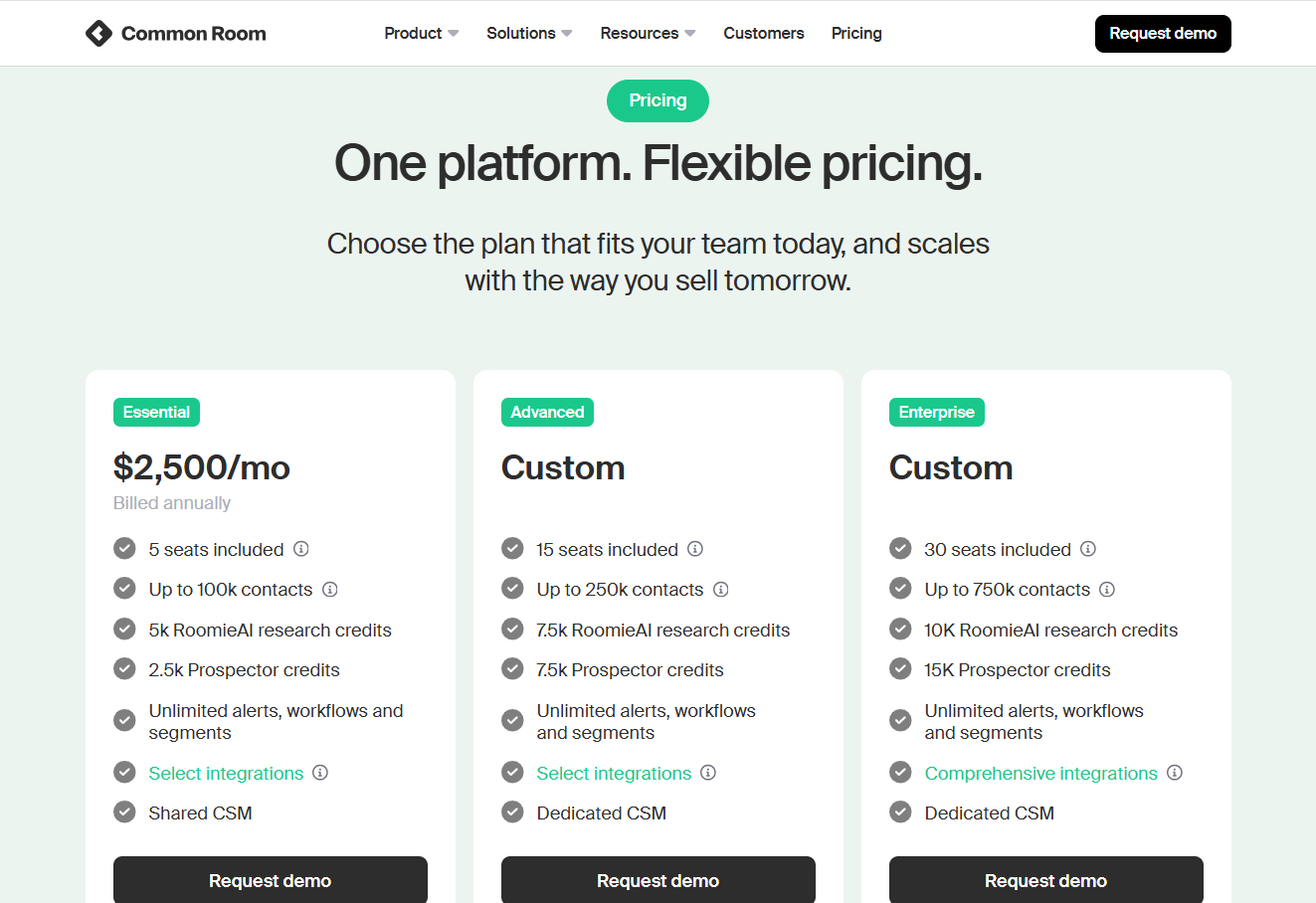
  • Essential: $2,100/month with 5 seats included, up to 100,000 contacts, 5k RoomieAI research credits, 2.5k Prospector credits, unlimited alerts, workflows and segments, and ticketed support.
  • Advanced: Custom pricing with 15 seats included, up to 250,000 contacts, 7.5k RoomieAI research credits, and 7.5k Prospector credits. 
  • Enterprise: Custom pricing with 30 seats included, for up to 750,000 contacts, 10k RoomieAI research credits, and 15k Prospector credits. Also adds comprehensive integrations and dedicated support.

Source of image.

How does Common Room calculate its pricing?

Common Room runs one tiered model across the whole product, and several usage levers move the price, with seat count being only one of them.

Here’s what appears to be driving the number:

  • Seats: every tier bundles a set number of users (5 on Essential, 15 on Advanced, 30 on Enterprise). Go past that and you pay more.
  • Tracked contacts: the contact universe Common Room enriches and scores, capped at 100,000 on Essential, 250,000 on Advanced, and 750,000 on Enterprise.
  • RoomieAI research credits: how much of the AI research engine you can run (5,000, then 7,500, then 10,000).
  • Prospector credits: draws from the built-in contact database (2,500, then 7,500, then 15,000).
  • Website de-anonymization: capped at 1,000 identified visitors on Essential and Advanced, unlimited only on Enterprise.
  • Bombora topics and IP enrichment: intent topics (5, 10, 25) and yearly IP enrichments (240,000, 480,000, 960,000) both climb with the tier.

➡️ DataAgent Actions, extra Prospector credits, product signal integration, and both data-export options are add-ons, so you should expect to pay for that too if you need it.

If I were evaluating Common Room’s pricing, I'd size the plan around two questions:

  • How many seats your GTM team needs?
  • How many visitors you actually want de-anonymized each month.

Does Common Room have a free plan or free trial?

As of 1st of June, 2026, Common Room does not appear to have a free plan or a free trial of its software.

You’ll have to request a product demo and go from there.

Common Room's plan breakdowns

Common Room Essential Plan

Common Room's Essential plan starts at $2,100/mo billed annually, which lands at roughly $25,200/yr.

Source of image.

It's the only tier with a public number, and it's aimed at teams just getting going with signal-based selling.

What's inside:

  • 5 seats.
  • Up to 100,000 tracked contacts.
  • 5,000 RoomieAI research credits a month.
  • 2,500 Prospector credits a month.
  • 1,000 website de-anonymizations.
  • 240,000 IP enrichments a year.
  • 5 Bombora Company Surge topics.
  • Unlimited alerts, workflows, and segments.
  • Shared customer success and ticketed support.

➡️ Essential is the cheapest door in, but two ceilings bite early: the 1,000 website de-anonymization cap, and support that's shared, not dedicated. Product signals and data exports cost extra too.

Common Room Advanced Plan

Common Room's Advanced plan is custom-quoted, with no public number. Most growing mid-market teams will probably end up here.

Source of image.

What it adds over Essential:

  • 15 seats, up from 5.
  • Up to 250,000 tracked contacts.
  • 7,500 RoomieAI research credits and 7,500 Prospector credits.
  • 480,000 IP enrichments a year.
  • 10 Bombora topics.

One thing it doesn't touch: website de-anonymization stays pinned at 1,000. Worth knowing if visitor identification is your main reason for buying.

➡️ Advanced mostly buys you more seats, more contacts, and bigger credit pools.

Common Room Enterprise Plan

Enterprise pricing isn't published, so you'll be talking to their team for a quote.

Source of image.

Going by the published feature list, Enterprise stacks on:

  • 30 seats.
  • Up to 750,000 tracked contacts.
  • 10,000 RoomieAI research credits and 15,000 Prospector credits.
  • Unlimited website de-anonymization.
  • 960,000 IP enrichments a year and 25 Bombora topics.
  • The full integration library, plus SAML and SCIM security.
  • A dedicated customer success manager and dedicated support.

➡️ Enterprise is the tier where the de-anonymization cap finally comes off and support turns dedicated.

How much does Common Room actually cost?

Third-party data from Vendr puts the median Common Room buyer at $30,750/yr based on 66 purchases.

The full observed spread runs from $13,750/yr at the bottom (legacy pricing most likely) to $102,550/yr at the top.

According to Vendr, Common Room also often quotes onboarding packages, implementation support, and training separately, and that these can add $5,000–$20,000+ to the total contract value.

Does Common Room provide good value for money?

Yes, Common Room appears to be providing good value for money, given how many happy customers they have on G2 leaving positive feedback.

‘’Common Room is the first one that truly addresses all of my needs in a single place. It covers everything from top-of-funnel intel to deep insights into account engagement.’’G2 Review.

However, some customers tend to provide feedback around the platform’s UI and filtering options.

‘’The Prospector tool would benefit from more advanced filtering so we can segment and drill into the data more precisely.’’ G2 Review.

‘’The UI still has room to improve. Navigating between segments and workflows can feel a bit clunky at times, and some interactions take more clicks than you'd expect.’’ G2 Review.

Despite these pieces of feedback, I’d argue that Common Room is a reasonable platform, given that you can afford it and you’d be fine with its potential learning curve.

Are you looking for a Common Room alternative?

Warmly is the best Common Room alternative in 2026 for B2B revenue teams that want person-level visitor identification, AI chat that converts on the page, AI SDR-led outbound, and a contact database baked in, all running on one shared intelligence layer.

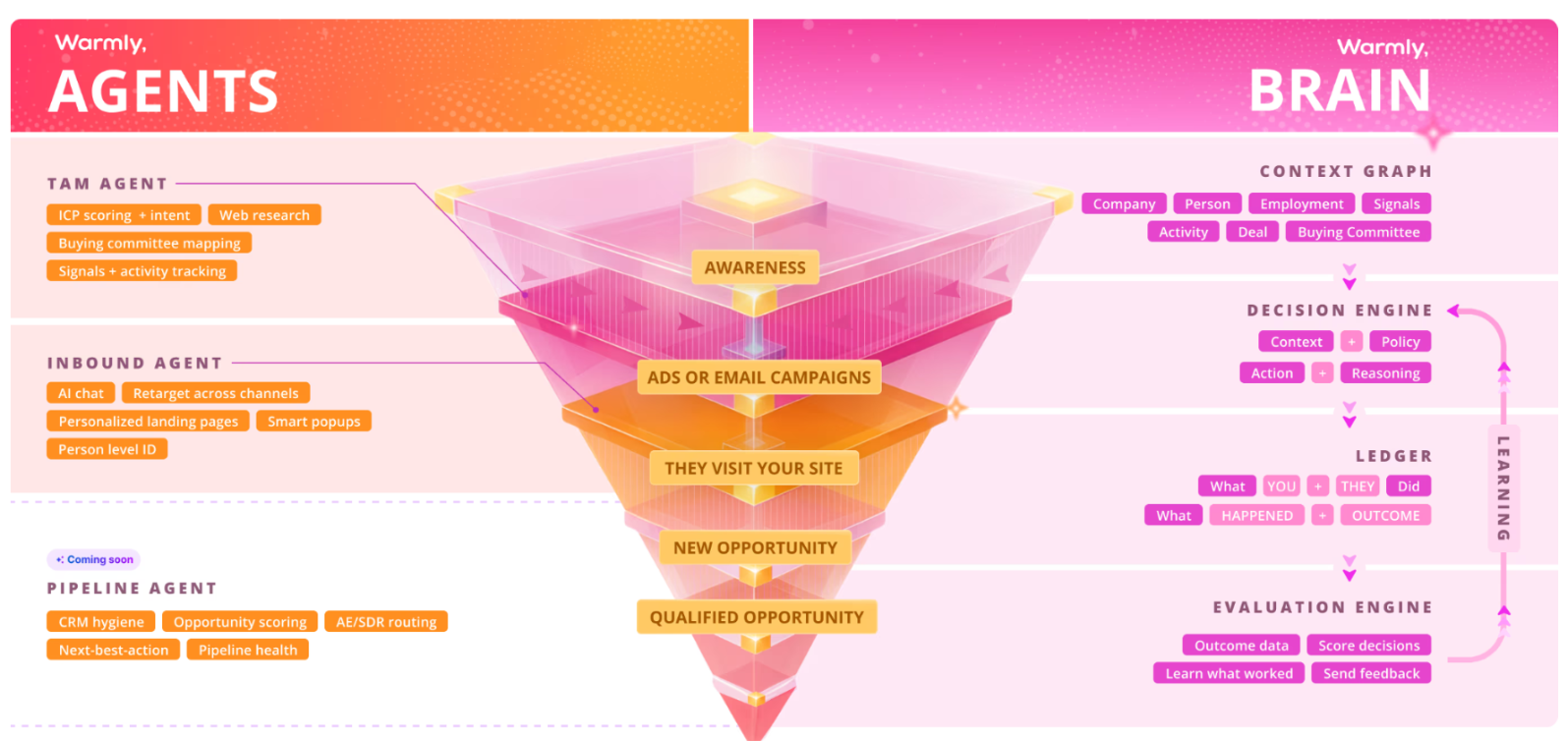
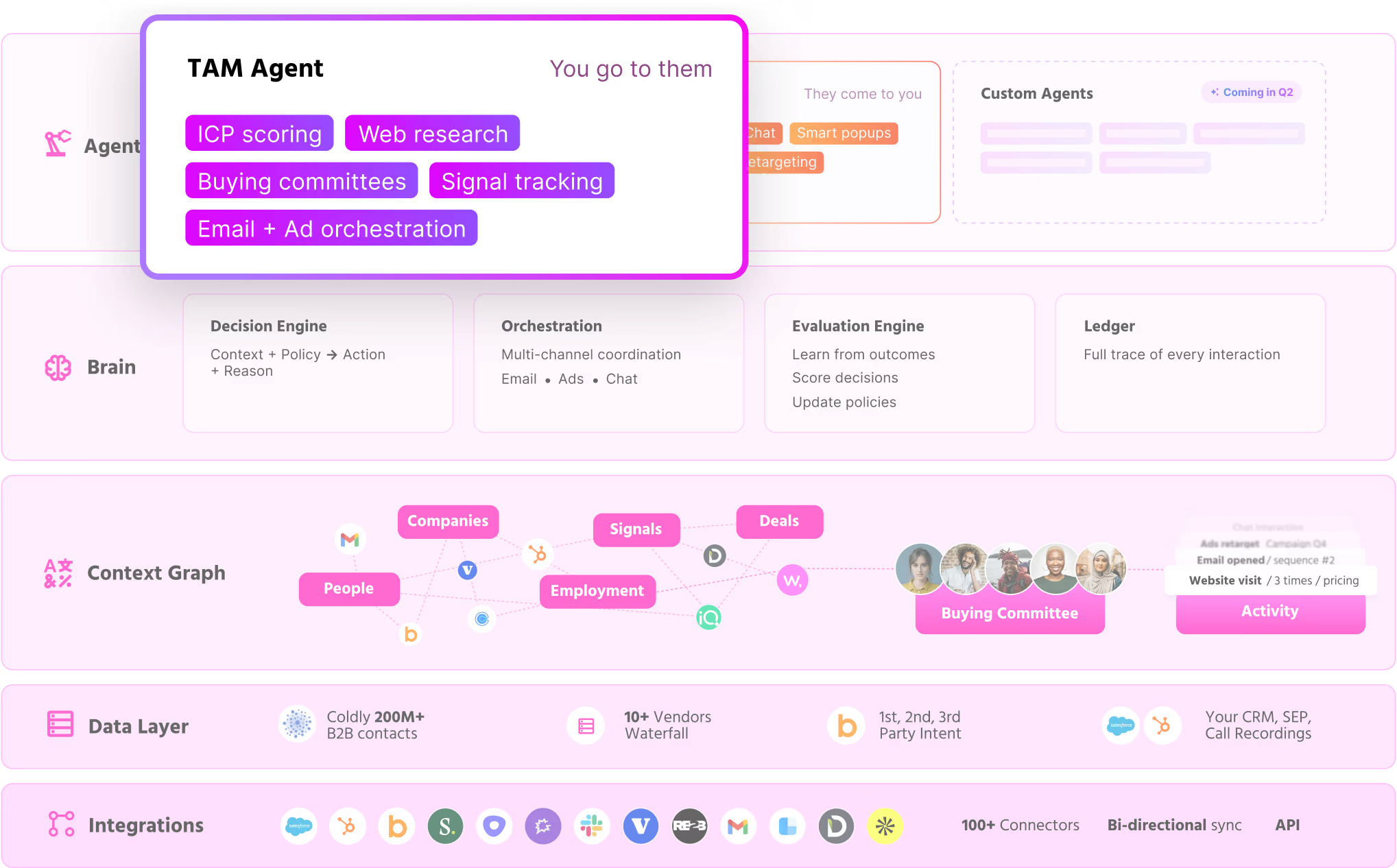
The setup is two coordinating AI agents:

  • An Inbound Agent handles on-site conversion (AI chat, person-level ID, smart popups, retargeting).
  • A TAM Agent handles off-site orchestration (ICP scoring, intent, buying committee mapping).

Both connect through a shared Context Graph that learns from every interaction.

Full disclosure: Warmly is our product, so take the pitch with that in mind. I'll still flag the spots where Common Room is the better buy.

Let’s take a closer look at the features that matter for teams leaving Common Room: 👇

Person-level website visitor identification

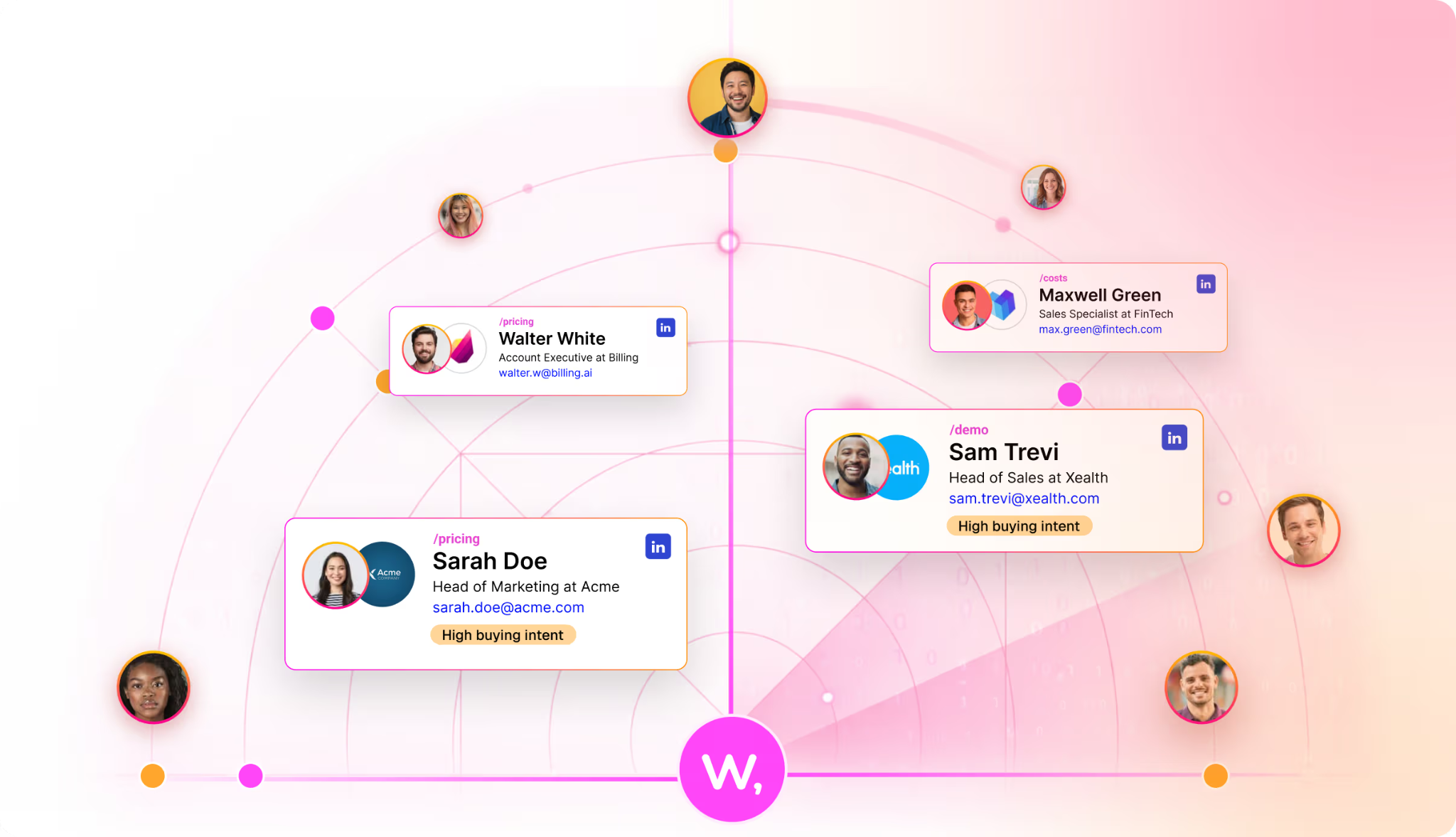
The core of Warmly is turning anonymous traffic into actual people that you can reach out to who visited your website.

Our platform can identify around 15% of your visitors at the person level (name, work email, job title, LinkedIn) and roughly 65% at the company level.

The actual identification rates vary based on traffic source and visitor location, and the full pipeline (identification, enrichment, context assembly, and scoring) runs in under three seconds.

We wanted to build a solution that’ll tell you who exactly visited your website, and not that ‘’someone from Apple’’ visited your case study.

Inbound Agent: AI chat with a human handoff

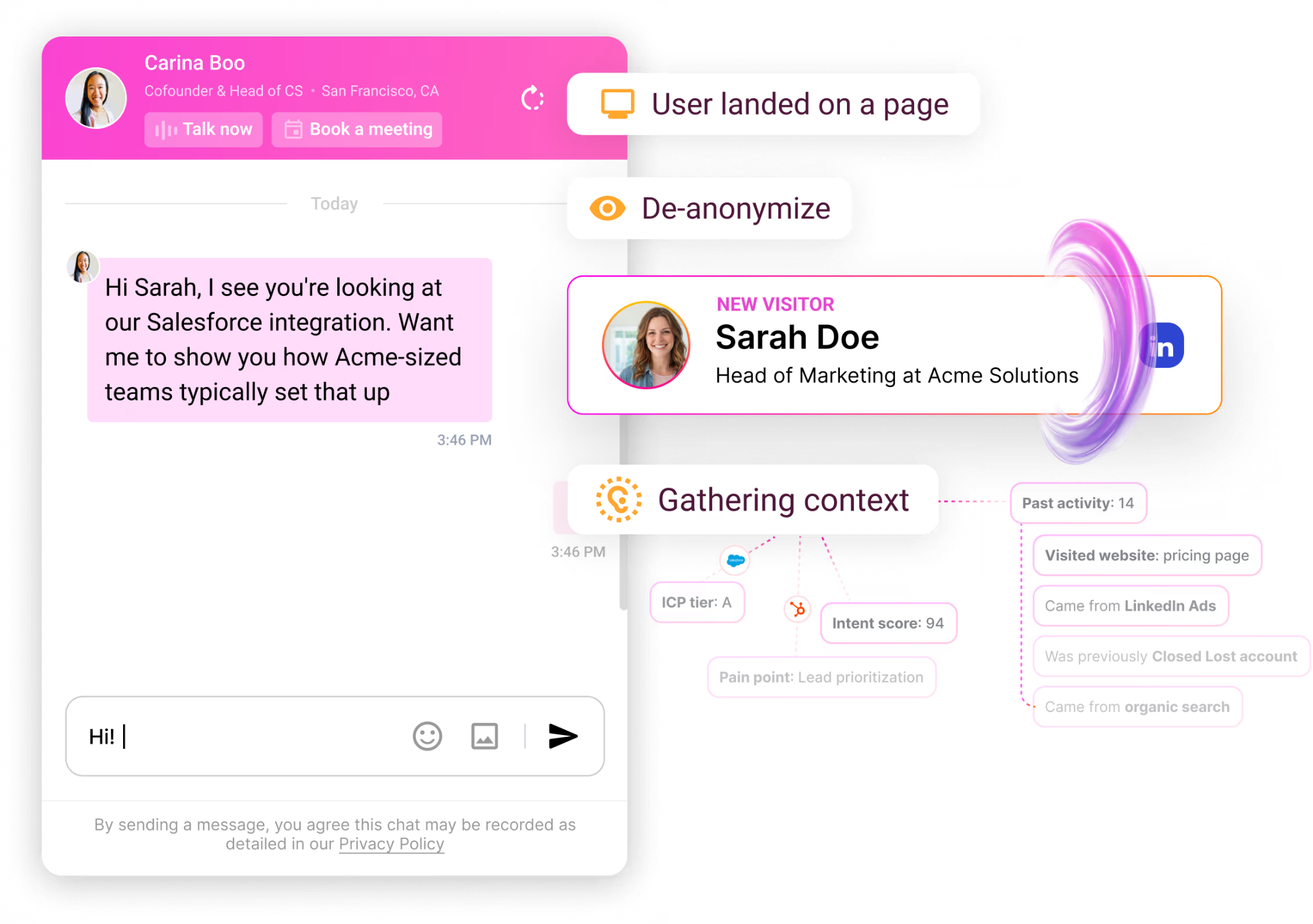
Warmly’s Inbound Agent runs an autonomous chat that already has full CRM and intent context loaded before it sends a single message, then pulls in a human the moment the conversation calls for one.

As the AI walks in knowing the visitor's company, role, page history, and any earlier touches, nobody lands on a generic "Need anything?" greeting.

And when one of your sales reps takes over, the transcript and context travel with them, so the handoff doesn't reset the conversation.

Qualified visitors can also book straight onto a rep's calendar from inside the chat.

The same identity layer powers two more sales plays:

  • Smart popups fire on intent signals and tailor the offer to whoever's actually on the page.
  • Personalized landing pages reshape headlines, CTAs, and case studies around the visitor's company, role, and behavior.

Warmly also ships an AI 24/7 Video Chat Agent that engages visitors 24/7 with human-like conversations to deliver personalized demos and qualify leads through video chat.

And the visitors who leave without converting don't vanish, either.

Warmly's retargeting engine drops them into email sequences and LinkedIn ad audiences on its own.

TAM Agent: outbound orchestration with intent scoring

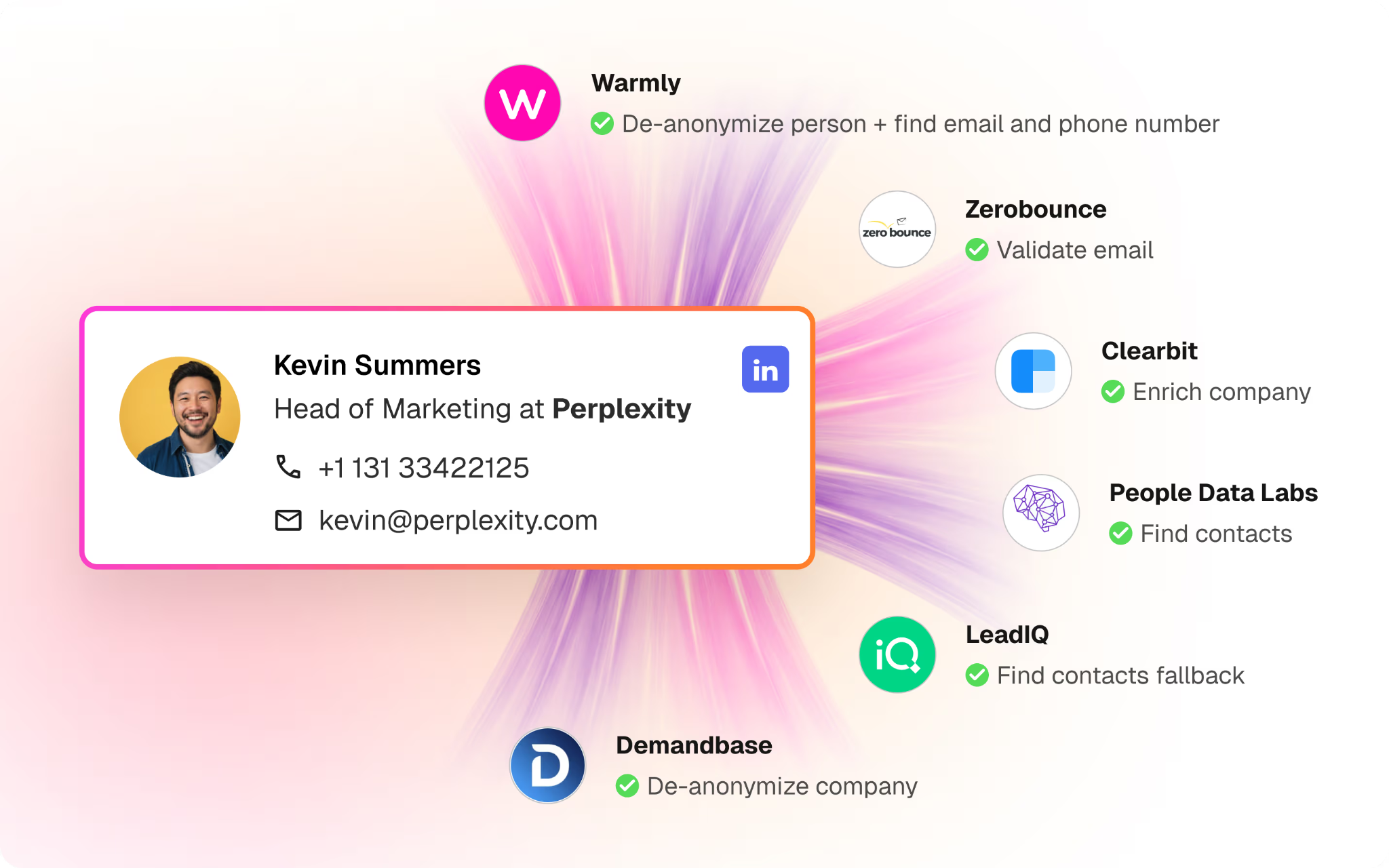
Warmly's TAM Agent owns the off-site half of GTM from a single setup: ICP tiering, buying committee identification, intent scoring, multi-vendor enrichment, and outbound orchestration.

In practice, that breaks down to:

  • Scoring every account in your market off your own closed-won deals, with a tunable Tier 1 to Not-ICP model that shows its reasoning.
  • Mapping the buying committee into four roles (Champion, Decision-maker, Influencer, Approver) drawn from LinkedIn data and org charts, each contact arriving with a verified work email.
  • Folding first-party behavior (web, chat, email) together with third-party signals (Bombora, G2, job postings, technographics) into a single score you can adjust.
  • Refreshing audiences automatically and pushing them to LinkedIn Matched Audiences, HubSpot, and Outreach as accounts heat up or cool off.
  • Running outbound your way: routed to reps by territory, handled by an autonomous AI SDR, or split as a hybrid where AI opens and reps take over once someone engages.

Common Room covers the signal-aggregation side of this well.

Warmly's TAM Agent takes those signals the extra step into executed outbound.

The Context Graph: the shared data and learning layer

The Context Graph is what wires the Inbound and TAM agents together.

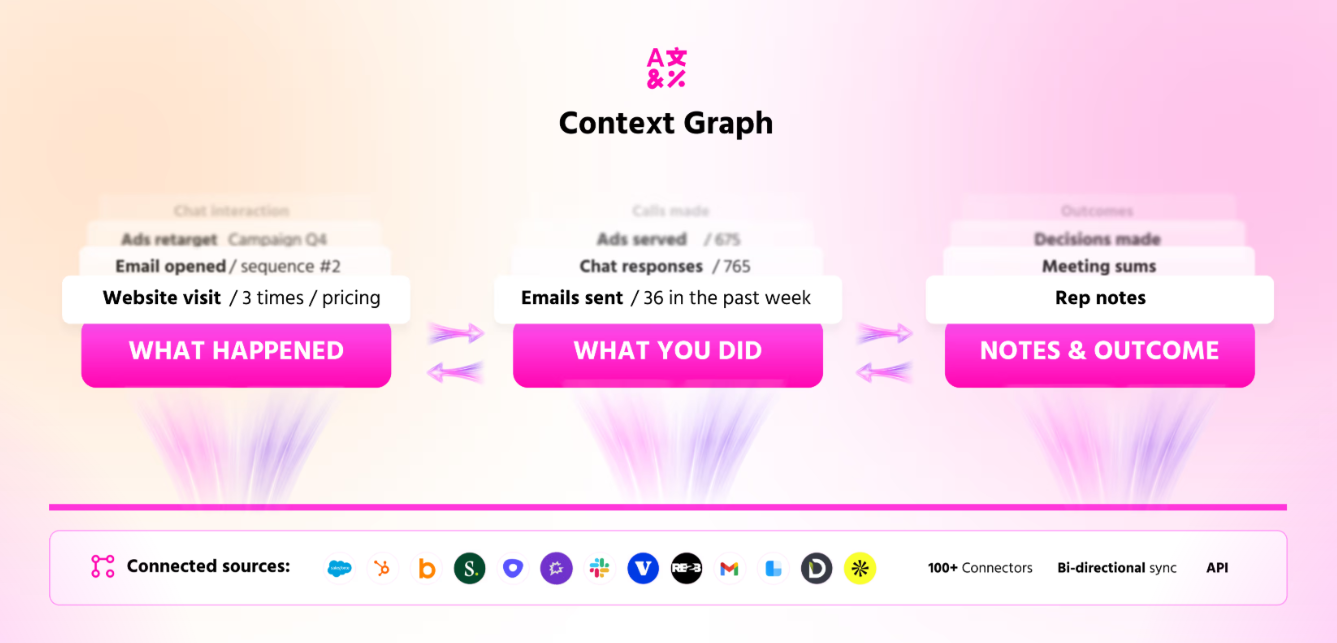
For every account, it keeps a running record of four things: the signals (what happened), the actions (what you did), the reasoning (why), and the outcomes (what came of it).

Both motions then read from one scoring model, so nobody's hand-stitching context across three separate vendors.

Every touchpoint lands in an activity ledger, which is useful when a prospect goes dark for a few months and then resurfaces, budget finally approved.

That same history feeds the chatbot, so it already knows a visitor read your pricing page last week and worked through a case study back in March.

How is Warmly different from Common Room?

Strip away the feature lists, and the difference is about what each tool is built to do.

  • Common Room’s strength is pulling buying signals from a wide spread of sources (Slack, GitHub, Discord, social, web, product usage), resolving identities, and pushing the high-intent names to the top so your team knows who's worth a call.
  • Warmly identifies the visitor, talks to them on the page, then runs the outbound, all off the same learning layer.

Common Room's genuine edge is the breadth of where it listens, plus the RoomieAI research engine.

For a community-heavy or product-led motion with a lot of off-site activity worth tracking, that earns its place.

Warmly does its best work on the other side of the signal.

Once a visitor is identified, you can chat with them on the page, pull contact data straight from the platform, and run outbound from the same system.

Which one fits depends on where your pipeline actually starts.

If your signal is scattered across community and product channels and you've already built the muscle to act on it, Common Room gives you plenty.

But when the job is catching site visitors, talking to them while they're live, and running outbound off one shared dataset, Warmly covers more of the ground.

How is Warmly's pricing different from Common Room's?

The clearest difference is our free plan. Warmly gives you 500 de-anonymized visitors a month to prove it out on live traffic before any money changes hands, while Common Room offers a demo and nothing self-serve.

Past the free plan, there are three paid tiers:

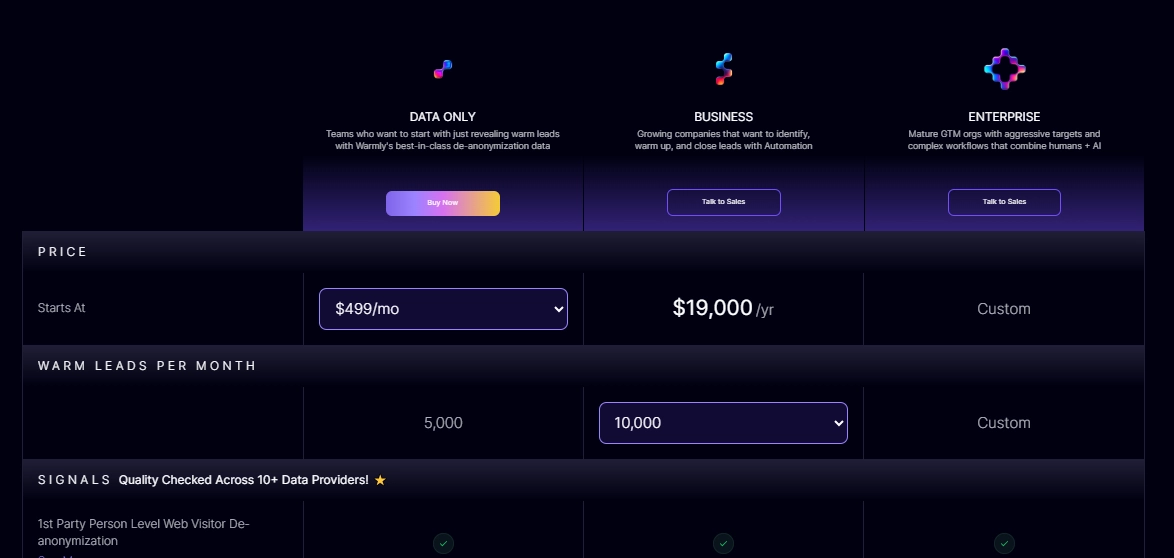
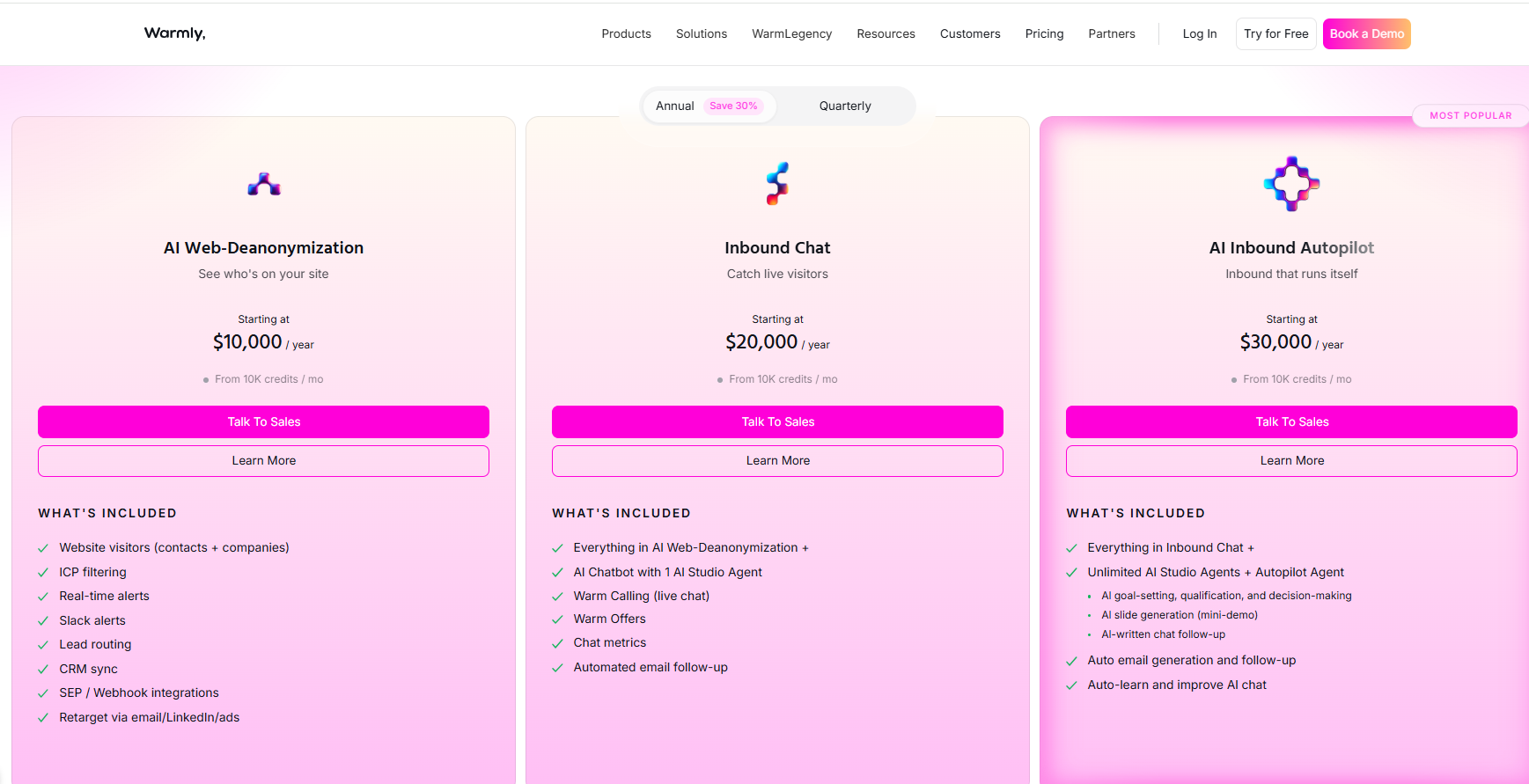
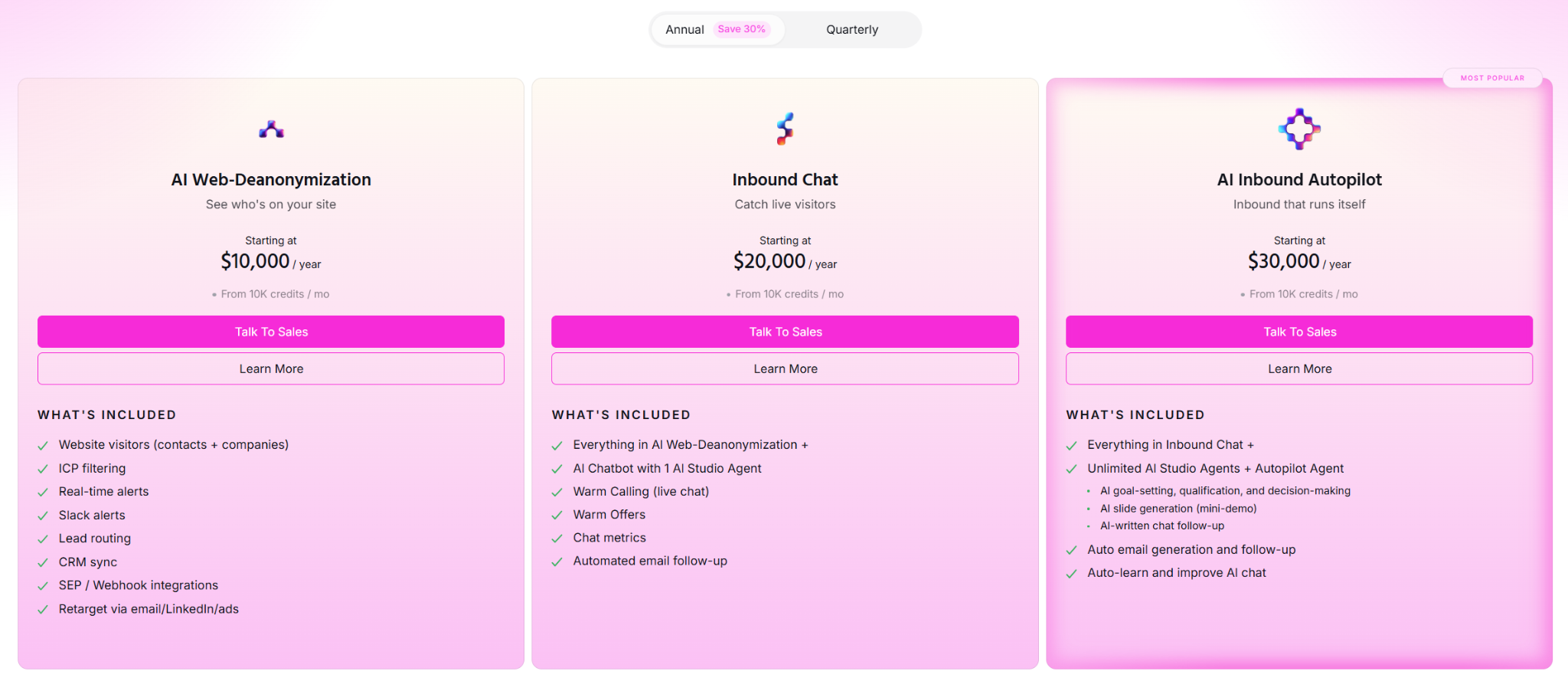
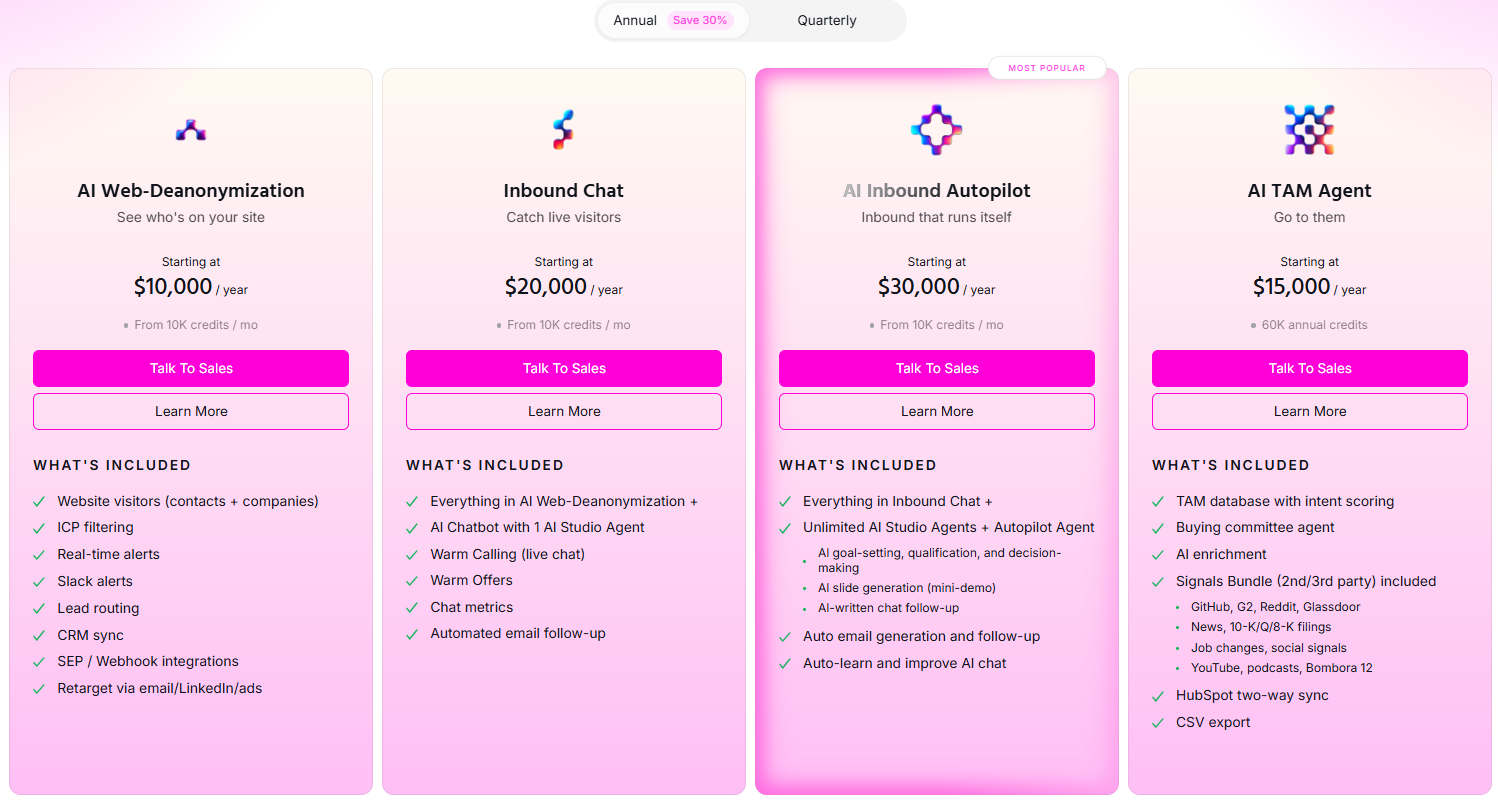
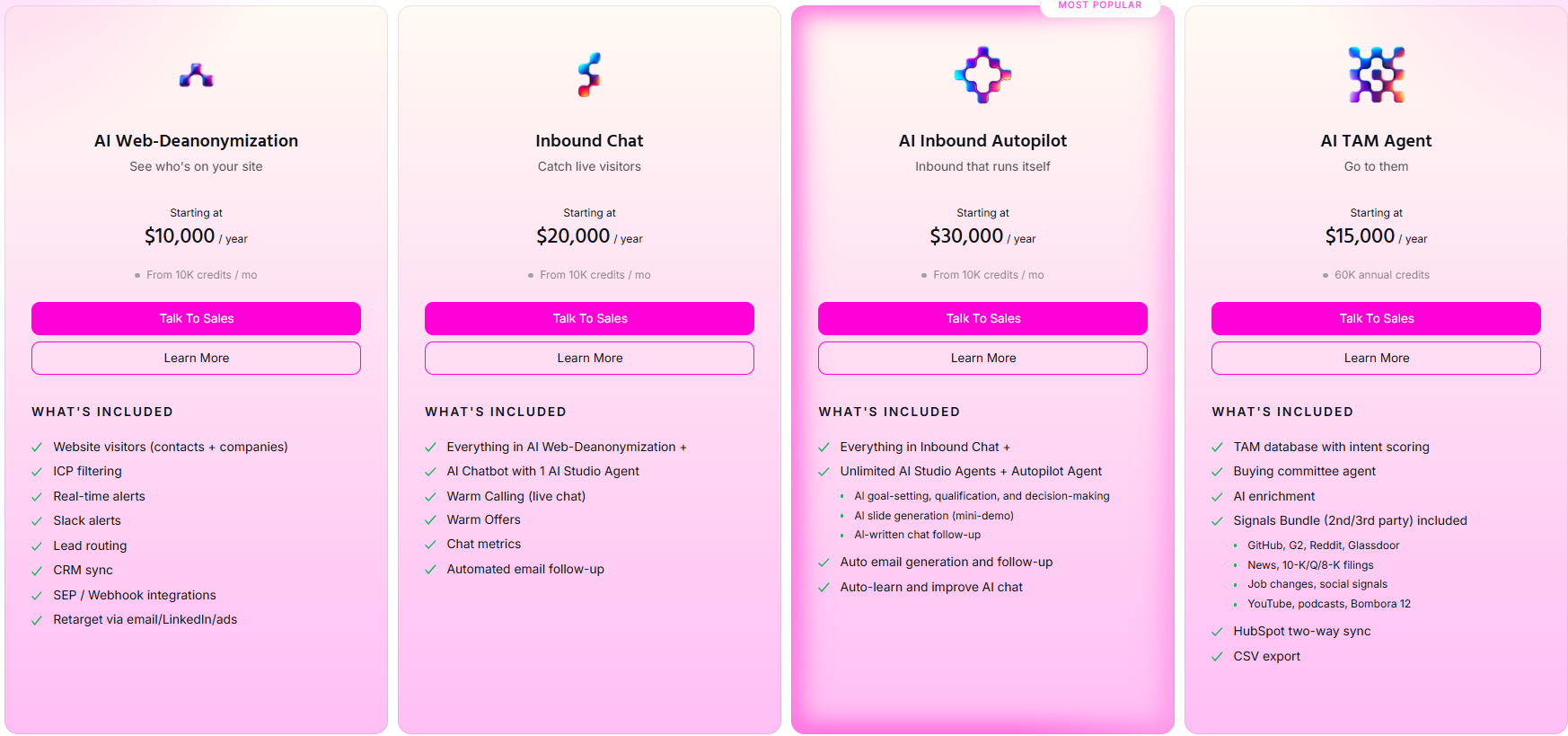
  • AI Web-Deanonymization ($10,000/year, 10K credits per month): entry-level visitor ID with contact and company-level identification, ICP filtering, real-time Slack alerts, lead routing, CRM sync, and retargeting via email, LinkedIn, and ads.
  • Inbound Chat ($20,000/year): adds the conversational layer on top of visitor ID, with the AI Chatbot (one AI Studio Agent), Warm Calling for live chat handoff, Warm Offers, chat metrics, and automated email follow-up.
  • AI Inbound Autopilot ($30,000/year): builds on Inbound Chat with unlimited AI Studio Agents and the Autopilot Agent, AI goal-setting and qualification, AI-generated mini-demo slides, AI-written chat follow-up, and auto-learning that improves the chat over time.
  • AI TAM Agent ($15,000/year, 60K annual credits): the outbound plan, covering the TAM database with intent scoring, the buying committee agent, AI enrichment, the Signals Bundle (Bombora, G2, Reddit, Glassdoor, news, SEC filings, job changes, social signals, YouTube, podcasts), and HubSpot two-way sync.

Try Warmly for free

If you've read this far comparing what Common Room costs against what it does for you, the real question is whether you're paying for half a stack.

Common Room handles signals. You're still on the hook for the conversion layer and the contact data.

Warmly folds those into one platform. What your team gets:

  • An AI Inbound Agent that chats with visitors, routes them, books the meeting, and re-engages the ones who leave.
  • A TAM Agent that runs ICP scoring, buying committee mapping, and the outbound orchestration Common Room leaves to you.
  • Coldly's contact database built-in, so verified emails and phone numbers aren't a separate line item.
  • Person-level visitor ID that works worldwide.

You can start with Warmly's free plan to identify your first 500 visitors, or book a demo if your team needs the full Inbound and TAM agent setup.

⚠️ Disclaimer: This article was last updated on the 5th of June, 2026, and if there's any misinterpretation of the information, please contact us, and we will fact-check it.

10 Best Albacross Alternatives & Competitors [2026]

10 Best Albacross Alternatives & Competitors [2026]

Time to read

Alan Zhao

This guide ranks the 10 best Albacross alternatives for teams that want to name the individual visitor, not just the company, and engage them while the visit is still live.

TL;DR

  • Warmly is the best Albacross alternative in 2026 for B2B SaaS revenue teams that want person-level visitor identification, on-site AI chat that engages during the session, and AI-driven outbound, all tied together by one Context Graph.
  • Teams whose core need stays close to Albacross (company-level identification at transparent pricing) tend to land on Dealfront (Leadfeeder) and Snitcher, which are both strong on European traffic with published prices.
  • Enterprise ABM teams that want predictive scoring, third-party intent aggregation, and ad orchestration usually evaluate 6sense and Demandbase, which run further up-market at enterprise pricing.

What are the best alternatives to Albacross?

The best alternatives to Albacross in 2026 are Warmly with its person-level visitor ID and inbound agent, Dealfront (Leadfeeder), and Lead Forensics.

Below are the 10, with what each one fits best and where pricing lands:

Tool

Best For

Pricing

Warmly

B2B SaaS revenue teams that want person-level visitor identification, on-site AI chat, and AI-driven outbound running on one shared Context Graph.

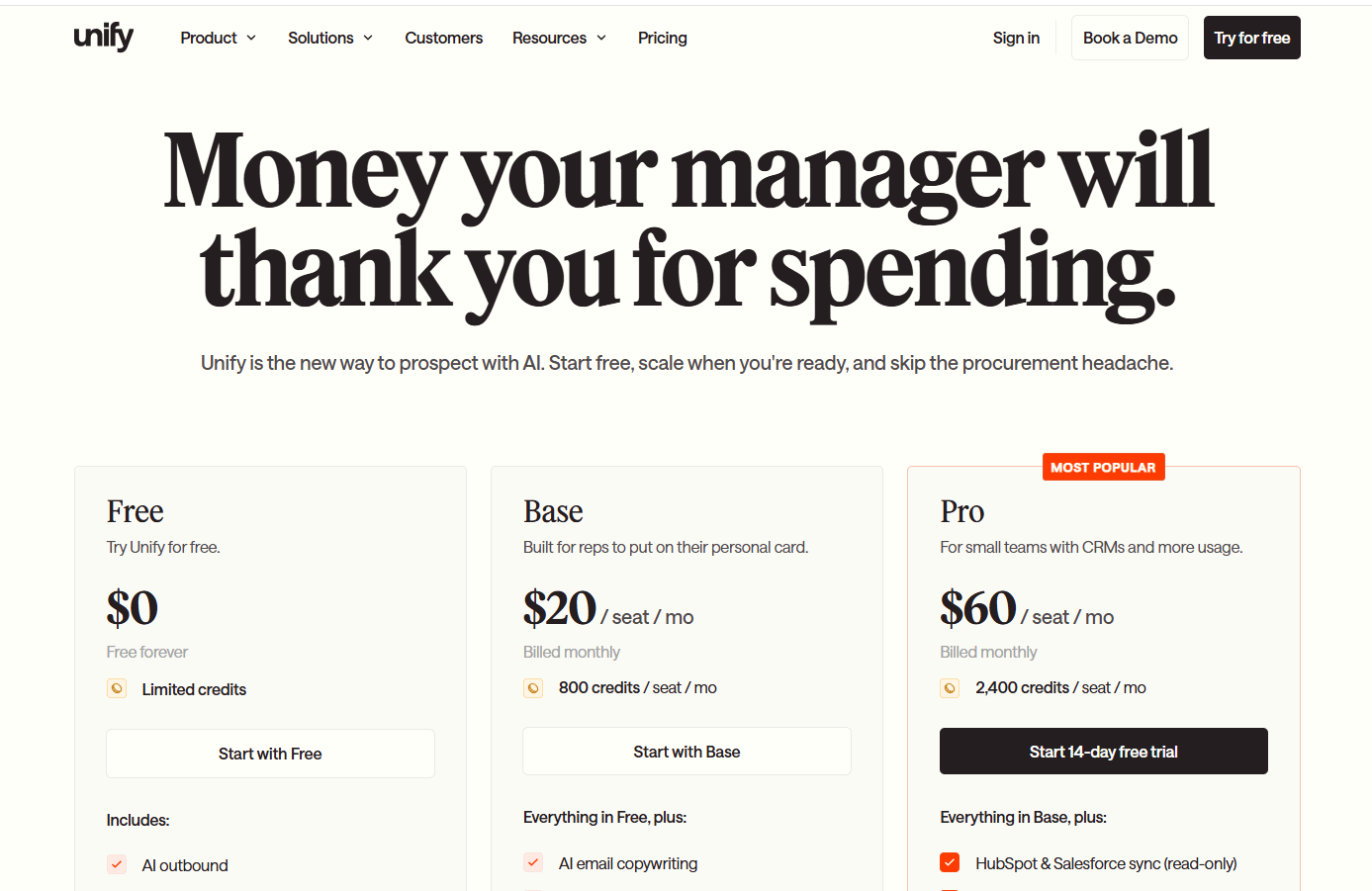
Free plan; paid from $10,000/year.

Dealfront (Leadfeeder)

European B2B teams that want GDPR-first company-level visitor identification backed by a wider European data platform.

Free plan; paid from €99/month.

Lead Forensics

Sales teams that want established company-level visitor identification with built-in contact data and rep routing.

Pricing not public.

Snitcher

Budget-conscious B2B teams that want fast, accurate company-level identification with a standout GA4 integration.

Starts from $49/month.

RB2B

US-focused teams that want lightweight person-level identification pushed into Slack with minimal setup.

Free plan; paid from $79/month.

Salespanel

Teams that want first-party visitor tracking tied to rule-based lead scoring and qualification.

Starts from $99/month.

6sense

Enterprise ABM teams that need predictive account scoring and third-party intent aggregation across the funnel.

Free plan; paid pricing not public.

Demandbase

Enterprise teams running multi-channel ABM with advertising tied tightly to account intent.

Pricing not public.

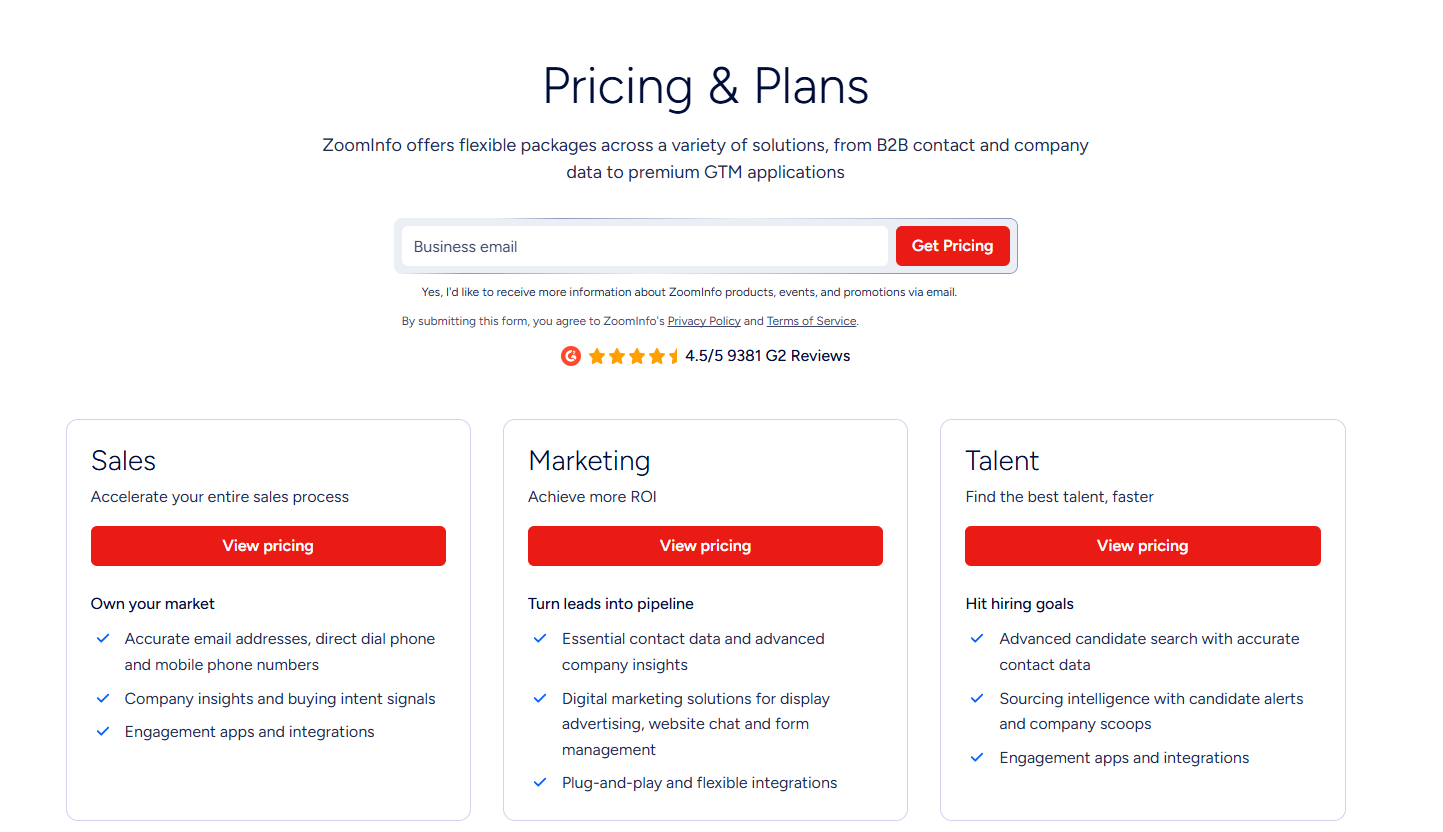
ZoomInfo

Enterprises that want the broadest B2B contact database with intent data and company-level visitor tracking layered on.

Free tier; paid pricing not public.

Common Room

PLG and community-led teams that want buying signals from Slack, GitHub, and product usage unified in one view.

Starts from $2,100/month.

#1: Warmly

Warmly is the best alternative to Albacross in 2026 for B2B SaaS teams that want one platform doing four things in coordination:

  • Person-level website visitor identification.
  • An Inbound Agent that converts visitors on-site.
  • A TAM Agent that handles outbound orchestration.
  • The Context Graph keeping both motions working off the same scoring model.

Quick note for transparency: Warmly is our platform. The aim isn't to oversell it. It's to show where Warmly fits teams leaving Albacross, and where another tool on this list might suit you better.

The same platform that identifies a visitor will talk to them on the site and chase the follow-up by email and LinkedIn once they leave.

If you're weighing Albacross alternatives, here are four areas that I think make Warmly a vendor to put in your shortlist:

Person-level website visitor identification

Unlike Albacross, Warmly's job is to identify who visitors are at the individual level, not just the company.

On typical B2B traffic, Warmly identifies around 15% of visitors at the person level and roughly 65% at the company level, and that coverage isn't fenced to one region.

The full pipeline (identification, enrichment, context assembly, scoring) runs in under three seconds.

What’s more, Warmly can also identify a small percentage of European visitors while still being GDPR compliant.

A visitor shows up in the dashboard with name, work email, job title, seniority, and LinkedIn profile attached.

Inbound Agent (on-site AI chat and live human handoff)

The Inbound Agent is the on-site conversion part of Warmly.

Our AI sales chat identifies the visitor, pulls full CRM and intent history before the first message, and opens with context the visitor actually cares about.

When a conversation needs a human, the handoff comes with the full transcript and CRM history intact so that your sales reps don't have to start from zero.

If the chatbot was able to capture the interest of your visitors, they can book straight into your reps’ calendars from the chat window without going through a form first.

Warmly also ships an AI 24/7 Video Chat Agent that engages your visitors to deliver personalized demos and qualify leads through video chat.

TAM Agent (AI SDR and outbound orchestration)

The TAM Agent handles the off-site half of your GTM motion: dynamic audience building, ICP scoring, buying committee identification, multi-vendor enrichment, LinkedIn ad targeting, and outbound across email and LinkedIn.

Key capabilities include:

  • AI ICP Tiering: An ML model trained on your closed-won deals scores every account as Tier 1, 2, 3, or Not ICP, with a transparent reason behind each score.
  • Buying Committee Identification that goes beyond title matching to find Champions, Decision-makers, Influencers, and Approvers using LinkedIn data, org charts, and job descriptions.
  • Outbound Orchestration: You can route to reps, AI SDR autonomous mode, or hybrid, with guardrails that won't sequence open opportunities or double-touch visitors already in chat.
  • LinkedIn Ad Targeting: Auto-syncs buying committee members from high-intent accounts to LinkedIn Matched Audiences in real-time.

The Context Graph

The Context Graph ties both sales agents together so they can work off the same scoring model and the same account history.

Every signal, action, note, and outcome for every account is captured in one layer: what happened, what your team did, why those decisions were made, and what resulted.

In GTM stacks where website ID, outbound, and chat come from three separate vendors passing data through integrations, each tool only sees a slice.

The Context Graph keeps everything in one system, which means your AI chat conversation can reference that a prospect saw your pricing page three weeks ago and a case study yesterday.

How is Warmly different from Albacross?

The main difference is that Warmly is designed as a full-funnel revenue platform with its person-level visitor identification, on-site chat, outbound, and the Context Graph all belonging to one system.

If you also want the individual visitor de-anonymized and engaged on the page, with outbound reading from the same data, Warmly will be worth exploring for your team.

Pricing

Warmly has a free plan plus four paid plans:

  • Free: 500 de-anonymized visitors per month, real-time Slack alerts, and CSV export.
  • AI Web-Deanonymization: $10,000/year for contact and company-level identification, ICP filtering, lead routing, CRM sync, and retargeting across email, LinkedIn, and ads.
  • Inbound Chat: $20,000/year, adding the AI Chatbot, Warm Calling for live chat handoff, Warm Offers, and automated email follow-up.
  • AI Inbound Autopilot: $30,000/year, adding unlimited AI Studio agents, the Autopilot Agent, AI qualification, AI-generated mini-demo slides, and auto-learning chat.
  • AI TAM Agent: $15,000/year for the TAM database, intent scoring, the buying-committee agent, AI enrichment, the Signals Bundle, and HubSpot two-way sync.

Warmly's pricing fits website-led mid-market B2B SaaS teams that want identification plus engagement in one place, less so very small teams whose needs stop at company-level reveal.

Pros & Cons

✅ Person-level identification across global traffic, not company-level only.

✅ On-site AI chat engages identified visitors during the session, then hands off to a rep with the transcript and CRM context intact.

✅ Inbound and outbound share one Context Graph, so scoring and account history stay consistent across channels.

✅ Native two-way sync with HubSpot and Salesforce.

✅ Intent scoring is transparent and pulls from first, second, and third-party sources.

❌ Entry pricing is higher than pixel-only or company-level visitor ID tools.

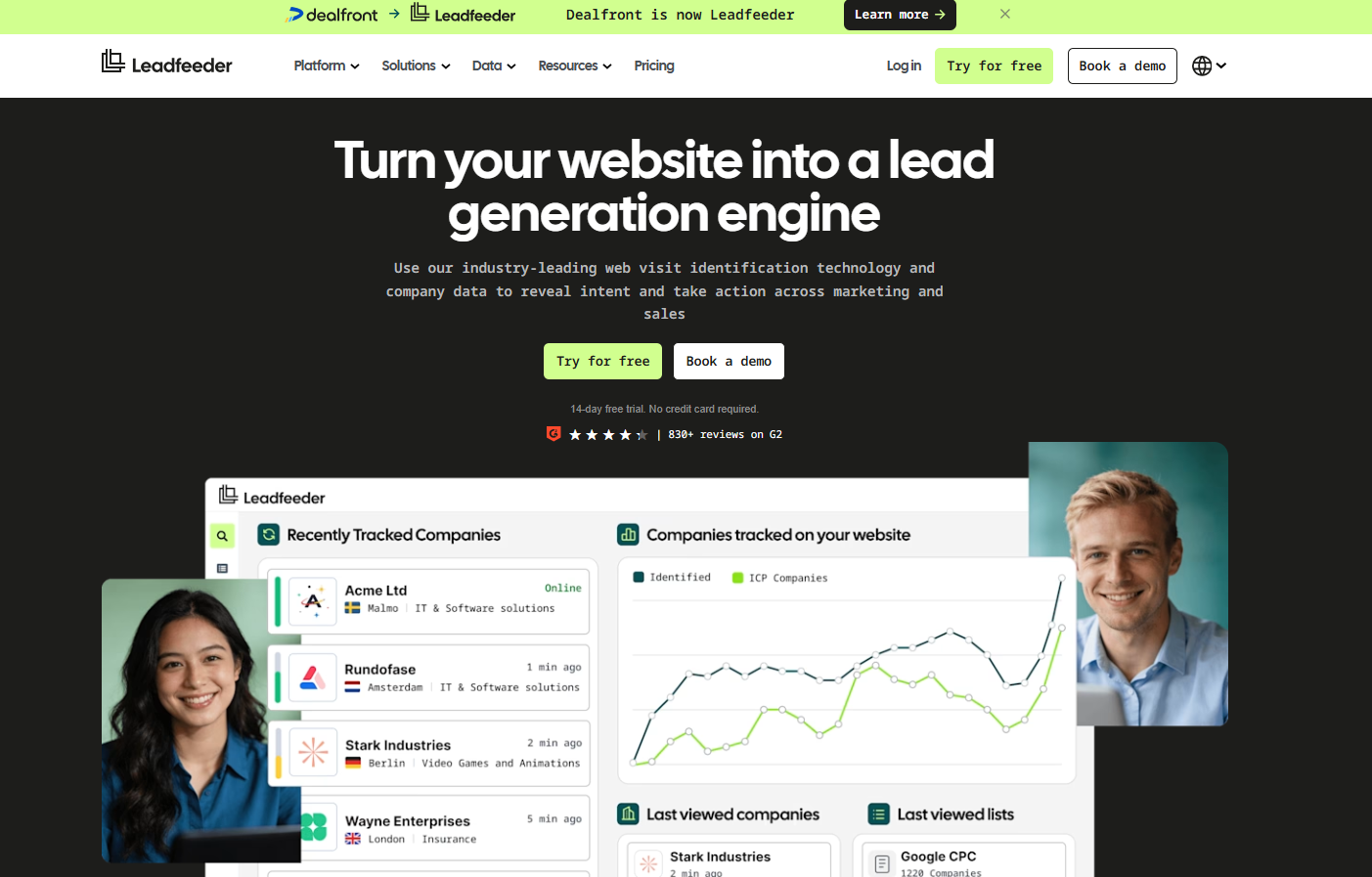
#2: Dealfront (Leadfeeder)

Best for: European B2B teams that want GDPR-first company-level visitor identification backed by a wider European data platform.

Similar to: Albacross, Lead Forensics.

Source of image.

Dealfront is what you get when Leadfeeder and Echobot combine: company-level visitor ID stitched onto a European B2B data engine.

Its strength against a tool like Albacross is depth of compliant data across the German-speaking markets, the Nordics, and the Benelux.

Features

Source of image.

  • Company-level visitor ID: Turns IP traffic into named companies, each with firmographics and a timeline of what they viewed.
  • Feeds and scoring: Set up filtered feeds and lead scores so reps only look at accounts worth their time.
  • Decision-maker lookup: Pulls relevant contacts at a revealed company, with seniority and role attached.
  • CRM reach: Connects natively to HubSpot, Salesforce, Pipedrive, Microsoft Dynamics, and Mailchimp.

Pricing

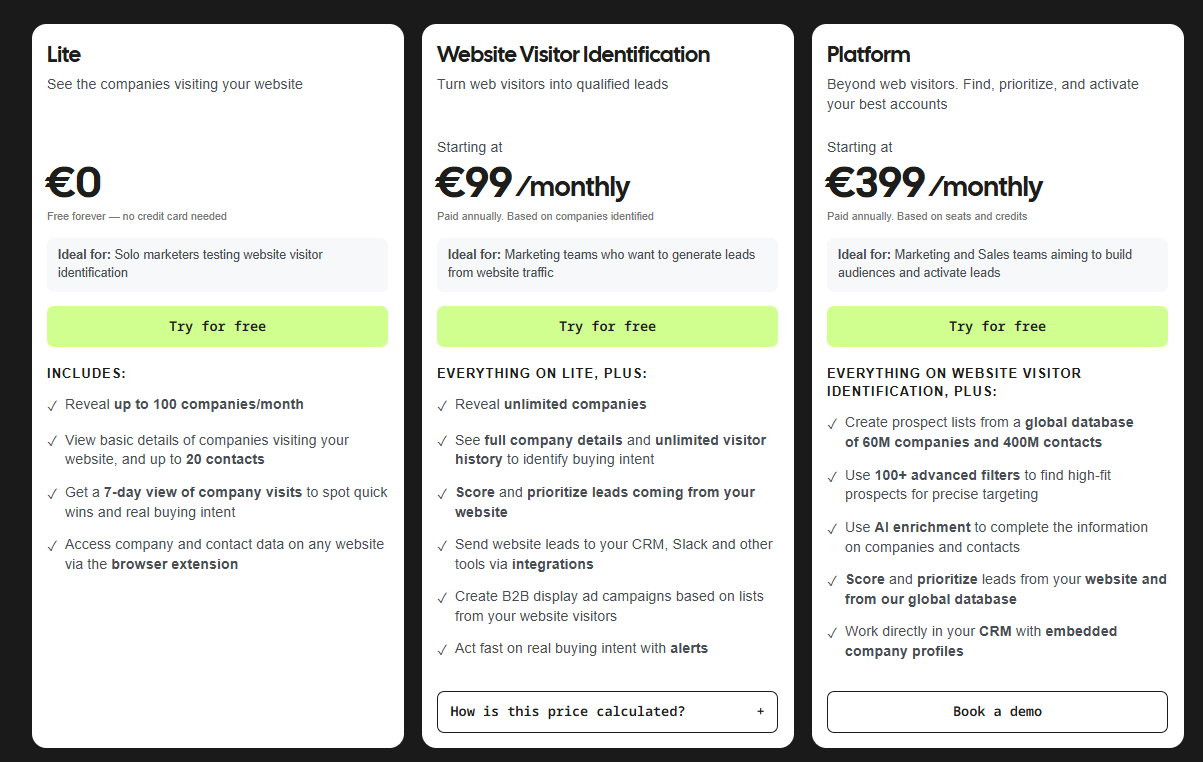
Dealfront has a free plan and two paid plans:

  • Lite: Free for up to 100 company identifications per month, with a 7-day view of company visits.
  • Website Visitor Identification: from €99/month (annual, priced by companies identified) for unlimited reveals, CRM sync, and alerts.
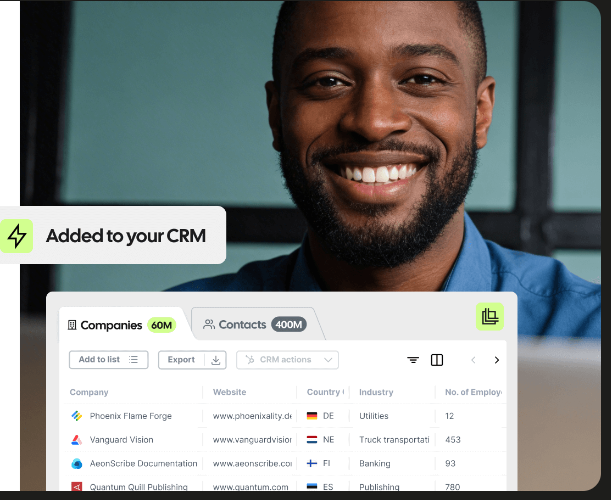
  • Platform: from €399/month (annual) for the wider European company and contact database with AI enrichment.

Source of image.

Pros & Cons

✅ Deep, GDPR-compliant European data, strongest across the German-speaking markets, the Nordics, and Benelux.

✅ Pricing on the visitor ID plan is public and scales with traffic.

✅ Wide CRM list, Pipedrive and Dynamics included, which plenty of rivals skip.

Company-level identification only, no person-level.

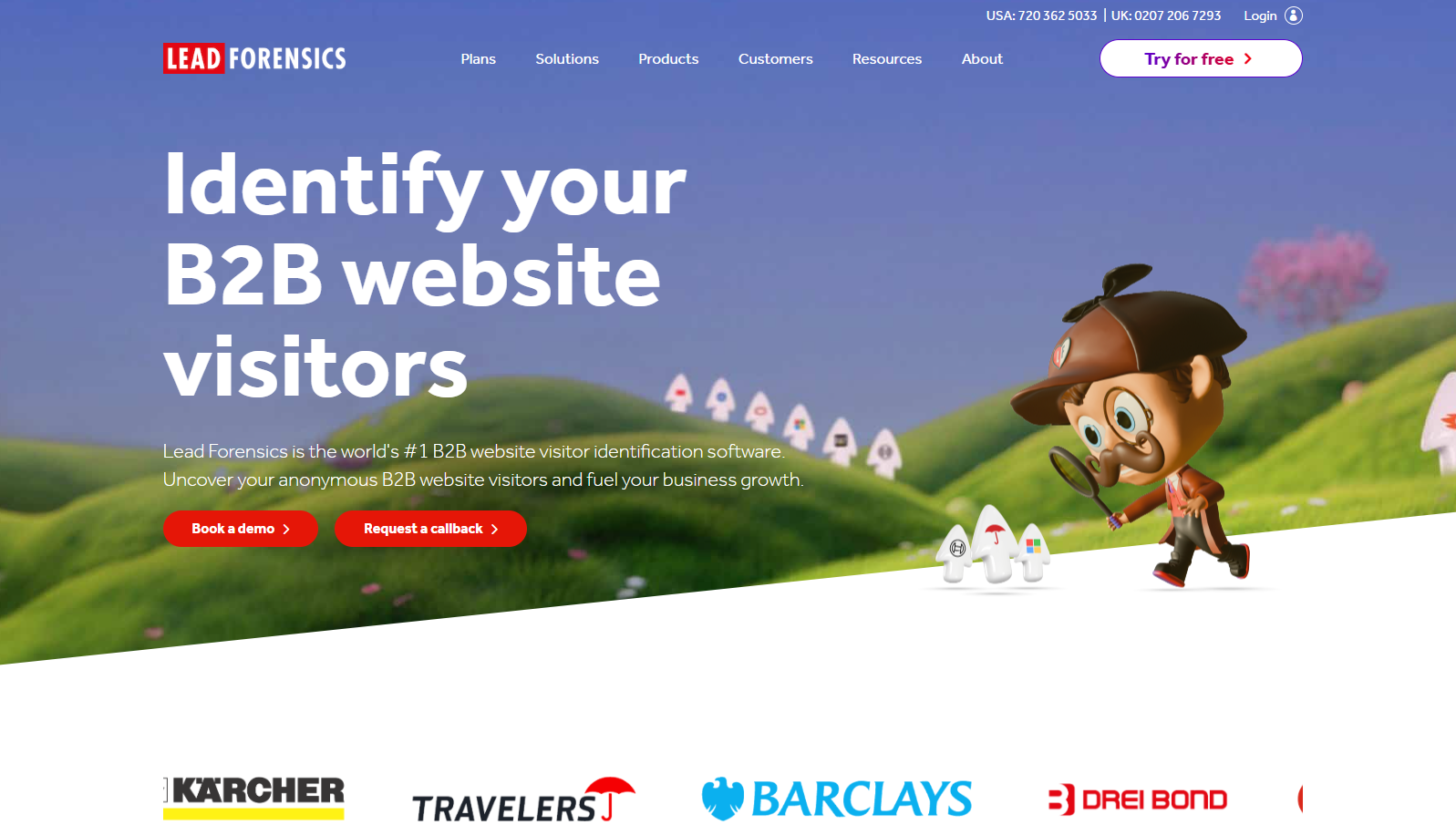
#3: Lead Forensics

Best for: Sales teams that want established company-level visitor identification with built-in contact data and rep routing.

Similar to: Dealfront, Snitcher.

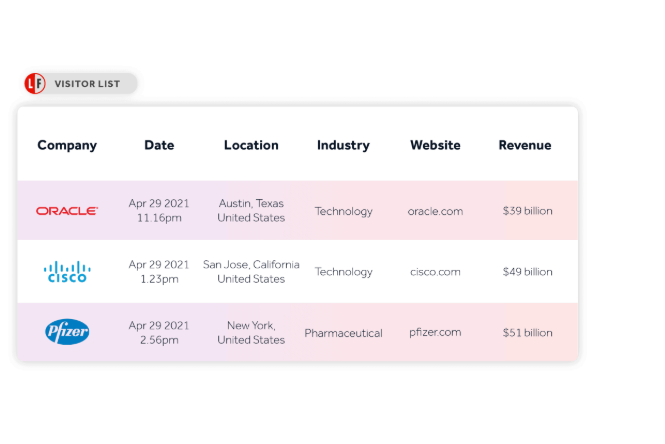
Source of image.

Lead Forensics has been doing reverse-IP visitor ID since before the category got crowded, surfacing the companies on your site and the pages they read.

What sets it apart for an Albacross buyer is the contact directory it ships with and routing that drops a hot account on an account manager's desk in real time.

Features

Source of image.

  • Live company reveal: Names visiting companies with firmographics, the pages they touched, and how long they lingered.
  • Contact directory: Adds decision-maker details at those companies from its own data set.
  • Trigger alerts: Pings a rep the second a target account opens a page you care about.
  • Campaign reporting: Shows which pages and campaigns are pulling in qualified visits.

Pricing

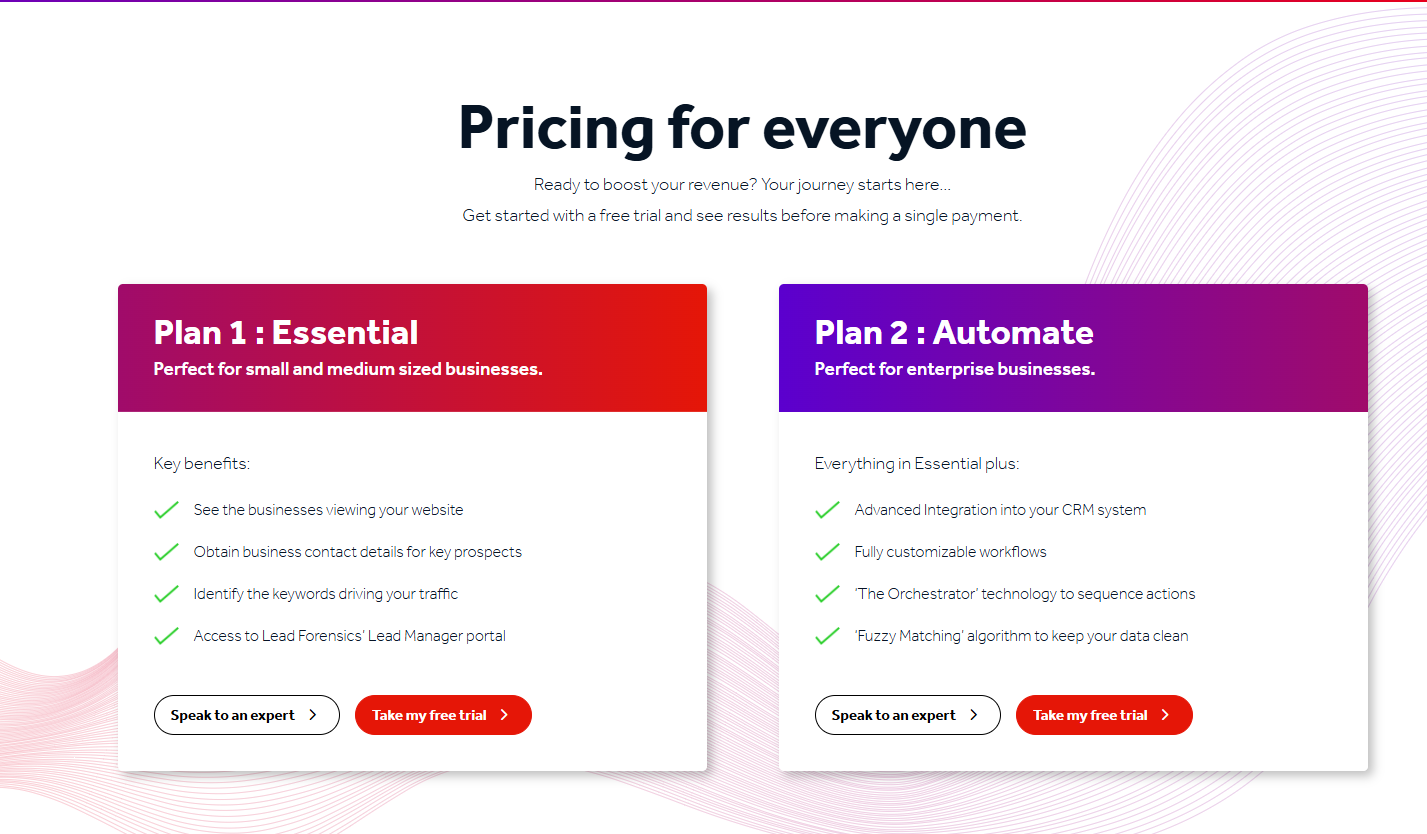
Lead Forensics does not disclose pricing publicly; you'll need to contact their team for a quote. Plans are listed as Essential and Automate, both with custom pricing.

Source of image.

Pros & Cons

✅ Real-time reveal with contacts baked in, so you can often skip a separate enrichment tool.

✅ Native Salesforce hookup and routing straight to account managers.

✅ Support gets good marks across reviews.

❌ Pricing is custom.

#4: Snitcher

Best for: Budget-conscious B2B teams that want fast, accurate company-level identification with a standout GA4 integration.

Similar to: Albacross, Dealfront.

Source of image.

Snitcher has built a name as the easy, affordable end of company-level visitor ID, and its G2 score backs that up.

The piece that separates it from Albacross is a GA4 enricher that writes company data straight into your Google Analytics, plus every feature unlocked on every paid plan.

Features

Source of image.

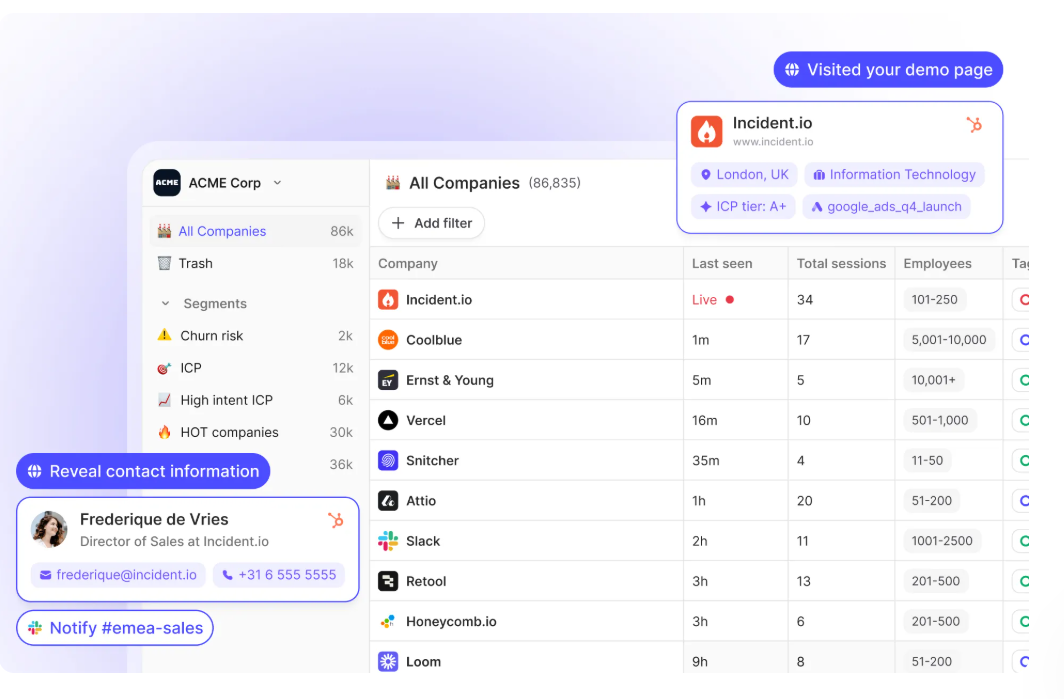
  • Live company ID: Spots the companies visiting and traces how they move through your site.
  • GA4 enricher: Feeds identified-company data into Google Analytics so your reports show who showed up.
  • Auto lead scoring: Sorts and scores revealed accounts on firmographic and behavior signals.
  • Everything included: HubSpot, Salesforce, and Slack come with every paid plan.

Pricing

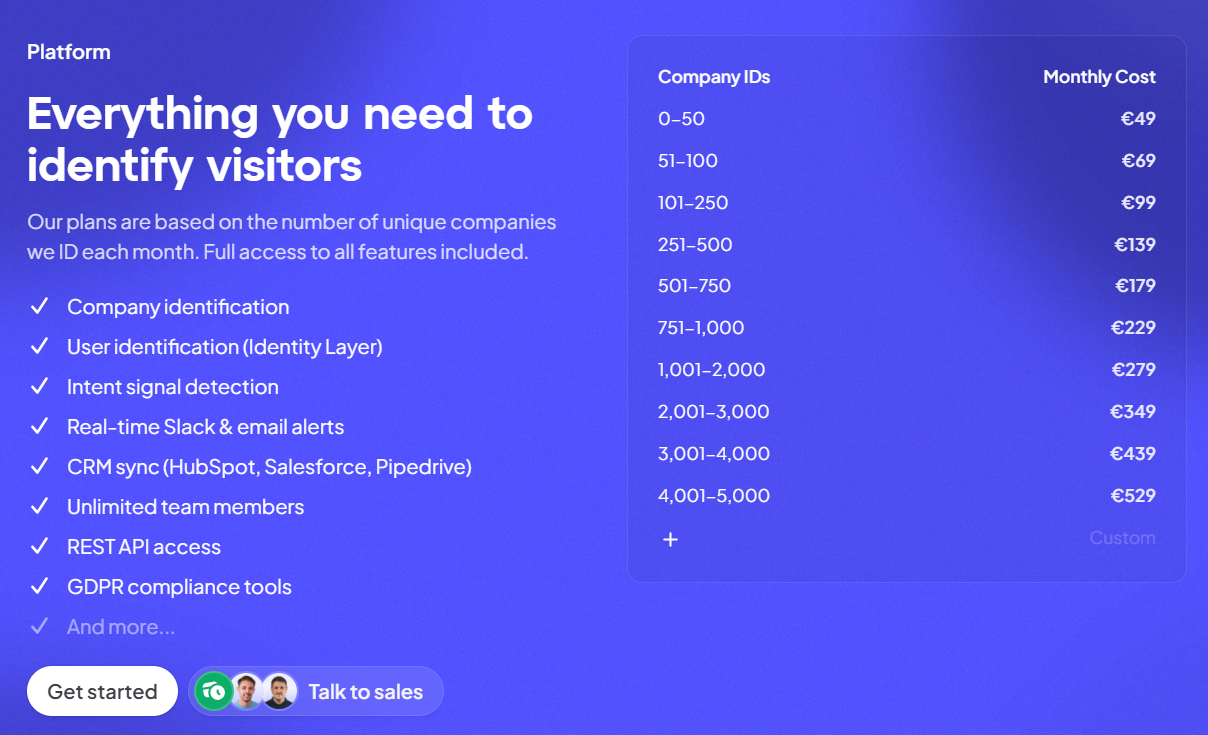
Premium: from €49/month (annual) for up to 50 identified companies, with real-time alerts and CRM integrations, up to €529/month for up to 5,000 identified companies.

Source of image.

Pros & Cons

✅ Cheap to start, and nothing gated behind a higher tier.

✅ The GA4 link is a rarity in this category.

✅ Five-minute setup and a 4.8/5 on G2.

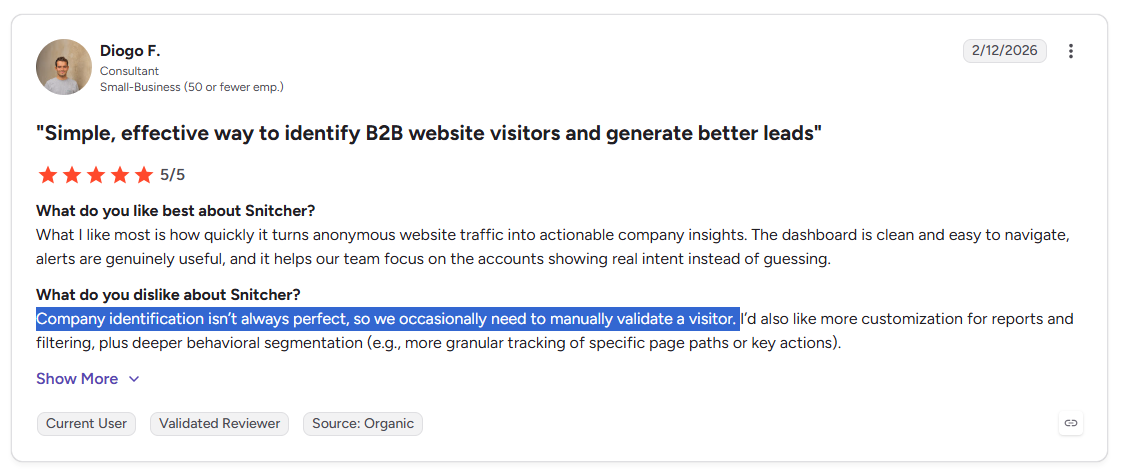
❌ Company identification isn’t always perfect, according to a G2 review.

#5: RB2B

Best for: US-focused teams that want lightweight person-level identification pushed into Slack with minimal setup.

Similar to: Common Room, Warmly.

Source of image.

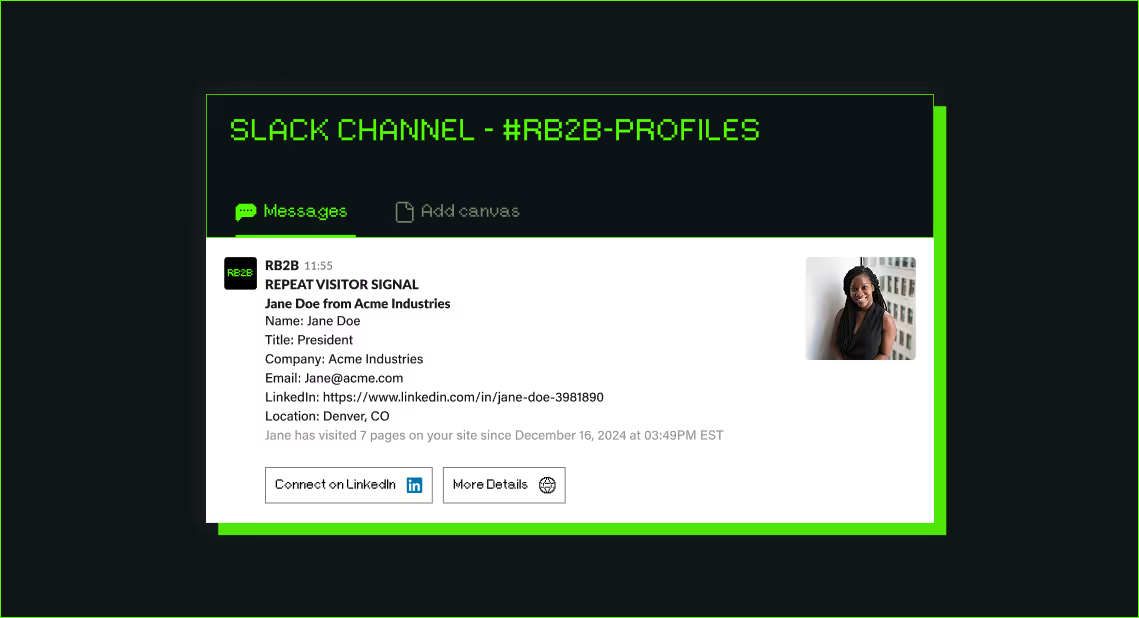
RB2B took a narrow swing and hit it: it spots individual US visitors and drops their LinkedIn profile into your Slack within seconds.

Albacross identifies at the company level, while RB2B's focus is the person, leaving the next move to your reps once the profile lands in the channel.

Features

Source of image.

  • Person-level reveal: Surfaces individual LinkedIn profiles in Slack for visitors browsing from the US.
  • Filters: Cut the noise down to the visitors who match your buyer by title, company, or activity.
  • Sequencer hookups: Drops revealed visitors into your outbound tools to start a cadence.
  • Demandbase tie-in: Layers global company-level ID over the US person data.

Pricing

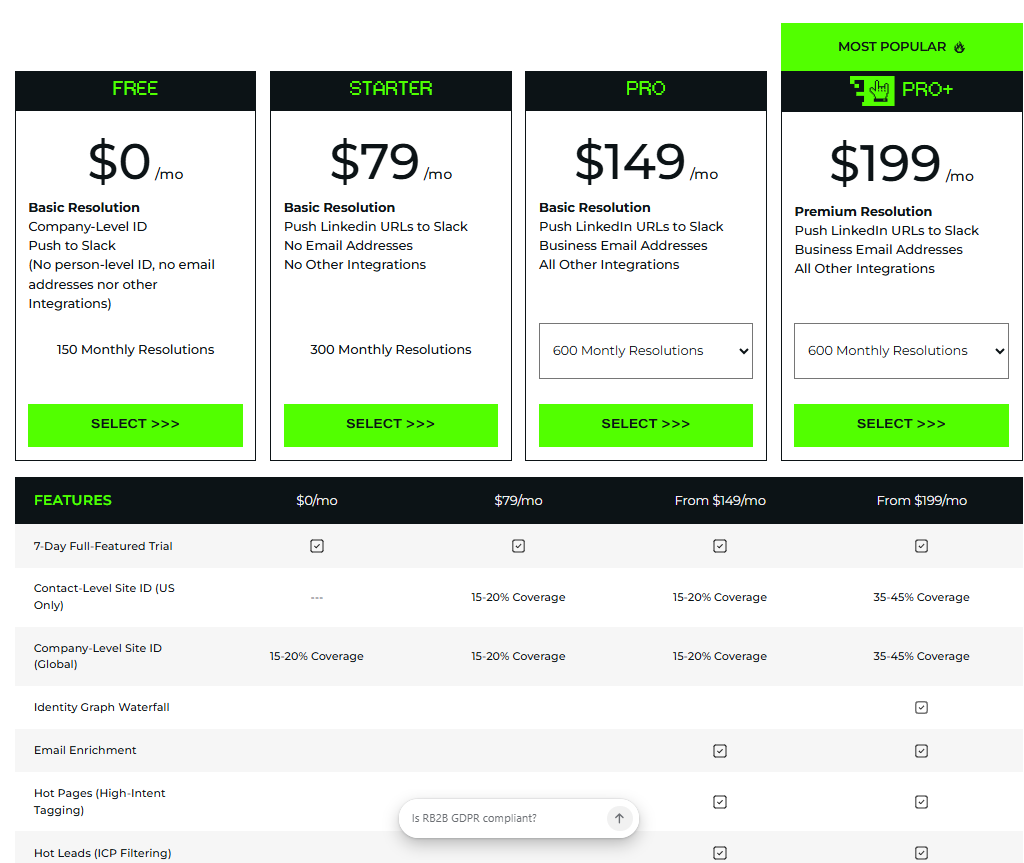
RB2B has a free plan with 150 monthly resolution credits (Slack-only, no person-level on the free tier). Paid plans:

  • Starter: $79/month for 300 monthly resolutions, plus the option to push LinkedIn URLs to Slack.
  • Pro: From $140/month for 600 monthly resolutions, plus business email addresses and integrations.
  • Pro+: From $199/month for 600 monthly resolutions, with increased coverage for company and contact-level site ID.

Source of image.

Pros & Cons

✅ Installs in minutes and works inside Slack, where your reps already are.

✅ Monthly pricing on the lower tiers, with no year-long lock-in.

✅ The Demandbase tie-in widens company-level coverage worldwide.

❌ The paid versions are expensive for a solo founder, according to a G2 review.

#6: Salespanel

Best for: Teams that want first-party visitor tracking tied to rule-based lead scoring and qualification.

Similar to: Lead Forensics, Albacross.

Source of image.

Salespanel comes at this from a marketing-analytics angle, tracking first-party intent across a lead's whole journey on your site.

Next to Albacross, it puts more weight on qualification, scoring the signals a lead leaves across forms, chat, and email.

Features

Source of image.

  • Journey tracking: Captures the touchpoints a lead leaves across forms, landing pages, chat, and email.
  • Scored qualification: Rule-based scoring pushes the strongest leads to the top of the rep's list.
  • Segmentation: Buckets leads by firmographic, demographic, and behavioral traits.
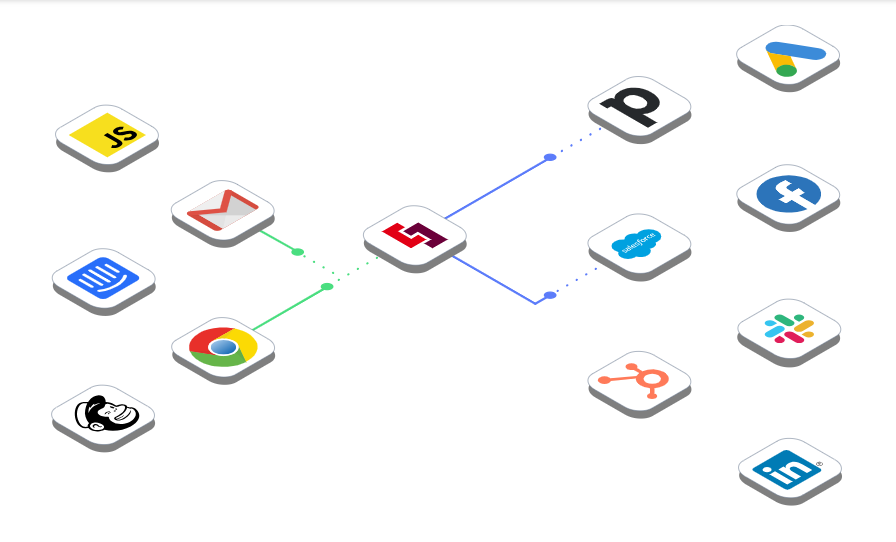
  • CRM and webhooks: Sends scored leads into HubSpot, Pipedrive, and others, with webhook support.

Pricing

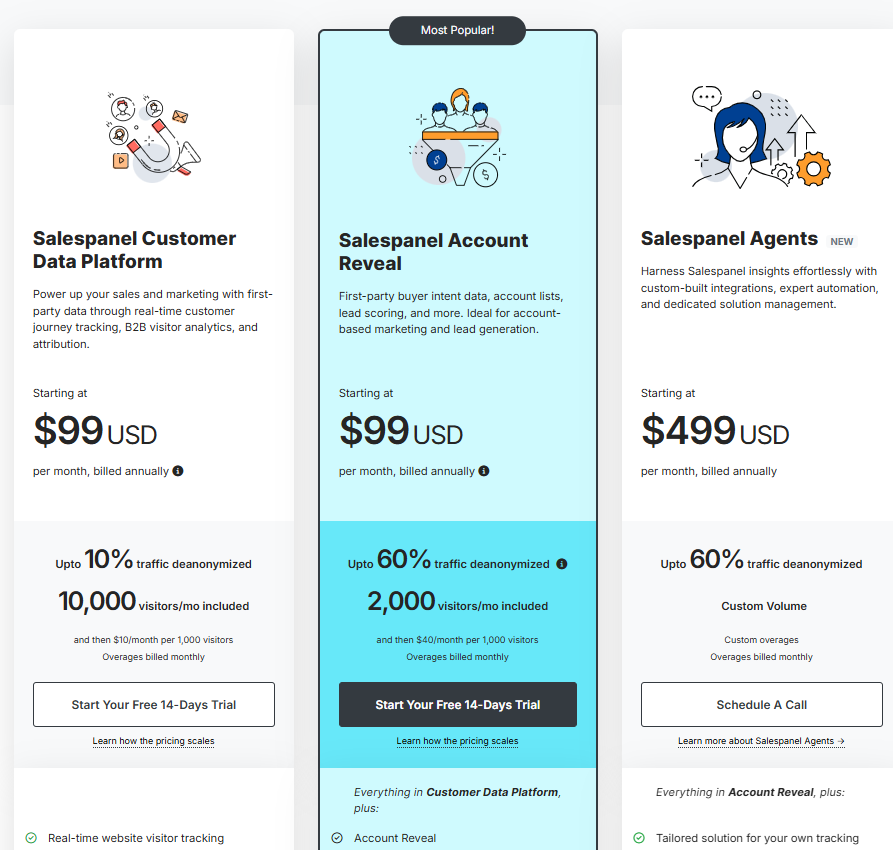
Salespanel has 3 paid plans that you can choose from:

  • Salespanel Customer Data Platform: Starting at $99/mo, includes up to 10,000 monthly visitors with up to 10% deanonymized traffic. You’ll be charged $10/mo for every additional 1,000 visitors.
  • Salespanel Account Reveal: Starting at $99/mo, includes up to 2,000 monthly visitors with up to 60% deanonymized traffic. You’ll be charged $40/mo for every additional 1,000 visitors.
  • Salespanel agents: Starting at $499/month for up to 60% traffic de-anonymization, which adds assisted onboarding, the ability to customize data sources and destinations, and dedicated account management.

Source of image.

Pros & Cons

✅ Thorough journey and engagement analytics across channels.

✅ Clean interface and a quick start.

✅ Solid native integrations, Pipedrive among them.

❌ Annual plans only.

#7: 6sense

Best for: Enterprise ABM teams that need predictive account scoring and third-party intent aggregation across the funnel.

Similar to: Demandbase, ZoomInfo.

Source of image.

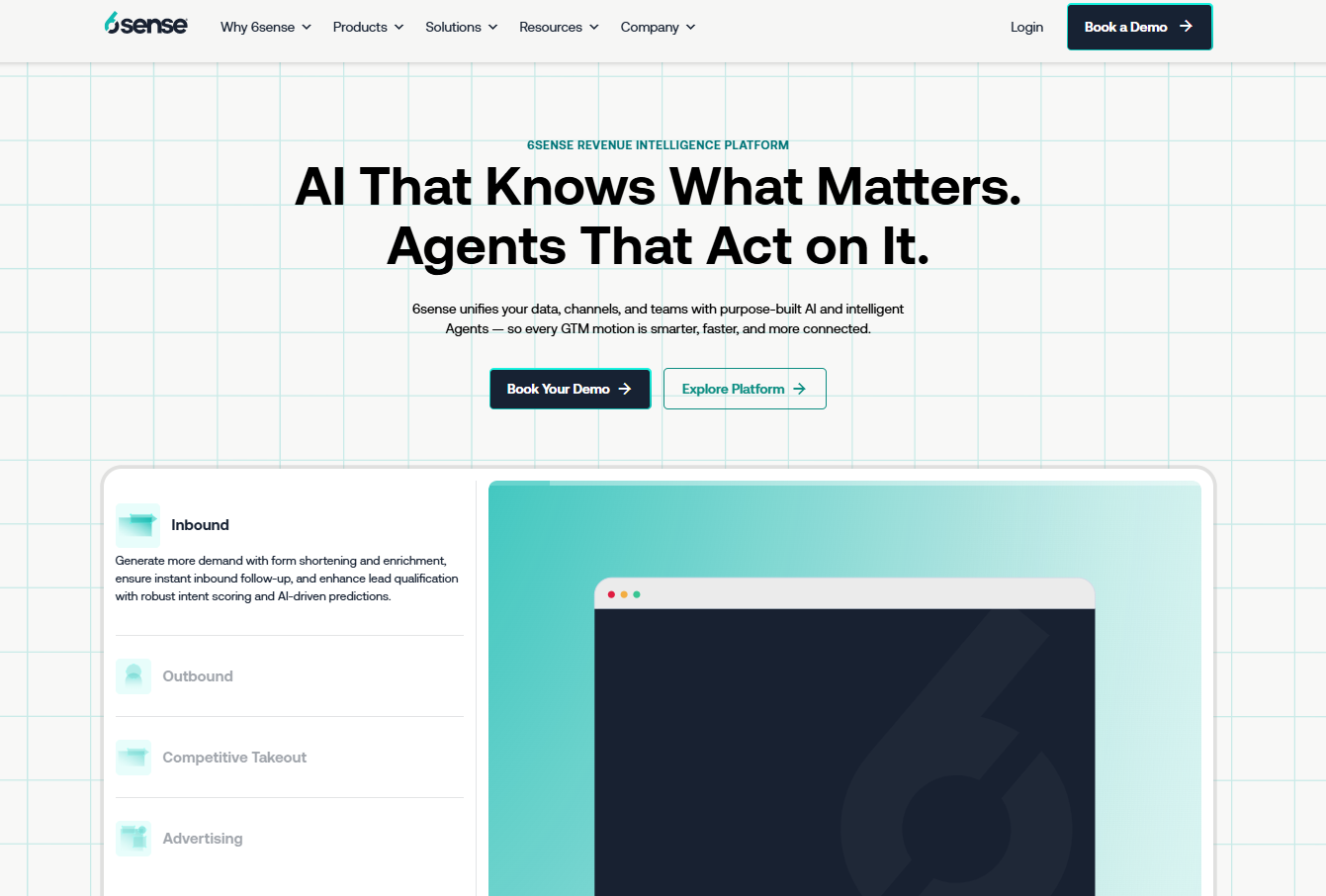
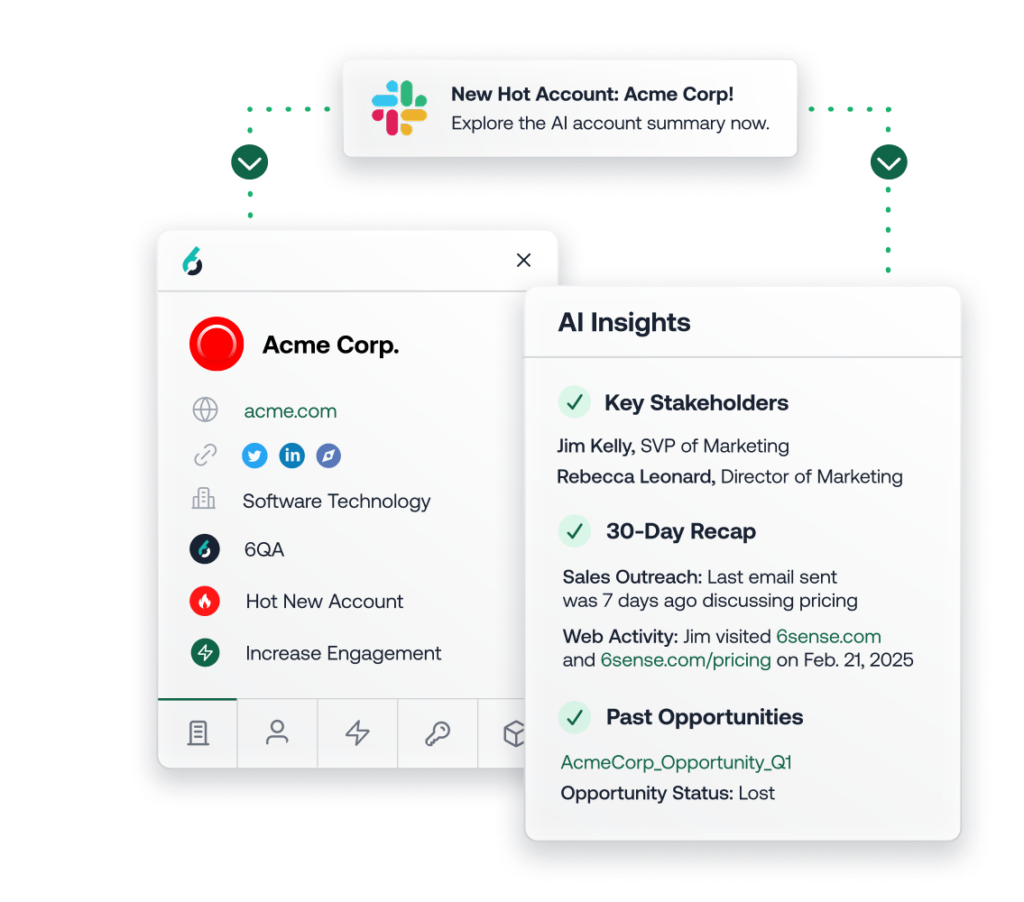
6sense plays at the enterprise end of ABM, built on predictive models and a wide net of third-party intent.

Where Albacross tells you who's on your site today, 6sense is trying to call which accounts will be in-market before they ever land.

Features

Source of image.

  • Stacked intent: Rolls Bombora, G2, and other third-party feeds into a single account score.
  • Predictive scoring: Models rate fit, buying stage, and how likely an account is to engage.
  • AI email agents: Fire off tailored sequences as an account moves through its buying stage.
  • Keyword research tracking: Watches branded and category search activity across the web.

Pricing

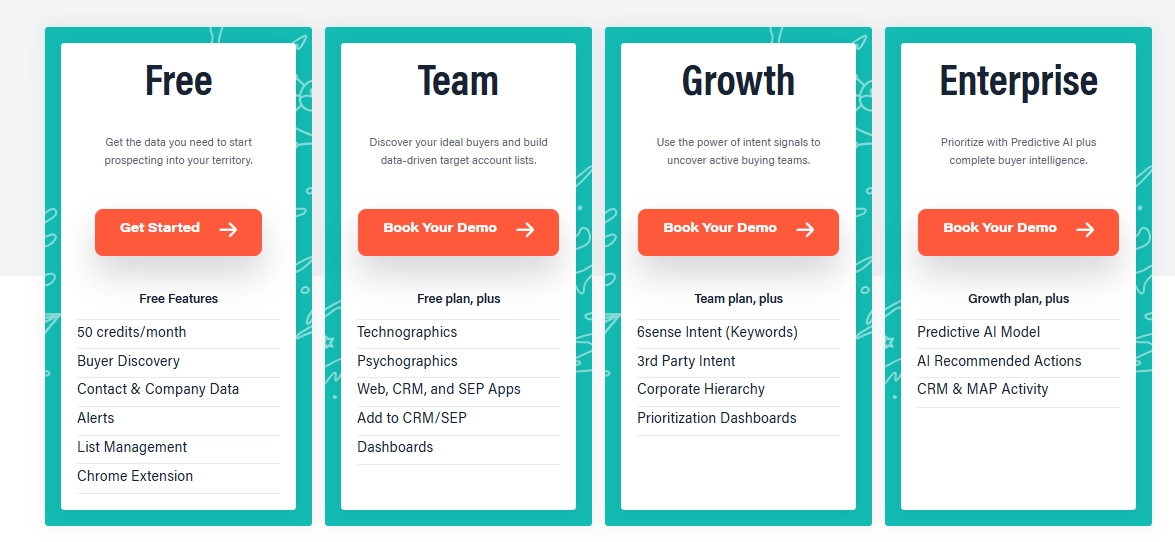
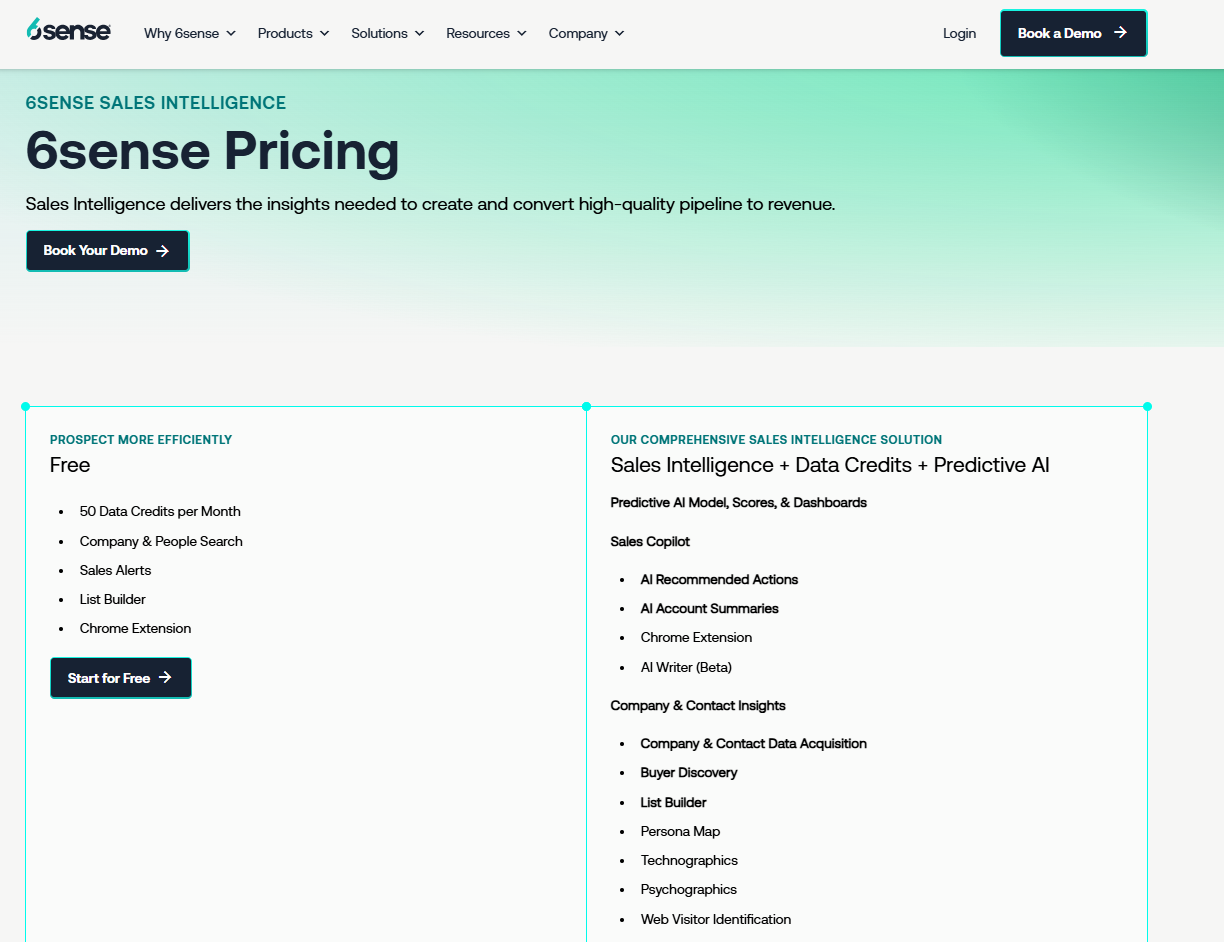
6sense has a free plan that provides:

  • 50 credits/month.
  • Company and people search.
  • Sales alerts.
  • List builder.
  • Chrome Extension.

If you need more, you can upgrade to one of 6sense’s plans:

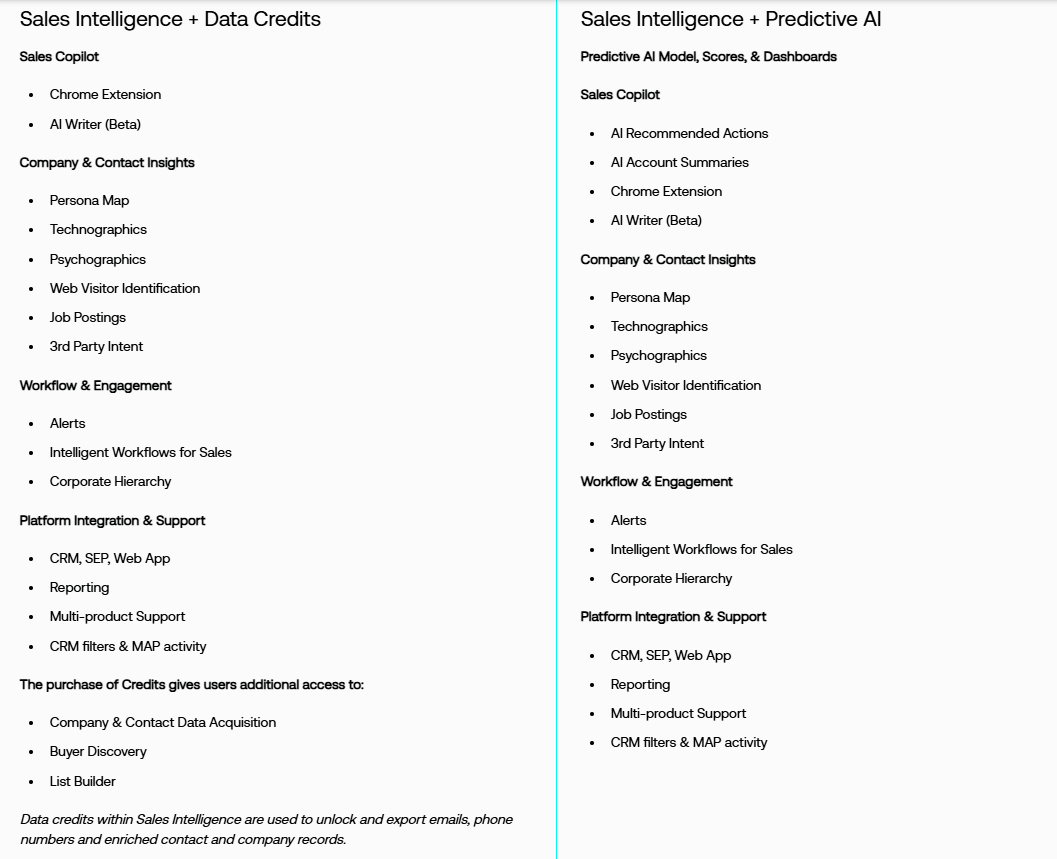
  • Sales Intelligence + Data Credits + Predictive AI, which combines enriched company and contact data with predictive AI models and Sales Copilot for advanced, AI-driven selling.
  • Sales Intelligence + Data Credits, which adds scalable data acquisition and enrichment tools, without predictive AI.
  • Sales Intelligence + Predictive AI, which is combining predictive analytics with Sales Copilot, without requiring data credit add-ons.

Source of images.

6sense doesn’t disclose prices on its website, so you’ll have to contact its sales team for more details.

However, Vendr provides some helpful insights into 6sense’s pricing policy, noting that the average 6sense contract value is a staggering $123,711.

Pros & Cons

✅ Third-party intent coverage few single-source tools can rival.

✅ Predictive scoring with years of enterprise mileage behind it.

✅ Ad orchestration sits right alongside the intent layer.

❌ One drawback of 6sense Revenue Marketing is inconsistency in data accuracy, particularly with intent signals and account identification, according to a G2 review, which is one reason why you might look for 6sense alternatives.

#8: Demandbase

Best for: Enterprise teams running multi-channel ABM with advertising tied tightly to account intent.

Similar to: 6sense, RollWorks.

Source of image.

Demandbase is one of the oldest names in account-based marketing, anchored in account ID, intent, and B2B advertising.

Its center of gravity is advertising and program planning, a different focus from a tool built to catch and convert website traffic.

Features

Source of image.

  • Account-based ads: Serves display and video to identified accounts based on their intent.
  • Site personalization: Swaps headlines, CTAs, and content by account, industry, or buying stage.
  • Agentbase: AI agents that map the buying group and suggest the next move.
  • Sales insights: Drops account intelligence into Salesforce or HubSpot for the rep.

Pricing

Demandbase does not disclose pricing publicly; you'll need to contact their team for a quote.

Source of image.

Pros & Cons

✅ Account-based advertising and retargeting that tools born in pure ID rarely match.

✅ Ads, account insight, intent, and personalization under one roof.

✅ A Salesforce integration that's had years to mature.

❌ Pricing is not disclosed.

#9: ZoomInfo

Best for: Enterprises that want the broadest B2B contact database with intent data and company-level visitor tracking layered on.

Similar to: Apollo, Cognism.

Source of image.

ZoomInfo is the heavyweight on B2B data, and it layers intent signals and a visitor-tracking add-on called WebSights on top of that database.

It outguns Albacross on contact depth, though the visitor tracking stops at the company and only shows up on the pricier plans.

Features

Source of image.

  • Contact database: More than 260M professional profiles and verified dials, refreshed on an ongoing basis.
  • WebSights: Flags the companies visiting your site and ties them to database profiles.
  • Buyer intent: Topic-level intent signals wired into the contact data.
  • Engagement layer: Sequences, web chat, and form enrichment bundled into SalesOS.

Pricing

ZoomInfo doesn't disclose pricing publicly; you'll need to contact their team for a quote. ZoomInfo Lite is a free tier for limited use.

Source of image.

Pros & Cons

✅ Battle-tested integrations with Salesforce, HubSpot, Outreach, and Salesloft.

✅ Unmatched depth on North American B2B data.

Pricing is not disclosed.

#10: Common Room

Best for: PLG and community-led teams that want buying signals from Slack, GitHub, and product usage unified in one view.

Similar to: RB2B, Warmly.

Source of image.

Common Room reads buying signals from the corners most tools skip, community Slacks, GitHub, Discord, plus product usage and web activity, and pulls them into one timeline per account.

Features

Source of image.

  • Signal capture: Pulls activity from Slack, Discord, GitHub, Reddit, and social into a per-account view.
  • Person360 and RoomieAI: One resolves identity across channels, the other runs AI research and personalization.
  • Automations: Kick off alerts and CRM updates whenever a signal you've defined fires.
  • AI scoring: Ranks accounts by how closely they match your ICP.

Pricing

Common Room offers 3 paid plans that you can choose from:

  • Essential: $2,100/month with 5 seats included, up to 100,000 contacts, 5k RoomieAI research credits, 2.5k Prospector credits, unlimited alerts, workflows and segments, and ticketed support.
  • Advanced: Custom pricing with 15 seats included, up to 250,000 contacts, 7.5k RoomieAI research credits, and 7.5k Prospector credits. 
  • Enterprise: Custom pricing with 30 seats included, for up to 750,000 contacts, 10k RoomieAI research credits, and 15k Prospector credits. Also adds comprehensive integrations and dedicated support.

Source of image.

Pros & Cons

✅ Best-in-class at gathering community and PLG signals.

✅ Strong identity resolution and AI research built right in.

✅ Flexible automations that feed straight into the CRM.

Pricing starts from $2,100/month, which can be high for smaller teams.

Generate more pipeline from the traffic you already have

For teams that want both inbound conversion and outbound orchestration running from the same data layer, Warmly is built for that GTM motion.

Two coordinating agents share one Context Graph that scores every prospect the same way regardless of channel, so inbound activity informs outbound and vice versa.

And there’s no need for integrations to maintain separate tools.

You can start with Warmly's free plan to identify your first 500 visitors, or book a demo if your team needs the full Inbound and TAM agent setup.

⚠️ Disclaimer: This article was last updated on the 5th of June, 2026, and if there's any misinterpretation of the information, please contact us, and we will fact-check it.

10 Best Common Room Alternatives & Competitors [2026]

10 Best Common Room Alternatives & Competitors [2026]

Time to read

Alan Zhao

The question they're trying to answer is whether the platform they pick will actually drive pipeline, or just become another dashboard nobody opens after week three.

This guide walks through the 10 strongest Common Room alternatives in 2026, what each one is genuinely best for, and where they fit different revenue motions.

TL;DR

  • Warmly is the best Common Room alternative in 2026 for B2B SaaS revenue teams that want person-level website visitor identification, AI chat engaging on-site, and an AI SDR running outbound, with one Context Graph keeping all of it in sync.
  • For teams whose main pain is signal aggregation across PLG and community channels, Clay and Unify are the closest direct comparisons, since both lean into programmable signal orchestration.
  • Enterprise revenue teams running deep ABM with third-party intent and predictive scoring tend to evaluate 6sense and Demandbase, which run further up-market with heavier orchestration layers and enterprise pricing to match.

What are the best alternatives to Common Room?

The best alternatives to Common Room in 2026 are Warmly, 6sense, and Clay.

Here's the shortlist of 10, with what each one is best for and where pricing lands:

Tool

Best For

Pricing

Warmly

B2B SaaS teams that want person-level visitor identification, AI chat, and AI SDR outbound running on one unified Context Graph.

Free plan; visitor ID from $10,000/year, full stack at higher tiers.

6sense

Enterprise ABM teams that need predictive scoring, third-party intent aggregation, and ad orchestration across the funnel.

Pricing not public.

Clay

Mid-market GTM teams that want flexible enrichment workflows and have the in-house ops capacity to build them.

Free plan; paid from $167/month.

Unify

Outbound-led teams that want signal-triggered sequences and managed mailboxes in one platform.

Starts from $1,740/month.

Demandbase

Enterprise teams running multi-channel ABM with paid advertising tied tightly to account intent.

Pricing not public.

RB2B

US-focused B2B teams that want lightweight, person-level visitor identification pushed straight into Slack.

Free plan; paid from $79/month.

Apollo

SMB and mid-market sales teams that want a B2B database, sequences, and a dialer at per-seat pricing.

Free plan; paid from $49/user/month.

ZoomInfo

Enterprises that want the broadest B2B contact database paired with intent data and engagement tools.

Pricing not public.

Albacross

European SMB and mid-market teams running inbound-heavy lead gen with GDPR requirements.

Starts from €99/user/month.

Dealfront (Leadfeeder)

European B2B teams that want company-level visitor identification with strong GDPR coverage.

Free plan; paid from €99/month.

#1: Warmly

Warmly is the best alternative to Common Room in 2026 for mid-market B2B SaaS revenue teams that want one platform doing four things in coordination:

  • Person-level website visitor identification.
  • An Inbound Agent that converts visitors on-site.
  • A TAM Agent that handles outbound orchestration.
  • The Context Graph keeping both motions working off the same scoring model.

Full disclosure: Warmly is our product. The goal of this section is to explain honestly where Warmly is the strongest fit for teams leaving Common Room.

Common Room is strong on breadth of signal capture: community channels, GitHub, Reddit, product usage, and website intent.

Warmly is strong at acting on signals in real-time on the website and through coordinated outbound, with the engagement layer built into the platform.

Below are the four capabilities I think matter most when comparing Warmly against Common Room:

Person-level website visitor identification

Warmly's job is to identify who they are at the individual level, not just the company.

On typical B2B traffic, that translates to roughly 65% of companies and around 15% of individuals identified.

Actual rates vary based on traffic source and visitor location. The full pipeline (identification, enrichment, context assembly, scoring) runs in under three seconds.

Resolution combines deterministic matching (email, cookie, CRM ID) with probabilistic signals (IP, behavioral fingerprinting, LinkedIn data graph).

A visitor shows up in the dashboard with name, work email, job title, seniority, and LinkedIn profile attached.

That's the part most company-level IP-match tools can't do.

Your reps get a specific person to contact, not "someone at Dropbox visited your pricing page."

Inbound Agent (AI Chat + Live Human handoff)

The Inbound Agent is the on-site conversion half of Warmly.

It identifies the visitor, pulls full CRM and intent history before the first message, and opens with context the visitor actually cares about. None of the generic "How can I help you?" stuff.

When a conversation needs a human, the handoff comes with the full transcript and CRM history intact. Reps don't start from zero.

Qualified visitors can book straight into rep calendars from the chat window without a form or an SDR triage step.

Warmly also ships an AI 24/7 Video Chat Agent that engages visitors 24/7 with human-like conversations to deliver personalized demos and qualify leads through video chat.

TAM Agent (AI SDR + Outbound Orchestration)

The TAM Agent handles the off-site half: dynamic audience building, ICP scoring, buying committee identification, multi-vendor enrichment, LinkedIn ad targeting, and outbound across email and LinkedIn.

Key capabilities include:

  • AI ICP Tiering: An ML model trained on your closed-won deals scores every account as Tier 1, 2, 3, or Not ICP, with a transparent reason behind each score.
  • Buying Committee Identification: Goes beyond title matching to find Champions, Decision-makers, Influencers, and Approvers using LinkedIn data, org charts, and job descriptions.
  • Outbound Orchestration: Route to reps, AI SDR autonomous mode, or hybrid, with guardrails that won't sequence open opportunities or double-touch visitors already in chat.
  • LinkedIn Ad Targeting: Auto-syncs buying committee members from high-intent accounts to LinkedIn Matched Audiences in real-time.

The Context Graph

The Context Graph ties both agents together.

Every signal, action, note, and outcome for every account is captured in one layer: what happened, what your team did, why those decisions were made, and what resulted.

So the Inbound Agent and TAM Agent work off the same scoring model and the same account history.

In stacks where website ID, outbound, and chat come from three separate vendors passing data through integrations, each tool only sees a slice.

The Context Graph keeps everything in one system, which means an AI chat conversation can reference that the visitor saw your pricing page two weeks ago and a case study yesterday, without anyone having to wire that context manually.

How is Warmly different from Common Room?

The two platforms overlap on the signal layer but were built for different jobs:

  • Common Room aggregates buying signals from places most tools ignore: Slack communities, Discord, GitHub, Reddit, and product telemetry.

Person360 handles enrichment and identity resolution, while RoomieAI handles research and personalization.

For PLG and developer-led companies, where most of the buying signal scatters across community channels, that breadth is genuinely hard to replicate.

  • Warmly works as a full-funnel revenue platform.

Person-level visitor identification, on-site AI chat, AI SDR outbound, and the Context Graph all run inside one system.

The website is the center of the motion.

Where Common Room is heavier on the signal-capture side, Warmly is heavier on the on-site engagement and outbound execution side.

If your motion is community-led with PLG signals driving most of your pipeline, Common Room is the closer fit.

However, if your motion is website-led with high-traffic B2B SaaS dynamics, and you want identification, chat, outbound, and routing in one place, Warmly is most likely the better option.

Pricing

Warmly has four paid plans plus a free plan:

  • Free: 500 de-anonymized visitors per month, real-time Slack alerts, and CSV export.
  • AI Web-Deanonymization: $10,000/year. 10K credits per month. Contact and company-level identification, ICP filtering, real-time Slack alerts, lead routing, CRM sync, and retargeting via email, LinkedIn, and ads. (This is the visitor ID tier. AI chat and live chat handoff are not included here, they begin at the Inbound Chat tier.)
  • Inbound Chat: $20,000/year. Adds the conversational layer: AI Chatbot (one AI Studio Agent), Warm Calling for live chat handoff, Warm Offers, chat metrics, and automated email follow-up.
  • AI Inbound Autopilot: $30,000/year. Builds on Inbound Chat with unlimited AI Studio Agents, the Autopilot Agent, AI goal-setting and qualification, AI-generated mini-demo slides, AI-written chat follow-up, and auto-learning that improves chat performance over time.
  • AI TAM Agent: $15,000/year. 60K annual credits. Covers the TAM database with intent scoring, the buying committee agent, AI enrichment, the Signals Bundle (Bombora, G2, Reddit, Glassdoor, news, SEC filings, job changes, social signals, YouTube, podcasts), and HubSpot two-way sync.

Pros & Cons

✅ Person-level visitor identification across global traffic.

✅ Identification, AI chat, outbound, and routing all share one Context Graph.

✅ Native HubSpot and Salesforce sync.

✅ Intent scoring pulls from first, second, and third-party sources transparently.

✅ AI chat hands off to humans with full transcript and CRM context.

✅ Engages identified visitors while they're still on the site, not hours later.

❌ Entry pricing is higher than pixel-only visitor ID tools.

❌ Paid tiers are annual or quarterly.

#2: 6sense

Best for: Enterprise revenue teams running deep ABM motions that need third-party intent aggregation, predictive account scoring, and ad orchestration across the funnel.

Similar to: Demandbase, ZoomInfo.

Source of image.

A Revenue AI platform with strong roots in third-party intent data, 6sense leans heavily on predictive scoring and engagement orchestration for ABM.

6sense was built for predictive scoring and multi-provider intent aggregation, with less weight on the community signal capture side.

Features

Source of image.

  • Multi-provider intent data: Aggregates signals from Bombora, G2, TrustRadius, and other third-party sources into a single account score.
  • Predictive analytics: AI models for ICP fit, buying stage, and engagement probability across the buyer journey.
  • AI email agents: Automated, personalized sequences triggered by buying-stage changes.
  • Custom keyword tracking: Branded and category keyword tracking for research behavior across the web.

Pricing

6sense has a free plan with 50 credits/month covering company and people search, sales alerts, and a Chrome extension.

If you need more, you can upgrade to one of 6sense’s plans:

  • Sales Intelligence + Data Credits + Predictive AI, which combines enriched company and contact data with predictive AI models and Sales Copilot for advanced, AI-driven selling.
  • Sales Intelligence + Data Credits, which adds scalable data acquisition and enrichment tools, without predictive AI.
  • Sales Intelligence + Predictive AI, which is combining predictive analytics with Sales Copilot, without requiring data credit add-ons.

Source of images.

Paid pricing isn't disclosed publicly as of May 2026. Vendr lists the average 6sense contract value at around $123,711.

Pros & Cons

✅ Deep third-party intent coverage hard to match with single-source platforms.

✅ Mature predictive scoring with a long enterprise track record.

✅ Strong ad orchestration alongside the intent data.

❌ One drawback of 6sense Revenue Marketing is inconsistency in data accuracy, particularly with intent signals and account identification, according to a G2 review, which is one reason why you might look for 6sense alternatives.

#3: Clay

Best for: Mid-market GTM teams that want flexible, programmable enrichment workflows and have in-house ops capacity to build and maintain them.

Similar to: Unify, Common Room.

Source.

GTM data is Clay's core, built around enrichment, waterfall logic, and workflow automation.

Common Room surfaces signals and pushes you toward action; Clay hands you the building blocks to design exactly the enrichment, scoring, and routing logic your motion calls for. The tradeoff: configuration time up front.

Features

Source.

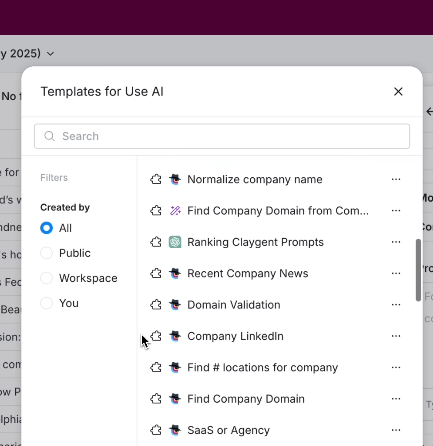
  • Waterfall enrichment: Queries 150+ data providers in sequence to fill in contact and company data, paying only for results that hit.
  • Web Intent: Tracks website visitor signals and surfaces them inside Clay workflows.
  • AI research agents: Claygent handles account research, contact research, and signal analysis using LLMs.
  • CRM sync: Native bidirectional sync with Salesforce and HubSpot on the Growth plan and above.

Pricing

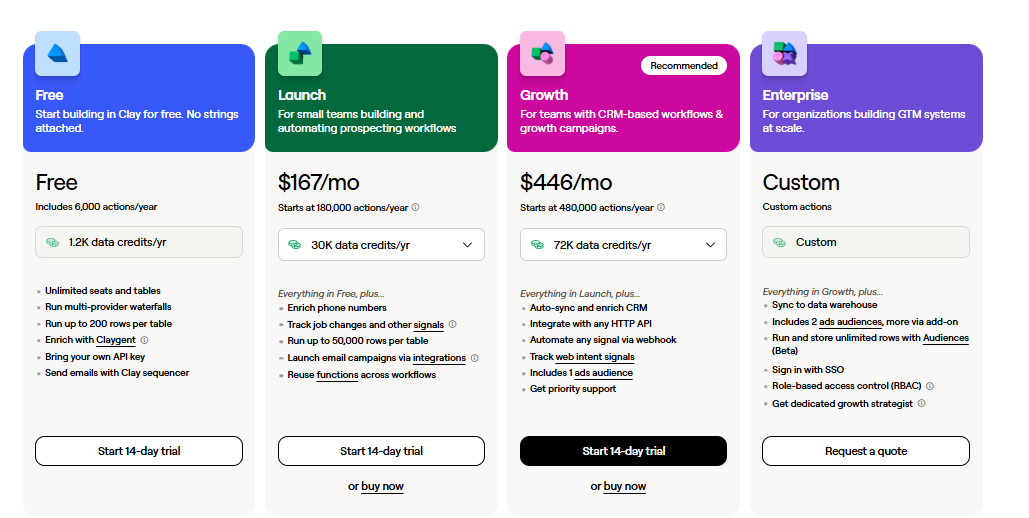
Clay restructured its pricing in March 2026. Current plans when paying annually:

  • Free: 100 credits/month, 100 table rows, no CRM integration. Testing only.
  • Launch: $167/month for 30,000 Data Credits annually, 180,000 Actions, phone enrichment, and signal tracking.
  • Growth: $446/month for 72,000 Data Credits annually, 480,000 Actions, CRM sync, HTTP APIs, Web Intent, and Ads audience building.
  • Enterprise: Custom pricing for teams targeting 20,000+ accounts, with annual commitment.

Source.

Pros & Cons

✅ Most flexible enrichment and workflow layer in the category, with 150+ provider integrations.

✅ Recent pricing change cut data costs 50-90% and made CRM sync available at the Growth tier.

✅ Strong AI research agents built into the platform.

❌ The learning curve is steep, according to G2 reviews.

#4: Unify

Best for: Outbound-led teams that want signal-triggered sequences, AI agents, and managed mailboxes in one platform without spinning up a Clay agency.

Similar to: Warmly, Clay.

Source of image.

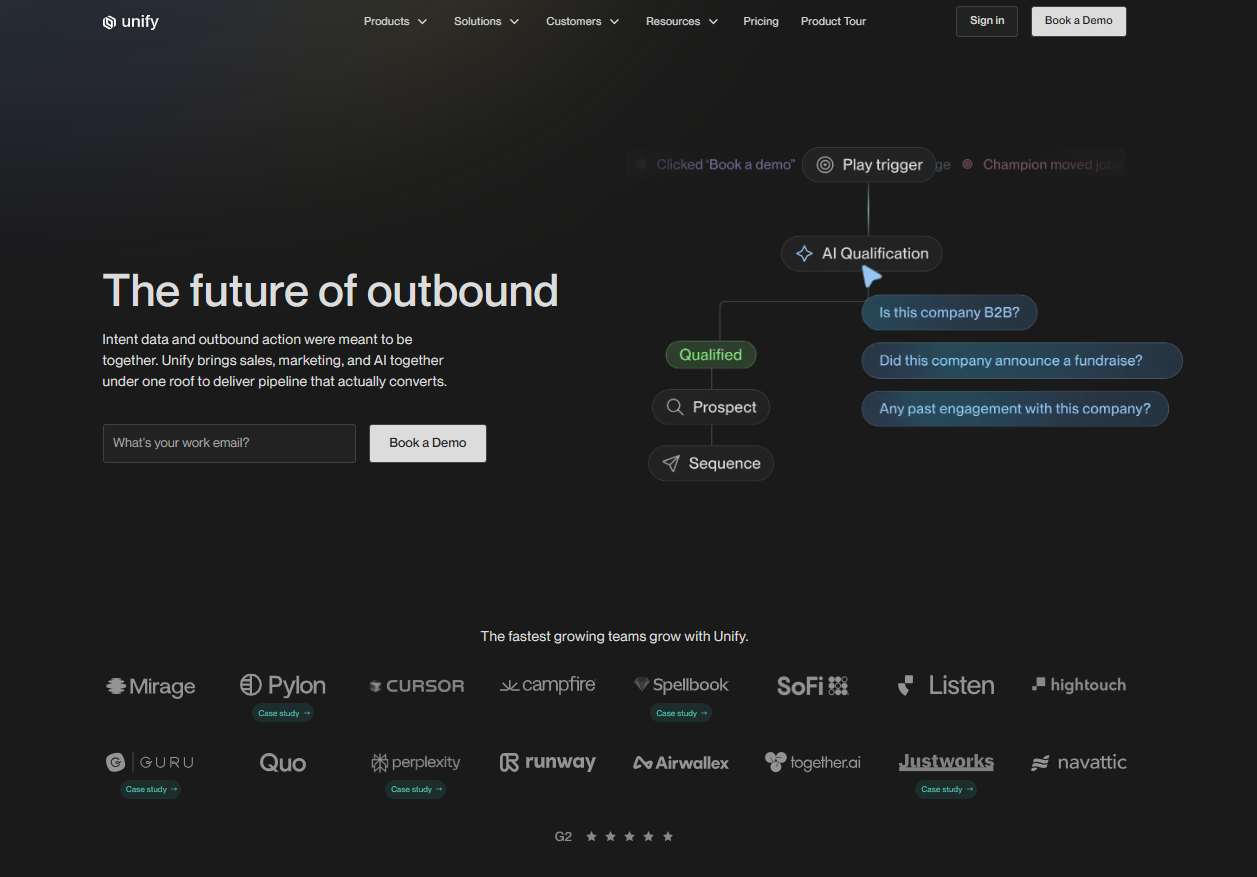
Signal-driven outbound is the whole pitch for Unify.

The platform pulls intent and account data, runs enrichment, and orchestrates multi-channel sequences end-to-end.

The motion can be run in-house, without hiring out the work to an external agency or a dedicated RevOps engineer.

Features

Source of image.

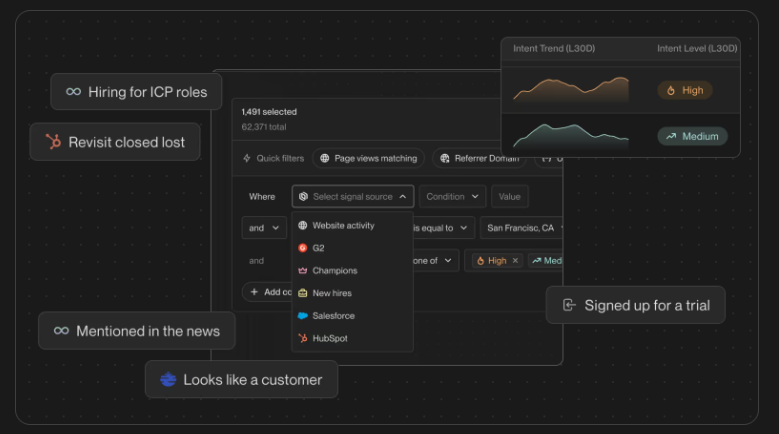
  • Signal-based plays: Trigger outbound from job changes, hiring signals, web visits, and competitor moves.
  • Enrichment waterfalls: Multi-vendor enrichment for emails, phone numbers, and firmographics.
  • AI sequences: Generate personalized outbound based on signal context and account research.
  • Managed mailboxes: Unify handles email warmup, rotation, and deliverability monitoring on Gmail mailboxes.

Pricing

Unify publishes its Growth tier and keeps Pro and Enterprise on custom quotes:

  • Growth: $1,740/month billed annually. Includes 50,000 credits/year, 1 user, 8 Unify Managed Gmail Mailboxes. Additional users $100/seat/month, additional mailboxes $25/mailbox/month.
  • Pro: Custom pricing. 200,000 credits/year, 2 users, 20 mailboxes, tailored onboarding.
  • Enterprise: Custom pricing. 600,000 credits/year, 5 users, 40 mailboxes, SSO, dedicated growth consultant.

Source of image.

Pros & Cons

✅ Signal-triggered outbound with managed deliverability solves two problems in one tool.

✅ Aggregates intent from 10+ sources including 6sense, Bombora, G2, and Clearbit.

✅ AI sequences pull from signal context, not templated copy.

The starting price of $1,740/month might be too much for smaller teams.

#5: Demandbase

Best for: Enterprise teams running multi-channel ABM with paid advertising tightly tied to account intent, especially when buying-committee orchestration matters.

Similar to: 6sense, Terminus.

Source of image.

For enterprise ABM, Demandbase is one of the longest-running options.

The platform is built around account identification, intent data, and B2B advertising, with the heaviest weight on ad orchestration and program planning.

Community signal aggregation, which is what Common Room is best known for, isn't really part of the Demandbase pitch.

Features

Source of image.

  • Account-based advertising: Targeted display and video advertising tied to identified accounts and intent signals.
  • Real-time website personalization: Dynamic content (headlines, CTAs, case studies) keyed to visitor account, industry, or stage.
  • Agentbase: AI agents for buying-group identification and next-best-action recommendations.
  • Sales insights: Account-level intelligence surfaced inside Salesforce or HubSpot for prioritization.

Pricing

Demandbase doesn't disclose pricing publicly; you'll need to contact their team for a quote.

Source of image.

Pros & Cons

✅ Strong ABM advertising and retargeting, rarely matched by tools that started in signal capture.

✅ Suite covers ads, account insights, intent, and personalization in one platform.

✅ Mature Salesforce integration with native account-level data flowing into the CRM.

Pricing is not disclosed.

#6: RB2B

Best for: US-focused B2B teams that want lightweight, person-level visitor identification pushed straight into Slack with minimal setup.

Similar to: Warmly, Common Room.

Source of image.

RB2B keeps the surface area small: identified individuals get pushed into Slack, and that's it.

The simplicity is the product, and reps decide what to do once the LinkedIn profile shows up in the channel.

Features

Source of image.

  • Person-level identification: Shows visitor LinkedIn profiles in Slack within seconds of identification.
  • Visitor filtering: Drill down on high-value visitors by title, company, or behavior.
  • Sales engagement integrations: Push identified visitors into outbound sequencing tools.
  • Demandbase partnership: Adds global company-level identification on top of US person-level data.

Pricing

RB2B has a free plan with 150 monthly resolution credits (Slack-only, no person-level on the free tier). Paid plans:

  • Starter: $79/month for 300 monthly resolutions, plus the option to push LinkedIn URLs to Slack.
  • Pro: From $140/month for 600 monthly resolutions, plus business email addresses and integrations.
  • Pro+: From $199/month for 600 monthly resolutions, with increased coverage for company and contact-level site ID.

Source of image.

Pros & Cons

✅ Easy install and Slack-first workflow, fast to set up.

✅ Demandbase partnership extends coverage to global company-level identification.

✅ Predictable monthly pricing without annual commitments.

❌ The paid versions are expensive for a solo founder, according to a G2 review.

#7: Apollo

Best for: SMB and mid-market sales teams that want a B2B contact database, multichannel sequences, and a dialer at per-seat pricing without enterprise commitments.

Similar to: ZoomInfo, Lusha.

Source of image.

One of the larger B2B contact databases comes paired with sequences and a dialer in Apollo's stack.

Common Room focuses on signal aggregation; Apollo plays in the data and outbound execution lane. The two overlap less than you might expect.

Features

Source of image.

  • B2B contact database: Over 230M contacts per Apollo's published stats, with verified emails and direct dials.
  • Sequences and dialer: Multichannel cadences across email, calls, LinkedIn, and tasks, with a built-in power dialer.
  • AI assistance: AI writing assistant and conversation intelligence on calls.
  • Engagement analytics: Reply rates, meeting rates, and rep performance reporting.

Pricing

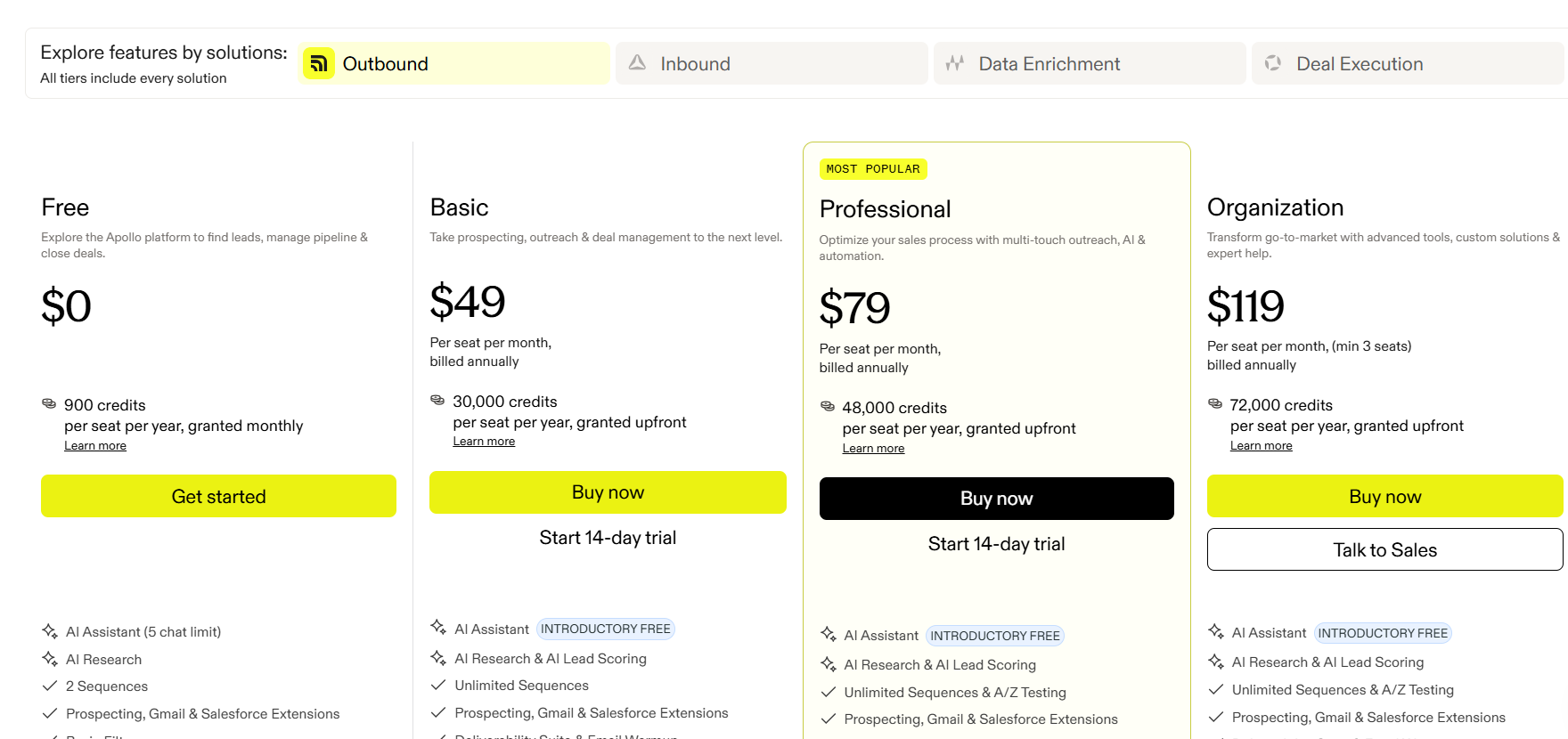
Apollo has a free plan with limited credits, plus three paid tiers:

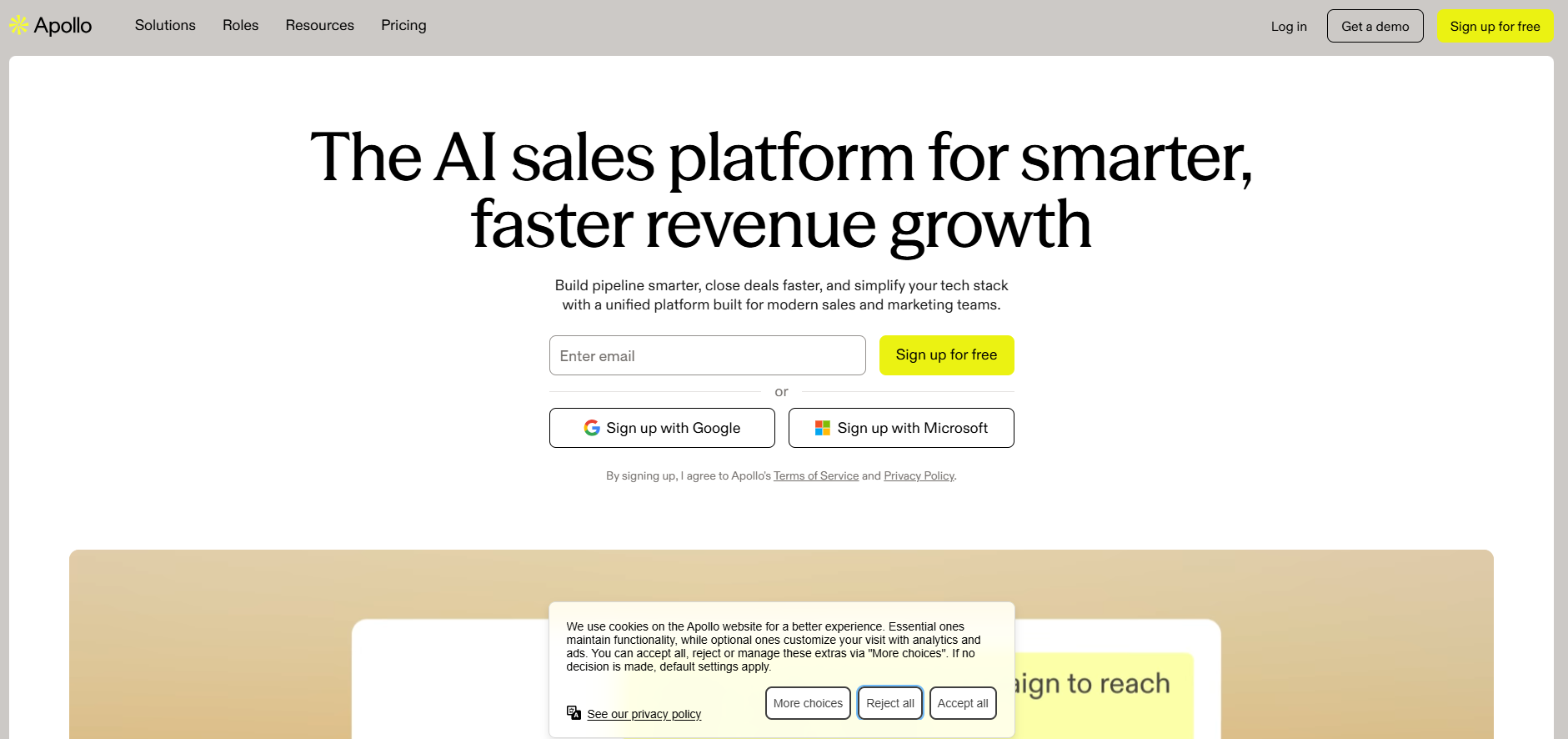
  • Basic: $49/user/month (annual) for entry-level sales teams.
  • Professional: $79/user/month (annual) with sequences, A/B testing, and call recordings.
  • Organization: $119/user/month (annual) with advanced security, dialer add-ons, and custom analytics.

Source of image.

Pros & Cons

✅ Generous free tier with usable credits, not a teaser.

✅ Public per-seat pricing makes scaling predictable for SMB teams.

✅ Database, sequencing, and dialer all in one platform without enterprise commitments.

❌ The data accuracy is the biggest frustration with some users on G2.

#8: ZoomInfo

Best for: Enterprises that want the broadest B2B contact database paired with intent data and engagement, particularly in North American markets.

Similar to: Apollo, Cognism.

Source of image.

The largest B2B database in the market is the foundation ZoomInfo is built on, with intent signals, visitor identification, and engagement tools layered on top.

There's overlap with Common Room on intent, but ZoomInfo goes much deeper on the data side and lighter on the community signal capture side.

Features

Source of image.

  • B2B database: Over 260M professional profiles, 100M company profiles, and 135M verified phone numbers with ongoing technographic enrichment.
  • Intent data: Topic-based intent signals across categories, integrated with the contact database.
  • Engagement tools: Sequences, web chat, forms, and form intelligence inside the SalesOS bundle.
  • AI ICP search: AI-powered ICP modeling and account search across the database.

Pricing

ZoomInfo doesn't disclose pricing publicly; you'll need to contact their team for a quote. ZoomInfo Lite is a free tier for limited use.

Source of image.

Pros & Cons

✅ Mature integrations with Salesforce, HubSpot, Outreach, Salesloft, and others.

✅ ZoomInfo Lite offers a low-commitment way to evaluate data quality.

✅ Strong coverage of North American B2B data.

Pricing is not disclosed.

#9: Albacross

Best for: Mid-market teams running inbound-heavy lead gen with GDPR requirements and a need for transparent per-seat pricing.

Similar to: Dealfront, Salespanel.

Source of image.

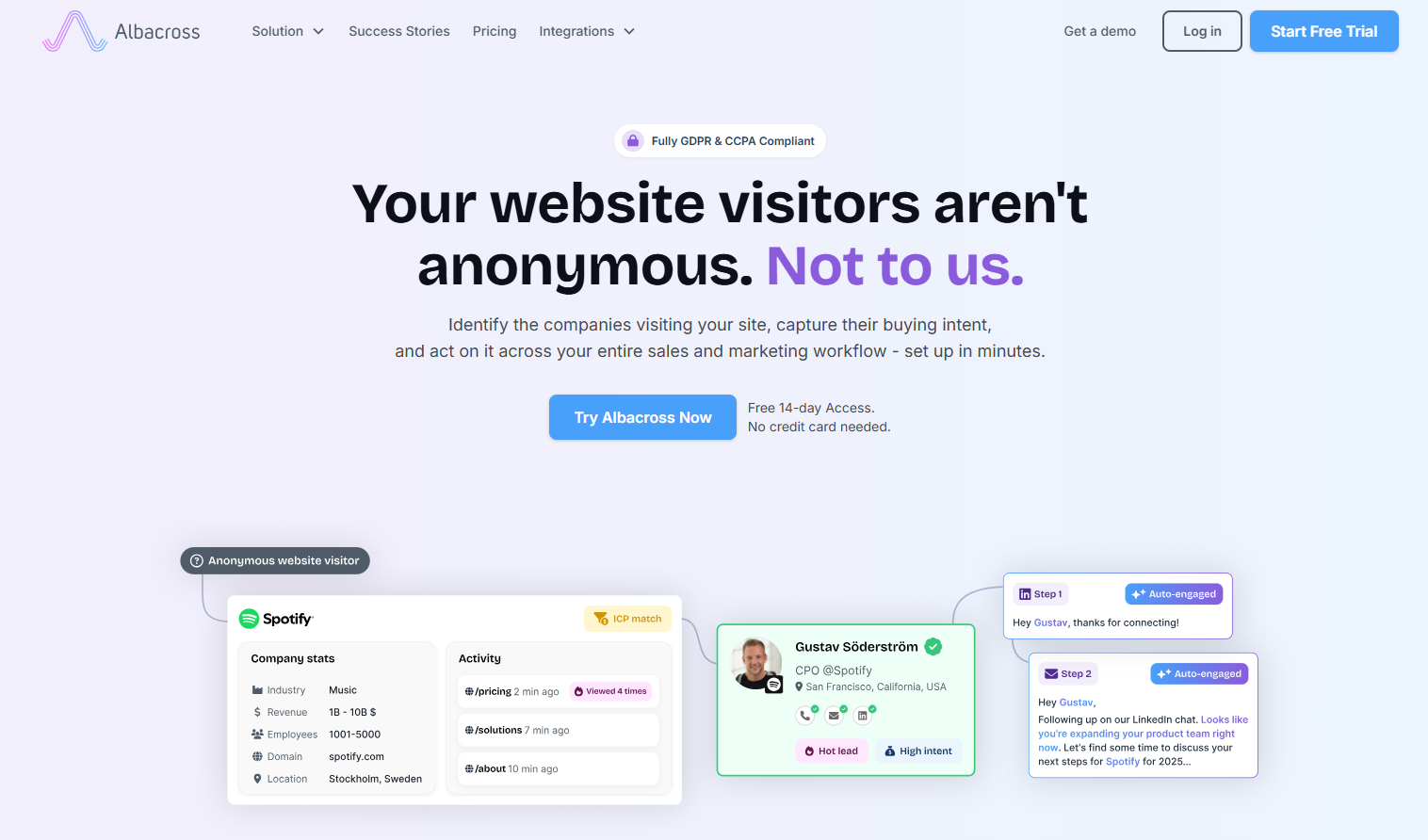
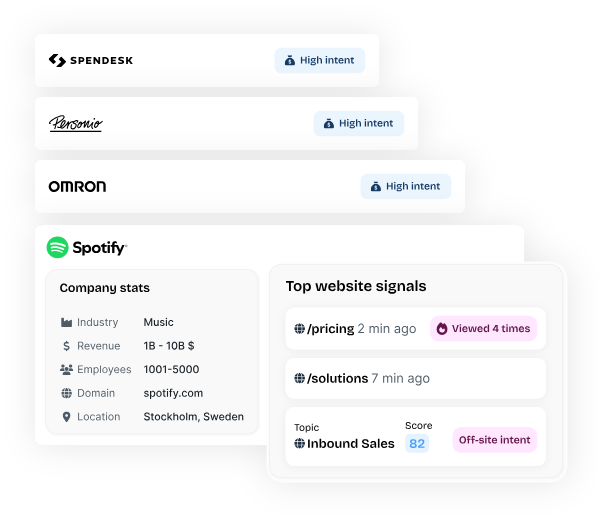
European traffic is where Albacross does its best work. The platform handles company-level visitor identification with some automated lead workflows on top, with GDPR compliance baked in from the start.

Features

Source of image.

  • Company identification: Identifies visiting companies with strong accuracy on EU traffic.
  • Auto-segmentation: Built-in and custom filters for segmenting identified accounts on firmographic and behavioral signals.
  • Automated alerts: Notifies reps when leads hit relevant pages or cross intent thresholds.
  • Email workflows: Sequences trigger off identified visitor activity, without needing a separate outreach tool.

Pricing

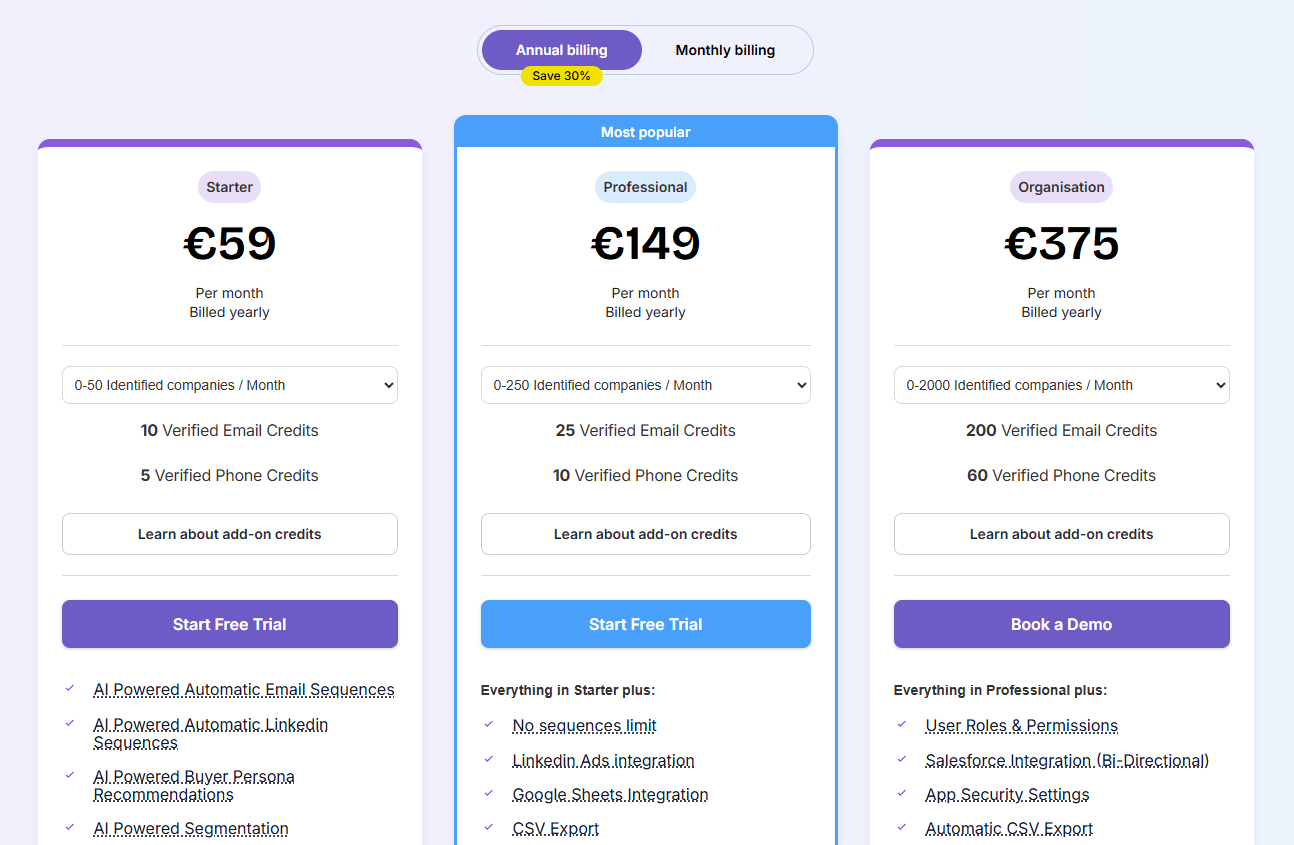
Albacross has three pricing plans:

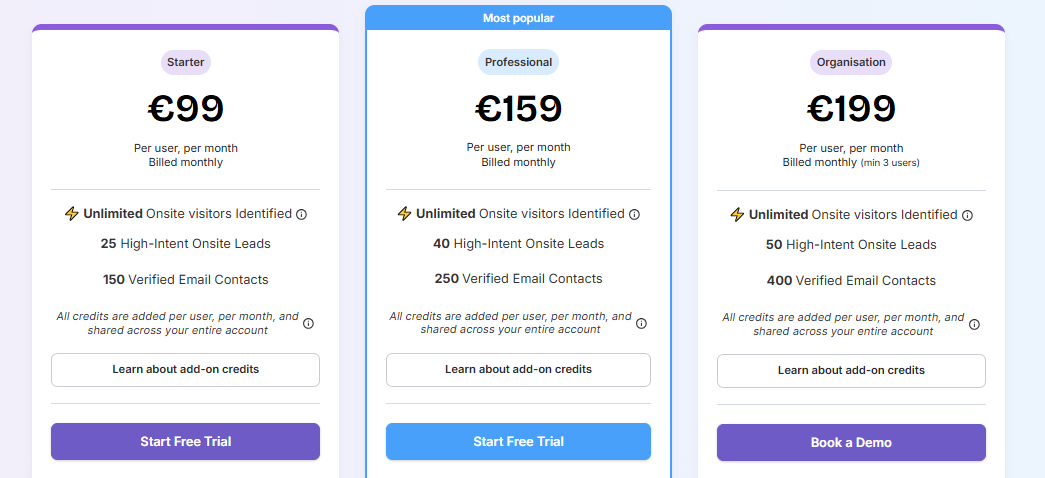
  • Starter: Starting at €99/user/month for 25 high-intent on-site leads revealed, 150 verified emails, and AI-powered segmentation.
  • Professional: Starting at €159/user/month, adding 40 high-intent leads, 250 verified emails, and 5 off-site buying signals per week.
  • Organization: Starting at €199/user/month, adding 50 high-intent leads, 400 verified emails, and 10 off-site buying signals per week.

Source of image.

Pros & Cons

✅ GDPR-compliant by design.

✅ Transparent per-seat pricing, rare in the category.

✅ Tracks unlimited visitors regardless of plan.

Company-level only; no person-level reveal.

#10: Dealfront (Leadfeeder)

Best for: European B2B teams that want company-level website visitor identification with deep GDPR coverage and a wider European data platform behind it.

Similar to: Albacross, Lead Forensics.

Source of image.

The Leadfeeder and Echobot merger gave us Dealfront.

Website visitor identification meets European B2B sales intelligence in one combined platform, with the heaviest data coverage across DACH, the Nordics, and Benelux.

Features

Source of image.

  • Company-level visitor identification: IP-to-company matching with firmographic enrichment and visit timelines.
  • Lead scoring and feeds: Custom feeds and scoring to focus on accounts that match your ICP.
  • Decision-maker discovery: Surfaces relevant contacts at identified companies with role and seniority data.
  • CRM integrations: Native sync with HubSpot, Salesforce, Pipedrive, Zoho, Microsoft Dynamics, and Mailchimp.

Pricing

Dealfront has a free plan and two paid plans:

  • Lite: Free forever for up to 100 company identifications per month, 20 contacts, and a 7-day view of company visits.
  • Website Visitor Identification: From €99/month (annual billing, priced by companies identified) for unlimited company reveals, CRM sync, alerts, and ad campaign lists.
  • Platform: From €399/month (annual, priced by seats and credits) for access to a 60M company and 400M contact database, AI enrichment, and embedded CRM profiles.

Source of image.

Pros & Cons

✅ GDPR-friendly with strong European data coverage including DACH, Nordics, and Benelux.

✅ Transparent monthly pricing on the Leadfeeder tier that scales cleanly with traffic.

✅ Broad CRM integration coverage including Pipedrive and Zoho, which most competitors skip.

Company-level identification only, no person-level.

Generate more qualified pipeline with Warmly

For teams that want both inbound conversion and outbound orchestration running off the same data layer, Warmly is built for that GTM motion.

Two coordinating agents share one Context Graph that scores every account the same way regardless of channel, so inbound activity informs outbound and vice versa.

And there’s no need for integrations to maintain separate tools.

You can start with Warmly's free plan to identify your first 500 visitors, or book a demo if your team needs the full Inbound and TAM agent setup.

⚠️ Disclaimer: This article was last updated on the 28th of May, 2026, and if there's any misinterpretation of the information, please contact us, and we will fact-check it.

10 Best Agentic Inbound Agents In 2026 [Reviewed]

10 Best Agentic Inbound Agents In 2026 [Reviewed]

Time to read

Alan Zhao

In this guide, I'll walk through the 10 best agentic inbound agents in 2026, grouped by the work each one is built to do, so you can pick something that fits your motion without paying for the wrong category.

TL;DR

  • Warmly offers the best agentic inbound agent in 2026 for B2B SaaS revenue teams with its AI Chat plus Warm Calls handoff, person-level visitor identification feeding the conversation from message one, a TAM Agent for outbound follow-up on non-converters, and the Context Graph that ties inbound and outbound together.
  • Teams comparing chat-first sales platforms usually shortlist Qualified (Piper), 1mind, Salesloft, Intercom Fin for Sales, and Conversica, which all run agentic conversations with different angles on workflow, multimodal engagement, and nurture cycles.
  • Companies that need agentic agents handling support volume often evaluate Sierra, Decagon, and Ada, while smaller teams looking for fast-deploy chat usually land on Tidio.

What are the best agentic inbound agents in 2026?

The best agentic inbound agents in 2026 are Warmly, 1mind, and Qualified.

Here's the full shortlist with what each tool fits and where pricing lands:

Tool

Best For

Pricing

Warmly

B2B SaaS revenue teams that want person-level visitor ID, AI chat with full CRM context, and inbound conversations tied to outbound follow-up through a shared Context Graph.

Free plan; inbound paid from $10,000/year. TAM Agent from $15,000/year.

1mind

Enterprise marketing teams replacing legacy conversational sales tools with AI-driven visitor engagement and routing workflows.

Pricing not public.

Qualified

Salesforce-native revenue teams running an agentic marketing funnel anchored around Piper the AI SDR Agent across text, voice, and video.

Pricing not public.

Salesloft

Salesloft customers who want AI chat agents working alongside cadence, conversation intelligence, deal management, and forecasting.

Pricing not public.

Intercom (Fin for Sales)

Companies already on Intercom that want Fin handling inbound sales qualification and meeting booking next to its customer service work.

From $0.99 per resolution.

Conversica

Teams running event-driven, ABM, or inbound inquiry motions that want AI agents nurturing leads across email, SMS, and chat over longer cycles.

Pricing not public.

Sierra

Enterprise CX teams wanting voice and chat agents that handle support volume with brand-consistent conversation design and live assist for human reps.

Pricing not public.

Decagon

Consumer brands and enterprises building concierge-style AI agents across voice, chat, and email, configured in plain language.

Pricing not public.

Ada

Global enterprises running multichannel, multilingual customer service who want an agentic CX platform with deep observability and testing.

Pricing not public.

Tidio

SMB and ecommerce teams looking for an inexpensive AI chatbot with live chat that can be running on-site in an afternoon.

Free plan; paid from €32.50/month.

What are the best agentic inbound agents for B2B sales?

These six tools are built primarily to convert anonymous website visitors and inbound inquiries into qualified sales conversations:

#1: Warmly

Warmly offers the best agentic inbound agent in 2026 for B2B SaaS revenue teams with our AI Chat plus Warm Calls live video handoff, person-level visitor identification, TAM Agent for outbound follow-up, and the Context Graph that ties every conversation together.

Heads up: Warmly is our platform. My goal here is an honest comparison and not a one-sided pitch. If a different tool below fits your situation better, that's the recommendation we'd give you.

Let’s go over the features and capabilities that I think make our platform the best agentic inbound agent on the market in 2026:

Inbound Agent: AI Chat with Warm Calls

The Inbound Agent runs AI sales chat on your website, and the moment a conversation needs a human, a rep can step in over live video through Warm Calls.

Before the first message goes out, the chat agent has already pulled the visitor's CRM history, the pages they've been on this session and historically, their company's intent signals, and the product context for the page they're looking at.

The opener changes from "How can I help you?" to something like "Looks like you're back checking out the integrations page — want me to walk through the HubSpot setup since you flagged that on our last chat with your team?"

When a rep takes over, the transcript, CRM history, and page context pass to them before they type their first reply.

From the visitor's side, the handoff is invisible.

Our smart popups and personalized landing pages also run on that same identity layer:

  • Smart popups are triggered by intent signals and are personalized to who's visiting your website to give them the right offer at the right moment.
  • Personalized Landing Pages dynamically customize content based on who's visiting, including their company, role, industry, and behavior.

And for the visitors who visited but left, our retargeting follow-up engine triggers personalized email sequences, LinkedIn ad targeting, and nurture campaigns based on their behavior and intent signals.

Person-level visitor identification

Most visitor ID tools surface a company name and a city. This can be useful, but not enough to actually start a conversation that lands.

Our Inbound Agent identifies 15% of traffic at the individual level with name, email, and title, with 90%+ accuracy on matched profiles.

At the company level, it covers 65% of sessions at 95%+ accuracy.

The identity resolution waterfall preferences deterministic matches (email, cookie, CRM ID) over probabilistic ones (IP, behavioral fingerprint).

Our platform goes beyond IP-to-company matching and resolves individuals with name, work email, job title, and LinkedIn profile.

The visitor data flows bidirectionally into HubSpot and Salesforce without manual exports, and every identified visitor gets enriched with firmographics, technographics, and third-party intent signals before reaching reps.

TAM Agent for outbound follow-up

The TAM Agent picks up where the Inbound Agent finishes, running outbound across email and LinkedIn, triggered by the same intent signals the inbound side captured.

It scores accounts using a model trained on your closed-won deals, identifies the buying committee, and either routes to reps or runs autonomous AI SDR sequences depending on how you set it up.

The two agents talk to each other through the Context Graph, so a visitor who chatted at 5 PM Tuesday won't get a cold outbound email the next morning.

Context Graph

The Context Graph is the data layer underneath both agents.

It tracks signals, actions taken, the reasoning behind those actions, and the resulting outcomes for every account.

Plenty of products marketed as agentic are workflow engines with an LLM layer on top.

Warmly's architecture is different: the Context Graph feeds both the inbound and outbound agents from the same intent model, which is why the chat side and the outbound side can coordinate timing, share scoring, and avoid double-touching the same person.

Every prospect touchpoint is logged in an activity ledger, which you’ll find is quite useful when a prospect is back in market after a few months.

All of this massive context also goes to the AI chatbot. The chatbot would be aware if a visitor visited your pricing page last week and a case study last month.

What makes Warmly different from other agentic inbound agents

The pattern across most products in this category is that the agent waits for a visitor to start a conversation, then tries to figure out who they are mid-chat.

Warmly flips that model.

Person-level visitor identification fires before the first message, so the agent opens already knowing the company, the role, the prior session history, and any active CRM activity.

The chat starts warm because the data feeding it starts warm.

That's the part most agentic inbound tools don't have.

  • CX-native agents are designed around customer support, so the identity layer assumes the person is already a known customer when they show up.
  • Sales-first agents run strong agentic conversations, but the identification layer in front of the chat is thinner, which means the opening message has less to draw from.

The second piece is the shared Context Graph between inbound and outbound.

Most teams stack 4 to 6 tools to get this coverage, which means inbound chat lives in one system, outbound sequences in another, and the intent data has to be reconciled across both.

Warmly runs one model across both sales motions.

Pricing

Warmly has a free plan covering 500 de-anonymized visitors per month, with Slack alerts and CSV export. Paid plans stack on the inbound side, plus a separate outbound plan.

  • AI Web-Deanonymization runs $10,000 per year for 10K credits monthly, covering contact and company-level identification, ICP filtering, real-time Slack alerts, lead routing, CRM sync, and retargeting via email, LinkedIn, and ads.
  • Inbound Chat adds the conversational layer at $20,000 per year, with the AI Chatbot (one AI Studio Agent), Warm Calling for live chat handoff, Warm Offers, chat metrics, and automated email follow-up.
  • AI Inbound Autopilot runs $30,000 per year and adds unlimited AI Studio Agents, the Autopilot Agent, AI goal-setting and qualification, AI-generated mini-demo slides, AI-written chat follow-up, and auto-learning that improves the chat over time.
  • AI TAM Agent starts at $15,000 per year for 60K annual credits, covering the TAM database with intent scoring, the buying committee agent, AI enrichment, the Signals Bundle (Bombora, G2, Reddit, Glassdoor, news, SEC filings, job changes, social signals, YouTube, podcasts), and HubSpot two-way sync.

The pricing is built for mid-market B2B SaaS revenue teams with meaningful website traffic, not very early-stage startups where the entry-level volume doesn't yet justify the spend.

Pros & Cons

✅ Person-level visitor identification feeds CRM context into the AI chat before the first message, so the conversation opens warm.

✅ Inbound Agent and TAM Agent share a unified Context Graph, removing the duplicate-touching problem that comes with separate inbound and outbound tools.

✅ Live video handoff via Warm Calls keeps high-intent conversations from dying at the chatbot boundary.

✅ Native HubSpot and Salesforce integrations cover most B2B SaaS CRM stacks without Zapier workarounds.

❌ There are no monthly plans: only quarterly and annual.

#2: 1mind

Best for: Enterprise marketing teams replacing legacy conversational sales tools with AI-driven visitor engagement and routing workflows.

Similar to: Qualified, Drift.

Source.

1mind positions itself as a modern take on conversational sales, with AI-led conversations that automate visitor interactions through workflows and engagement prompts.

The routing automation is the piece that gets called out most often: leads and meetings assign to the right rep based on territory or custom logic, the moment a chat finishes.

Features

Source.

  • AI-led conversations: Visitor interactions run through conversational workflows with built-in engagement prompts.
  • Lead qualification logic: Filters and prioritizes leads against qualification criteria you define upfront.
  • CRM synchronization: Visitor and lead data syncs across connected CRMs and workflow tools.
  • Routing automation: Sends leads and meetings to the right rep based on territory or assignment logic.

Pricing

1mind does not disclose pricing publicly; you'll need to contact their team for a quote.

Source.

Pros & Cons

✅ AI-led conversations adapt to workflow logic rather than fixed scripts.

✅ Built-in routing handles territory and round-robin assignment without a separate routing tool.

✅ Analytics give visibility into workflow performance and conversation activity.

❌ The platform’s contracts are annual, and enterprise estimates place it at $100,000+ per year.

#3: Qualified

Best for: Salesforce-native revenue teams running an agentic marketing funnel anchored around Piper the AI SDR Agent.

Similar to: Intercom Fin for Sales, 1mind.

Source.

Qualified built its platform around Piper, an AI SDR Agent that greets website buyers, guides them through their buying journey with text, voice, and video conversations, sends timely email follow-up, and books meetings.

The whole approach is framed as the agentic marketing funnel, with customer logos including VMware, Sodexo, and Fujitsu.

Features

Source.

  • Piper the AI SDR Agent: Greets high-intent website visitors and runs face-to-face conversations using text, voice, and video.
  • Email nurture and follow-up: Sends bespoke emails timed to the buyer's engagement pattern.
  • AI Conversations and Meetings: Runs qualifying chats and books meetings directly on rep calendars.
  • AI Signals and Offers: Surfaces intent signals and presents personalized offers based on visitor behavior.

Pricing

Qualified does not disclose pricing publicly; you'll need to contact their team for a quote.

Source.

Pros & Cons

✅ Strong Salesforce-native integration, with a leading ranking on the Salesforce AppExchange.

✅ Multimodal Piper conversations across text, voice, and video give buyers richer engagement options than chat-only tools.

❌ Starts from $42,000 per year, according to 3rd party analysts.

#4: Salesloft

Best for: Existing Salesloft customers who want AI chat agents working alongside cadence, conversation intelligence, deal management, and forecasting in one platform.

Similar to: Qualified, Outreach.

Source.

Salesloft's Revenue Orchestration Platform now includes AI chat agents inside the broader workflow that already handles cadences (Cadence), seller prioritization (Rhythm), call insights (Conversations), deal management (Deals), and forecasting (Forecast).

The Chat capability turns website visitors into leads using the same AI agents and revenue data that power the rest of the platform.

Features

Source.

  • AI chat agents: Turn anonymous website visitors into qualified leads inside the Salesloft workflow.
  • Cadence and Rhythm: Build pipeline and prioritize seller actions using first and third-party signals.
  • Conversations: Captures insights from buyer and seller interactions across calls, email, and chat.
  • Forecast and Analytics: Connects pipeline data and AI agents to revenue forecasting.

Pricing

Salesloft does not disclose pricing publicly; you'll need to contact their team for a quote.

Source.

Pros & Cons

✅ AI chat is part of a broader revenue orchestration platform, not a standalone bolt-on.

✅ Named a Leader in The Forrester Wave for Revenue Orchestration Platforms.

✅ Backed by a Forrester Total Economic Impact study commissioned by Salesloft.

❌ Pricing is not disclosed.

#5: Intercom (Fin for Sales)

Best for: Companies already running Intercom that want Fin handling inbound sales qualification, discovery, and meeting booking next to its customer service work.

Similar to: Qualified, Drift.

Source.

Fin originally took off in customer service and now handles inbound sales alongside customer support across Intercom's customer base.

Fin for Sales engages prospects as they explore the site, answers questions on pricing and features, qualifies them, and books meetings or hands off to a live rep with full context.

Features

Source.

  • Proactive engagement: Starts conversations based on what buyers are exploring, on Messenger, email, and other channels.
  • Discovery and product expertise: Uses your knowledge base and content to answer pricing, feature, and plan-fit questions, then recommends the right plan.
  • SDR-style qualification: Asks the same questions a strong SDR would about needs, budget, and timeline, enriched with CRM data.
  • AI routing and meeting scheduling: Books meetings via Calendly or Chili Piper and hands off to live reps with full conversation context.

Pricing

Intercom bills Fin AI on a separate line from the helpdesk seats, and there are two ways to deploy it:

Fin with your existing helpdesk:

  • $0.99 per outcome each time Fin closes a conversation end-to-end.
  • Minimum of 50 outcomes per month.
  • Works out of the box with Salesforce, HubSpot, Zendesk, and others.
  • Includes a 14-day free trial.

Fin + Intercom Helpdesk:

  • $0.99 per outcome, plus $29 per seat monthly for the helpdesk.
  • $29 is the entry-level helpdesk price; higher tiers also exist.
  • Includes a 14-day free trial.

Optional add-ons:

  • Pro: $99 monthly to analyze up to 1,000 conversations via CX Score, AI Topics, Trends, and Custom AI Scorecards.
  • Copilot: $35 per user, per month, providing an AI assistant inside the agent's inbox.

Source.

Pros & Cons

✅ The same Fin agent handles both prospect and customer conversations, switching context as needed.

✅ Pay-per-resolution pricing aligns cost with results rather than seats.

✅ Years of customer service deployments mean Fin tends to read as conversational rather than scripted.

❌ The accuracy of responses heavily depends on the quality and structure of the knowledge base, which can require ongoing maintenance, according to a G2 review.

❌ It does sometimes have glitches, according to a G2 review.

#6: Conversica

Best for: Teams running event-driven, ABM, or inbound inquiry motions that want AI agents nurturing leads across email, SMS, and chat over longer sales cycles.

Similar to: Intercom Fin for Sales.

Source of image.

Conversica's AI Agents focus on persistent, conversational nurture: agents pick up after events, ad clicks, content downloads, ABM programs, and inbound inquiries to keep leads moving over weeks and months, not minutes.

The product positions itself less as a real-time chat experience and more as a long-cycle conversation engine.

Features

Source of image.

  • Event-driven nurture: Starts conversations before and after events to boost attendance, capture interest, and schedule follow-ups.
  • Ad and content follow-up: Turns ad clicks and content downloads into conversations that qualify and engage.
  • ABM program engagement: Personalized conversations with target accounts to uncover intent and open sales conversations.
  • Multichannel reach: Runs across email, SMS, chat, and messaging apps in any language.

Pricing

Conversica does not disclose pricing publicly; you'll need to contact their team for a quote.

Source of image.

Pros & Cons

✅ Persistent multichannel conversation engine across email, SMS, chat, and messaging.

✅ Industry-trained agents with brand-safe messaging from day one.

✅ Enterprise-grade security and compliance, including GDPR, SOC 2, and data residency options.

❌ Pricing is custom.

What are the best agentic agents for inbound customer experience?

These platforms handle inbound conversations too, but the work is customer experience and support, not sales pipeline:

#1: Sierra

Best for: Enterprise CX teams that want voice and chat agents handling support volume with brand-consistent conversation design and live assist for human reps.

Similar to: Decagon, Ada.

Source of image.

Sierra powers customer experiences at brands including ADT, SiriusXM, Thrive Market, and CLEAR.

The Agent OS spans Agent Studio for no-code agent building, an Agent SDK for developers, voice agents, an insights layer for analytics and experimentation, and Live Assist that augments human reps with AI suggestions.

Features

Source of image.

  • Agent Studio: Empowers CX teams to build and manage agents without code, configuring journeys, knowledge, and brand guidelines.
  • Voice agents: Handle inbound and outbound phone support with natural-sounding dialog.
  • Live Assist: Real-time AI suggestions and drafted responses for human reps during conversations.
  • Insights: Analytics, experimentation, and observability across every agent decision.

Pricing

Sierra does not disclose pricing publicly; you'll need to contact their team for a quote. The product is positioned at enterprise CX.

Source of image.

Pros & Cons

✅ Strong voice agent capability across inbound and outbound calls.

✅ Agent Studio lets CX teams update agents without engineering involvement.

✅ Live Assist augments human reps rather than replacing them.

❌ Pricing is custom.

#2: Decagon

Best for: Consumer brands and enterprises building concierge-style AI agents across voice, chat, and email, configured in plain language.

Similar to: Sierra, Ada.

Source.

Decagon powers customer experiences for brands including Hertz, Oura, Quince, Duolingo, Gopuff, and Affirm.

The differentiator is Agent Operating Procedures (AOPs), which let teams define agent workflows in natural language so iteration doesn't require engineering sprints.

Features

Source.

  • Agent Operating Procedures (AOPs): Define agent workflows in plain English rather than configuration syntax.
  • Omnichannel platform: Voice, chat, and email all run on a single intelligence layer.
  • Testing, observability, and experimentation: Validate and iterate agent logic with built-in QA tooling.
  • Analytics suite: Turns conversations into insights about customer behavior and agent performance.

Pricing

Decagon does not disclose pricing publicly; you'll need to contact their team for a quote.

Source.

Pros & Cons

✅ Natural-language AOPs make agent iteration faster than tools requiring configuration languages.

✅ Voice, chat, and email work consistently because they share one intelligence layer.

✅ Customer roster of well-known consumer brands suggests proven performance at high conversation volume.

❌ Pricing is custom.

#3: Ada

Best for: Global enterprises running multichannel, multilingual customer service who want an agentic CX platform with strong observability and testing.

Similar to: Sierra, Decagon.

Source.

Ada calls itself the agentic customer experience platform, with AI agents that resolve, act, and continuously improve across messaging, voice, and email.

The ACX (Agentic Customer Experience) framework includes the platform, a methodology layer they call Practice, and an experts team that works alongside the customer's CX organization.

Features

Source.

  • ACX Platform: Deploys and orchestrates AI agents across channels and languages with continuous improvement built in.
  • Playbooks: Pre-built workflows for industry use cases including financial services, gaming, retail, technology, and travel.
  • Multilingual support: Customers across 85+ countries, with multilingual conversation handling.
  • Compliance and security: HIPAA, SOC 2, GDPR, and AIUC-1 compliance for regulated industries.

Pricing

Ada does not disclose pricing publicly; you'll need to contact their team for a quote.

Source.

Pros & Cons

✅ Multilingual capability across 85+ countries fits global support teams.

✅ Industry-specific Playbooks shorten time to deploy in financial services, gaming, retail, and travel.

✅ Strong compliance posture for regulated industries.

❌ Pricing is not public.

#4: Tidio

Best for: SMB and ecommerce teams looking for an inexpensive AI chatbot with live chat that can be running on-site in a single afternoon.

Similar to: Intercom (lower tiers), HubSpot Service Hub.

Source.

Tidio is the chatbot that comes up most often at the small-business end of the market.

Pricing is friendly, deployment is fast, and the platform delivers more than the price tag suggests. Lyro, its AI agent, fields routine questions, qualifies inbound leads, and schedules meetings.

Features

Source.

  • Lyro AI agent: Natural-language AI trained against your knowledge base and product documentation.
  • Live chat alongside the chatbot: Pairs the AI agent with human takeover whenever needed.
  • Unified multichannel inbox: Manages chat, email, and Instagram or Messenger from one place.

Pricing

  • Free: €0 monthly, covering 50 AI conversations, 1 AI Action, and basic guidance.
  • Core: From €32.50 monthly for 50 to 1,000 AI conversations, 3 AI Actions, product recommendations, and Lyro for emails.
  • Plus: From €749 monthly for custom conversation volume (from 300), up to 10 AI Actions, live knowledge refresh, Lyro for sales, MCP connections, OpenAPI access, and a dedicated success manager.
  • Premium: Custom pricing, including pay-per-resolution billing, AI insights with CSAT, SSO, compliance, and Lyro as a managed service.

Source.

Pros & Cons

✅ Friendly entry pricing for SMB and ecommerce teams.

✅ Fast deployment, often in a single afternoon.

✅ Unified inbox handles chat, email, and social DMs together.

❌ Making sophisticated features more available without having to switch to higher price tiers too soon is one area Tidio might do better, according to a G2 review.

❌ The pricing structure feels a bit steep when scaling up or needing access to more advanced features, according to another G2 review.

Generate more qualified pipeline with Warmly

The agentic inbound agent category has split into something useful.

Some tools chase support resolution, others chase pipeline, and a smaller group is building toward a unified inbound experience where chat, voice, and outbound share the same context.

For mid-market B2B SaaS revenue teams trying to consolidate a chat tool, a visitor ID tool, a routing tool, and an outbound sequencer into one platform, Warmly's two-agent architecture with the shared Context Graph is the closest fit.

The free plan covers 500 visitors per month, which is enough volume to see whether person-level identification plus AI chat changes the shape of your inbound before committing.

You can start with Warmly's free plan to identify your first visitors, or book a demo if your team needs the full Inbound and TAM agent setup.

⚠️ Disclaimer: This article was last updated on the 28th of May, 2026, and if there's any misinterpretation of the information, please contact us, and we will fact-check it.

Agentic Inbound Agents: What Are They & Use Cases (2026)

Agentic Inbound Agents: What Are They & Use Cases (2026)

Time to read

Alan Zhao

In this article, I’ll go over what agentic inbound agents are, their use cases, and how you can effectively use them to win more deals.

TL;DR

  • An agentic inbound agent is a website chat tool that makes its own decisions about a conversation, including pulling live context from your CRM and content. The agent picks the conversation path and aims to convert your visitors, instead of a flow chart someone scripted weeks ago.
  • The category is small but real. A handful of vendors, including Warmly (that’s us), have launched products in the last 18 months that fit the description, each with a different angle on what "agentic" actually means in practice.
  • Warmly's take is an Inbound Agent built around AI sales chat with person-level visitor identification, direct meeting booking, and retargeting for visitors who leave without converting.

What is an agentic inbound agent?

An agentic inbound agent is a website chat tool that picks its own path through a conversation.

There's no scripted flow underneath that follows a pre-built path. The word "agentic" is doing real work here.

It's the difference between a chatbot that runs through a decision tree someone built three months ago and a system that decides in the moment what to ask, what content to surface, and when to pull in a human.

Most products in this category share four traits that traditional chatbots don't have.

  • Agentic inbound agents pull context live.

Before the first message goes out, the agent queries your CRM, your help centre, your product pages, and whatever intent data you've connected.

The conversation starts from "I know who you are and what you're probably here for," not from "Hi, how can I help you?"

  • Agentic inbound agents run conversations toward a goal, not through a script.

You tell the agent what success looks like (a booked meeting, a qualified handoff, a completed live demo), and it picks the path that gets there.

Different visitors get different conversations because the agent reads each one differently.

A senior buyer comparing vendors doesn't get the same flow as a junior researcher poking around the docs.

  • Agentic inbound agents demonstrate the product, not just talk about it.

If a visitor mentions a competing tool or asks about a specific integration, the agent can surface the relevant slide, deck, or video right in the chat. Live walkthroughs without a human in the loop.

  • Agentic inbound agents escalate deliberately.

A traditional chatbot either runs forever in the same flow or kicks any conversation it can't parse to a form.

Agents are trained to know their limits and pull in a human when the conversation actually warrants one, such as when the question is outside their knowledge, the deal feels too important, or when something's gone sideways.

Worth saying what an agentic inbound agent isn't. It isn't just a chatbot with an LLM generating the replies.

Plenty of tools have slapped an LLM on top of an old decision-tree flow and re-marketed it as "AI chat."

That's a different thing. In an agentic system, the LLM isn't generating responses inside a predefined script; it's deciding what the script even is, on the fly, for each visitor.

How can an agentic inbound agent fit in your sales motion?

Most teams I talk to are running their inbound motion in pieces:

  • A chat tool from one vendor.
  • A form from another.
  • SDRs watching Slack alerts.
  • Routing rules in a third tool.
  • Calendars in a fourth.

The handoffs are often where leads die. Every one of them adds friction and loses context.

An agentic inbound agent compresses that into a single layer.

A visitor lands, gets identified, gets a relevant conversation, and either books a meeting or gets retargeted automatically. SDRs come in when the agent flags a conversation that warrants a human.

In practice, the agent does what a chat tool, a form, an SDR, and a calendar app used to do collectively.

It engages anonymous traffic with a contextual opener, runs qualification right there in the chat, and drops the resulting meeting onto your AE's calendar without anyone re-asking the same five discovery questions.

The AE walks into the call already briefed.

Agentic inbound agents vs. the traditional inbound process

Here's what most teams are currently doing, and what changes when you swap in an agentic system:

Step in the funnel

Traditional way

Agentic inbound agent

Visitor lands on site

Anonymous: You don't have any context about them.

Identified at the person level with name, email, title, and CRM history. Note that not all visitors can be identified at the person or even company level.

First engagement

Static chat widget. "Hi, how can I help you?"

Contextual opener referencing the page, the visitor, and prior history.

Qualification

Form fill, then SDR follow-up 24-48 hours later.

The agent runs qualification live in the chat.

Demo request

Form, then SDR call, then discovery, then AE meeting. Days of friction.

Books directly on the AE's calendar. Zero handoffs.

Off-hours visitors

Lost. Form sits in the inbox until morning.

The agent runs the full conversation and books the meeting.

Non-converters

Sit in a spreadsheet. Maybe a nurture email goes out eventually.

Auto-added to LinkedIn and Meta retargeting, behavior captured for re-engagement.

Handoff to humans

SDR re-asks every question the prospect already answered in chat.

Full conversation context delivered to the rep before they step in.

Improvement over time

Manual chat log reviews, occasional script updates.

The agent self-evaluates against goals and adjusts.

What are the best use cases of agentic inbound agents?

A handful of patterns I've seen play out:

  • Inbound surges from marketing pushes. Product Hunt launch, podcast mention, and a big LinkedIn post from the CEO.

Traffic spikes 10x for 48 hours. An SDR team cannot scale that fast but the agent does, because it's software.

  • Pricing page conversion. A visitor lingers on pricing for 90 seconds, then starts to leave.

The agent steps in with a question matched to the page they're on. "Looking at the mid-market tier, anything specific you want a walkthrough on?"

  • Competitive evaluation. A visitor types "how do you compare to [competitor]."

A chatbot would either dodge or paste a comparison link.

The agent walks through specific differences, surfaces the right comparison information and books a demo with a rep who handles competitive deals.

  • Round-the-clock demo coverage. A B2B SaaS company sells globally. AEs sleep in Pacific Time. Prospects in EMEA hit the site at 3 AM PT. 

The agent identifies them, runs a full qualifying conversation, and books a demo on the next available EMEA slot. AEs wake up to calendars with three meetings already on them.

  • Multichannel inbound pickup. A lead calls your sales line at 8 PM. Or emails sales@. Or sends a WhatsApp message after hours.

Traditionally, all three leak. Products in this category that extend beyond website chat to voice, email, SMS, and WhatsApp answer in seconds on whichever channel the lead picked.

  • Re-engagement. Many of your first-time visitors won't convert. The agent captures their identity and behavior, drops them into LinkedIn and Meta retargeting audiences, and re-engages with updated context when they come back two weeks later.

How to use agentic inbound agents well?

A few things matter more than the rest when you deploy.

  • Start with the context layer.

The agent is only as good as the data it can pull from, so sync your CRM, connect your help centre, and make sure the product pages, integrations list, and pricing on your site are current.

If you've got three different pricing pages with conflicting numbers, the agent will pull whichever one it finds first and confidently quote it back to a prospect.

One of the biggest friction points that trip up most companies is that their own context is messy.

  • Stale pages.
  • Out-of-date pricing.
  • Conflicting sources of truth. 

Humans figure out which one to trust, but agents need a cleaner signal.

I’d recommend you train the agent before you put it on the site.

You'd onboard a new SDR for a week before letting them on calls, and the same logic applies here.

For example, here’s how training Warmly’s Inbound Agent looks like:

Most products in this category give you a sandbox to test the agent against synthetic conversations before going live.

Watch where it stumbles and fix the gaps in your knowledge base, not in the agent.

  • Goals and escalation rules deserve real thought.

Be specific about whether the agent's job is to book a meeting, complete a qualified handoff, or finish a live demo, then write the escalation triggers explicitly.

"Tier 1 ICP on pricing page" is a useful one.

So is "conversation might be going sideways." Vague goals in week one are what make agents look bad in week two.

  • One last thing: don't try to replace your AEs.

The agent is a force multiplier for your existing motion, not a substitute for closing skill.

The point is more qualified meetings on AE calendars with better context, landing faster.

Zero human touch is not the goal, and the customers who chase it tend to regret it.

Here’s what it looks like to build the agentic inbound system to get ROI in about 7 days or less with Warmly:

Warmly's Inbound Agent: AI sales chat with person-level visitor identification

Warmly's take on agentic inbound is the Inbound Agent, an AI sales chat that runs on your website and identifies visitors at the person level before the first message goes out.

It's the on-site half of the Warmly platform. The off-site half is the TAM Agent, which handles outbound orchestration.

The two share a unified data layer (the Context Graph), so what the agent learns from a chat session feeds the outbound motion and vice versa.

Let’s go over the features that enable brands like WorkBoard to increase their pipeline targets without adding headcount: 👇

Person-level visitor identification

This is the foundation.

Most visitor ID tools tell you "someone from Acme is on your site." Useful, but not enough to have a real conversation.

Inbound Agent identifies about 15% of traffic at the individual level (name, email, title) with over 90% accuracy on matched profiles.

Across all traffic, it identifies the company on about 65% of sessions with 95%+ accuracy.

Underneath, there’s a multi-vendor identity waterfall.

Multiple identity providers queried in parallel, consensus scoring across them, deterministic matches (email, cookie, CRM ID) preferred over probabilistic (IP, behavioral fingerprint).

AI sales chat with full CRM context

The chat is where the agentic part lives.

Before the first message, it's already pulled the visitor's CRM history, the pages they've viewed this session and historically, their company's intent signals, and the product context for the page they're on.

That changes the opener entirely.

"Hi Sarah, I see you're back on the Enterprise tier. Last time we chatted with your VP of Sales about HubSpot integration. Want me to pick up where that left off?", not "How can I help you today?"

AI Call Agent: voice, email, SMS, and WhatsApp

The chat agent only catches the visitors who actually start a chat.

The AI Call Agent extends the same logic to inbound phone calls, email replies, SMS, and WhatsApp messages, answering each in under five seconds and qualifying live on the conversation.

When someone calls your sales line at 8 PM, the agent picks up already briefed (it knows who they are from the Context Graph) and can book the meeting before hanging up.

Everything, including the transcript, extracted fields, summary, and next steps, syncs to HubSpot or Salesforce the moment the conversation ends.

Live Human Chat: takeover from the AI without missing a beat

Your reps can step into any active conversation from the unified inbox and reply directly, picking up exactly where the AI left off.

Full context (the transcript, the visitor's CRM history, what page they're on, what the AI has already qualified) passes to the rep before they type the first message.

From the visitor's side, the handoff is invisible. They keep chatting with what looks like the same conversation.

Personalized landing pages

The agent doesn't just personalize the chat.

It can change the page content itself based on who's visiting. Headlines, CTAs, case studies, role-based messaging.

A technical buyer from a Fortune 500 fintech sees one set of content; an SMB founder sees another.

Smart popups

Popups that know who's looking at them.

Triggers run on intent signals (exit-intent, time on pricing page, return visit), not arbitrary timers, and the offer adapts to the visitor's company and behavior.

A/B testing and frequency capping are built in so you're not annoying the same visitor across four sessions.

Retargeting for non-converters

The visitor who didn't book today isn't gone.

The Inbound Agent captures their identity and behavior, adds them to LinkedIn and Meta retargeting audiences, and triggers a personalized email follow-up.

When they come back, the agent re-engages with everything it learned the first time.

Pricing

Warmly has four paid plans, with annual or quarterly billing. There’s also a free plan that covers 500 de-anonymized visitors per month and lets you send warm lead alerts to Slack in real-time or export to CSV.

The first three plans cover the inbound side and stack on top of each other. AI TAM Agent is the standalone outbound plan.

  • AI Web-Deanonymization ($15,000/year, 10K credits per month): entry-level visitor ID with contact and company-level identification, ICP filtering, real-time Slack alerts, lead routing, CRM sync, and retargeting via email, LinkedIn, and ads.
  • Inbound Chat ($20,000/year): adds the conversational layer on top of visitor ID, with the AI Chatbot (one AI Studio Agent), Warm Calling for live chat handoff, Warm Offers, chat metrics, and automated email follow-up.
  • AI Inbound Autopilot ($30,000/year): builds on Inbound Chat with unlimited AI Studio Agents and the Autopilot Agent, AI goal-setting and qualification, AI-generated mini-demo slides, AI-written chat follow-up, and auto-learning that improves the chat over time.
  • AI TAM Agent ($15,000/year, 60K annual credits): the outbound plan, covering the TAM database with intent scoring, the buying committee agent, AI enrichment, the Signals Bundle (Bombora, G2, Reddit, Glassdoor, news, SEC filings, job changes, social signals, YouTube, podcasts), and HubSpot two-way sync.

Generate more qualified pipeline with Warmly’s agentic inbound agent

The shift from chatbots to agentic inbound is happening, and teams running actual agents are pulling ahead of teams still stuck on scripted flows.

Warmly's Inbound Agent identifies who's on your site, runs the qualifying conversation, books meetings directly on the rep's calendar, and follows up automatically when visitors leave without booking.

You can start with Warmly's free plan to identify your first 500 visitors, or book a demo if your team needs the full Inbound and TAM agent setup.

FAQs

What's the difference between a chatbot and an agentic inbound agent?

A chatbot follows a hardcoded decision tree someone built weeks or months ago.

An agentic inbound agent picks its own path based on context and the goals you've set, pulling from your CRM, help center, and product pages live.

It also handles things a chatbot can't, like giving impromptu product walkthroughs based on what the visitor said two seconds ago.

Do I still need SDRs?

Yes. The agent handles top-of-funnel volume and the bulk of basic qualification. Your SDRs work the conversations the agent escalates, which are the high-intent ones where a human touch closes the loop.

The work changes shape, but it doesn't go away.

Will the agentic inbound agent sound like a robot?

It depends on how it's trained. 

  • A well-trained agent reads as conversational, especially with an optional video avatar layered on top.
  • A poorly-trained one will sound robotic and impersonal.

The quality of the input (your CRM data, your content, your product context) is most of what determines how the output feels.

What happens if the agent doesn't know an answer?

In a well-built agentic system, the agent is trained to recognize its limits.

When something's outside what it knows, it offers to connect the visitor with a rep or book a meeting on the spot.

It shouldn't make up an answer, which is the failure mode you screen for during sandbox testing.

Are agentic inbound agents only for enterprise teams?

No. Mid-market B2B SaaS is the sweet spot for most products in this category, including Warmly's.

If you have meaningful website traffic (thousands of visitors per month minimum) and run a HubSpot or Salesforce stack, an agentic inbound agent earns its cost back quickly.

Read more

Sales Shut Down Our Marketing Emails. It Was the Best Thing That Could've Happened.

Sales Shut Down Our Marketing Emails. It Was the Best Thing That Could've Happened.

Time to read

Alan Zhao

The day a sales team killed marketing's email program

Last week I jumped on a call with a head of marketing at a mid-market B2B company. Smart guy. New in seat. Walked into a brand he respects and a sales team that hates him.

He told me what happened. He sent a couple of campaigns. Targeted, thoughtful, on-brand. Marketing-led. The kind of campaign you write a deck about. Sales got the alert. Sales lost their minds. It escalated to the CRO. The CRO turned it off.

"No more emails. Like, you're not allowed to send emails out. We need to have a postmortem on this."

He's still in seat. He still has a number. He still has a CMO who needs marketing-sourced pipeline. He just can't send the thing marketing has used to generate pipeline for the last fifteen years.

I asked him what happened with the previous administration. He didn't know all the details. But what he pieced together was that the old team had sent emails to the wrong people. People sales was already talking to. People sales didn't want to talk to. People who weren't in the database for a reason. Sales got burned. Then they got PTSD. Then the second they saw a marketing email this quarter, the whole organism flinched.

This story is not rare. I hear a version of it almost every week now. And here's what I want every demand gen leader and head of marketing reading this to understand:

Sales was right. Not because marketing should never email. Because marketing as a function has been doing the wrong thing for years, and AI is making the wrong thing infinitely worse.

The good news is the right thing is more powerful than the old wrong thing. The right thing is what got our team from one million in pipeline in February to three point two million in pipeline in March, with a smaller team and a smaller ad budget than we'd ever run.

This post is the playbook for how to actually do it. Step by step. With the tools we use, the gotchas we hit, and the parts that still hurt.

If you read The Gospel of Gravity, this is the operating procedure for the worldview it lays out. If you haven't, you don't need to. The tactics work either way. The worldview just makes them make sense.

If you're a head of marketing or running demand gen and your sales team is one bad campaign away from telling you to shut it all down, this is for you.

Why this is happening to every marketer right now

A few things broke at the same time and the combination is what's killing marketing programs right now.

Start with inbox infrastructure. Google and Microsoft have spent the last two years getting ruthless about deliverability. Cold email volume from B2B SaaS exploded after ChatGPT shipped. Every founder with a laptop figured out they could generate ten thousand "personalized" emails in an afternoon. So Google tightened the screws. Open rates dropped. Spam folder routing got more aggressive. A domain that was healthy in 2023 is in a Google Workspace penalty box in 2026 if you haven't been careful with it.

Then there's the buyer. The average decision maker in your ICP gets somewhere between 30 and 100 cold emails a day. They get LinkedIn DMs from fake profiles. They get bot calls. Their tolerance for unsolicited generic outreach is zero. Their tolerance for unsolicited specific outreach is maybe four seconds. If your email looks like the other 99 in their inbox that day, you're invisible.

And then there's the political reality inside the company. Sales teams have always been a little suspicious of marketing emails. Now they're past suspicious. They're scared. They've seen what bad AI-generated outreach does to a brand. They've heard the horror stories from peer companies. They have customer-facing reputations on the line. So the second marketing tries to send anything that even smells like automation, sales has a CRO-level escalation queued up before you've finished saying "campaign."

You can rage against this. Plenty of marketers do. They tell me "but we can't hit our number without volume." They're right. They also still can't send the emails. The political ground has shifted and yelling about it doesn't unshift it.

All three of those breaks are downstream of the same shift. The wand got into every hand at the same time. Every marketer has the same AI copywriter, the same sequencer, the same playbooks. Volume stopped being a moat the moment volume became a button. What's left is the part the wand can't conjure. A following that trusts you. A worldview the model recommends when buyers ask. A field strong enough that matter you spent money on doesn't drift back out.

So what do you do?

You stop trying to convert people who don't know who you are. You build a following that wants to hear from you. And you use the wand to do the boring infrastructure work underneath.

Marketing's new job is two things at once

The job is push and capture.

Push as many of the right people as you can through your orbit. Drive the traffic. Spend the ad dollar. Publish the post. Run the podcast. Show up in the AI search result.

Capture as many of them as you can once they're there, and keep them. Not just the ones in a buying cycle this quarter. Everyone. The follower who will be in market eighteen months from now, who has been reading your stuff in the background the whole time, is the actual prize. Most marketing teams ignore her because she does not show up cleanly in the quarterly attribution report. She is the one who buys.

If you only push, the matter passes through your orbit and out the other side. You spent money. You did not collect anyone. If you only capture, you starve, because there is no new matter to keep. Both halves are the work. Together they produce gravity.

The math that makes this real: you probably spend fifty thousand a month on ads. Maybe more, maybe less. Your ad clicks convert at 1 to 2 percent if you are average and 6 to 8 percent if you are really good. Of the people who click through and never fill out a form, you used to know nothing. Now, with the right stack, you can identify who they are, what company they work for, what page they were on, and how interested they really are. Those are your followers in waiting. You spent money to get them into your field. You don't get to lose them.

When I explained this to the head of marketing whose email program got shut down, he had a moment. He said, "wait, so we can identify people who are hitting the site and bouncing?" Yes. And once you can do that, the conversation about whether you can send emails changes entirely. You are not blasting cold prospects. You are recognizing warm visitors who already showed up.

The playbook below is not "how to send better cold emails." It is how to push the right matter through your orbit, capture it when it gets there, and keep it orbiting long enough that the next time the buying need comes around, you are the obvious answer.

The push: build the field

Steps 1 through 4 are about getting more of the right matter into your orbit. The website, the list, the infrastructure, the ads. The work that puts you in front of people who do not yet know you exist.

Step 1: Make yourself findable (build the dark matter)

Before you do anything else, your website has to be a thing that AI understands.

I'm not talking about traditional SEO. Traditional SEO still matters, but it's table stakes. The thing that's changed in the last 18 months is that one in nine of our inbound demos now comes from ChatGPT, Claude, or Perplexity. People aren't typing things into Google anymore. They're typing them into an AI. The AI is making a recommendation. You either show up in that recommendation or you don't exist.

The way you show up is to make your website the most complete, structured, factually dense knowledge base on what you do that exists on the internet.

Concretely, this means:

One page per concept your product does. If you have an AI agent that handles inbound, you need a page called Inbound Agent. If you have a TAM tool, you need a page called TAM Agent. If you have a context graph, you need a page called Context Graph. Every distinct capability gets its own page, with its own URL, its own structured data, its own crisp explanation of what it does and why it matters.

Link them all from the home nav. Every click away from your home page is a signal to Google that the page matters less. If your most important capability is three clicks deep, Google thinks it's a footnote. Put the important stuff one click away.

Answer the question in the first 500 words. AI scrapers are looking for the answer. They don't want to wade through five paragraphs of brand storytelling. State what the thing is. State what it does. State who it's for. Then go deeper.

Don't write off-topic blog posts. This one is going to sting if you have a content team that loves to write thought leadership about adjacent topics. Google's algorithm changed in 2025 and now penalizes domains for writing about things that aren't their core business. If you're a CRM company and you publish a blog post about Kubernetes, Google docks that post and docks your domain authority on every other post. You're not a generalist publisher. You're a domain expert. Act like one.

Use structured data. JSON-LD, schema markup, OpenGraph tags. Boring infrastructure. Required infrastructure. AI scrapers love it.

Strip the JavaScript-only content. A lot of modern sites render everything in JavaScript. Crawlers can't always execute JavaScript. So your content disappears. If your hero section, your value props, or your testimonials only exist after a JavaScript bundle loads, you're invisible to half the crawlers.

For our team, the unlock was treating the website not as a marketing asset but as the canonical source of truth for what Warmly is and does. The knowledge doesn't live in my head. It doesn't live in Keegan's head. It lives in the website. Anyone, human or AI, who wants to understand what we do reads the site and gets the full picture.

To build this, we use Claude Code (Anthropic's terminal coding tool) plus our designer. I'll tell you exactly how this works in Step 8. For now just know that you can build, edit, and maintain a 100-page knowledge base site with a designer and a marketing leader. You don't need a content team of ten.

I'm not really a marketer. I was an engineer for ten years before this job. We rebuilt the website twice and watched our blog traffic crater for six months after a Google update before we figured out the AEO and GEO part. So when I tell you to do this, it's because we burned the time to learn it the wrong way first.

Step 2: Build the list (choose the audience your religion is for)

Most marketing efforts die at the list.

Either the list is too broad (everyone in your CRM, plus every cold lead you can buy, plus everyone who downloaded a whitepaper in 2021) or the list is too narrow (the 50 logos your CRO wants closed this quarter).

Neither works. Too broad and your engagement rates crater, your domains burn, and sales doesn't trust the lead routing. Too narrow and you can't generate enough surface area to fill the pipeline.

What works is the middle: a tight, current, multi-source TAM list of companies that match your ICP, with the buying committee mapped at each one, refreshed continuously.

Here's how we build it.

Source 1: Firmographic TAM. We use ZoomInfo or Apollo (or our own TAM Agent if you're a Warmly customer) to pull a list of every company in our addressable market based on size, vertical, location, tech stack, hiring patterns. This is your baseline. For us it's roughly 30,000 companies. For you it might be 5,000 or 80,000.

Source 2: Intent signals. We layer on intent: who's researching topics related to what we sell, who's hiring for roles that signal a buying motion, who's installed competitive tools, who's posted about a relevant problem. Tools like Bombora, BuiltWith, PublicWWW, Common Room, G2, and (yes) Warmly all do parts of this. The point isn't which tool. The point is you need a way to know which 5% of your TAM is actively in market right now.

Source 3: Behavioral signals. Who visited your site. Who opened your last newsletter. Who engaged with a LinkedIn post. Who showed up at a webinar. Who's already in your CRM as a dormant lead. Your existing audience is a goldmine and most marketers ignore it.

You cross-reference all three sources. The companies that show up in two or three of the three are your top tier. The ones that show up in one are your second tier. The ones in zero are your cold backlog.

For each company in tier one and tier two, you map the buying committee. Not just one contact. The whole committee. For a typical mid-market B2B SaaS sale, that's 3 to 8 people: a champion (usually a director or manager who has the pain), an economic buyer (a VP or C-level who has the budget), and one or more end users or evaluators.

This is the part that used to be impossible at scale. You had to manually research each company, manually find the right people, manually verify their emails. It took a researcher 30 minutes per company. For a 5,000-company list, that's 2,500 hours of work. So nobody did it.

Now it takes 30 seconds per company because AI can do the research, find the people, verify the emails, and classify them by role and seniority. Our TAM Agent does it. Clay does it. Apollo's AI features do it. Pick a tool. The point is the work is now cheap.

Once you have the list, you don't just hand it to your SDR team and say "good luck." You orchestrate it across every channel simultaneously.

Through ads. You push the contact list and the company list into LinkedIn Ads, Meta Ads, YouTube. These platforms accept email lists, first-name/last-name/title/company lists, and account-based audiences. The exact same people getting your emails are also seeing your ads. An email plus an ad plus a LinkedIn message plus a familiar chat experience when they finally land on the site stacks in a way you cannot replicate with any single channel.

Through outreach. You push the contact list into your email sequencer (we use Instantly and Outreach, depending on the persona) and your LinkedIn automation (Salesflow, HeyReach). Email and LinkedIn touchpoints get queued up.

Through SDRs. You push the highest-tier accounts to your human SDRs for hand-touched calls, voice notes, and one-off personalized messaging.

Through retargeting. Anyone who lands on the site from any of the above gets cookied and added to your retargeting audience. You stay in front of them until they convert or leave the market.

We use our orchestrator product to do this in one click. You can build the equivalent with Zapier, n8n, or just a Python script. The mechanics aren't sacred. The principle is: one list, every channel, all at once, automatically.

Here's the math on why this matters. If you hit each person once via email, your conversion rate is some baseline X. If you hit them via email and ads, your conversion rate is meaningfully more than X. If you hit them via email, ads, LinkedIn, and a retargeting sequence, your conversion rate is multiples of X. Buying decisions don't happen on one touch. They happen on the seventh or eighth touch, across multiple channels, over weeks or months.

The job of marketing is to engineer the seventh and eighth touch on every account in your TAM. Not to hope they happen.

Step 3: Fix the email infrastructure nobody talks about (sharpen the wand)

This is the part most marketers either don't know about or know about and refuse to do because it's tedious.

Email is the most powerful and most fragile channel in marketing. Powerful because it's effectively free at the margin. Fragile because Google and Microsoft will destroy your deliverability if you do it wrong.

If you only have one primary domain (yourcompany.com) and you blast it with marketing emails, here's what happens. Open rates drop. Reply rates drop. Bounce rates rise. Spam complaints rise. Google's algorithm decides your domain is a spammer. Your emails start landing in the Promotions tab, then in Spam. Eventually your sales team's individual emails start getting flagged too because they share the same domain. Now you've broken sales' ability to send a normal follow-up.

The fix is the email infrastructure your engineering brain hates and your marketing brain doesn't want to think about. Here it is in plain English.

You buy secondary domains. Not yourcompany.com. Things like trycompany.com, getcompany.com, hicompany.com. Cheap on Namecheap. Different TLDs work fine. You want 5 to 20 of them depending on volume.

You set up Google Workspace mailboxes on each domain. Each mailbox is a real human-looking inbox. Sarah Smith at trycompany.com. Mike Park at getcompany.com. Real names, real profile photos (use a service or generate them), real signatures. Yes, this means you're sending from "fictitious" reps. Yes, it's fine. Pretty much every serious outbound team does it. The alternative is burning your real domain, which is much worse.

You configure SPF, DKIM, and DMARC on every domain. This is the boring DNS-record-wrangling part. Skip it and your emails go to spam regardless of content.

You warm up the domains. You don't just buy a domain on Monday and blast 1,000 emails on Tuesday. You ramp slowly. Mailshake, Lemwarm, and Warmup Inbox are tools that do this for you. They simulate real conversation traffic on your new domains for 2 to 6 weeks before you send anything cold. Skip the warmup and Google flags you as a spammer in week one.

You cap volume per inbox. 30 emails per day per inbox is the safe ceiling. Try to send 100 and you'll get throttled or blocked. So if you want to send 600 cold touches a day, you need 20 inboxes minimum. We run 24.

You route replies into one place. Every inbox can receive responses. You don't want a salesperson logging into 24 inboxes a day. So you wire them all to a single response handler (a human SDR who watches them, or a tool like Instantly's unified inbox view). When a reply comes in, you route it to the right rep automatically.

Two ways to do this in practice:

Path A: Do it yourself. This is what our team does. Our ops person Desanka sets up the domains manually, creates the Google Workspace mailboxes, configures the DNS records, and adds them to Mailshake for warmup. It's a multi-day setup per batch of inboxes. Once it's done it runs forever.

Path B: Buy it as a service. Instantly and Smartlead both sell pre-warmed inboxes as part of their platform. You don't manage the infrastructure. The trade-off is you can only use those inboxes inside their platform. You can't, for example, use a Smartlead inbox in HubSpot or Outreach. For some teams that's fine. For us we run a mix.

This whole topic gets ignored because it's not glamorous. There's no thought leadership LinkedIn post in "we configured DMARC on 14 domains." But this is the foundation. Get this wrong and nothing else in the playbook works.

We have absolutely burned domains. More than once. I have opened Google Postmaster Tools and watched a domain reputation slide from High to Medium to Low over a ten-day stretch. It is a specific kind of stomach drop. You can rehab a domain, but it takes weeks. So we're paranoid about warmup now. You should be too.

Step 4: Run ads like you plan to quit them

Ads are a drug.

The first time you see ads work, you get hooked. You spend 10 grand, you get pipeline back. So you spend 20 grand. More pipeline. You spend 50 grand. More pipeline. Pretty soon you're at 200 grand a month and your CAC is climbing and your CFO is asking questions and you can't turn it off because you've made your number contingent on it.

I'm going to tell you this even though we sell more pipeline by running better ads: the goal of your ad program should be to wean yourself off ads.

Here's why. Ads are rented attention. The second you stop paying, the attention stops. You're not building anything. You're renting demand from Meta and Google and LinkedIn, and they get to set the price. The price always goes up. CPCs have been climbing for a decade. Apple's ATT broke Meta's targeting and made every conversion 30 to 50 percent more expensive overnight. iOS 17 broke more. Google's third-party cookie deprecation will break more. The trend is one direction.

The reason to run ads is to acquire net new awareness from people who don't know you exist, then convert that awareness into an owned audience you don't have to keep paying for. Ads are the top of the funnel. The bottom of the funnel is the audience you own.

What this looks like in practice. Run ads only to the buying committee at companies on your TAM list, plus your retargeting audience. That is it. Auto-optimization to "people who look like your converters" is how you accidentally pay to advertise to college students who will never buy. Push your TAM list directly into LinkedIn, Meta, and Google as a custom audience so the people getting your emails are also the people seeing your ads. Build the strongest retargeting audience you can: people who came to your site and bounced are roughly 10x more likely to convert than cold prospects, and our retargeting CTR runs around 8% versus 1 to 2% for cold.

The single number that matters more than CTR or CPC is ad spend as a percentage of marketing-sourced pipeline. If your following is growing, that ratio should be shrinking quarter over quarter. If it's not, you're renting demand instead of building it. That works until it doesn't, and then it stops working all at once.

The capture: keep matter in your field

Steps 5 through 7 are about what happens once the matter shows up. Most marketers spend almost all their budget on the push side and have almost no infrastructure on the capture side. That's the imbalance the next decade rewards fixing.

Step 5: De-anonymize and retarget (catch what enters the field)

This is the part that changes the whole shape of marketing.

Of the people who click your ads, your blogs, your social posts, only 1 to 3 percent fill out a form. The other 97 to 99 percent are invisible. You spent the money to get them to your site. They expressed enough interest to click through. And then you lost them.

The technology to identify those visitors has gotten dramatically better in the last 18 months. Tools like Warmly, RB2B, Vector, Common Room, Clearbit Reveal, and ZoomInfo Websights all do parts of this. They use a mix of cookie matching, IP intelligence, third-party identity graphs, and behavioral fingerprinting to match the anonymous visitor to a real person at a real company.

Match rates vary. The honest truth is no vendor is at 100%. We're the highest in the industry on person-level match rate for our ICP because we integrated Vector and RB2B underneath and built our own identity graph on top, but we still miss visitors. Some people just can't be resolved. That's fine. You don't need 100%. You need enough to be useful.

Once you know who's visiting, you do three things.

One: Add them to your retargeting audience. Across LinkedIn, Meta, Google, YouTube. They came to the site. They're interested. They're going to see your ads now no matter where they go on the internet. This is the highest-ROI ad spend you can run.

Two: Add them to your newsletter list. Quietly. Not as a hard subscribe, but as an "engaged but unconverted" audience that gets value from you over time. They didn't ask to be subscribed, but they showed up at your site and engaged, so you're giving them something useful (not a sales pitch). If they don't want it, they can unsubscribe. The vast majority don't unsubscribe because the content is genuinely useful.

Three: If they hit a high-intent page (pricing, demo, product), route them in real time. Either to a live chat with a human SDR, or to an AI chat that can answer questions and book a meeting on the spot. The window of intent is tiny. Most B2B visitors are on your site for 8 to 30 seconds. If you can't engage them in that window, they're gone. Our AI inbound agent now books more demos after hours than human reps do during the workday, because executives do their research at night and on weekends and our agent doesn't sleep.

When I walked the head of marketing whose email program got killed through this part of the playbook, his whole posture changed. The thing that had been a battle ("can I send emails?") got reframed. He doesn't need to send cold emails to people who haven't asked for them. He needs to know who's already on his site and engage them where they are. Sales doesn't fight that. Sales loves that.

This is also where the political dynamic flips. When you say to sales "I want to send 5,000 cold emails this quarter," they push back. When you say to sales "I'm going to identify the 200 ICP companies hitting our site this month and route them to you in real time with full context on who they are and what they looked at," sales listens. You're not stepping on their territory. You're feeding it.

Step 6: Make your newsletter your actual brand (scripture in practice)

Most B2B newsletters are bad.

They're product updates dressed up as content. They're roundups of company news nobody cares about. They're announcements of webinars and ebooks. They're not actually written for the reader.

If you want to build an owned audience, your newsletter has to be the thing your audience genuinely looks forward to. Not "I should read this." But "I want to read this."

Here's the test: if you were your customer, and your inbox was already full of crap, and your newsletter showed up, would you open it? Would you read past the first sentence? Would you forward it to a colleague? If the answer to any of those is no, the newsletter is broken.

What good looks like: one useful idea per issue, specific enough that a reader can take it and use it the same week. Real numbers, real tools, real workflows, real people. The voice of one person, not a committee. A cadence you can actually sustain (a great monthly beats a half-effort weekly every time).

The tools side is straightforward. We use Customer.io for the send platform because it handles segmentation, automation, and deliverability well at scale. We write the HTML templates using Claude Code. Literally: I paste the latest blog post or playbook into Claude Code and say "make me a Customer.io HTML email template for this." It outputs the HTML. I paste it into Customer.io. Done. What used to take a designer a half-day takes 15 minutes.

The trickier part is content. Content is the work. AI helps with drafting and editing but it can't replace your point of view. You have to actually have something to say. The good news is if you're running the rest of the playbook, you have material constantly. Customer conversations, new playbooks, internal experiments, things that worked, things that didn't. Your job is to turn that exhaust into newsletter content.

For our team, the newsletter goes to about 14,000 people. The open rate is well above industry benchmark (we don't share exact numbers because Customer.io's tracking shifted with iOS, but it's strong). More importantly, the newsletter is what people quote back to us on sales calls. "I loved your piece on agentic GTM." "I forwarded your newsletter to my CMO." That's the actual leading indicator. Not opens. Not clicks. Forwards and references.

Step 7: Coordinate the social and launch motion (turn scripture into miracles)

This is the third leg. Social posts and product launches.

Social posts. LinkedIn is the only B2B social platform that consistently moves the needle. Twitter/X works for a narrow set of personas. Threads is still emerging. TikTok and Instagram are for a different audience. For B2B SaaS, LinkedIn is the platform.

The hard part is consistency. The compounding part is the team. If only the CEO posts, the audience tops out. If the whole go-to-market team posts (CEO, head of marketing, head of sales, top AEs, top CSMs), the surface area is enormous and self-reinforcing.

Our team posts on LinkedIn most workdays. Not all posts are bangers. Some get 50 likes. Some get 500. Some get 5,000. The distribution of outcomes is wildly uneven. The discipline is in posting consistently and analyzing what worked. We use Vetric to pull LinkedIn engagement data and look at high-performing posts (both ours and other people in the space, like Max Greenwald, Adam Robinson, the Common Room team) and reverse-engineer what made them work.

What I've learned about what makes a LinkedIn post work in 2026: the first seven words decide whether anyone reads the rest, lead with a concrete claim or a story instead of a "five tips for X" frame, put real numbers and real tools in the middle, and let the post itself be the call to action. Length follows substance, not the other way around: a 100-word post can crush, a 1,000-word post can crush, the one that fails is the one that pads.

Launches. The other half of the social motion is product launches. Most companies launch like it's a one-time event. Big blog post, single LinkedIn post from the CEO, maybe a press release. Done.

We treat launches like a release engineering exercise. Every launch has a checklist, a comms plan, a Notion doc that coordinates everyone involved, and a multi-channel rollout. The same launch hits LinkedIn (organic posts from 6 to 10 team members, staggered over a week), email (newsletter dedicated to the launch), in-product (banner or popup for existing customers), ads (paid campaigns targeting the relevant ICP slice), and partners (asks for cross-posts from integration partners).

We launched LinkedIn Ads integration last month. We launched Marketo this month. We launched Pipedrive. We launched Meta Ads. The cadence is roughly one feature launch a week, sometimes more. Each launch generates inbound for two to three weeks afterward, so by week four you're sitting on top of three or four overlapping inbound waves at once.

If your product team isn't shipping at this cadence, you have a different problem (which is fine, every company is at a different stage). But if they are shipping, and you're not coordinating launches that match the cadence, you're leaving most of the pipeline on the table.

Webinars. Last point on the social motion: webinars are still the most underused tactic in B2B. Done right, a webinar converts 10 to 20 percent of attendees to opportunities. Done wrong, it's a slog. The right way is to teach something genuinely useful. Co-host with a partner brand to share the audience. Promote it for 2 weeks. Run it for 45 minutes. Send the replay to every registrant for 4 weeks after.

We did one last week about how we 3x'd pipeline. 200 people registered. 80 showed up live. Many more watched the replay. A handful of opportunities have already come out of it. That's a higher conversion rate than almost any ad campaign we've ever run.

The multiplier: use the wand at full strength

The other seven steps are what you point it at. This is the part that turns one marketer into the equivalent of a team of eight, if you do it right.

Step 8: Run the whole thing through Claude Code

Here's the part that ties it all together and that almost no marketer outside of a handful of nerd-leaning operators is using yet.

Claude Code is Anthropic's terminal coding tool. It's nominally a developer tool. It's actually the single highest-leverage marketing tool that exists in 2026.

The way it works: you install Claude Code locally. You point it at a folder on your computer. You give it API access to all your marketing tools (Webflow, HubSpot, Customer.io, Google Ads, Meta Ads, LinkedIn Ads, Google Tag Manager, Google Analytics, your CRM, your database, your SEO tool). Now you have an AI assistant that has full read and write access to your entire marketing stack and can do work for you.

Three examples from how I actually use it day to day.

Pages. I tell Claude Code: "Create a landing page for our TAM Agent. AEO, SEO, GEO optimized. Compare against Apollo and ZoomInfo. Plan first, grade the plan, iterate until it's a 10, then build." It outputs the full page copy, structure, and metadata. My designer ships it in Webflow two days later instead of two weeks.

Ads. Claude Code talks to Meta, Google, and LinkedIn ad APIs directly. "Pull last 30 days. Analyze CAC by audience and creative. Recommend which campaigns to kill, which to scale, then execute after I approve." Done.

Reporting. I run a single skill that pulls live data from Google Analytics, all three ad platforms, Search Console, the SEO tool, HubSpot, and our pipeline database, and outputs a marked-up demand-gen report with week-over-week and month-over-month comparisons. Fifteen minutes. Used to take a marketing-ops person half a day.

This is not a hypothetical. This is what I actually do every day. The leverage is absurd. One marketer with Claude Code, an opinionated playbook, and a designer can do the work of a team of eight.

The setup is real work. You need to configure API access for every tool. You need to write a CLAUDE.md file that tells Claude Code your voice, your preferences, your folder structure, your common tasks. You need to build custom "skills" for the tasks you do repeatedly. We've documented the most common skills in our playbooks library. You can copy ours or build your own.

The cost is roughly 20 dollars a month per seat for the Claude Code subscription, plus token usage that's currently subsidized to almost nothing. For context, our entire ad budget some months is 50 to 80 thousand dollars. The tool that runs the whole machine costs less than a meal for two.

If you only do one thing on this list, do this one. Everything else compounds off the back of it.

How we 3x'd pipeline in 30 days with a smaller team

I've described the parts. Let me describe what happened when we put them together.

In February, our pipeline was about one million. That was off a team of four SDRs, one demand gen lead, one content person, one designer, and me. Ad budget was around 35 thousand. Decent month. Not great.

In March, pipeline was three point two million. Same team. Slightly smaller ad budget. Higher SDR quota attainment (the team hit 180% of quota with a four-person team that used to need to be eight).

What changed, in order of impact:

  • We rebuilt the website as a knowledge base. Sixty new pages across products, solutions, and comparisons. AEO inbound from ChatGPT, Claude, and Perplexity went from roughly zero to roughly one in nine of all inbound.
  • We tightened the TAM and pushed the same list across every channel simultaneously. Email, LinkedIn, Meta, Google, YouTube, the AI SDR. This single change moved conversion more than anything else we did.
  • We started identifying website visitors. About 60% of anonymous traffic now gets resolved. Those people go into retargeting, the newsletter, and the SDR queue if they're high-intent.
  • We coordinated a launch every week. Each launch generated two to three weeks of inbound, so by week four we were sitting on three or four overlapping waves.
  • We ran the whole machine through Claude Code. I now do roughly four to six hours of marketing work per hour because the overhead disappeared.

None of these are sacred individually. The thing that made it work was running them all at the same time, with a tight TAM, with the right infrastructure underneath.

One more thing I want to put in writing because I think a lot of these "we 3x'd pipeline" posts make it sound like a magic trick. It isn't. March was great. April was great. May is on track to be better. There are also months in our history where this machine produced less than half of what it produced in its best month. The compounding works in both directions. Skip a few weeks of launches, let the newsletter slip, pause the social cadence because someone got busy, and the numbers go the other way.

The job isn't to find the trick. The job is to run the system every week, forever, and let the math compound.

The job has changed

The head of marketing whose email program got killed is going to be fine.

Not because he is going to fight his CRO and get the emails turned back on. He is going to be fine because the job has changed and the new job does not require him to fight that battle.

The old job of marketing was to push messages out and hope the right person was on the other side. Email. Cold calls. Cold ads. Cold lists. Volume.

The new job of marketing is to build a religion that produces gravity, and to build the infrastructure that catches the matter the gravity pulls in. Be findable to the model layer. Choose the audience your religion is for. Push the right matter through your orbit. Capture it when it gets there. Keep it orbiting through scripture, miracles, and the consistent presence that turns strangers into followers.

Sales actually likes this version. They get warmer leads, more context, faster routing, and marketing is not sneaking emails out from under their nose. The CFO likes it because ad spend stops being the only way to grow pipeline. A field compounds. Rented attention does not. The CEO likes it because pipeline goes up while the team gets smaller.

The only people who really fight the new shape of this job are marketers who built their careers on the old playbook and do not want to learn a new one. Which I get. Change is annoying. The old playbook worked for a long time. But it stopped working for the reasons above, and pretending it did not is not a plan.

If you are reading this and you are a head of marketing or running demand gen, the punchlist:

Start with Step 1 and 2 (findable, list) because nothing else works without them. Get Step 3 (email infrastructure) right before you try to scale outbound. Treat Steps 4 and 5 (ads, de-anonymization) as one system, not two. Build Step 6 (newsletter) as your scripture engine. Coordinate Step 7 (social and launches) as a weekly cadence. And run all of it through Claude Code (Step 8) so one person can do the work of eight.

This is a lot. Nobody does all of it perfectly. You do not have to. You have to be doing more of it than your competitors. The compounding does the rest.

If you want to talk through how to apply this to your specific situation, book a demo. We will walk through your stack, your team, and your funnel, and tell you exactly which parts to start with based on where you are stuck.

Marketing is gravity now. Every founder is a prophet. Every company is a religion. The sales team killing your email program is not the worst thing that can happen to your marketing function. It might be the best thing, because it forces you to stop being a pipeline factory and start being someone people actually want to follow.

That is the whole job now.

The Gospel of Gravity

The Gospel of Gravity

Time to read

Alan Zhao

The first time I really understood what was happening to marketing, I was reading about a man with a coffin.

October 1999. Moscone Center. Tom Siebel was inside, on stage, the king of CRM. Outside on Howard Street, actors hired by an enterprise software founder nobody had heard of were marching with picket signs that said "No Software." Some carried coffins, labeled "Software," and pretended to lower them into the ground.

The founder was Marc Benioff. The press showed up because it was the strangest sight in enterprise tech that week. Everyone thought he was a clown.

He was previewing the next twenty-five years.

Twenty-seven years later, in April 2026, Benioff stood up at a Salesforce event and said: "Our API is the UI. No browser required."

The same man who hired actors to bury enterprise software was now burying his own dashboard.

This is what a prophet does. He sees the next world. He goes there before the world arrives. He keeps going there, even when the new world threatens the old one he built. Especially then.

Most of B2B marketing covered the API announcement as a feature release. It was a reformation, and almost no one saw what it meant.

This essay is about what's being born.


The funnel is dead

You know the funnel. A McKinsey consultant drew it on a whiteboard in 1990. Wide at the top, narrow at the bottom. It became the operating system of marketing for thirty years.

That tube never described any buyer who ever existed.

Buyers don't move through funnels. They move through their own lives. They circle. They bounce. They go dark for two years and come back with a new title. They ask ChatGPT for a recommendation that doesn't include your name. They come back the morning after your CEO's LinkedIn post goes viral.

None of that fits in a tube.

The funnel is dead. What replaces it is older, stranger, more honest.

Physics.


Gravity is market pull

Every body with mass has gravitational pull. The bigger the mass, the stronger the pull. The more matter that falls into orbit, the more matter the system pulls in next.

Markets work the same way.

Gravity is how much your ICP is being pulled into your orbit. Are they learning things from you? Are they hearing about you? Are they subscribed to your newsletter? Engaging with your content? Seeing your founders on LinkedIn? Quoting you back to their team without anyone asking?

If yes, you have gravity.

Your job in 2026 is two things at once.

Push. Get the right buyers into your orbit. Ads, content, podcasts, newsletters, social, AI search visibility. The whole repertoire of demand gen in service of getting more matter inside your field than your competitor gets inside theirs.

Capture and keep them. Not just the ones in a buying cycle. Everyone.

Here is the part most marketing teams miss. At any given moment, 95% of your market is not in market to buy your product. They are not going to fill out your form this quarter. They are not going to take a sales call. They are not even going to remember you exist next Tuesday.

You still have to nurture them. Teach them. Keep them in orbit until they are ready, eighteen months from now, when their title changes, their budget unlocks, or their incumbent vendor screws up.

That follower, the one in market eighteen months from now, who has been reading your stuff in the background the whole time, is the actual prize. Most marketers ignore her because she doesn't show up in the quarterly attribution report. She is where the compounding happens.

Push and capture. If you only push, the matter passes through your orbit and out the other side. If you only capture, you starve. You need both.


The wand is free now

Tools got cheap. Not just cheap. Free at the margin.

Claude Code. MCP. Open APIs. Models that finally remember your business across sessions.

Every marketer on earth now has access to the same arsenal. The same copywriter, the same sequencer, the same playbooks. A competitive analysis that used to take three days happens in twenty seconds in a chat window.

You did not get a superpower. Everyone got a superpower.

If everyone has the same tools, the tools are no longer the moat.

Think of it like a Hunger Games arena where every contestant got dropped in with a magic wand. The wand can build anything. Except every other contestant got the same wand.

You win with the thing the wand cannot conjure.

A religion. Followers who believe you can deliver them to their salvation. A gospel they have read for years that has helped them think when the ground was moving under them.

The wand makes your operations faster. It cannot make a person believe in you. It cannot turn a stranger into a follower.

The religion is the moat. Gravity is the effect. The religion is the cause.


Mass has three sources

Gravity comes from mass. In B2B, mass has exactly three sources. Scripture. Miracles. Dark matter.

Scripture

Scripture is the worldview your company puts in writing in public.

The marketer reading this right now is scared. Their CMO is scared. They have seen the screenshots on LinkedIn of solo operators running entire companies off three agents. They are watching peers get laid off. They are doing the math in private. How long do I have. How do I stay relevant.

That fear is the prayer your scripture has to answer.

Useful scripture is writing that helps the reader keep their job and grow in this environment. It gives them a worldview that makes them more valuable to their company in a week than they were the week before. It turns the chaos of the AI transition into a set of actions they can take on Monday morning.

When you do that, in public, for years, you become the person the reader follows out of the fire.

Scripture has to be opinionated. It has to pick fights. It has to say things competitors would never say, because competitors are still trying to be safe, and safe writing does not save anyone.

If you don't have scripture, you don't have mass.

Miracles

A miracle is something real your customer was able to do because of you.

Marketers think about case studies as the artifact and miss the part that matters. The artifact is a receipt. The miracle is the underlying event. The thing the customer actually did, that they could not have done before, that they will be telling their peers about for the next two years whether or not you ever ask them to.

Sometimes the miracle is the product. Pipeline doubled. Inbound demos went from three a week to fifty.

Sometimes the miracle is the writing. The customer applied your framework and watched their team execute differently the next month.

Sometimes the miracle is the team. You sat with their RevOps lead at 11pm rebuilding routing logic, because someone who knew what they were doing decided to care whether they won.

You cannot manufacture miracles. You can only do work miraculous enough that the customer cannot help retelling it.

The companies with the most gravity are not the ones with the biggest case study libraries. They are the ones with the loudest customers.

Dark matter

Three months ago I typed a query into ChatGPT. "Who should I use for website visitor identification for a B2B SaaS company." The first name it surfaced was ours. A year before, the model had not mentioned us at all.

Something had changed in the cosmos. That something is dark matter.

In physics, dark matter is the stuff we cannot see directly but infer from its gravitational effects. Most of the gravity in the universe is produced by this invisible substance we cannot point at.

The same is now true in markets.

Dark matter in B2B is the invisible mass shaping your market's recommendations. You cannot see it in attribution software. You see its effects when buyers show up saying an AI tool suggested you, when strangers describe your product using language you wrote a year ago, when a stranger in a Slack group says "we use them" and that line indexes somewhere you will never trace.

This matters because the buyer of 2026 makes decisions in the dark. A decade ago they typed a query into Google, read three results, formed an opinion. Today they ask an AI. The AI returns a name. The buyer takes the recommendation and moves on.

If the model says your name, you exist. If it doesn't, you don't.

Dark matter gets built in three places. The model layer (structured content the LLMs can parse). The third-party layer (other people writing your name in the same sentence as the problem you solve, without you asking). The community layer (Reddit, Slack, Discord, group chats no outsider sees). Most teams only work the first.

A small data point from inside Warmly. A year ago, almost none of our inbound demos came from people saying an AI surfaced our name. Today, a meaningful and growing share do. A year from now, AI-mediated discovery will be the largest source of high-intent demand in this category. The dark matter is reorganizing the cosmos right now, while most of the industry is still running Google Ads against the same keywords they were running in 2018.


Three prophets

A prophet's job is to know the audience so well that when the prophet speaks, the audience feels recognized. The corporate version of this happens once per campaign and gets put in a deck. The prophet version happens constantly, across hundreds of small touches over years.

Marc Benioff understood enterprise IT buyers in 1999 the way nobody else in his industry did. They were exhausted by Siebel rollouts, sick of consulting bills, tired of waiting eighteen months for software to work. He hired actors to say what they were already thinking, out loud, in costume. Twenty-seven years later he is doing it to himself, dissolving his own dashboard before someone else does.

Adam Robinson understood bootstrapped founders the day he started writing. He had bootstrapped his way to thirty million ARR with six employees. He wrote on LinkedIn every day with the candor of someone in the trenches. When a competitor sent him a cease and desist last year, most founders would have lawyered up quietly. Adam posted the letter publicly. He posted his response publicly. He let his audience watch the whole thing. The post about the lawsuit went more viral than the post that triggered it. His audience saw themselves in his fight.

Bryan Johnson understood his audience too. Men in their thirties and forties watching themselves age, waking up at 3am thinking about mortality. He compressed their fear and their aspiration into two words that fit on a supplement bottle.

"Don't die."

Painted on the wall of his lab. Printed on the bottles. The title of the documentary. Two words sell because they say out loud what his audience is already thinking.

Every category-defining founder you can name did some version of this. Every one of them.

This is not a coincidence. This is the law.


Orbit, not funnel

A funnel implies an ending. The buyer enters the top, gets converted, exits the bottom. End of game.

The universe implies no such thing.

Planets do not graduate from solar systems. Stars do not retire. The orbit is the work.

Customers are not won. They are kept in orbit. The faster they orbit, the more energy they generate. The more energy they generate, the bigger your gravitational field becomes. The bigger your field, the more new matter you pull in.

A funnel believer thinks the work ends at the close. An orbit believer knows the work begins at the close.

Your customers are not customers. They are followers. They will stay as long as the gospel is true. They will leave the second they stop believing.


Where Warmly fits

You spent the money to bring a stranger into your orbit. They clicked your ad, read your blog, heard your podcast, asked an AI who solves their problem, or typed your name into a browser because they remembered seeing it somewhere.

They drifted within range of your field.

Without something catching them, most drift back out. They sit on the page for eight seconds. They do not fill out a form. They leave. You spent the gravity. You did not collect the matter. They go orbit a competitor.

Every gravitational field needs an event horizon. The boundary past which matter cannot escape.

Warmly is the event horizon.

We are the #1 inbound agent for B2B because the moment a stranger crosses into your field, we identify who they are and who they work for. We map their buying committee. We route them to the right rep in real time. We engage them in the moment of intent. We put them in retargeting so they keep seeing you everywhere. We hand them off to an agent that can answer their question or book the meeting while their hand is still on the mouse.

And once they are in orbit, we keep them there. Newsletter. Re-engagement. Continual nurture. The orbit doesn't end at the close. The orbit is the work.

A million dollars a year of ad spend landing on a site that does not de-anonymize the traffic is gravity bought and an airlock opened. You paid to attract matter and then lost it.

Warmly is the airlock that doesn't open.

We do not generate your gravitational pull. You earn that the slow way, through years of scripture, miracles, and dark matter. What we do is make sure the pull you already built actually catches the matter that enters your field, and that the matter stays in orbit instead of drifting back into the dark.

That is the honest claim. Warmly is the inbound agent. The capture layer. The part of the physics that turns pull into pipeline.


What to do Monday morning

If you accept the physics, the tactics make themselves obvious.

  1. Pick one audience. Specific enough that they recognize themselves in your writing.
  2. Write your scripture. Weekly. Opinionated. Useful for your audience's survival.
  3. Produce one miracle this quarter. Something a customer cannot stop retelling.
  4. Audit your dark matter. Type your category into ChatGPT. Are you in the answer?
  5. Instrument your field. If you do not know who entered your orbit today, you have no field.
  6. Cancel one campaign. Replace it with one piece of scripture.
  7. Make your founder a prophet. Public. Daily. For years.
  8. Install the airlock. The matter you pull in stops drifting out. That is what Warmly is for.

Marketing is gravity now

Every founder is a prophet.

Every company is a religion.

Every customer is mass in motion.

There is no funnel.

There is only the field.

If you want to see your field, stop leaking gravity, and start compounding it, try Warmly for free.

1mind Pricing: Is It Worth It In 2026? [Reviewed]

1mind Pricing: Is It Worth It In 2026? [Reviewed]

Time to read

Alan Zhao

Instead of pulling numbers off a clean pricing page, I had to triangulate what 1mind actually costs from a TechCrunch interview with their CEO, customer case studies, Knock AI's pricing teardown, and third-party industry reporting.

What follows is my best read on 1mind pricing in 2026: where the floor lands, where the ceiling lands, and what your money actually buys.

➡️ I'll also walk you through a 1mind alternative that publishes its pricing, covers a wide slice of the GTM stack in one platform, and ships in days.

TL;DR

  • 1mind doesn't publish its pricing publicly. Contracts are custom-quoted and structured as annual commitments, per CEO Amanda Kahlow's November 2025 TechCrunch interview.
  • There does not appear to be a free plan, free trial, or self-serve sign-up. Every conversation starts with their sales team.
  • The average contract is six figures, and Knock AI's analysis places the ceiling near $400,000 per year for full lifecycle deployments.
  • Warmly is the best 1mind alternative for revenue teams that want a unified inbound, outbound, and visitor ID platform in one system.

How Does 1mind Calculate Its Pricing?

The honest answer is that no one outside 1mind's sales team has full visibility into the pricing mechanics.

What we do know, from sources that can be checked:

  • Contracts are structured as annual commitments. This was confirmed publicly by Amanda Kahlow in her November 2025 TechCrunch interview, where she stated 1mind customers "all have annual contracts, not 'experimental' budgets."
  • Pricing is custom-quoted. There's no rate card, no self-serve checkout, and no published tier breakdown across any other directory I checked.
  • The implementation window runs 1 to 2 months, including persona workshops, content ingestion, and avatar production, per Knock AI's pricing analysis.

Factors that most likely shape the quote (not validated, just based on my experience), based on what 1mind sells and how their case studies are scoped:

  • The scope of the deployment. A single targeted use case costs meaningfully less than full lifecycle coverage.
  • Customization depth. Custom avatars, brand-specific voice, and persona work all happen during implementation and stack onto the platform fee.
  • Integration requirements. Anything outside the Clari and Salesloft stack tends to require additional engineering work.

➡️ My honest read: treat $100K per year as your absolute floor for planning. Anything above that is genuinely scope-dependent and won't be predictable until you've done a discovery call.

Does 1mind Have a Free Plan or Free Trial?

1mind, as of 12th of May, 2026, does not appear to have a free plan or a free trial for its solution.

You can't sign up, kick the tires for two weeks, or run a pilot on a starter tier.

The starting point is a demo with their sales team, and from that demo, you're moving toward a custom contract.

Kahlow has made the point publicly that 1mind customers like HubSpot, LinkedIn, and New Relic sign real annual contracts rather than experimental pilot budgets, and the company has structured its commercial motion around that buyer profile.

If you're hoping to test what AI sales agents look like in practice without committing six figures, 1mind is most likely not the place to do it.

How Much Does 1mind's Enterprise Plan Really Cost?

The honest answer is that no one outside 1mind's deal desk knows for sure. The defensible data points are:

Does 1mind Provide Good Value for Money?

Early customers consistently report strong outcomes, with most of the positive feedback clustering around one specific theme: AI Superhumans that hold up as a real qualification layer ahead of AEs.

The platform sits at 4.9 out of 5 on G2 across seven public reviews at the time of writing (12th of May, 2026).

That's a small sample, but the pattern is consistent across customer profiles ranging from mid-market PLG companies to HubSpot.

The strongest recurring theme is depth of qualification. A VP of Revenue at a mid-market company frames it directly:

"1mind is not just a chatbot; it's a dedicated, 24/7, multi-tasking lead qualification team. By the time a prospect books a meeting with one of our Account Executives, they aren't just a name who filled out a form. They are a highly qualified, discovery-stage prospect ready for a meaningful sales conversation." -G2 Review

For PLG-led companies, the scale story shows up too. A CRO at a 200+ person software company reports over 55,000 landing page views and thousands of conversations driven through a Superhuman that guides users through a product report before they ever hit sales.

‘’Before 1mind, users were asking our launch specialists the same early-stage questions, and we didn’t have an effective way to guide them through what the Starter package includes. The Superhuman changed that almost immediately.’’G2 Review.

Despite this, two recurring themes show up on the other side.

The biggest is the gap in self-service tooling.

Multiple reviewers call out that backend changes (updating the knowledge base, adjusting training docs, modifying conversation flows) currently route through 1mind's team rather than a self-service portal.

"Right now, to get the absolute maximum performance, we rely on the 1mind team for certain backend tasks. I’m looking forward to the rollout of the self-service analytics and training portal. Being able to give our internal team real-time backend access will allow us to immediately update the Superhuman's training documents and adjust its knowledge base without an intermediary." - G2 Review

"They're still building out their self-service tools to allow users to manage conversation flows and update the 'knowledge base.' The good news is their CS team is super responsive (they're in Slack too, which is huge) and turns around requested updates really quickly." - G2 Review

If direct control over conversation flows and training data is a hard requirement for your team, this is the gap to know about going in.

What's more, implementation iteration time gets flagged across enterprise deployments.

A Senior Director of Marketing at HubSpot mentions the time invested in testing and iterating multiple times before launch (worth it, in her view, but real).

‘’We did need to invest time in testing and iterating multiple times before launch, but the long-term value made it well worth it.’’G2 Review.

Nonetheless, the reviews are consistently strong on outcomes.

Looking for a 1mind alternative?

Warmly is the best 1mind alternative for B2B revenue teams that want a unified GTM platform covering inbound conversion, outbound orchestration, and visitor identification in one place, at roughly a tenth of 1mind's entry price.

Our platform is built around two coordinating AI agents that sit on a shared intelligence layer:

  • The Inbound Agent runs on-site (person-level visitor identification, AI chat, smart popups, meeting booking, and retargeting).
  • The TAM Agent runs off-site (ICP tiering, buying committee identification, intent scoring, multi-vendor enrichment, and LinkedIn ad targeting).
  • The Context Graph is the data layer underneath both agents, which keeps signals, actions, and outcomes connected so the two motions share one source of truth.

Full disclosure before we go further: Warmly is our platform, but we will still try our best to explain what makes us a viable alternative to 1mind.

Here's how Warmly actually plays out as a 1mind alternative:

Person-level website visitor identification

Around 15% of your traffic gets resolved to a named individual (with work email, job title, and LinkedIn profile attached), and around 65% gets resolved to a named company.

The identity resolution and enrichment pipeline runs in real time, so identified visitors hit Slack and CRM in seconds rather than overnight.

This is the structural gap most worth understanding when comparing the two products.

1mind only knows a visitor exists once they click into chat.

If a Tier 1 ICP buyer hits your pricing page three times across two weeks without ever opening the chatbot, 1mind has no record they were there.

Warmly captures every session, scores it, and triggers the right downstream action even when nobody chats.

Visitor data syncs bidirectionally into HubSpot and Salesforce.

Every identified visitor arrives in your CRM already enriched with firmographics, technographics, and third-party intent before a rep ever sees the record.

Inbound Agent: context-aware AI chat with video, demos, and human handoff

The chat opens with the visitor's CRM history and intent record already loaded, not with a blank "How can I help?"

If the visitor is a returning Tier 1 account who downloaded your ROI calculator last quarter, the AI knows it before sending the first message.

Conversations can hand off to a human rep with the full transcript and context intact, so reps don't restart from zero, and qualified visitors can drop straight into rep calendars without forms or SDR triage in between.

The same identity layer drives a few other moves: smart popups triggered by behavior and persona, personalized microsites that swap in industry-specific case studies, and automatic retargeting for visitors who leave without converting (email nurture sequences plus LinkedIn ad audiences, both updated in real time).

TAM Agent: outbound orchestration with intent scoring

The TAM Agent runs five jobs that would otherwise sit in Clay, ZoomInfo, 6sense, and your outbound tool:

  • Account scoring trained on your closed-won data. Every account in your TAM gets a tier (1, 2, 3, or Not ICP) and an explanation of why, with a model you can tune as your motion evolves.
  • Buying committee identification across four roles. Champion, Decision-maker, Influencer, and Approver get mapped per target account using LinkedIn data and org chart inference, with verified work emails attached.
  • Intent scoring across signal sources. First-party data (chat, page visits, email engagement) blends with Bombora research surges, G2 page views, technographic shifts, and job postings into one transparent score.
  • Audience sync that updates in real time. Auto-refreshing audiences push into LinkedIn Matched Audiences, HubSpot, and Outreach as accounts cross into and out of intent segments.
  • Routing and outbound execution. Hot accounts can go to reps via territory rules, into autonomous AI SDR sequences, or into a hybrid where AI handles initial touches and reps step in once the prospect engages.

The Context Graph: the shared intelligence layer

This is what keeps the two agents from operating like two separate tools that happen to share a logo.

The Context Graph logs what happened (signals), what you did (actions), why you did it (reasoning), and what came of it (outcomes).

Inbound and outbound work off the same scoring model, the same enrichment data, and the same account history, which is the part that gets lost when teams try to stitch a website chat tool to an ABM tool to an enrichment tool.

The activity ledger is genuinely useful in the longer arc of a deal.

When a prospect re-enters the market two quarters after the first conversation, you can see exactly what was said, what they engaged with, and what stalled the deal the first time around.

Warmly's pricing

Warmly has four paid plans, with annual or quarterly billing. There’s also a free plan that covers 500 de-anonymized visitors per month and lets you send warm lead alerts to Slack in real-time or export to CSV.

The first three plans cover the inbound side and stack on top of each other. AI TAM Agent is the standalone outbound plan.

  • AI Web-Deanonymization ($10,000/year, 10K credits per month): entry-level visitor ID with contact and company-level identification, ICP filtering, real-time Slack alerts, lead routing, CRM sync, and retargeting via email, LinkedIn, and ads.
  • Inbound Chat ($20,000/year): adds the conversational layer on top of visitor ID, with the AI Chatbot (one AI Studio Agent), Warm Calling for live chat handoff, Warm Offers, chat metrics, and automated email follow-up.
  • AI Inbound Autopilot ($30,000/year): builds on Inbound Chat with unlimited AI Studio Agents and the Autopilot Agent, AI goal-setting and qualification, AI-generated mini-demo slides, AI-written chat follow-up, and auto-learning that improves the chat over time.
  • AI TAM Agent ($15,000/year, 60K annual credits): the outbound plan, covering the TAM database with intent scoring, the buying committee agent, AI enrichment, the Signals Bundle (Bombora, G2, Reddit, Glassdoor, news, SEC filings, job changes, social signals, YouTube, podcasts), and HubSpot two-way sync.

Annual billing saves 20%, and quarterly billing is for teams that want to test the platform before committing to a year.

How Is Warmly Different From 1mind?

1mind's original USPs were the photorealistic AI avatar, AI-led live demos, and autonomous chat that doesn't run on scripts.

Those were actual category-leading capabilities when 1mind was launched.

However, Warmly's Inbound Agent now ships the same category of experience: photorealistic video avatar with customizable persona, AI-led demos that present slide decks and product documents, and autonomous chat that handles qualification end-to-end.

So the conversational layer is roughly at parity. The remaining differences are narrower and more specific.

Here’s where 1mind still has the edge:

  • AI ride-along on live sales video calls. 1mind's Mindy can join a Zoom or Teams call as a virtual SE, sit passively until called on, and handle technical questions in real time. Warmly doesn't ship this capability today.

If ride-along on live customer-facing video calls is your most painful unsolved problem, that's a real 1mind advantage.

  • Customer onboarding inside products. 1mind has a longer track record of AI agents guiding new customers through post-sale activation.

Warmly supports the motion but has invested more deeply in the pre-sale side of the funnel.

  • Founder pedigree as a buying signal. 1mind's founder previously built 6sense, which carries weight for some CROs and budget-holders as a signal of category understanding.

Where Warmly tends to win:

For teams whose harder problem is the broader GTM motion rather than the AI conversation itself, Warmly covers more ground.

That includes:

  • Person-level visitor identification (so an anonymous ad click can be tied back to the same buyer who booked a meeting six weeks later).
  • Native Meta and LinkedIn retargeting for visitors who didn't convert in chat.
  • Outbound orchestration through the TAM Agent.
  • Intent data from Bombora, G2, and LinkedIn beyond your own site.
  • Buying committee mapping for ABM.
  • Live Human Chat handoff mid-conversation when a hot account deserves an actual rep on the line.

Here’s a walkthrough of Warmly’s AI Autopilot:

There's also a structural difference worth flagging:

1mind's design centers on the autonomous AI agent handling the conversation end-to-end.

Warmly supports the autonomous path, the hybrid path (AI engages, rep jumps in when it matters), and the deterministic path (controlled workflows for compliance or scripted qualification)

Try Warmly for Free

Evaluating 1mind because you want AI agents working across your funnel, but the $100K plus entry point and 1 to 2 month deployment window are giving your CFO pause?

Warmly offers a more accessible starting point with a wider footprint.

Here’s what you'll actually get:

  • A free plan with 500 monthly identifications to test the product on real traffic.
  • An AI Inbound Agent that chats, routes, books meetings, and retargets non-converters automatically.
  • A TAM Agent that runs ICP scoring, buying committee mapping, and outbound orchestration.
  • The Context Graph keeping intent and action unified across both motions.
  • Native HubSpot and Salesforce integration with bidirectional sync.
  • Person-level visitor identification that works globally, not just on US traffic.

You can start with Warmly's free plan to identify your first 500 visitors, or book a demo if your team needs the full Inbound and TAM agent setup.

⚠️ Disclaimer: This article was last updated on 15th of May, 2026, and if there's any misinterpretation of the information, please contact us, and we will fact-check it.

10 Best 1mind Alternatives & Competitors [2026]

10 Best 1mind Alternatives & Competitors [2026]

Time to read

Alan Zhao

TL;DR

  • Warmly is the best 1mind alternative in 2026 for B2B revenue teams that want person-level website visitor identification, an AI Inbound Agent with live human handoff, and a TAM Agent orchestrating outbound, all running on one shared Context Graph.
  • Teams that want AI conversational agents or autonomous AI SDRs without the full-stack GTM layer usually shortlist Qualified for Salesforce-native AI chat and 11x for autonomous outbound prospecting at scale.
  • Enterprise buyers focused on third-party intent aggregation and account-based marketing tend to evaluate 6sense and Demandbase, both of which bring deep predictive modeling and programmatic ad orchestration at enterprise pricing.

What are the best alternatives to 1mind?

The best alternatives to 1mind in 2026 are Warmly, Common Room, and 6sense.

Here's the full shortlist of 10, with what each one is best for and where pricing currently lands:

Tool

Best For

Pricing

Warmly

B2B revenue teams that want a two-agent platform unifying inbound conversion and outbound orchestration on a shared Context Graph.

Free plan; paid from $10,000/year.

Common Room

Revenue teams running product-led or community-driven GTM who need signals from places most B2B platforms can't reach.

Paid from $1,700/month.

6sense

Enterprise revenue teams running mature ABM that need third-party intent aggregation and predictive readiness scoring.

Free plan; paid pricing not public.

Demandbase

Enterprise marketers running named-account programs where programmatic advertising sits at the center of the GTM motion.

Pricing not public.

Qualified

Salesforce-native B2B teams that want AI conversational marketing with Piper AI SDR engaging visitors on the website.

Pricing not public.

Sierra

Enterprises building branded AI agents that handle sales and customer conversations across multiple channels.

Pricing not public.

Conversica

Revenue teams that want long-running AI sales assistants automating two-way email and SMS conversations at scale.

Pricing not public.

11x

Mid-market and enterprise teams that want an autonomous AI SDR running outbound prospecting across email and LinkedIn.

Pricing not public.

Artisan

Sales teams that want an end-to-end AI BDR handling research, list-building, personalization, and multi-channel outreach.

Pricing not public.

AiSDR

SMB and mid-market sales teams that want a lower-cost autonomous AI SDR with HubSpot integration and LinkedIn engagement.

Paid from $750/month.

What are the best full-stack GTM platform alternatives to 1mind?

This first group is for teams who want one product covering identification, intent, and engagement.

Compared to 1mind's persona-driven Superhuman model, these platforms lean on shared data layers and multi-agent setups to cover more of the GTM workflow under one roof.

#1: Warmly

Warmly is the best alternative to 1mind in 2026 for B2B revenue teams that need on-site engagement, person-level visitor identification, and outbound orchestration unified under one data model.

Two AI agents do the work.

  • The Inbound Agent owns what happens once a buyer hits your site: identifying them at the person level, running a contextual AI chat, handing off to a live rep when the conversation gets complex, and routing the visitor to the right calendar.
  • The TAM Agent owns what happens off-site: ICP scoring, buying committee mapping, multi-vendor enrichment, audience sync, and outbound across email and LinkedIn.

Both agents work off the same Context Graph, which is the unified data layer that keeps inbound and outbound running off one scoring model instead of two.

Heads up: Warmly is our platform, but I’ll still try to build a case of what makes it the best alternative to 1mind on the market in 2026.

Below are the four capabilities I think matter most when comparing Warmly against 1mind:

Person-level visitor identification, globally

Most identification tools stop at the company level. You get "someone from Acme visited," but no individual to act on.

Warmly resolves the actual person: name, work email, job title, seniority, department, and LinkedIn profile.

Around 15% of B2B website traffic gets identified at the person level with 90%-plus accuracy.

Roughly 65% gets identified at the company level with 95%-plus accuracy. The full pipeline from pixel fire to enrichment to scored, contextualized profile runs in under three seconds per visitor.

Identification flows into the Context Graph, where every visitor is enriched with firmographics, technographics, and third-party intent data, then routed into the right action based on ICP fit and intent score.

Because Warmly cookies visitors at the person level even when they don't fill out a form or enter their email in chat, you can trace an ad click through to the identified visitor, through to the chat conversation they had, through to the booked meeting and the closed-won deal.

That full attribution chain isn't something most AI conversation tools support, since they only de-anonymize via form fills.

AI chat that knows who's talking before they say anything

The Inbound Agent is Warmly's on-site engagement layer.

What separates it from a typical AI chatbot is the context it pulls before its first message.

It already knows the visitor's company, role, page history, CRM relationship, and intent score, so the opening isn't "Hi, how can I help you?" It's a message tailored to who's actually browsing.

The AI handles qualification, objection handling, and direct calendar booking on rep availability.

When a conversation needs a human, Live Human Chat takes over with no context loss.

The rep sees the full transcript, the visitor's session history, their CRM record, and the AI's qualification notes before typing anything.

For the same category of in-chat experience that 1mind built its name on, Warmly ships an AI 24/7 Video Chat Agent as an add-on: an AI-powered video avatar that engages visitors 24/7 with human-like conversations to deliver personalized demos and qualify leads through video chat.

A few more capabilities:

  • Smart Popups: Intent-triggered offers personalized to who's visiting (industry, role, page history), not arbitrary time-based interruptions.
  • Personalized Landing Pages: Headlines, CTAs, and case studies adapt to who's on the page rather than serving everyone the same hero section.
  • Retargeting across email, LinkedIn, and Meta: Visitors who don't convert in chat get added to email sequences and ad audiences automatically through native integrations, coordinated with the TAM Agent so the same person doesn't get hit twice across channels.

TAM Agent for outbound orchestration

While the Inbound Agent owns on-site, the TAM Agent owns everything off-site.

It runs the work that typically requires a Clay agency or a dedicated RevOps headcount:

  • AI ICP Tiering: An ML model trained on your closed-won deals scores every account in your TAM (Tier 1, 2, 3, or Not ICP) with a transparent reason behind every score.
  • Buying Committee Identification: Pulls four persona types per account (Champion, Decision-maker, Influencer, Approver) using LinkedIn data and org structure, with verified work emails attached.
  • ML Intent Scoring: Blends first-party signals (web behavior, chat, email engagement) with third-party data (Bombora, G2, job postings, technographics) into one tunable score.
  • Dynamic Audiences: Refresh daily, sync directly to LinkedIn Matched Audiences, HubSpot, and Outreach as accounts enter or exit segments.
  • Outbound modes: Route to reps based on CRM ownership and territory, run autonomous AI SDR sequences, or use a hybrid where AI handles initial touches and reps step in once engagement happens.

Because the TAM Agent shares the Context Graph with the Inbound Agent, intent scores reflect both on-site and off-site activity.

An account showing high intent on Bombora isn't treated separately from the same account hitting your pricing page twice in three days.

Why one Context Graph matters

The Context Graph is the data layer underneath everything.

It tracks four things for every account, continuously:

  • What happened (signals coming from first, second, and third party sources)
  • What you did (rep actions, AI actions, ad spend, emails)
  • Why (the reasoning behind every decision, including AI reasoning and rep notes)
  • What came of it (outcomes feeding back into the scoring model)

Practical version: Warmly doesn't run two scoring models, one for inbound and one for outbound.

The same model evaluates an account whether they showed up via a website visit, a LinkedIn ad click, or a Bombora surge.

That removes the data silo most multi-tool stacks have, and the AI chat that engages a visitor knows what email sequences they're in, what ads they've clicked, and what their CRM record says.

How is Warmly different from 1mind?

The clearest way to think about Warmly vs 1mind used to be a scope question. That's changed.

1mind's original differentiators were the photorealistic AI avatar, AI-led live demos, and autonomous chat that doesn't run on scripts.

Those were genuinely category-leading capabilities when 1mind launched.

Warmly's Inbound Agent now ships the same category of experience: photorealistic video avatar with customizable persona, AI-led demos that present slide decks and product documents, and autonomous chat that handles qualification end-to-end. So the conversational layer is roughly at parity.

The remaining differences are narrower and more specific.

Where 1mind still has the edge:

  • AI ride-along on live sales video calls. 1mind's Mindy can join a Zoom or Teams call as a virtual SE, sit passively until called on, and handle technical questions in real time. Warmly doesn't ship this capability today.

If ride-along on live customer-facing video calls is your most painful unsolved problem, that's a real 1mind advantage.

  • Customer onboarding inside products. 1mind has a longer track record of AI agents guiding new customers through post-sale activation.

Warmly supports the motion but has invested more deeply in the pre-sale side of the funnel.

  • Founder pedigree as a buying signal. 1mind's founder previously built 6sense, which carries weight for some CROs and budget-holders as a signal of category understanding.

Where Warmly tends to win:

For teams whose harder problem is the broader GTM motion rather than the AI conversation itself, Warmly covers more ground.

That includes:

  • Person-level visitor identification (so an anonymous ad click can be tied back to the same buyer who booked a meeting six weeks later).
  • Native Meta and LinkedIn retargeting for visitors who didn't convert in chat.
  • Outbound orchestration through the TAM Agent.
  • Intent data from Bombora, G2, and LinkedIn beyond your own site.
  • Buying committee mapping for ABM.
  • Live Human Chat handoff mid-conversation when a hot account deserves an actual rep on the line.

Here’s a walkthrough of Warmly’s AI Autopilot:

There's also a structural difference worth flagging:

1mind's design centers on the autonomous AI agent handling the conversation end-to-end.

Warmly supports the autonomous path, the hybrid path (AI engages, rep jumps in when it matters), and the deterministic path (controlled workflows for compliance or scripted qualification)

Warmly's pricing

Warmly has four paid plans, with annual or quarterly billing. There’s also a free plan that covers 500 de-anonymized visitors per month and lets you send warm lead alerts to Slack in real-time or export to CSV.

The first three plans cover the inbound side and stack on top of each other. AI TAM Agent is the standalone outbound plan.

  • AI Web-Deanonymization ($10,000/year, 10K credits per month): entry-level visitor ID with contact and company-level identification, ICP filtering, real-time Slack alerts, lead routing, CRM sync, and retargeting via email, LinkedIn, and ads.
  • Inbound Chat ($20,000/year): adds the conversational layer on top of visitor ID, with the AI Chatbot (one AI Studio Agent), Warm Calling for live chat handoff, Warm Offers, chat metrics, and automated email follow-up.
  • AI Inbound Autopilot ($30,000/year): builds on Inbound Chat with unlimited AI Studio Agents and the Autopilot Agent, AI goal-setting and qualification, AI-generated mini-demo slides, AI-written chat follow-up, and auto-learning that improves the chat over time.
  • AI TAM Agent ($15,000/year, 60K annual credits): the outbound plan, covering the TAM database with intent scoring, the buying committee agent, AI enrichment, the Signals Bundle (Bombora, G2, Reddit, Glassdoor, news, SEC filings, job changes, social signals, YouTube, podcasts), and HubSpot two-way sync.

Annual billing saves 20%, and quarterly billing is for teams that want to test the platform before committing to a year.

Pros & Cons

✅ Person-level visitor identification works globally, not US-only.

✅ One platform covers on-site engagement (Inbound Agent) and off-site orchestration (TAM Agent) without integrations to maintain between them.

✅ Live Human Chat handoff carries full transcript, page history, and CRM context, so reps don't restart conversations from zero.

✅ Bidirectional native integration with HubSpot and Salesforce, broader than chat tools that lock to one CRM.

✅ Coldly database (220M-plus profiles) is built in, so a separate ZoomInfo or Apollo seat isn't required.

✅ Public pricing on all paid tiers.

❌ No monthly billing.

#2: Common Room

Best for: Revenue teams running product-led or community-driven GTM who need signal capture from places most B2B platforms can't reach.

Similar to: Warmly, 6sense.

Source of image.

Common Room captures buying signals from product usage data, GitHub activity, community channels like Slack and Discord, and social engagement, then resolves them into person and account profiles.

It sits a layer earlier in the GTM funnel than 1mind, finding the prospects worth talking to rather than being the AI conversation itself.

Features

Source of image.

  • RoomieAI Capture: The agent layer that processes incoming signals across community, product, and web channels, then ties them to a person or account record.
  • Person360 identity resolution: A waterfall enrichment engine that turns anonymous activity (a GitHub star, a Slack join, a pricing page visit) into a known person and account.
  • Custom signal definitions: Lets teams describe their own intent signals in natural language or rule-based criteria, useful for motions where standard "viewed pricing page" signals don't apply.
  • Workflow automation: Sends Slack alerts, enrolls people in sequences, or updates the CRM when defined signal thresholds get crossed.

Pricing

Common Room dropped its free plan. Three paid tiers remain:

  • Starter: $1,700 per month for up to 35,000 contacts and two seats.
  • Team: Custom pricing, up to 100,000 contacts and five seats.
  • Enterprise: Custom pricing, up to 200,000 contacts and ten seats with dedicated support.

Source of image.

Pros & Cons

✅ Captures signals from community channels (Slack, Discord, GitHub) that most B2B platforms structurally can't reach.

✅ Custom signal builder gives PLG and developer-led teams flexibility around non-standard intent definitions.

✅ Identity resolution spans multiple data surfaces, not just website traffic.

Pricing starts from $1,700/month, which can be high for smaller teams.

#3: 6sense

Best for: Enterprise revenue teams running mature ABM programs that need multi-source intent aggregation, predictive readiness modeling, and built-in account-based advertising.

Similar to: Demandbase, Warmly.

Source of image.

6sense is a Revenue AI platform built around third-party intent aggregation, predictive readiness modeling, and engagement orchestration for account-based marketing.

The platform answers a different question than 1mind: which accounts are in market, rather than how to converse with them once they arrive.

Features

Source of image.

  • Multi-source intent aggregation: Combines Bombora, G2, TrustRadius, and 6sense's proprietary intent network into one account-level readiness score.
  • Predictive readiness modeling: AI estimates each account's stage in the buying journey based on engagement patterns and signal density.
  • Conversational Email: AI agents draft and send personalized email outreach using account context and active intent topics.
  • Audience builder: Dynamic segmentation across firmographics, intent topics, engagement history, and CRM data.

Pricing

6sense has a free plan with 50 credits/month covering company and people search, sales alerts, and a Chrome extension.

If you need more, you can upgrade to one of 6sense’s plans:

  • Sales Intelligence + Data Credits + Predictive AI, which combines enriched company and contact data with predictive AI models and Sales Copilot for advanced, AI-driven selling.
  • Sales Intelligence + Data Credits, which adds scalable data acquisition and enrichment tools, without predictive AI.
  • Sales Intelligence + Predictive AI, which is combining predictive analytics with Sales Copilot, without requiring data credit add-ons.

Source of images.

Paid pricing isn't disclosed publicly as of May 2026. Vendr lists the average 6sense contract value at around $123,711.

Pros & Cons

✅ Built-in B2B advertising orchestration tied directly to intent and account scoring.

✅ Long deployment history and a mature partner ecosystem.

✅ Wider intent coverage than single-source providers thanks to multi-vendor aggregation.

❌ One drawback of 6sense Revenue Marketing is inconsistency in data accuracy, particularly with intent signals and account identification, according to a G2 review, which is one reason why you might look for 6sense alternatives.

#4: Demandbase

Best for: Enterprise marketers running named-account programs where programmatic advertising sits at the center of the GTM motion.

Similar to: 6sense, Warmly.

Source of image.

Demandbase is one of the original ABM platforms, combining account intelligence, programmatic display advertising, and on-site personalization in one stack built around named accounts.

The advertising-first orientation puts it in a different lane from 1mind, where ad orchestration and account targeting are the core engine rather than real-time conversation.

Features

Source of image.

  • Account intelligence: Firmographics, technographics, and intent data on named accounts, drawn from Demandbase's own data plus partner feeds.
  • Programmatic ad orchestration: Display advertising targeted at specific accounts and buying groups across the open web, with attribution back to engagement.
  • Agentbase: AI agents that surface buying-group signals and recommend next moves for reps.
  • Site personalization: Dynamic content adapting headlines, hero sections, and CTAs based on which named account is browsing.

Pricing

Demandbase does not disclose pricing publicly; you'll need to contact their team for a quote.

Their model includes a platform fee plus a flat user fee that scales with usage.

Source of image.

Pros & Cons

✅ Programmatic advertising lives inside the platform rather than as a separate ad-tech bolt-on.

✅ Combined sales and marketing surface for named-account programs running across both teams.

✅ Built for enterprise scale with mature governance, SSO, and reporting.

Pricing is not disclosed.

What are the best AI conversational agent alternatives to 1mind?

If you're mainly looking at 1mind for its Superhuman conversational capabilities (qualification, demo, objection handling), this is the category to evaluate.

The three tools here are built around AI agents holding buyer or customer conversations as the primary product:

#1: Qualified

Best for: Salesforce-native B2B teams that want AI conversational marketing with Piper AI SDR engaging visitors on the website.

Similar to: 1mind, Sierra.

Source of image.

Qualified is a Salesforce-native AI conversational marketing platform centered on Piper, its AI SDR that engages and qualifies website visitors directly inside chat.

The Salesforce lock-in is the obvious trade-off: it's a strong fit for Salesforce shops and a non-starter for HubSpot teams that 1mind serves equally.

Features

Source of image.

  • Piper AI SDR: Engages website visitors and qualifies them autonomously through chat conversations.
  • Live chat and routing: Routes high-value visitors to the right rep based on Salesforce account ownership.
  • Meeting booking: Direct calendar booking integrated with rep availability rules.
  • Salesforce-native reporting: Pipeline and attribution tracking lives inside Salesforce dashboards.

Pricing

Qualified does not disclose pricing publicly; you'll need to contact their team for a quote.

Source of image.

Pros & Cons

✅ Tight Salesforce integration with reporting that lives where Salesforce admins already work.

✅ Piper is well-developed for autonomous qualification and meeting booking.

✅ Mature platform with a strong enterprise customer base.

One G2 review mentions that routing rules have to be set up entirely within Qualified, instead of using what they already had configured in Salesforce.

#2: Sierra

Best for: Enterprises building branded AI agents that handle customer and sales conversations across multiple channels.

Similar to: 1mind, Conversica.

Source of image.

Sierra is an enterprise AI agent platform founded by Bret Taylor and Clay Bavor, focused on letting companies build branded agents that operate by their own rules across chat, voice, and other channels.

The framing is similar to 1mind's Superhumans, though Sierra's customer base today leans more toward customer experience and support than B2B sales engagement.

Features

Source of image.

  • Custom AI agents: Agents configured to match a brand's tone and operate within defined company policies.
  • Multi-channel deployment: Agents handle conversations across web, voice, email, and messaging.
  • Tool use: Agents can take actions inside connected systems (orders, accounts, knowledge bases), not just respond.
  • Agent monitoring: Tooling to evaluate agent behavior, catch edge cases, and improve responses over time.

Pricing

Sierra does not disclose pricing publicly. Pricing is structured around enterprise contracts and outcome-based models.

Source of image.

Pros & Cons

✅ Strong enterprise reputation, with publicly named engagements across major consumer brands.

✅ Multi-channel agent deployment goes beyond website chat.

✅ Outcome-based pricing aligns vendor and customer incentives.

Pricing is custom.

#3: Conversica

Best for: Revenue teams that want long-running AI sales assistants automating two-way email and SMS conversations at scale.

Similar to: 1mind, AiSDR.

Source of image.

Conversica is one of the longest-running AI conversation platforms in B2B, with branded digital assistants that hold two-way email and SMS conversations for lead qualification, meeting booking, and dormant-pipeline reactivation.

Where 1mind extends across website chat, in-product engagement, and video calls, Conversica concentrates on email and SMS at scale.

Features

Source of image.

  • AI revenue digital assistants: Branded personas running two-way email and SMS conversations for lead qualification, meeting booking, and reactivation.
  • Multi-language support: Conversations supported across multiple languages, useful for global GTM motions.
  • CRM and marketing automation integrations: Native connections with Salesforce, HubSpot, Marketo, Eloqua, and similar systems.
  • Conversation analytics: Reporting on conversation outcomes, sentiment, and engagement quality.

Pricing

Conversica does not disclose pricing publicly; you'll need to contact their team for a quote.

Source of image.

Pros & Cons

✅ Over a decade of conversational AI deployment experience.

✅ Strong at long-running email and SMS conversations, including stale-lead reactivation.

✅ Broad integration ecosystem across major CRMs and marketing automation tools.

Pricing is custom.

What are the best autonomous AI SDR alternatives to 1mind?

This last category is for teams looking at 1mind specifically for its outbound, qualification, and pipeline-generation work.

The three tools below are built around AI SDRs running outbound at scale, rather than on-site engagement or full-stack GTM:

#1: 11x

Best for: Mid-market and enterprise revenue teams that want an autonomous AI SDR running outbound prospecting and email-plus-LinkedIn engagement instead of adding SDR headcount.

Similar to: Artisan, AiSDR.

Source of image.

11x is one of the more visible names in the AI SDR category, with a product built around Alice (AI SDR for outbound) and Julian (AI phone agent for inbound voice response).

It points to a different problem than 1mind: replacing the outbound SDR motion at scale, rather than handling the conversation once buyers are already engaging.

Features

Source of image.

  • Alice (AI SDR): Autonomous outbound across email and LinkedIn, with prospect research, personalized message drafting, follow-up sequencing, and direct calendar booking.
  • Julian (AI phone agent): Responds to inbound leads within seconds, qualifies using your criteria, and routes to your team.
  • Reply handling: AI classifies inbound replies and routes them based on intent and engagement signals.
  • CRM and outbound integrations: Connects with HubSpot, Salesforce, Outreach, and SalesLoft for sequence handoff.

💡 Pro tip: You can combine Warmly’s website visitor data with 11x’s AI SDR agents for a 24/7 meeting booking system that identifies your warmest leads and prospects them automatically.

Pricing

11x does not disclose pricing publicly; you'll need to contact their team for a quote.

Source of image.

Pros & Cons

✅ Autonomous AI SDR removes manual lift from outbound prospecting and follow-up.

✅ Covers the full top-of-funnel motion (prospect identification through to meeting booking) without adding SDR headcount.

✅ Julian extends coverage to inbound lead response, not just outbound.

Pricing is not disclosed.

#2: Artisan

Best for: Sales teams that want an end-to-end AI BDR handling research, list-building, personalization, and multi-channel outreach in one platform.

Similar to: 11x, AiSDR.

Source of image.

Artisan is one of the better-known names in the AI BDR category, running Ava, an AI BDR that handles outbound end-to-end from prospect research through email and LinkedIn sequencing to meeting booking.

The narrow product scope is the trade-off versus 1mind: Artisan focuses tightly on outbound and doesn't try to engage buyers on your website or in your product.

Features

Source of image.

  • Ava (AI BDR): Autonomous end-to-end outbound across email and LinkedIn, including prospect research and personalization.
  • Built-in B2B database: A proprietary contact database with intent and firmographic enrichment, so a separate data seat isn't required.
  • Email warmup and deliverability: Built-in tools to manage sender reputation across outbound domains.
  • Workflow customization: Configure sequence logic, personalization variables, and trigger rules without code.

Pricing

Artisan does not disclose pricing publicly; you'll need to contact their team for a quote.

Source of image.

Pros & Cons

✅ End-to-end outbound in one platform without separate data, sequencer, or warmup tools.

✅ Built-in B2B database removes the need for a separate ZoomInfo or Apollo seat.

✅ Marketing has built strong brand recognition in the AI SDR space.

Pricing is custom.

#3: AiSDR

Best for: SMB and mid-market sales teams that want a lower-cost autonomous AI SDR with HubSpot integration and LinkedIn engagement.

Similar to: 11x, Artisan.

Source of image.

AiSDR is an autonomous AI SDR positioned at the entry point of the market, with public pricing starting at $720 per month, a HubSpot-first integration approach, and a focus on SMB and mid-market teams.

It's a narrower outbound tool than 1mind and doesn't try to be a Superhuman engaging buyers on the website or in your product.

Features

Source of image.

  • Autonomous AI SDR: Sends personalized email and LinkedIn outreach, follows up based on prospect behavior, and books meetings on rep calendars.
  • Persona-based messaging: Adjusts tone and content based on the recipient's role, seniority, and industry.
  • HubSpot integration: Native bidirectional sync with HubSpot as the primary CRM, with Salesforce supported.
  • Built-in B2B database: A proprietary contact database covering enriched prospects with email and LinkedIn data, so no separate data seat is required.

Pricing

AiSDR’s pricing has 3 plans that you can purchase on a quarterly or annual basis:

  • Explore: $8,640 per year (billed quarterly) for 1,200 lead search credits and 1,200 AI messages per month, plus turnkey email setup and warmup, a dedicated GTM engineer for onboarding, and 24/7 Slack support.
  • Grow: $24,000 per year (billed quarterly) for 4,500 lead search credits and 4,500 AI messages per month. Adds AI videos in messages, AI voice notes in LinkedIn, AI account scoring in HubSpot and Salesforce, and biweekly check-ins.
  • Enterprise: Custom pricing based on target volume. Adds website visitor tracking, enrichment, and outreach, priority feature requests, and a dedicated FTE for ongoing support.

Source of image.

Pros & Cons

✅ Transparent public pricing starting at $750 per month is one of the lowest in the autonomous AI SDR category.

✅ HubSpot-first integration approach fits SMB and mid-market teams running HubSpot as their CRM.

✅ Built-in prospect database removes the need for a separate data seat.

❌ Persona customization can be tricky, as it takes some iteration and the right inputs to get the right level of personalization, according to a G2 review.

Generate more qualified pipeline with Warmly

The honest answer to "which 1mind alternative is right for me" depends on which slice of the GTM problem you're actually trying to solve.

  • If the problem is converting visitors before they leave your site, look at Category 1, with Warmly or Qualified as the strongest picks depending on which CRM your team runs.
  • If the problem is finding which accounts to chase before they ever land on your site, Category 2 is where 6sense and Demandbase live, with deep intent aggregation and predictive scoring built for enterprise ABM.
  • If the problem is scaling outbound prospecting without adding SDR headcount, Category 3 covers that lane through 11x, Artisan, and AiSDR.

Warmly's case in this guide is for the middle ground: B2B revenue teams running the full motion where inbound conversion and outbound orchestration both matter, and where keeping both running off one shared data layer beats stitching three specialized tools together.

You can start with Warmly's free plan to identify your first 500 visitors, or book a demo if your team needs the full Inbound and TAM agent setup.

⚠️ Disclaimer: This article was last updated on the 15th of May, 2026, and if there's any misinterpretation of the information, please contact us, and we will fact-check it.

Best AI SDR software in 2026

Best AI SDR software in 2026

Time to read

Alan Zhao

The AI SDR category barely existed as a defined market two years ago. Market research now pegs it at $4.12B in 2025, growing 29.5% annually. By 2026, procurement teams face 40+ vendors claiming "AI SDR" capabilities, but only a handful ship production-grade systems that handle multi-channel outbound, native contact databases, and inbound voice qualification under one roof.

This analysis evaluates 12 platforms across seven criteria: contact database size, channel coverage, personalization depth, deployment model, pricing transparency, customer support, and compliance certifications. The goal is to map which tool fits which buyer profile, not to declare a universal winner.

Major takeaways

Q: Which AI SDR platform has the largest native contact database?
A: 11x reports 400M+ verified contacts native to the platform. Apollo.io claims 275M contacts, though a portion is reportedly resold from third-party providers. Most competitors rely on integrations with ZoomInfo, Cognism, or Lusha rather than maintaining proprietary databases.

Q: Can AI SDR software handle inbound phone calls, or is it outbound-only?
A: Most platforms are outbound-only (email, professional networks, SMS). 11x is the only major vendor that ships an inbound AI phone agent (Julian) alongside its outbound SDR (Alice) in a unified system. Outreach and SalesLoft offer voice dialing for human reps but do not automate inbound qualification with AI.

Q: What is the typical contract length and cancellation policy for AI SDR platforms?
A: Contract terms vary widely. Apollo.io and Instantly.ai offer month-to-month plans. Outreach, and SalesLoft typically require 12-month commitments. Multiple G2 reviewers cite auto-renewal clauses and unclear cancellation windows as friction points, particularly for enterprise platforms. Always negotiate data portability and cancellation terms before signing.

How should teams evaluate AI SDR software?

Data sources and methodology

This analysis draws from G2, Trustpilot, TrustRadius, and Capterra reviews published between January 2024 and March 2026. Pricing data comes from vendor websites, Vendr benchmarking reports, and third-party SaaS spend analyses. Feature claims are cross-referenced against vendor documentation and user-reported capabilities in public forums.

We prioritized platforms with 50+ verified customer reviews and publicly documented enterprise deployments. Vendors that require NDAs to disclose basic feature sets or pricing were flagged for transparency risk.

Evaluation criteria

Contact database size. Native contact databases reduce dependency on third-party data providers and simplify procurement. We measured reported database size, verification methodology, and whether contacts are proprietary or resold.

Channel coverage. Email-only platforms create single-channel risk. We evaluated native support for professional networks, phone (outbound and inbound), SMS, and direct mail. Integrations with third-party dialers were noted but not counted as native capabilities.

Personalization depth. Template-based personalization (merge fields, conditional logic) is table stakes. Dynamic personalization (AI-generated messaging based on prospect signals, company news, and behavioral data) separates production-grade systems from pilot-stage tools.

Deployment model. Self-serve platforms ship faster but leave teams without strategic guidance. White-glove onboarding with dedicated customer success reduces time-to-value but increases cost. We flagged vendors that require multi-month implementations or custom integrations.

Pricing transparency. Platforms that publish pricing on their website reduce procurement friction. Custom-quote-only models signal either enterprise positioning or pricing inconsistency. We noted contract length, cancellation terms, and hidden costs (onboarding fees, data credits, overage charges).

Customer support. Email-only support works for technical users. Phone and Slack support reduce downtime for revenue-critical systems. We reviewed support SLAs, response times reported in G2 reviews, and whether dedicated CSMs are included or sold separately.

Compliance and security. SOC-2 Type II, GDPR compliance, and CAN-SPAM adherence are non-negotiable for enterprise buyers. We verified certifications and flagged platforms with public compliance incidents or unverified claims.

Limitations of this analysis

Pricing data reflects publicly available information as of March 2026. Custom enterprise deals may differ. Feature claims are based on vendor documentation and third-party reviews; we did not conduct hands-on testing of every platform.

Several vendors (Amplemarket, Regie.ai) do not publish detailed pricing or contract terms. Estimates are based on third-party benchmarking reports and may not reflect current offers.

This analysis does not cover vertical-specific platforms (e.g., real estate, recruiting) or tools focused on account-based marketing (ABM) orchestration.

What is the best AI SDR software in 2026?

The best AI SDR software in 2026 depends on team size, outbound channels, and whether the company needs inbound AI voice qualification. 11x stands out for unified outbound and inbound automation, while Apollo.io is best for cost-conscious outbound teams and SalesLoft fits enterprise workflow orchestration.

11x (Alice + Julian)

11x operates two AI agents: Alice (outbound SDR for email, professional networks, and multi-channel sequences) and Julian (inbound AI sales agent for qualification and routing). The platform ships with a native 400M+ verified contact database, website visitor tracking, and signals/triggers built in.

Alice handles outbound prospecting in 105+ languages, 24/7. Julian answers inbound calls, qualifies leads, and routes to human reps based on configurable criteria. Both agents integrate with Salesforce, HubSpot, and Outreach.

11x is SOC-2 Type II compliant with end-to-end encryption. The platform is backed by a16z, Benchmark, and HubSpot Ventures. Customers include Xerox, Checkr, Sage, and Rho.

Strengths. 11x is the only major platform that unifies outbound (Alice) and inbound voice (Julian) in a single system. The native 400M+ contact database eliminates dependency on third-party data providers. Multi-language support (105+ languages) and 24/7 operation enable global teams to scale without adding headcount.

G2 reviewers cite time savings and personalization depth as primary benefits. One reviewer noted, "I love how easy 11x is to set up, and it saves hours of manual work, which is a massive help for my team." Another highlighted deliverability: "Email delivery is great because emails don't land in spam thanks to the backend infrastructure, like the auto warm-up emails."

Gaps. 11x requires a demo and custom quote. The platform is designed for teams replacing or augmenting SDR capacity, not for individual users running low-volume campaigns. Self-serve onboarding is not available.

Pricing model. 11x uses custom, outcome-based pricing that varies by product, contact volume, channel mix, and deployment scope. Pricing and packaging for Alice, 11x's AI SDR, and Julian, 11x's AI Inbound Sales Agent, are detailed on their respective product pages. All contracts include dedicated customer success and onboarding. No free tier or month-to-month plans are offered.

Apollo.io

Apollo.io is a data platform with outreach capabilities. The platform claims 275M contacts, though a portion is reportedly resold from third-party providers. Apollo supports email, professional networks, and phone dialing (via integrations with Aircall and other dialers).

Strengths. Apollo publishes transparent pricing and offers a free tier with 50 contact credits per month. The platform includes email sequencing, reply detection, and basic AI writing assistance. Apollo integrates with Salesforce, HubSpot, Outreach, and SalesLoft.

Apollo's data enrichment features (company technographics, funding signals, job changes) are cited as strengths in G2 reviews. One reviewer noted, "Apollo's data is solid for mid-market companies, and the filters let us build precise lists."

Gaps. Apollo does not natively handle inbound phone calls or SMS. AI personalization is limited to template-based merge fields and basic content suggestions. Some users report data accuracy issues, particularly for smaller companies and international contacts.

Multiple G2 reviewers cite aggressive upsell tactics and unclear overage charges. One reviewer flagged, "We hit our contact limit mid-month and had to pay $500 extra to unlock more credits."

Pricing model. Free tier: 50 contact credits per month. Paid plans start at $49 per user per month (billed annually). Enterprise pricing is custom. Apollo charges per contact credit for data enrichment; overage fees apply if teams exceed their monthly allocation.

Clay

Clay is a data enrichment and workflow automation platform, not a traditional AI SDR tool. The platform aggregates data from 50+ sources (Apollo, ZoomInfo, Clearbit, professional networks, etc.) and lets users build custom workflows with conditional logic and AI-powered enrichment.

Strengths. Clay excels at data quality and workflow flexibility. Teams can chain together multiple data providers, validate contact information, and trigger personalized outreach based on enrichment results. Clay integrates with Instantly.ai, Smartlead, and other email platforms.

G2 reviewers cite Clay's learning curve as steep but worthwhile for technical users. One reviewer noted, "Clay is a data Swiss Army knife. If you know how to use it, you can build outreach workflows that no other platform can match."

Gaps. Clay does not include native outreach capabilities. Teams must integrate with external email or professional networks tools. The platform requires technical expertise; non-technical users report frustration with the workflow builder.

Clay does not publish pricing on its website. Third-party sources estimate starting plans around $200–$300 per month, with enterprise contracts reaching $2,000+ per month depending on data credits and workflow complexity.

Pricing model. Custom quote. Estimated starting price is $200–$300 per month based on third-party benchmarking. Clay charges per data credit; overage fees apply if teams exceed their monthly allocation.

Instantly.ai

Instantly.ai is an email deliverability platform with AI writing assistance. The tool focuses on inbox rotation, warm-up automation, and reply detection. Instantly does not include a native contact database; users must import lists or integrate with Apollo, ZoomInfo, or other providers.

Strengths. Instantly publishes transparent pricing and offers month-to-month contracts. The platform includes unlimited email accounts and warm-up automation in all plans. Instantly integrates with Zapier, Salesforce, and HubSpot.

G2 reviewers cite deliverability as Instantly's primary strength. One reviewer noted, "Our open rates jumped 15% after switching to Instantly. The warm-up automation works."

Gaps. Instantly is email-only. The platform does not support professional networks, phone, SMS, or inbound call handling. AI personalization is limited to basic merge fields and template suggestions.

Some users report aggressive auto-renewal policies. One G2 reviewer flagged, "Instantly auto-renewed our annual plan without warning, and customer support took three weeks to process a refund."

Pricing model. Growth plan: $30 per month (month-to-month). Hypergrowth plan: $77.60 per month (billed annually). Enterprise pricing is custom. Instantly does not charge per contact or per email sent; all plans include unlimited sending.

Lemlist

Lemlist is a multi-channel outreach platform with email, professional networks, and phone capabilities. The tool includes AI writing assistance, image and video personalization, and basic CRM sync. Lemlist does not include a native contact database; users must import lists or integrate with third-party providers.

Strengths. Lemlist supports email, professional networks, and phone in a single platform. The tool includes advanced personalization features (dynamic images, custom landing pages, video messages). Lemlist integrates with Salesforce, HubSpot, and Pipedrive.

G2 reviewers cite ease of use and creative personalization options as strengths. One reviewer noted, "Lemlist's image personalization helped us stand out in crowded inboxes."

Gaps. Lemlist does not natively handle inbound phone calls or SMS. AI personalization is template-based; dynamic content generation is limited. Some users report deliverability issues when sending high volumes.

Multiple G2 reviewers cite customer support delays. One reviewer flagged, "Support took five days to respond to a critical deliverability issue."

Pricing model. Email Outreach plan: $59 per user per month (billed annually). Sales Engagement plan: $99 per user per month (billed annually). Custom pricing for enterprise. Lemlist does not charge per contact or per email sent.

Smartlead

Smartlead is an email deliverability platform with inbox rotation and warm-up automation. The tool focuses on high-volume cold email campaigns and includes basic AI writing assistance. Smartlead does not include a native contact database.

Strengths. Smartlead publishes transparent pricing and offers unlimited email accounts in all plans. The platform includes warm-up automation, reply detection, and basic CRM sync. Smartlead integrates with Zapier and webhooks.

G2 reviewers cite deliverability and inbox rotation as primary strengths. One reviewer noted, "Smartlead kept our emails out of spam even at 10,000 sends per day."

Gaps. Smartlead is email-only. The platform does not support professional networks, phone, SMS, or inbound call handling. AI personalization is limited to basic merge fields.

Some users report unclear billing practices. One G2 reviewer flagged, "Smartlead charged us for an extra month after we cancelled, and it took three weeks to get a refund."

Pricing model. Basic plan: $39 per month. Pro plan: $94 per month. Custom pricing for enterprise. Smartlead does not charge per contact or per email sent; all plans include unlimited sending.

Reply.io

Reply.io is a multi-channel sales engagement platform with email, professional networks, phone, and SMS capabilities. The tool includes AI writing assistance, reply detection, and CRM sync. Reply does not include a native contact database; users must import lists or integrate with third-party providers.

Strengths. Reply supports email, professional networks, phone, and SMS in a single platform. The tool includes advanced sequencing (conditional logic, A/B testing, multi-touch campaigns). Reply integrates with Salesforce, HubSpot, and Pipedrive.

G2 reviewers cite multi-channel capabilities and ease of use as strengths. One reviewer noted, "Reply's professional networks automation saved us 10 hours per week."

Gaps. Reply does not natively handle inbound phone calls. AI personalization is template-based; dynamic content generation is limited. Some users report deliverability issues when sending high volumes.

Multiple G2 reviewers cite pricing increases and unclear contract terms. One reviewer flagged, "Reply raised our price by 30% at renewal without warning."

Pricing model. Starter plan: $60 per user per month (billed annually). Professional plan: $90 per user per month (billed annually). Custom pricing for enterprise. Reply does not charge per contact or per email sent.

SalesLoft

SalesLoft is an enterprise revenue orchestration platform with email, professional networks, phone, and SMS capabilities. The tool includes AI writing assistance, conversation intelligence, and deep CRM integration. SalesLoft does not include a native contact database.

Strengths. SalesLoft competes directly with Outreach in the enterprise segment. The platform includes advanced analytics, forecasting, and native integrations with Salesforce and Microsoft Dynamics. SalesLoft supports voice dialing for human reps but does not automate inbound qualification with AI.

G2 reviewers cite conversation intelligence and analytics as strengths. One reviewer noted, "SalesLoft's call recording and AI summaries helped our team close 20% more deals."

Gaps. SalesLoft does not natively handle inbound phone calls with AI. The platform requires multi-month implementations and custom integrations for complex workflows. Pricing is not published; third-party sources estimate enterprise contracts start around $100 per user per month.

Multiple G2 reviewers cite high costs and aggressive upsell tactics. One reviewer flagged, "SalesLoft quoted us $150 per user per month, then added $30,000 in onboarding fees."

Pricing model. Custom quote. Estimated starting price is $100–$150 per user per month based on third-party benchmarking. SalesLoft typically requires 12-month commitments.

Amplemarket

Amplemarket is an AI-powered sales platform with email, professional networks, and phone capabilities. The tool emphasizes AI personalization and intent signals. Amplemarket includes a contact database, though the size and verification methodology are not publicly disclosed.

Strengths. Amplemarket includes AI-generated messaging based on prospect signals (job changes, funding rounds, company news). The platform integrates with Salesforce and Hubspot. G2 reviewers cite personalization depth as a primary strength.

Gaps. Amplemarket does not natively handle inbound phone calls or SMS. Pricing is not published; third-party sources estimate mid-market contracts start around $15,000 annually. Some users report data accuracy issues, particularly for international contacts.

Pricing model. Custom quote. Estimated starting price is $1,200–$1,500 per month based on third-party benchmarking. Contract length and cancellation terms are not publicly disclosed.

Regie.ai

Regie.ai is an AI content generation platform with email sequencing and CRM sync. The tool focuses on AI-generated messaging and does not include a native contact database. Regie supports email and professional networks; phone and SMS capabilities are limited.

Strengths. Regie.ai generates email copy, professional networks messages, and call scripts using GPT-based models. The platform integrates with Salesforce, and HubSpot. G2 reviewers cite content quality as a primary strength.

Gaps. Regie.ai does not natively handle inbound phone calls, SMS, or direct mail. The platform requires users to import contact lists from external sources. Pricing is not published; third-party sources estimate mid-market contracts start around $10,000 annually.

Pricing model. Custom quote. Estimated starting price is $800–$1,200 per month based on third-party benchmarking. Contract length and cancellation terms are not publicly disclosed.

Which AI SDR platform is best for different types of sales teams?

Team Type

Recommended Platform

Key Reason

High-velocity outbound (SMB, transactional)

Apollo.io, Instantly.ai, Smartlead

Email-first outbound at scale with month-to-month contracts and transparent pricing

Enterprise sales (long cycles, multi-stakeholder)

SalesLoft

Advanced workflow automation, revenue analytics, and deep CRM integration

Inbound-heavy (speed-to-lead, qualification)

11x

Only platform with native AI inbound phone qualification (Julian)

Multi-language / global

11x

Supports 105+ languages for outbound (Alice) and inbound (Julian)

Full SDR replacement

11x, Amplemarket

Unified inbound + outbound (11x) or AI-first outbound with intent signals (Amplemarket)

Augmenting existing SDR headcount

Apollo.io, Lemlist, Reply.io

Multi-channel sequencing with CRM sync; Apollo offers transparent pricing

What are the biggest risks and limitations of AI SDR software?

Data quality and contact accuracy. Contact databases degrade over time. Apollo.io and 11x verify contacts using multiple sources, but no platform guarantees 100% accuracy. Buyers should test data quality during pilots and negotiate refunds or credits for invalid contacts.

Over-reliance on email (single-channel risk). Email-only platforms (Instantly.ai, Smartlead) create single-channel risk. If deliverability drops or inboxes tighten spam filters, campaigns fail. Multi-channel platforms (11x, Reply.io, Lemlist) reduce risk by spreading outreach across email, professional networks, phone, and SMS.

Personalization depth vs. template fatigue. Template-based personalization (merge fields, conditional logic) is table stakes. Dynamic personalization (AI-generated messaging based on prospect signals) separates production-grade systems from pilot-stage tools. Buyers should test personalization depth during pilots and verify that AI-generated messages pass the "sounds human" test.

Compliance risk (CAN-SPAM, GDPR, TCPA). Cold email and phone outreach carry legal risk. Platforms must include unsubscribe links, honor opt-outs, and maintain do-not-call lists. SOC-2 Type II certification and GDPR compliance are non-negotiable for enterprise buyers. Buyers should verify certifications and audit compliance features before deploying.

Integration complexity and CRM sync issues. Most platforms integrate with Salesforce and HubSpot, but sync quality varies. Some platforms sync only email activity; others sync professional networks, phone, and SMS. Buyers should map integration requirements and test sync reliability during pilots.

Pricing opacity and contract lock-in. Custom-quote-only models signal either enterprise positioning or pricing inconsistency. Buyers should negotiate contract length, cancellation terms, and data portability before signing. Multiple G2 reviewers cite auto-renewal clauses and unclear cancellation windows as friction points.

Customer support and onboarding gaps. Email-only support works for technical users. Phone and Slack support reduce downtime for revenue-critical systems. Buyers should verify support SLAs and whether dedicated CSMs are included or sold separately.

How to evaluate AI SDR software for your team

Define your ICP and channel mix requirements. Map which channels (email, professional networks, phone, SMS) your ICP responds to. Email-only platforms work for digital-first buyers. Multi-channel platforms fit ICPs that require phone or professional network outreach.

Audit your existing contact data and CRM hygiene. Platforms with native contact databases (11x, Apollo.io) reduce dependency on third-party data providers. Platforms without native databases (Clay, Instantly.ai, Smartlead) require clean contact lists and CRM hygiene.

Test deliverability and personalization depth in pilots. Run 30-day pilots with 500–1,000 contacts. Measure open rates, reply rates, and deliverability. Test whether AI-generated messages pass the "sounds human" test.

Validate compliance and security certifications. Verify SOC-2 Type II, GDPR compliance, and CAN-SPAM adherence. Audit unsubscribe workflows, do-not-call lists, and data retention policies.

Map integration requirements and workflow dependencies. Test CRM sync reliability. Verify that the platform syncs all activity (email, professional networks, phone, SMS) back to Salesforce or HubSpot. Map workflow dependencies (e.g., does the platform trigger Slack alerts or webhook events?).

Model total cost of ownership (licensing, onboarding, maintenance). Add up licensing fees, onboarding costs, data credits, and overage charges. Factor in the cost of dedicated CSMs or technical support. Compare total cost of ownership across platforms.

Negotiate contract terms (length, cancellation, data portability). Negotiate contract length, auto-renewal clauses, and cancellation windows. Verify data portability (can you export contact lists and activity logs if you cancel?). Negotiate refunds or credits for invalid contacts.

Frequently asked questions

What is the difference between an AI SDR and a sales engagement platform?

AI SDR platforms automate prospecting, outreach, and qualification tasks traditionally performed by human SDRs. Sales engagement platforms (SalesLoft) orchestrate multi-channel workflows for human reps but do not replace SDR headcount. By 2026, the line between the two categories blurred. SalesLoft added AI writing assistants; pure-play AI SDR vendors like 11x added enterprise workflow features.

Can AI SDR software replace human SDRs entirely?

AI SDR platforms can handle high-volume outbound prospecting, email sequencing, and basic qualification. They cannot handle complex objection handling, multi-stakeholder negotiations, or relationship-building that requires human judgment. Most teams use AI SDRs to augment human capacity, not replace it entirely. 11x is the only platform that automates inbound phone qualification with AI (Julian), which reduces the need for human SDRs on inbound speed-to-lead workflows.

How do AI SDR platforms handle GDPR and CAN-SPAM compliance?

Platforms must include unsubscribe links in every email, honor opt-outs within 10 business days, and maintain do-not-call lists for phone outreach. SOC-2 Type II certification and GDPR compliance are non-negotiable for enterprise buyers. Buyers should verify certifications and audit compliance features before deploying. 11x is SOC-2 Type II compliant with end-to-end encryption.

What is the typical ROI timeline for AI SDR software?

ROI timelines vary by deployment model. Self-serve platforms (Apollo.io, Instantly.ai) ship in days but require teams to manage campaigns manually. White-glove platforms (11x, SalesLoft) take 30 to 90 days to deploy but include dedicated onboarding and strategic guidance. Most teams see positive ROI within 90 days if the platform is deployed correctly.

Do AI SDR platforms integrate with Salesforce and HubSpot?

Most platforms integrate with Salesforce and HubSpot, but sync quality varies. Some platforms sync only email activity; others sync professional networks, phone, and SMS. Buyers should test sync reliability during pilots and verify that the platform syncs all activity back to the CRM without manual intervention.

How accurate are the contact databases in AI SDR platforms?

Contact databases degrade over time. Apollo.io and 11x verify contacts using multiple sources, but no platform guarantees 100% accuracy. Buyers should test data quality during pilots and negotiate refunds or credits for invalid contacts. Third-party benchmarking reports estimate contact accuracy ranges from 70% to 90% depending on the provider and contact type.

Can AI SDR software handle inbound lead qualification?

Most platforms are outbound-only. 11x is the only major platform that natively handles inbound phone calls with AI (Julian). Julian qualifies leads, routes to human reps, and syncs activity back to Salesforce or HubSpot. Competitors require integrations with third-party dialers or manual phone handling.

What is the difference between 11x Alice and competitors like Apollo?

11x unifies outbound (Alice) and inbound voice (Julian) in a single platform. Alice handles email, professional networks, and multi-channel sequences in 105+ languages. Julian automates inbound phone qualification and routing. 11x includes a native 400M+ verified contact database. Apollo focus on outbound email and professional networks; neither automates inbound phone calls with AI. Apollo includes a 275M contact database but does not support inbound voice.

How much does AI SDR software cost in 2026?

Pricing varies widely. Email-first platforms (Instantly.ai, Smartlead) start around $30–$40 per month. Multi-channel platforms (Apollo.io, Lemlist, Reply.io) range from $50–$100 per user per month. Enterprise platforms (SalesLoft, 11x) require custom quotes; third-party benchmarking estimates suggest $100–$150 per user per month for SalesLoft. 11x pricing is custom based on contact volume and deployment scope.

What are the biggest risks when deploying AI SDR software?

The biggest risks are data quality issues, compliance violations, and over-reliance on single-channel outreach. Buyers should test data quality during pilots, verify SOC-2 Type II and GDPR compliance, and deploy multi-channel platforms to reduce single-channel risk. Contract lock-in and unclear cancellation terms are also common friction points; buyers should negotiate contract length and data portability before signing.

Knock AI Pricing: Is It Worth It In 2026

Knock AI Pricing: Is It Worth It In 2026

Time to read

Alan Zhao

But once you start digging into the tiers, the picture gets murkier than it looks at first.

There's a starting price per plan, and then the actual fit depends on your activated contacts, de-anonymization credits, messaging channels, and whether you need full AI SDR qualification or just basic routing.

The Enterprise tier is custom, and there's no traditional free trial despite a "try-and-buy" reference in the FAQ.

In this guide, I'll walk you through how Knock AI's pricing works, what each tier includes, and how much you should expect to pay at different team sizes.

➡️ I'll also introduce you to a Knock AI alternative with broader full-funnel coverage, a free plan to test on real traffic, and pricing built for teams consolidating out of a multi-tool GTM stack.

TL;DR

  • Knock AI uses a tier-based monthly pricing model that scales by activated contacts and de-anonymization credits, with messaging channel coverage expanding as you move up tiers.
  • There's no self-serve free trial. Knock AI runs a "try-and-buy" period where their team configures the platform on your funnel before you commit to a contract.
  • Pricing starts at $1,000/mo for Pipeline Foundation, $2,000/mo for Pipeline Acceleration, and custom for Enterprise Pipeline (no public benchmarks available yet).
  • Warmly is the best Knock AI alternative in 2026 for B2B revenue teams that want full-funnel coverage (inbound chat, outbound orchestration, third-party intent, and visitor identification) in one platform, instead of stacking Knock with two or three other tools.

How Does Knock AI Calculate Its Pricing?

Knock AI uses a tier-based monthly model where the price scales mostly with three things: activated contacts, de-anonymization credits, and messaging channel coverage.

Source of image.

Here’s what that looks like:

  • Activated contacts: the number of buyer records Knock can activate for engagement, qualification, routing, and conversion workflows. Foundation starts from 1,000, Acceleration from 3,000, and Enterprise from 10,000.
  • De-anonymization and enrichment credits: how many anonymous visitors Knock can identify and enrich each month. Foundation gets up to 10,000, Acceleration up to 30,000, and Enterprise is unlimited.
  • Messaging channels: Foundation is Slack-only. Acceleration adds LinkedIn, WhatsApp, Telegram, and iMessage. Enterprise keeps that set and lets you bolt on custom channels specific to your audience.
  • AI SDR's capability also expands per tier: Foundation's AI handles answering visitor questions and routing to a human. Acceleration's AI runs full custom qualification flows and conversion actions. Enterprise unlocks fully custom qualification questions, ICP rules, and routing logic.

➡️ If I were you, I'd pick by your inbound volume first (how many activated contacts you'll burn through each month) and your channel mix second.

Source: Knock AI pricing page.

Does Knock AI Have a Free Plan or Free Trial?

Knock AI doesn't have a traditional free plan or self-serve free trial.

What they offer instead is a "try-and-buy" approach, which is documented on their FAQ:

  • Their team analyzes your current funnel, identifies where buyers drop off, and configures qualification, routing, and messaging flows for your audience.
  • You then test Knock against real buyer traffic before committing to a paid plan.

Source of image.

Knock AI's Plan Breakdowns

Pipeline Foundation Plan

Knock AI's Pipeline Foundation plan starts at $1,000/mo, which works out to roughly $12,000/yr if billed annually.

It's positioned as the entry point for teams building their first AI-driven inbound engine.

Source of image.

Here’s what’s included inside the plan:

  • Activated contacts starting from 1,000 per month.
  • De-anonymization and enrichment credits up to 10,000.
  • Slack as the only messaging channel.
  • AI SDR that answers visitor questions and routes high-intent buyers to a human rep.
  • Instant meeting booking from chat.
  • LinkedIn outreach to high-intent visitors.
  • Native Slack and CRM sync.
  • Basic enrichment for routing decisions.

➡️ Foundation is the cheapest way to test the Knock model, but the Slack-only messaging cap is the real ceiling.

If you want to engage buyers on LinkedIn or WhatsApp, you'll need to move up.

Pipeline Acceleration Plan

Knock AI's Pipeline Acceleration plan starts at $2,000/mo, or roughly $24,000/yr. This is the tier where most mid-market teams land.

Source of image.

What it adds over Foundation:

  • Activated contacts starting from 3,000 (3x Foundation).
  • De-anonymization credits up to 30,000.
  • Multi-channel engagement: LinkedIn, WhatsApp, Slack, Telegram, and iMessage.
  • AI SDR that runs full qualification flows with custom logic.
  • AI books demos directly with qualified buyers, no human triage step needed.
  • Advanced enrichment and intent-based routing.

➡️ Acceleration is where Knock's "messaging-first" pitch starts to land. If your buyers live in LinkedIn DMs or WhatsApp (which most modern B2B buyers do), this is the tier that matches the reality.

Enterprise Pipeline Plan

Enterprise pricing isn't published. You'll need to talk to Knock's team for a quote.

Source of image.

From the published feature list, the Enterprise tier layers on:

  • Activated contacts starting from 10,000 per month.
  • Unlimited de-anonymization and enrichment credits.
  • Custom messaging channels beyond the standard set on Acceleration.
  • Custom qualification questions, ICP rules, and routing logic.
  • Enterprise security and permissions, including advanced workspace control and audit logs.
  • Custom integrations.
  • Dedicated CSM and GTM strategy support.

➡️ Enterprise pricing is opaque, and there's no Vendr or third-party benchmark data on Knock AI yet, since the company is still in its first couple of years. You'll be negotiating without strong external comparables.

Does Knock AI Provide Good Value for Money?

The honest answer: There isn't enough independent review data on Knock AI to give a fully sourced verdict.

The company is still relatively young, and they don’t have a strong review profile that I can base my analysis on.

What I can verify is that named customers on Knock AI's own site are happy with the way the product replaces forms with DMs:

"When I first started using Knock AI, my immediate reaction was: 'IT'S SO EASY!' Instead of chasing leads across different platforms, I can just DM back and forth with prospects like I'm chatting with a friend."  – Featured Customer

So, they must be doing something right.

However, there are real limitations to know about, flagged in this SyncGTM review:

  • Knock AI is inbound-dependent, as it engages prospects who come to you, but it does not find buyers who are in-market but have not yet discovered your solution.
  • Does not run waterfall enrichment across external data providers. That means you’d get conversation data but not the signal data you’d need for follow-ups.

I can also tell that Knock AI has recently increased its starting price from $700/month to $1,000/month, since the SyncGTM (at least as of this writing) still has ‘’$700/mo’’ as pricing for the solution.

Source of image.

Looking for a Knock AI Alternative?

Warmly is the best Knock AI alternative in 2026 for B2B revenue teams that need person- and company-level visitor identification, AI chat, AI SDR-led outbound, and a unified intent layer in one system.

Our platform is structured around two coordinating AI agents: an Inbound agent (AI chat, person-level ID, smart popups, and retargeting) and a TAM agent (ICP scoring + intent, web researching, buying committee mapping) sitting on top of a shared Context Graph that learns from every interaction.

Heads up before we go further: Warmly is our tool. However, I’ll do my best to explain what makes us a reasonable alternative to Knock AI for mid-market and enterprise buyers.

Let’s go over the features of Warmly in more detail:

Person-level website visitor identification

Warmly identifies roughly 15% of your website visitors at the person level (including name, work email, job title, and LinkedIn profile) and around 65% at the company level, with a sub-3-second pipeline running from pixel fire to enrichment to action.

Our platform then combines that identification with intent signals by analyzing the pages the visitors viewed, their time-on-site, return visits, and 3rd party research intent to surface the highest intent prospects.

The visitor data then flows bidirectionally into HubSpot and Salesforce without manual exports, and every identified visitor gets enriched with firmographics, technographics, and third-party intent signals before reaching reps.

Inbound Agent: AI Chat with Live Human Chat handoff

The Inbound Agent runs an autonomous AI chat with full CRM and intent context loaded before the first message, then hands off to humans when the conversation needs one.

The AI starts by getting to know the visitor’s company, role, page history, and any prior touches, so visitors don't get an impersonal opener, such as ‘’Need anything?’’.

When a conversation needs a human, the handoff comes with the full transcript and context intact, so reps don't start cold.

Qualified visitors can then book straight into rep calendars from inside the chat. No form, no SDR triage step, and no "someone will be in touch."

Warmly’s smart popups and personalized landing pages also run on that same identity layer:

  • Smart popups are triggered by intent signals and are personalized to who's visiting your website to give them the right offer at the right moment.
  • Personalized Landing Pages dynamically customize content based on who's visiting, including their company, role, industry, and behavior.

And for the visitors who visited but left, our retargeting follow-up engine triggers personalized email sequences, LinkedIn ad targeting, and nurture campaigns based on their behavior and intent signals.

TAM Agent: outbound orchestration with intent scoring

Warmly’s TAM Agent automates the off-site half of GTM, covering ICP tiering, buying committee identification, intent scoring, multi-vendor enrichment, and outbound orchestration from one configuration.

Here’s what that includes in practice:

  • Trains on your closed-won deals to score every account in your TAM with a transparent and tunable model (Tier 1, 2, 3, or Not ICP).
  • Finds four named persona types (Champion, Decision-maker, Influencer, Approver) using LinkedIn data and org charts, with verified work emails attached.
  • Combines first-party signals (web, chat, email) with third-party (Bombora, G2, job postings, technographics) into one transparent score you can tune.
  • Auto-refreshing audiences push to LinkedIn Matched Audiences, HubSpot, and Outreach in real time as accounts enter or exit segments.
  • Route to reps based on territory and ownership, run autonomous AI SDR sequences, or use a hybrid where AI handles initial touches and reps step in once engagement happens.

The Context Graph: unified data and learning layer

The Context Graph is the data layer that ties both the Inbound and TAM agents together.

It tracks what happened (signals), what you did (actions), why (reasoning), and what came of it (outcomes).

Your inbound and outbound work will work from the same scoring model instead of passing data between three vendors.

Every buyer touchpoint is logged in an activity ledger, which our customers find useful when a prospect is back in market after a few months of persuading stakeholders to provide them with a bigger budget.

All of this massive context also goes to the AI chatbot. The chatbot would be aware if a visitor visited your pricing page last week and a case study 2 months ago.

How is Warmly different from Knock AI?

The main difference between Warmly and Knock AI comes down to this:

  • Warmly is built as two coordinating agents (Inbound for on-site, TAM for off-site) sitting on a shared Context Graph that is the unified data layer.
  • Knock AI is built as a suite of modular products, including Reveal, Intent and Score, Enrich, Chat, Scheduling, Outreach, AI Agent, CRM, Routing, and Organic, with Slack-first workflows as a strong design choice that fits teams already running sales conversations through Slack.

Knock AI's strength lies in its multi-channel chat surface (LinkedIn, WhatsApp, Slack, Telegram, iMessage, and website) and its AI Agent that runs custom qualification flows and books demos autonomously across those channels.

On the other hand, Warmly's TAM Agent goes deeper on off-site orchestration, with ICP tiering trained on your closed-won deals, buying committee identification across four persona types, multi-vendor enrichment waterfalls, and direct LinkedIn Matched Audiences sync.

If you’re running heavily on Slack as a sales workspace, Knock AI's Slack-native model is genuinely a good option.

However, if your motion needs outbound orchestration alongside on-site conversion, with a unified data layer feeding both, Warmly's two-agent infrastructure covers more of that ground.

And it’s not only the infrastructure of the 2 agents but also Warmly’s Context Graph, which connects everything and learns from every outcome.

The Context Graph combines data from the visitor itself (e.g., signals and company), context, what happened with that prospect, and the outcome data, including learned from what worked.

How is Warmly's pricing different from Knock AI's?

Unlike Knock AI, Warmly has a free plan with 500 de-anonymized visitors per month.

Beyond that, Warmly has three paid tiers:

  • TAM: Starts at $15,000/yr. Covers off-site orchestration, ICP tiering, buying committee ID, full enrichment, and LinkedIn ad sync.
  • Inbound: Starts at $30,000/yr. Covers on-site person-level identification, AI chat, meeting booking, Warm Offers (pop-ups), personalized microsites, and retargeting.
  • Full GTM: Custom pricing. Unifies both agents with the Context Graph, SSO, SAML, and API plus MCP access.

Try Warmly for free

If you're evaluating Knock AI because you specifically want DM-style inbound chat and you're fine running outbound separately, Knock will probably do that job well.

But if you're trying to consolidate your GTM stack (cover identification, intent, inbound conversion, and outbound orchestration in one platform), you need the layers Knock AI doesn't have.

What you'll get on Warmly:

  • A free plan with 500 monthly identifications, which is enough to validate the product on real traffic before stepping up to person-level on a paid plan.
  • An AI Inbound Agent that chats, routes, books meetings, and retargets non-converters automatically.
  • A TAM Agent that handles ICP scoring, buying committee mapping, and outbound orchestration that Knock AI doesn't cover at all.
  • A Context Graph that unifies intent and action across both motions, so you're not rebuilding logic in separate tools.
  • Native HubSpot and Salesforce integration with real bidirectional sync.
  • Person-level visitor identification that works globally, not just on US IP addresses.

You can start with Warmly's free plan to identify your first 500 visitors, or book a demo if your team needs the full Inbound and TAM agent setup.

⚠️ Disclaimer: This article was last updated on the 9th of May, 2026, and if there's any misinterpretation of the information, please contact us, and we will fact-check it.

10 Best Knock AI Alternatives & Competitors [2026]

10 Best Knock AI Alternatives & Competitors [2026]

Time to read

Alan Zhao

TL;DR

  • Warmly is the best Knock AI alternative in 2026 for B2B revenue teams that want person-level visitor identification, an AI Inbound Agent with Live Human Chat handoff, and a TAM Agent orchestrating outbound across email and LinkedIn from a single Context Graph.
  • Teams replacing Knock Chat and Knock Agent specifically (rather than the full platform) usually compare Qualified for AI-led website chat and 11x for autonomous AI SDR outbound, both built around AI-driven conversation and qualification.
  • For teams that mainly want a focused visitor ID layer or an outbound-first option without the chat surface, the shortlist usually narrows to RB2B, Leadfeeder, Apollo, and Lead Forensics, which sit at lower entry prices but cover narrower slices of what Knock AI does.

What are the best alternatives to Knock AI?

The best alternatives to Knock AI in 2026 are Warmly, Common Room, and 6sense.

Here's the full shortlist of 10, with what each one is best for and where pricing currently lands:

Tool

Best For

Pricing

Warmly

B2B revenue teams that want a two-agent platform unifying inbound conversion and outbound orchestration on a shared Context Graph.

Free plan; paid from $15,000/year.

Common Room

Revenue teams running product-led or community-led GTM that need signals from places most B2B platforms can't see.

Paid from $1,700/month.

6sense

Enterprise revenue teams running mature ABM that need third-party intent aggregation and predictive readiness modeling.

Free plan; paid pricing not public.

Demandbase

Enterprise marketers running named-account programs where programmatic advertising sits at the center of the GTM motion.

Pricing not public.

Qualified

Salesforce-native teams that want AI conversational marketing on the website with deep Salesforce reporting.

Pricing not public.

11x

Mid-market and enterprise teams that want an autonomous AI SDR running outbound prospecting and email, plus LinkedIn engagement at scale.

Pricing not public.

RB2B

US-focused B2B teams that want person-level visitor identification routed straight to Slack at a low entry price.

Free plan; paid from $79/month.

Leadfeeder (Dealfront)

EU teams that need GDPR-friendly company-level visitor identification synced to CRM.

Free plan; Premium from €99/month.

Apollo

Teams that primarily need a B2B contact database with built-in sequences for outbound, not on-site engagement.

Free plan; paid from $49/user/month (annual billing).

Lead Forensics

B2B marketing teams that want detailed campaign attribution alongside visitor identification, with native Salesforce integration.

Pricing not public.

What are the best multi-product GTM platform alternatives to Knock AI?

The closest replacements for Knock AI's full platform are tools that combine identification, scoring, and engagement under one roof.

These are the picks for teams that want to keep the consolidation Knock AI is built around:

#1: Warmly

Warmly is the best alternative to Knock AI in 2026 for B2B revenue teams that want a single platform handling visitor identification, AI chat with live rep handoff, outbound orchestration, and intent scoring in one place.

The platform is structured around two coordinating AI agents: an Inbound agent (AI chat, person-level ID, smart popups, and retargeting) and a TAM agent (ICP scoring + intent, web researching, buying committee mapping) sitting on top of a shared Context Graph that learns from every interaction.

Heads up: Warmly is our platform. My goal here is an honest comparison and not a one-sided pitch. If a different tool below fits your situation better, that's the recommendation we'd give you.

Let’s go over the features and capabilities that I think make our platform a reasonable alternative to Knock AI:

Person-level website visitor identification

Warmly identifies roughly 15% of website visitors at the person level (name, work email, job title, LinkedIn) and around 65% at the company level, with a sub-3-second pipeline running from pixel fire to enrichment to action.

Our platform goes beyond IP-to-company matching and resolves individuals with name, work email, job title, and LinkedIn profile.

And this is not where it stops: visitor data flows bidirectionally into HubSpot and Salesforce without manual exports, and every identified visitor gets enriched with firmographics, technographics, and third-party intent signals before reaching reps.

Inbound Agent: AI Chat with Live Human Chat handoff

The Inbound Agent runs an autonomous AI chat with full CRM and intent context loaded before the first message, then hands off to humans when the conversation needs one.

The AI starts by getting to know the visitor’s company, role, page history, and any prior touches, so visitors don't get cold "hi, how can I help you?" openers.

When a conversation needs a human, the handoff comes with the full transcript and context intact, so reps don't start cold.

Qualified visitors can book straight into rep calendars from inside the chat. No form, no SDR triage step, and no "someone will be in touch."

Our smart popups and personalized landing pages also run on that same identity layer:

  • Smart popups are triggered by intent signals and are personalized to who's visiting your website to give them the right offer at the right moment.
  • Personalized Landing Pages dynamically customize content based on who's visiting, including their company, role, industry, and behavior.

And for the visitors who visited but left, our retargeting follow-up engine triggers personalized email sequences, LinkedIn ad targeting, and nurture campaigns based on their behavior and intent signals.

TAM Agent: outbound orchestration with intent scoring

TAM Agent automates the off-site half of GTM, covering ICP tiering, buying committee identification, intent scoring, multi-vendor enrichment, and outbound orchestration from one configuration.

Here’s what that includes:

  • AI ICP Tiering: Trains on your closed-won deals to score every account in your TAM with a transparent, tunable model (Tier 1, 2, 3, or Not ICP).
  • Buying Committee Identification: Finds four named persona types (Champion, Decision-maker, Influencer, Approver) using LinkedIn data and org charts, with verified work emails attached.
  • ML Intent Scoring: Combines first-party signals (web, chat, email) with third-party (Bombora, G2, job postings, technographics) into one transparent score you can tune.
  • Dynamic Audiences and LinkedIn Ads sync: Auto-refreshing audiences push to LinkedIn Matched Audiences, HubSpot, and Outreach in real time as accounts enter or exit segments.
  • Outbound modes: Route to reps based on territory and ownership, run autonomous AI SDR sequences, or use a hybrid where AI handles initial touches and reps step in once engagement happens.

The Context Graph: unified data and learning layer

The Context Graph is the data layer that ties both agents together.

It tracks what happened (signals), what you did (actions), why (reasoning), and what came of it (outcomes).

Your inbound and outbound work will work from the same scoring model instead of passing data between three vendors.

Every prospect touchpoint is logged in an activity ledger, which you’ll find is quite useful when a prospect is back in market after a few months of persuading stakeholders to provide them with a bigger budget.

All of this massive context also goes to the AI chatbot. The chatbot would be aware if a visitor visited your pricing page last week and a case study 2 months ago.

How is Warmly different from Knock AI?

The main difference between Warmly and Knock AI comes down to this:

  • Warmly is built as two coordinating agents (Inbound for on-site, TAM for off-site) sitting on a shared Context Graph that is the unified data layer.
  • Knock AI is built as a suite of modular products, including Reveal, Intent and Score, Enrich, Chat, Scheduling, Outreach, AI Agent, CRM, Routing, and Organic, with Slack-first workflows as a strong design choice that fits teams already running sales conversations through Slack.

What that means in practice is that Warmly's TAM Agent goes deeper on off-site orchestration, with ML-based ICP tiering trained on your closed-won deals, buying committee identification across four persona types, multi-vendor enrichment waterfalls, and direct LinkedIn Matched Audiences sync.

On the other hand, Knock AI's strength lies in its multi-channel chat surface (LinkedIn, WhatsApp, Slack, Telegram, iMessage, and website) and its AI Agent that runs custom qualification flows and books demos autonomously across those channels.

For teams running heavily on Slack as a sales workspace, Knock AI's Slack-native model is genuinely well-fit.

However, if your motion needs outbound orchestration alongside on-site conversion, with a unified data layer feeding both, Warmly's two-agent architecture covers more of that ground.

Warmly's pricing

Warmly's current plans are structured into three tiers plus a free entry point:

  • Free: 500 de-anonymized company-level visitors per month, useful for proof-of-concept but not production.
  • TAM: starts at $15,000/year. Includes first, second, and third-party signals, AI ICP Tiering, Buying Committee Identification, ML Intent Scoring, full enrichment (email, LinkedIn, phone), Dynamic Audiences, and CRM and LinkedIn Ads sync.
  • Inbound: starts at $30,000/year. Includes the AI Inbound Agent, person-level website visitor de-anonymization, Warm Offers, Warm Experiences, real-time alerts, automated email follow-up, and lead routing.
  • Full GTM: custom pricing. Unifies Inbound and TAM with the full Context Graph, full-funnel orchestration, real-time sync, SSO and SAML, and API plus MCP access.

Pros & Cons

✅ Identifies visitors at the person level globally, not just in the US.

✅ One platform covers on-site conversion (Inbound Agent) and off-site orchestration (TAM Agent).

✅ AI Chat hands off cleanly to live reps with full transcript, page history, and CRM context preserved.

✅ Bidirectional native integration with both HubSpot and Salesforce.

✅ Coldly database (220M-plus profiles) comes built in, removing the need for a separate ZoomInfo or Apollo seat.

✅ All paid-tier pricing is public.

❌ All paid tiers run on annual contracts with no monthly option.

#2: Common Room

Best for: Revenue teams running product-led or community-driven GTM that need to capture signals from places most B2B platforms can't see.

Similar to: Warmly, Knock AI.

Source of image.

Common Room pulls buying signals from sources most B2B tools ignore, including community channels (Slack, Discord), GitHub, social, job changes, and the broader web, and turns them into a single buyer view across people and accounts.

What sets it apart from Knock AI is the breadth of upstream signal sources, particularly for teams whose pipeline starts somewhere other than the website.

Features

Source of image.

  • RoomieAI Capture: AI agent that auto-captures buying signals across product usage, web visits, social, GitHub, community activity, and job changes, then routes them to the right buyer view.
  • Person360 identity resolution: AI-powered waterfall enrichment engine that unifies anonymous activity into known person and account profiles across multiple data surfaces.
  • Custom signal definitions: Lets teams define their own intent signals using natural language descriptions or rule-based criteria.
  • Workflow automation: Triggers Slack alerts, sequence enrollments, or CRM updates when signals cross defined thresholds.

Pricing

Common Room no longer offers a free plan. Three paid tiers:

  • Starter: $1,700/month for up to 35,000 contacts and 2 seats, with unlimited workflows and ticketed support.
  • Team: Custom pricing for up to 100,000 contacts and 5 seats.
  • Enterprise: Custom pricing for up to 200,000 contacts and 10 seats with dedicated support.

Source of image.

Pros & Cons

✅ Captures signals from community channels (Slack, Discord, GitHub) that most platforms structurally can't see.

✅ Custom signal builder gives teams flexibility for non-standard motions like PLG or developer-led GTM.

✅ Person-level identification spans multiple data surfaces, not just website traffic.

Pricing starts from $1,700/month, which can be high for smaller teams.

#3: 6sense

Best for: Enterprise revenue teams running mature ABM that need multi-source intent aggregation, predictive readiness scoring, and built-in account-based advertising.

Similar to: Demandbase, Warmly.

Source of image.

Built around third-party intent aggregation and predictive AI, 6sense is an enterprise Revenue AI platform aimed at organizations running structured ABM programs at scale.

Compared to Knock AI, 6sense fits enterprises that want to forecast account readiness rather than react to website behavior, with predictive modeling and multi-vendor intent aggregation as the core capabilities.

Features

Source of image.

  • Multi-source intent aggregation: Pulls signals from Bombora, G2, TrustRadius, and 6sense's proprietary data into one account-level score.
  • Predictive readiness modeling: AI estimates each account's stage in the buying journey based on engagement and signal patterns.
  • Conversational Email: AI agents that draft and send personalized email outreach using account context and active intent topics.
  • Audience builder: Dynamic segmentation across firmographics, intent topics, engagement history, and CRM data.

Pricing

6sense has a free plan with 50 credits/month covering company and people search, sales alerts, and a Chrome extension.

If you need more, you can upgrade to one of 6sense’s plans:

  • Sales Intelligence + Data Credits + Predictive AI, which combines enriched company and contact data with predictive AI models and Sales Copilot for advanced, AI-driven selling.
  • Sales Intelligence + Data Credits, which adds scalable data acquisition and enrichment tools, without predictive AI.
  • Sales Intelligence + Predictive AI, which is combining predictive analytics with Sales Copilot, without requiring data credit add-ons.

Source of images.

Paid pricing isn't disclosed publicly.

Vendr lists the average 6sense contract value at around $123,711.

Pros & Cons

✅ Built-in B2B advertising orchestration tied directly to intent and account scoring.

✅ Long-running platform with mature deployment patterns and a deep partner ecosystem.

✅ Intent coverage is wider than single-source providers thanks to multi-vendor aggregation.

❌ One drawback of 6sense Revenue Marketing is inconsistency in data accuracy, particularly with intent signals and account identification, according to a G2 review, which is one reason why you might look for 6sense alternatives.

#4: Demandbase

Best for: Enterprise marketers running named-account programs where programmatic advertising sits at the center of the GTM motion.

Similar to: 6sense, Warmly.

Source of image.

Demandbase brings together account intelligence, programmatic ad orchestration, and on-site personalization into one stack for named-account go-to-market.

The advertising-first orientation is the main divergence from Knock AI, with built-in DSP capabilities that go beyond what Knock AI currently includes.

Features

Source of image.

  • Account intelligence layer: Firmographics, technographics, and intent data on accounts you've named for ABM, sourced from Demandbase's own data plus partner feeds.
  • Programmatic ad orchestration: Display advertising directed at specific accounts and buying groups across the open web, with attribution back to engagement.
  • Agentbase: AI agents that surface buying-group signals and recommended next moves for sales reps.
  • Site personalization: Dynamic content adapting headlines, hero sections, and CTAs based on which named account is on the page.

Pricing

Demandbase does not disclose pricing publicly; you'll need to contact their team for a quote. Their model includes a platform fee plus a flat user fee that scales with usage.

Source of image.

Pros & Cons

✅ Programmatic advertising is part of the platform, not a separate ad-tech bolt-on.

✅ Combined sales and marketing surface for named-account programs running across both teams.

✅ Built for enterprise scale with mature governance, SSO, and reporting.

Pricing is not disclosed.

What are the best AI chat and AI agent alternatives to Knock AI?

For Knock Chat and Knock Agent replacements specifically, the category to look at is AI-led conversation and qualification.

The tools below build their products around AI agents handling either inbound chat or autonomous outbound, rather than full-stack GTM consolidation:

#1: Qualified

Best for: Salesforce-native B2B teams that want AI conversational marketing on the website with deep Salesforce reporting and pipeline attribution.

Similar to: Knock Chat, Drift (legacy).

Source of image.

Qualified runs as a Salesforce-native conversational marketing platform, with Piper as the AI SDR engaging visitors directly on the website.

Versus Knock AI, the Salesforce-only orientation is the obvious distinction, making Qualified a strong fit for organizations already running Salesforce as the system of record.

Features

Source of image.

  • Piper AI SDR: Engages website visitors and qualifies them autonomously through chat conversations.
  • Live chat and routing: Routes high-value visitors to the right rep based on Salesforce account ownership.
  • Meeting booking: Direct calendar booking integrated with rep availability rules.
  • Salesforce-native reporting: Pipeline and attribution tracking lives inside Salesforce dashboards directly.

Pricing

Qualified does not disclose pricing publicly; you'll need to contact their team for a quote.

Source of image.

Pros & Cons

✅ Tight Salesforce integration, with reporting that lives where Salesforce admins already work.

✅ Piper AI SDR is well-developed for autonomous qualification and meeting booking.

✅ Mature platform with a strong enterprise customer base.

One G2 review mentions that routing rules have to be set up entirely within Qualified, instead of using what they already had configured in Salesforce.

#2: 11x

Best for: Mid-market and enterprise revenue teams that want to scale outbound prospecting and email-plus-LinkedIn engagement through an autonomous AI SDR rather than adding headcount.

Similar to: AiSDR, Artisan, Regie.ai.

Source of image.

11x runs an AI SDR called Alice that autonomously handles outbound prospecting, personalized email and LinkedIn outreach, reply classification, and meeting booking, alongside an AI phone agent that learns from every call and adapts to your needs.

The model points at a different problem than Knock AI's: 11x is built to replace the outbound SDR motion rather than engage visitors who land on the site.

Features

Source of image.

  • Alice (AI SDR): Autonomous outbound across email and LinkedIn, including prospect research, personalized message drafting, follow-up sequencing, and direct calendar booking.
  • AI phone agent: Julian responds within seconds to inbound leads, and aims to qualify prospects using your qualification criteria before routing them to your team.
  • Reply handling and routing: AI classifies inbound replies and routes them based on intent and engagement signals.
  • CRM and outbound integrations: Connects with HubSpot, Salesforce, and standard outbound stacks like Outreach and SalesLoft for sequence handoff.

💡 Pro tip: You can combine Warmly’s website visitor data with 11x’s AI SDR agents for a 24/7 meeting booking system that identifies your warmest leads and prospects them automatically.

Pricing

11x does not disclose pricing publicly; you'll need to contact their team for a quote. 

Source of image.

Pros & Cons

✅ Autonomous AI SDR removes manual lift from outbound prospecting and follow-up.

✅ Handles the full top-of-funnel motion (prospect identification through to meeting booking) without requiring an SDR headcount.

✅ Integrates with Warmly to help you identify your warmest leads and then book meetings automatically.

❌ Pricing is not disclosed.

What are the best specialized visitor ID and outbound alternatives to Knock AI?

When Knock AI is being used mostly for one capability (visitor identification, contact data, or outbound), a focused point tool might give you the same outcome at a lower entry price:

#1: RB2B

Best for: US-focused B2B teams that want person-level visitor identification piped straight to Slack at a low entry price.

Similar to: Common Room, Warmly.

Source of image.

RB2B keeps the scope deliberately narrow: person-level identification of US-based website visitors, delivered to Slack, with no chat layer or AI agent attached.

Against Knock AI, that narrowness is the whole point; RB2B doesn't try to be a chat tool, AI agent, or outbound platform on top of identification.

Features

Source of image.

  • Person-level identification: Reveals individual US visitors with their LinkedIn profile, name, title, and company.
  • Slack delivery: Visitor profiles arrive in a configured Slack channel in real-time, no separate dashboard required.
  • ICP filtering: Set rules so only accounts matching ICP criteria trigger alerts to your team.
  • Outbound stack integrations: Send identified visitors into sequences inside Outreach, SalesLoft, Apollo, and similar tools.

Pricing

RB2B has a free plan with 150 monthly resolution credits (Slack-only, no person-level on the free tier anymore). Paid plans:

  • Starter: $79/month for 300 monthly resolutions plus LinkedIn URLs to Slack.
  • Pro: From $140/month for 600 monthly resolutions, business emails, and integrations.
  • Pro+: From $199/month for 600 resolutions plus increased coverage for company and contact-level identification.

Source of image.

Pros & Cons

✅ Lowest entry price in the person-level category, making it accessible for early-stage teams.

✅ Demandbase partnership now adds global company-level coverage on top of the US person-level layer.

✅ Setup is genuinely fast: one pixel, one Slack connection, done.

❌ The paid versions are expensive for a solo founder, according to a G2 review.

#2: Leadfeeder (Dealfront)

Best for: EU teams that need GDPR-friendly company-level visitor identification connected to CRM, with basic intent enrichment.

Similar to: RB2B, Lead Forensics.

Source of image.

Now part of Dealfront, Leadfeeder focuses on company-level visitor identification with strong GDPR compliance and native integrations across HubSpot, Salesforce, and Pipedrive.

Leadfeeder stays focused on company-level identification, without the chat or AI agent layers that Knock AI builds in alongside.

Features

Source of image.

  • Company-level visitor identification: IP-based matching to identify which companies visit your site.
  • CRM sync: Native integrations with HubSpot, Salesforce, Pipedrive, and other major CRMs.
  • Custom feeds: Build segmented lists of visitors based on behavior, firmographics, or page activity.
  • GDPR compliance: Designed around EU data privacy requirements, useful for European GTM teams.

Pricing

Leadfeeder has a free plan and 2 paid plans that you can choose from:

  • Lite: Free forever for up to 100 company identifications per month, 20 contacts, and a 7-day view of company visits.
  • Website Visitor Identification: From €99/month (paid annually, priced by companies identified) for unlimited company reveals, CRM sync, alerts, and ad campaign lists.
  • Platform: From €399/month (paid annually, priced by seats and credits) for access to a 60M company and 400M contact database, AI enrichment, and embedded CRM profiles.

Source of image.

Pros & Cons

✅ GDPR-friendly out of the box, an advantage for EU-headquartered teams.

✅ CRM integration spans HubSpot, Salesforce, and Pipedrive, broader than most visitor ID tools at this price.

✅ Free tier lowers the barrier for evaluation versus paid-only competitors.

Company-level identification only, no person-level.

#3: Apollo

Best for: Teams that primarily need a B2B contact database with built-in email sequences for outbound, not on-site engagement.

Similar to: ZoomInfo, Lusha.

Source of image.

Apollo combines a 230M-plus contact database with native sequencing, dialer, visitor identification, and intent data, all in one outbound-first platform.

The product model points in the opposite direction from Knock AI's: Apollo is built for finding and reaching prospects, not engaging visitors who land on your site.

Features

Source of image.

  • Contact database: 230M-plus contacts with verified emails and direct dials.
  • Sequence builder: Multi-touch email and call sequences with A/B testing.
  • Built-in dialer: Click-to-call from the platform with recording and transcription.
  • Intent data: Buying signals layered on top of the contact records.

Pricing

Apollo has a free plan with limited credits and 3 paid tiers:

  • Basic: $49/user/month (annual) for entry-level sales teams.
  • Professional: $79/user/month (annual) with sequences, A/B testing, and call recordings.
  • Organization: $119/user/month (annual) with advanced security, dialer add-ons, and custom analytics.

Source of image.

Pros & Cons

✅ Large contact database with verified emails at a low entry price.

✅ Built-in sequencer and dialer reduce the need for a separate Outreach or SalesLoft license.

✅ Generous free tier for evaluating the database before committing to paid.

❌ The data accuracy is the biggest frustration with some users on G2.

#4: Lead Forensics

Best for: B2B marketing teams that want detailed campaign attribution alongside visitor identification, with native Salesforce integration.

Similar to: Leadfeeder, ZoomInfo.

Source of image.

One of the longest-running B2B visitor identification tools, Lead Forensics combines visitor reveal with deep marketing performance reporting and a native Salesforce sync.

What separates it from Knock AI is the analytics-first orientation, which positions Lead Forensics closer to a marketing intelligence tool than an engagement platform.

Features

Source of image.

  • Visitor reveal: Surfaces the company, industry, location, and behavioral data behind anonymous traffic.
  • Triggered alerts: Notifies your team when target accounts hit defined pages or take specific actions on the site.
  • Marketing attribution: Cross-references identified-visitor data with campaign and channel performance to show which marketing actually drives pipeline.
  • Salesforce sync: Native AppExchange integration that pushes identified accounts and visit data directly into Salesforce as leads.

Pricing

Lead Forensics does not disclose pricing publicly; you'll need to contact their team for a quote. Plans are listed as Essential and Automate, both with custom pricing.

Source of image.

Pros & Cons

✅ Reporting layer is deeper than most visitor ID tools, useful for marketing teams measuring channel ROI.

✅ Recovery feature for visitors who abandon forms partway through the submission flow.

✅ Strong native Salesforce integration via AppExchange, with leads flowing directly into Salesforce.

❌ Pricing is custom.

Generate more qualified pipeline with Warmly

For B2B revenue teams that want both inbound conversion and outbound orchestration running off the same data layer, Warmly is built for that motion.

Two coordinating agents share one Context Graph that scores every account the same way regardless of channel, so inbound activity informs outbound and vice versa.

And there’s no need for integrations to maintain separate tools.

You can start with Warmly's free plan to identify your first 500 visitors, or book a demo if your team needs the full Inbound and TAM agent setup.

⚠️ Disclaimer: This article was last updated on the 9th of May, 2026, and if there's any misinterpretation of the information, please contact us, and we will fact-check it.

Warmly 101

Warmly 101

Case Studies

Case Studies

Testimonials

Testimonials

The Changelog

The Changelog

Connect with Our Experts

Book a 15-minute conversation with a customer of ours and discover how Metric transforms their GTM strategy.