How to Implement Customer Support Chatbot AI in Your B2B SaaS
To implement customer support chatbot AI in your B2B SaaS, start by defining measurable goals like resolution time and satisfaction scores, then select a conversational platform that matches your resources. Build robust intent recognition with diverse training data, integrate CRM systems for personalized support, and deploy with security guardrails. Create feedback loops to continuously improve performance while tracking KPIs like containment rates, which typically range from 60-80% for successful implementations.
TLDR
• Set clear objectives first: Define specific metrics like resolution time, CSAT scores, and escalation rates before selecting any technology platform
•
Deploy with security guardrails: Implement
multi-factor authentication and establish incident response plans to meet regulatory requirements
• Create continuous feedback loops: Collect both implicit and explicit user feedback to improve AI performance over time
• Track comprehensive KPIs: Monitor containment rates (60-80% target), intent recognition accuracy (95%+), and customer effort scores beyond basic satisfaction metrics
B2B SaaS companies are racing to deploy customer support chatbot AI. The numbers explain why: 79% of senior executives report that AI agents are already in use in their companies, and 86% expect to be operational by 2027. Customer expectations have shifted dramatically. Two-thirds of millennials expect real-time customer service, and three-quarters of all customers expect consistent cross-channel experiences.
This guide walks you through implementing a customer support chatbot AI in your B2B SaaS environment. You will learn how to set objectives, build intent recognition, integrate CRM data, deploy guardrails, and create feedback loops that continuously improve your bot's performance.
Why Are B2B SaaS Teams Rushing to Adopt Customer Support Chatbot AI?
"Agents are systems that independently accomplish tasks on your behalf." Unlike traditional rule-based chatbots, AI agents leverage large language models to handle complex, multi-step workflows. They can resolve customer service issues, route inquiries, and execute actions without constant human oversight.
The business case is compelling. AI technologies could deliver up to $1 trillion of additional value annually, with revamped customer service accounting for a significant portion. Organizations at the most advanced end of the AI maturity scale are handling more than 95 percent of service interactions via AI and digital channels.
By 2028, customer service organizations will face mounting pressure to adopt AI agents. For B2B SaaS companies, this means a narrow window to implement or risk falling behind competitors who already deliver faster, more personalized support.
How Do You Set Objectives and Pick the Right Conversational Platform?
Before evaluating vendors, define what success looks like. Success depends on aligning CAI initiatives with clear business goals like reducing resolution time and improving satisfaction.
Define Measurable Goals
Start by mapping your current support metrics:
• Average resolution time
• First-response time
• Customer satisfaction scores
• Cost per support interaction
• Escalation rates
Failure to gain input from the organization and prioritize end-user success, lack of tooling experience, excessive ambition, and misaligned metrics still doom initiatives. Set realistic targets before selecting technology.
Evaluate Platform Options
Chatbots and virtual assistants have reached peak interest in the enterprise as the most common uses for AI. Application leaders need to choose the right conversational platform as the enabling technology.
Buyers must choose from a fast-evolving landscape of tools, including model toolboxes, no-code platforms, and vendor-managed solutions. Selection should reflect current needs, available resources, and plans for future expansion.
The Forrester Wave provides a side-by-side comparison of top providers in a market.
You can use conversational AI for customer service to improve service, reduce costs for the organization, and create better agent experiences.
Key takeaway: Align your platform selection with specific, measurable goals before committing to any vendor.
Lay the Data Foundation: Intent Recognition & CRM Integration
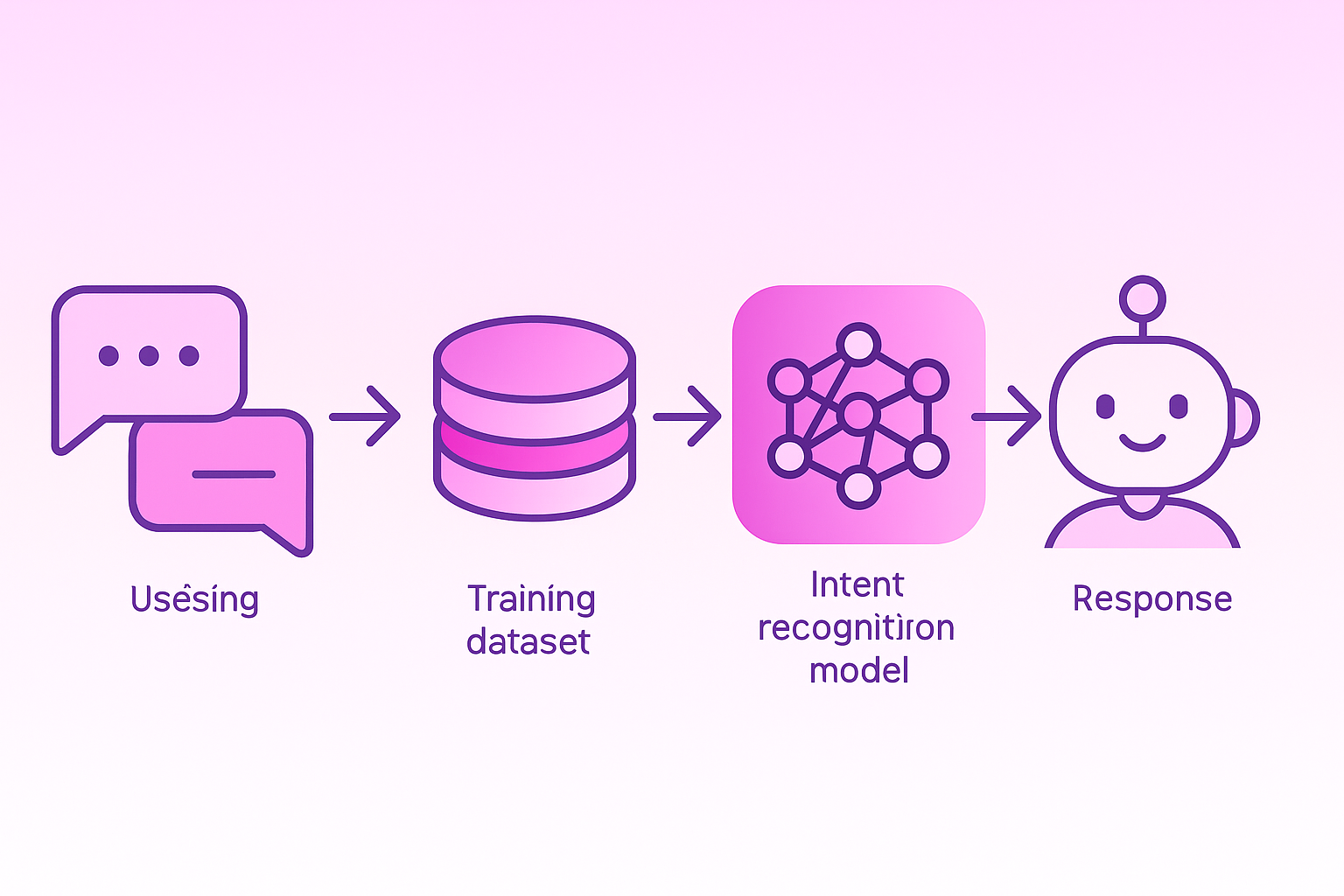
Your chatbot misunderstands half of what customers ask. Not because the technology is bad, but because intent recognition is harder than vendors admit. Fix intent recognition and you fix your bot's biggest problem.
Access to quality purchase intent data helps sales and marketing teams not only prioritize warmer leads but also reach them with the right content at the right time. The same principle applies to support: understanding what customers actually need enables accurate, helpful responses.
Train High-Accuracy Intent Models
Your bot needs to handle multiple intent categories:
• Navigation requests: "Where's my account settings?" Users want directions, not conversations.
• Information hunting: "What's your return policy?" Direct questions expecting direct answers.
• Transaction attempts: "Buy two shirts, size medium." Users ready to spend money.
• Feedback dumps: "Your app crashes on iPhone 12." Users reporting problems.
• Support needs: "My order never arrived." Problems requiring solutions.
Going from 500 to 5,000 training examples cuts errors from 15% to 2%. More diverse training data means better matches, though even 5,000 examples per intent only gets you 98% accuracy.
Improve accuracy with these approaches:
1. Implement smart spell-checking that fixes "orddr statis" to "order status" before processing
2. Allow users to define custom intents for your specific product terminology
3. Continuously expand training data with real user utterances
Pipe Clean Data from Your CRM & Help Desk
Connect agents to consumer data directly within the agent workspace, thanks to out-of-the-box CRM integrations with Salesforce, Microsoft Dynamics, NetSuite, SugarCRM, and Zendesk.
You can create custom channels to build a bridge between an external message service and HubSpot's inbox or help desk features. To register your channel, make a POST request to the HubSpot API with your developer API key and app ID.
Clean CRM data enables your bot to:
• Personalize greetings with customer names and account details
• Access purchase history for context-aware support
• Route conversations based on customer tier or product ownership
• Log interactions for continuity across channels
Build & Orchestrate Your Chatbot: Model, Tools, Guardrails
In its most fundamental form, an agent consists of three core components: Model, Tools, and Instructions. Building agents requires rethinking how your systems make decisions and handle complexity.
Single-agent systems feature a single model equipped with appropriate tools and instructions that executes workflows in a loop. Multi-agent systems distribute workflow execution across multiple coordinated agents. For most B2B SaaS companies starting out, begin with a single-agent system. Expand to multi-agent orchestration as complexity increases.
High-quality instructions are essential for any LLM-powered app, but especially critical for agents. Define clear boundaries for what your bot can and cannot do, specify escalation triggers, and document edge cases.
Well-implemented customer service chatbots achieve containment rates of 70-90%, meaning they resolve interactions without human escalation. Production deployments show measurable improvements in call handle time and productivity increases through automated authentication.
Implement Security & Compliance Guardrails
Guardrails are a critical component of any LLM-based deployment, but should be coupled with robust authentication and authorization protocols, strict access controls, and standard software security measures.
Required security measures include:
Model-as-a-service companies that fail to abide by their privacy commitments to their users and customers may be liable under the laws enforced by the FTC.
How Do Feedback Loops Personalize, Learn & Scale Your Bot?
For AI products, user feedback and control are critical to improving your underlying AI model's output and user experience. When users give feedback, it can greatly improve AI performance over time.
Types of Feedback to Collect
Implicit feedback is data about user behavior and interactions from your product logs. Explicit feedback is when users deliberately provide commentary on output from your AI.
Use tools like ratings, comments, and behavioral metrics such as session duration or task completion rates to gather insights. Automated feedback collection streamlines data collection and communication.
Continuous Improvement Process
AI feedback loop integration transforms static models into adaptive systems that improve through each user interaction, error correction, and performance measurement.
Implement these practices:
1. Align feedback with model improvement by asking useful questions at the right level of detail
2. Communicate value and time to impact so users understand how feedback improves their experience
3. Balance control and automation, giving users control over certain aspects while allowing easy opt-out
On average, businesses can deflect up to 85% of customer queries to AI chatbots. Optimally using generative AI features such as conversation summarizers helps businesses slash resolution time by up to 38% and improve CSAT by up to 6%.
Organizations report 87.6% average satisfaction rates for bot-only chats, outperforming bot interactions escalated to human agents which achieve 85.6% satisfaction.
What Governance, Ethical & Regulatory Risks Must You Manage?
The Federal Trade Commission's Compliance Plan for OMB Memoranda M-25-21 focuses on accelerating federal AI use through innovation, governance, and public trust. These principles apply equally to commercial deployments.
Regulatory Requirements
This part, which implements sections 501 and 505(b)(2) of the Gramm-Leach-Bliley Act, sets forth standards for developing, implementing, and maintaining reasonable administrative, technical, and physical safeguards to protect customer information.
Key definitions to understand:
•
Encryption: Transformation of data into a form with low probability of assigning meaning without a protective process or key
Privacy and Data Handling
The FTC has required businesses that unlawfully obtain consumer data to delete any products, including models and algorithms developed using that data. Ensure your training data and customer interactions comply with privacy regulations.
Establish documented AI governance policies covering:
• Data collection and retention limits
• User consent mechanisms
• Audit trails for AI decisions
• Procedures for handling sensitive information
Which KPIs Signal Chatbot Success & Proactive Potential?
Top-performing chatbots achieve a 60-80% containment rate, but rates vary by industry complexity. Move beyond basic satisfaction scores to comprehensive performance measurement.
Core KPIs to Track
| KPI |
Definition |
Target Range |
| Containment Rate |
Percentage resolved without human escalation |
60-80% |
| Intent Recognition Accuracy |
Correct identification of user intent |
95%+ |
| Customer Effort Score |
User effort to complete tasks |
Low |
| Resolution Time |
Time from inquiry to resolution |
Varies by complexity |
| Escalation Rate |
Conversations requiring human handoff |
20-40% |
| CSAT |
Customer satisfaction post-interaction |
85%+ |
A global logistics provider reported an average chatbot CSAT of 89%. Despite this, transaction data showed most satisfied users had their issues resolved by human agents after initial chatbot engagement. Measure containment alongside satisfaction to get the full picture.
Anonymized metadata from thousands of active users shows meaningful patterns across hundreds of millions of interactions between agents, bots, and customers.
Proactive Engagement Metrics
As your bot matures, track proactive engagement capabilities:
• Predictive intent recognition accuracy
• Proactive outreach conversion rates
• Churn prediction accuracy
• Upsell and cross-sell success rates
Mature implementations demonstrate strong returns on investment. Case studies document significant call reductions and replacement of a high percentage of online ticket inquiries with automated solutions.
Key Takeaways: From Reactive Support to AI-Powered Proactivity
A reimagined AI-supported customer service model encompasses all touchpoints, not only digital self-service channels but also agent-supported options where AI can assist employees in real time to deliver high-quality outcomes.
To implement customer support chatbot AI in your B2B SaaS:
1. Set measurable objectives aligned with business goals like resolution time and satisfaction
2. Choose a platform that matches your current resources and future expansion plans
3. Build robust intent recognition with diverse training data and spell-checking
4. Integrate CRM data for personalized, context-aware support
5. Deploy with guardrails covering security, authentication, and compliance
6. Create feedback loops that capture implicit and explicit user signals
7. Track comprehensive KPIs beyond CSAT to include containment and effort scores
For B2B SaaS companies, connecting website visitor behavior to chatbot interactions creates powerful synergy. Warmly helps you identify anonymous website traffic and surface high-intent accounts in real time. When you layer visitor identification onto your chatbot strategy, you can personalize support based on browsing behavior, recognize returning customers automatically, and route high-value prospects to the right resources instantly. This unified approach transforms both your inbound support and your proactive engagement.
Warmly's visitor intelligence feeds the intent data your chatbot needs to anticipate customer needs before they even ask. Companies using this integrated approach report faster qualification, higher containment rates, and more meaningful conversations. The window for implementation is closing. Deploy effective AI agents with visitor intelligence now to capture efficiency gains and customer loyalty that late movers will struggle to match. Ready to see how Warmly powers smarter chatbot experiences? Connect with our team today.
Frequently Asked Questions
What are the benefits of implementing AI chatbots in B2B SaaS?
AI chatbots in B2B SaaS improve customer support by reducing resolution times, enhancing satisfaction, and providing personalized, real-time assistance. They also help in handling complex workflows and reducing operational costs.
How do I choose the right conversational platform for my B2B SaaS chatbot?
Select a platform that aligns with your business goals, current resources, and future expansion plans. Evaluate options based on their ability to integrate with existing systems and support your specific needs.
What is the importance of intent recognition in chatbot implementation?
Intent recognition is crucial as it enables chatbots to understand and respond accurately to customer queries. Improving intent recognition reduces errors and enhances the overall effectiveness of the chatbot.
How can CRM integration enhance chatbot performance?
Integrating CRM data allows chatbots to personalize interactions by accessing customer information, purchase history, and preferences, leading to more context-aware and efficient support.
What role does feedback play in improving AI chatbots?
Feedback, both implicit and explicit, helps refine AI models by providing insights into user interactions and preferences. This continuous improvement process enhances chatbot accuracy and user satisfaction.
How does Warmly's visitor intelligence enhance chatbot strategies?
Warmly's visitor intelligence identifies high-intent accounts and integrates with chatbots to personalize support based on browsing behavior, improving customer engagement and conversion rates.
Sources