Setup GTM agents in 15 minutes: Warmly quick-start guide
Warmly's GTM agent setup takes just 15-30 minutes from signup to seeing identified traffic, requiring only three steps: copying Google Tag Manager container snippets, pasting them into your site's head and body sections, and dropping Warmly's tag inside the container. This script-tag approach lets revenue teams self-serve deployment without engineering resources, compared to enterprise platforms that typically require 1-2 months of setup.
TLDR
- Warmly deploys in 15-30 minutes using a simple Google Tag Manager script tag, requiring no engineering support
- Enterprise alternatives often demand 1-2 months of setup time plus dedicated technical resources
- Quick deployment captures intent data immediately, critical when B2B buyers spend only 17% of buying time with suppliers
- Post-install automation includes real-time Slack alerts, CRM enrichment, and AI-powered personalization
- Early adopters report significant results: 500% conversion rate increase (Caddis Systems), tripled enterprise pipeline (Behavioral Signals)
Deploying GTM agents in under 15 minutes lets revenue teams capture live intent signals without waiting on engineering. This quick-start guide walks through Warmly's streamlined install, contrasts it with heavyweight platforms, and shows how to turn those GTM agents into pipeline.
Why does deployment speed matter for GTM agents?
Every minute your GTM agents sit uninstalled is a minute of lost intent data. B2B buyers now use an average of ten interaction channels in their buying journey, yet they spend only about 17 percent of their total buying time with all suppliers combined. That narrow window makes timely follow-up essential.
Setup time varies dramatically across tools. Warmly clocks in at 15-30 minutes from signup to seeing identified traffic, a benchmark that lets lean teams start capturing signals the same afternoon they decide to act.
Why does that speed matter?
Pipeline pressure is real. 88% of B2B companies find it difficult to generate sufficient pipeline, so every extra day without visitor intelligence compounds lost opportunity.
Buyers move fast. With typical B2B conversion rates sitting under 5 percent, the accounts that do convert need immediate attention.
Engineering bandwidth is scarce. A quick-start guide that requires no code changes means revenue teams can self-serve instead of waiting in the sprint queue.
Key takeaway: Fast deployment turns your website into an always-on intent sensor before prospects slip away.
How do GTM agents turbo-charge modern B2B revenue teams?
GTM agents do more than tag pages. They orchestrate the entire journey from anonymous visit to qualified conversation.
Faster lead routing: AI is accelerating qualification, automating lifecycle steps, enriching data, managing handoffs, and replacing slow, manual SDR functions. Instead of leads languishing in an inbox, agents route high-intent visitors to the right rep within seconds.
Richer intent signals: AI helps companies identify high-potential opportunities and better avoid low-return efforts. Agents layer firmographics, page-depth data, and third-party buying signals to score accounts in real time.
AI-driven personalization: Vendavo, a pricing software company, slashed lead response time by 90% after automating follow-up. Their chatbot now handles 120 conversations monthly, surfacing qualified leads while freeing reps for strategic work. "Before we automated it, a lead could sit in someone's inbox for hours. By then, it was basically dead. Now we respond within minutes," shared Steve Hastert, Director of Revenue Marketing and Operations at Vendavo (Zapier).
The outcome? Lead follow-up dropped from hours to just minutes, which is critical for keeping prospects engaged.
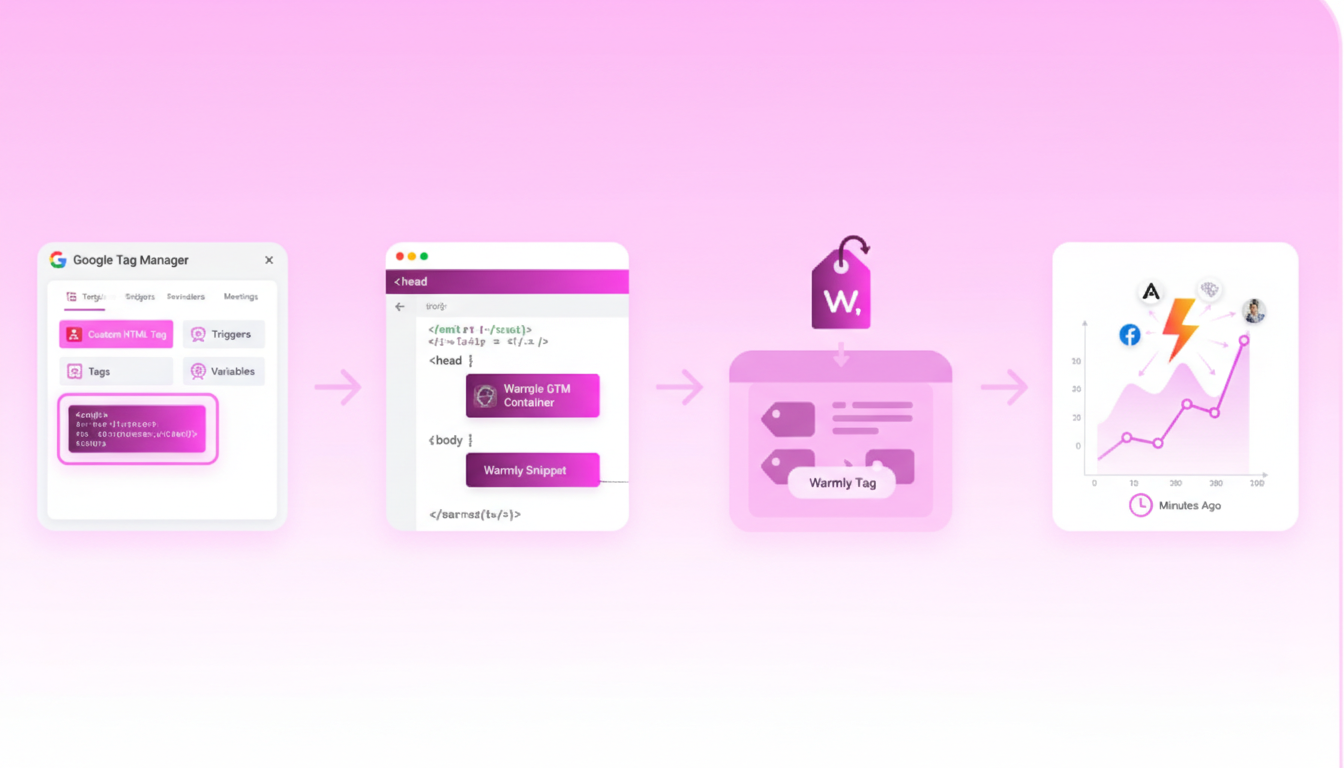
How can you install a Warmly GTM agent in 15 minutes?
Warmly's script-tag approach means you only need three quick steps: copy your Google Tag Manager container snippets, paste them into your site's head and body, and drop Warmly's tag inside that container. Because GTM loads asynchronously and Warmly's tag fires with a single trigger, most teams see identified traffic within 15-30 minutes of signup.
"Google Tag Manager is a tag management system that allows for easier management of tracking scripts and pixels." (ShopWired)
Below is the step-by-step process.
Create your GTM container & grab snippets
Sign in to GTM and create a new account and container. Select "Web" as the target platform and note your unique container ID (e.g., GTM-XXXXXX).
Copy both GTM snippets. From the GTM dashboard, access the installation instructions and copy one code snippet for the <head> and one for immediately after the opening <body> tag (Webflow GTM guide).
Paste snippets into your site settings. In your CMS or site builder, place the first snippet in the "Head Code" section and the second in the "Footer Code" section. Save and publish.
Verify with Preview Mode. Use GTM's Preview Mode and tools like GA4 DebugView to confirm GTM is firing correctly.
Set page-level triggers for intent pages
Once GTM is live, configure triggers that tell Warmly which pages matter most.
- Pricing pages: High commercial intent.
- Product comparison pages: Often visited by late-stage buyers.
- Demo or contact forms: Clear hand-raisers.
Manually embedding GTM gives you full control over tag placement, advanced configurations, and conditional loading. You can fire Warmly's tag only on high-intent URLs while excluding low-value traffic like blog archives.
The video tutorial in Warmly Academy covers adding the script tag to the entire site or to specific pages using Google Tag Manager.
Warmly vs. enterprise tag managers: What's the complexity tax?
Not all GTM setups are created equal. Enterprise intent platforms often promise robust features but demand months of implementation.
| Factor |
Warmly |
Enterprise Platforms |
| Time to value |
15-30 minutes |
1-2 months setup, then months to optimize (LeadrPro) |
| Starting price |
$500/month |
$2,000+/month; some start at $50k/year (LeadrPro) |
| Engineering dependency |
None (self-serve) |
Often requires dedicated resources |
| Data transparency |
Waterfalls combining 5+ providers |
Often single-provider, opaque sourcing |
McKinsey research found that 47 percent of martech decision-makers cite stack complexity and integration challenges as key blockers preventing them from getting value from their tools. A lightweight install sidesteps that complexity tax.
"Qualified is like building a custom home -- it takes time and resources, but you get exactly what you want. Warmly is like finding the perfect apartment -- you can move in quickly and start seeing value right away." (LeadrPro)
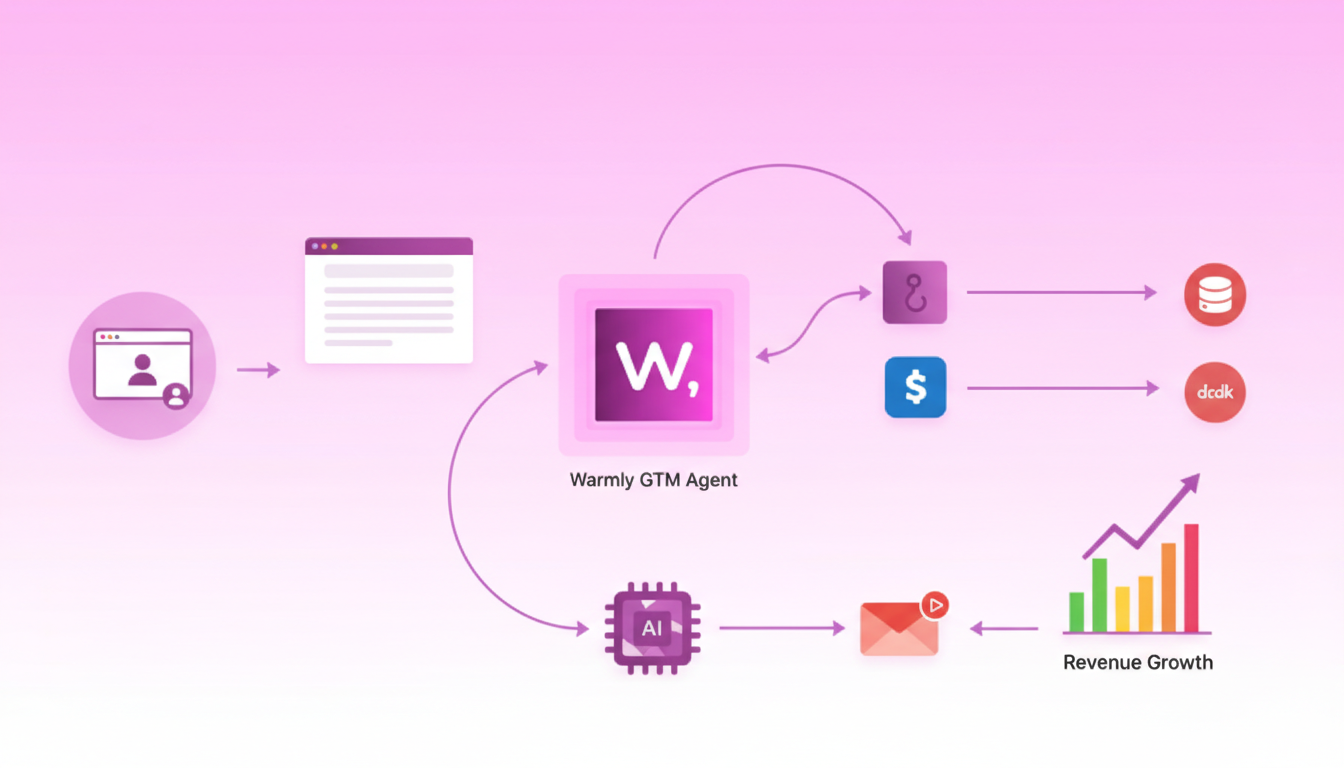
What comes after install: scaling signals & AI automation
Once your GTM agent is live, the real leverage comes from enriching that data and automating what happens next. Webhooks push events when they occur, avoiding multi-minute polling delays and rate-limit waste. Platforms like Dreamdata now let teams send audience data to thousands of webhook-enabled apps through tools like Zapier and Clay. Expected outcome is near-real-time delivery, often seconds to roughly one minute depending on API and destination SLAs.
With waterfall enrichments and 50+ data sources consolidated into a single platform, you can maximize data coverage without juggling contracts.
Real-time buyer alerts in Slack & CRM
The fastest teams route intent signals directly to reps. A typical workflow:
- Visitor lands on a pricing page.
- Warmly identifies the company and enriches the record.
- A Slack and email alert fires to the account owner for immediate follow-up.
Vendavo's automation now sends Google Ads leads directly to the CRM and notifies sales instantly. The result: lead follow-up dropped from hours to just minutes.
AI-driven personalization at scale
AI-powered personalization is not mail merge templates with [First Name] and [Company]. Instead, it automates the research work that makes real personalization possible: tech stack analysis, funding history, and buying committee mapping.
Warmly's AI Copilots surface the latest activity on an account, recommend what to say in outreach, and prep the rep before a call with CRM data. If researching one account takes your best rep an hour, AI completes that research across 500 accounts overnight.
Proving ROI: what benchmarks & success stories should you track?
Measuring impact requires both leading indicators and lagging revenue metrics.
KPIs to monitor
Success stories
These benchmarks provide a baseline. Track them weekly during the first 90 days to validate that your GTM agents are delivering measurable lift.
Launch in minutes, reap pipeline for years
Speed to value is the new competitive moat. With B2B buyers engaging across more channels and spending less time with any single vendor, revenue teams cannot afford multi-month implementations.
Warmly's 15-30 minute setup puts intent data in your hands the same day you decide to act. From there, webhooks, AI enrichment, and automated workflows compound that advantage into sustained pipeline growth.
Ready to see identified traffic before your next stand-up? Visit Warmly to start your quick-start install today.
Frequently Asked Questions
Why is deployment speed important for GTM agents?
Deployment speed is crucial because every minute GTM agents are uninstalled, potential intent data is lost. Fast setup allows B2B sales teams to capture signals quickly, which is essential given that buyers use multiple channels and spend limited time with suppliers.
How do GTM agents enhance B2B revenue teams?
GTM agents streamline the journey from anonymous visits to qualified conversations by accelerating lead routing, enriching data with AI, and automating lifecycle steps. This ensures high-intent visitors are quickly connected to the right sales representatives.
What are the steps to install a Warmly GTM agent?
To install a Warmly GTM agent, create a GTM container, copy the GTM snippets into your site's head and body sections, and add Warmly's tag. This process typically takes 15-30 minutes, allowing teams to see identified traffic quickly.
How does Warmly compare to enterprise tag managers?
Warmly offers a quick setup time of 15-30 minutes, no engineering dependency, and transparent data sourcing, unlike enterprise platforms that require months for setup and optimization, often with higher costs and complexity.
What success metrics should be tracked after installing GTM agents?
Key performance indicators include enrichment coverage, lead response time, conversion lift, pipeline growth, and ROI timeline. These metrics help validate the effectiveness of GTM agents in delivering measurable business impact.
Sources
- https://www.leadpipe.com/blog/top-10-visitor-identification-softwares
- https://www.leadrpro.com/blog/the-ai-sales-stack-showdown-qualified-com-vs-warmly
- https://instantly.ai/blog/b2b-website-visitor-tracking/
- https://www.warmly.ai/p/media/customer-love-case-studies
- https://www.mckinsey.com/capabilities/growth-marketing-and-sales/our-insights/five-fundamental-truths-how-b2b-winners-keep-growing
- https://www.leandata.com/resources/state-of-gtm-efficiency-report/
- https://www.mckinsey.com/capabilities/growth-marketing-and-sales/our-insights/five-ways-b2b-sales-leaders-can-win-with-tech-and-ai
- https://zapier.com/customer-stories/vendavo
- https://help.shopwired.co.uk/manual/visitor-tracking/installing-google-tag-manager
- https://webflow.com/integrations/google-tag-manager?msockid=32dfd6f3b2fe6eec2fc2c07ab3f36f20
- https://webflow.com/integrations/google-tag-manager?msockid=0f42fa9655546d311551ec1f542b6c44
- https://www.warmly.ai/p/video-for-shows/adding-the-warmly-script-tag-to-your-website
- https://www.mckinsey.com/capabilities/growth-marketing-and-sales/our-insights/rewiring-martech-from-cost-center-to-growth-engine
- https://www.integrate.io/blog/integrate-webhooks-to-clearbit/
- https://dreamdata.io/blog/introducing-dreamdata-webhooks
- https://syncgtm.com/
- https://outreach.io/resources/blog/ai-personalization-tactics
- https://www.warmly.ai/p/blog/factors-to-consider-when-buying-an-ai-sales-agent
- https://www.clay.com/blog/openai-case-study
- https://warmly.ai