Ryan Beyer

logo LinkedIn
Head of Customer Success

Ryan Beyer is the Head of Customer Success at Warmly. He works directly with hundreds of B2B teams to help them get measurable pipeline impact from Warmly's AI agents and orchestration platform. Ryan writes about customer success strategy, onboarding, and getting real ROI from GTM tools.

Articles

Showing 0 of 0 items

Category

Resources
Resources
Resources
Resources
Swan AI Pricing: Is It Worth It In 2026? [Reviewed]

Swan AI Pricing: Is It Worth It In 2026? [Reviewed]

Time to read

Alan Zhao

Everything runs on credits, and a credit only leaves your balance when Swan does something for you, such as researching an account, enriching a contact, writing a message, or updating your CRM.

Below, I break each tier down, then push a few realistic team sizes through the credit math so you can see where the bill lands.

➡️ At the end, I'll introduce you to an alternative to Swan AI, Warmly (that’s us!), that lets you own the identification outright and ship the chat and outbound as agents that work from day one, with nothing to build first.

TL;DR

  • Swan's price is built from two things: credits and seats. A credit is spent each time an agent does a piece of GTM work. A seat is anyone who talks to Swan or approves its actions, while alerts and view-only access stay free.
  • There's no free-forever plan, though there is a free trial you can reach from every plan card.
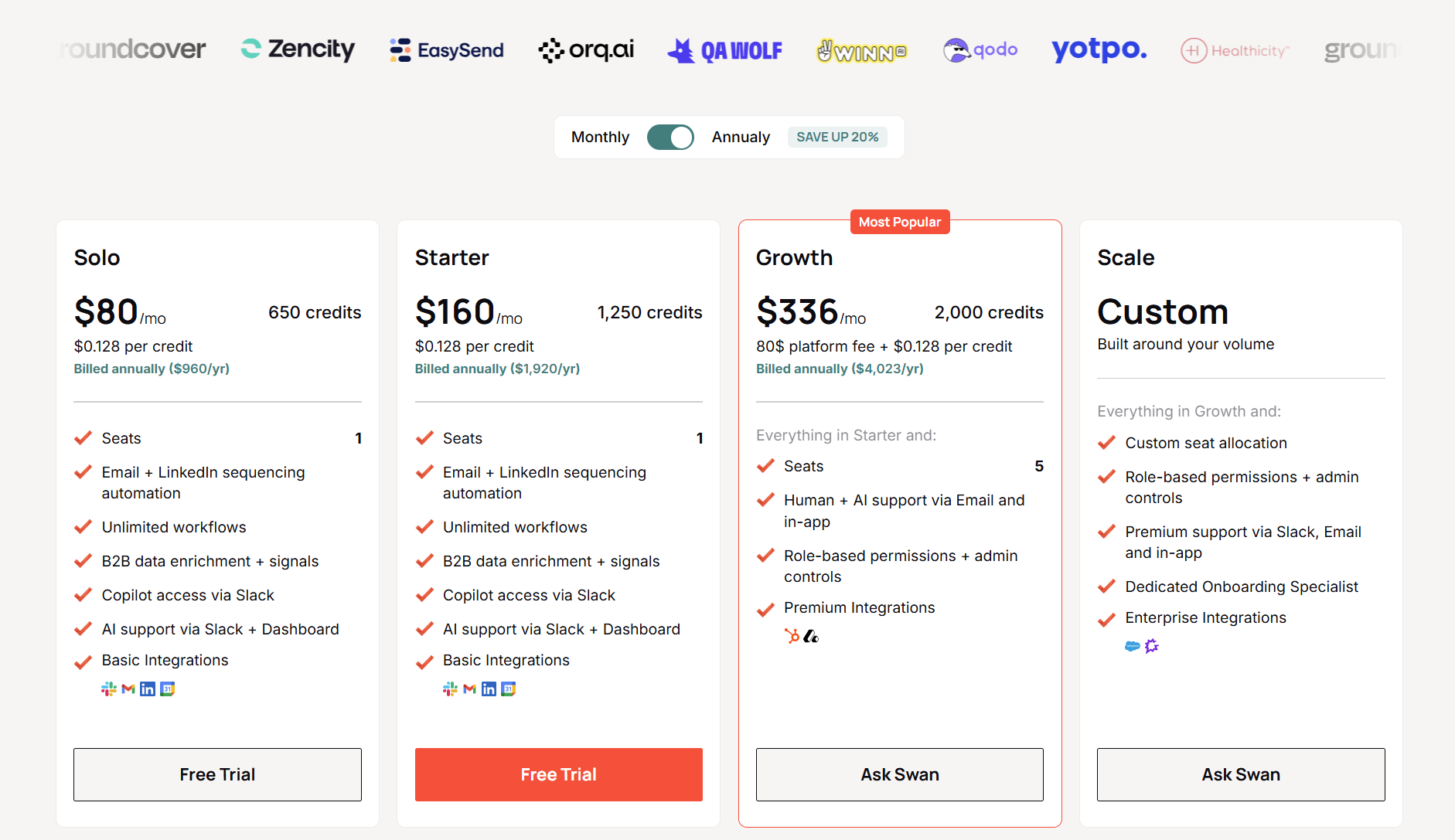
  • The three published tiers all bill annually: Solo at $80/mo (650 credits), Starter at $160/mo (1,250 credits), and Growth at $336/mo (2,000 credits with an $80 platform fee on top).
  • Beyond those, a custom Scale tier covers higher volumes. Credits cost $0.128 each, roll over, and overflow top-ups run at 150% of your plan rate.
  • Warmly offers the best alternative to Swan AI for mid-market B2B SaaS teams that want native person-level identification, on-page chat, and outbound as ready-built agents, plus a free plan to run on live traffic first.

How does Swan calculate its pricing?

Swan's invoice has a few moving parts, and once they click, the tiers make sense fast:

  • Credits: Action credits cover the tasks a rep would normally handle, and Swan charges one credit per task, no matter how involved it gets.

Data credits are separate, spent when Swan pulls third-party data to enrich a lead, so they scale with how much enrichment you ask for.

Every plan prices a credit at $0.128.

Source of image.

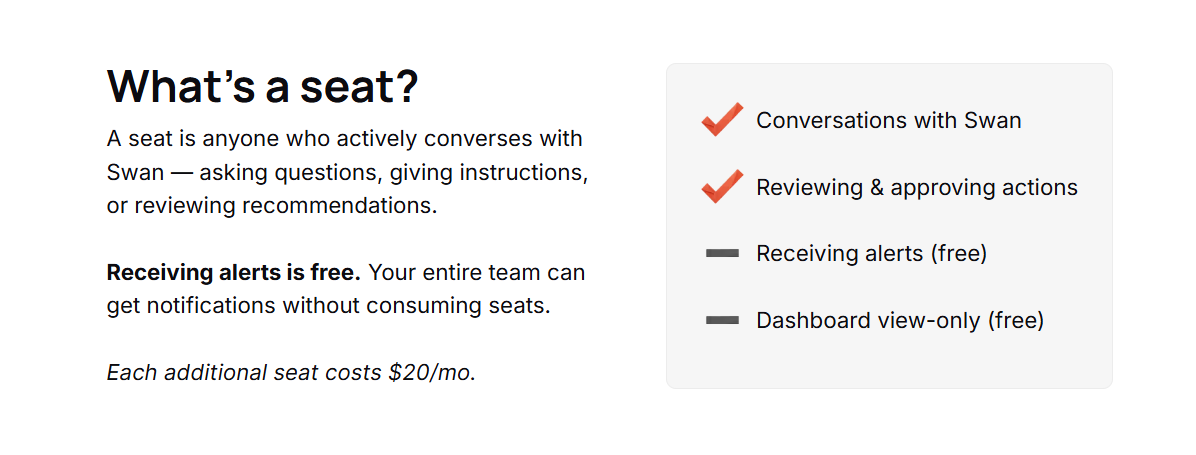
  • Seats: A seat is anyone who converses with Swan or reviews and approves what it wants to do.

Receiving alerts costs nothing, and dashboard view-only access is free too, so the wider team can stay looped in without spending a seat.

Solo and Starter include one, Growth includes five, and Scale is custom. Each extra seat is $20/mo.

Source of image.

  • Platform fee: Growth carries an $80/mo platform fee on top of its credits. Solo and Starter fold everything into one flat rate, with no separate fee.
  • Billing cycle: The published prices assume annual billing, which Swan says trims up to 20% off both the platform fee and the credit tiers. Pay monthly, and you'll pay more.
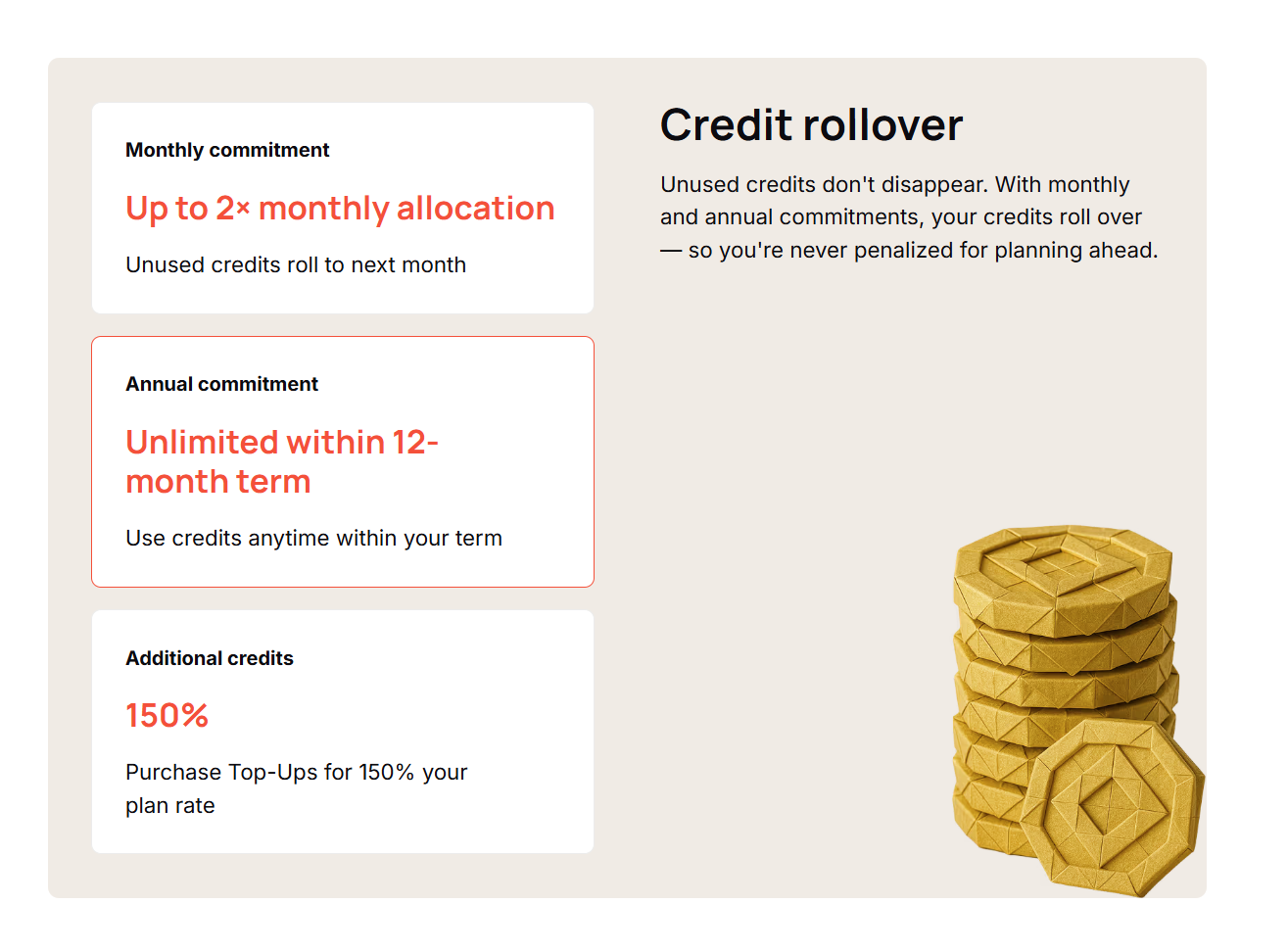
  • Rollover and top-ups: Unused credits don't vanish. On a monthly commitment, they roll up to twice your monthly allocation; on an annual commitment, they roll without a cap inside the 12-month term.

Source of image.

Run dry mid-cycle, and top-ups cost 150% of your plan rate, which works out to about $0.192 a credit.

Does Swan have a free plan or free trial?

Swan doesn't run a free-forever tier. What it gives you is a trial, with a button on every plan card and no commitment to begin.

Source of image.

⚠️ Note: The pricing page doesn’t mention the trial's length and credit allowance.

Swan AI’s plan breakdowns

Swan publishes three paid tiers and one custom tier. I'll take them in turn, with the price and what each includes:

Swan AI’s Solo plan

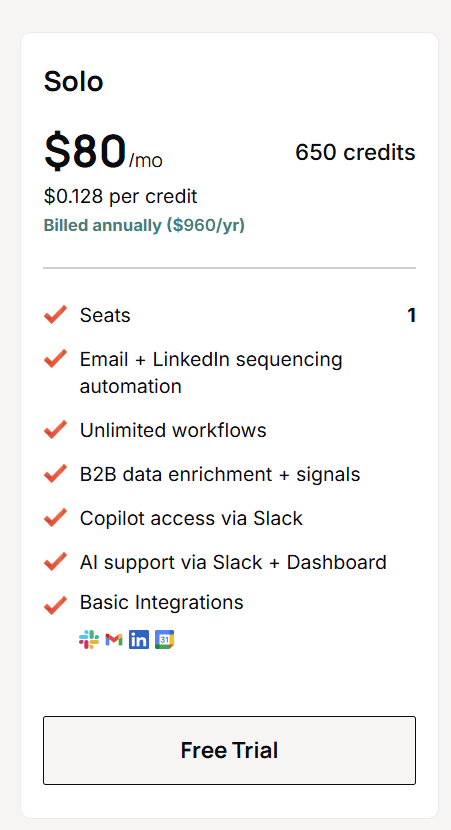
Solo opens at $80/mo on annual billing, which is $960 a year, for 650 credits a month at $0.128 each.

Source of image.

Here’s what’s included:

  • One seat.
  • Email and LinkedIn sequencing automation.
  • Unlimited workflows.
  • B2B data enrichment and signals.
  • Copilot access through Slack.
  • AI support via Slack and the dashboard.
  • Basic integrations: Slack, Gmail, LinkedIn, and Calendar.

This is the single-operator tier, sized for one person testing whether the agent model pays for itself.

Swan AI’s Starter plan

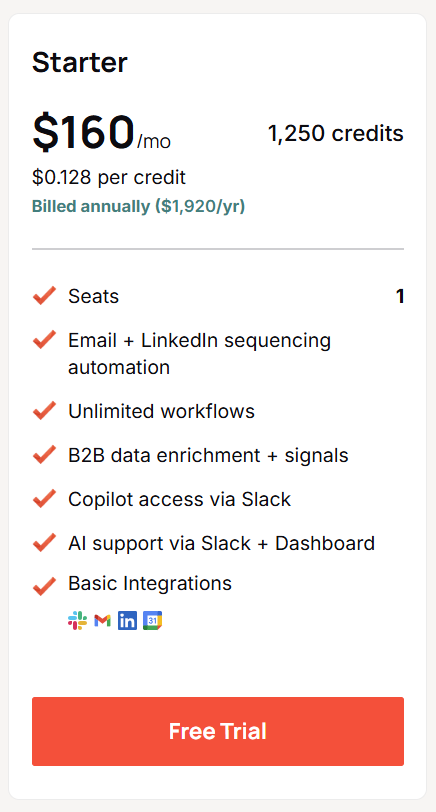
Starter is $160/mo on annual billing, so $1,920 a year, for 1,250 credits a month.

Source of image.

The feature set and the single seat match Solo exactly.

What you're buying is close to double the monthly credit pool, for the operator running heavier enrichment or more sequences than 650 credits can cover.

Swan AI’s Growth plan

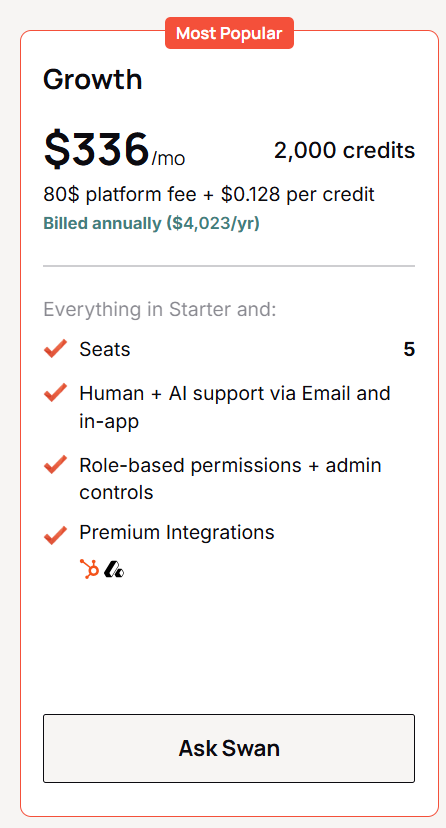
Growth lands at $336/mo on annual billing. The page lists that as $4,023 a year. You get 2,000 credits a month, and the $80 platform fee is what sets this tier's math apart from the two below it.

Source of image.

It builds on Starter with:

  • Five seats.
  • Human and AI support over email and in-app.
  • Role-based permissions and admin controls.
  • Premium integrations: HubSpot and Attio.

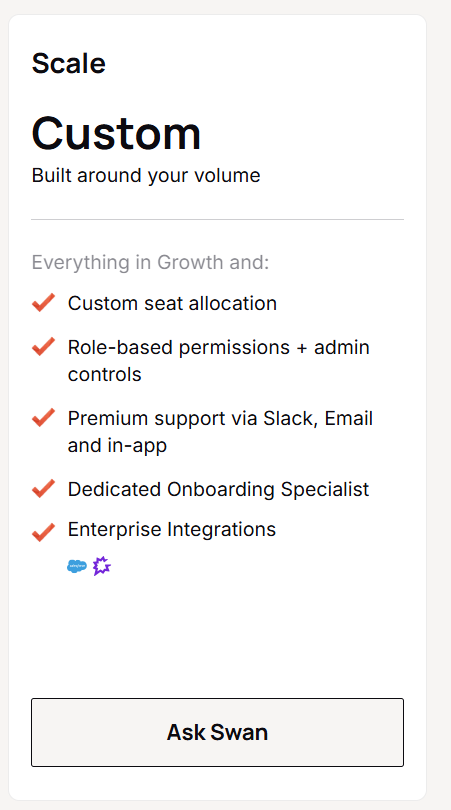
Swan AI’s Scale plan

Scale is custom, priced around your volume.

Source of image.

On top of Growth, it brings:

  • Custom seat allocation.
  • Premium support across Slack, email, and in-app.
  • A dedicated onboarding specialist.
  • Enterprise integrations: Salesforce and Gong.

When your usage outgrows the published credit pools, this is the conversation you'd have with their team.

What would Swan cost your team to run?

Here are a few realistic shapes, with the yearly figure attached:

  • One founder doing their own outbound, light on enrichment: Solo, $960 a year, 650 credits a month.
  • A single RevOps person running steady sequencing and heavier enrichment: Starter, $1,920 a year, 1,250 credits a month.
  • A five-person GTM team on HubSpot that wants permissions and faster support: Growth, $4,023 a year for the platform and all five seats, 2,000 credits a month. A sixth person who talks to Swan adds $20/mo, so budget about $240 a year for each seat past the five.
  • That same team burning through its pool before month-end: top-ups at 150% of the plan rate, so the overflow lands near $0.192 a credit, up from the $0.128 baked into the plan.

The number that's hard to forecast going in is credit consumption.

Action credits are predictable enough at one per task.

Data credits aren't, because how many you spend rides on how much third-party data each lead pulls, so two months on the same plan can bill differently depending on how hard your agents work.

⚠️ Swan doesn't publish a full credit-cost-per-action table, so the precise burn rate is the line I'd pin down before committing.

Are you looking for a Swan AI alternative?

Warmly is where I'd send a mid-market B2B SaaS team that likes Swan's agent idea but doesn't fancy spending its first month as a workflow architect, or renting out the part that matters most: knowing who showed up.

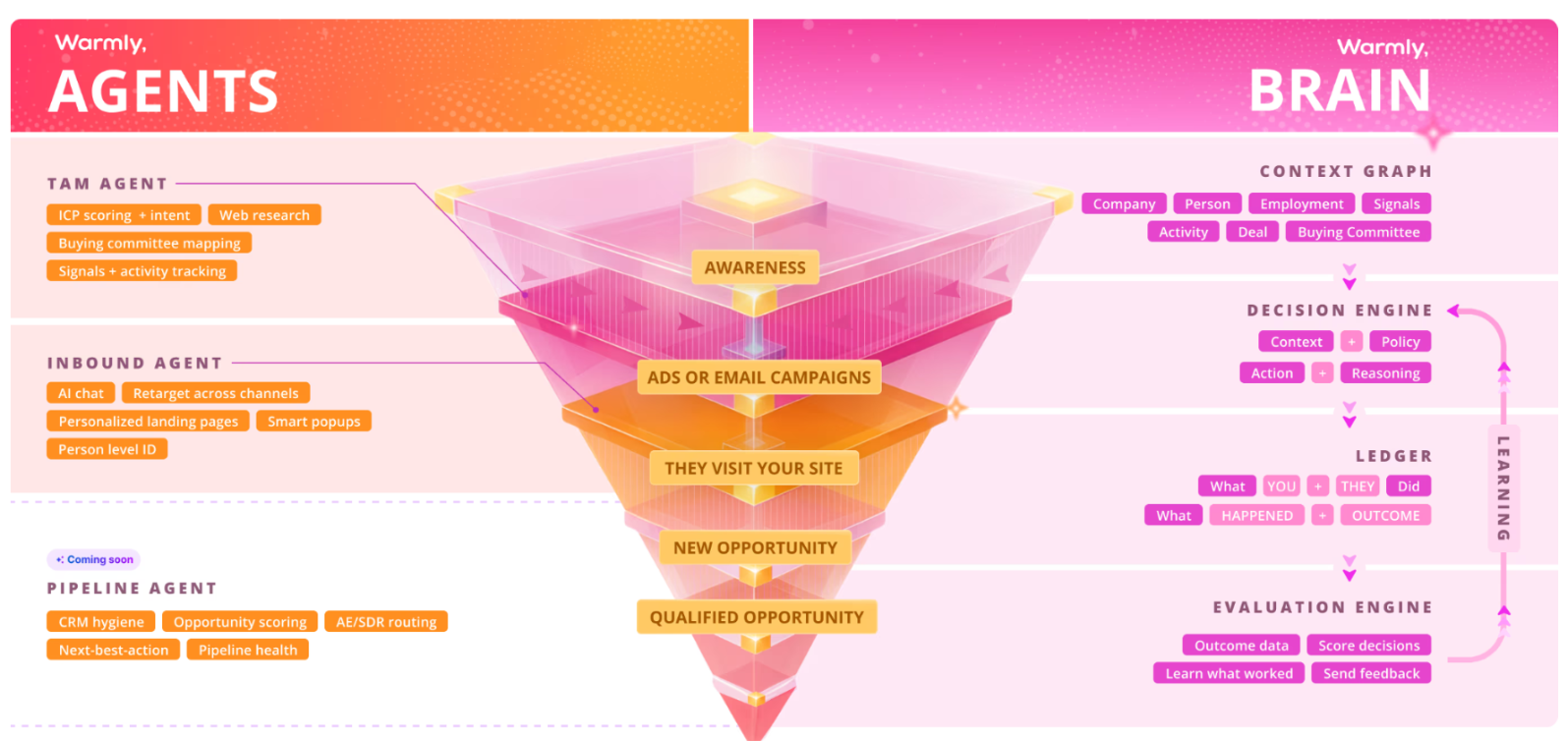
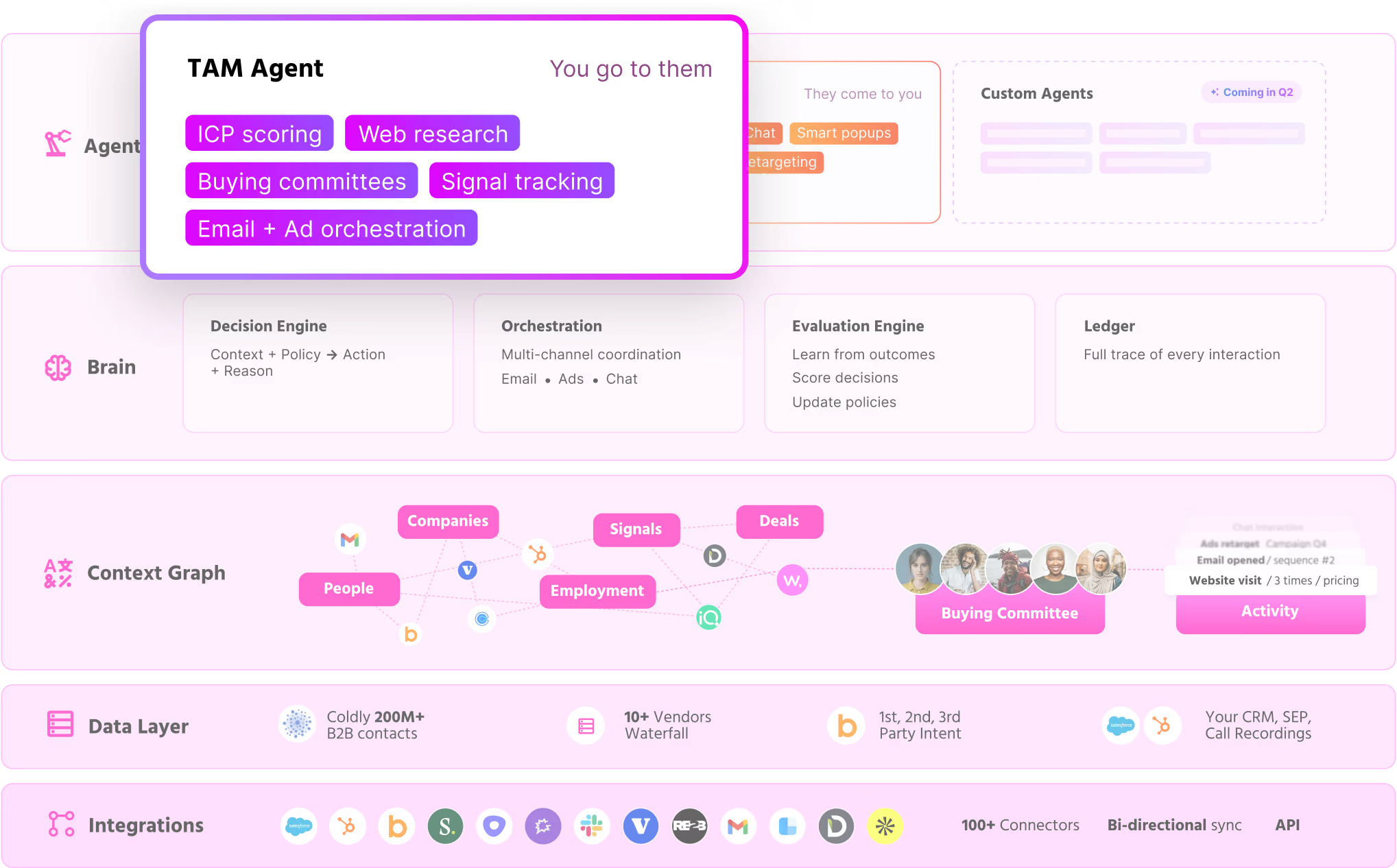
Two agents do the work, and a shared layer keeps them in sync:

  • The Inbound Agent owns the website: it identifies people, chats, fires popups, and retargets the ones who bounce.
  • The TAM Agent owns everything past the website: ICP scoring, intent, committee mapping, and sequencing.
  • The Context Graph stitches the two together and sharpens with every interaction.

Full disclosure: Warmly is our product, but the aim isn't to oversell it. It's to be straight about where Warmly fits a team leaving Swan.

Swan is a prompt-to-pipeline engine, where you describe a GTM workflow and it spins up agents that research, enrich, qualify, and reach out across your stack.

Its Gatto agent handles website visitors by plugging into providers like RB2B and Vector.

Warmly owns the identification and the engagement layer itself, then runs both motions off one data model.

If you're not sure about Swan, the differences below are the ones that count. 👇

Warmly names the person, not just the company

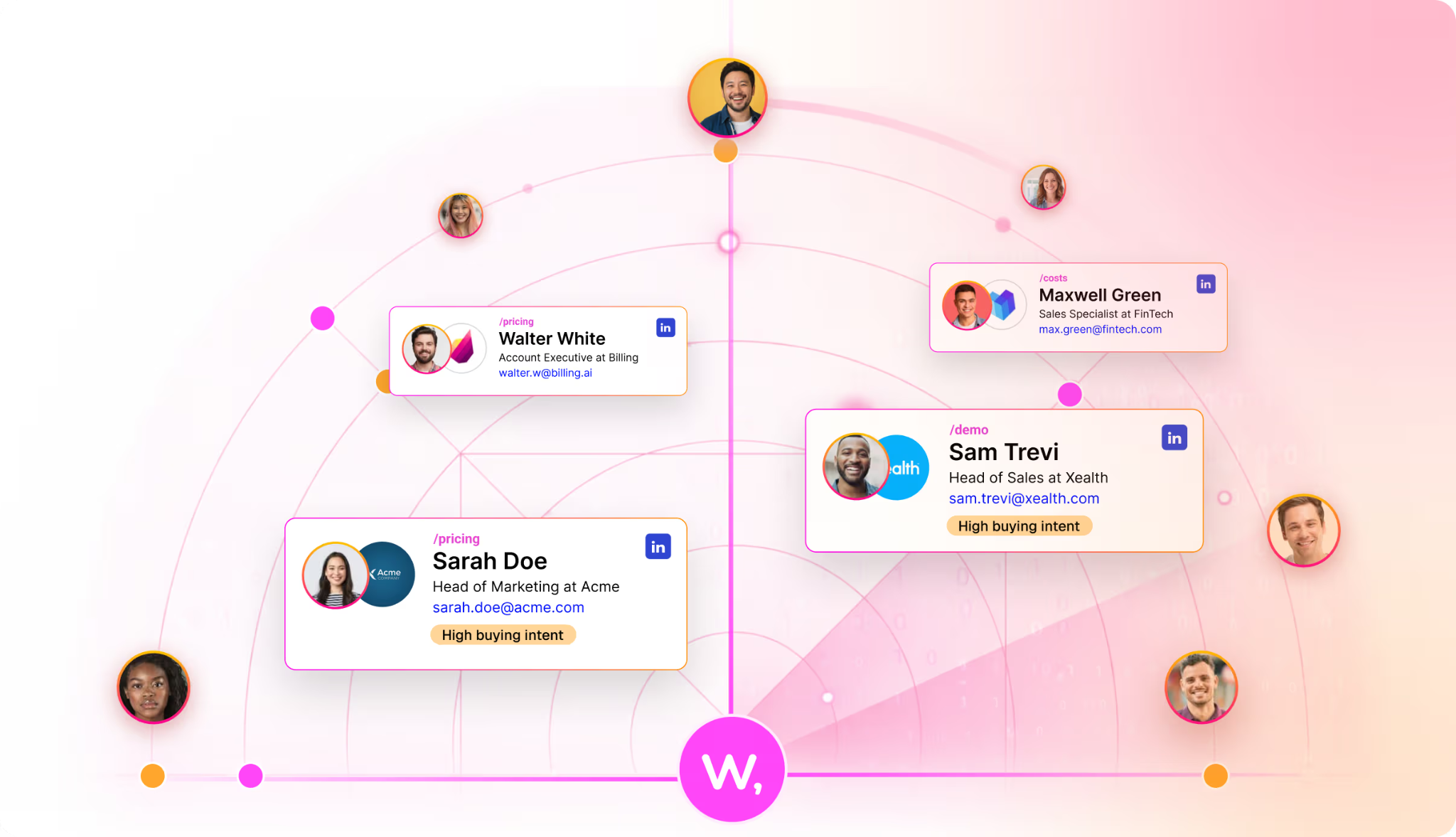
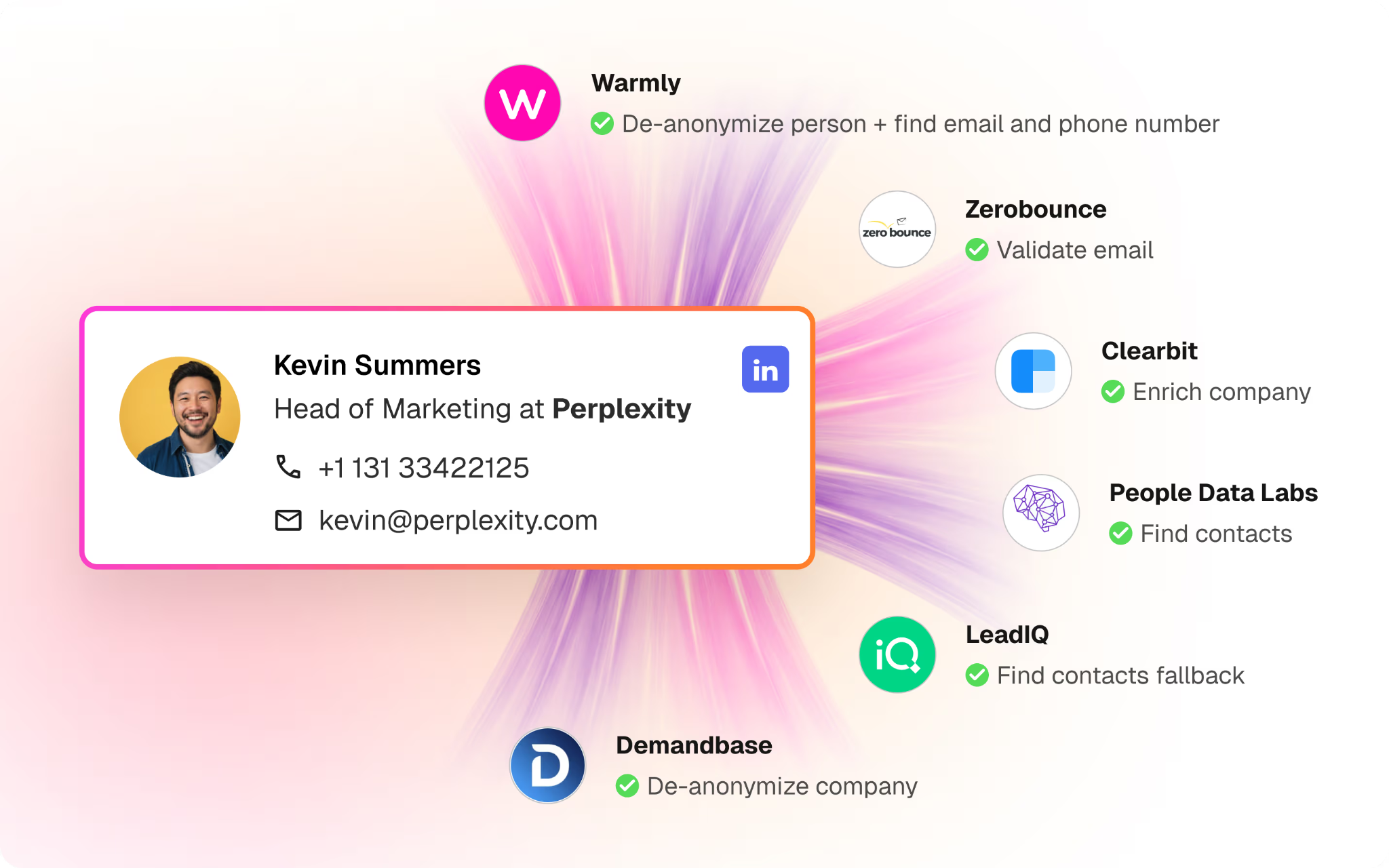
Warmly identifies anonymous visitors natively, down to the person, with their work email, title, seniority, and LinkedIn pulled onto one record.

You drop in the pixel, and matched visitors start showing up without anything else to configure.

That comes to around 65% of companies and roughly 15% of individuals on regular B2B traffic, with the real numbers shifting by traffic source and where the visitor is based.

The difference shows up in your reps' day: they follow up with Priya in RevOps, who was on your pricing page for four minutes, not "someone at a mid-size logistics firm dropped by" that other company-level visitor ID tools give you.

The Inbound Agent engages the prospects after identification

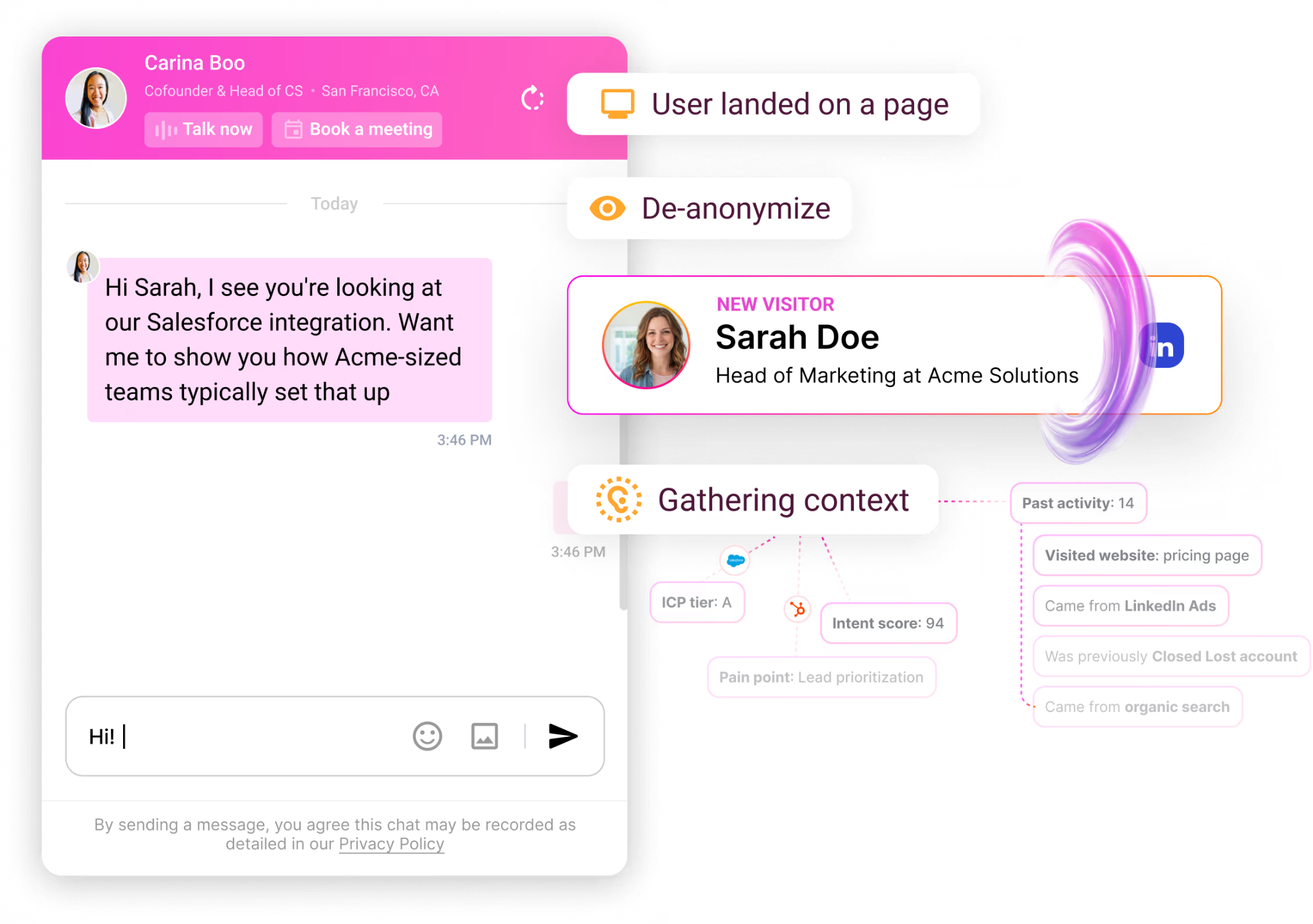
The Inbound Agent handles everything that happens on the page after the visitor is identified: it engages identified visitors with AI chat, qualifies them, and books meetings, all while they're still on the site.

As it already knows who's on your website and what page they’re looking at the moment, the first line draws on their CRM and intent history and opens on something that fits (not a generic greeting).

When a rep needs to take over, the chat hands off with the full thread attached, so the visitor never repeats what the bot already heard.

A good-fit visitor can book straight onto the right calendar from the chat, with no form and no SDR gatekeeping the slot.

Our platform also offers an AI 24/7 Video Chat Agent add-on, which is a photorealistic avatar that runs human-like video conversations around the clock to qualify leads and walk them through personalized demos.

The TAM Agent runs the off-site motion after the prospect leaves

The TAM Agent runs the off-site outbound motion by building target audiences, scoring accounts, mapping the buying committee, enriching contacts, and sequencing across email and LinkedIn.

Our agent picks up where the on-site work ends once a visitor has left the page.

Four pieces carry most of the weight:

  • AI ICP Tiering: a model trained on your closed-won deals sorts every account into Tier 1, 2, 3, or Not ICP and shows its reasoning.
  • Buying committee mapping: it reads past job titles to assemble the Champion, Decision-maker, Influencer, and Approver from org charts, job descriptions, and LinkedIn.
  • Outbound orchestration: route through reps, hand it to an autonomous AI SDR, or blend both, with guardrails that keep it off open deals and anyone mid-chat.
  • ML intent scoring: first, second, and third-party signals feed one transparent score that your team can see and adjust.

The Context Graph ties both agents together in a shared memory layer

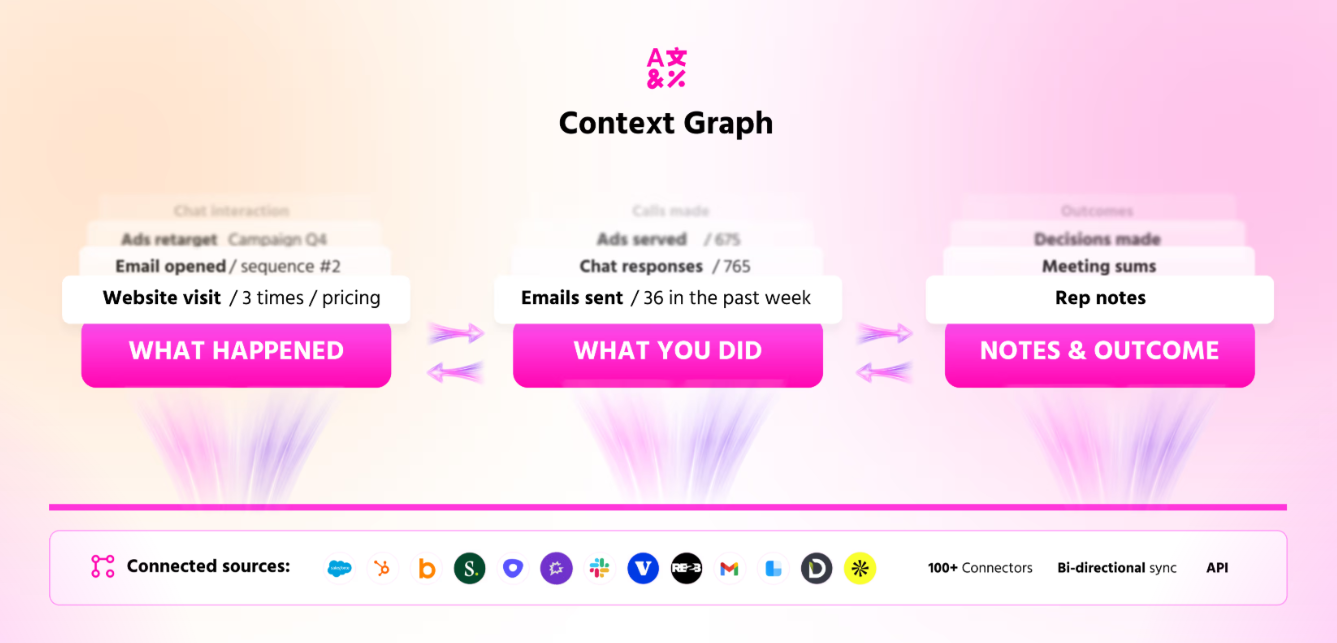
The Context Graph is the shared memory that the inbound and TAM agents read from and write to.

It stores every account's full history in one structure, so the Inbound Agent and the TAM Agent are always working from the same version of the truth.

That history covers four things:

  • The buyer's activity.
  • Your team's actions.
  • The reasoning behind each one.
  • The result.

A chat can reference an ad the visitor clicked last quarter and the case study they opened this morning, because both already live in the same place.

How is Warmly different from Swan AI?

The main difference between Warmly and Swan AI is what you get out of the box when you sign up for the GTM platforms.

Swan offers an agent builder where you configure workflows, while Warmly ships two pre-built agents, a native identification layer, and a Context Graph that connects them, ready on day one.

With Swan, your GTM team describes a workflow in everyday language, and it assembles the steps, picking tools and pulling identification from connected providers like RB2B and Vector.

Nothing is pre-set by the looks of it, so the team defines every play, which is what teams that want full control are paying for.

Warmly does the defining for you.

Our Inbound Agent converts on-site visitors, the TAM Agent runs outbound, and both pull person-level identification and intent from the same Context Graph, with no workflow-building required to start.

Warmly’s pricing

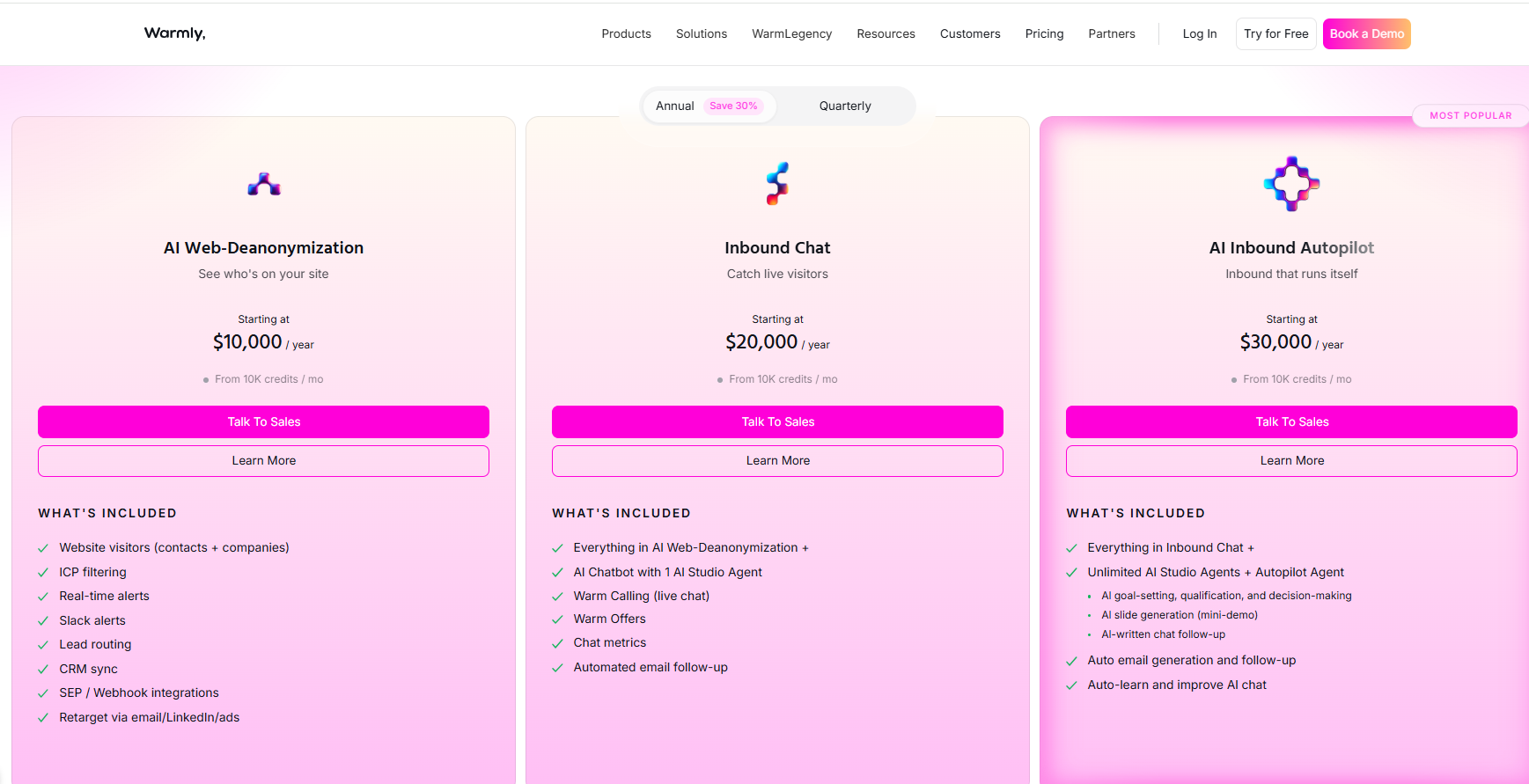
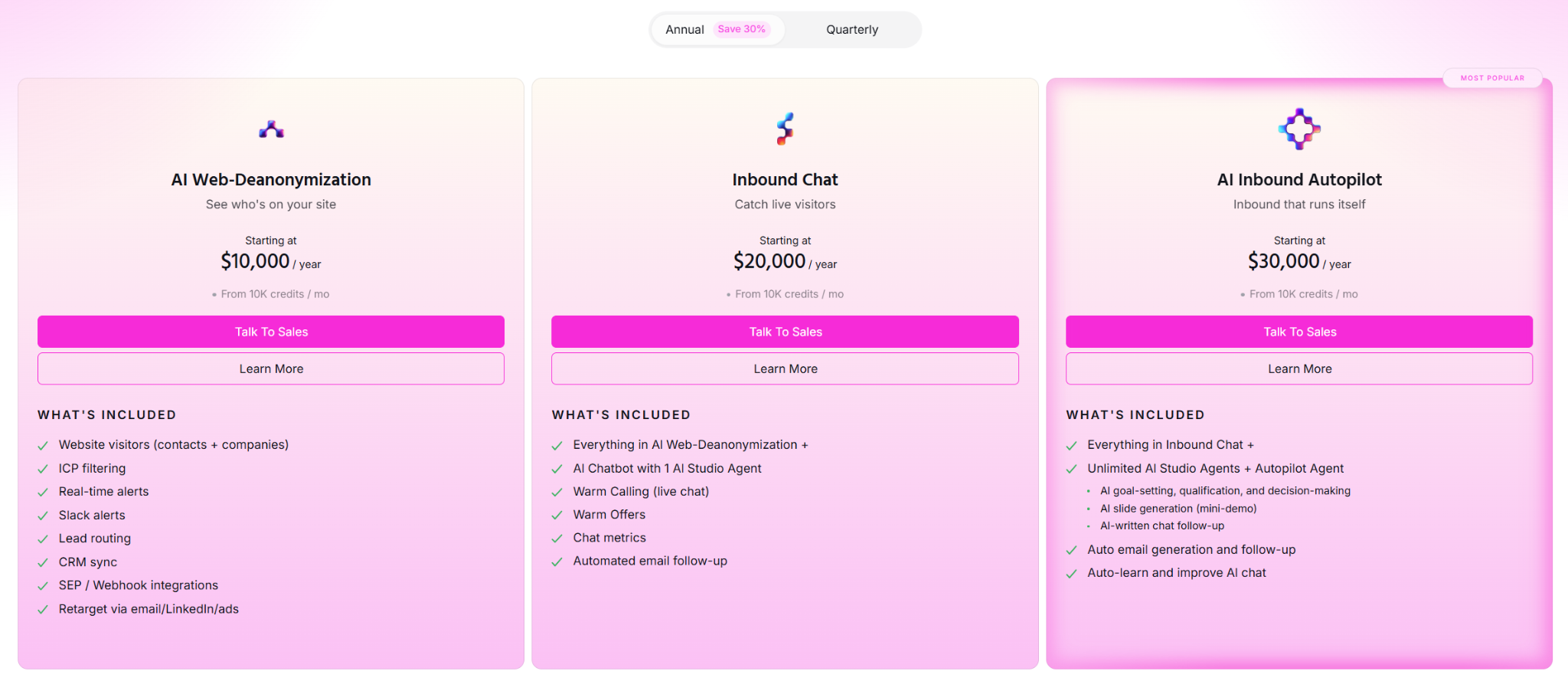
Warmly runs three paid plans on top of a free tier, and they stack as you add more of the funnel.

  • Free: 500 de-anonymized visitors a month, real-time Slack alerts, and CSV export.
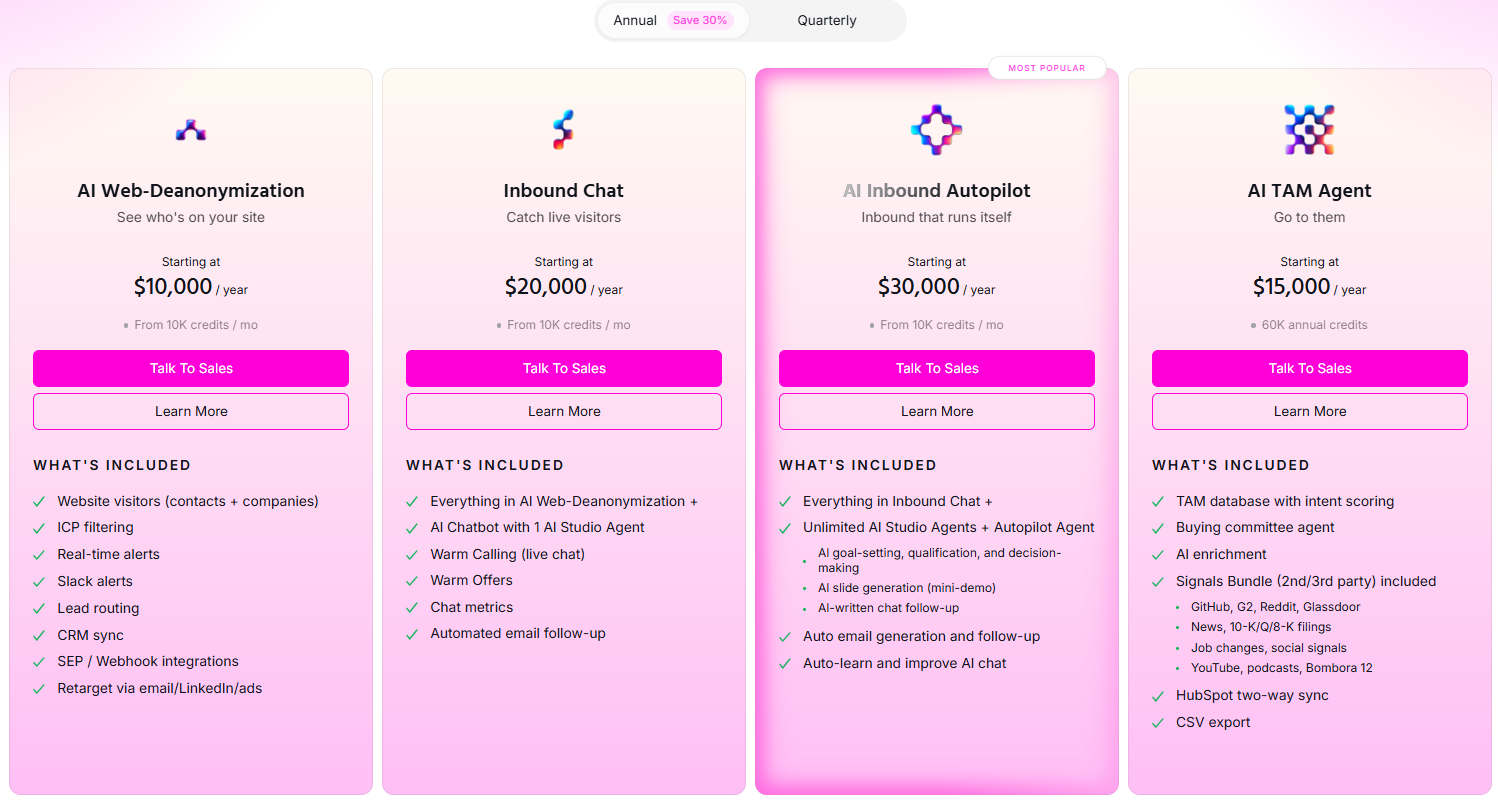
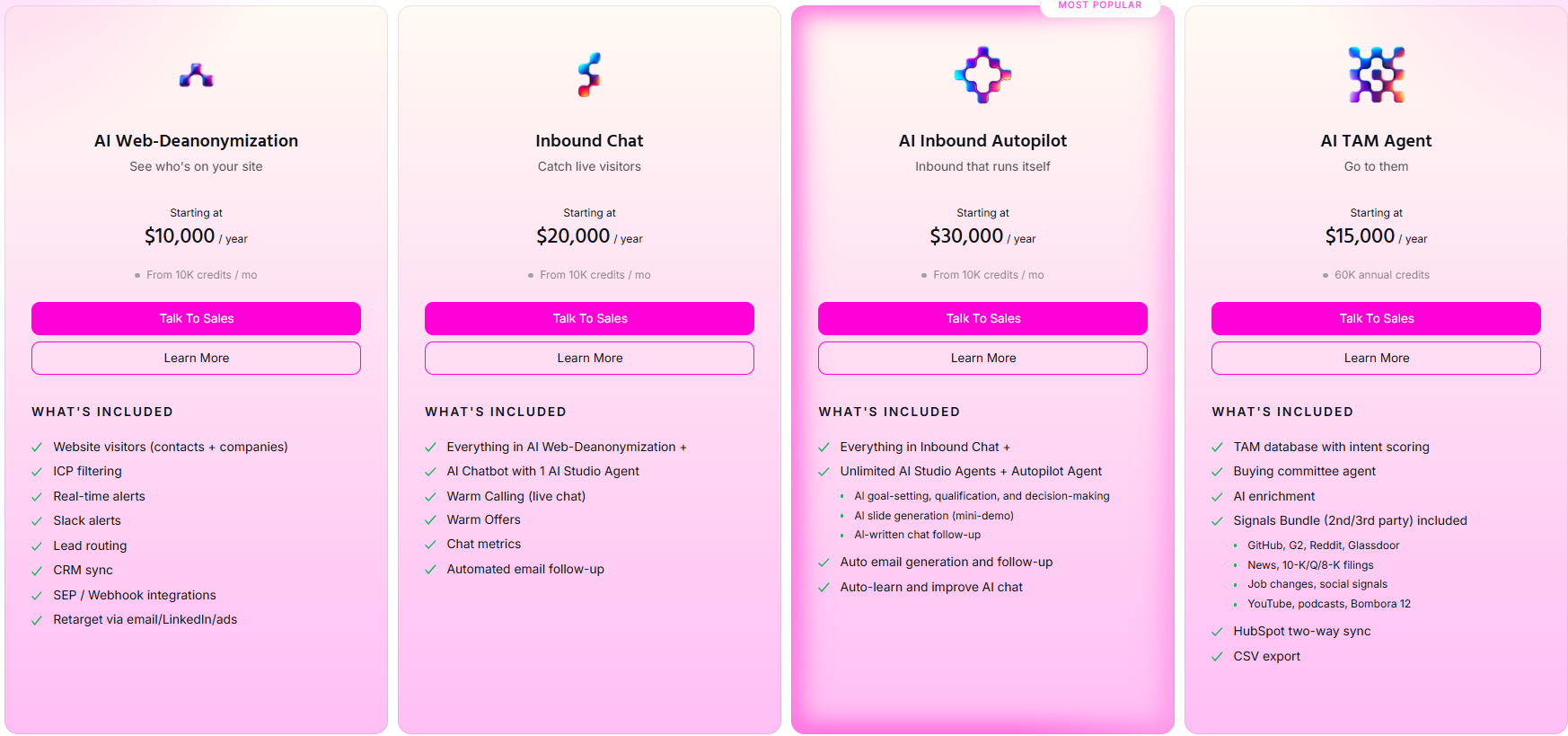
  • AI Web-Deanonymization: $10,000/year, 10K credits a month, contact and company-level identification, ICP filtering, real-time Slack alerts, lead routing, CRM sync, and retargeting across email, LinkedIn, and ads. Chat doesn't live on this tier; it starts at Inbound Chat.
  • Inbound Chat: $20,000/year, which layers on the conversation: an AI Chatbot (one AI Studio Agent), Warm Calling for the live chat handoff, Warm Offers, chat metrics, and automated email follow-up.
  • AI Inbound Autopilot: $30,000/year, which extends Inbound Chat with unlimited AI Studio Agents, the Autopilot Agent, AI goal-setting and qualification, AI-generated mini-demo slides, AI-written follow-up, and auto-learning that sharpens chat performance over time.

Try Warmly for free

By now, you can probably tell whether the build-it-yourself route or the ready-built route suits your team.

Here’s what Warmly puts in your GTM team’s hands:

  • Person-level visitor identification.
  • An Inbound Agent that chats, qualifies, books, and circles back to the ones who slipped away.
  • A TAM Agent running ICP scoring, committee mapping, and outbound.
  • A Context Graph that lets both sides learn from one shared history.

You can start on the free plan with 500 identified visitors a month, or skip ahead and book a demo if you already want both agents live.

⚠️ Disclaimer: This article was last updated on the 2nd of July, 2026. If anything here has been misread, contact us, and we'll fact-check it.

10 Best Artisan AI Alternatives & Competitors [2026]

10 Best Artisan AI Alternatives & Competitors [2026]

Time to read

Alan Zhao

TL;DR

  • Warmly is the best Artisan alternative in 2026 for mid-market B2B SaaS teams that want outbound triggered by their own first-party intent, with on-site chat converting those visitors, both running on a single Context Graph.
  • Teams that want a fully autonomous, high-volume cold outbound agent across email and LinkedIn usually compare 11x and AiSDR.
  • Sales teams that would keep humans running outbound, with cadences and reporting in one rep-led platform, tend to evaluate Outreach and Salesloft.

What are the best alternatives to Artisan in 2026?

The best alternative to Artisan in 2026 is Warmly, with its TAM Agent that runs outbound like an AI SDR, person-level identification of the buyers already on your site, and on-site AI chat that converts them before any cold email goes out.

Here's the full shortlist:

Tool

Best For

Pricing

Warmly

Mid-market B2B SaaS teams that want outbound triggered by first-party intent and on-site conversion, unified on one Context Graph.

Free plan; paid from $10,000/year.

11x

Outbound-heavy enterprise teams ready to hand a fully autonomous digital worker the end-to-end SDR motion across email and LinkedIn.

Pricing not public.

AiSDR

Lean teams that want an autonomous email and LinkedIn agent metered by message volume, with unlimited seats.

Starts from $200/month.

Regie.ai

Larger SDR teams that want AI sequencing, a parallel dialer, content generation, and a built-in database in one platform.

Starts from $180/user/month.

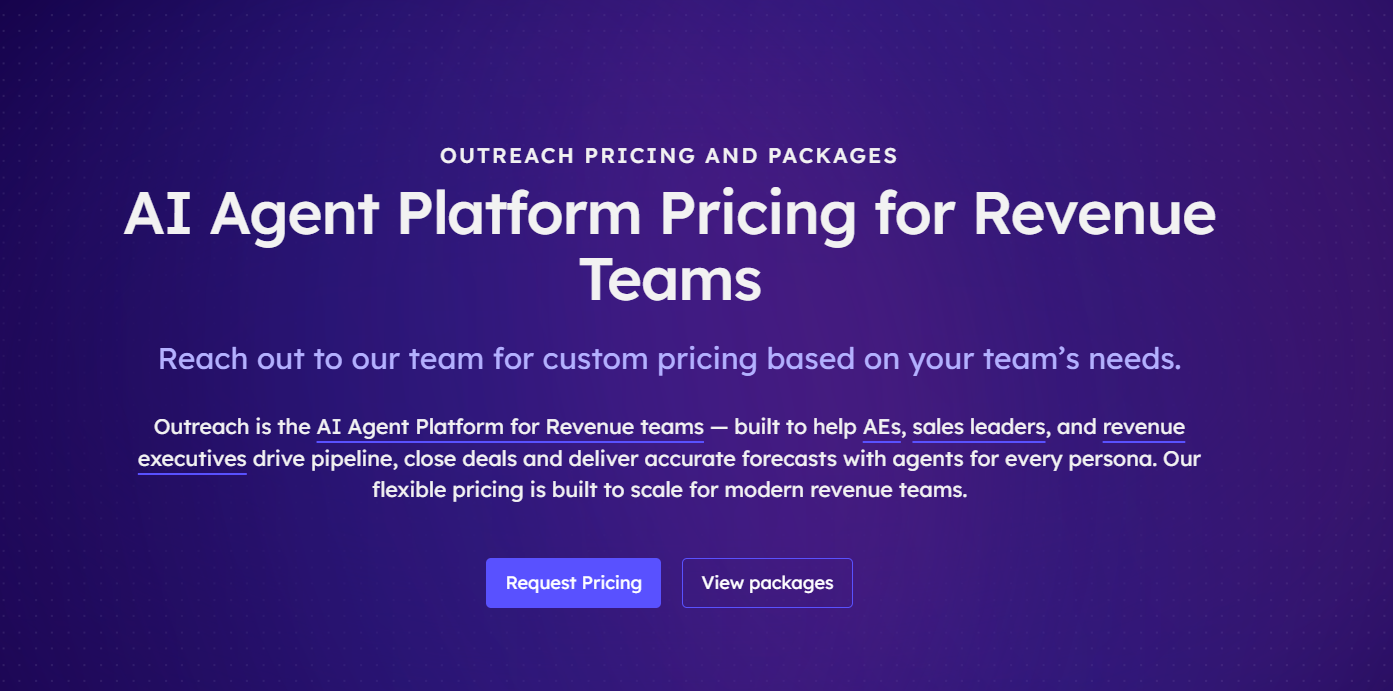
Outreach

Enterprise revenue teams that want a deep, rep-driven engagement and forecasting platform with heavy analytics.

Pricing not public.

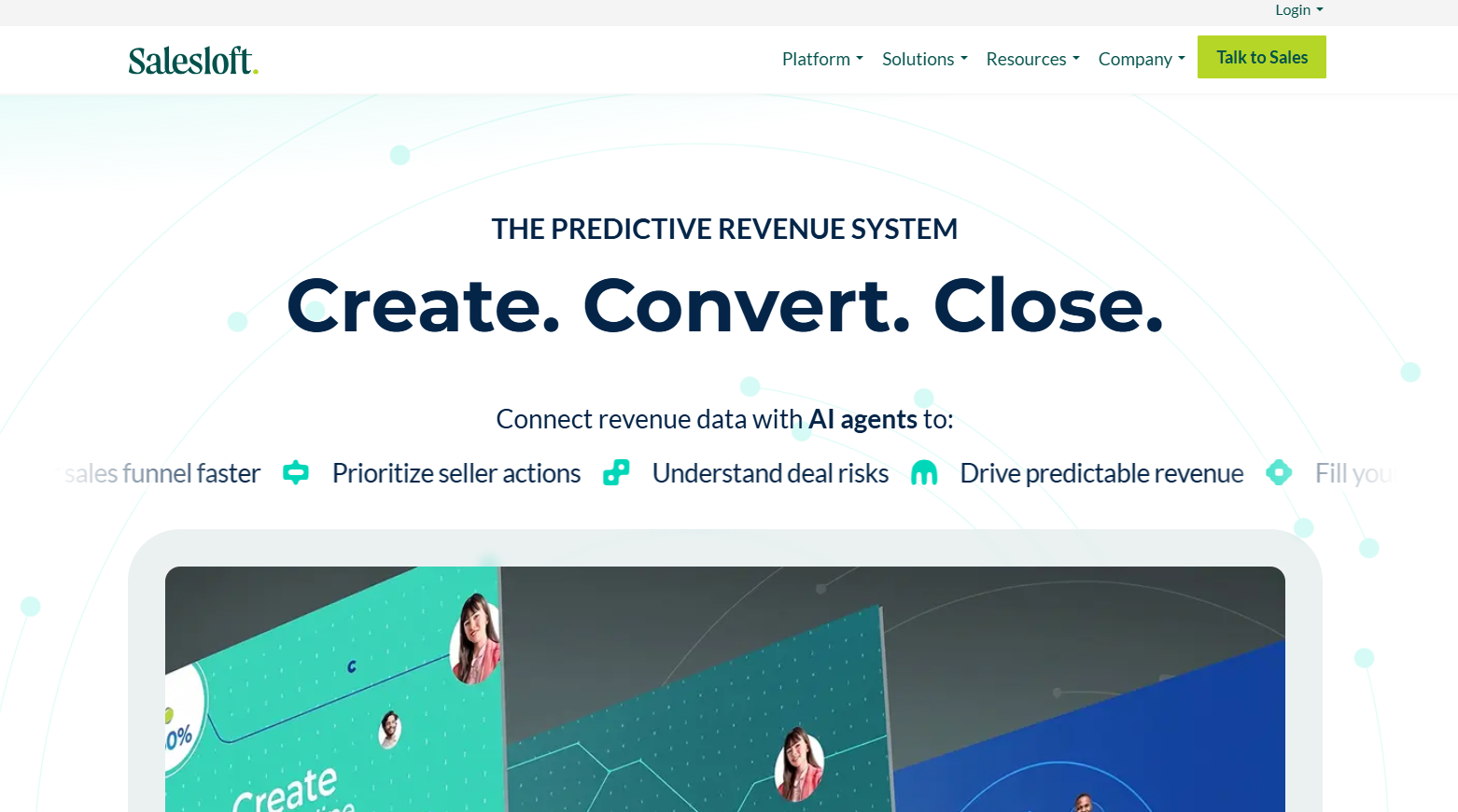
Salesloft

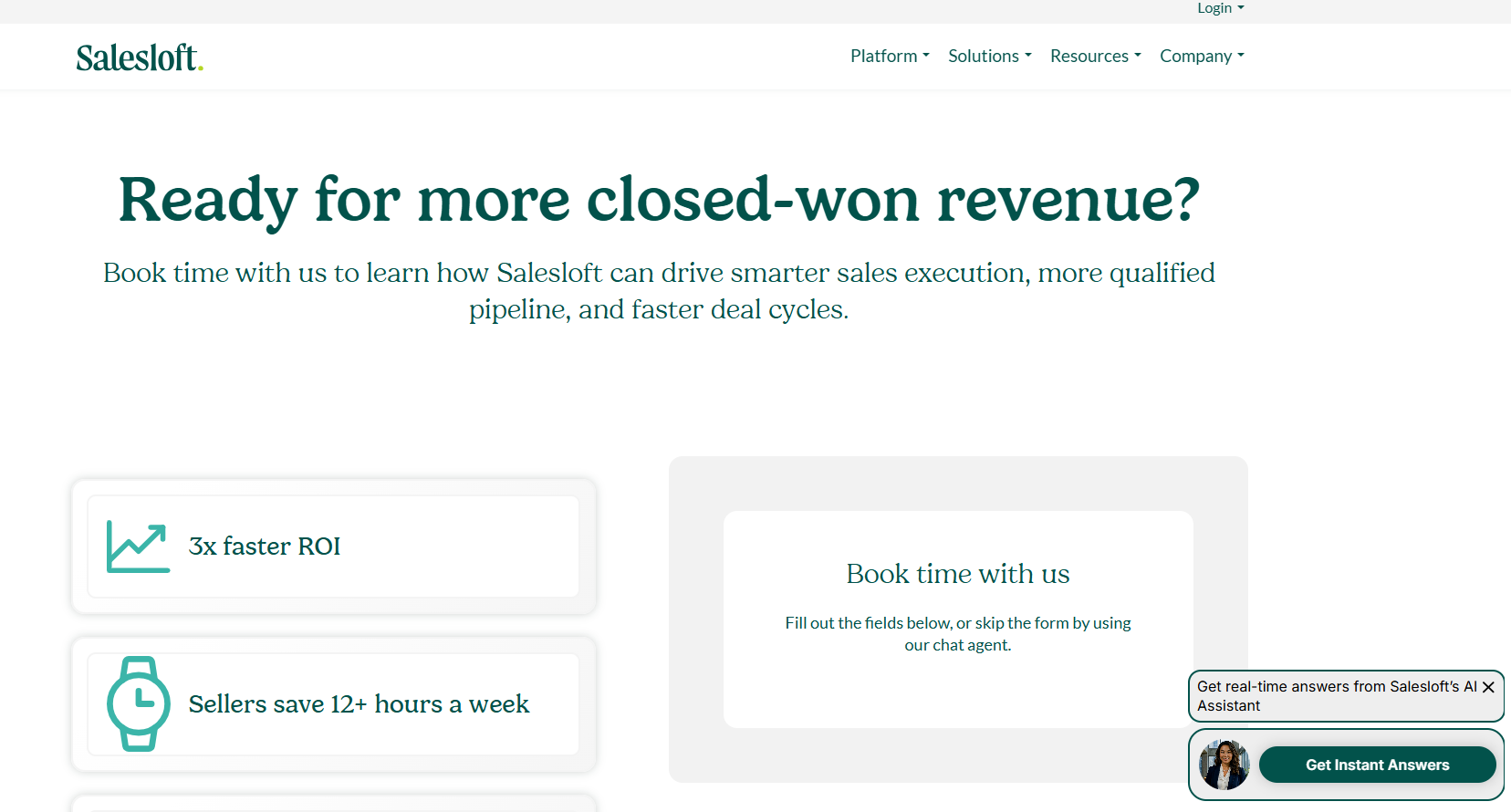
Sales teams that want an approachable cadence platform, now tied into Clari's forecasting after the 2025 merger.

Pricing not public.

lemlist

SMBs and agencies running founder-led cold outreach across email and LinkedIn with deliverability tooling built in.

Starts from $55/user/month.

Apollo

Teams that want a large contact database and sequencing bundled at a low per-seat entry price.

Free plan; paid from $49/user/month.

Clay

Technical GTM teams that want to build their own enrichment and outbound workflows across many data providers.

Free plan; paid from $167/month.

Unify

Growth-stage teams that want signal-triggered warm outbound with managed email deliverability built in.

Free plan; paid from $20/seat/month.

#1: Warmly

Warmly is the best alternative to Artisan in 2026 for mid-market B2B SaaS revenue teams that want one platform handling four jobs at once:

  • An AI SDR that runs the outbound motion for you, the way Artisan's Ava does.
  • Person-level identification of the buyers already on your site, so the outbound starts warm.
  • An Inbound Agent that converts those visitors while they're still reading.
  • A Context Graph that keeps the outbound and on-site motions on one scoring model.

Full disclosure: Warmly is our product, so take this section with the appropriate pinch of salt. What I can promise is an honest read on where it actually fits a team leaving Artisan, and where something else on this list is the smarter buy.

Artisan hands you an autonomous BDR, Ava, that works a cold database from the first touch.

Warmly runs the same outbound motion, but it starts from the buyers already showing intent on your site, and it can convert them on the page before any cold email goes out.

Let’s go over the features that I think make Warmly the best alternative to Artisan AI in the market:

Person-level website visitor identification

Warmly identifies anonymous visitors natively, down to the individual person, with their work email, title, seniority, and LinkedIn pulled onto one record.

And this is the signal engine that keeps the outbound warm.

You plug Warmly in, and a matched visitor turns up on a single record with their work email, title, seniority, and LinkedIn already filled in.

On an ordinary B2B site that normally lands about 65% of companies and about 15% of people, though the rate moves with traffic source and where the visitor is based.

The full pipeline, identification through enrichment and scoring, runs in under three seconds.

Your rep follows up with the head of RevOps who spent four minutes on your pricing page, not with "a software company in Austin stopped by."

Inbound Agent (AI chat and live human handoff)

The Inbound Agent covers the half of the funnel traditional AI SDRs leave alone: what happens while the buyer is still on the page.

As the visitor is already identified, the opening line draws on their CRM record and what they've been reading, so it lands on something relevant, not a blank "hi there."

A good-fit visitor books a slot on the right rep's calendar straight from the chat, with no form in the way.

When a human takes over, the whole thread goes with them, so the visitor never repeats what the bot already heard.

Warmly also ships an AI 24/7 Video Chat Agent that engages visitors with human-like video to deliver personalized demos and qualify leads at any hour.

TAM Agent (AI SDR and outbound orchestration)

Once a visitor leaves your site, our TAM Agent takes over the off-site work by pulling target audiences together, ranking accounts, surfacing the buying committee, enriching contacts, and running outbound over email and LinkedIn.

There are 4 pieces to it:

  • AI ICP Tiering: A model trained on your own closed-won deals sorts every account into Tier 1, 2, 3, or Not ICP, and tells you why it landed where it did.
  • Buying committee mapping: It looks past job titles to assemble the Champion, Decision-maker, Influencer, and Approver from org charts, job descriptions, and LinkedIn.
  • Outbound orchestration: Run it through reps, hand it to an autonomous AI SDR, or blend the two, with guardrails that keep it off open deals and anyone already mid-chat.
  • Signals Bundle: Bombora surges, G2 activity, funding news, fresh hires, and tech-stack shifts move an account's score, so reach-outs line up with what's happening inside it.

The Context Graph

The Context Graph ties the TAM and Inbound agents together.

Picture one running file per account: the pages someone viewed, the emails your team sent, the call notes, the reasoning behind each move, and how the deal actually landed.

As both agents read from that same file, a chat can bring up the ROI calculator a visitor downloaded last month and the ten minutes they just spent on your integrations page, with no one hand-wiring a connection.

Split identification, outbound, and chat across three vendors, and that continuity is the first thing you lose.

On the integration side, Warmly runs native two-way sync with HubSpot and Salesforce, plus connections to Outreach, Salesloft, Slack, Bombora, G2, and the LinkedIn, Google, and Meta ad platforms, across more than 40 integrations.

How is Warmly different from Artisan?

Warmly and Artisan answer different first questions.

Artisan's is who it could email next, and Ava answers it well: searching a deep database, drafting, sending, working the replies, and booking, mostly among accounts that have never heard of you.

It's a cold outbound machine.

Warmly starts from the other question: which buyers are already interested.

It names those people, builds the outbound around their intent, and then works the surface tools like Artisan skip: the website itself, where a warm visitor can chat, watch a demo, get qualified, and book a meeting before any cold email goes out.

So the real decision isn't whose AI writes a better cold email. It's where your pipeline is meant to come from.

  • If most of yours has to be created from scratch among strangers, Ava is built for exactly that.
  • If a real share of your buyers already turns up and looks around, Warmly turns that traffic into pipeline and runs outbound off the same signals.

Pricing

Warmly runs three paid plans on top of a free tier, and they stack as you take on more of the funnel.

  • Free: 500 de-anonymized visitors a month, real-time Slack alerts, and CSV export.
  • AI Web-Deanonymization: $10,000/year for contact and company-level identification, ICP filtering, lead routing, CRM sync, and retargeting across email, LinkedIn, and ads.
  • Inbound Chat: $20,000/year, which layers on the conversation: an AI Chatbot, Warm Calling for the live handoff, Warm Offers, and automated email follow-up.
  • AI Inbound Autopilot: $30,000/year, which extends Inbound Chat with unlimited AI Studio Agents, the Autopilot Agent, AI goal-setting and qualification, AI-generated mini-demo slides, AI-written follow-up, and auto-learning that sharpens chat over time.

Pros & Cons

✅ Puts a name to a share of individual visitors, globally, not just the company on the IP.

✅ Outbound, chat, identification, and routing all run off one shared account model.

✅ Native two-way sync with HubSpot and Salesforce.

✅ Outbound fires on live first-party intent, so timing follows real research.

✅ A warm visitor can book a meeting on the page with no form or SDR blocker.

❌ Costs more to start than a bare cold email tool.

❌ Needs real website traffic to get a good ROI.

#2: 11x

Best for: Outbound-heavy enterprise teams ready to hand a fully autonomous digital worker the end-to-end SDR motion across email and LinkedIn.

Similar to: AiSDR, Regie AI.

Source of image.

11x positions its products as autonomous AI employees, and the one that lines up against Ava is Alice, an SDR that researches accounts, writes and sends, fields replies, and books meetings on its own.

The practical difference from Artisan is in how you buy it: 11x runs an enterprise, sales-led process with custom contracts, while Ava 2.0 is self-serve.

Features

Source of image.

  • Alice, the AI SDR: runs autonomous prospecting and multi-channel outreach, sharpening from each interaction.
  • Julian, the AI phone agent: handles voice conversations as a separate digital worker.
  • Signal-based prospecting: actions leads visiting your site, changing jobs, or researching solutions like yours.
  • CRM-native: integrates with Salesforce, HubSpot, LinkedIn, Gmail, and Slack.

💡 Pro tip: You can combine Warmly’s website visitor data with 11x’s AI SDR agents for a 24/7 meeting booking system that identifies your warmest leads and prospects them automatically.

Pricing

11x does not disclose pricing publicly; you'll need to contact their team for a quote.

Source of image.

Pros & Cons

✅ Genuinely autonomous, running the full top-of-funnel without daily babysitting.

✅ Well-funded, with a widening platform across outbound, voice, and data.

✅ Strong onboarding and support, a recurring theme in reviews.

Pricing is not disclosed.

#3: AiSDR

Best for: Lean teams that want an autonomous email and LinkedIn agent metered by message volume, with unlimited seats.

Similar to: 11x, Reply.io.

Source of image.

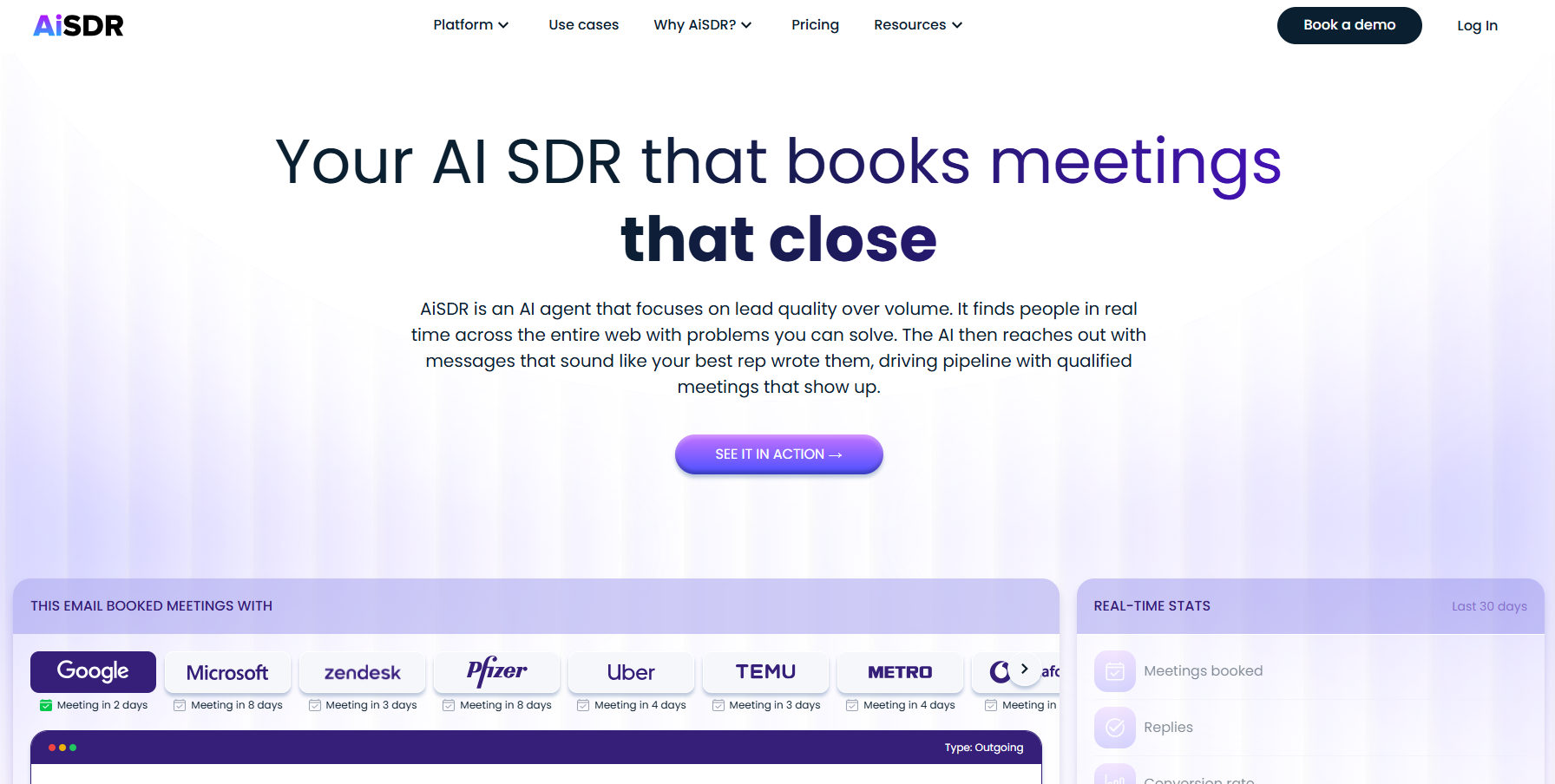
AiSDR works cold email and LinkedIn from its own pool of more than 300 million contacts, drafting and sending the outreach, then handling replies and booking meetings with no rep in the loop.

AiSDR bills by messages sent, not per seat like Artisan and most rivals, so headcount doesn't change the cost.

Features

Source of image.

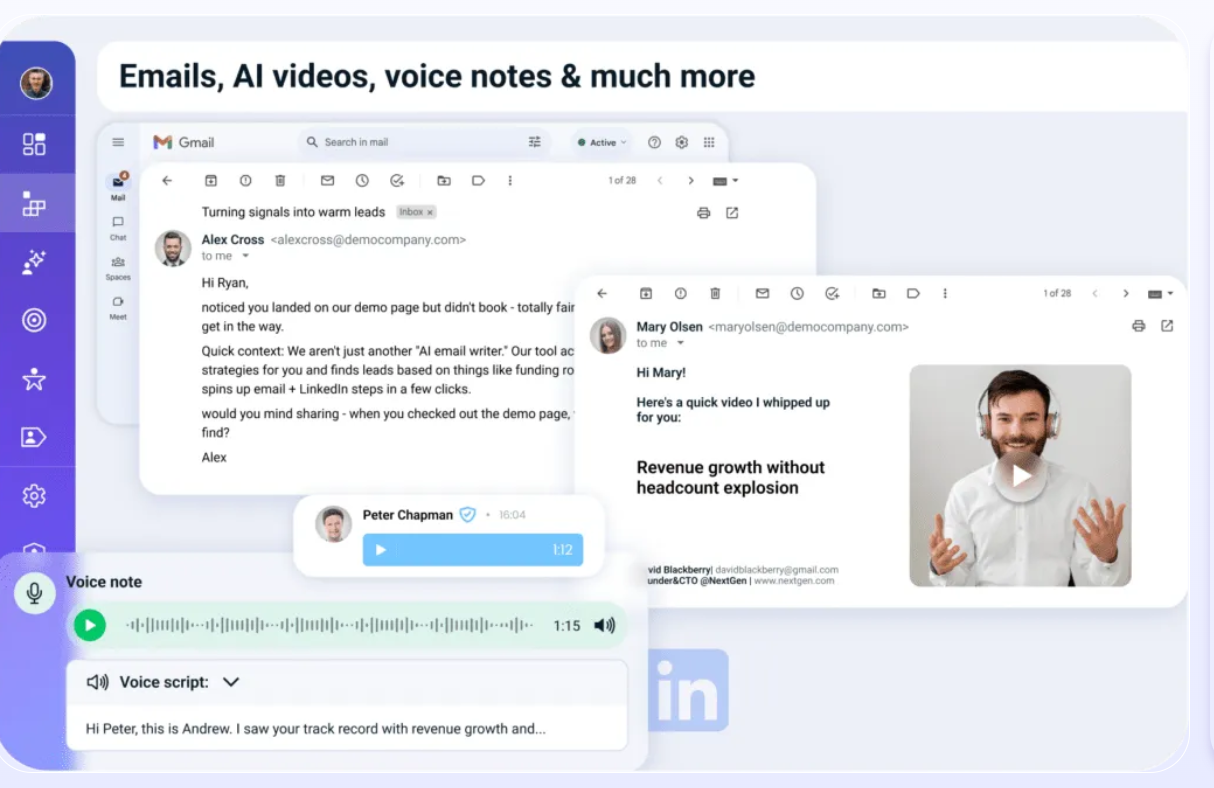
  • Message-metered outreach: every plan includes unlimited users, and cost scales with sends.
  • Built-in database: access to a pool of more than 300 million contacts with waterfall enrichment.
  • Reply handling: reads incoming replies, answers from context, and books meetings.
  • CRM sync: two-way HubSpot and Salesforce connection keeps records current.

Pricing

AiSDR has 3 plans that you can choose from:

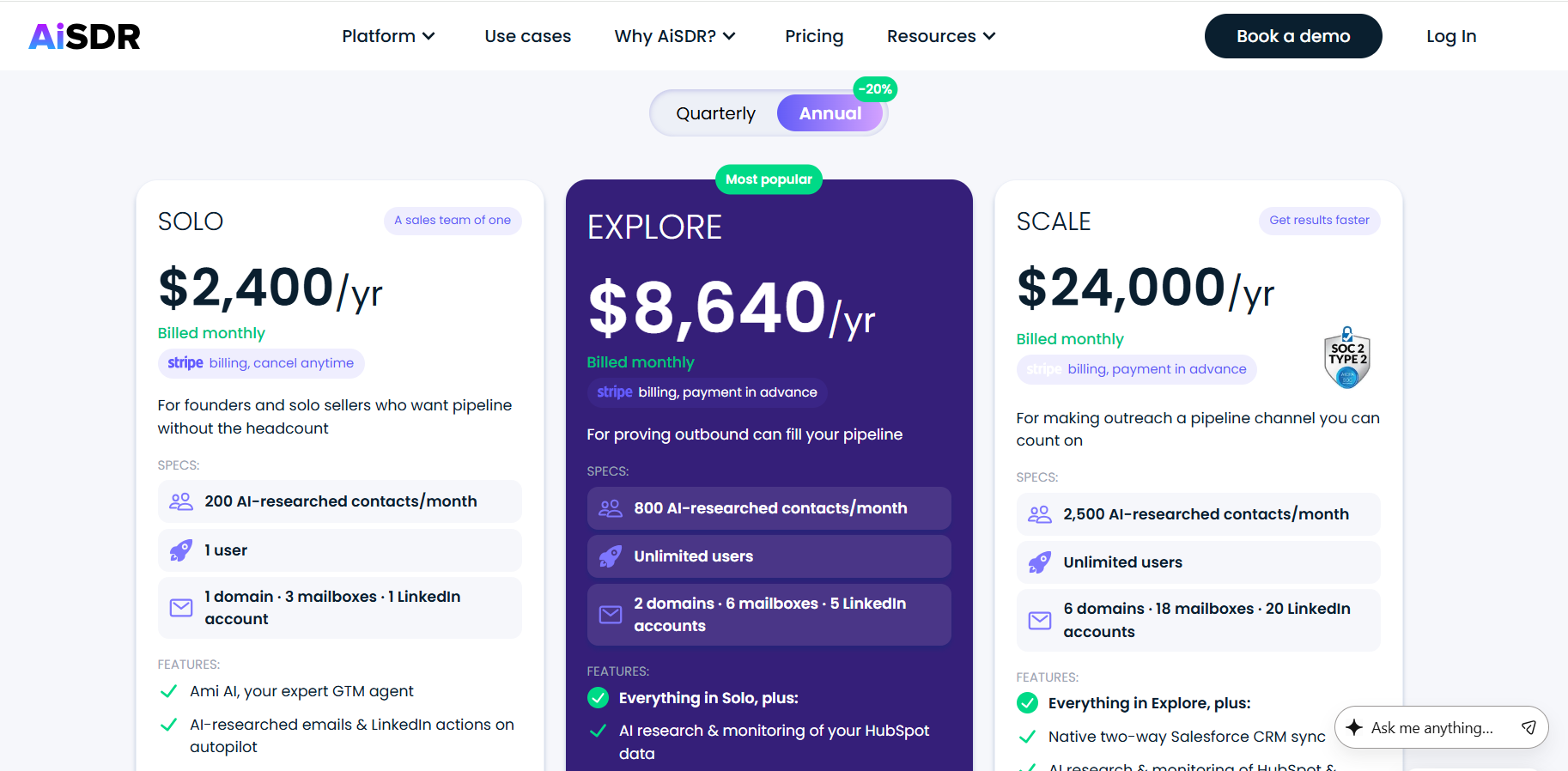
  • Solo: $2,400/year, 200 AI-researched contacts a month, 1 user, 3 mailboxes, and 1 LinkedIn account.
  • Explore: $8,640/year, 800 AI-researched contacts a month, unlimited users, 6 mailboxes, plus LinkedIn signals and a dedicated GTM engineer for onboarding.
  • Scale: $24,000/year, 2,500 AI-researched contacts a month, two-way Salesforce sync, AI video and voice notes, and website visitor tracking.

Source of image.

Pros & Cons

✅ Per-message pricing with unlimited seats suits small teams.

✅ Human-sounding email copy, frequently praised in reviews.

✅ Quick to launch with white-glove onboarding.

❌ The jump from Solo to Explore is a big one at $8,640/year.

#4: Regie AI

Best for: Larger SDR teams that want AI sequencing, a parallel dialer, content generation, and a built-in database in one engagement platform.

Similar to: Outreach, Salesloft.

Source of image.

Regie AI pairs Auto-Pilot agents that prospect and send autonomously with a Co-Pilot that helps reps write at scale, on top of a contact database of more than 220 million records.

The platform leans more toward arming an existing SDR team than replacing it, and toward folding sequencing and dialing into a single place.

Features

Source of image.

  • Auto-Pilot agents: source contacts and run outreach continuously across email, phone, and social.
  • Co-Pilot: drafts personalized sequences and talking points for reps.
  • Built-in data: RegieOne includes a database of more than 220 million contacts with intent signals.
  • Parallel dialer: a multi-line dialer warmed by agent-sourced leads, sold as an add-on.

Pricing

There are 3 paid plans that you can choose from:

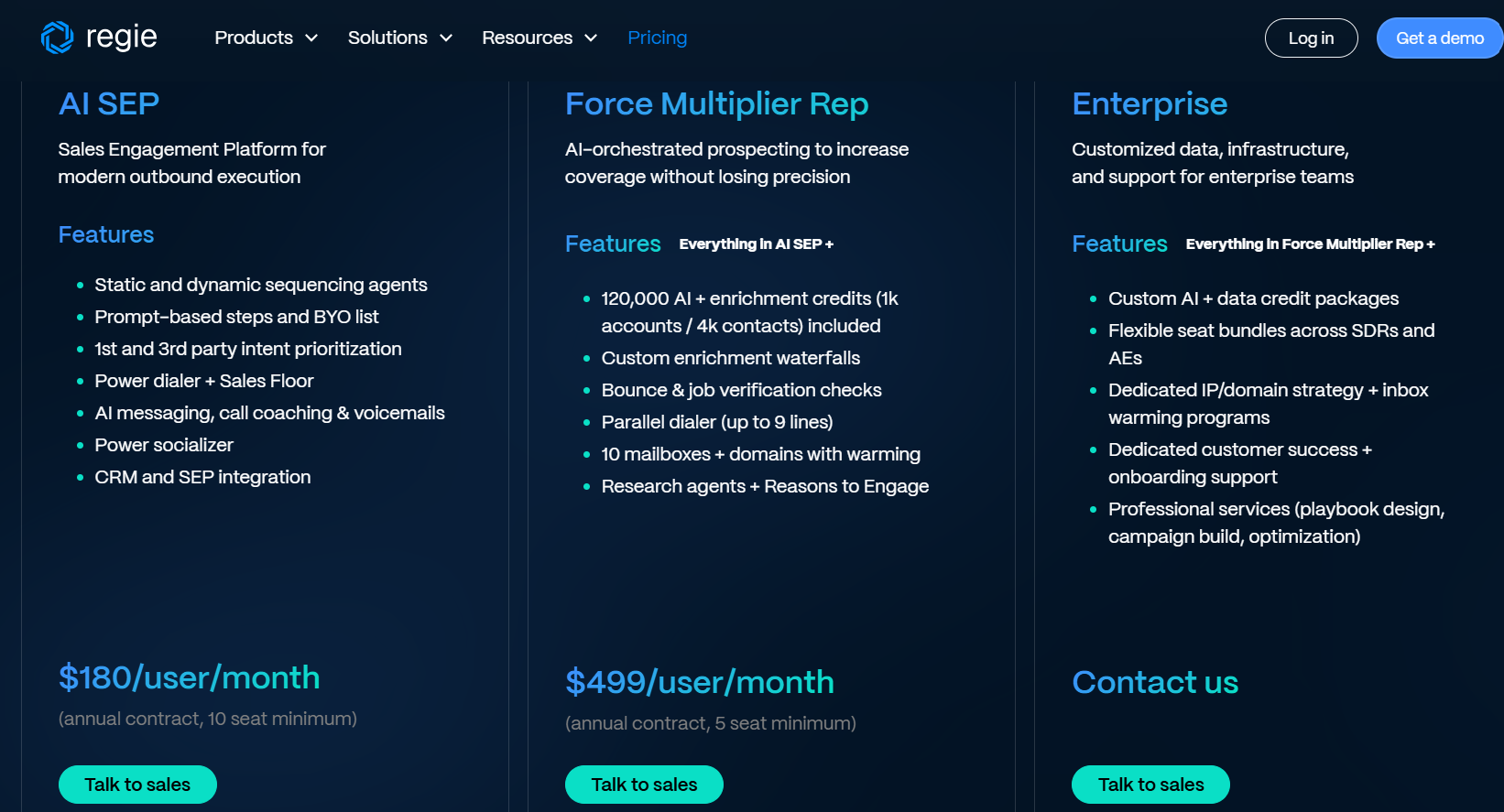
  • AI SEP: starts at $180/user/month on annual billing, with 10 seats minimum.
  • Force Multiplier Rep: $499/user/month, adding the multi-line parallel dialer and higher credit allotments.
  • RegieOne (Enterprise): Custom pricing, which adds custom AI + data credit packages, and flexible seat bundles across SDRs and AEs.

Source of image.

Pros & Cons

✅ Generates sequences fast, with copy reviewers say rarely needs heavy edits.

✅ Parallel dialer lifts live connect rates for high-volume teams.

✅ A large built-in database removes a separate data subscription.

❌ There are seat minimums.

#5: Outreach

Best for: Enterprise revenue teams that want a deep, rep-driven engagement and forecasting platform with heavy analytics.

Similar to: Salesloft, HubSpot Sales Hub.

Source of image.

Outreach is one of the two long-standing sales engagement platforms, built to run sequences, calls, deal management, and forecasting for large sales orgs.

It isn't trying to replace the rep the way Ava does; it hands them the reporting depth and workflow control that enterprise teams tend to want.

Features

Source of image.

  • Sequences: multi-step email, call, and task cadences with built-in split testing.
  • Deal and forecast management: pipeline tracking and AI-driven forecasting in one place.
  • Conversation intelligence: call recording and analysis for coaching.
  • AI agents: newer AI features for drafting and prioritization.

Pricing

Outreach doesn't disclose pricing publicly; you'll need to contact their team for a quote.

Source of image.

Pros & Cons

✅ Deep workflow and reporting capability for large teams.

✅ Strong automation and analytics.

✅ Mature integrations across the enterprise stack.

❌ Pricing isn't public.

#6: Salesloft

Best for: Sales teams that want an approachable cadence and engagement platform.

Similar to: Outreach, HubSpot Sales Hub.

Source of image.

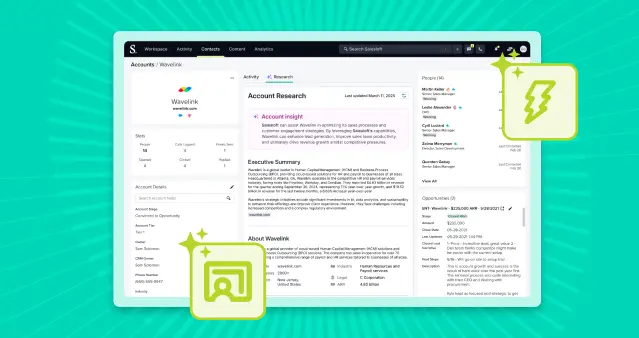
Salesloft is the other engagement mainstay, covering cadences, conversation intelligence, deal management, and forecasting, and it now carries Drift chat and is part of Clari's revenue platform.

Features

Source of image.

  • Cadence: structured email, call, and social sequences.
  • Conversations: call recording with AI summaries and coaching cues.
  • Deals and forecasting: pipeline management, with Clari forecasting in the combined platform.
  • CRM sync: native Salesforce and HubSpot integration.

Pricing

Salesloft doesn't disclose pricing publicly; you'll need to contact their team for a quote.

Source of image.

Pros & Cons

✅ Easier to adopt than most enterprise engagement tools, per reviews.

✅ Strong Salesforce integration and call tracking.

✅ Forecasting now bundled through Clari.

❌ Pricing isn't public.

#7: lemlist

Best for: SMBs and agencies running founder-led or small-team cold outreach across email and LinkedIn with deliverability tooling built in.

Similar to: Smartlead, Instantly.

Source of image.

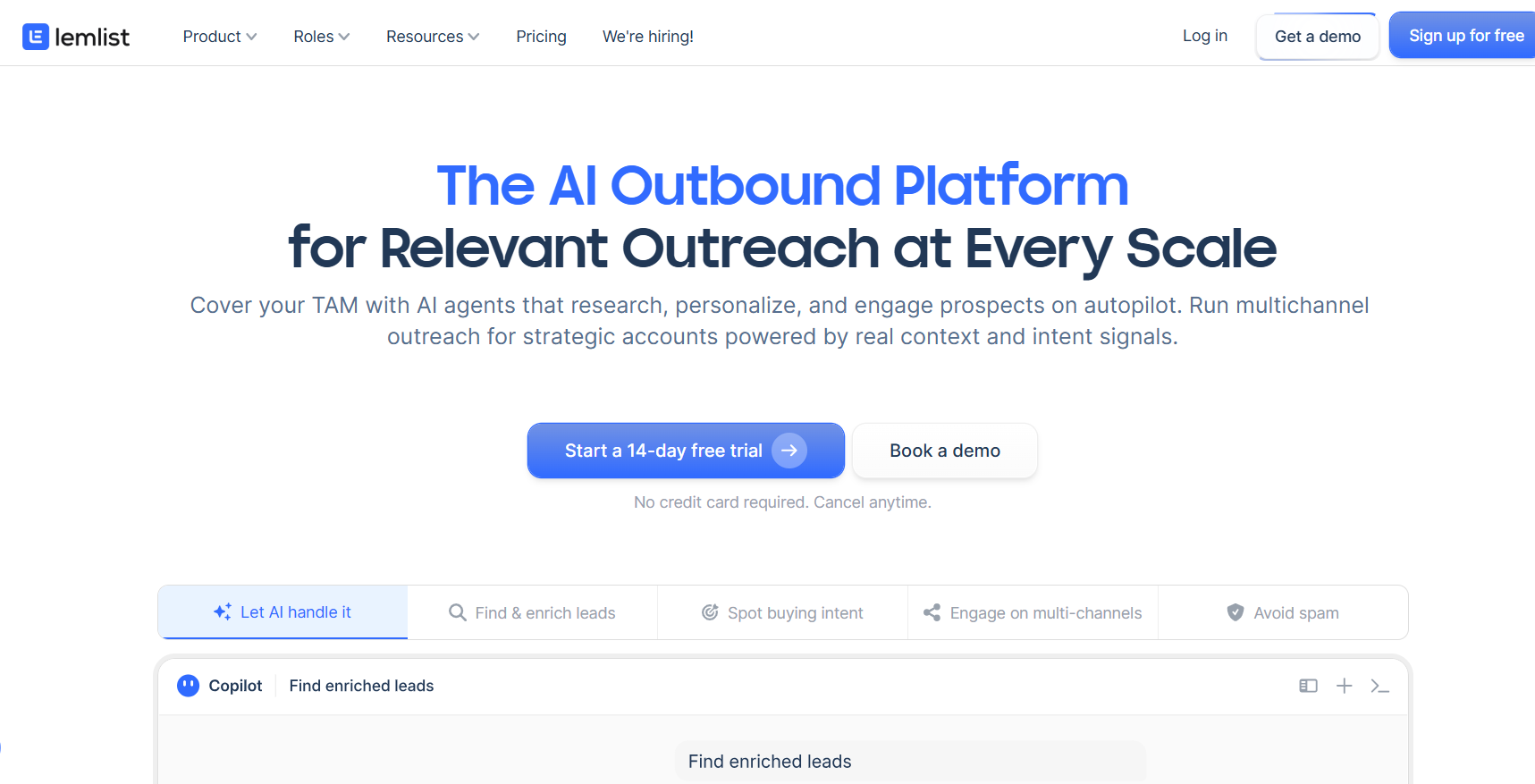
lemlist grew up as a cold-email tool and now spans email, LinkedIn steps, calling, and inbox warmup through its Lemwarm feature.

It fits solo senders and small teams who want to run outreach themselves with deliverability handled, a different buyer from the enterprise outbound Ava targets.

Features

Source of image.

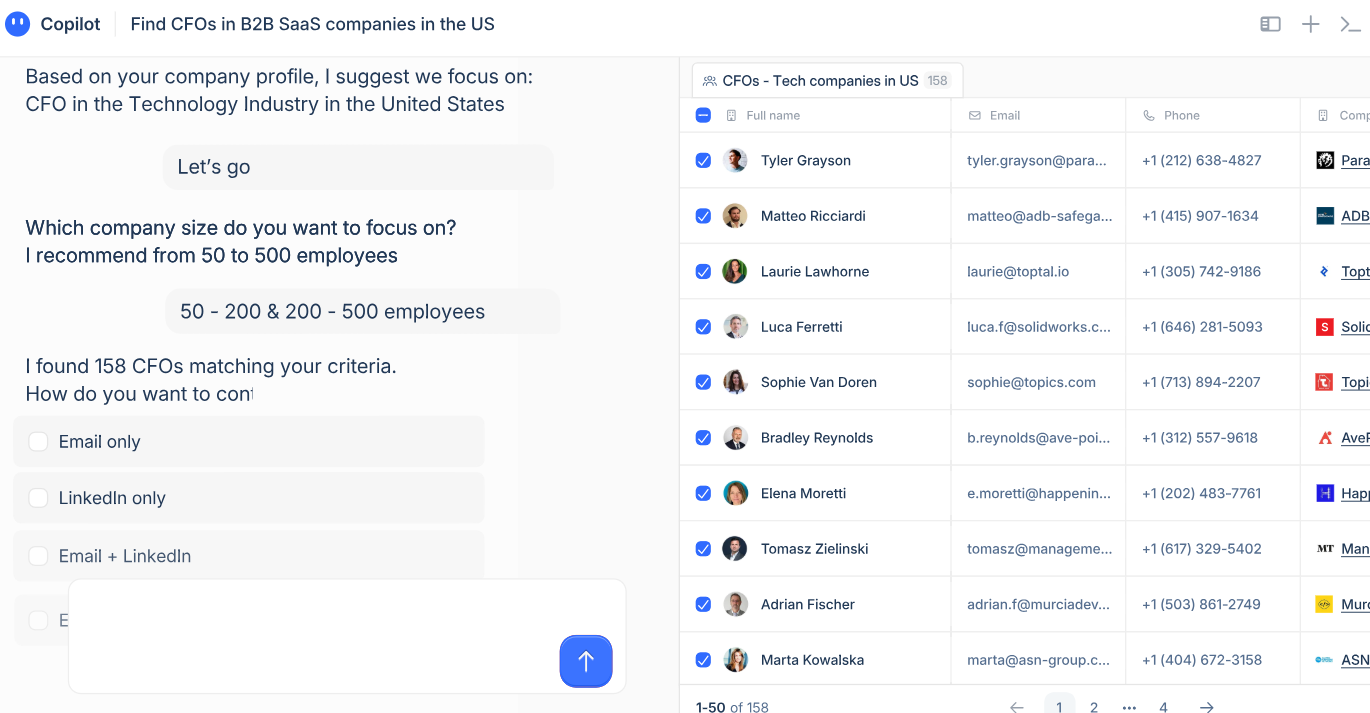
  • Multichannel sequences: email, LinkedIn, and calling steps in one campaign.
  • Image and video personalization: dynamic visuals built per prospect.
  • Lemwarm: inbox warmup included on every paid plan.
  • Lead database: access to a pool of more than 450 million contacts.

Pricing

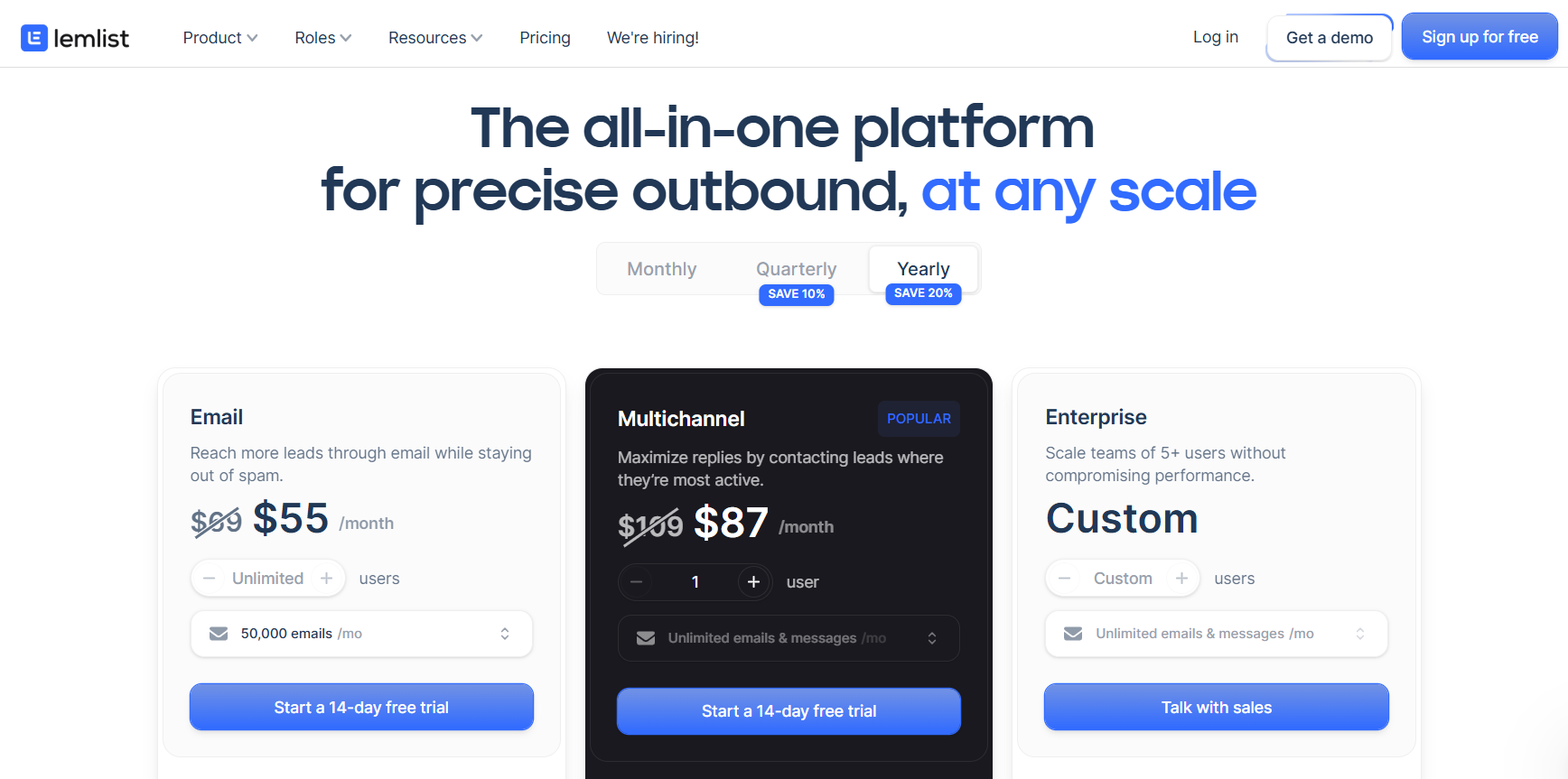
There are 3 plans that you can choose from:

  • Email: starts at $55/user/month for email-only outreach.
  • Multichannel: $87/user/month, adding LinkedIn and calling.
  • Outreach Scale (Enterprise): custom pricing, five-seat minimum.

Source of image.

Pros & Cons

✅ Image and video personalization few rivals match.

✅ Deliverability tooling included on every plan.

✅ Approachable for solo senders and small teams.

❌ Per-seat cost can add up for larger teams on the Multichannel and Enterprise plans.

#8: Apollo

Best for: Teams that want a large contact database and sequencing bundled at a low per-seat entry price.

Similar to: ZoomInfo, Cognism.

Source of image.

Apollo combines a contact database of more than 230 million records with built-in email sequencing and a dialer under one login.

It's the do-it-yourself option of the bunch, handing your reps the data and tooling to build their own sequences, with no agent sending on their behalf.

Features

Source of image.

  • Contact database: more than 230 million contacts with filters and a Chrome extension.
  • Sequences: built-in email and call cadences.
  • Enrichment: CRM enrichment and data sync, recently bolstered by the Pocus acquisition for signal-based intelligence.
  • AI assist: AI writing and research power-ups.

Pricing

Apollo has a free plan with limited credits, plus three paid tiers:

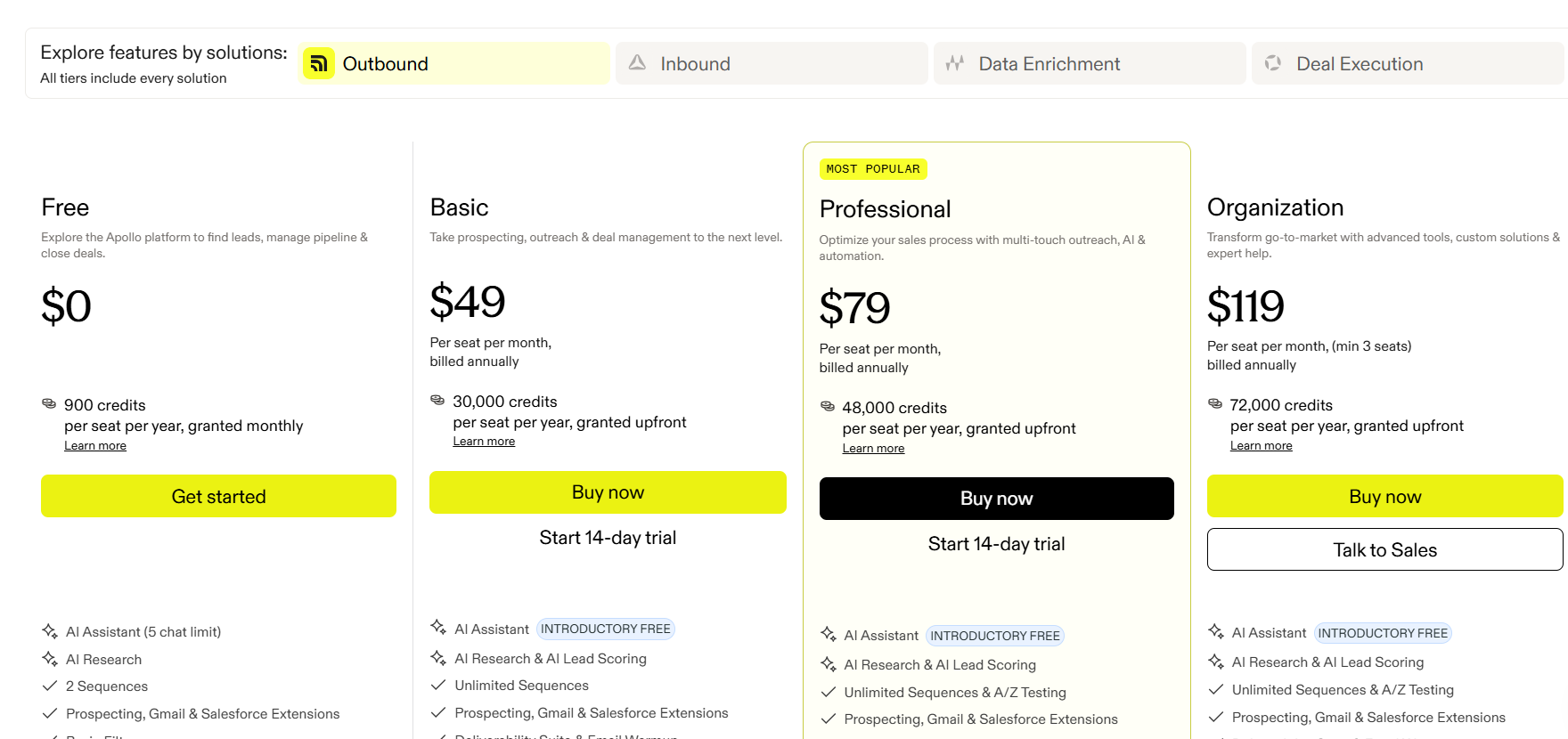
  • Basic: $49/user/month (annual) for entry-level sales teams.
  • Professional: $79/user/month (annual) with sequences, A/B testing, and call recordings.
  • Organization: $119/user/month (annual) with advanced security, dialer add-ons, and custom analytics.

Source of image.

Pros & Cons

✅ Low entry price for database plus sequencing.

✅ Usable free tier for testing data.

✅ Broad integrations with the major CRMs and engagement tools.

❌ The data accuracy is the biggest frustration with some users on G2.

#9: Clay

Best for: Technical GTM teams that want to build their own enrichment and outbound workflows across many data providers.

Similar to: Apollo, Unify.

Source.

Clay waterfalls across 150 or more data providers inside a spreadsheet-style builder, the engine a lot of agencies use to assemble bespoke outbound.

Features

Source.

  • Waterfall enrichment: queries multiple providers in sequence to maximize match rates.
  • Claygent: an AI research agent for company and contact lookups.
  • Workflow automation: table-based builder for enrichment, scoring, and CRM pushes.
  • Integrations: connects to most CRMs and outreach tools, with CRM sync on the Growth tier.

Pricing

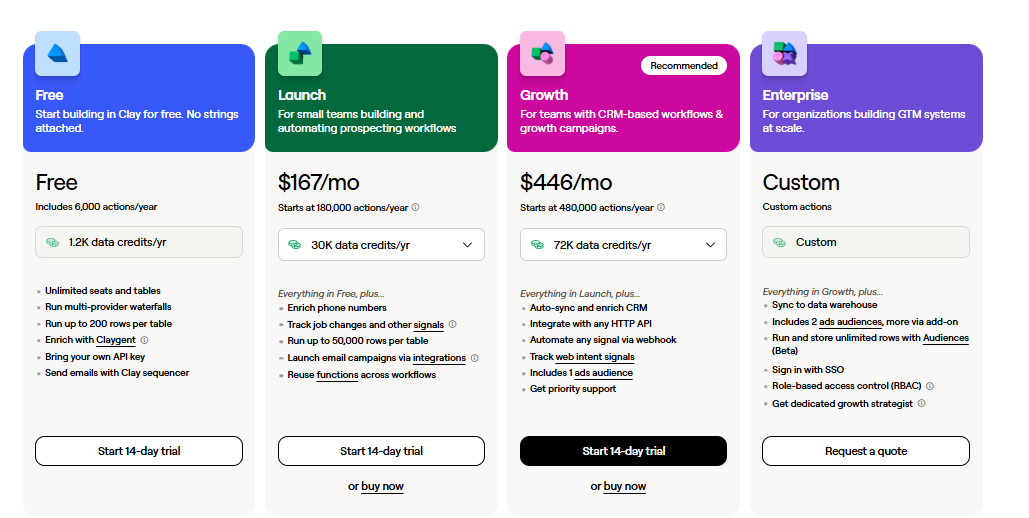
Clay restructured its pricing. Here are the current plans when paying annually:

  • Free: 100 credits/month, 100 table rows, no CRM integration. Testing only.
  • Launch: $167/month for 30,000 Data Credits annually, 180,000 Actions, phone enrichment, and signal tracking.
  • Growth: $446/month for 72,000 Data Credits annually, 480,000 Actions, CRM sync, HTTP APIs, Web Intent, and Ads audience building.
  • Enterprise: Custom pricing for teams targeting 20,000+ accounts, with annual commitment.

Source.

Pros & Cons

✅ The deepest multi-provider enrichment in the category.

✅ Unlimited seats, with usage-based billing.

✅ Highly flexible once the workflows are built.

❌ The learning curve is steep, according to G2 reviews.

#10: Unify

Best for: Growth-stage mid-market teams that want signal-triggered warm outbound with managed email deliverability built in.

Similar to: Clay, 11x.

Source of image.

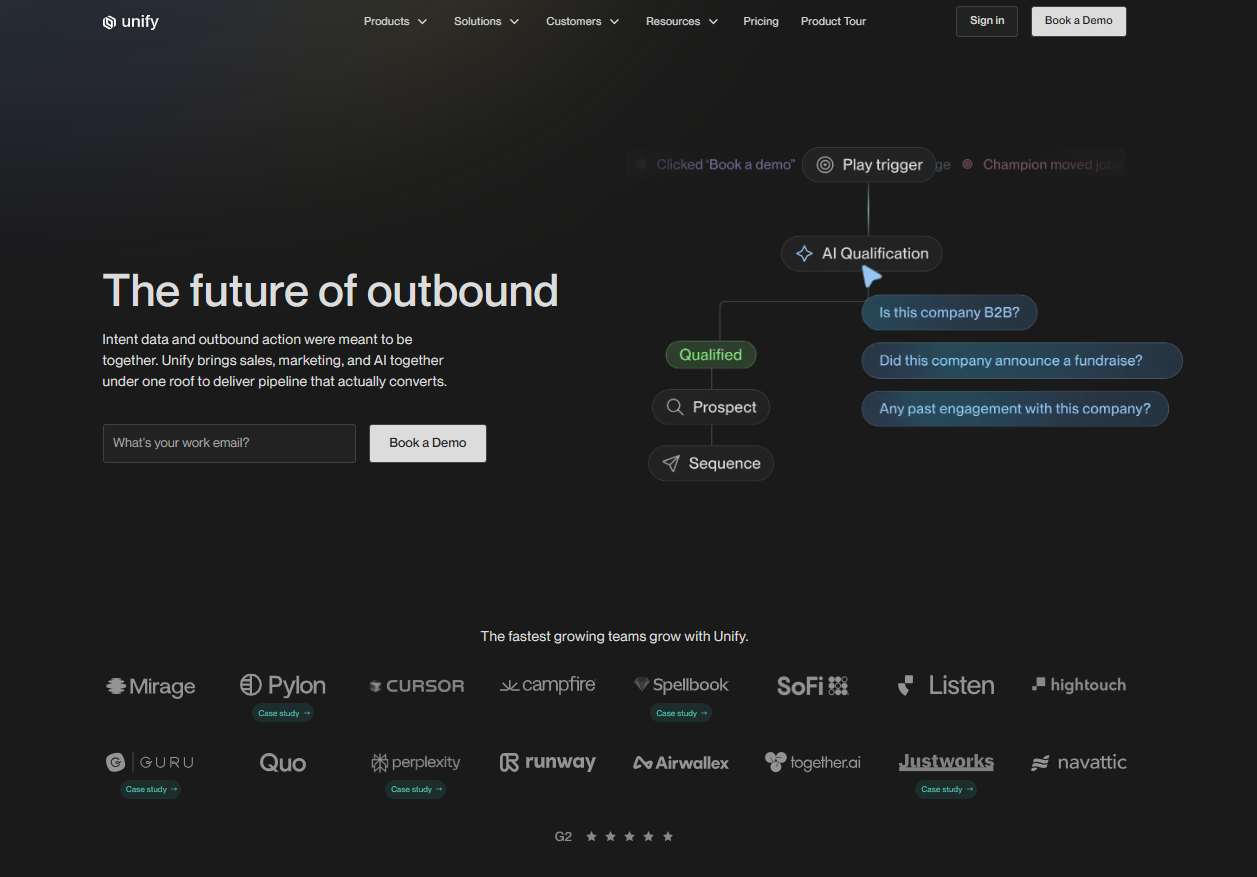
Unify aggregates around 25 intent signals, from person-level website visits to funding and hiring, then fires automated "Plays" that enrich and sequence the accounts showing intent.

Features

Source of image.

  • Signal aggregation: pulls roughly 25 intent sources, including person-level web visits, into one view.
  • Plays: automated workflows that enrich, qualify, and sequence when a signal fires.
  • Managed deliverability: Unify handles mailbox creation, warmup, and rotation.
  • CRM sync: two-way HubSpot and Salesforce sync every 15 minutes.

Pricing

Unify’s pricing moved to a per-seat model with monthly billing on the self-serve tiers.

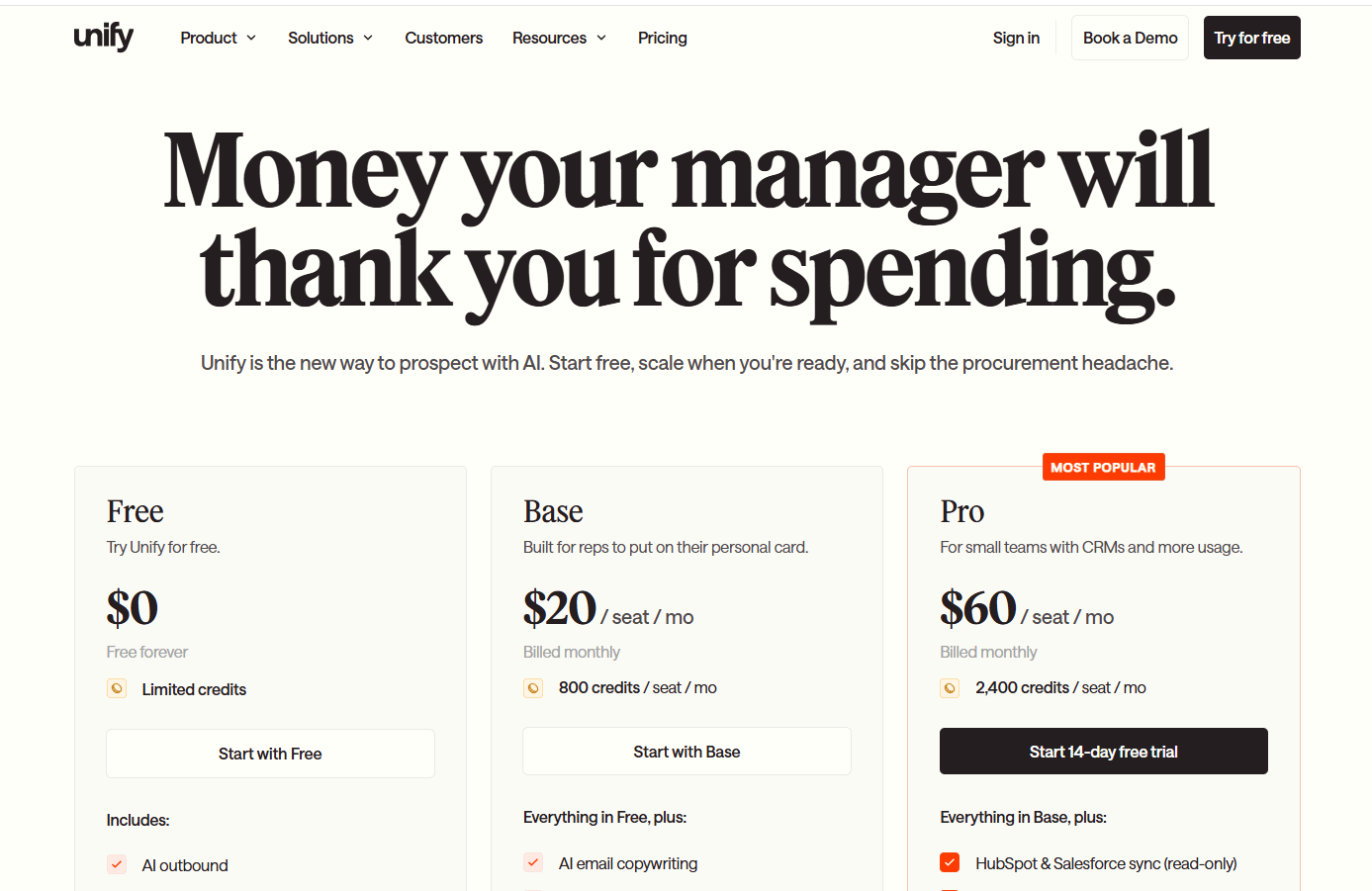
  • Free: $0 forever, 100 credits per seat a month, up to 3 seats, AI outbound and multi-channel sequencing.
  • Base: $20/seat/month, 800 credits per seat, unlimited seats, AI email copywriting, job-change and hiring signals, plus phone and email enrichment.
  • Pro: $60/seat/month, 2,400 credits per seat, adding read-only HubSpot and Salesforce sync and Slack notifications.
  • Business: custom pricing, billed annually, adding website and product intent, signal-triggered automations, managed Gmail and Outlook mailboxes, the dialer (beta), read-write CRM sync, SSO, and a dedicated GTM engineer.

Source of image.

Pros & Cons

✅ Multi-source intent aggregation in one place.

✅ Managed deliverability infrastructure included.

✅ Person-level website visitor signals feed the Plays.

❌ Seat-based pricing, unlike many UnifyGTM alternatives on the list.

Picking the right Artisan alternative

Artisan built a real, capable cold outbound engine.

If your growth depends on reaching net-new accounts that have never heard of you, Ava searches a deep database, drafts a solid cold email, works the replies, and books the meeting with barely any oversight.

The pattern across most of these alternatives is that they sharpen the send: better copy, more channels, bigger databases, and/or faster dialing.

Warmly works a different end of the problem.

Our platform begins with the buyers already showing interest and puts a name to them at the person level.

From there, it runs outbound off that intent and converts the warm ones on your site, before any cold email is needed.

So the honest read is about where your pipeline is meant to come from.

Teams pushing high-volume cold outreach to people who don't know them yet will be well served by Ava, or by one of the autonomous agents above.

Teams with real website traffic and buyers actively researching will get more from a platform that turns that demand into pipeline.

You can start with Warmly's free plan to put a name to your first 500 visitors, or book a demo if your team needs the full TAM and Inbound agent setup.

⚠️ Disclaimer: This article was last updated on the 2nd of July, 2026, and if there's any misinterpretation of the information, please contact us, and we will fact-check it.

Warmly Is Joining HubSpot

Warmly Is Joining HubSpot

Time to read

Maximus Greenwald

Posted by Max Greenwald · Co-founder & CEO, Warmly

Today, we’re announcing that Warmly has entered into an agreement to be acquired by HubSpot.

Six years ago, Carina Boo, Alan, and I started Warmly with an idea about how go-to-market could work better. We never imagined it would lead us here.

The world was different. AI agents weren’t running go-to-market workflows. MCP wasn’t a protocol. The phrase “inbound agent” didn’t exist yet.

Engineering had become cohesive, scalable, and extensible. Go-to-market was not. Its tools and context were siloed, its data was often stale, and teams struggled to coordinate the right buyer experience in real time. We believed go-to-market could become just as rigorous if it had the right building blocks.

So we set out to answer the 4 foundational questions systematically:

Who is the buyer? What do they care about? When do they care? How do we help?

Our first building block was intent. Warmly became best known for person-level website intent, helping companies identify more than half of the visitors who never filled out a form.

But insight without action has limited value. So we built Inbound Agent to turn intent into personalized conversations, meetings, and follow-up. Every interaction added context and learnings that improved the next inbound interaction.

Then TAM Agent took that loop beyond the website, helping teams engage ideal-fit buyers before they arrived. Inbound informed outbound. Outbound created new inbound. Every interaction made the next one more relevant.

The deeper we went into AI, the clearer it became: as execution gets easier to scale, judgment becomes more valuable. Marketing comes back to its most fundamental question: how do we actually help buyers and earn their attention?

HubSpot has spent more than twenty years building an integrated platform for the customer journey. Its hubs, data, workflows, and products were designed to work together rather than forcing customers to stitch together dozens of disconnected systems.

What stood out to us was not only the breadth of the platform, but the coherence underneath it.

When we got to know Yamini, Jared, Angela, and the broader HubSpot team, the fit became clear. HubSpot’s starting point has always been the customer, not the technology. We share a belief that the next generation of GTM will be built by people and agents working as one system. Agents carry context and learning from outcomes, and people bring judgment, taste, and empathy.

“The gap between building demand and winning deals is one of the hardest problems in GTM, and Warmly has cracked it in a way that directly benefits HubSpot customers. We’re excited to welcome the team to HubSpot.”

— Angela DeFranco, GM, VP of Product, HubSpot

What this means for Warmly customers

Today, your existing contract, pricing, account team, product experience, and integrations remain unchanged. Warmly’s agents will continue running as they do.

We remain focused on serving you and delivering on our commitments.

Longer term, our ambition is to make Warmly even more powerful for our customers by connecting our context and agent capabilities across HubSpot’s customer platform.

A thank you

To the customers, investors, advisors, partners, and supporters we’ve had the privilege to know and work alongside: thank you. Your trust, candor, and belief gave us the room to learn, adapt, and become the company we are today. We’re grateful for everything we’ve built together and honored to keep serving this community.

To the Warmly team, past and present: you took on one of the hardest and fastest-moving problems in B2B and built something real. You also had the courage to reinvent Warmly as the market changed, without losing sight of the customer. This milestone belongs to you.

What comes next

I keep coming back to the responsibility in front of us.

AI is moving faster than any one of us can fully absorb. As agents become part of more marketing, sales, and customer experiences, they are going to shape how millions of people interact with businesses.

Those experiences can become dramatically more useful or dramatically more intrusive.

We have the privilege and responsibility to help guide this toward something better: experiences that arrive with context, help instead of interrupt, and earn the trust they ask for.

That work is bigger than what any one company can do alone. We’re honored to continue it with HubSpot and to build the next chapter the way we always have.

Signing off as we’ve always done, but this time with more excitement than ever.

Warmly,
Max

10 Best Swan AI Alternatives & Competitors [2026]

10 Best Swan AI Alternatives & Competitors [2026]

Time to read

Alan Zhao

TL;DR

  • Warmly is the best Swan AI alternative in 2026 for mid-market B2B SaaS teams that want person-level visitor identification, on-site AI chat, and signal-triggered outbound running on one shared Context Graph, without wiring the agents together yourself.
  • Teams that mainly want a flexible engine for building enrichment and outbound workflows tend to compare Clay and Unify, both of which hand you deep control if you have the ops time to configure them.
  • Companies that want an autonomous AI SDR to own cold outbound end to end usually look at 11x, Artisan, and AiSDR, which run prospecting and sequences with little day-to-day input.

What are the best alternatives to Swan AI in 2026?

The best alternatives to Swan AI in 2026 are Warmly, Clay, and Unify.

Here’s the full shortlist of 10, grouped by the job each one does best, with what it fits and where pricing lands:

Tool Best For Pricing
Warmly Mid-market B2B SaaS teams that want person-level visitor ID, on-site AI chat, and outbound orchestration in one platform with a shared Context Graph. Free plan; paid from $10,000/year.
Clay Technical RevOps teams that want a flexible enrichment and prospecting engine waterfalling across 100+ data providers. Free plan; paid from $167/month
Unify Growth-stage teams running signal-triggered "warm outbound" plays with managed email deliverability built in. Free plan; paid from $20/seat/month.
11x Mid-market and enterprise teams that want an autonomous AI SDR (Alice) to run multichannel outbound from day one. Custom pricing.
Artisan Lean and mid-sized sales teams that want a self-serve AI BDR (Ava) covering email, LinkedIn, and phone outbound. Free plan; paid from $250/month.
AiSDR Founders and small GTM teams that want an autonomous email and LinkedIn SDR with a built-in lead database. Starts from $200/month.
Common Room PLG and community-led teams that want to pull buying signals from community, product, social, and web into one view. Starts from $2,500/month.
6sense Enterprise revenue teams running deep ABM that need third-party intent aggregation and predictive account scoring. Free plan; paid pricing not public.
Apollo Teams that want a large B2B contact database with built-in sequencing at a transparent per-seat price. Free plan; paid from $49/user/month.
RB2B US-focused teams that want lightweight, person-level visitor ID pushed straight into Slack. Free plan; paid from $79/month.

What are the best agentic GTM platform alternatives to Swan AI?

These tools handle more than one GTM job at once, which is the bracket Swan competes in:

#1: Warmly

Warmly is the best alternative to Swan AI in 2026 for mid-market B2B SaaS revenue teams that want a single platform doing four things:

  • Identifying website visitors down to the individual person.
  • An Inbound Agent that converts them while they're still on the page.
  • A TAM Agent that drives the off-site outbound motion.
  • A Context Graph holding both agents to the same scoring model.

Full disclosure: Warmly is our product, but the aim isn't to oversell it. It's to be straight about where Warmly fits a team leaving Swan, and to point you elsewhere on this list when another tool is the better buy.

Swan is a prompt-to-pipeline engine: you describe a GTM workflow in everyday language, and it spins up agents that research, enrich, qualify, and reach out across your stack.

Its Gatto agent handles website visitors by plugging into providers like RB2B and Vector.

Warmly owns the identification and the engagement layer itself, then runs both motions off one data model.

Here's how that holds up against the same ground Swan covers:

Warmly names the person, not just the company

Warmly identifies anonymous visitors natively, down to the individual person, with their work email, title, seniority, and LinkedIn pulled onto one record.

You drop in the pixel and matched visitors start showing up without anything else to configure.

Swan's Gatto agent deanonymizes visitors through connected providers and routes them to the right rep.

On a typical B2B site, that comes to around 65% of companies and roughly 15% of individuals, with the real numbers shifting by traffic source and where the visitor is based.

The difference shows up in your reps' day: they follow up with Priya in RevOps, who read the pricing page for four minutes, not "someone at a mid-size logistics firm dropped by" that other company-level visitor ID tools give you.

The Inbound Agent does the talking

The Inbound Agent handles everything that happens on the page: it engages identified visitors with AI chat, qualifies them, and books meetings, all while they're still on the site.

As it already knows who's visiting, the first line draws on their CRM and intent history and opens on something that fits, not a generic greeting.

When a rep needs to take over, the chat hands off with the full thread attached, so the visitor never repeats what the bot already heard.

A good-fit visitor can book straight onto the right calendar from the chat, with no form and no SDR gatekeeping the slot.

There's also an AI 24/7 Video Chat Agent add-on, which is a photorealistic avatar that runs human-like video conversations around the clock to qualify leads and walk them through personalized demos.

The TAM Agent runs the off-site motion

The TAM Agent runs the off-site outbound motion: building target audiences, scoring accounts, mapping the buying committee, enriching contacts, and sequencing across email and LinkedIn.

It picks up where the on-site work ends once a visitor has left the page.

Four pieces carry most of the weight:

  • AI ICP Tiering: a model trained on your closed-won deals sorts every account into Tier 1, 2, 3, or Not ICP and shows its reasoning.
  • Buying committee mapping: it reads past job titles to assemble the Champion, Decision-maker, Influencer, and Approver from org charts, job descriptions, and LinkedIn.
  • Outbound orchestration: route through reps, hand it to an autonomous AI SDR, or blend both, with guardrails that keep it off open deals and anyone mid-chat.
  • ML intent scoring: first, second, and third-party signals feed one transparent, tunable score you can see and adjust.

The Context Graph ties both agents together

The Context Graph is the shared memory both agents read from and write to.

It stores every account's full history in one structure, so the Inbound Agent and the TAM Agent are always working from the same version of the truth.

That history covers four things:

  • The buyer's activity.
  • Your team's actions.
  • The reasoning behind each one.
  • The result.

A chat can reference an ad the visitor clicked last quarter and the case study they opened this morning, because both already live in the same place.

How is Warmly different from Swan AI?

The core difference between Warmly and Swan AI is what you get out of the box.

Swan ships an empty agent builder you configure into workflows; Warmly ships two pre-built agents, a native identification layer, and a Context Graph that connects them, ready on day one.

With Swan, you describe a workflow in everyday language, and it assembles the steps, picking tools and pulling identification from connected providers like RB2B and Vector.

Nothing is pre-set, so the team defines every play, which is what teams that want full control are paying for.

Warmly does the defining for you.

The Inbound Agent converts on-site visitors, the TAM Agent runs outbound, and both pull person-level identification and intent from the same Context Graph, with no workflow-building required to start.

Pricing

Warmly runs four paid plans on top of a free tier, and they stack as you add more of the funnel.

  • Free: 500 de-anonymized visitors a month, real-time Slack alerts, and CSV export.
  • AI Web-Deanonymization: $10,000/year, 10K credits a month, contact and company-level identification, ICP filtering, real-time Slack alerts, lead routing, CRM sync, and retargeting across email, LinkedIn, and ads. Chat doesn't live on this tier; it starts at Inbound Chat.
  • Inbound Chat: $20,000/year, which layers on the conversation: an AI Chatbot (one AI Studio Agent), Warm Calling for the live chat handoff, Warm Offers, chat metrics, and automated email follow-up.
  • AI Inbound Autopilot: $30,000/year, which extends Inbound Chat with unlimited AI Studio Agents, the Autopilot Agent, AI goal-setting and qualification, AI-generated mini-demo slides, AI-written follow-up, and auto-learning that sharpens chat performance over time.
  • AI TAM Agent: $15,000/year, 60K annual credits, covering the TAM database with intent scoring, the buying committee agent, AI enrichment, the Signals Bundle (Bombora, G2, job changes, funding announcements, technographic shifts, and job-posting signals, among others), and HubSpot two-way sync.

Pros & Cons

✅ Identifies real people worldwide, down to the individual and not just the company behind the IP.

✅ Identification, chat, outbound, and routing all run on one shared account model.

✅ Native two-way HubSpot and Salesforce sync.

✅ Transparent intent scoring built from first, second, and third-party signals.

✅ Live chat a rep can take over without losing the thread or the context.

✅ Engages identified visitors on the page, not in a follow-up next week.

❌ Pricier than a pixel-only visitor-ID tool.

#2: Clay

Best for: Technical RevOps teams that want a flexible enrichment and prospecting engine waterfalling across 100+ data providers into custom workflows.

Similar to: Unify, Apollo.

Source.

Clay is a spreadsheet-style workspace that pulls data from 100+ providers in a waterfall and runs enrichment, scoring, and outreach steps on top.

The appeal is control: teams that would rather build and tune their own logic get it, at the cost of the hours that building takes.

Features

Source.

  • Waterfall enrichment: Queries 100+ data providers in sequence to maximize match rates on emails, phones, and firmographics.
  • Claygent: An AI research agent that scrapes the web to answer custom questions about each account or contact.
  • Workflow tables: Spreadsheet-based automations for scoring, filtering, and triggering outreach off enriched data.
  • CRM and tool integrations: Native sync with HubSpot and Salesforce on the Growth plan, plus webhooks and HTTP API.

Pricing

Clay restructured its pricing in March 2026. Current plans when paying annually:

  • Free: 100 credits/month, 100 table rows, no CRM integration. Testing only.
  • Launch: $167/month for 30,000 Data Credits annually, 180,000 Actions, phone enrichment, and signal tracking.
  • Growth: $446/month for 72,000 Data Credits annually, 480,000 Actions, CRM sync, HTTP APIs, Web Intent, and Ads audience building.
  • Enterprise: Custom pricing for teams targeting 20,000+ accounts, with annual commitment.

Source.

Pros & Cons

✅ Waterfall enrichment across 100+ providers gives strong match rates on hard-to-find data.

✅ All plans include unlimited seats, so cost scales with usage, not headcount.

✅ Transparent published pricing and a genuine free tier.

❌ The learning curve is steep, according to G2 reviews.

#3: Unify

Best for: Growth-stage teams running signal-triggered "warm outbound" plays that want AI prospecting and sequencing at a low per-seat entry price.

Similar to: Clay, Apollo.

Source of image.

Unify is a warm outbound platform that aggregates intent from 10+ sources, including 6sense, Bombora, G2, and Clearbit, into automated workflows called Plays.

It works best for growth-stage sales teams that want AI-run prospecting and sequencing they can start cheaply on a per-seat plan and scale as usage grows.

Features

Source of image.

  • Plays: Automated sequences that trigger prospecting, enrichment, and outreach when an account crosses an intent threshold.
  • Multi-source intent: Aggregates signals from 10+ providers into one account view.
  • Managed deliverability: Email warmup, rotation, and monitoring across Unify-managed Gmail mailboxes.
  • AI agents: Research accounts and draft personalized messaging at scale, with transparent reasoning.

Pricing

Unify’s pricing moved to a per-seat model with monthly billing on the self-serve tiers.

  • Free: $0 forever, 100 credits per seat a month, up to 3 seats, AI outbound and multi-channel sequencing.
  • Base: $20/seat/month, 800 credits per seat, unlimited seats, AI email copywriting, job-change and hiring signals, plus phone and email enrichment.
  • Pro: $60/seat/month, 2,400 credits per seat, adding read-only HubSpot and Salesforce sync and Slack notifications.
  • Business: custom pricing, billed annually, adding website and product intent, signal-triggered automations, managed Gmail and Outlook mailboxes, the dialer (beta), read-write CRM sync, SSO, and a dedicated GTM engineer.

Source of image.

Pros & Cons

✅ Multi-source intent aggregation genuinely cuts down on checking 6sense, Bombora, and G2 separately.

✅ Managed deliverability saves real time on email infrastructure.

✅ Responsive support, especially on higher tiers with dedicated Slack channels.

❌ Seat-based pricing, unlike many UnifyGTM alternatives on the list.

What are the best autonomous AI SDR alternatives to Swan AI?

If the part of Swan you care about is autonomous outbound, these three tools specialize in running cold prospecting and sequencing with little day-to-day input:

#1: 11x

Best for: Mid-market and enterprise teams that want an autonomous AI SDR to run multichannel outbound from day one without ramp time.

Similar to: Artisan, AiSDR.

Source of image.

11x sells digital workers: Alice, an AI SDR for outbound, and Julian, an AI phone agent for inbound.

It suits mid-market and enterprise teams that want to fold several SDR seats into one autonomous system running outreach end to end.

Features

Source of image.

  • Alice (AI SDR): Autonomous prospecting, multichannel outreach, reply handling, and meeting booking.
  • Julian (AI phone agent): Qualifies inbound leads in real time across phone, chat, and SMS.
  • Signal-based targeting: Acts on high-intent leads from website visits, job changes, and active searches.
  • Native data and deliverability: Built-in contact data, mailbox management, and warmup infrastructure.

💡 Pro tip: You can combine Warmly’s website visitor data with 11x’s AI SDR agents for a 24/7 meeting booking system that identifies your warmest leads and prospects them automatically.

Pricing

11x does not disclose pricing publicly; you'll need to contact their team for a quote.

Source of image.

Pros & Cons

✅ Covers the full top-of-funnel from prospecting to meeting booking with no ramp time.

✅ Strong onboarding and hands-on support, a recurring theme in user feedback.

✅ Solid execution on outbound when the ICP is well defined.

Pricing is not disclosed.

#2: Artisan

Best for: Lean and mid-sized sales teams that want a self-serve AI BDR covering email, LinkedIn, and phone outbound without an enterprise contract.

Similar to: 11x, AiSDR.

Source of image.

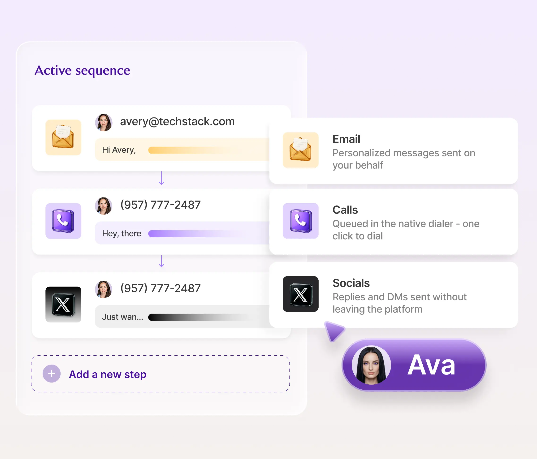
Artisan's AI BDR, Ava, handles prospecting, research, personalized outreach, reply handling, and meeting booking across email, social, and phone.

Its 2026 move to a self-serve Ava 2.0 makes it a fit for lean and mid-sized teams that want multichannel outbound without an enterprise contract or a long setup.

Features

Source of image.

  • Ava (AI BDR): Autonomous multichannel outbound with conditional branching across email, social, and phone.
  • Contact database: 300M+ verified B2B contacts across 200+ countries for list building.
  • Website visitor identification: Person-level in the US and company-level globally, with auto-enrollment into campaigns.
  • CRM sync: Salesforce and HubSpot integration with granular export controls.

Pricing

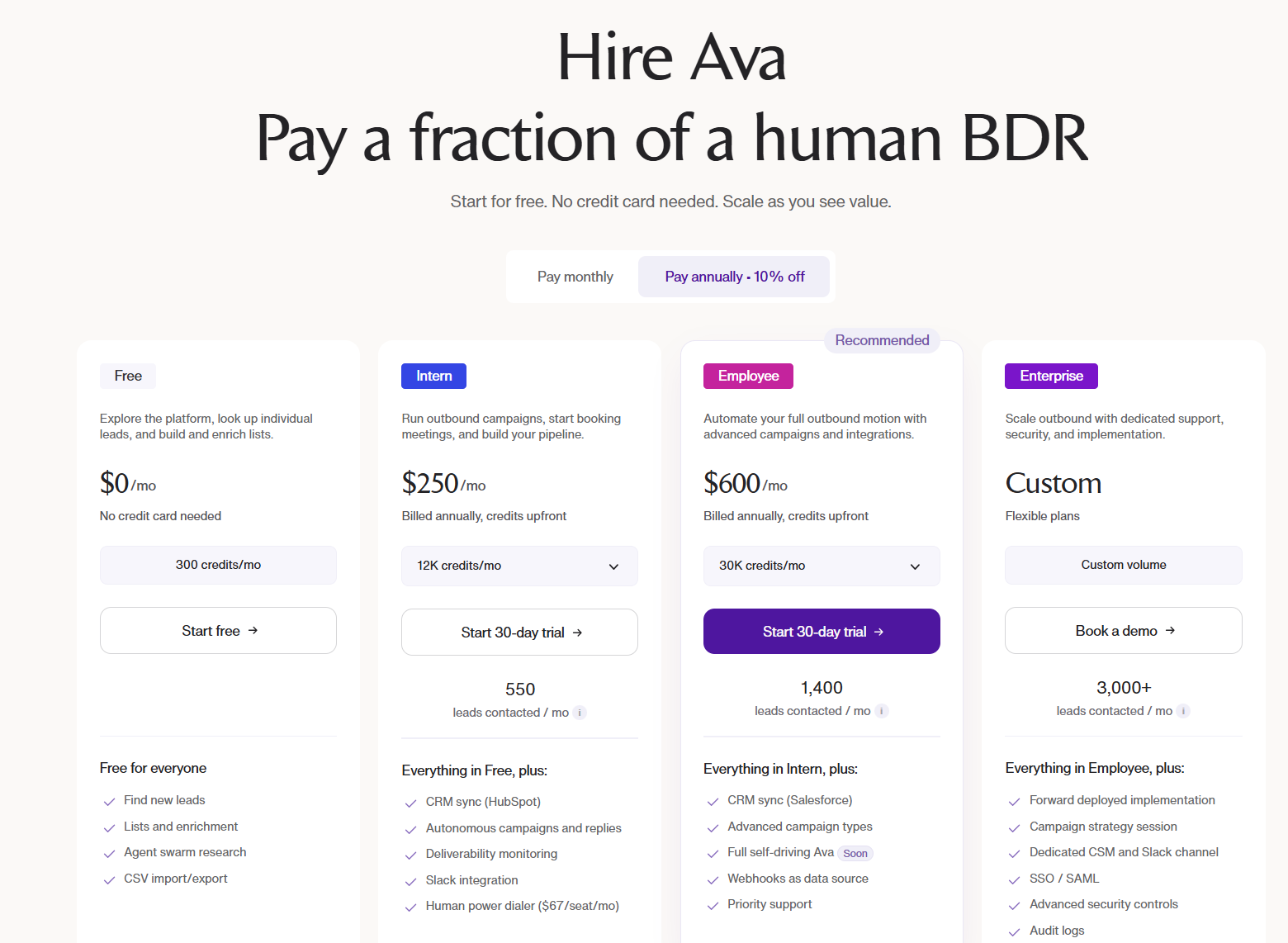
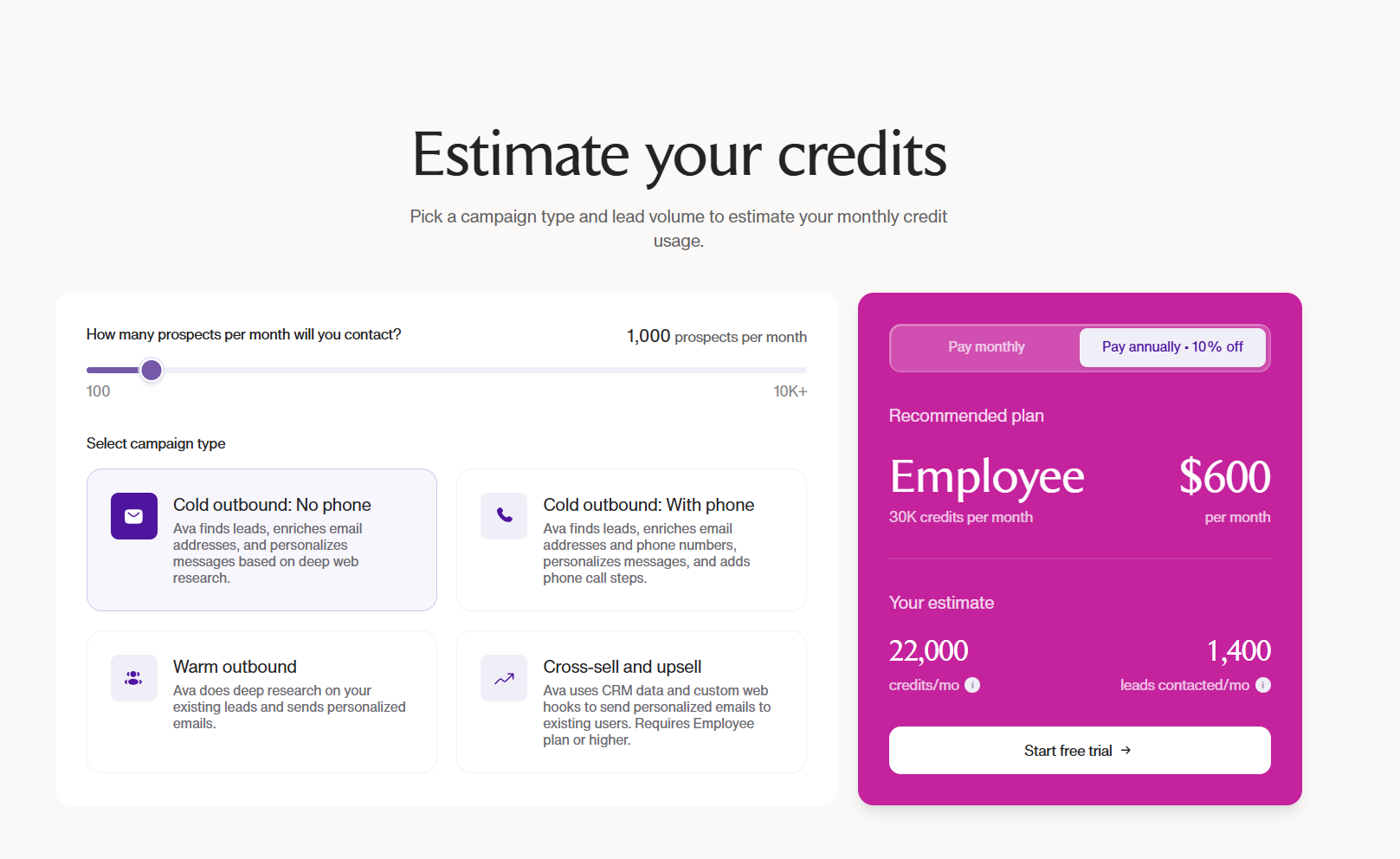
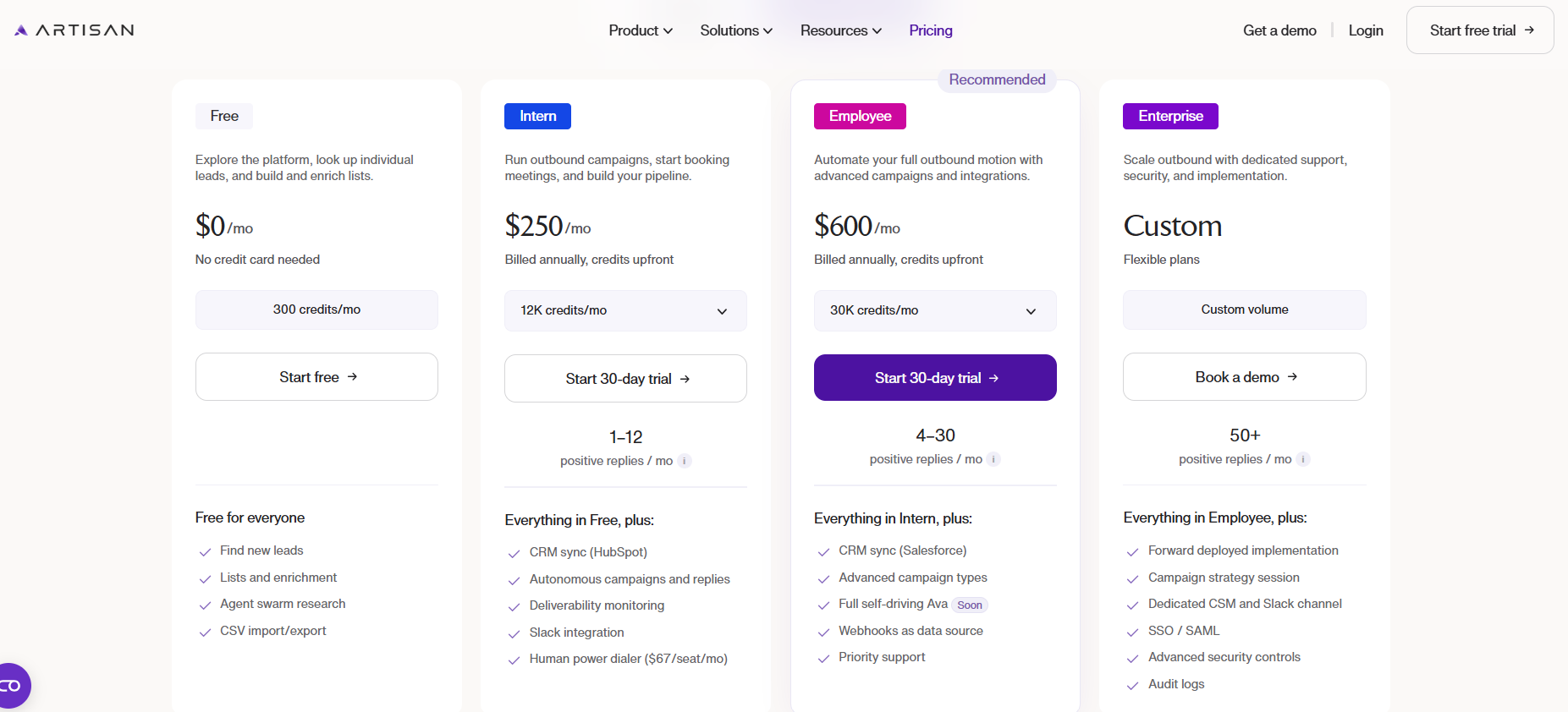
Artisan bills by credits, with a 10% discount on annual plans and 300 in free credits to start:

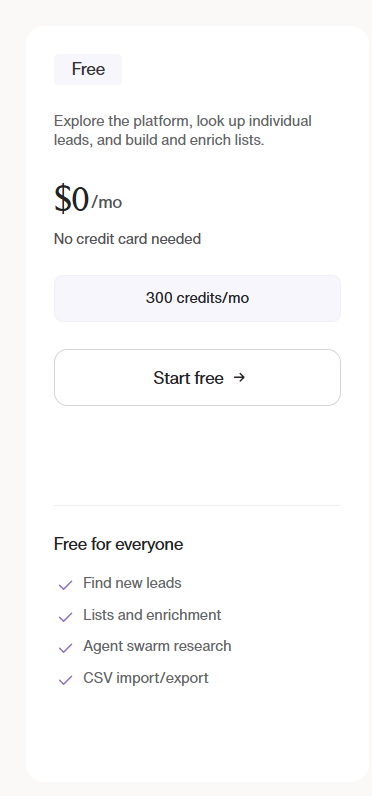
  • Free: $0/month, 300 credits a month, lead lookup, list building, and enrichment.
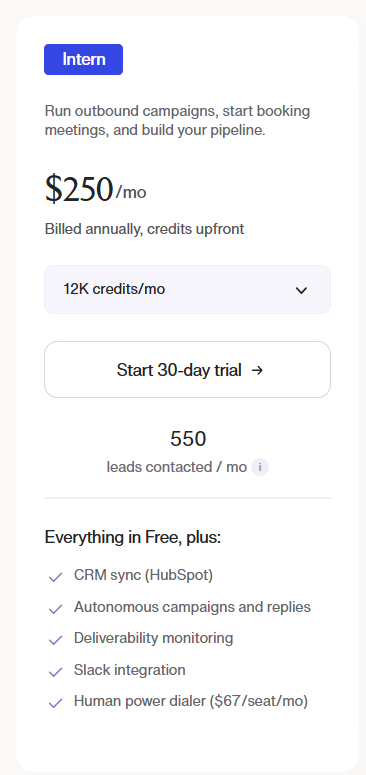
  • Intern: $250/month, 12K credits a month, adding autonomous campaigns and replies, HubSpot sync, deliverability monitoring, and Slack.
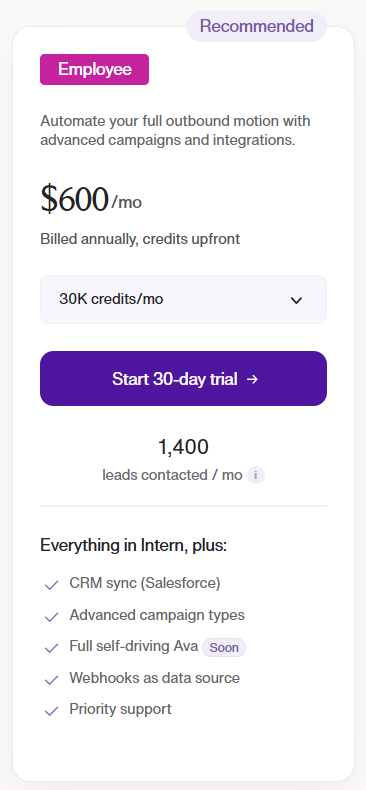
  • Employee: $600/month, 30K credits a month, adding Salesforce sync, advanced campaign types, webhooks, and priority support.
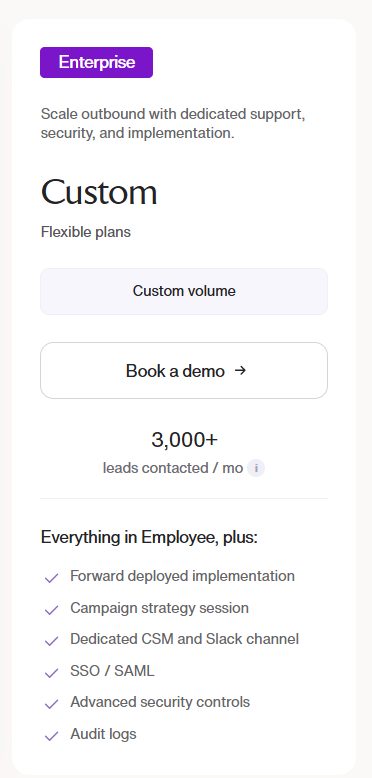
  • Enterprise: Custom pricing, adding forward-deployed implementation, a dedicated CSM, SSO/SAML, and advanced security controls.

Source of image.

Pros & Cons

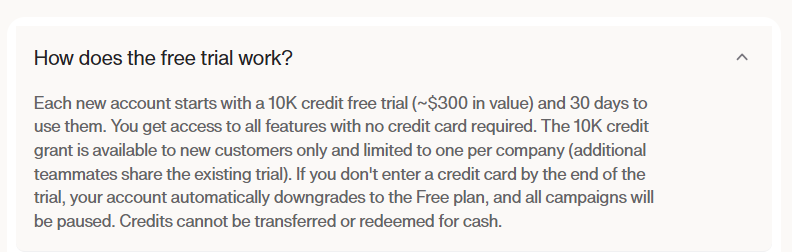
✅ Self-serve onboarding in under 10 minutes with a free credit grant to test.

✅ Multichannel outbound (email, social, phone) from one dashboard.

✅ Large built-in contact database with firmographic and technographic data.

❌ Sometimes the database is not fully up to date, and you reach out to people who are no longer at the company you are targeting, according to a G2 review.

#3: AiSDR

Best for: Founders and small GTM teams that want an autonomous multichannel SDR with a lead database baked in.

Similar to: 11x, Artisan.

Source of image.

AiSDR is an autonomous AI SDR built around outbound email and LinkedIn, with a 300M+ lead database, reply handling, and meeting booking.

It's a good match for founders and small GTM teams whose single goal is pipeline from cold outbound, without a wider stack to manage.

Features

Source of image.

  • Multichannel outbound: AI-written email and LinkedIn sequences, plus connection requests and InMails.
  • Built-in lead database: 300M+ contacts for prospecting, with search credits per plan.
  • AI personalization: Researches each prospect's posts, news, and company before writing, including videos and voice notes on higher tiers.
  • HubSpot integration: Two-way sync, with Salesforce on the Enterprise tier.

Pricing

AiSDR has 3 plans that you can choose from:

  • Solo: $2,400/year, 200 AI-researched contacts a month, 1 user, 3 mailboxes, and 1 LinkedIn account.
  • Explore: $8,640/year, 800 AI-researched contacts a month, unlimited users, 6 mailboxes, plus LinkedIn signals and a dedicated GTM engineer for onboarding.
  • Scale: $24,000/year, 2,500 AI-researched contacts a month, two-way Salesforce sync, AI video and voice notes, and website visitor tracking.

Source of image.

Pros & Cons

✅ Personalization that pulls in real prospect context, not a mass blast.

✅ Built-in 300M+ lead database, so no separate data subscription needed.

❌ The jump from Solo to Explore is a big one at $8,640/year.

What are the best signals, intent, and visitor ID alternatives to Swan AI?

The last group covers the data and signal side of what Swan does, from website identification through community signals to predictive intent:

#1: Common Room

Best for: PLG and community-led teams that want to aggregate buying signals from community, product, social, and web channels into one view.

Similar to: Unify, Clay.

Source of image.

Common Room watches the places buyers tip their hand: Slack groups, GitHub, Reddit, social, product usage, and web activity, all resolved back to real people and accounts.

That community and product breadth makes it the pick for developer-led and PLG teams that need signals from well beyond the website.

Features

Source of image.

  • Signal aggregation: Captures buying signals across community, product, social, and web, unified per account.
  • Person360 and RoomieAI: Identity resolution that maps activity to known people, with AI research agents on top.
  • Prospector: A 200M+ contact database for sourcing and enrichment.
  • Automated workflows: Triggers CRM sync, alerts, and scoring off specific signals.

Pricing

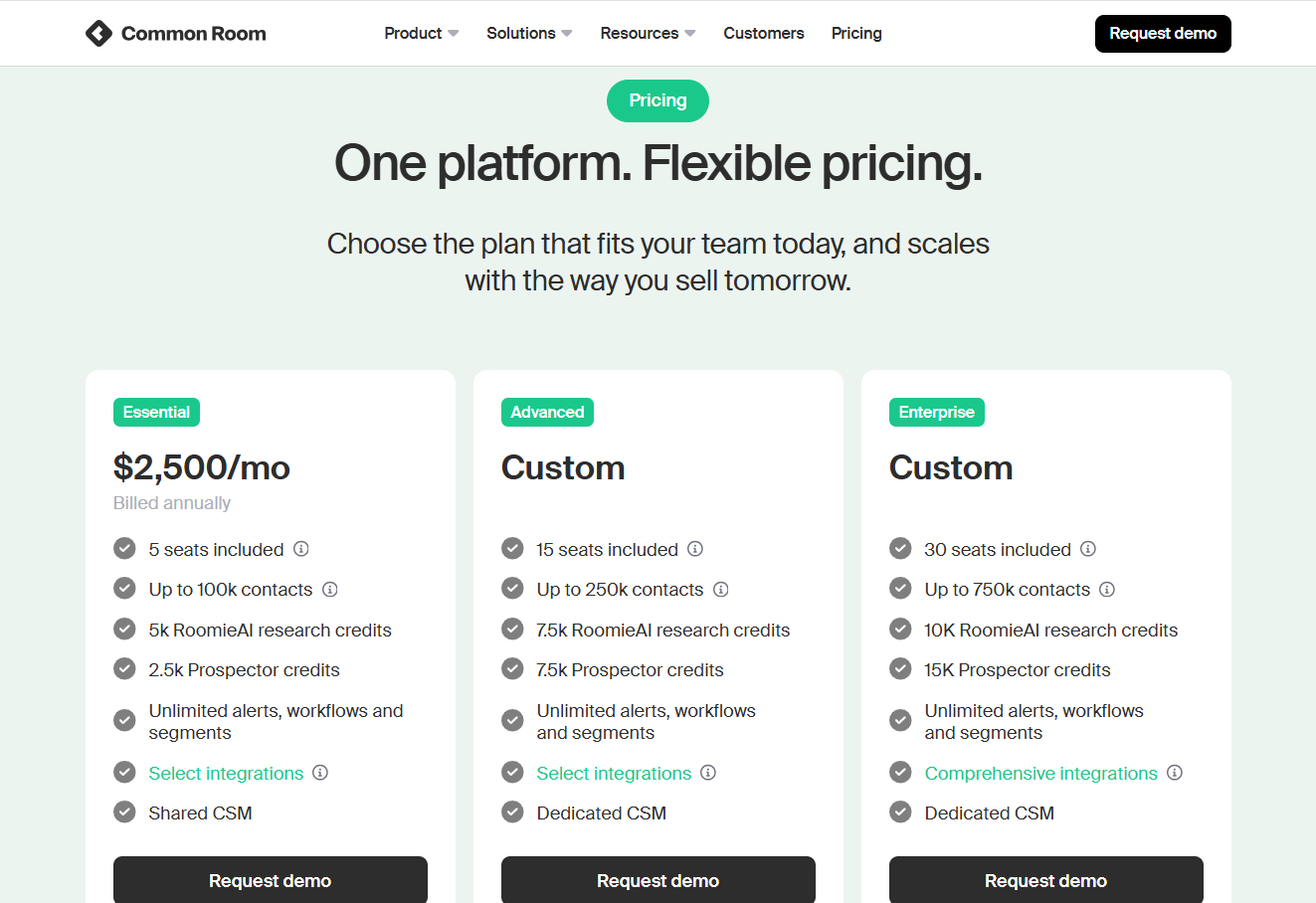
Common Room offers 3 paid plans that you can choose from:

  • Essential: $2,500/month with 5 seats included, up to 100,000 contacts, 5k RoomieAI research credits, 2.5k Prospector credits, unlimited alerts, workflows and segments, and ticketed support.
  • Advanced: Custom pricing with 15 seats included, up to 250,000 contacts, 7.5k RoomieAI research credits, and 7.5k Prospector credits. 
  • Enterprise: Custom pricing with 30 seats included, for up to 750,000 contacts, 10k RoomieAI research credits, and 15k Prospector credits. Also adds comprehensive integrations and dedicated support.

Source of image.

Pros & Cons

✅ Broad signal capture across community and PLG channels few tools reach.

✅ AI lead scoring that surfaces the warmest accounts to prioritize.

✅ Automated workflows triggered by specific signals.

Pricing starts from $2,500/month, which can be high for smaller teams.

#2: 6sense

Best for: Enterprise revenue teams running deep ABM that need third-party intent aggregation and predictive account scoring at scale.

Similar to: Demandbase, Common Room.

Source of image.

6sense is a Revenue AI platform built to predict which accounts are moving toward a purchase, pulling intent from several third-party feeds and scoring accounts on readiness.

The draw is forecasting: knowing an account's buying stage before it raises a hand, which is why large ABM programs lean on it to decide where to spend.

Features

Source of image.

  • Multi-provider intent: Aggregates signals from Bombora, G2, TrustRadius, and other sources into one account score.
  • Predictive models: AI scoring for ICP fit, buying stage, and likelihood to convert.
  • AI email agents: Automated sequences triggered by buying-stage changes.
  • Custom keyword tracking: Branded and category keyword monitoring across the web.

Pricing

6sense has a free plan with 50 credits/month covering company and people search, sales alerts, and a Chrome extension.

If you need more, you can upgrade to one of 6sense’s plans:

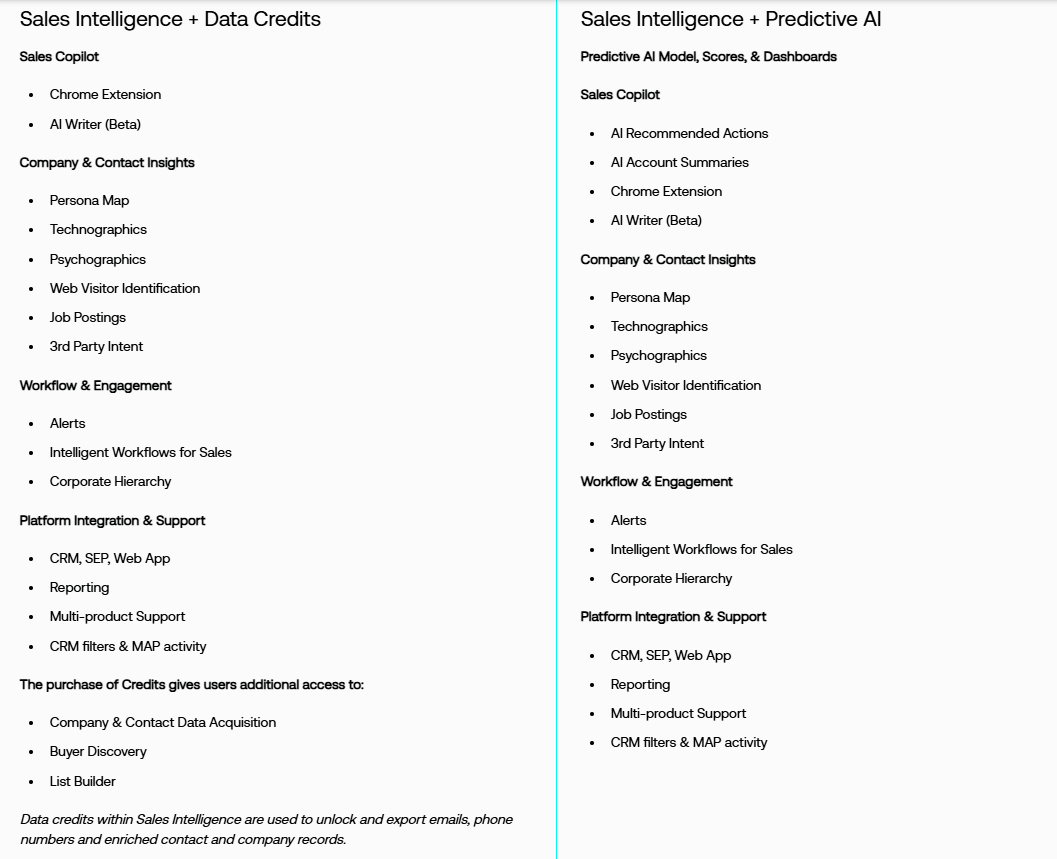
  • Sales Intelligence + Data Credits + Predictive AI, which combines enriched company and contact data with predictive AI models and Sales Copilot for advanced, AI-driven selling.
  • Sales Intelligence + Data Credits, which adds scalable data acquisition and enrichment tools, without predictive AI.
  • Sales Intelligence + Predictive AI, which combines predictive analytics with Sales Copilot, without requiring data credit add-ons.

Source of images.

Pros & Cons

✅ Deep third-party intent coverage that single-source tools struggle to match.

✅ Mature predictive scoring with a long enterprise track record.

✅ Strong ad orchestration layered on the intent data.

❌ One drawback of 6sense Revenue Marketing is inconsistency in data accuracy, particularly with intent signals and account identification, according to a G2 review.

#3: Apollo

Best for: Teams that want a large B2B contact database with built-in sequencing at a transparent per-seat price.

Similar to: Clay, AiSDR.

Source of image.

Apollo pairs a 270M+ contact database with email sequencing, a dialer, and basic intent signals.

It's the practical choice for teams that want broad reach and built-in outreach at a transparent per-seat price they can keep a tight grip on.

Features

Source of image.

  • Contact database: 270M+ contacts with advanced search filters and Chrome extension.
  • Sequencing: Email sequences with A/B testing, plus a US dialer on higher tiers.
  • AI features: AI-assisted email writing and lead scoring on Professional and up.
  • CRM sync: Bidirectional HubSpot and Salesforce integration from the Basic plan.

Pricing

Apollo has a free plan with limited credits, plus three paid tiers:

  • Basic: $49/user/month (annual) for entry-level sales teams.
  • Professional: $79/user/month (annual) with sequences, A/B testing, and call recordings.
  • Organization: $119/user/month (annual) with advanced security, dialer add-ons, and custom analytics.

Source of image.

Pros & Cons

✅ Transparent, low per-seat entry compared to enterprise data platforms.

✅ Large database with sequencing and a dialer in one tool.

✅ Permanent free plan to test data quality before committing.

❌ The data accuracy is the biggest frustration with some users on G2.

#4: RB2B

Best for: US-focused teams that want lightweight, person-level visitor ID pushed straight into Slack with minimal setup.

Similar to: Warmly, Common Room.

Source of image.

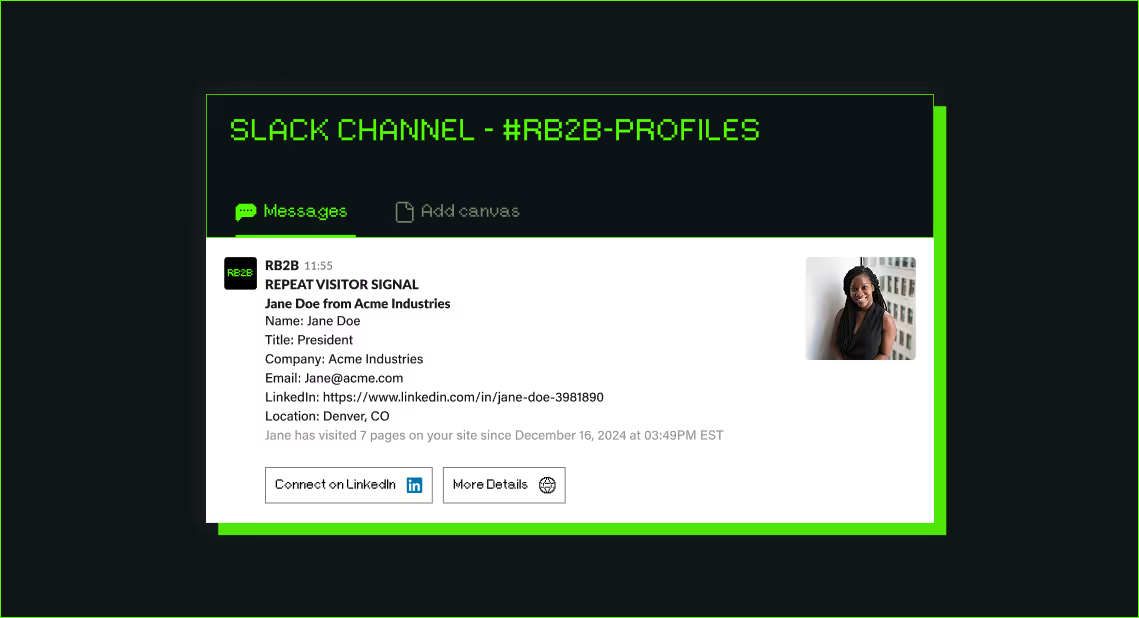
RB2B is the minimalist of the group: drop a pixel, and identified individuals show up in Slack as LinkedIn profiles for a rep to chase.

The trade is deliberate, person-level coverage limited to US traffic in exchange for setup measured in minutes and a price well under any full platform.

Features

Source of image.

  • Person-level ID: Pushes visitor LinkedIn profiles into Slack within seconds of identifying them.
  • Visitor filtering: Drill down on high-value visitors by title, company, or behavior.
  • Sales engagement integrations: Push identified visitors into outbound sequencing tools.
  • Demandbase partnership: Adds global company-level identification on top of US person-level data.

Pricing

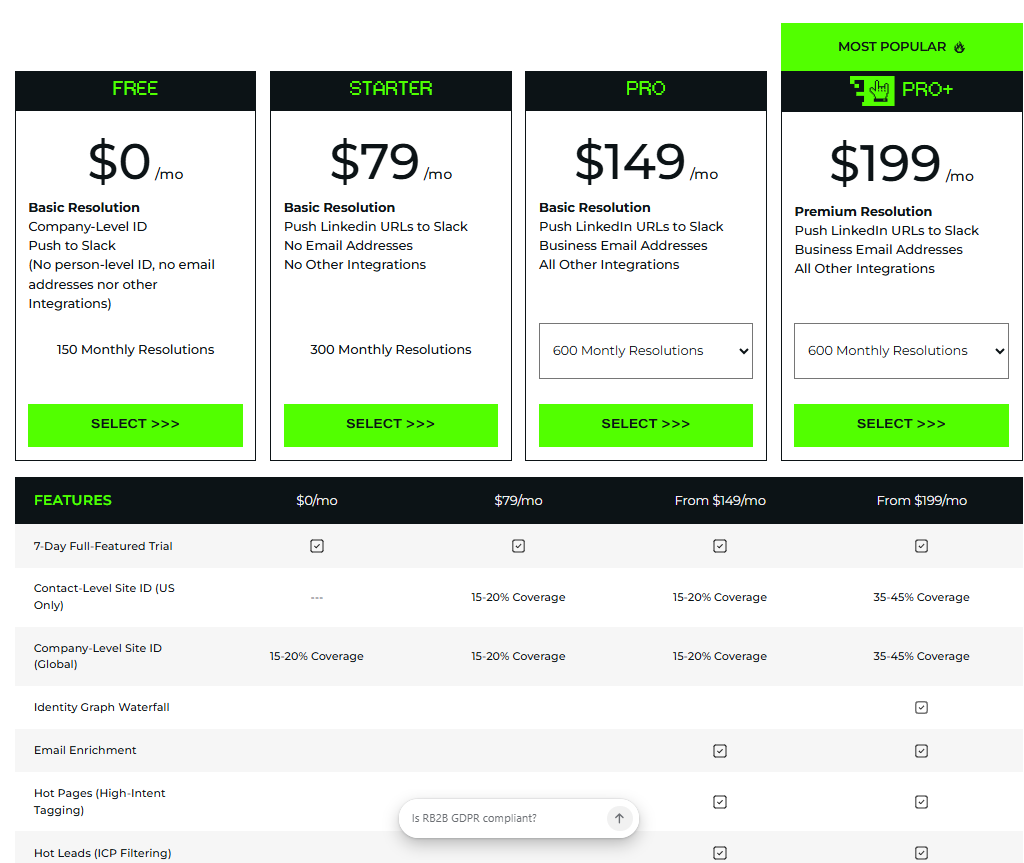
RB2B has a free plan with 150 monthly resolution credits (Slack-only, no person-level on the free tier). Paid plans:

  • Starter: $79/month for 300 monthly resolutions, plus pushing LinkedIn URLs to Slack.
  • Pro: from $149/month for 600 monthly resolutions, adding business email addresses and integrations.
  • Pro+: from $199/month for 600 monthly resolutions, with wider company and contact-level coverage.

Source of image.

Pros & Cons

✅ Genuinely quick to deploy, with a Slack-native workflow.

✅ A Demandbase partnership widens it to global company-level identification.

✅ Alerts that hit Slack within seconds of a visit.

❌ The paid versions are expensive for a solo founder, according to a G2 review.

Picking the right Swan AI alternative

Swan is a genuinely interesting bet: you hand it a workflow in everyday language, and it builds the agents, picks the tools, and runs the motion across your stack.

Most of the alternatives here stop one step short of a full loop.

  • An AI SDR runs your outbound but isn't built to engage someone live while they're reading your site.
  • A signal platform will tell you an account is hot, then leave the outreach to whatever tool you bolt on next.
  • A contact database hands you reach and waits for you to do something with it.

Warmly closes that loop in one place.

It names the person on your site, opens a conversation while they're still reading, and carries that same context into outbound, all on one Context Graph, with no agents for you to wire together.

If your team has the ops muscle to build, Swan or Clay will reward it.

If you'd rather the traffic already hitting your site turn into pipeline without standing up the plumbing first, you can start with Warmly's free plan to identify your first 500 visitors, or book a demo to see the full Inbound and TAM agent setup.

⚠️ Disclaimer: This article was last updated on the 28th of June, 2026, and if there's any misinterpretation of the information, please contact us, and we will fact-check it.

Snitcher Pricing: Is It Worth It In 2026? [Reviewed]

Snitcher Pricing: Is It Worth It In 2026? [Reviewed]

Time to read

Alan Zhao

The model is a little different from most tools here, though.

There are no named tiers like Starter or Pro. You get one platform with every feature turned on, and the bill moves with a single number: how many companies Snitcher identifies on your site in a month.

I'll walk the whole price ladder, run a few real volumes through it so you can see your actual cost, and cover the developer and agency routes.

➡️ I’ll also introduce you to a Snitcher alternative, Warmly, which takes the same starting point (who's on your site) and pushes it further. It resolves the individual person, then handles the on-page chat and the outbound that Snitcher leaves for you to build around it.

TL;DR

  • Snitcher runs on one platform plan priced by how many companies it identifies each month, from €49 up to €529, with anything beyond 5,000 going custom.
  • No free-forever plan, but a 14-day free trial with full access and no credit card.
  • Every feature and integration is included on every plan, and there are no per-seat fees, so volume is the one real lever on your bill.
  • Two side doors most buyers miss: a Custom build for developers (white-label Radar and an IP-to-company API) and an Agency Partner Program for reselling to clients.
  • Warmly’s person-level visitor ID software offers the best alternative to Snitcher. It does what Snitcher does and keeps going, resolving the actual person, holding the on-page conversation, then carrying that into outbound off one shared model. There's a free tier too, so you can try it on your own site before spending anything.

How does Snitcher calculate its pricing?

Snitcher bases its pricing entirely on the number of unique companies identified per month.

You and your team will get access to the platform’s capabilities even at the €49/month tier with unlimited seats.

Source of image.

If you pay annually, you’ll also be able to save ~30% off the monthly rate. 

Does Snitcher have a free plan or free trial?

Snitcher doesn’t have a free-forever plan. However, there’s a generous 14-day free trial that you can opt for.

When it ends, you can pick the tier that matches your volume.

Source of image.

Snitcher's pricing, rung by rung

Since the plan is one product priced by volume, the breakdown is really a single ladder.

Here’s how annual billing looks:

Companies identified per month Monthly cost (billed annually)
Up to 50 €49
51 to 100 €69
101 to 250 €99
251 to 500 €139
501 to 750 €179
751 to 1,000 €229
1,001 to 2,000 €279
2,001 to 3,000 €349
3,001 to 4,000 €439
4,001 to 5,000 €529
More than 5,000 Custom (volume quote)

Every tier carries the same platform. That includes:

  • Company identification and the Identity Layer for user-level ID.
  • Intent signal detection.
  • Real-time Slack and email alerts.
  • CRM sync for HubSpot, Salesforce and Pipedrive.
  • Unlimited team members.
  • REST API access and GDPR compliance tools.

So the real decision isn't which plan suits you. It's which tier your traffic puts you on.

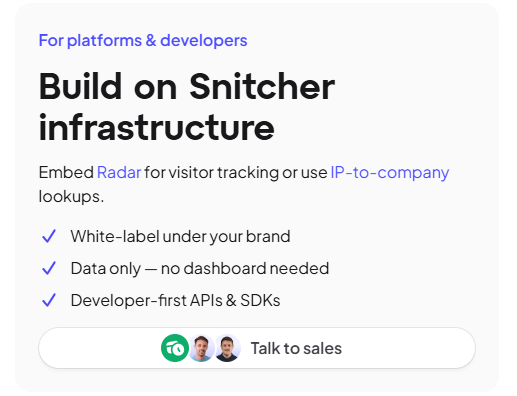
Snitcher Radar (for platforms and developers)

This one isn't a seat in a dashboard at all. It's Snitcher's data and tracking sold as infrastructure you build into your own product.

Here’s what the Radar route gives you:

  • Embedded Radar: you can drop Snitcher's visitor-tracking layer straight into your own app.
  • IP-to-company lookups: pull identification through the API, with no dashboard attached if you don't want one.
  • White-labelling: run the whole thing under your own brand.
  • Developer-first APIs and SDKs: the tooling to wire it in cleanly.

Source of image.

Pricing is custom, so it's a sales conversation.

The fit is a SaaS company that wants visitor identification baked into its own product as a feature, where the end customer never sees Snitcher's name at all.

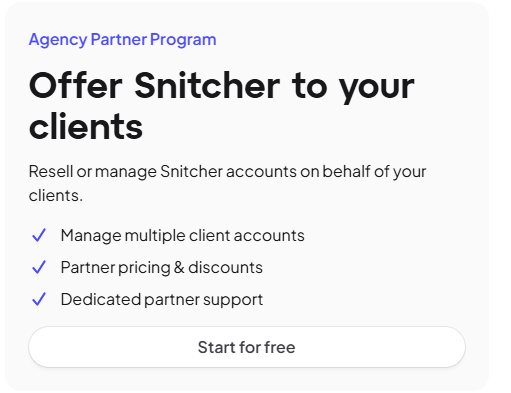
Snitcher Agency Partner Program

The Agency Partner Program points the other way, at firms running Snitcher for their clients.

Here’s what the program covers:

  • Multi-account management: handle several client accounts from one place.
  • Partner pricing: reseller discounts on the standard rates.
  • Dedicated partner support: a contact on Snitcher's side for partner issues.

Source of image.

It suits agencies that want to resell Snitcher outright or fold it into a managed service they already sell.

How much would it cost to actually run Snitcher?

A year works out roughly like this at a few different traffic levels:

  • A small B2B site identifying up to 100 companies a month: €69 a month, around €828 a year.
  • A growing team at up to 1,000 companies a month: €229 a month, around €2,748 a year.
  • A busy site at up to 5,000 companies a month: €529 a month, around €6,348 a year.
  • Anything past 5,000 companies a month falls off the published ladder, so you'd line up a volume quote with sales.

Well, the good thing is that there's nothing to escape on the contract side, either.

You can cancel any time, with no termination fee, and your access runs to the end of the billing period you've paid for.

Source of image.

If you qualify, Snitcher layers on discounts for startups and non-profits, plus educational institutions, on top of the annual savings. Those go through sales, not the public page.

Source of image.

Does Snitcher provide good value for money?

For both company- and person-level visitor identification at a published, predictable price point, Snitcher makes a strong argument on value for money.

What I like about Snitcher is that it provides an affordable entry point for smaller brands to get into GDPR compliant visitor identification, and since there’s no seat math to calculate, your bill will only reflect de-anonymized traffic.

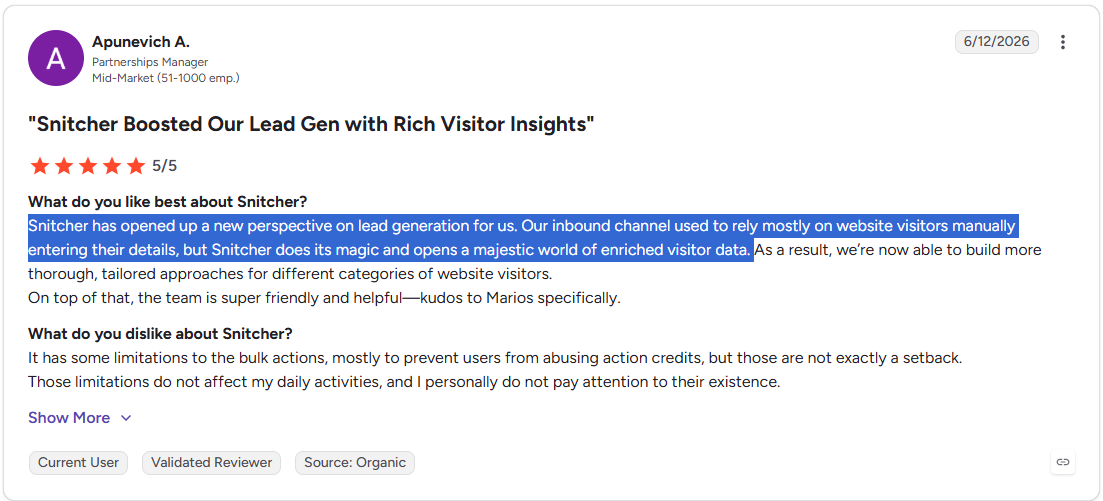
Its customers are generally satisfied as well (4.8/5 from 220 reviews on G2):

‘’Snitcher has opened up a new perspective on lead generation for us. Our inbound channel used to rely mostly on website visitors manually entering their details, but Snitcher does its magic and opens a majestic world of enriched visitor data.’’G2 Review.

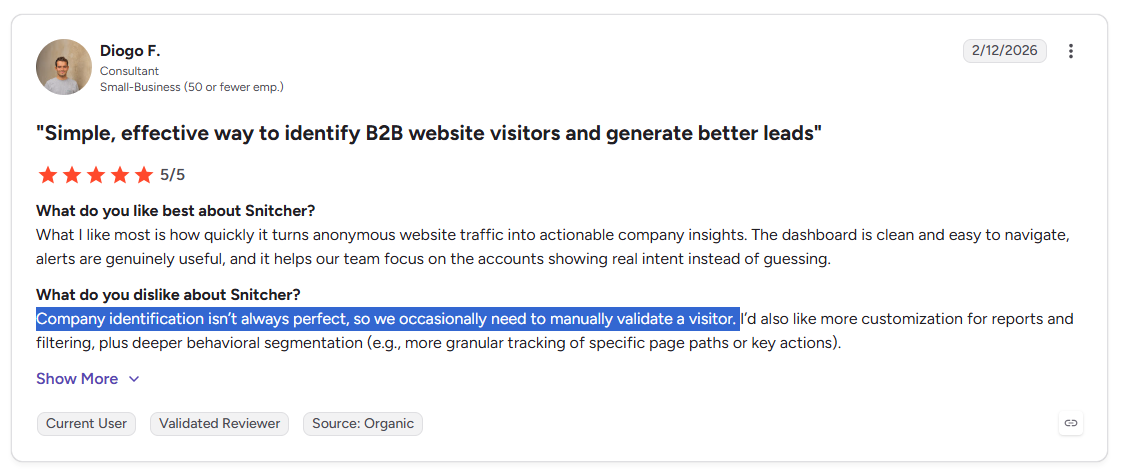
The platform comes with the regular (and expected) cons, such as that company identification isn’t always perfect and how one user needs to occasionally manually validate a visitor.

‘’Company identification isn’t always perfect, so we occasionally need to manually validate a visitor.’’ G2 Review.

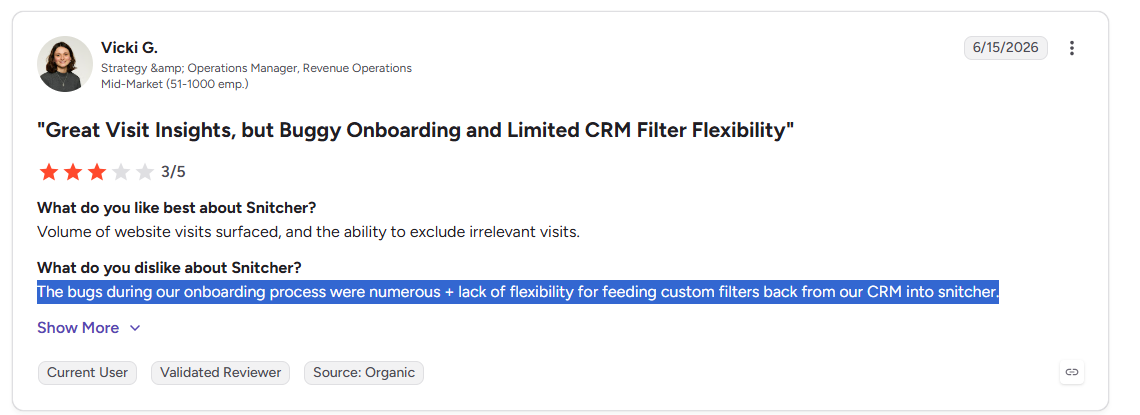
Another user mentions how they weren’t happy with how there were bugs during the onboarding process with Snitcher, and how there was a lack of flexibility for feeding custom filters back from our CRM into the platform.

‘’The bugs during our onboarding process were numerous + lack of flexibility for feeding custom filters back from our CRM into Snitcher.’’ G2 Review.

Are you looking for a Snitcher alternative?

Warmly is the best alternative to Snitcher in 2026 for mid-market B2B SaaS revenue teams that want one platform handling four jobs at once:

  • Resolving the individual person behind a visit, down to a name.
  • An Inbound Agent that talks to them while they're still on the site.
  • A TAM Agent that drives the outbound motion.
  • A Context Graph that holds both agents to the same scoring model.

While Snitcher names the companies and people on your site and pushes that signal into your stack, Warmly is built to take the next move for you: talk to the visitor on the page, then chase the follow-up through outbound.

Here are Warmly’s features that I think make it the best alternative to Snitcher on the market:

Person-level website visitor identification

Snitcher offers a person-level layer too, so both tools reach past the company toward the individual, which already puts them ahead of the visitor ID tools that stop at the company.

With Warmly, you plug it in and a matched visitor turns up on a single record, work email, title, seniority and LinkedIn already filled in.

On an ordinary B2B site that normally resolves around 65% of companies and around 15% of people.

Real rates move with traffic source and the visitor's location. The whole run, identification through enrichment, context assembly and scoring, finishes in under three seconds.

As we aggregate data from 25+ providers and cross-check it using our proprietary waterfall technique, we can validate and verify data on your behalf, ensuring it’s of the highest quality.

Inbound Agent: AI chat with a live human handoff

The on-page work falls to the Inbound Agent.

As it already knows who's visiting, the first line draws on their CRM and intent history and opens with something that fits, so you skip the generic "Hi, how can I help?" that older chat tools default to.

When a human needs to step in, a rep jumps into the same conversation with the whole back-and-forth already loaded, so the visitor isn't stuck re-explaining what they told the bot two minutes ago.

There’s also no form to fill out: a good-fit visitor can book a slot on the right rep's diary straight from the chat.

Warmly also runs an AI 24/7 Video Chat Agent, which is a photorealistic avatar that holds human-sounding conversations around the clock, gives personalized demos and qualifies leads over video.

TAM Agent: AI SDR and outbound orchestration

Once a visitor leaves the site, the TAM Agent picks up the off-site work: building target audiences, ranking accounts, surfacing the buying committee, enriching contacts and running outbound over email and LinkedIn.

Four pieces do the heavy lifting:

  • AI ICP Tiering: it learns from the deals you've already closed and grades each account from Tier 1 down to Not ICP, with the reasoning shown for every grade.
  • Buying committee mapping: titles alone miss half the room, so it cross-references org charts, job descriptions and LinkedIn to pin down the Champion, Decision-maker, Influencer and Approver.
  • Outbound orchestration: you set how hands-on it gets, a fully autonomous AI SDR, your own reps, or a blend, and it won't sequence an open opportunity or pester a visitor who's mid-chat.
  • LinkedIn ad targeting: as an account heats up, its buying-committee contacts flow into LinkedIn Matched Audiences automatically, and drop back out when the intent cools.

The Context Graph

The Context Graph puts the inbound and TAM agents together.

Picture one running file per account: the pages someone viewed, the emails your team sent, the call notes, the thinking behind each move, and how the deal turned out.

Since both agents read that same file, a chat can surface the ROI calculator a visitor downloaded last month alongside the ten minutes they just spent on your integrations page, with nobody hand-wiring the connection.

Split identification, chat and outbound across three vendors and you're back to shuttling data over integrations, each tool squinting at its own corner of the account.

How is Warmly different from Snitcher?

Warmly and Snitcher start in the same spot: naming who's on your site, then go separate ways.

Snitcher's strength is the signal itself: which company and which person showed up, what they looked at, and a fast, clean push of that into your CRM and sequences.

Where Snitcher steps back is the action.

Once it's told you who's there, the reaching out and the conversation and the routing are yours to handle in whatever tools you've assembled around it.

Warmly pulls that work inside one system, with your website as the hub:

  • Identify the person there.
  • Hold the conversation there.
  • Qualify them there.
  • Carry the same context into outbound, all in one tool.

Warmly's pricing

Warmly runs a free tier plus four paid plans that stack as you add more of the funnel.

  • Free: 500 de-anonymized visitors a month, real-time Slack alerts and CSV export.
  • AI Web-Deanonymization, $10,000/year (10K credits a month): the visitor-ID starting point, with contact and company-level identification, ICP filtering, lead routing, CRM sync, real-time Slack alerts, and retargeting across email, LinkedIn and ads. Chat begins one tier up, at Inbound Chat.
  • Inbound Chat, $20,000/year: layers on the conversation, with an AI Chatbot (one AI Studio Agent), Warm Calls for the live handoff, Warm Offers, chat metrics and automated email follow-up.
  • AI Inbound Autopilot, $30,000/year: extends Inbound Chat with unlimited AI Studio Agents, the Autopilot Agent, AI goal-setting and qualification, AI-generated mini-demo slides, AI-written follow-up, and auto-learning that sharpens chat over time.
  • AI TAM Agent, $15,000/year (60K credits a year): the outbound tier, covering the TAM database with intent scoring, the buying committee agent, AI enrichment, two-way HubSpot sync, and the Signals Bundle (Bombora, G2, job changes, funding announcements, technographic shifts and job-posting signals, among others).

Try Warmly for free

Here’s what you'd get with Warmly:

  • Person-level identification that holds up outside the EU as well as inside it.
  • An Inbound Agent that chats, qualifies, books the meeting and chases the visitors who slip off.
  • A TAM Agent handling the ICP scoring, committee mapping and outbound.
  • Coldly's database of more than 220 million contacts built in, so enrichment isn't another line on the invoice.
  • A Context Graph that lets inbound and outbound learn off the same history.

You can start with Warmly's free plan to identify your first 500 visitors, or book a demo if your team needs the full Inbound and TAM agent setup.

⚠️ Disclaimer: This article was last updated on the 28th of June, 2026, and if there's any misinterpretation of the information, please contact us, and we'll fact-check it.

Demandbase Pricing: Is It Worth It In 2026? [Reviewed]

Demandbase Pricing: Is It Worth It In 2026? [Reviewed]

Time to read

Alan Zhao

I went digging through procurement data, pricing review platforms, and Demandbase's own pricing explainer to put together what the platform actually costs in 2026 and how it builds a quote.

➡️ I'll also point you toward a Demandbase alternative that publishes its prices, hands you a free plan to run on live website traffic, and starts at a fraction of what the average Demandbase contract runs.

TL;DR

  • Demandbase prices on a platform fee plus a flat per-user fee, with the final number moving on account volume, ad spend, data access, and how many seats you put on it.
  • There's no free plan and no self-serve trial I could find. Every tier runs through a sales conversation.
  • Vendr's transaction data puts the average Demandbase buyer at $70,000/year, with deals landing anywhere from $24,000 to $164,720.
  • For person-level visitor ID, on-page AI chat, and outbound running off one shared layer, Warmly is the alternative I'd compare against Demandbase, and you can see our prices without a sales call.

How does Demandbase calculate its pricing?

Demandbase runs a hybrid model.

On its own pricing page, the company describes a platform fee that covers the core software and services, then a flat fee charged per user on top, so the cost climbs as you add seats across sales and marketing.

Source: Demandbase pricing page

Past that base, a few things can push the quote around:

  • Account volume: the size of your target account list drives both platform and data fees. The bigger your account universe, the more you pay.
  • Advertising spend: switch on the account-based advertising modules and your committed ad budget becomes part of the platform fee, occasionally calculated as a percentage of what you spend.
  • Data and intent access: intent data, technographic data, and firmographic enrichment usually land on their own line items, or get rolled into the pricier tiers.
  • Contract length: one year is the default, although you can commit to two or three to unlock better pricing.

Source: Vendr Demandbase pricing breakdown

On the packaging side, Demandbase doesn't sell rigid Bronze-to-Gold tiers.

It sells one flagship bundle, Demandbase One, plus a few standalone entry points:

  • Demandbase One is the full account-based GTM platform, combining account identification, intent data, advertising, personalization, and sales intelligence in a single system.
  • Advertising can be bought as a starting point on its own, and their Data solutions can be used on their own to integrate their B2B data and AI-driven insights into your existing systems.

Source: Demandbase pricing FAQ

Does Demandbase have a free plan or free trial?

Demandbase does not offer a free plan or a self-serve free trial of its ABM platform, or at least not one I could find.

How much does Demandbase really cost?

Third-party procurement data from Vendr puts the average Demandbase buyer at $70,000/year.

The full observed spread runs from $24,000 a year at the low end up to $164,720 at the top, depending on scope.

Source: Vendr Demandbase marketplace data

One public per-seat number does exist.

Demandbase One for Sales, the sales intelligence piece sold through the Salesforce AppExchange, lists at $150/user/month.

That covers a single module, not a full Demandbase One deployment, so it tells you the price of one slice.

Source: Demandbase One for Sales on Salesforce AppExchange

Any surprises at contract renewal?

Yes, there can be surprises at contract renewal at Demandbase.

According to Vendr, Demandbase renewal increases land somewhere in the 3-5% range, and you’ll have to negotiate caps or removal of auto-renewal clauses where possible.

Does Demandbase provide good value for money?

For the right buyer, yes, Demandbase can provide a really good value for money.

Demandbase One holds a 4.4 out of 5 on G2 across nearly 2,000 reviews (as of June 2026), and the praise is consistent: reviewers value the account-level view over chasing scattered leads, the intent data that helps them prioritize, and how the platform pulls sales and marketing onto the same accounts.

One G2 reviewer described the core payoff:

"When used properly, it reduces wasted outreach and focuses effort where deals are more likely to close."G2 Review.

The picture gets more mixed once cost enters the frame.

The praise is real, but the recurring knocks in those same G2 reviews cluster around two things: the setup and the price.

The complaint that surfaces most is the setup and learning curve.

There's a lot packed into the platform, and the first few weeks tend to be configuration-heavy.

"The initial setup wasn't super easy; there was quite a bit of setup involved, especially with the CRM integration and making sure account data was clean."G2 Review

A second theme runs alongside that complexity, which is the price relative to who can actually use it.

"It's also expensive so ROI isn't obvious unless you already have strong sales volume and alignment." G2 Review

There's a quieter caveat too: a reviewer notes the intent signals can be noisy, flagging accounts that aren't really in-market, so a human still has to filter what the platform surfaces.

‘’The intent signals can be a bit noisy, sometimes flagging accounts that don't really feel 'ready', so there's still a fair bit of manual judgment needed instead of fully trusting it.’’ – G2 Review.

Are you looking for a Demandbase alternative?

Warmly is the best Demandbase alternative in 2026 for B2B revenue teams that want to know exactly who's on their site, talk to those people while they're still there, and run outbound off the same dataset.

Our platform resolves anonymous traffic down to the person, converts on the page through AI chat, and orchestrates outbound from one platform.

Demandbase scores accounts and serves them ads, but Warmly works from a different premise: the strongest buying signal you'll ever catch is someone already on your website, and builds the conversion layer around that moment.

Full disclosure: Warmly is our product, but I’ll still try to build a narrative into what makes our solution a reasonable alternative to Demandbase.

Let’s take a closer look at the features that matter for teams leaving Demandbase: 👇

Person-level website visitor identification

Demandbase's de-anonymization works at the account level. You learn that a target company has been browsing, which is useful, but you still don't know who.

Warmly resolves traffic down to the individual.

Around 15% of visitors come back at the person level (name, work email, job title, LinkedIn), and roughly 65% at the company level, with the exact rates shifting by traffic source and where the visitor is based.

So you're not looking at "someone at Acme read your pricing page." You get the named buyer and a way to reach them.

Everything else Warmly does leans on that one capability.

Once you know the person, the chat, the scoring, and the outbound all have something real to work with.

Inbound Agent: AI chat that already knows who it's talking to

Warmly's Inbound Agent runs an autonomous chat that loads full CRM and intent context before it sends its first message, so nobody lands on a generic "How can I help?"

The bot already knows the visitor's company, role, page history, and any prior touches, then hands off to a live rep the moment the conversation needs one, with the transcript and context carried across so the handoff doesn't reset anything.

Qualified visitors can book straight onto a rep's calendar from inside the chat, skipping the form entirely.

The same identity layer drives two more on-site plays:

There's also an AI Video Chat Agent, which is a photorealistic avatar that runs live demos and qualifies leads through video around the clock.

And visitors who leave without converting don't disappear: Warmly drops them into email sequences and LinkedIn ad audiences automatically.

TAM Agent: outbound orchestration with intent scoring

The TAM Agent handles the off-site half of GTM, and this is the part of Warmly that bumps up against what other tools on the market do.

From one setup it covers:

  • Account scoring trained on your own closed-won deals, producing a tunable Tier 1 through Not-ICP model.
  • Buying committee mapping into four roles (Champion, Decision-maker, Influencer, Approver), pulled from LinkedIn data and org charts, each contact arriving with a verified work email.
  • Intent scoring that blends first-party behavior (web, chat, email) with third-party signals (Bombora, G2, job postings, technographics) into one adjustable score.
  • Outbound however you prefer to run it: routed to reps by territory, handled by an autonomous AI SDR, or split as a hybrid where the AI opens and a rep takes over once the prospect engages.

The Context Graph: the shared layer underneath both agents

The Context Graph keeps the Inbound and TAM agents working from one source.

For every account, it tracks four things: the signals (what happened), the actions (what you did), the reasoning (why), and the outcomes (what came of it).

Both motions pull from the same scoring model, so no one is glueing context together across three different tools by hand.

A prospect who goes quiet for three months and then reappears shows up with their full history intact, and that same record feeds the chatbot, so it already knows they read your pricing page last week.

Warmly's pricing

Warmly starts with a free plan that de-anonymizes 500 visitors a month, which is enough to prove it out on real traffic before you commit to anything.

From there, four paid products stack depending on which motion you're buying:

  • AI Web-Deanonymization ($10,000/year, from 10K credits a month): the entry point for visitor ID, with contact and company-level identification, ICP filtering, real-time Slack alerts, lead routing, CRM sync, and retargeting across email, LinkedIn, and ads.
  • Inbound Chat ($20,000/year): adds the conversational layer on top of ID, with the AI Chatbot (one AI Studio Agent), Warm Calling for live handoff, Warm Offers, chat metrics, and automated email follow-up.
  • AI Inbound Autopilot ($30,000/year): builds on Inbound Chat with unlimited AI Studio Agents plus the Autopilot Agent, AI qualification and goal-setting, AI-generated mini-demo slides, AI-written follow-up, and chat that learns and improves over time.
  • AI TAM Agent ($15,000/year, 60K annual credits): the outbound plan, covering the TAM database with intent scoring, the buying committee agent, AI enrichment, the Signals Bundle (Bombora, G2, Reddit, Glassdoor, news, SEC filings, job changes, social, YouTube, podcasts), and two-way HubSpot sync.

Try Warmly for free

You came here to find out what Demandbase costs.

The short version: around $70,000 a year for the average buyer and a renewal that can creep unless you cap it in writing.

An enterprise ABM team can make that math work. For most mid-market teams, it's a large check written before anyone has climbed the learning curve.

If you'd rather start small and prove value on live traffic first, Warmly gives you a gentler on-ramp.

Here’s what you’ll be getting with Warmly:

  • A free plan that de-anonymizes your first 500 website visitors a month.
  • Person-level visitor identification that works worldwide, down to the named individual.
  • An AI Inbound Agent that chats with visitors, routes them, books the meeting, and re-engages the ones who slip away.
  • A TAM Agent that handles ICP scoring, buying committee mapping, and outbound orchestration.
  • The Coldly contact database built-in, so verified emails and phone numbers don't show up as a separate bill.

You can start with Warmly's free plan to identify your first 500 visitors, or book a demo if your team needs the full Inbound and TAM agent setup.

⚠️ Disclaimer: This article was last updated on the 19th of June, 2026, and if there's any misinterpretation of the information, please contact us, and we will fact-check it.

10 Best Snitcher Alternatives & Competitors [2026]

10 Best Snitcher Alternatives & Competitors [2026]

Time to read

Alan Zhao

TL;DR

  • Warmly is the best Snitcher alternative in 2026 for mid-market B2B SaaS teams that want to identify the person, not just the company, and then engage that person on-site and through outbound from one Context Graph.
  • Teams whose main need is clean company-level identification with strong European coverage and GDPR compliance tend to compare Dealfront and Albacross.
  • For enterprise ABM programs that lean on predictive scoring and aggregated third-party intent, 6sense and Demandbase are the heavyweight options, with the enterprise price tags to match.

What are the best alternatives to Snitcher in 2026?

The best alternative to Snitcher in 2026 is Warmly with its person-level website visitor identification, trainable AI sales chat that engages your visitors with context, and TAM agent that acts as an AI SDR. 

Here’s the full shortlist:

Tool

Best For

Pricing

Warmly

Mid-market B2B SaaS teams that want person-level visitor identification, on-site AI chat, and outbound orchestration on one Context Graph.

Free plan; paid from $10,000/year.

Dealfront (Leadfeeder)

European B2B teams that want company-level visitor identification with deep GDPR coverage and an EU sales-intelligence database behind it.

Free plan; paid from €99/month.

RB2B

US-focused B2B teams that want lightweight, person-level visitor identification pushed straight into Slack.

Free plan; paid from $79/month.

Lead Forensics

Enterprise B2B teams, often UK-based, that want real-time company-level identification with built-in contact data and dedicated account management.

Pricing not public.

Albacross

European SMB and mid-market teams running inbound lead gen with GDPR requirements and transparent pricing.

Starts from €59/month.

Salespanel

B2B teams that want visitor identification paired with lead scoring and full customer-journey tracking feeding their CRM.

Starts from $99/month.

6sense

Enterprise revenue teams running deep ABM that need third-party intent aggregation and predictive account scoring.

Free plan; paid pricing not public.

ZoomInfo

Enterprises that want the broadest B2B contact database paired with intent data and engagement tools, especially in North America.

Free Lite tier; paid pricing not public.

Demandbase

Enterprise teams running multi-channel ABM with paid advertising tied tightly to account intent.

Pricing not public.

Common Room

PLG and community-led teams that want to aggregate buying signals from community, product, and web channels into one view.

Starts from $2,100/month.

#1: Warmly

Warmly is the best alternative to Snitcher in 2026 for mid-market B2B SaaS revenue teams that want one platform handling four jobs at once:

  • Identifying website visitors down to the individual person.
  • An Inbound Agent that converts them while they're still on the site.
  • A TAM Agent that drives the outbound motion.
  • A Context Graph that holds both to the same scoring model.

Full disclosure: Warmly is our product, so take this section with the appropriate pinch of salt. What I can promise is an honest read on where it actually fits a team leaving Snitcher, and where something else on this list is the smarter buy.

Snitcher tells you which companies and exact people are on your site and passes that signal to your stack.

Warmly is built to take the next steps for you after identifying the company and person: talking to them on the page, and following up through outbound.

Here's each one, measured against how Snitcher handles the same ground:

Person-level website visitor identification

Unlike Snitcher and Warmly, most visitor ID tools stop at the company.

All you have to do is plug Warmly in and a matched visitor turns up on a single record with their work email, title, seniority, and LinkedIn already filled in.

We’ve noticed that this normally lands about 65% of companies and about 15% of people on an ordinary B2B site.

Actual rates vary based on traffic source and visitor location. The full pipeline (identification, enrichment, context assembly, scoring) runs in under three seconds.

Your rep follows up with Priya in RevOps, who spent four minutes on the pricing page, not with "a logistics firm somewhere in Ohio stopped by."

Inbound Agent (AI chat and live human handoff)

Everything that happens on the page falls to the Inbound Agent.

Because it already knows who's visiting, the opening line draws on their CRM and intent history and lands on something relevant, not a blank "hi there."

When a human needs to jump in, the chat hands over with its full history attached, so the rep doesn't make the visitor repeat what the bot already heard.

There's no form and no waiting on an SDR to qualify first: a good-fit visitor books a slot on the right rep's calendar straight from the chat.

Warmly also ships an AI 24/7 Video Chat Agent that engages visitors 24/7 with human-like conversations to deliver personalized demos and qualify leads through video chat.

TAM Agent (AI SDR and outbound orchestration)

Once a visitor leaves the site, the TAM Agent takes over the off-site work: pulling target audiences together, ranking accounts, surfacing the buying committee, enriching contacts, and running outbound over email and LinkedIn.

Four pieces do the heavy lifting:

  • AI ICP Tiering: A model trained on your own closed-won deals sorts every account into Tier 1, 2, 3, or Not ICP, and tells you why it landed where it did.
  • Buying committee mapping: It looks past job titles to assemble the Champion, Decision-maker, Influencer, and Approver from org charts, job descriptions, and LinkedIn.
  • Outbound orchestration: Run it through reps, hand it to an autonomous AI SDR, or blend the two, with guardrails that keep it off open deals and anyone already mid-chat.
  • LinkedIn ad targeting: Buying-committee members from high-intent accounts sync into LinkedIn Matched Audiences as their intent moves.

The Context Graph

The Context Graph ties both the inbound and TAM agents together.

Picture one running file per account: the pages someone viewed, the emails your team sent, the call notes, the thinking behind each move, and how the deal actually landed.

Since both agents work off that same file, a chat can bring up the ROI calculator a visitor downloaded last month and the ten minutes they just spent on your integrations page, without anyone hand-wiring a connection.

Split identification, chat, and outbound across three vendors and you get data pushed back and forth over integrations, with each tool squinting at its own corner of the account.

How is Warmly different from Snitcher?

They start in the same place, naming who's on your site, then go separate ways.

Snitcher's strength is the company-level and person-level signal: who's on your site, what they looked at, and a fast, clean push of that into your CRM and sequences, with a white-label option through Radar and an IP-to-Company API for teams that like to build their own plumbing.

What Snitcher leaves to you is the doing. The reaching out, the chatting, the routing, all of that happens in whatever tools you've bolted on around it.

Warmly pulls that work inside one system.

Your website becomes the hub:

  • Identify the person there.
  • Hold the conversation there.
  • Qualify them there.
  • Let the same context ride into outbound, all inside one tool.

Pricing

Warmly runs four paid plans on top of a free tier, and they stack as you add more of the funnel.

  • Free: 500 de-anonymized visitors a month, real-time Slack alerts, and CSV export.
  • AI Web-Deanonymization: $10,000/year, 10K credits a month, contact and company-level identification, ICP filtering, real-time Slack alerts, lead routing, CRM sync, and retargeting across email, LinkedIn, and ads. Chat doesn't live on this tier; it starts at Inbound Chat.
  • Inbound Chat: $20,000/year, which layers on the conversation: an AI Chatbot (one AI Studio Agent), Warm Calling for the live chat handoff, Warm Offers, chat metrics, and automated email follow-up.
  • AI Inbound Autopilot: $30,000/year, which extends Inbound Chat with unlimited AI Studio Agents, the Autopilot Agent, AI goal-setting and qualification, AI-generated mini-demo slides, AI-written follow-up, and auto-learning that sharpens chat performance over time.
  • AI TAM Agent: $15,000/year, 60K annual credits, covering the TAM database with intent scoring, the buying committee agent, AI enrichment, the Signals Bundle (Bombora, G2, job changes, funding announcements, technographic shifts, and job-posting signals, among others), and HubSpot two-way sync.

Pros & Cons

✅ Identifies real people worldwide, not just the company behind the IP.

✅ Chat, outbound, identification, and routing all run on one shared account model.

✅ Two-way HubSpot and Salesforce sync out of the box.

✅ Open intent scoring built from first, second, and third-party signals.

✅ Live chat a rep can take over without losing the thread or the CRM context.

✅ Reaches identified visitors on the spot, not in a follow-up email next week.

❌ Pricier than a bare visitor-ID pixel.

#2: Dealfront (Leadfeeder)

Best for: European B2B teams that want company-level website visitor identification with deep GDPR coverage and a wider EU sales-intelligence database behind it.

Similar to: Albacross, Lead Forensics.

Source of image.

Dealfront is the Leadfeeder and Echobot merger in one product: company-level visitor identification bolted to a European sales-intelligence database.

If you're leaving Snitcher because you want more European depth, this is usually the first stop, with its strongest coverage across the DACH region and the Nordics and a 60-million-company, 400-million-contact database on the top tier.

Features

Source of image.

  • Company-level identification: IP-to-company matching with firmographic enrichment and visit timelines.
  • Lead feeds and scoring: Custom feeds and scoring keep the focus on accounts that fit your ICP.
  • Decision-maker discovery: Surfaces relevant contacts at identified companies with role and seniority data.
  • CRM integrations: Native sync with HubSpot, Salesforce, Pipedrive, Zoho, and Microsoft Dynamics.

Pricing

Dealfront has a free plan and two paid plans:

  • Lite: Free forever for up to 100 company identifications per month, 20 contacts, and a 7-day view of company visits.
  • Website Visitor Identification: From €99/month (annual billing, priced by companies identified) for unlimited company reveals, CRM sync, alerts, and ad campaign lists.
  • Platform: From €399/month (annual, priced by seats and credits) for access to a 60M company and 400M contact database, AI enrichment, and embedded CRM profiles.
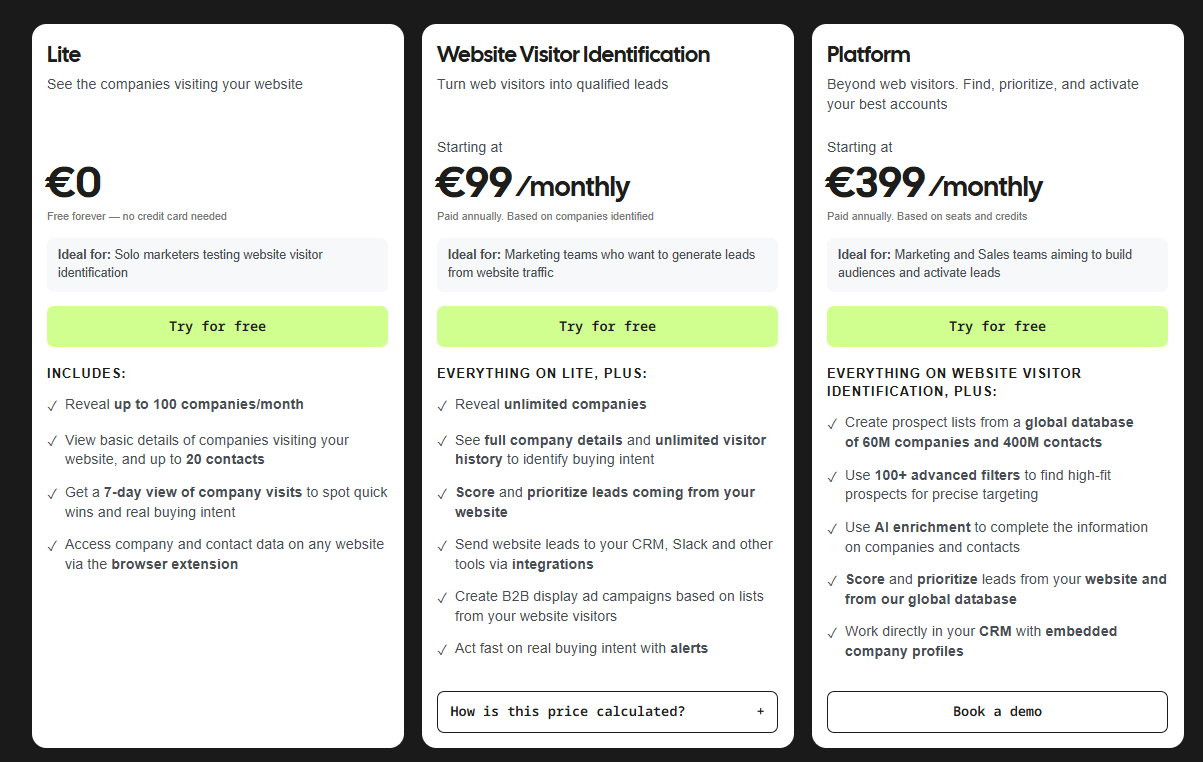
Source of image.

Pros & Cons

✅ Strong European data coverage with GDPR compliance built in.

✅ Transparent monthly pricing on the visitor ID tier that scales with traffic.

✅ Broad CRM coverage, including Pipedrive and Zoho, which a lot of tools skip.

Company-level identification only, no person-level.

#3: RB2B

Best for: US-focused B2B teams that want lightweight, person-level visitor identification pushed straight into Slack with minimal setup.

Similar to: Warmly, Snitcher.

Source of image.

RB2B is the minimalist of the bunch. You drop a pixel, and identified individuals land in your Slack as LinkedIn profiles for a rep to chase.

Features

Source of image.

  • Person-level identification: Pushes visitor LinkedIn profiles into Slack within seconds of identifying them.
  • Visitor filtering: Drill down on high-value visitors by title, company, or behavior.
  • Sales engagement integrations: Push identified visitors into outbound sequencing tools.
  • Demandbase partnership: Adds global company-level identification on top of US person-level data.

Pricing

RB2B has a free plan with 150 monthly resolution credits (Slack-only, no person-level on the free tier). Paid plans:

  • Starter: $79/month for 300 monthly resolutions, plus the option to push LinkedIn URLs to Slack.
  • Pro: From $149/month for 600 monthly resolutions, plus business email addresses and integrations.
  • Pro+: From $199/month for 600 monthly resolutions, with increased coverage for company and contact-level site ID.

Source of image.

Pros & Cons

✅ Genuinely quick to deploy, with a Slack-native workflow.

✅ A Demandbase partnership widens it to global company-level identification.

✅ Alerts that hit Slack within seconds of a visit.

❌ The paid versions are expensive for a solo founder, according to a G2 review.

#4: Lead Forensics

Best for: Enterprise B2B teams, often UK-based, that want real-time company-level identification with built-in contact data and dedicated account management.

Similar to: Dealfront, Albacross.

Source of image.

Lead Forensics is one of the oldest names in visitor identification, using reverse-IP matching to show which companies are on your site and attaching contact data for the decision-makers there.

Where Snitcher is self-serve, Lead Forensics sells the old-fashioned enterprise way, with a custom quote and a dedicated account manager.

Features

Source of image.

  • Reverse-IP company identification: Reveals visiting companies along with the pages they viewed and how long they stayed.
  • Real-time ICP alerts: Notifies reps the moment a target company hits a specific section of your site, with contact information attached.
  • Intelligence reports: Detailed reporting on which campaigns and tactics are driving the visits that matter.
  • Built-in contact data: Surfaces contacts within identified companies, including LinkedIn details.

Pricing

Lead Forensics does not disclose pricing publicly; you'll need to contact their team for a quote.
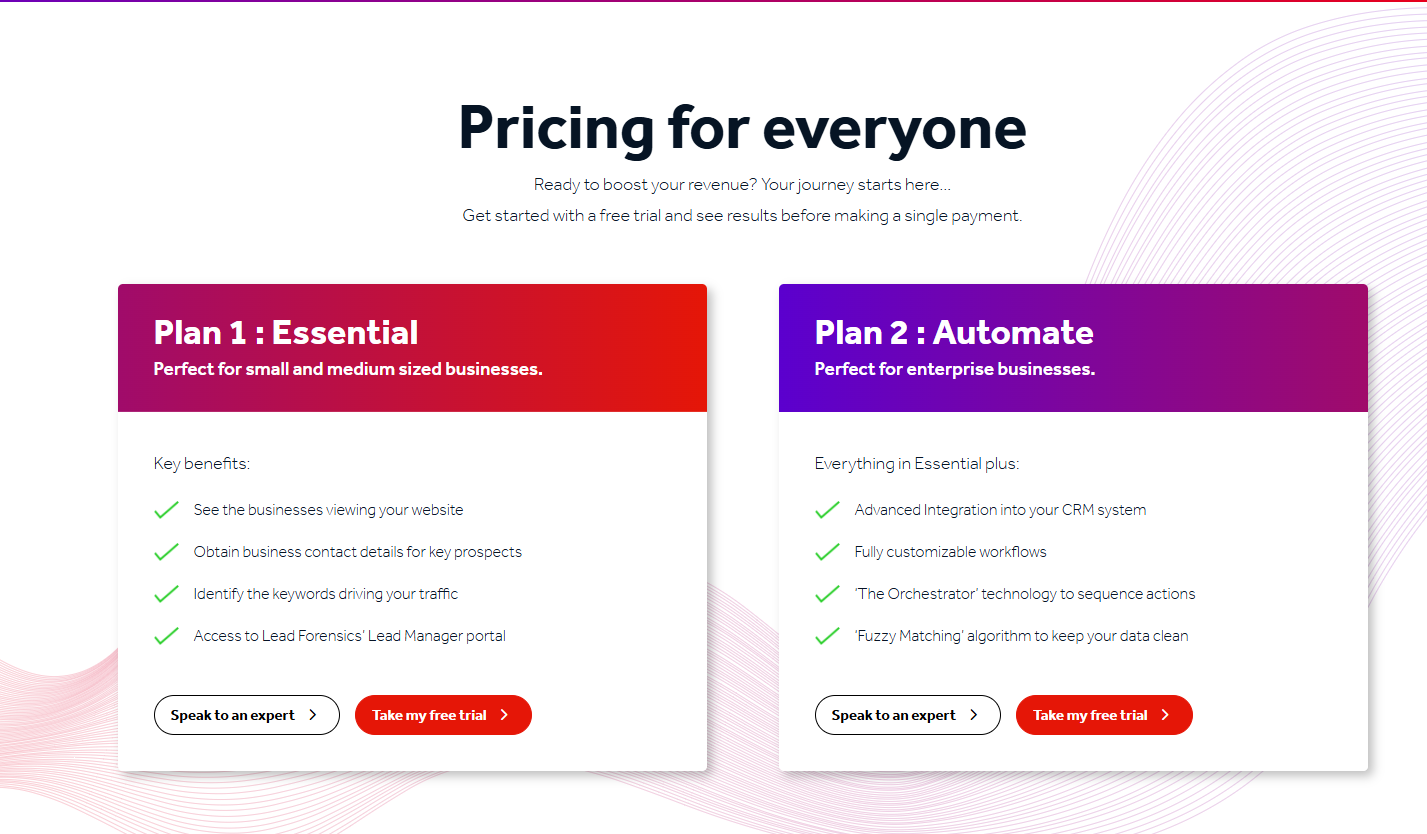
It runs two quote-only tiers, Essential and Automate, priced by traffic, with a free trial.

Source of image.

Pros & Cons

✅ Alerts that arrive with contact information already attached.

✅ Native Salesforce integration.

✅ Onboarding and ongoing training that reviewers consistently call supportive.

❌ Pricing is custom.

#5: Albacross

Best for: European SMB and mid-market teams running inbound lead gen with GDPR requirements and a need for transparent pricing.

Similar to: Dealfront, Salespanel.

Source of image.

Albacross is a Stockholm-built identification platform tuned for European traffic, with automated outreach stacked on the company reveal.

The selling point over Snitcher is that you never leave the tool to do outreach; the email and LinkedIn sequences fire on the identified visitors right inside Albacross.

Features

Source of image.

  • Company identification: Identifies visiting companies with strong accuracy on EU traffic.
  • Auto-segmentation: Built-in and custom filters segment identified accounts on firmographic and behavioral signals.
  • Automated alerts: Notifies reps when a lead hits a relevant page or crosses an intent threshold.
  • Email and LinkedIn sequences: Outreach triggers off identified visitor activity without a separate tool.

Pricing

Albacross publishes three paid tiers. They're all on annual billing, and they're all in euros:

  • Starter: Starting at €59/month for up to 50 identified companies per month, 10 verified email credits, and 5 verified phone credits.
  • Professional: Starting at €149/month for up to 250 identified companies per month, 25 verified email credits, and 10 verified phone credits.
  • Organization: Starting at €375/month, for up to 2,000 identified companies per month, 200 verified email credits, and 60 verified phone credits.

Source of image.

Pros & Cons

✅ GDPR-compliant by design.

✅ Transparent pricing, which is rare in this category.

✅ Tracks an unlimited number of visitors on every plan.

Company-level only; no person-level reveal.

#6: Salespanel

Best for: B2B teams that want visitor identification paired with lead scoring and full customer-journey tracking feeding their CRM, without a heavy enterprise platform.

Similar to: Albacross, Snitcher.

Source of image.

Salespanel is a marketing analytics and lead-intelligence tool that follows the full visitor journey and feeds qualified leads into your CRM, even without cookies.

Features

Source of image.

  • Customer journey tracking: Collects touchpoints across web forms, landing pages, live chat, and email campaigns.
  • Rule-based lead scoring: Prioritizes leads so reps focus on the prospects with the highest potential.
  • Dynamic segmentation: Categorizes leads on firmographic, demographic, and behavioral attributes.
  • CRM sync: Pushes qualified leads and scores into your CRM in real time.

Pricing

Salespanel has 3 paid plans that you can choose from:

  • Salespanel Customer Data Platform: Starting at $99/mo, includes up to 10,000 monthly visitors with up to 10% deanonymized traffic. You’ll be charged $10/mo for every additional 1,000 visitors.
  • Salespanel Account Reveal: Starting at $99/mo, includes up to 2,000 monthly visitors with up to 60% deanonymized traffic. You’ll be charged $40/mo for every additional 1,000 visitors.
  • Salespanel agents: Starting at $499/month for up to 60% traffic de-anonymization, which adds assisted onboarding, the ability to customize data sources and destinations, and dedicated account management.

Source of image.

There’s also a 14-day free trial for the first two packages.

Pros & Cons

✅ Strong analytics and end-to-end journey tracking.

✅ Easy setup and a clean interface.

✅ Solid integrations for the price point.

❌ Annual plans only.

#7: 6sense

Best for: Enterprise revenue teams running deep ABM that need third-party intent aggregation and predictive account scoring at enterprise scale.

Similar to: Demandbase, ZoomInfo.

Source of image.

6sense plays a bigger game than Snitcher.

It's a Revenue AI platform that tries to predict which accounts are about to buy, pulling intent from several third-party feeds and scoring accounts on readiness, not just logging who turned up.

Features

Source of image.

  • Multi-provider intent data: Aggregates signals from Bombora, G2, TrustRadius, and other sources into one account score.
  • Predictive models: AI scoring for ICP fit, buying stage, and engagement probability.
  • AI email agents: Automated, personalized sequences triggered by buying-stage changes.
  • Custom keyword tracking: Branded and category keyword tracking for research behavior across the web.

Pricing

6sense has a free plan with 50 credits/month covering company and people search, sales alerts, and a Chrome extension.

If you need more, you can upgrade to one of 6sense’s plans:

  • Sales Intelligence + Data Credits + Predictive AI, which combines enriched company and contact data with predictive AI models and Sales Copilot for advanced, AI-driven selling.
  • Sales Intelligence + Data Credits, which adds scalable data acquisition and enrichment tools, without predictive AI.
  • Sales Intelligence + Predictive AI, which is combining predictive analytics with Sales Copilot, without requiring data credit add-ons.

Source of images.

Paid pricing isn't disclosed publicly. Vendr lists the average 6sense contract value at around $123,711.

Pros & Cons

✅ Deep third-party intent coverage that single-source tools struggle to match.

✅ Mature predictive scoring with a long enterprise track record.

✅ Strong ad orchestration on top of the intent data.

❌ One drawback of 6sense Revenue Marketing is inconsistency in data accuracy, particularly with intent signals and account identification, according to a G2 review, which is one reason why you might look for 6sense alternatives.

#8: ZoomInfo

Best for: Enterprises that want the broadest B2B contact database paired with intent data and engagement tools, particularly across North American markets.

Similar to: Apollo, Cognism.

Source of image.

ZoomInfo and Snitcher really only overlap on intent.

Everything else about ZoomInfo is a B2B database the size of a country, with visitor identification and engagement tools built around the edges.

Features

Source of image.

  • B2B database: Over 260 million professional profiles, 100 million company profiles, and 135 million verified phone numbers.
  • Intent data: Topic-based intent signals integrated with the contact database.
  • Engagement tools: Sequences, web chat, and forms inside the sales bundle.
  • AI ICP search: AI-powered ICP modeling and account search across the database.

Pricing

ZoomInfo doesn't disclose pricing publicly; you'll need to contact their team for a quote. ZoomInfo Lite is a free tier for limited use.

Source of image.

Pros & Cons

✅ Mature integrations with Salesforce, HubSpot, Outreach, and Salesloft.

✅ ZoomInfo Lite offers a low-commitment way to test data quality.

✅ Strong coverage of North American B2B data.

Pricing is not disclosed.

#9: Demandbase

Best for: Enterprise teams running multi-channel ABM where paid advertising is tied tightly to account intent.

Similar to: 6sense, Terminus.

Source of image.

Demandbase has been running enterprise ABM since before most of this category existed, with account identification and a native B2B ad platform at its core.

It isn't trying to reveal a visitor so much as run the whole advertising program around an account once it's flagged as in-market.

Features

Source of image.

  • Account-based advertising: A native B2B DSP for display and video targeting tied to identified accounts and intent.
  • Website personalization: Dynamic content keyed to a visitor's account, industry, or buying stage.
  • Agentbase: AI agents for buying-group identification and next-best-action recommendations.
  • Sales insights: Account-level intelligence surfaced inside Salesforce or HubSpot for prioritization.

Pricing

Demandbase doesn't disclose pricing publicly; you'll need to contact their team for a quote.

Source of image.

Pros & Cons

✅ Strong ABM advertising and retargeting, rarely matched by tools that started in identification.

✅ A full suite spanning ads, account insights, intent, and personalization.

✅ Mature Salesforce integration with account-level data flowing into the CRM.

Pricing is not disclosed.

#10: Common Room

Best for: PLG and community-led teams that want to aggregate buying signals from community, product, and web channels into one view.

Similar to: Clay, Unify.

Source of image.

Common Room is a signal platform that watches everywhere your buyers spend time. Slack groups, Discord, GitHub, Reddit, social, product usage, all of it feeds one view.

Snitcher watches your website. Common Room watches the rest of the internet and ties what it finds back to real people and accounts.

Features

Source of image.

  • Signal aggregation: Captures buying signals across community, product, social, and web activity.
  • AI lead scoring: Prioritizes the warmest accounts from the signals it tracks.
  • Automated workflows: Triggers actions like CRM sync or alerts off specific signals.
  • Identity resolution: Maps community and web activity back to known people and accounts.

Pricing

Common Room offers 3 paid plans that you can choose from:

  • Essential: $2,100/month with 5 seats included, up to 100,000 contacts, 5k RoomieAI research credits, 2.5k Prospector credits, unlimited alerts, workflows and segments, and ticketed support.
  • Advanced: Custom pricing with 15 seats included, up to 250,000 contacts, 7.5k RoomieAI research credits, and 7.5k Prospector credits. 
  • Enterprise: Custom pricing with 30 seats included, for up to 750,000 contacts, 10k RoomieAI research credits, and 15k Prospector credits. Also adds comprehensive integrations and dedicated support.

Source of image.

Pros & Cons

✅ Broad signal capture across community and PLG channels few tools reach.

✅ AI lead scoring that surfaces the accounts worth prioritizing.

✅ Automated workflows triggered by specific signals.

Pricing starts from $2,100/month, which can be high for smaller teams.

Picking the right Snitcher alternative

Snitcher is genuinely good at what it sets out to do: spot the companies and visitors on your site and get that signal into the tools you already run, with a setup you can finish before lunch.

Warmly takes a different approach.

After identifying the individual visitor, it opens a conversation while they're still reading, then carries that context into outbound.

You can start with Warmly's free plan to identify your first 500 visitors, or book a demo if your team needs the full Inbound and TAM agent setup.

⚠️ Disclaimer: This article was last updated on the 15th of June, 2026, and if there's any misinterpretation of the information, please contact us, and we will fact-check it.

Albacross Pricing: Is It Worth It In 2026? [Reviewed]

Albacross Pricing: Is It Worth It In 2026? [Reviewed]

Time to read

Alan Zhao

I'll walk you through the pricing plan by plan, then run real numbers through it so you can see what you'd actually pay.

➡️ And I'll point you to a very different alternative, Warmly, that names the actual person behind a visit (not just the company) and then handles the on-page conversation and the outbound that tools like Albacross leave to you.

TL;DR

  • Albacross’s pricing plans scale with the number of identified companies per month, and verified email & phone credits.
  • There's no free plan: You do get a 14-day free trial, no credit card needed.
  • Three published tiers: Starter at €59/month, Professional at €149/month, and Organisation at €375/month, all on annual billing. API access, webhooks and ABM are add-ons even on the top plan.
  • Warmly offers the best alternative to Albacross, as it does person-level ID plus on-page chat and a full outbound engine from one system, with a free plan to test on live traffic.

How does Albacross calculate its pricing?

Albacross calculates its pricing in the following ways:

  • Identified companies per month: the cap most people size around, set at 100 on Starter, 1,000 on Professional, and 5,000+ on Organisation.
  • Verified email and phone credits: every tier ships with a fixed pool (10 email and 5 phone on Starter, 25 and 10 on Professional, 200 and 60 on Organisation), the more identified companies you sign up for, the more you’ll get.
  • Features and CRM integrations: the tier you end up on is often chosen for you by your CRM, since Pipedrive lands on Starter, HubSpot on Professional, and Salesforce only on Organisation.
  • Billing cycle: committing to a year shaves about 30% off the monthly rate, so the published prices already assume annual billing.

➡️ Quickest way to ballpark it: lock in two numbers before anything else: how many companies you need identified a month and which CRM you're plugging into. Nine times out of ten, those two pick the tier for you.

Does Albacross have a free plan or free trial?

No free plan, but yes to a trial:

  • Free trial: 14 days, full access, no card required.
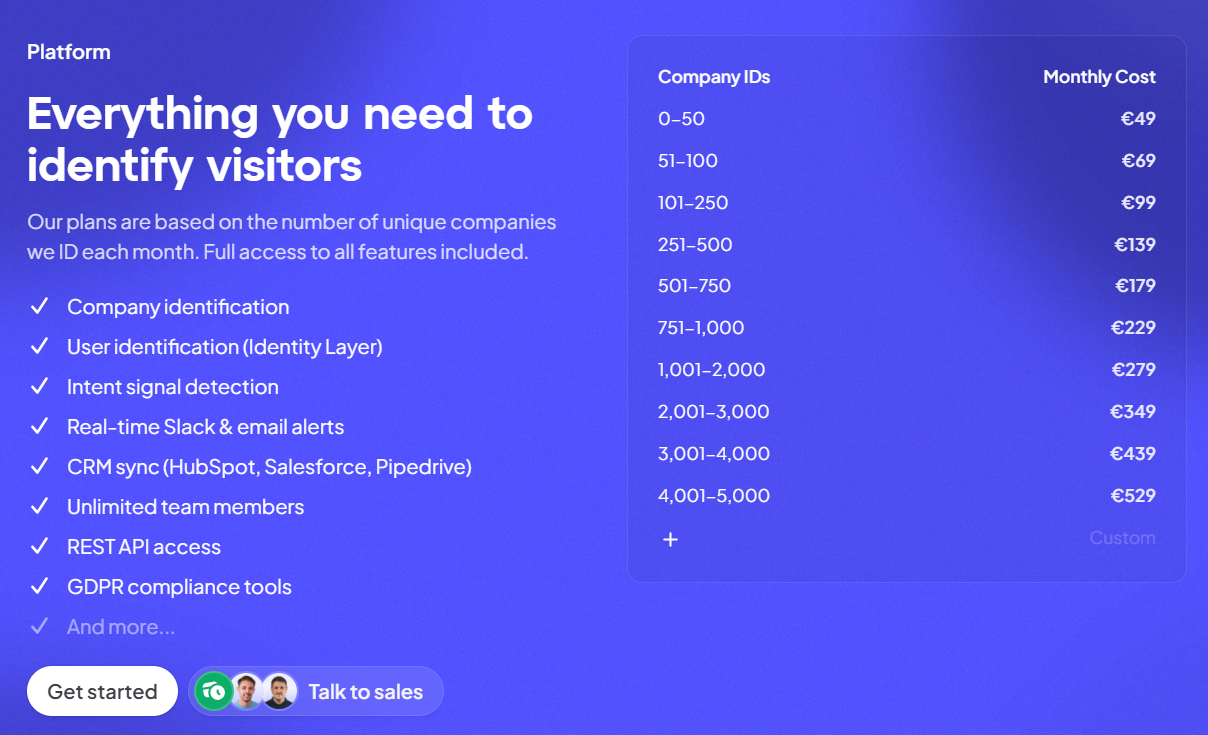
  • Free forever tier: there isn't one.

Source of image.

Albacross's plan breakdowns

Albacross publishes three paid tiers. They're all on annual billing, and they're all in euros:

  • Starter: Starting at €59/month for up to 50 identified companies per month, 10 verified email credits, and 5 verified phone credits.
  • Professional: Starting at €149/month for up to 250 identified companies per month, 25 verified email credits, and 10 verified phone credits.
  • Organization: Starting at €375/month, for up to 2,000 identified companies per month, 200 verified email credits, and 60 verified phone credits.

Source of image.

Let’s go over each one of them in more detail:

Albacross Starter plan

Starter opens at €59/month on annual billing for up to 50 identified companies, and goes up to €99/month for 100 identified companies.

Source of image.

Here’s what's included:

  • Up to 20 verified email credits and 10 verified phone credits.
  • AI-built email and LinkedIn sequences, buyer persona suggestions, AI segmentation, and leads insights.
  • LinkedIn Contact Finder, team outreach stats, and advanced filters and segments.
  • Slack and Teams integration, plus Pipedrive.

Albacross Professional plan

Professional is the one Albacross marks as most popular, at €149/month when billed annually for 250 identified companies per month, which goes up to 1,000 identified companies per month for €279/month.

Source of image.

Here’s what it piles on over Starter:

  • Up to 100 verified email credits and 30 verified phone credits.
  • No cap on sequences.
  • LinkedIn Ads integration, Google Sheets, and CSV export.
  • Priority support and the HubSpot integration.

Albacross Organisation plan

Organisation comes in at €375/month when billed annually for up to 2,000 identified companies, and goes up to €708/month for 5,000 identified companies. 

Source of image.

You can sign up for a plan with 5,000+ identified companies per month, but pricing becomes custom.

Here’s what you’ll get on top of Professional:

  • Up to 500 verified email credits and 150 verified phone credits.
  • User roles and permissions, plus app security settings.
  • Salesforce integration (bi-directional) and automatic CSV export.
  • A dedicated customer success contact.

How much would it cost to actually run Albacross?

Here are some example numbers of what it’d cost you to run Albacross for your organization:

  • A small EU team that needs up to 50 companies a month, running Pipedrive: Starter, €59/month, about €708 a year.
  • A team wanting up to 250 companies a month with HubSpot sync: Professional, €149/month, about €1,788 a year.
  • A bigger team needing up to 2,000 companies a month, Salesforce, and a dedicated CS contact: Organisation, €375/month, about €4,500 a year.
  • That same team once it wants API access, webhooks and ABM: €4,500 a year as the floor, then add-on pricing stacked on top.

The thing to keep in mind across all of these is that the company caps reset monthly, and the email and phone pools empty fast if you enrich hard.

Add-on credits cover the overflow, and that's the line on the invoice that's hardest to predict going in.

Does Albacross provide good value for money?

For what it sets out to do, Albacross offers good value for money.

The website visitor ID solution is one of the cheaper routes to company-level visitor identification, and for EU teams the GDPR-compliant base is a genuine reason to choose it over a US-first tool.

Its users are generally satisfied with its day-to-day usability as well.

‘’It has also been a low maintenance platform to manage, which matters more than people sometimes admit. Tools lose value quickly when they demand too much operational effort to keep them running well. Albacross has been relatively easy to work with day to day, while still giving us actionable insight.’’ – G2 Review.

Despite this, there appears to be limited historical data, as, according to one enterprise client, it goes back only about 3 months.

‘’Maybe the time you can look back (3 months), would be helpful to have it longer.’’ – G2 Review.

There is also a customer on G2 who goes over how the reports and analysis are useful, but could go deeper and more advanced in some areas:

‘’Reports and analysis are useful, but could be deeper and more advanced in some areas.’’ G2 Review.

However, none of that makes it a poor buy.

An EU team that wants company-level signals and some light automation, without an enterprise contract, gets its money's worth.

The open questions are whether company-level is enough and whether the intent layer holds up as you grow.

Are you looking for an Albacross alternative?

Warmly is the Albacross alternative I'd steer a B2B revenue team toward in 2026, the moment company-level identification stops being enough, and you want the person behind the visit, plus chat and outbound that run off one shared brain.

Our platform operates with two AI agents:

  • The Inbound Agent works your site (chat, person-level ID, popups, retargeting).
  • The TAM Agent works everything off-site (ICP scoring, intent, committee mapping).
  • A shared Context Graph wires the two together and learns from every touch.

Full disclosure: this is our product, so read the next bit with a healthy pinch of salt. I'll still tell you where Albacross is the smarter spend.

Here are the parts that matter most if you're leaving Albacross: 👇

Person-level website visitor identification

The widest gap between these two products is what you're left holding at the end.

Albacross hands you a company. Warmly is built to hand you a name.

In normal B2B traffic, roughly 15% of visitors get resolved to the individual (name, work email, title, LinkedIn), and around 65% to the company with Warmly.

And our person-level visitor identification also works in Europe as well (yes, even with GDPR compliance).

What changes in practice is small but real.

"A manufacturer in Stuttgart viewed your pricing" turns into "the Head of Ops at that manufacturer viewed your pricing," and only one of those is someone a rep can email tomorrow.

Inbound Agent: AI chat with a human handoff

Warmly drops an agent onto the page that actually talks to the visitor in real-time.

The chat starts already knowing who it's dealing with.

It loads the visitor's company, role, page history and any prior CRM activity before it sends a word, so nobody gets the limp "Hi, how can I help?" that older chat tools open with.

When things get real, a sales rep can slide into the same thread with the full transcript intact.

Booking happens in the window too. A qualified visitor grabs a calendar slot mid-conversation, with no form standing in the way.

The same identity layer drives a couple more plays:

  • Warm Offers (smart popups) fire on intent and shape the offer around the company that's browsing.
  • Warm Experiences (microsites) rework the page (headline, CTA, even which case study shows) to fit the visitor's industry and role.

On top of that, an AI video chat agent runs live, human-sounding conversations at any hour, and Warm Calls put a person on video when an account's worth it.

And the ones who leave without converting don't just evaporate.

Warmly funnels them into email sequences plus LinkedIn and Meta ad audiences on its own.

TAM Agent: outbound that runs itself

The TAM Agent handles the off-site half of your GTM motion: dynamic audience building, ICP scoring, buying committee identification, multi-vendor enrichment, LinkedIn ad targeting, and outbound across email and LinkedIn.

Key capabilities include:

  • AI ICP Tiering: An ML model trained on your closed-won deals scores every account as Tier 1, 2, 3, or Not ICP, with a transparent reason behind each score.
  • Buying Committee Identification that goes beyond title matching to find Champions, Decision-makers, Influencers, and Approvers using LinkedIn data, org charts, and job descriptions.
  • Outbound Orchestration: You can route to reps, AI SDR autonomous mode, or hybrid, with guardrails that won't sequence open opportunities or double-touch visitors already in chat.
  • LinkedIn Ad Targeting: Auto-syncs buying committee members from high-intent accounts to LinkedIn Matched Audiences in real-time.

The Context Graph and a built-in database

Both the Inbound and TAM agents draw on one shared layer, the Context Graph.

It keeps four things on file per account: the signals that came in, the actions you took, the reasoning behind each one, and what actually resulted.

Inbound and outbound read the same record, so no one's hand-copying context between tools at five on a Friday.

Underneath runs Coldly, our own database of more than 220 million contacts, which means verified emails and direct dials aren't a separate invoice from a separate vendor.

Warmly's pricing

Warmly offers a free plan that covers 500 de-anonymized visitors a month, which is enough to run it on real traffic and judge for yourself.

Above that, there are four paid tiers:

  • AI Web-Deanonymization, $10,000/year (10K credits a month): the visitor-ID starting point, with contact and company-level identification, ICP filters, lead routing, CRM sync, real-time Slack alerts, and retargeting out to email, LinkedIn and ads.
  • Inbound Chat, $20,000/year: stacks the conversation layer on visitor ID, bringing the AI Chatbot, Warm Offers, automated email follow-up, chat metrics, and Warm Calls for live handoff.
  • AI Inbound Autopilot, $30,000/year: adds the Autopilot Agent and unlimited AI agents, AI goal-setting and qualification, auto-learning that sharpens the chat as it runs, and AI-generated mini-demo slides.
  • AI TAM Agent, $15,000/year (60K credits a year): the outbound tier, with the TAM database and intent scoring, AI enrichment, the buying committee agent, two-way HubSpot sync, and the full Signals Bundle.

Try Warmly for free

Here’s what you’ll get with Warmly:

  • Person-level identification that works outside the EU.
  • An Inbound Agent that chats, qualifies, books the meeting, and chases down the ones who slip off.
  • A TAM Agent handling the ICP scoring, committee mapping and outbound.
  • Coldly's 220-million-contact database built-in, so enrichment isn't yet another invoice.
  • A Context Graph that lets inbound and outbound learn off the same history.

Start free with 500 identified visitors a month, or book a demo if you already know you want both agents running.

⚠️ Disclaimer: This article was last updated on the 12th of June, 2026, and if there's any misinterpretation of the information, please contact us, and we'll fact-check it.

Common Room Pricing: Is It Worth It In 2026? [Reviewed]

Common Room Pricing: Is It Worth It In 2026? [Reviewed]

Time to read

Alan Zhao

➡️ I'll also point you to a Common Room alternative built for full-funnel coverage, with a free plan you can run on live traffic and pricing aimed at teams collapsing a multi-tool stack into one.

TL;DR

  • Common Room uses a tiered, seat-based model. Your price climbs with seats, tracked contacts, and a set of usage allowances (e.g., RoomieAI research credits, Prospector credits, IP enrichment, and website de-anonymization).
  • There does not appear to be a free plan or a self-serve trial as of 1st of June, 2026.
  • Essential opens at $2,100/mo billed annually (about $25,200/yr). Advanced and Enterprise are custom, and Vendr puts the median buyer at $30,750/yr.
  • Warmly offers the best alternative to Common Room if you want person-level visitor ID, AI chat, outbound, and a built-in contact database in one platform.

How much does Common Room cost? Plan breakdown

Common Room offers 3 paid plans that you can choose from:

  • Essential: $2,100/month with 5 seats included, up to 100,000 contacts, 5k RoomieAI research credits, 2.5k Prospector credits, unlimited alerts, workflows and segments, and ticketed support.
  • Advanced: Custom pricing with 15 seats included, up to 250,000 contacts, 7.5k RoomieAI research credits, and 7.5k Prospector credits. 
  • Enterprise: Custom pricing with 30 seats included, for up to 750,000 contacts, 10k RoomieAI research credits, and 15k Prospector credits. Also adds comprehensive integrations and dedicated support.

Source of image.

How does Common Room calculate its pricing?

Common Room runs one tiered model across the whole product, and several usage levers move the price, with seat count being only one of them.

Here’s what appears to be driving the number:

  • Seats: every tier bundles a set number of users (5 on Essential, 15 on Advanced, 30 on Enterprise). Go past that and you pay more.
  • Tracked contacts: the contact universe Common Room enriches and scores, capped at 100,000 on Essential, 250,000 on Advanced, and 750,000 on Enterprise.
  • RoomieAI research credits: how much of the AI research engine you can run (5,000, then 7,500, then 10,000).
  • Prospector credits: draws from the built-in contact database (2,500, then 7,500, then 15,000).
  • Website de-anonymization: capped at 1,000 identified visitors on Essential and Advanced, unlimited only on Enterprise.
  • Bombora topics and IP enrichment: intent topics (5, 10, 25) and yearly IP enrichments (240,000, 480,000, 960,000) both climb with the tier.

➡️ DataAgent Actions, extra Prospector credits, product signal integration, and both data-export options are add-ons, so you should expect to pay for that too if you need it.

If I were evaluating Common Room’s pricing, I'd size the plan around two questions:

  • How many seats your GTM team needs?
  • How many visitors you actually want de-anonymized each month.

Does Common Room have a free plan or free trial?

As of 1st of June, 2026, Common Room does not appear to have a free plan or a free trial of its software.

You’ll have to request a product demo and go from there.

Common Room's plan breakdowns

Common Room Essential Plan

Common Room's Essential plan starts at $2,100/mo billed annually, which lands at roughly $25,200/yr.

Source of image.

It's the only tier with a public number, and it's aimed at teams just getting going with signal-based selling.

What's inside:

  • 5 seats.
  • Up to 100,000 tracked contacts.
  • 5,000 RoomieAI research credits a month.
  • 2,500 Prospector credits a month.
  • 1,000 website de-anonymizations.
  • 240,000 IP enrichments a year.
  • 5 Bombora Company Surge topics.
  • Unlimited alerts, workflows, and segments.
  • Shared customer success and ticketed support.

➡️ Essential is the cheapest door in, but two ceilings bite early: the 1,000 website de-anonymization cap, and support that's shared, not dedicated. Product signals and data exports cost extra too.

Common Room Advanced Plan

Common Room's Advanced plan is custom-quoted, with no public number. Most growing mid-market teams will probably end up here.

Source of image.

What it adds over Essential:

  • 15 seats, up from 5.
  • Up to 250,000 tracked contacts.
  • 7,500 RoomieAI research credits and 7,500 Prospector credits.
  • 480,000 IP enrichments a year.
  • 10 Bombora topics.

One thing it doesn't touch: website de-anonymization stays pinned at 1,000. Worth knowing if visitor identification is your main reason for buying.

➡️ Advanced mostly buys you more seats, more contacts, and bigger credit pools.

Common Room Enterprise Plan

Enterprise pricing isn't published, so you'll be talking to their team for a quote.

Source of image.

Going by the published feature list, Enterprise stacks on:

  • 30 seats.
  • Up to 750,000 tracked contacts.
  • 10,000 RoomieAI research credits and 15,000 Prospector credits.
  • Unlimited website de-anonymization.
  • 960,000 IP enrichments a year and 25 Bombora topics.
  • The full integration library, plus SAML and SCIM security.
  • A dedicated customer success manager and dedicated support.

➡️ Enterprise is the tier where the de-anonymization cap finally comes off and support turns dedicated.

How much does Common Room actually cost?

Third-party data from Vendr puts the median Common Room buyer at $30,750/yr based on 66 purchases.

The full observed spread runs from $13,750/yr at the bottom (legacy pricing most likely) to $102,550/yr at the top.

According to Vendr, Common Room also often quotes onboarding packages, implementation support, and training separately, and that these can add $5,000–$20,000+ to the total contract value.

Does Common Room provide good value for money?

Yes, Common Room appears to be providing good value for money, given how many happy customers they have on G2 leaving positive feedback.

‘’Common Room is the first one that truly addresses all of my needs in a single place. It covers everything from top-of-funnel intel to deep insights into account engagement.’’G2 Review.

However, some customers tend to provide feedback around the platform’s UI and filtering options.

‘’The Prospector tool would benefit from more advanced filtering so we can segment and drill into the data more precisely.’’ G2 Review.

‘’The UI still has room to improve. Navigating between segments and workflows can feel a bit clunky at times, and some interactions take more clicks than you'd expect.’’ G2 Review.

Despite these pieces of feedback, I’d argue that Common Room is a reasonable platform, given that you can afford it and you’d be fine with its potential learning curve.

Are you looking for a Common Room alternative?

Warmly is the best Common Room alternative in 2026 for B2B revenue teams that want person-level visitor identification, AI chat that converts on the page, AI SDR-led outbound, and a contact database baked in, all running on one shared intelligence layer.

The setup is two coordinating AI agents:

  • An Inbound Agent handles on-site conversion (AI chat, person-level ID, smart popups, retargeting).
  • A TAM Agent handles off-site orchestration (ICP scoring, intent, buying committee mapping).

Both connect through a shared Context Graph that learns from every interaction.

Full disclosure: Warmly is our product, so take the pitch with that in mind. I'll still flag the spots where Common Room is the better buy.

Let’s take a closer look at the features that matter for teams leaving Common Room: 👇

Person-level website visitor identification

The core of Warmly is turning anonymous traffic into actual people that you can reach out to who visited your website.

Our platform can identify around 15% of your visitors at the person level (name, work email, job title, LinkedIn) and roughly 65% at the company level.

The actual identification rates vary based on traffic source and visitor location, and the full pipeline (identification, enrichment, context assembly, and scoring) runs in under three seconds.

We wanted to build a solution that’ll tell you who exactly visited your website, and not that ‘’someone from Apple’’ visited your case study.

Inbound Agent: AI chat with a human handoff

Warmly’s Inbound Agent runs an autonomous chat that already has full CRM and intent context loaded before it sends a single message, then pulls in a human the moment the conversation calls for one.

As the AI walks in knowing the visitor's company, role, page history, and any earlier touches, nobody lands on a generic "Need anything?" greeting.

And when one of your sales reps takes over, the transcript and context travel with them, so the handoff doesn't reset the conversation.

Qualified visitors can also book straight onto a rep's calendar from inside the chat.

The same identity layer powers two more sales plays:

  • Smart popups fire on intent signals and tailor the offer to whoever's actually on the page.
  • Personalized landing pages reshape headlines, CTAs, and case studies around the visitor's company, role, and behavior.

Warmly also ships an AI 24/7 Video Chat Agent that engages visitors 24/7 with human-like conversations to deliver personalized demos and qualify leads through video chat.

And the visitors who leave without converting don't vanish, either.

Warmly's retargeting engine drops them into email sequences and LinkedIn ad audiences on its own.

TAM Agent: outbound orchestration with intent scoring

Warmly's TAM Agent owns the off-site half of GTM from a single setup: ICP tiering, buying committee identification, intent scoring, multi-vendor enrichment, and outbound orchestration.

In practice, that breaks down to:

  • Scoring every account in your market off your own closed-won deals, with a tunable Tier 1 to Not-ICP model that shows its reasoning.
  • Mapping the buying committee into four roles (Champion, Decision-maker, Influencer, Approver) drawn from LinkedIn data and org charts, each contact arriving with a verified work email.
  • Folding first-party behavior (web, chat, email) together with third-party signals (Bombora, G2, job postings, technographics) into a single score you can adjust.
  • Refreshing audiences automatically and pushing them to LinkedIn Matched Audiences, HubSpot, and Outreach as accounts heat up or cool off.
  • Running outbound your way: routed to reps by territory, handled by an autonomous AI SDR, or split as a hybrid where AI opens and reps take over once someone engages.

Common Room covers the signal-aggregation side of this well.

Warmly's TAM Agent takes those signals the extra step into executed outbound.

The Context Graph: the shared data and learning layer

The Context Graph is what wires the Inbound and TAM agents together.

For every account, it keeps a running record of four things: the signals (what happened), the actions (what you did), the reasoning (why), and the outcomes (what came of it).

Both motions then read from one scoring model, so nobody's hand-stitching context across three separate vendors.

Every touchpoint lands in an activity ledger, which is useful when a prospect goes dark for a few months and then resurfaces, budget finally approved.

That same history feeds the chatbot, so it already knows a visitor read your pricing page last week and worked through a case study back in March.

How is Warmly different from Common Room?

Strip away the feature lists, and the difference is about what each tool is built to do.

  • Common Room’s strength is pulling buying signals from a wide spread of sources (Slack, GitHub, Discord, social, web, product usage), resolving identities, and pushing the high-intent names to the top so your team knows who's worth a call.
  • Warmly identifies the visitor, talks to them on the page, then runs the outbound, all off the same learning layer.

Common Room's genuine edge is the breadth of where it listens, plus the RoomieAI research engine.

For a community-heavy or product-led motion with a lot of off-site activity worth tracking, that earns its place.

Warmly does its best work on the other side of the signal.

Once a visitor is identified, you can chat with them on the page, pull contact data straight from the platform, and run outbound from the same system.

Which one fits depends on where your pipeline actually starts.

If your signal is scattered across community and product channels and you've already built the muscle to act on it, Common Room gives you plenty.

But when the job is catching site visitors, talking to them while they're live, and running outbound off one shared dataset, Warmly covers more of the ground.

How is Warmly's pricing different from Common Room's?

The clearest difference is our free plan. Warmly gives you 500 de-anonymized visitors a month to prove it out on live traffic before any money changes hands, while Common Room offers a demo and nothing self-serve.

Past the free plan, there are three paid tiers:

  • AI Web-Deanonymization ($10,000/year, 10K credits per month): entry-level visitor ID with contact and company-level identification, ICP filtering, real-time Slack alerts, lead routing, CRM sync, and retargeting via email, LinkedIn, and ads.
  • Inbound Chat ($20,000/year): adds the conversational layer on top of visitor ID, with the AI Chatbot (one AI Studio Agent), Warm Calling for live chat handoff, Warm Offers, chat metrics, and automated email follow-up.
  • AI Inbound Autopilot ($30,000/year): builds on Inbound Chat with unlimited AI Studio Agents and the Autopilot Agent, AI goal-setting and qualification, AI-generated mini-demo slides, AI-written chat follow-up, and auto-learning that improves the chat over time.
  • AI TAM Agent ($15,000/year, 60K annual credits): the outbound plan, covering the TAM database with intent scoring, the buying committee agent, AI enrichment, the Signals Bundle (Bombora, G2, Reddit, Glassdoor, news, SEC filings, job changes, social signals, YouTube, podcasts), and HubSpot two-way sync.

Try Warmly for free

If you've read this far comparing what Common Room costs against what it does for you, the real question is whether you're paying for half a stack.

Common Room handles signals. You're still on the hook for the conversion layer and the contact data.

Warmly folds those into one platform. What your team gets:

  • An AI Inbound Agent that chats with visitors, routes them, books the meeting, and re-engages the ones who leave.
  • A TAM Agent that runs ICP scoring, buying committee mapping, and the outbound orchestration Common Room leaves to you.
  • Coldly's contact database built-in, so verified emails and phone numbers aren't a separate line item.
  • Person-level visitor ID that works worldwide.

You can start with Warmly's free plan to identify your first 500 visitors, or book a demo if your team needs the full Inbound and TAM agent setup.

⚠️ Disclaimer: This article was last updated on the 5th of June, 2026, and if there's any misinterpretation of the information, please contact us, and we will fact-check it.

10 Best Albacross Alternatives & Competitors [2026]

10 Best Albacross Alternatives & Competitors [2026]

Time to read

Alan Zhao

This guide ranks the 10 best Albacross alternatives for teams that want to name the individual visitor, not just the company, and engage them while the visit is still live.

TL;DR

  • Warmly is the best Albacross alternative in 2026 for B2B SaaS revenue teams that want person-level visitor identification, on-site AI chat that engages during the session, and AI-driven outbound, all tied together by one Context Graph.
  • Teams whose core need stays close to Albacross (company-level identification at transparent pricing) tend to land on Dealfront (Leadfeeder) and Snitcher, which are both strong on European traffic with published prices.
  • Enterprise ABM teams that want predictive scoring, third-party intent aggregation, and ad orchestration usually evaluate 6sense and Demandbase, which run further up-market at enterprise pricing.

What are the best alternatives to Albacross?

The best alternatives to Albacross in 2026 are Warmly with its person-level visitor ID and inbound agent, Dealfront (Leadfeeder), and Lead Forensics.

Below are the 10, with what each one fits best and where pricing lands:

Tool

Best For

Pricing

Warmly

B2B SaaS revenue teams that want person-level visitor identification, on-site AI chat, and AI-driven outbound running on one shared Context Graph.

Free plan; paid from $10,000/year.

Dealfront (Leadfeeder)

European B2B teams that want GDPR-first company-level visitor identification backed by a wider European data platform.

Free plan; paid from €99/month.

Lead Forensics

Sales teams that want established company-level visitor identification with built-in contact data and rep routing.

Pricing not public.

Snitcher

Budget-conscious B2B teams that want fast, accurate company-level identification with a standout GA4 integration.

Starts from $49/month.

RB2B

US-focused teams that want lightweight person-level identification pushed into Slack with minimal setup.

Free plan; paid from $79/month.

Salespanel

Teams that want first-party visitor tracking tied to rule-based lead scoring and qualification.

Starts from $99/month.

6sense

Enterprise ABM teams that need predictive account scoring and third-party intent aggregation across the funnel.

Free plan; paid pricing not public.

Demandbase

Enterprise teams running multi-channel ABM with advertising tied tightly to account intent.

Pricing not public.

ZoomInfo

Enterprises that want the broadest B2B contact database with intent data and company-level visitor tracking layered on.

Free tier; paid pricing not public.

Common Room

PLG and community-led teams that want buying signals from Slack, GitHub, and product usage unified in one view.

Starts from $2,100/month.

#1: Warmly

Warmly is the best alternative to Albacross in 2026 for B2B SaaS teams that want one platform doing four things in coordination:

  • Person-level website visitor identification.
  • An Inbound Agent that converts visitors on-site.
  • A TAM Agent that handles outbound orchestration.
  • The Context Graph keeping both motions working off the same scoring model.

Quick note for transparency: Warmly is our platform. The aim isn't to oversell it. It's to show where Warmly fits teams leaving Albacross, and where another tool on this list might suit you better.

The same platform that identifies a visitor will talk to them on the site and chase the follow-up by email and LinkedIn once they leave.

If you're weighing Albacross alternatives, here are four areas that I think make Warmly a vendor to put in your shortlist:

Person-level website visitor identification

Unlike Albacross, Warmly's job is to identify who visitors are at the individual level, not just the company.

On typical B2B traffic, Warmly identifies around 15% of visitors at the person level and roughly 65% at the company level, and that coverage isn't fenced to one region.

The full pipeline (identification, enrichment, context assembly, scoring) runs in under three seconds.

What’s more, Warmly can also identify a small percentage of European visitors while still being GDPR compliant.

A visitor shows up in the dashboard with name, work email, job title, seniority, and LinkedIn profile attached.

Inbound Agent (on-site AI chat and live human handoff)

The Inbound Agent is the on-site conversion part of Warmly.

Our AI sales chat identifies the visitor, pulls full CRM and intent history before the first message, and opens with context the visitor actually cares about.

When a conversation needs a human, the handoff comes with the full transcript and CRM history intact so that your sales reps don't have to start from zero.

If the chatbot was able to capture the interest of your visitors, they can book straight into your reps’ calendars from the chat window without going through a form first.

Warmly also ships an AI 24/7 Video Chat Agent that engages your visitors to deliver personalized demos and qualify leads through video chat.

TAM Agent (AI SDR and outbound orchestration)

The TAM Agent handles the off-site half of your GTM motion: dynamic audience building, ICP scoring, buying committee identification, multi-vendor enrichment, LinkedIn ad targeting, and outbound across email and LinkedIn.

Key capabilities include:

  • AI ICP Tiering: An ML model trained on your closed-won deals scores every account as Tier 1, 2, 3, or Not ICP, with a transparent reason behind each score.
  • Buying Committee Identification that goes beyond title matching to find Champions, Decision-makers, Influencers, and Approvers using LinkedIn data, org charts, and job descriptions.
  • Outbound Orchestration: You can route to reps, AI SDR autonomous mode, or hybrid, with guardrails that won't sequence open opportunities or double-touch visitors already in chat.
  • LinkedIn Ad Targeting: Auto-syncs buying committee members from high-intent accounts to LinkedIn Matched Audiences in real-time.

The Context Graph

The Context Graph ties both sales agents together so they can work off the same scoring model and the same account history.

Every signal, action, note, and outcome for every account is captured in one layer: what happened, what your team did, why those decisions were made, and what resulted.

In GTM stacks where website ID, outbound, and chat come from three separate vendors passing data through integrations, each tool only sees a slice.

The Context Graph keeps everything in one system, which means your AI chat conversation can reference that a prospect saw your pricing page three weeks ago and a case study yesterday.

How is Warmly different from Albacross?

The main difference is that Warmly is designed as a full-funnel revenue platform with its person-level visitor identification, on-site chat, outbound, and the Context Graph all belonging to one system.

If you also want the individual visitor de-anonymized and engaged on the page, with outbound reading from the same data, Warmly will be worth exploring for your team.

Pricing

Warmly has a free plan plus four paid plans:

  • Free: 500 de-anonymized visitors per month, real-time Slack alerts, and CSV export.
  • AI Web-Deanonymization: $10,000/year for contact and company-level identification, ICP filtering, lead routing, CRM sync, and retargeting across email, LinkedIn, and ads.
  • Inbound Chat: $20,000/year, adding the AI Chatbot, Warm Calling for live chat handoff, Warm Offers, and automated email follow-up.
  • AI Inbound Autopilot: $30,000/year, adding unlimited AI Studio agents, the Autopilot Agent, AI qualification, AI-generated mini-demo slides, and auto-learning chat.
  • AI TAM Agent: $15,000/year for the TAM database, intent scoring, the buying-committee agent, AI enrichment, the Signals Bundle, and HubSpot two-way sync.

Warmly's pricing fits website-led mid-market B2B SaaS teams that want identification plus engagement in one place, less so very small teams whose needs stop at company-level reveal.

Pros & Cons

✅ Person-level identification across global traffic, not company-level only.

✅ On-site AI chat engages identified visitors during the session, then hands off to a rep with the transcript and CRM context intact.

✅ Inbound and outbound share one Context Graph, so scoring and account history stay consistent across channels.

✅ Native two-way sync with HubSpot and Salesforce.

✅ Intent scoring is transparent and pulls from first, second, and third-party sources.

❌ Entry pricing is higher than pixel-only or company-level visitor ID tools.

#2: Dealfront (Leadfeeder)

Best for: European B2B teams that want GDPR-first company-level visitor identification backed by a wider European data platform.

Similar to: Albacross, Lead Forensics.

Source of image.

Dealfront is what you get when Leadfeeder and Echobot combine: company-level visitor ID stitched onto a European B2B data engine.

Its strength against a tool like Albacross is depth of compliant data across the German-speaking markets, the Nordics, and the Benelux.

Features

Source of image.

  • Company-level visitor ID: Turns IP traffic into named companies, each with firmographics and a timeline of what they viewed.
  • Feeds and scoring: Set up filtered feeds and lead scores so reps only look at accounts worth their time.
  • Decision-maker lookup: Pulls relevant contacts at a revealed company, with seniority and role attached.
  • CRM reach: Connects natively to HubSpot, Salesforce, Pipedrive, Microsoft Dynamics, and Mailchimp.

Pricing

Dealfront has a free plan and two paid plans:

  • Lite: Free for up to 100 company identifications per month, with a 7-day view of company visits.
  • Website Visitor Identification: from €99/month (annual, priced by companies identified) for unlimited reveals, CRM sync, and alerts.
  • Platform: from €399/month (annual) for the wider European company and contact database with AI enrichment.

Source of image.

Pros & Cons

✅ Deep, GDPR-compliant European data, strongest across the German-speaking markets, the Nordics, and Benelux.

✅ Pricing on the visitor ID plan is public and scales with traffic.

✅ Wide CRM list, Pipedrive and Dynamics included, which plenty of rivals skip.

Company-level identification only, no person-level.

#3: Lead Forensics

Best for: Sales teams that want established company-level visitor identification with built-in contact data and rep routing.

Similar to: Dealfront, Snitcher.

Source of image.

Lead Forensics has been doing reverse-IP visitor ID since before the category got crowded, surfacing the companies on your site and the pages they read.

What sets it apart for an Albacross buyer is the contact directory it ships with and routing that drops a hot account on an account manager's desk in real time.

Features

Source of image.

  • Live company reveal: Names visiting companies with firmographics, the pages they touched, and how long they lingered.
  • Contact directory: Adds decision-maker details at those companies from its own data set.
  • Trigger alerts: Pings a rep the second a target account opens a page you care about.
  • Campaign reporting: Shows which pages and campaigns are pulling in qualified visits.

Pricing

Lead Forensics does not disclose pricing publicly; you'll need to contact their team for a quote. Plans are listed as Essential and Automate, both with custom pricing.

Source of image.

Pros & Cons

✅ Real-time reveal with contacts baked in, so you can often skip a separate enrichment tool.

✅ Native Salesforce hookup and routing straight to account managers.

✅ Support gets good marks across reviews.

❌ Pricing is custom.

#4: Snitcher

Best for: Budget-conscious B2B teams that want fast, accurate company-level identification with a standout GA4 integration.

Similar to: Albacross, Dealfront.

Source of image.

Snitcher has built a name as the easy, affordable end of company-level visitor ID, and its G2 score backs that up.

The piece that separates it from Albacross is a GA4 enricher that writes company data straight into your Google Analytics, plus every feature unlocked on every paid plan.

Features

Source of image.

  • Live company ID: Spots the companies visiting and traces how they move through your site.
  • GA4 enricher: Feeds identified-company data into Google Analytics so your reports show who showed up.
  • Auto lead scoring: Sorts and scores revealed accounts on firmographic and behavior signals.
  • Everything included: HubSpot, Salesforce, and Slack come with every paid plan.

Pricing

Premium: from €49/month (annual) for up to 50 identified companies, with real-time alerts and CRM integrations, up to €529/month for up to 5,000 identified companies.

Source of image.

Pros & Cons

✅ Cheap to start, and nothing gated behind a higher tier.

✅ The GA4 link is a rarity in this category.

✅ Five-minute setup and a 4.8/5 on G2.

❌ Company identification isn’t always perfect, according to a G2 review.

#5: RB2B

Best for: US-focused teams that want lightweight person-level identification pushed into Slack with minimal setup.

Similar to: Common Room, Warmly.

Source of image.

RB2B took a narrow swing and hit it: it spots individual US visitors and drops their LinkedIn profile into your Slack within seconds.

Albacross identifies at the company level, while RB2B's focus is the person, leaving the next move to your reps once the profile lands in the channel.

Features

Source of image.

  • Person-level reveal: Surfaces individual LinkedIn profiles in Slack for visitors browsing from the US.
  • Filters: Cut the noise down to the visitors who match your buyer by title, company, or activity.
  • Sequencer hookups: Drops revealed visitors into your outbound tools to start a cadence.
  • Demandbase tie-in: Layers global company-level ID over the US person data.

Pricing

RB2B has a free plan with 150 monthly resolution credits (Slack-only, no person-level on the free tier). Paid plans:

  • Starter: $79/month for 300 monthly resolutions, plus the option to push LinkedIn URLs to Slack.
  • Pro: From $140/month for 600 monthly resolutions, plus business email addresses and integrations.
  • Pro+: From $199/month for 600 monthly resolutions, with increased coverage for company and contact-level site ID.

Source of image.

Pros & Cons

✅ Installs in minutes and works inside Slack, where your reps already are.

✅ Monthly pricing on the lower tiers, with no year-long lock-in.

✅ The Demandbase tie-in widens company-level coverage worldwide.

❌ The paid versions are expensive for a solo founder, according to a G2 review.

#6: Salespanel

Best for: Teams that want first-party visitor tracking tied to rule-based lead scoring and qualification.

Similar to: Lead Forensics, Albacross.

Source of image.

Salespanel comes at this from a marketing-analytics angle, tracking first-party intent across a lead's whole journey on your site.

Next to Albacross, it puts more weight on qualification, scoring the signals a lead leaves across forms, chat, and email.

Features

Source of image.

  • Journey tracking: Captures the touchpoints a lead leaves across forms, landing pages, chat, and email.
  • Scored qualification: Rule-based scoring pushes the strongest leads to the top of the rep's list.
  • Segmentation: Buckets leads by firmographic, demographic, and behavioral traits.
  • CRM and webhooks: Sends scored leads into HubSpot, Pipedrive, and others, with webhook support.

Pricing

Salespanel has 3 paid plans that you can choose from:

  • Salespanel Customer Data Platform: Starting at $99/mo, includes up to 10,000 monthly visitors with up to 10% deanonymized traffic. You’ll be charged $10/mo for every additional 1,000 visitors.
  • Salespanel Account Reveal: Starting at $99/mo, includes up to 2,000 monthly visitors with up to 60% deanonymized traffic. You’ll be charged $40/mo for every additional 1,000 visitors.
  • Salespanel agents: Starting at $499/month for up to 60% traffic de-anonymization, which adds assisted onboarding, the ability to customize data sources and destinations, and dedicated account management.

Source of image.

Pros & Cons

✅ Thorough journey and engagement analytics across channels.

✅ Clean interface and a quick start.

✅ Solid native integrations, Pipedrive among them.

❌ Annual plans only.

#7: 6sense

Best for: Enterprise ABM teams that need predictive account scoring and third-party intent aggregation across the funnel.

Similar to: Demandbase, ZoomInfo.

Source of image.

6sense plays at the enterprise end of ABM, built on predictive models and a wide net of third-party intent.

Where Albacross tells you who's on your site today, 6sense is trying to call which accounts will be in-market before they ever land.

Features

Source of image.

  • Stacked intent: Rolls Bombora, G2, and other third-party feeds into a single account score.
  • Predictive scoring: Models rate fit, buying stage, and how likely an account is to engage.
  • AI email agents: Fire off tailored sequences as an account moves through its buying stage.
  • Keyword research tracking: Watches branded and category search activity across the web.

Pricing

6sense has a free plan that provides:

  • 50 credits/month.
  • Company and people search.
  • Sales alerts.
  • List builder.
  • Chrome Extension.

If you need more, you can upgrade to one of 6sense’s plans:

  • Sales Intelligence + Data Credits + Predictive AI, which combines enriched company and contact data with predictive AI models and Sales Copilot for advanced, AI-driven selling.
  • Sales Intelligence + Data Credits, which adds scalable data acquisition and enrichment tools, without predictive AI.
  • Sales Intelligence + Predictive AI, which is combining predictive analytics with Sales Copilot, without requiring data credit add-ons.

Source of images.

6sense doesn’t disclose prices on its website, so you’ll have to contact its sales team for more details.

However, Vendr provides some helpful insights into 6sense’s pricing policy, noting that the average 6sense contract value is a staggering $123,711.

Pros & Cons

✅ Third-party intent coverage few single-source tools can rival.

✅ Predictive scoring with years of enterprise mileage behind it.

✅ Ad orchestration sits right alongside the intent layer.

❌ One drawback of 6sense Revenue Marketing is inconsistency in data accuracy, particularly with intent signals and account identification, according to a G2 review, which is one reason why you might look for 6sense alternatives.

#8: Demandbase

Best for: Enterprise teams running multi-channel ABM with advertising tied tightly to account intent.

Similar to: 6sense, RollWorks.

Source of image.

Demandbase is one of the oldest names in account-based marketing, anchored in account ID, intent, and B2B advertising.

Its center of gravity is advertising and program planning, a different focus from a tool built to catch and convert website traffic.

Features

Source of image.

  • Account-based ads: Serves display and video to identified accounts based on their intent.
  • Site personalization: Swaps headlines, CTAs, and content by account, industry, or buying stage.
  • Agentbase: AI agents that map the buying group and suggest the next move.
  • Sales insights: Drops account intelligence into Salesforce or HubSpot for the rep.

Pricing

Demandbase does not disclose pricing publicly; you'll need to contact their team for a quote.

Source of image.

Pros & Cons

✅ Account-based advertising and retargeting that tools born in pure ID rarely match.

✅ Ads, account insight, intent, and personalization under one roof.

✅ A Salesforce integration that's had years to mature.

❌ Pricing is not disclosed.

#9: ZoomInfo

Best for: Enterprises that want the broadest B2B contact database with intent data and company-level visitor tracking layered on.

Similar to: Apollo, Cognism.

Source of image.

ZoomInfo is the heavyweight on B2B data, and it layers intent signals and a visitor-tracking add-on called WebSights on top of that database.

It outguns Albacross on contact depth, though the visitor tracking stops at the company and only shows up on the pricier plans.

Features

Source of image.

  • Contact database: More than 260M professional profiles and verified dials, refreshed on an ongoing basis.
  • WebSights: Flags the companies visiting your site and ties them to database profiles.
  • Buyer intent: Topic-level intent signals wired into the contact data.
  • Engagement layer: Sequences, web chat, and form enrichment bundled into SalesOS.

Pricing

ZoomInfo doesn't disclose pricing publicly; you'll need to contact their team for a quote. ZoomInfo Lite is a free tier for limited use.
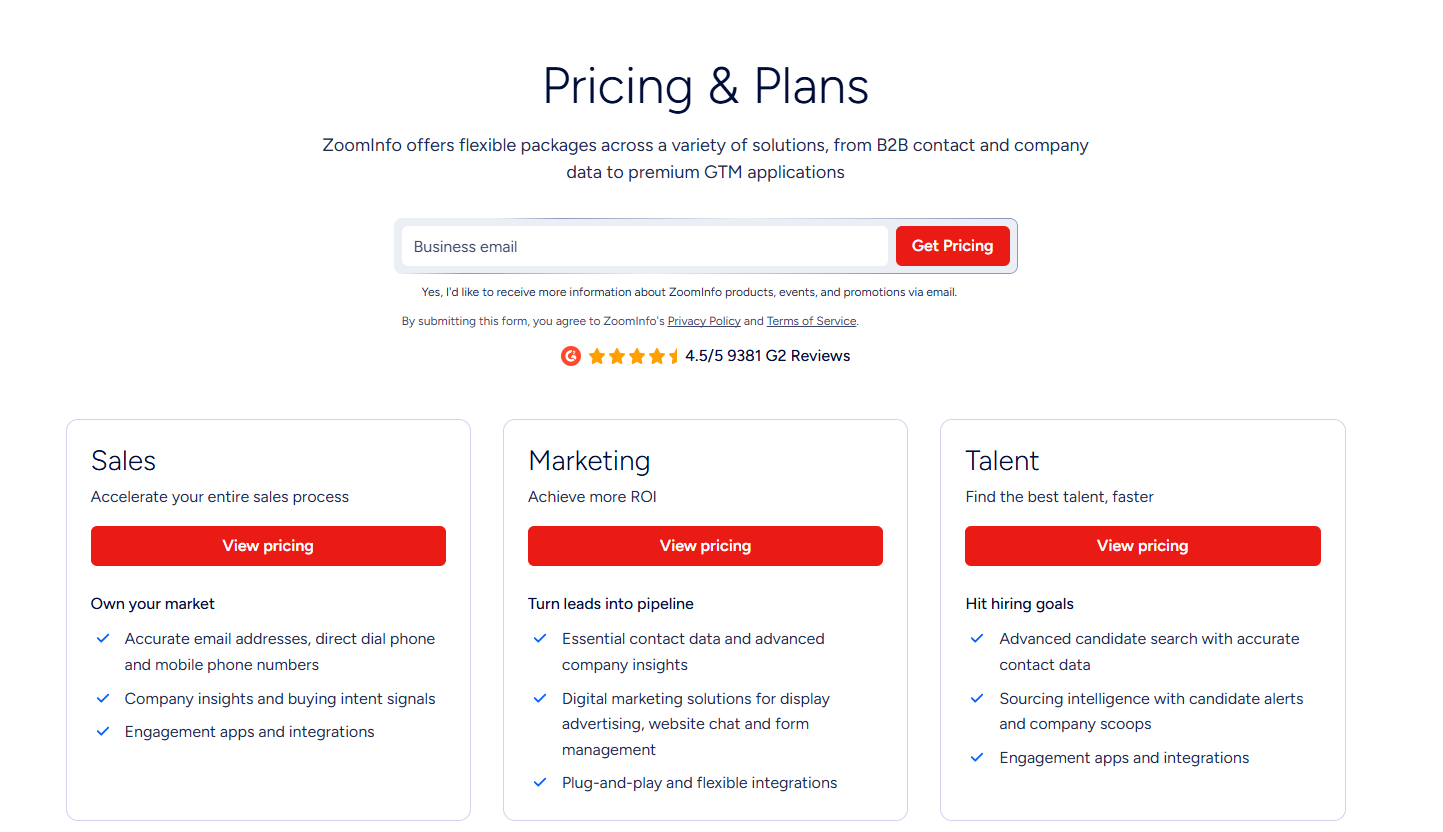
Source of image.

Pros & Cons

✅ Battle-tested integrations with Salesforce, HubSpot, Outreach, and Salesloft.

✅ Unmatched depth on North American B2B data.

Pricing is not disclosed.

#10: Common Room

Best for: PLG and community-led teams that want buying signals from Slack, GitHub, and product usage unified in one view.

Similar to: RB2B, Warmly.

Source of image.

Common Room reads buying signals from the corners most tools skip, community Slacks, GitHub, Discord, plus product usage and web activity, and pulls them into one timeline per account.

Features

Source of image.

  • Signal capture: Pulls activity from Slack, Discord, GitHub, Reddit, and social into a per-account view.
  • Person360 and RoomieAI: One resolves identity across channels, the other runs AI research and personalization.
  • Automations: Kick off alerts and CRM updates whenever a signal you've defined fires.
  • AI scoring: Ranks accounts by how closely they match your ICP.

Pricing

Common Room offers 3 paid plans that you can choose from:

  • Essential: $2,100/month with 5 seats included, up to 100,000 contacts, 5k RoomieAI research credits, 2.5k Prospector credits, unlimited alerts, workflows and segments, and ticketed support.
  • Advanced: Custom pricing with 15 seats included, up to 250,000 contacts, 7.5k RoomieAI research credits, and 7.5k Prospector credits. 
  • Enterprise: Custom pricing with 30 seats included, for up to 750,000 contacts, 10k RoomieAI research credits, and 15k Prospector credits. Also adds comprehensive integrations and dedicated support.

Source of image.

Pros & Cons

✅ Best-in-class at gathering community and PLG signals.

✅ Strong identity resolution and AI research built right in.

✅ Flexible automations that feed straight into the CRM.

Pricing starts from $2,100/month, which can be high for smaller teams.

Generate more pipeline from the traffic you already have

For teams that want both inbound conversion and outbound orchestration running from the same data layer, Warmly is built for that GTM motion.

Two coordinating agents share one Context Graph that scores every prospect the same way regardless of channel, so inbound activity informs outbound and vice versa.

And there’s no need for integrations to maintain separate tools.

You can start with Warmly's free plan to identify your first 500 visitors, or book a demo if your team needs the full Inbound and TAM agent setup.

⚠️ Disclaimer: This article was last updated on the 5th of June, 2026, and if there's any misinterpretation of the information, please contact us, and we will fact-check it.

10 Best Common Room Alternatives & Competitors [2026]

10 Best Common Room Alternatives & Competitors [2026]

Time to read

Alan Zhao

The question they're trying to answer is whether the platform they pick will actually drive pipeline, or just become another dashboard nobody opens after week three.

This guide walks through the 10 strongest Common Room alternatives in 2026, what each one is genuinely best for, and where they fit different revenue motions.

TL;DR

  • Warmly is the best Common Room alternative in 2026 for B2B SaaS revenue teams that want person-level website visitor identification, AI chat engaging on-site, and an AI SDR running outbound, with one Context Graph keeping all of it in sync.
  • For teams whose main pain is signal aggregation across PLG and community channels, Clay and Unify are the closest direct comparisons, since both lean into programmable signal orchestration.
  • Enterprise revenue teams running deep ABM with third-party intent and predictive scoring tend to evaluate 6sense and Demandbase, which run further up-market with heavier orchestration layers and enterprise pricing to match.

What are the best alternatives to Common Room?

The best alternatives to Common Room in 2026 are Warmly, 6sense, and Clay.

Here's the shortlist of 10, with what each one is best for and where pricing lands:

Tool

Best For

Pricing

Warmly

B2B SaaS teams that want person-level visitor identification, AI chat, and AI SDR outbound running on one unified Context Graph.

Free plan; visitor ID from $10,000/year, full stack at higher tiers.

6sense

Enterprise ABM teams that need predictive scoring, third-party intent aggregation, and ad orchestration across the funnel.

Pricing not public.

Clay

Mid-market GTM teams that want flexible enrichment workflows and have the in-house ops capacity to build them.

Free plan; paid from $167/month.

Unify

Outbound-led teams that want signal-triggered sequences and managed mailboxes in one platform.

Starts from $1,740/month.

Demandbase

Enterprise teams running multi-channel ABM with paid advertising tied tightly to account intent.

Pricing not public.

RB2B

US-focused B2B teams that want lightweight, person-level visitor identification pushed straight into Slack.

Free plan; paid from $79/month.

Apollo

SMB and mid-market sales teams that want a B2B database, sequences, and a dialer at per-seat pricing.

Free plan; paid from $49/user/month.

ZoomInfo

Enterprises that want the broadest B2B contact database paired with intent data and engagement tools.

Pricing not public.

Albacross

European SMB and mid-market teams running inbound-heavy lead gen with GDPR requirements.

Starts from €99/user/month.

Dealfront (Leadfeeder)

European B2B teams that want company-level visitor identification with strong GDPR coverage.

Free plan; paid from €99/month.

#1: Warmly

Warmly is the best alternative to Common Room in 2026 for mid-market B2B SaaS revenue teams that want one platform doing four things in coordination:

  • Person-level website visitor identification.
  • An Inbound Agent that converts visitors on-site.
  • A TAM Agent that handles outbound orchestration.
  • The Context Graph keeping both motions working off the same scoring model.

Full disclosure: Warmly is our product. The goal of this section is to explain honestly where Warmly is the strongest fit for teams leaving Common Room.

Common Room is strong on breadth of signal capture: community channels, GitHub, Reddit, product usage, and website intent.

Warmly is strong at acting on signals in real-time on the website and through coordinated outbound, with the engagement layer built into the platform.

Below are the four capabilities I think matter most when comparing Warmly against Common Room:

Person-level website visitor identification

Warmly's job is to identify who they are at the individual level, not just the company.

On typical B2B traffic, that translates to roughly 65% of companies and around 15% of individuals identified.

Actual rates vary based on traffic source and visitor location. The full pipeline (identification, enrichment, context assembly, scoring) runs in under three seconds.

Resolution combines deterministic matching (email, cookie, CRM ID) with probabilistic signals (IP, behavioral fingerprinting, LinkedIn data graph).

A visitor shows up in the dashboard with name, work email, job title, seniority, and LinkedIn profile attached.

That's the part most company-level IP-match tools can't do.

Your reps get a specific person to contact, not "someone at Dropbox visited your pricing page."

Inbound Agent (AI Chat + Live Human handoff)

The Inbound Agent is the on-site conversion half of Warmly.

It identifies the visitor, pulls full CRM and intent history before the first message, and opens with context the visitor actually cares about. None of the generic "How can I help you?" stuff.

When a conversation needs a human, the handoff comes with the full transcript and CRM history intact. Reps don't start from zero.

Qualified visitors can book straight into rep calendars from the chat window without a form or an SDR triage step.

Warmly also ships an AI 24/7 Video Chat Agent that engages visitors 24/7 with human-like conversations to deliver personalized demos and qualify leads through video chat.

TAM Agent (AI SDR + Outbound Orchestration)

The TAM Agent handles the off-site half: dynamic audience building, ICP scoring, buying committee identification, multi-vendor enrichment, LinkedIn ad targeting, and outbound across email and LinkedIn.

Key capabilities include:

  • AI ICP Tiering: An ML model trained on your closed-won deals scores every account as Tier 1, 2, 3, or Not ICP, with a transparent reason behind each score.
  • Buying Committee Identification: Goes beyond title matching to find Champions, Decision-makers, Influencers, and Approvers using LinkedIn data, org charts, and job descriptions.
  • Outbound Orchestration: Route to reps, AI SDR autonomous mode, or hybrid, with guardrails that won't sequence open opportunities or double-touch visitors already in chat.
  • LinkedIn Ad Targeting: Auto-syncs buying committee members from high-intent accounts to LinkedIn Matched Audiences in real-time.

The Context Graph

The Context Graph ties both agents together.

Every signal, action, note, and outcome for every account is captured in one layer: what happened, what your team did, why those decisions were made, and what resulted.

So the Inbound Agent and TAM Agent work off the same scoring model and the same account history.

In stacks where website ID, outbound, and chat come from three separate vendors passing data through integrations, each tool only sees a slice.

The Context Graph keeps everything in one system, which means an AI chat conversation can reference that the visitor saw your pricing page two weeks ago and a case study yesterday, without anyone having to wire that context manually.

How is Warmly different from Common Room?

The two platforms overlap on the signal layer but were built for different jobs:

  • Common Room aggregates buying signals from places most tools ignore: Slack communities, Discord, GitHub, Reddit, and product telemetry.

Person360 handles enrichment and identity resolution, while RoomieAI handles research and personalization.

For PLG and developer-led companies, where most of the buying signal scatters across community channels, that breadth is genuinely hard to replicate.

  • Warmly works as a full-funnel revenue platform.

Person-level visitor identification, on-site AI chat, AI SDR outbound, and the Context Graph all run inside one system.

The website is the center of the motion.

Where Common Room is heavier on the signal-capture side, Warmly is heavier on the on-site engagement and outbound execution side.

If your motion is community-led with PLG signals driving most of your pipeline, Common Room is the closer fit.

However, if your motion is website-led with high-traffic B2B SaaS dynamics, and you want identification, chat, outbound, and routing in one place, Warmly is most likely the better option.

Pricing

Warmly has four paid plans plus a free plan:

  • Free: 500 de-anonymized visitors per month, real-time Slack alerts, and CSV export.
  • AI Web-Deanonymization: $10,000/year. 10K credits per month. Contact and company-level identification, ICP filtering, real-time Slack alerts, lead routing, CRM sync, and retargeting via email, LinkedIn, and ads. (This is the visitor ID tier. AI chat and live chat handoff are not included here, they begin at the Inbound Chat tier.)
  • Inbound Chat: $20,000/year. Adds the conversational layer: AI Chatbot (one AI Studio Agent), Warm Calling for live chat handoff, Warm Offers, chat metrics, and automated email follow-up.
  • AI Inbound Autopilot: $30,000/year. Builds on Inbound Chat with unlimited AI Studio Agents, the Autopilot Agent, AI goal-setting and qualification, AI-generated mini-demo slides, AI-written chat follow-up, and auto-learning that improves chat performance over time.
  • AI TAM Agent: $15,000/year. 60K annual credits. Covers the TAM database with intent scoring, the buying committee agent, AI enrichment, the Signals Bundle (Bombora, G2, Reddit, Glassdoor, news, SEC filings, job changes, social signals, YouTube, podcasts), and HubSpot two-way sync.

Pros & Cons

✅ Person-level visitor identification across global traffic.

✅ Identification, AI chat, outbound, and routing all share one Context Graph.

✅ Native HubSpot and Salesforce sync.

✅ Intent scoring pulls from first, second, and third-party sources transparently.

✅ AI chat hands off to humans with full transcript and CRM context.

✅ Engages identified visitors while they're still on the site, not hours later.

❌ Entry pricing is higher than pixel-only visitor ID tools.

❌ Paid tiers are annual or quarterly.

#2: 6sense

Best for: Enterprise revenue teams running deep ABM motions that need third-party intent aggregation, predictive account scoring, and ad orchestration across the funnel.

Similar to: Demandbase, ZoomInfo.

Source of image.

A Revenue AI platform with strong roots in third-party intent data, 6sense leans heavily on predictive scoring and engagement orchestration for ABM.

6sense was built for predictive scoring and multi-provider intent aggregation, with less weight on the community signal capture side.

Features

Source of image.

  • Multi-provider intent data: Aggregates signals from Bombora, G2, TrustRadius, and other third-party sources into a single account score.
  • Predictive analytics: AI models for ICP fit, buying stage, and engagement probability across the buyer journey.
  • AI email agents: Automated, personalized sequences triggered by buying-stage changes.
  • Custom keyword tracking: Branded and category keyword tracking for research behavior across the web.

Pricing

6sense has a free plan with 50 credits/month covering company and people search, sales alerts, and a Chrome extension.

If you need more, you can upgrade to one of 6sense’s plans:

  • Sales Intelligence + Data Credits + Predictive AI, which combines enriched company and contact data with predictive AI models and Sales Copilot for advanced, AI-driven selling.
  • Sales Intelligence + Data Credits, which adds scalable data acquisition and enrichment tools, without predictive AI.
  • Sales Intelligence + Predictive AI, which is combining predictive analytics with Sales Copilot, without requiring data credit add-ons.
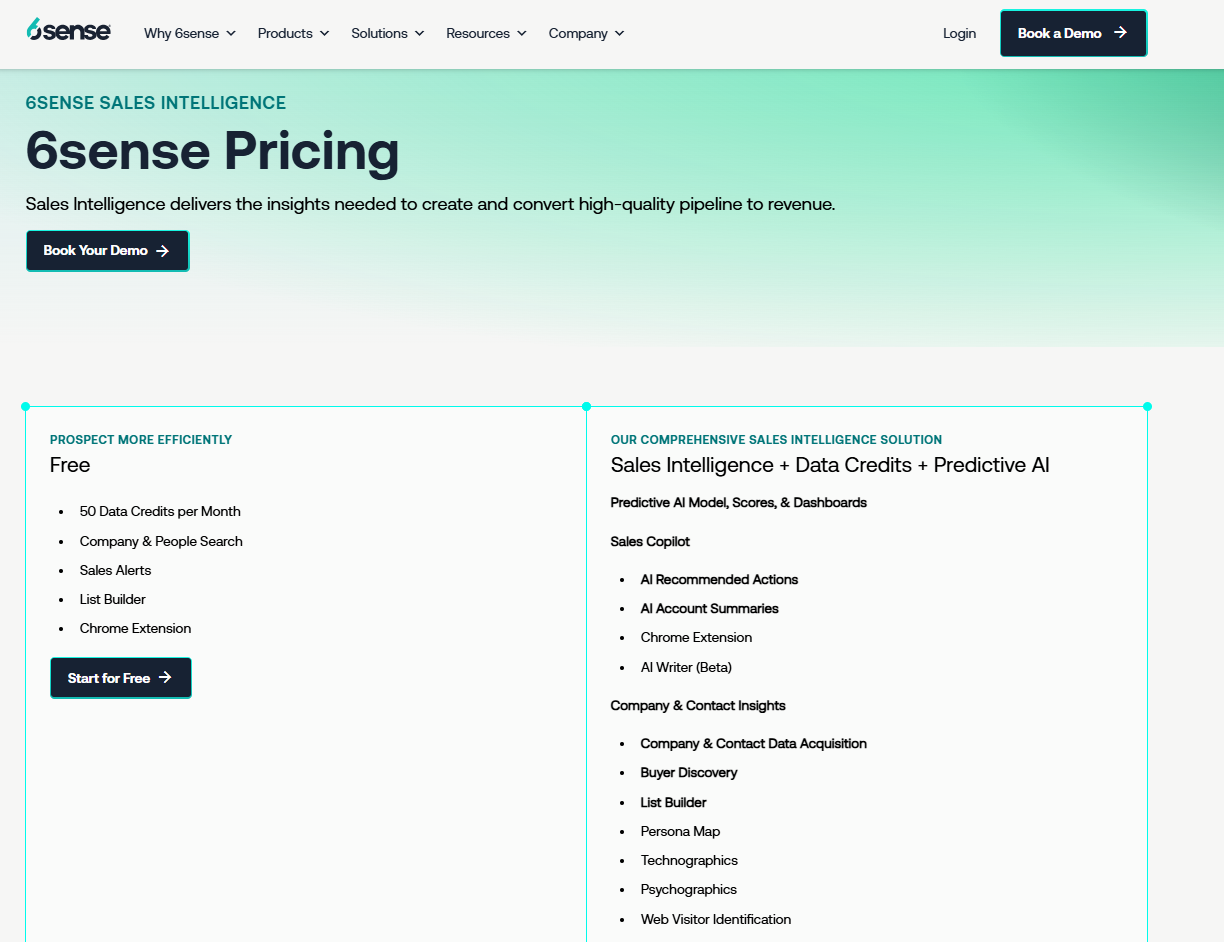
Source of images.

Paid pricing isn't disclosed publicly as of May 2026. Vendr lists the average 6sense contract value at around $123,711.

Pros & Cons

✅ Deep third-party intent coverage hard to match with single-source platforms.

✅ Mature predictive scoring with a long enterprise track record.

✅ Strong ad orchestration alongside the intent data.

❌ One drawback of 6sense Revenue Marketing is inconsistency in data accuracy, particularly with intent signals and account identification, according to a G2 review, which is one reason why you might look for 6sense alternatives.

#3: Clay

Best for: Mid-market GTM teams that want flexible, programmable enrichment workflows and have in-house ops capacity to build and maintain them.

Similar to: Unify, Common Room.

Source.

GTM data is Clay's core, built around enrichment, waterfall logic, and workflow automation.

Common Room surfaces signals and pushes you toward action; Clay hands you the building blocks to design exactly the enrichment, scoring, and routing logic your motion calls for. The tradeoff: configuration time up front.

Features

Source.

  • Waterfall enrichment: Queries 150+ data providers in sequence to fill in contact and company data, paying only for results that hit.
  • Web Intent: Tracks website visitor signals and surfaces them inside Clay workflows.
  • AI research agents: Claygent handles account research, contact research, and signal analysis using LLMs.
  • CRM sync: Native bidirectional sync with Salesforce and HubSpot on the Growth plan and above.

Pricing

Clay restructured its pricing in March 2026. Current plans when paying annually:

  • Free: 100 credits/month, 100 table rows, no CRM integration. Testing only.
  • Launch: $167/month for 30,000 Data Credits annually, 180,000 Actions, phone enrichment, and signal tracking.
  • Growth: $446/month for 72,000 Data Credits annually, 480,000 Actions, CRM sync, HTTP APIs, Web Intent, and Ads audience building.
  • Enterprise: Custom pricing for teams targeting 20,000+ accounts, with annual commitment.

Source.

Pros & Cons

✅ Most flexible enrichment and workflow layer in the category, with 150+ provider integrations.

✅ Recent pricing change cut data costs 50-90% and made CRM sync available at the Growth tier.

✅ Strong AI research agents built into the platform.

❌ The learning curve is steep, according to G2 reviews.

#4: Unify

Best for: Outbound-led teams that want signal-triggered sequences, AI agents, and managed mailboxes in one platform without spinning up a Clay agency.

Similar to: Warmly, Clay.

Source of image.

Signal-driven outbound is the whole pitch for Unify.

The platform pulls intent and account data, runs enrichment, and orchestrates multi-channel sequences end-to-end.

The motion can be run in-house, without hiring out the work to an external agency or a dedicated RevOps engineer.

Features

Source of image.

  • Signal-based plays: Trigger outbound from job changes, hiring signals, web visits, and competitor moves.
  • Enrichment waterfalls: Multi-vendor enrichment for emails, phone numbers, and firmographics.
  • AI sequences: Generate personalized outbound based on signal context and account research.
  • Managed mailboxes: Unify handles email warmup, rotation, and deliverability monitoring on Gmail mailboxes.

Pricing

Unify publishes its Growth tier and keeps Pro and Enterprise on custom quotes:

  • Growth: $1,740/month billed annually. Includes 50,000 credits/year, 1 user, 8 Unify Managed Gmail Mailboxes. Additional users $100/seat/month, additional mailboxes $25/mailbox/month.
  • Pro: Custom pricing. 200,000 credits/year, 2 users, 20 mailboxes, tailored onboarding.
  • Enterprise: Custom pricing. 600,000 credits/year, 5 users, 40 mailboxes, SSO, dedicated growth consultant.

Source of image.

Pros & Cons

✅ Signal-triggered outbound with managed deliverability solves two problems in one tool.

✅ Aggregates intent from 10+ sources including 6sense, Bombora, G2, and Clearbit.

✅ AI sequences pull from signal context, not templated copy.

The starting price of $1,740/month might be too much for smaller teams.

#5: Demandbase

Best for: Enterprise teams running multi-channel ABM with paid advertising tightly tied to account intent, especially when buying-committee orchestration matters.

Similar to: 6sense, Terminus.

Source of image.

For enterprise ABM, Demandbase is one of the longest-running options.

The platform is built around account identification, intent data, and B2B advertising, with the heaviest weight on ad orchestration and program planning.

Community signal aggregation, which is what Common Room is best known for, isn't really part of the Demandbase pitch.

Features

Source of image.

  • Account-based advertising: Targeted display and video advertising tied to identified accounts and intent signals.
  • Real-time website personalization: Dynamic content (headlines, CTAs, case studies) keyed to visitor account, industry, or stage.
  • Agentbase: AI agents for buying-group identification and next-best-action recommendations.
  • Sales insights: Account-level intelligence surfaced inside Salesforce or HubSpot for prioritization.

Pricing

Demandbase doesn't disclose pricing publicly; you'll need to contact their team for a quote.

Source of image.

Pros & Cons

✅ Strong ABM advertising and retargeting, rarely matched by tools that started in signal capture.

✅ Suite covers ads, account insights, intent, and personalization in one platform.

✅ Mature Salesforce integration with native account-level data flowing into the CRM.

Pricing is not disclosed.

#6: RB2B

Best for: US-focused B2B teams that want lightweight, person-level visitor identification pushed straight into Slack with minimal setup.

Similar to: Warmly, Common Room.

Source of image.

RB2B keeps the surface area small: identified individuals get pushed into Slack, and that's it.

The simplicity is the product, and reps decide what to do once the LinkedIn profile shows up in the channel.

Features

Source of image.

  • Person-level identification: Shows visitor LinkedIn profiles in Slack within seconds of identification.
  • Visitor filtering: Drill down on high-value visitors by title, company, or behavior.
  • Sales engagement integrations: Push identified visitors into outbound sequencing tools.
  • Demandbase partnership: Adds global company-level identification on top of US person-level data.

Pricing

RB2B has a free plan with 150 monthly resolution credits (Slack-only, no person-level on the free tier). Paid plans:

  • Starter: $79/month for 300 monthly resolutions, plus the option to push LinkedIn URLs to Slack.
  • Pro: From $140/month for 600 monthly resolutions, plus business email addresses and integrations.
  • Pro+: From $199/month for 600 monthly resolutions, with increased coverage for company and contact-level site ID.

Source of image.

Pros & Cons

✅ Easy install and Slack-first workflow, fast to set up.

✅ Demandbase partnership extends coverage to global company-level identification.

✅ Predictable monthly pricing without annual commitments.

❌ The paid versions are expensive for a solo founder, according to a G2 review.

#7: Apollo

Best for: SMB and mid-market sales teams that want a B2B contact database, multichannel sequences, and a dialer at per-seat pricing without enterprise commitments.

Similar to: ZoomInfo, Lusha.

Source of image.

One of the larger B2B contact databases comes paired with sequences and a dialer in Apollo's stack.

Common Room focuses on signal aggregation; Apollo plays in the data and outbound execution lane. The two overlap less than you might expect.

Features

Source of image.

  • B2B contact database: Over 230M contacts per Apollo's published stats, with verified emails and direct dials.
  • Sequences and dialer: Multichannel cadences across email, calls, LinkedIn, and tasks, with a built-in power dialer.
  • AI assistance: AI writing assistant and conversation intelligence on calls.
  • Engagement analytics: Reply rates, meeting rates, and rep performance reporting.

Pricing

Apollo has a free plan with limited credits, plus three paid tiers:

  • Basic: $49/user/month (annual) for entry-level sales teams.
  • Professional: $79/user/month (annual) with sequences, A/B testing, and call recordings.
  • Organization: $119/user/month (annual) with advanced security, dialer add-ons, and custom analytics.

Source of image.

Pros & Cons

✅ Generous free tier with usable credits, not a teaser.

✅ Public per-seat pricing makes scaling predictable for SMB teams.

✅ Database, sequencing, and dialer all in one platform without enterprise commitments.

❌ The data accuracy is the biggest frustration with some users on G2.

#8: ZoomInfo

Best for: Enterprises that want the broadest B2B contact database paired with intent data and engagement, particularly in North American markets.

Similar to: Apollo, Cognism.

Source of image.

The largest B2B database in the market is the foundation ZoomInfo is built on, with intent signals, visitor identification, and engagement tools layered on top.

There's overlap with Common Room on intent, but ZoomInfo goes much deeper on the data side and lighter on the community signal capture side.

Features

Source of image.

  • B2B database: Over 260M professional profiles, 100M company profiles, and 135M verified phone numbers with ongoing technographic enrichment.
  • Intent data: Topic-based intent signals across categories, integrated with the contact database.
  • Engagement tools: Sequences, web chat, forms, and form intelligence inside the SalesOS bundle.
  • AI ICP search: AI-powered ICP modeling and account search across the database.

Pricing

ZoomInfo doesn't disclose pricing publicly; you'll need to contact their team for a quote. ZoomInfo Lite is a free tier for limited use.

Source of image.

Pros & Cons

✅ Mature integrations with Salesforce, HubSpot, Outreach, Salesloft, and others.

✅ ZoomInfo Lite offers a low-commitment way to evaluate data quality.

✅ Strong coverage of North American B2B data.

Pricing is not disclosed.

#9: Albacross

Best for: Mid-market teams running inbound-heavy lead gen with GDPR requirements and a need for transparent per-seat pricing.

Similar to: Dealfront, Salespanel.

Source of image.

European traffic is where Albacross does its best work. The platform handles company-level visitor identification with some automated lead workflows on top, with GDPR compliance baked in from the start.

Features

Source of image.

  • Company identification: Identifies visiting companies with strong accuracy on EU traffic.
  • Auto-segmentation: Built-in and custom filters for segmenting identified accounts on firmographic and behavioral signals.
  • Automated alerts: Notifies reps when leads hit relevant pages or cross intent thresholds.
  • Email workflows: Sequences trigger off identified visitor activity, without needing a separate outreach tool.

Pricing

Albacross has three pricing plans:

  • Starter: Starting at €99/user/month for 25 high-intent on-site leads revealed, 150 verified emails, and AI-powered segmentation.
  • Professional: Starting at €159/user/month, adding 40 high-intent leads, 250 verified emails, and 5 off-site buying signals per week.
  • Organization: Starting at €199/user/month, adding 50 high-intent leads, 400 verified emails, and 10 off-site buying signals per week.

Source of image.

Pros & Cons

✅ GDPR-compliant by design.

✅ Transparent per-seat pricing, rare in the category.

✅ Tracks unlimited visitors regardless of plan.

Company-level only; no person-level reveal.

#10: Dealfront (Leadfeeder)

Best for: European B2B teams that want company-level website visitor identification with deep GDPR coverage and a wider European data platform behind it.

Similar to: Albacross, Lead Forensics.

Source of image.

The Leadfeeder and Echobot merger gave us Dealfront.

Website visitor identification meets European B2B sales intelligence in one combined platform, with the heaviest data coverage across DACH, the Nordics, and Benelux.

Features

Source of image.

  • Company-level visitor identification: IP-to-company matching with firmographic enrichment and visit timelines.
  • Lead scoring and feeds: Custom feeds and scoring to focus on accounts that match your ICP.
  • Decision-maker discovery: Surfaces relevant contacts at identified companies with role and seniority data.
  • CRM integrations: Native sync with HubSpot, Salesforce, Pipedrive, Zoho, Microsoft Dynamics, and Mailchimp.

Pricing

Dealfront has a free plan and two paid plans:

  • Lite: Free forever for up to 100 company identifications per month, 20 contacts, and a 7-day view of company visits.
  • Website Visitor Identification: From €99/month (annual billing, priced by companies identified) for unlimited company reveals, CRM sync, alerts, and ad campaign lists.
  • Platform: From €399/month (annual, priced by seats and credits) for access to a 60M company and 400M contact database, AI enrichment, and embedded CRM profiles.

Source of image.

Pros & Cons

✅ GDPR-friendly with strong European data coverage including DACH, Nordics, and Benelux.

✅ Transparent monthly pricing on the Leadfeeder tier that scales cleanly with traffic.

✅ Broad CRM integration coverage including Pipedrive and Zoho, which most competitors skip.

Company-level identification only, no person-level.

Generate more qualified pipeline with Warmly

For teams that want both inbound conversion and outbound orchestration running off the same data layer, Warmly is built for that GTM motion.

Two coordinating agents share one Context Graph that scores every account the same way regardless of channel, so inbound activity informs outbound and vice versa.

And there’s no need for integrations to maintain separate tools.

You can start with Warmly's free plan to identify your first 500 visitors, or book a demo if your team needs the full Inbound and TAM agent setup.

⚠️ Disclaimer: This article was last updated on the 28th of May, 2026, and if there's any misinterpretation of the information, please contact us, and we will fact-check it.

10 Best Agentic Inbound Agents In 2026 [Reviewed]

10 Best Agentic Inbound Agents In 2026 [Reviewed]

Time to read

Alan Zhao

In this guide, I'll walk through the 10 best agentic inbound agents in 2026, grouped by the work each one is built to do, so you can pick something that fits your motion without paying for the wrong category.

TL;DR

  • Warmly offers the best agentic inbound agent in 2026 for B2B SaaS revenue teams with its AI Chat plus Warm Calls handoff, person-level visitor identification feeding the conversation from message one, a TAM Agent for outbound follow-up on non-converters, and the Context Graph that ties inbound and outbound together.
  • Teams comparing chat-first sales platforms usually shortlist Qualified (Piper), 1mind, Salesloft, Intercom Fin for Sales, and Conversica, which all run agentic conversations with different angles on workflow, multimodal engagement, and nurture cycles.
  • Companies that need agentic agents handling support volume often evaluate Sierra, Decagon, and Ada, while smaller teams looking for fast-deploy chat usually land on Tidio.

What are the best agentic inbound agents in 2026?

The best agentic inbound agents in 2026 are Warmly, 1mind, and Qualified.

Here's the full shortlist with what each tool fits and where pricing lands:

Tool

Best For

Pricing

Warmly

B2B SaaS revenue teams that want person-level visitor ID, AI chat with full CRM context, and inbound conversations tied to outbound follow-up through a shared Context Graph.

Free plan; inbound paid from $10,000/year. TAM Agent from $15,000/year.

1mind

Enterprise marketing teams replacing legacy conversational sales tools with AI-driven visitor engagement and routing workflows.

Pricing not public.

Qualified

Salesforce-native revenue teams running an agentic marketing funnel anchored around Piper the AI SDR Agent across text, voice, and video.

Pricing not public.

Salesloft

Salesloft customers who want AI chat agents working alongside cadence, conversation intelligence, deal management, and forecasting.

Pricing not public.

Intercom (Fin for Sales)

Companies already on Intercom that want Fin handling inbound sales qualification and meeting booking next to its customer service work.

From $0.99 per resolution.

Conversica

Teams running event-driven, ABM, or inbound inquiry motions that want AI agents nurturing leads across email, SMS, and chat over longer cycles.

Pricing not public.

Sierra

Enterprise CX teams wanting voice and chat agents that handle support volume with brand-consistent conversation design and live assist for human reps.

Pricing not public.

Decagon

Consumer brands and enterprises building concierge-style AI agents across voice, chat, and email, configured in plain language.

Pricing not public.

Ada

Global enterprises running multichannel, multilingual customer service who want an agentic CX platform with deep observability and testing.

Pricing not public.

Tidio

SMB and ecommerce teams looking for an inexpensive AI chatbot with live chat that can be running on-site in an afternoon.

Free plan; paid from €32.50/month.

What are the best agentic inbound agents for B2B sales?

These six tools are built primarily to convert anonymous website visitors and inbound inquiries into qualified sales conversations:

#1: Warmly

Warmly offers the best agentic inbound agent in 2026 for B2B SaaS revenue teams with our AI Chat plus Warm Calls live video handoff, person-level visitor identification, TAM Agent for outbound follow-up, and the Context Graph that ties every conversation together.

Heads up: Warmly is our platform. My goal here is an honest comparison and not a one-sided pitch. If a different tool below fits your situation better, that's the recommendation we'd give you.

Let’s go over the features and capabilities that I think make our platform the best agentic inbound agent on the market in 2026:

Inbound Agent: AI Chat with Warm Calls

The Inbound Agent runs AI sales chat on your website, and the moment a conversation needs a human, a rep can step in over live video through Warm Calls.

Before the first message goes out, the chat agent has already pulled the visitor's CRM history, the pages they've been on this session and historically, their company's intent signals, and the product context for the page they're looking at.

The opener changes from "How can I help you?" to something like "Looks like you're back checking out the integrations page — want me to walk through the HubSpot setup since you flagged that on our last chat with your team?"

When a rep takes over, the transcript, CRM history, and page context pass to them before they type their first reply.

From the visitor's side, the handoff is invisible.

Our smart popups and personalized landing pages also run on that same identity layer:

  • Smart popups are triggered by intent signals and are personalized to who's visiting your website to give them the right offer at the right moment.
  • Personalized Landing Pages dynamically customize content based on who's visiting, including their company, role, industry, and behavior.

And for the visitors who visited but left, our retargeting follow-up engine triggers personalized email sequences, LinkedIn ad targeting, and nurture campaigns based on their behavior and intent signals.

Person-level visitor identification

Most visitor ID tools surface a company name and a city. This can be useful, but not enough to actually start a conversation that lands.

Our Inbound Agent identifies 15% of traffic at the individual level with name, email, and title, with 90%+ accuracy on matched profiles.

At the company level, it covers 65% of sessions at 95%+ accuracy.

The identity resolution waterfall preferences deterministic matches (email, cookie, CRM ID) over probabilistic ones (IP, behavioral fingerprint).

Our platform goes beyond IP-to-company matching and resolves individuals with name, work email, job title, and LinkedIn profile.

The visitor data flows bidirectionally into HubSpot and Salesforce without manual exports, and every identified visitor gets enriched with firmographics, technographics, and third-party intent signals before reaching reps.

TAM Agent for outbound follow-up

The TAM Agent picks up where the Inbound Agent finishes, running outbound across email and LinkedIn, triggered by the same intent signals the inbound side captured.

It scores accounts using a model trained on your closed-won deals, identifies the buying committee, and either routes to reps or runs autonomous AI SDR sequences depending on how you set it up.

The two agents talk to each other through the Context Graph, so a visitor who chatted at 5 PM Tuesday won't get a cold outbound email the next morning.

Context Graph

The Context Graph is the data layer underneath both agents.

It tracks signals, actions taken, the reasoning behind those actions, and the resulting outcomes for every account.

Plenty of products marketed as agentic are workflow engines with an LLM layer on top.

Warmly's architecture is different: the Context Graph feeds both the inbound and outbound agents from the same intent model, which is why the chat side and the outbound side can coordinate timing, share scoring, and avoid double-touching the same person.

Every prospect touchpoint is logged in an activity ledger, which you’ll find is quite useful when a prospect is back in market after a few months.

All of this massive context also goes to the AI chatbot. The chatbot would be aware if a visitor visited your pricing page last week and a case study last month.

What makes Warmly different from other agentic inbound agents

The pattern across most products in this category is that the agent waits for a visitor to start a conversation, then tries to figure out who they are mid-chat.

Warmly flips that model.

Person-level visitor identification fires before the first message, so the agent opens already knowing the company, the role, the prior session history, and any active CRM activity.

The chat starts warm because the data feeding it starts warm.

That's the part most agentic inbound tools don't have.

  • CX-native agents are designed around customer support, so the identity layer assumes the person is already a known customer when they show up.
  • Sales-first agents run strong agentic conversations, but the identification layer in front of the chat is thinner, which means the opening message has less to draw from.

The second piece is the shared Context Graph between inbound and outbound.

Most teams stack 4 to 6 tools to get this coverage, which means inbound chat lives in one system, outbound sequences in another, and the intent data has to be reconciled across both.

Warmly runs one model across both sales motions.

Pricing

Warmly has a free plan covering 500 de-anonymized visitors per month, with Slack alerts and CSV export. Paid plans stack on the inbound side, plus a separate outbound plan.

  • AI Web-Deanonymization runs $10,000 per year for 10K credits monthly, covering contact and company-level identification, ICP filtering, real-time Slack alerts, lead routing, CRM sync, and retargeting via email, LinkedIn, and ads.
  • Inbound Chat adds the conversational layer at $20,000 per year, with the AI Chatbot (one AI Studio Agent), Warm Calling for live chat handoff, Warm Offers, chat metrics, and automated email follow-up.
  • AI Inbound Autopilot runs $30,000 per year and adds unlimited AI Studio Agents, the Autopilot Agent, AI goal-setting and qualification, AI-generated mini-demo slides, AI-written chat follow-up, and auto-learning that improves the chat over time.
  • AI TAM Agent starts at $15,000 per year for 60K annual credits, covering the TAM database with intent scoring, the buying committee agent, AI enrichment, the Signals Bundle (Bombora, G2, Reddit, Glassdoor, news, SEC filings, job changes, social signals, YouTube, podcasts), and HubSpot two-way sync.

The pricing is built for mid-market B2B SaaS revenue teams with meaningful website traffic, not very early-stage startups where the entry-level volume doesn't yet justify the spend.

Pros & Cons

✅ Person-level visitor identification feeds CRM context into the AI chat before the first message, so the conversation opens warm.

✅ Inbound Agent and TAM Agent share a unified Context Graph, removing the duplicate-touching problem that comes with separate inbound and outbound tools.

✅ Live video handoff via Warm Calls keeps high-intent conversations from dying at the chatbot boundary.

✅ Native HubSpot and Salesforce integrations cover most B2B SaaS CRM stacks without Zapier workarounds.

❌ There are no monthly plans: only quarterly and annual.

#2: 1mind

Best for: Enterprise marketing teams replacing legacy conversational sales tools with AI-driven visitor engagement and routing workflows.

Similar to: Qualified, Drift.

Source.

1mind positions itself as a modern take on conversational sales, with AI-led conversations that automate visitor interactions through workflows and engagement prompts.

The routing automation is the piece that gets called out most often: leads and meetings assign to the right rep based on territory or custom logic, the moment a chat finishes.

Features

Source.

  • AI-led conversations: Visitor interactions run through conversational workflows with built-in engagement prompts.
  • Lead qualification logic: Filters and prioritizes leads against qualification criteria you define upfront.
  • CRM synchronization: Visitor and lead data syncs across connected CRMs and workflow tools.
  • Routing automation: Sends leads and meetings to the right rep based on territory or assignment logic.

Pricing

1mind does not disclose pricing publicly; you'll need to contact their team for a quote.

Source.

Pros & Cons

✅ AI-led conversations adapt to workflow logic rather than fixed scripts.

✅ Built-in routing handles territory and round-robin assignment without a separate routing tool.

✅ Analytics give visibility into workflow performance and conversation activity.

❌ The platform’s contracts are annual, and enterprise estimates place it at $100,000+ per year.

#3: Qualified

Best for: Salesforce-native revenue teams running an agentic marketing funnel anchored around Piper the AI SDR Agent.

Similar to: Intercom Fin for Sales, 1mind.

Source.

Qualified built its platform around Piper, an AI SDR Agent that greets website buyers, guides them through their buying journey with text, voice, and video conversations, sends timely email follow-up, and books meetings.

The whole approach is framed as the agentic marketing funnel, with customer logos including VMware, Sodexo, and Fujitsu.

Features

Source.

  • Piper the AI SDR Agent: Greets high-intent website visitors and runs face-to-face conversations using text, voice, and video.
  • Email nurture and follow-up: Sends bespoke emails timed to the buyer's engagement pattern.
  • AI Conversations and Meetings: Runs qualifying chats and books meetings directly on rep calendars.
  • AI Signals and Offers: Surfaces intent signals and presents personalized offers based on visitor behavior.

Pricing

Qualified does not disclose pricing publicly; you'll need to contact their team for a quote.

Source.

Pros & Cons

✅ Strong Salesforce-native integration, with a leading ranking on the Salesforce AppExchange.

✅ Multimodal Piper conversations across text, voice, and video give buyers richer engagement options than chat-only tools.

❌ Starts from $42,000 per year, according to 3rd party analysts.

#4: Salesloft

Best for: Existing Salesloft customers who want AI chat agents working alongside cadence, conversation intelligence, deal management, and forecasting in one platform.

Similar to: Qualified, Outreach.

Source.

Salesloft's Revenue Orchestration Platform now includes AI chat agents inside the broader workflow that already handles cadences (Cadence), seller prioritization (Rhythm), call insights (Conversations), deal management (Deals), and forecasting (Forecast).

The Chat capability turns website visitors into leads using the same AI agents and revenue data that power the rest of the platform.

Features

Source.

  • AI chat agents: Turn anonymous website visitors into qualified leads inside the Salesloft workflow.
  • Cadence and Rhythm: Build pipeline and prioritize seller actions using first and third-party signals.
  • Conversations: Captures insights from buyer and seller interactions across calls, email, and chat.
  • Forecast and Analytics: Connects pipeline data and AI agents to revenue forecasting.

Pricing

Salesloft does not disclose pricing publicly; you'll need to contact their team for a quote.

Source.

Pros & Cons

✅ AI chat is part of a broader revenue orchestration platform, not a standalone bolt-on.

✅ Named a Leader in The Forrester Wave for Revenue Orchestration Platforms.

✅ Backed by a Forrester Total Economic Impact study commissioned by Salesloft.

❌ Pricing is not disclosed.

#5: Intercom (Fin for Sales)

Best for: Companies already running Intercom that want Fin handling inbound sales qualification, discovery, and meeting booking next to its customer service work.

Similar to: Qualified, Drift.

Source.

Fin originally took off in customer service and now handles inbound sales alongside customer support across Intercom's customer base.

Fin for Sales engages prospects as they explore the site, answers questions on pricing and features, qualifies them, and books meetings or hands off to a live rep with full context.

Features

Source.

  • Proactive engagement: Starts conversations based on what buyers are exploring, on Messenger, email, and other channels.
  • Discovery and product expertise: Uses your knowledge base and content to answer pricing, feature, and plan-fit questions, then recommends the right plan.
  • SDR-style qualification: Asks the same questions a strong SDR would about needs, budget, and timeline, enriched with CRM data.
  • AI routing and meeting scheduling: Books meetings via Calendly or Chili Piper and hands off to live reps with full conversation context.

Pricing

Intercom bills Fin AI on a separate line from the helpdesk seats, and there are two ways to deploy it:

Fin with your existing helpdesk:

  • $0.99 per outcome each time Fin closes a conversation end-to-end.
  • Minimum of 50 outcomes per month.
  • Works out of the box with Salesforce, HubSpot, Zendesk, and others.
  • Includes a 14-day free trial.

Fin + Intercom Helpdesk:

  • $0.99 per outcome, plus $29 per seat monthly for the helpdesk.
  • $29 is the entry-level helpdesk price; higher tiers also exist.
  • Includes a 14-day free trial.

Optional add-ons:

  • Pro: $99 monthly to analyze up to 1,000 conversations via CX Score, AI Topics, Trends, and Custom AI Scorecards.
  • Copilot: $35 per user, per month, providing an AI assistant inside the agent's inbox.

Source.

Pros & Cons

✅ The same Fin agent handles both prospect and customer conversations, switching context as needed.

✅ Pay-per-resolution pricing aligns cost with results rather than seats.

✅ Years of customer service deployments mean Fin tends to read as conversational rather than scripted.

❌ The accuracy of responses heavily depends on the quality and structure of the knowledge base, which can require ongoing maintenance, according to a G2 review.

❌ It does sometimes have glitches, according to a G2 review.

#6: Conversica

Best for: Teams running event-driven, ABM, or inbound inquiry motions that want AI agents nurturing leads across email, SMS, and chat over longer sales cycles.

Similar to: Intercom Fin for Sales.

Source of image.

Conversica's AI Agents focus on persistent, conversational nurture: agents pick up after events, ad clicks, content downloads, ABM programs, and inbound inquiries to keep leads moving over weeks and months, not minutes.

The product positions itself less as a real-time chat experience and more as a long-cycle conversation engine.

Features

Source of image.

  • Event-driven nurture: Starts conversations before and after events to boost attendance, capture interest, and schedule follow-ups.
  • Ad and content follow-up: Turns ad clicks and content downloads into conversations that qualify and engage.
  • ABM program engagement: Personalized conversations with target accounts to uncover intent and open sales conversations.
  • Multichannel reach: Runs across email, SMS, chat, and messaging apps in any language.

Pricing

Conversica does not disclose pricing publicly; you'll need to contact their team for a quote.

Source of image.

Pros & Cons

✅ Persistent multichannel conversation engine across email, SMS, chat, and messaging.

✅ Industry-trained agents with brand-safe messaging from day one.

✅ Enterprise-grade security and compliance, including GDPR, SOC 2, and data residency options.

❌ Pricing is custom.

What are the best agentic agents for inbound customer experience?

These platforms handle inbound conversations too, but the work is customer experience and support, not sales pipeline:

#1: Sierra

Best for: Enterprise CX teams that want voice and chat agents handling support volume with brand-consistent conversation design and live assist for human reps.

Similar to: Decagon, Ada.

Source of image.

Sierra powers customer experiences at brands including ADT, SiriusXM, Thrive Market, and CLEAR.

The Agent OS spans Agent Studio for no-code agent building, an Agent SDK for developers, voice agents, an insights layer for analytics and experimentation, and Live Assist that augments human reps with AI suggestions.

Features

Source of image.

  • Agent Studio: Empowers CX teams to build and manage agents without code, configuring journeys, knowledge, and brand guidelines.
  • Voice agents: Handle inbound and outbound phone support with natural-sounding dialog.
  • Live Assist: Real-time AI suggestions and drafted responses for human reps during conversations.
  • Insights: Analytics, experimentation, and observability across every agent decision.

Pricing

Sierra does not disclose pricing publicly; you'll need to contact their team for a quote. The product is positioned at enterprise CX.

Source of image.

Pros & Cons

✅ Strong voice agent capability across inbound and outbound calls.

✅ Agent Studio lets CX teams update agents without engineering involvement.

✅ Live Assist augments human reps rather than replacing them.

❌ Pricing is custom.

#2: Decagon

Best for: Consumer brands and enterprises building concierge-style AI agents across voice, chat, and email, configured in plain language.

Similar to: Sierra, Ada.

Source.

Decagon powers customer experiences for brands including Hertz, Oura, Quince, Duolingo, Gopuff, and Affirm.

The differentiator is Agent Operating Procedures (AOPs), which let teams define agent workflows in natural language so iteration doesn't require engineering sprints.

Features

Source.

  • Agent Operating Procedures (AOPs): Define agent workflows in plain English rather than configuration syntax.
  • Omnichannel platform: Voice, chat, and email all run on a single intelligence layer.
  • Testing, observability, and experimentation: Validate and iterate agent logic with built-in QA tooling.
  • Analytics suite: Turns conversations into insights about customer behavior and agent performance.

Pricing

Decagon does not disclose pricing publicly; you'll need to contact their team for a quote.

Source.

Pros & Cons

✅ Natural-language AOPs make agent iteration faster than tools requiring configuration languages.

✅ Voice, chat, and email work consistently because they share one intelligence layer.

✅ Customer roster of well-known consumer brands suggests proven performance at high conversation volume.

❌ Pricing is custom.

#3: Ada

Best for: Global enterprises running multichannel, multilingual customer service who want an agentic CX platform with strong observability and testing.

Similar to: Sierra, Decagon.

Source.

Ada calls itself the agentic customer experience platform, with AI agents that resolve, act, and continuously improve across messaging, voice, and email.

The ACX (Agentic Customer Experience) framework includes the platform, a methodology layer they call Practice, and an experts team that works alongside the customer's CX organization.

Features

Source.

  • ACX Platform: Deploys and orchestrates AI agents across channels and languages with continuous improvement built in.
  • Playbooks: Pre-built workflows for industry use cases including financial services, gaming, retail, technology, and travel.
  • Multilingual support: Customers across 85+ countries, with multilingual conversation handling.
  • Compliance and security: HIPAA, SOC 2, GDPR, and AIUC-1 compliance for regulated industries.

Pricing

Ada does not disclose pricing publicly; you'll need to contact their team for a quote.

Source.

Pros & Cons

✅ Multilingual capability across 85+ countries fits global support teams.

✅ Industry-specific Playbooks shorten time to deploy in financial services, gaming, retail, and travel.

✅ Strong compliance posture for regulated industries.

❌ Pricing is not public.

#4: Tidio

Best for: SMB and ecommerce teams looking for an inexpensive AI chatbot with live chat that can be running on-site in a single afternoon.

Similar to: Intercom (lower tiers), HubSpot Service Hub.

Source.

Tidio is the chatbot that comes up most often at the small-business end of the market.

Pricing is friendly, deployment is fast, and the platform delivers more than the price tag suggests. Lyro, its AI agent, fields routine questions, qualifies inbound leads, and schedules meetings.

Features

Source.

  • Lyro AI agent: Natural-language AI trained against your knowledge base and product documentation.
  • Live chat alongside the chatbot: Pairs the AI agent with human takeover whenever needed.
  • Unified multichannel inbox: Manages chat, email, and Instagram or Messenger from one place.

Pricing

  • Free: €0 monthly, covering 50 AI conversations, 1 AI Action, and basic guidance.
  • Core: From €32.50 monthly for 50 to 1,000 AI conversations, 3 AI Actions, product recommendations, and Lyro for emails.
  • Plus: From €749 monthly for custom conversation volume (from 300), up to 10 AI Actions, live knowledge refresh, Lyro for sales, MCP connections, OpenAPI access, and a dedicated success manager.
  • Premium: Custom pricing, including pay-per-resolution billing, AI insights with CSAT, SSO, compliance, and Lyro as a managed service.

Source.

Pros & Cons

✅ Friendly entry pricing for SMB and ecommerce teams.

✅ Fast deployment, often in a single afternoon.

✅ Unified inbox handles chat, email, and social DMs together.

❌ Making sophisticated features more available without having to switch to higher price tiers too soon is one area Tidio might do better, according to a G2 review.

❌ The pricing structure feels a bit steep when scaling up or needing access to more advanced features, according to another G2 review.

Generate more qualified pipeline with Warmly

The agentic inbound agent category has split into something useful.

Some tools chase support resolution, others chase pipeline, and a smaller group is building toward a unified inbound experience where chat, voice, and outbound share the same context.

For mid-market B2B SaaS revenue teams trying to consolidate a chat tool, a visitor ID tool, a routing tool, and an outbound sequencer into one platform, Warmly's two-agent architecture with the shared Context Graph is the closest fit.

The free plan covers 500 visitors per month, which is enough volume to see whether person-level identification plus AI chat changes the shape of your inbound before committing.

You can start with Warmly's free plan to identify your first visitors, or book a demo if your team needs the full Inbound and TAM agent setup.

⚠️ Disclaimer: This article was last updated on the 28th of May, 2026, and if there's any misinterpretation of the information, please contact us, and we will fact-check it.

Connect with Our Experts

Book a 15-minute conversation with a customer of ours and discover how Metric transforms their GTM strategy.