Maximus Greenwald

logo LinkedIn
Co-Founder & CEO

Max Greenwald is the co-founder and CEO of Warmly, the AI-native revenue orchestration platform. Before Warmly, Max worked at Google and studied Computer Science at Stanford. He's built Warmly from a Techstars startup into the category leader in signal-based selling, serving hundreds of B2B companies. Max writes about AI agents, GTM strategy, and the future of B2B sales.

Articles

Showing 0 of 0 items

Category

Resources
Resources
Resources
Resources
Google Search March 2024 Algorithm Update: What You Need to Know

Google Search March 2024 Algorithm Update: What You Need to Know

Time to read

Alan Zhao

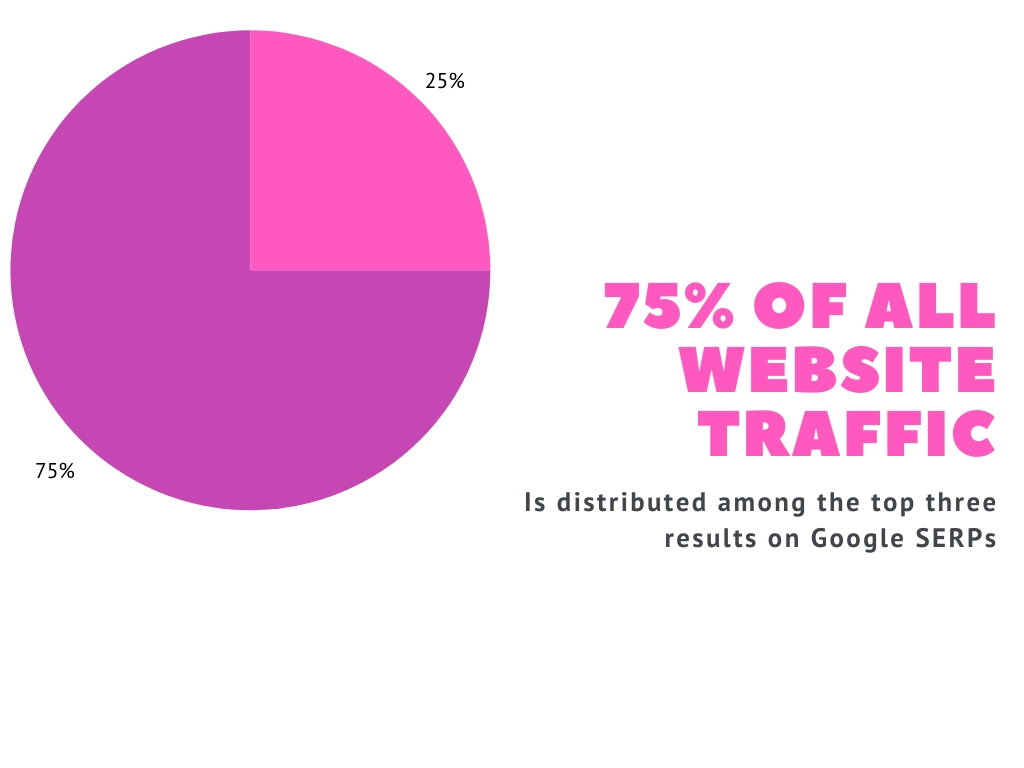
Search engine optimization (SEO) has always been an arms race between search engines and people seeking to game them for better traffic. Google is by far the biggest search engine in the world—with 82% market share as of January 2024. Any updates to their algorithms will cause a ripple effect across the SEO community, and the Google March 2024 algorithm update was ground-shaking.

Google claims their latest algorithm updates (a core update and a spam update) reduce "low-quality, unoriginal content in search results by 40%." However, by taking a giant step to block AI content, it seems Google may have thrown the baby out with the bathwater by locking out a ton of websites with genuinely useful, human-made content. Meanwhile, some obviously AI-generated websites have surged in traffic with the update, which has led to confusion and frustration among site owners and SEO experts.

Background on Google March Algorithm Updates

The March 2024 update is actually two: a Google core update that was implemented over a few weeks in March and a spam update that is being slow-rolled until May. That means we won't know the net effect of both for at least several months.

Google has been using an AI spam-prevention system SpamBrain since 2018, in addition to manual reviews. According to Google, "If your site is affected by a manual action, we will notify you in the Manual Actions report and in the Search Console message center."

‎‎There's no way to know if you have been affected by an algorithm shift other than seeing your traffic change. The company doesn't share what metrics they're tracking, so it's difficult to know what you're doing wrong.

In recent years, Google's algorithms have also made thousands of small changes to their algorithm every year in a race to keep up with changing behavior (and dodge SEO manipulation.) Other updates are big enough to be named (Florida, Penguin.) The last major update to the Google search algorithm was four months ago, in November 2023.

The company's stated policy is that Google Search's core updates are not personal, and content creators and web owners will be fine as long as they abide by their updated spam policies. Yet some users have reported that the Google algorithm changes have disproportionately affected their web pages, with only some pages getting de-indexed. This suggests the algorithm looks at page-level signals, since many features (like ad placement) are site-wide.

Detailed Analysis of the Latest Google Algorithm Changes

Core Algorithm Update

Google claims that the March 2024 update resulted from changes to their ranking system they began implementing as far back as 2022 "to reduce unhelpful, unoriginal content on Search." Their goal is to push up content that is:

  • Helpful
  • Human-made
  • On pages that are friendly to human eyes (vs. web crawlers)

As a result, hundreds of websites with AI content have been removed from Google indices. Some SEO experts initially guessed that the algorithm is penalizing high-volume publishing (which assumes the use of generative AI) but users have reported de-listed sites with just a handful of posts overall.

De-Emphasis on Links

In a February 2023 keynote at PubCon Austin, Google Webmaster Trends Analyst Gary Illyes hinted that links are (no longer) a significant factor in ranking. This was confirmed in the new spam policy update. The language seems to target private-blog networks and other ways of manipulating backlinks both in and out of a website. Lowering the importance of links also nerfs the mainstay "black hat" SEO tactic of buying backlinks.

Spam Updates

While ranking system changes can kick spam content off the first page of Google Search, their spam policy allows them to "take action on more types of content with little to no value created at scale." Punitive actions include de-indexing, which tracks with what some website owners are seeing with their websites since the March 2024 update.

Google is allowing site owners until May 5, 2024 to update their content to fit the new spam policies. The updated version now prohibits scaled content, expired domains, and site reputation abuse.

Scaled Content

Google has made it known that they're not fans of AI-generated content. 827 sites out of 49,345 sites tracked by Ian Nuttall's Niche Site Metrics were removed from the Google Search index following the update. All of them used AI-generated content. However, Google says their policy does not differentiate whether you use AI or low-cost human labor. They simply want to cut down on pages that present well to web crawlers but "fail to deliver helpful content."

The company is aware that their system is imperfect, admitting that "scaled content creation methods are more sophisticated, and whether content is created purely through automation isn't always as clear."

Google Scaled Abuse Description
Google offers clarification about what counts as scaled content abuse.

Expired Domains

Google frowns on people who buy high-ranking domains or take over expired ones and piggyback on the established domain authority to push low-quality content. They're especially wary if the new content is unrelated to its original purpose (e.g., Google gives the example of an expired government agency website being used to sell affiliate content.) Doing this increases the chance your site will be flagged as spam.

Site Reputation

Google is trying to crack down on players who use a back door to get low-quality content onto sites with authority. It is a common practice for people to buy posts on well-known websites or blogs.

Some websites like Huffington Post used to offer established authors a direct pipeline to publishing blog posts. People figured out they could pay authors with that access to publish articles to get backlinks from a site with high Domain Authority. Some financial magazines offer paid memberships, like Forbes Business Council, that allow members to contribute to their high-authority websites with minimal editorial oversight. Google's policy appears to carve out exceptions for these programs.

The update affecting this will not go live until May 2024, so it will be interesting to see how these platforms are affected.

How to Adapt to the Latest Google Algorithm Changes

User Interface

Google has stated many times that its core ranking systems take into account whether websites have a poor user interface. That could mean pages bogged down by ads or that appear designed for search engines rather than people. This is not new to the current update, but Google's language suggests it is becoming more important.

While invisible factors like meta titles are essential, making sure on-page elements are optimized for viewing experience and accessibility will go a long way.

Follow the Loopholes

AI sites that have survived (or are thriving from) the updates show a few remaining loopholes to gaming traffic:

  • Local search (e.g. when people are looking for a "deli near me")
  • Long-tail keywords with low traffic (and therefore, low competition)
  • The initial boost that Google gives brand-new sites (This is a feature of most ranking algorithms, including social media networks like LinkedIn. The system does not initially have information about your content. Pushing the content to readers generates signals that will feed back into the algorithm.)

Develop a Helpful Content System

If you are looking to increase your funnel through organic web traffic, the tried-and-true "white hat" SEO strategy is simply generating the kind of content Google likes: original and relevant analysis, not unhelpful, surface-level articles of regurgitated information.

Yet the latest algorithm change proves that being a source of quality, original content may not insulate you from misdirected algorithm changes.

It's also crucial for brands to keep track of changes to search engine algorithms and any potholes you might step into accidentally (for example, you are using an old NGO domain to build a legitimate commercial business and end up penalized because Google categorized that as site authority abuse.)

What The Google Algorithm Update 2024 Means for B2B Sellers

Any web publisher should be looking to follow the guidelines above so as not to fall foul of Google's new update. But what does this mean specifically for B2B sellers who may have invested heavily in an SEO strategy to draw visitors to their page?

Well, the rules of demand creation still apply. On your website and social media pages, you must create content that is genuinely helpful to your target accounts. You do this by analyzing search intent, demographics, and buyer behavior.

Your demand creation strategy will probably be supplemented with other elements like ads, webinars, podcasts, and video content uploaded to third-party sites (like YouTube or TikTok).

But demand creation is never the end goal. The whole point of search engines and SEO in the first place is to drive people to your website and get them to buy.

So, understanding Google's algorithm and implementing an SEO and content strategy that complements the algorithm is the first part of the puzzle.

The second part is capturing that traffic.

Demand Capture with a Signal-Based Revenue Orchestration Platform

Your content and SEO strategies are all in service to your revenue. Thinking in terms of revenue orchestration - and not simply 'website traffic' or 'increased sales' - means you take a more holistic view of the entire demand creation and demand capture process. And Warmly, the signal-based revenue orchestration platform, can help you do that.

The B2B buyer journey

‎Identifying traffic

There's no point spending hours learning the ins and outs of the new Google algorithm update, and updating your SEO strategy accordingly - if you don't have a system in place for analyzing all that new traffic to your site.

Warmly's de-anonymization technology can reveal up to 15% of individuals and 65% of companies who visit your website, so you can track who is visiting, how often, and what they're interested in.


Reveal contacts and companies

Optimize Account-Based Marketing

By gathering de-anonymized traffic data, you can start to categorize leads depending on how ready they are to buy. And knowing which companies your site users belong to makes it easier to accomplish your goals for account-based marketing.

Have you got users arriving from a keyword that doesn't really match the solution you're offering? Ignore it. On the other hand, if there are prospects landing on your page from high-intent keywords, who perhaps have browsed competitor pages too, you know it's time to nudge them along the sales funnel.

Automate Lead Prospecting

Once you've identified the right traffic coming to your site (or, rather, once Warmly's clever AI-powered tech has identified the right traffic), you can let our AI prospectors take over and handle outreach.

Alternatively, choose to get Slack notifications whenever a prospect is online and loop in a human SDR to get the conversation flowing.

Our AI Prospectors can also handle email marketing and LinkedIn outreach, so your sales reps can concentrate on supporting those high-value accounts towards purchasing.


Route intent signals to outreach channels, automatically

Conclusion

We're still in the process of seeing how the helpful content update and other algorithm changes are affecting website traffic and site owner behavior. However, the best way to inoculate your website traffic is to build a brand with broad authority to weather future algorithm changes.

That means establishing a long-term, helpful content strategy based on expertise. Then, you can use an autonomous revenue orchestration platform such as Warmly to help you capture those views and turn them into customers.

Interested in finding out how Warmly works? Check out our guide to Warmly implementation to get an overview of how easy it can be. Or, if you want to hear from us directly, book a call with one of our sales reps.

Cover image by Freepik.

Frequently Asked Questions

What is Google Search March 2024 Algorithm Update What You Need to Know?

Google Search March 2024 Algorithm Update What You Need to Know refers to the concepts and strategies covered in this article. Understanding these fundamentals helps B2B teams improve their sales and marketing effectiveness.

Why is Google Search March 2024 Algorithm Update What You Need to Know important?

This matters because it directly impacts pipeline generation and revenue. Teams that master these concepts see better results from their go-to-market efforts.

How can I implement this?

Start with the strategies outlined above. For B2B teams, combining these tactics with tools like Warmly—which identifies website visitors and automates engagement—can accelerate results.

What tools help with Google Search March 2024 Algorithm Update What You Need to Know?

Several tools can help, depending on your specific needs. Warmly is particularly useful for identifying high-intent website visitors and engaging them before they leave your site.

What are the best practices for Google Search March 2024 Algorithm Update What You Need to Know?

Key best practices are covered throughout this article. Focus on the fundamentals first, measure your results, and iterate based on data rather than assumptions.

How to Identify and Capitalize on Buyer Intent in Your Marketing Strategy

How to Identify and Capitalize on Buyer Intent in Your Marketing Strategy

Time to read

Alan Zhao

Did you know that, on average, only 3% of website visitors fill out contact forms? So, how do you follow up with the remaining 97% if they're not leaving their information with your marketing team?

Understanding and capitalizing on buyer intent is crucial in today's marketing landscape. Identifying when a potential customer is actively researching or showing interest in your product or service can significantly impact your marketing strategy's effectiveness. 

By leveraging buyer intent data, businesses can tailor their outreach efforts, engage with prospects at the right moment, and ultimately increase conversion rates. 

In this guide, we'll delve into the importance of buyer intent in shaping marketing strategies and explore actionable steps to harness this valuable information effectively. We’re covering:

  • Understanding buyer intent
  • Identifying and capturing buyer intent
  • Turning buyer intent into revenue
  • Intent data in action

Understanding Buyer Intent

When someone is thinking about making a purchase, they typically do some research first, leaving behind a trail of digital breadcrumbs when they do so. The further they get along in this process, the more pointed their searches become. For example, maybe they sign up for a free version of a product, request a demo, or search up pricing information. Or maybe they’ve repeatedly visited a product page over a certain time frame or clicked on a social media ad multiple times. 

These are all indications of “buyer intent” and they might as well be bright red, flashing signs pointing the observing sales professional towards a primed and ready prospect. 

Buyer intent versus buyer interest

Buyer intent is different from buyer interest. An interested buyer has the potential to turn into an intentional buyer but they’re not quite there yet. For example, an interested buyer might download a whitepaper, hit “follow” on a social media account, or subscribe to a newsletter. 

While the difference might not seem that significant, how you respond to buyer intent vs buyer interest can be the difference between closing a sale or totally turning a prospect off to your brand by overwhelming them. 

Think of it like buying a car. If you’re in the market, you might be thrilled to hear about the many available CR-V options that your local Honda dealer has. But if you were doing some casual research and now feel the need to change your number because of the insistent sales calls you keep getting, you’ll probably feel more animosity than gratitude. And when the time to upgrade does come, you’re gonna take your business elsewhere. 

Breadcrumbs, cookies, and buyer intent data

No, that’s not the name of a trendy new bakery.

Remember those digital breadcrumbs we mentioned? Well, the technical term is “buyer intent data”. When someone hits “accept cookies”, their behavior is tracked across the website that they’re on. The cookies can record actions such as pages visited, products viewed, items added to the cart, and form submissions. This record, in turn, lets that company gauge where in the buyer intent journey a particular user falls. 

In other words, buyer intent data is the secret weapon behind marketing and selling in the right place at the right time. 

By identifying buyer intent, businesses can personalize their marketing messages and offers to align with the needs and preferences of potential customers. Plus, it saves resources — understanding buyer intent allows businesses to allocate resources more efficiently by focusing on prospects who are more likely to convert into paying customers.

Identifying and Capturing Buyer Intent Data

Let’s back up a bit and dive into some of the more technical details of categorizing and capturing buyer intent data, including the differences between first- and third-party data and where you can source this kind of data.

First vs third party data

First-party data

First-party data comes directly from your company’s interaction with your current customers or known prospects. When they surf your website, use your mobile app, check out your social media, or subscribe to your email list-serve, the data you collect is totally owned and controlled by you. This is great for accuracy and reliability purposes.

However, first-party data can be narrow in scope and doesn’t tell you much about the buying intent of new prospects who are shopping around within your industry but haven’t discovered your product or website yet. 

Third-party data

Third-party intent data, on the other hand, is collected by external intent data sources, such as data brokers, publishers, and social media platforms. Because of this, its reach is much broader than that of first-party data. It can tell you a lot more about general market trends or buyer search patterns that exist outside of your immediate customer base.

But to access it, you have to purchase it from an intent data source. Third-party data is normally purchased by companies looking to supplement their first-party data, not in lieu of first-party data tracking. 

The types of buyer intent data

Buyer intent signals can include: 

  • Website activity: This includes things like time spent on specific website sections, and interactions with product, service, or pricing pages.
  • Email engagement: Engagement with email campaigns, including open rates, click-through rates, and responses to calls-to-action, provide insights into a prospect’s level of interest and receptiveness to offers.
  • CRM stage: Lead scoring, stage in the sales funnel, and previous interactions with sales representatives can also gauge readiness for a purchase.
  • Competitor analysis: Activities related to competitors, such as visiting competitor websites, comparing features and pricing, and researching alternatives, can indicate a comparative evaluation phase in a prospect’s decision-making process.
  • Chatbot interactions: The questions a user poses to a website chatbot, what topics they're interested in finding out more about.
  • Webpage interactions: Interactions with online advertisements through bidstream data provides insights into a prospect’s responsiveness to targeted ads, but general browsing can also show topical intent.
  • Research intent: When a prospect visits a website to discover specific information about the product they want to purchase. For example, they could visit a blog page or other publication.
  • Job posts: Company job postings can offer insight into what technology a company requires, projects they're working on, and their operational challenges.

Capturing buyer intent data

At this point, you might be feeling a bit overwhelmed about the amount of data that you need to be tracking. So, how do you actually go about it? 

Luckily, there are tools you can use, such as Bombora and 6sense. These can be really valuable for uncovering intent signals at companies you've identified as target accounts.

With tools like Bombora and 6sense, it’s not an either/or—for a truly comprehensive buyer intent data collection strategy, many companies use both.  

Bombora 

Bombora focuses on aggregating and analyzing third-party data from diverse online sources—many of them publishers that are exclusive to Bombora's dataset, like the WSJ, Bloomberg, Business Insider, and Forbes—to uncover research topical intent. Publications included in Bombora's exclusive dataset includeBombora's research intent data tells you whether your prospect is reading around the product they want to buy. Perhaps they're watching YouTube videos that compare products, reading reviews on publications, or just generally learning more about the problem that you solve.

Consequently, Bombora's approach revolves around broader market trends, industry topics, and areas of interest. By using data from sources such as blogs, social networks, and industry solution providers, Bombora gives users a holistic understanding of the overarching themes driving buyer intent within their target markets. 

They do this by using script tags on sites included in Bombora's Data Cooperative group. These script tags deanonymize the traffic coming to that web page, and enable Bombora to link traffic to a particular company.

The level intent the prospect is demonstrating can be gleaned from the type of webpage they're viewing and how long they spent on the page. When you know whether a prospect is in active research mode or low-intent, early-research mode, you know whether they'll engage with your marketing efforts.

Let's say you've identified topic clusters that are relevant for accounts interested in products like yours. This might include research into competitors, similar topics, or use cases. If your product is an AI chatbot, you might be interested in finding out if target accounts have visited sites comparing chatbot solutions, or if they've been reading about AI chat technology more generally.

By analyzing the sites they've visited and how far along their research journey they are, you can tell if they're a high-intent or low-intent prospect‎, and adjust your sales prospecting accordingly.

6sense

6sense combines both first and third-party data sources, including CRM systems and bidstream data, to provide businesses with personalized insights into individual prospect behavior and purchasing intent. They specialize in personalization and account-based marketing (ABM).

It's worth delving into what bidstream data is and how it differs from Bombora's Data Cooperative approach. Bidstream data is data sourced from an analysis of the ads shown to each user as they browse the web. Based on the ads shown to your prospect, 6sense can pull out the topical keywords they've been searching for, and consequently uncover research intent.

So, rather than analyze the content of the page they're viewing, 6sense understands the ads being shown (which are targeted via keywords) and the keywords on each page.

Turning Buyer Intent Data Into Action

Collecting buyer intent data is the set-up, not the end result that you’re looking for. 

Actioning intent data means connecting it with your outbound workflows in a way that informs your prospecting. Add to this the need for hyper-personalization and efficiency (remember, timing is everything) and you have quite the task in front of you. 

Example workflow for actioning buyer intent

So, you've got your buyer intent data from platforms like 6sense and/or Bombora. How can you use that to develop a sales process that targets the right prospects at the right time?

This right prospect-right time is a critical element of your sales strategy. You might have prospects who are looking into what you're selling but aren't ready to buy—you don't want your sales reps wasting time on them. So it comes down to knowing who is interested in your product, and who is ready to buy.

You can start figuring out those buy-ready prospects by importing all that intent data from 6sense and Bombora into your CRM. Then, with tools like Apollo, you can start to collate contact details for those prospects that you've identified as high-intent.

After that, you'll want to create personalized outreach campaigns based on other demographic data such as job title, stage in the stage funnel (ToFu, MoFu, etc.) or seniority level.

To do that, you're going to need to import the accounts showing high-intent into something like Outreach to create email sequences. At the same time, maybe you're putting together a unique LinkedIn sequence to target prospects on a more personal platform.

And by the time your reps have accomplished all this? That prospect might have been and gone. In that time, they've landed on a competitor's website and booked a demo. Or, they've been told by a senior decision maker to give up the search.

This process is more than a bit annoying. Losing prospects every month because you can't quite find the right time to contact them is costing your business money.

Capturing Buyer Intent with a Revenue Orchestration Platform

When we were developing Warmly, we didn’t see an option to capitalize on buyer intent without adding a whole bunch of tools to an existing tech stack, like in the example above. This is expensive, laborious, and opens the door for human error.

We knew there had to be a better way, so we created Warmly, the first signal-based revenue orchestration platform. 

The power of Warmly 

Warmly integrates with your website to capture visitor data, such as pages visited, time spent on each page, and interactions with specific elements (e.g., downloads, form submissions). 

For instance, if a visitor spends significant time on the pricing page or repeatedly visits a particular product feature page, Warmly interprets this behavior as high purchase intent.

Warmly then triggers automated actions, such as sending personalized email follow-ups or displaying targeted chatbot messages offering assistance related to the products or features the visitor showed interest in.

This way, you can target the right accounts (those that match your ICP and are showing high-intent) at the exact moment that they're ready to buy, minimizing any wasted time for your sales reps and improving your chances of a sale.


One platform, multiple integrations

Let’s get a little more into the details on how we actually do this. Remember those tools we mentioned, 6sense and Bombora? Well, we leverage their capabilities as first- and third-party intent data sources to fuel our automated inbound workflows.

Warmly + 6sense

The power of 6sense and Warmly gives users real-time insights about website visitors. This includes total deanonymization, allowing for the identification of key prospects and customer accounts.

Additionally, Warmly utilizes the intent data source to hyper-personalize interactions based on visitor intent signals, enabling tailored engagement that aligns with each prospect's stage in the buyer journey.

Warmly + Bombora 

We leverage third-party intent data from platforms like Bombora to gain insights into broader market trends and specific industry topics.

For example, if Bombora indicates a surge in intent for a particular industry solution or topic, we tailor marketing content or outreach efforts to align with the identified trends.

Warmly can also prioritize outreach to companies showing increased intent within Bombora's data, ensuring timely engagement with prospects actively researching relevant products or services.


Then, Bombora insights can be combined with 6sense, website, and demographic data to pinpoint target accounts that are looking to make an immediate purchase. 

Warmly + Slack/Teams

We’ve said it once, we’ll say it again. Timing is everything. Real-time notifications directly to your Slack or Teams app on your phone or computer make sure you’re taking action as soon as a high intent buyer is making moves. 

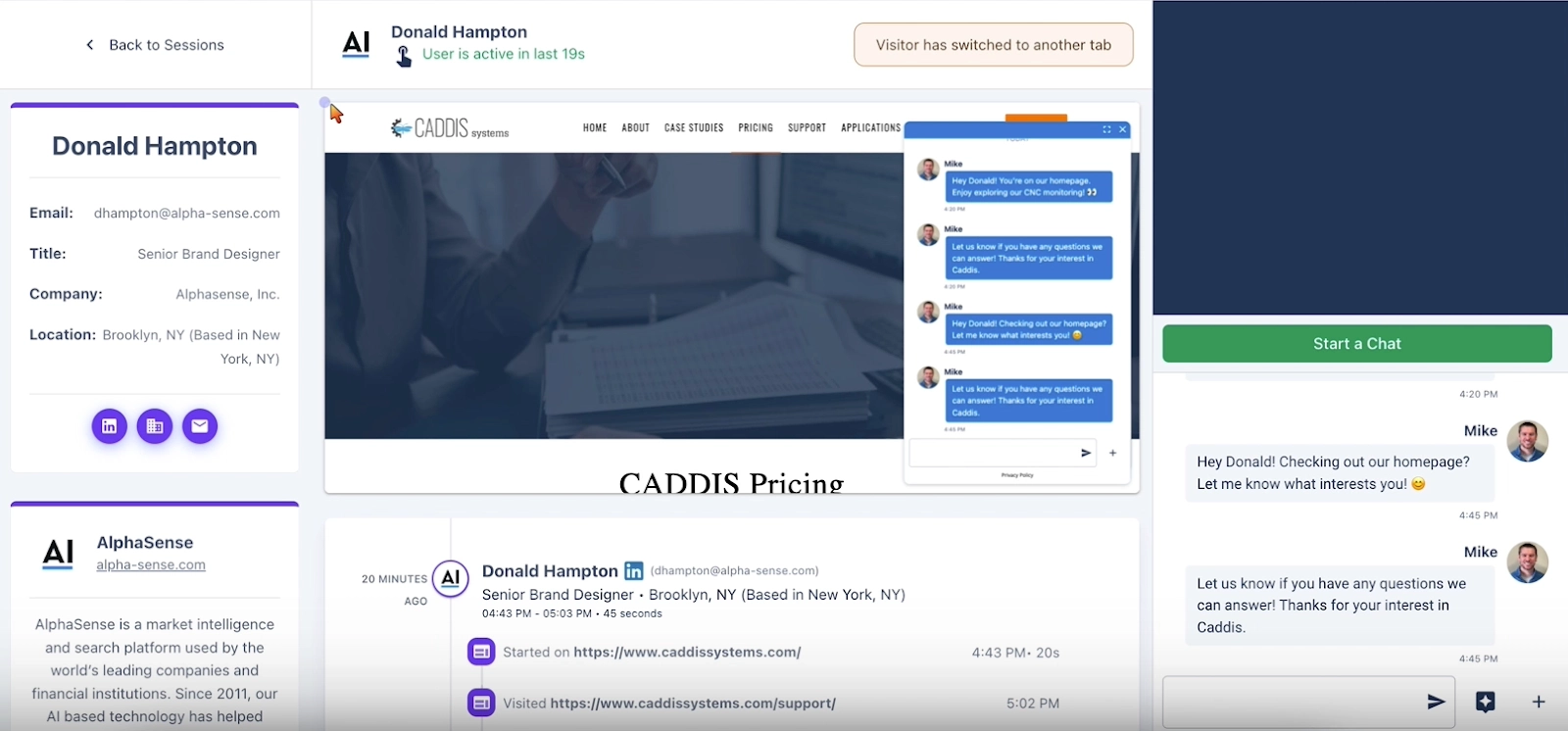
What action could you take? Well, with Warmly's AI Chatbot, you can loop in one of your (human!) sales reps at any time. Our chatbot can notify a specific sales rep when the prospect taking high-intent actions (like spending time on multiple pages or visiting your pricing page), and then your sales rep can hop immediately on a video call with the prospect, without them leaving your website.

Warmly + CRM

Finally, we make sure all of your CRM data is up-to-date. Warmly syncs website activity, enrichment, and intent data on all identified visitors and companies back to your CRM.

Warmly's outbound workflows

Post-lead generation is where it gets really cool. Warmly takes your intent data and supercharges it with AI to execute automated, timely outbound sales workflows that put you in contact with strong intent prospective buyers. This removes opportunity for human error, saves you time, and ultimately drives higher conversion rates.


Personalized marketing campaigns

First, we segment leads based on their intent signals and tailors marketing campaigns accordingly.

For instance, leads displaying interest in a specific product feature receive targeted email campaigns highlighting the benefits of that feature.

Real-time engagement

Then, we create automated triggered campaigns that respond in real time to buyer intent signals.

Warmly triggers a personalized email or LinkedIn chat message offering assistance or a special discount to encourage higher conversion rates.

Warmly + Connect The Dots

Plus, Warmly integrates with Connect The Dots to identify your team member with the closest connection to your prospect. This makes it easy for your sales team to stand out to prospects via warm intros.

Conclusion

With increasingly competitive buying landscapes, sales reps and marketing teams need all the help they can get. Buyer intent data and online behavior is key for perfect timing and intervention during the customer journey.

Buyer intent magnifies marketing efforts, gets relevant content in front of qualified leads, and primes them for the buying stage. Then, it signals to a sales rep exactly when they should intervene—when those intent signals are at their highest.

If you want more insights on how Warmly can help automate sales outreach at your organization, book a demo (or, chat with one of our sales reps directly using our handy chatbot.)

Cover image by Freepik.

Frequently Asked Questions

What is the best way to identify and capitalize on buyer intent in your marketing strategy?

The best approach depends on your specific situation. Follow the step-by-step guide above for proven methods. Key success factors include proper setup, consistent execution, and measuring results.

How long does it take to identify and capitalize on buyer intent in your marketing strategy?

Timeline varies based on complexity and resources. Simple implementations take days, while comprehensive strategies may take weeks to fully execute. Start with quick wins outlined above.

What tools do I need to identify and capitalize on buyer intent in your marketing strategy?

Essential tools are covered in the guide above. For B2B sales teams, Warmly can help by identifying website visitors and providing intent signals to prioritize your efforts.

What are common mistakes when trying to identify and capitalize on buyer intent in your marketing strategy?

Common pitfalls include moving too fast without proper setup, not measuring results, and using outdated tactics. Follow the best practices above to avoid these issues.

Can I automate this process?

Many aspects can be automated with the right tools. Warmly offers automation for website visitor identification and engagement. See the tools section above for automation options.

How to Navigate the 2024 LinkedIn Algorithm Changes

How to Navigate the 2024 LinkedIn Algorithm Changes

Time to read

Alan Zhao

Everyone's heard the “white hat SEO” tactic of being yourself. Just put out quality content, and views will come. Yet there’s no denying that algorithms matter. They have the power to sway our decisions, exacerbate our biases, alter our subconscious, and affect our lives in unpredictable ways.

Reach, engagement, and follower growth have dropped by 50% for almost all LinkedIn creators in the last year, according to the highly anticipated LinkedIn Algorithm Insights 2024 report by Just Connecting HUB.

When changes are happening for 95% of creators, the issue isn't random. It's algorithmic.

Understanding even the basics of how the LinkedIn algorithm changes work can mean the difference between being seen by hundreds, and seen by millions.

Background On LinkedIn's Algorithm

LinkedIn has over a billion users worldwide, including more than 238 million in North America. 65 million people use LinkedIn to look for work every week, and 6 are hired every minute from the platform. The potential benefits of extending your reach are enormous—if you understand how the LinkedIn algorithm works.

Unlike other social media platforms, LinkedIn is built for professional networking. The LinkedIn algorithm is unique because it isn't designed for content to "go viral." It's more interested in showing people content that is relevant to them—in order to stoke more meaningful comments and relationships.

LinkedIn is upfront that the metric that matters is engagement. It's even built into the way they detect and handle spam. The more positive engagement you get, the more LinkedIn feels good about showing it to others. It also shows you what it thinks will be most relevant based on what it knows from your LinkedIn profile, connections, interests, and how you've interacted with content.

If you send someone a direct message, the chance you'll see their post again shoots up 70%, according to the Just Connecting report. If you save someone's post, there's a 90% chance you'll see their next one. How long viewers spend on your post is also factored in, which suggests long-form posts may have an advantage.

The Biggest Algorithm Changes

Should your LinkedIn poll have two answers or three? The difference can be a 25% drop in reach. LinkedIn algorithm updates can have a big influence on how people engage with your post. Among other things, the latest algorithm change has flattened much of the differences in algorithm for mobile and desktop LinkedIn users, so these differences are felt more or less across the board.

Comments Matter Even More

‎The latest LinkedIn algorithm update gives comments slightly more weight in boosting reach. Longer comments (>15 words) are twice as effective as shorter ones. "As an author, adding another 2-4 comments after the initial first hour can effectively reintroduce your post into the feeds of all participants, typically resulting in an additional 25% growth," according to the Van der Blom report.

Posting helpful, quality comments on other people's posts also helps your profile by increasing profile views, followers, connections, and, therefore, people seeing/interacting with your own content. However, stay away from letting AI do the work for you, which nets a much lower response.

Collaborative Articles

LinkedIn is leaning hard into some of the new features they've unveiled, like Collaborative Articles. Just commenting on one has a significantly higher chance of showing up on people's LinkedIn feeds than dropping a note on a regular post. Users who contribute enough to earn the Top Public Speaking Voice badge are also promoted more. Any badge you earn will give your profile a boost, but recent platform updates have raised the bar for qualifying.

Creator Mode

While not strictly an algorithm update, LinkedIn is not setting all profiles to Creator Mode by default. The biggest impact is that how your followers engage will have more impact than contacts. It also opens the option for everyone to use LinkedIn Audio Events (think one-off podcasts) and LinkedIn Live—which get 12x more engagement than ordinary video posts.

Hashtags

Previously a social media golden child, hashtags—especially custom ones — no longer have a material positive impact on reach. However, the first 2-3 hashtags are included in your post URL, which is helpful for SEO.

Broadly used hashtags are also useful for helping people search for and find content related to a topic. (For example, if you're interested in #socialselling, LinkedIn may suggest content from #sales.)

Outbound Links

It may surprise you to learn that including a link to an external site leads to a 25-35% drop in reach. The Van der Blom report attributes this to LinkedIn users preferring to stay on the platform—behavior that feeds into the algorithm de-prioritizing those links.

The report recommends circumventing this penalty by publishing the post without outbound links and then editing the post to include them. Since the latest algorithm update, comments made by the author that include a link are now given less visibility.

Format of your LinkedIn Posts

One notable addition to the LinkedIn formula is formatting. "For the first time, we've observed that factors such as the ideal length of text, subject matter, and posting frequency may differ depending on the format you choose," according to the Van der Blom report.

Some formats have fallen in and out of favor over the years. For example, PDF posts used to get more than twice the reach of ordinary posts, but it appears the algorithm is starting to de-prioritize them.

‎Optimal Post for Storytelling: Text and Photo

The most common post format is a combination of text and images, which make up 48% of LinkedIn content.

The ideal text and photo post has:

  • 900-1,200 words focused on a single timely topic with relevant keywords (which improves searchability)
  • Starts with a compelling hook, has an authentic voice, and ends with a strong and clear call to action.
  • Short sentences (<12 words) and generous use of line breaks to avoid blocks of text.
  • 1-5 relevant, personalized (not stock) images in a vertical format, with brand colors, that include people, and aren't screenshots or promotional images. GIFs are especially relatable, and therefore effective.

While high-quality visuals are crucial for LinkedIn posts, making them might be challenging. Editing each image manually is time-consuming and demands specific skills, whereas working with a designer might be costly. Instead, you can use AI tools such as an AI art generator or photo editor to create visuals by writing text prompts.

Optimal Post for External Calls-to-Action and Building Thought Leadership: Text-Only

Want people to download a report from your website, or take another action off the platform? According to Van der Blom's report, text-only posts with a strong hook (e.g. a bold statement) and ending with a question are especially effective. For an even smoother user experience, consider including a phrase like "Scan the QR code in our profile bio to access the full report instantly" at the end of your post.

Text-only posts are also great for sharing advice, strategies, or war stories about being in your field. This is especially useful for executives who want to establish themselves as thought leaders and build a following of people who trust their insight and advice.

Optimal Post for Engagement: Videos

Videos are a great example of how reach momentum is controlled by the algorithm. They lost favor for a while, but have been growing in reach again since September 2023, according to the Van der Blom report.

If your goal is to get people engaged with your content, leveraging the best AI video generator can significantly enhance your strategy. The Van der Blom report suggests keeping videos between 1-2 minutes unless your video is very engaging (then you can go up to five.) High-quality visuals, clear audio, subtitles, and anything to make the experience accessible to a broad audience will increase viewership and positive perception. Utilizing AI video generators can help meet these quality criteria efficiently, broadening your content's appeal.

Optimal Post for SEO: Articles

Articles are the bottom rung in terms of reach but are invaluable for SEO. They also help build out the Newsletter function, which is available exclusively to LinkedIn users who have "Creator Mode" switched on. Since the middle of last year, the platform has allowed creators to create multiple newsletters—helpful for subject matter experts with more than one core subject area.

The most impactful articles are original content (not regurgitated from a corporate blog) between 800-1,200 SEO-optimized words and posted on weekdays, when people are in the "office" and may be more willing to engage with long-form, work-related content.

The best-performing articles feature a single high-impact video, hyperlinks to credible sources, and a compelling cover image—and are posted bimonthly rather than once a week. You can further extend your reach by promoting the article in a post and sharing it with LinkedIn groups that will find it relevant.

Key Takeaways for LinkedIn Users

There is no one perfect format, time, or action that can guarantee views. Rigidly following the "optimal" post structure won't do much if your content isn't compelling enough to get people to engage. On the other hand, consistently putting out great new content that resonates with your social network will trump any advantage from timing or algorithm hacking.

The algorithm is trying to adapt to human behavior in order to continue providing more relevant content and user engagement. It also doesn't just work on a post-by-post basis. It has a running "memory." If the last 10-15 things you've posted do poorly, it's a good measure that you may not be posting content people want to read. That being said, there are some changes that can give content creators a boost.

Tips for Maximizing Engagement on LinkedIn

Skip the Engagement Pod

LinkedIn's Editor-in-Chief, Dan Roth, has said that the platform will penalize manufactured engagement (e.g. engagement pods where a group agrees to like everything for each other).

Directly asking for engagement in the post still seems to offer a modest boost, according to research by Just Connecting. If you're going to ask your readers for a favor, an instant repost (without any additional text) now leads to an even higher boost in reach (40% vs. 30% last year).

However, the most effective LinkedIn content strategy is to go with the algorithm, not against it. Authentic content and connection with other LinkedIn members will always trump manufactured likes and generic comments.

Tag Your Posts

When it makes sense, tag 1-4 people who are likely to respond to your post. Their engagement is worth 1.5x more than someone not tagged—but be careful. If your response rate is less than 60%, your reach could slow. When in doubt, tag them in the comments, which doesn't come with the same penalty. Don't tag more than 15 people, which could get your post tagged as spam.

Time your Posts

There's a lot of different advice about the best time to post on LinkedIn, but the answer will depend on your target audience. If you are targeting a global audience, The Algorithm Insights 2024 Report suggests you'll get the most traction if you post between 8 a.m. and 11 a.m. in your local time. In other words, if you're posting from New York, that will be about early morning in California and evening in Singapore.

Post Consistently

While posting blog posts daily works well for SEO, posting too often on LinkedIn may dilute your reach. According to the Algorithm Insights 2024 Report, your posting rhythm "conditions the algorithm to serve your content reliably to your audience."

While the report offers specific rules (like one video per week, or two if it's a company page), it seems more important to loosely plan to post a few times a week and then be open to letting conversation flow. For example, if a post is still getting significant traction, it makes more sense to let it ride than break momentum with a new post.

Stick Around After Posting

Conventional advice says that the first hour after posting is crucial. The algorithm evaluates how people react to your post to gauge its quality (or flag it for spam).

Now it seems the algorithm is also looking at how your post is also reviewing engagement at the 6-hour and 24-hour marks. The result is that some posts are "seeing substantially more reach on the 2nd and 3rd day compared to 1 year ago." It also helps to circle back around these time milestones to add comments to your own post.

You can start the conversation off by adding comments in the form of questions or further insight. If you tag people, make sure they will be interested in what you have to say—a lack of response is a negative sign for the algorithm. Then stick around to respond to comments, especially in the first hour after posting.

LinkedIn engagement is a game of momentum. You should ideally try to extend the momentum of anything you post, share, or do. For example, keep the conversation going after a LinkedIn Live session by sharing resources, or a highlights-only breakdown of what happened.

Use Polls

The Richard Van der Blom report found that LinkedIn polls are heavily underutilized tools. They achieve twice the medium reach and are often featured in LinkedIn's Trending Content. They're especially effective on company rather than individual pages.

The key is to pick a question that will appeal to a broad base, explain what you're trying to achieve with the poll, and avoid topics that are too promotional or political. Van der Blom's report recommends sticking to three answers and considering allowing an option to expound (e.g., "Other, see comments.") Continuing the conversation in the comments and sending invitations to connect with voters are all great ways to piggyback on the poll to grow reach.

Potential Implications Of The Algorithm Changes

Businesses with company pages have seen their initial reach drop by 25% in the last year since the latest update. Comments, likes, instant reposts, and "See More" clicks all help (in that order), but the effect is dampened if they're performed by employees. LinkedIn has also removed featured hashtags, which means companies should be incorporating them into their posts.

While all the rules can be overwhelming, it helps to remember that LinkedIn's goal is to foster a community that offers real value to people who use it. Offering free and helpful content—not locked behind paywalls or in return for contact information—goes a long way. It also won't hurt as LinkedIn continues to tweak its algorithms.

All LinkedIn posts benefit from a strong hook, a conversational tone, and compelling images—especially GIFs. The algorithm has long favored "dwell time," or how long people spend on your post, so anything that keeps them on the page longer (e.g., an in-depth analysis) will help.

Research by Just Connecting also suggests that the LinkedIn algorithm can only be affected by up to 16.6%. The base level of reach is determined by your network, follower-to-connection ratio, past content engagement, and whether influencers are engaging with it.

That means algorithm changes, while important, are just a small part of the puzzle for businesses and marketers going forward.

Optimizing Social Selling on LinkedIn with Warmly

If you're going to make LinkedIn social selling a core part of your growth strategy (and considering the rewards, every B2B company should be investing in it), then you have to remember the part it plays in your overall sales strategy.

Because LinkedIn doesn't exist on its own. It works in tandem with your website. With multiple options for adding CTAs across your posts and profile (as you can see in the screenshot below), LinkedIn can become an extension of a B2B website.

‎With the right strategy, you can align your LinkedIn demand generation (optimized to work with the algorithm) and your website demand capture - and that's where Warmly comes in.

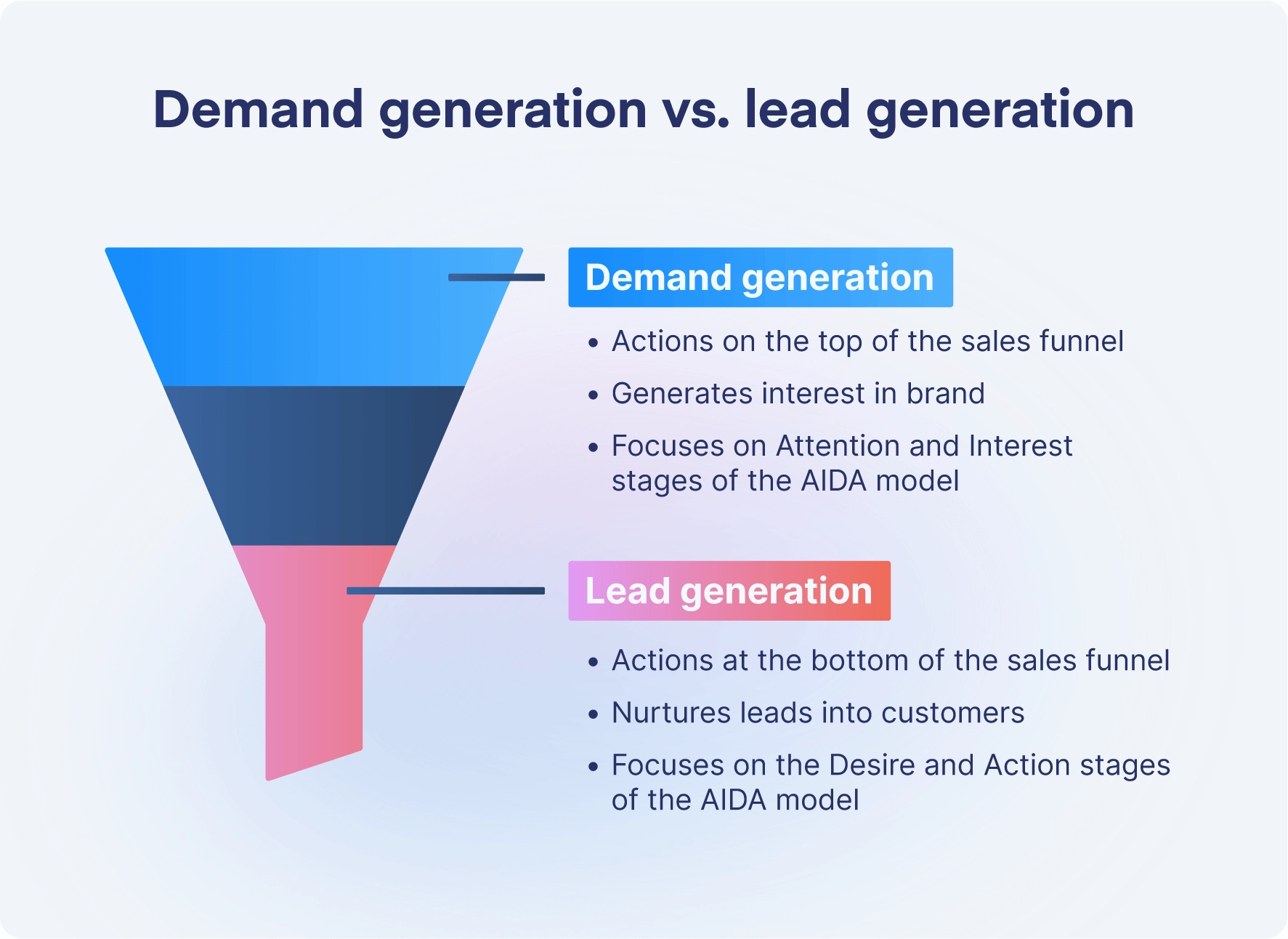
There's no point generating lots of interest in your product with posts, directing people to your website to (hopefully) convert, and then losing them once they're there. That's a waste of your demand generation efforts.

With Warmly, you can:

  • De-anonymize visitors to your site.
  • Use automated chat to engage and nurture prospects.
  • Get notifications when the warmest leads perform high-intent actions (like visiting your pricing page, or reaching out to a salesperson), so you can get your top-level SDRs and AEs involved.

And, with AI Prospector, you can create personalized outreach campaigns for those hot-ticket leads for email and LinkedIn.

The end result? A cyclical, signal-based revenue orchestration system, fueled by AI and human interaction.

Book a demo of Warmly today to see our clever workflows in action.

Frequently Asked Questions

What is the best way to navigate the 2024 linkedin algorithm changes?

The best approach depends on your specific situation. Follow the step-by-step guide above for proven methods. Key success factors include proper setup, consistent execution, and measuring results.

How long does it take to navigate the 2024 linkedin algorithm changes?

Timeline varies based on complexity and resources. Simple implementations take days, while comprehensive strategies may take weeks to fully execute. Start with quick wins outlined above.

What tools do I need to navigate the 2024 linkedin algorithm changes?

Essential tools are covered in the guide above. For B2B sales teams, Warmly can help by identifying website visitors and providing intent signals to prioritize your efforts.

What are common mistakes when trying to navigate the 2024 linkedin algorithm changes?

Common pitfalls include moving too fast without proper setup, not measuring results, and using outdated tactics. Follow the best practices above to avoid these issues.

Can I automate this process?

Many aspects can be automated with the right tools. Warmly offers automation for website visitor identification and engagement. See the tools section above for automation options.

The Full Guide to Warmly Implementation

The Full Guide to Warmly Implementation

Time to read

Alan Zhao

Warmly is revolutionizing the sales experience by providing a more efficient approach to connecting with potential customers. 

We know that’s a big statement to make. And we stand by it. 

We are the first signal-based revenue orchestration platform that automatically de-anonymizes and converts qualified website visitors. It goes like this: Drop in a code snippet to unveil visitors, and sync your CRM with tools like Outreach and Salesflow to auto-sequence target accounts' buying committees. Let AI chat handle hot leads and seamlessly transition to a live video call with your SDR, all on your website.

In most cases, good things take time. This isn’t one of those cases. We do this all at a fraction of the cost of our competitors, and we can get you started in just one day. 

Why Warmly Is Different (The Short Answer)

Many of our competitors (like Drift) are built for enterprise companies. That’s not what we’re about. Instead, we’re built for small to medium businesses (SMBs) — We’re 6sense plus Drift but focused on automation that empowers smaller teams at a price point that doesn't break the bank.

Why Warmly Is Different (The Long-ish Answer)

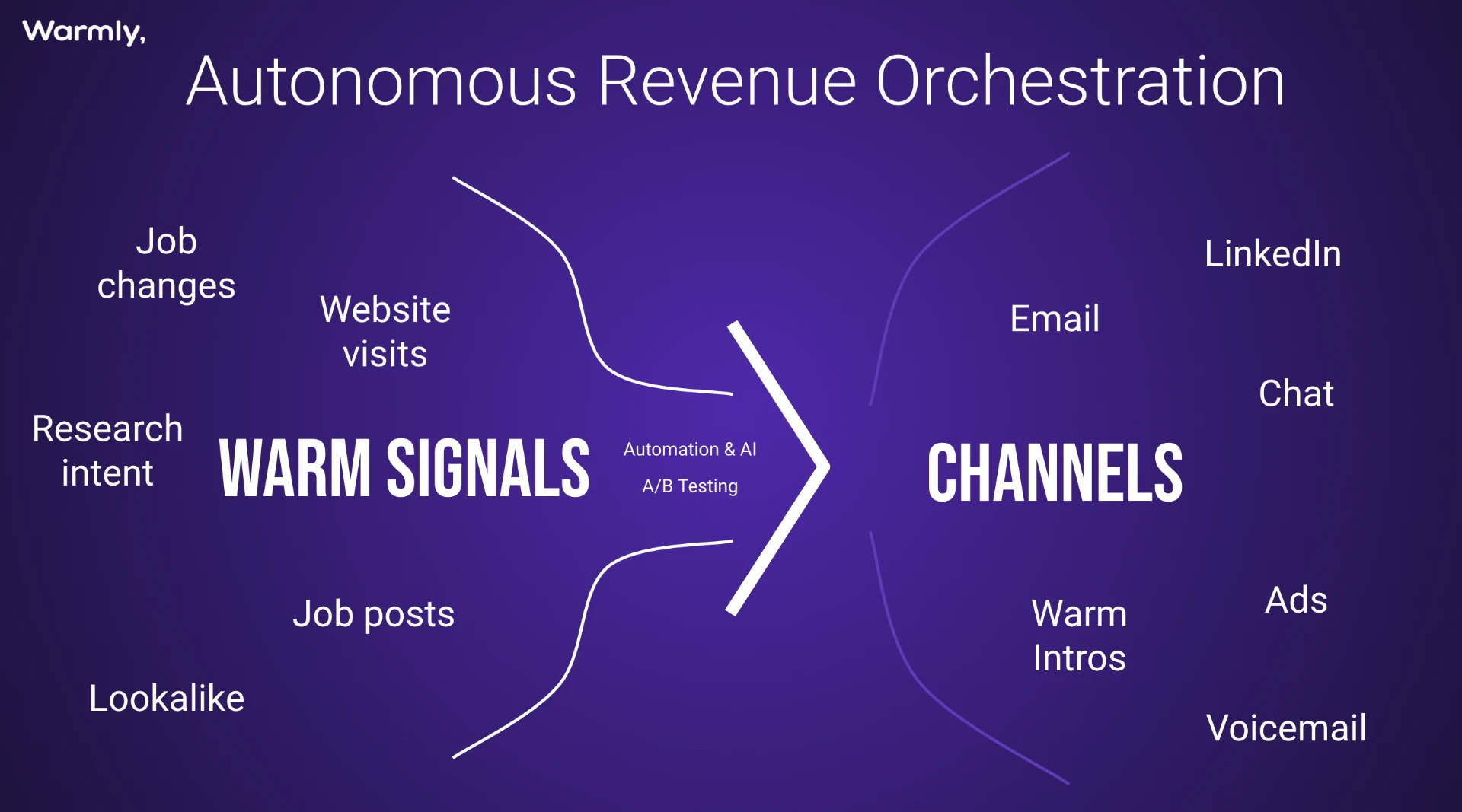
We combine automation, AI, and A/B testing to optimize engagement strategies across various channels. By unifying disparate tech stacks and automating processes, the Warmly platform enables businesses to efficiently orchestrate their sales efforts and drive meaningful interactions with potential prospects.

Our platform offers users access to two primary signals: website visits and research intent. Leveraging these signals, businesses can proactively reach out to prospects via email, and chat messages, ensuring timely engagement and maximizing the likelihood of conversion.

This strategy, which we call "warmbound," merges inbound and outbound motions to create a cohesive approach to lead generation. By utilizing inbound signals to drive intent and automating outbound outreach through channels and email, Warmly enables businesses to maintain a continuous flow of engagement with prospects.

Plus, Warmly focuses on lead prioritization and segmentation based on factors such as Ideal Customer Profile (ICP), historical intent, and engagement intent. This enables businesses to tailor their outreach strategies and allocate resources more effectively, ensuring that the most promising leads receive timely and personalized attention.

But how do you go from anonymous website visitors and no lead gen strategy to a fully-optimized revenue orchestration strategy?

Let's show you how, with Warmly.

Part 1: Integrate your Tech Stack

Benefits:

  • Data accessibility and insights: Seamlessly access and leverage CRM data within Warmly's platform, enriching insights into CRM activities, visitor behavior, and more.
  • Streamlined workflows: Bidirectional data flow enables informed decision-making and action-taking directly within Warmly, eliminating the need to switch between platforms and enhancing productivity.
  • Real-time updates: Receive instant notifications and updates on CRM activities, improving responsiveness and agility in managing leads and opportunities.
  • Increased efficiency: Swift setup and centralized access to CRM data save time, eliminate manual data entry, and boost overall productivity.
  • Simplified integration: Quick and hassle-free setup ensures you can effortlessly add prospects to email sequences, enhancing Warmly's platform's ease of use and efficiency.
  • Data security: Warmly's limited access to your email sequencing tool ensures data security, while sender designation prioritizes mailbox availability for enhanced security.
  • Insights enhancement: Enrichment of Warmly's platform with sequence data provides better insights for decision-making, extending its capabilities and empowering users to leverage email sequencing seamlessly.

Add Warmly Script Tag to Your Website

The Warmly script tag allows Warmly to monitor interactions on your site. Leads are tracked, and visitor behavior is analyzed to the T. This data can then be used to optimize marketing strategies, personalize user experiences, and improve conversion rates. And it’s super simple to set up—you can literally copy and paste the script code. 

Connect your CRM

Warmly offers integrations with CRM systems like Salesforce and HubSpot, providing users quick and efficient access to their CRM data within the Warmly platform. Here’s the rundown:

Integration Process

  • Implementation Speed: Warmly's integration with Salesforce and HubSpot takes only a few minutes to implement fully.
  • Authorization: Warmly uses OAuth to authenticate with the CRM systems. Before integrating, Warmly requests a set of basic permissions.
  • Access Control: Users can enable Warmly access to only read their CRM data or read and write data, which can be controlled through a toggle switch.

Salesforce Integration Overview

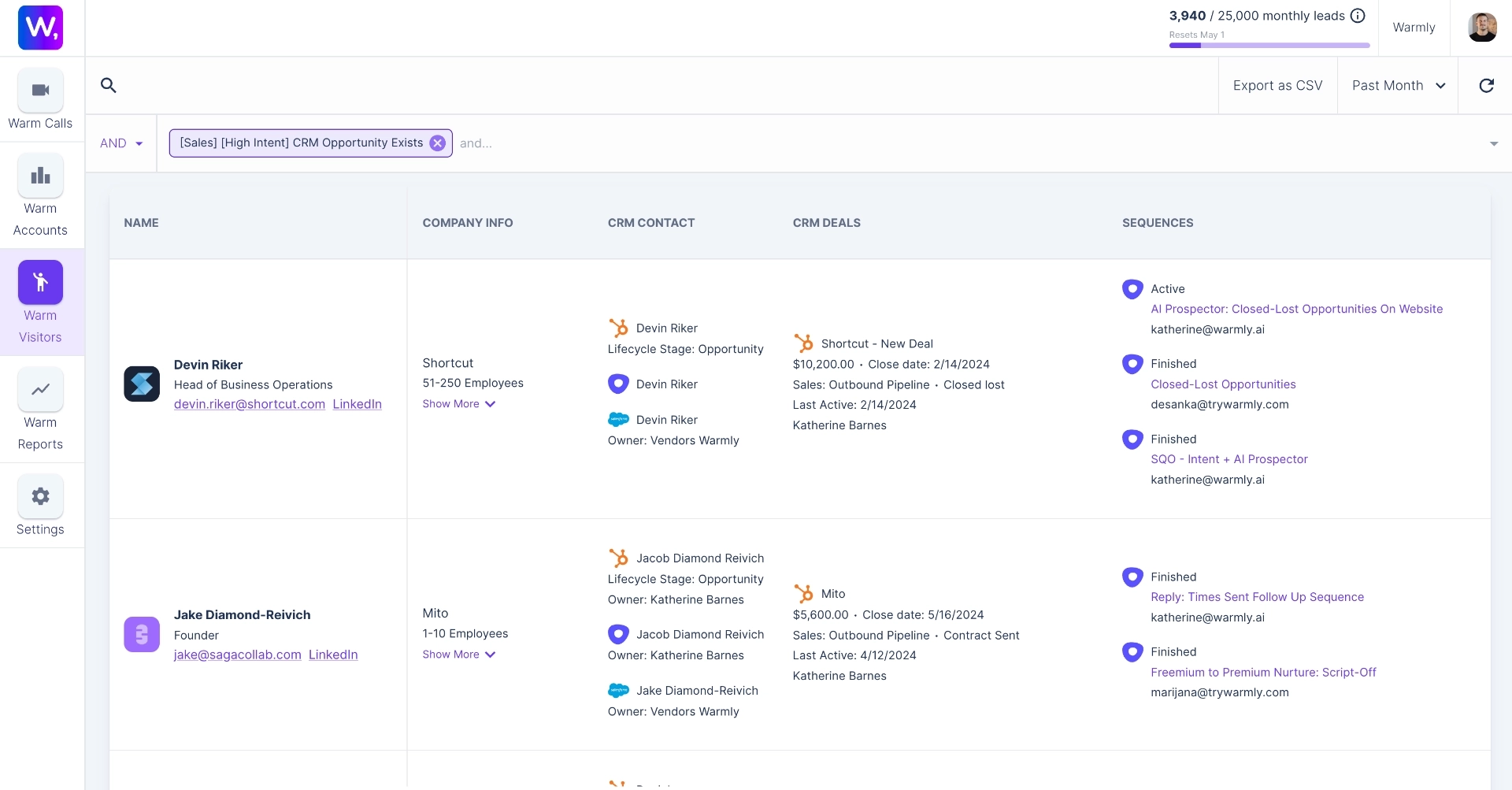
Warmly reads Account, Contact, Lead, and Opportunity-level data from Salesforce. Data flows into Warmly's platform, populating additional fields such as Warm Accounts/Warm Visitors tabs and Slack notifications with relevant CRM information.

HubSpot Integration Overview

Warmly reads Company, Contact, and Deal-level data from HubSpot. Like Salesforce integration, this data populates Warmly's platform, enriching features like Warm Accounts/Warm Visitors tabs and Slack notifications.

Connect your Email Sequencing Tool (Hubspot, Outreach, or SalesLoft)

Warmly's integrations with popular email sequencing tools like Outreach, Apollo, and SalesLoft are designed for efficiency and ease of use. The integrations enable your team to seamlessly add prospects to your email sequences directly from the Warmly platform.

Outreach Integration

Setting up Outreach integration takes just a few seconds. Access it through your Warmly dashboard's Settings tab, navigate to Integrations, select Outreach, and follow the prompts.

Apollo Integration (for Sequencing)

Similarly, you can set up Apollo integration for sequencing in seconds. Simply follow the precise steps outlined in the documentation for seamless integration.

Salesloft Integration

Guess how long it takes to integrate Salesloft with Warmly? If you said just a few seconds, you would be correct. Head to your Warmly dashboard's Settings tab, find the Integrations section, select Salesloft, and follow the prompts to complete the setup.

Part 2: Set up Segments

Benefits:

  • Enhanced lead prioritization: Segments enable prioritization of high-engagement prospects and companies, allowing users to focus their efforts on leads with the most potential.
  • Improved workflow efficiency: By filtering traffic based on predefined criteria such as historical intent, engagement, and session duration, users can streamline their workflows and allocate resources more effectively.
  • Personalized marketing and outreach: Segments facilitate targeted marketing campaigns by allowing users to tailor their messaging and outreach efforts to specific audience segments, increasing the relevance and effectiveness of communication.
  • Enhanced data visibility: Segments provide comprehensive insights into visitor behavior and lead characteristics, empowering users to make data-driven decisions and optimize their strategies for better results.
  • Streamlined lead tracking: With segments, users can easily track leads' interactions and behaviors across their website, enabling better lead management and follow-up strategies.

Segment by Intent Level and Target Account Fit

Setting up high-intent segments with Warmly is streamlined and intuitive. Segments act as filters, allowing you to create targeted workflows based on visitor engagement levels and specific criteria.

You can easily configure segments by accessing the Settings tab and navigating to the Segments section. Using filters such as hot, medium, cold, and bad, you can define segments based on factors like perfect ICP fit, historical intent, and engagement activities on your website.

Whether you're on the free or paid plan, you'll find pre-configured segments and ample customization options. You can combine filters using 'or' logic, creating diverse segments tailored to your needs.

For instance, you can filter out company traffic, competitors, customers, universities, and governments. Additionally, you can filter by intent level, session time, referral source, and demographic information.

Take a look:

‎‎

Part 3: Set up Personas

Benefits:

  • Targeted outreach: Personas enable users to focus their outreach efforts on individuals who hold influential roles within their target companies, increasing the relevance and effectiveness of their communication.
  • Streamlined prospecting: With predefined personas, users can quickly identify and add relevant contacts to their outreach sequences, saving time and effort in the prospecting process.
  • Enhanced lead nurturing: By aligning outreach efforts with specific personas, users can tailor their messaging to resonate with the needs and interests of their target audience, leading to higher engagement and conversion rates.
  • Simplified workflow automation: Warmly's AI Prospector tool allows users to automate prospecting tasks, such as adding contacts to outreach sequences based on predefined personas, further streamlining the prospecting workflow.
  • Improved sales efficiency: By engaging with individuals who match their target personas, sales teams can prioritize their efforts and allocate resources more effectively, leading to higher productivity and better outcomes.

ICP Personas by Title/Job Function

Firstly, navigate to the settings and personas section within Warmly. Here, you can create personas based on job titles or functions that align with your target audience. For example, if you're a sales and marketing tool, you might create personas for sales leaders, heads of sales, or vice presidents of sales. You can specify criteria, such as whether an email is available for each persona.

Once you've established your personas, you can leverage them effectively while prospecting. For instance, if a visitor from a particular company hits your website, you can quickly identify the relevant persona associated with their job title or function.

Using Warmly's AI Prospector tool, you can then add them to an outreach sequence with just a few clicks. This streamlined process allows you to target the rest of the buying committee efficiently, ensuring that your outreach efforts focus on the organisation's most relevant decision-makers.

Part 4: Set up Slack Notifications

Benefits:

  • Improved responsiveness: Be alerted to prospect activities, leading to quicker follow-ups and increased conversion rates.
  • Enhanced team collaboration: Get everyone on the same page and step up your communication with centralized Slack notifications.
  • Real-time insights: Alerts about your segments empower timely actions, strengthening customer relationships and driving business growth.

Slack Notifications Based on Segments

Integrating a Slack channel with Warmly allows you to receive real-time notifications whenever significant events occur on your website, such as a prospect starting a session, landing on a specific page, filling out a form, or engaging with an AI chat message. This integration lets you stay informed about visitor activities and promptly respond to potential leads or customer inquiries.

The setup involves creating a dedicated Slack channel for receiving notifications and granting Warmly the necessary permissions to interact with it. You can customize the types of events that trigger notifications based on your segments, ensuring that you only receive alerts relevant to your business objectives.

Part 5: Set up ‎AI Chat (AI Chat‎) 

Benefits:

  • Scalability of AI: Leveraging ChatGPT, the Warmly AI Chat delivers personalized and customized messages to prospects at scale, surpassing the capabilities of sales reps.
  • Efficiency and focus: AI Chat automates prospect engagement, freeing sales reps from the manual task of initiating conversations. It ensures all relevant prospects are messaged based on segment filters, notifying reps only when a prospect responds, thus optimizing their time and focus.

First, a Prompt, Then An Alert

Warmly's AI Chat feature integrates ChatGPT prompts and Slack alerts to streamline prospect engagement. This enhances traditional Warm Calling and Inbound Chat capabilities.

With AI Chat, customized messages are sent to prospects automatically and personalized using ChatGPT. Then, notifications are sent to sales teams via Slack only when prospects respond. This approach aims to boost engagement by delivering tailored messages at scale while alleviating the manual burden on sales reps. Additionally, it offers increased flexibility and efficiency in prospect communication, ultimately optimizing sales processes and maximizing productivity.

Part 6: Set up Inbound Chat Workflows

Benefits:

  • Personalized engagement: Create tailored conversational journeys for website visitors, delivering a customized experience.
  • Efficient automation: Automate prospect engagement with AI-powered chat, saving time for sales reps.
  • Qualification focus: Notify sales reps only when prospects respond, ensuring efforts are directed towards qualified leads.
  • Proactive approach: Identify high-intent leads and initiate conversations, driving meaningful interactions.
  • Cost-effective solution: Access affordable conversational chat workflows, providing SMBs with a competitive advantage.
  • Easy setup: Implement Inbound Chatbot Workflows quickly and efficiently, without the need for extensive training or resources.

Relevant Customer Conversations Only

Warmly's Inbound Chatbot Workflows revolutionize customer engagement by offering an affordable alternative to Drift's conversational chat function. Through customizable workflows, Warmly enables businesses to interact with prospects in a personalized manner, driving meaningful conversations and ultimately boosting sales.

Setting up Inbound Chatbot Workflows with Warmly involves creating tailored conversational journeys for website visitors. Using ChatGPT prompts, prospects navigate through a logic tree of potential answers, ensuring relevant and engaging interactions. These workflows can be personalized based on various criteria, such as demographic data, intent level, CRM criteria, and traffic source, ensuring that each prospect receives a customized experience.

Additionally, Warmly offers a complementary AI-powered chat solution for high-intent leads, leveraging integrations with third-party buying intent data and CRM tools. This proactive approach to website chat allows businesses to convert warm leads into sales conversations effectively. 

Part 7: Set Up Auto Prospecting via Email Sequencing

Benefits:

  • Improved targeting: Personalized email sequences and automated workflows allow you to better target your audience based on specific persona types and segments, increasing the relevance and effectiveness of your outreach efforts.
  • Deeper insights: Integration with Apollo API or Warmly's credits enables you to track individuals who visit your site from outbound emails and analyze engagement metrics more comprehensively, providing valuable insights for refining your strategy.
  • Higher conversion rates: With a cohesive and tailored approach to engagement, you can expect to see higher conversion rates as you engage with your target audience more effectively.

Personalized Email Prospecting 

Integrating your Apollo API key enhances your prospecting activities. The integration lets you monitor individuals who arrive on your site from outbound emails through the setup of query parameters, providing deeper insights into engagement metrics.

Once integrated, you can craft personalized email sequences within leading outreach platforms like Outreach or SalesLoft. These sequences can be finely tuned to match your target audience and messaging strategy, ensuring a cohesive and practical approach to engagement. Moreover, Warmly offers automation for prospect workflows, automatically assigning visitors that align with specific persona types and segments to predefined email sequences.

By embracing automation and harnessing Warmly's capabilities, you can refine your prospecting workflow and optimize outreach endeavors. This approach facilitates more meaningful engagement with your audience, increasing conversion rates and amplifying the impact of your outreach initiatives.

Warmly: The All-in-One Revenue Orchestration Platform

So there you have it—Warmly is revolutionizing the sales game by providing an efficient, cost-effective solution for connecting with potential customers.

With our platform, you can seamlessly integrate your tech stack, unveil and convert qualified website visitors, and engage with prospects in real-time, all without breaking a sweat.

So why wait? Experience the Warmly difference today and supercharge your sales efforts like never before. Book a demo now.

Frequently Asked Questions

What is the best way to the full to warmly implementation?

The best approach depends on your specific situation. Follow the step-by-step guide above for proven methods. Key success factors include proper setup, consistent execution, and measuring results.

How long does it take to the full to warmly implementation?

Timeline varies based on complexity and resources. Simple implementations take days, while comprehensive strategies may take weeks to fully execute. Start with quick wins outlined above.

What tools do I need to the full to warmly implementation?

Essential tools are covered in the guide above. For B2B sales teams, Warmly can help by identifying website visitors and providing intent signals to prioritize your efforts.

What are common mistakes when trying to the full to warmly implementation?

Common pitfalls include moving too fast without proper setup, not measuring results, and using outdated tactics. Follow the best practices above to avoid these issues.

Can I automate this process?

Many aspects can be automated with the right tools. Warmly offers automation for website visitor identification and engagement. See the tools section above for automation options.

Mastering LinkedIn Prospecting with Warmly’s New Salesflow Integration

Mastering LinkedIn Prospecting with Warmly’s New Salesflow Integration

Time to read

Alan Zhao

There are lots of tools out there today purporting to be the future of revenue orchestration. However, not that many can actually accomplish enterprise-level end-to-end sales prospecting for the price of an SMB platform.

Today, we’re excited to announce a new addition to Warmly’s sales orchestration platform: Salesflow integration. 

Following our new Inbound Chat Workflows, you can now use Warmly and Salesflow to create automated LinkedIn outreach campaigns for your ICPs. 

Outreach Strategy: Challenges and Current Trends

Sure, you’re not cold calling anymore. Sales prospecting has come a long way since the days of ringing hundreds of random phone numbers and hoping the person will pick up.

Today, sales reps and B2B marketers are much more focused on optimizing leads before reaching out. Why waste time with people who aren’t going to pick up or who aren’t interested in buying at all?

However, this outreach strategy requires you to get a few things right in the first place.

  • Identifying the right ideal customer profile (ICP) and buyer personas.
  • Understanding intent signals from your prospects.
  • Website visitor data you can rely on.

With sales and marketing teams becoming increasingly integrated and the number of B2B tools skyrocketing, the process of conducting outreach to prospective leads can quickly become unworkable.

Today, it’s also not enough to just go after potential prospects via email (and it's increasingly challenging to catch someone on the phone). 75% of B2B buyers today use social media to make buying decisions, so you need to bring the selling to where they are.

The Value of LinkedIn Sales Prospecting

Approximately 141 million LinkedIn members are daily users, while almost 50% of LinkedIn’s entire user base are monthly users. You get the picture: there’s a huge opportunity for B2B sellers on the platform.

With more and more B2B buyers turning to the LinkedIn search engine to find opportunities, companies, and new prospects, you're missing out if you’re not already there. 

But it’s not just about the scale of social selling on the platform. Engagement is a huge factor in LinkedIn prospecting. 

InMails—LinkedIn’s cold outreach solution—have a reply rate of 10-25%, while email campaigns in the software industry on average see an open rate of not much more (28%). 

And email marketing reply rates? They lag behind at around 5-10%, depending on how effective your campaign and messaging are.

The truth is, if you want to see results from sales prospecting, it’s better to use multiple channels than focus all of your efforts on one. And that means spending time conducting LinkedIn and traditional cold email outreach.

More channels = a wider net in the sea of B2B buyers. And a greater chance that those fish will bite.   

Salesflow + Warmly = A New Way to Do Outreach Campaigns 


LinkedIn automation tools are nothing new—the platform has always been a place to conduct business, and being able to automate messaging and connection requests is a massive time-saver for founders. 

Recently, the Warmly team had the opportunity to hear sales prospecting tips from Brian Gerrard, Outreach's outbound guru. Our takeaway? Effective prospecting is all about combining quality data with the right amount of outreach

Prospect not a match for your business? They’re not going to answer your message. Don’t message enough? Then you’re not doing your best to nurture them. 

This is why the combination of AI-driven LinkedIn automation and a sales orchestration platform (like Warmly) can really take your outreach campaigns to the next level.

Sure, your current workflow for sales outreach might already include LinkedIn automation.

But what if you could ensure that LinkedIn connection requests and messages were really going to the people who want to buy?…

…At the exact moment they’re ready to buy? 

Combining intent signal data from Warmly and the powerful LinkedIn prospecting tools from Salesflow, you can now automate the entire cold outreach process, adding another channel to your sales process. 

Plus, on average, Warmly’s internal Salesflow campaigns see a response rate of 14%. 

The Power of a Salesflow Outreach Campaign

  • Automatically send connection requests to LinkedIn prospects. 
  • Send personalized LinkedIn messages to new connections based on demographic, role, or other segment. 
  • Set up follow-up sequences personalized to each segment. 
  • Auto-like the most recent post on your prospect’s LinkedIn profile. 
  • Automatically send 200-500 connection requests a week.
daily statistics salesflow


The Power of Warmly

  • De-anonymize 15% of contacts and 65% of companies that visit your website.
  • Track buying intent with Bombora integration. 
  • Automatically notify sales reps when high-intent accounts are browsing your website. 
  • AI Prospector personalizes and sends emails to key stakeholders. 
  • Enhance lead nurturing with the combined power of human and AI web chat.
Warmly intent data


Warmly + Salesflow = An Automated Sales Pipeline

  • De-anonymize website visitors and filter by target audience and intent to find the leads ready to buy.
  • Auto-enroll potential leads in email and LinkedIn sequences using Warmly’s AI Prospector and Salesflow integration. 
  • Personalize outreach by bringing in human sales reps at any moment to capitalize on high-value accounts or optimum intent moments. 
  • Optimize your LinkedIn marketing by targeting the right accounts at the right time, improving conversion rates. 

From Cold Prospecting to… Warmly

How Warmly works


Now you know why we think Warmly and Salesflow integration is so powerful.

Next, let’s run through how to get set up in Warmly so all your outreach sequencing is ready to go, hands-free.

Warmly is designed so that our AI tools can run the software autonomously, freeing up your SDRs and AEs to focus on closing high-ticket deals. But we never want you to feel out of control, so you can seamlessly bring a human into the sequence at any time. 

To get the most out of LinkedIn prospecting with Salesflow and Warmly, you’ll first need to set up some things in your Warmly account. 

Step 1: Add the Warmly script tag

To ensure Warmly can track your website visitor data, you first need to add the Warmly script tag to your website. This can go in the main code for your entire website, or you can add it just to a few pages. 

We have follow-on tutorials for adding the Warmly script tag to Webflow and Google Tag Manager. If you don’t use either of us, just reach out to Warmly, and we can help you set it up! 

Adding Warmly script tag to Webflow 

To add Warmly tracking to your entire website, head to your Webflow dashboard, find your entire website, and click Settings. 

In Settings, click ‘Custom Code’ and add the script tag straight into the Head code box. 

Add Warmly script tag to website


If you only want to add the script tag to specific pages, you can do this through Webflow Designer. 

Find the specific page to which you want to add the tag, click Settings, and scroll down to where it specifies ‘Inside <head> tag.’ 

Script tag on Webflow Page


Adding Warmly script tag to Google Tag Manager 

On Google Tag Manager, you’ll want to add a New Tag in your main dashboard. Then, add a Custom HTML to the Tag Configuration.

Add Warmly Script to Tag Manager


Afterward, you’ll need to set up Triggering to confirm whether the tag appears on your entire website or just specified pages.

So, add a new Trigger and select Page View. If you want to add the tag to your entire website, keep ‘All Page Views’ selected. If you want to specify pages, click Some Page Views and add each Page URL to the list. 

Add Trigger to Google Tag Manager


Step 2: Set up Slack integration

Now, you can set up your Slack integration to ensure your sales team receives instant notifications when ideal prospects show up on your website or complete certain actions, such as starting a session or visiting a page. 

In Warmly, you’ll find Slack integration in your Settings. Click Get Started, log in to your correct Workspace, and select the Slack channel in which you want to receive updates. 

Once this is set up, you can add specific filters within Warmly that specify when notifications should be triggered.

Warmly Slack Notifications


For example, if you set up notifications for prospects visiting your website (you can segment to filter only those visitors that you really care about—more on this in the next step), once the action has been triggered, you’ll receive a Slack notification in the channel you specified. 

Warmly Slack Notification


Step 3: Build out segments and personas

Now it’s time for arguably the most important part—setting up your segments and personas. You’ll find these by going to settings on your Warmly dashboard. 

Segments

Segments dictate the kind of visitor data you want to be notified of. There are many different ways you can specialize personas to the needs of your sales teams and your potential customers. For example, you can filter by company size, estimated revenue, time spent on your site, or even the trigger for that visitor arriving on your site (for example, they came through email).  

Once your segments are set up, you can apply these to your Slack notification settings and only get notified when someone from your target company arrives on your website or spends time on your pricing page, for example. 

Warmly segments


Personas

Personas help you get down to account-level specifics—like buying committees within the companies you want to target. This will help you customize your email outreach strategy (and LinkedIn outreach) by targeting specific people who work at your target companies.

For example, if you want to set up an outreach campaign targeting sales leaders, use the persona options to add specific job titles. However, you can filter by more categories, including role, state or region, and seniority level, to target the exact people you want to nurture.  

Warmly Personas


Step 4: Set up email sequencing

Outbound workflows are only available to users with a Business or Startup-tier Warmly account.

Once your segments and personas are set up, you can use them to create targeted outreach sequences in email through Outreach integration.

So, you might want to target a specific company you know is looking at your website and then craft an outreach campaign to target specific people. On the company page, head to the Prospects tab to filter accounts with valid email addresses.

Then, add them to an Outreach email sequence with just one click.

Prospecting with Warmly


Bringing Salesflow Into the Mix 

Once you’ve got Warmly set up and personalized with segments and personas for your lead generation strategy, you can also harness the power of LinkedIn outreach. 

Salesflow integration means that you can now add prospects to a LinkedIn sequence directly from your Warmly dashboard. With AI Prospector, you can build email and LinkedIn sequences that work in tandem to target your ideal customers.  

This integration allows you to optimize your social selling strategy and ensure that the right people see your brand—at the right time. 

LinkedIn Prospecting with Salesflow and Warmly

To take advantage of all-in-one prospecting and cold outreach within Warmly, you’ll need an account with Salesflow—however, customers purchasing through Warmly get a 20% discount on a Salesflow subscription. 

The first step is to add your Account API token from Salesflow to the Warmly integration page. Once this is complete, campaigns created in Salesflow will be automatically integrated into Warmly, allowing you to add accounts to your LinkedIn sequences with just one click. 

Here’s how it all works. 

Step 1: Add campaign

Firstly, you’ll need to set up a campaign within Salesflow. Once prompted for which campaign type you want, choose new connections. This means all new visitors to your website (after being filtered by segments and personas) will be automatically sent a connection request on LinkedIn, along with follow-up messages if applicable. 

Salesflow Campaign Type


Afterward, you can specify the number of connection requests you want to send out daily and include an option to like your new connection’s latest LinkedIn post. 

Step 1 Salesflow Campaign


Step 2: Personalized outreach message  

Next, add a personalized note that will appear alongside your connection request. Despite the usability of LinkedIn automation tools, you always want to personalize as much as possible. In one study on cold email outreach, personalization increased open rates by 29% and response rates by up to 50%. 

Keep your LinkedIn message snappy and personal - nobody wants to see another generic connection request that says, “Hey! Want to connect?” 

Connection Message Salesflow


At this point, you can also add follow-up messages that will trigger a specific number of days after your connection request has been accepted. These don’t need to be long or complex—you want to nurture your prospects through cold messaging as if they’re already warm. After all, these LinkedIn profiles might have already visited your website, read your emails, or spent time on your pricing page.  

After setting up your sales outreach messages, you’ll be able to choose the days and hours that your campaign is active. 

Salesflow Follow Up Template


Step 3: Integrating Salesflow campaigns in Warmly

Now that your campaigns are all set up, you can start adding prospects to them from Warmly. There are multiple ways to do this. In the example below, we’ve chosen a company associated with accounts that have spent more than 10 seconds on the Warmly website.

Head to your chosen company’s page in Warmly and filter by a persona, such as sales leaders who have LinkedIn.

Now, you can use Salesflow integration to add these contacts to your Salesflow sequence with just one click. Once they’re added, Salesflow will initiate the campaign and begin sending out connection requests and personalized messages you already created.  

Salesflow Warmly Integration


Automating Email and LinkedIn Outreach with AI Prospector

If you want to remove even more of the research and outreach time associated with LinkedIn prospecting, there’s another option. With Warmly’s AI Prospector, you can automate the entire email and LinkedIn outreach process with just a few clicks. 

All you have to do is add persona and segment filters to the AI Prospector tool and see how Warmly handles all your personalized outreach. 

Below, we’ve created a workflow that will auto-email anyone who has:

  • Visited the Warmly website.
  • AND applies to the specified segments and personas. 

Once you’ve specified the number of personas you want to reach out to and added them to a relevant Outreach sequence, you can let Warmly handle the repetitive process of sending emails to anyone who visits your website that you want to nurture. 

Warmly Ai Prospector emails


The same process applies to LinkedIn outreach with our Salesflow integration. Add a workflow in AI Prospector, include the segments you want to target (core ICP, for example), and add your personas. 

Then, you can add your workflow to the Salesflow sequence you already set up (as in the step-by-step guide above.) Toggle enable on, and you’re set: Warmly’s AI Prospector will automatically find LinkedIn profiles that match your personas and handle the entire outreach process (including sending connection requests, messages, and follow-ups) to your prospects with Salesflow. 

Warmly AI prospector linkedin


Practical Use Case: How Warmly + Salesflow Enhances Your Outreach Process

With Warmly's solutions, you can adjust your outreach strategy depending on the type of leads arriving at your website. Let's look at a few possible situations, as this is where you'll witness the full power of Warmly and Salesflow integration.

Warmly uses data from your:

  • ICP filters
  • CRM (historical intent)
  • Website and email engagement  

To give each lead that arrives at your website a warm lead score. Anything we deem to be a cold lead (they're not in your CRM; maybe they only visited your website for a few seconds) gets a cold outreach process: AI chatbot on the website, an auto cold email sequence.

However, when those leads get warmer, you start to see how Warmly can automatically filter opportunities to ensure you can nurture the warmest prospects - saving your sales reps valuable time.  

Bad Leads

Let's face it: only a very small proportion of your website visitors are going to be in the market to buy, or even genuinely interested in your product. There's no point dedicating any time to leads that don't qualify for your ICP, are from a competitor, or we can't tell which company they work for at all.

If Warmly detects a bad lead on your site, Inbound Chat will be automatically turned off. Your sales reps are too good to be engaging with useless leads.

Cold Leads

Warmly can immediately distinguish which of your visitors are cold; for example, if they aren't in your CRM, we can't identify their role, or they only spend minimal time on your site.

So, say someone arrives on your homepage. They're from a company that largely matches your ICP, but it's not ideal. We're also not sure of their role at said company.

These leads will see Warmly's Inbound Chat. Differing from the more specialized AI Chat, Inbound Chat will send you a Slack notification if a cold website visitor take a high-intent action through the chatbot, like asking to speak to your sales team. Otherwise, they're not actively approached by sales reps.

Cold leads will also be auto-added to a marketing email sequence. These might prompt a visitor to check out more of your solutions, if they viewed your services page, or directed to your blog if they landed on a blog page.

Medium-Warmth Leads

Say someone arrives at your website who has been regularly researching solutions like yours across the web. As long as the visitor matches your ICP (in terms of company size, industry, and role), Warmly's AI Prospector can auto-enroll them in a warm email sequence. Our AI Chatbot will also reach out to them when they're on your website and prompt them to engage.  

With Warmly's Bombora integration, we can also   they've been researching in the past, giving us a sense of how close they are to buying what you're selling.

Warmly wouldn't necessarily add in LinkedIn outreach at this stage in the sales cycle, especially considering the limits on connection requests on the platform. But if you know that your customers are highly engaged on LinkedIn, you can use Salesflow integration to craft an outreach sequence that targets specific medium-warmth accounts that arrive on your website, where you can nurture them with AI and human collaboration.

Hot Leads

Hot leads are another story. If someone is spending 30 seconds or more on your pricing page, or we can see that multiple people from the same organization are landing on your site - now is the time to throw everything at converting them. They're hot.

In this case, AI Prospector would enroll them in a combination of LinkedIn and email sequences, prompting them to engage and/or book a demo. If you get a Slack notification that a hot lead is on your site right now, maybe a sales rep hops onto a video call with the prospect on the Chatbot to engage with them in real time.

Thanks to Warmly's advanced intent signals, you can be sure that only the most attractive leads (based on your ICP, CRM, and intent data) are being added to those more personalized outreach processes: LinkedIn, personalized chat, warm email sequences.

Warmly's Integration Process

Whatever your ICP or specific segments/filters, Warmly implements the same workflow each time - so you can be sure that you're only being looped in when a really juicy lead lands on your site.

For every prospect, the process is this:

  1. Lead lands on site and Warmly categorizes according to intent data.
  2. If cold, AI Chat is disabled; Warmly's Inbound Chat is enabled.
  3. If warm, lead is engaged through AI Chat and entered into relevant email sequence.
  4. Warm leads are nurtured in a cyclical process, moving through outbound and inbound channels (from LinkedIn back to your website, and vice versa) until they're hot.  
  5. If hot, lead engaged through AI Chat, email sequence, and LinkedIn sequence. There's the possibility for your human sales reps/AEs to get involved at any moment thanks to real-time Slack notifications.

The result? More efficient outreach, and higher conversion rates.

End-to-End Outreach Campaigns with Warmly and Salesflow

Social selling is an integral part of the B2B marketing and sales today. But it's not just about building an engaged following or driving word-of-mouth recommendations about your product: social platforms like LinkedIn are there to drive leads to your website, where they can increase knowledge and even book meetings with your team.

If your LinkedIn and website goals aren't aligned, you're not going to see the benefits of an omnichannel B2B sales cycle. And that's why Warmly's new Salesflow integration is so impressive.

Thanks to the combined power of buyer intent and warm lead scoring (Warmly) and personalized LinkedIn outreach (Salesflow), you can manage your entire lead classification and nurturing process across one platform. Our high-level data guarantees that you’re prospecting accounts who are ready to buy from you right now, optimizing your sales process.

Interested in how you can do accomplish better outreach with Warmly’s AI Prospector? 

Book a demo today—or sign up for free to try our deanonymization tools right now.

Frequently Asked Questions

What is Mastering LinkedIn Prospecting with Warmly’s New Salesflow Integration?

Mastering LinkedIn Prospecting with Warmly’s New Salesflow Integration refers to the concepts and strategies covered in this article. Understanding these fundamentals helps B2B teams improve their sales and marketing effectiveness.

Why is Mastering LinkedIn Prospecting with Warmly’s New Salesflow Integration important?

This matters because it directly impacts pipeline generation and revenue. Teams that master these concepts see better results from their go-to-market efforts.

How can I implement this?

Start with the strategies outlined above. For B2B teams, combining these tactics with tools like Warmly—which identifies website visitors and automates engagement—can accelerate results.

What tools help with Mastering LinkedIn Prospecting with Warmly’s New Salesflow Integration?

Several tools can help, depending on your specific needs. Warmly is particularly useful for identifying high-intent website visitors and engaging them before they leave your site.

What are the best practices for Mastering LinkedIn Prospecting with Warmly’s New Salesflow Integration?

Key best practices are covered throughout this article. Focus on the fundamentals first, measure your results, and iterate based on data rather than assumptions.

Warmly vs. Drift

Warmly vs. Drift

Time to read

Alan Zhao

Drift is undeniably a heavyweight in the chatbot space. But how does it compare to Warmly?

Ultimately, deciding between the two products depends on matching the right product to your existing tech stack and team capabilities. And for the average SMB, we think Warmly wins out on ROI.

To decide which option is best for you, here's a breakdown of how Warmly compares to Drift - including features, integrations, and price.

Warmly vs Drift: The Breakdown

Let's start by saying that Warmly offers almost identical features to Drift. Here's a summary of all those features:

FeatureWarmlyDrift
Account & Lead Scoring
Custom Lead Filtering
Alerts
Inbound Chat Routing
Live Chat Tool
Custom Chatbots
AI Powered Chatbots
Sliders
Dropdowns
Conversational Landing Pages
Data Enrichment
Firmographic Routing
Advanced Routing
Salesforce Multi-Owner Routing
Salesforce Flex Routing
Video Messaging
Basic Reporting
Pipeline & Revenue Reporting
Audiences
Conversations & Conversion Reporting
SOC2 Type II
GDPR
SOC2

...and here are all the Warmly features that Drift doesn’t offer:


FeatureWarmlyDrift
Contact Level De-Anonymization
Third Party Research Intent Signals
Job Change Tracking
LinkedIn Integration
Out-Of-The-Box Data Vendors (Clearbit, 6sense, Bombora)
Live Video Chat
Auto-Prospecting
Live Session Replays
Audible Alerts
AI Outbound Chat
Warm Intros
Auto Emailing (Outreach, SalesLoft, Apollo, Hubspot)

Now, for more context, let's dive deeper into the comparable features offered by Warmly and Drift.

Drift: AI-Driven Passive Demand Capture

Drift helps sales teams qualify more leads through AI-driven website personalization. Their core product is an AI chatbot powered by customizable workflows that guides prospects in the right direction according to where they are in the buying journey.

Businesses can then bolster AI chat features with Site Concierge, which delivers individual website experiences to every customer based on analyzed interaction and intent.

Let's dive deeper into Drift's core features and how they work.

Bionic AI Chatbot

Drift's AI Chatbot takes the work out of qualifying prospects by delivering AI-powered responses to each visitor on an individual level.

Businesses can train the Bionic Chatbot to respond in specific ways to certain queries - for example, on the topic of pricing - and then leave the work of engaging prospects to AI.

The AI Chatbot is trained on content from your website, including sitemaps, blog content, and files, and it uses this information to answer questions. Content uploaded to the Content Library can be synced automatically, so the chatbot is always aware of changes to your products and services.

(Drift)

You can personalize the experience further in Drift's Playbooks, which are essentially manually inputted scenarios that guide the chatbot in answering questions about specific demographic situations or intent.

(Drift)

Finally, marketers can use AI voice customization to tweak the Chatbot's voice to be more on-brand.

Essentially, Drift's Chatbot leaves engagement in the hands of AI. Marketers and sales teams are free to focus their energies elsewhere, while the Chatbot works to engage website visitors and answer specific questions with no human assistance.

Site Concierge

Site Concierge is a new element to Drift's product line: a set of on-page interactive apps that adapt in real time based on visitor signals and engagement.

Visitors can interact with Site Concierge to get information on a specific product, book a meeting, and receive website content pushed to them based on what they're interested in.

For example, a visitor might be on a webpage looking for one specific piece of information. Instead of browsing the site, they can navigate to Site Concierge and ask the question to the GPT-powered search engine without navigating off-page.

(Drift)

Or, on blog pages, visitors can get personalized recommendations on what to read next based on their interaction with the page.

(Drift)

Drift Summary

Ultimately, Drift wants to take the process of engaging with prospects out of the hands of your marketers or sales reps and instead fully automate every website interaction.

This makes sense when you consider the acquisition of Drift by Salesloft. Both these companies are targeting high-traffic clients - companies with so many website visitors that it would be impossible for sales reps to follow through with every single one.

Drift's use of Content Libraries for Chatbot training also requires a large amount of content, which is a given for companies with an established brand presence - but not so much for companies operating on a smaller scale.

Drift is asking: Why bother when you could get AI to do it for you?

Warmly's answer? Demand capture becomes more efficient (and gives you more ROI) when you use intent data to target the right prospects at the right time and then loop in real, human sales reps to close the deal.

Warmly: Proactive Lead Qualification and Capture

Warmly combines website visitor de-anonymization with the power of AI chatbots to effectively filter your website traffic.

We find 65% of accounts visiting your website via reverse IP address lookup, and 15% of contacts from prospect opt-in methods like form fills or UTM tracking. Then, we tie website activity to the account and contact-level information that we enrich (demographic, firmographic, technographic, etc.) to tell you precisely who is landing on which page and when.

Plus, every session is cookied so we can retroactively backfill for all prior sessions once we've identified the visitor. Then, we can track that same visitor's digital footprint for subsequent visits to the website if they use the same browser.

(Warmly)

After identifying the website visitor, customized inbound chat workflows kick in, tailored to all that account and contact-level data.

For high-intent visitors, you can let AI Chat do the talking. Our AI Chatbot uses buyer intent signals from Bombora, contact data from 6sense and Clearbit, as well as custom data from your CRM and sales engagement tools to craft custom messaging. And with real-time Slack notifications, you can loop in an actual salesperson at any time.

Inbound Chat Workflows

Warmly's inbound chat workflows operate through customer-led interaction with a chatbot, which guides customers through personalized conversations based on their responses, much like navigating a "choose your own story" book. 

With Warmly, sales teams can customize these workflows extensively, including tailoring messages, defining potential responses, and specifying outcomes.

Additionally, Warmly enables personalized workflows by leveraging website visitor de-anonymization, enabling companies to automatically activate specific workflows based on various criteria such as demographic data, intent signals, CRM criteria, and traffic sources.

Here’s how it works with Warmly. First, you segment your website traffic data, creating different segments based on categories such as intent level, session time, referral source, and demographic information.

With defined segments, you can create inbound chat workflows that are personalized to each segment's situation and position in the sales funnel.

(Warmly)


Here's what a personalized chat workflow looks like in Warmly. You have control over the options presented to the visitor - so if they're a visitor from a target account, you might want to explore their needs with them and direct them to book a demo.

(Warmly)


AI Chat

For the prospects you know are showing higher levels of intent - for example, they've viewed your pricing page multiple times recently - you can hand it over to our AI Chatbot.

Warmly's AI Chat uses intent signals and other demographic data to craft personalized messages to website visitors based on all the information known about them. The messages read like human messages, and the visitor can interact with the chatbot without knowing they're talking to a bot.

(Warmly)

Plus, Warmly's AI Chat can communicate with relevant sales representatives via Slack integration, enabling real-time engagement when needed. You can route notifications to a specific sales rep based on territory, deal stage, company type, and more, getting the right person in front of the prospect at the right time.

This approach allows for optimal engagement with prospects, ensuring sellers are looped in only when an account is ready for a human conversation.

(Warmly)


You can turn off AI Chat completely for prospects who aren't in your ICP. Why waste valuable resources on someone who will likely never buy from you? (Until they switch jobs, that is—but Warmly will alert you as soon as that happens.)

Drift vs Warmly: The Summary

On the face of it, you might think there isn't that much difference between Drift and Warmly. We both offer near-identical products that do pretty much the same things.

However.

There are three core differences between us and Drift.

  • Drift's workflows cater to enterprise-level companies. Warmly is purpose-built for SMBs.

If you're a small-to-medium sized business (SMB), you're relying on significantly fewer resources than the more prominent players. That means fewer sales reps, less money, and less overall brand recognition to get sellers in the door.

An SMB simply won't have the same quantity of content to prime Drift's Bionic Chat to work at its best. Instead, contact-level intent data and effective filtering of prospects enable you to work smarter by tailoring AI Chat to your ICP.

Warmly reveals the accounts visiting your site at both the contact and company level - Drift only does the latter, a symptom of a more traditional sales funnel strategy. With more contact data, you can craft better outreach campaigns to convert those ideal prospects into customers.

  • Drift prioritizes automation in visitor engagement. Warmly leaves room for valuable human interaction.

Full-scale automation of chatbot features may be effective for high-volume traffic scenarios—where even a modest conversion rate yields substantial leads—but it's less suitable for smaller companies with far less monthly traffic.

Conversely, an effective sales strategy for SMBs is all about applying AI and sales rep interaction to the right people at the right moments.

We help you do this by analyzing buyer intent signals (website interactions, research intent, job changes and more) and qualifying leads according to your ICP. Then, we can craft a buyer journey corresponding to their current intent level and buying propensity.

TL;DR: Warmly leverages automation and workflows to extend the opportunity window for genuine human-to-human interaction. This ensures that sales teams don’t spend excessive time on outbound efforts and can jump in with the right prospects when they're most likely to buy.

  • Drift is just one part of the puzzle. Warmly integrates everything.

An effective sales strategy doesn't start and end with personalized website interactions. Sure, your website is essential to your sales strategy. But it's still only one element of a successful sales strategy.

Even if you do integrate Drift and start to get really good results from potential prospects, you still have to integrate Drift into a wider sales prospecting strategy, where the end goal is a closed-won deal.

That's why we call Warmly an autonomous revenue orchestration platform. Because it unifies everything in your tech stack for one purpose: getting you more revenue. And it does this by harnessing the power of AI-powered tools alongside human interactions.

Wait- How Much Does it Cost?

Drift is excellent (if you’re looking for a purely automated passive lead collector). But with a $30k starting price tag, it's no longer within reach of SMBs.

There are several powerful Drift competitors and alternatives available, many of them with pricing and feature sets designed to serve a non-enterprise audience.

However, to stitch together these event-driven systems, you would need ZoomInfo or Clearbit to enrich the data, 6sense to gather the website intent, and Drift to engage with them live on the website. And SMBs especially don’t have time to deal with the complexity that comes with a hodgepodge of tools trying to accomplish what could be done with one. 

Warmly is purpose-built for SMBs, and our pricing model reflects that. It's cost-effective and scalable, giving you options to integrate additional tools as you grow.

(Warmly)

How Autonomous Revenue Orchestration Works with Warmly

Autonomous revenue orchestration involves combining intent signals with personalized, AI-powered outreach at every stage of the buyer journey. Then, we give you the flexibility to loop in real sales reps to close the deal.

So, what does the process look like?

The first step is to de-anonymize your website traffic. Once we've accomplished this, Warmly combines the data from common CRMs (Hubspot and Salesforce), engagement platforms (Outreach, SalesLoft, and LinkedIn), and intent platforms (6sense and Bombora) to create a database of your prospects and their intent level.

(Warmly)

By unifying these traditionally disparate systems, we're laying the foundations for a genuinely automated strategy from the very beginning of the buyer journey (whether that takes place in the dark funnel or they actively search for a solution like yours on the web).

Using your ICP data, website traffic, and intent signals, we can prioritize accounts and choose the best way for you to interact with them - whether that's AI Chat, LinkedIn messaging (powered by Salesloft), or email outreach (with Outreach integration).

Personalized Email Outreach

Our AI Prospector integrates with your email sequencer of choice, whether that's HubSpot, Apollo, Outreach, or Salesloft.

(Warmly)

Personalized LinkedIn Outreach

Warmly's integration with Salesflow makes it easy to craft personalized LinkedIn outreach for your ideal accounts.

Once you've successfully linked Warmly and Salesflow, you can use Salesflow to set up LinkedIn messaging campaigns and automatically add prospects to those campaigns in Warmly.

Or, leave it all to AI Prospector. This will automate the process of finding the right LinkedIn personas who come to your website and start an outreach campaign (including sending connection requests and messages) based on information like intent level and demographic data.

(Warmly)

Warmly From Start to Finish‎

This entire workflow—from intent being triggered to outreach being fired—is automated, and all outreach messaging is designed to look like it comes from an AE.

This strategy delivers more consistent coverage and messaging, plus much faster and more proactive communication with high-intent prospects (ergo, revenue orchestration = automated.)

And we factor in flexibility, enabling you to easily integrate Warmly into your existing tech stack. No forced integrations. One unified, effective sales orchestration platform.

Launch Warmly In A Day

The onboarding process with Warmly takes just one day compared to Drift’s 30-day set-up period. The process looks like this:

1. Add Script Tag

Integrating Warmly into your website is as simple as copying and pasting a script tag into your site's code. As soon as that's complete, we can start identifying and tracking your website's traffic.

2. Define your ICP.

By setting up detailed personas and identifying target accounts within your CRM, you help Warmly focus on the prospects that align closely with your ideal customer criteria.

These personas and segments are crucial to an effective outreach strategy later on, whether you're focusing on email, LinkedIn (or both), or both.

3. Get started.

That's really all you need to do to get started. To discover how easy it is to start with AI Chat and personalized outreach on Warmly, check out our full guide to Warmly implementation.

The Full Guide to Getting Started with Warmly


Where to Begin with Warmly

If you want to spend some time playing with our features and finding out how they compare to Drift, you can try Warmly for free today.

Try Warmly for Free

Want to see the full scale of Warmly's integrations in action? Book a demo with one of our sales reps, who will take you through every Warmly feature and how they integrate with your existing tech stack.

Book a Demo of Warmly

Don't just take it from us, though - here's a selection of Warmly reviews for you to read (and maybe a Drift review thrown in there for good measure.)


Frequently Asked Questions

Is Drift or Warmly better?

The better choice depends on your needs. Drift excels in certain areas while Warmly has different strengths. Review the detailed comparison above to see which aligns with your use case and budget.

What is the main difference between Drift and Warmly?

Key differences include features, pricing, data quality, and ideal use cases. See the comparison table above for a side-by-side breakdown of capabilities and limitations.

Which is cheaper, Drift or Warmly?

Pricing varies based on plan tier and usage. Compare the pricing sections above for both tools. Consider total cost of ownership including add-ons, credits, and required integrations.

Can I use both Drift and Warmly?

Some teams use multiple tools for different purposes. However, this adds complexity and cost. Consider a unified platform like Warmly that combines visitor identification, intent signals, and engagement.

What is a better alternative to both?

Warmly offers a different approach—identifying website visitors and engaging them in real-time with AI chat. It may be a better fit if neither Drift nor Warmly fully meets your inbound conversion needs.
Warmly’s B2B Sales Strategy for Mid-Funnel Deal Advancement

Warmly’s B2B Sales Strategy for Mid-Funnel Deal Advancement

Time to read

Maximus Greenwald

‎So, you SQO’d a deal? Sick. Now, you think you can actually close it? Let's see.

Naturally, your close deals rate depends on dozens of factors: the accuracy of your ICP, the quality of your lead generation, the strength of your SDRs, and more.

But identifying an SQO doesn't automatically mean you're going to close. The average close rate sits at around 20% for all B2B companies, though high-performing sales teams can inch that up to 30%. Even the best B2B salespeople can fall at the final hurdle.

At Warmly, we've optimised the sales process by bringing in inbound sales representatives to our sales teams, which has a significant effect on the quality of new leads and speeds up the process of identifying SQOs. After that, it's all down to our AEs.

Specifically, AEs at Warmly are expected to do a minimum of 3 out of 16 of the following B2B sales techniques if they've got a good deal on the line. With the following B2B sales strategies, the KPI for all AEs is to improve close rates by 15%.

A Rundown of Our B2B Sales Strategies

The Must Dos:

  1. Pre-amble: The basics
  2. Mid-amble: Do you even have a deal?

The Options:

  1. SQO Follow Up Sequence
  2. Multi-thread
  3. 3Ws Recap
  4. Good Word Referrals
  5. Charm the Prospect’s Reps
  6. Gift-giving
  7. Get Personal
  8. Gap-selling
  9. Targeting Customer Success
  10. Business Case
  11. Sales Leadership Over-the-top
  12. Loop in Decision Maker/Stakeholder
  13. Create Urgency with Carrot and Stick
  14. Sign the Deal on Conditions
  15. Customer Referral
  16. Get Wacky

Strategy Details: The Must Dos

1. Pre-amble: The basics

Post SQO, it's a good idea to first get your house in order before getting involved with potential buyers.

  • Add a Buying committee.
  • Add everyone on LinkedIn and follow their company for company news.
  • Ensure the next meeting is on the books.
  • Ensure you have the full list of steps and timeline from now until the finish line. A recommended line of questioning:

"Working our way backwards, what needs to happen to be able to sign?”

“What is the process you used to sign with your last vendor?”

“Why can’t we sign today?”

“Will you be the signer? If not, when can I get them on a call?”

“Do you need a security/privacy/compliance review?”

“Who else on the team needs to see this? Do you want ground level reps to see it? What are their names/emails?”

“Do you need to do a data trial?”

“Do you need a business case?”

“Will there be a meeting with the CFO? Can I get them on a call? What are their names/emails?”

“By what date do you want to start seeing impact? Assuming a two-week onboarding we will want to sign one month before.”

2. Mid-amble: Do you even have a deal?

So many supposed 'qualified' sales leads are not SQOs. You will improve your barometer over time but it’s highly encouraged to review C/L deals and decide what you missed so you can look for it in the future, and refine your B2B sales strategy.

Key Questions: Understand

  • Has your champion purchased a tool before?
  • Are you talking to the decision maker who will be signing?
  • Has the prospect articulated which key annual/quarterly business level priorities this project aligns to?
  • Did your prospect explain what budget this is going to come from and if they’re authorized for budget?
  • Do you really have the 3 Whys?

For “Why Do Anything?” (Problem), could they articulate the cost of their business of making no changes?

For “Why Warmly?” (Solution), could they articulate why they can’t manually do this? Why they can’t use another tool? Which other solutions they’ve already tried that have failed?

For “Why Now?” (Urgency, is there truly real urgency? Have they articulated the day by which they have to deliver results? Have they said what happens if that day passes and problem is not solved?

  • Can your champion articulate the 3 Whys you wrote for them internally? They need to verbally say the 3 Whys out loud back to you to know they can do it internally.
  • Can the prospect articulate how it will be added into their existing processes & tech stack?

Key Questions: Learn

  • Surface objections:

“Why wouldn’t you move forward with Warmly?”

“What do you think X other stakeholders biggest objection with Warmly is? If you don’t know, can I ask them directly?"

  • Arming the champion:

“What are you going to say when the decision maker says we shouldn’t move forward with Warmly?”

“Which of these 10 pieces of collateral do you think will have the most impact when viewed internally? How do we get them viewed?”

Our B2B Sales Strategy: Details

Once an AE has run through the pre-amble and mid-amble, it's time to get to the meat of closing deals. At this part in the B2B sales process, as mentioned above, we expect Warmly AEs to complete at least 3 of the following 16 sales tactics, and it's up to them how they do that.

The very best sales reps are flexible and adaptable. That's why we don't prescribe a 3-step process for closing deals: it's a case of personalizing for each and every prospect company and their unique needs.

Our ultimate list of techniques for effective sales closing is a go-to road map for a successful sales cycle.

B2B Sales Techniques Part 1: First Step Options

1. SQO Follow Up Sequence

Adding sales leads to sequences is an easy way to stay top of mind, with little to no work on your end.

  • Drop the champion/decision makers and each new person you meet into a SQO follow up sequence.
  • Drop the finance decision makers in a CFO Sequence/Financial Decision Maker Sequence.

2. Multi-thread

A successful B2B sales strategy involves more than one person. Really, you need to be in conversations with 3+ people in the organization, and ideally have strong relationships with each of these people.

Start the process of looping in people early by:

  • Asking the champion for coffee chats or 15 min intros.
  • Find warm intros into the buying committee or anyone in the company and get them to pass you along to a GTM team.
  • Try to loop every person on their end in every email (no sparing inbox!)
  • Inform the buying committee on new developments/updates as the deal progresses.
  • Offer/ask to join a team meeting.
  • Offer value to the buying committee (see other strategies.)
  • Don’t let your champion box you out by trying to be the liaison.

You can also reduce the burden for the champion and speed things up by:

  • Getting on a Slack channel with the champion then direct add the buying committee with invites.
  • Sending good forwardable warm intros to the champion to intro you in a new clean email thread with a compelling subject line.
  • Direct emailing the additional person (assuming they're not the boss of the champion - ask permission for that) and ask for forgiveness not permission.

3. 3Ws Recap

Because the cornerstone of a real deal is if the champion/decision maker can articulate the 3 Whys, an easy recap slide to kick start a post-SQO meeting is always helpful - for both yourself and potential buyers.

It helps you realign the deal and surface any issues. Plus, when a new person is joining the call you need to catch them up on the Problem/Solution/Urgency and figure out what new pain points they would add.

Key questions while screen sharing:

  • Has anything changed since we last spoke?
  • Before we start, let me review the 3Ws for you, is this right? X New Person, do you have anything to add here?
  • Let's review our timeline - we accomplished X/Y, have any new steps popped up? Is our decision date still the same?

Remember that a 3Ws recap is sneakily co-building the business case together with the prospect.

Part 2: Cementing Strong Relationships

4. Good Word Referrals

Very often, a successful B2B sales strategy really can be about who you know. Warmly’s leadership team should have an in at many of your prospects, and this can make a huge difference in your warm sales pitch. Ask for a connection of ours to put in a good word for your deal via a warm intro from ConnectTheDots.

5. Charm the Prospect’s Reps

If the prospect's reps (who will inevitably have to use Warmly) love you and the tool then you’re in good shape already. In this case, you can turn the charm-meter up a little more - here are some suggestions:

  • Join one of their team meetings to say 'Hi' for 5 minutes.
  • Show their reps the platform to see if they will like it.
  • Host a fun upbeat lunch-n-learn for their sales reps to learn about the latest in sales tech.

Remember: the motivations of reps are super different from managers. To get them on your side, make sure your demo touches on:

  • How much time they’ll save not doing manual work.
  • How Warmly will empower them to make more money.
  • How you and our SDRs use Warmly ourselves (maybe bring an SDR to show their workflow) to make it more human.
  • Show that we at Warmly are real GTM experts by offering them a tip or two maybe they haven’t thought of that you you use.
  • Be friendly by offering them your cell phone number and connecting on LinkedIn. Tell them about our free SDR community SDReady they can join for tips/content.

6. Gift-giving

Please check with leadership for our current limits on gift-giving. However, if you think it'll help strengthen customer relationships and contribute to the buying process, we can work something out. For example:

  • Offer them an AI-generated personalized spirit animal photo ($4).
  • If you or another team member is in the same city as them we can buy them lunch or coffee for an in-person meetup.
image


7. Get Personal

Deals always close faster when you make an effort with your customer relationships. No, B2B buyers don't need to become your best friend, but you'll build strong relationships if you get a little personal with people.

Some suggestions:

  • Get their cell phone number and send them a selfie or a fun thing that you did that weekend.
  • Learn about their pets, kids, plants, hobbies etc - and recall that info in calls as fun conversation starters.
  • Send them recommendations for restaurants in their city or for travel locations they want to go to.
  • Before you join a call with them, change your Warmly Nametag to add a fun fact in your bio that you share with them or make up that you share it with them “Oh wow I see you ski, I love skiing."
  • Ask them when their birthday is: “This might be premature but what is your birthday? We love to send our customers a little birthday present.” Then just add a reminder to send them one on the day.

Part 3: Dialing Down on the Value Proposition with Solution Selling

8. Gap Selling

Gap selling is like ice cream. Too often, we go in first with neapolitan instead of chocolate.

To clarify: Warmly is not special in the mind of the B2B buyer. Warmly is a tool that helps them solve a problem and they have a lot of tools to solve different problems. To sell our platform is to understand how to focus on selling a small piece of the platform to the right person to solve that person’s problem. The right tools + the right people = closed deals. This is solution selling.

This strategy involves AEs making a map of the prospect company's current techstack and sharing how and where we fit in. And there's an easy three-step process for doing that.

Step 1

Listen to your prospect to find the key pain points, and the problem they want to solve. Then, match that problem to a subset of the Warmly platform.

For example, "I want better inbound without doing any work." = Focus on AI chat.

"I want better inbound with a human touch." = focus on warm calling.

Step 2

Find out all the tools they use. For each tool, understand where we could plug into their techstack (as seamlessly as Lego clicks together) to make it better and save them money for just that one problem.

Step 3

Figure out who in their organization is responsible for which tools. Start by sharing with the champion but then ask to share with other stakeholders.

We want to explain:

  • Where do we Integrate* with what they already have.
  • Where can we Replace* what they already have (because it’s better, e.g. saves time or is cheaper.)
  • Where can we Add* to what they already have by offering them a discounted partner tool or our own.

But don't get distracted. Be clear that we have a great core value proposition for the one pain point of the champion and the one solution (subset of Warmly). This is how we get our foot in the door.

Then with the prospects you can paint a picture for how over time we can save them time and money by Integrating, Replacing or Adding in other places across the organization. For example, maybe you get the marketing team excited about how to optimize their marketing strategy by replacing Drift at renewal with our Chatbot, but for now we’re going to get started with sales to save time by automated outbound emails to warm leads.

Don’t forget that we have partner companies via the Warm Bundle that can step in as part of this tech stack adjustment. So when the prospect asks if they can replace Drift Fast Lane with us (Drift’s scheduler and form builder), we can say yes, that we partner with Default and Warmly to do just that for half the price.

image


9. Targeting Customer Success

Equal in importance to our software is the strong belief that we can offer value to potential customers through our other services. The B2B sales process doesn't have to be all about our products, but what other knowledge and expertise we can offer.

Warm Bundle Intros

Ask them if they are planning to make any GTM software purchases this year. As experts in the GTM space and because we’re a layer across all GTM software - you can ask them if they’d like any intros to our top chosen players/innovators from the bundle. Explain how as a Warmly customer they get 10-25% of all of these, however you’re happy to intro them before they commit to Warmly too. We're helping them out, not just pushing a sale.

Content

Do they need help with any pain points? Recommended long-form blogposts or videos we’ve made intending to teach & train GTM leaders on GTM strategy from our 100s of customers. Ideally tie something you know about their business to why you’re offering the relevant information.

To elicit a response, be sure to ask them a question about the content. E.g. “What did you think about X in the context of your business? Is there someone else on your team I should send this content to?”

image


Customer Referral

Can you find anyone in your network that might like what they do? Even if you can’t, you can say, "My CEO offered to try to find a lead or two for you manually from his network before we get started - would you want that?"

If they're interested, ask the prospect to share:

  • Their ICP/ideal B2B buyer persona or target account list.
  • A preferred two-liner on what they do.
  • Which person our CEO should loop in for the leads he sources.

Strategy Session

Tell prospects that because we’re recognized as revenue operations gurus for our work the past five years in sales and marketing automation, and because we integrate with all the important tools under the sun, we could do a GTM strategy session with them. You can offer this pre-sign for an hour for any Mid Market deal+ and post-sign for 30 minutes for any other smaller deal.

The session would be a deep dive on their techstack and recommendations for them to maximize success from what we’re seeing work in 2024. Specifically, we’ll look at how to orchestrate humans and the right tools together in harmony to maximize pipeline. Notably, it won’t necessarily include Warmly - we can talk about things like conferences, lead magnet ideas, CRM setup, sales rep quota setting and inbound optimization. Let them know we typically charge $1000/hr for this as advisors to a dozen startups for this strategy.

Pull in someone in sales leadership for the call (lean on your founder for big deals and for founders of small startups early in their journey). You can then make the point that we’ll try to offer more over the course of the year in consulting value than the cost of the software alone.

10. Business Case

With tight budgets, everyone needs to make a clear economic argument on how we make them more money over the status quo. So, make ROI business cases that are flexible and matched to your sales process needs depending on the prospect.

Select a business case that fits! However, it's important that if they have a specific problem they want to solve, give them the business case for the specific solution, not for the whole platform.

Part 4: Bringing Authority to Sales Pitches

11. Sales Leadership Over-the-top

Sometimes, it's a good idea to get leadership involved to help close deals or just speed things up.

Your first option is to ghost write an encouraging email from us to your prospect and we’ll send it off. Wording options could be:

  • "Hey, I am excited about this deal, X Rep told me a lot about you!"
  • "Hey, I’m CEO, I’m looking forward to our next call, X Rep tells me we’re meeting on Thursday - can I meet you then?"
  • "Hey, I heard you have concerns about X, can I give you my founder perspective on it in our next live call?"

It might even be preferable to add leadership to a late-stage call to encourage the prospect to show up. Consider using it as a carrot to get their decision makers in on a call as well.

12. Loop in a Decision Maker/Stakeholder

Whenever you need to loop in a decision maker, it’s a good strategy for you to do it - not the champion. Primarily because the champion is lazy and could take awhile to do it and not set you up well to meet with the DM.

Let’s say you had a great demo call with Stakeholder 1 and got permission to loop in Stakeholder 2 in a direct outreach (CC’ing the first stakeholder). Why this is a good situation: you save time from Stakeholder 1 having to do the follow up so you can get to second meeting faster.

But beware of common pitfalls. If your follow up email is not eye-catching or too lengthy, Stakeholder 2 may ignore it or take forever to reply. Additionally, Stakeholder 2 might be annoyed that Stakeholder 1 didn't ask them first.

Some crisp email suggestions:

  • We address Stakeholder 2 and CC Stakeholder 1, not the other way around (nor address them both). Otherwise Stakeholder 2 will skim the email and not reply (since they don'y think its for them).
  • The subject line should make it feel like a warm intro.
  • It should be super short and all about scheduling. If it's an intro, we don't need to spend 10 sentences convincing Stakeholder 2 to book with us.
  • Put almost everything in a PS to make the email short - ain't nobody got time to read long emails but everyone reads a PS.
  • Use Stakeholder 1's words as weapons to convince Stakeholder 2 to take a meeting. Stakeholder 1 has way more internal understanding than we do so their words matter more than ours. You can also share a snippet from the first meeting where the junior champion was really excited.

Part 5: The Final Dash to the Finish

13. Create Urgency with Carrot and Stick

It's a tried and tested B2B sales strategy, but carrot-and-stick sales pitches do work.

Carrot methods include:

  • We have an end of month special - X creative discount if you sign by end of month.
  • I’m one deal away from hitting my quota! It would be such a gift to me to be willing to sign this month?
  • We have 2 slots left this month for GTM Strategy Sessions with our CEO. They're totally free, custom, tailored 1:1s to maximize your success on tools and people efficiency. Do you want to take one and add it on after our next meeting?
  • Take a meeting to offer temporary increase on their lead limits.

Stick methods:

  • Shoot - our board meeting is coming up next week and my CEO told us that the board is going to make him raise prices by 10-20% since growth has been so consistent. I’m sorry, but I can only honor my original quote if you’d be able to commit to signing by X date.
  • Our sales VP is making me close/lost the deal and focus on higher priority deals, should I push back and ask him to hang in there another week?
  • Sounds like our founder is going to meet with your founder soon via their investor connection. He’s asked me to share an update on our deal progress to communicate over - what do you think I should say?

14. Sign the Deal on Conditions

Every objection is not a deal breaker, its actually just a potential condition. In a deal cycle, you need to surface as many objections as possible and don’t be afraid to ask and suggest objections to see what is real. You should never be surprised if the prospect turns you down and an objection came out of left field.

Once you get all the objections you can handle them in two ways.

  • Overcome it through assuaging them with collateral, discussion, testing - whatever.
  • Sign the deal on the condition that we overcome those objections. If we know we can overcome it then it's no problem to sign on it!

For example, in a deal where their primary remaining objection was Hubspot compatibility, we offered to move forward on the condition that Hubspot was to their liking.

In the contract, we said, “Customer may terminate this agreement and entitled to a refund within 2 months if they are not satisfied with the depth of the read/write functionality of the Hubspot Integration."

We need to be careful with vague contract terms like “They can opt out any time if they aren’t happy with Hubspot” to avoid issues. 

Good objections to be willing to sign on:

  • I’m worried implementation will take a long time.
  • I’m worried this integration won’t work the way I need it to.
  • My security team needs you to pass this special security questionnaire.
  • My manager is worried your business will go under in the next year and we’ll have wasted time with you.

We know we can crush all these things!

Bad objections to be willing to sign on:

  • I want to do a monthly contract.
  • I want 1000/leads/month.

The best way to illuminate objections (under which some can be included in the signing of the contract) is to ask for them and mirror back what you heard while asking for more objections.

  • “Tell me some reasons you are skeptical about signing?”
  • “Ok, I hear that you are worried implementation will take a long time. Are there any other reasons you are skeptical about signing?”
  • “Prospect, what I heard you say is that you’re ready to move forward and sign this contract today on the condition that we have an easy implementation, 1000/warm leads/month and you close your fundraise to be able to afford this next month. Is that right?”
  • “Ok, well, I can’t promise you 1000/warm leads/week since that's dependent on how much you use us and how much marketing automation you set up and your industry reply rates but hopefully X, Y, Z make you feel better. But how about I add in the contract that it’s only binding if the implementation is easy and you close your fundraise?"

15. Customer Referral

Prospects will feel comfortable if they know that others have gone in their footsteps. Think of their ICP and try to match as best you can. Namely their title (e.g. Deman Gen) and company’s GTM motion (e.g. PLG) and find a similar industry (e.g. DevTools).

Then, follow our referral process so as to not bombard our agreed-upon advisors and current customers to serve as referrals. Bonus points if you can find an example of social proof on the Wall of Love to share with the prospect.

Try to save this for really the last step - and only if they insist on it.

Part 6: Free Reign

16. Get Wacky!

Here's space for you to add in your own suggestions on unexpected/wacky/innovative B2B sales techniques. Feel free to try your own where you think it'll work - but the below often work, seriously!

  • Add a calendar invite on their calendar for 5 mins without their permission. Usually, they show up or you get a reply. Both are ideal outcomes.
  • Ask to join one of their internal team meetings for 5 mins to say hi. Explain that you’ll cover 1 min on Warmly then share 3 trends you’re seeing in GTM that will help give knowledge to their reps.
  • Make a ChatGPT rhyming poem about them or about the deal going cold and email it to them or post it on LinkedIn.
  • Use emojis to start your subject lines of emails to maximize visibility in their crowded inbox.
  • Take a selfie video when you’re on the move to show them you’re human and ask where they are at in their deal cycle.
  • Send a gift card that is specific to something that aligns with their interests.

Building a More Effective B2B Sales Cycle

Want to learn more about how Warmly trains our sales reps in B2B selling? Warmly founder Max Greenwald shares even more secrets on LinkedIn (Warmly's going 100% clear in 2024, if you didn't know already.)

All that's left to say is, if you want to crush your sales quotas in 2024 - maybe give Warmly a try?

Frequently Asked Questions

What is Warmly’s B2B Sales Strategy for Mid Funnel Deal Advancement?

Warmly’s B2B Sales Strategy for Mid Funnel Deal Advancement refers to the concepts and strategies covered in this article. Understanding these fundamentals helps B2B teams improve their sales and marketing effectiveness.

Why is Warmly’s B2B Sales Strategy for Mid Funnel Deal Advancement important?

This matters because it directly impacts pipeline generation and revenue. Teams that master these concepts see better results from their go-to-market efforts.

How can I implement this?

Start with the strategies outlined above. For B2B teams, combining these tactics with tools like Warmly—which identifies website visitors and automates engagement—can accelerate results.

What tools help with Warmly’s B2B Sales Strategy for Mid Funnel Deal Advancement?

Several tools can help, depending on your specific needs. Warmly is particularly useful for identifying high-intent website visitors and engaging them before they leave your site.

What are the best practices for Warmly’s B2B Sales Strategy for Mid Funnel Deal Advancement?

Key best practices are covered throughout this article. Focus on the fundamentals first, measure your results, and iterate based on data rather than assumptions.

Announcing Warmly’s Inbound Chatbot Workflows

Announcing Warmly’s Inbound Chatbot Workflows

Time to read

Alan Zhao

At Warmly, we believe that enterprise-grade revenue orchestration doesn’t have to come with an enterprise price tag.

Our goal has always been to bring AI-powered revenue orchestration to the SMB market, and our latest feature release is helping do just that.

Introducing Warmly’s inbound chat workflows, the new Drift sales chatbot.

Following the recent acquisition of Drift by Salesloft — which is just one episode in an ongoing series of acquisitions and consolidation in this space — many small and medium-sized businesses are looking for a more affordable way to orchestrate conversational chat workflows.

The State of Conversational Chat 

Alright, a bit of background.

The revenue space (sales and marketing software tools) has been undergoing massive changes in recent months.

Some of these changes are technological (owing to the increased adoption of AI), but a lot of it is strategic and takes the form of mergers, acquisitions, and a general move away from standalone best-in-class tools to tech stack consolidation and all-in-one suites.

The acquisition of Drift by Salesloft is the perfect example of this.

Both tools, by themselves, are struggling to meet projected valuation and revenue outcomes. 

The acquisition speaks to a challenging market environment not only for software companies but also for their customers, who are looking for ways to cut down on costs, reduce the number of vendors they are working with, and consolidate their software stacks.

This might make sense at the enterprise level, but for SMBs, it opens up a huge rift that was already cracking when Drift got bought by Vista Equity back in 2021 and shifted its focus towards large companies abandoning the small business.

SMBs simply can’t afford enterprise-facing tech like a Salesloft-centric stack.

Small businesses were already looking to Drift alternatives, but for many, this is the final nail in the coffin.

That’s due to the concern that the acquisition represents a lack of future development and the ability to innovate (bigger companies move more slowly).

So, small and medium-sized companies with aggressive growth goals who need to stay competitive are looking for a more agile alternative to conversational chat.

Well, here it is…  

Warmly’s Inbound Chat Workflows 

Warmly’s latest solution, inbound chat workflows, is a direct alternative to Drift’s conversational marketing function.

The difference?

It’s actually affordable for SMBs.

Sure, Drift has a couple more features that focus on the enterprise use case, but for what small and medium-sized businesses need, we’re basically at feature parity.

Here’s how it works:

A sample workflow with Warmly’s new sales chatbot

On the front end, customers interact with a chatbot that pops up in the bottom corner of their screen.

image


It’s completely customer-led, meaning they get a signal to engage, but it's up to them to initiate the conversation. 

Then, depending on how they engage with the chatbot, they move down a logic tree of potential answers. Think of it like a “choose your own story” book. The answers they choose as they engage with the chatbot determine what content they see.

For example, here’s what the initial option set looks like on our own site:

image


What comes next depends entirely on which option the visitor clicks. For instance, choosing “Looking to learn more about Warmly” delivers this:

image


On the back end, you create what those conversational journeys look like. 

Let me show you what I mean. Here’s what that same workflow looks like as you build it in Warmly.

image


At each level, you can craft the exact text that the chatbot displays, the potential answers a prospect can choose, and the various branches/scenarios that can come thereafter.

Zooming out, you can see how the whole workflow looks:

image


Every workflow you build should lead to a desired outcome, which will be relevant to the customer's needs as well as your business goals and processes. For instance, you might have the chatbot suggest that the customer speak with a sales rep.

The appropriate rep can then receive a notification via Slack, take over the chat, and even engage the prospect in a live video call right on the website using our warm chat feature.

In the workflow builder, you can choose which CRM owners to mention in Slack and even select a rule for whom notifications should go to if there are no CRM owners assigned.

image


Personalized workflows for relevant customer conversations

Here’s where things get really interesting:

Not every prospect needs to be presented with the same chat workflow. 

Using Warmly’s website visitor deanonymization feature, you can identify who is visiting your website (at the company or individual level, depending on the prospect), integrate best-in-class firmographic and intent data, and then automatically activate a given workflow based on filters such as:

  • Demographic data (for example, the industry that the company is in)
  • Intent data (e.g., the number of people from that company who have visited your site)
  • CRM criteria (such as deal stage or account owners)
  • Traffic source (whether they came from paid ads, referral traffic, outbound email campaigns, etc.)
image


But that’s not the only conversational chat solution.

Warmly’s Approach to Website Chat 

Our new conversational chatbot workflow tool is just one feature we’ve added to our expansion revenue orchestration solution.

For high-intent leads, though, we’ve actually got something even better:

Warm AI chat.

Our AI-powered chat solution gathers all of the intel you have on the prospect — thanks to integrations with third-party buying intent data from Bombora, best-in-class company and contact data from 6sense and Clearbit, as well as your CRM and sales engagement tools.

Then, it custom crafts messaging to convert website visitors into real sales conversations.

PS. Learn how the team at D2D Experts uses AI chat and sales emails that convert at 10x the rate of their human-written outreach.

The big win here is that prospects can interact with the chatbot in plain English, and it appears as if they’re speaking to a real person who not only understands what they’re after but responds in context.

It's a more proactive approach to website chat. That said, it's generally better reserved for identified site visitors who have demonstrated at least some level of intent.

Here’s how Max Greenwald, our CEO, recommends building rule-based automation to make proper use of both our warm AI and inbound chat features.

With this broad framework for website visitor interaction, you can strike the right balance between proactive chat for high-intent prospects and reactive chat for low-intent visitors.

That last category is important, too.

You don’t want to be wasting resources engaging with people who are never going to be your customers (such as a non-ICP fit), so why bother funneling them through to a sales rep through an AI-driven or inbound chat workflow?

Warmly: The SMB’s Revenue Orchestration Platform 

The acquisition of Drift by Salesloft highlights one of the key problems with Drift originally:

It was too focused on the passive inbound chat use case.

Warmly’s introduction of sales chatbot workflows is an SMB-focused replacement for Drift, but rather than being a standalone tool; it sits within a wider architecture of AI and automation-powered revenue orchestration.

Here are just a few of the other features Warmly offers to help small and medium-sized businesses compete with enterprise-grade behemoths:

To sweeten the deal, you can get started for free right now without having to speak to a sales rep or go through a painful qualification process.

While our AI chat and inbound chat workflows are only available on our paid tier, you can start de-anonymizing your site visitors for free.

Frequently Asked Questions

What is Announcing Warmly’s Inbound Chatbot Workflows ?

Announcing Warmly’s Inbound Chatbot Workflows refers to the concepts and strategies covered in this article. Understanding these fundamentals helps B2B teams improve their sales and marketing effectiveness.

Why is Announcing Warmly’s Inbound Chatbot Workflows important?

This matters because it directly impacts pipeline generation and revenue. Teams that master these concepts see better results from their go-to-market efforts.

How can I implement this?

Start with the strategies outlined above. For B2B teams, combining these tactics with tools like Warmly—which identifies website visitors and automates engagement—can accelerate results.

What tools help with Announcing Warmly’s Inbound Chatbot Workflows ?

Several tools can help, depending on your specific needs. Warmly is particularly useful for identifying high-intent website visitors and engaging them before they leave your site.

What are the best practices for Announcing Warmly’s Inbound Chatbot Workflows ?

Key best practices are covered throughout this article. Focus on the fundamentals first, measure your results, and iterate based on data rather than assumptions.

The Sales Paradox: Why Quality Beats Quantity in Sales Prospecting

The Sales Paradox: Why Quality Beats Quantity in Sales Prospecting

Time to read

Keegan Otter

In the world of sales, the age-old question persists: “How many sales discovery calls are too many discovery calls?”

 When you’ve got KPIs to hit, that limit can seem very far away. And with the advent of sales prospecting automation tools, it’s easy to think that a full calendar means better chances at closing. 

There’s no doubt that adding automation tools to your sales tech stack can increase leads. In one study, 80% of marketers saw their leads increase when using marketing automation tools. 

But are more leads always better?

Here, we come to the biggest paradox in sales: that quality always beats quantity when it comes to new leads. 

And when you’re targeting those juicy, high-ACV leads, you might want to put down the snazzy marketing automation tools and go old-school. 

The History of Outbound Prospecting

Sales prospecting has come a long way since the early days of large-scale campaigns. It was only in the 1950s that marketers realized that consumer behavior could significantly impact sales; thus, demographic segmenting was born. 

Since then, the sales process has become more aligned with marketing goals. Sellers learnt that inbound prospecting was as valuable as outbound, and could vastly increase the number of qualified leads

Throughout all of this, one thing was key: it’s quantity over quality. Hit as many people as you can (even if they don’t exactly match your ideal customer profile), and see what sticks. 

Cold outreach reigns supreme

Until the turn of the millennium, B2B lead generation was a case of outbound prospecting. Whether this was conducted via direct mail, cold calling, or email (the first email marketing campaign was conducted way back in 1978), selling was simply a case of finding your prospect’s phone number, reaching out, and persuading them to buy. 

Unfortunately, frozen-cold outreach doesn’t come with fantastic odds. The average cold-calling success rate is just 2%. Every salesperson intrinsically understands there’s a fine line between being persistent and becoming a nuisance.

And so, sales prospecting gets a bad rep. Why bother cold emailing hundreds of people when you could focus on marketing to bring in those qualified leads naturally? 

image

Image Source 

It all goes digital 

Salesforce was founded in 1999. By then, it was clear that sales and marketing were going digital and that companies had to make a concerted effort to align their sales prospecting methods with the marketing team. 

Online advertising exploded. Email marketing took off. In 2005, HubSpot CEO Brian Halligan coined the term ‘inbound marketing.’ 

In the age of rapidly increasing internet adoption, B2B companies realized that it wasn’t all about aggressive cold selling: it was equally valuable to educate those potential customers who weren't buying from you yet. 

The Rise of Sales Automation

Between the early 90s and the late 2010s, the B2B SaaS market flooded with sales and marketing automation tools. Now, you didn’t even have to write those emails to prospects—software could create an email sequence for you. 

In 2020, McKinsey reported that one-third of all sales tasks could be fully automated. It was no longer necessary for your AEs to be filling up their time with things like regular check-ins with prospects. In fact, 44% of sales reps are too busy to even attempt follow-up. 

image

Image Source

The value of the marketing automation market is estimated to reach $13.71 billion by 2030. But where does this leave sales prospecting? Is it increasingly a case of leaving lead generation to the bots while sales professionals focus on strengthening relationships? 

Or do we need a more flexible approach?

Do More Leads Equal Quality Leads?

So, now we get to the main question: is the quantity of leads better than the quality of leads? We’ll be honest, at Warmly, we’ve had our fair share of experiences with quantity over quality. 

We once had 80 meetings, but most of the companies we talked to weren’t a good fit. There was no urgency or priority for them to solve the problem. You can imagine where that got us: it was like throwing a party and realizing that most of the guests were only there for the free food and didn't care about celebrating your cat’s birthday. 

Spending ages talking to people who aren’t serious is wasted time. Not only does a higher quantity of leads reduce the time you can spend on each lead (you’ve got KPIs to hit! Not time to burn!), but it also reduces the chance of sufficient personalization for each lead. 

Of course, this is where automation can be a help, not a hindrance—initiating conversations at the top and early middle of the sales funnel. However, according to HubSpot research, 75% of marketers believe that personalized experiences drive sales and repeat businesses. 

As much as chatbots and other AI marketing automation tools are helpful for this stage of sales prospecting, they fail the personalization test. So, while they can be handy for getting those little fish onto your hook initially, automation isn’t something you want to use on a whale. 

Nurturing Ideal Prospects, Not Every Prospect

Having 1,000+ qualified leads sounds like a great prospect until you realize you don’t have the manpower to reach out to every single person, let alone follow up. 

We knew Warmly was guilty of prioritizing sales KPIs over nurturing specific prospects at times. So, we spoke to Brian Gerrard, sales director at Outreach, about his take on the quality vs. quantity debate. 

His response? “Disqualify fast.” 

There’s more to it than that, of course. His approach to outbound sales is a multi-step process of identifying ideal prospects. 

  1. Identify the whale companies. Discard any others. 
  2. Filter those prospects by those that fit your ICP.
  3. Research. 
  4. Engage with low-level accounts at that company. 
  5. Engage, engage, engage. Do research. Learn what they need. 
  6. Then, target the executive decision-makers. Tell them how your solution fits their problem.
  7. Follow up. 

Unfortunately, given the level of individual research required and the flexibility needed to engage effectively, this kind of sales prospecting isn’t something that you want to rely entirely on automation for. 

So, your sales teams need to be more proactive. And to do that, they need the right data.

Harnessing the Power of Intent in Sales

This is where intent comes into play. Intent allows you to generate smarter leads, not more leads. 

It’s like having a secret weapon that lets you know who’s genuinely interested in your cat's birthday and who’s just there for the free food (you want the people who care—not the gatecrashers.) 

Intent data can be split into explicit and implicit. Explicit signals could be something like search queries, while implicit signals demonstrate intent less obviously, like a user spending time on your pricing page. 

Using revenue orchestration tools (like Warmly,) gives you the power to classify leads based on how ready and willing they are to buy at that moment. 

This adds an additional dimension to your sales prospecting, where you can filter for your ICP and by how likely they are to buy, resulting in higher-quality leads. Then, refocus your AE’s efforts onto these qualifying leads.

Effective Sales Prospecting: Back to Manual

We know that there’s a place for automation in the sales pipeline, but when it comes to whale accounts that have shown intent, there’s no substitute for manual personalization. 

In fact, when your AEs and SDRs aren’t tied to automation KPIs, you’ll give them much more freedom to innovate their sales strategy. In the end, sales is about instinct, not prescriptive tasks. 

But what’s the secret behind implementing an efficient manual sales strategy? 

Manual = more?

Brian Gerrard doesn’t disguise the fact that manual is his preferred way of selling. “Call me old,” he told us. 

But it’s not just about a preference for legitimate interactions—there’s proof that manual prospecting works. 

In one test, a personalized communication sales team was pitted against a 100% automated team. Naturally, the automated team contacted far more prospects, but that’s not the end of the story. 

In fact, the team that conducted personalized sales outreach booked 60% more meetings than the automated team. Bespoke communication also resulted in a higher percentage of booked meetings.

image

Image Source: Outreach

The takeaway? Manual might take longer, but as long as you’re targeting the right prospects, the ROI is higher. 

Take an example from Warmly. One of our AEs got a prospect’s attention on the 8th email of a 12-step sequence. But what if those eight emails were actually three manually-written emails? Would it have taken so long to get their attention?

Probably not.

“Warm prospecting never ends.”

Ultimately, the mantra is, ‘Warm prospecting never ends.’ With manual sales prospecting, you have to be in nurture mode for every lead, all the time. 

The process starts with research, and that’s accomplished before you even get to stage one of the eight-stage refinement process outlined above. After that, you’re continually nurturing your prospect with every touchpoint. 

Although ringing someone up or pinging them a DM on LinkedIn might sound like cold outreach, as long as you’ve done intent research beforehand, that customer is already warm—even if they’ve never spoken to you before. 

Consequently, you can categorize every prospect as one of two things: either active or an opportunity. 

An active lead is one where you’ve agreed on the next step with them. An opportunity lead, meanwhile, may not be ready to buy just yet, but you want to keep them within the sales cycle. 

With opportunity leads, the hardest part isn’t converting them—they’ll do that in your own time, as your intent will tell you. The hardest part is making each and every interaction with them unique. 

Step-by-Step Manual Sales Prospecting

Sure, manual prospecting takes time. But there’s no reason why your manual sales prospecting techniques can’t be as streamlined as your automation tools. 

To do that, you need to identify the most effective sales prospecting tools and get more confident with turning off that auto-sequencing. 

The Before Stage

Research, research, research 

Everything starts with your target accounts—but identifying those can be one of the biggest challenges of sales and marketing today. 

To evaluate accounts, refer to your ideal customer profile, competitor research, and those current customers with 100% net revenue retention (which we call retainable addressable market.) 

Then, cross-reference these segments with potential leads to find those companies, decision-makers, and organizations that are really the best fit. 

Create an account plan

If you’re letting an automated tool manage your outreach, then it might never have come to mind to create an account plan. However, your most valuable accounts deserve it. 

Your plan doesn’t have to be long. Pick out the most vital information that you and your sales team need to know to prove that your solution is best. PR releases, LinkedIn posts, and recent webinars are some of the best places to find this information. 

Match every piece of info you find with your target’s business objectives. If you’ve done your research right, you can usually identify one or two areas they’re evidently struggling with.

Find alignment in your sales deck

Now it’s time to bring all that information together in a powerful sales deck. 

Naturally, your value proposition is crucial to your deck. But if you can’t explain where your solution fits into your prospect’s existing workflow, you may as well give up now.

As part of your sales deck, particularly for mid-funnel prospects, build a flow chart that explicitly outlines how you'll make their work easier. 

Sometimes, you might not be able to build this kind of flow chart right away with the information that you have. Maybe it takes 1-2 calls with lower-end accounts to gather the information. But when you do have it, it makes your pitch significantly stronger. 

Initiating Outreach with LinkedIn Sales Navigator

One of the most valuable tools for B2B salespeople is undoubtedly LinkedIn Sales Navigator. According to Brian Gerrard, this is the missing piece for many sales professionals.

LinkedIn reports that sellers using Sales Navigator create 15% more sales pipeline and 42% larger deal sizes. 

It’s also a great tool when implementing manual sales processes into your prospecting. 

Building account lists

Your first step with Sales Navigator is building the right account lists. To do this, identify a target company in Sales Navigator and pull out which functions you want to target at that company.

Ideally, you want to target decision-makers at the company in question, though perhaps you’ve identified managers as relevant B2B buyers for your market. 

Once you’ve got a list of target accounts, you can create a custom list.

image

Image Source: Brian Gerrard 

Effective nurturing 

If you’ve done your research right—into buyer intent signals, product fit, and the correct target accounts—then it should be enough to get you in the door. This is exactly what we mean by ‘warm prospecting never ends’: with enough research, your cold prospect becomes a warm lead in the middle of the sales process. 

And now that you’ve got your Sales Navigator list, it’s time to start the outreach.

Identifying outreach opportunities 

There are 875 million members on LinkedIn, but just 16% of US members are daily active users (DAU). To streamline your outreach, you want to target just those accounts in your customer leads list that have recently posted on LinkedIn. 

Within Sales Navigator, you’ll now have the option to open a recently posted update by any of your leads and interact with it. Or, go straight for a message. 

image

Image Source: Brian Gerrard

To manage this manual outreach, create custom tasks for your SDRs or AEs in your CRM based on each prospect. The aim of this is to make each interaction with the lead personalized according to their recent updates—not an auto-sequence that might just be personalized to a set of accounts at each organization. 

Long-term prospecting

When you’re aiming for high quality over high quantity, you’re naturally going to spend more time with each prospect. This allows you to really craft each touchpoint to be entirely personalized. 

But say you know you need to follow up with a lead. How do you know which channel to use? Ultimately, in a personalized sales prospecting process, you’re going to have to tailor every single interaction based on what you know about that prospect and your relationship with them. 

So, if someone hasn’t reached out in a while, don’t waste time with another unanswered email—go straight for a phone call. 

If they’ve been pretty responsive in the past, maybe you go for another LinkedIn DM.

Or—remember that one-page flow chart we made? Now could be the time to reach out over email and remind your prospect that you exist and you’re here to solve their problem. 

As Brian Gerrard notes, if that prospect is an MQL—they have the budget, and they have the intent—then hit them as much as you can, respectfully. 

And when you hit them, do it with personalization. A multi-step email sequence generator isn’t clever enough (yet) to gather information during the sequence—for example, if your target company has started a new project. Only you can reach out with a “Hope it’s going well with [X]!” 

High-Quality Leads + Effective Manual Outreach = Long-Term Success

In this era of changing B2B buyer behavior and the influx in social selling, you can’t expect a fully-automated sales prospecting plan to get results. Today, buyers want more independence in the decision-making process. Bluntly, they’re fed up with cold calls.

At the same time, there is a place for automation in your sales process. When you want to A/B test at the top of the funnel, hitting 100 people rather than 10 people in the same amount of time is preferable. 

But when it comes to those bigger accounts—the ones you really want to be closing deals with—personalized interactions can easily make a difference. 

Combine high-quality visitor and intent data with a targeted and personalized sales strategy, and you’ve got yourself a strategy that will optimize your entire sales prospecting process.

How Warmly Can Help You Identify The Right Sales Prospects

While quantity has its place in sales, it’s the quality that truly matters. So, a successful sales prospecting process depends on finding the right balance—knowing when to focus on quantity and when to shift the focus to quality.

Unfortunately, high-quality leads are only as good as the data you’re collecting. If you can’t get accurate data, the chance of converting leads is slim. 

Using a signal-based revenue orchestration platform like Warmly can help consolidate your sales process. Find the right accounts (with intent) more quickly, and get notifications when a human AE needs to be looped into the sales process for personalization.

Frequently Asked Questions

What is The Sales Paradox Why Quality Beats Quantity in Sales Prospecting?

The Sales Paradox Why Quality Beats Quantity in Sales Prospecting refers to the concepts and strategies covered in this article. Understanding these fundamentals helps B2B teams improve their sales and marketing effectiveness.

Why is The Sales Paradox Why Quality Beats Quantity in Sales Prospecting important?

This matters because it directly impacts pipeline generation and revenue. Teams that master these concepts see better results from their go-to-market efforts.

How can I implement this?

Start with the strategies outlined above. For B2B teams, combining these tactics with tools like Warmly—which identifies website visitors and automates engagement—can accelerate results.

What tools help with The Sales Paradox Why Quality Beats Quantity in Sales Prospecting?

Several tools can help, depending on your specific needs. Warmly is particularly useful for identifying high-intent website visitors and engaging them before they leave your site.

What are the best practices for The Sales Paradox Why Quality Beats Quantity in Sales Prospecting?

Key best practices are covered throughout this article. Focus on the fundamentals first, measure your results, and iterate based on data rather than assumptions.

Demand Creation vs. Demand Capture: What’s The Difference

Demand Creation vs. Demand Capture: What’s The Difference

Time to read

Alan Zhao

Figuring out what kind of marketing motion you’re going to invest in can be tricky.

There are a ton of different terms, strategies, and approaches, many of which share overlapping boundaries.

Some even sound the same. Demand generation, demand creation, and demand capture all sound pretty similar, right?

While they do share a lot in common — they are intimately connected — they aren’t synonyms.

In this article, we’re going to shed light on the differences. We’ll explain exactly how demand creation differs from demand capture and what the two have to do with the overarching idea of demand gen.

Demand Creation vs. Demand Capture: A quick overview 

Demand creation and demand capture are the two components of demand generation, a marketing approach that focuses on educating out-of-market buyers and capturing in-market buyers.

Demand Creation is the first part of the puzzle.

It focuses on raising awareness for a given problem and creating demand for a solution to that problem.

Demand Capture is the second half.

It focuses on capitalizing on the 5% or so of your target market who have demonstrated a need and interest in your product category and converting them into customers.

As such, the question of “demand creation vs. demand capture” is kind of a moot point.

You can’t capture demand if it isn’t first created, and creating demand without a mechanism for turning it into revenue is pretty pointless.

What is Demand Creation? 

Demand creation is a marketing strategy that seeks to connect with and educate out-of-market buyers.

Here’s the idea:

95% of your total addressable market isn’t ready to buy. Many of them not only don’t know about your product, they probably aren’t even aware of the problems that your product solves.

That’s the big problem that demand creation seeks to solve.

It's about getting in front of potential buyers and raising awareness about the problem, how serious it is, and the consequences they’re facing as a result.

That conversion naturally leads to one about solutions:

Okay, so here’s this problem. Here’s how you solve it.

This means that the second part of demand creation is about getting your target audience passionate enough about solving the problem (that you’ve educated them about) to build demand for a solution.

That’s where demand creation ends, and demand capture takes over.

What value does Demand Creation provide? 

The big win that comes from demand creation activities is that you are literally creating your own market.

Rather than waiting for the 95% of your market to (maybe) identify the problem on their own and then hopefully hear about your solution, you’re bringing both to them.

And since you’re the one helping them learn about the problem and the available solutions, you’re already top of mind once that demand is built and ready to be captured.

Great demand creation efforts also help paint your organization as a trusted brand and industry expert.

For example, in creating content related to the challenge in question, you may also provide some helpful advice and even resources for solving it, such as a free template.

Of course, your actual product does a much better job of solving the issue, which is something that your demand capture efforts will demonstrate.

How do you Create Demand? 

For most companies, content creation and distribution make up the bulk of demand creation strategies.

This can include content types as diverse as SEO-focused blog posts, webinars, ebooks, guides, podcasts, and social media marketing campaigns.

What matters is the context of the content.

You’re not pushing out a sales pitch and explaining why your tool is the best in its category (I mean, you are, but you do that outside of your demand creation activities).

Instead, you’re helping prospective customers understand a given issue they didn’t realize they were facing.

This post on LinkedIn from our founder Max Greenwald, is the perfect example of a purely educational piece of demand creation content:

image

What is Demand Capture? 

The demand capture process is all about attracting people in the 5% of the market that are ready to buy and converting them into sales prospects.

This can be considered an alternative to the traditional lead generation approach, though there is a huge amount of similarity here, and the two could easily be considered synonyms.

Demand capture is ambivalent to who created the demand.

Yes, your demand creation campaigns ideally flow into demand capture tactics, as the portion of the market that you’ve educated moves down the marketing funnel and gets closer to buying.

But you’re not exactly going to say no to an opportunity who learned about the problem and solution at hand from a competitor, are you?

In fact, some demand capture campaigns even go as far as poaching the demand that competitors have created, such as “X vs Y” comparison-type blog posts.

What value does Demand Capture provide? 

Demand capture isn’t really a “should we or shouldn’t we” situation.

If you’re not capturing demand, you’re not capitalizing on the interest and trust you’ve built through demand gen activities, and you’re not bringing in fresh warm leads to your sales team.

But beyond that simple answer, focusing on demand creation as a practice (vs. a traditional lead generation approach or just patiently and passively waiting for some inbound leads to arrive) is beneficial because:

  • It allows you to specifically target audience segments 
  • You’re capitalizing on the brand affinity and recognition you specifically and purposefully built with demand creation efforts
  • It’s highly measurable, which means you can continuously optimize your campaigns 

How do you Capture Demand?

Demand capture is all about attracting potential customers and bringing them into a marketing and sales funnel.

There are plenty of ways to do this.

Lead generation content like ebooks and guides that prospects have to exchange an email for are common methods.

Often, however, these aren’t particularly intent-focused. You don’t necessarily know, for example, how close to buying someone who signed up for your webinar is.

There are a few other options, however.

One such method is to use conversational chatbot tools, like Warmly’s AI-powered warm chat feature.


image

Image Source

Using Warmly, you can deanonymize website visitors, pull in firmographic and intent data from best-in-class providers, and have our AI chat engage with website visitors you’ve attracted using educational content or email marketing campaigns.

Some other channels and tactics for capturing demand include:

  • Free trials or freemium product tiers
  • Warm referrals from your partner network
  • Customer referral programs
  • Paid search (PPC)
  • Social media and display advertising 
  • Review sites like Capterra and G2

Demand creation and Demand Capture: How they work together 

Now that we’ve established that it isn’t really a question of demand creation or demand capture but rather that the two are both important components of demand generation, the question remains:

How do the two work together?

image
Demand Creation and Demand Capture Tools

Here’s a brief overview of what that process might look like:

  • Top-of-funnel marketing efforts, such as blog posts and webinars, educate not-in-market customers about the perils and consequences of a specific problem they’re facing.
  • As buyers become problem-aware (they now know about the problem at hand and what it means to them), they start thinking about solutions.
  • Middle-of-funnel marketing efforts, such as retargeting ads and email marketing campaigns, guide customers through the process of weeding out potential solutions.
  • As solution-aware customers (they know what kind of solution could solve their problem) work through this journey, they learn more about your product and become product-aware.
  • Demand creation is complete. You’ve educated the person about the problem and raised demand for a solution. Now, demand capture can take over.
  • Bottom-of-funnel marketing efforts (those aimed at attracting and converting purchase-ready buyers) help potential customers understand why your product is the best fit for their needs. 
  • A demand capture device closes the deal, and the sales process proper can begin.

That demand capture device might be a free trial activation, a personalized demo sign-up, or a customer interaction with an AI-led chat tool that engages the buyer, pre-qualifies them, integrates buying intent data, and ultimately ropes in a sales rep to close the deal via a live video call.

That’s exactly what Warmly, our signal-based revenue orchestration platform, is designed to do, by the way.

Getting started with demand generation

So, where to from here?

A successful demand generation campaign rests on a solid foundation of both software tools and processes.

Let’s start with the prior:

Check out our guide: Our Top 13 Demand Generation Tools For 2024.

Frequently Asked Questions

Is Demand Creation or Demand Capture better?

The better choice depends on your needs. Demand Creation excels in certain areas while Demand Capture has different strengths. Review the detailed comparison above to see which aligns with your use case and budget.

What is the main difference between Demand Creation and Demand Capture?

Key differences include features, pricing, data quality, and ideal use cases. See the comparison table above for a side-by-side breakdown of capabilities and limitations.

Which is cheaper, Demand Creation or Demand Capture?

Pricing varies based on plan tier and usage. Compare the pricing sections above for both tools. Consider total cost of ownership including add-ons, credits, and required integrations.

Can I use both Demand Creation and Demand Capture?

Some teams use multiple tools for different purposes. However, this adds complexity and cost. Consider a unified platform like Warmly that combines visitor identification, intent signals, and engagement.

What is a better alternative to both?

Warmly offers a different approach—identifying website visitors and engaging them in real-time with AI chat. It may be a better fit if neither Demand Creation nor Demand Capture fully meets your inbound conversion needs.
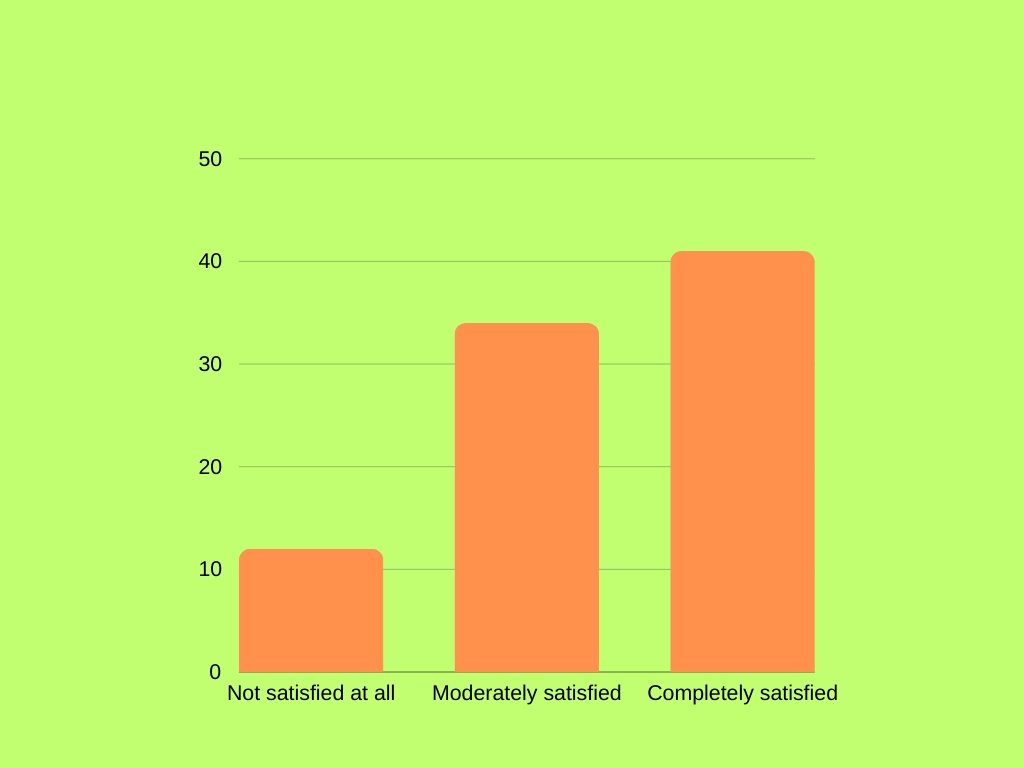
How to Nail Your Next Lead Generation Campaign

How to Nail Your Next Lead Generation Campaign

Time to read

Alan Zhao

Sales teams run on leads.
But just like a performance vehicle, a high-performing sales team needs quality gas (leads) to do their best.
This means that as you set up to run your next lead generation campaign, the focus shouldn’t be on the quantity of leads as much as the quality of leads.

Quality, in the context of sales, being a proxy for how well they match your ICP (ideal company profile).

In this article, we’re going to guide you through the process of generating qualified warm leads that allow your sales team to perform at their optimum.

We’ll discuss how to best set yourself up for success in a lead gen campaign before diving into six powerful tactics for generating better leads. Finally, we’ll sign off with a discussion on how to get the most out of your leads once you’ve got them in your CRM.

What is a Lead Generation Campaign? 

A lead generation campaign is a marketing endeavor designed with the express goal of generating leads.

A lead in this context is any person who has expressed interest in your company, product, or brand and has handed over their context details (generally an email address but sometimes a phone number) in exchange for value such as:

  • An ebook
  • A free trial
  • A webinar
  • A free interactive tool

Is Lead Generation a Variable Strategy?

Lead generation gets a lot of bad press in marketing circles.

That’s because lead gen campaigns are often measured exclusively on the number of leads they generate. More leads equals a more successful lead generation campaign.

This sets up some bad incentives, mainly that marketing ends up being too focused on pushing more leads through to sales, regardless of how much of a fit they are for the product in question or the degree of purchase intent shown.

Take, for example, this ebook about lead gen from HubSpot.

image

Image Source

If I download this guide as part of my research for writing this blog post, I could be considered a lead.

But in reality, HubSpot knows nothing about my potential fit for their product, and I haven’t shown an iota of purchase intent.

For this reason, lead gen is often thought of as an example of bad marketing focused on vanity metrics.

And it can be. But it doesn’t have to be.

If, instead, you:

  1. Set out clear expectations as to what defines a qualified lead and when they’re fit for sales interactions
  2. Focus on building lead generation devices that actually demonstrate purchase intent
  3. Use lead generation as a device for capturing demand built as part of a demand generation campaign

Then lead gen can actually be a super viable strategy for fueling sales teams with high-quality, high-intent leads that they truly have a chance of closing.

To achieve that, you’ve got to do a bit of pre-work.

Let me explain.

How to Get Set up For a Lead Generation Campaign 

Before you start running ads, producing a content plan, or marketing a free trial in order to attract more leads, there are a couple of things you’ll want to have nailed down.

Taking your time to clarify expectations, build an efficient software stack, and align sales and marketing on what a lead even is, will help ensure you see a solid ROI.

Make sure you’re clear on your audience 

First step is to get super clear on who it is you are targeting.

Frameworks like ICP and customer personas are a good move here, but you need to do more than just create static documents.


image

Image Source

Work to create alignment between all GTM (go to market) teams on who your target audience really is.

Then, only prospects that truly fit your key ICP criteria can go through to sales as a “lead.”

Determine how you’re going to categorize leads 

Not all leads are equal, even if they fit your targeting criteria.

Some leads will be in the early stages of the customer journey. Others will be poised to buy. Some will barely scrape past the minimum company size outlined in your ICP, while others will far exceed it.

To distinguish between different lead types — allowing your sales team to prioritize outreach and your tech stack to accurately route leads to the right sales rep — you’ll need to set up some lead categorization guidelines.

Cold/warm/hot is a reasonable framework where you can set up lead scoring rules based on engagement criteria to determine how hot a lead is.

Others use the “qualification” framework to categorize leads:

  • IQL (information qualified lead): The lead is just trying to find an answer to a question.
  • MQL (marketing qualified lead): These are warm leads that are more familiar with your brand and product.
  • PQL (product qualified lead): You’ve established that the prospective customer is a good fit for your product and perhaps vice versa,
  • SQL (sales qualified lead): The lead has expressed an active interest in your product or service and is fit for a salesperson interaction.

By the way, we’ll cover lead routing and scoring a bit later on in our discussion on what to do post-lead gen.

Decide on your marketing channels 

Next step is to decide on the marketing channels you’re going to rely upon to get in front of new eyeballs, drum up interest, and ultimately convert people into leads.

Here are your main options:

  • Social media platforms (LinkedIn, Instagram, X, TikTok, Facebook, etc.)
  • Email
  • SMS
  • SEO content (your blog and other search-optimized website pages)
  • Content marketing efforts (webinars, ebooks, guides, podcasts, etc.)
  • Affiliate marketing
  • Influencers
  • UGC (user-generated content), reviews, and referrals 

Pretty much all of these are going to be used to drive traffic back to your website, where you’ll use a dedicated landing page and some form of lead capture device — a downloadable ebook, entrance to a webinar, a free trial, etc. — to convert that visitor into a lead.

As such, your website and the landing pages you host within it aren’t really channels per se. They’re kind of a non-negotiable as part of your lead gen campaign.

Get your tech stack set up 

Finally, you’ll want to make sure you’re set up on the tech level.

To a certain degree, you won’t be able to nail this all in one go. 

You’ll learn as your lead gen campaign progresses about what specific features and functions you need, and you will be constantly updating and reintegrating your SaaS stack.

However, a good starting point would be to have something in each of these categories ticked off:

  • A CRM to act as the hub for your lead gen campaign and to store customer contact details
  • Advertising solutions to drive traffic to your site
  • A landing page builder to design campaign-specific landing pages on our site 
  • Lead capture tools like forms
  • A chatbot tool to engage visitors on your site and convert them into sales leads
  • Webinar hosting solutions 
  • A lead routing solution to ensure the right prospects reach the right sales reps in a timely manner
  • Email and maybe SMS marketing software 
  • A meeting scheduler tool so prospects can book time on a sales rep’s calendar 

6 Powerful Lead Generation Tactics 

Okay, now we get to the good stuff:

How to actually bring in all those hot prospects.

A quick note first. This is not the be-all and end-all list of lead gen tactics. There are dozens of options available to you, and any one of them might work well for you.

What these are, however, are some of the most commonly used and highly effective strategies for pulling in warm leads.

1. Build a media brand 

Content is very often the backbone of lead generation campaigns.

Typically, this takes the form of gated content like ebooks, reports containing original research, or webinars — all of which require potential customers to fork over their email addresses in order to access. 

In our opinion, you’re much better off thinking of content as something your company produces as a media brand rather than a lead generation device per se.

Let’s take a look at HockeyStack, a GTM analytics tool, as an example.

They’ve gone as far as creating an entirely different brand, naming their media empire The Flow.

image

Image Source

The Flow is kind of like a B2B Netflix. 

One of many series available on The Flow is “Can You Dashboard It?” where their GTM team member Nate Branscome shows how real marketers use the product to track key metrics.

And the lead gen?

To access the content available on The Flow, you’ve got to subscribe, using, of course, an email address.

2. Tap into your partner network 

One of the best ways to generate leads is to get warm referrals from brands you’re working closely with.

These brands should be in your general vertical but not direct competitors.

For us, those are companies like Salesflow, Sendspark, and Letterdrop. They’re all broadly in the GTM space, but aren’t an overlapping tool competitor for the same share of wallet.

We collaborate with these brands mainly on content, like this webinar with Bethany Stachenfeld of Sendspark.

image

Image Source

That’s a great way to expand the reach of your demand generation content, but we can get a little more direct when it comes to chasing leads.

One of my favorite tools for tapping into the power of a partner network is Reveal.

Reveal syncs partner data into your CRM, automatically mapping over account details and helping you identify new opportunities.

It can tell you, for example, the gaps between the accounts in your CRM and the active accounts a partner has. 

We could identify, for instance, an account that Sendspark recently closed but that we don’t have in our sales pipeline. 

If we feel that they’re a fit for Warmly’s ICP, we could reach out to the account manager and ask for a warm referral (which will be a much more effective way into a conversation than a cold email).

3. Ask for referrals from existing customers 

Speaking of referrals, asking for an introduction to potential customers from existing users is a great one-two combo.

Not only does it deliver quality leads that already trust your brand (because they’ve been referred by someone they know and trust to give good recommendations), but it also provides an opportunity to interact with current paying customers.

A good way to incentivize this behavior is with a simple referral offer like a discount on their next invoice or even a direct payment.

Woodpecker, for example, pays you 20% of the recurring revenue on closed deals as part of their referral program.

4. Go freemium or offer a free trial 

Lead generation is all about offering something for free in exchange for contact details.

Why stop at content, though? 

What better way to capture interest (and customer data) than by actually giving prospects a taste of your tool?

There are two ways to go about this.

A free trial is a common approach, where the user gets full access to your platform for a set length of time (14 days seems to be the norm), after which they need to whip out their credit card. 

This is generally the point when a sales rep reaches out to try and close a deal.

A better alternative here, though, is to:

  1. Give them at least 30 days (more time in the platform means they’re more likely to embed it in their workflows and be compelled to continue paying).
  2. Have sales (or a customer success agent) engage early on, helping them to get the most out of the tool from the outset and encouraging adoption.

Freemium is an alternative structure where you offer a simplified version of your product entirely free of charge.

It needs to actually be usable, however. Otherwise, it's just a free trial under a different.

At Warmly, we have a free option available, and many of our customers get value out of it every day.

On our pricing page, prospects can see exactly what the difference is between the free and paid plans in terms of seat, lead enrichment, and feature limitations. 

image

Image Source

Both are viable options for generating leads. Generally speaking, though, free trials are better as part of a startup sales motion, as earlier-stage companies haven’t yet validated their ability to convert free users to paid plans.

5. Create an interactive tool 

An alternative to the freemium or free trial models is to break out a simple feature into a free interactive tool.

Take SEO research tools Ahrefs.

They offer a selection of free tools, such as a keyword generator or a broken link checker.

image

Image Source

These tools give potential customers a taste of what Ahrefs can offer. Of course, it's just an appetizer (though it's still usable). The mains are available only in the paid plan, and Ahrefs smoothly directs buyers over to the pricing menu.

image

Image Source

6. Drive engagement with an AI chatbot 

One of our favorite ways to turn traffic into leads is by engaging website visitors with an AI chatbot.

This works best when you’ve got a visitor identification software platform set up on your website. 

This way, you can deanonymize the visitor, sync third-party buying intent and customer data, and have your AI chat tool craft personalized messages that go beyond “What brought you here today?’

image

Image Source

Warmly takes care of all of the above, but a unique feature is the ability to engage customers in an instant live video call.

Here’s how it works:

Once our AI chatbot identifies a level of purchase intent that requires a sales rep interaction, a Slack notification is sent to the account owner or sales team.

Then, sales can take over the chat, offer a live video call, and even close the deal right there.

That’s how brands like Pump use Warmly to drive revenue fast.

Get the case study: How Pump $20,000 closed in the first week using Warmly.

What’s next? Post-lead gen steps 

So, you’ve successfully generated some high-quality leads.

Where to from here?

Lead Scoring 

The first step here is to score and categorize your leads based on the categories you created back in the prep stage.

In short, you award points to leads based on activities they complete. A form fill for an ebook might be worth 5 points, a webinar attendance might be worth 12, and so on.

Then, you determine the thresholds they need to pass in order to reach certain categories. For example, you might determine that a lead that hits 80 points tips over into the SQL category or is categorized as a warm lead.

You can also set override functions here to consider high-intent actions. For example, if a prospect reviews the pricing page more than three times, they might get upgraded to an SQL regardless of how many points they have.

Inbound marketing tools like Outfunnel are helpful here for automating lead scoring.

Routing 

Next comes routing.

This is essentially the process of determining the appropriate sales rep to send a lead to based on factors such as prospect industry, rep availability, or territory distribution, and then mapping those leads over to an account in your CRM and routing them to the right salesperson.

Chili Piper is a solid tool here, and Warmly also has automated qualification and routing workflows built in.

Use lead routing to send urgent, hot leads right through to sales reps, as well as to route scored and categorized leads to an appropriate inbound SDR.

Sales Process Orchestration 

Once your leads are scored and routed, its time for your sales process to kick off.

What these steps actually look like depends on your exact sales motion.

You might go straight to a phone call, put a prospect into an email nurturing campaign, or run an omnichannel playbook with personalized and targeted ads, LinkedIn outreach, and dynamic video email.

image

Image Source

Your specific tactics and channels will depend on what your data says works best, but there is one piece of general advice that we can give here:

Automate.

Use modern sales orchestration tools to automate as much of your sales motion as reasonable while using AI to maintain a degree of personalization.

This approach will help you nail speed to lead — the early bird really does get the worm in the sales game — while reducing your total overhead by reducing the number of human reps you’ll need.

Consider this workflow in Warmly:

  1. A prospect lands on your website after discovering the insightful and educational content you’ve been publishing.
  2. The person is anonymized, matched to an account in your CRM, and enriched with best-in-class contact, behavioral, and intent data.
  3. An AI chatbot delivers personalized messaging, engages the visitor, and captures more intent information.
  4. A synchronized outreach campaign is triggered across LinkedIn and email, synced to your sales tech stack.
  5. The outreach campaign drives the visitor back to your pricing page, and the prospect signs up for a free trial.
  6. The prospect is categorized as a high-intent lead and routed to the right sales rep, who receives a notification via Slack to engage. 
  7. The rep schedules a customized demo and consultation call with the customer to help them get the most out of their free trial.
  8. At the end of the trial period, the rep leverages user behavioral data to connect with the prospects’ buying needs and motivations and closes a paid deal.

Seven of the eight steps listed above happen automatically, without the need for manual sales team intervention, thanks to Warmly’s deeply integrated architecture and automated sales orchestration.

image

Image Source

Making the most of your lead generation campaign with Warmly

Warmly, our signal-based revenue orchestration platform, is the perfect partner for your next lead gen campaign.

You can capture leads with our automated meeting booker, enrich account information with best-in-class data sources, and run AI-powered outreach sequences across a variety of channels.

It’s how companies like Namecoach turn traffic into revenue.

Get the case study: Discover how Namecoach booked 26 meetings in 6 months using Warmly.

Frequently Asked Questions

What is the best way to nail your next lead generation campaign?

The best approach depends on your specific situation. Follow the step-by-step guide above for proven methods. Key success factors include proper setup, consistent execution, and measuring results.

How long does it take to nail your next lead generation campaign?

Timeline varies based on complexity and resources. Simple implementations take days, while comprehensive strategies may take weeks to fully execute. Start with quick wins outlined above.

What tools do I need to nail your next lead generation campaign?

Essential tools are covered in the guide above. For B2B sales teams, Warmly can help by identifying website visitors and providing intent signals to prioritize your efforts.

What are common mistakes when trying to nail your next lead generation campaign?

Common pitfalls include moving too fast without proper setup, not measuring results, and using outdated tactics. Follow the best practices above to avoid these issues.

Can I automate this process?

Many aspects can be automated with the right tools. Warmly offers automation for website visitor identification and engagement. See the tools section above for automation options.

B2B Influencer Marketing: Complete Strategy Guide (2026)

B2B Influencer Marketing: Complete Strategy Guide (2026)

Time to read

Chris Miller

B2B Influencer marketing is everywhere.

The global market for influencer advertising was worth $21 billion in 2023, grew to an estimated $33 billion by 2025, and is predicted to grow to $52 billion by 2028.

When you think of influencer marketing, you may think of internet celebrities making sponsored posts on Instagram to sell perfume sunglasses.

However, B2B is a much bigger market. The global B2B eCommerce market alone is worth 5X that of the B2C market.

B2B influencer marketing is a strategy of partnering with influential figures in the industry to boost your brand's reach and credibility. The most common benefits to influencer marketing is brand visibility, high ROI, warmer leads and more engagement.

75% of B2B companies already use influencers according to Ogilvy, and 93% planned to increase their investment. By 2026, B2B influencer marketing has become table stakes for competitive GTM teams. If your B2B marketing strategy does not include influencers, you are missing a powerful tool for reaching new audiences.


What Is B2B Influencer Marketing?

B2B influencer marketing is the practice of partnering with trusted industry experts or thought leaders to promote a company’s products or services to other businesses to leverage their credibility to influence buying decisions.

And having a B2B influencer marketing strategy is absolutely essential in 2026.

While folks might happily gamble $20 on a pair of sunglasses they saw on TikTok, B2B deals are worth many (million) times more, and require more stakeholders to sign off.

B2B sales are also made based on trust and relationships.

How B2B brands partner with influencers can vary enormously, from direct endorsements to co-authored content.

The most effective strategy is putting your brand in the orbit of influential people with the same focus, growth trajectory, and target audience. Ideally, companies build long-term partnerships with like-minded influencers, and grow both brands in tandem.

What are benefits of B2B Influencer Marketing

Here are the key benefits of B2B influencer marketing:

  • Builds credibility and trust: Influencers lend their authority and reputation, making your brand more trustworthy to target businesses.
  • Expands reach to niche audiences: Helps you tap into highly relevant and engaged industry-specific communities that you wouldn't normally reach just by running ads.
  • Drives higher-quality leads (than you'd expect): Recommendations from trusted voices attract decision-makers who are more likely to convert.
  • Boosts your brand awareness and authority: Positions your company as a thought leader by associating with respected experts.

All of this is because effective B2B influencer marketing leverages the oldest and most powerful marketing strategy we have: word-of-mouth, particularly the mouths of industry experts.

And if you want to get it right, you need to build relationships with the right people before your competitors.

Let's dive deeper into 2 of these benefits that I feel like are the most important: improving your brand reach and brand visibility to the right people. ⬇️

Amplifying Brand Reach

When you partner with influencers, you are not just tapping into their networks. You are leveraging the influence of both sides of the partnership to grow. Almost 60% of brands say that building more interest in their product or service is their top priority for influencer marketing.

LinkedIn algorithms are designed specifically to prevent posts from "going viral." The platform looks at engagement signals to figure out what posts to show to more people, even those who don't follow you or the influencer. Having a top contributor commenting on your company's LinkedIn posts extends your reach not only to their followers, but to other users asking questions or engaging on posts in the B2B space.

Algorithms for search engines, social networks, and marketplaces work the same way. The more people who engage with your content, the more other people will get to see the content. Influence begets influence.

Boosting Brand Visibility

Research shows that parasocial influence is a powerful driver on "brand credibility and purchase attention" according to a recent study published in Nature.

Leverage influencers' expertise and authority in your industry by asking them to help you create helpful, hilarious, or otherwise value-adding content—and then amplify it across all your and their networks.

Who are the B2B influencers?

image

While anybody with clout can be a tastemaker, B2B marketers are typically established thought leaders and experts who have:

  • Employees, customers, journalists, policy makers, or industry leaders with credible expertise
  • Talented content creators
  • Been recognized in their field
  • Are subject-matter experts
  • Have dedicated followings
  • Are some of the most relevant and trustworthy sources of information and advice in their field

The place to look is often among people who are already fans of your product. Find existing customers, business partners, and employees who are already talking up your brand, and explore how you can grow those influencer relationships.

image

‎If they're mentioning you on social media, it's usually either customers, or folks who are brand-aligned in another way. These existing influencers will naturally be more receptive for you to reach out and ask for a 15-minute call where you can:

  • Jam about how to create content together, amplify each other’s posts, swap engagement, or push your brand.
  • If your long-term goals are aligned, offer them equity so they’re bought in.
  • Add them to the affiliate program, so anyone they refer get 20% of ACV.
  • Bring them onto a podcast to give them a platform. You can then cut that content into clips and amplify it across your socials.
  • If they’re a customer, turn their testimony into a case study.

Building Your Influencer Strategy

According to a study by TopRank Marketing, the most effective B2B influencer campaigns:

  • Use consistent, ongoing or "always-on" campaigns with professional influencers and niche experts
  • Compensate influencers with payment, product, equity, or more.
  • Measure and track performance.
  • Leverage technology and AI
  • Get outside help from an influencer marketing agency or influencer marketing platform.

image

Establishing goals and objectives for your influencer marketing campaign

Is your goal to build brand awareness, generate reviews, or drive more leads to your pipeline? Social listening tools like Brandwatch and Sprout Social can help you figure out where your brand stands now, and the delta from that to where you want to be.

Use the information you gather make SMART (specific, measurable, achievable, relevant, and time-sensitive) goals about what you want to accomplish with your influencer marketing efforts.

Goals and KPIs

Increase Brand Awareness

  • Potential KPIs: Followers, impressions, total engagement, web traffic

Reach

  • Potential KPIs: Reach, engagement, new followers, web traffic, use of promo codes and trackable links

Drive Pipeline

  • Potential KPIs: SQLs/SQOs, calls booked, sales

Increase User Generated Content

  • Potential KPIs: Product reviews, testimonials, social media posts, hashtag, usage, influencers/brand advocates

GoalPotential KPIs
Increase Brand AwarenessFollowers, impressions, total engagement, web traffic
ReachReach, engagement, new followers, web traffic, use of promo codes and trackable links
Drive PipelineSQLs/SQOs, calls booked, sales
Increase User Generated ContentProduct reviews, testimonials, social media posts, hashtag, usage, influencers/brand advocates

Creating Detailed Buyer Personas

The first step of any marketing campaign is creating detailed buyer personas. That will help you figure out what influencers hold clout in the spaces you want to; well, influence.

If you're doing account-based selling, you will already have an idea of specific businesses you're targeting and what they're doing online. Who are the people your stakeholders engage with the most?

Many people who are targeting the B2B space will immediately think of LinkedIn. Surprisingly, Youtube, Facebook, Instagram, Twitter are more common influences on B2B purchasing decisions according to a 2023 study by Gartner. An omnichannel approach will expand the body of people who might be able to help grow your brand.

Unlike B2C influencer marketing, B2B tastemakers are not just great content creators. They are subject matter experts that provide real value to their followers. The most influential marketers narrow their content in on one subject they know well and become known for that niche.

Becoming an influencer yourself (by posting original, helpful content on your specialty) is an organic way to find and attract the types of people that align with you in value.

Selecting the Right B2B Influencers for Your Brand

Influencers don't need to be mega-brands that will command high fees for a sponsored post, but have no real commitment to your business. B2B transactions are built on trust. A clear advertisement without overall alignment can easily backfire. Brands looking to leverage influencers need to find people that align on long-term goals for the same audience.

56% of CMOs interviewed believe that the best way to optimize use of B2B influencer marketing campaigns is to "build long-term relationships that show true brand advocacy."

The right influencers are not necessarily the ones with the most followers, but who are most attuned to your goals. As they build their own brand and narratives, your brand's influence will grow organically alongside them. Smaller influencers (sometimes called micro-influencers, or even nano-influencers) may also have higher personal engagement—and therefore more direct influence on purchasing decisions.

Collaborating with Influencers

More than half of B2B purchases are influenced by word-out-mouth, according to Forbes in 2018. Since 2020, B2B buyers increasingly reach out to peers and do their own research before reaching out to a sales team. That means most of the work of convincing the prospect will usually be done by the time they talk to a sales rep.

The content you put out should therefore enhance brand loyalty and trust, prove use case and effectiveness through testimonials, and expand reach.

Building Relationships with B2B Influencers

As with any other relationship, approaching B2B influencers is about building trust. While you may need to cut a check, a influencer partnership should always create mutual value.

If you or other employees are budding influencers , it will be easy to sell the mutual benefits of co-creating and cross-sharing content. Sharing equity is another way of long-term alignment on co-growing your brand.

When you partner with an influencer, their brand is essentially "picking a side" in your industry.

Warmly's influencer partnerships include advisors like Josh Norris.

When someone in his circle is looking for a revenue orchestration platform, he already has a brand that he uses, loves and trusts to recommend. Influence can also grow like a tree.

Other influencers will see what side your brand partners have picked and reach out to work with you, too.

Create Compelling Content with B2B Influencers

There are limitless ways to leverage an influencer partnership:

  • Co-creating engaging and authentic content.
  • Cross-amplifying content across both your networks to increase engagement
  • Having them engage with your brand's social media posts to increase reach and engagement with their followers
  • Guest blog posts
  • Podcast interviews
  • Co-hosting webinars
  • Attending industry events as an ambassador
  • Endorsements

Content can be product-based, narrative-based, or build "top-of-mind awareness."

For example, Warmly's goal is to establish ourselves as the number one media go-to-market in our space.

We post (and cross-post) authentic content about the technology we're building, so when people think "revenue orchestration platform," Warmly automatically comes to mind.

Successful B2B Influencer Marketing Examples

image

There is nothing that says B2B influencer marketing has to be staid. ‎The people you're targeting are professionals, but they're also people. A great B2B influencer marketing campaign will entertain as it sells.

For example, HockeyStack's The Flow—including their popular comedic "The Worst Marketer in the World" series—and Lavender's Lavender Land channel are the "B2B-equivalent-of-HBO-and-Netflix."

Obaid Durrani and ToddClouser are the masterminds behind the Easy Mode Framework that helps brands build media empires. Their success implementing the framework with Lavender and HockeyStack have put them on the map as master B2B influencers.

image

B2B Influencer Marketing Trends in 2026

The B2B influencer landscape has evolved significantly. Here are the key trends shaping strategies in 2026:

AI-Powered Influencer Discovery

Tools like SparkToro, Brandwatch, and LinkedIn's own creator analytics now use AI to match brands with influencers based on audience overlap, engagement quality, and topic authority — not just follower count. This has made it easier for smaller B2B brands to find high-ROI micro-influencers in niche verticals.

Employee-Led Influencer Programs

The biggest trend in 2026 is brands investing in their own employees as influencers. Companies like Gong, Clari, and Warmly encourage team members to build personal brands on LinkedIn, creating an "influence network" that's authentic, sustainable, and doesn't depend on external partnerships.

Short-Form Video for B2B

LinkedIn video, YouTube Shorts, and even TikTok have become legitimate B2B influencer channels. The most successful B2B influencer content in 2026 combines expertise with entertainment — think "edutainment" clips that break down complex topics in 60 seconds.

Performance-Based Influencer Deals

More B2B brands are moving from flat-fee sponsorships to performance-based arrangements: affiliate commissions, equity stakes, and revenue-share models. This aligns incentives and ensures influencers are genuinely invested in the brand's success.

Common Pitfalls in B2B Influencer Marketing

PR Disaster

Working with influencers is not all upside. There are risks associated with co-branding, like Disney's famously disastrous partnership with PewDiePie. That's why it's more important to find influencers who have a similar long-term brand trajectory, than to hire the biggest megaphone you can find to amplify your brand.

Misattributing Results

With long lead times and buying cycles, it can be hard to tell which part of the marketing puzzle to credit. Unlike B2C, B2B influencer marketing is less about a direct line from influencer-to-deal, but staking out your part of the market and partnering with brands in that space that will grow with yours. Overfocusing on content that drives sales directly similarly misses the point.

Controlling Influencer Content

When you partner with an influencer, you ideally trust them as masters of their brand. Trying to control the type of content can backfire, as can paid branded content. "69% of consumers trust influencers, friends and family over information coming directly from a brand," according to agency Matter Communications.

Conclusion

The ROI on B2B influencer marketing is staggering. Companies report a return of $5.20 for every $1 spent on influencer marketing, and that figure has only increased as B2B brands refine their strategies.

Influence is the new currency. It's no longer enough to just buy ads to promote yourself, because anybody can do that. Ads also don't have the same credibility as seeing the face and presence of a recommendation by, say, Scott Leese.

The best way forward for B2B brands to boost brand reach and credibility is to find the right B2B influencers and gather as many of them as possible into your company's orbit. Then build long-lasting, mutually beneficial brand partnerships.

All you need are 60 comments to go viral on LinkedIn. The more people you get talking about you, the farther your message will reach. It quickly becomes a virtuous cycle, or an influence flywheel.

Read more:

Frequently Asked Questions

How much does B2B influencer marketing cost?

B2B influencer marketing costs vary widely. Micro-influencers (5K-50K followers) may work for product access or $500-$2,000 per post, while established thought leaders with 100K+ followers can charge $5,000-$25,000+ per campaign. Many B2B brands find the best ROI comes from equity or affiliate arrangements with long-term partners, rather than one-off sponsored posts.

How do I find B2B influencers in my industry?

Start with your existing network: look at who your customers, employees, and partners follow and engage with on LinkedIn. Use LinkedIn's Creator Search to find thought leaders by topic. Check conference speaker lists, podcast guests in your space, and top contributors in relevant LinkedIn groups. Tools like SparkToro and Brandwatch can help identify who your target audience actually listens to.

What's the difference between B2B and B2C influencer marketing?

B2B influencer marketing focuses on trust and expertise rather than reach and entertainment. B2B influencers are typically industry practitioners, analysts, or executives — not lifestyle creators. B2B deals have longer sales cycles, more stakeholders, and higher deal values, so the influencer's role is building credibility over time rather than driving impulse purchases.

How do you measure B2B influencer marketing ROI?

Track both leading and lagging indicators. Leading indicators include engagement rate, new followers, website traffic from influencer content, and content shares. Lagging indicators include SQLs generated, pipeline influenced, and deals closed where the influencer was a touchpoint. Use UTM parameters, unique landing pages, and CRM attribution to connect influencer activity to revenue.

How long does it take to see results from B2B influencer marketing?

Expect 3-6 months for measurable brand awareness gains and 6-12 months for pipeline impact. B2B sales cycles are long, so an "always-on" influencer strategy compounds over time. Companies that treat influencer marketing as a campaign (vs. ongoing program) typically see weaker results.

Connect with Our Experts

Book a 15-minute conversation with a customer of ours and discover how Metric transforms their GTM strategy.