Blog

Signal-Based GTM Tips & Insights

Read by 15,000+ GTM pros.
Popular
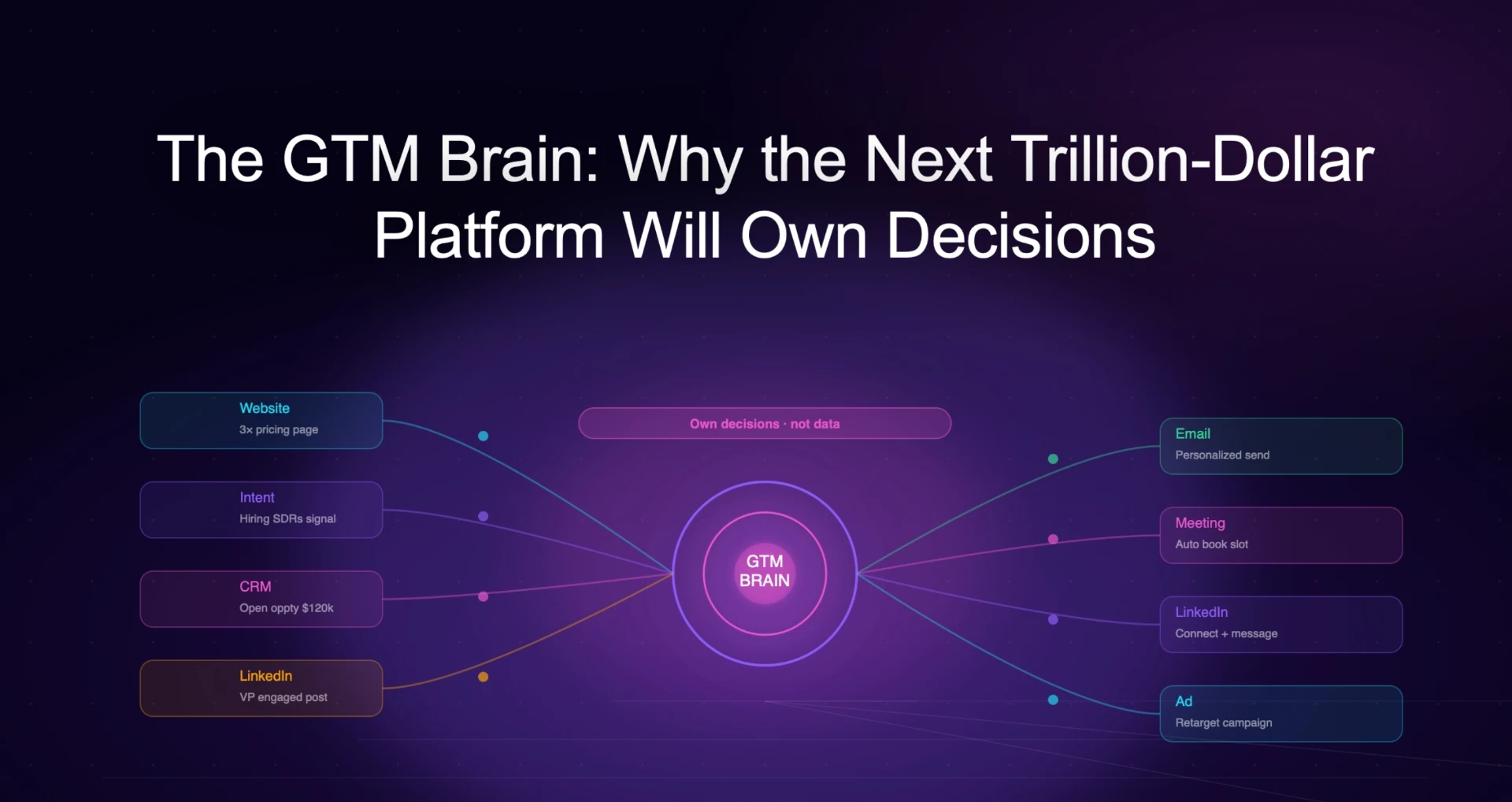
The GTM Brain: Why the Next Trillion-Dollar Platform Will Own Decisions, Not Data
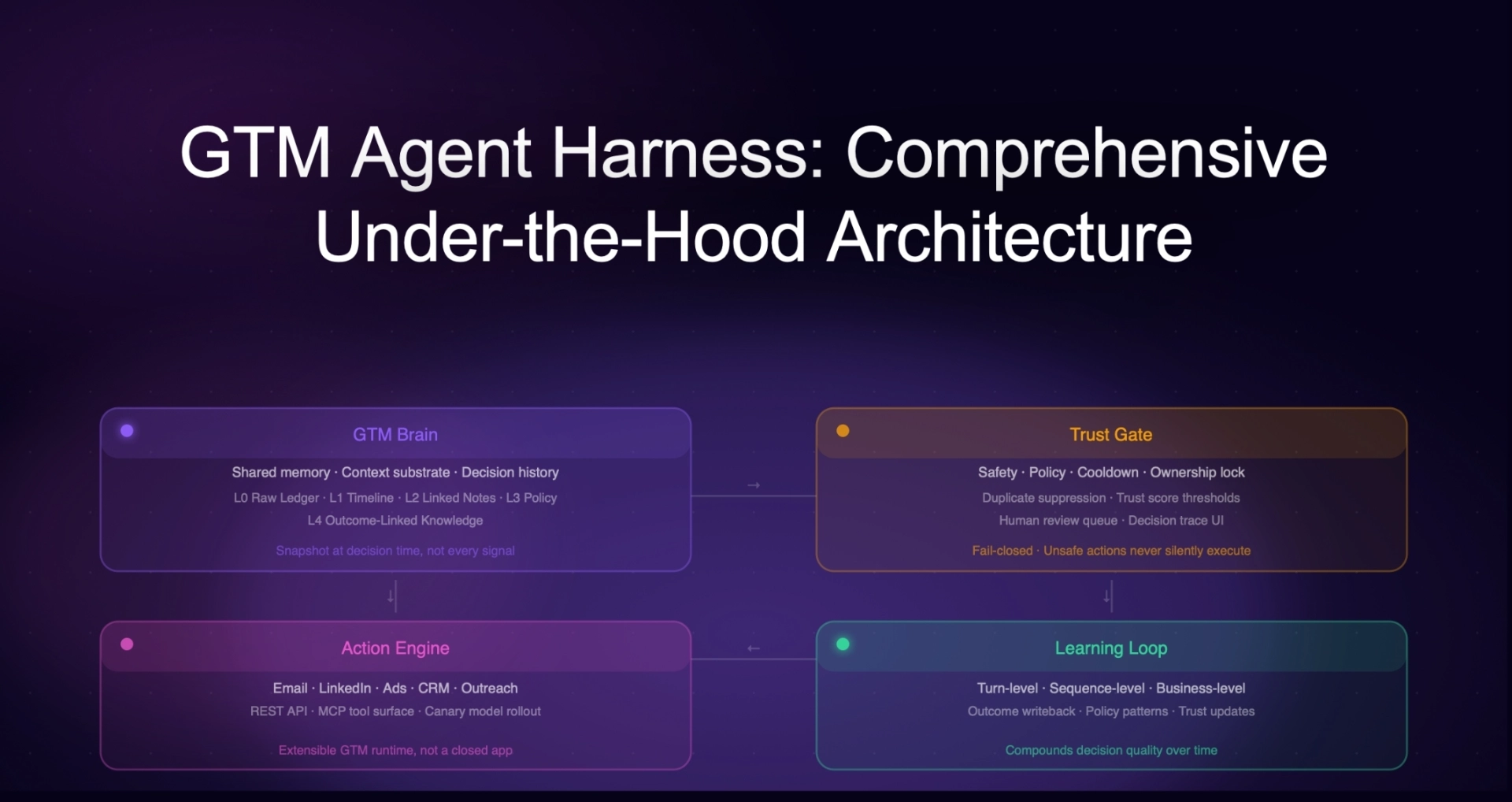
GTM Agent Harness: Comprehensive Under-the-Hood Architecture
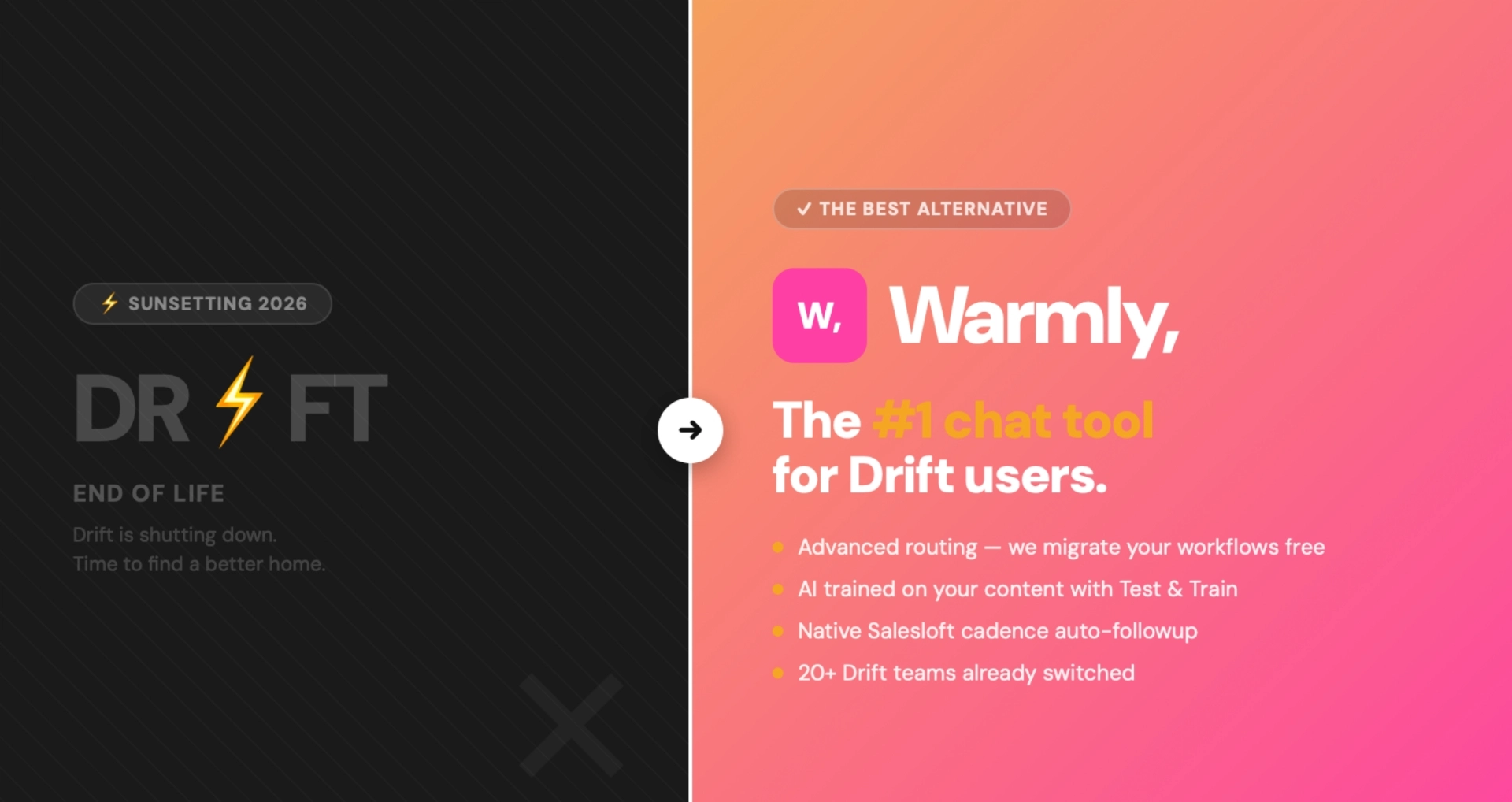
Drift Is Shutting Down: Best Drift Alternative for 2026 | Warmly
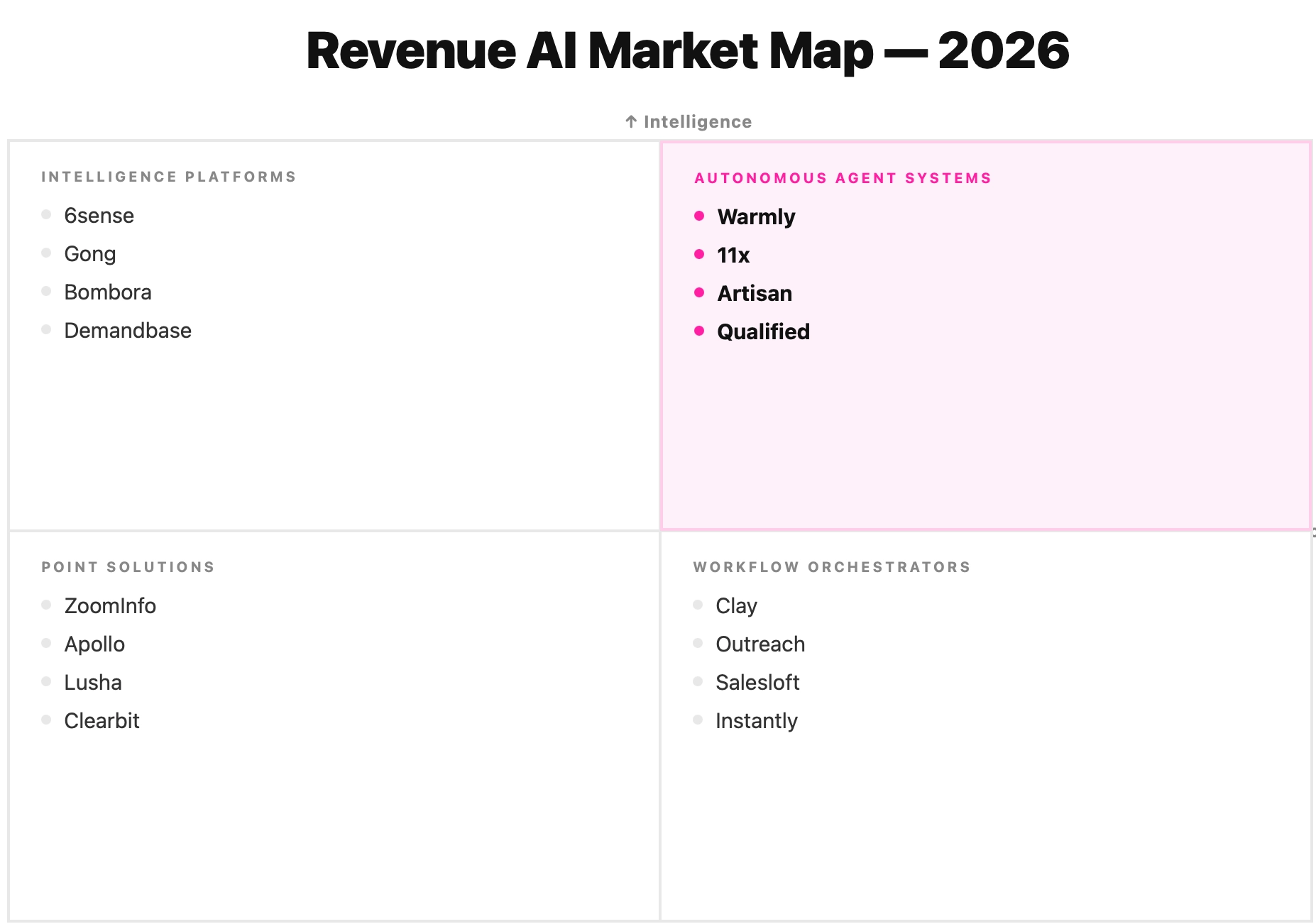
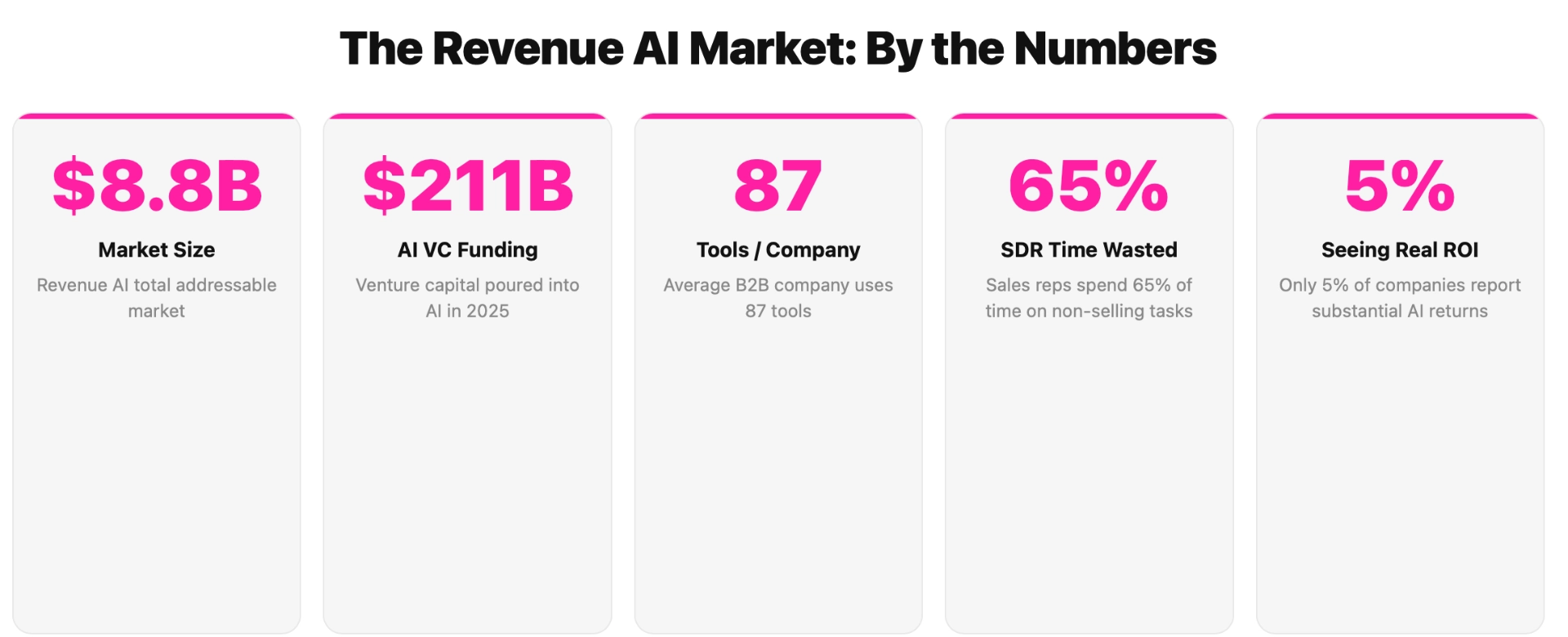
Revenue AI in 2026: The Definitive Market Landscape (From Workflow Hell to Agent Intelligence)
6sense Review: Is It Worth It in 2026? [In-Depth]
AI Marketing Agents: Use Cases and Top Tools for 2026

Articles

Showing 0 of 0 items

Category

Resources
Resources
Resources
Resources
ABM Strategy in 2026: The Playbook That Replaced Everything You Knew About Account-Based Marketing

ABM Strategy in 2026: The Playbook That Replaced Everything You Knew About Account-Based Marketing

Time to read

Alan Zhao

Every ABM strategy guide on the internet tells you the same thing. Define your ICP. Build a target account list. Align sales and marketing. Personalize your outreach. Measure account-level metrics.

That advice was fine in 2022. It's dangerously incomplete now.

I run marketing at Warmly. One person, Series B company, no agency. Our ABM motion generates attributable pipeline across email, LinkedIn, live chat, phone, and paid ads - and I can trace the full buyer journey from the first anonymous LinkedIn ad impression to closed-won revenue. Six months ago, that was impossible. Not because the strategy was wrong. Because the infrastructure didn't exist.

Account-based marketing in 2026 is not a strategy. It's a system. A system that detects signals, identifies buyers, targets them across every channel, nurtures them through the funnel, engages them when they show up, and attributes every touchpoint to revenue. All coordinated by AI agents with full context over the buyer journey.

This guide is the playbook for building that system. Not theory. Not frameworks you'll never implement. The actual tools, tactics, and architecture that replaced the legacy ABM playbook.


Quick Answer: ABM Strategy by Maturity Stage

Best ABM strategy for teams just starting: Focus on one channel (LinkedIn Ads), one signal source (website visitor identification), and one action (AI chat engagement). Get the loop working before scaling. Start with Warmly for signal detection + visitor ID + chat, and $1-2K/month LinkedIn Ads budget. You can run effective ABM for under $50K/year.

Best ABM strategy for scaling teams: Multi-channel surround sound. LinkedIn + Meta + Google ads targeting your TAM and lookalike audiences. Signal-triggered email and LinkedIn outreach via AI agents. Behavior-driven nurture campaigns. Full buyer journey attribution. Budget: $75-150K/year across tools and ad spend.

Best ABM strategy for enterprise: Unified context graph connecting every signal, every touchpoint, and every outcome. Autonomous GTM orchestration with agents executing across all channels within guardrails. LLM-based attribution that assigns weighted credit to every touchpoint. Budget: $200K+/year.

Best ABM strategy for companies ripping out legacy platforms: Replace 6sense/Demandbase with a modern stack of specialized tools connected by AI agents. You'll get better attribution, faster execution, and lower cost. The money you save on platform fees goes into ad spend that actually reaches your buyers.


Why the Old ABM Playbook Broke

The old playbook worked when: - Intent data was scarce and hard to get - Manual workflows were the only option - "Personalization" meant putting someone's name in an email subject line - Attribution was accepted as impossible, so nobody asked hard questions - One platform (6sense, Demandbase, Terminus) could handle the whole thing

None of that is true anymore.

Intent data is everywhere now

Six months ago, getting buying signals required a $100K+ contract with 6sense or Demandbase. Now you can stitch together signals from Bombora (research intent), G2 (category research), LinkedIn (job changes, social engagement), website visitor identification (who's on your site right now), technographic changes, and job postings. The problem shifted from "how do I get signals" to "how do I act on all of them fast enough."

According to the 2025 State of ABM Report, 78.7% of companies are now using AI in their ABM programs. But Gartner research shows only 17% can accurately attribute pipeline to ABM investments. Everyone has the data. Almost nobody knows what's working.

Agents replaced workflows

The old ABM playbook: human reads dashboard → human decides what to do → human takes action → human (maybe) updates CRM. That worked when you had 50 target accounts and 3 channels.

It breaks when you need to evaluate hundreds of accounts across email, LinkedIn, live chat, phone, and 4 ad platforms - making thousands of micro-decisions per day about who to contact, what to say, when to say it, and which channel to use.

AI agents don't replace the strategy. They execute it at a scale and speed that humans can't. But they need infrastructure that legacy ABM platforms weren't built to provide.

The attribution loop is finally closable

This is the biggest change and nobody's talking about it enough.

Legacy ABM platforms couldn't connect intent data → LinkedIn ad impression → website visit → chat conversation → email sequence → demo booking → closed deal. The data lived in 6 different tools. So teams accepted "influenced pipeline" as a metric, which basically means "we think our stuff helped but we can't prove it."

Now, with unified platforms and tools like Fibbler for ad attribution, you can trace the full buyer journey. When a company finally books a demo, you can see every touchpoint: the first LinkedIn ad they saw 3 months ago, the 4 blog posts they read, the email sequence they opened but didn't click, the website visit where the AI chat agent engaged them, and the retargeting ad that brought them back.

That first touch - the first time they were ever exposed to you - usually never gets captured. It's the hardest attribution problem in B2B. But it's the most important data point because it tells you what's actually creating awareness. Legacy tools miss it. The new stack catches it.

Data can't live in silos

6sense, Demandbase, and Terminus were designed to be the single platform for ABM. All data inside their walls. That made sense when humans needed one dashboard.

It doesn't work when AI agents need to read signals from one tool, check enrichment data from another, execute outreach through a third, and sync results to a CRM. The platform lock-in that used to be a business moat is now a product liability.

Modern ABM strategy requires data that flows freely between specialized tools, connected by a shared context graph that every agent can reason over.


The New ABM Framework

Forget the traditional ABM funnel. Here's how ABM actually works when it's working:

Signal → Target → Surround → Engage → Attribute → Learn

Stage What Happens Old Way New Way
Signal Detect buying intent Buy 6sense, wait for scores Stitch signals from 5+ sources in real-time
Target Reach your buyers Upload static list quarterly Always-on targeting + lookalikes finding new accounts
Surround Multi-channel presence Display ads only LinkedIn + Meta + Google + YouTube + email + chat
Engage Convert interest to pipeline SDR manually follows up AI agents engage with full buyer context
Attribute Connect spend to revenue "Influenced pipeline" guessing Full journey tracking, every touchpoint
Learn Improve over time Quarterly reviews Agents learn from outcomes, system gets smarter

The critical insight: this is a loop, not a funnel. The Learn stage feeds back into Signal. What you learn from closed-won deals changes who you target, how you message, and where you spend. Every cycle makes the system smarter.

At the pace of foundational model improvements - every time Opus 5 or GPT-5 ships - the reasoning engine gets better. If your ABM system is built on a context graph with decision traces and outcome data, the whole thing improves automatically. If it's built on static workflows in a legacy platform, nothing changes except the UI.


Step 1: Build Your Signal Layer

ABM starts with knowing who to go after and when. Signals tell you both.

The 6 Signal Types That Matter

Signal What It Tells You Source Urgency
Website visits They're actively looking at you Warmly visitor ID Highest - engage now
Research intent They're exploring your category Bombora, G2 High - start targeting
Job postings They're building the team to buy LinkedIn, Indeed Medium - time outreach
Job changes New decision-maker, new budget LinkedIn, Clay High - warm intro window
Social engagement They're signaling interest publicly Social signal monitoring Medium - engage on platform
Technographic shifts They're changing their stack BuiltWith, PublicWWW Medium - competitive opportunity

Don't just collect signals. Stitch them together.

A single signal is noise. A combination is conviction.

"Acme Corp researched sales automation" - could be an intern writing a report.

"Acme Corp researched sales automation + their VP of Sales just changed jobs + they posted a BDR role + someone from Acme visited our pricing page twice this week" - that's a buying signal.

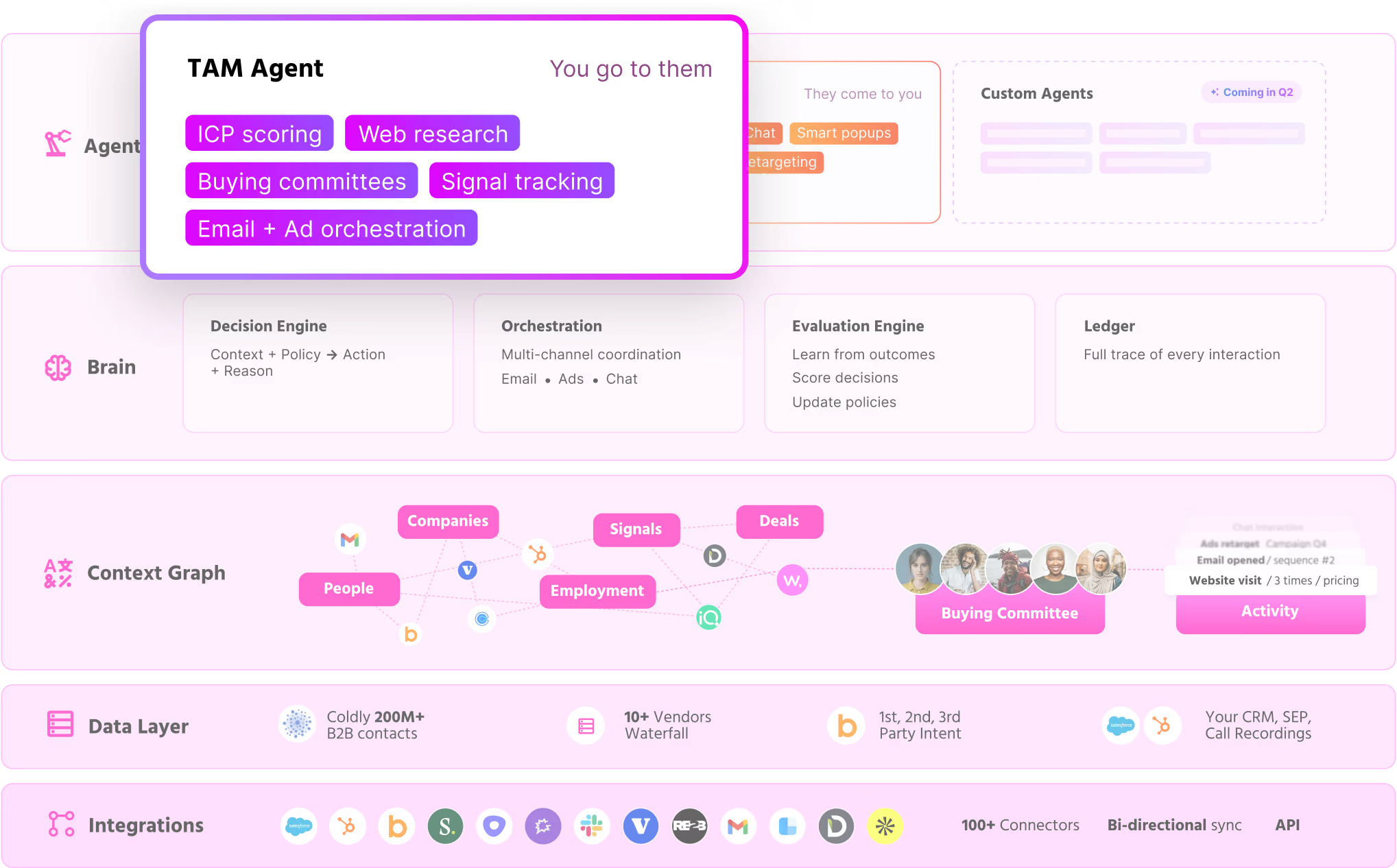
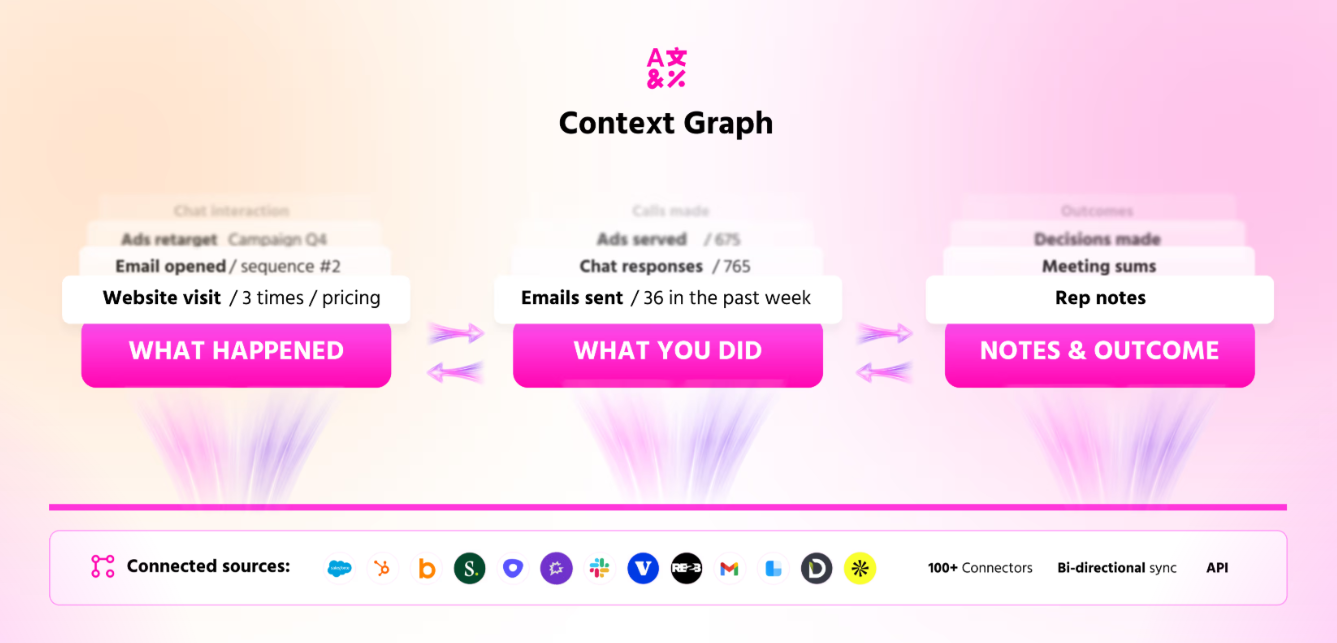
Your signal layer needs to combine multiple signal types into an account-level score that reflects actual buying intent. This is what a context graph does: it connects signals across sources into a unified view that agents can reason over.

How to set up your signal layer

Minimum viable signal stack: 1. Deploy website visitor identification - know who's on your site at the person level 2. Connect Bombora or G2 for third-party research intent 3. Monitor LinkedIn for job changes at target accounts 4. Score accounts based on signal combination, not individual signals

Time to implement: 1 day with Warmly. 4-8 weeks with 6sense or Demandbase.


Step 2: Always Be Targeting Your TAM

Most ABM guides tell you to build a target account list of 100-500 companies and focus all your efforts there.

That's half right. You should absolutely have a focused list. But you should also be running always-on campaigns that reach your entire total addressable market - including companies you haven't identified yet.

The two targeting motions

Motion 1: Focused ABM (known accounts) Your target account list. Companies showing intent signals. Accounts in your pipeline. Past customers you want to re-engage. Personalized campaigns, high touch, multi-threaded.

Motion 2: TAM awareness (unknown accounts) Lookalike audiences on LinkedIn and Meta that match your ICP. Broad search campaigns on Google for category keywords. Content campaigns that build awareness with companies you don't even know about yet.

Both motions run simultaneously. Always.

Lookalike audiences are underrated

Upload your closed-won customer list to LinkedIn and Meta. Let the algorithms find companies that look like your best customers. This is how you discover the accounts that should be on your target list but aren't.

Most ABM teams skip this because it doesn't feel "account-based." It feels like demand gen. But the line between ABM and demand generation is artificial. You're targeting companies that match your ICP. You're just letting the ad platform help you find ones you missed.

When those unknown accounts click your ad and visit your website, Warmly identifies them. They go from "unknown" to "known." If they match your ICP, they get added to your focused ABM list automatically. The TAM awareness motion feeds the focused ABM motion.

How to build your target audiences

For LinkedIn Ads: - Upload customer list → create lookalike - Upload ICP criteria → matched audience (use Primer for 70-90% match rates vs LinkedIn's 30-50%) - Target by job title + seniority + company size + industry for broad ICP reach

For Meta Ads: - Upload customer email list → lookalike audience - Upload Clay-enriched contact list → custom audience - Lower CPC than LinkedIn, great for surround sound

For Google Ads: - Customer Match with email lists - Search campaigns for category and competitor keywords - YouTube pre-roll targeting your account list

Pro tip: Use Claude Code to automate audience sync across platforms. When a new account enters your CRM, it should automatically be added to your LinkedIn, Meta, and Google audiences. Don't do this manually.


Step 3: Surround Sound Across Every Channel

ABM isn't one channel. It's every channel, coordinated.

Your buyer doesn't live on LinkedIn. They check LinkedIn at work, scroll Instagram in the evening, search Google when they're researching solutions, watch YouTube when they want to learn, open emails when they're in evaluation mode, and visit your website when they're comparing options.

The best ABM strategy hits them on all of these with a consistent message, timed to their buying stage.

The Surround Sound Framework

Stage Channels Message Goal
Awareness LinkedIn Ads, Meta Ads, YouTube Thought leadership, problem education Get on their radar
Consideration Google Search, Blog content, Email Comparison guides, case studies Become the frontrunner
Decision Retargeting ads, AI chat, SDR outreach Demo offers, ROI calculators, social proof Convert to meeting
Negotiation Email, Phone, Personalized content Custom proposals, competitive intel Close the deal

Channel-specific tactics

LinkedIn Ads (awareness + consideration) - Thought leadership ads from the founder's profile (these outperform brand ads 3x) - Video ads for top-of-funnel education - Sponsored messaging for high-intent accounts - Retarget website visitors with comparison content - Use Metadata to auto-optimize bids and save 20-30% on CPCs

Meta / Instagram (awareness + surround sound) - Custom audiences from your CRM and Clay exports - Lookalike audiences based on closed-won customers - Instagram Stories and Reels for visual content - Cheaper CPCs than LinkedIn - stretch your budget further - Your buyer sees you on LinkedIn at work and Instagram at night. That's surround sound

Google / YouTube (consideration + decision) - Capture active search demand with category keywords - Competitor keyword campaigns ("6sense alternatives", "Demandbase pricing") - YouTube pre-roll ads targeted to your account list - Customer Match to retarget across Gmail, Search, and Display

Email (consideration + decision + nurture) - Signal-triggered sequences: when an account shows intent, auto-start personalized email - Use Customer.io for behavior-driven campaigns at scale - Personalize based on what they've done (pages visited, content downloaded, ads clicked) - Cool-down periods between touches based on engagement

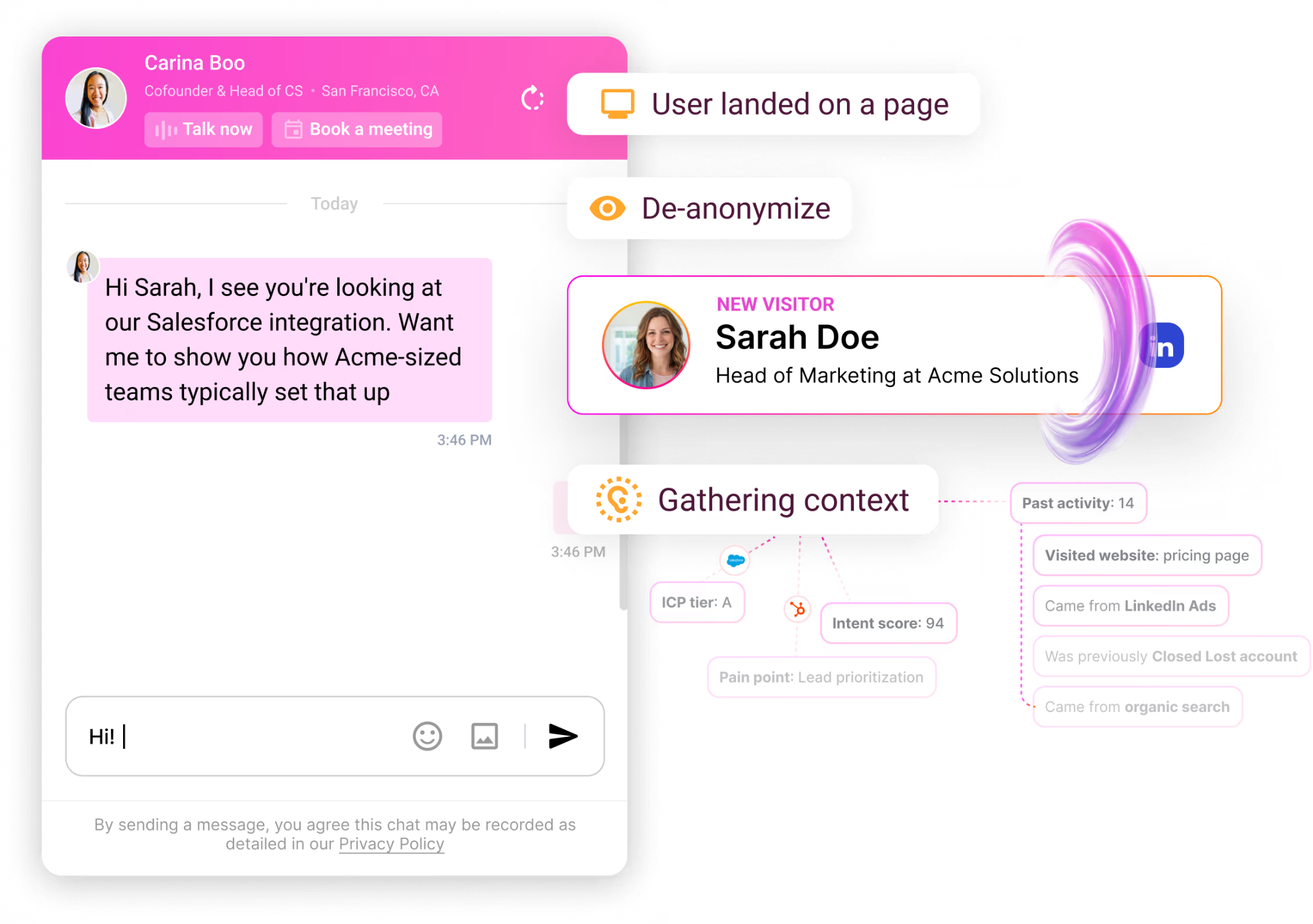
AI Chat (decision) - When visitors land on your site, engage with full context - not a generic "How can I help?" - Warmly's inbound agent knows who they are, what company they're from, what signals they've shown, and what the AE discussed last time - Can deliver product demos outside business hours - Converts website traffic into pipeline that otherwise bounces

Phone / SDR (decision + negotiation) - Triggered by high-intent signals (pricing page visit + return visitor + matched ICP) - SDR gets full context before calling: what pages they visited, what ads they clicked, what emails they opened - The call isn't cold. It's informed.

The coordination problem (and how agents solve it)

The biggest risk in multi-channel ABM: sending disconnected messages across channels. An SDR emails while a LinkedIn ad is running while the chat agent is engaging - and none of them know about each other.

This is why autonomous GTM orchestration matters. AI agents that share a context graph can coordinate: the TAM agent pauses email outreach when the chat agent is having a live conversation. The ad targeting adjusts when an account enters late-stage pipeline. The SDR gets a Slack notification that this account just engaged with the chat agent and here's what they asked about.

Without coordination, you're running 5 independent campaigns. With coordination, you're running one intelligent system.


Step 4: Engage With Full Context

Here's the moment that matters: a person from a target account lands on your website. Everything you've done - the ads, the emails, the content, the signals - led to this moment.

What happens next determines whether you get a meeting or a bounce.

The old way: generic chat popup

"Hi! Thanks for visiting. Want to chat?" → 95% close the window.

The new way: context-aware engagement

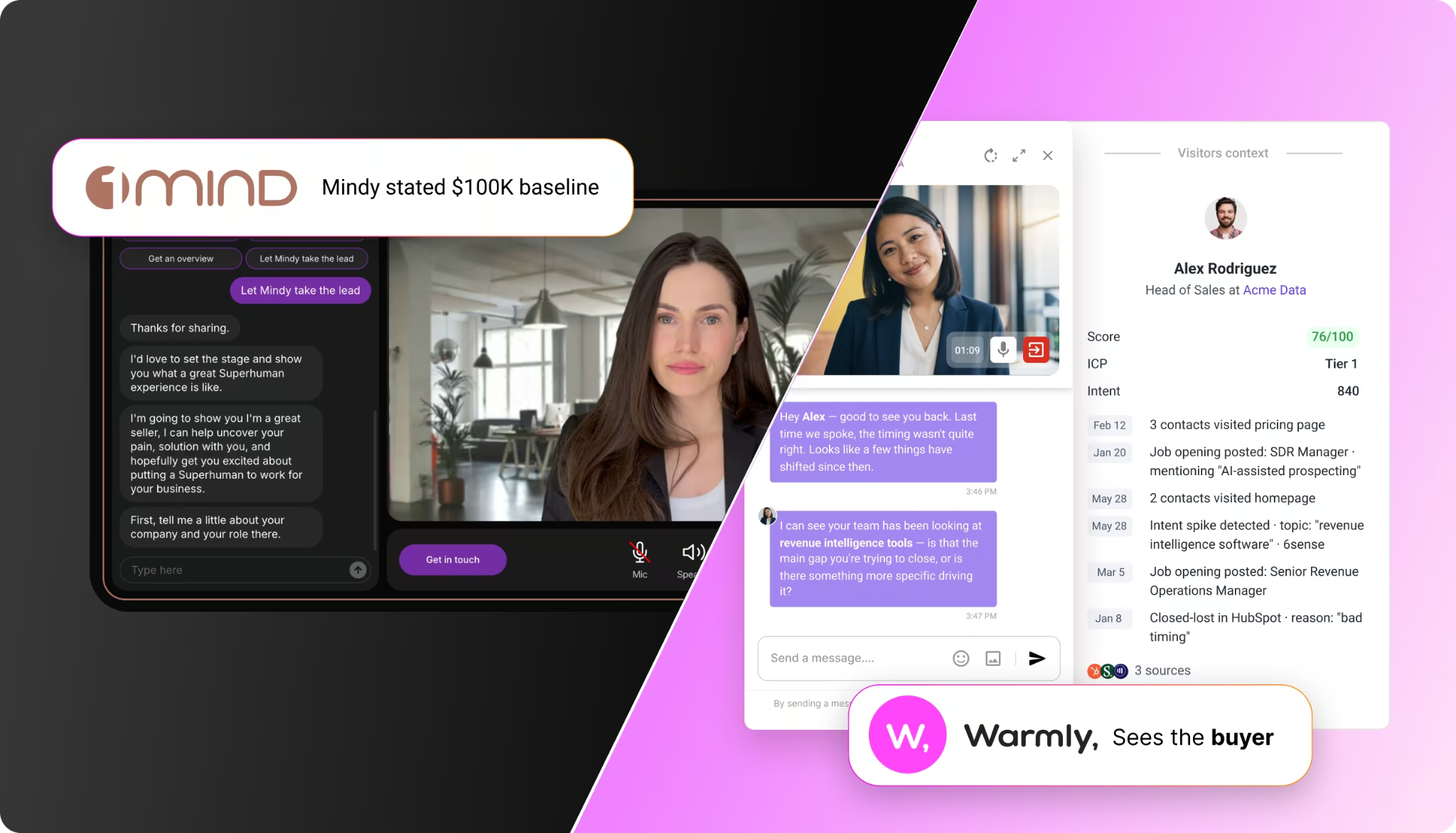
The AI inbound agent knows: - This person is Sarah, VP of Marketing at Acme Corp - Acme was closed-lost 8 months ago. Different buyer at the time - Sarah joined Acme 3 months ago (job change signal) - Acme has been researching "ABM platforms" on G2 for 2 weeks - Sarah clicked a LinkedIn ad about multi-channel ABM yesterday - She's on the pricing page right now, second visit this week

The agent says: "Welcome back, Sarah. I see your team has been evaluating ABM platforms. Would it be helpful if I walked you through how we compare to what you're currently using? I can also show you what the pricing looks like for a team your size."

That's not a chatbot. That's a concierge with perfect memory.

The buying committee matters

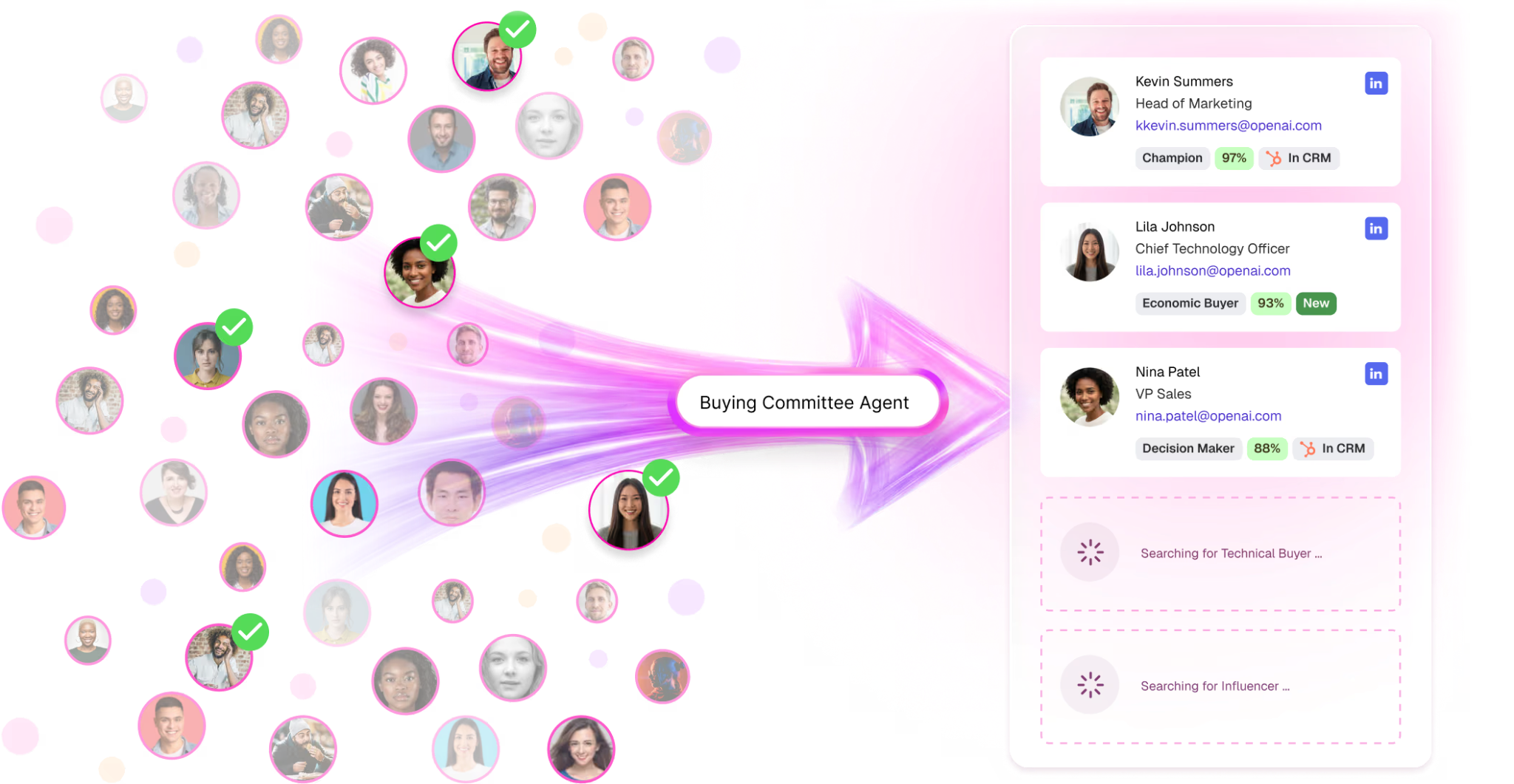
ABM isn't selling to one person. It's selling to a buying committee: the champion, the economic buyer, the technical evaluator, the end users, and sometimes the blocker.

Your engagement strategy needs to map the committee and personalize for each role:

Role What They Care About How To Engage
Champion Making a successful recommendation Case studies, ROI data, competitive intel
Economic Buyer Budget justification, risk Pricing transparency, security/compliance, references
Technical Evaluator Does it actually work? Integration docs, API access, implementation guide
End Users Will this make my job easier? Product demos, workflow examples
Blocker What could go wrong? Risk mitigation, migration plan, support SLAs

Use Clay to identify the buying committee members at each target account. Use Sybill to capture what each person cares about from calls. Use Warmly to engage them with role-specific messaging when they visit your site.


Step 5: Attribute Everything

Attribution is where legacy ABM dies. And where modern ABM gets its superpower.

Why attribution matters for ABM strategy

Without attribution, every budget conversation is a guess. "I think LinkedIn ads are working." "I feel like our ABM program is generating pipeline." Feelings don't survive CFO reviews.

With attribution, you can say: "Our LinkedIn ad campaigns influenced $2.3M in pipeline last quarter. The average deal that engaged with our ads had 15 touchpoints across 4 channels over 47 days before booking a meeting. LinkedIn was the first touch in 34% of deals and contributed an average of 22% weighted attribution across all closed-won."

That's a conversation a CFO respects.

The full activity ledger

Modern ABM attribution requires a complete activity ledger - every touchpoint recorded, timestamped, and connected to the account and person.

When a deal closes, you should be able to pull up the full timeline:

  1. Day 0: LinkedIn ad impression (brand awareness video)
  2. Day 3: Clicked LinkedIn ad → visited blog post
  3. Day 7: Returned organically → visited pricing page → Warmly identified them
  4. Day 8: AI chat agent engaged → booked meeting
  5. Day 10: SDR confirmed meeting → sent prep materials
  6. Day 14: Demo with AE → positive feedback
  7. Day 21: Second meeting → brought in technical evaluator
  8. Day 30: Proposal sent
  9. Day 45: Closed-won

Every single step is captured. The first LinkedIn ad impression that started the whole thing - the touch that traditional attribution misses - is recorded.

LLM-as-a-judge attribution

Here's the advanced play that's emerging now.

First-touch attribution says LinkedIn gets 100% credit. Last-touch says the SDR email gets it. Linear attribution splits it evenly. All of these are wrong because they're dumb models applied to complex buyer journeys.

The better approach: give an LLM the full activity ledger and ask it to assign weighted attribution based on contribution to the outcome. Like an LLM-as-a-judge evaluating each touchpoint.

A sales and marketing person looking at that timeline can probably agree: LinkedIn wasn't 100% responsible. But it wasn't 0% either. Maybe 20%. The blog post was 15%. The AI chat interaction that actually booked the meeting was 30%. The AE demo was 25%. The retargeting ad that brought them back before demo 2 was 10%.

Now overlay that model across all closed-won AND closed-lost deals. You finally know: what percentage goes to LinkedIn ads, email marketing, Meta ads, content, SDR outreach, and AI chat. For both wins and losses.

That's revenue go-to-market as a unified function. Sales and marketing attribution merged because the full buyer journey is visible end-to-end.

Tools for ABM attribution

  • Fibbler ($89/mo): Connects LinkedIn and Google ad engagement to CRM pipeline. The starting point.
  • HockeyStack: Full-funnel B2B attribution platform. Deeper than Fibbler but more expensive.
  • Warmly Activity Ledger: Records every touchpoint across all Warmly channels (chat, email, site visits, ad clicks). Feeds directly into attribution analysis.

Step 6: Close the Learning Loop

This is the step every ABM guide skips. And it's the one that makes everything else compound.

What the system learns from

Every closed-won deal teaches you: - Which signals predicted the deal (so you can weight signals better) - Which channels contributed (so you can allocate budget better) - Which messaging resonated (so you can create better content) - How long the cycle was (so you can set expectations) - Which buying committee structure appeared (so you can target similar structures)

Every closed-lost deal teaches you: - Where the deal stalled (so you can address objections earlier) - Which competitor won (so you can adjust positioning) - Which signals were false positives (so you can filter them out) - What the buyer's actual objections were (so you can address them in ads and content)

Feed insights back into the system

The intelligence from Sybill call recordings should directly inform: - Ad creative (Tofu HQ): Use actual customer language and pain points - Email sequences (Customer.io): Address real objections proactively - Chat agent prompts (Warmly): Train on what converts and what doesn't - Targeting criteria (Clay + Primer): Refine ICP based on what actually closes - Budget allocation: Shift spend to channels with highest attributed contribution

The compounding advantage

Here's why this matters strategically: every time the foundational models improve, your system gets smarter.

The reasoning engine (Claude, GPT, etc.) gets better with each release. But it needs a context layer - what your organization knows, what decisions it's made, what happened as a result. If your ABM system saves decision traces and outcomes, every model improvement automatically improves your whole go-to-market.

If your ABM runs on static workflows in a legacy platform, nothing improves except the UI.

This is what memory as a moat means for ABM. The system that accumulates the most context over time - signals, decisions, actions, outcomes - has a compounding advantage that's impossible to replicate.


The ABM Tech Stack That Makes This Work

You don't need 15 tools. Here's the minimum viable stack by layer:

Layer Tool What It Does Cost
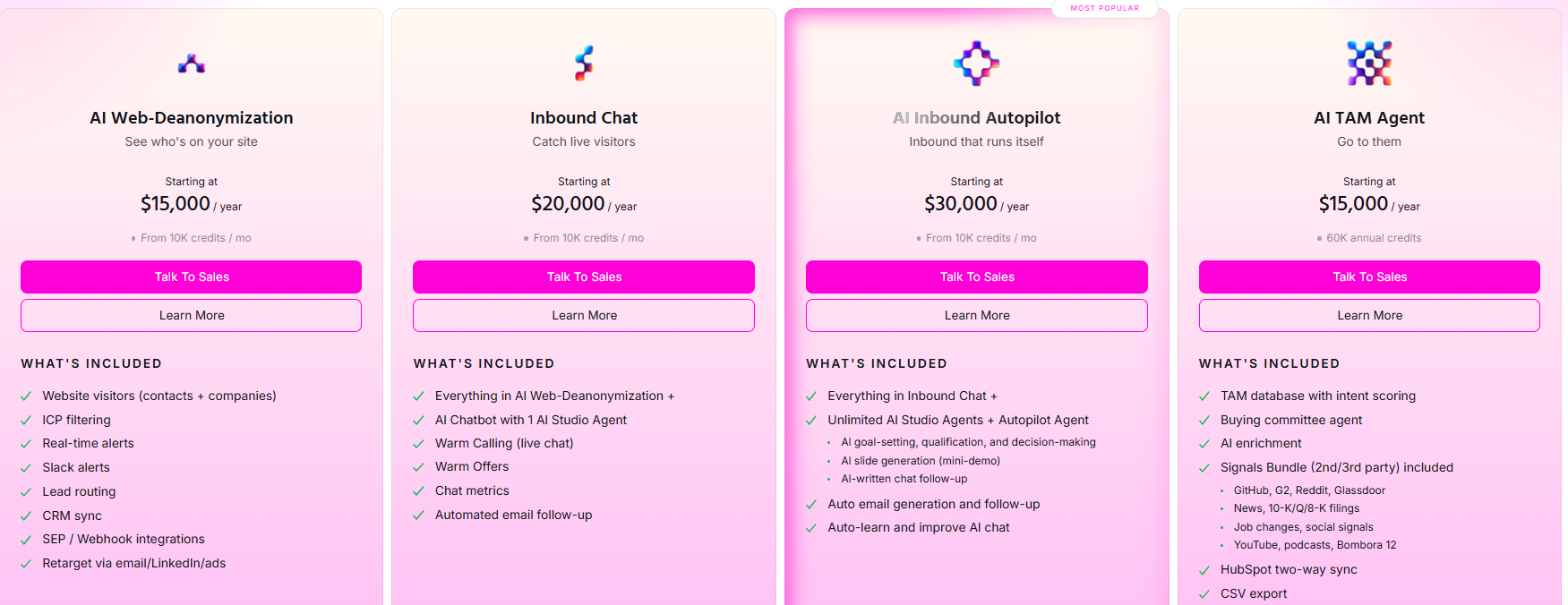
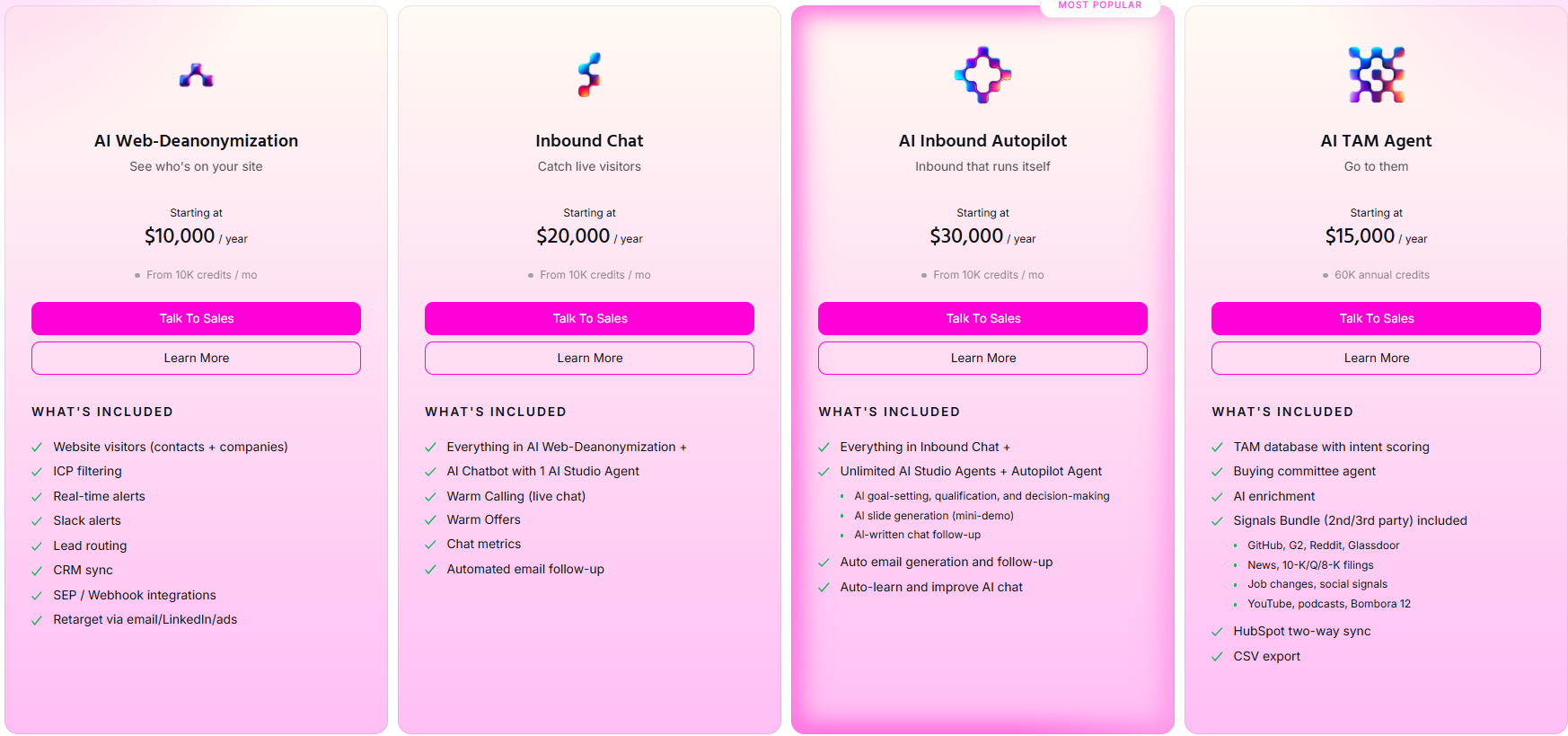
Signals Warmly Visitor ID + intent data + buying committee From $30K/yr
Enrichment Clay 150+ data providers, AI research agent From $149/mo
LinkedIn Ads LinkedIn Campaign Manager Primary B2B ad channel $1-10K/mo spend
Meta Ads Meta Business Manager Surround sound + retargeting $1-5K/mo spend
Email Customer.io Behavior-triggered nurture From $100/mo
Attribution Fibbler LinkedIn/Google → pipeline attribution From $89/mo
Orchestration Claude Code The AI brain connecting everything $20-100/mo
Intelligence Sybill Call recording → marketing insights From $36/user/mo

Total minimum cost: ~$50K/year (including ad spend)

For the full breakdown of every tool, see our complete guide: Best ABM Platforms & Tools in 2026.

Tools you can add as you scale

When You Need Add Cost
Higher ad match rates Primer From $1K/mo
AI ad optimization Metadata ~$60K/yr
Personalized creative at scale Tofu HQ From $5/employee/mo
Deep third-party intent 6sense or Demandbase $60-200K/yr
Google/YouTube campaigns Google Ads $2-10K/mo spend

ABM Strategy by Budget

$30-50K/year: The Solo Marketer Stack

You're one person. Maybe two. You can't afford $200K ABM platforms and you shouldn't need to.

Strategy: Focus on one ad channel (LinkedIn), one signal source (Warmly), and the AI chat → meeting conversion loop.

Weekly cadence: - Monday: Review intent signals in Warmly. Identify high-intent accounts. - Tuesday: Refresh LinkedIn ad audiences with new intent-based segments. - Wednesday: Review Fibbler attribution. What's working? Kill what's not. - Thursday: Update AI chat agent prompts based on Sybill call insights. - Friday: Use Claude Code to run any custom analysis or automation.

Expected results: 20-50 additional qualified meetings per quarter from accounts you would have missed without signal detection.

$75-150K/year: The Growth Team Stack

You have 3-10 people across marketing and sales. Multiple channels, real ad budget.

Strategy: Full surround sound. LinkedIn + Meta + Google ads. Signal-triggered email sequences. AI chat on website. SDR follow-up on highest-intent accounts.

The system runs itself: - Warmly detects intent signals → triggers agent workflows - TAM Agent sends personalized email + LinkedIn outreach - Ads target accounts across LinkedIn, Meta, Google simultaneously - Inbound Agent engages website visitors with full context - Fibbler attributes pipeline back to channels - Sybill insights feed back into creative and messaging - Claude Code orchestrates the connections

Expected results: 2-3x pipeline coverage. Clear attribution across channels. One person can manage what used to require a 5-person ABM team.

$200K+/year: The Enterprise Stack

Everything above, plus deep intent data from 6sense or Demandbase, AI ad optimization from Metadata, and advanced audience building from Primer.

At this level, the ROI math changes: you're not asking "can we afford ABM tools?" You're asking "are we spending our ABM budget on the right tools?"

Most enterprise teams waste 40-60% of their ABM budget on platforms that can't prove ROI. Reallocating that spend to channels with proven attribution (LinkedIn ads, Meta ads, email) typically generates more pipeline at lower cost.


Common ABM Mistakes (And What To Do Instead)

Mistake 1: Treating ABM as a marketing project

ABM is a go-to-market strategy, not a marketing campaign. If your sales team doesn't know what accounts are being targeted, what signals are firing, and what messages marketing is sending, your ABM program is a silo that happens to target specific accounts.

Do instead: Shared Slack channel where signal alerts post automatically. Weekly 15-minute sync on top accounts. Give sales access to the activity ledger so they see every touchpoint before calling.

Mistake 2: Static target account lists

Updating your target list quarterly means you're 3 months behind on signals. Companies enter and exit buying windows fast.

Do instead: Dynamic list that updates based on signals. When an account starts showing intent, it enters your focused ABM list. When signals go cold, it moves to the awareness tier. Use Warmly's ICP scoring to automate this.

Mistake 3: Only running display ads

Demandbase built an empire on display advertising. The reality: display ads have <0.1% click-through rates. They're fine for brand impressions. They're terrible for driving measurable pipeline.

Do instead: LinkedIn ads for B2B targeting + Meta for surround sound + Google for search intent capture. These channels have measurable engagement and attributable pipeline. Display ads are the garnish, not the meal.

Mistake 4: No attribution model

"We influenced $10M in pipeline" means nothing if you can't explain how. Without attribution, you can't optimize, and you can't defend your budget.

Do instead: Implement Fibbler on day 1. Connect LinkedIn ad engagement to CRM pipeline. Start with simple multi-touch, then evolve to LLM-weighted attribution as you accumulate data.

Mistake 5: Ignoring closed-lost intelligence

Most teams obsess over closed-won patterns. The gold is in closed-lost. Why did they choose the competitor? What objections came up? Where did engagement drop off?

Do instead: Use Sybill to analyze closed-lost calls. Feed the objections into your ad creative and email messaging. Address the #1 reason people don't buy before they bring it up.

Mistake 6: Sending the same message everywhere

"Multi-channel" doesn't mean "same email as a LinkedIn ad as a chat message." Each channel has a different role in the buyer journey.

Do instead: LinkedIn ads for brand building and thought leadership. Email for detailed, personalized outreach. Chat for real-time engagement. Phone for high-intent follow-up. Each channel has a distinct message appropriate to its role.


How Warmly Runs ABM

I'm going to be specific about how we actually do this. Not theory. The actual setup.

Signal layer: Warmly's own visitor identification + Bombora research intent + LinkedIn social signals. Every account gets scored based on the combination.

Targeting: LinkedIn Ads running always-on against our ICP (job titles in B2B SaaS, revenue teams, specific company sizes). Meta Ads for surround sound. Google Ads for competitor and category search terms. Audiences refreshed automatically from our CRM.

Engagement: When a scored account visits our site, the AI inbound agent engages with full context. If it's a return visitor from a previously closed-lost account, the agent knows the history. If it's a net-new account showing intent, the agent qualifies and books a meeting.

Outbound: The TAM Agent picks up accounts that showed intent but didn't visit the site. Personalized email + LinkedIn message timed to when signals are highest.

Attribution: We can trace every deal from first impression to close. The data feeds back into which audiences we target, which creative we run, and how we allocate budget.

What I spend my time on: Creative strategy, call analysis for messaging, budget allocation decisions, and talking to customers. The system handles execution. One person runs ABM for the whole company because the agents do the work.

What I don't spend time on: Updating lists. Writing individual emails. Monitoring dashboards. Manually syncing audiences between platforms. That's all automated.

Where we're honest about gaps: We don't have a display ad DSP. Our third-party intent data isn't as deep as 6sense. Our approach works best for companies that want to simplify their stack, not companies that want to add another tool to an already complex setup. See our full ABM tools comparison for where each tool fits.


FAQs

What is ABM strategy?

ABM (account-based marketing) strategy is a go-to-market approach that focuses sales and marketing resources on specific high-value accounts rather than casting a wide net. In 2026, effective ABM strategy means building a system of signal detection, multi-channel targeting, AI-powered engagement, full-funnel attribution, and continuous learning - coordinated by AI agents with shared context over the entire buyer journey.

How do I create an ABM strategy from scratch?

Start with three steps: (1) Set up your signal layer by deploying website visitor identification with a tool like Warmly so you know which companies are visiting your site and showing intent. (2) Launch LinkedIn Ads targeting your ICP with a $1-2K/month budget. (3) Connect Fibbler to start attributing ad engagement to pipeline. This minimum viable ABM loop costs under $50K/year and one person can run it.

What is the difference between ABM and demand generation?

ABM targets specific known accounts with personalized campaigns. Demand generation creates broader awareness and captures inbound interest. The most effective B2B teams in 2026 run both simultaneously: always-on demand gen with LinkedIn and Meta ads reaching their ICP broadly, combined with focused ABM campaigns for high-value accounts showing intent signals. The same tools serve both motions.

How much does an ABM strategy cost?

A minimum viable ABM strategy costs $30-50K/year including tools and ad spend. A scaling ABM program runs $75-150K/year across multiple channels with AI agents handling execution. Enterprise ABM programs with deep intent data and advanced orchestration cost $200-500K/year. The modern stack approach lets you start small and scale specific layers as needed, unlike legacy platforms that require $60-200K upfront.

What are the best ABM channels?

The most effective ABM channels in 2026 are LinkedIn Ads (primary B2B targeting), Meta/Instagram Ads (surround sound at lower CPCs), Google Search Ads (capturing active buying intent), AI chat (real-time website engagement), email (behavior-triggered nurture sequences), and phone (high-intent follow-up). The key is coordinating all channels through a shared context layer, not running them independently.

How do I measure ABM success?

Measure ABM at the account level, not the lead level. Key metrics: accounts engaged (how many target accounts interacted with any channel), pipeline generated (new opportunities from ABM-touched accounts), pipeline velocity (how fast ABM accounts move through stages), and revenue attributed (closed-won revenue traceable to ABM touchpoints). Use multi-touch attribution models rather than first-touch or last-touch to accurately credit each channel's contribution.

What's wrong with legacy ABM platforms like 6sense and Demandbase?

Legacy ABM platforms were designed for humans operating dashboards, not AI agents operating systems. The three main problems: (1) Data silos - intent data, ad engagement, chat conversations, and CRM data live in separate systems with no closed-loop attribution. (2) Company-level only - they show company intent but can't identify the specific person at the company who's buying. (3) No learning loop - they can't connect what you did to what happened, so the system never gets smarter over time.

How do AI agents change ABM strategy?

AI agents transform ABM from a dashboard-reading exercise to an autonomous execution system. Instead of humans checking intent scores and manually deciding what to do, agents evaluate signals in real-time, select the best action (email, LinkedIn message, chat engagement, ad adjustment), execute within guardrails, and log the outcome. This lets one person run ABM programs that used to require teams of 5-10, while making thousands of micro-decisions per day across channels.

What is a context graph and why does it matter for ABM?

A context graph is a unified data structure that connects every entity in your go-to-market ecosystem - companies, people, deals, signals, activities, and outcomes - into a single model that AI agents can reason over. It matters for ABM because without it, agents only see the current signal. With it, they see the full history: this company was closed-lost 8 months ago, a new VP just joined, they've been researching your category for 2 weeks, and they clicked your LinkedIn ad yesterday. That context is the difference between a generic email and a perfectly timed, perfectly personalized engagement.

How long does it take to see results from ABM?

With a modern stack (Warmly + LinkedIn Ads + Clay), you can see first signals and engagements within the first week. Qualified meetings typically start flowing in weeks 2-4. Meaningful pipeline impact shows in 60-90 days. Full attribution data requires one complete sales cycle (typically 30-90 days depending on your deal cycle). Legacy ABM platforms typically take 4-8 weeks just to implement before any results are possible.


Last Updated: March 2026

Website Visitor Identification Match Rates: What Every Vendor Won't Tell You

Website Visitor Identification Match Rates: What Every Vendor Won't Tell You

Time to read

Alan Zhao

Every vendor in website visitor identification is lying to you about match rates.

Not maliciously. But structurally. The demo they showed you? Curated traffic, US-only visitors, known IP ranges. Demo match rates run 3-5x higher than what you'll see in production. I know this because we process over 9 million website visits per month across 1,600+ organizations at Warmly. We see what actually happens when real, messy, global traffic hits the pixel.

And I'm going to share our real numbers. Including the ones that don't make us look great.

Website visitor identification is the process of matching anonymous website traffic to known companies or individuals using IP data, browser signals, cookie matches, and third-party identity graphs. Match rates measure the percentage of visitors successfully identified, and they vary wildly depending on traffic source, geography, and whether you're measuring company-level or person-level identification.


Quick Answer: Best Visitor Identification Tools by Match Rate and Use Case

If you're short on time, here's the honest breakdown:

Best overall match rates (multi-provider waterfall): Warmly - uses 20+ data providers to maximize coverage, ~65% company-level and ~15% person-level on US traffic

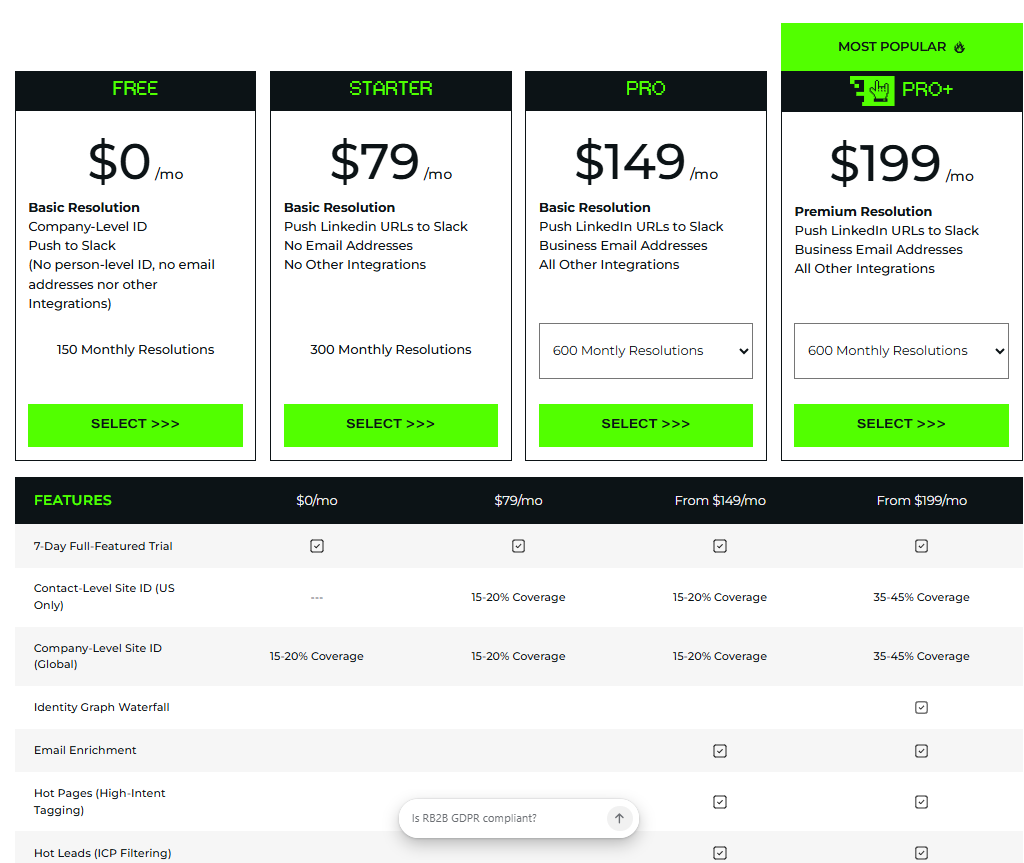
Best for person-level identification on a budget: RB2B - company-level free, person-level starting at $79/mo, but single-provider limits

Best for enterprise ABM with deep intent data: 6sense - strong company-level matching, but expensive and complex for mid-market

Best for large contact databases: ZoomInfo WebSights - 260M+ profiles, though multiple prospects report match rates "insufficient"

Best for GDPR-first identification: Leadfeeder / Dealfront - EU-compliant, company-level only, no person-level in GDPR regions

Best free option to test: Warmly free tier - 500 identified accounts/month, no credit card required


The Match Rate Problem Nobody Talks About

I talk to buyers every week who got burned by a vendor demo. The pitch goes like this: "We identify 70% of your website visitors!" They sign the contract. Three months later, they're seeing 15-20% company-level identification and maybe 3% person-level.

What happened?

Remote work broke the reverse IP model. Before 2020, most B2B traffic came from office IPs. Static, well-mapped, easy to match. Now over 60% of workers browse from home networks, VPNs, or mobile connections. Those IPs don't map to anything useful.

We see this in our own data. Company-level match rates: 30-65% depending on the traffic source. The average across our 1,600+ organizations is about 65% for predominantly US traffic. Drop in international visitors and that number falls hard.

Person-level match rates: 5-20%. Average around 15%. And that's using a waterfall of 20+ data providers including Vector, RB2B, Clearbit, ZoomInfo, Apollo, People Data Labs, and Demandbase.

I'm not going to pretend those numbers are incredible. But they're real. And they're actually good compared to what most single-vendor solutions deliver.

The problem was never the technology. It was the expectations vendors set during a carefully curated demo.


How Website Visitor Identification Actually Works

There's no magic. Just layers of data science. Here's what happens when someone hits your site:

Step 1: Capture

A JavaScript pixel fires on page load. It collects the visitor's IP address, browser fingerprint, device metadata, referral source, and on-page behavior. This happens on every page view.

Step 2: Company Matching

The IP gets run against commercial databases that map IP ranges to companies. This is reverse IP lookup, and it's been around for 15+ years. Most tools nail this for enterprise companies with static office IPs.

But here's the gap: residential IPs, VPNs, and mobile connections don't map to companies. That's the majority of traffic in 2026. So single-source reverse IP identification now misses most of your visitors.

Step 3: Person-Level Matching

This is where it gets interesting (and controversial). Advanced tools cross-reference IP data with:

  • First-party cookie matches from ad networks and data cooperatives
  • Email-to-IP linkages from opt-in consumer panels
  • Identity graph providers like LiveRamp, Tapad, and proprietary networks
  • Browser fingerprinting combined with probabilistic modeling

At Warmly, we run visitors through a de-anonymization waterfall. If Provider A doesn't match, we try Provider B, then C, all the way through 20+ sources. Each provider has different coverage. Some are strong in tech. Others in healthcare or finance. The waterfall approach catches more matches than any single provider alone.

Step 4: Enrichment

Once you have a company or person, you layer on firmographic data (size, industry, tech stack, funding stage), contact data (title, email, phone), and intent signals (pages viewed, time on site, return frequency, third-party research signals).

Step 5: Delivery

The enriched lead gets pushed to your CRM, Slack, or outbound sequence. The best systems do this in seconds, not hours. Speed to signal matters more than speed to lead.


Company-Level vs. Person-Level: The Distinction That Changes Everything

This is the single biggest source of confusion in the market. And vendors love the confusion because it lets them blur the numbers.

Company-level identification tells you "someone from Stripe visited your pricing page." Useful, but not actionable on its own. Stripe has 8,000+ employees. Who visited? The intern researching tools? The VP evaluating vendors?

Person-level identification tells you "Jamie Rodriguez, Senior Director of Revenue Operations at Stripe, spent 6 minutes on your pricing page and downloaded the case study." Now you have something to work with.

Here's our real data from Warmly's production network:

Metric Company-Level Person-Level
Average match rate (US traffic) ~65% ~15%
Range across customers 30-65% 5-20%
Demo environments 80-90% 30-50%
International traffic 20-40% 3-8%
Mobile traffic 15-30% 2-5%

See the gap between demo and production? Demo match rates are 3-5x higher than real-world numbers. That's not fraud. It's selection bias. Demos use known traffic, warm audiences, and US-heavy samples.

When a Gartner auditor tested accuracy across multiple vendors, Warmly had issues. I'm not going to hide that. We've since improved our accuracy scoring and added consensus validation (requiring 2+ providers to agree before surfacing a match). But it would be dishonest to pretend we aced every test.

The honest truth: no single vendor will give you 70% person-level match rates in production. If someone claims that, ask them to prove it on YOUR traffic for 30 days. Watch what happens.


What 97% of Your Visitors Actually Do (And Why It Matters)

Here's a stat that should make every marketer uncomfortable: 97% of website visitors never fill out a form.

One B2B SaaS company we work with gets about 13,000 monthly visitors. They were seeing 15 form fills per month. That's a 0.1% form conversion rate. And they're not bad at marketing. That's just the reality of B2B buying behavior in 2026.

Chat widgets don't solve this either. We track engagement rates across hundreds of sites. Typical chat engagement: 0.2-0.5%. That's better than Drift's historical 0.1%, but still means 99.5% of visitors never interact.

So your choices are:

  1. Accept that 97% of your traffic is invisible (bad plan)
  2. Gate everything behind forms and kill your UX (worse plan)
  3. Use visitor identification to de-anonymize traffic and route signals to the right team (good plan)

This is where context becomes the moat. Identifying the visitor is step one. Knowing that they're in your ICP, that they've visited 4 times this month, that their company is actively researching your category. That's what turns a match into a qualified signal.

One Head of Demand Gen saw this firsthand: "In the first three weeks we de-anonymized 2,500+ high-intent ICP leads on our site." Not 2,500 random matches. 2,500 ICP-qualified leads that were already showing buying signals.


Real Match Rate Benchmarks From 9M+ Monthly Visits

I analyzed match rate data from our production network. Here's what we actually see across 1,600+ organizations:

By Traffic Source

Traffic Source Company Match Rate Person Match Rate
Paid search (Google Ads) 55-70% 12-18%
Organic search 50-65% 10-15%
LinkedIn Ads 60-75% 15-25%
Direct traffic 40-55% 8-12%
Email campaigns 70-85% 20-35%
Social organic 35-50% 5-10%

LinkedIn Ads traffic identifies at higher rates because those visitors are already in professional identity graphs. Email campaign traffic is even better because you already have the email, and the cookie match happens automatically.

The takeaway: match rates are not static. They depend entirely on where your traffic comes from. A company running heavy LinkedIn Ads will see dramatically different numbers than one relying on organic social.

By Company Size

Enterprise traffic (5,000+ employees) matches at roughly 2x the rate of SMB traffic. Why? Larger companies have more static IP infrastructure, more employees in identity databases, and more published contact information.

If your ICP is mid-market or SMB, expect match rates 20-30% lower than the averages above.


What to Ask Every Vendor Before You Buy

I've sat through hundreds of vendor pitches. Here are the questions that separate the honest players from the ones selling you a mirage.

1. "What's your match rate on MY traffic, not your demo traffic?"

Any good vendor will offer a free trial or proof-of-concept on your actual domain. If they won't, that's a red flag. Warmly offers a free tier specifically so you can see real numbers before spending a dollar.

2. "How many data providers power your identification?"

Single-provider solutions hit a ceiling fast. Ask how many sources they use and whether they run a waterfall (trying multiple providers sequentially). More providers = better coverage, especially across industries and geographies.

3. "What's your company-level match rate AND your person-level match rate?"

If they only give you one number, they're hiding something. Company-level is always higher. Person-level is what actually matters for sales outreach. Demand both numbers.

4. "How do you handle international traffic?"

US traffic matches at 2-3x the rate of European or APAC traffic. If you have global visitors, ask for geography-specific benchmarks.

5. "What happens with VPN and residential IP traffic?"

This is the killer question in 2026. Over 60% of B2B traffic comes from non-office IPs. Vendors relying purely on reverse IP lookup will crater on this traffic. Ask how they handle it.

6. "Can you show me accuracy validation, not just match volume?"

Matching a visitor to a name means nothing if the match is wrong. Ask about their accuracy methodology. Do they use multi-provider consensus? Do they have a confidence score? A Gartner auditor recently tested multiple vendors. Leadpipe scored 8.7/10. Several others, including us, had accuracy gaps. The vendors who acknowledge this and show how they're fixing it are the ones worth trusting.

7. "What's the total cost including enrichment credits and overages?"

The sticker price is never the real price. Ask about per-record costs, enrichment credits, API limits, and what happens when you exceed your plan. Some vendors look cheap until you scale.


GDPR and Privacy: What's Actually Legal in 2026

I'm not a lawyer. But I've spent a lot of time with lawyers on this topic, and here's what I can tell you.

Company-level identification is generally permissible under GDPR because you're identifying an organization, not a person. No personal data is processed. Most EU-compliant tools like Leadfeeder and Dealfront operate at this level.

Person-level identification is more complex. In the EU, identifying an individual website visitor without explicit consent is problematic under GDPR. The legitimate interest basis that some vendors claim is increasingly being challenged by EU data protection authorities.

In the US, it's a different story. There's no federal equivalent to GDPR (yet). California's CCPA/CPRA requires disclosure and opt-out rights, but doesn't prohibit identification. Most person-level identification tools operate legally in the US with appropriate privacy policy disclosures.

Here's what we do at Warmly:

  • Privacy-first defaults. Our privacy policy details exactly what data we collect and how
  • Geographic filtering. Customers can restrict person-level identification to US-only traffic
  • Consent management. Integration with cookie consent platforms for EU visitors
  • Data retention controls. Configurable retention periods and deletion workflows

The honest assessment: if your audience is primarily European, person-level identification is severely limited. You'll get company-level only, and you should plan your GTM motion accordingly. Anyone claiming full person-level identification in the EU is either cutting corners on compliance or not being transparent about their methodology.

For deeper context on privacy-compliant visitor tracking, see our complete guide to identifying website visitors.


Vendor Comparison: Match Rates, Pricing, and What They're Actually Good At

Here's the table nobody else will publish. Real assessments. Real pricing.

Vendor Company Match Rate Person Match Rate Starting Price Best For Biggest Limitation
Warmly 30-65% 5-20% Free (500 accts/mo), paid from $499/mo Multi-provider waterfall, real-time routing Accuracy validation still improving; no single-vendor simplicity
RB2B ~40-55% ~8-15% Free (company), $79/mo (person) Budget-friendly person-level ID Single data provider; limited enrichment
ZoomInfo WebSights ~50-60% ~10-15% ~$15,000+/year (bundled) Massive contact database (260M+) Expensive; match rates called "insufficient" by multiple prospects
6sense ~55-65% ~5-10% ~$60,000+/year Predictive intent scoring, enterprise ABM Too complex and expensive for mid-market
Demandbase ~50-60% ~5-8% ~$40,000+/year Account-based advertising Person-level ID is an add-on, not native
Clearbit (HubSpot) ~45-55% ~5-10% Included with HubSpot Enterprise HubSpot-native enrichment Limited to HubSpot ecosystem; match rates declining post-acquisition
Leadfeeder (Dealfront) ~40-55% N/A (company only) $99/mo EU/GDPR compliance No person-level identification
Leadpipe ~50-60% ~10-15% ~$99/mo Accuracy (8.7/10 Gartner audit) Smaller provider network; limited integrations
Qualified ~45-55% ~5-8% ~$3,500/mo Salesforce-native, live chat Extremely expensive for visitor ID alone

A few things I want to call out:

Warmly's pricing advantage is real. One industrial IoT company evaluated us against ZoomInfo. The result: $44K for Warmly vs. $136K for ZoomInfo, and Warmly delivered more features. That's not an edge case. We hear this comparison regularly.

RB2B is legitimately good for the price. If you just need basic person-level identification and don't need orchestration, routing, or multi-provider matching, RB2B at $79/mo is hard to beat. But single-provider match rates will always be lower than a waterfall approach.

6sense is powerful but overbuilt for most teams. In our sales calls analysis, "too complex and expensive" was the most common complaint from teams evaluating 6sense for visitor ID specifically.


Customer Stories: What Production Match Rates Actually Deliver

Numbers mean nothing without outcomes. Here's what real customers see when they deploy visitor identification in production.

A project management SaaS company increased pipeline by 80%. Their VP of Growth put it bluntly: "Before Warmly, it was a struggle to find our TAM. Since we've used Warmly, we've increased our pipeline by over 80%." That happened because they went from guessing who was on their site to actually knowing. Even at 15% person-level match rates, when you're processing thousands of visitors, the volume of actionable signals adds up fast.

A fintech startup closed a $20K deal in the first week. The Chief of Staff at a fintech startup told us: "Within the first week, Warmly identified someone we'd contacted via outreach. I initiated the warm call and onboarded them right there." That's speed to signal in action. The visitor was already in their pipeline. Warmly connected the dots in real time.

A CEO we work with said something that stuck with me: "Before Warmly, I felt like I was blind. And now, for the first time, I can see." That's dramatic but accurate. Going from zero visibility on anonymous traffic to 65% company-level and 15% person-level identification genuinely transforms how you run a go-to-market team.

Decision quality, not execution volume. That's the shift.


Why Demo Match Rates Are 3-5x Higher Than Production

I want to be really specific about this because it's the most common source of buyer disappointment.

When a vendor runs a demo, here's what's happening behind the scenes:

  1. Curated traffic. The demo site gets visited by the sales team, their colleagues, and warm leads. All from known US office IPs. All already in identity databases.
  2. US-only benchmarks. International traffic tanks match rates. Demos conveniently exclude it.
  3. High-intent visitors. Demo traffic comes from people who clicked an ad, read a blog post, or came from a webinar. These visitors are already partially identified through ad platform cookies.
  4. Cherry-picked timeframes. Vendors show you their best week, not their average month.

In production, you get: - Bot traffic (10-30% of total visits) - VPN users (growing every year) - Mobile browsers with aggressive cookie blocking - International visitors - Casual browsers with no commercial intent

The gap is structural, not a bug. And every vendor has it. Including us.

The fix isn't better technology. It's better expectations. Go into any vendor evaluation expecting 30-65% company-level and 5-20% person-level identification. If you get more, great. If a vendor promises more without testing on your traffic first, be skeptical.


The Waterfall Approach: Why Single-Provider Match Rates Are a Ceiling

Here's something most buyers don't realize: every data provider has different coverage.

Provider A might be strong in tech companies but weak in healthcare. Provider B covers the East Coast better than the West Coast. Provider C has great coverage for companies over 500 employees but misses SMBs.

At Warmly, we run a waterfall of 20+ providers. When a visitor lands on your site:

  1. Provider A takes the first shot. Match? Great, we enrich and deliver.
  2. No match? Provider B tries. Different database, different coverage.
  3. Still no match? Providers C through T each get a chance.
  4. If multiple providers match, we use consensus validation. When 2+ sources agree on the same person, confidence scores go up significantly.

This is why our match rates are consistently higher than single-provider tools. It's not one magic database. It's the compounding effect of 20+ imperfect databases working together.

The same approach applies to lead enrichment. No single enrichment provider has complete data. The tools that layer multiple sources always win.


The "57 Mentions" Problem: What Buyers Really Worry About

We analyzed 100 recent sales calls using Sybill's conversation intelligence. The word "match rate" or "de-anonymization accuracy" came up in 57 of those 100 calls. That's not a data point. That's a pattern.

The most common concerns:

  1. "We tried [competitor] and the match rates were way lower than promised" (mentioned 23 times)
  2. "How do we know the identified visitors are accurate?" (mentioned 18 times)
  3. "What about GDPR/privacy compliance?" (mentioned 12 times)
  4. "Can we test on our actual traffic before committing?" (mentioned 4 times)

Buyers are burned out on inflated claims. In the new AI world, outcomes or it doesn't count. Teams want to see results on their own traffic, with their own ICP filter, before they'll commit budget.

That's why we made Warmly's free tier genuinely useful. 500 identified accounts per month. Real data. On your traffic. No credit card. Make a decision based on what you actually see.


When Visitor Identification Won't Help You

I should be honest about when this entire category falls short.

If your traffic is under 1,000 visits/month: The math doesn't work. Even at 65% company-level match rates, you're identifying 650 companies. Filter for ICP fit and you might have 50-100 actionable signals. That can be valuable, but it's not going to transform your pipeline. Focus on driving more traffic first.

If your ICP is SMB or micro-business: Small companies have fewer employees in identity databases, fewer static IPs, and less published contact data. Match rates will be at the bottom of the range (30% company, 5% person or lower).

If your audience is primarily European: GDPR restricts person-level identification. You'll get company-level only, which limits the actionability significantly.

If you don't have a system to act on the data: Identifying visitors is worthless if nobody follows up. You need CRM integration, routing rules, and a team ready to engage within hours, not days.

Warmly isn't immune to these limitations. We're better at some of them (the waterfall helps with SMB coverage), but physics is physics. If the data doesn't exist in any provider's database, nobody can match it.


Frequently Asked Questions

What are typical website visitor identification match rates in 2026?

Based on production data from 9M+ monthly visits across 1,600+ organizations, company-level match rates range from 30-65% (averaging ~65% for US traffic) and person-level match rates range from 5-20% (averaging ~15%). These numbers vary significantly by traffic source, geography, and visitor company size. Demo environments typically show rates 3-5x higher than production.

How does website visitor identification work?

Website visitor identification uses a JavaScript pixel to capture IP addresses, browser fingerprints, and behavioral data from anonymous visitors. The system matches this data against commercial databases to identify companies (via reverse IP lookup) and individuals (via identity graphs, cookie matches, and probabilistic modeling). Advanced tools like Warmly run a waterfall of 20+ data providers to maximize match rates beyond what any single source can deliver.

What is the difference between company-level and person-level visitor identification?

Company-level identification reveals which organization a visitor belongs to (e.g., "someone from Stripe visited"). Person-level identification reveals the specific individual (e.g., "Jamie Rodriguez, Senior Director of RevOps at Stripe"). Company-level match rates are typically 3-5x higher than person-level. Both are valuable, but person-level identification is far more actionable for sales outreach. See our guide to person-based signals for more detail.

Is website visitor identification legal under GDPR?

Company-level identification is generally permissible under GDPR because it identifies organizations rather than individuals. Person-level identification in the EU is more restricted and typically requires explicit consent or a strong legitimate interest basis, which is increasingly challenged by regulators. In the US, person-level identification is legal with appropriate privacy policy disclosures and opt-out mechanisms under CCPA/CPRA.

Why are my visitor identification match rates lower than the demo showed?

Demo environments use curated, US-based traffic from known IPs and warm audiences. Production traffic includes VPN users, mobile browsers, international visitors, bot traffic, and casual browsers. This structural gap means demo match rates are typically 3-5x higher than what you'll see in production. Always insist on testing with your own traffic before purchasing.

What is the best website visitor identification tool for 2026?

The best tool depends on your use case. Warmly offers the highest match rates through its 20+ provider waterfall approach (starting free). RB2B is the most affordable for basic person-level ID ($79/mo). 6sense is strongest for enterprise ABM with predictive scoring. ZoomInfo has the largest contact database. Leadfeeder/Dealfront is best for EU compliance. See our full comparison of the top 11 tools.

How can I improve my website visitor identification match rates?

Five proven methods: (1) Drive more US-based traffic, which matches at 2-3x international rates. (2) Use LinkedIn Ads, which match at 60-75% company-level due to professional identity graphs. (3) Choose a tool with a multi-provider waterfall rather than a single data source. (4) Implement first-party cookie strategies to improve return visitor matching. (5) Filter for ICP-fit accounts to focus on actionable matches rather than raw volume.

Can I identify website visitors for free?

Yes. Warmly's free tier identifies up to 500 accounts per month at no cost, with no credit card required. RB2B offers free company-level identification. Both are legitimate free options for teams that want to test visitor identification before committing budget. For a detailed comparison, see Warmly vs. RB2B.

How many data providers should a visitor identification tool use?

More is better, up to a point. Single-provider tools typically deliver 30-40% company match rates. Multi-provider waterfalls with 10+ sources reach 50-65%. Warmly uses 20+ providers including Vector, RB2B, Clearbit, ZoomInfo, Apollo, People Data Labs, and Demandbase. The key is not just quantity but coverage diversity, with different providers excelling in different industries, geographies, and company sizes.

What is a de-anonymization waterfall?

A de-anonymization waterfall is a sequential process where anonymous visitor data is run through multiple identification providers in order. If Provider A doesn't match, Provider B tries, then Provider C, and so on. This approach dramatically increases total match rates because each provider has different data coverage. When multiple providers agree on the same match (consensus validation), accuracy also improves. Learn more about how this works in our data enrichment tools guide.

How does remote work affect website visitor identification accuracy?

Remote work has significantly reduced match rates across the industry. Before 2020, most B2B traffic came from static office IPs that mapped cleanly to company databases. Now, over 60% of workers browse from home networks, VPNs, or mobile connections that don't map to any company. This is why tools relying solely on reverse IP lookup are seeing declining performance, and why multi-signal approaches (combining IP data with cookies, identity graphs, and behavioral fingerprinting) are becoming essential.
What match rates should I expect from ZoomInfo WebSights?

ZoomInfo WebSights typically delivers 50-60% company-level and 10-15% person-level match rates in production, though results vary by traffic profile. Multiple prospects in our sales call analysis described ZoomInfo's website visitor identification match rates as "insufficient." ZoomInfo's strength is its massive contact database (260M+ profiles), not its visitor identification pixel. Pricing starts around $15,000+/year bundled with their broader platform.


Last Updated: March 2026

AI SDR vs Human SDR: We Ran Both. Here's What Actually Works.

AI SDR vs Human SDR: We Ran Both. Here's What Actually Works.

Time to read

Alan Zhao

Alan Zhao, Co-Founder & Head of Product at Warmly Published: March 2026


I fired four SDRs' worth of outbound and replaced them with AI agents.

Pipeline went up 30%.

And I still think fully autonomous AI SDRs are already dying.

That's not a contradiction. It's the most important insight in B2B sales right now, and almost nobody is talking about it honestly. So I'm going to lay out the actual data, from running both AI and human SDRs side by side at Warmly and across 280+ organizations on our platform.

No hype. No "AI will replace all salespeople" nonsense. Just numbers.


Quick Answer: AI SDR vs Human SDR. Who Wins?

Neither. The hybrid model wins. 45% of B2B sales teams have already figured this out. Here's the short version before we go deep:

  • Best for high-volume outbound: AI SDR. It's 54x cheaper per touch and never sleeps
  • Best for enterprise deals over $50K ACV: Human SDR. Humans generate 2.6x more revenue per qualified meeting
  • Best for inbound website engagement: AI chatbot agents. Our AI handles 93% of all chat messages (4.1M out of 4.5M in 2026)
  • Best for signal-triggered outreach: Hybrid model with AI orchestration. Signal-first outreach gets 5-9% reply rates vs spray-and-pray's 1-3%
  • Best overall ROI: Hybrid AI/human model. 2.8x more pipeline than either approach alone
  • Best AI SDR tool for hybrid: Warmly (I'm biased, but the data backs it up. 43% of our own deals close using our product)

The rest of this post is the evidence. All of it. Including the parts that don't make Warmly look great.


The AI SDR Hype Cycle Has Peaked. The Hangover Is Starting.

The AI SDR market hit $4.27 billion in 2025. Projected to reach $15-24 billion by 2030-2034. Growth rates of 21-30% CAGR. Every VC deck in B2B SaaS has "AI SDR" somewhere on page three.

But look closer.

50-70% annual churn across AI SDR tools. That's not my number. Autobound published it. Others whisper it behind closed doors.

Gartner predicts 40%+ of agentic AI projects will be cancelled or scaled back by 2027. Not paused. Cancelled.

And then there's the poster child for the collapse. Artisan raised a massive round pushing the "AI replaces your SDR team" narrative. Then imploded. Their AI employee "Ava" was supposed to make human SDRs obsolete. Inboxes got slammed. Prospects caught on fast. The company cratered.

Meanwhile, Rox AI just hit a $1.2 billion valuation in March 2026 with a completely different approach. Not replacement. Augmentation.

I've tracked 110+ AI SDR companies in this space. 74 of them position as "fully autonomous." 29 as "semi-autonomous." Guess which group has higher churn?

The fully autonomous ones. Every time.

The problem was never the AI. It was the premise. "Replace your SDRs entirely" was always a lie dressed up as innovation.


We Ran AI SDRs vs Human SDRs Side by Side. Here Are the Numbers.

I'm going to share the actual data. Not cherry-picked wins. The full picture.

At Warmly, we eat our own cooking. One rep on our sales team closed 43% of his deals using Warmly's own product. That's not a case study we paid for. That's our sales team using the thing we built.

Across our platform, we process ~6 million unique outbound contacts per month across 280+ organizations. 548 orgs run live chatbot workflows. 764 orgs use signal-triggered orchestrations. 187 orgs are running AI Studio agents with 244 active agents in production.

That's a lot of data. Here's what it tells us.

The Comparison Table: AI SDR vs Human SDR

Dimension AI SDR Human SDR Winner
Cost per touch ~$0.02-0.05 ~$1.08-2.70 (fully loaded) AI (54x cheaper)
Revenue per qualified meeting Baseline 2.6x higher Human
Speed to engage < 5 seconds 5-60 minutes avg AI
After-hours coverage 24/7/365 Business hours only AI
Volume capacity 6M+ contacts/month 50-80 contacts/day AI
Reply rate (cold outbound) 1-3% spray-and-pray; 5-9% signal-first 3-5% average Depends on approach
Complex objection handling Scripted, limited Creative, adaptive Human
Relationship building Weak Strong Human
Enterprise deal progression Gets first meeting Closes the deal Human
Consistency Never has a bad day Varies by rep, day, mood AI

The pattern is obvious. AI wins on volume, speed, cost, and consistency. Humans win on revenue quality, relationships, and complex deals.

Neither side wins across the board. Anyone telling you otherwise is selling something.

The Chat Data That Changed My Mind

Here's a stat I didn't expect. Our AI handles 4.1 million chat messages out of 4.5 million total in 2026. That's 93% AI-generated. Human reps handle only 7%.

But those 7% of human-handled conversations? They close at significantly higher rates.

AI chat reply rates sit at 5-9%. That's dramatically better than traditional chatbots at 1-2%. But it's still true that 99.5% of website visitors don't engage with chat at all (our engagement rate is 0.2-0.5%, which is actually better than Drift's 0.1%).

So the AI is better at handling scale. But the human is better at converting the conversations that matter.

That's not an argument against AI. It's an argument for knowing when to hand off.

The Outbound Numbers Nobody Wants to Talk About

I sampled 100 sales calls from our Sybill data. 68 of them mentioned outbound or SDR efficiency pain as a top challenge.

The typical outbound motion generates 5-6 replies per 1,000 contacts. That's across the industry. Cold outbound is brutal.

B2B sales rep starter pack: 14 tools, 3 coffees, 0 pipeline.

Most teams are wasting their SDRs on work that AI should be doing. Data entry. First-touch emails. Qualification questions. Follow-up sequences. That's not strategic work. That's busywork. And it's why your best SDRs are frustrated and your worst SDRs are hiding.


Where AI SDRs Actually Win (And It's Not Where You Think)

Forget "AI writes better emails." It usually doesn't. Not yet. The real advantages are different.

1. Speed That Humans Can't Match

A website visitor hits your pricing page at 11pm on a Tuesday. Your human SDRs are asleep. Your AI chatbot is already there, qualifying and booking.

We see 40% connect rates when you engage within 5 minutes. 4% after 24 hours. That's a 10x difference based purely on speed.

A fleet management company spends $200K per month on Google Ads. That's 80% of their pipeline source. They tried Unify for AI outbound. Didn't work. Their problem wasn't lead gen. It was speed. You're paying $50 to get someone to your pricing page, and then you wait 36 hours to call them. By then they've talked to two competitors.

An AI SDR agent that acts in 5 seconds beats a human SDR who acts in 5 hours. Every single time.

2. Consistency at Scale

Your best SDR has a great day and books 5 meetings. Your worst SDR has a bad day and books zero.

AI doesn't have bad days. It doesn't have Monday brain. It processes every lead with the same logic, at the same speed, with the same quality. Across 6 million contacts per month on our platform, that consistency compounds into serious pipeline.

3. Data Processing No Human Can Do

Layer website visits + intent signals + tech stack changes + job postings + hiring patterns + funding rounds. No human SDR can process all those signals across 10,000 accounts in real time.

AI can. And it can trigger the right outbound action for each signal within seconds. That's the orchestration layer that makes signal-first outreach possible.

4. The Grind Work Nobody Wants

Data enrichment. CRM updates. Sequence management. Follow-up emails on day 3, 7, 14, 21. Lead qualification against ICP criteria.

AI sales assistants handle all of this without complaint. Your SDRs shouldn't be doing this work. It's a waste of their talent and your payroll.


Where Human SDRs Still Crush AI (Be Honest About This)

I run an AI company and I'm about to tell you where AI falls short. Because you'll figure it out anyway, and I'd rather you hear it from me.

1. Complex, Multi-Threaded Deals

Enterprise sales with 6+ stakeholders, political dynamics, budget committees, legal reviews. AI can get you in the door. But navigating a complex buying committee with competing priorities? That's human work.

One prospect from a referral hiring platform put it perfectly: "AI SDRs are like not as good as human SDRs, but there's a real place for AI to help move a conversation along."

That's honest. And I agree with it.

2. Genuine Relationship Building

When a VP of Sales at your dream account is going through a reorg and needs someone to think with, not sell to. That's a moment that builds a career-long relationship. AI can't do that. Probably won't be able to for a long time.

3. Creative Objection Handling

"Your product is interesting but we just signed a 3-year deal with your competitor." A great SDR turns that into a relationship play. An AI SDR says some version of "I understand, let me know if anything changes." Useless.

4. Reading the Room

A prospect says "this looks great" but their tone says "I'm being polite." A human catches that. AI doesn't. Context, subtext, cultural nuance. These matter enormously in B2B sales.

5. Strategic Account Planning

Figuring out that you need to go through the CTO's trusted advisor to get to the CFO who actually holds the budget. That kind of strategic thinking is still uniquely human.


The Hybrid Model: What 45% of Teams Already Figured Out

The best teams aren't choosing between AI and human SDRs. They're running both, with clear rules about who does what.

Sellers stay strategic. Machines manage the motion.

Here's the framework we use internally and recommend to every customer.

The 93/7 Handoff Model

AI handles 93% of the motion: - First-touch outreach on signal-triggered accounts - All live chat qualification - Meeting booking and scheduling - Follow-up sequences (day 3, 7, 14, 21) - Data enrichment and CRM updates - After-hours engagement (nights, weekends, holidays) - Lead scoring and routing

Humans handle the 7% that matter: - Enterprise accounts above $50K ACV - Complex multi-stakeholder deals - Warm introductions and referral plays - Objection handling that requires creativity - Strategic account plans - Relationship nurturing with champions

How the Handoff Actually Works

This is where most teams screw up. They either let AI run forever (prospects get frustrated) or hand off too early (humans get buried).

The trigger points we've found work best:

  1. Account value threshold: AI handles everything under $30K ACV end-to-end. Above that, AI qualifies and humans close
  2. Engagement depth: If a prospect asks more than 3 qualifying questions or raises a specific objection, hand off
  3. Buying committee signals: When multiple stakeholders from the same account show up, escalate to a human for account-based strategy
  4. Sentiment shift: AI detects frustration or disengagement, immediately routes to a human

Warmly's orchestration engine does this automatically. Set the rules once. The system handles routing.

Real Customers Running the Hybrid Model

A workplace analytics company (their VP of Sales): Eliminated $20-40K/month in outsourced SDR services. "With Warmly, I don't need those services anymore. Warmly delivers better prospects than what I was getting from the SDR process." Their human SDRs now focus exclusively on strategic accounts.

A privacy compliance company (their VP of RevOps): Maintained the same meeting booking rate at lower cost and eliminated spam from their pipeline. The AI handles first-touch qualification. Their team handles everything after.

The CEO of a sales coaching platform: "9 opportunities in 2 weeks." That's the hybrid model in action. AI doing the prospecting work. Humans closing.

And a regulatory intelligence company ($62.5K deal): Their take? "AI chatbot offers open, personalized conversations versus Chili Piper's static flows." They wanted intelligence, not automation. The AI qualifies. The humans sell.


How to Set Up a Hybrid AI/Human SDR Model (Step by Step)

If you're convinced the hybrid model is right (and the data says you should be), here's exactly how to implement it.

Step 1: Audit Your Current SDR Motion

Map every task your SDRs do in a week. I mean every task. You'll find that 60-80% of their time is spent on work AI should be doing: data entry, first-touch emails, follow-up sequences, CRM hygiene, lead qualification against ICP criteria.

That's not opinion. 68 out of 100 sales calls we sampled cited SDR efficiency as a top pain point.

Step 2: Choose Your Signal Sources

Stop feeding AI cold lists. Start with first-party signals: - Website visitor identification (Warmly's TAM agent does this) - Pricing page visits - Return visits within 7 days - Multiple people from the same account

Then layer in third-party signals. But don't start there. I've watched companies spend $50K/year on intent data providers and wonder why their AI SDR isn't working.

Step 3: Define Your Handoff Rules

Write these down. Make them specific. "AI handles small deals" is not a rule. "AI handles all accounts under $30K ACV unless the prospect holds a VP+ title at a company with 500+ employees" is a rule.

Step 4: Deploy AI on the High-Volume, Low-Complexity Work

Start with: - AI chatbot for website visitors - AI email agents for signal-triggered first touches - Automated meeting booking - Follow-up sequences

Don't start with AI on your biggest, most complex accounts. That's where it fails.

Step 5: Train Your AI Like You'd Train a New SDR

Train your AI agent on your ICP, your messaging, your objection handling, your competitors. Most teams skip this step and then wonder why the AI sounds generic.

An enterprise learning company ($52.5K deal) switched from Drift's "rigid branching playbooks" to Warmly's conversational AI specifically because they could train it to talk like their team.

Step 6: Measure What Matters

Not "emails sent." Not "conversations started." Pipeline generated. Revenue closed. Meetings that actually convert.

In the new AI world: outcomes or it doesn't count.

Nobody wants another GTM platform. They want the results, not the software.


The Cost Comparison: Full AI vs Full Human vs Hybrid

Let's do the real math. Not the vendor math where AI looks perfect.

Scenario: 10,000 Target Accounts Per Quarter

Cost Component Full Human SDR Team Full AI SDR Hybrid Model
People cost $400K-600K/yr (4-6 SDRs fully loaded) $0 $150K-200K/yr (1-2 senior SDRs)
Tool cost $60K-120K/yr (CRM, sequencer, data) $36K-96K/yr (AI SDR platform) $36K-72K/yr (unified platform)
Ramp time 3-6 months per SDR 2-4 weeks 2-4 weeks for AI, existing SDRs refocused
Total Year 1 $460K-720K $36K-96K $186K-272K
Pipeline generated Baseline 0.7x-1.2x baseline 2.8x baseline
Revenue per meeting 2.6x Baseline ~2.0x (blended)

The hybrid model isn't the cheapest option. Full AI is cheaper. But the hybrid model generates the most pipeline and the highest-quality pipeline.

The math comes down to this: paying $186K-272K for 2.8x the pipeline beats paying $36K-96K for roughly the same pipeline. And it definitely beats paying $460K-720K for baseline results.

That said, I need to be honest about one thing. Warmly's AI chat engagement rate is 0.2-0.5%. That's better than Drift's 0.1%. But it still means 99.5% of website visitors don't engage with chat. We're working on this. It's an industry-wide challenge. If someone tells you their AI chatbot engages 10%+ of visitors, ask for the data. They're probably counting page views, not real conversations.


The Competitive Landscape: Who's Doing What

I've tracked 110+ AI SDR companies. Here's where the major players stand on the human vs AI question.

Qualified (now Salesforce): Going all-in on "replace your SDRs" with Piper and PiperX. Pushing "agentic marketing" as a category. Bold bet. Remains to be seen if it plays out. See our detailed comparison.

11x: Hit $25M ARR with a $2B+ valuation. Actually a partner for Warmly, not a competitor. They use our intent data to make their outbound smarter. Proof that the category isn't zero-sum.

Apollo: Acquired Pocus and is pushing "agentic GTM." Their approach is more spray-and-pray with an AI wrapper. Big database. Good for volume. Less good for signal-first.

Artisan: The cautionary tale. Raised massive money on "AI replaces your SDR team." Imploded. The market punished the replacement narrative hard.

Warmly: Our bet is on hybrid AI/human orchestration. Sellers stay strategic. Machines manage the motion. We're strongest on inbound engagement and signal-based outbound. We're honest that our outbound automation is newer than our inbound suite. If you need pure cold email cannons with zero website traffic, there are more purpose-built tools.

Rox AI: $1.2B valuation (March 2026) on the augmentation thesis. They're proving the market rewards "AI makes your team better" over "AI replaces your team."


Can AI Actually Replace SDRs? (The Real Answer)

No. And yes. It depends on what you mean by "replace."

Can AI replace the repetitive, mechanical parts of the SDR role? Absolutely. It already has. We replaced 4 SDRs' worth of outbound with agents. Pipeline went up 30%.

Can AI replace the strategic, relationship-driven parts of the SDR role? No. Not yet. Maybe not for a long time. Humans generate 2.6x more revenue per qualified meeting for a reason.

What's actually happening isn't replacement. It's role evolution. The SDR of 2026 isn't doing data entry and first-touch cold emails. They're doing account strategy, relationship building, and complex deal navigation. The AI handles everything else.

The GTM Engineer is what the SDR is becoming. Someone who builds and manages AI workflows, interprets signals, focuses human effort where it matters most.

Most teams are wasting their SDRs. Not because SDRs are bad. Because they're spending 70% of their time on work that AI does better, faster, and cheaper.

Free your SDRs to do the work that actually requires being human. That's the play.


Last Updated: March 2026

How B2B Buyers Use ChatGPT to Research Vendors (And How to Show Up)

How B2B Buyers Use ChatGPT to Research Vendors (And How to Show Up)

Time to read

Alan Zhao

Alan Zhao, Co-Founder & Head of Product at Warmly Published: March 2026


I asked ChatGPT to recommend website visitor identification tools.

Warmly wasn't mentioned.

Not once. Not in the top 5. Not in the "also consider" section. Nowhere.

We've spent years building the product. Thousands of customers. Real revenue. And the fastest-growing search channel on the planet had no idea we existed.

So I spent 3 months figuring out how to fix that. I tested 12 AI search queries across ChatGPT, Perplexity, Gemini, Claude, and Copilot. I programmatically updated 312 blog posts via the Webflow API in one afternoon. Deployed Organization schema, FAQ schema, and Core Web Vitals fixes across the entire site. And then watched AI search go from 5% to 30% of our inbound demo requests in 60 days.

This is the full playbook. Every tactic. Every result. Every place we failed. Tactical enough that you could hand it to your marketing team Monday morning and they'd know exactly what to do.


Quick Answer: How Do B2B Buyers Use ChatGPT to Research Vendors?

94% of B2B buyers now use LLMs like ChatGPT, Perplexity, and Gemini during the purchasing process (6sense, 2026). 68% start their research in AI tools before ever touching Google. They ask questions like "best website visitor identification tools," "alternatives to ZoomInfo," and "signal-based selling platforms." AI tools respond with curated recommendations pulled from structured, authoritative content across the web.

Best tools for generative engine optimization (GEO) in B2B:

  • Warmly for website visitor identification and AI-powered inbound conversion
  • Relixir (YC-backed) for GEO content optimization and AI search visibility scoring
  • Surfer SEO for on-page optimization and content scoring
  • Frase for AI content briefs and SERP analysis
  • Clearscope for content optimization and keyword coverage
  • AlsoAsked for question-based keyword research

The key to appearing in AI search results: structured data (FAQ + Organization schema), authoritative backlinks, fresh content updated within 60 days, presence across 5+ citation sources, video content for AI overviews, and active review management on G2 and TrustPilot. AI search traffic converts at 14.2% compared to 2.8% for Google organic. That's 5x higher.


The Number That Changed Everything: 5% to 30% in 60 Days

I need to tell you the headline number first because it's the reason I'm writing this.

In February 2026, AI search tools (ChatGPT, Claude, Perplexity) drove roughly 5% of our inbound demo requests. By the end of March, that number hit 30%.

Six times growth. Two months.

Every day when we run our sales analysis, the same pattern keeps showing up. An enterprise SaaS company found us via ChatGPT. An identity security firm cited Claude as their discovery channel. A fleet management company, a salon software company. All saying the same thing: "I asked AI what to use and your name came up."

Our sales lead put it perfectly: he used AI coding tools to take our AEO/GEO-driven traffic and inbound from 5% to 30% without buying more tools. Then we track those visitors with Warmly and retarget them. The whole loop closes.

This isn't theoretical anymore. ChatGPT and Claude are real acquisition channels. They show up in our pipeline data every single day. And the buyers arriving through AI search convert at 14.2% vs 2.8% for Google organic. That's because the AI already told them we're a good fit. It pre-qualified them.

If you're not showing up in AI search answers right now, you're leaving revenue on the table. Not someday. Today.


94% of Your Buyers Are Asking AI Before They Google You

The B2B buying journey changed. Quietly. Fast.

I missed it at first. We were tracking Google rankings, monitoring SERP positions, running the standard SEO playbook. All the stuff that worked in 2024.

But 94% of B2B buyers now use LLMs during purchasing decisions. That number comes from 6sense's latest research. Profound's analysis of 50M+ ChatGPT prompts puts it at 89% and found that over 20 million daily prompts involve B2B decisions.

68% start in AI tools before they ever open Google.

And here's what most people miss: 37.5% of ChatGPT usage is "generative intent." That's a behavior category that doesn't even exist in Google search. Users aren't just searching. They're asking AI to draft vendor comparisons, build shortlists, create evaluation frameworks. The shift isn't from Google to ChatGPT. It's from "discoverability" to "recommendability." Being a ranked URL isn't enough. You need to be a cited source.

Think about that. Your buyer opens ChatGPT or Perplexity, types "best visitor identification tools for B2B SaaS," and gets a curated answer. If you're not in that answer, you don't exist in the first two-thirds of their research process.

This isn't a "nice to have" trend to watch. This is a fundamental shift in how B2B software gets discovered.

And the conversion data backs it up. AI search traffic converts at 14.2% versus 2.8% for traditional Google organic. That's 5x higher conversion. Why? Because buyers coming from AI search are further along in their decision process. They've already been told you're a good fit. The AI pre-qualified them for you.

In the new AI world. Outcomes or it doesn't count.

The outcome here is clear: if you're invisible in AI search, you're losing deals you never even knew about.


I Asked 5 AI Tools to Recommend Visitor ID Software. Here's What Happened.

I ran an experiment. Twelve queries. Five AI search engines. Real queries that actual B2B buyers type.

The queries:

  1. "Best website visitor identification tools 2026"
  2. "Warmly vs 6sense"
  3. "Best intent data platforms"
  4. "Signal-based selling tools"
  5. "Best alternatives to ZoomInfo"
  6. "AI SDR tools"
  7. "B2B website visitor tracking software"
  8. "Anonymous website visitor identification"
  9. "Best demand generation tools"
  10. "Revenue intelligence platforms"
  11. "Visitor identification software comparison"
  12. "How to identify anonymous website visitors"

The Results

Where Warmly showed up (dominant): - "Warmly vs 6sense" - every engine cited us - "Best website visitor identification tools 2026" - appeared in 4/5 engines

Where Warmly was completely invisible: - "Signal-based selling" - zero mentions - "Best intent data platforms" - zero mentions - "Best alternatives to ZoomInfo" - zero mentions - "AI SDR tools" - zero mentions - "Best demand generation tools" - zero mentions - "Revenue intelligence platforms" - zero mentions

Warmly was cited in only 6 of 12 queries. Half. We were invisible for half the queries our buyers actually ask.

That hurt. But it was the wake-up call we needed.

Why Some Queries Worked and Others Didn't

The pattern was obvious once I saw it.

We showed up when we had dedicated, structured content that directly answered the query. Our comparison pages worked. Our "best visitor ID tools" content worked because we'd built it specifically for that keyword cluster.

We were invisible for everything else. "Signal-based selling" is literally what we do. But we had no content structured around that phrase. No FAQ schema. No comparison tables. Nothing for the AI to grab onto. The same was true for "AI SDR tools," "intent data platforms," and "alternatives to ZoomInfo."

The AI isn't biased against you. It just can't find you.


What Gets You Cited in AI Recommendations

I spent weeks digging into how ChatGPT, Perplexity, and Gemini actually select sources. The mechanics are different from Google. And the details matter.

1. Source Authority Matters More Than Keywords

ChatGPT and Perplexity don't work like Google. They don't just match keywords. They evaluate source authority based on citation networks.

ChatGPT's citation patterns: - Wikipedia is the #1 source (47.9% of citations) - Referring domains weight approximately 30% of authority scoring - Pages with presence across 5+ authoritative sources have 60-80% higher citation rates

Perplexity's citation patterns: - Reddit is the #1 source (46.7% of citations) - Content freshness carries a 40% weight in ranking - Real user discussions and reviews heavily influence results

What this means: you can't just publish a blog post and hope. You need distributed authority. Your content needs to be referenced, discussed, and linked from multiple authoritative sources.

Brands with presence across 5+ authoritative sources see 60-80% higher citation rates. That's not marginal. That's the difference between being recommended and being invisible.

2. Freshness Is Non-Negotiable

Pages updated within 60 days are 1.9x more likely to appear in AI citations.

This one changed everything for us. We had great content from 2024 that was just... old. The information was still accurate. But the AI engines treated it as stale.

I programmatically updated 312 blog posts via the Webflow API in one afternoon. Not manually. I wrote a script that refreshed dates, updated stats, added new sections, and deployed FAQ schema across every post. More on the technical details later.

Freshness is a signal of trust for AI engines. If you haven't touched your content in 6 months, you're basically invisible.

3. Structure Your Content for Chunk-Level Extraction

44.2% of all LLM citations come from the first 30% of text content.

AI engines don't read your whole 4,000-word blog post the way humans do. They break it into passages (chunks) and evaluate each one independently as a potential citation. Every section of your content needs to work as a standalone citable snippet. If a chunk doesn't make sense without the rest of the article, it won't get cited.

This is what Profound calls "chunk-level retrieval optimization" and it's the single most important content structure concept for AI search.

The structure that wins: - 30-60 word direct answer leading every section (the "atomic paragraph") - Quick Answer blocks at the top of every post - FAQ sections with clear question-and-answer format - Comparison tables with specific data (not vague descriptions) - Numbered lists with concrete recommendations - Bold key phrases that AI can easily extract

Two more data points that should change how you write. Pages over 20,000 characters get 4x more citations than shorter pages (10.18 vs 2.39 average citations). And HowTo schema delivers the largest citation boost of any structured data type, bigger than FAQ schema. If your content is instructional, HowTo schema is the move.

Structured data plus FAQ blocks produce a 44% increase in AI search citations. That's one of the highest-ROI changes you can make.

4. Entity Optimization Goes Way Beyond FAQ Schema

This is where most GEO guides stop at "add FAQ schema." That's table stakes. Real entity optimization means building a complete machine-readable identity for your brand.

Organization Schema. Not just Article schema. Full Organization schema with your founders, social profiles, founding date, and aggregate ratings. We deployed Organization schema with our 4.8/5 aggregate rating across 200+ reviews. This gives AI engines a structured "card" for your company that they can reference in answers.

Knowledge Graph consistency. Your company name, description, category, and key attributes need to be identical across your website, G2, LinkedIn, Crunchbase, Wikipedia (if applicable), and every other source. AI engines cross-reference these. Inconsistencies lower confidence scores.

Entity density in content. Content with 15+ connected entities has a 4.8x higher selection probability in AI citation. "Connected entities" means named tools, companies, people, concepts, and categories that are semantically linked. When your content mentions Warmly, 6sense, ZoomInfo, Clearbit, visitor identification, intent data, signal-based selling, and B2B buying process all in the same piece, the AI recognizes it as comprehensive.

Thin content that only mentions your own product? Low entity density. Low citation probability.

5. Reviews Directly Show Up in AI Search Answers

This one caught us off guard.

Our CEO ran an experiment. He asked several AI tools to tell him negative things about Warmly. One of them surfaced a bad G2 review. Word for word. Sitting right there in the AI's answer about our product.

He spent two months tracking down that reviewer. Got them on a call. They'd had a legitimate issue that had since been fixed. They updated the review.

The lesson: negative reviews on G2 and TrustPilot don't just affect your G2 profile. They show up in AI search answers about your brand. When a buyer asks Claude or ChatGPT "what are the downsides of [your product]," it pulls from those review platforms.

This means review management is now an AEO strategy. Not just a customer success task.

What to do: - Audit what AI tools say about you. Ask ChatGPT, Claude, and Perplexity: "What are the negatives of [your company]?" and "What do users complain about with [your product]?" Document every source they cite - Address the reviews they surface. Not by gaming them. By actually fixing the issues and asking reviewers to update - Build review volume on platforms AI engines trust. G2, TrustPilot, Capterra. We're actively signing up for TrustPilot specifically because it helps with non-SaaS product search visibility in ChatGPT - Recency matters. A flood of positive reviews from 2024 matters less than 10 recent ones from 2026. Keep the review pipeline active

6. Video Is Capturing Spots in AI Search

This is the emerging frontier most people haven't caught yet.

Video is capturing spots in AI search on Google, both in AI Overviews and in traditional results. And it feeds into ChatGPT too, since ChatGPT pulls from web search results that increasingly include video.

Google AI Overviews now show video carousels for certain queries. If you have a YouTube video answering "how to identify anonymous website visitors," it can show up in the AI Overview for that query. That's a visibility spot your text-only competitors can't touch.

What this means for your strategy: - Create video versions of your highest-performing blog posts. Not fancy production. Screen recordings, founder walkthroughs, product demos - Optimize video titles and descriptions with the same keywords you target in blog content - Host on YouTube (Google owns it, so it gets preferential treatment in AI Overviews) - Embed videos in your blog posts. This increases time on page (a freshness/quality signal) and gives the page two chances to appear in AI results

We're not fully executing on video yet. That's an honest gap. But the data is clear enough that it's in our Q2 plan.

7. Only 11% of Domains Get Cited by Both ChatGPT AND Perplexity

This stat blew my mind. Only 11% of domains are cited by both ChatGPT and Perplexity.

Each AI engine has different citation preferences, different source weightings, different freshness requirements. Optimizing for one doesn't automatically mean you show up in the other.

You need to think about cross-platform AI visibility. Not just "how do I rank on ChatGPT" but "how do I show up everywhere buyers are asking questions."

8. Reddit and Wikipedia Are Your Backdoor

ChatGPT pulls heavily from Wikipedia (47.9%). Perplexity pulls heavily from Reddit (46.7%).

If your brand is mentioned positively in Reddit discussions and your Wikipedia presence is solid, you get indirect citation benefits even when the AI isn't pulling directly from your site.

This isn't about gaming Reddit or editing Wikipedia. It's about building a product good enough that real users talk about it in those places. And then making sure you have content that aligns with what people are saying.

9. Schema Markup Is MCP for Search

JSON-LD structured data is essentially how you give AI engines a machine-readable version of your content. FAQ schema, Article schema, Organization schema, Product schema, HowTo schema.

Think of it as giving your GTM brain its own decision-making framework, but for search engines.

Pages with proper schema markup see measurably higher AI citation rates. It's not magic. It's just making your content easier for machines to understand.

10. Backlinks Are the Foundation of AI Citations

I want to be specific about why backlinks matter differently for AI search than for Google.

Google uses backlinks as one of hundreds of ranking signals. AI engines use backlinks as a primary trust signal because referring domain authority directly correlates with how confidently the model cites a source.

ChatGPT weighs referring domains at approximately 30% of its authority scoring. That's massive. If your competitor has 500 referring domains and you have 50, they're getting cited and you're not. Full stop.

How to reverse-engineer competitor backlinks for AI search: - Use Ahrefs or SEMrush to pull your competitors' top referring domains - Filter for domains that AI engines trust. Industry publications, .edu sites, government sites, Wikipedia references, major media - Look at which specific pages get the most backlinks. Those are the pages AI engines are most likely to cite - Build content that earns links from the same sources. Original research, data studies, and controversial takes earn links. Generic "ultimate guides" don't

Our target is 1-2 new backlinks received per week for our top cited pages. That's the velocity needed to maintain and grow AI search visibility.


What We Changed at Warmly (And the Results)

I'm going to be very specific here. Not "we optimized our content." Exact changes, exact technical details, exact outcomes.

Before: The Problems

  • No FAQ schema on any of our 312 blog posts
  • No Organization schema anywhere on the site
  • No Quick Answer blocks
  • Comparison pages existed but lacked structured data
  • Most content hadn't been updated in 4-6 months
  • Zero content targeting "signal-based selling" or "AI SDR" keywords
  • No structured pricing data in comparison posts
  • Gen 1 solution pages had no schema, no FAQ, no "Ask AI" links
  • Core Web Vitals were failing: CLS at 0.14 (needs to be under 0.1), LCP at 2.7 seconds (needs to be under 2.5s)
  • 270 images on the homepage needed compression
  • Google uses mobile-first indexing, so our CWV problems were dragging down every single page

The Changes

1. Programmatic FAQ Schema Deployment (312 Posts via Webflow API)

I didn't manually add FAQ schema to 312 blog posts. That would take weeks. Instead, I wrote a script that hit the Webflow API, iterated through every blog post, generated relevant FAQ questions and answers for each one, and deployed JSON-LD FAQ schema into the head tag. All 312 posts. One afternoon.

This is the difference between "we should add FAQ schema" and actually doing it at scale. If you have more than 50 blog posts, you need a programmatic approach. Manual doesn't scale.

2. Organization Schema with Real Data

We deployed full Organization schema with: - Founders listed as key people with social profile links - Aggregate rating: 4.8 out of 5 based on 200+ reviews - Social profiles (LinkedIn, Twitter, YouTube) - Founding date, headquarters, company description

This gives AI engines a structured entity card for Warmly. When someone asks "tell me about Warmly," the AI can pull from this structured data instead of trying to piece together information from random web pages.

3. Core Web Vitals Fixes

Google uses CWV as a ranking signal. And since SERP rankings feed AI search results, bad CWV hurts your AI visibility too.

What we fixed: - CLS (Cumulative Layout Shift): Was 0.14, needed under 0.1. Fixed image dimensions, lazy loading, and font display swap - LCP (Largest Contentful Paint): Was 2.7s, needed under 2.5s. Compressed hero images, implemented CDN caching, deferred non-critical JavaScript - 270 homepage images: Compressed, converted to WebP, implemented responsive sizing

Google's mobile-first indexing means these performance problems affect every page on your site. Fix CWV once and every page benefits.

4. Quick Answer Blocks on Every Post

First 500 words now include a structured "Quick Answer" that directly answers the title question. Bold key recommendations. Specific numbers. "Best X for Y" format.

5. Mass Content Refresh

Updated every blog post we had. Fresh dates. Updated stats. New competitor pricing. Added sections for 2026 trends. This alone moved the needle on Perplexity, where freshness carries a 40% weight.

6. Comparison Tables with Real Pricing

Not "contact sales" or "custom pricing." Actual numbers. Transparent pricing that AI engines can extract and cite. This matters because AI tools love concrete data.

7. Gen 2 Solution Pages

Our new pages have full schema, FAQ blocks, "Ask AI" links, and structured data throughout. Our Gen 1 pages have nothing. The difference in AI citation performance is massive.

8. New Content for Missing Queries

We wrote dedicated content for every query where we were invisible. AI marketing agents. AI marketing automation. GTM tools. AI outbound sales tools. AI sales agents. Data enrichment tools. Apollo pricing. 6sense pricing. Clay pricing. Signal-based selling. Intent data alternatives.

9. TrustPilot for AEO Visibility

We signed up for TrustPilot specifically for AI search visibility. G2 covers the SaaS buyer audience. But TrustPilot helps with broader product search and reviews in ChatGPT. If a buyer asks "reviews of [your product]" in an AI tool, TrustPilot reviews show up alongside G2.

The Results

After implementing these changes:

  • AI search went from 5% to 30% of inbound demo requests between February and March 2026
  • Enterprise SaaS companies, identity security firms, fleet management companies, and salon software companies all cited AI tools as their discovery channel
  • Warmly now shows up on Perplexity for key queries where we were previously invisible
  • That traffic converts at 14.2% vs 2.8% for Google organic
  • Our demand generation efforts now account for AI discovery as a primary channel
  • We went from invisible on "signal-based selling" to being cited consistently
  • Every daily sales analysis now includes ChatGPT and Claude as real acquisition channels

But I want to be honest. We're still not where we need to be. We're still invisible for "best alternatives to ZoomInfo" and "best intent data platforms." Those are high-volume, high-intent queries. Fixing them is our Q2 priority. And our CWV scores, while improved, still need work. CLS is borderline. We have more images to compress.

Context is the moat. And right now, we're still building that moat.


The AI-Powered SEO Operations Workflow

I want to show you how we actually run SEO operations now, because it's fundamentally different from how most teams do it. We use AI tools to orchestrate the entire workflow.

Here's the system:

Sybill (call recording AI) captures every sales and customer call. It extracts the questions prospects ask, the objections they raise, and the language they use. This feeds our content idea pipeline. When 5 prospects in a month ask "how does signal-based selling actually work," that becomes a blog post.

Webflow API gives us programmatic access to our entire blog catalog. We can audit every post, check which ones have schema markup, identify stale content, and deploy updates at scale. Not clicking through a CMS. API calls.

Google Search Console shows us which queries we're ranking for, which are declining, and where we have impression-rich but click-poor opportunities. These are the queries where better content structure could capture AI citations.

Google Analytics tells us which pages drive conversions and which AI search referrals are performing.

Warmly's own database shows us which ICP-fit companies are visiting specific blog posts. If a page gets traffic but no ICP visits, it's attracting the wrong audience. If it gets ICP visits but no conversions, the content or CTA needs work.

SE Ranking provides keyword volume, competition scores, and SERP feature data. This helps us prioritize which keywords to target with new content.

Google Ads Keyword Planner validates search appetite for new topics before we invest in writing them.

The whole thing is orchestrated with AI coding tools. We write scripts that pull data from all these sources, cross-reference them, and generate prioritized content briefs. A single person can manage the SEO operation that used to require a team of 3-4.

This is the real unlock. It's not just "use AI to write blog posts." It's using AI to run the entire content intelligence operation. Identifying what to write, how to structure it, when to update it, and how to measure whether it's working.

Our content targets: - 5 new blog posts that rank per week - 1-2 new backlinks received for top cited pages per week - Updated blog posts for any pages dropping in rank - Every post SEO/GEO/AEO optimized before publishing

That's content velocity that feeds topical authority. And topical authority is what AI engines use to decide which brand is the expert in a category.


The GEO Playbook for B2B Marketers

You don't need 3 months. I'm giving you the compressed version. Ten steps. Do them in order.

Step 1: Audit Your AI Search Visibility (Including Brand Sentiment)

Go to ChatGPT, Perplexity, Gemini, Claude, and Copilot. Run 10-15 queries your buyers would actually ask. Track where you show up and where you don't.

Be specific. "Best [your category] tools 2026." "[Your product] vs [competitor]." "[Your category] alternatives." "How to [problem you solve]."

But don't stop at category queries. Ask AI tools what's wrong with your product. "What are the downsides of [your company]?" "What do users complain about with [your product]?" Document every negative thing the AI surfaces and trace it back to its source. That G2 review from 2023? The Reddit thread from a frustrated user? Those are now showing up in AI answers about your brand.

Document everything. The gaps are your roadmap. The negatives are your fires to put out.

Step 2: Deploy Schema Markup at Scale

FAQ schema is the starting point, not the finish line.

Deploy these schema types across your site: - FAQ Schema on every blog post and solution page (8-20 questions each) - Organization Schema with founders, social profiles, aggregate rating, founding date - Article Schema on every blog post with author, publish date, modified date - Product Schema on your product/pricing pages with features and pricing

If you have more than 50 pages, do this programmatically. Use your CMS's API. We updated 312 posts in one afternoon via the Webflow API. Manual schema deployment doesn't scale.

Step 3: Add Quick Answer Blocks to Every Page

Within the first 500 words of every important page, add a structured Quick Answer. Direct answer to the page title. Bold key recommendations. Specific numbers.

AI engines scan the top of your content first. 44.2% of all LLM citations come from the first 30% of text. Put your best stuff up top.

Step 4: Fix Your Core Web Vitals

CWV affects your Google rankings. Google rankings feed AI search results. Bad CWV is a hidden drag on your AI visibility.

Check your CWV in Google Search Console or PageSpeed Insights: - CLS (Cumulative Layout Shift): Needs to be under 0.1 - LCP (Largest Contentful Paint): Needs to be under 2.5 seconds - INP (Interaction to Next Paint): Needs to be under 200ms

Common fixes: compress images, add explicit width/height dimensions, implement lazy loading, defer non-critical JavaScript, use a CDN. Google uses mobile-first indexing, so test on mobile specifically.

Step 5: Refresh Everything Within 60 Days

Go through every piece of content. Update dates, statistics, pricing, tool lists, and screenshots. Pages updated within 60 days are 1.9x more likely to appear in AI citations.

I did 312 posts in one afternoon via API. You can batch this. It doesn't need to be a full rewrite. Update the stats, add a 2026 section, refresh the intro.

Step 6: Build Entity-Dense Content

Every important page should mention 15+ connected entities. Competitors, tools, concepts, categories, use cases, personas.

Don't just write about your product. Write about the ecosystem. AI lead scoring in the context of lead generation metrics. Visitor identification in the context of demand creation vs. demand capture.

Content with 15+ connected entities has 4.8x higher selection probability. That's not a small edge. That's a category advantage.

Step 7: Manage Your Reviews as an AEO Strategy

This isn't just customer success work anymore. It's AI search optimization.

  • Audit what AI tools say about your brand (both positive and negative)
  • Respond to and resolve negative reviews on G2, TrustPilot, and Capterra. Not by gaming. By fixing issues and asking satisfied customers to share their experience
  • Build review volume. AI engines cite platforms with more reviews more confidently
  • Consider platforms beyond G2. TrustPilot helps with broader AI search visibility. Capterra covers a different buyer persona. The more platforms you're reviewed on, the more citation sources AI engines can pull from

Step 8: Create Video Content for AI Search

Google AI Overviews now include video carousels. ChatGPT pulls from web search results that include video. YouTube videos rank in AI answers.

Start with your top 10 performing blog posts. Create video versions. They don't need to be polished. Screen recordings, founder walkthroughs, product demos. Publish on YouTube with optimized titles and descriptions. Embed in the original blog post.

Two visibility spots for the price of one.

Step 9: Distribute Across Authoritative Sources

Your blog alone isn't enough. You need presence across 5+ authoritative sources for 60-80% higher citation rates.

  • Reddit: Participate genuinely in relevant subreddits (r/sales, r/SaaS, r/marketing)
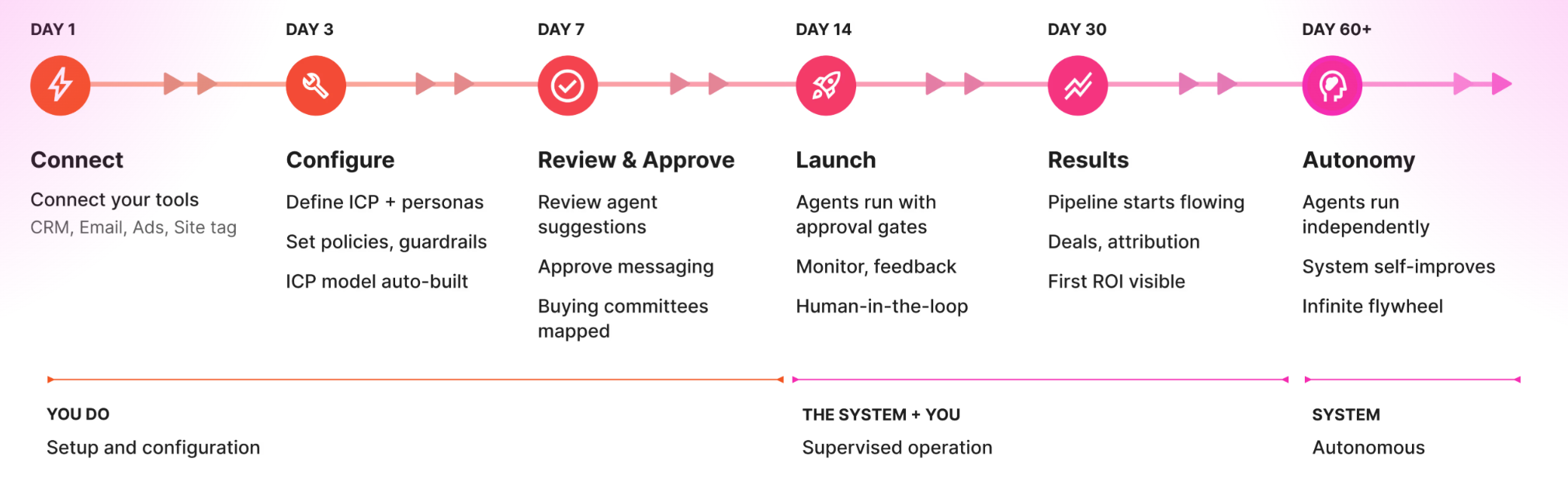
  • Industry publications: Guest posts, contributed articles, original research
  • Review sites: G2, TrustPilot, TrustRadius, Capterra (with detailed, recent reviews)
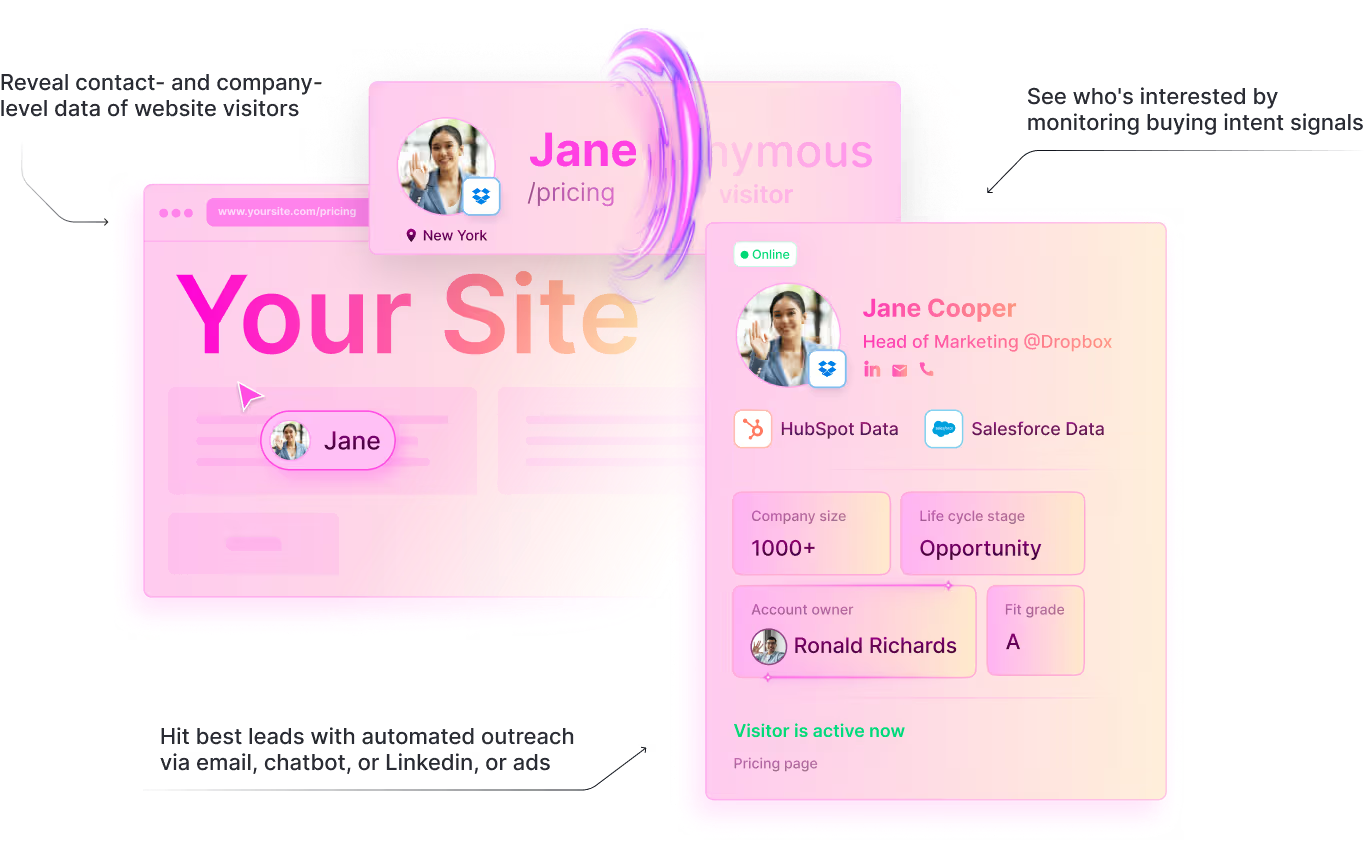
  • YouTube: Video content that covers the same topics as your blog posts
  • LinkedIn: B2B influencer marketing and thought leadership posts
  • Partner content: Co-created content with complementary tools

Vercel reported that ChatGPT now refers approximately 10% of new user signups, up from 1% six months ago. That's the trajectory. AI search is becoming a primary acquisition channel.

Step 10: Build a Measurement Framework (Because "Results Are Random")

I learned something important from an SEO agency we spoke with: there's no reliable way to measure AEO directly because AI search results are different every time you query. The same question returns different sources, different recommendations, different citations. There's no stable "ranking" to track.

The data backs this up. Profound's research on AI search volatility found that citation drift runs 40-60% monthly. Meaning: 54% of domains cited by ChatGPT this month weren't cited last month for the same query. Google AI Overviews is even worse at 59%. Over six months, drift balloons to 70-90%. You need 60-100 repeated queries per prompt to get statistically meaningful data. One-time audits are useless.

But you can still measure. Here's how:

Proxy metrics (leading indicators): - SERP rankings for target keywords. SERP powers AEO. If you do well in SEO, the AI search visibility should follow - Schema markup coverage across your site - Core Web Vitals scores - Content freshness (% of pages updated in last 60 days) - Review volume and sentiment on G2/TrustPilot

Direct metrics (lagging indicators): - Referral traffic from chat.openai.com, perplexity.ai, claude.ai, gemini.google.com - Conversion rate of AI search traffic vs other channels - % of demo requests that cite AI tools as discovery channel (ask in your intake form) - Manual AI audit: ask AI tools about your category monthly and track mention frequency

The weekly check: Run your top 5 target queries in ChatGPT, Perplexity, and Claude every Monday. Document whether you appear. Screenshot it. Over 4-8 weeks, you'll see patterns even if individual results vary.

At Warmly, the most reliable metric has been self-reported attribution on our demo request form. When buyers tell us "I found you on ChatGPT," that's the ground truth. And it went from 5% to 30% in two months.

Check out our GTM strategy and planning guide for how to build AI search visibility into your broader go-to-market motion.


Content Velocity: Why Publishing 5 Posts Per Week Matters

I want to address something that most GEO guides skip: volume.

Topical authority is how AI engines decide which brand is the expert in a category. It's not about one killer blog post. It's about having 50, 100, 200 pieces of content that collectively cover every angle of your space.

When ChatGPT gets asked "best visitor identification tools," it doesn't just look at one page. It evaluates your entire domain's coverage of that topic. How many pages mention visitor identification? How many related subtopics do you cover? How fresh is the content? How interconnected are the pages?

That's why our target is 5 new blog posts that rank per week. Not 5 mediocre posts. 5 posts that are SEO/GEO/AEO optimized, entity-dense, schema-marked-up, and targeting specific keyword clusters.

Here's how we pick what to write: 1. Sales call analysis (via Sybill): What questions are prospects asking this week? 2. Search Console data: Where do we have impressions but low clicks? 3. AI audit results: Which queries are we invisible for? 4. SE Ranking data: What's the search volume and competition for potential topics? 5. Warmly visitor data: Which ICP companies are visiting which blog posts?

Every post gets the full treatment: Quick Answer block, FAQ schema, 15+ entities, internal links to related content. No thin content. No filler.

The compound effect is real. After 3 months of this velocity, we have enough content to cover our entire category from multiple angles. AI engines start treating us as a topical authority. And that authority compounds into more citations across more queries.


What This Means for Intent Data and Visitor Identification

If you're in the intent data or visitor identification space, this shift has specific implications.

Your buyers are asking AI tools which intent data platform to use. They're asking which visitor identification tool is best for their company size, their tech stack, their budget. And if you're not showing up in those answers, your competitors are.

Think about it from the buyer's perspective. They open Perplexity and type "best website visitor identification tools for B2B SaaS companies under 500 employees." The AI gives them 5 recommendations with pros, cons, and pricing. They click through to 2-3 of those. They never Google the other 15 tools that exist.

This is demand creation vs. demand capture in its newest form. AI search is creating demand for the tools it recommends and capturing it simultaneously.

At Warmly, we're building our AI-powered inbound agent to work with this new reality. When someone lands on our site from an AI search referral, they've already been pre-qualified by the AI's recommendation. Our job is to convert that high-intent visit into a conversation.

And the conversion data proves it works. 14.2% conversion from AI search versus 2.8% from Google organic. AI search visitors are 5x more likely to convert because they arrive with context. They already know what you do. They already believe you might be a fit.

The companies that figure out AI marketing automation and agentic AI for this new search landscape will dominate the next 3-5 years of B2B SaaS. The ones that keep optimizing only for Google will slowly become invisible.

Explore our resources and playbooks for more on building AI-native GTM motions.


GEO/AEO Tool Comparison: What to Use and What It Costs

Here's the honest comparison of every tool we've evaluated for AI search optimization. Some we use. Some we tested and dropped.

Tool What It Does Best For Pricing Our Take
Profound AI answer engine monitoring, citation tracking, prompt volume data Measuring AI visibility at scale, tracking citation drift Custom (enterprise) Best data on AI search. Their research on 50M+ ChatGPT prompts is unmatched. Worth it if AI search is a primary channel
Relixir (YC) GEO content optimization, AI search visibility scoring Optimizing existing content for AI citations Custom (startup-friendly) We use this. Their insight that "if you optimize well for SEO, GEO usually benefits" matches our data
Surfer SEO On-page SEO optimization, content scoring Ensuring content hits SEO fundamentals before layering GEO $89-$219/mo Solid for SEO baseline. Doesn't specifically optimize for AI search
Frase AI content briefs, SERP analysis, question research Finding the questions AI tools are being asked $15-$115/mo Good for research phase. We use it for content briefs
Clearscope Content optimization, keyword coverage Ensuring topical completeness (entity density) $170+/mo Premium but effective for entity-dense content
AlsoAsked Question-based keyword research, PAA mapping Finding FAQ schema questions that match AI prompts Free-$47/mo Essential for FAQ research. Maps the exact questions people ask
G2 Software reviews, buyer intent AEO visibility. Reviews show up directly in AI answers Free to claim Non-negotiable. G2 reviews appear word-for-word in ChatGPT answers about your brand
TrustPilot Broader product reviews AEO for non-SaaS searches and ChatGPT visibility Custom We just signed up specifically for AI search visibility
Ahrefs Backlink analysis, keyword research Reverse-engineering competitor backlinks that drive AI citations $99-$449/mo Backlinks = AI trust signals. Ahrefs shows you where to build them

The stack we actually run: Relixir for GEO optimization + G2/TrustPilot for review-based AEO + Ahrefs for backlink strategy + AlsoAsked for FAQ research + our own AI-powered workflow (Sybill + GSC + GA + Warmly DB) for content intelligence. Total cost: roughly $500-700/month plus the tools we already had.

You don't need all of these. Start with G2 (free), AlsoAsked (free tier), and Google Search Console (free). Add Relixir or Profound when AI search becomes 10%+ of your inbound.


The Competitive Landscape Is Wide Open

I looked at what our competitors are doing with GEO. The answer is basically nothing.

6sense has one blog post about LLM buyer behavior. One. That's it.

Zero competitors have published a practical "how to optimize for AI search" guide. Nobody has shared their own data. Nobody has been transparent about where they're failing.

This is the biggest whitespace in the entire competitive landscape right now. The company that owns the "generative engine optimization for B2B" narrative will have a massive advantage as AI search grows from 10% to 50% of B2B research traffic.

Qualified is doing something interesting. They've published original research reports, which is a strong GEO move because AI engines love citing original data. But they haven't connected it to a practical playbook. And we've written about what makes us different from Qualified in our comparison page.

We're betting that transparency wins. Showing our actual results, including the failures, builds more trust than a polished case study ever could.


Should You Stop Investing in SEO?

No. Absolutely not.

AI search engines use Google and Bing under the hood. When someone asks ChatGPT a question, it often runs web searches in the background and synthesizes results. If you win at SEO, you're more likely to win at AEO and GEO too.

I learned this from an agency we consulted: there's no actual way to measure AEO because results are random every time you search. But SERP powers AEO. Do well in SEO and the other should follow.

Think of it as layers:

  1. SEO gets you indexed and ranked
  2. AEO gets you cited in answer boxes and AI overviews
  3. GEO gets you recommended in AI-generated responses

They're complementary, not competing. The companies that win will do all three.

What you should stop doing is treating SEO as the only game. Add GEO to your GTM toolkit. Add it to your content calendar. Measure it.


The GEO Tool Stack

Here's what we actually use. Not theoretical recommendations. The tools running in our stack right now.

For GEO Content Optimization: - Relixir (YC-backed): GEO-specific content optimization. Their data shows longer-form content (around 2,000 words) tends to perform better for AI citations. We use it to score content before publishing - Surfer SEO: On-page optimization and content scoring for traditional SEO (which feeds GEO) - Frase: AI content briefs and SERP analysis

For Technical SEO/AEO: - Google Search Console: Keyword performance, CWV monitoring, indexing status - Google PageSpeed Insights: Core Web Vitals diagnostics - Schema.org generators: For FAQ, Organization, Article, and Product schema markup

For Review Management (AEO): - G2: Primary SaaS review platform. Directly cited in AI search answers - TrustPilot: Broader product review visibility. Helps with ChatGPT visibility specifically - Capterra: Additional review source for distributed authority

For Content Intelligence: - Sybill: Call recording AI that extracts prospect questions for content ideas - SE Ranking: Keyword volume, competition, and SERP feature data - Google Ads Keyword Planner: Search appetite validation for new topics - Warmly: Our own tool shows which ICP companies visit which blog posts. If your target accounts aren't reading your content, it doesn't matter how well it ranks

For Programmatic SEO Operations: - Webflow API: Programmatic content updates, schema deployment, bulk operations - Claude Code: Orchestrates the entire workflow. Pulls data from all sources, generates content briefs, deploys updates - Google Analytics: Conversion tracking, AI referral source analysis

The total cost of this stack is way less than hiring a full SEO team. And it moves faster.


FAQs

Do B2B buyers actually use ChatGPT to research vendors?

Yes. 94% of B2B buyers now use LLMs during the purchasing process, according to 6sense's 2026 research. 68% start in AI tools before Google. They ask questions like "best [category] tools," "[tool A] vs [tool B]," and "alternatives to [incumbent vendor]." At Warmly, AI search went from 5% to 30% of inbound demo requests between February and March 2026.

How do I get my company mentioned in ChatGPT?

Build authoritative, structured content that AI engines can easily extract and cite. Specifically: add FAQ schema and Organization schema markup, include Quick Answer blocks in the first 500 words, update content every 60 days, build presence across 5+ authoritative sources (your site, Reddit, review sites, industry publications, YouTube), manage your reviews on G2 and TrustPilot, and fix Core Web Vitals. Brands with distributed authority see 60-80% higher citation rates.

What is generative engine optimization (GEO)?

Generative engine optimization is the practice of optimizing your content to appear in AI-generated search responses from tools like ChatGPT, Perplexity, Gemini, and Claude. It includes structured data markup (FAQ, Organization, Article schema), entity-dense content, freshness signals, distributed source authority, review management, video content optimization, and Core Web Vitals performance. It's the third layer of modern search strategy, alongside SEO and AEO.

How is AI changing B2B buying?

AI tools are replacing the early stages of the B2B buying journey. Instead of Googling, reading 10 blog posts, and building a shortlist manually, buyers ask AI tools for curated recommendations. 68% start their vendor research in AI tools. This means the AI's recommendation becomes the buyer's shortlist. If you're not recommended, you're not considered. At Warmly, we've seen enterprise companies across SaaS, security, and fleet management all cite AI tools as their discovery channel.

Should I stop investing in SEO?

No. AI search engines use Google and Bing results under the hood. Strong SEO foundations improve your GEO performance. SERP powers AEO, so do well in SEO and the other should follow. But you should add GEO-specific tactics: FAQ schema, Organization schema, Quick Answer blocks, content freshness, entity density, review management, video content, and multi-source distribution. Treat GEO as an additional layer on top of SEO, not a replacement.

How do I track AI search referral traffic?

Set up UTM parameters for AI referral sources. In Google Analytics, look for referral traffic from chat.openai.com, perplexity.ai, gemini.google.com, and claude.ai. Add a field to your demo request form asking "how did you hear about us" and track AI tool mentions. The direct measurement challenge is that AI search results are random every time, so there's no stable "ranking" to monitor. Use self-reported attribution as ground truth and SERP performance as a leading indicator. At Warmly, AI search traffic converts at 14.2%, which is 5x higher than Google organic.

What content format works best for AI citations?

Structured content with clear question-and-answer formats, comparison tables with specific data, numbered lists, and bold key phrases. 44.2% of all LLM citations come from the first 30% of text content, so front-load your most important information. Content with 15+ connected entities has 4.8x higher selection probability. Longer-form content around 2,000 words tends to perform better for AI citations according to Relixir's data.

How often should I update content for AI search?

At minimum, every 60 days. Pages updated within 60 days are 1.9x more likely to appear in AI citations. For competitive queries, monthly updates are better. The update doesn't need to be a full rewrite. Refresh stats, add new tools, update pricing, and add a current-year section. We updated 312 posts in one afternoon via the Webflow API. Programmatic approaches beat manual ones at scale.

What's the difference between AEO and GEO?

AEO (Answer Engine Optimization) focuses on getting your content cited in AI overviews, featured snippets, and zero-click answers. GEO (Generative Engine Optimization) focuses on being recommended in AI-generated responses like ChatGPT conversations and Perplexity answers. AEO is about answering questions. GEO is about being recommended as a solution. Both benefit from the same foundations: structured data, fresh content, and source authority.

How does ChatGPT decide which vendors to recommend?

ChatGPT evaluates source authority (Wikipedia is the #1 source at 47.9%), referring domain strength (30% weight), content freshness, structured data availability, and cross-source consistency. Critically, it also pulls from review platforms like G2 and TrustPilot. Negative reviews can surface directly in AI answers about your brand. Pages need authority, structure, recency, and positive sentiment to be cited consistently.

How does Perplexity decide which vendors to recommend?

Perplexity weighs content freshness heavily (40% weight) and pulls significantly from Reddit (46.7% of citations). Recent, well-structured content that's discussed positively in Reddit communities has the highest citation probability on Perplexity.

Is it worth optimizing for multiple AI search engines?

Yes. Only 11% of domains are cited by both ChatGPT and Perplexity. Each engine has different citation preferences. Optimizing for just one leaves you invisible on the others. The good news: the fundamentals (structured data, freshness, authority, reviews) help across all platforms.

What is the ROI of AI search optimization?

AI search traffic converts at 14.2% compared to 2.8% for Google organic at Warmly. That's 5x higher conversion. We went from 5% to 30% of inbound demo requests coming from AI search in just 60 days. Vercel reports that ChatGPT now drives approximately 10% of new signups, up from 1% six months ago. As AI search grows from roughly 10% to potentially 50% of B2B research traffic over the next 2-3 years, the ROI compounds.

How long does GEO take to show results?

Faster than traditional SEO. We saw Perplexity citation improvements within 2-4 weeks of our mass content update. ChatGPT results took 4-6 weeks. The key variable is how quickly the AI engines re-crawl and reindex your updated content. Fresh, structured content gets picked up faster. Revenue attribution (AI search as % of demos) shifted noticeably within 60 days.

Do negative reviews affect AI search visibility?

Yes. Negative reviews on G2, TrustPilot, and other review platforms can surface directly in AI search answers about your brand. When buyers ask AI tools about downsides of your product, the AI pulls from these review sources. Our CEO tracked a specific negative G2 review that was appearing in AI answers, spent two months resolving the underlying issue with the reviewer, and got it updated. Review management is now an AEO strategy, not just a customer success task.

Does video content help with AI search?

Yes. Video captures spots in Google AI Overviews and feeds into ChatGPT visibility. YouTube videos appear in AI Overview carousels for relevant queries, and since ChatGPT uses web search results, video content indirectly improves ChatGPT visibility too. Create video versions of top blog posts, optimize for target keywords, host on YouTube, and embed in original posts for dual visibility.


Last Updated: March 2026

I've Spent 3 Years Building an AI SDR. Here's What Actually Works.

I've Spent 3 Years Building an AI SDR. Here's What Actually Works.

Time to read

Alan Zhao

50-70% of companies that buy an AI SDR tool will rip it out within a year.

I know because I've watched it happen. I've also watched the other 30% triple their pipeline.

The difference isn't the tool. It's whether you're feeding it signals or feeding it a cold list.

I'm the co-founder of Warmly. We process over 9 million website visits per month. Our AI handles 93% of live chat conversations. We've watched thousands of companies try to automate their SDR motion, and I've sat in enough post-mortem calls to know exactly where things go wrong.

This isn't a vendor listicle where I rank Warmly #1 and call it a day. You can find fifty of those already. This is what I actually believe about AI SDRs after three years of building one, selling one, and sometimes watching one fail.

The AI SDR Market Is Exploding. Most of It Is Noise.

The AI SDR market hit $5.8 billion in 2024. It's projected to reach $15-17 billion by 2030. Over $400 million in VC has poured into this category in the past two years alone. Growth rates north of 30% annually.

Every vendor in the space claims 300-400% ROI. Every pitch deck shows a hockey stick. Every case study features a smiling VP of Sales who "transformed their pipeline."

The reality? Annual churn rates between 50-70%. That's not my number. That's from the vendors' own data if you dig deep enough. Autobound published it. Others whisper it in private.

So you've got a category growing at 30%+ per year where more than half of buyers churn within twelve months. That tells you something important: the technology works, but most companies are buying wrong, deploying wrong, or buying the wrong type entirely.

And look at what's happening to the pure-play AI SDR companies. Artisan raised a massive round and then imploded. The narrative was "AI replaces your SDR team." Inboxes got slammed. The emails all seemed personalized but they weren't really personalized. They were just LLM-generated text with a {firstName} token and a LinkedIn scrape. Prospects caught on fast.

The problem isn't that AI can't write emails. It can. Anyone can generate an email now. You pull data from a CRM, hand it to a foundation model, and out comes something that looks personalized. Models will keep improving. Context windows will keep growing. That part is table stakes.

The real problem is deeper: most AI SDR tools are stateless. They make every decision in a vacuum. No memory of what worked last month. No learning from what bounced. No institutional knowledge about your buyers, your market, or your specific motion. Every run is as naive as the first one.

That's not how a great SDR works. A great human SDR doesn't just know your CRM data. They have generational knowledge. They know what the boss likes. They know how specific buyers behave. They remember that the last time they emailed that VP, she responded on LinkedIn instead. They know that companies in healthcare take 3x longer to close. They make conjectures about the best next move based on everything they've seen, not just what's in a spreadsheet.

Current AI SDRs don't do any of that. They query, they generate, they send. Zero learning. Zero memory. That's why they churn.

The category is splitting into two fundamentally different camps. And understanding which camp a tool falls into is the single most important thing you can do before spending a dollar.

Signal-First vs. Spray-and-Pray: The Only Framework That Matters

Every AI SDR success and failure I've seen falls into one of two buckets. Once you see it, you can't unsee it.

Here's the framework:

Spray-and-PraySignal-FirstInputBought lead list, scraped contactsReal-time buying signals: website visits, content engagement, intent dataTimingWhenever the sequence saysWhen the prospect is actively researchingPersonalization"Hey {firstName}, I noticed your company..."References actual behavior: "You spent 4 minutes on our pricing page yesterday"Volume1,000+ emails/day50-200 high-relevance touchesReply rate1-3%5-9%DeliverabilityDegrades over timeSustainable

The AI SDR tools getting ripped out after 90 days? They're almost always spray-and-pray. They blast volume, inbox placement tanks, and the CEO asks why they're paying $3K/month for a spam machine.

The ones generating real pipeline? They're acting on signals. Someone visits your pricing page. Someone from a target account reads three blog posts in a week. A buying committee of four people from the same company all hit your site within 48 hours. That's when your AI SDR should move. Not because a sequence timer said so.

The goal of an AI SDR isn't to slam people with as many personalized emails as possible. It's to deliver the right buying experience, through the right channel, at the right time. If a prospect doesn't know who you are, you shouldn't be emailing them. Put them in your ads first. Get in their feed. Be useful. Be entertaining. So that when they're ready to talk, you're already familiar.

That's a completely different philosophy than "generate more emails faster." It's an optimization problem. You have a budget. You have a TAM. You know where each account is in their buying journey. What's the next best move you can play across all channels? Email, LinkedIn, ads, chat, phone. Not just email. Everything.

I want to be honest about something here. Third-party intent data from providers like Bombora can be fickle. Our own reps will tell prospects that on calls. Salespeople notoriously distrust third-party intent because it can be misconstrued. A company "showing intent" for your category might just mean one intern Googled a term once.

First-party signals are different. Who's actually on your website right now? What pages are they looking at? How long are they staying? That's 10x more actionable than any third-party score. And it's the foundation of everything that actually works in AI SDR.

The reply rate difference tells the whole story. We see 5-9% reply rates on signal-backed outreach. Industry average for cold email is 1-3% and trending down. That's not a small gap. That's the difference between a tool that pays for itself and a tool that gets cancelled.

The 5 Types of AI SDR (And Which One You Actually Need)

Not every AI SDR does the same thing. The category has fragmented into five distinct approaches, and knowing which type you need saves you months of wasted pilots.

1. The Outbound Email Machine

Tools like: 11x, Artisan, AiSDR

These tools write and send cold email sequences at scale. They research prospects, generate personalized openers, A/B test subject lines, and manage deliverability across multiple domains.

Best for: Companies with proven messaging and large addressable markets who need volume.

Watch out for: Deliverability at scale is a real problem. And "personalized" often means "we scraped your LinkedIn and mentioned your job title." The core limitation: these tools are only as good as the list you feed them. If the list is cold, the outreach is cold.

2. The Inbound Engagement Agent

Tools like: Warmly, Qualified (now part of Salesforce)

These tools engage website visitors in real-time. They identify who's on your site, start conversations at the right moment, qualify leads through AI chat, and book meetings directly.

Best for: Companies with website traffic they're not converting.

Here's a number that still shocks me. We see companies converting 15 out of 13,000 website visitors. That's a 0.1% conversion rate. The other 99.9% just... leave. They were interested enough to visit. And then they bounced into the void. An inbound AI SDR catches that 99.9%.

If you're running Google Ads driving traffic to your website, and 99.9% of those visitors leave without identifying themselves, you're burning almost your entire ad budget. An inbound engagement agent turns anonymous traffic into known pipeline.

3. The Signal Orchestrator

Tools like: Warmly, 6sense

These platforms detect buying signals across channels and trigger multi-channel outreach. Website visit plus intent spike plus job change plus tech install equals "reach out now, here's what to say, here's the right channel."

Best for: Companies wanting to reach the right person at the right time through the right channel.

The power is in combining signals. No single signal is that predictive on its own. But layer them together and the confidence goes way up. That's when outreach stops feeling like spam and starts feeling like "how did you know I was looking at this?"

4. The Research and Enrichment Engine

Tools like: Clay, Apollo

These tools enrich contacts, build lists, and create complex workflows that feed into outbound sequences. They're not sending the emails themselves (usually). They're making every other tool in your stack smarter.

Best for: RevOps-heavy teams that want full control over every step of the pipeline. The trade-off is complexity. You need someone technical to set it up and maintain it.

5. The Full-Stack Platform

Tools like: Warmly

This combines de-anonymization, intent signals, AI chat, orchestration, and outbound in one platform. Instead of stitching together five tools, you get one system that sees the signal and acts on it.

Best for: Teams replacing 3-5 point solutions who are tired of their tools not talking to each other.

The argument for full-stack is simple: when the system that detects the signal is the same system that acts on it, there's zero latency and zero data loss. The AI that chats with a visitor knows what pages they viewed, what company they're from, and whether their account is already in pipeline.

I should be straight about where we sit. Warmly is strongest on inbound engagement and signal-based outbound. Our outbound automation is newer than our inbound suite, which has been in production for years. If you just need a pure cold email cannon with zero website traffic, tools like 11x are purpose-built for that. They're actually our customer and partner. They use our intent data to make their outreach smarter. The category isn't zero-sum.

The question to ask yourself: where am I losing the most pipeline today? If it's inbound website traffic bouncing without converting, start with types 2 or 5. If it's outbound volume, look at type 1. If you have decent tooling but can't get the timing right, type 3. If your data is a mess, type 4. Don't buy a category. Buy a solution to your specific bottleneck.

What I've Learned Watching Thousands of Companies Try AI SDR

This is the part nobody else can write. Not because they don't know it, but because they haven't seen it at the scale we have. Three years of production data, thousands of customer deployments, and more discovery calls than I can count. Here's what actually moves the needle.

Speed kills (in a good way)

40% connect rate when you reach someone within 5 minutes of them showing intent. 4% after 24 hours. That's from real production data.

The number one conversion killer isn't bad messaging. It's delay.

I talked to GPS Insight last week. They spend $200K per month on Google Ads. That's 80% of their pipeline source. They tried Unify for AI outbound. Didn't work. Their problem wasn't lead gen. It was speed. You're paying $50 to get someone to your pricing page, and then you wait 36 hours to call them. By then they've talked to two competitors.

An AI SDR that acts in 5 seconds beats a human SDR who acts in 5 hours. Every time.

This is honestly the most compelling argument for AI in the SDR function. It's not that AI writes better emails. It usually doesn't. It's that AI never sleeps, never takes lunch, and responds in seconds. When a prospect is on your pricing page at 11pm on a Tuesday, the AI is there. Your SDR team is not.

Speed is the single most underrated factor in this entire category.

The hybrid model wins. By 2.8x.

Full automation doesn't produce the best results. I know that's a weird thing for an AI company to say. But our data is clear: AI plus human handoff generates 2.8 times more pipeline than either alone.

Your AI should handle the 93% of conversations that are routine. Qualification questions. Meeting booking. Follow-up sequences. Data enrichment. The repetitive stuff your reps hate doing anyway.

Your reps should handle the 7% that matter. High-value accounts. Complex objections. Relationship building. Creative outreach for strategic deals.

We call this the 93/7 model. It's not a marketing number. It's literally our production split. 93% of chat conversations handled entirely by AI. 7% escalated to a human. The companies running this hybrid model blow past the ones trying to go fully automated or staying fully manual.

I know this might seem counterintuitive. You'd think full automation would be more efficient. But buyers can tell. Especially at higher ACV deals, there's a moment in the conversation where a human needs to step in. The AI should get them to that moment as fast as possible, not try to replace it entirely.

Tool consolidation is the real ROI

I've sat in enough discovery calls to know this: the pain isn't "I need AI." The pain is "I have seven tools that don't talk to each other."

One of our customers, Facility Grid, was paying $136K per year for ZoomInfo and a stack of point solutions. They replaced it all with Warmly for $44K. Same functionality. More features, actually. And everything in one place.

I just got off a call with SirionLabs. They have 6sense. G2. Usergems. ZoomInfo. Outreach. Chili Piper. Six tools. Their SQL-to-close rate? 6%. Their CRO is pulling his hair out because SDRs book too many latent deals. The problem isn't that they lack AI SDR tools. They have every tool. The problem is that nothing connects them. No shared intelligence layer. No unified view of who's actually ready to buy.

People aren't buying an AI SDR. They're eliminating three to five tools. That's where the real ROI math works. Not "we sent more emails" but "we killed $90K in annual contracts and our pipeline went up."

When you hear "AI SDR," don't think "new tool to add." Think "which tools can I replace?" That's the real buying decision.

Your AI SDR is only as good as your signals

Garbage in, garbage out. That phrase applies 10x to AI. Feed your AI SDR a cold purchased list and it'll generate cold purchased-list-quality results. Feed it real-time buying signals and it'll generate meetings.

Third-party intent is a starting point, not a strategy. First-party website behavior is gold. Who visited your pricing page. Who came back three times this week. Who from a target account just spent 8 minutes on your case studies. That's actionable. That's when your AI should move.

I've watched companies spend $50K+ per year on intent data providers and then wonder why their AI SDR isn't working. It's like putting premium gas in a car with flat tires. Start with your own first-party data. Layer third-party on top once you've maxed out what your own signals can tell you.

The 67% number that changed how I think about timing

When our AI surfaces a meeting CTA at exactly the right moment in a conversation, 67% of visitors click to book. Not 67% of people who type into the chat. 67% of people who see the CTA at the moment they're ready.

Compare that to a static "Book a demo" button on your website. Those convert at 2-5%.

The difference is timing. A static button sits there whether someone is ready or not. An AI SDR reads the conversation, reads the behavior, and asks at the moment the prospect has answered their own objections.

Timing isn't everything. But in sales, it's about 67% of everything.

This is probably the most important thing I can tell you about AI sales development representatives: the intelligence to know when to act matters more than the ability to act. Any tool can send an email. Very few tools know when that email will actually land.

Not every company is ready. And that's OK.

I'd be lying if I said every AI SDR deployment succeeds, even with signals. Some companies don't have enough website traffic yet to make inbound AI worthwhile. Some have average deal sizes so low that any tool cost is hard to justify. Some have sales cycles so long and complex that an AI SDR can only handle the very first touch.

If you're getting less than 5,000 monthly website visits, you might want to invest in driving traffic before you invest in converting it. If your ACV is under $5K, make sure the tool ROI math actually works at your price point. I'd rather be honest about this than sell you something that'll get cancelled in 90 days.

The companies where AI SDR works best have three things: enough traffic or targets to act on, enough deal value to justify the investment, and enough willingness to let the AI actually run. That last one is harder than it sounds. I've seen plenty of deployments where the technology worked but the sales team wouldn't trust it.

How to Evaluate an AI SDR Tool: The Buyer's Checklist

If you're actively shopping, run every tool through these seven questions. They'll save you from a 90-day failure.


First-party website behavior is the strongest signal. Third-party intent data adds context. Purchased lists are the weakest input. Ask every vendor: what data is triggering the outreach? If the answer is "your uploaded CSV," you're buying a spray-and-pray tool with AI lipstick.


Real-time beats batch. Batch beats manual trigger. If there's a meaningful delay between signal and action, you're losing the speed advantage that makes AI SDRs worth having.


Auditability matters. For compliance, for trust, and for tuning. If your AI SDR sends an email and you can't explain why it chose that person, that message, and that timing, you can't improve it. And your legal team won't be happy.


Because it will. Every AI SDR makes mistakes. The question is whether there are trust gates, human override options, and quality scoring built in. Ask about their guardrails, not just their features.


Another $500/month tool on top of your existing five is not the answer. The best AI SDR implementations replace existing tools. If the vendor can't show you what you'll cancel, the ROI math probably doesn't work.


If they can't answer this in detail, run. Email deliverability is the silent killer of outbound AI SDR tools. Domain warming, sending limits, bounce handling, spam monitoring. This is table stakes. If they hand-wave it, your emails are going to spam within 60 days.


90-day phased rollout beats big bang every time. Deploy on one channel, one segment, one team. Prove it works. Then scale. Any vendor that insists on full deployment from day one is optimizing for their contract size, not your success.

Bonus question: What do their churned customers say? Every vendor has them. Ask for references from customers who left, not just happy customers. If they won't provide them, check G2 and Gartner reviews filtered to 1-2 stars. The failure stories tell you more than the success stories ever will.

That checklist will help you pick the best AI SDR tool available today. But I don't think you should stop there. Because the category itself is about to become irrelevant.

The AI SDR Is Already Obsolete. Here's What Replaces It.

The AI SDR as a category is already obsolete.

Not the technology. The concept. The idea that you need a separate AI tool whose job is to send emails on behalf of a salesperson. That's a feature, not a product. And it's getting absorbed into something much bigger.

Here's the evolution:

Phase 1: The email tool. Take a list, generate personalized emails, send them. This is 2023-2024. It worked for about six months before every inbox got flooded.

Phase 2: Signal-based outreach. Don't email everyone. Only email people showing intent. This is where the best tools are today. It works significantly better. But it's still thinking in one channel.

Phase 3: The GTM brain. This is where everything is headed. And it's what we're building.

A GTM brain isn't an email tool with signals bolted on. It's a system that holds everything about your go-to-market in one place. Your ICP. Your buying committee structure. Every signal from every channel. Every outreach attempt and its outcome. Every conversation your chat agent had. Every ad click. Every content download. We call this a context graph. And it changes everything.

I talked earlier about how current AI SDRs are stateless. A context graph is the opposite of stateless. When a visitor lands on your site, the AI already knows their company just raised a Series C. It knows two other people from the same account visited last week. It knows their colleague got an email sequence, replied asking about pricing, and then went dark for 11 days. It knows that your last three deals in their industry all stalled at legal review. All of that context shapes what happens next.

This is the institutional memory I was describing. But it's not just memory. It's judgment.

Decision traces, not black boxes. Every action gets logged with the reasoning behind it. Why did it email this person instead of adding them to a LinkedIn audience? Why did it prioritize this account over that one? These decision traces aren't just for compliance. They're how the system gets smarter. When you can see that emails to VP-level contacts at healthcare companies convert 3x better when preceded by an ad impression, that's not a hunch. That's proof. And it feeds back into the next decision.

Trust gates, not on/off switches. Do you let the AI run fully autonomous? Do you approve every email? Most tools give you a binary choice. That's wrong. Trust is earned. When an AI SDR starts, it proposes actions and a human approves. It makes good calls? It earns more autonomy. It screws up? It loses autonomy. A sliding scale based on track record. Think of it like an agent harness. You wouldn't hand a new hire the keys to your biggest account on day one. Don't do it with AI either.

The compounding flywheel. Every decision the AI makes gets logged. Every outcome gets tracked. Every failure teaches the system something. After a thousand outreach decisions, the AI that tracked and learned from all of them has institutional knowledge that no competitor can replicate. That's the real moat. Not the model. Not the features. The learning loop.

And this isn't just about email anymore. It's about every channel simultaneously. Email, LinkedIn, ads, landing pages, content, chat. The AI figures out the optimal next move for every account across every channel. Budget, TAM, buying journey stage. One massive optimization problem.

Even in-person is getting digitized. Wearable devices at conferences, badge scans at events, QR codes on booths. All feeding directly into the context graph. Within a few years, there won't be a single buyer interaction that doesn't become a signal.

The standalone AI SDR becomes a feature, not a product. Just like chatbots got absorbed into marketing suites, AI outbound gets absorbed into platforms. Drift got absorbed into Salesloft. Qualified got absorbed into Salesforce. The standalone plays that don't build broader platforms will face the same fate.

People don't want more features. They want you to replace their people and processes and drive the outcome.

How I Run a $3M Pipeline on $20K/Month With AI

I'm going to give away our entire playbook here. Steal it. I genuinely don't care. If more people run GTM this way, the whole category gets better.

I run product and marketing at Warmly. Our marketing team is essentially one person plus AI. That sounds like a brag but it's actually kind of terrifying. There's no safety net. If the system breaks, I break. But it works, and I think it's where every B2B company under 200 employees is headed. The GTM engineer and the marketing leader are becoming the same person.

Here's exactly what I do:

Find the gaps. Google Search Console plus Ahrefs tell me what people are searching for and where we're not showing up. I find content gaps and write blog posts to fill them. Like this one.

Drive traffic. Google Ads push people to landing pages built around those keywords. Top-of-funnel. Getting the right eyeballs to the right pages.

Identify everyone. Warmly de-anonymizes those visitors. Now I know which companies are on the site, which people, what pages they're reading, how long they're staying. The 99.9% that would normally bounce into the void? I can see them.

Orchestrate the response. Based on signals, the system triggers the right action. High-intent visitor? AI chat engages immediately. Target account? Slack alert fires to the account owner. Right persona but not ready to talk? They get added to an audience.

Retarget everywhere. I push contact lists into LinkedIn Ads (90%+ match rates) and Meta Ads (60%+ match rates). These aren't broad targeting campaigns. These are the exact people who visited my site yesterday, now seeing my ads in their feeds today. They can't Google your category without bumping into you.

Nurture with email. Customer.io runs HTML-templated email sequences for contacts at different journey stages. Not spray-and-pray. Targeted sequences triggered by behavior.

Measure and repeat. Every channel feeds data back. What converted? What didn't? Where did the meeting actually come from? Adjust. Repeat.

The result: we tripled pipeline from roughly $900K to tracking toward $3M in about a month. $20K per month on ads.

We ran personalized AI video campaigns targeting 7,000 Drift users. 30% click rate. Highest we've ever seen on any campaign. Not close.

One person. Full context. AI doing the heavy lifting.

I won't pretend it's easy. The first two weeks were chaos. Half the orchestrations fired wrong. I accidentally pushed a 4,000-person list into a LinkedIn audience that should've been 400. Attribution was a mess until I built custom UTM tracking for every channel. You're basically a GTM engineer and a marketing leader and a data analyst and a copywriter simultaneously. It's a lot.

But once the loops are running, they compound. Every week the system knows more about what's working. Every month the playbook gets tighter.

The role isn't about building Clay tables or managing sequences anymore. It's about having complete context over everything and giving the AI that same context. Define your ICP. Find your personas. Identify the intent signals. Then automatically push ads, generate email sequences, fire trigger campaigns, and queue up only the best contacts for human outreach. That's the system.

Right now I'm doing a lot of this manually, building the connective tissue between tools with scripts and Claude Code. But the future is a system that automates the memory, the decision-making, and the execution. The GTM engineer's job is to build that system. And eventually, the system builds itself.

The Hybrid AI SDR Playbook: How to Structure AI + Human Teams

This is the actionable part. If you take nothing else from this post, take this playbook. It's what our most successful customers run.

The 93/7 Model in Practice


- Initial website engagement and qualification
- Answering common questions in real-time chat
- Booking meetings for clear-fit visitors
- Signal-triggered outbound sequences
- Follow-up emails and LinkedIn touches
- Data enrichment and CRM updates


- High-value account conversations (your top 50 target accounts deserve a human)
- Complex objections that need creativity
- Relationship building with champions
- Strategic outreach to C-suite at enterprise deals
- Anything that requires judgment the AI hasn't earned yet

The 90-Day Implementation Timeline


Deploy visitor identification and AI chat on your highest-traffic pages. Pick your top 3-5 pages by traffic and conversion potential. Get the AI handling inbound conversations and booking meetings. This alone will show you something most companies have never seen: who's actually visiting your site and how many of them you're currently ignoring.


Add signal-triggered orchestrations. When a target account lands on your site, fire a Slack alert to the account owner. When someone from a prospect company visits your pricing page, trigger an email sequence. Simple rules, high-signal triggers.


Enable automated outbound for accounts hitting intent thresholds. Your AI isn't emailing random people. It's reaching out to companies actively researching your category, at the moment they're researching. This is where the context graph starts to matter. Every interaction from Phase 1 is now feeding intelligence into Phase 2.


AI runs 24/7 across all channels. Your reps focus exclusively on warm handoffs and strategic accounts. The AI feeds them qualified conversations. They close them. Everyone's doing what they're best at.

The Metric That Matters

Not emails sent. Not conversations started. Not "engagement rate."

Meetings booked from signal-backed outreach.

Everything else is a vanity metric. If your AI SDR is sending 5,000 emails a week and booking 2 meetings, it's a spam machine. If it's sending 200 and booking 15, it's a pipeline engine.

Track meetings booked. Track the signal that triggered each one. Double down on what works. Kill what doesn't.

The number one reason AI SDR pilots fail isn't bad technology. It's bad measurement. Teams track vanity metrics, declare failure because "it only sent 500 emails this week" (that's a good thing if 30 of them booked meetings), and rip out a working system because they measured the wrong thing.

Before you deploy any AI SDR tool, agree on the success metric with your team. Write it down. Make it about pipeline, not activity.

The Bottom Line on AI SDR

The AI SDR of 2025 was an email tool. The AI SDR of 2027 is your go-to-market brain.

50-70% of implementations fail because they solve the wrong problem. They automate the sending of emails when they should automate the thinking behind them. Volume without signals. Speed without intelligence. Execution without memory.

What's replacing it is a go-to-market operating system. An AI that knows which emails are worth writing, which prospects deserve a phone call instead, which accounts should see ads before they ever get an outbound touch, and when to shut up and let a human take over. One brain across every channel. Learning from every outcome. Compounding weekly.

Signal-first wins. Hybrid models win. Speed wins. But institutional intelligence is the endgame. The system that builds a context graph, earns trust through track record, and compounds its knowledge over time will crush everything else in the market.

If you're exploring this space, start with one thing: your website traffic. See who's visiting. See what you're missing. That single step will change how you think about pipeline forever.

Then build from there. Signals. Context. Learning. All channels. That's not an AI SDR. That's a GTM brain. And the companies that build one first will be the ones everyone else is trying to catch.

Start with your website traffic. The rest follows.

Last Updated: March 2026

I Hired a GTM Engineer. Then I Built Software to Replace the Need.

I Hired a GTM Engineer. Then I Built Software to Replace the Need.

Time to read

Alan Zhao

I have a confession. I hired a GTM engineer. Then I spent the next year building software so that most companies would never have to.

Warmly hired one in May 2025. We now sell Forward Deployed GTM Engineer services for $10-12K a year. And our core positioning? "You don't need to hire one."

That's not a contradiction. That's the actual state of GTM right now.

Last week, I was on an internal call where our own guy, Aleksandar, said it out loud: "What we're aiming for is to get the GTM engineer role out of the way and have sales directors and marketing directors use the technology as simple as possible. Instead of them having to build these clay tables and think about APIs and think about how do we send this and how do we pull this... it's a lot of work."

He's building the thing that replaces his own title. And I'm funding it.

The punchline? I'm also doing the job. I run product and marketing. I write the blog posts, build the landing pages, run the ads, manage the email sequences, and inform product decisions. The line between this role and marketing leader just disappeared.

The need is real. But who actually needs one, what they should be doing, and where the role is going? Almost everyone gets that wrong.

I occupy a weird position here. I'm an employer, a service provider, AND a builder of software that replaces the need. That paradox gives me a perspective nobody else has.

What a GTM Engineer Actually Does (Not What Clay Tells You)

The Old Definition: Clay List Builder

The market thinks the role = person who builds Clay tables, runs enrichment waterfalls, sends cold email. That's the 2024 definition.

Clay invented the category. They created the job title, built the community, ran a bootcamp, hosted a World Cup. Now every person with this title is a Clay user by default. And honestly, they built something powerful. When Brendan, evaluating tools for Datagrail, looked at the market: "Clay is 100% customizable... I need this level of customizability to do what I do."

He's right. For him.

But if the job is "manage Clay tables and send cold emails," you hired a tool operator.

The Real Definition: Full-Stack Marketing Infrastructure

Look, I know what people picture when they hear "GTM engineer." Someone hunched over Clay, dragging enrichment waterfalls, tweaking email sequences. That's maybe 20% of the actual job.

The real job is connecting everything. SEO, paid ads, email, LinkedIn, landing pages, content, retargeting, analytics, CRM, enrichment, attribution. All of it flowing into one system. All of it feeding back into itself.

The goal is to build the system that allows AI to see as much and do as much as possible, whether by itself or through people.

Build the infrastructure so well that it runs itself. That's the job.

This Is What My Week Actually Looks Like

Nobody writes this part. Every blog post about this role reads like a job description. "Manages data pipelines. Builds enrichment workflows. Coordinates cross-functional teams." Come on.

This is what I actually do. Every week. As one person running product AND marketing at a Series B company.

1. Find the gaps

Monday morning. I'm in Google Search Console looking at what keywords drive traffic. I see a competitor ranking for a term we should own. So I pull up SEMrush, cross-reference with Ahrefs, and prompt Claude Code to analyze the gap.

"GTM engineer" gets 1,900 searches a month. Clay owns it right now. This blog post is me taking it.

That's where the work starts. Not with a list of contacts. With a map of where the demand already exists.

2. Create the content

I write the blog post. I build the landing page. I record video content for social. I create playbooks from call transcripts.

I told my marketing team: "Copy the transcript, paste it into a new Claude Code session, and just say generate me a new playbook." Twenty minutes later, it's done. That's the speed we operate at.

3. Drive traffic

Google Ads pointing to the landing pages. LinkedIn ad audiences built from our TAM data. Meta ads. YouTube pre-roll. Retargeting across every channel where our buyers spend time.

From one system, I can target by persona and push to ads automatically.

4. Capture and identify

Warmly identifies which companies and contacts visit which pages. I can see their buyer journey. What content they consumed, how long they spent, what signals they're throwing off.

This is where most GTM stacks break. They can send. They can't see. We can do both.

5. Route and nurture

In-market accounts go to reps immediately. Not just "this company visited your site." Full context: what pages, how many people, what intent signals, what the buying committee looks like, what they should say in the first email.

Not-in-market accounts get automated sequences via Customer.io. Personalized, triggered by behavior. Not batch-and-blast.

6. Tune the machine

Track which content converts. Double down on winners. Kill losers. Shift budget to what's working.

I use LLM-as-a-judge on top of the full buyer journey to figure out attribution. I don't think anyone else does it this way. But it works.

7. Generate creative at scale

AI-generate ad creatives for LinkedIn, Meta, Instagram, YouTube, TikTok, X. Work with designers on refinement. Test variations. Kill underperformers fast.

8. Feed it all back

Every interaction, every outcome, every decision goes back into the context graph. The AI gets smarter. The next cycle is better than the last. It compounds.

I do all of this. I'm one person. That's the point.

Three months ago, our pipeline was $500K. Last month, $1.4 million. This month, we're on track to triple again. All demand gen. All driven by this infrastructure.

Shanzey on my marketing team said it well: "At my previous company, the marketing system involved so many people and so many systems and nothing was really automated. Over here, just two or three people are running the show."

The GTM Engineer and the Marketing Leader Are the Same Person

This is the thing I keep coming back to.

A year ago, to do what I do now, you'd need a content marketer, a demand gen manager, a paid media buyer, and a GTM engineer. Four headcount minimum. Maybe five.

I fired those job descriptions and hired AI. Not because the work is less complex. Because the execution is instant.

At a Series A through C company, these two roles are converging. The marketing team can just be one person. I do the writing, figure out the topics, prompt Claude Code, see content gaps, write the posts, make videos, create playbooks, run the ads, manage email sequences, and inform product decisions.

The role used to be its own function. Now execution is trivial. The hard part is making the right decisions.

Once you define your ICP and personas, the system should automatically push. Trigger-based outreach. Queued sequences. The human decides WHAT to do. The AI decides HOW and WHEN.

What still needs a human: brand taste. Design quality. In-person relationships. Strategic intuition that data can't show. The "should we go after this market" call.

But the wiring? The orchestration? The day-to-day execution? That's infrastructure now. Not headcount.

Max, our CEO, said it at all-hands: "Everyone's going to get more productive. I think we won't need to hire as many people as we grow and scale because all of us will be even more efficient with AI."

He's right. And the person in this role is the one who makes that possible for the whole revenue team.

Building the GTM Brain

What the Brain Actually Is

Think about what happens when a target account visits your pricing page.

A dumb system sends a templated email. "Hey, saw you visited our site!"

Our system does something different. It checks: who else from that company visited this week? What content did they see? Are they in an active deal? Did they talk to our chatbot? What industry are they in? What have similar companies needed? It crawls through all of that context, compresses it into a plan, and then acts.

That's the GTM brain. The central repository that both your reps and your AI query before making any decision.

Carina, our co-founder, defined it: "Our context graph is being able to pull any context about a company or a contact based on their activity on their website, including chat, where they dropped off, and then being able to generate a personalized email sequence."

Every decision gets logged with full context: what the system knew, what it considered, what it chose, and what happened. I call these decision traces. They're how you audit an AI system. And how it learns from its own history.

I told my team: "The go-to-market brain is stuff you can't see. It's all underneath. But that is actually how we are going to win as a product."

I wrote about this in detail in Building Agents for GTM.

How the AI Actually Thinks

When we talked to Vishnu at LangChain about their own GTM agent, he described the same pattern we use: "Any time a lead comes in, the agent kicks off, looks at the lead, sees if it's someone worth reaching out to, looks at past conversations with that person or customer, and routes the lead and a set of emails to the right person."

The agent doesn't see everything at once. It walks through the context layer by layer until it has enough to make a decision. Then it compacts what it learned, creates a plan, and executes. All by itself.

This is why the infrastructure matters more than the automation. The automation sends emails. The infrastructure gives the AI the ability to actually think about who should get what, and why.

The Memory Bank

I wrote about this in How I Run GTM With Agents and went deeper in Memory is the Moat: context compounds. Workflows can be copied. Memory compounds.

Any competitor can replicate "if persona = VP Sales, send template A." That's a workflow. It's just rules.

But building the infrastructure that captures every interaction, compresses it into understanding, and learns from outcomes? That compounds. And it can't be copied.

Surface-level stuff? Aleksandar built it in a day. Anyone else can too. The context graph underneath is what actually matters.

The person doing this work in 2027 builds:
-
A unified understanding of everything happening with every account.
-
Infrastructure that coordinates multiple agents without collision. I think the hottest thing right now is probably these agent harnesses.
-

The Market Is Still Split. Pick Your Side.

I'll give Clay honest credit. They built something powerful.

Brendan at Datagrail was right: power users love power tools. Custom enrichment waterfalls, bespoke scoring logic, 15 stitched data sources. They want to build.

David Chase, a CMO, chose Warmly over Clay for the opposite reason: he doesn't want to hire someone for this role. He doesn't want to manage and maintain many different tools. He wants the thing to work.

And honestly? That's most of the market. A full-time hire costs $80K-$150K+. A Clay agency runs $80K+ per year. And that's before the Clay subscription, the enrichment credits, and the engineering time to maintain everything.

When I mapped out the legacy GTM stack for a typical Series B company, the number was $920K. The Warmly bundle? $440K. Save roughly 50%.

If you need custom enrichment waterfalls and bespoke scoring logic, Warmly isn't for you. Not yet. We're not as customizable as Clay. Our enrichment waterfall is solid but it's still catching up on edge cases. We lose deals over this. I know because I read every churn note.

But one of the problems with Clay is the burden of choice. Because you can do so much, you end up not knowing what you're supposed to do.

Our bet is that most companies don't want that level of customization. They want it to work.

Clay Created the Category. AI Is Redefining It.

There's a piece from Burn It Down Marketing called "The Job That Doesn't Exist: Inside Clay's GTM Engineer Playbook." I shared it with my team and called it a cautionary tale.

The core argument: Clay realized their product was hard to use. Instead of making it easier, they created an entire job category around the complexity. You need a dedicated person to operate it. And the company making the product is also the one training them through bootcamps.

When the tool vendor is also the one defining who you should hire to use the tool, ask who that arrangement really serves.

My prediction, shared with my exec team in January: GTM agencies and teams are going to move from Clay to Claude Code. It's starting.

My CRO's reaction: "Oh wow... okay we may be on to something."

I said it on an internal call: "Clay is in trouble."

Workflows break when conditions change. Reasoning adapts. An LLM with the right context doesn't need a workflow. It needs a spec: "Who we're targeting, what we know about them, what has worked before. Figure out the best action."

I don't personally love workflows. I just want this thing to do the job.

The skills that make someone great at this work today (data thinking, system design, understanding buyer behavior) transfer perfectly to the new world. The specific tool doesn't.

Richard Sutton's Bitter Lesson: don't encode domain knowledge into systems. Build infrastructure that lets AI learn. Every hardcoded rule in your Clay table is domain knowledge that will be obsoleted when models get good enough to figure it out themselves.

We could try to win a horse race, or we could try to build a Ferrari. The Ferrari goes 2 miles per hour right now. But one day it'll go 300.

Do You Actually Need a GTM Engineer?


No. You need software that works out of the box. Signal-based platforms that identify in-market accounts, route them to reps, and handle nurture automatically. Don't hire a person to wire tools together.


No. You don't have enough complexity to justify the role. Use a signal-based outbound tool and focus your hiring on closers.


Maybe. But consider whether the answer is a person to duct-tape your tools or consolidating to fewer tools that work together. Omari at ProjectWorks was evaluating us to consolidate Clay, Apollo, HubSpot chat, Usergems, and Lemlist into one platform. Sometimes the answer isn't more wiring. It's fewer wires.


Probably yes. At this scale you need someone building infrastructure, not just running plays. This is where the role creates real value.


This is exactly why we built Forward Deployed GTM Engineer services. $10-12K a year vs $100K+ for a full-time hire. Pack Digital signed this in February. They get the expertise without the headcount.

A 60-Day Playbook That Actually Works

If you're stepping into this role (or you just hired someone), here's what the first 60 days should look like. This is what I run at Warmly.

Week 1-2: Build the Context Store

Before any agent can do useful work, it needs context. Not scattered across 12 SaaS tools. Queryable. Structured. Already saved.

Pull everything into one place: CRM data, intent signals, enrichment data, outreach history, ad impressions. Connect all channels. Google Search Console, SEMrush, Google Ads, LinkedIn Ads, Meta Ads, Customer.io, your CRM.

PostgreSQL with good indexing. No graph database required. It's a Postgres database with all your systems feeding into it.

Week 3-4: Design the Two Buckets and Connect Every Channel

In-market (route to reps) or not-in-market (nurture). That's the entire funnel. Build the logic that sorts your entire TAM into these buckets every morning. Automatically.

Then connect every channel: email, LinkedIn ads, Meta ads, Google Ads, YouTube pre-roll, TikTok, landing pages, SEO content, retargeting. Every channel feeds signals back into the brain. Every channel gets activated based on what the brain knows.

Month 2+: Let Agents Execute, Tune the Specs

Once the infrastructure exists, execution becomes an agent problem. I have 3-10 agents running in parallel right now. Building lead lists. Adding contacts to LinkedIn ad audiences. Writing content. Analyzing attribution.

The person in this seat designs what the agents do, monitors the output, and tunes the specs. My hire didn't become unnecessary. He became the person who designs what the agents do. That's more valuable, not less.

FAQ

What is a GTM engineer?

A technical role at the intersection of RevOps, sales ops, and engineering. They build the infrastructure that generates pipeline: data enrichment, lead scoring, outbound automation, paid ads orchestration, content distribution, and multi-channel coordination. The person who designs the machine, not the person who operates it.

How much does a GTM engineer cost?

Full-time: $80K-$150K+ depending on experience and market. Outsourced through Clay agencies: $80K+/year. Forward Deployed services (like what Warmly offers): $10-12K/year. Many companies find that modern signal-based platforms eliminate the need entirely.

What tools does a GTM engineer use?

The modern stack: Google Search Console, SEMrush, and Ahrefs for SEO. Google Ads, LinkedIn Ads, and Meta Ads for paid media. Customer.io or HubSpot for email sequences. Warmly for signal detection and visitor identification. Claude Code for content generation and analysis. A CRM (HubSpot, Salesforce) for pipeline management. And increasingly, custom agent harnesses that coordinate all of these autonomously.

What's the difference between a GTM engineer and RevOps?

RevOps focuses on process, reporting, and CRM management. This role builds automated pipeline systems. RevOps designs the dashboard. The engineer builds the machine that feeds it. More technical, more focused on building new systems than maintaining existing ones.

Can one person run GTM with AI?

Yes. I run product and marketing at Warmly solo. Blog posts, landing pages, paid ads across Google, LinkedIn, Meta, YouTube, and TikTok, email sequences through Customer.io, the entire demand gen engine. $500K to $1.4M in pipeline in a month. Build the right infrastructure and AI handles execution while you make decisions.

What is a GTM brain?

The central repository connecting all your channels, decisions, and outcomes into one queryable system. It stores context about every account, logs every decision the AI makes (decision traces), and learns from outcomes. The difference between sending cold emails and running a coordinated, multi-channel revenue engine.

Do I need a GTM engineer or a GTM platform?

If you need deep customization and can invest $80K+, hire for the role. If you want results without managing another person or complex tool, use a platform that handles signal detection, routing, and outreach out of the box. Many companies start with a platform and add headcount when their needs get complex enough.

Will AI replace GTM engineers?

It will redefine the role. Today's version wires tools together and manages workflows. Tomorrow's designs AI agent systems, builds memory infrastructure, and writes the specs that agents execute. Tool operators become system architects. More valuable, not less. But only for the people who evolve with it.

The GTM engineer role is real. It's just bigger than anyone thinks.

I hired one. I built services around one. And I do the job myself every day with AI.

That's not a contradiction. That IS the GTM market in 2026.

The role and the marketing leader just merged. One person with full context, AI infrastructure, and the taste to know where to point it.

Most companies don't need to hire for this. They need software that does the job. The companies that do need someone? They need the kind that builds full-stack marketing infrastructure, not the kind that manages Clay tables.

They'll build the memory. The memory will build the pipeline.

See how Warmly replaces the need for a GTM engineer →

Or get a Forward Deployed GTM Engineer if you want the best of both →

Last updated: March 2026

Stop Choosing Between Warmly and Clay. Use Both. Here's How.

Stop Choosing Between Warmly and Clay. Use Both. Here's How.

Time to read

Alan Zhao

Clay is a $5B company. I should probably hate them.

But I tell half our customers to use Clay alongside Warmly. And I'm about to tell you why.

I've spent the last three years building Warmly into a signal-based revenue orchestration platform. During that time, I've watched Clay grow from a scrappy enrichment tool to a $5B juggernaut. I've talked to hundreds of sales teams who use Clay, Warmly, both, or neither.

And the pattern I keep seeing is this: teams that use Warmly to find the RIGHT accounts, then send them to Clay for enrichment, outperform teams using either tool alone.

This isn't a hit piece. It's a playbook.

Quick Answer: Warmly vs Clay

If you're short on time, here's the breakdown:

Warmly vs Clay: Who Wins What - Quick Answer Cheat Sheet

Now let me actually explain this.

What Clay Does (And Does Well)

I'm going to give Clay real credit here because anything less would insult your intelligence.

Clay is a workflow engine disguised as a spreadsheet. It looks like Airtable but functions like Zapier meets a data enrichment marketplace. Every row is a lead, every column is a data field or enrichment call or AI output. Connect 150+ data providers from a single interface.

The waterfall enrichment is genuinely impressive. You can chain email finders from 5 different providers. If ZoomInfo misses, it tries Apollo. Then Lusha. Then Clearbit. First match wins. This alone saves teams from paying for 5 separate subscriptions.

Claygents are useful. Their AI agents can research a company's latest press release, summarize their 10-K, or scrape a specific data point from their website. For custom enrichment that doesn't fit neatly into a database field, this is powerful.

The community is real. Shared workflow templates, active forums, an agency ecosystem. Clay has built something people genuinely love building with.

$5B valuation for a reason.

What Warmly Does (And Where We're Different)

Warmly is a signal engine. We don't start with a list. We start with behavior.

Person-level visitor identification. When someone visits your website, we don't just tell you "someone from Acme Corp is browsing." We tell you who that person is. Name, title, LinkedIn, email. Clay identifies the company. We identify the human.

Automatic intent scoring. Every account in your pipeline gets a 0-100 intent score based on website behavior, research signals, social engagement, and third-party data. No configuration required. No formula columns. No "build your own scoring model." It just works.

A TAM that builds itself. Most tools need you to upload a list. Warmly's TAM Agent populates your target account list from signals automatically. A company you've never heard of starts researching your category and hitting your site? They're in your TAM now. Scored. Classified. Buying committee mapped.

Entity resolution across everything. "Acme Corp" in your CRM, "acme.com" from a website visit, "Acme Corporation" from Bombora intent data. Same company. We resolve it. Clay treats each of those as a separate row in a separate table.

Orchestration that fires in real time. When an account crosses an intent threshold, Warmly can trigger email sequences, LinkedIn outreach, AI chat, warm introductions, or webhook pushes (including to Clay) automatically.

5 Things I Wish Clay Users Knew Before They Signed Up

This is the honest section. No spin.

1. Clay Only Identifies Companies, Not People

Clay's Web Intent feature tells you "someone from Acme Corp visited your pricing page." Not who. Not their title. Not their intent history.

You then spend additional credits running a people search to find contacts at that company. And you're guessing which person actually visited.

Warmly vs Clay visitor identification comparison

The kicker? Clay uses Warmly as one of its deanonymization providers under the hood. Their waterfall for visitor identification includes Snitcher, Warmly, Demandbase, Clearbit, and others. So Clay's own visitor ID partially runs on our data.

2. Intent Signals Require You to Upload a List First

Clay doesn't passively watch your total addressable market. You need to tell it which accounts to monitor. Upload a list, configure signal types, build the monitoring workflow.

If a company you've never heard of starts researching your category? Clay misses it. They're not on your list.

Warmly catches it automatically. Every website visitor, every Bombora intent surge, every social signal. No list required. The signal IS the discovery mechanism.

3. CRM Integration Costs $800/mo

The most basic sales workflow for any team is: find leads → enrich them → push to CRM. In Clay, that last step requires the Pro plan at $800/month.

Starter ($149/mo) and Explorer ($349/mo) users can't sync to HubSpot or Salesforce natively. They're stuck exporting CSVs or wiring up Zapier workarounds.

Warmly includes CRM integration on all paid plans.

4. LinkedIn Ads Requires Enterprise ($30K+/Year)

Clay launched Clay Ads in early 2026. Sounds great. But it's Enterprise-only. Median Enterprise contract is around $30,400/year.

Everyone on Starter, Explorer, and Pro? Download a CSV. Upload to LinkedIn manually. Repeat every time your list changes.

Warmly's LinkedIn Ads integration is native and available at accessible price points. We cleanly add and remove contacts from audiences through API-level integration. No batch CSV replacement that blows away your existing audience every upload.

Clay pricing feature gating by tier

5. Credits Burn Faster Than You Think

Clay's credit system has three traps most teams don't see coming:

Failed enrichments still consume credits. Email finding has a 25-35% failure rate. Phone enrichment fails 30-40% of the time. A team on the Explorer plan with 10,000 credits? About 2,500 of those credits produce nothing.

Top-up credits cost 50% more. Run out mid-month and additional credits jump from ~$0.035 to ~$0.053 each. A 3,000-credit top-up costs $159 extra.

No overage warnings. Users report credits depleting with no alerts, especially during multi-step waterfall enrichments that chain 5-6 providers per record.

A team thinking they're spending $349/mo on the Explorer plan easily ends up at $500+/mo. Add Sales Navigator ($100/mo) and a sequencing tool, and you're at $600+/mo before you've sent a single email.

Clay vs Warmly entity resolution comparison

The Spreadsheet Problem Nobody Talks About

This is Clay's architectural limitation, not a bug. Every Clay campaign lives in its own table. Tables are independent. That creates real problems at scale:

No unified prospect database. You can't search "has this person been enriched before?" across all your tables. Each campaign is a silo.

Same contacts get enriched (and charged for) multiple times. Run three campaigns targeting VP Sales at SaaS companies? You might enrich the same person in all three tables. Three credits burned for one person.

Filtering out existing customers is manual, per-workflow. You need to maintain a reference table of customers and configure exclusions every time you build a new prospecting table. Forget once and you're cold-emailing your biggest customer.

No global entity resolution. "Acme Corp" in Table A and "Acme Corporation" in Table B are two different records. It's VLOOKUP, not a real database.

Warmly's entity resolution deduplicates across all sources automatically. One company = one record, no matter how many signals reference it.

How Smart Teams Use Warmly + Clay Together

This is the section I want you to bookmark.

The Workflow

Step 1: Warmly identifies high-intent accounts. Website visits, intent surges, social engagement, research signals. No list upload needed. Warmly surfaces accounts you've never heard of that are actively researching your category.

Step 2: Warmly scores and qualifies. Every account gets an automatic intent score. ICP classification filters out companies that don't fit your profile. No manual review.

Step 3: Warmly maps the buying committee. AI-powered persona classification identifies the decision maker, champion, and influencers at each account. Gap filling finds missing roles.

Step 4: Push to Clay via webhook. Warmly's orchestrator fires a webhook that sends enriched payloads directly into a Clay table. The payload includes: person name, title, email, LinkedIn URL, company domain, intent score, ICP tier, buying committee role, and signal context.

Step 5: Clay does what Clay does best. Run that waterfall enrichment. Find the personal email through 5 providers. Research their latest podcast appearance with Claygents. Generate personalized opening lines. Clay's enrichment depth is hard to beat, and that's fine. Let it do its thing.

Step 6: Clay pushes to outreach. Enriched, personalized contacts flow into Outreach, Salesloft, Apollo, or whatever sequencing tool your team runs.

Why This Beats Using Either Tool Alone

You're not enriching random companies in Clay. You're enriching companies that are ACTUALLY showing intent. That alone changes your outbound response rates.

You save Clay credits. Instead of enriching 10,000 accounts and hoping 500 are interested, you're enriching 500 accounts you already know are interested. That's a 20x improvement in credit efficiency.

You skip the "upload a list and hope" approach. Warmly surfaces companies you've never heard of. Warm outbound means reaching out to accounts showing real buying signals, not cold-spraying a database.

Entity resolution happens BEFORE Clay touches anything. No duplicate enrichment. No wasted credits on the same person across multiple tables.

The buying committee is already identified. Clay just enriches and personalizes. You're not spending Clay credits guessing who the right person is.

The Warmly + Clay 6-step outbound workflow

Coming soon: Warmly's orchestrator will have a direct Clay integration (not just webhook), making this workflow even smoother.

The Math: Why This Stack Saves Money

Let's run the numbers on a team doing outbound to 2,000 accounts per month.

Clay Alone

Line ItemMonthly CostClay Explorer plan$349Credit top-ups (typical)$150LinkedIn Sales Navigator$100Sequencing tool$80CRM sync (need Pro upgrade)+$451LinkedIn Ads (need Enterprise)+$2,500Total$3,630/mo

And 25-40% of those enrichment credits return nothing.

Warmly + Clay Together

Line ItemMonthly CostWarmly (signals, visitor ID, intent, LinkedIn Ads, CRM sync)Included in planClay Starter or Explorer (enrichment only)$149-349Sequencing tool$80TotalWarmly plan + $229-429/mo

You're enriching fewer accounts in Clay because Warmly pre-qualifies them. You don't need Clay Pro for CRM sync (Warmly handles that). You don't need Clay Enterprise for LinkedIn Ads (Warmly handles that). Your Clay credit budget goes further because every credit is spent on a high-intent, ICP-qualified contact.

Clay alone vs Warmly + Clay cost comparison

Comparison Table: Warmly vs Clay:

Warmly vs Clay 13-category comparison table - Warmly wins 11/13

Clay wins on enrichment depth and workflow flexibility. That's real. But for everything that happens BEFORE enrichment (finding the right accounts, scoring intent, identifying people, building buying committees) and everything AFTER (LinkedIn Ads, CRM sync, real-time engagement), Warmly is stronger.

Frequently Asked Questions

What's the difference between Warmly and Clay?

Warmly is a signal engine that starts with buyer behavior. It identifies individual website visitors, scores intent automatically, maps buying committees, and triggers outreach in real time. Clay is a workflow engine that starts with data. It enriches lead records through 150+ data providers using spreadsheet-based workflows. Warmly tells you WHO to talk to and WHEN. Clay helps you enrich and personalize at scale. Learn more about signal-based orchestration →

Can Clay identify individual website visitors?

No. Clay's Web Intent feature identifies the company visiting your site, not the individual person. You then spend additional credits on a people search to find contacts at that company. Warmly identifies visitors at the person level, including name, title, email, and intent history.

How do I use Warmly and Clay together for outbound?

Warmly identifies high-intent accounts from website signals and intent data, scores and qualifies them against your ICP, and maps the buying committee. Then Warmly pushes these pre-qualified contacts to Clay via webhook. Clay runs waterfall enrichment, AI-powered research via Claygents, and personalization. The enriched contacts flow into your outreach sequences.

Is Clay worth it for small sales teams?

It depends on your ops capability. Clay has a steep learning curve. Most teams need someone comfortable with spreadsheet logic and data provider nuances. The Starter plan ($149/mo) doesn't include CRM integration. And credits burn unpredictably. For small teams without dedicated RevOps, Warmly's automated approach delivers faster time-to-value.

Does Clay have native LinkedIn Ads integration?

Only on Enterprise plans (median ~$30K/year). Everyone else exports CSVs and uploads manually. Warmly offers native LinkedIn Ads audience sync that cleanly adds and removes contacts through API integration, available on accessible plans.

How much does Clay really cost?

Published pricing: Starter $149/mo, Explorer $349/mo, Pro $800/mo. Real costs are 30-50% higher when you factor in failed enrichment credits (25-40% failure rate), top-up premiums (50% more than base rate), and required add-ons like Sales Navigator. Full Clay pricing breakdown →

Can Warmly replace Clay?

For most workflows, yes. Warmly handles visitor ID, intent scoring, buying committee mapping, CRM sync, LinkedIn Ads, and outreach orchestration. Where you'd still want Clay: deep waterfall enrichment across 150+ providers, highly custom workflow logic, and AI-powered research via Claygents. See the enrichment comparison →

Can Clay replace Warmly?

Not really. Clay doesn't offer person-level visitor ID, automatic intent scoring, AI chat for website engagement, native LinkedIn Ads sync without Enterprise pricing, or entity resolution across data sources. Clay is an enrichment and workflow tool. Warmly is a signal and engagement platform. Different categories.

What's better for website visitor identification?

Warmly, by a wide margin. Warmly identifies individuals with intent context. Clay identifies companies and requires additional credits to find people at those companies. Clay actually uses Warmly as one of its deanonymization providers. Full visitor ID comparison →

Does Clay have intent scoring?

No native scoring. You can build DIY scoring workflows using Clay's formula and AI columns, but there's no automatic intent score. Clay monitors signals you configure (job changes, tech stack changes, funding) but requires you to upload the accounts you want to monitor first. Warmly's intent scoring runs automatically across your entire TAM.

How does Warmly's webhook integration with Clay work?

Warmly's orchestrator includes a webhook action. When an account crosses an intent threshold, Warmly sends a payload including person data, intent score, ICP tier, buying committee role, and signal context directly into a Clay table. No CSV export. No manual transfer.

What data does Warmly send to Clay via webhook?

The payload includes: person name, title, verified email, LinkedIn URL, company name, domain, employee count, intent score (0-100), ICP tier classification, buying committee role (decision maker, champion, influencer), website pages visited, and the specific signal that triggered the orchestration.

Do I need both tools or can I pick one?

Start with Warmly for signal detection, visitor ID, intent scoring, and outreach orchestration. Add Clay when you need deep waterfall enrichment across 150+ providers or highly custom AI-powered research. The combination is more cost-effective than either alone because every Clay credit gets spent on a contact that's actually showing buying intent.

What's the best outbound sales stack for B2B SaaS in 2026?

The most effective stack combines a signal layer (Warmly for intent and visitor ID), an enrichment layer (Clay for deep data), a sequencing layer (Outreach, Salesloft, or Apollo), and a CRM (HubSpot or Salesforce). Warmly tells you WHO and WHEN. Clay handles deep enrichment. Your sequencer executes. Read the full B2B sales tech stack guide →

Last Updated: March 2026

The GTM Engineer's Guide to Revenue Intelligence (And Why the Old Playbook Is Dead)

The GTM Engineer's Guide to Revenue Intelligence (And Why the Old Playbook Is Dead)

Time to read

Alan Zhao

A GTM engineer is the person who builds, connects, and orchestrates the AI-powered infrastructure that turns buyer signals into revenue. Revenue intelligence is the data layer that makes it possible. This guide covers both.

Clay called it the GTM engineer. They were right about the role. Wrong about the scope.

The 2024 GTM engineer built Clay tables, ran enrichment waterfalls, sent cold email. That was it. A tool operator with a fancy title.

The 2026 GTM engineer builds the connective tissue layer across your entire go-to-market. Google Search Console, paid ads, landing pages, visitor identification, ad audiences, email sequences, LinkedIn outreach, content, SEO, AEO, CRM, enrichment, attribution. All connected. All feeding into one system. All running with AI that has full context to make autonomous decisions.

I know because I'm doing the job. I run product and marketing at Warmly. One person. Three months ago, pipeline was $500K. Last month, $1.4 million. This month, on track to triple again. All demand gen. All driven by the infrastructure I'm about to walk you through.

Revenue intelligence platforms are part of the stack. An important part. But they're not the whole story anymore.

This guide covers the full picture: what the GTM engineer role actually is in 2026, the revenue intelligence platforms they use, how the pieces connect, and how I 3x'd pipeline doing it solo.

Related reading: I Hired a GTM Engineer. Then I Built Software to Replace the Need. | Context Graphs for GTM | Autonomous GTM Orchestration

Quick Answer: Best Revenue Intelligence Platforms by Use Case

Best ForPlatformStarting PriceWhy
Conversation intelligenceGong$1,600/user/yr + platform feeBest call recording + AI coaching
Pipeline forecastingClari~$100/user/moStrongest forecasting engine
Website intent + AI orchestrationWarmly$10K/yr (TAM) / $12K/yr (Inbound)Real-time visitor ID + AI agents that act
Enterprise CRM-nativeSalesforce Einstein$220/user/mo add-onDeep Salesforce integration
ABM + intent data6sense~$55K/yr medianBroadest third-party intent
Contact database + signalsZoomInfo$15K+/yr220M+ contacts
Sales engagement + RIOutreach~$100/user/moStrongest sequence automation
Budget-friendly entryRevenue Grid$30/user/moAffordable full-stack

If you're a mid-market B2B team that wants to know who's on your website right now and automatically engage them, Warmly is purpose-built for that. I'm biased. I'm the CEO. But I'll be honest about where we're not the right fit too.

If you're an enterprise that lives inside Salesforce and needs conversation intelligence, Gong is probably your answer. If you need pipeline forecasting specifically, Clari. There's no single "best." It depends on your GTM motion.

But here's the thing none of those tools will tell you: the platform doesn't matter if nobody connects it to everything else. That's the GTM engineer's job. And that's what this guide is really about.


The Old Definition vs. The New Definition

2024: The GTM Engineer as Tool Operator

Clay invented the GTM engineer category. They created the title, built the community, ran a bootcamp, hosted a World Cup. And honestly? They built something powerful. Custom enrichment waterfalls, bespoke scoring logic, 15 stitched data sources.

But they defined the role too narrowly. If the job is "manage Clay tables and send cold emails," you hired a tool operator. Not an engineer.

The 2024 GTM engineer's world looked like this: pull a list from ZoomInfo. Enrich it in Clay. Score it manually. Push it to Outreach. Send cold email. Wait. Repeat. Everything localized to one channel. No visibility into what happens before or after.

2026: The GTM Engineer as Full-Stack Orchestrator

The real job is connecting everything. Not just enrichment. Not just email. The entire revenue system.

The goal: build the infrastructure that allows AI to see as much and do as much as possible, whether by itself or through people.

2024 Definition2026 Definition
ScopeData enrichment + cold emailFull-stack revenue infrastructure
Primary toolsClay, ZoomInfo, OutreachClaude Code, Warmly, Google Ads, GSC, SEMrush, Customer.io, LinkedIn Ads, Meta Ads
ChannelsEmail (maybe LinkedIn)SEO, paid search, paid social, email, LinkedIn, retargeting, content, chat, events
Data approachEnrichment waterfallsContext graphs with full buyer journey
AutomationRules-based sequencesAI agents with autonomous decision-making
LearningManual iterationOutcomes feed back, system gets smarter
OutcomeSent emailsConnected pipeline across every touchpoint

The difference isn't incremental. It's architectural. The 2024 GTM engineer optimized one channel. The 2026 GTM engineer builds the system that orchestrates all of them.

When the tool vendor is also the one defining who you should hire to use the tool, ask who that arrangement really serves. Clay made the product hard to use, then created a job category around the complexity. That's clever. But it's not where this is going.

GTM Engineer vs. Marketing Ops: What's the Difference?

Marketing ops maintains existing systems. The GTM engineer builds new ones.

Marketing ops keeps HubSpot running, manages lead routing rules, ensures data hygiene. Important work. But the GTM engineer is building the infrastructure layer that sits on top of all of that. The connective tissue. The context graph. The agent harness. The thing that turns 5 disconnected tools into one system.

At a Series A through C company, these roles are converging with the marketing leader. I do both. The line between "head of marketing" and "GTM engineer" disappeared when AI made execution instant. The hard part isn't doing the work anymore. It's deciding what to do.


What the GTM Engineer Actually Does (The Full Stack)

This isn't a job description. This is what I actually do every week as one person running product and marketing at a Series B company.

1. Find Content Gaps

Monday morning. Google Search Console. What keywords drive traffic? Where are competitors ranking that we're not? Cross-reference with SEMrush, analyze with Claude Code.

"GTM engineer" gets 1,900 searches a month. Clay owns it. This blog post is me taking it.

The work starts with a map of where demand already exists. Not a list of contacts.

2. Build Landing Pages and Content

I write the blog posts, build the landing pages, record video content. SEO and AEO optimized, targeting specific buyer journeys.

I told my marketing team: "Copy the transcript, paste it into Claude Code, say generate me a new playbook." Twenty minutes. Done. That's the speed.

3. Run Paid Acquisition

Google Ads pointing to landing pages. LinkedIn ad audiences built from TAM data. Meta ads. YouTube pre-roll. Retargeting across every channel where buyers spend time.

From one system, target by persona and push to ads automatically. The landing pages feed Warmly, which identifies who visits, which feeds the scoring, which feeds the next ad audience. It loops.

4. Identify and Score Visitors

Warmly identifies which companies and contacts visit which pages. Not just the company. The actual person in many cases (30-40% person-level match rate, 60-80% account-level).

Layer that with third-party intent data, CRM signals, technographic data, and buying committee identification. Any single signal is weak. Layered signals are reliable.

This is where most GTM stacks break. They can send. They can't see. A GTM engineer needs both.

5. Map the Buyer Journey

What did they see? How long did they spend? What signals are they showing? Who else from that company visited? Are they in an active deal?

The buyer journey isn't linear. It's a graph. The GTM engineer's job is to make sure the system captures all of it so AI can make intelligent decisions about what each account needs to see next.

6. Orchestrate Multi-Channel Outreach

In-market accounts go to reps immediately. Full context: what pages, how many people, intent signals, buying committee, suggested talk track.

Not-in-market accounts get automated sequences. Customer.io for email (HTML templates, behavior-triggered). LinkedIn outreach. Retargeting ads. Not batch-and-blast. Personalized. Timed. Based on actual behavior.

7. Retarget via Ad Audiences

ICP visitors automatically get pushed into LinkedIn, Meta, and Google ad audiences. The GTM engineer builds this pipeline once. It runs continuously.

A VP of Sales who visited your pricing page three times this week doesn't just get an email. They see your case study on LinkedIn tomorrow. Your comparison page on Google next Tuesday. Your customer testimonial on Meta that weekend. Coordinated. Not random.

8. Optimize to Budget

Track which content converts. Double down on winners. Kill losers. Shift budget to what works.

I use LLM-as-a-judge on top of the full buyer journey for attribution. I don't think anyone else does it this way. But it works.

Start with compound plays. Build case studies. Show ROI. Then pour more when you can prove it.

9. Build the Memory Bank

Every interaction, every outcome, every decision goes back into the context graph. The AI gets smarter. The next cycle is better than the last.

Workflows can be copied. A competitor can replicate "if persona = VP Sales, send template A." That's rules.

But the infrastructure that captures every interaction, compresses it into understanding, and learns from outcomes? That compounds. And it can't be copied.

10. Build the GTM Brain

The central repository that both reps and AI query before making any decision. When a target account visits your pricing page, the system checks: who else from that company visited this week? What content did they see? What industry? What have similar companies needed?

Then it acts. Not a templated "saw you visited our site!" email. A personalized response based on everything the system knows.

Every decision gets logged with full context: what the system knew, what it considered, what it chose, what happened. Decision traces. That's how you audit an AI system. And how it learns from its own history.

I do all of this. I'm one person. That's the point. Read the full weekly breakdown in I Hired a GTM Engineer.

> Building your own GTM infrastructure? Warmly is the connective tissue layer. It handles visitor identification, intent scoring, buying committee mapping, and AI outreach. The pieces other tools miss. See how it connects to your stack.


The GTM Brain: Why Full Context Is Everything

The Problem: Localized Decisions

Without full context, every tool optimizes locally while destroying your pipeline globally.

Your email tool sends based on email engagement data. Your ad platform bids based on ad click data. Your SDR calls based on what the CRM says. None of them see the full picture. So the prospect gets hit with three different messages on the same day from the same company. Or worse, gets ignored because no single tool's signals crossed the threshold.

This is the fundamental problem with the revenue intelligence market today. Even the best platforms, Gong, Clari, 6sense, only see their slice. Gong sees calls. Clari sees pipeline. 6sense sees intent. Nobody sees everything.

The Solution: Full Context + Progressive Disclosure

Give AI the complete picture. Then let it decide.

The context graph architecture we built has five layers:

  1. Ingest - Pull signals from every source (website, CRM, intent providers, ads, email, social)
  2. Process - Resolve identities, score intent, classify ICP fit
  3. Context Graph - Connect every entity (companies, people, deals, activities) into one queryable structure
  4. Activate - AI agents act on signals through trust-gated execution
  5. Evaluate - Outcomes feed back to improve scoring and decisions

The AI doesn't see everything at once. It walks through context layer by layer until it has enough to make a decision. Progressive disclosure. Efficient and accurate.

Decision Traces: Every Action Logged

When your AI reaches out to a prospect, you should be able to explain exactly why. What signals triggered it. What context the system had. What alternatives it considered. What it chose.

We call these decision traces. They serve three purposes: audit trail (compliance and trust), learning engine (what worked, what didn't), and handoff context (when AI routes to a human, the human gets the full story).

Trust Gates: Progressive Autonomy

You don't hand AI the keys on day one. The agent harness enforces trust gates:

  • Stage 1: Human approves every action
  • Stage 2: AI acts, human has override window
  • Stage 3: Fully autonomous within guardrails

The GTM engineer's job is to keep expanding the surface area of Stage 3. Build the infrastructure so well that it runs itself.

The Learning Loop

Outcomes feed back. The system gets smarter. Compounding advantage.

What does an AI agent need to improve? It needs to see what happened after it made a decision. Did the prospect reply? Did the deal close? Did the account churn? Connect those outcomes back to the original signals, and suddenly the system knows which patterns actually predict revenue.

This is the moat. Not the tools. The accumulated context and learned patterns that make every next decision slightly better than the last.


Revenue Intelligence Platforms: The GTM Engineer's Toolkit

These are the tools a GTM engineer uses. Not standalone solutions. Components in a larger system.

The reframe: No single revenue intelligence platform does everything. The GTM engineer's job is to connect them into a system that does.

Which Platform Does What for the GTM Engineer

Best PlatformHow GTM Engineers Use It
Call coaching + deal intelGongTrain reps, extract buyer objections, feed insights into content strategy
Pipeline forecastingClariPredict revenue, identify at-risk deals, inform resource allocation
Visitor identification + AI outreachWarmlyIdentify anonymous traffic, score intent, auto-engage high-fit accounts
Third-party intent6senseFind accounts researching your category before they hit your site
Contact databaseZoomInfoBuild outbound lists, enrich buying committees
Sales sequencesOutreachAutomate multi-step cadences, A/B test messaging
CRM-native intelligenceSalesforce EinsteinForecasting + scoring inside the CRM for Salesforce shops
Budget entry pointRevenue GridTest whether RI delivers value before committing to enterprise pricing

Now let me cover each honestly. Including where they beat us.

Gong: The Conversation Intelligence Standard

Best for: Enterprise teams that want AI-powered call coaching, deal intelligence, and conversation analytics.

What they do well: Gong built the category. Their call recording, transcription, and coaching are the industry benchmark. If your revenue problem is "my reps don't know what good looks like," Gong is probably your answer. #1 on both axes in the first Gartner Magic Quadrant for Revenue Action Orchestration (December 2025).

The GTM engineer's take: Gong is an input to the system, not the system itself. Record calls, extract objections, identify what messaging resonates. Feed that into your content strategy and outreach templates. But Gong doesn't know who's on your website, doesn't score intent signals, doesn't orchestrate outreach to accounts showing buying signals right now.

Pricing reality: $1,600/user/year (Foundation) + mandatory platform fee ($5K-$50K/year). Reports of 56% price increase over two years with forced bundling. Valuation dropped from $7.25B (2021) to ~$4.5B on secondary markets.

Where they beat Warmly: Conversation intelligence. We don't record calls. Intentional. We think the action happens before the call. But if you need call analytics, Gong wins.


Team SizeAnnual Cost (Foundation)Annual Cost (Full Stack)
25 users$45,000-$65,000$77,000-$125,000
50 users$85,000-$105,000$149,000-$200,000
100 users$149,000-$175,000$293,000-$350,000


Clari: The Pipeline Forecasting Leader

Best for: Revenue leaders who need accurate pipeline forecasting and deal inspection.

What they do well: Best pipeline forecasting engine in the market. Revenue Leak analysis finds where deals stall. The December 2025 merger with Salesloft created a combined ~$450M ARR company covering sales engagement + forecasting + conversation intelligence.

The GTM engineer's take: Clari tells you what's happening with existing pipeline. Useful for planning. But it doesn't generate new pipeline. The GTM engineer uses Clari's forecast data to inform resource allocation and content strategy. "Where are deals stalling?" becomes "what content do we need for that stage?"

Post-merger reality: Still integrating. Buying Clari today means betting the combined product works as promised. The "Autonomous Revenue System" vision is ambitious. Post-merger integration is never smooth.

Where they beat Warmly: Pipeline forecasting. If your #1 problem is forecast accuracy, Clari's AI models are more mature than anyone's. We focus on pipeline generation, not prediction.

Pricing: Core forecasting ~$100-$125/user/month. Copilot adds $60-$110/user/month. Groove adds $50-$150/user/month. Full enterprise: $200+/user/month. Implementation: $15K-$75K over 8-16 weeks.


Warmly: Real-Time Intent + AI Orchestration

Best for: B2B teams that want to identify anonymous website visitors, score intent signals in real-time, and automatically engage high-fit accounts.

I'm the CEO, so take this with that context. But I'll be straight about both strengths and gaps.

What we do well: Warmly identifies who's on your website. Not just the company, but the actual person in many cases (30-40% person-level match rate, 60-80% account-level). We layer that with third-party intent data, CRM signals, and technographic data. Then our AI agents automatically engage those visitors through AI chat, email, and LinkedIn.

In the last 30 days, we won 8 deals directly against 6sense and 7 against ZoomInfo. The pattern: teams tired of paying $50K+/year for account-level intent data that reps don't know how to act on. They want something that identifies the person and does something about it.

A PE firm evaluated Common Room, 6sense, and Qualified across their entire portfolio (2-10M ARR range). They chose Warmly because it "unifies website de-anonymization, AI SDR chatbot, and outbound orchestration in one platform" at a price point portfolio companies could actually afford.

One mid-market team reported 3-4x higher lead conversion versus static forms after deploying AI chat. Warmly's AI Chat drove 16% of our new closed-won deals in a single month (3 deals worth $50K).

The GTM engineer's take: Warmly is the connective tissue. It sits at the center of the stack, connecting ad traffic to visitor identification to intent scoring to buying committee mapping to automated engagement. That's the piece every other platform is missing. Not call recording. Not forecasting. The part that actually connects signals to action in real-time.

What we don't do: We don't record sales calls. We don't do pipeline forecasting. We don't have a built-in dialer. If you need those, look at Gong and Clari.

Our data layer covers 40M+ companies with access to 220M+ people profiles, processing 33M+ intent signals per year. We map buying committees averaging 6-7 decision-makers per target account.

The honest gap: Our enrichment waterfall is solid but still catching up on edge cases versus Clay. We're not as customizable. We lose deals over this. I know because I read every churn note. If you need bespoke enrichment waterfalls and 15 stitched data sources, Clay might be the better fit today.

Pricing: Credit-based, not per-seat. TAM Agent starts at $10K/year (3K credits/month). Inbound Agent starts at $12K/year (5K credits/month). Full GTM (both agents + full context graph) is custom. Your entire team can access without per-user scaling. See pricing or calculate ROI.


6sense: ABM + Intent Data Pioneer

Best for: Enterprise marketing teams running account-based marketing who need third-party intent data at scale.

What they do well: One of the broadest third-party intent data networks. Account identification, predictive analytics, ABM orchestration. Surpassed $200M ARR in 2024. Named a Leader in Forrester's Wave for Revenue Marketing Platforms for B2B (Q1 2026).

The GTM engineer's take: 6sense answers "who's researching your category" even when they haven't visited your site. That's valuable upstream signal. But the signals are noisy without dedicated RevOps to operationalize them. The GTM engineer uses 6sense as an input: which accounts are showing intent? Then Warmly identifies when they actually show up and engages them.

Where they beat Warmly: Breadth of third-party intent data and enterprise ABM orchestration. Their Forrester Leader status is deserved for large enterprises running multi-channel ABM. We lost 7 deals to 6sense in the same period we won 8. Genuinely competitive.

Pricing: Free tier (50 credits/month). Team starts at $30K/year. Growth: ~$50K/year. Enterprise: $60K-$100K+/year. Vendr median: $55,211/year.


ZoomInfo: The Contact Database + Signals

Best for: Teams that need the largest B2B contact database with intent and engagement signals.

What they do well: Largest B2B contact database. 15,000+ customers. $1.2B in revenue (2024). Acquired Chorus ($575M) for conversation intelligence.

The GTM engineer's take: ZoomInfo is the contact data layer. The GTM engineer uses it to build and enrich buying committees, fill gaps in contact data, and feed outbound lists. But the days of "buy ZoomInfo, export list, spray and pray" are over. The data needs to be connected to intent signals and buyer journey context to be useful.

We're seeing 7+ competitive wins per month against ZoomInfo. Teams that bought it for the database now want intent + engagement automation on top.

Where they beat Warmly: Sheer database size. More contact records than anyone. For high-volume outbound, stronger choice.

Pricing: Professional: $15K/year (5,000 credits). Advanced: $24K/year. Elite: $40K/year. Common total: $40K+ with add-ons.


Salesforce Revenue Intelligence (Einstein)

Best for: Enterprise teams deep in Salesforce who want native AI capabilities.

If your entire GTM runs on Salesforce, Einstein gives you forecasting, conversation insights, and deal scoring without leaving the CRM.

The reality check: Expensive. The full stack (Enterprise CRM + Revenue Intelligence + Einstein Conversation Insights + Agentforce) runs $560-$792/user/month. Implementation takes 2-3 months and runs $75K-$150K for a 50-person team. 67% of organizations experience adoption challenges during deployment.

Add-OnPer User/Month
Salesforce Enterprise$165
Revenue Intelligence$220
Einstein Conversation Insights$50
Agentforce for Sales$125
Total$560/user/month


Outreach: Sales Engagement + Revenue Intelligence

Best for: Sales teams wanting the strongest email/call sequence automation with revenue intelligence features.

Built the sales engagement category. Leader in both Gartner's MQ for Revenue Action Orchestration and Forrester's Wave for Revenue Orchestration Platforms. The GTM engineer uses Outreach as the execution layer for multi-step sequences once signals and scoring identify the right accounts.

Pricing: ~$100/user/month. 50-user deployment: $65K-$85K/year. No platform fees.


People.ai and Revenue Grid

People.ai ($50-$100/user/month estimated): Automatic activity capture and buyer engagement scoring. Named Visionary in Gartner MQ. Good for enterprises that want CRM data accuracy without manual entry.

Revenue Grid ($30-$149/user/month): Budget-friendly full stack. Activity capture at $30/user/month, full RI at $149/user/month. Good entry point for testing whether revenue intelligence delivers value.


Pricing Comparison (Real Numbers)

Real numbers. Not estimates. Published data and Vendr marketplace data.

Side-by-Side: 50-Person Revenue Team

PlatformAnnual Cost (50 users)Per-User/MonthPricing ModelImplementation
Gong (Full Stack)$149K-$200K$250-$333Per-seat + platform fee$7.5K-$65K
Clari (Full Stack)$120K-$150K$200+Per-seat$15K-$75K
Salesforce Einstein (Full Stack)$336K-$475K$560-$792Per-seat + add-ons$75K-$150K
6sense (Growth)$50K-$100KN/A (account-based)Annual contractIncluded
ZoomInfo (Advanced)$24K-$40K+N/A (credit-based)Credits + seatsIncluded
Outreach$65K-$85K$100-$140Per-seatIncluded
People.ai$30K-$60K$50-$100Per-seatCustom
Revenue Grid$18K-$89K$30-$149Per-seatIncluded
Warmly$10K-$35KN/A (credit-based)Credits/month30 min setup

The hidden cost nobody talks about: Implementation. Gong quotes $7,500-$65,000. Clari: $15K-$75K. Salesforce: $75K-$150K. Warmly's implementation is a JavaScript snippet. 30 minutes. Data flowing the same day.

The other hidden cost: Your team's time. Forrester found that 46% of RevOps teams say their processes are mostly manual and 49% say processes aren't flexible enough for fast response. If your revenue intelligence tool requires 8-16 weeks to deploy and a dedicated admin to maintain, you haven't solved the problem. You've moved it.

Evaluating costs right now? Use our ROI calculator to see what Warmly would cost for your traffic volume. Or book a 15-minute demo and we'll run the numbers with you.

How I 3x'd Pipeline as a One-Person Marketing Team

Nobody writes this part. Every blog post about GTM reads like a job description. Here's what I actually do.

The Weekly Cycle

Monday: Google Search Console + SEMrush. Find content gaps. Which competitors rank for terms we should own? Map demand.

Tuesday-Wednesday: Write. Blog posts, landing pages, playbooks, video scripts. Claude Code turns call transcripts into playbooks in twenty minutes. SEO + AEO optimized.

Thursday: Paid acquisition. Google Ads to landing pages. Build LinkedIn audiences from TAM data. Meta ads. YouTube. Retargeting. Push it all live.

Friday: Analyze. What's working? What's not? Shift budget. Kill underperformers. Double down on winners. LLM-as-a-judge for attribution across the full buyer journey.

Always running: Warmly identifying visitors. AI chat engaging prospects. Automated sequences nurturing non-ICP accounts. Ad audiences updating. The system works while I sleep.

The Stack

  • Claude Code - Content creation, analysis, playbooks, strategy
  • Warmly - Visitor identification, intent scoring, AI chat, buying committees
  • Google Search Console + SEMrush - Content gap analysis, keyword research
  • Google Ads - Paid search to landing pages
  • LinkedIn Ads + Meta Ads - Retargeting and audience building
  • LinkedIn organic - Whole team posting via Good Market. Social content repurposed from offsites into YouTube, Instagram, TikTok shorts
  • Higgsfield.ai + Leonardo - AI-generated images and videos for social and ads
  • Customer.io - Email sequences, HTML templates, behavior-triggered nurture
  • Outreach - Sales sequences via API integration
  • Heyreach - LinkedIn outreach automation
  • HubSpot - CRM, deal tracking

The Compounding Effect

Month 1: Build the infrastructure. Content, landing pages, ad campaigns, identification, scoring.

Month 2: Case studies start generating. Content drives traffic. Traffic gets identified. Identified visitors convert. Conversions become case studies.

Month 3: Pour more. The case studies make the ads work better. The content ranks. The retargeting pool grows. Every dollar works harder because the whole system is connected.

Pipeline went from $500K to $1.4M. The compounding hasn't stopped.

Shanzey on my team said it: "At my previous company, the marketing system involved so many people and so many systems and nothing was really automated. Over here, two or three people are running the show."

The Punchline

The marketing leader and the GTM engineer are the same person.

A year ago, to do what I do now, you'd need a content marketer, a demand gen manager, a paid media buyer, and a GTM engineer. Four headcount minimum.

I fired those job descriptions and hired AI. Not because the work is less complex. Because execution is instant. The hard part is making the right decisions.

Want to run GTM like this? Warmly handles the visitor identification, intent scoring, buying committee mapping, and AI outreach. You bring the strategy. Book a demo

The Future: AI Agents Run the GTM System

AI Agents Will Replace Dashboards

Every vendor claims "AI agents" now. Gong has 12+. Aviso claims 50+. Clari promises an "Autonomous Revenue System."

Most are glorified automations with a chatbot interface. Tellius put it well: "Most agentic AI propositions lack significant value or ROI because current models lack the maturity to autonomously achieve complex business goals."

The platforms that win won't have the most agents. They'll have agents that actually do something useful autonomously. Not "summarize this call" but "identify that this ICP-fit VP of Sales just viewed the pricing page for the third time this week, pull their LinkedIn activity, check the buying cycle, and draft a personalized outreach sequence."

That's what we're building with Warmly's TAM Agent. Not 50 task-specific agents. One system that orchestrates the full workflow from intent scoring to buying committee identification to automated engagement.

The Autonomous System That Works By Itself

The GTM engineer's ultimate goal: build the system that doesn't need you.

Trust-gated execution gets there incrementally. Start with human approval on every action. Expand to override windows. Eventually, fully autonomous within guardrails. The learning engine improves continuously. Every outcome, every decision trace, feeds back into better scoring and better decisions.

The marketing team of one becomes the norm for companies under $50M ARR. Not because the work got simpler. Because the infrastructure got smarter.

Wearable AI Devices Will Digitize In-Person Conversations

Events, dinners, conferences. The last undigitized channel. Wearable AI will capture these conversations, extract signals, and feed them into the same context graph. The GTM engineer who builds for this will have signal coverage that nobody else has.

Revenue Intelligence Starts Before the Conversation

The first two generations of revenue intelligence were reactive. Record a call. Analyze a pipeline. Forecast a quarter.

Generation 3.0 is proactive. Identify the buyer. Score the intent. Engage automatically. Report what happened.

In 3 years, "revenue intelligence that only works after someone is in your pipeline" will seem as dated as manually logging calls in a CRM spreadsheet.

The Window Is Now

6sense and ZoomInfo contracts renewing across the market. Drift sunset, leaving thousands without a chat solution. Rep.ai/ServiceBell shut down. Clari-Salesloft merger still integrating.

Every one of those events is a window where teams reevaluate. If you're in one, you have leverage. Use it.

AI Is Already Changing How Buyers Find You

15-20% of our inbound demo requests now come from people who found Warmly through ChatGPT or Claude. AI referrals are our fastest-growing discovery channel. Eight prospects in one month cited an AI tool as how they found us.

Content needs to be optimized for AI answer engines, not just Google. The FAQ section below is structured for that. Each answer starts with a standalone sentence an AI can cite directly.

Ready to see Warmly on your website? We'll identify your visitors live during the demo. No slides, no pitch deck. Just your actual traffic, identified in real-time. Book your demo here

Decision Framework: Which Platform Fits Your Team

By Company Stage

StageRevenueTeam SizeBest FitWhy
Seed/Series A<$5M ARR1-10 repsWarmly or Revenue GridCredit-based pricing scales with you; fast setup
Series B$5-20M ARR10-30 repsWarmly + Outreach or GongLayer intent signals with engagement automation
Series C+$20-50M ARR30-100 repsGong or Clari + WarmlyFull-stack RI + website intent complement each other
Enterprise$50M+ ARR100+ repsGong + Clari or Salesforce EinsteinEnterprise-grade forecasting + conversation intelligence

By GTM Motion

Primary MotionBest ChoiceWhy
Product-led growthWarmlyIdentify free-tier users researching paid features
Inbound-ledWarmly + GongCapture anonymous visitors, coach conversion calls
Outbound-heavyZoomInfo + OutreachContact database + sequence automation
ABM-focused6sense or Warmly6sense for broad intent; Warmly for website-level engagement
Channel/partnerClariForecast across multiple revenue streams

By GTM Engineer Maturity

Maturity LevelDescriptionRecommended Stack
Level 1: ManualDisconnected tools, manual processesStart with Warmly for visitor ID + one outreach tool
Level 2: ConnectedTools integrated, basic automationAdd intent data (6sense or Bombora), build retargeting loops
Level 3: OrchestratedAI agents running, trust gates in placeFull context graph, decision traces, autonomous engagement
Level 4: AutonomousSystem learns and improves itselfOne-person marketing team. The infrastructure runs the GTM.

Build vs. Buy

The DIY Stack

CapabilityToolAnnual Cost
Website visitor identificationClearbit Reveal or RB2B$12K-$24K
Intent dataBombora or G2$20K-$40K
Chat widgetIntercom$12K-$24K
EnrichmentClearbit or Apollo$6K-$18K
Outreach automationOutreach or Salesloft$60K-$100K
Data orchestrationClay$12K-$24K
Contact databaseZoomInfo$24K-$40K
Total DIY7 tools$146K-$270K/year

Plus 1-2 full-time RevOps headcount to stitch it together ($150K-$300K/year loaded). Plus 6-12 months to build and maintain integrations.

The Platform Approach

OptionWhat You GetAnnual Cost
Warmly (mid-market)Visitor ID + intent + chat + AI outreach + enrichment$10K-$35K
Gong (full stack)Calls + forecasting + engagement$149K-$200K
Clari+SalesloftForecasting + engagement + conversation intel$120K-$150K

The math usually favors buying. Unless you're at 500+ reps where custom infrastructure pays off. The real cost isn't software licenses. It's the RevOps engineer spending 60% of their time maintaining Zapier connections instead of optimizing your GTM motion.

The GTM engineer makes this decision. Build vs. buy isn't a one-time choice. It's continuous. The GTM engineer evaluates which pieces to build custom (where you need differentiation) and which to buy (where commodity solutions work). Then they connect everything.


FAQs

What is a GTM engineer?

A GTM engineer is a role that builds, connects, and orchestrates the technical infrastructure behind a company's go-to-market motion. In 2024, the role was defined narrowly as someone who operates Clay and sends cold email. In 2026, the GTM engineer builds full-stack revenue infrastructure: connecting SEO, paid ads, landing pages, visitor identification, intent scoring, multi-channel outreach, retargeting, content, and CRM into one AI-powered system. The goal is to build infrastructure that allows AI to see as much and do as much as possible. At many Series A-C companies, this role is merging with the head of marketing.

What tools does a GTM engineer need?

A GTM engineer needs tools across the full go-to-market stack: a revenue intelligence platform like Warmly for visitor identification and intent scoring, an analytics layer (Google Search Console, SEMrush), paid media tools (Google Ads, LinkedIn Ads, Meta Ads), an email platform (Customer.io or similar), a CRM (HubSpot or Salesforce), an AI coding assistant (Claude Code) for content and automation, and optionally a contact database (ZoomInfo) and conversation intelligence tool (Gong). The critical capability is not any single tool but the connective tissue between them. The best GTM engineers build a unified context graph that connects all signals and enables AI agents to make autonomous decisions across channels.

GTM engineer vs marketing ops: what's the difference?

Marketing ops maintains existing systems (CRM administration, lead routing, data hygiene). A GTM engineer builds new infrastructure and connects systems together. Marketing ops ensures HubSpot is running correctly. The GTM engineer builds the context graph layer that sits on top of HubSpot, Warmly, Google Ads, LinkedIn Ads, and six other tools, making them work as one system. In practice at Series A-C companies, the GTM engineer often absorbs marketing ops responsibilities, especially when AI handles the execution and the human focuses on architecture and strategy.

How does a GTM engineer use revenue intelligence?

A GTM engineer uses revenue intelligence platforms as components in a larger system. Warmly provides visitor identification and intent scoring. 6sense provides third-party intent signals. Gong provides conversation intelligence. The GTM engineer connects these signals into a unified context graph, builds AI agents that act on the combined signals, and creates feedback loops where outcomes improve future scoring. The key shift: revenue intelligence becomes an input to the GTM system, not a standalone dashboard that humans manually check.

Can one person run GTM for a startup?

Yes. At Warmly (Series B), one person runs product and marketing, growing pipeline from $500K to $1.4M+ in three months. The key is building infrastructure that compounds: content creates traffic, traffic gets identified by Warmly, identified visitors get scored, high-fit accounts get automated outreach, conversions become case studies that improve ads and content. AI handles execution (Claude Code for content, Warmly for identification and outreach, Customer.io for email). The human handles strategy, taste, and decisions. This model works for companies under $50M ARR. Above that, you likely need specialists, but the GTM engineer builds the system they work within.

What is a revenue intelligence platform?

A revenue intelligence platform is software that uses AI and data to capture, analyze, and act on buying signals across your revenue funnel, including website visits, intent data, CRM activity, sales conversations, and buying committee behavior. The goal is to help revenue teams identify who's most likely to buy and engage them effectively. Modern platforms range from conversation intelligence tools like Gong (which analyze sales calls) to signal-based platforms like Warmly (which identify anonymous website visitors and orchestrate AI-driven outreach). In 2026, these platforms are increasingly components that GTM engineers connect into unified revenue systems rather than standalone solutions.

What are the best revenue intelligence platforms in 2026?

The best revenue intelligence platforms in 2026 are Gong (conversation intelligence leader, #1 in Gartner MQ), Clari (pipeline forecasting leader, merged with Salesloft), Warmly (real-time website intent + AI orchestration), 6sense (ABM + third-party intent data), ZoomInfo (largest B2B contact database), Outreach (sales engagement leader), Salesforce Einstein (CRM-native intelligence), and Revenue Grid (budget-friendly option). The best choice depends on your GTM motion: Gong for call coaching, Clari for forecasting, Warmly for identifying anonymous website visitors, and 6sense for account-based marketing at scale.

What is the difference between revenue intelligence and conversation intelligence?

Revenue intelligence is the broader category; conversation intelligence is a subset. Conversation intelligence specifically analyzes sales calls and meetings (recording, transcription, coaching insights). Revenue intelligence encompasses conversation data plus website intent signals, CRM activity, buying committee mapping, pipeline forecasting, and increasingly, AI-powered outreach orchestration. Gong started as pure conversation intelligence and expanded into revenue intelligence. Warmly represents a different branch, focusing on pre-conversation signals (who's researching you) rather than post-conversation analysis (what happened on the call).

How does revenue intelligence work?

Revenue intelligence platforms work by collecting buyer signals from multiple sources (website visits, email engagement, CRM updates, third-party intent data, social activity, and sales conversations), then using AI to score accounts by likelihood to buy and surface recommended actions. Advanced platforms like Warmly take this further by automating the response: when a high-fit account shows buying signals, AI agents can automatically initiate personalized outreach through chat, email, or LinkedIn without human intervention.

How much does a revenue intelligence platform cost?

Revenue intelligence platform pricing ranges from $30/user/month (Revenue Grid entry tier) to $792/user/month (Salesforce full stack). Mid-range platforms like Gong run $1,600/user/year plus a $5K-$50K platform fee. Clari starts at ~$100/user/month for core forecasting. 6sense's median deal is $55K/year according to Vendr. Warmly uses credit-based pricing (not per-seat), starting at $10K/year for TAM and $12K/year for Inbound. Implementation costs add $7,500-$150,000 depending on the platform. Always ask about total first-year cost including implementation, training, and add-on fees.

Do I need a revenue intelligence platform?

You likely need a revenue intelligence platform if your team has more than 1,000 monthly website visitors and can't answer "who visited our site this week and are they a good fit?" in under 30 seconds. You also benefit from RI if you're running 3+ disconnected sales and marketing tools, experiencing declining outbound response rates, or struggling with pipeline visibility. You probably don't need one if you're pre-product-market fit, have fewer than 1,000 monthly visitors, close deals under $2,000, or have a team of 1-2 people managing relationships manually.

Can I use revenue intelligence without Salesforce?

Yes. While Salesforce Revenue Intelligence (Einstein) requires Salesforce CRM, most standalone platforms work with multiple CRMs. Warmly integrates with both HubSpot and Salesforce. Gong, Clari, 6sense, ZoomInfo, and Outreach all support HubSpot, Salesforce, and in many cases Microsoft Dynamics. Warmly also pushes data to Slack, Outreach, Salesloft, and supports webhook-based integrations for custom CRMs.

What data does a revenue intelligence platform use?

Revenue intelligence platforms use four categories of data: (1) First-party signals from your website, including visitor identification, page views, time on site, and form fills. (2) Second-party engagement data, including CRM activity, email opens, social interactions, and ad clicks. (3) Third-party intent data, including signals from sources like Bombora, G2, and TrustRadius showing accounts researching your category elsewhere. (4) Conversation data, including call recordings, transcripts, and meeting notes. Some platforms like Warmly also incorporate technographic data (what technology a company uses), firmographic data (company size, industry, funding), and buying committee intelligence (who the decision-makers are at target accounts).

What is the difference between revenue intelligence and CRM?

A CRM (Customer Relationship Management) stores relationship data and manages pipeline. A revenue intelligence platform analyzes signals to identify who's likely to buy and what actions to take. Your CRM tells you that a deal is in the "Discovery" stage. Revenue intelligence tells you that three stakeholders from that account just visited your pricing page, their company posted a job for "revenue operations manager," and a competitor's Bombora intent score dropped. Think of CRM as the database and revenue intelligence as the analysis and action layer on top.

What is Revenue Action Orchestration (RAO)?

Revenue Action Orchestration (RAO) is Gartner's new category name for what was previously called revenue intelligence, introduced in their first Magic Quadrant for this space in December 2025. The name change reflects the market's shift from passive intelligence (analyzing data and generating insights) to active orchestration (taking automated actions based on those insights). RAO platforms combine sales engagement, conversation intelligence, and revenue intelligence into unified systems that not only tell you what's happening but help execute the response. Leaders in the first Gartner MQ for RAO include Gong (#1), Outreach, and Clari.

How do revenue intelligence platforms handle data privacy?

Revenue intelligence platforms use different methods depending on the data type. Website visitor identification typically uses functional cookies for person-level matching and IP lookup for company-level identification. Third-party intent data is aggregated and anonymized at the account level. GDPR compliance varies by platform, but most offer EU data residency options and consent management. At Warmly, company-level identification works without cookies (using reverse IP lookup), while person-level identification uses functional cookies that comply with major privacy frameworks. Always verify a platform's data processing agreements and privacy certifications for your specific jurisdiction.


Further Reading

GTM Engineer & Revenue Intelligence Blog Posts

Warmly Product Pages

External References & Analyst Reports


Last Updated: March 2026

Pipeline Automation: How to Build a Self-Running Revenue Engine with AI [2026]

Pipeline Automation: How to Build a Self-Running Revenue Engine with AI [2026]

Time to read

Alan Zhao

Most pipeline automation advice is about moving deals through stages faster.

That's like optimizing the speed of a conveyor belt when the real problem is nothing's on it.

I run marketing at Warmly. One person, Series B company, no agency. And 43% of our attributable pipeline now comes from AI-orchestrated touches. Not because I'm working harder. Because we built a system that generates pipeline while I sleep.

Pipeline automation is the use of AI and software to automatically identify, qualify, engage, and convert prospects into sales opportunities without manual intervention.

That's the definition you'll find everywhere. But here's what it actually means in 2026: the game has shifted from automating pipeline management (moving deals through your CRM) to automating pipeline generation (creating new opportunities from scratch using signals, intent data, and AI agents).

This isn't about setting up "if prospect opens email, wait 3 days, send follow-up" workflows anymore. That was 2022. The companies winning now use AI sales automation to detect buying signals, qualify accounts in real time, and engage prospects across channels before a human ever touches the deal.

This guide covers how to do it. With real numbers, real tools, and the mistakes we made along the way.

Quick Answer: Best Pipeline Automation Tools by Use Case

If you just want the answer, here it is:

  • Best for full-funnel signal-to-meeting automation: Warmly ($799-$1,999/mo) - detects website visitors, scores intent, identifies buying committees, pushes them into ad audiences across LinkedIn/Meta/Google, and runs AI-powered outreach across email, LinkedIn, and chat from a single platform
  • Best for CRM-native pipeline management: HubSpot Sales Hub ($90-$150/seat/mo) - strong deal stage automation, built-in sequences, good for teams already on HubSpot
  • Best for outbound sequence automation: Outreach ($100-$130/seat/mo) - mature sequencing engine, AI-assisted email and call workflows
  • Best for data enrichment workflows: Clay ($149-$349/mo) - powerful enrichment waterfall builder, great for custom data workflows (but it's a spreadsheet, not a system)
  • Best for enterprise deal inspection: Gong (custom pricing, typically $100-$150/user/mo) - conversation intelligence, pipeline forecasting, coaching
  • Best for AI-only autonomous outbound: 11x.ai (custom pricing) - fully autonomous AI SDR, no human in the loop
  • Best for enterprise ABM with intent data: 6sense ($75K-$200K/yr) - deep intent data, account-level scoring, ABM orchestration

The rest of this guide explains why I'd pick each one, what "pipeline automation" actually looks like in 2026, and the framework we use to generate pipeline automatically.

Why Pipeline Automation Matters in 2026

Three things changed the game.

SDRs spend 65% of their time on non-selling activities. Manual research, data entry, list building, CRM updates. Your most expensive pipeline resource is doing admin work most of the day. We saw this firsthand: one of our customers reduced their BDR team from 3 to 1 through inbound automation alone. Not because they fired people. Because one person with the right automation matched the output of three doing it manually.

Your prospects are drowning in disconnected tools. Across 41 sales calls we analyzed recently, the average prospect mentioned 4-5 different tools that don't talk to each other. ZoomInfo for data. Clay for enrichment. Outreach for sequences. HubSpot for CRM. Slack for alerts. And they're manually copying data between all of them.

One VP of Sales told us their ZoomInfo integration with HubSpot had been broken for three months. Another said their $200K/month Google Ads spend drove 80% of pipeline because outbound was too manual to scale. A customer success leader discovered $900K in unreported pipeline just by updating deal stages their AEs had neglected. The manual process is broken at every level.

The technology shifted from workflow automation to autonomous agents. The three eras of pipeline automation:

  1. Manual (pre-2018): SDRs cold call from lists, manually update CRM
  2. Workflow automation (2018-2024): "If prospect visits pricing page, add to sequence." Rules-based, brittle, requires constant maintenance
  3. Autonomous AI agents (2024-present): AI detects signals, qualifies accounts, writes personalized outreach, and books meetings. Learns from outcomes. Gets better over time

Gartner renamed "Revenue Intelligence" to "Revenue Action Orchestration" in December 2025 and projects that by 2028, 60% of B2B seller work will be executed through conversational AI interfaces. That's not a branding exercise. It's an acknowledgment that the market moved from analyzing pipeline to automatically generating it.

METR research shows AI agent task completion capability is doubling every 7 months. Sequoia projects that by late 2026, AI agents will complete tasks requiring 50-500 sequential steps. Foundation Capital called context graphs "AI's trillion-dollar opportunity." Pipeline automation isn't just getting better. It's compounding.

The Signal-First Pipeline Framework

Most pipeline automation starts in the wrong place. It starts with outreach. "Let's automate sending emails."

That's backwards.

You should start with signals. We call this The Signal-First Pipeline Framework: a 5-stage methodology for building pipeline that runs itself. It connects visitor identification through intent scoring, AI qualification, autonomous engagement, and closed-loop learning.

Stage 1: Detect

Before you can automate pipeline, you need to know who's in-market. This stage replaces manual prospecting and cold list building.

What it automates:

  • Website visitor identification at the person level (not just company)
  • Third-party intent signals (Bombora topics, G2 research, job postings)
  • Engagement tracking across your content, ads, and email
  • Social signals: funding rounds, leadership changes, tech stack shifts
  • Techstack-based targeting (scraping which companies use specific tools)

What it replaces: SDRs spending 30+ minutes per account on manual research in ZoomInfo and LinkedIn. One prospect told us they had a 12-person BDR team manually working recycled inbound leads. That's a detection problem, not a volume problem.

Here's a real example. When Drift sunset in early 2026, we scraped 21,000 companies that still had the Drift tag on their website. That's a massive signal: thousands of companies that need a new conversational marketing solution right now. But 21,000 companies is noise, not pipeline. The detection stage identified the opportunity. The next stage makes it actionable.

Warmly's website intent signals identify anonymous visitors and layer first-party behavior (page visits, session frequency) with third-party intent data to create a complete signal picture. Less than 1% of visitors match your ICP. Automated detection filters the 99% noise so you only act on what matters.

Stage 2: Qualify

Raw signals are useless without qualification. This stage replaces manual lead scoring and territory assignment.

What it automates:

  • ICP tier classification (Tier 1 / Tier 2 / Not ICP) using AI, not rigid rules
  • Buying committee mapping across 220M+ contacts
  • Account-level scoring that combines firmographic fit with behavioral intent
  • Credit-based enrichment allocation (don't burn credits on non-ICP accounts)

What it replaces: The "super score" problem. SDRs at multiple companies told us they're drowning in Slack alerts without prioritization. One SDR leader said their reps "cherry-pick" from alert floods instead of working accounts systematically. With AI qualification, 18,000 accounts narrow to 44 high-intent targets. That's focus, not volume.

Back to the Drift example: 21,000 companies uploaded as domains into the TAM Agent. It filters for ICP only. The right company size, the right industry, the right tech stack, decision-makers you can actually reach. Then it maps the buying committee at each qualified account: CMOs, CROs, demand gen leaders. Not interns. Not product managers. Buyers.

You go from 21,000 companies to maybe 3,000 that actually matter. That's the qualification stage doing its job.

Stage 3: Engage

This is where most "pipeline automation" tools start and stop. And where they get it completely wrong.

Here's why: email and LinkedIn have hard volume limits. You can send maybe 25-30 emails per inbox per day before you burn your domain reputation. LinkedIn caps connection requests and InMails. So if you've qualified 3,000 companies with 4-5 buying committee members each, you're looking at 12,000-15,000 contacts. At 30 per inbox per day, that takes months to work through. And that assumes you have enough inboxes.

Paid ads have no volume limit. You can push all 15,000 contacts into LinkedIn, YouTube, Meta, Google, and display ad audiences today. Tomorrow, when those CMOs scroll through LinkedIn or search on Google, they see your brand. Your messaging. Your positioning. That's instant coverage of your entire qualified TAM.

This is the insight most pipeline automation guides miss: ads and direct outreach are two modes that work in parallel, not alternatives.

Mode 1: Bulk TAM Saturation (Ads)

Push your entire qualified, buying-committee-mapped list into ad audiences across every platform. LinkedIn Ads, YouTube, Meta, display networks. Upload ICP company and person-level lists to Google so it bids higher when your target buyers search high-intent keywords. This creates air cover. Everywhere your prospects go online, they see you.

Mode 2: Continuous High-Intent Outreach (Email + LinkedIn)

Window your list down from thousands to 20-30 accounts per inbox per day. These are the ones showing the strongest signals right now: closed-lost deals where conditions changed, repeat website visitors, companies whose buyer journey you can see end-to-end through the context graph. For these, you do deep research. The AI outbound isn't generic. It references what you actually know: "Saw you were evaluating conversational marketing tools. Your team was using Drift for inbound qualification. Here's how three similar companies handled the transition."

That's where the context graph earns its keep. Without it, personalization at scale is a lie.

We run 26 email inboxes across our SDRs and AEs plus LinkedIn messaging through HeyReach. The bulk ads run continuously. The direct outreach runs daily, highly targeted. And the AI Chat catches anyone who shows up on the website because the ads worked.

Combine this with strong creative, tight positioning, and an optimized landing page experience, and that's what drove our pipeline by 3x in less than a month.

What it replaces: The old model where marketing runs ads in one silo, SDRs send emails in another, and nobody coordinates. One customer described their old process: HubSpot captures intent, SDR manually creates contact in Lemlist, sequences start 2-3 days later. By then, the buyer's moved on. Outbound automation that's signal-first happens in minutes, not days.

Stage 4: Convert

Engagement creates conversations. Conversion turns them into pipeline. This stage automates the handoff from AI to human.

What it automates:

  • Meeting booking directly from chat and email
  • CRM deal creation with full context (intent signals, pages visited, content consumed, ad impressions, email opens)
  • Lead routing based on territory, deal size, and account complexity
  • Trust-gated autonomy: AI handles routine actions, escalates complex decisions

What it replaces: Manual deal creation, forgotten follow-ups, and context-free handoffs. One SDR team described a process where reps manually create "Stage Zero" deals in HubSpot, associate contacts and company records, and add handoff notes. That's 15 minutes per lead that should take zero.

The trust model matters here. We use a progressive approach: Level 1 (human approves every action), Level 2 (AI acts with an override window), Level 3 (fully autonomous for proven patterns). LLM-as-judge scoring gates every automated action at an 8/10 quality threshold. It takes about 100 decisions to calibrate the system to 90% agreement with your team's judgment.

Stage 5: Learn

This is the stage nobody talks about. And it's the reason most pipeline automation stays mediocre forever.

What it automates:

  • Outcome attribution: which signals, messages, ads, and timing actually created pipeline?
  • Policy evolution: the system updates its own rules based on what works
  • Closed-loss reactivation: when conditions change (champion still there, company grew, budget resolved), re-engage automatically
  • Ad audience refinement: which ICP segments convert from impressions to meetings?
  • Feedback loops that compound: trust builds, rules emerge, emails teach emails, signals sharpen

What it replaces: Fire-and-forget outreach. Most tools send sequences and never learn whether they worked. Most ad platforms optimize for clicks, not pipeline. With closed-loop learning, your pipeline automation gets slightly smarter every week. Policy v1.0 might say "always email first." By v2.0, the system knows "email first for Directors, LinkedIn first for VPs" because it learned from actual outcomes. Your ad audiences get tighter because you're feeding closed-won data back into targeting.

This is what separates agentic orchestration from simple workflow automation. Workflows repeat. Agents learn.

What You Can Automate by Pipeline Stage

Here's the practical breakdown by funnel position.

Top of Funnel: Detection and Qualification

  • Anonymous visitor identification and company resolution
  • Intent signal aggregation from 8+ sources
  • Techstack-based list building (find every company using a specific tool)
  • ICP matching and tier classification
  • Automated list building from warm leads
  • Buying committee identification (Decision Maker, Champion, Influencer, Approver)

Mid Funnel: Engagement and Nurture (Ads + Direct)

  • Ads: Push qualified buying committees into LinkedIn, YouTube, Meta, Google, and display ad audiences. Upload person-level lists to Google for higher bidding on high-intent searches. No volume limits
  • Email: AI-written, signal-personalized sequences across 20-30 sends per inbox per day. Deep research personalization for high-intent accounts
  • LinkedIn: Connection requests and InMail triggered by intent via tools like HeyReach. Same daily volume constraints as email
  • Chat: AI chatbot qualification on your website, catching visitors driven by ads
  • Multi-channel collision prevention (max 1 direct touch/day per account, 72-hour email cooldown, 48-hour LinkedIn cooldown)
  • Meeting booking and calendar routing
  • Lead generation campaign automation

Bottom of Funnel: Conversion and Close

  • Deal stage progression based on engagement signals
  • Automated follow-ups with context from prior conversations
  • CRM hygiene: auto-fill deal amounts, update stages, sync notes
  • Multi-threaded outreach to buying committee members
  • Contract and proposal triggers

Post-Close: Expansion and Reactivation

  • Expansion signals: usage growth, new team members, upsell triggers
  • Renewal automation and health scoring
  • Closed-loss reactivation when conditions change
  • Champion job change tracking (detect when your champion moves to a new company and auto-create a new opportunity)

The "super score" concept keeps coming up in our sales calls. SDRs want one number that tells them where to focus. Combine first-party engagement (pricing page visits, return frequency) with third-party intent (Bombora topics, G2 research) and firmographic fit (ICP tier, company size). That unified score is what makes automation trustworthy enough to act on.

The Modern Pipeline Automation Stack

Nobody else publishes this unified view. Every vendor writes about their layer. Here's the full picture:

LayerPurposeTypical ToolsWhat Warmly Covers
SignalDetect buying intent and identify accountsBombora, G2, ZoomInfo, RB2B, ClearbitWebsite visitor ID, first-party intent, Bombora integration, hiring/funding/techstack signals
QualificationScore, classify, and prioritize6sense, Demandbase, MadKudu, internal scoringAI ICP classification, intent scoring, buying committee mapping
OrchestrationCoordinate actions across channelsClay, Tray.io, internal workflow enginesAgentic workflows, agent harness, context graph
Execution (Direct)Send emails, LinkedIn, run chatOutreach, Salesloft, HeyReach, Drift (sunset)AI email, LinkedIn sequences via HeyReach, AI Chat, CRM sync
Execution (Ads)Saturate TAM with paid impressionsLinkedIn Ads, Meta Ads, Google Ads, YouTube, displayBuying committee audience push to all ad platforms, ICP-based bid optimization
AnalyticsMeasure attribution and ROIGong, HubSpot, Salesforce reports, BI toolsDecision traces, outcome attribution, closed-loop ad-to-pipeline tracking
Most companies cobble together 5-7 tools across these layers. Average stack cost: $920K/year for a mid-market company. The hidden cost isn't licensing. It's the data gaps between tools, the manual glue work, and the fact that your ad audiences, email lists, and chat triggers are all built from different data sources with different definitions of "ICP."

A consolidated platform approach cuts that to roughly half. But more importantly, it eliminates the context loss between layers. When your signal layer talks directly to your orchestration layer, a pricing page visit at 2:14 PM triggers a personalized AI chat message at 2:14 PM. Not a Slack alert that an SDR sees 3 hours later. And the same qualified buying committee list that feeds your email sequences also feeds your LinkedIn Ads, your Google bid adjustments, and your Meta retargeting. One source of truth. Every channel aligned.

Pipeline Automation Tools Compared

Here's an honest comparison. I'm the founder of one of these companies, so take my bias into account. But I'll tell you where we're limited too.

ToolBest ForPricingStrengthsWhere It's Limited
WarmlyFull-funnel signal-to-meeting$799-$1,999/mo (traffic-based)Person-level visitor ID, buying committee to ad audience pipeline, AI orchestration across email/LinkedIn/chat, unified context graph, 30-min setupNo call recording, no pipeline forecasting, enrichment still catching up to Clay on custom waterfalls
HubSpot Sales HubCRM-native automation$90-$150/seat/moDeep CRM integration, solid sequencing, good reporting, massive ecosystemAutomation is deal-management focused, weak on intent signals, no autonomous AI agents, per-seat pricing scales badly
OutreachOutbound sequence automation$100-$130/seat/moMature sequencing engine, new AI Revenue Agent and Deal Agent, strong analyticsSequence-focused (not full lifecycle), no visitor identification, no intent data, per-seat model
ClayData enrichment workflows$149-$349/moPowerful enrichment waterfalls, 100+ data integrations, flexible workflow builderIt's a spreadsheet, not a system. Requires 5-10 hrs/week maintenance, 30-min batch delay, no native sequencing, company-level only visitor ID
11x.aiAI-only autonomous outboundCustom pricingFully autonomous AI SDR, scales without headcount, fast to deployOutbound only, limited context (30-day memory), no inbound, no intent signals, black box decision-making
6senseEnterprise ABM + intent data$75K-$200K/yrDeep third-party intent data, strong account-level scoring, good for enterprise ABMExpensive, company-level only (no person-level ID), long implementation (8-16 weeks), analytics-focused not action-focused
Salesforce Sales CloudEnterprise pipeline management$25-$500/user/moDominant CRM, Agentforce AI emerging, massive ecosystemComplex implementation, expensive at scale, pipeline management not generation, Einstein AI still catching up
Where Warmly is limited: We don't do call recording (use Gong or Sybill for that). We don't do pipeline forecasting. Our enrichment capabilities are strong but Clay still wins on custom, multi-vendor waterfall complexity. And we're mid-market focused. If you're a 5,000-person enterprise that needs Salesforce-native everything, we're probably not your first call.

That's the honest assessment. I think being clear about where we don't compete makes everything else more credible.

Real Numbers: Pipeline Automation Benchmarks

This is where every other guide falls short. They'll tell you "automation improves efficiency." Great. By how much?

Here are numbers from our own usage and anonymized customer data:

Warmly's Internal Results:

  • 3x pipeline growth in less than a month by running the two-mode playbook: bulk TAM saturation through ads (LinkedIn, Meta, Google, YouTube) combined with continuous high-intent outreach across dozens of email inboxes and LinkedIn messaging
  • 43% of attributable pipeline comes from AI-orchestrated touches (email, LinkedIn, chat combined)
  • $500K to $1.4M pipeline in one month after implementing automated attribution through LinkedIn Ads integration
  • BDR team reduced from 3 to 1 for inbound at one customer. Not a layoff. Reallocation to outbound where human judgment adds more value
  • 75% cost reduction per SDR-equivalent: a full-time SDR costs $85K-$100K/year. An automated system covering similar scope runs $8,400-$24,000/year
  • 2.8x more pipeline with human + AI augmentation vs. either alone. The best approach isn't full replacement. It's AI outbound handling volume while humans handle complexity
  • 11% LinkedIn Ads CTR when targeting buying committees identified by our TAM Agent. Average LinkedIn Ads CTR is 0.4-0.6%. That's not a typo. When you push person-level buying committee lists into ad audiences instead of using LinkedIn's native targeting, the precision is a different category
  • 30% of booked meetings now come from automated SEO operations

Customer Signals (Anonymized from Sales Calls):

  • A mid-market tech company found that Warmly covers "80-90% of what their agency does manually" for list building, enrichment, and outbound setup
  • A services company eliminated a 2-3 day manual workflow (intent detection to sequence enrollment) entirely
  • SDRs consistently report saving 30+ minutes per account on manual research previously done in ZoomInfo and spreadsheets
  • One sales leader at a SaaS company saw their inbound motion drive 10 meetings/month from one BDR with Warmly, matching what previously required three
  • A RevOps team discovered $900K in unreported pipeline was sitting in their CRM because AEs weren't updating deal stages. Automation fixed it in a week

Industry Benchmarks:

  • Prospects are 100x more likely to qualify if contacted within 5 minutes of showing intent (speed-to-lead)
  • 15x higher conversion from pricing page visitors vs. cold outbound (first-party signals > third-party data)
  • 3-4x higher lead conversion from AI chat vs. static forms
  • Average prospect interacts with 4-5 disconnected tools before talking to sales

How to Implement Pipeline Automation (Step by Step)

Don't try to automate everything at once. That's how it fails. Here's the 4-phase approach:

Phase 1: Connect Signals (Weeks 1-2)

Install visitor identification on your website. Configure your primary intent sources. Connect your CRM for bi-directional sync. Map your existing pipeline stages and definitions.

What you should have after Phase 1: Real-time visibility into who's visiting your site, what pages they care about, and which accounts show buying intent. No automation yet. Just awareness.

Phase 2: Build Context (Weeks 3-4)

Define your ICP with specific, testable criteria (not "mid-market SaaS" but "B2B SaaS, 50-500 employees, series A-C, uses Salesforce or HubSpot, has dedicated sales team"). Score accounts against this definition. Map buying committees for your top accounts. Connect intent signals to your qualification model.

What you should have after Phase 2: Every account classified as Tier 1, Tier 2, or Not ICP. Buying committees mapped for Tier 1 accounts. A scoring model that combines fit + intent + engagement.

Phase 3: Deploy Both Modes (Month 2)

Start ads immediately. Push your entire qualified buying committee list into LinkedIn, Meta, YouTube, Google, and display ad audiences. This has no volume limit and creates instant coverage. Upload ICP person-level lists to Google so it bids higher when your buyers search high-intent terms. Ads are air cover while you ramp direct outreach.

Start email conservatively. Set up AI-generated outreach triggered by specific signals (pricing page visit + ICP match, for example). Limit to 20-30 sends per inbox per day. Keep humans in the approval loop initially. Review every message before it sends. Use the context graph for deep personalization on your highest-intent accounts: closed-lost deals, repeat website visitors, companies where you can see the full buyer journey.

Add LinkedIn via HeyReach or similar. Same daily volume discipline. Same signal-triggered targeting.

What you should have after Phase 3: Ads running across your full qualified TAM. Direct outreach hitting your highest-intent accounts daily. AI Chat catching website visitors driven by the ads. Data on what works: which signals predict meetings, which messages get replies, which ad creatives drive site visits.

Timeline expectation by company size:

  • Startup (1-10 reps): Can be fully deployed in 4-6 weeks
  • Mid-market (10-50 reps): 6-10 weeks including CRM integration and territory mapping
  • Enterprise (50+ reps): 10-16 weeks, heavily dependent on Salesforce/internal tool complexity

Phase 4: Progressive Autonomy (Month 3+)

Gradually increase what the system handles without human approval. Start with highest-confidence actions (clear ICP match + high intent + proven message template). Add channels. Let the system learn from outcomes and evolve its own policies.

What you should have after Phase 4: A self-improving system. Trust builds over time. Rules emerge from data, not gut feel. Your pipeline automation compounds the same way a savings account does. Slowly, then suddenly.

This is the implementation pattern behind autonomous GTM orchestration. It's not a light switch. It's a trust curve.

Why Pipeline Automation Fails (And How to Avoid It)

I'd rather tell you how this breaks than pretend it always works. Because automating a broken process just breaks it faster.

1. Bad data quality

One of our customers put it bluntly: data quality issues happen "frequently enough that we can't trust automations and need to check every prospect manually." If your enrichment data is wrong, your AI sends messages to the wrong people with the wrong context. Garbage in, garbage out, but faster.

Fix it: Multi-source data validation. Cross-reference 4+ enrichment providers before acting. Set confidence thresholds: >90% = proceed automatically, 70-90% = proceed but flag for review, <70% = escalate to human.

2. Over-automation killing personalization

The easiest way to destroy your brand is sending 10,000 "personalized" emails that all sound like ChatGPT. Prospects can smell automation. And when they do, your domain reputation tanks.

Fix it: Collision prevention rules. Max 1 touch per day per account. 72-hour email cooldown. 48-hour LinkedIn cooldown. Quality gates: every message scores 8/10 or it doesn't send. And mix in genuine human touches for high-value accounts. The AI marketing agent should augment your team, not replace their judgment entirely.

3. Tool sprawl masquerading as automation

Adding more tools doesn't mean more automation. It usually means more integrations to maintain, more data silos, and more manual glue work between systems. We see teams with 6+ tools that are LESS automated than teams with 2.

Fix it: Consolidate before you automate. Ask: "Can one platform cover 3 of these tools?" The demand generation tools landscape is consolidating for a reason. Pick depth over breadth.

4. Misaligned ICP definition

Automating outreach to the wrong accounts at scale is just faster failure. If your ICP is "every company with 50+ employees that has a website," your automation will be busy and useless.

Fix it: Start narrow. Your ICP should exclude 80%+ of accounts. Use AI classification that explains its reasoning, not just a score. Test against your closed-won data. If your "Tier 1" accounts don't convert at 3x the rate of "Tier 2," your definition is wrong.

5. No feedback loop

Most pipeline automation tools fire and forget. Send sequence. Done. No tracking of whether that sequence actually created pipeline 90 days later. No learning from what worked.

Fix it: Implement outcome attribution that connects actions to revenue across the full sales cycle. Decision traces that log every automated action with full context. This is what turns your pipeline automation from a static system into a compounding one.

I think of this as "Lean Pipeline" philosophy. You don't need more pipeline. You need less, but better. A system that learns from every closed-won and closed-lost deal, continuously improves targeting, and creates a flywheel instead of a treadmill.

Frequently Asked Questions

What is sales pipeline automation?

Sales pipeline automation is the use of software and AI to automatically identify, qualify, engage, and convert prospects into sales opportunities. In 2026, this extends beyond CRM workflow automation to include autonomous AI agents that detect buying signals, write personalized outreach, and book meetings without human intervention. The Signal-First Pipeline Framework breaks this into five stages: Detect, Qualify, Engage, Convert, and Learn.

How do I automate my sales pipeline?

Start by connecting your signal sources (visitor identification, intent data, CRM). Define your ICP with testable criteria. Deploy supervised AI agents on one channel (start with email). Keep humans in the approval loop initially. Gradually increase autonomy as the system proves it can match your team's judgment. Most mid-market companies can deploy basic pipeline automation in 4-6 weeks, with full autonomy reached by month 3-4.

What tasks in a sales pipeline can be automated?

Top of funnel: visitor identification, intent detection, ICP matching, list building. Mid funnel: AI outreach, multi-channel sequences, lead routing, meeting booking. Bottom funnel: deal stage progression, follow-ups, CRM hygiene. Post-close: expansion signals, renewal automation, closed-loss reactivation. The tasks that should NOT be automated: complex negotiation, relationship building with enterprise champions, and strategic account planning.

What are the best sales pipeline automation tools?

It depends on your primary need. For full-funnel signal-to-meeting automation: Warmly. For CRM-native deal management: HubSpot Sales Hub. For outbound sequences: Outreach. For enrichment workflows: Clay. For enterprise ABM: 6sense. For AI-only outbound: 11x.ai. Most companies need 2-3 of these working together, though platforms like Warmly aim to consolidate multiple layers.

Can AI automate my entire sales pipeline?

Not yet. AI can automate 70-80% of the repetitive pipeline work: research, qualification, outreach, scheduling, and CRM updates. But complex deals still need human judgment for negotiation, relationship building, and strategic decision-making. The best results come from augmentation (2.8x more pipeline with human + AI together) rather than full replacement. Think of AI as handling volume so your team can focus on complexity.

What's the ROI of automating your sales pipeline?

Based on real deployment data: 75% cost reduction per SDR-equivalent ($85K-$100K/year for a human vs. $8,400-$24,000/year for an automated system). 2.8x more pipeline with human + AI augmentation. Speed-to-lead improvements from hours to minutes. One company grew pipeline from $500K to $1.4M in a single month after implementing automated attribution. ROI typically turns positive within 60-90 days for mid-market companies.

How much does pipeline automation cost?

Entry-level: $800-$2,000/month for a platform like Warmly (traffic-based, not per-seat). Mid-range: $3,000-$8,000/month for a multi-tool stack (CRM + enrichment + sequencing + intent). Enterprise: $75,000-$200,000/year for platforms like 6sense. The hidden cost is implementation and maintenance. Clay-style tools require 5-10 hours/week of manual upkeep. Platform-based approaches require less ongoing maintenance but higher upfront configuration.

What's the difference between pipeline management and pipeline automation?

Pipeline management is about tracking and moving existing deals through stages. Think: deal inspection, forecasting, stage progression rules. Pipeline automation is about creating new pipeline from scratch. Think: detecting buying signals, identifying and engaging prospects, booking meetings automatically. Most tools and content focus on management. The Signal-First Pipeline Framework focuses on generation. You need both, but generation is where the bigger ROI lives.

How do intent signals improve pipeline automation?

Intent signals tell you WHO is ready to buy BEFORE they fill out a form. First-party signals (pricing page visits, return frequency, content consumption) convert at 15x the rate of cold outbound. Third-party signals (Bombora topics, G2 research, job postings) reveal accounts researching your category. When you layer these signals into your automation, every action is contextual: the right message, to the right person, at the right time. Without intent signals, pipeline automation is just faster cold outreach.

What are AI SDRs and how do they automate pipeline?

AI SDRs are autonomous agents that perform the tasks of a human sales development representative: research accounts, write personalized outreach, send multi-channel sequences, and book meetings. Tools like 11x.ai and Warmly's AI orchestration represent this category. Key difference from traditional sequencing: AI SDRs make judgment calls (who to contact, what to say, when to follow up) rather than following rigid rules. Current AI SDRs handle routine outbound well but still struggle with nuanced, multi-threaded enterprise outreach.

How long does it take to implement pipeline automation?

Phase 1 (connect signals): 1-2 weeks. Phase 2 (build context layer): 1-2 weeks. Phase 3 (deploy supervised agents): 2-4 weeks. Phase 4 (progressive autonomy): ongoing from month 3. Total time to basic automation: 4-6 weeks for startups, 6-10 weeks for mid-market, 10-16 weeks for enterprise. The biggest variable isn't the automation platform. It's your CRM complexity and data quality. Clean CRM = faster deployment.

What KPIs should I track for pipeline automation?

Leading indicators: Speed-to-lead (time from signal to first touch), signal-to-meeting conversion rate, AI message quality score, enrichment accuracy rate. Lagging indicators: Pipeline generated per month, cost per meeting, pipeline-to-close ratio, revenue attributed to automated touches. System health: False positive rate (outreach to non-ICP accounts), collision rate (prospect receiving duplicate touches), feedback loop velocity (time from outcome to policy update). Track the leading indicators weekly and lagging indicators monthly.

Further Reading

AI Sales Automation and Orchestration

Intent Data and Signals

Use Cases

Competitor Comparisons

Product and Pricing

External Research


Last Updated: March 2026

We Built a TAM Agent - Here's Why (and How It Works)

We Built a TAM Agent - Here's Why (and How It Works)

Time to read

Alan Zhao

The Problem We Kept Hearing

"We don't have enough website traffic."

That's what our customers kept telling us. They'd buy Warmly's Inbound Agent, see it convert visitors into meetings, and then hit a wall. Not enough people on their site to work with.

One customer - a Series B SaaS company doing about $3M ARR - told us: "The Inbound Agent is incredible. When someone's on our site, it converts. But we're getting maybe 2,000 unique visitors a month. That's not enough to build pipeline."

Another said: "We'll come back when we have more traffic. Right now, inbound alone isn't going to get us to our number."

We heard some version of this dozens of times. And it kept bugging us, because the underlying logic was wrong. These companies didn't have a traffic problem. They had an awareness problem.

Think about it. If you're a B2B SaaS company selling to mid-market, your total addressable market is probably 10,000 to 30,000 companies. Maybe less. Most of those companies don't know you exist yet. They're not going to magically show up on your website. You need to go find them.

That's why we built the TAM Agent.


Quick Answer: What Is a TAM Agent?

A TAM Agent is an AI system that builds your total addressable market from scratch, scores every account for intent and ICP fit, identifies the buying committee at each company, and activates those contacts across your outbound channels - HubSpot, LinkedIn Ads, and email sequences. Warmly's TAM Agent combines company data from 30M+ businesses, intent signals from 37K+ topics, and a contact database of 220M+ people to find the accounts that should know about you but don't yet. It's the upstream engine that feeds your inbound motion with the right accounts.


The Math: Your TAM Is Finite (and That's a Good Thing)

Here's an exercise we run with every new customer. Work backwards from your revenue goal.

Let's say you need $5M in new ARR this year.

If your average deal is $50K:

  • You need 100 new customers
  • At a 0.8% account-to-customer conversion rate (which is realistic for B2B SaaS), that's 12,500 accounts in your pipeline funnel
  • At a generous 2% of TAM entering your funnel annually, you need a TAM of about 625,000 - no, wait. Let's be real. You need to actively work about 12,500 accounts.

If your average deal is $20K:

  • You need 250 new customers
  • At the same 0.8% rate, that's 31,250 accounts to work

Here's the point: your TAM is finite. It's 10K to 30K companies. That's small enough to actually work. Small enough to know every account. Small enough to personalize outreach for. Small enough to own.

Most sales teams don't think this way. They're either:

  1. Spraying cold emails at millions of contacts and hoping something sticks, or
  2. Waiting for inbound and hoping enough people find their website

Both strategies leave money on the table. The right approach is to map your entire TAM, score every account for fit and intent, and then systematically move them through a journey:

Unaware → Aware → Engaged → Pipeline → Customer

The TAM Agent handles steps one through three. It finds the accounts that should know about you, makes them aware through LinkedIn Ads and outbound sequences, and engages them until they're ready for a conversation.


What the TAM Agent Does: 5 Steps

Here's a walkthrough of how the TAM Agent works, end to end. I recorded a full Loom walkthrough if you want to see it live.


The TAM Agent pulls accounts from multiple sources:

  • Your CRM - existing accounts from HubSpot or Salesforce that you want to re-score and enrich
  • Website visitors - companies that have already visited your site (de-anonymized by Warmly)
  • Domain imports - paste a list of domains you're interested in (competitor customers, event attendee lists, target account lists)
  • Third-party signals - companies showing buying intent for topics relevant to your product

You can start with a hundred accounts or a hundred thousand. The agent doesn't care - it'll process and score all of them.

Step 2: Score Intent with ML

This is where most tools fall apart. They give you a black-box "intent score" and say "trust us." We think that's garbage.

Warmly's intent scoring is completely transparent. For every account, you can see exactly why it scored the way it did:

  • Session velocity - how many website sessions in the last 7/14/30 days, and is that accelerating?
  • Unique visitors - how many distinct people from that company visited?
  • Session quality - are they browsing the blog or spending 12 minutes on your pricing page?
  • Third-party intent - are they researching topics related to your product on other sites?
  • Engagement signals - have they opened emails, clicked ads, engaged on LinkedIn?

Each signal is visible. Each contributes a weighted score. You can see the math. No black boxes, no "proprietary algorithms" you can't inspect.

Why this matters for AI lead scoring: When your SDRs can see why an account is scored high, they trust the data and actually act on it. When it's a black box, they ignore it. We've seen this pattern with every customer who's migrated from 6sense or Demandbase - transparent scoring drives adoption.


Step 3: Qualify with AI Enrichment

Once accounts are scored, the TAM Agent enriches each one with AI-powered qualification:

  • Custom fields - define any field you need (e.g., "Does this company sell to enterprise?", "Do they have an outbound sales motion?") and the AI fills it in with reasoning
  • ICP Tier classification - our "easy button." The agent classifies every account as Tier 1, Tier 2, or Not ICP based on your ideal customer profile, and shows its reasoning for each classification

This isn't just a yes/no filter. The AI writes a sentence explaining why it made the classification. Something like: "Tier 1 - B2B SaaS, 230 employees, has SDR team of 8, active on G2 comparing sales engagement platforms, recently hired VP of Sales Development." Your reps can read the reasoning and decide whether to override.

This is ICP scoring automation that actually explains itself.

tep 4: Find the Buying Committee

This is the step that changes the game. The TAM Agent doesn't just identify companies - it finds the specific people you need to talk to.

For each account, it:

  1. Checks your CRM first - if you already have contacts at that company, it uses them
  2. Searches 220M+ contacts - finds people matching your buying committee personas (Decision Maker, Champion, Influencer, Approver)
  3. Assigns confidence scores - each contact gets a confidence score for how well they match the persona
  4. Labels by persona - so your reps know exactly who to reach and what angle to use

The buying committee for a typical mid-market deal might look like:

PersonaExample MatchConfidence
Decision MakerVP of Sales, Acme Corp94%
ChampionDirector of SDR, Acme Corp91%
InfluencerDirector of Marketing, Acme Corp87%
ApproverCEO, Acme Corp82%

You're not blasting a generic email to "info@acme.com." You're reaching the VP of Sales with a message about pipeline generation, the Director of SDR with a message about rep productivity, and the CMO with a message about account-based marketing. Each person gets a relevant angle.

This is buying committee identification software that actually scales. Most teams try to do this manually - a rep spends 15 minutes per account on LinkedIn finding the right people. The TAM Agent does it for thousands of accounts in minutes.

Step 5: Activate Everywhere

The last step is getting these contacts into your outbound channels:

  • HubSpot sync - contacts are created or updated in HubSpot with persona labels, ICP tier, intent score, and all enrichment data. Your reps see everything in their CRM without switching tools.
  • CSV export for LinkedIn Ads - export a perfectly formatted CSV for LinkedIn Ads matched audiences. When every contact in your audience is a real buyer at an ICP account, your ad spend stops being wasted on random impressions.
  • Email sequences - push contacts into Outreach sequences or HubSpot sequences with persona-specific messaging

The TAM Agent doesn't just build a list. It builds the infrastructure for your entire outbound AI agent motion - the right accounts, the right people, the right context, pushed to the right channels.


The Signals That Power It

The TAM Agent doesn't rely on a single data source. It pulls from a wide range of company-level and contact-level signals to build the most complete picture possible.

Company-Level Signals

Signal CategorySourceRefresh FrequencyWhat It Tells You
Hiring trends30M+ companies trackedWeeklyGrowing teams = growing budget. A company hiring 5 SDRs is about to invest in sales tools.
Intent topicsBombora (37K+ topics)DailyWhat subjects they're researching across the B2B web
Company newsSEC filings, press releasesDailyFundraising, M&A, leadership changes
GitHub activityPublic repositoriesWeeklyTech stack signals, engineering investment
Social mediaLinkedIn company pagesWeeklyProduct launches, culture signals
Website intelligenceWarmly pixelReal-timeWhich pages they visit, how often, session quality
Product reviewsG2, TrustRadius, CapterraWeeklyComparing competitors in your category
SEO/traffic estimatesSimilarWeb dataMonthlyWebsite growth trends, marketing investment

Contact-Level Signals

Signal CategorySourceRefresh FrequencyWhat It Tells You
LinkedIn postsPublic activityBi-weeklyWhat topics they care about (great for personalization)
LinkedIn commentsPublic activityBi-weeklyWho they engage with, what resonates
Job changesLinkedIn profilesWeeklyNew role = new budget, new priorities
Podcast appearancesPublic directoriesMonthlyThought leadership topics, speaking themes
Twitter/X activityPublic postsWeeklyReal-time opinions and interests
YouTubePublic videosMonthlyConference talks, product demos

The key insight about intent data for outbound sales: No single signal is reliable on its own. Bombora intent alone has a high false positive rate. Hiring data alone doesn't tell you timing. Website visits alone might be a researcher, not a buyer. The TAM Agent combines all of these into a composite score that's far more predictive than any individual signal.


Real Results: The Drift Use Case

Here's a concrete example of what happens when you point the TAM Agent at a specific opportunity.

When Drift got acquired and started sunsetting features, we knew there were hundreds of companies suddenly looking for a replacement. Classic TAM expansion strategy - a competitor exits, and their customers become your TAM.

Here's what we did:

  1. Imported 169 Drift customer domains into the TAM Agent
  2. Let it score and classify - filtered down to ICP Tier 1 and Tier 2 accounts
  3. Found the buying committee at each qualified account - Decision Makers, Champions, Influencers
  4. Exported to LinkedIn Ads - created a matched audience of real buyers at companies actively looking for a Drift replacement

The result: 11% click-through rate on LinkedIn Ads.

For context, the average LinkedIn Ads CTR is 0.4-0.6%. We hit 11%. That's not a typo.

Why? Because every single impression in that audience was hitting a real buyer - someone with budget authority or influence - at a company that was actively looking for exactly what we sell. No waste. No impressions on random employees. No broad targeting and hoping for the best.

This is what happens when your audience is built from buying signal detection and buying committee mapping instead of loose firmographic targeting.


Full Funnel: TAM Agent + Inbound Agent

The TAM Agent doesn't replace our Inbound Agent. They're two halves of the same system.

TAM Agent = everything pre-site. It handles the outbound AI agent motion - finding accounts, scoring intent, mapping buying committees, running LinkedIn Ads, and sending outbound sequences. Its job is to make the right people aware of you and drive them to your site.

Inbound Agent = on-site conversion. Once those people land on your site, the Inbound Agent takes over - AI chat, retargeting, email nurture, and real-time engagement. It already knows who they are (because the TAM Agent mapped them), so it can personalize instantly.

The Brain connects everything. It's the shared intelligence layer - a context graph that remembers every interaction, every signal, every touchpoint. When someone from a TAM Agent audience clicks a LinkedIn Ad and lands on your pricing page, the Brain knows their ICP tier, their buying committee role, their intent score, and their engagement history. The Inbound Agent uses all of that context to have a relevant conversation.

This is what full-funnel account-based marketing AI actually looks like. Not a small slice of the funnel with one tool for ads and another for email and another for chat. Full context, from first awareness to closed deal.


How Is This Different from ZoomInfo, 6sense, or Demandbase?

I'll be direct. Here are the real differences - not marketing speak.

vs. ZoomInfo: ZoomInfo is a contact database. A really good one. But it doesn't score intent transparently, doesn't classify ICP with AI reasoning, and doesn't build buying committees automatically. You get a list of people and you're on your own to figure out who matters and when to reach out. The TAM Agent does the thinking for you.

vs. 6sense: 6sense has strong intent data and predictive scoring, but it's a black box. You can't see why an account scored the way it did. Their buying committee features require manual setup. And their pricing starts at $55K+/year with complex implementation timelines. The TAM Agent is transparent, automated, and available at a fraction of the cost.

vs. Demandbase: Similar to 6sense - enterprise-focused ABM platform with strong ad targeting but opaque scoring, complex setup, and enterprise pricing. The TAM Agent gives you the same capability (intent scoring, buying committee, ad activation) without the 6-month implementation.

The real difference: These tools were built for a world where you have dedicated ops teams to configure, maintain, and interpret them. The TAM Agent was built for teams that want to press a button and get results. Import accounts, let the agent score, qualify, find people, and activate. That's it.


What's Coming Next

We're actively building:

  • Native LinkedIn Ads integration - one-click audience sync directly from the TAM Agent to LinkedIn Campaign Manager. No more CSV exports.
  • Native Meta Ads integration - same one-click sync for Meta/Facebook Ads audiences
  • More third-party signal sources - we're adding new company and contact signal providers to make intent scoring even more accurate
  • Automated activation loops - the TAM Agent will automatically refresh audiences and sequences as intent scores change, keeping your outbound always current


Try It

The TAM Agent is available now for all Warmly customers.

Book a demo to see it in action on your actual TAM.

Watch the full walkthrough to see how it works step by step.

If you're already a Warmly customer, reach out to your account manager - they can get you set up in a single session.


Frequently Asked Questions

What is a TAM agent?

A TAM agent (Total Addressable Market agent) is an AI-powered system that builds, scores, and activates your total addressable market automatically. Instead of manually researching companies and contacts, a TAM agent identifies every company that fits your ideal customer profile, scores them for buying intent, finds the right people to contact, and pushes them into your outbound channels like HubSpot, LinkedIn Ads, and email sequences.

How does Warmly's intent scoring work?

Warmly uses a transparent, multi-signal intent scoring model that combines website session velocity, unique visitor counts, session quality metrics, third-party Bombora intent data, and engagement signals like email opens and ad clicks. Every signal is visible - you can see exactly which factors contributed to each account's score and how much weight each carries. This is fundamentally different from black-box scoring used by tools like 6sense and Demandbase, where you can't inspect the reasoning.

What is a buying committee and how does the TAM Agent find one?

A buying committee is the group of people at a company who influence or decide a purchase - typically a Decision Maker (VP/C-level with budget), a Champion (the person pushing for the tool internally), an Influencer (someone who shapes evaluation criteria), and an Approver (often CEO at smaller companies). The TAM Agent finds buying committees by first checking your CRM for existing contacts, then searching a database of 220M+ contacts to match people by title, seniority, and department to each persona, assigning confidence scores for each match.

How many contacts does Warmly have access to?

Warmly's contact database includes over 220 million professional contacts with verified email addresses, job titles, company affiliations, and LinkedIn profiles. The database is continuously refreshed with new contacts added weekly and existing records verified against multiple data providers using a consensus-based approach.

Can I connect the TAM Agent to HubSpot or Salesforce?

Yes. The TAM Agent integrates directly with HubSpot and Salesforce. Contacts are synced with full enrichment data including persona labels, ICP tier classification, intent scores, and AI-generated qualification notes. Your reps see everything directly in the CRM without switching between tools.

What signals does the TAM Agent use to score accounts?

The TAM Agent uses company-level signals (hiring trends across 30M+ companies, Bombora intent data for 37K+ topics, company news, SEC filings, GitHub activity, product reviews on G2/TrustRadius, SEO traffic trends, and website visitor behavior) plus contact-level signals (LinkedIn posts and comments, job changes, podcast appearances, and Twitter/X activity). These signals are combined into a composite intent score that's significantly more predictive than any single signal source.

How is the TAM Agent different from ZoomInfo or 6sense?

ZoomInfo is primarily a contact database - it gives you people to call but doesn't score intent transparently or build buying committees automatically. 6sense offers strong intent data but uses opaque, black-box scoring and starts at $55K+/year. The TAM Agent combines transparent intent scoring, automated ICP classification with AI reasoning, buying committee identification with confidence scores, and multi-channel activation — at a fraction of the cost and without the 6-month implementation timeline.

What does ICP tier classification mean?

ICP (Ideal Customer Profile) tier classification is the TAM Agent's AI-powered system for grading how well each account matches your ideal customer. Tier 1 accounts are a strong match across all criteria (industry, company size, sales team structure, tech stack). Tier 2 accounts match most criteria but may have one gap. Not ICP accounts don't fit your profile. The AI provides written reasoning for each classification so your team can verify and override if needed.

Can I use the TAM Agent for LinkedIn Ads?

Absolutely. The TAM Agent exports perfectly formatted CSV files for LinkedIn Ads matched audiences. Because the audience is built from buying committee contacts at ICP-qualified, intent-scored accounts, every impression hits a real buyer - which is why customers see dramatically higher CTRs (one campaign hit 11% CTR versus the 0.4-0.6% LinkedIn average).

What's the difference between the TAM Agent and the Inbound Agent?

The TAM Agent handles everything pre-site - building your target account list, scoring intent, finding buying committees, and running outbound across LinkedIn Ads and email sequences. The Inbound Agent handles on-site conversion - AI chat, retargeting, email nurture, and real-time engagement when visitors land on your website. Together, they cover the full funnel from first awareness to closed deal, connected by The Brain which maintains context across every interaction.

How do I import accounts into the TAM Agent?

You can import accounts four ways: (1) sync directly from your CRM (HubSpot or Salesforce), (2) upload a CSV of company domains, (3) pull from your Warmly website visitor data, or (4) import from third-party signal sources. Most customers start by importing their existing CRM accounts for re-scoring, then add target account lists and competitor customer domains.

How often is the data refreshed?

Signal refresh frequencies vary by type: website visitor data is real-time, Bombora intent data refreshes daily, hiring trends and job change data update weekly, LinkedIn activity scans bi-weekly, and broader market signals like SEO traffic and company news refresh weekly to monthly. Intent scores are recalculated as new signals arrive, so your account prioritization is always current.


Further Reading

TAM Agent Resources

Related Posts

Revenue AI in 2026: The Definitive Market Landscape (From Workflow Hell to Agent Intelligence)

Revenue AI in 2026: The Definitive Market Landscape (From Workflow Hell to Agent Intelligence)

Time to read

Alan Zhao

Revenue AI is the category of artificial intelligence tools that help B2B sales and marketing teams find, prioritize, and engage buyers. It includes everything from data enrichment and intent signals to AI SDRs, conversation intelligence, and autonomous orchestration platforms.

Here's the thing nobody in this space wants to admit: the $8.8 billion revenue AI market has a dirty secret. Most of these tools are just workflow automation with an AI label slapped on top. They connect Step A to Step B, maybe generate an email draft, and call it "intelligent." That's not intelligence. That's a fancy spreadsheet.

I've spent the last 18 months building autonomous GTM agents at Warmly. We run 9 AI agents in production every day. I've seen what actually works, what's marketing fluff, and where the real frontier is. This guide is the honest assessment I wish someone had written for me when we started.


This is part of a 4-post series on Autonomous GTM Infrastructure:

1. Context Graphs for GTM - The data foundation AI revenue teams actually need
2. The Agent Harness for GTM - Running 9 AI agents in production without losing control
3. Long Horizon Agents for GTM - The capability that emerges from persistent context
4. Autonomous GTM Orchestration - Putting it all together


Quick Answer: Best Revenue AI Tools by Use Case

If you're short on time, here's the bottom line:

Best for enterprise ABM with complex sales orgs: 6sense - predictive analytics leader, ~$55K-$200K/year, 5x consecutive Gartner Magic Quadrant Leader. You'll need a dedicated ops team and a 3-6 month implementation runway.

Best for autonomous full-funnel GTM: Warmly - person-level visitor identification, AI agents that act (not just inform), context graph with learning loops. Starts at $10K/year with a free tier. Operational in hours, not months.

Best for outbound-first sales teams on a budget: Apollo - 210M+ contacts, all-in-one sequencing and enrichment, free to $119/user/month. The best value if outbound is your primary motion.

Best for data enrichment power users: Clay --150+ data providers, waterfall enrichment, $134-$720/month. Incredibly powerful if you have a RevOps engineer to maintain the workflows.

Best for conversation intelligence and coaching: Gong - $1,360-$1,600/user/year + platform fee, 3.5B+ sales interactions analyzed. The gold standard for understanding what happens on calls.

Best for revenue forecasting + sales engagement: Clari + Salesloft - merged Dec 2025 into a $450M ARR entity, ~$140-$180/user/month. Building the first "Predictive Revenue System" spanning the full revenue cycle.


The Revenue AI Market Map (2026)

Let's talk numbers first.

The AI-in-sales market hit $8.8 billion in 2025 and is projected to reach $63.5 billion by 2032 at a 32.6% CAGR (PS Market Research). AI venture funding hit $211 billion in 2025, nearly doubling 2024's $114 billion (Crunchbase).

But here's the reality check. McKinsey reports that while 88% of organizations now use AI in at least one function, only 39% see any impact on EBIT. Most under 5% (McKinsey 2025 State of AI). BCG is even more blunt: only 5% of companies create substantial AI value at scale. 60% generate no material value at all (BCG 2025).

Translation: lots of money, lots of adoption, very little actual ROI for most teams.

The fragmentation problem makes this worse. The average B2B company uses 87 different software tools, but only 23% of them directly impact revenue (Netguru). Sales reps spend 65% of their time on non-selling activities. Employees waste 12 hours per week chasing data trapped in silos.

This is the landscape you're buying into. Hundreds of tools. Billions in funding. And most of it doesn't work.


‎Two structural shifts are happening right now that will reshape this landscape:

1. Gartner created a new category. In December 2025, Gartner published its first-ever Magic Quadrant for Revenue Action Orchestration, formally merging what used to be separate categories: sales engagement, conversation intelligence, and revenue intelligence (Gartner). The market is consolidating from 15+ point solutions to 5-7 integrated platforms.

2. The Clari + Salesloft merger happened. Two of the biggest names merged into a $450M ARR entity in December 2025 (Salesloft). Forrester called it "a bold, high-stakes bid for market dominance." This isn't the last mega-merger we'll see.

The winning stacks in 2026 are 5-7 integrated platforms, not 15-20 disconnected point solutions. Organizations with well-integrated tech stacks are 42% more likely to boost sales productivity (Highspot).


The Three Eras of Revenue AI

Understanding where the market came from explains where it's going. And honestly, most teams are still buying tools from an era that's already ending.


‎Era 1: Contact Databases (2015-2020)

The promise: More data = more pipeline.

ZoomInfo and Clearbit gave sales teams access to contact data at scale. Platforms competed on database size (ZoomInfo: 210M+ professionals) and accuracy rates (~95% email deliverability). The value proposition was simple: find decision-maker emails faster than manual research.

The limitation: Static data decays at 25-30% annually. Having a phone number doesn't tell you when to call. Sales teams drowned in data without context for prioritization.

Era 2: Intent and Workflow Orchestration (2020-2024)

The promise: Right accounts at the right time, connected through smart workflows.

6sense, Demandbase, and Bombora introduced intent signals and predictive analytics. The focus shifted from "who exists" to "who's buying." Meanwhile, Clay emerged as the "Zapier for data enrichment," and Outreach/Salesloft made multi-step sequences the default playbook.

The limitation: Company-level intent only. 6sense can tell you Acme Corp is researching your category, but not which of their 500 employees is doing the research. Clay requires 4-6 weeks to master and a RevOps engineer to maintain. And at $55K-$200K/year for 6sense, the technology stayed inaccessible to mid-market teams.

Era 3: Agent Intelligence (2024-Present)

The promise: AI that does the work, not just informs it.

This is where things get interesting. Foundation Capital's thesis captures it perfectly: enterprise value is migrating from "systems of record" (Salesforce, Workday) to "systems of agents." The new competitive advantage isn't the data itself. It's the context graph: a living record of decisions, relationships, and outcomes that agents can reason over.

What makes Era 3 different:

  • World models, not databases. Instead of static contact records, Era 3 platforms maintain a temporal representation of your market: companies, people, activities, and outcomes. The system knows what was true when past decisions were made.
  • Long-horizon agents. These aren't chatbots. They reason in loops: evaluate results, adjust strategies, continue working toward objectives without being prompted each step. They maintain persistent memory across weeks and months.
  • Decision traces, not logs. Every decision (reach out, hold off, escalate) gets captured with full context. This transforms exceptions into training data.
  • Work-based economics. Pricing shifts from seats to outcomes. As BCG notes, companies using seat-based pricing for AI products see 40% lower gross margins than those using outcome-based models.

The key insight: Most teams are still buying Era 2 tools for Era 3 problems. If you're evaluating revenue AI in 2026, ask yourself: "Does this platform have a world model that learns from outcomes, or just a database that tells me who to call?"


Why Workflow Tools Are Hitting a Ceiling

I'll be direct about our thesis. In a world of agent abundance, workflow tools will become obsolete. Not tomorrow. But the direction is clear.

Here's why.

The judgment problem. Clay, Zapier, and Make are brilliant at connecting A to B. If this trigger fires, run these steps. That's powerful for deterministic workflows. But GTM isn't deterministic. Should you email or LinkedIn message this VP? Both might be valid. The answer depends on her LinkedIn engagement score, your email bounce history with this domain, what similar personas responded to, the time of day, and whether your SDR already had a conversation with someone else at the company yesterday. That's judgment, not a workflow.

The coordination problem. Multi-channel GTM means email needs LinkedIn needs ads needs chat. One failure breaks the chain. When Agent A sends an email and Agent B sends a nearly identical LinkedIn message two hours later, that's not an edge case. That's the default outcome when tools don't share context. We've seen it happen in our own system. It's why we built the agent harness.

The memory problem. Clay doesn't know that John reports to Sarah. Zapier doesn't know the email it sent last week contributed to a closed deal this month. Make doesn't learn from outcomes. These tools are pipes, not brains. They have no persistent memory, no entity relationships, no learning flywheel.

The cost problem. Clay's hidden costs are real. Platform fees ($134-$720/month) plus credits plus the tools Clay connects to plus the RevOps engineer maintaining the workflows. We've seen total cost of ownership reach $40K-$80K/year for serious Clay deployments. At that point, you're paying workflow-tool prices for workflow-tool limitations.

This doesn't mean Clay is bad. It's genuinely powerful for what it does. But it's Era 2 technology. And if you believe GTM is heading toward agents that make judgment calls with full context, you need a different architecture.


What Replaces Them: The Agent Harness

Think about it this way. You wouldn't deploy a fleet of microservices without Kubernetes. You wouldn't run a data pipeline without Airflow. But somehow, we're deploying fleets of AI agents with nothing but prompts and prayers.

That's where the agent harness comes in.

An agent harness is the infrastructure layer between your AI agents and the real world. It does three things: gives agents shared context, ensures they don't collide through coordination, and enforces constraints that prevent them from going rogue.

This parallels what Anthropic built with Claude Code. Their design principles directly map to what we're building for GTM:

Progressive disclosure. Claude Code doesn't dump the entire codebase into context. It searches for what it needs. Our GTM agents do the same. They query the context graph for relevant information, not everything that exists. Raw data is pre-digested into computed columns that reduce token consumption by 10-100x while improving decision quality.

Trust earned, not configured. Claude Code starts with limited permissions and earns broader access. Our agents start at Level 1 (human approves every action). Over time, as they demonstrate good judgment, they progress to Level 2 (override window, acts if no human intervenes) and eventually Level 3 (fully autonomous). You don't set a "freedom dial" on day one. Trust builds through demonstrated results.

Capabilities-driven tool evolution. When a better model comes out, Claude Code gets smarter. Same principle. Swap in a newer LLM, and the emails get better, the research gets deeper, the decisions get more nuanced. The harness stays the same. The trust gates stay the same. Better model, same guardrails, better work.

How Warmly's Architecture Actually Works

Here's a concrete example. A VP of Sales visits your pricing page at 2pm on a Tuesday.

Without an agent harness: Your intent tool fires an alert. It goes into a Slack channel with 200 other alerts. An SDR sees it 4 hours later, spends 15 minutes researching the account, sends a generic email. Maybe.

With the agent harness: The context graph instantly resolves the visitor's identity. It knows she's Sarah Chen, VP of Sales at Acme Corp. The graph shows: ICP Tier 1, closed-lost deal from 6 months ago (reason: timing), her company just hired a new CRO (job change signal), and she has high LinkedIn engagement. The agent evaluates the full context and decides: LinkedIn message first, referencing the timing issue from the previous evaluation. It checks trust gates (within volume limits, quality threshold met, Level 2 override window active). The SDR gets a Slack alert with the full context and the drafted message. If no override in 30 minutes, it sends. Meanwhile, Sarah is added to a LinkedIn Ads audience for awareness reinforcement. Two months later, when this becomes a deal, every touch is attributed back to the decisions that drove it.

That's the difference between "AI that sends emails" and "AI that makes judgment calls with full context."

The Learning Flywheel

This is where the architecture compounds. Decisions lead to outcomes. Outcomes get graded. Grading improves the model. Better model, better decisions. Based on our production experience, approximately 100 graded decisions are needed to reach 90% agreement with human judgment. That means the system can cold-start in about 2-4 weeks.

Four feedback loops compound simultaneously:

  1. Trust builds. Agents that prove themselves get more autonomy. Agents that make mistakes get pulled back.
  2. Rules emerge. Human corrections become automatic policies. "Never contact healthcare on Fridays" started as a one-time fix. Now it's a rule.
  3. Emails teach emails. Every AI-generated email is tracked against engagement. The system learns what resonates with YOUR buyers, not generic benchmarks.
  4. Signals sharpen. The outcome loop measures which signals actually predict meetings. Intent scoring gets more accurate every month.

Every week you run the harness, it gets slightly smarter. That's infrastructure that appreciates rather than depreciates.


The 12 Platforms Defining Revenue AI in 2026

Let's get specific. Here's every major player, what they actually cost, what they're genuinely good at, and where they fall short.

Comparison Table

PlatformCategoryStarting PriceTypical CostPerson-Level ID?Learning Loop?Best For
6senseABM/IntentFree (limited)$55K-$200K/yrNo (company only)NoEnterprise ABM
ZoomInfoData/Intelligence$15K/yr$30K-$100K+/yrLimited (WebSight)NoData quality
GongConversation Intel~$25K/yr$50K-$150K+/yrN/ANoCall coaching
Clari+SalesloftRev Forecast + Engagement~$15K/yr$50K-$200K+/yrNoNoRev forecasting
People.aiActivity CaptureCustomCustomNoNoCRM hygiene
ApolloAll-in-One GTMFree$10K-$50K/yrNoNoOutbound on budget
ClayData Orchestration$134/mo$8K-$22K+/yrNoNoEnrichment workflows
OutreachSales Engagement~$100/user/mo$65K-$150K+/yrNoNoEnterprise sequences
11x.aiAI SDR~$50K/yr$50K-$60K/yrNoLimitedAI outbound
ArtisanAI SDR~$2.4K/mo$29K-$86K/yrNoLimitedBudget AI SDR
DemandbaseABM/MarketingCustom$50K-$150K+/yrNoNoMarketing-led ABM
WarmlyAutonomous OrchestrationFree$10K-$22K/yrYesYesFull-funnel GTM
Now let me break each one down honestly.

6sense: The Enterprise ABM Standard

6sense is genuinely excellent for what it does. Their predictive analytics estimate buying stage 3-6 months before traditional signals appear. They just launched RevvyAI, their most significant update ever, turning the platform into an "AI-powered GTM command center." Five consecutive Gartner Magic Quadrant wins is no joke.

Where it's limited: Company-level identification only. The median buyer pays ~$55K/year, but enterprise contracts run $100K-$200K+ (Vendr). Implementation takes 3-6 months. And the AI recommendations still function as a "black box." 40% of our customers previously used 6sense and switched because they needed person-level identification and couldn't justify the cost for what they were getting.

Related: 6sense Review | 6sense Pricing | 6sense Alternatives | vs 6sense

ZoomInfo: The Data Giant

ZoomInfo maintains the largest B2B database: 210M+ contacts and 100M+ company profiles. Email accuracy (~95%) is the industry benchmark. They've rebranded hard, changing their ticker from ZI to GTM and launching Copilot Workspace with AI agents for account research and outreach.

Where it's limited: $15K-$45K/year starting, with typical enterprise deals at $30K-$100K+. 2024 revenue was $309M but declining (-2% YoY) before a slight recovery to $319M in 2025. Renewal price increases of 10-20% are commonly reported. One of our customers told us: "We had zero to one closed deals from ZoomInfo intent data over 3 years." Another saved $92K/year switching to Warmly ($44K vs. $136K for ZoomInfo).

Related: ZoomInfo vs LeadIQ vs Warmly | 6sense vs ZoomInfo vs Warmly

Gong: The Conversation Intelligence Leader

Gong just launched Mission Andromeda, their most ambitious release, adding 18 AI agents, AI Call Reviewer, and an Account Console. They've analyzed 3.5B+ sales interactions. ARR passed $300M in early 2025, and they raised a $250M Series F at $7.25B valuation.

Where it's limited: Pricing is the #1 complaint. $1,360-$1,600/user/year plus a platform fee ($5K-$50K) plus implementation ($15K-$65K). For a 50-person sales team, you're looking at $80K-$130K in year one. Gong tells you what happened on calls. It doesn't proactively take the next action.

Clari + Salesloft: The Revenue AI Powerhouse

The December 2025 merger created the biggest private revenue AI company: $450M combined ARR, 5,000+ customers, and $10 trillion of revenue under management. Forrester called it "a bold, high-stakes bid for market dominance." They're building the "first Predictive Revenue System."

Where it's limited: Post-merger integration is still underway. Product roadmap clarity is limited. Pricing is enterprise-focused (~$140-$180/user/month for Salesloft, negotiated heavily at scale). If you want proactive autonomous agents, not just forecasting and sequencing, this isn't the right fit yet.

People.ai: The Activity Capture Specialist

People.ai auto-captures email, meetings, and contacts and writes them back to CRM. They just launched MCP integration, connecting AI agents directly to their data layer. $200M raised, $1.1B valuation.

Where it's limited: $63M ARR after 9 years with 100 employees raises questions about growth trajectory. Custom pricing only, no self-serve. Former employees note product struggles. It's an analytics layer, not an action layer.

Apollo: The Value King

Apollo is the fastest-growing sales platform through PLG: $150M ARR (up from $96M in 2023), 500K+ companies on the platform, $1.6B valuation. Free tier is genuinely useful. 210M+ contacts with international coverage that beats most US-focused tools.

Where it's limited: Real costs often reach 2-3x advertised prices ($150-$400/user/month with credit overages). Email accuracy (~85%) is lower than ZoomInfo. No real-time visitor identification. If inbound traffic is a lead source, you'll need to pair Apollo with something else.

Related: Apollo Review | Apollo Pricing | Apollo Alternatives

Clay: The Enrichment Powerhouse

Clay grew from $1M to $100M ARR in two years. That's insane. Their waterfall enrichment across 150+ data providers triples match rates (40% to 80%+). Claygent can browse websites and extract custom data points. $3.1B valuation. 10,000+ customers including OpenAI and Anthropic.

Where it's limited: Learning curve is steep (4-6 weeks to productivity). Credit burn is the #1 complaint on G2. No entity relationships, no decision traces, no outcome attribution, no trust gating. It's infrastructure for enrichment, not a system that learns. Every time a data provider changes their API, someone has to debug the workflow.

Related: Clay Pricing | Clay Alternatives | TAM Agent vs Clay vs Manual Enrichment

Outreach: The Enterprise Sequence Engine

$301M revenue in 2024, 6,000 customers, the enterprise standard for multi-channel sequences. Kaia provides AI-powered conversation intelligence.

Where it's limited: No public pricing, but expect $100-$150/user/month. CEO transition in 2024. Buggy issues are a consistent G2 complaint. It's a sequence engine, not an intelligent agent. It does what you tell it, exactly how you tell it, without judgment.

Demandbase: The Marketing ABM Platform

Demandbase excels when marketing owns the ABM motion. Their ABX (Account-Based Experience) platform runs coordinated multi-channel campaigns: display ads, content personalization, and sales handoffs from one system. The "air cover" use case is strong. Running display ads to target accounts while sales pursues them creates familiarity that shortens sales cycles.

Where it's limited: Less sales-focused than 6sense. No free tier or mid-market option. Implementation is complex, similar to 6sense timelines. Pricing is enterprise-only ($50K-$150K+/year). If sales is driving your GTM motion and you need rep-level tools, 6sense or Warmly are better fits.

11x.ai: The VC Darling of AI SDRs

11x's "Alice" is the most well-funded AI SDR: $76M raised, a16z and Benchmark backing, $25M ARR (growing 150% quarterly). Claims Alice can replace 10 human SDRs. Enterprise customers include Siemens and ZoomInfo.

Where it's limited: $50K-$60K/year with rigid contracts. Difficulty canceling subscriptions is a common complaint. Narrow channel coverage (mostly email, some LinkedIn). About 30 days of contact history vs. 12-18 months in a context graph. No buying committee modeling. And the fundamental question: does replacing SDRs entirely actually work? The evidence is mixed.

Artisan: The Controversial Challenger

Artisan's "Stop Hiring Humans" campaign got attention (while hiring humans). $46M raised, 250 paying customers, $5M ARR. Ava handles lead sourcing from 300M+ contacts, personalized emails, and LinkedIn automation.

Where it's limited: The reviews are rough. Users report "AI slop" emails, 1,000-1,400+ emails with zero replies, and prospects that lack budget or authority even when meetings are booked. One user found only 3-7 C-level contacts matching their criteria from 3M+ records. Cancellation friction is a recurring complaint. At $2.4K-$7.2K/month, the ROI math gets hard when the output quality is inconsistent.

Warmly: The Context Graph Platform

This is us, so I'll be straightforward about what works and what doesn't.

What works: Person-level visitor identification (up to 40% match rate, vs. company-only for 6sense and ZoomInfo). Our context graph connects 400M+ person profiles across 50+ data sources. 9 AI agents run in production daily, coordinated through trust gates. Setup takes hours, not months. Pricing starts at $10K/year with a free tier.

What the data shows:

  • AI chat meetings booked growing 52% in 2 months (21 in November -> 32 in January)
  • AI Inbound Agent converting at 8-10%
  • Customer company identification rates hitting 91% (vs. 70% average)
  • AI-generated outreach achieving 45-57% open rates
  • 40% of our customers are replacing 6sense or ZoomInfo

And our most interesting first-party data point: 40% of our inbound now comes through AI tools (ChatGPT, Claude, Perplexity). Buyers are finding us by asking AI, not by searching Google. One of our $32K deals came from someone who literally asked ChatGPT for a recommendation.

Where we're limited: Match rates are strongest in US/UK markets. You need website traffic for the identification to generate value. The learning flywheel takes 2-4 weeks to cold-start. We don't have a built-in dialer. And honestly, AI-generated outbound still converts at lower rates than we'd like. Open rates are great. Conversion? Still a frontier.

Related: Warmly Pricing | vs 6sense | Book a Demo


The Honest Assessment: What's Still Hard

I could write a post that says "AI is transforming everything!" and call it a day. But that wouldn't be useful. Here's what's actually hard about revenue AI in 2026.

1. The Cold Start Problem

AI agents need data to learn, but you need agents to generate data. The first month won't be dramatically better than simpler tools. Our learning flywheel needs ~100 graded decisions to reach 90% agreement with human judgment. That's 2-4 weeks of active use. Most teams quit before the flywheel starts spinning.

2. AI Outbound Still Has a Conversion Problem

Here's something we don't love admitting: AI-generated emails get 45-57% open rates but conversion to meetings is still low. The emails are good enough to get opened. They're not yet consistently good enough to get replied to. This is the frontier for everyone in the space, not just us.

3. Attribution Remains Unsolved

We track 148 outcomes across our context graph. But attributing a closed deal back to the specific AI action that started it? That's still more art than science when the sales cycle is 60+ days.

4. The "Went Dark" Problem

42% of lost deals across our customer base come from prospects going dark after discovery calls. No amount of AI fixes a buyer who stops responding. The best we can do is detect the going-dark pattern earlier and try a different channel.

5. Model Costs Are Real

Running Claude Sonnet at production scale for thousands of personalized emails and research queries is not free. The cost per AI-generated email has come down dramatically, but for high-volume outbound, it adds up.

When Revenue AI Is NOT the Answer

Don't buy revenue AI if:

  • You're pre-product-market-fit. Fix your product first.
  • You have zero website traffic. Visitor identification needs visitors.
  • Your sales cycle is under 7 days and purely transactional. Simple automation works fine.
  • You don't have anyone who will review agent decisions in the first month. Unsupervised AI SDRs will send garbage.
  • Your team of 5 people doesn't need another $10K+ tool. Spreadsheets and LinkedIn InMail might be enough.


How to Choose: Decision Framework

By Company Stage

Seed / Pre-Revenue: Use Apollo's free tier + LinkedIn Sales Navigator. Don't spend money on tools until you have repeatable revenue.

Series A ($1M-$5M ARR): Warmly free tier or Startup plan for visitor identification + AI chat. Apollo for outbound. You don't need 6sense.

Series B ($5M-$20M ARR): This is where Warmly's full stack shines. Person-level identification, AI agents, context graph. You have enough traffic and enough deals to feed the learning flywheel. Add Gong if your deal sizes justify conversation intelligence.

Series C+ / Enterprise ($20M+ ARR): 6sense makes sense if you have the budget, the ops team, and long enterprise sales cycles. Clari+Salesloft for forecasting and engagement. Warmly for visitor identification and autonomous orchestration alongside your enterprise stack.

By GTM Motion

Pure outbound: Apollo + 11x or Artisan. But honestly, our data shows the hybrid approach (inbound signals triggering targeted outbound) outperforms cold outbound by 3x.

Inbound-first: Warmly is the strongest choice. Person-level visitor ID + AI chat + autonomous follow-up. No one else combines all three in real-time.

Account-based enterprise: 6sense for intent signals + Gong for conversation intelligence + Outreach for sequences. Or consolidate to Clari+Salesloft for the engagement+forecasting combo.

By Budget

Under $500/month: Apollo free tier + Warmly free tier + LinkedIn Sales Navigator.

$500-$2K/month: Warmly Startup ($700/mo) + Apollo Basic ($49/user/mo).

$2K-$5K/month: Warmly Business + dedicated enrichment (Clay or built-in).

$5K-$15K/month: Full Warmly agent stack + Gong or Clari+Salesloft.

$15K+/month: Enterprise stack. 6sense + Gong + Outreach + Warmly for visitor ID. Or consolidate.


What Happens Next (2026-2028)

Consolidation Accelerates

3-4 winners will emerge in each subcategory. The rest get acquired or die. Clari+Salesloft is the first mega-merger. Expect more. Salesforce has 25 PMs and 500 engineers building what sounds like a context graph inside Agentforce. When Salesforce enters a category, independent vendors either get acquired or get squeezed.

Execution Gets Commoditized. Judgment Becomes the Moat.

Sending an email is easy. Writing a decent subject line is easy. Even personalizing the first line based on LinkedIn data is easy. What's hard is deciding WHETHER to email this person, WHEN to do it, WHICH channel to use, and WHAT to say based on everything you know about the account, the buying committee, the competitive situation, and what worked for similar accounts.

That's judgment. And judgment requires context. And context requires a graph. This is why we're building the context graph. The companies that build the best brain win, even if the arms and legs (execution) become commoditized.

Learning Flywheels as Competitive Moats

Here's the thing about a learning flywheel: it compounds. A company that started building their context graph 6 months ago has 6 months of decision traces, outcome attributions, and policy improvements that a new entrant can't replicate. First-party data compounds. This isn't SaaS where you switch tools in a weekend. The longer you run the harness, the smarter it gets.

Multi-Modal Agents Go Live

Voice + email + LinkedIn + ads from a single decision. AI agents that call, email, and message through different channels based on a unified context. We're already building toward this. 2027 is when it goes mainstream.

AI-Driven Discovery Changes Everything

40% of our inbound now comes through AI tools. Buyers are asking ChatGPT and Claude "what's the best tool for X?" instead of searching Google. This means your SEO strategy needs to account for AEO (Answer Engine Optimization). If your brand doesn't show up when someone asks an AI, you're invisible to a growing share of buyers.


FAQs

What are the revenue AI and sales AI tools market trends for Warmly and 6sense in 2025-2026?

The revenue AI market grew to $8.8 billion in 2025, projected to reach $63.5 billion by 2032 at 32.6% CAGR. For 6sense specifically, they continue to dominate enterprise ABM with five consecutive Gartner Magic Quadrant wins and just launched RevvyAI. But they face pressure from platforms offering person-level identification at lower price points. Median 6sense contracts are ~$55K/year (Vendr).

Warmly is building Era 3 architecture: a context graph with autonomous GTM agents, person-level visitor identification (up to 40% match rate), and learning loops that improve from outcomes. Starting at $10K/year, it's capturing mid-market share from teams that can't justify or don't need 6sense's enterprise pricing. 40% of Warmly customers are replacing 6sense or ZoomInfo.

Market-wide: Gartner created the Revenue Action Orchestration category (Dec 2025). Clari and Salesloft merged ($450M ARR). AI VC funding hit $211B. But 40% of agentic AI projects will be canceled by 2027 according to Gartner. The gap between adoption and ROI is the defining tension of 2026.

What are the larger industry trends for revenue AI and sales AI tools?

Four structural shifts define the market:

From intent scores to context graphs. 6sense built its moat on predictive intent scoring. But the market is shifting toward context graphs that capture decision traces across time. Instead of a score, you get a temporal record of every interaction, decision, and outcome that agents can reason over.

From company-level to person-level. 6sense identifies companies. Warmly identifies individuals. Knowing "Acme Corp is researching your category" is less actionable than knowing "Sarah Chen, VP Sales at Acme, visited your pricing page 12 times this week." The industry is moving toward person-level as the standard.

From dashboards to autonomous agents. BCG predicts AI agents will fundamentally transform B2B sales by 2027. 54% of organizations are already deploying AI agents across the sales cycle (Futurum). The shift from "here's what to do" to "I did it" is the defining trend.

From seat-based to work-based pricing. Seat-based pricing dropped from 21% to 15% of companies in 12 months. The economics favor platforms that price on outcomes, not headcount.

How do I evaluate Warmly AI for identifying anonymous website visitors?

Evaluate across five dimensions:

1. Identification depth. Warmly identifies both companies AND individuals (up to 40% person-level match rate). 6sense, ZoomInfo WebSight, and most competitors only identify companies or have limited person-level coverage.

2. Match rate quality. Our customer Pipekit achieved 91% company identification (vs. 70% average) and 14.7% person-level contact identification. Request a proof-of-concept on your actual traffic to measure real rates. Results vary based on traffic quality and geography.

3. Signal context. Beyond identification, Warmly captures the full activity timeline: pages viewed, time spent, return visits, buying committee behavior. This context feeds the AI agents for autonomous outreach.

4. Action capability. Warmly's agents can automatically engage identified visitors via chat, email, or LinkedIn. Most visitor ID tools identify but require manual follow-up.

5. Speed to action. Accounts engaged within 5 minutes of high-intent page visits convert at significantly higher rates than those engaged after 24+ hours. Real-time matters.

What is the best revenue AI platform for mid-market companies?

For mid-market companies (50-500 employees), Warmly offers the strongest combination of Era 3 capabilities and accessible pricing. At ~$55K-$200K/year, 6sense consumes most of a mid-market sales tech budget. Implementation takes 3-6 months with dedicated resources most mid-market teams don't have.

Warmly starts at $10K/year with a free tier including 500 visitors/month. Person-level identification works out of the box (no implementation project). AI agents handle work that would otherwise require SDR headcount. The context graph and learning loop mean the system improves over time.

Apollo is a strong alternative for pure outbound at $49/user/month, but lacks visitor identification and learning loops. Clay is powerful for technical teams building custom enrichment, but the 4-6 week learning curve and ongoing maintenance costs are prohibitive for most mid-market teams.

Are AI agents for sales worth the investment in 2026?

Yes, with the right architecture. AI sales agents deliver measurable ROI when built on context graphs with learning loops. 83% of sales teams using AI report revenue growth vs. 66% without (SPOTIO). Early adopters of AI SDR workflows report up to 40% faster deal cycles and 50% higher lead-to-customer conversion.

But here's the honest answer: most AI agent implementations fail. RAND Corporation reports over 80% of AI projects fail overall. Gartner predicts 40%+ of agentic AI projects will be canceled by 2027. The difference between success and failure isn't the model. It's the infrastructure. Context graphs, trust gates, decision traces, and learning flywheels separate the 5% that work from the 95% that don't.

What's the difference between a context graph and a CRM?

A CRM (Salesforce, HubSpot) is a system of record. It stores current state: this contact works at this company with this deal stage. A context graph is a system of agents. It stores decision traces across time, entity relationships, and reasoning.

Example: Your CRM says "Sarah Chen is VP Sales at Acme Corp. Deal stage: Evaluation." Your context graph says "Sarah visited pricing 12x over 3 weeks. Her CFO visited the ROI page yesterday. Similar accounts at this stage closed at 3.2x rate. Our last outreach failed because we led with features, not outcomes. The AI SDR is holding off on email and will trigger LinkedIn when Sarah returns to site."

How do AI SDRs compare to human SDRs in 2026?

AI SDRs (11x at ~$50K/year, Artisan at $29K-$86K/year) are cheaper than human SDRs ($80K+ salary + benefits + tools + management). But the results are mixed.

What AI SDRs do well: High-volume prospecting, personalized first-touch at scale, 24/7 operation, consistent execution of proven playbooks.

What they struggle with: Genuine relationship building, handling complex objections, creative multi-threading across buying committees, and email quality that feels truly human. Artisan reviews specifically mention "AI slop" and zero-reply campaigns.

Our take: The best results come from AI augmenting humans, not replacing them. Use AI agents for the first touch, research, and qualification. Use humans for relationship building, complex negotiations, and enterprise deals where personal rapport matters.

What is long-horizon reasoning in AI agents?

Long-horizon reasoning means AI agents that pursue goals across extended timeframes, days, weeks, or months, rather than single-turn interactions. These agents maintain persistent memory, evaluate results, adjust strategies, and keep working toward objectives without being prompted each step.

In GTM context: a long-horizon agent can nurture an account from first website visit through closed deal, adapting its approach based on what works. It might start with a LinkedIn connection, move to email when the prospect engages, escalate to a sales rep when buying signals spike, and learn from the outcome to improve future sequences.

Most "AI" in sales tools today is short-horizon. Score this lead. Write this email. Long-horizon agents maintain the full context across the entire buyer journey. That requires a context graph, not just a database.

How much does revenue AI actually cost?

Real pricing across categories:

CategoryPlatformReal Annual Cost
Enterprise ABM6sense$55K-$200K+
Data/IntelligenceZoomInfo$15K-$100K+
Conversation IntelGong$25K-$150K+
Rev Forecast + EngagementClari+Salesloft$15K-$200K+
All-in-One GTMApolloFree-$50K
Data OrchestrationClay$1.6K-$22K+
Enterprise EngagementOutreach$65K-$150K+
AI SDR11x$50K-$60K
AI SDRArtisan$29K-$86K
Autonomous OrchestrationWarmlyFree-$22K+
Remember: published prices are usually the floor. Add credits, overages, implementation, and additional seats. Real total cost is often 2-3x the starting price.

What role does agentic AI play in improving sales efficiency?

Agentic AI in sales automates the full loop: identify prospects, research accounts, personalize outreach, send messages, follow up, qualify, and book meetings. Unlike rule-based automation (if X then Y), agentic systems make judgment calls: should I email or message on LinkedIn? Is this the right time? What should I say given what I know about this account?

The efficiency gains are real. Sales teams using AI report +30% productivity, and companies with autonomous AI workflows see up to 40% faster deal cycles (Markets and Markets). But the key is the infrastructure. Agents without a context graph optimize locally while destroying globally. Agents with trust gates and learning loops get better every week.

Which AI tools analyze buyer intent and behavior most accurately?

The most accurate buyer intent analysis layers multiple signal types. No single source gives you the full picture.

For real-time, first-party intent: Warmly offers the highest accuracy by combining website behavior (pages viewed, time spent, return visits), person-level identification, CRM context, and third-party signals from Bombora. The context graph architecture means intent is analyzed with full historical context, not just "this account is hot."

For predictive, third-party intent: 6sense excels at estimating buying stage 3-6 months before explicit signals appear. Best for enterprise accounts with long sales cycles. Limitation: company-level only.

For software purchase intent: G2 Intent shows when target accounts are researching your category or competitors on G2. Narrow but powerful for SaaS companies.

For best accuracy: Layer first-party signals (your website) with third-party signals (Bombora, G2) and person-level identification. Warmly does this by default; most other platforms require manual stitching across tools.

Which platforms will survive the next 3 years?

Prediction time. The platforms most likely to survive are those with:

  1. Proprietary data moats (ZoomInfo's database, Gong's 3.5B interactions)
  2. Network effects (Apollo's PLG flywheel with 500K+ companies)
  3. Learning flywheels that compound over time (context graphs with decision traces)
  4. Pricing models that scale with value, not headcount

The platforms most at risk are those competing purely on features without defensible data advantages. In 3 years, I expect: 6sense and Gong survive as enterprise standards. Apollo survives through PLG dominance. 1-2 of the AI SDR companies (11x, Artisan) get acquired or fail. Clari+Salesloft either becomes a category leader or gets acquired by Salesforce. And context graph platforms like Warmly either prove the thesis or pivot.


Further Reading

Revenue AI Market and Trends

AI Agents and Autonomous GTM

Intent Data and Buyer Intent

Platform Comparisons

Competitor Deep Dives

Sales Intelligence and Data

External Research


Want to see this in action? Book a demo to see Warmly's context graph, person-level identification, and AI agents working together. Or start free with 500 visitors/month and see the data for yourself.


Last updated: March 2026

GTM Agent Harness: Comprehensive Under-the-Hood Architecture

GTM Agent Harness: Comprehensive Under-the-Hood Architecture

Time to read

Alan Zhao

Why are we doing this

In many expert domains (for example law or medicine), the core world model is relatively stable and deeply codified. If you can gather the right evidence, the “correct” decision framework changes slowly.

Go-to-market is different: - the market shifts constantly, - buyer behavior changes by segment and quarter, - channel economics move quickly, - and small context changes can flip what the best next action should be.

That means the challenge is not only “answer correctly once.” The challenge is to continuously maintain the organization-specific world model and make good decisions as conditions move.

This harness exists to do exactly that: 1. build and maintain a living world model for each organization, 2. enforce safe, auditable decision execution, 3. learn from outcomes and human corrections, 4. compound decision quality as models and data improve.

This is the strategic moat: not just automation, but a continuously improving, organization-specific GTM decision system.


0) Comprehensive overview (all pieces together)

This is the full runtime + memory + governance map.

Comprehensive System Overview

What this means in one sentence

Signals come in, the system decides whether to act, acts safely through guardrails, measures outcomes, and learns back into a shared GTM brain.


1) End-to-end operating loop


Signal to Trusted Action

‎Every signal follows the same loop:

  1. Signal intake A trigger arrives: web behavior, chat, CRM update, intent surge, or scheduled run.
  2. Action triage The first decision is: act now, later, or not at all.
  3. Context retrieval If action is needed, the system pulls relevant context from shared memory.
  4. Decision boundary The system chooses a candidate next action.
  5. Safety gate Trust, policy, cooldown, duplicate checks, and ownership controls decide pass/hold.
  6. Execution or hold If pass, actions execute. If hold, actions are queued for review/reschedule.
  7. Outcome writeback Replies, meetings, and downstream business results are attached to the decision.
  8. Learning writeback Future decisions improve from what actually worked.


2) Shared GTM brain: memory and context substrate

The shared brain is the cross-lane source of truth for marketing, inbound, TAM, and operators.

Memory layers

  • L0 Raw Event Ledger
    • Ground truth of what happened and when.
    • Supports replay, audit, and forensic analysis.
  • L1 Timeline + Episodic Memory
    • Fast summaries for low-latency runtime decisions.
    • Lets agents respond quickly without loading full history.
  • L2 Zettelkasten Linked Notes
    • Connected facts, evidence, hypotheses, objections, and conclusions.
    • Enables progressive context walk only when deeper context is needed.
  • L3 Decision + Policy Memory
    • Stores what decision was made and which policy state existed at that time.
    • Critical for hindsight: “given what we knew then, was that the best decision?”
  • L4 Outcome-Linked Knowledge
    • Connects outcomes back to decisions.
    • Creates a closed learning loop from action to result.

Important principle: snapshot at decision time, not every signal

The system does not take heavy snapshots for every incoming signal. It snapshots the world model at decision boundaries.

Why this is better:

  • lower cost,
  • cleaner audit trail,
  • better replay quality,
  • and clearer responsibility for each action.


3) Concurrency, trust, and execution safety

Safety here is mechanical, not “hope the prompt behaves.”

A) Ownership lock (traffic-cop)

Only one active owner can control a target entity during a decision window.

Business outcome:

  • prevents contradictory actions,
  • prevents sends from parallel lanes,
  • keeps sequencing deterministic.

B) Cooldown + duplicate suppression

Before execution, the system checks whether recent actions already happened on that account/contact.

Business outcome:

  • avoids overo-contact,
  • protects brand trust
  • reduces wasted budget.

C) Trust gate (fail-closed)

High-risk actions only pass when policy + trust + authorization criteria are met.

Business outcome:

  • unsafe actions do not silently execute,
  • low-confidence actions route to review,
  • autonomy increases only when evidence supports it.

D) Trust gate observability + human-in-the-loop (where you see it)


Trust Gate, Human Review, and Learning Writeback

‎Trust-gate activity is visible in four operator views:

  1. Trust-blocked review queue Shows actions that were held because trust was below threshold.
  2. Scheduled actions queue Shows actions that passed trust but were delayed in a review window (with countdown).
  3. Decision Trace UI Shows pass/hold/scheduled reason, trust score at decision time, and action outcome.
  4. Control Center trust panel Shows trust levels by action type (email generation, outreach push, paid audience push) and trend over time.

How trust gets updated (plain language)

Trust is updated from what humans do and what outcomes happen:

  1. Human review signals
    1. repeated approvals increase trust,
    2. repeated rejections decrease trust.
  2. Execution outcomes
    1. positive outcomes (reply, meeting booked) raise trust more,
    2. negative outcomes (bounce, no response at scale) reduce trust.
  3. Pattern learning Repeated human corrections create policy patterns (for example, “skip this domain class” or “reconsider this persona class”).

End-to-end example: blocked outreach -> human approval -> policy update

Scenario: A target account visits pricing, chat reveals urgency, agent drafts a 3-step outreach sequence.

  1. Agent proposes execution for outreach.
  2. Trust gate evaluates and holds execution (score below threshold).
  3. Batch enters human review queue with full rationale.
  4. Human edits one message, approves two contacts, rejects one contact.
  5. Approved actions execute; rejected path is canceled.
  6. Decision Trace records:
    1. original decision,
    2. trust-gate reason,
    3. human override,
    4. final execution outcome.
  7. Outcomes arrive (reply + one meeting booked).
  8. Learning writeback updates:
    1. trust score for similar action type,
    2.  reusable examples from approved/performing messages,
    3.  policy hints from rejection reasons.
  9. Next similar account starts with improved defaults and less review friction.


4) Inbound + TAM as one coordinated system


Sales and Marketing Journey

‎Inbound and TAM are separate lanes, but they run on one shared memory substrate.

Why this matters for executives

Without a shared brain, teams optimize locally and conflict globally. With a shared brain, all lanes learn from the same outcomes.

Practical journey

  1. Marketing captures high-intent activity.
  2. Inbound agent qualifies and captures objections.
  3. Shared account context updates instantly.
  4. TAM chooses next best committee actions using updated context.
  5. Safety-gated execution runs only eligible actions.
  6. Outcomes write back to the same account memory.
  7. Future inbound and TAM behavior both improve from that result.


5) Canary Model Rollout


Canary Model Upgrade Example

‎What it is

A canary model rollout is a controlled live test lane for model or policy upgrades before full rollout.

Why it exists

A model can look better in a demo but still hurt production quality. Canary rollout prevents that.

When it is used

Any time the decision engine changes in a meaningful way:

  • model version change,
  • prompt/policy logic update,
  • tool-routing behavior change,
  • risk-threshold adjustment.

How it works in plain terms

  1. Create candidate New model/prompt configuration is prepared.
  2. Golden dataset baseline check Candidate must pass offline checks against known-correct labeled examples.
  3. Split live traffic Small live slice is split between current system (control) and new system (variant).
  4. Compare both sides Evaluate quality, safety, and business metrics side-by-side.
  5. Gate decision
    1.  If variant is better or safely equivalent -> promote.
    2.   If variant regresses safety or business outcomes -> hold/rollback.

Golden Dataset (What It Is, in Plain Language)

Golden dataset = a hand-validated set of examples where we know the correct answer with high confidence.

For GTM, this includes: - whether the company truly matches ICP criteria, - whether a title maps to the correct buying persona, - whether a detected behavior is a real intent signal (not noise), - whether the recommended action is policy-safe for that context.

It is the baseline contract the model must satisfy before touching live traffic.

Marketing example: web scrape -> labeling -> canary

Scenario: A prospect account is scraped from website + social + CRM context. The system must decide if this should enter a high-priority outbound motion.

Golden dataset labels (known-correct examples):

  1. Company type label Example: “B2B SaaS, 200-1000 employees, North America” = ICP Tier 1.
  2. Persona label Example: “Director of Revenue Operations” = Approver persona for this play.
  3. Signal label Example: “Visited pricing + compared competitor page in same session” = high-intent signal.
  4. Action label Example: “Generate personalized outreach + suppress paid retargeting for 48h” = correct first action.

How the rollout works:

  1. New model is scored on this golden dataset first.
  2. If it misses critical labels (ICP/persona/signal/action), it does not proceed.
  3. If it passes, it enters canary on a small live slice.
  4. Live metrics then validate real-world behavior (reply rate, trust blocks, duplicates, meeting quality, spend efficiency).
  5. Only after both baseline correctness and live safety/KPI pass does full rollout happen.

End-to-end marketing example

  • You launch a new “pricing-page follow-up” messaging model.
  • 10% of eligible traffic enters the upgrade test.
  • Half uses current messaging (control), half uses new messaging (canary variant).
  • Over a fixed window, compare:
    • reply quality,
    • meeting creation,
    •  trust-block rates,
    • duplicate/cooldown incidents,
    • spend per useful outcome.
  • Result:
    •   if variant increases meetings without safety regressions, promote to broader traffic.
    •   if variant improves replies but causes higher trust blocks, keep it in test and revise.

This lets leadership move fast on model gains without risking production quality.


6) Learning system


Learning System

What it is‎

Learning is the mechanism that turns outcomes into better future decisions.

The three learning levels

  1. Turn-level Was each individual message/action good and policy-safe?
  2. Sequence-level Was the ordering/timing/channel mix good across multiple steps?
  3. Business-level Did this path create meetings, pipeline, and revenue efficiently?

End-to-end marketing example

Scenario: a target account visited pricing, then engaged chat, then entered nurture + TAM outreach.

  1. Turn level The first follow-up email gets a reply but low sentiment score. System marks that pattern as partially effective.
  2. Sequence level Analysis shows better outcomes when chat follow-up happens before paid retargeting, not after. System updates sequencing preference.
  3. Business level Two sequence variants are compared:
    1. Variant A: lower reply rate but higher meeting-to-pipeline conversion.
    2. Variant B: higher reply rate but weak downstream conversion. System prioritizes Variant A for similar accounts.
  4. Policy/trust update High-performing patterns are promoted. Poor patterns are deprioritized or blocked for similar contexts.
  5. Next cycle Future campaigns start with improved sequence defaults automatically.

Net effect: the system compounds commercial quality over time instead of repeating mediocre playbooks.


7) Budget and token optimization (operating model)

This harness is not only an accuracy system; it is also a cost-optimization system.

What is being optimized

  • token spend,
  • tool-call spend,
  • channel spend,
  • human review time,
  • cost per qualified outcome,
  • cost per meeting/pipeline dollar.

How optimization works

  1. Progressive disclosure for context Start with fast/cheap memory, go deeper only when needed.
  2. Action gating Don’t execute expensive actions when trust/safety is insufficient.
  3. Canary economics checks Promotion requires not just quality safety, but healthy cost efficiency.
  4. Outcome-weighted budget allocation Budget shifts toward sequences/channels with stronger downstream conversion, not vanity engagement.
  5. Visibility loop in UI Operators can see spend, decisions, and outcomes in one place and adjust thresholds/policies.

Executive view

This turns GTM automation into a measurable optimization function: maximize qualified business outcomes under safety and budget constraints.


8) Visibility and control (not a black box)


UI Control Plane and Runtime

‎A core design principle: agent behavior must be inspectable and controllable.

Control Center UI gives

  • policy and trust controls,
  • autonomy/approval settings,
  • experiment + upgrade-test status,
  • safety + budget dashboards,
  • rollout controls.

Decision Trace UI gives

  • what action was selected,
  • why it was selected,
  • what evidence/context was used,
  • what policy state applied,
  • what happened after execution.


9) Extensibility layer: API + MCP tool surface


Extensible GTM Harness API + MCP Layer

The harness is designed to be an extensible GTM runtime, not a closed app.

Think of it as a GTM-specialized agent platform: - broad action capability like a general agent runtime, - constrained by GTM-specific trust, policy, and execution controls.

How external systems connect‎

External systems (internal copilots, workflow engines, CRM apps, and other agent systems) connect through:

  1. REST API For operational workflows, dashboards, approvals, and reporting.
  2. MCP tool API For agent-native tool calling from chat/assistant environments.

Both routes converge into the same harness core, so behavior stays consistent and auditable.

Tool-call categories the harness exposes

  1. Context + retrieval tools Examples: queryaccounts, getaccount_detail, get_account_contacts, get_account_events, get_account_memory, run_sync.
  2. Decision + safety tools Examples: logdecision, querydecisions, check_cooldown, get_pattern_rules, get_trust_scores, get_score_breakdown.
  3. Execution tools Examples: generateemailbatch, pushoutreach, pushlinkedin_audience, push_meta_audience, push_youtube_audience.
  4. Research + knowledge tools Examples: web_search, find_similar_companies, search_documents, analyze_transcript, get_recent_outcomes.
  5. Policy + settings tools Examples: updateicptier_rules, reclassify_icp_tiers, update_persona_rules, reclassify_personas, blacklist_domain.

Why this matters for enterprise stack integration

  • External systems can orchestrate user-facing workflows while this harness remains the governed decision + memory backend.
  • New channels and actions can be added as tools without redesigning the whole system.
  • Every external integration inherits the same trust gates, traceability, and learning loops.


10) Practical rollout path

Phase 1: Instrumented control

  • Connect core signal sources.
  • Turn on traceability + trust gates.
  • Keep autonomy narrow until observability is stable.

Phase 2: Unified learning

  • Run inbound + TAM on the same memory substrate.
  • Attach outcomes to decisions consistently.
  • Activate turn/sequence/business learning loops.

Phase 3: Scaled autonomy

  • Use canary model rollout for all major model/policy changes.
  • Expand autonomous scope only where quality + safety + economics pass.


11) Final framing

This is not a chatbot layer. It is a governed GTM decision system.

The strategic value is:

  • one shared world model,
  • safe and auditable execution,
  • continuous outcome-linked improvement,
  • and explicit budget optimization at scale.

That is what creates durable compounding advantage for enterprise GTM operations.


Last Updated: March 2026

Warmly 101

Warmly 101

Case Studies

Case Studies

Testimonials

Testimonials

The Changelog

The Changelog

Connect with Our Experts

Book a 15-minute conversation with a customer of ours and discover how Metric transforms their GTM strategy.