Carina Boo

logo LinkedIn
Co-Founder & Head of Product

Carina Boo is the co-founder and Head of Product at Warmly. She leads product strategy and design for Warmly's AI agents, context graph, and orchestration platform. Before Warmly, Carina worked in product at early-stage startups and studied at Stanford. She writes about product-led growth, AI product design, and building B2B tools that actually get used.

Articles

Showing 0 of 0 items

Category

Resources
Resources
Resources
Resources
10 Best AI Lead Scoring Tools & Software [2026 Comparison]

10 Best AI Lead Scoring Tools & Software [2026 Comparison]

Time to read

Alan Zhao

AI lead scoring tools use machine learning to automatically rank and prioritize leads based on conversion likelihood, intent signals, and behavioral data. The best tools in 2026 go beyond static scores to trigger real-time action across email, chat, ads, and CRM workflows.

Here's who wins by use case:

  • Best for signal-layered scoring with real-time action: Warmly (from $15K/yr)
  • Best for CRM-native predictive scoring: HubSpot Predictive Lead Scoring ($90-$150/seat/mo)
  • Best for enterprise AI scoring: Salesforce Einstein ($175-$350/user/mo)
  • Best for enterprise ABM + intent: 6sense ($25K-$100K+/yr)
  • Best for transparent "glass box" models: MadKudu (~$999+/mo)
  • Best for custom enrichment-powered scoring: Clay (Free-$185+/mo)
  • Best for ABM buying group scoring: Demandbase ($25K-$75K+/yr)
  • Best for data + outbound scoring: Apollo (Free-$119/user/mo)
  • Best for budget-friendly automation: ActiveCampaign ($49+/mo)
  • Best for ICP scoring for outbound: Keyplay (Free-$20K/yr)

Most tool comparisons list 10 tools with the same generic paragraph. "Uses AI to score leads. Integrates with your CRM. Helps prioritize outreach." That tells you nothing.

What actually matters is: How does it score? How fast does the score update? Can it score buying committees or just individuals? And does the score trigger action, or sit in a dashboard?

I run Warmly. We're on this list. I'm going to be honest about where we win and where we don't, because you'll figure it out anyway.

For the full methodology behind how AI lead scoring should work (including the Compound Score framework we developed for scoring action-readiness, not just conversion likelihood), read our methodology guide. This page is about which tool to buy.

Why Your Scoring Tool Choice Matters

Companies using lead scoring see 138% ROI vs 78% without it. Traditional manual scoring gets 15-25% accuracy. AI scoring: 40-60%. That's a 2-3x improvement and real money.

But the numbers get worse when you look at what happens without good scoring:

  • 67% of lost sales stem from improper lead qualification
  • SDRs spend only 2 hours/day actually selling. The rest is research, admin, and chasing warm leads that were never going to close
  • Average lead response time is 42 hours. Responding in 5 minutes is 21x more effective than 30 minutes
  • 79% of marketing leads never convert. Only 27% are sales-ready on average
  • 78% of customers buy from the first company that responds

The scoring tool you pick determines whether those numbers improve or stay the same. The difference between tools that generate pipeline and ones that collect dust comes down to three things:

  1. Does the score update in real time? A VP visiting your pricing page right now is worth more than one who downloaded a whitepaper last month. If your tool updates in batch cycles every 6-12 hours, you're already too late
  2. Does the score drive action? A number sitting in Salesforce means nothing. The score should trigger routing, outreach, Slack alerts, and ad targeting automatically
  3. Does it score accounts or just individuals? B2B deals involve 6-13 stakeholders. Scoring one person tells you almost nothing. You need to see the buying committee assembling

Keep these three questions in mind as you evaluate each tool below.


The 10 Best AI Lead Scoring Tools at a Glance

Tool Best For Pricing Scoring Approach Real-Time? Buying Committee?
Warmly Signal-layered scoring + automated action From $15K/yr Compound Score (7-dimension) Yes (minutes) Yes (220M+ contacts)
HubSpot CRM-native predictive scoring $90-$150/seat/mo "Likelihood to Close" ML model Within hours No (lead-level)
Salesforce Einstein Enterprise AI scoring $175-$350/user/mo Historical pattern matching Every 6 hours Partial
6sense Enterprise ABM + intent $25K-$100K+/yr Account-level predictive Near real-time Yes
MadKudu Transparent "glass box" scoring ~$999+/mo Fit + intent dual model Yes Partial
Clay Custom enrichment-powered scoring Free-$185+/mo Formula columns on enriched data Batch (30-min delay) No
Demandbase ABM buying group scoring $25K-$75K+/yr Account-level, MQA model Near real-time Yes
Apollo Data + scoring for outbound Free-$119/user/mo Engagement + firmographic scoring Near real-time No
ActiveCampaign Budget-friendly scoring automation $49+/mo Point-based + predictive hybrid Limited No
Keyplay ICP scoring for outbound teams Free-$20K/yr Custom signal-based ICP scoring Batch No

1. Warmly - Best for Signal-Layered Scoring with Real-Time Action

1. Warmly

I'm biased. I built this company. So I'll start with the honest limitations before telling you what we do well.

Most scoring tools give you a number. We built the score to drive autonomous action.

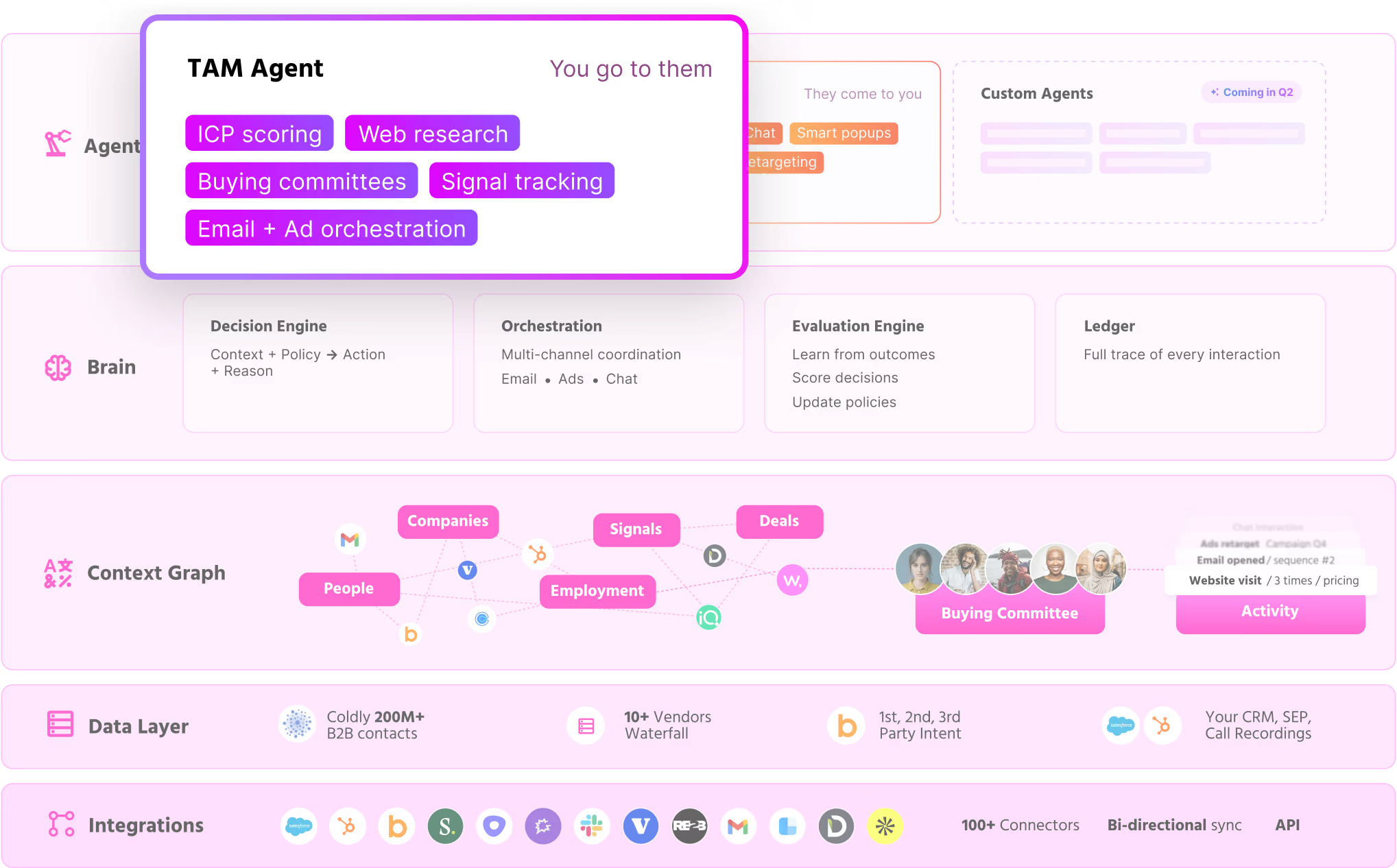
Warmly's scoring uses what we call the Compound Score, a 7-dimension framework that goes beyond "who's likely to buy" to answer "where should the AI spend effort next." The seven dimensions: Fit, Intent, Engagement, Committee Penetration, Activity Saturation, Recency & Decay, and Cost Efficiency.

The Activity Saturation dimension is what makes it different. If your team already emailed the entire buying committee, sent LinkedIn messages, and ran ads on an account, the score drops. Not because they're less likely to buy, but because there's no productive work left. The AI moves to accounts where effort creates value.

Features

  • Website intent signals identify anonymous visitors at the person level, not just company level
  • TAM Agent classifies every account as Tier 1, Tier 2, or Not ICP with transparent AI reasoning that shows WHY
  • Buying committee mapping across 220M+ contacts with 4-persona identification (Decision Maker, Champion, Influencer, Approver)
  • Real-time scoring updates in minutes. A VP on your pricing page at 2pm gets a personalized AI Chat response at 2pm
  • Automated action from scores: email sequences, LinkedIn outreach, AI Chat engagement, Slack alerts to reps, ad audience targeting. The score doesn't sit in a dashboard. It triggers the next move
  • AI SDR agents that research, write, and send personalized outreach based on the Compound Score

Integrations

Warmly integrates with a wide range of CRMs and sales platforms:

  • HubSpot CRM
  • Salesforce
  • Slack
  • Apollo
  • Outreach
  • Demandbase
  • RB2B
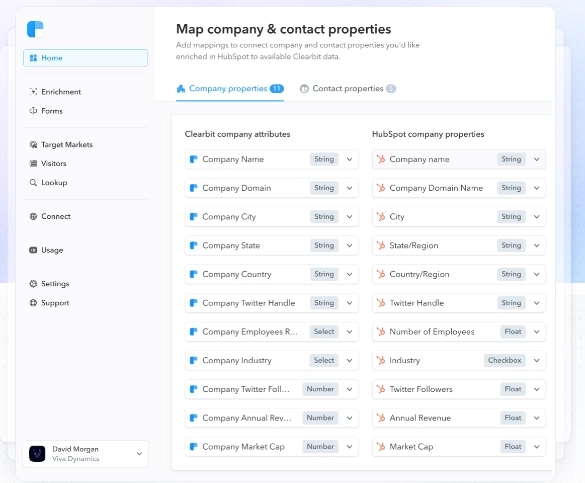
  • Clearbit
  • People Data Labs
  • Bombora (buyer intent)
  • OpenAI
  • And more

Warmly also provides the Warm Bundle: partner discounts for over 25 sales, marketing, and GTM tools, so you can access complementary tools at a fraction of their usual price.

Pricing

Warmly's pricing is modular and component-based. You pick the package that matches your GTM motion.

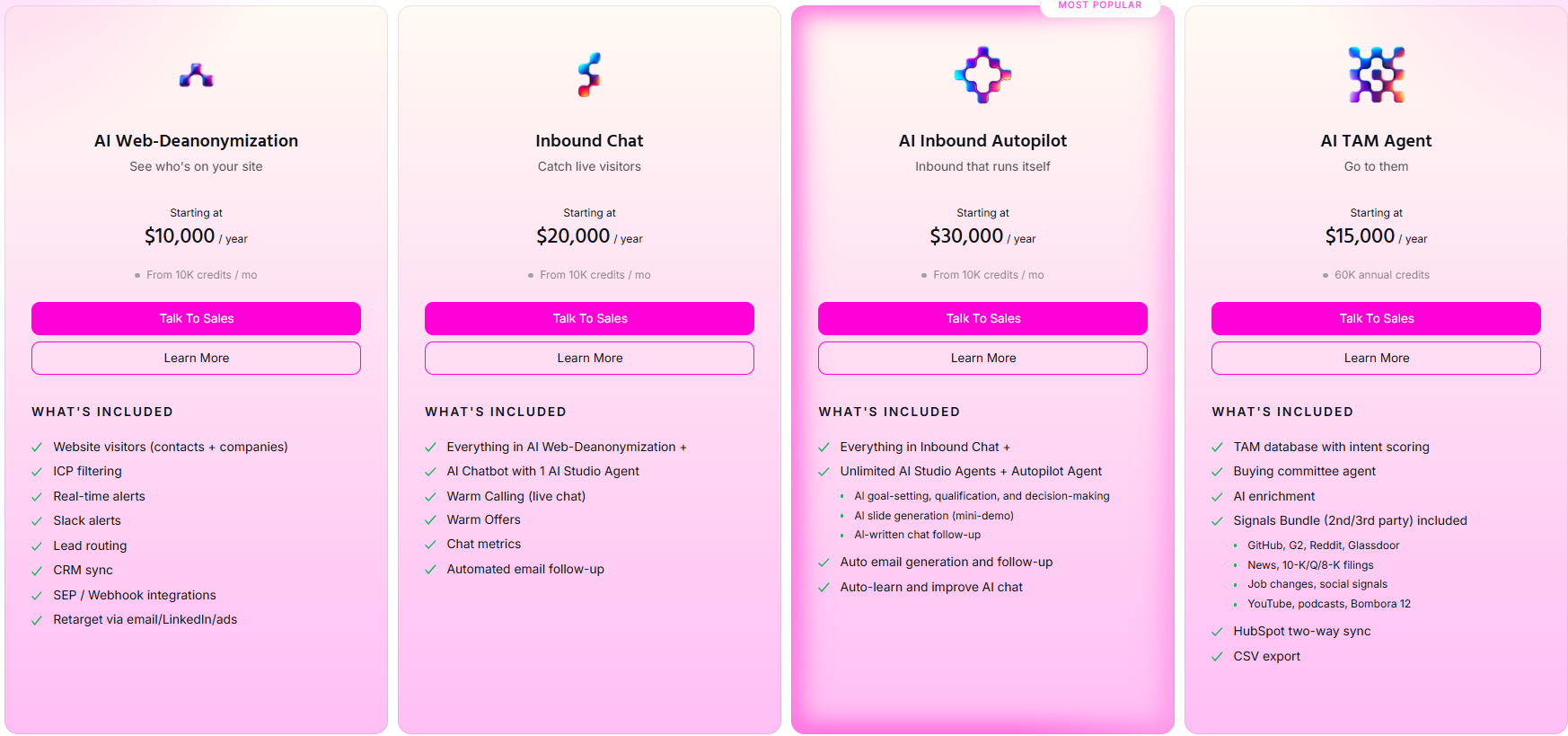
  • TAM (from $15,000/yr): ICP modeling, account scoring, buying committee identification, intent signal tracking, CRM integration
  • Inbound (from $30,000/yr): Everything in TAM + AI Chat, visitor identification, live engagement, lead routing, inbound conversion workflows
  • Full GTM: Custom pricing for full-stack orchestration including outbound automation, email/LinkedIn sequences, and autonomous GTM agents

Traffic-based pricing, not per-seat. Ideal for mid-market companies with a growing GTM motion.

See full pricing →

Pros & Cons

✅ Identifies companies AND individuals visiting your website

✅ Enriches each lead with B2B intelligence and multi-source intent data

✅ Score triggers autonomous action (email, LinkedIn, chat, ads, routing)

✅ 7-dimension Compound Score goes beyond conversion prediction to action-readiness

✅ Buying committee mapping with 220M+ contacts

✅ Results: 18,000 accounts → 44 high-intent targets after ICP scoring. 43% of attributable pipeline from AI-orchestrated touches. 11% LinkedIn Ads CTR when targeting scored buying committees (vs 0.4-0.6% average)

❌ No call recording or conversation intelligence (use Gong or Sybill for that)

❌ No pipeline forecasting from scores

Lead enrichment waterfalls are strong, but Clay wins on custom multi-vendor complexity

❌ If you need Salesforce-native everything, Einstein is the safer bet


2. HubSpot Predictive Lead Scoring - Best CRM-Native Scoring

2. HubSpot

If you're a HubSpot shop and don't want to add another tool, this is the path of least resistance.

Features

  • ML analyzes thousands of data points from your HubSpot CRM: email interactions, website visits, form submissions, deal history
  • Calculates a "Likelihood to Close" score showing conversion probability within 90 days
  • Supports up to 25 separate scoring systems for different segments
  • Can run traditional point-based and predictive scoring simultaneously
  • Zero implementation friction if you're already on HubSpot

Pricing

Predictive lead scoring requires Sales Hub Professional or higher:

  • Sales Hub Professional: $90/seat/mo (includes predictive scoring, sequences, automation)
  • Sales Hub Enterprise: $150/seat/mo (adds custom objects, predictive forecasting, advanced permissions)
  • Per-seat pricing. A 10-person sales team = $900-$1,500/mo before you add Marketing Hub

Pros & Cons

✅ Zero setup friction if you're already on HubSpot

✅ Up to 25 separate scoring models for different segments

✅ Can run traditional + predictive scoring simultaneously

✅ Deep CRM integration. Scores live where reps already work

❌ Lead-level only. No account-level or buying committee scoring

❌ Score doesn't trigger autonomous action. It updates a field. What happens next is on you

❌ Per-seat pricing gets expensive fast for growing teams

❌ Scores update within hours, not minutes. Miss the real-time window


3. Salesforce Einstein Lead Scoring - Best Enterprise AI Scoring

3. Salesforce

The enterprise default. If your company runs on Salesforce and you need scoring that doesn't require a separate vendor approval process, Einstein is it.

Features

  • AI analyzes historical sales data and compares converted leads against current pipeline
  • Scores refreshed at least every 6 hours. If a lead attribute changes, re-scored within the hour
  • Models retrain every 10 days based on new data
  • Deep Salesforce ecosystem integration (flows, reports, dashboards)
  • Account fields available for partial account-level scoring
  • Agentforce (emerging) adds AI agent capabilities on top of scoring

Pricing

Salesforce overhauled its tier names in 2025-2026:

  • Enterprise: $175/user/mo (annual). AI can be added at this tier
  • Unlimited: $350/user/mo (annual). Includes Predictive AI (lead scoring), conversation intelligence, sales engagement
  • Agentforce 1 Sales: $550/user/mo (annual). Full AI suite with unmetered Agentforce agents

Predictive lead scoring (the Einstein scoring engine) requires Unlimited tier ($350/user/mo) or Enterprise ($175) with an AI add-on. Enterprise implementations typically run $50K-$200K+ in total cost including setup and admin time

Pros & Cons

✅ Deep Salesforce ecosystem. Scores flow into Flows, reports, dashboards natively

✅ Models retrain automatically every 10 days

✅ Massive ecosystem of consultants and integrators if you need help

✅ Account-level fields available for partial account scoring

❌ Every 6 hours is not real-time. A hot signal at 9am might not update until 3pm

❌ Complex setup. Plan 4-8 weeks with a Salesforce admin

❌ Expensive at scale. $175-$350/user/mo depending on tier

❌ No native intent data. You need Bombora, G2, etc. piped in separately


4. 6sense - Best Enterprise ABM + Intent Scoring

4. 6sense

The heavyweight for enterprise ABM. If you're spending $100K+ on go-to-market tooling and need deep intent data with account-level orchestration, 6sense is the most comprehensive option.

Features

  • Account-level predictive scoring that detects buying stages: researching, considering, ready-to-buy
  • Deep third-party intent signal tracking across the web
  • Buying committee identification at the account level
  • Strong ABM orchestration for targeting and ad campaigns
  • Evaluates: webpage visits, media consumption, demo requests, collateral downloads, event participation, form submissions

Pricing

Enterprise custom pricing:

  • 6sense Free: Limited account identification and intent data
  • 6sense Team: Starting around $25K/yr (basic intent + account identification)
  • 6sense Growth: $50K-$75K/yr (predictive scoring, ad targeting, orchestration)
  • 6sense Enterprise: $75K-$100K+/yr (full platform with advanced AI, custom models)
  • Average contract value is ~$124K/yr according to Vendr data

Pros & Cons

✅ Deepest third-party intent data in the market

✅ Buying stage detection (researching → considering → ready-to-buy) is genuinely useful

✅ Account-level scoring built for enterprise ABM from the ground up

✅ Strong ad targeting and ABM orchestration capabilities

❌ Expensive. $25K-$100K+/yr puts it out of reach for most mid-market teams

❌ Company-level identification only. No person-level visitor ID

❌ Long implementation: 8-16 weeks. Some enterprises report longer

❌ Analytics-focused, not action-focused. Strong on insight, weaker on automated execution

For detailed comparison: Warmly vs 6sense | 6sense alternatives


5. MadKudu - Best for Transparent "Glass Box" Scoring

5. MadKudu

If your team's biggest problem is that reps don't trust the score, MadKudu solves it. Their "glass box" approach shows exactly which signals drove the number.

Features

  • Dual scoring model: fit (firmographics, role, industry) + intent (behavioral signals, product usage)
  • Full transparency on why each lead scored the way it did. Reps see the reasoning, not just the number
  • Strong for PLG companies. MadKudu found that 50% of conversions come from leads that traditional models wouldn't flag as top-tier. That's a diagnostic worth running on your own data
  • Native integrations with Salesforce, HubSpot, Marketo, Segment
  • Pushes scores directly into workflows your team already uses

Pricing

MadKudu doesn't publish prices. Custom quotes based on volume:

  • Estimated starting price: ~$999/mo based on review sites
  • Enterprise plans scale with lead volume and number of models
  • Book a demo for a quote

Pros & Cons

✅ Best-in-class explainability. Reps see exactly WHY each lead scored high or low

✅ Dual fit + intent model catches leads other tools miss

✅ 50% non-obvious lead insight: great diagnostic for validating your ICP assumptions

✅ Strong PLG and inbound focus

❌ No native intent data. You bring your own (Bombora, G2, etc.)

❌ No autonomous action. Scores update, but MadKudu doesn't trigger outreach natively

❌ Custom pricing means no quick self-serve evaluation

❌ Less suited for pure outbound motions


6. Clay - Best for Custom Enrichment-Powered Scoring

6. Clay

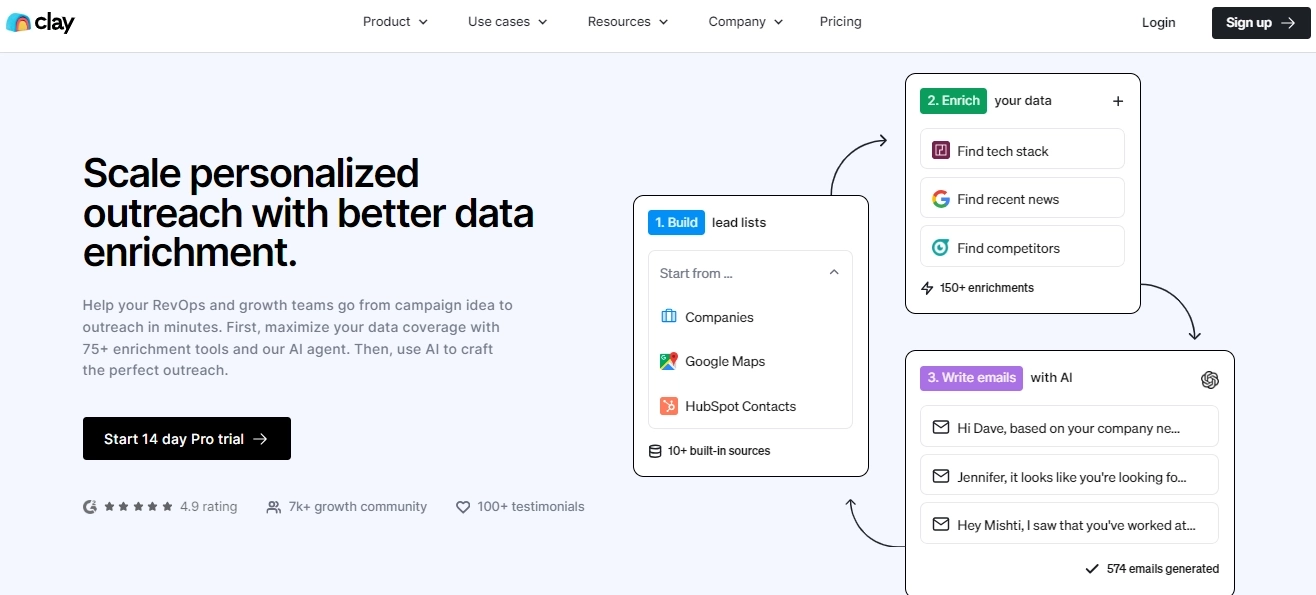
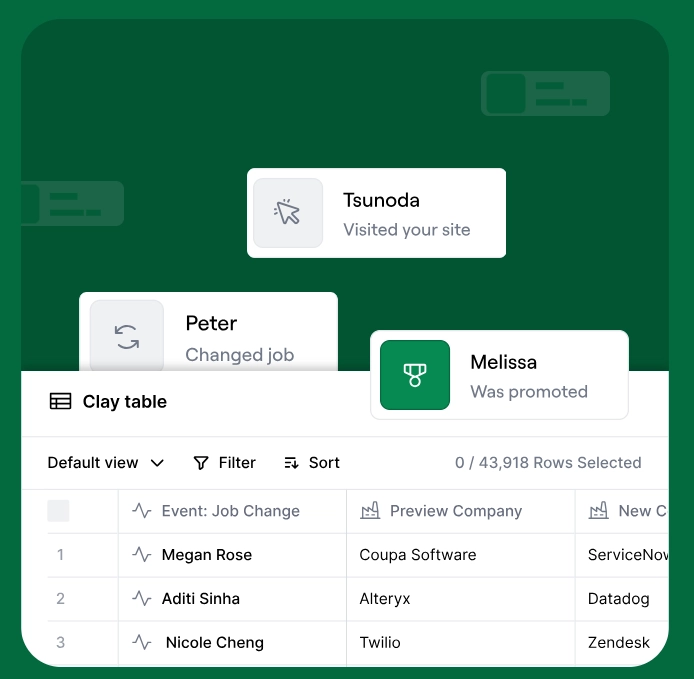
Clay isn't really a scoring tool. It's a spreadsheet with 150+ data provider integrations that lets you build custom scoring formulas on enriched data. That's a strength and a limitation.

Features

  • Access to 150+ data providers via waterfall enrichment. When one source fails, it queries the next. Doubles or triples match rates
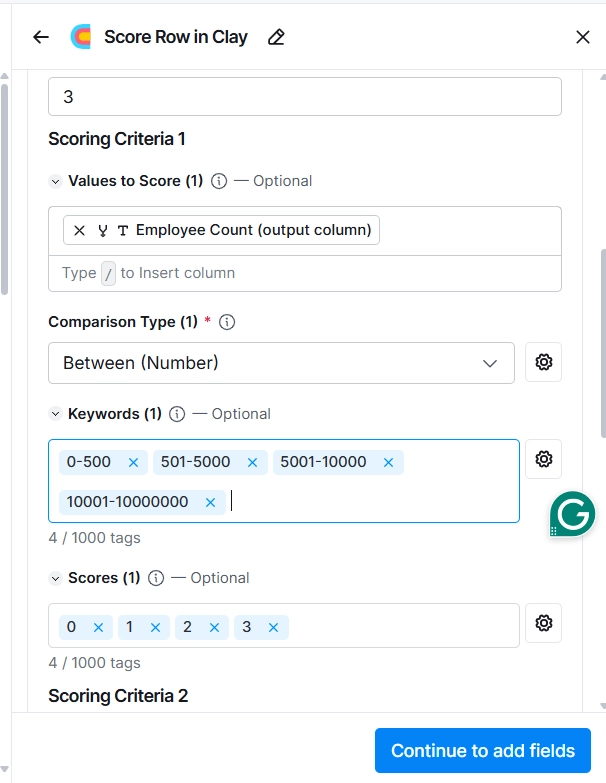
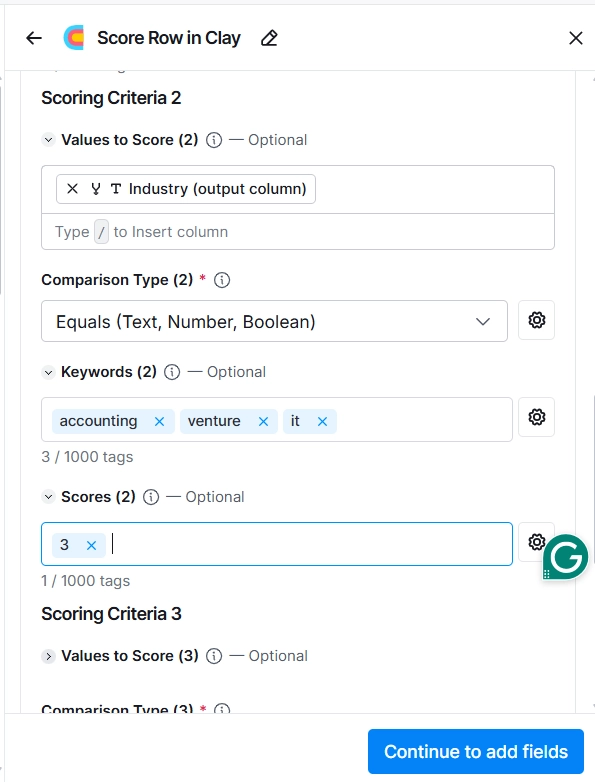
  • Formula columns let you build any scoring model you want: employee count weights, funding stage multipliers, tech stack bonuses, title seniority scores
  • Highly flexible. If you can describe the scoring logic, you can build it in Clay
  • Great for teams with a GTM engineer who wants full control
  • $1.25B valuation after 6x growth in 2024. The community is real

Pricing

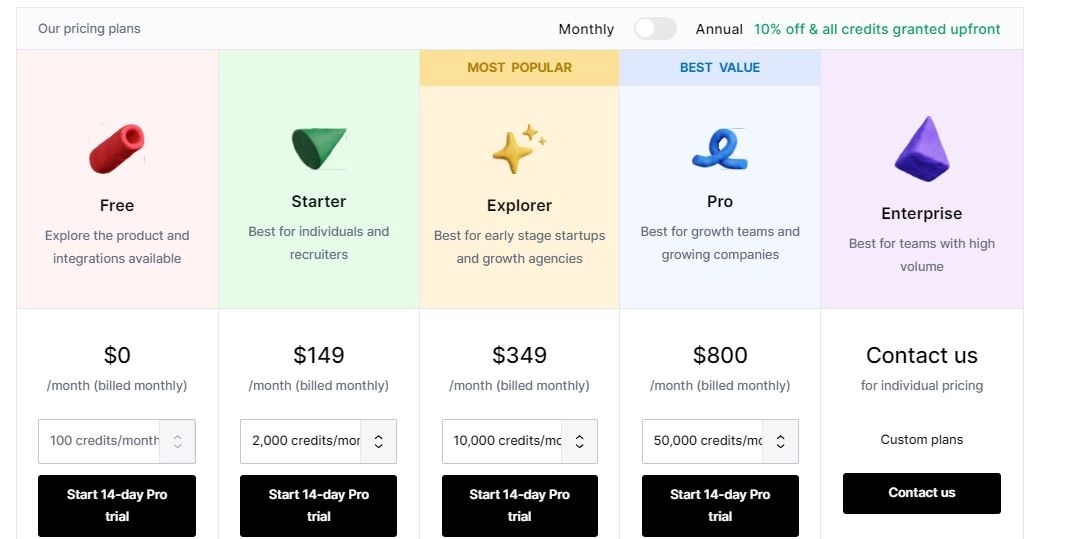
  • Free: 500 actions/mo, 100 data credits/mo, unlimited seats and tables
  • Launch: $54/mo (annual) or $167/mo (monthly). 15,000 actions/mo, 2,500 data credits/mo, phone enrichment, job change signals
  • Growth: $185/mo (annual) or $446/mo (monthly). 40,000 actions/mo, 6,000 data credits/mo, CRM auto-sync, webhooks, web intent signals
  • Enterprise: Custom pricing. 100,000+ actions, unlimited audiences, data warehouse syncs, SSO

Credits are consumed per enrichment action. Data credits start at $0.05 each. Heavy scoring workflows burn through credits fast

Pros & Cons

✅ 150+ data providers via waterfall enrichment. Best-in-class data access

✅ Fully customizable scoring formulas. Build exactly what you want

✅ Affordable entry point for teams that want to DIY

✅ Strong community and templates for common scoring workflows

❌ It's a spreadsheet, not a system. Requires 5-10 hours/week of manual maintenance

❌ Batch processing with 30-minute delay. Not real-time

❌ No buying committee mapping or account-level scoring

❌ No action integration. You need Outreach, HeyReach, etc. for sequencing

For comparison: Clay alternatives


7. Demandbase - Best for ABM Buying Group Scoring

7. Demandbase

Demandbase pioneered the concept of Marketing Qualified Accounts (MQAs) over individual MQLs. If your GTM is heavily account-based with long enterprise sales cycles, this is purpose-built for that motion.

Features

  • Scores entire buying committees, not just individual leads. This is the right approach for enterprise B2B
  • Buying stage identification with journey mapping
  • Deep intent signal tracking combined with firmographic fit
  • Fivetran case study: 121% increase in in-market account engagement after implementing Demandbase scoring
  • Strong ABM orchestration: ad targeting, personalization, CRM sync

Pricing

Enterprise custom pricing:

  • Demandbase One: Starting around $25K/yr for core platform
  • Full ABM suite: $50K-$75K+/yr depending on modules (advertising, personalization, analytics)
  • Custom pricing based on account volume, data needs, and modules selected

Pros & Cons

✅ Pioneers of MQA (Marketing Qualified Account) concept. Account-level scoring done right

✅ Buying committee scoring is a core feature, not an afterthought

✅ Fivetran case study: 121% increase in-market engagement. Real proof

✅ Strong ABM orchestration for ad targeting and personalization

❌ Enterprise pricing. $25K-$75K+/yr is out of reach for most mid-market

❌ Complex setup. Not a tool you configure in an afternoon

❌ Weaker on execution. Great at identifying and scoring, less strong on autonomous outreach

❌ No person-level visitor identification


8. Apollo - Best Data + Scoring for Outbound

8. Apollo

Apollo is primarily a sales intelligence and outreach platform, but its scoring capabilities have gotten strong enough to mention. Especially for outbound-heavy teams that want data and scoring in one tool.

Features

  • Large contact database (275M+ contacts, 73M+ companies) with built-in scoring
  • Engagement-based scoring: tracks email opens, replies, meeting bookings, website visits
  • Firmographic scoring on enriched company data
  • AI-powered prospecting surfaces right personas and buying signals
  • Built-in sequencing. Score triggers outreach in the same platform. No integration needed

Pricing

  • Free plan: 900 credits/user/year, 25 record selection limit, 2 sequences, 1 intent topic
  • Basic: $49/user/mo (annual). 30,000 credits/user/year, 1,000 record limit, unlimited sequences, 6 intent topics
  • Professional: $79/user/mo (annual). 48,000 credits/year, 2,500 record limit, A/Z testing, unlimited mailboxes
  • Organization: $119/user/mo (annual, min 3 users). 72,000 credits/year, 10,000 record limit, 12 intent topics

All plans are per-user. A 10-person team on Professional = $790/mo.

Pros & Cons

✅ 275M+ contact database with scoring built in. Data + scoring + outreach in one tool

✅ Generous free tier for testing before committing

✅ Built-in sequencing means score → outreach happens in one platform

✅ Solid analytics for optimizing campaigns

❌ Scoring is secondary to the data product. Less sophisticated ML than dedicated tools

❌ No third-party intent data integration (Bombora, G2, etc.)

❌ No buying committee mapping or account-level scoring

❌ Data quality varies by segment. Some users report accuracy issues


9. ActiveCampaign - Best Budget-Friendly Scoring Automation

9. ActiveCampaign

If you're a smaller team that needs lead scoring without enterprise complexity or pricing, ActiveCampaign is the pragmatic choice. It won't blow your mind. It also won't break your budget.

Features

  • Point-based scoring with automation triggers. Simple but functional
  • Predictive scoring layer that adds ML on top of your manual rules
  • Hybrid approach: combine your human judgment (point-based rules) with machine learning
  • Strong email automation integration. Score → trigger → send happens natively
  • Contact and deal scoring available in most plans

Pricing

Prices below are for 1,000 contacts, billed annually. Scales up with contact volume.

  • Starter: $15/mo (1 user, basic automation, limited segmentation)
  • Plus: $49/mo (1 user, unlimited automations, standard CRM integrations, landing pages)
  • Pro: $79/mo (3 users, advanced segmentation, attribution tracking, predictive content)
  • Enterprise: $145/mo (5 users, custom objects, SSO, premium CRM integrations, dedicated account team)

Lead scoring is available as an add-on (Enhanced CRM / Pipelines) across all tiers, not locked to a specific plan. 14-day free trial. Prices increase significantly with contact volume.

Pros & Cons

✅ Most affordable scoring option on this list. $49/mo to get started

✅ Hybrid point-based + predictive. Use human rules AND machine learning together

✅ Native email/SMS automation. Score → trigger → send in one platform

✅ Simple enough for non-technical teams to configure

❌ SMB-focused. ML is less sophisticated than HubSpot or Einstein

❌ No intent data integration. Only scores on in-platform behavior

❌ No buying committee scoring. Individual leads only

❌ Not built for B2B enterprise sales cycles


10. Keyplay - Best ICP Scoring for Outbound Teams

10. Keyplay

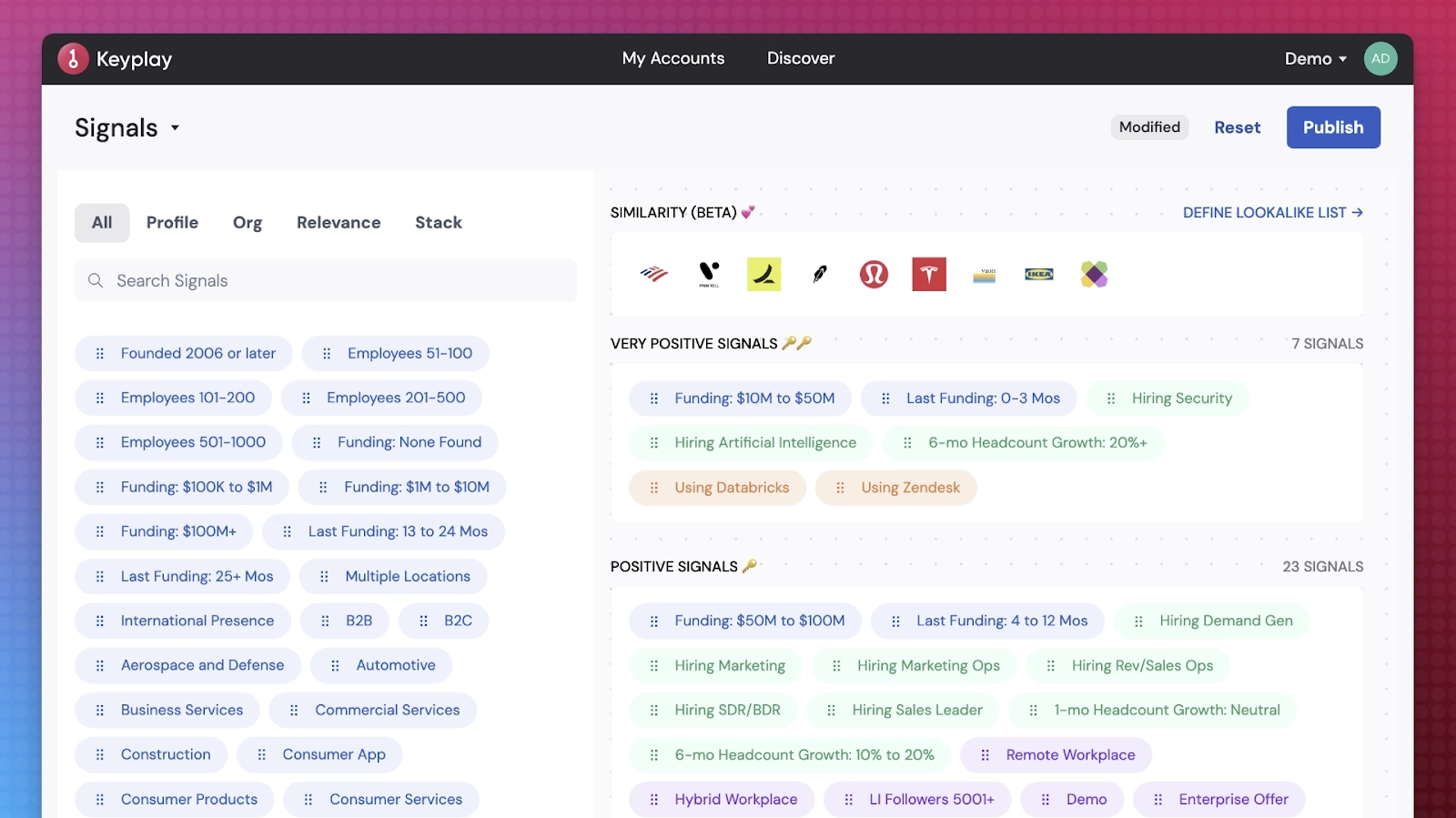
Keyplay is a niche tool focused on one thing: scoring companies against your ICP definition. Not leads. Not buying committees. Companies. If your main question is "which of these 10,000 accounts should my outbound team work first?" Keyplay answers it.

Features

  • Custom ICP scoring models using signals you define: tech stack, hiring trends, funding, employee growth, web traffic
  • "AI Lookalike" scoring: upload your best customers and find accounts that match the pattern
  • Signal-based scoring that goes beyond basic firmographics into behavioral and market signals
  • Clean UI designed for RevOps teams building target account lists
  • Custom signal configuration for your specific industry

Pricing

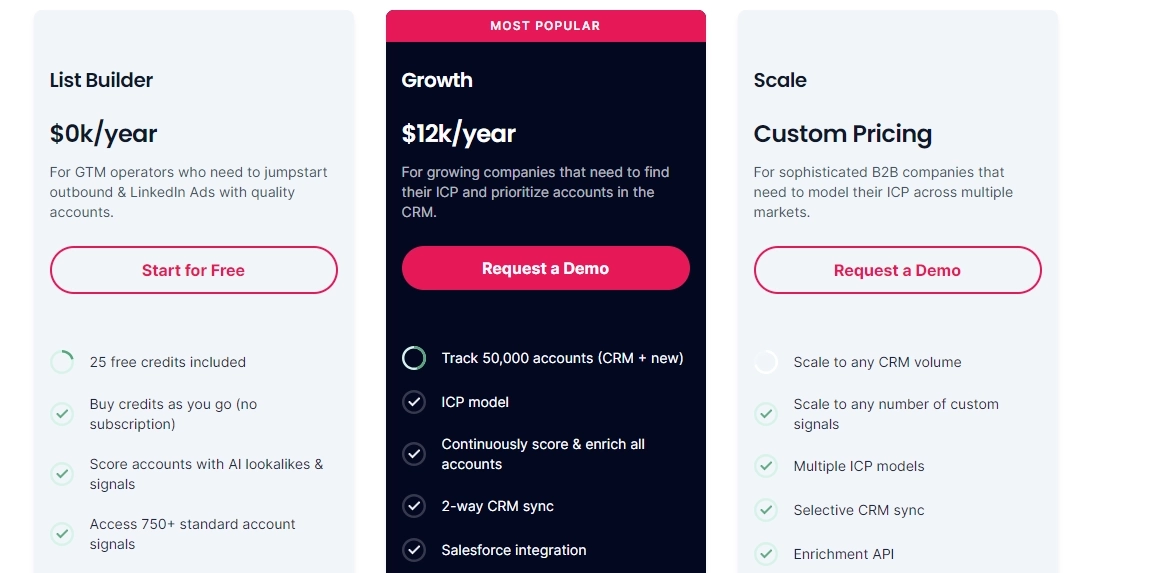
  • Test Drive: Free. AI Lookalike scoring, firmographics, 25 account preview, CSV export. No AI agents or CRM integrations
  • ICP Modeling: $20,000/yr. AI agents, continuous scoring and enrichment, backtested ICP models, 750+ scoring signals, Salesforce or HubSpot integration, 75K tracked accounts
  • Full-Service ICP + Intent: Custom pricing. Multiple ICP models, intent scoring, intent API, enrichment API, dedicated CSM

Annual or bi-annual billing. Credits-based: 1-5 credits per enrichment depending on agent settings.

Pros & Cons

✅ Highly customizable ICP scoring. Define exactly what signals matter for your business

✅ AI Lookalike finds accounts that match your best customers

✅ Nuanced signals: hiring trends, tech stack, accounting software, recruiting activity

✅ Clean, RevOps-friendly interface

❌ Company-level only. No person-level scoring or contact signals

❌ Batch processing, not real-time

❌ No buying committee identification or mapping

❌ No outreach or action integration. Exports to CRM or spreadsheet

❌ Only integrates with HubSpot and Salesforce


How to Choose: Which Tool Fits Your GTM?

Don't start with features. Start with your situation.

By company size

Startup (1-10 reps, <$2K/mo budget): Start with Apollo (free tier with 900 credits/yr), ActiveCampaign ($15/mo + scoring add-on), or Clay (free plan). You need scoring that works without a dedicated ops person configuring it. Avoid 6sense and Demandbase. They're enterprise tools with enterprise prices and enterprise implementation timelines.

Mid-market (10-50 reps, $2K-$10K/mo budget): Warmly ($15K-$30K/yr) or HubSpot Predictive (if you're already a HubSpot shop) are the sweet spot. If you need custom enrichment workflows, add Clay. MadKudu if you're PLG with high inbound volume.

Enterprise (50+ reps, $10K+/mo budget): 6sense, Demandbase, or Salesforce Einstein depending on your stack. Add Warmly if you want real-time scoring connected to autonomous action on top of your ABM platform.

By existing stack

Your CRM Best Scoring Tool Why
HubSpot HubSpot Predictive or Warmly Native integration. Warmly adds real-time + buying committee
Salesforce Einstein or Warmly Einstein is native. Warmly adds signal layering + autonomous action
Neither / early stage Warmly or Apollo Don't buy a CRM just for scoring. Start with tools that score independently

By GTM motion

Motion Best Tool Why
Inbound-heavy Warmly or HubSpot Real-time scoring on website visitors. Inbound conversion from signals
Outbound-heavy Apollo or Keyplay + Warmly Apollo for data + sequences. Keyplay for ICP targeting. Warmly for signal-triggered outbound automation
ABM 6sense or Demandbase Built for account-level orchestration. Add Warmly for person-level ID + real-time action
Product-led growth MadKudu or HubSpot PQL scoring from product usage. MadKudu's 50% non-obvious lead insight is worth the price alone
Full-funnel Warmly Only tool that scores across all 7 dimensions (Fit, Intent, Engagement, Committee, Saturation, Recency, Cost) and triggers action

What to Look for in Any AI Lead Scoring Tool

Before you commit, evaluate against these six criteria. They matter more than the feature checklist on a vendor's website.

1. Scoring approach: prediction vs action-readiness Does the tool predict who might buy? Or does it tell you where to spend effort? The best tools do both. The Compound Score methodology layers intent signals with activity tracking to answer both questions.

2. Speed: real-time vs batch How fast does the score update when a signal fires? If a VP visits your pricing page at 2pm, does your team know by 2:05pm or by tomorrow morning? 78% of customers buy from the first company that responds. Speed-to-lead is the single highest-ROI lever in scoring.

3. Scope: individual vs account vs buying group B2B deals involve 6-13 stakeholders. A tool that only scores individuals misses the buying committee assembling. Look for tools that track committee penetration: how many stakeholders are engaged, in what roles, how far through the journey each one is.

4. Explainability: glass box vs black box If reps can't see WHY a lead scored 87, they won't trust it. The best tools show: "VP title (+15), pricing page 3x this week (+25), Bombora surge (+20), 2 buying committee members (+15), ICP Tier 1 (+12)." Black box scores get ignored.

5. Action integration: score → action or score → dashboard? A score sitting in Salesforce doesn't generate pipeline. The score should trigger: routing to the right rep, email sequences, LinkedIn outreach, AI Chat engagement, ad audience updates. Score → surface → act. That's the loop.

6. Learning: static vs self-improving Does the model retrain on outcomes? When high-scoring leads don't close, does the system adjust? The best AI sales automation tools get smarter every week through feedback loops. Static models drift and degrade.


Frequently Asked Questions

What is the best AI lead scoring tool?

It depends on your GTM motion and budget. For full-funnel signal-layered scoring with real-time action: Warmly (from $15K/yr). For CRM-native scoring in HubSpot: HubSpot Predictive ($90-$150/seat/mo). For enterprise ABM: 6sense ($25K-$100K+/yr). For transparent models with PLG focus: MadKudu (~$999+/mo). For custom enrichment scoring: Clay (from $54/mo annual).

How much do AI lead scoring tools cost?

Budget options start at $15/mo (ActiveCampaign Starter) with scoring as an add-on. Mid-market platforms run $15K-$30K/yr (Warmly) or $90-$150/seat/mo (HubSpot). Enterprise ABM platforms cost $25K-$100K+/yr (6sense, Demandbase). The hidden cost is implementation and data cleanup, not the tool itself.

Can I use my CRM's built-in lead scoring instead of a separate tool?

HubSpot and Salesforce Einstein both offer built-in scoring. For teams already on those platforms, it's a reasonable starting point. The limitation: CRM scoring only sees CRM data. It misses third-party intent signals, anonymous website visitors, buying committee assembly, and real-time behavioral patterns that happen outside the CRM.

What's the difference between lead scoring and lead grading?

Lead scoring measures behavioral engagement (what they do). Lead grading measures demographic/firmographic fit (who they are). Most modern AI scoring combines both. The Compound Score framework goes further by adding committee penetration, activity saturation, and recency decay.

How long does it take to implement AI lead scoring?

Depends on the tool. Warmly: 1-2 weeks for basic scoring, 4-6 weeks for full Compound Score. HubSpot Predictive: turn it on if you have clean CRM data. Salesforce Einstein: 4-8 weeks with admin support. 6sense/Demandbase: 8-16 weeks for enterprise implementation. The biggest variable is your data quality, not the tool.

Do I need a lot of data for AI lead scoring to work?

Minimum viable: 500 contacts with win/loss outcomes and 3 months of behavioral data (HubSpot's threshold). More data = better model. But don't wait for perfect data. Start with what you have, and the model improves as new outcomes come in. Some tools (like MadKudu) can work with smaller datasets by analyzing product usage patterns instead of CRM history.

What should I look for in AI lead scoring software?

Six things: scoring approach (predictive vs action-readiness), speed (real-time vs batch), scope (individual vs account vs buying group), explainability (can reps see WHY?), action integration (does the score trigger workflows?), and learning (does it self-improve from outcomes?). See the "What to Look For" section above for full details on each.

Is there a free AI lead scoring tool?

Several tools offer free tiers: Apollo (900 credits/yr), Clay (500 actions + 100 data credits/mo), Keyplay (Test Drive with 25 account preview), and ActiveCampaign (14-day trial). Free plans work for testing but have significant limitations for production use. Most B2B teams outgrow them within a month.

Which AI lead scoring tool has the best ROI?

ROI depends on your situation, but tools that connect scoring to automated action consistently show higher returns. A score that triggers immediate outreach, routing, and AI Chat engagement converts better than a score that sits in a CRM field. The 138% ROI stat (vs 78% without scoring) comes from companies that act on scores, not just generate them.

What's the difference between AI lead scoring and predictive lead scoring?

Predictive lead scoring is a subset of AI lead scoring that uses ML trained on historical data to forecast conversion probability. AI lead scoring is broader. It includes predictive models plus real-time intent signals, behavioral scoring, buyer intent tracking, and autonomous action triggers. The Compound Score adds dimensions like activity saturation and buying committee penetration that predictive models alone miss.

Can AI lead scoring identify anonymous website visitors?

Some tools can, most can't. Warmly identifies anonymous website visitors at the person level (not just company level) and scores them in real time. 6sense and Demandbase identify at the company level. HubSpot, Einstein, MadKudu, and ActiveCampaign can only score visitors who've already identified themselves through forms or cookies.

How often should I recalibrate my lead scoring model?

Monthly reviews of score-to-conversion rates. Quarterly full recalibration. If conversion rates in your "high score" band drop below expectations for 30+ days, the model has drifted. Some tools (Einstein, Warmly) retrain automatically. Others require manual updates. Without recalibration, scoring models degrade over time as your market, ICP, and buyer behavior change.


10 Best Lead Prospecting Tools & Software [2026]

10 Best Lead Prospecting Tools & Software [2026]

Time to read

Chris Miller

The right prospecting tool can streamline lead generation, automate outreach, and give your team the insights they need to start conversations that convert.

In this guide, I’ll cover the 10 best lead prospecting solutions designed to help you identify high-quality leads, personalize engagement, and keep your pipeline full.

TL;DR

  • Warmly offers the best lead prospecting software with its website visitor de-anonymization, person-level 1st/2nd/3rd-party intent signals, AI-powered orchestration, and live engagement features.
  • Enterprise tools like ZoomInfo and Cognism are ideal for large teams that need comprehensive, compliant B2B data and deep enrichment.
  • On the other hand, there are tools like Reply and Outplay that can help you scale multichannel outreach with AI-driven personalization and sequence automation.

Before we get started, I want to go over the key factors to consider when evaluating lead prospecting software:

What are the factors to consider when evaluating lead prospecting tools?

The main factors to consider when buying a lead prospecting tool are its data quality & coverage, the level of automation and workflow support, enrichment & personalization capabilities, and how well it integrates with your existing sales tech stack.

Let’s dive deeper into each one of them: ⬇️

#1: How good and broad is the contact & company data?

I believe that the single biggest limiter for any prospecting tool is the underlying data.

If the emails are stale or coverage misses your target industries, nothing else matters. 

If I were you, I’d check freshness, verification rates, and deduplication logic, plus whether they provide both contact-level (email, phone, role) and company-level (revenue, employee count, HQ) fields. 

➡️ I’d also test samples for your top ICPs and geographies to see the platform’s accuracy.

#2: What level of automation, sequencing, and list-building workflow do you need?

Next up, you want to figure out how much prospecting you want the tool to automate:

  • Building lists.
  • Running outreach cadences.
  • Turning replies into tasks.
  • Creating follow-up reminders. 

If I were you, I’d look for multi-channel sequences, A/B testing for messaging, and automation rules that prevent duplicate outreach or over-mailing the same account.

💡 Pro Tip: Make sure that the automations are controllable and transparent so reps can override when needed.

#3: How strong are enrichment, intent signals, and personalization capabilities?

Beyond raw contacts, the best enrichment tools give you contextual signals to prioritize and personalize outreach: intent data, recent funding, hiring events, technographic indicators, and activity on your site. 

➡️ Useful enrichment includes job history, decision-maker flags, and firmographic segments, while useful intent includes surge alerts and topic-based interest scoring. 

#4: How well does it integrate with your existing tech stack?

A prospecting tool must seamlessly fit into your sales and marketing tech stack (e.g., CRM, sales engagement, marketing automation) with reliable syncs or APIs, updates, and clear ownership of who owns the “golden record.” 

➡️ Pro Tip: You can also use an iPaaS (e.g., Workato or Tray.io) to “glue” your lead prospecting tool together with your sales stack, which will help you reduce brittle point-to-point integrations.

What are the best lead prospecting tools on the market in 2026?

The best lead prospecting platforms include Warmly with its website visitor de-anonymization, revenue orchestration capabilities, and 1st, 2nd, and 3rd party intent signals, as well as Cognism and ZoomInfo.

Here’s a breakdown of each solution:

ToolUse CasePriceWarmlySignal-based revenue orchestration: visitor de-anonymization, intent signals, AI SDR/chat, live engagement.AI Data Agent: from $10,000/yr; AI Inbound Agent: from $16,000/yr; AI Outbound Agent: from $22,000/yr.CognismGDPR-compliant European B2B data with verified dials and intent signals.Platinum & Diamond plans, custom pricing.ZoomInfoEnterprise-grade B2B prospecting with a large US contact database and AI insights.Sales, Talent, Marketing plans: all custom pricing (12-month contracts).LushaQuick contact enrichment with verified emails/phones for small teams.Free (40 credits, 1 user); Pro: from $22.45/mo; Premium: from $52.45/mo; Scale: custom pricing.ReplyProspect discovery plus AI-powered multi-channel outreach automation.AI SDR Starter: from $500/mo; Growth: from $2,500/mo; Enterprise: from $15,000/mo.UnifyGTMGTM orchestration layer: aggregates intent signals, AI research agents, automated outbound.Growth: $700/mo (30k credits); Pro: custom; Enterprise: custom.SalespanelWebsite & product behavior tracking with real-time scoring and lead routing.Customer Data Platform: from $99/mo; Account Reveal: from $99/mo; Custom pricing available.BomboraPrivacy-compliant B2B intent data (Company Surge) for account prioritization.Custom pricing only.DealfrontGDPR-compliant B2B prospecting with EU-focused data and website visitor ID.Free plan (100 visitors); Paid visitor ID: from €165/mo; Sales intelligence: custom pricing.OutplayMultichannel outreach (email, calls, SMS) with AI personalization.Starter: from $49/seat/mo; Growth: $99/seat/mo; Growth Plus: $159/seat/mo; Sales Agency: $224/seat/mo.

#1: Warmly

Warmly offers the best lead prospecting tool on the market because it de-anonymizes your website visitors, enriches them with person-level intent signals, and then combines that data with AI-powered orchestration, automation, and live engagement tools.

Our platform ensures your sales reps reach the right buyers at the right time with personalized, relevant outreach.

Disclosure: Even though Warmly is our tool, I’ll provide an unbiased perspective on why Warmly offers the best lead prospecting platform in 2026.

Warmly is a signal-based revenue orchestration solution that lets you:

  • Identify your website visitors (~60% of companies and ~15% of contacts).
  • Reveal which visitors are hot and most likely to convert right now.
  • Gain insights into prospects so that your SDRs can tailor their outreach accordingly.
  • Automate essential sales processes on top of buying intent signals.

Let’s look at some features that make Warmly so popular among GTM teams:

Feature #1: Identifies both companies and individual contacts visiting your website

Warmly lets you maximize your website’s lead generation potential by identifying the companies and individuals visiting it.

All you have to do is add a snippet of Warmly’s code to your website, and the sales intelligence software will start revealing your visitors in minutes.

In addition to essential company and individual-level identification, Warmly will also enrich your visitors’:

  1. Contact data (email address, phone number, social media profiles, etc.).
  2. Firmographics (company location, size, funding, etc.).
  3. Demographics (individual names, job positions, etc.).
  4. Technographics (tools and software a company uses).

Our visitor identification tool optimizes our data through a waterfall approach.

Warmly uses multiple data providers (20+), including 2 other leading website de-anonymization providers to validate the accuracy, quality & overall match rate of our signal & contact data.

This leads to:

  • Higher data quantity: Multiple sources expand match rates.
  • Higher data quality: Proprietary cleansing and confidence scoring validate accuracy.

💡 To upkeep data quality and quantity, we continuously monitor vendor performance and validate our proprietary matching algorithms. 

➡️ These systems allow us to track quality and quantity metrics in real-time to make sure that both contact-level and company-level data meet the high standards our customers expect.

Warmly’s transparent data commitment means you can test our data quality with our free tier before committing to us as a data provider.

Because we aggregate data from 25+ providers and cross-check it using our proprietary waterfall technique, we can validate and verify data on your behalf, ensuring it’s of the highest quality.

Feature #2: Reveals your hottest prospects based on intent data

We believe that knowing who your best laeds are is only one part of successful outreach and conversion.

This is why our solution collects intent data for each lead, allowing you to understand who your hottest leads are right now.

Warmly’s platform captures three types of buyer intent signals:

  1. First-party intent, which includes intent signals prospects left in your channels (website, app etc.), such as website visits, the specific pages they visited, time spent on high-intent pages, recurring visits, etc.
  2. Second-party signals, which come from monitoring for things like job change intent, new funding rounds, etc.
  3. Third-party intent, including web searches that include keywords relevant to your product, visits to competitors’ websites or interactions with their ads, etc.

As a result, your SDRs will get:

  • An overview of which of your leads are most likely to convert right now.
  • Critical insights into each lead, which they can leverage to tailor their outreach strategies accordingly.

Feature #3: Sales automation

Warmly offers a few automation capabilities to help you put crucial sales operations on autopilot and ensure that no high-value lead is missed again.

Firstly, the Orchestrator lets you streamline and email outreach by automatically adding high-intent leads to specific sequences.

Our software lets you set up all the essential parameters, enabling you to completely customize it to fit your needs, goals, and target market, including letting you:

  • Specify the trigger that sets the sequence in motion (e.g., a visitor goes to a high-intent page, such as pricing).
  • Define the criteria the visitor needs to meet to be targeted (e.g., company size, industry, job role).
  • Set up the frequency at which you want the workflows to run and the maximum number of people targeted in a single account.
  • Decide what action you want the Orchestrator to take (e.g., sending a contextual email, personalized DM, or connection request).

You can try it yourself 👇or watch it in action

Then there’s the AI Chat that leverages the power of AI to engage high-intent leads on your website by:

  1. Asking them qualifying questions.
  2. Answering their queries.
  3. Booking meetings.
  4. Offering relevant collaterals, etc.

The AI that powers AI Chat is fully trainable, meaning you can tailor it to your specific brand tone of voice and other requirements.

Finally, Warmly’s automated alerts notify sales reps via Slack whenever a high-intent lead lands on your website or takes a high-intent action. This significantly shortens the time to lead, increasing your chances of getting more conversions.

Feature #4: Automate list building and enrichment with the Marketing Ops Agent

Our Marketing Ops Agent helps you build a real-time, auto-updating list of your best prospects.

We noticed that GTM teams spend enormous time building, cleaning, and syncing target lists across CRMs, ad platforms, and outbound tools.

The Marketing Ops Agent automates that, acting as a real-time intelligence layer between your data sources and your marketing & sales systems.
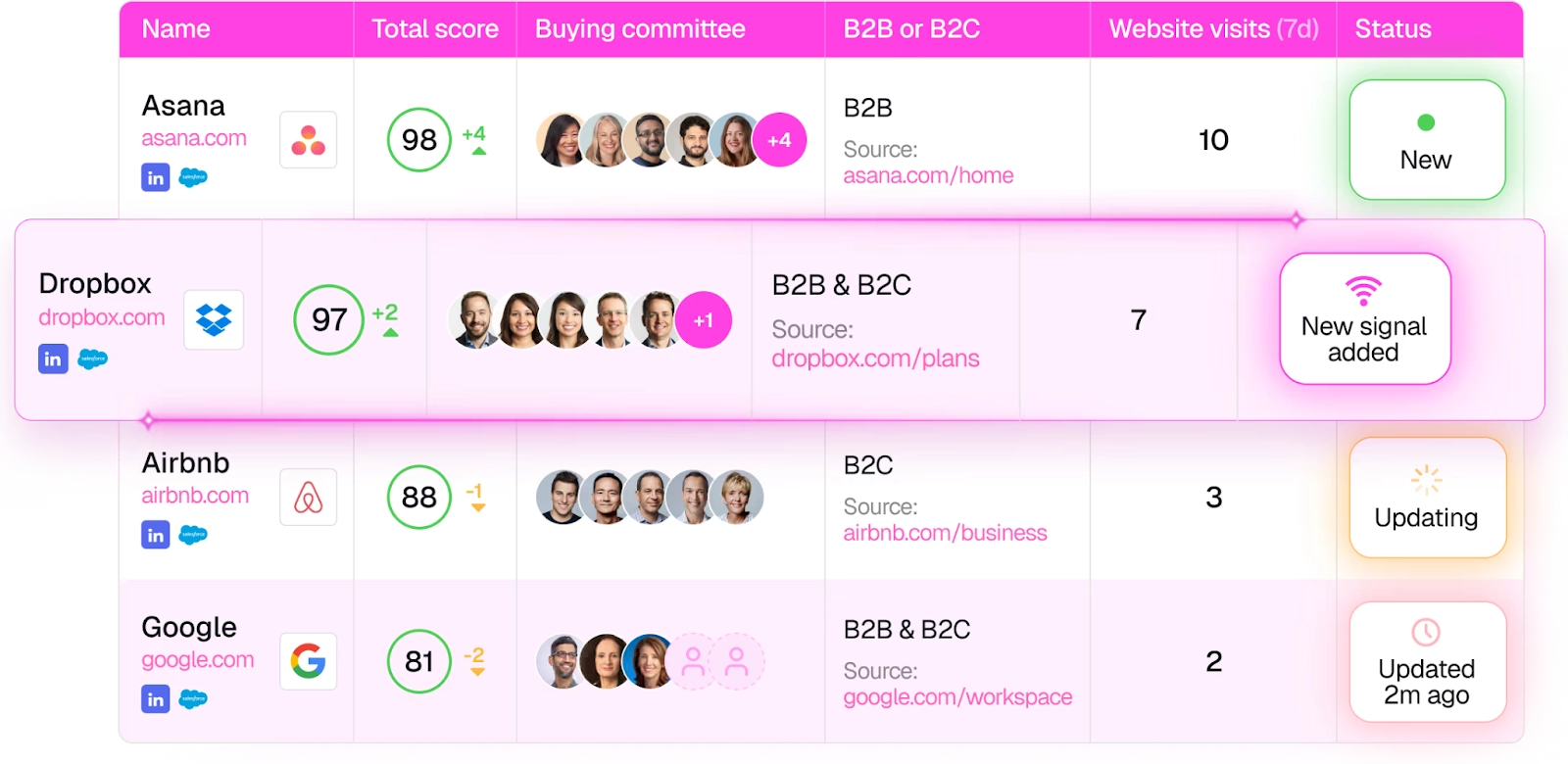
The solution automatically builds and maintains real-time, up-to-date lists of your best-fit accounts and contacts, so your team can focus on strategy and creativity instead of spreadsheets.

Here's how it works:

The Marketing Ops Agent connects directly to your CRM, ad platforms, outbound tools, and intent sources to automate key targeting workflows:

  • AI-powered lead scoring and enrichment to create dynamic lists ranked by fit and buying intent.
  • Buying committee identification using insights from past closed-won deals.
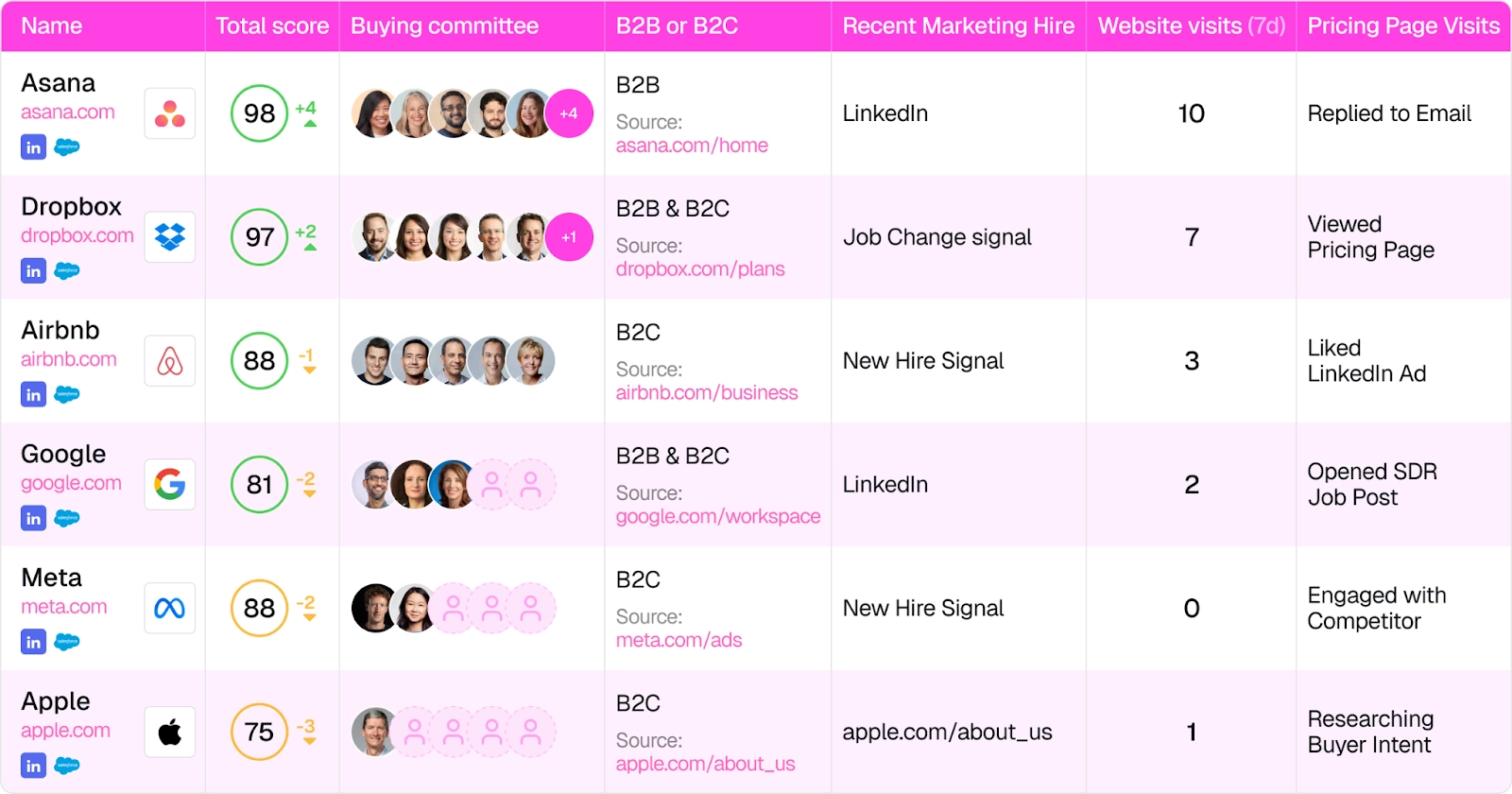
  • Instant audience syncing with HubSpot, Marketo, LinkedIn, Meta, Outreach, and more. No more manual CSV uploads.
  • Automatic list updates as new intent signals or engagement changes occur.
  • Unified buying intent scores that stay synced across every sales and marketing channel.

Feature #5: A B2B Prospect Database: Coldly

Warmly offers Coldly, a database with 200M+ accounts and contacts, gives your sales team an excellent starting point for prospecting.

The database includes all the B2B data your sales reps need to make initial contact, including:

  • Validated emails.
  • Phone numbers.
  • Profiles.

Coldly also provides 25+ B2B filters and customizable data filters that you can set up, enabling your sales team to build highly targeted prospect lists in a few seconds.

The database also has a browser extension that lets you scrape essential B2B contact data from any source on the web, including profiles, company websites, etc.

Your enterprise sales team will have both accurate contact data and the right tools to pick up buyer intent signals and set up workflows on top of them.

Warmly’s Integrations

Warmly integrates with a wide range of CRMs and sales platforms, including:

  • HubSpot CRM.
  • OpenAI.
  • Slack.
  • Apollo.
  • Outreach.
  • Demandbase.
  • RB2B.
  • Clearbit.
  • People Data Labs.
  • And more.

💡 For example, you can combine Warmly’s visitor identification software with HubSpot to alert your sales team the moment a known prospect arrives on the site. 

With the HubSpot browser cookie, you can prioritize conversations with the leads who have shown the most engagement with your HubSpot campaigns.

In addition to native integrations with several lead intelligence platforms, Warmly provides a Warm Bundle: partner discounts for over 25 sales, marketing, and GTM tools.

This way, your team can access many relevant tools and combine them with Warmly at a fraction of their usual price.

Pricing

Warmly’s pricing is modular and component-based and comes with a free plan that lets you identify up to 500 website visitors per month. 

You can choose the components that best match the needs of your business, as components are priced by output and not just by a monthly fee.

There are 4 paid product plans that you can choose from:

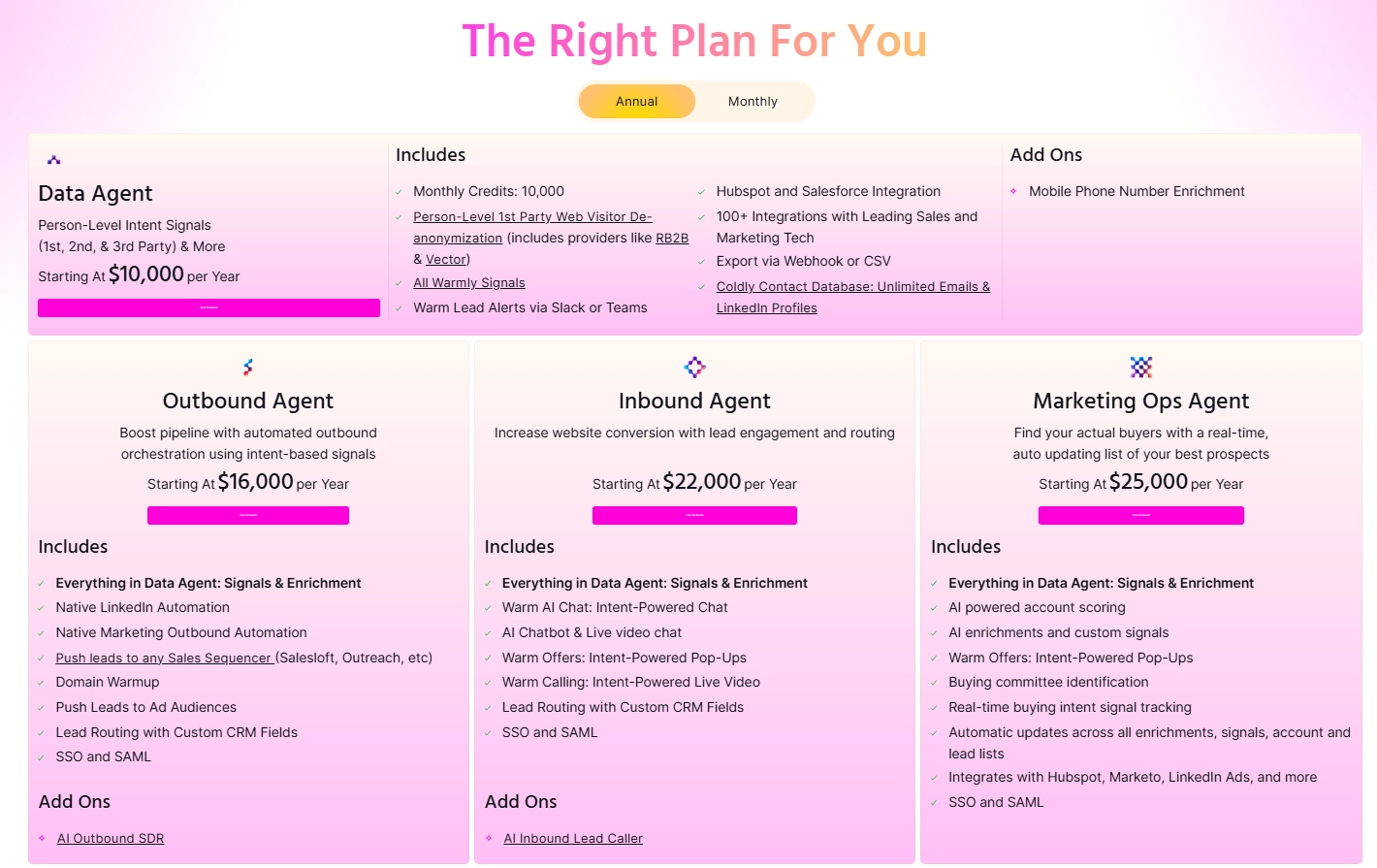
  • AI Data Agent (Starts at $10,000/yr), which includes 10,000 credits, person-level web visitor de-anonymization (RB2B + Vector data), CRM integration, and access to our Coldly Contact Database.
  • AI Inbound Agent (Starts at $16,000/yr), which adds a native marketing outbound automation, domain warmup, and lead routing with custom CRM fields.
  • AI Outbound Agent (Starts at $22,000/yr), which adds automated signal-based outbound orchestration, AI chatbot & live video chat, email automation,  automation, and email warmup.
  • Marketing Ops Agent (Starts at $25,000/yr), which adds AI-powered account scoring, AI enrichments and custom signals, buying committee identification, real-time buying intent signal tracking, and automatic updates across all enrichments, signals, account and lead lists.

➡️ Warmly’s pricing is ideal for larger SMB and MM companies with a growing or mature GTM motion with SDR, sales, and marketing functions.

How do Warmly’s credits work?

💡 Warmly provides a certain amount of credits every month, depending on your monthly web visits and the amount you want to de-anonymize. 

Once a person visits your website, the software captures their first and last name, job title and company they work at, profile and business or personal email. This information takes 1 credit.

For example, each interaction or engagement with a lead will use up one credit, such as when you engage with a lead through email.

Pros & Cons

✅ Identifies companies and individuals visiting your website.

✅ Enriches each identified lead with detailed B2B intelligence and reveals intent data.

✅ Versatile sales orchestration options.

✅ Live sales engagement capabilities.

✅ Reveals who your hottest prospects are right now.

❌ Pricing is modular.

#2: Cognism

Best for: Teams that need enterprise-grade, compliance-focused European B2B data to power targeted outbound.

Similar to: Lead IQ.

Cognism combines high-quality, GDPR-aware B2B contact data with intent signals and phone-verified dials, so sales reps can find verified decision-makers across EMEA and act when accounts show buying intent.

The platform’s native CRM integrations and real-time enrichment then reduce time-to-engagement and keep outbound lists accurate.

Features

  • Use AI-powered sales prospecting to type or speak your search directly into the search bar and get a list of ICPs and great-fit accounts.
  • Create custom workflows to enrich existing CRM data or new leads with updated information.
  • Intent with verified direct dials merges buyer intent with phone-verified contact data, so you can prioritize live, reachable prospects.

Pricing

Cognism offers two premium plans, Platinum and Diamond, with custom pricing. Connect with their sales team to get a quote.

Pros & Cons

✅ You’ll get access to global data without geographical restrictions.

✅ Cognism’s browser extension allows prospecting over any website or app.

✅ Users frequently praise the quality of Cognism's customer support.

❌ While it integrates with most CRMs, most app integrations are possible via Zapier and not native to Cognism, which is why some sales teams have been looking for Cognism alternatives.

❌ Limited intent data.

#3: ZoomInfo

Best for: Enterprise-grade B2B prospecting powered by AI-powered insights and one of the largest US-focused contact databases.

Similar to: Bombora.

ZoomInfo is a comprehensive GTM intelligence platform that combines a vast B2B contact database with AI-powered tools like Copilot. 

The platform helps sales teams identify high-intent prospects, personalize outreach, and automate workflows.

Features

  • Copilot: ZoomInfo’s AI-driven assistant that analyzes CRM data and ZoomInfo’s extensive database to detect opportunities, personalize emails, suggest actions, and provide detailed profiles.
  • Advanced filtering: Filter prospects based on various criteria, such as industry, company size, location, and job role. 
  • Intent data: The platform tracks online behavior to identify companies showing interest in specific products or services, helping you prioritize outreach to prospects who are actively researching solutions similar to yours. 

Pricing

ZoomInfo offers three plans for Sales, Talent, and Marketing teams, all of which have custom pricing and lock you into 12-month contracts.

These custom packages differ primarily in the app integrations and features they include, as each is geared toward distinct user types.

Since ZoomInfo doesn’t disclose its prices, you’ll have to contact ZoomInfo’s team for a custom quote or check our in-depth ZoomInfo pricing guide.

Pros & Cons

✅ Extensive and up-to-date B2B contact database, particularly strong in the US market.

✅ Intuitive interface, despite having a large range of use cases and features.

✅ You can prioritize outreach to prospects who are actively researching solutions similar to yours.

❌ Data accuracy may vary for regions outside the U.S, which is why some brands have been looking for ZoomInfo alternatives.

❌ The tool can get really expensive for the full solution.

#4: Lusha

Best for: Small teams who need quick, accurate contact enrichment without heavy setup.

Similar to: UpLead.

Lusha is a fast, user-friendly contact enrichment tool (with a browser extension and APIs) that delivers validated emails and phone numbers so reps can enrich lists and reach decision-makers quickly. 

The tool’s compliance framing and simple integrations make list building and enrichment low-friction for SDRs.

Features

  • Lusha helps you select the Bombora Intent topics that are most relevant to their business, surfacing the accounts showing the most buying activity.
  • Automatically enrich your database on any CRM or CDP solely by using contact email addresses or a URL.
  • Its extension and API enrichment grab contact details directly from or push bulk enrichments via API/Sheets to speed prospecting.

Pricing

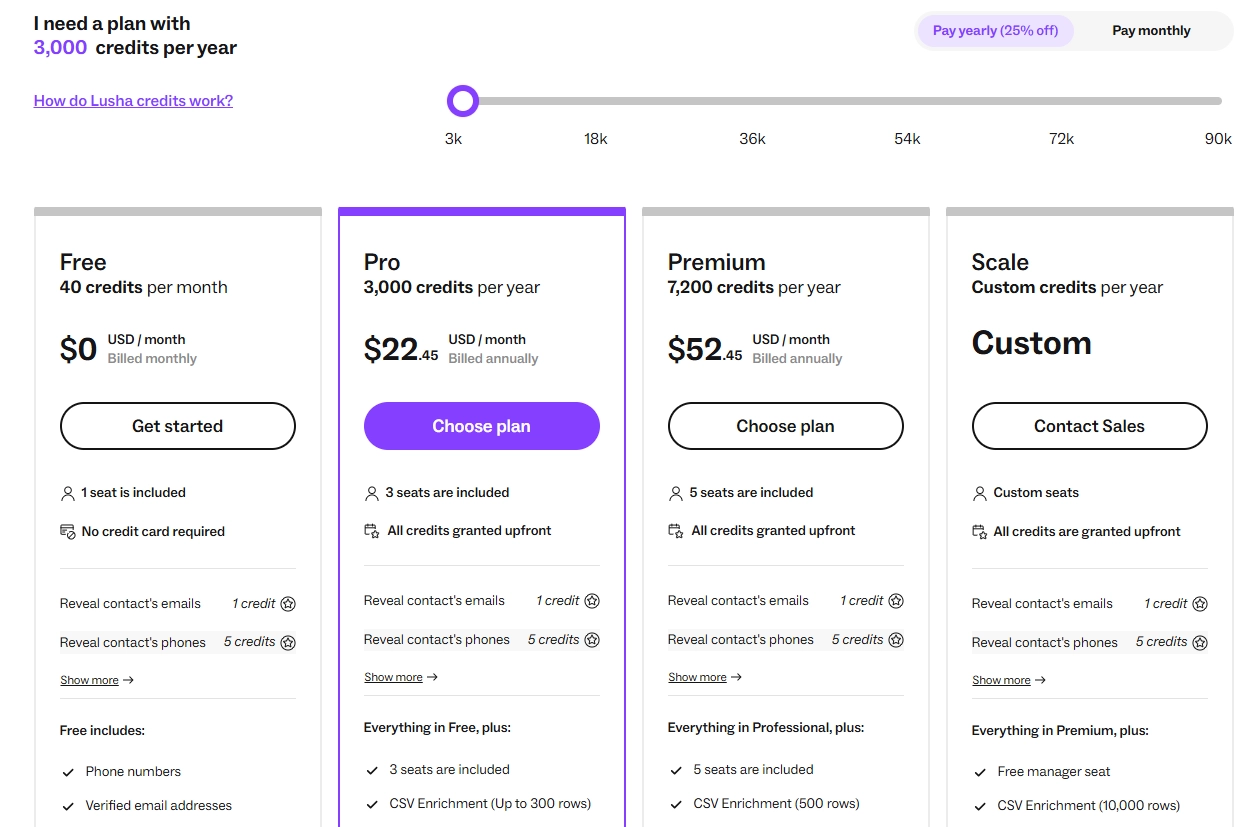
Lusha offers a free forever plan limited to one user for 40 free credits. Other than that, it has three paid plans:

  • Pro: Starts from $22.45/month when billed annually, and includes 3 seats, 3,000 credits a year, CSV enrichment, bulk show, and intent, technology and 3 job change alerts.
  • Premium: Starts from $52.45/month when billed annually, and includes 5 seats, 7,200 credits a year, advanced usage analytics and 5 job change alerts.
  • Scale: Custom pricing for custom credits a year, which adds a free manager seat, company CSV export, an intent filter, and 25 topics of intent filters.

Pros and Cons

✅ Lusha integrates with popular CRM platforms like Salesforce and HubSpot, facilitating smooth data import and management processes.

✅ Offers bulk APIs to retrieve up to 100 contacts at once with bulk API.

✅ Your team will be able to select the Bombora Intent topics that are most relevant to your business.

❌ The intent signals functionality is a part of the Scale pricing plan, which has custom pricing.

❌ The UI and dashboard aren't beginner-friendly and lack essential prospecting features, which is why some sales teams have been looking for Lusha alternatives.

#5: Reply

Best for: Sales teams that are looking for prospecting plus sequence automation and analytics

Similar to: Artisan.

Reply pairs prospect discovery with automated, multi-channel engagement (email, calls, SMS) and analytics.

The platform’s automation and reporting scale outreach while preserving personalization.

How Does Reply.io's Sales Automation Work?

Reply.io’s Jason AI takes over prospecting and outreach so your team can focus on closing. 

The tool starts by tapping into a vast B2B contact database to identify and prioritize leads that closely match your ICP.

From there, Jason AI generates and sends personalized messages tailored to each contact, engaging them across multiple channels like email. 

As replies come in, the platform’s AI steps in to handle responses by addressing objections, answering questions, and nurturing leads with relevant follow-ups. 

Once a prospect is ready to talk, Jason AI schedules the meeting directly into your calendar to create a proper handoff to your human reps. 

Features

  • Automates outreach across email, calls, SMS, and WhatsApp to engage prospects on their preferred platforms. ​
  • The AI outbound platform can generate personalized messages and responses, enhancing engagement and conversion rates. ​
  • You’ll get access to its database of over 140 million verified contacts that fuels prospecting efforts. ​

Pricing

Reply.io has three pricing packages when it comes to its AI SDRs:

  • AI SDR Starter: Starts from $500/mo for 500 active contacts and can go up to $1500 for 3000 active contacts, includes AI personalization, multichannel automation, etc.
  • AI SDR Growth: Starts from $2500/mo for 5000 contacts and goes up to $5000 for 10000 contacts, includes everything in Starter, plus custom playbooks and a dedicated Slack channel.
  • AI SDR Enterprise: Starts from $15000 for 25000 contacts and can go up to $25000 for 50000 contacts, includes everything in Growth, plus custom prompt engineering.

Pros & Cons

✅ The platform streamlines the sales process by automating tasks across multiple communication channels.​

✅ Improves personalization by leveraging AI, ensuring communications are tailored to individual prospects, boosting engagement.​

✅ User-friendly UI that is easy to navigate even for beginners.

❌ Offers a steep learning curve.

❌ The tool offers poor customer support, according to users, with limited assistance for troubleshooting problems.

#6: UnifyGTM

Best for: GTM teams that want an orchestration layer to convert intent and AI research into automated outbound at scale.

Similar to: Warmly, ZoomInfo.

UnifyGTM is a GTM orchestration platform that aggregates intent signals, runs AI prospect-research agents, and automates outbound workflows.

The platform focuses on turning signals into personalized outbound at scale rather than being just a data list.

Features

  • Get access to 10+ data sources to identify when prospects are ready to buy from you, featuring 1st and 3rd party signals.
  • AI and intent aggregation that consolidates multiple intent sources and uses AI to enrich accounts and auto-generate outreach workflows.
  • Multi-touch Sequences that let you reach buyers where they are by sending them personalized messages directly through UnifyGTM with managed deliverability.

Pricing

UnifyGTM has a tiered subscription pricing as well as a credit-based system for using the platform’s features to reveal companies, phone numbers, and email addresses:

  • Growth: $700/month when billed annually, which gives you access to 30,000 credits, 2 Active Plays, 3 platform users, 1 email-sending user, and 5 Unify managed inboxes.
  • Pro: Custom pricing, which gives you access to 100,000 credits, unlimited Plays, 5 platform users, 2 email-sending users, and a white glove onboarding experience.
  • Enterprise: Custom pricing, which gives you access to 200,000 credits, 10 platform users, 5 email-sending users, and SSO.

It’s possible to purchase credits separately if you run out of credits in your existing paid plan.

UnifyGTM’s credit-based system charges you:

  • 0.1 credit for each revealed company per month.
  • 2 credits for each B2B email you reveal per month.
  • 4 credits for each mobile phone number you reveal per month.
  • 1 credit per B2B champion tracked per month.
  • 5 credits per new hire per month.

➡️ Check out our comprehensive UnifyGTM pricing guide to figure out if the tool is the right option for you.

Pros & Cons

✅ Get access to intent signals from 10+ sources, covering first-party and third-party data.

✅ Automated Plays and Sequences.

✅ AI Agents that engage with your readers in real-time.

❌ Limited visitor identification features, which is why some brands have been looking for UnifyGTM alternatives.

❌ The pricing model does not fit the budgets of smaller companies and start-ups.

#7: Salespanel

Best for: Companies that want to convert website and product usage into prioritized leads.

Similar to: Warmly.

Salespanel tracks website and product behaviour, then scores and segments visitors in real-time, allowing sales to prioritise leads that demonstrate the strongest product or website engagement. 

What I liked about this tool is its real-time lead scoring and routing, which lets reps act quickly on sales-ready prospects.

Features

  • Behavioral lead scoring that converts on-site and in-product actions into scores that trigger handoff to sales or automated outreach.
  • Comprehensive buyer intent data that lets you collect and use first-party buyer intent data with minimal configuration.
  • Visualize lead generation metrics to detect bottlenecks, improve attribution, and understand what yields the best results.
  • Track website visitors by assigning each a unique ID (not cookies), providing enhanced customer journey tracking and cross-domain tracking.

Pricing

Salespanel offers three plans, two of which have the same starting price:

  • Salespanel Customer Data Platform: Starting at $99/mo, includes up to 10,000 monthly visitors with up to 10% deanonymized traffic. You’ll be charged $10/mo for every additional 1,000 visitors.
  • Salespanel Account Reveal: Starting at $99/mo, includes up to 2,000 monthly visitors with up to 60% deanonymized traffic. You’ll be charged $40/mo for every additional 1,000 visitors.
  • Custom Pricing: Custom traffic volume with up to 60% deanonymized traffic. Includes everything in Account Reveal plus advanced customization options.

➡️ The difference between the first two tiers lies in the number of website visitors you can identify and in essential features like Deep Tracking and real-time lead scoring, which are available only on the Account Reveal plan.

Pros & Cons

✅ Comprehensive analytics tools.

✅ Easy setup and user-friendly interface.

✅ Deep tracking functionality that prepares you for a cookie-less world.

❌ The costs can easily add up, given the caps and limitations in the essential packages.

❌ Annual billing only, with no free plan, unlike other competitors on the market.

#8: Bombora

Best for: Demand and sales teams that want to prioritize accounts based on real, measurable research activity.

Similar to: UpLead.

Bombora is a specialist in privacy-compliant B2B intent data (Company Surge) that reveals which topics and accounts are researching your category, so sales can prioritize accounts already in-market. 

Pairing Bombora with contact data will help you turn raw lists into prioritized outreach targets based on buyer interest.

Features

  • Company Surge Intent Scoring: Detect which companies are “surging” in interest around your solution based on content consumption patterns across the web.
  • Topic clusters & customization: Choose from thousands of B2B-relevant topics or create your own clusters based on your unique product category.
  • CRM & ABM platform integrations: Push intent data directly into your CRM, MAP, or ABM platform to dynamically trigger outreach or prioritize accounts.

💡 Pro Tip: Warmly offers an integration with Bombora, meaning you’ll get access to in-depth third-party intent data simply by subscribing to Warmly.

Pricing

Bombora chose not to publish prices or details about its packages. You can request a demo or contact its sales for more details.

Pros & Cons

✅ Integrates with CRMs and platforms like Salesforce, HubSpot, so reps can see real-time intent data layered on top of existing accounts.

✅ The platform tracks an extensive range of intent topics and has high accuracy rates.

✅ Best-in-class integrations with numerous sales and marketing tools.

❌ Its analytics reports leave a lot to be desired.

❌ Expensive, especially for SMEs.

#9: Dealfront

Best for: GDPR-compliant B2B prospecting and lead generation.

Similar to: 6sense.

Dealfront offers a B2B sales intelligence and website visitor identification solution created by merging Echobot and Leadfeeder.

The platform holds data on millions of EU-based B2B contacts, making it an excellent lead prospecting platform if you’re primarily focused on the EU market.

Features 

  • Identifies companies visiting your website and delivers on-site intent insights.
  • Extensive GDPR-compliant B2B database primarily focused on European data (34M+companies and 106M+contacts) and deep coverage of specific European regions (e.g., Benelux, DACH, Nordics, etc.).
  • Target and Connect workflow that lets you filter by ICP, enrich contacts, and map web visitor signals to prioritize outreach to active accounts.

Pricing 

Dealfront has separate pricing for its sales intelligence and website traffic deanonymization.

Dealfront's sales intelligence plan does not have flat fees, so you’ll need to contact its team for precise pricing details.

Regarding visitor identification, there’s a limited free plan that allows you to identify up to 100 monthly website visitors but excludes all other Dealfront features.

This means you won’t get any other data on the companies visiting your website, not even essential contact details.

The paid plan starts at €165 per month, with the final price depending on the number of identified companies.

The website visitor identification plan has a 14-day free trial.

➡️ Note: Subscriptions are priced per website. So, if you want to track and identify visitors on multiple websites, you’ll have to pay separately for each.

Pros & Cons

✅ GDPR-compliant data.

✅ 30+ trigger events you can set up to alert you when a relevant change in a prospect’s profile occurs (e.g., job changes, bankruptcy notices, etc.).

✅ A good range of native CRM integrations.

❌ Capable of identifying only companies and even those with a low accuracy level.

❌ Focused on the European market, with a particular emphasis on the DACH region, with other regions being underrepresented. 

#10: Outplay

Best for: Multichannel outreach with AI personalization across email, calls, and SMS.

Similar to: Warmly.

Outplay is a multichannel sales engagement + prospecting platform that combines lead sourcing, dynamic cadences across email/phone/SMS, and comes with AI-powered personalization, so your reps can scale outreach. 

The platform’s sequence automation and CRM integrations will help you speed follow-up and improve speed-to-lead.

How Does Outplay’s Sales Automation Work?

Outplay’s AI-powered SDR functionality is designed to automate and optimize every stage of outbound engagement. 

The platform starts with multichannel sequencing, allowing your sales reps to automate outreach across email, phone, and SMS.

Its built-in AI writing assistant then helps you craft compelling, personalized messages that match each prospect’s tone and context.

➡️ The software also uses automated lead scoring to surface high-priority contacts based on factors like intent, engagement history, and ICP fit.

Features

  • AI-powered personalized email writing that lets you craft tailored emails.
  • Dynamic multi-channel cadences and AI that automatically move prospects between sequences based on engagement and use AI to draft personalized outreach.
  • Smart lead scoring and prioritization that leverages advanced algorithms to recognize high-intent leads.

Pricing

Outplay has four pricing tiers for individuals and teams:

  • Starter: Starting at $49/seat/month for 5000 active prospects, and can go up to $159/seat/month for 50,000 prospects.
  • Growth: $99/seat/month, which adds unlimited prospects and access to more features
  • Growth Plus: $159/seat/month, which adds more advanced security and team management features.
  • Sales Agency: $224/seat/month, which adds agency-designated functionality.

Pros & Cons

✅ Powerful multichannel sequencing with good AI support.

✅ Easy to use, according to G2 reviews on the market.

✅ Smart lead scoring and prioritization.

❌ Reporting dashboards are less advanced compared to some other tools on the list.

❌ Fewer integrations than alternatives on the market.

Reach out to in-market prospects with Warmly’s signal-based intent and automation capabilities

That’s it from our list of the 10 best lead prospecting tools for teams looking to scale revenue operations.

Warmly stands out not only because it reveals website visitors and enriches 1st-, 2nd-, and 3rd-party signals, but also because it turns those insights into action with automated outreach triggers, AI chat, and live engagement.

This means your sales reps can connect with prospects at the exact moment they’re researching solutions and not after the opportunity has gone cold.

If your organization is serious about capturing demand the moment it surfaces, Warmly is one of the most intent-driven platforms available today.

Here’s what else you’ll get by signing up for Warmly:

  • The ability to identify potential buyers by tracking their interactions with your website and getting insights into their interest level.
  • A wide range of accurate prospect contact details, directly from the Coldly database, helping you reach the right people.
  • Simplify your meeting process with automatic meeting scheduling that removes the back-and-forth, ensuring a frictionless booking experience.
  • Automatically send leads to the right salesperson and notify them via Slack if a high-intent lead is active on your website.
  • A Bombora integration that helps you proactively reach out to your warm leads and track who’s researching terms relevant to your product and brand, and get in front of them before your competitors do.
  • Automate the search for high-potential prospects using AI technology, ensuring your sales team focuses on the right opportunities.

Book a live demo to see it in action.

Read More

Frequently Asked Questions

What is the best lead prospecting tool in 2026?

The best tool depends on your specific needs, budget, and use case. Review the detailed comparisons above to find the right fit. For website visitor identification and engagement, Warmly is a top choice.

How do I choose a lead prospecting tool?

Consider factors like features, pricing, integrations, data quality, and ease of use. Test free trials when available. Prioritize tools that integrate with your existing tech stack.

What should I look for in lead prospecting software?

Key criteria include core features for your use case, pricing transparency, customer support quality, and proven results. See the evaluation criteria above for a complete checklist.

Is there a free lead prospecting tool?

Many tools offer free tiers with limited features. Check the pricing sections above for free options. Note that free plans often have significant limitations for business use.

Which lead prospecting tool has the best ROI?

ROI depends on your specific situation and how you use the tool. Tools like Warmly that identify website visitors and automate engagement often show strong ROI by converting existing traffic.

10 Best AI Tools & Software For Sales Reps [2026]

10 Best AI Tools & Software For Sales Reps [2026]

Time to read

Alan Zhao

The right AI sales platform can automate busywork, surface real-time insights, and give reps the competitive edge they need to hit quota consistently. 

In this guide, I’ll cover the 10 best AI tools for sales reps that can transform how your team sells, from prospecting and lead scoring to prospect engagement.

TL;DR

  • Warmly offers the best AI software for sales reps by combining website visitor de-anonymization, intent signals (1st, 2nd, and 3rd party), and automated outreach orchestration to help reps engage the right buyers at the right time.
  • Prospecting and data tools like Cognism and Common Room are ideal for reps who need GDPR-compliant contact data, community-driven insights, and automated lead prioritization.
  • On the other hand, tools like Fireflies and HeyGen can help you eliminate manual note-taking with AI meeting summaries or scale personalized video outreach to boost engagement.
  • For revenue intelligence and forecasting, platforms like Clari and HockeyStack give enterprise teams better deal health visibility, attribution insights, and AI-driven pipeline forecasting to prevent revenue leaks.

But we start, I’d like us to go over the main factors to consider when evaluating AI platforms for sales reps:

What factors should you consider when buying AI tools for your sales reps

The main factors to consider when evaluating AI tools & software for sales reps are how well the product fits your sales workflows, the level of automation and AI quality, its pricing structure, and whether it’s easy to adopt and measure ROI. 

Let’s dive deeper into each one of these factors: ⬇️

#1: How well does it map to your sales workflows and use cases?

If I were looking for AI tools for my sales team, I’d start by listing the specific tasks the tool must improve, such as prospecting, outreach, meeting prep, call summarization, coaching, forecasting, deal progression, or account expansion. 

You can check whether the product supports those tasks natively or only via custom builds, and whether it understands your sales terminology and stages.

Here are a few examples of functional fit to look for:

  • Lead scoring and prioritization that is tied to your ICP.
  • Sequence/cadence support and multichannel outreach.
  • Real-time call prompts, post-call summaries, and coaching insights.

#2: The level of automation and customization you require

Next up, you want to decide how much should be automated (e.g., email sequencing, follow-up nudges, pipeline updates) versus where sales reps must stay in control.

For example, we believe that too much automation can harm personalization.

💡 Evaluate the underlying AI: is it generative for messaging, extraction-capable for notes, or classification-only, and can you fine-tune or configure models to your language and playbooks?

Here are a few useful automation examples to validate:

  • Auto-generated personalized messages or subject-line suggestions.
  • Auto-filled CRM fields from call transcripts and meeting notes.
  • Automated opportunity scoring and next-best-action recommendations.

#3: Can your team adopt it quickly and measure the ROI?

There’s no point investing in an AI sales tool as part of your B2B sales stack that is not going to be adopted, or worse, not going to have a measurable impact.

This is why you should evaluate admin UX, training resources, in-app guidance, and the vendor’s customer success model. 

You then want to define simple and measurable KPIs up front (e.g., time saved on admin, reply lift, deal velocity, quota attainment) and see if the product tracks the metrics you need to prove impact.

#4: Pricing structure

Lastly, your team should evaluate the AI tool’s pricing structure and ensure that it’s straightforward, predictable, and aligned to your bottom line.

Different AI sales tools will have different pricing structures and ways of charging your company for usage, such as:

  • Per-user pricing, where you will pay a set amount of money for your users per month or per year.
  • Credit-based (usage-based) pricing, where your company will pay for how much you’re going to be using the platform.
  • Feature-based pricing, where the pricing depends on the feature set or functionality included, rather than just the number of seats.
  • Modular pricing, where the software is split into different modules and you’re paying for the modules that you’ll be using.

➡️ Sometimes there are hybrid models, as a platform might charge per seat and usage (e.g., tools like HubSpot charge per seat plus marketing contacts).

What are the best AI tools for sales reps on the market in 2026?

The best AI tools on the market for sales reps are Warmly with its website visitor de-anonymization, sales automation capabilities, and 1st, 2nd, and 3rd party intent signals, Cognism and Common Room.

Here’s a breakdown of each tool:


ToolUse CasePrice
WarmlySignal-based revenue orchestration: website visitor de-anonymization, intent signals, automated outreach, AI chat, and live lead engagement.AI Data Agent: from $10,000/yr; AI Inbound Agent: from $16,000/yr; AI Outbound Agent: from $22,000/yr.
CognismGDPR-compliant contact data and intent-driven lead generation for sales teams.Custom pricing (Platinum & Diamond plans; contact sales).
Common RoomCommunity and product signal tracking with automated workflows for targeted GTM outreach.Starter: $999/mo; Team: $1,999/mo; Enterprise: Custom pricing.
Factors AIDemand-gen and ABM teams: turn intent signals into prioritized, actionable account lists.Free (200 companies/mo); Basic: $549/mo; Growth: $1,299/mo; Enterprise: Custom pricing.
HeyGenSDRs scaling personalized video outreach and demo snippets with AI avatars.Free (3 videos); Creator: $29/mo; Team: $89/mo/seat; Enterprise: Custom pricing.
Exceed AIAutomating lead engagement, qualification, and nurturing with an AI chatbot.Custom pricing.
OneShot AIEnd-to-end AI-powered outbound execution combining automation with human expertise.AI Sidekick (limited messages); Scaled Research & Messaging (custom); Fully Autonomous Prospecting: $1,995/mo.
HockeyStackProduct-led growth & RevOps: revenue attribution, forecasting, and account prioritization.Custom pricing.
FirefliesAI meeting assistant for note-taking, transcription, and shareable summaries.Free plan; Pro: $18/user/mo; Business: $29/user/mo; Enterprise: $39/user/mo.
ClariEnterprise revenue orchestration: forecasting, deal inspection, pipeline health.Custom pricing.

#1: Warmly

Warmly offers the best AI platform for sales reps with our signal-based revenue orchestration platform that helps you de-anonymize your website visitors and then automatically reach out to them.

Our tool uses person-level intent signals to identify and prioritize your best prospects in real-time.

Disclosure: Even though Warmly is our sales tool, I’ll provide an unbiased perspective on why Warmly offers the best platform for sales reps in 2026.

Warmly is a signal-based revenue orchestration platform that lets you:

  • Identify website visitors (~60% of companies and ~15% of contacts).
  • Reveal which website visitors are most likely to convert right now.
  • Gain insights into leads, allowing your SDRs to tailor their strategies accordingly.
  • Automate essential sales processes on top of buying intent signals.

Let’s look at some capabilities that make Warmly so popular among sales teams:

Feature #1: Identifies your website visitors

Warmly lets you maximize your website’s lead generation potential by identifying the companies and individuals visiting it.

All it takes is adding a snippet of Warmly’s code to your website, and the sales intelligence software will start revealing your visitors in minutes.

In addition to essential company and individual-level identification, Warmly will also enrich your visitors’:

  1. Contact data (email address, phone number, social media profiles, etc.).
  2. Firmographics (company location, size, funding, etc.).
  3. Demographics (individual names, job positions, etc.).
  4. Technographics (tools and software a company uses).

Our visitor identification tool optimizes our data through a waterfall approach.

Warmly uses multiple data providers (20+), including 2 other leading website de-anonymization providers to validate the accuracy, quality & overall match rate of our signal & contact data.

This leads to:

  • Higher data quantity: Multiple sources expand match rates.
  • Higher data quality: Proprietary cleansing and confidence scoring validate accuracy.

💡 To maintain data quality and quantity, we continuously monitor vendor performance and validate our proprietary matching algorithms. 

➡️ These systems allow us to track quality and quantity metrics in real-time to make sure that both contact-level and company-level data meet the high standards our customers expect.

Warmly’s transparent data commitment means you can test our data quality with our free tier before committing to us as a data provider.

Because we aggregate data from 25+ providers and cross-check it using our proprietary waterfall technique, we can validate and verify data on your behalf, ensuring it’s of the highest quality.
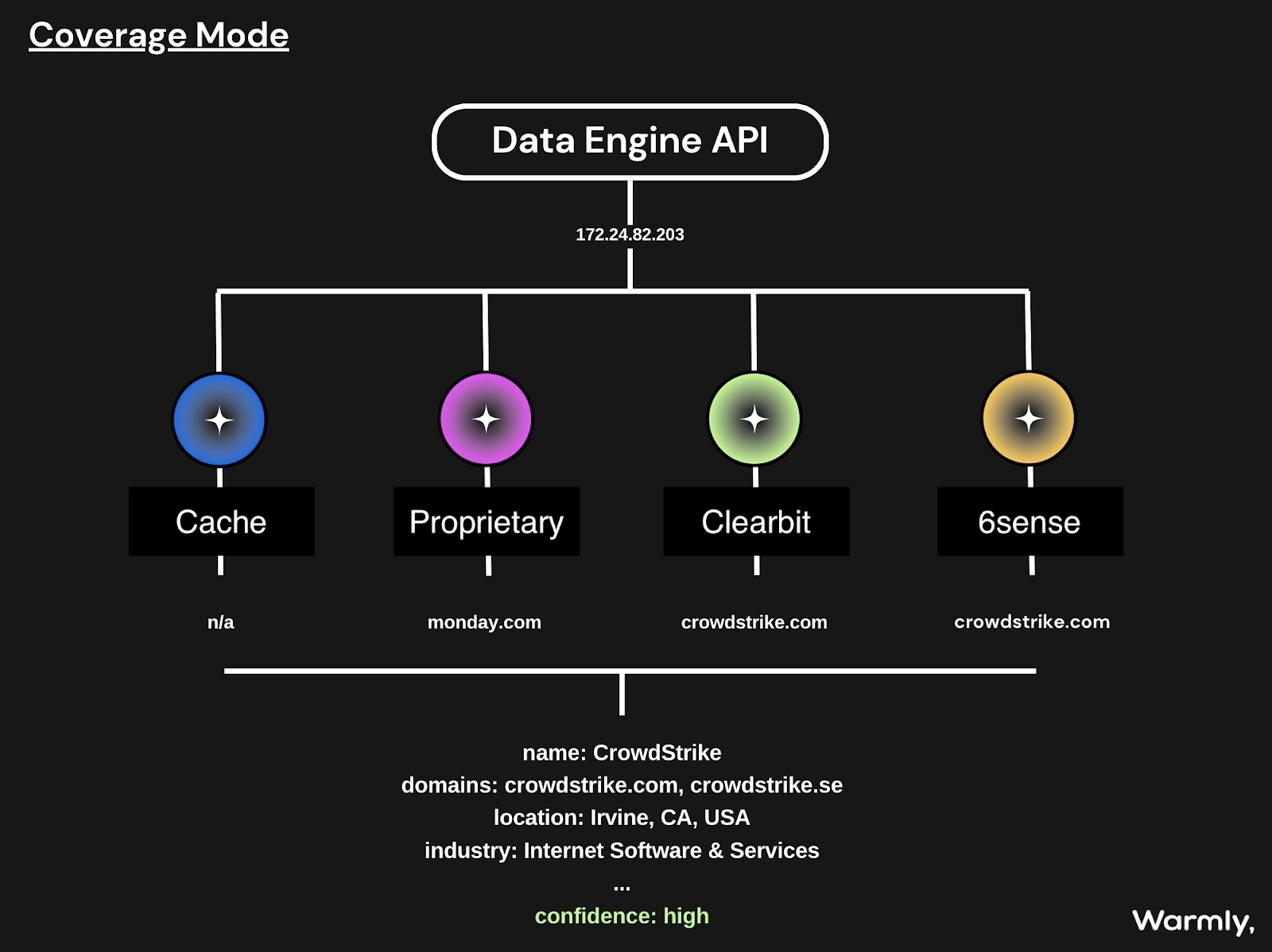
Feature #2: Reveals your hottest prospects based on intent data

Knowing who your best potential customers are is only one part of successful outreach and conversion.

This is why our platform collects intent data for each lead, allowing you to understand who your hottest leads are right now.

Warmly’s software captures three types of buyer intent signals:

  1. First-party intent, which includes intent signals leads left in your channels (website, app etc.), such as website visits, the specific pages they visited, time spent on high-intent pages, recurring visits, etc.
  2. Second-party signals, which come from monitoring LinkedIn for things like job change intent, new funding rounds, etc.
  3. Third-party intent, including web searches that include keywords relevant to your product, visits to competitors’ websites or interactions with their ads, etc.

As a result, your sales reps will get:

  • An overview of which of your leads are most likely to convert right now.
  • Critical insights into each lead, which they can leverage to tailor their outreach strategies accordingly.

Feature #3: Sales automation

Warmly offers a few automation capabilities to help you put crucial sales operations on autopilot and ensure that no high-value lead is missed again.

Firstly, the Orchestrator lets you streamline LinkedIn and email outreach by automatically adding high-intent leads to specific sequences.

Our software lets you set up all the essential parameters, enabling you to completely customize it to fit your needs, goals, and target market, including letting you:

  • Specify the trigger that sets the sequence in motion (e.g., a visitor goes to a high-intent page, such as pricing).
  • Define the criteria the visitor needs to meet to be targeted (e.g., company size, industry, job role).
  • Set up the frequency at which you want the workflows to run and the maximum number of people targeted in a single account.
  • Decide what action you want the Orchestrator to take (e.g., sending a contextual email, personalized LinkedIn DM, or connection request).


You can try it yourself 👇or watch it in action

Then there’s the AI Chat that leverages the power of AI to engage high-intent leads on your website by:

  1. Asking them qualifying questions.
  2. Answering their queries.
  3. Booking meetings.
  4. Offering relevant collaterals, etc.


The AI that powers AI Chat is fully trainable, meaning you can tailor it to your specific brand tone of voice and other requirements.

Finally, Warmly’s automated alerts notify sales reps via Slack whenever a high-intent lead lands on your website or takes a high-intent action. This significantly shortens the time to lead, increasing your chances of getting more conversions.

Feature #4: Live lead engagement with Warm Calls

Warmly offers another trick up its sleeve for enterprises that want to make the most of the traction gained by the intent insights the platform uncovers.

Our sales platform lets you engage your leads in a live video call while they’re still on your website.

When you go to the “Warm Calls” section of Warmly’s dashboard, you can see who’s visiting your website and monitor their sessions in real-time.

Once your SDRs assess that the time is right, they can hop on a video call straight from Warmly’s dashboard.

As any sales rep knows, nothing can help you close more deals than one-on-one meetings, so make sure to make the most of them.

You can try it out here:

Feature #5: A B2B Prospect Database: Coldly

Warmly’s Coldly, a database with 200M+ accounts and contacts, gives your sales team an excellent starting point for prospecting.

The database includes all the B2B data your sales reps need to make initial contact, including:

  • Validated emails.
  • Phone numbers.
  • LinkedIn profiles.

Coldly also provides 25+ B2B filters and customizable data filters that you can set up, enabling your sales team to build highly targeted prospect lists in a few seconds.

Coldly also has a browser extension that lets you scrape essential B2B contact data from any source on the web, including LinkedIn profiles, company websites, etc.

Your enterprise sales team will have both accurate contact data and the right tools to pick up buyer intent signals and set up workflows on top of them.

Warmly’s Integrations

Warmly integrates with a wide range of CRMs and sales platforms, including:

  • HubSpot CRM.
  • OpenAI.
  • Slack.
  • Apollo.
  • Outreach.
  • Demandbase.
  • RB2B.
  • Clearbit.
  • People Data Labs.
  • And more.

💡 For example, you can combine Warmly’s visitor identification software with HubSpot to alert your sales team the moment a known prospect arrives on the site. 

With the HubSpot browser cookie, you can prioritize conversations with the leads who have shown the most engagement with your HubSpot campaigns.
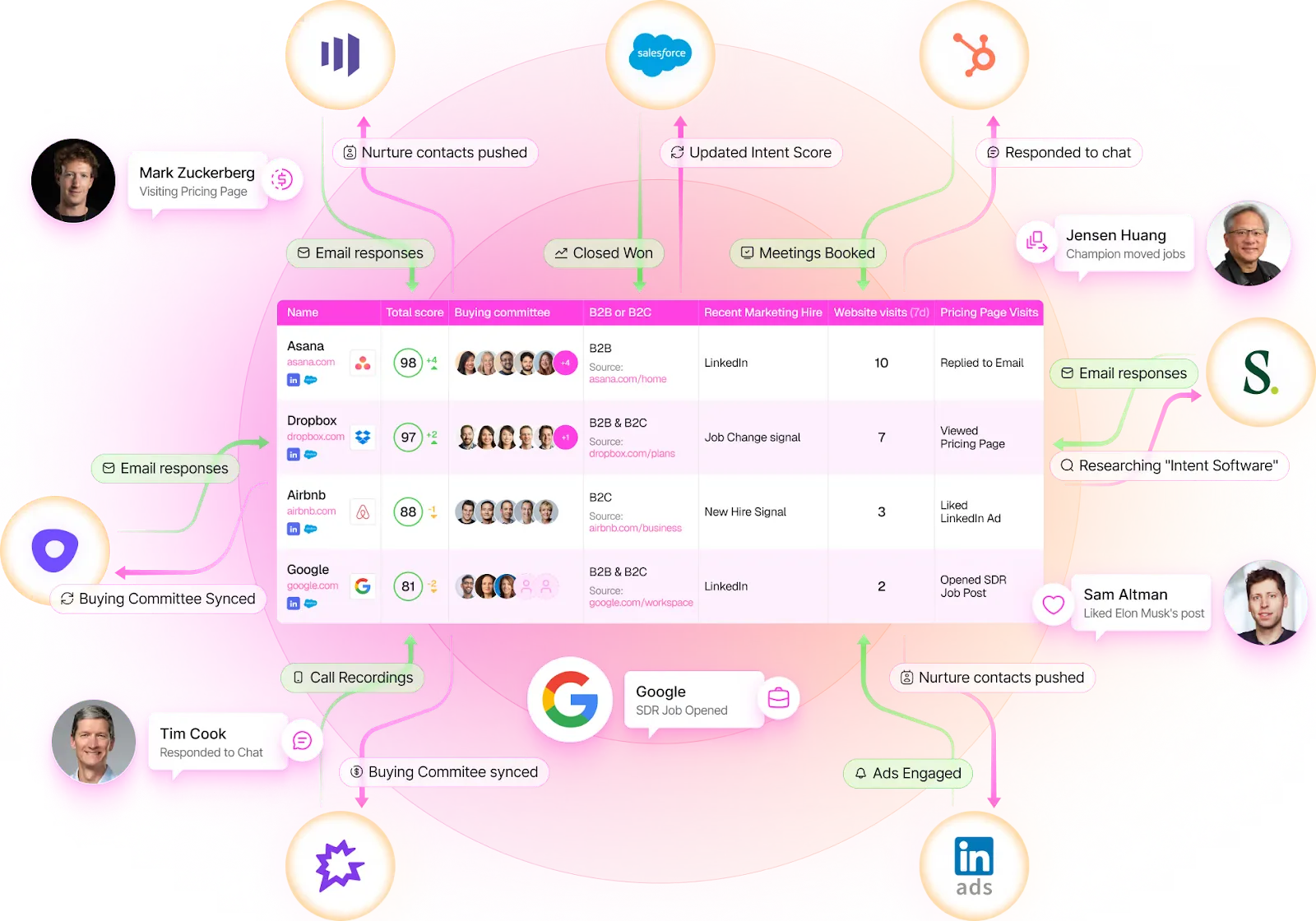
In addition to deep integrations with several lead intelligence platforms, Warmly provides a Warm Bundle: partner discounts for over 25 sales, marketing, and GTM tools.

This way, your team can access many relevant tools and combine them with Warmly at a fraction of their usual price.

Pricing

Warmly’s pricing is modular and component-based and comes with a free plan that lets you identify up to 500 website visitors per month. 

You can choose the components that best match the needs of your business, as components are priced by output and not just by a monthly fee.

There are 4 paid product plans that you can choose from:

  • AI Data Agent (Starts at $10,000/yr), which includes 10,000 credits, person-level web visitor de-anonymization (RB2B + Vector data), CRM integration, and access to our Coldly Contact Database.
  • AI Inbound Agent (Starts at $16,000/yr), which adds a native marketing outbound automation, domain warmup, and lead routing with custom CRM fields.
  • AI Outbound Agent (Starts at $22,000/yr), which adds automated signal-based outbound orchestration, AI chatbot & live video chat, email automation, LinkedIn automation, and email warmup.
  • Marketing Ops Agent (Starts at $25,000/yr), which adds AI-powered account scoring, AI enrichments and custom signals, buying committee identification, real-time buying intent signal tracking, and automatic updates across all enrichments, signals, account and lead lists.
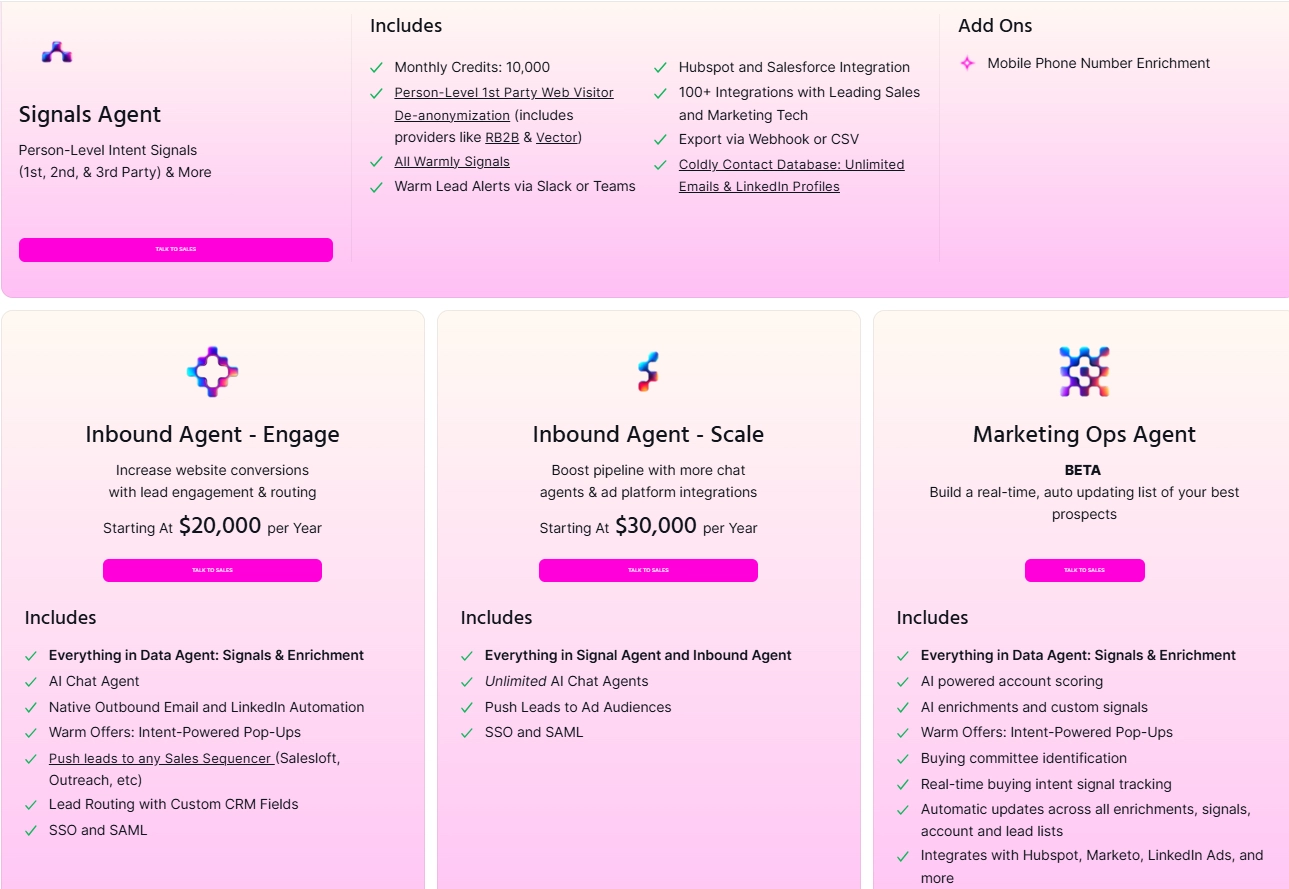
Monthly credits on Warmly are used to track and engage with potential leads. 

For example, each interaction or engagement with a lead will use up one credit, such as when you engage with a lead through email or LinkedIn.

➡️ Warmly’s pricing is ideal for larger SMB and MM companies with a growing or mature GTM motion with SDR, sales, and marketing functions.

Pros & Cons

✅ Identifies companies and individuals visiting your website.

✅ Enriches each identified lead with detailed B2B intelligence and reveals intent data.

✅ Versatile sales orchestration options.

✅ Live sales engagement capabilities.

✅ Reveals who your hottest prospects are right now.

❌ Pricing is modular.

#2: Cognism

Best for: Sales teams looking for GDPR-compliant contact data and intent-driven lead generation.

Similar to: 6sense.

Cognism gives sales reps fast, compliant access to high-quality B2B contact and intent data so they can find, research, and reach decision-makers much faster. 

Its AI prospecting tools surface company summaries and call openers so reps spend less time researching and more time engaging.

Features

  • Use AI-powered sales prospecting to type your search directly into the search bar and get a list of ICP-fit accounts.
  • GDPR-compliant global contact enrichment and firmographic filters.
  • You’ll be able to get intent data for buyers actively searching for solutions like yours, enriched with the most up-to-date and complete contact data.

Pricing

Cognism offers two premium plans, Platinum and Diamond, with custom pricing. Connect with their sales team to get a quote.

Pros & Cons

✅ You’ll get access to global data without geographical restrictions.

✅ Get data for buyers actively searching for solutions like yours.

✅ Customers frequently praise the quality of Cognism's customer support.

❌ Most app integrations are possible via Zapier and not native to Cognism, which is why some customers have been looking for Cognism alternatives.

❌ Limited intent data when compared to other platforms on the market.

#3: Common Room

Best for: GTM teams that rely on community and product signals to drive expansion and targeted outreach.

Similar to: Warmly.

Common Room centralizes buyer signals from communities, product usage, and intent sources to give reps a person-first view of who’s most likely to convert and when to engage.

The platform combines signal capture with workflow automation so sales reps can trigger plays and outreach exactly when an account shows buying behavior.

Features

  • Unified signal capture and person-level engagement scoring that feeds timely playbooks and outbound triggers.
  • AI lead scoring helps you prioritize surging accounts.
  • Lets you set up automated workflows triggered by specific signals.

Pricing

Common Room has three pricing tiers:

  1. Starter: Starting at $999/mo, includes 2 seats, up to 35k contacts, unlimited alerts, workflows, and segments.
  2. Team: Starting at $1,999/mo, includes 3 seats, up to 100k contacts, and everything in Starter.
  3. Enterprise: Custom price, up to 10 seats, 200k contacts included, all integrations, and everything in Team.

Pros & Cons

✅ Options for setting up automated workflows and GTM sales plays.

✅ Tracks intent signals across the web.

✅ User-friendly interface that users are happy with.

❌ Annual billing only.

❌ Limited customization options.

#4: Factors AI

Best for: Demand-gen and ABM teams that want to turn intent signals into prioritized, actionable account lists.

Similar to: Warmly, Common Room.

Factors AI uses AI to identify anonymous site visitors, aggregate intent across channels, and build dynamic account lists so sales reps can focus on the accounts most likely to convert.

The tool also automates activation (i.e., email/LinkedIn) and provides attribution so your sellers can see what’s actually moving pipeline.

Features

  • AI-powered account identification and intent aggregation that surfaces high-engagement accounts and automates outbound workflows.
  • Funnel analysis that maps out the entire customer journey and lets you track how leads progress through the pipeline, identify touchpoints, and detect bottlenecks.
  • Improve LinkedIn targeting and messaging with refined audiences, intent-based campaigns, automated optimizations, and measuring ROI.

Pricing 

Factors AI has a free forever plan that lets you identify up to 200 companies visiting your website per month.

It also provides customer journey timelines, starter GTM dashboards, up to 5 segments and 20 custom reports.

If you need access to more versatile features, there are three paid plans to choose from:

  1. Basic: $549/mo, which includes 5 seats, 3000 identified companies, advanced GTM dashboards, advanced website analytics, custom metrics and KPIs, and more.
  2. Growth: $1,299/mo, includes up to 10 seats, 8000 identified companies, LinkedIn attribution, ABM analytics, account scoring, etc.
  3. Enterprise: Custom pricing, up to 25 seats, custom number of identified companies, multi-touch attribution (campaigns, content, offline events & more), up to 15 alerts on Slack / MS Teams, etc.

Pros & Cons

✅ Automatic lead scoring and qualification that can help you do ABM at scale.

✅ A good range of integrations when compared to alternatives.

✅ Intuitive interface, according to customers of the tool.

❌ There are some reported issues with capturing and accurately identifying website leads, which is why some people have been looking for Factors AI alternatives.

❌ Multi-touch attribution is available only on its top pricing tier.

#5: HeyGen

Best for: SDRs who want to scale personalized video outreach and demo snippets.

Similar to: VEED.

HeyGen helps sales reps create scalable, personalized sales videos and AI avatars without studios, so your outreach stands out and speeds up demo/qualification.

The reason why I decided to include HeyGen in this list is that you can increase your engagement and make follow-ups more human and memorable.

Features

  • You’ll be able to personalize a video you take for every contact in your prospect list in seconds.
  • Create personalized follow-up sales videos that highlight key points, answer questions, and build trust with your prospects.
  • Offers interactive avatars that can answer your prospects’ questions, mimicking genuine human interaction.

Pricing 

HeyGen has a free plan that lets you generate up to 3 personalized videos of up to 3 minutes.

For more videos, increased video length, and additional features, subscribe to one of three plans:

  • Creator: $29/mo, which includes unlimited videos of up to 5 mins.
  • Team: $89/mo/seat, which includes unlimited video of up to 30 mins, and more features for teams, such as brand kits.
  • Enterprise: Custom pricing, which includes unlimited videos, unlimited video duration.

Pros & Cons

✅ Comes with pre-built templates to get started in minutes.

✅ Combine HeyGen with LandingRabbit to scale 1:1 ABM with personalized videos.

✅ Video translation capabilities.

❌ Video duration is significantly limited on the two lower tiers.

❌ Issues with avatars, such as poor lip sync, glitches, etc.

#6: Exceed AI

Best for: Automating lead engagement, qualification, and lead nurturing with an AI chatbot.

Similar to: Drift.

Exceed AI offers an AI-powered sales and marketing platform that’s been designed to automate lead capturing, qualification, and nurturing. 

By engaging prospects in personalized conversations via an AI sales chat, the tool ensures timely follow-ups and seamless handoffs to your sales reps.

How Does Exceed’s AI Sales Chatbot Work?

Exceed AI’s chatbot acts as a 24/7 virtual assistant for your visitors, running around the clock to manage the earliest stages of lead engagement. 

As soon as a prospect enters your website, the AI jumps into action, initiating personalized conversations via a chatbot, responding to questions, and offering relevant information.

➡️ It then qualifies each lead by asking targeted questions based on your custom criteria, ensuring that only high-potential prospects move forward. 

For those not quite ready to buy, the AI tool continues the conversation through thoughtful, timely follow-ups, nurturing interest until the lead is sales-ready and then hands it off to human sales reps.

Pricing

Exceed AI doesn’t publish its pricing, which means that you’ll have to contact its sales team for details.

Pros & Cons

✅ Accurate lead qualification via conversational AI in chat.

✅ Native CRM integrations continuously update and enrich your CRM records.

✅ Coordinates and books meetings directly into sales representatives' calendars. ​

❌ Difficult initial setup, according to users of the platform.

❌ The tool is reportedly quite expensive.

#7: OneShot AI

Best for: End-to-end AI-powered outbound execution that combines automation with human expertise.

Similar to: Apollo.

OneShot AI offers a sales execution platform that combines AI agents with on-demand human experts to automate and manage outbound prospecting tasks. 

The platform handles the entire sales process, from lead research to personalized messaging and campaign deployment.

Features

  • OneShot AI creates and deploys custom AI agents for various tasks, including prospect research, message personalization, and performance optimization that work alongside human experts for optimal results.
  • Includes a broad network of GTM experts from various areas that are vetted and chosen by AI agents based on their expertise and looped into specific workflows to ensure human oversight.
  • Integrates with popular CRMs like Salesforce, HubSpot, and Outreach to ensure seamless data sync and workflow continuity.

Pricing 

OneShot offers three pricing tiers that you can choose from:

  1. AI Sidekick: Includes 300/1,000 message generations per month, AI-powered research and hyper-personalized emails, basic AI assistance, and some CRM integrations. 
  2. Scaled Research & Messaging: Includes 2,000 message generations per month, all AI Sidekick features, plus custom prompting and workflow automation.
  3. Fully Autonomous Prospecting 24/7: $1,995/month, which includes 2,000 fully autonomous leads per month, everything in Scaled Research, plus more advanced features, such as fully autonomous agentic AI automation.

Pros & Cons

✅ Combines AI automation with human expertise for comprehensive campaign execution.

✅ Supports multichannel outreach, increasing engagement opportunities.

✅ Access to a broad network of GTM experts from various areas.

❌ Limited customization when compared to alternatives.

❌ High set-up complexity, according to users of the platform.

#8: HockeyStack

Best for: Product-led growth and RevOps teams that need better revenue attribution and account prioritization.

Similar to: Attio.

HockeyStack ties product analytics, marketing attribution, and account intelligence together so reps can see which user behaviors lead to revenue and prioritize accounts for expansion or churn prevention. 

By mapping journeys to closed revenue, your sales reps will get clearer, data-driven next steps.

Features

  • Revenue attribution and account intelligence that maps user behavior to pipeline and closed-won outcomes.
  • Tracks the entire buyer journey across multiple touchpoints, matches each activity to revenue impact, and then uncovers the influence marketing efforts had on outbound sales.
  • Uses AI models to measure, forecast, and predict contributions of individual sales activities across channels.

Pricing

HockeyStack no longer offers transparent pricing, so you’d have to contact their team for a demo to get a quote.

Pros & Cons

✅ Strong marketing and sales analytics and forecasting features, making it an excellent choice for any B2B MarTech stack.

✅ Provides powerful insights that enable GTM teams to make data-driven decisions.

✅ AI analyst for data analysis and report building.

❌ The tool’s pricing is no longer transparent.

❌ Slow loading time for reports, according to user reviews, which is why some users have been looking for HockeyStack alternatives.

#9: Fireflies

Best for: Sales reps who want to eliminate manual note-taking and get shareable meeting summaries.

Similar to: Otter AI.

Fireflies offers an AI-powered platform that records, transcribes, summarizes, and analyzes meetings with your prospects.

I included this tool because your sales reps can dive deeper into the different conversations with leads, get summaries, and keep track of action items for their next conversation.

Features

  • Transcribes and summarizes meetings across Zoom, Google Meet, Teams, and other platforms and takes notes that highlight key moments.
  • 1-click AI-powered meeting summaries and analyses provide instant insight into action items, tasks, questions, and other key metrics.
  • You’ll be able to detect buyer sentiment, identify the talk-to-listen ratio, recognize critical topics, measure reps' sales performance, etc.

Pricing

Fireflies comes with a free forever plan with unlimited transcriptions, limited AI summaries, 800 minutes of storage per seat, and access to some of its basic features.

More advanced users can choose from three paid plans:

  • Pro: $18/seat/month, which includes 8,000 minutes of storage/seat, talk-time analytics, AI apps, action items, and the ability to download transcripts, summaries, and recordings.
  • Business: $29 per user per month, which adds unlimited storage, video recording, conversation intelligence, team analytics, and user groups.
  • Enterprise: $39 per user per month, which adds rules engine, SSO, HIPAA compliance, private storage, custom data retention, and a transcript-only mode.

Pros & Cons

✅ Comes with a mobile app for on-the-go access.

✅ Affordable plans that become even more affordable when you pay annually.

✅ 1-click AI-powered meeting summaries that you can take away.

❌ You’ll have one more attendant in your sessions, as the tool sends a bot to join your meetings.

❌ There are reported issues with accurately identifying buyer sentiment.

#10: Clari

Best for: Enterprise sales teams that need accurate forecasting, deal inspection, and end-to-end revenue orchestration.

Similar to: Gong.

Clari is a revenue orchestration platform that gives reps real-time deal health, forecasting, and revenue context to prioritize actions that actually move quota. 

The platform’s AI surfaces risks, next-best actions, and unified signals across the stack to improve forecast accuracy and win rates.

Features

  • AI-powered forecasting that lets you accurately predict revenue outcomes using machine learning models trained on your historical sales data.
  • Deal inspection & health scoring that helps you see which deals are progressing, which are stuck, and why, using engagement signals like emails, calls, and meeting frequency.
  • Revenue leak detection, which identifies where deals (or prospects) are falling through the cracks so teams can intervene early and rescue pipeline opportunities.

Pricing

Clari doesn’t currently disclose its price or information about any distinct product packages, which means you will have to contact their team for a quote.

Pros & Cons

✅ Strong sales analytics and forecasting features.

✅ Provides AI-driven insights that help GTM teams make data-driven decisions.

✅ Native CRM integrations and user-friendly interface.

❌ The price can be high for SMEs.

❌ Some users report complex navigation and occasional bugs, which can affect usability.

Reach out to in-market prospects with Warmly’s signal-based intent and automation capabilities

That’s it from our list of the 10 best AI tools for sales reps looking to scale revenue operations.

Warmly stands out not only because it reveals website visitors and enriches 1st-, 2nd-, and 3rd-party signals, but also because it turns those insights into action with automated outreach triggers, AI chat, and live engagement.

This means your SDRs can connect with prospects at the exact moment they’re researching solutions and not after the opportunity has gone cold.

If your organization is serious about capturing demand the moment it surfaces, Warmly is one of the most intent-driven platforms available today.

Here’s what else you’ll get by signing up for Warmly:

  • The ability to identify potential buyers by tracking their interactions with your website and getting insights into their interest level.
  • A wide range of accurate prospect contact details, directly from the Coldly database, helping you reach the right people.
  • Simplify your meeting process with automatic meeting scheduling that removes the back-and-forth, ensuring a frictionless booking experience.
  • Automatically send leads to the right salesperson and notify them via Slack if a high-intent lead is active on your website.
  • A Bombora integration that helps you proactively reach out to your warm leads and track who’s researching terms relevant to your product and brand, and get in front of them before your competitors do.
  • Automate the search for high-potential prospects using AI technology, ensuring your sales team focuses on the right opportunities.

Book a live demo to see it in action.

Read More

Frequently Asked Questions

What is the best ai for sales reps tool in 2026?

The best tool depends on your specific needs, budget, and use case. Review the detailed comparisons above to find the right fit. For website visitor identification and engagement, Warmly is a top choice.

How do I choose a ai for sales reps tool?

Consider factors like features, pricing, integrations, data quality, and ease of use. Test free trials when available. Prioritize tools that integrate with your existing tech stack.

What should I look for in ai for sales reps software?

Key criteria include core features for your use case, pricing transparency, customer support quality, and proven results. See the evaluation criteria above for a complete checklist.

Is there a free ai for sales reps tool?

Many tools offer free tiers with limited features. Check the pricing sections above for free options. Note that free plans often have significant limitations for business use.

Which ai for sales reps tool has the best ROI?

ROI depends on your specific situation and how you use the tool. Tools like Warmly that identify website visitors and automate engagement often show strong ROI by converting existing traffic.

The Complete RevOps Tech Stack That We'd Use [2026]

The Complete RevOps Tech Stack That We'd Use [2026]

Time to read

Chris Miller

A proper RevOps stack can help you turn signals into predictable revenue by unifying data, automating repeatable plays, and giving leaders trustworthy forecasting and attribution.

In this guide, I'll provide you with an example RevOps tech stack that we would choose if we were to build one right now.

TL;DR

  • Building a strong RevOps tech stack means aligning tools to GTM motions, prioritizing signal freshness & enrichment, automating repeatable workflows, and ensuring seamless integrations.
  • Our recommended stack includes: Warmly (signal engine), HubSpot (CRM), Outreach (sales engagement), Marketo & Customer.io (marketing automation), Slack (collaboration), Clari (forecasting), DealHub (CPQ), Cognism (data enrichment), and HockeyStack (attribution & analytics).
  • Warmly can act as the orchestration layer, unifying signals, accelerating speed-to-lead, and improving attribution.

Before we begin, I wanted to go over some of the factors to consider when you’re building out your RevOps tech stack: ⬇️

What are the factors to consider when building out your RevOps tech stack?

The main factors to consider when building your RevOps tech stack include which GTM motions and handoffs the stack must support, the freshness of your signals and enrichment, the level of orchestration required, and how well the tools integrate.

Let’s dive deeper into each one of them: ⬇️

#1: Which GTM motions, teams, and handoffs must the stack support?

Start by mapping the buyer journeys you run (inbound, outbound, product-led, expansion) and the people who touch each stage (i.e., SDRs, AEs, marketing ops, customer success, and RevOps), then align tool types to those roles. 

For example: 

  • Lead intelligence/intent platforms for dark-funnel detection.
  • Enrichment providers for contact data.
  • Sales engagement platforms for cadences.
  • Marketing automation and messaging systems for nurture.
  • CPQ for quote-to-close.
  • Revenue intelligence for forecasting. 

After that, you want to list the core activities each team must perform, including prospecting, lead enrichment, signal-to-lead routing, outreach, opportunity management, quoting, and handoffs to customer success.

➡️ This prevents the purchase of overlapping capabilities and ensures that every tool maps to a repeatable user workflow.

#2: How good are your signals and enrichment (fit, intent, freshness)?

Take it from me: RevOps depends on signal quality.

An intent hit or web event is only useful if enrichment and canonicalization make it actionable and timely in the CRM. 

If I were building my RevOps tech stack right now, I’d validate how fresh the data is, how accurately anonymous visitors map to accounts, and whether enrichment fills missing identifiers (email, role, technographic). 

Typical checks include:

  • Confidence thresholds for intent signals before triggering outbound.
  • Dedupe and canonicalization rules for contacts and companies.
  • Window of freshness for signals (minutes vs days).

➡️ Prioritize reliability over volume. Better to act on fewer high-confidence signals than dozens of low-quality leads that waste your reps’ time.

#3: What level of automation & workflow orchestration do you require?

Next up, you want to decide which end-to-end plays you want fully automated versus those that need human checkpoints (for personalization or negotiation) and then design orchestration flows accordingly.

For example, a flow can be signal > CRM update > engagement sequence > attribution tagging > alerts. 

Common sales automations to evaluate are:

  • Lead scoring, prioritization, and automated routing rules.
  • Signal-triggered sequences and nurture flows.
  • Renewal and expansion playbooks with automatic CSM alerts.
  • Others, such as automatic meeting scheduling/rescheduling, territory assignment logic, and automatic task creation for reps.

➡️ We typically build automations that remove repetitive tasks but insert human review at revenue-sensitive moments (pricing, negotiation, renewal).

#4: How well do the tools integrate?

Last but not least, you want to validate sync directions, latency, and error handling for each touchpoint. 

Key integration touchpoints to verify include:

  • CRM ↔ engagement platforms for activity, ownership, and stage sync.
  • Signals & enrichment → CRM → attribution engines for reporting and forecasting.
  • CRM ↔ CPQ/e-signature for quote, contract state, and post-sale handoffs.
  • Product analytics ↔ CS & billing for usage-driven renewals and expansion signals.

➡️ Pro Tip: You can use an iPaaS and a set of data contracts + runbooks so your stack scales without breaking when you add or replace tools.

What’s the perfect RevOps tech stack in 2026?

Here are our selected tools for an example RevOps tech stack that you can use in 2026:

ToolUse CasePrice
WarmlySignal-based revenue orchestration: identify and enrich website visitors, intent scoring, AI chat/AI SDR, live lead engagement.Free tier available; AI Data Agent starts at $10,000/yr; AI Inbound Agent starts at $16,000/yr; AI Outbound Agent starts at $22,000/yr.
HubSpotCRM and system of record: unified account and contact data, lead tracking and automation.Free tier; Sales Hub Starter $20/mo/seat; Sales Hub Professional $100/mo/seat; Sales Hub Enterprise $150/mo/seat.
OutreachSales engagement and orchestration: enterprise cadences, AI prospecting, email and deal assist.Pricing not publicly listed; custom pricing.
Marketo (Adobe)Marketing automation and ABM: multi-channel nurture, account journeys, advanced orchestration.Pricing not publicly listed; custom pricing.
Customer.ioMarketing automation and cross-channel journeys: email, in-app, push, SMS personalization.Essentials starts at $100/mo; Premium starts at $1,000/mo (billed annually); Enterprise custom pricing.
SlackSales enablement and collaboration: real-time handoffs, alerts, and integrations for signal routing.Free; Pro approx $87/user/yr ($7.25/mo billed annually); Business+ approx $180/user/yr ($15/mo billed annually); Enterprise+ custom pricing.
ClariRevenue intelligence and forecasting: AI forecasting, deal health scoring, revenue leak detection.Pricing not publicly listed; custom pricing.
DealHubCPQ and revenue lifecycle management: no-code CPQ, DealRooms, subscription and contract management.Pricing not publicly listed; custom pricing.
CognismSales intelligence and data enrichment: global contact data, prospecting, enrichment workflows.Platinum and Diamond plans with custom pricing.
HockeyStackUnified revenue attribution and analytics: no-code reports, funnel attribution, and an AI analyst.Pricing not transparent; custom pricing.

#1: Warmly: Revenue Signal Engine

Warmly offers a strong start to your RevOps tech stack with our signal-based revenue orchestration platform that helps you de-anonymize your website visitors.

We know that RevOps needs a single source of truth for pipeline health.

Our platform identifies anonymous website visitors, maps them to accounts, and classifies intent (1st-, 2nd-, and 3rd-party signals).

This helps RevOps attribute pipeline sources more accurately (e.g., was this deal driven by inbound web traffic, ABM, outbound, or partner influence?).

Let’s dive deeper into the features that make Warmly so popular among RevOps teams:

Feature #1: Identifies your website visitors

Warmly lets you maximize your website’s lead generation potential by identifying the companies and individuals visiting it.

The way it works is that you add a snippet of Warmly’s code to your website, and the sales intelligence software will start revealing leads in minutes.

In addition to essential company and individual-level identification, Warmly will also enrich your visitors’:

  1. Contact data (email address, phone number, social media profiles, etc.).
  2. Firmographics (company location, size, funding, etc.).
  3. Demographics (individual names, job positions, etc.).
  4. Technographics (tools and software a company utilizes).

💡 This gives RevOps teams a single source of truth for both lead identity and context.

The visitor identification tool optimizes our data through a waterfall approach.

Our platform uses multiple data providers (20+), including 2 other leading website de-anonymization providers, to validate the accuracy, quality & overall match rate of our signal & contact data.

This leads to:

  • Higher data quantity: Multiple sources expand match rates.
  • Higher data quality: Proprietary cleansing and confidence scoring validate accuracy.

💡 As we strive to maintain data quality and quantity, we continuously monitor vendor performance and validate our proprietary matching algorithms. 

➡️ These systems let us track quality and quantity metrics in real-time, ensuring that both contact-level and company-level data meet the high standards our customers expect.

Warmly’s transparent data commitment means you can test our data quality with our free tier before committing to us as a data provider.

Because we aggregate data from 25+ providers and cross-check it using our proprietary waterfall technique, we can validate and verify data on your behalf, ensuring it’s of the highest quality.

Feature #2: Reveals your warmest leads based on intent data

Knowing who your leads are is only one part of successful outreach and conversion.

This is why our software collects intent data for each lead, allowing you to understand who your hottest leads are right now.

Warmly captures three types of intent signals:

  1. First-party intent, which includes intent signals leads left in your channels (website, app, etc.), such as website visits, the specific pages they visited, time spent on high-intent pages, recurring visits, etc.
  2. Second-party signals, which come from monitoring LinkedIn for things like job change intent, new funding rounds, etc.
  3. Third-party intent, including web searches that include keywords relevant to your product, visits to competitors’ websites or interactions with their ads, etc.

For RevOps, we’ve seen that this typically translates into:

  • Shorter sales cycles by focusing effort on high-probability opportunities.
  • Smarter resource allocation across sales and marketing.
  • Alignment of messaging based on intent to reduce the friction between GTM teams.

Feature #3: Sales automation

Warmly offers a few automation features to help you put essential sales operations on autopilot and ensure that no high-value lead is missed again.

Firstly, the Orchestrator lets you streamline LinkedIn and email outreach by automatically adding high-intent leads to specific sequences.

Our software lets you set up all the essential parameters, enabling you to completely customize it to fit your needs, goals, and target market, including letting you:

  • Specify the trigger that sets the sequence in motion (e.g., a visitor goes to a high-intent page, such as pricing).
  • Set up the criteria the visitor needs to meet to be targeted (e.g., company size, industry, job role).
  • Set up the frequency at which you want the workflows to run and the maximum number of people targeted in a single account.
  • Figure out what action you want the Orchestrator to take (e.g., sending a contextual email, personalized LinkedIn DM, or connection request).

Try it yourself 👇or watch it in action

Then there’s the AI Chat that leverages the power of AI to engage high-intent leads on your website by:

  1. Asking them qualifying questions.
  2. Answering their queries.
  3. Booking meetings.
  4. Offering relevant collaterals, etc.

The AI that powers AI Chat is fully trainable, meaning you can tailor it to your specific brand tone of voice and other requirements.

Finally, Warmly’s automated alerts notify SDRs via Slack whenever a high-intent lead lands on your website or takes a high-intent action. This significantly shortens the time to lead, increasing your chances of getting more conversions.

Feature #4: Automate list building and enrichment with the Marketing Ops Agent

Our Marketing Ops Agent helps you build a real-time, auto-updating list of your best prospects.

We noticed that GTM teams spend enormous time building, cleaning, and syncing target lists across CRMs, ad platforms, and outbound tools.

The Marketing Ops Agent automates that, acting as a real-time intelligence layer between your data sources and your marketing & sales systems.

The solution automatically builds and maintains real-time, up-to-date lists of your best-fit accounts and contacts, so your team can focus on strategy and creativity instead of spreadsheets.

Here's how it works:


The Marketing Ops Agent connects directly to your CRM, ad platforms, outbound tools, and intent sources to automate key targeting workflows:

  • AI-powered lead scoring and enrichment to create dynamic lists ranked by fit and buying intent.
  • Buying committee identification using insights from past closed-won deals.

  • Instant audience syncing with HubSpot, Marketo, LinkedIn, Meta, Outreach, and more. No more manual CSV uploads.
  • Automatic list updates as new intent signals or engagement changes occur.
  • Unified buying intent scores that stay synced across every sales and marketing channel.

Warmly’s Integrations

Warmly integrates with a wide range of CRMs and sales platforms, including:

  • HubSpot CRM.
  • OpenAI.
  • Slack.
  • Apollo.
  • Outreach.
  • Demandbase.
  • RB2B.
  • Clearbit.
  • People Data Labs.
  • And more.

💡 For example, you can use Warmly’s visitor identification software with HubSpot to alert your sales team the moment a known prospect arrives on the site. 

With the HubSpot browser cookie, you can prioritize conversations with the leads who have shown the most engagement with your HubSpot campaigns.

In addition to deep integrations with several lead intelligence platforms, Warmly provides a Warm Bundle: partner discounts for over 25 sales, marketing, and GTM tools.

This way, your team can access many relevant tools and combine them with Warmly at a fraction of their usual price.

Pricing

Warmly’s pricing is modular and component-based and comes with a free plan that lets you identify up to 500 website visitors per month. 

You can choose the components that best match the needs of your business, as components are priced by output and not just by a monthly fee.

There are 4 paid product plans that you can choose from:

  • AI Data Agent (Starts at $10,000/yr), which includes 10,000 credits, person-level web visitor de-anonymization (RB2B + Vector data), CRM integration, and access to our Coldly Contact Database.
  • AI Inbound Agent (Starts at $16,000/yr), which adds a native marketing outbound automation, domain warmup, and lead routing with custom CRM fields.
  • AI Outbound Agent (Starts at $22,000/yr), which adds automated signal-based outbound orchestration, AI chatbot & live video chat, email automation, LinkedIn automation, and email warmup.
  • Marketing Ops Agent (Starts at $25,000/yr), which adds AI-powered account scoring, AI enrichments and custom signals, buying committee identification, real-time buying intent signal tracking, and automatic updates across all enrichments, signals, account and lead lists.

➡️ Warmly’s pricing is ideal for larger teams with a growing or mature GTM motion with SDR, sales, and marketing functions.

Pros & Cons

✅ Identifies companies and individuals visiting your website.

✅ Enriches each identified lead with detailed B2B intelligence and reveals intent data.

✅ Versatile sales orchestration options.

✅ Live sales engagement capabilities.

✅ Reveals who your hottest prospects are right now.

❌ Pricing is modular.

#2: HubSpot: CRM & System of Record

Best for: Teams looking for a backbone of RevOps where all account, opportunity, and contact data lives.

Similar to: Salesforce.

HubSpot offers a sales CRM, marketing automation, sales enablement, and customer success tools under one roof (so you don’t have to pay for these things separately).

Its modular “Hubs” let you start small and scale into a full GTM suite as they grow.

Features

  • Unified CRM that connects marketing, sales, and service teams around a single customer record.
  • Lead tracking & scoring that helps you automatically track prospect engagement across channels and score leads based on behavior to prioritize the most sales-ready contacts.
  • Advanced automations for email, lead nurturing, and pipeline management.

💡 You can use Warmly’s visitor identification software with HubSpot to alert your sales team the moment a known prospect arrives on the site.

Pricing

HubSpot’s Sales Hub offers a free version that gives you access to 1 deal pipeline, the ability to share 1 personal meeting link, and to track leads and customers.

To access the platform’s more advanced features, you will need to sign up for one of its 4 paid tiers:

  • Sales Hub Starter: $20/month/seat, which adds an e-signature, conversation routing, and simple automations.
  • Sales Hub Professional: $100/month/seat, which adds ABM tools and automation, coaching playlists, call transcription and coaching, playbooks, and sequences.
  • Sales Hub Enterprise: $150/month/seat, which adds conversation intelligence, custom objects, and lead form routing.

Pros and Cons

✅ All-in-one sales and marketing CRM that gives you access to workflow automations and advanced analytics.

✅ AI-powered assistant to help your marketing team.

✅ Deep integrations with other marketing tools that you might already be using.

❌ The templates are not very customizable when compared to other tools on the market.

❌ The tool comes with a learning curve, according to users of the platform.

#3: Outreach: Sales Engagement & Orchestration

Best for: Enterprise-grade sales engagement and execution across the entire revenue cycle.

Similar to: Humantic AI.

Outreach offers a leading sales execution platform that integrates AI to enhance every stage of the sales process. 

From automating prospecting tasks to providing real-time deal insights and forecasting, the platform helps sales teams engage prospects more effectively and close deals faster.

Features

  • An AI prospecting agent that identifies potential leads, qualifies them based on predefined criteria, and reaches out to best-fit prospects through personalized messages.
  • Smart email assist, which leverages AI to draft initial sales engagement emails, email replies, or meeting follow-ups based on the provided context.
  • Smart deal assist that predicts whether a deal will close with high accuracy rates and recommends actions to keep it on track using unique engagement signals across emails, calls, and meetings.

➡️ You can use Warmly with Outreach to welcome website visitors with a custom greeting based on any Outreach sequence.

Pricing

Outreach has five different product packages:

  1. Engage: Includes email assistant, automations, CRM sync, templates, etc.
  2. Call: Includes sales dialer, live sales monitoring, AI-powered call summary, etc.
  3. Meet: Includes real-time call recording and transcription, AI-powered meeting assistant, automated summary and action items, etc.
  4. Deal: Includes AI-powered deal assistant, deal health score, deal overview with activity history, etc.
  5. Forecast: Includes AI projection, scenario planning, detailed dashboards, etc.

However, the software doesn’t publish prices for any of its packages, so you’ll have to contact its sales team.

Moreover, each package comes with distinct pricing, meaning the costs can easily add up if you want to use several of Outreach’s products.

Pros & Cons

✅ Above-average automation capabilities for emails, follow-ups, and meeting scheduling.

✅ Deep insights into deal health and buyer sentiment.

✅ Helps you streamline workflows and automate tasks.

❌ Allegedly expensive pricing.

❌ Outreach can be complex to learn and use, particularly for those unfamiliar with sales engagement solutions.

#4: Marketo: Marketing Automation & ABM

Best for: Orchestrating multi-channel B2B nurture, lead-to-account workflows, and scaling ABM.

Similar to: Salesforce Marketing Cloud Account Engagement (Pardot).

Marketo is an enterprise-grade marketing automation platform focused on B2B demand and account-based programs. 

The platform helps RevOps teams build advanced nurture journeys, score and route leads, personalize across channels, and measure marketing’s influence on pipeline.

Features

  • An AI-assisted orchestration and journey designer that helps you build complex B2B lead and account journeys with reusable building blocks.
  • Advanced lead scoring, routing, and CRM sync (native Salesforce connector) that keep sales and marketing in sync.
  • Multi-channel campaign execution (email, landing pages, forms, web personalization, paid audience activation) plus attribution and multi-touch measurement.

💡 You can combine Warmly’s signals with Marketo to trigger retargeting campaigns (e.g., ads or email nurtures).

Pricing

Adobe publishes Marketo Engage as a set of tiered packages but does not list straightforward public per-seat or per-month pricing:

  • Growth Plan: Custom pricing for 10 users, 20,000 API calls/day, lead and account database, native CRM integration, and more.
  • Select Plan: Custom pricing for 25 users, 50,000 API calls/day, which adds event and webinar marketing, marketing calendars, 50 assets of predictive content, and more.
  • Prime Plan: Custom pricing for 25 users, 50,000 API calls/day, which adds target account management, predictive audiences, advanced journey analytics, and more.
  • Ultimate Plan: Custom pricing for 25 users, 50,000 API calls/day, which adds Marketo Measure.

Pros & Cons

✅ Syncs with CRM to nurture leads not yet ready for sales.

✅ Multi-channel campaign execution plus attribution.

✅ Prove marketing’s influence on pipeline.

❌ Can be expensive for SMEs.

❌ Steeper learning curve and implementation overhead compared with simpler marketing hubs.

#5: Customer.io: Marketing Automation & ABM

Best for: Providing personalized customer journeys across channels via compelling messaging.

Similar to: N/A.

Customer.io enables you to manage and tailor customer messages across web and mobile channels.

It's an excellent tool for customer retention, cross-selling and upselling, onboarding, and other customer interactions.

Features

  • Lets you personalize in-app customer journeys via its push notifications and in-app messages, in addition to providing options for sending SMS and emails.
  • Leverages behavioral data to help you tailor each message for every individual customer.
  • Comes with an email coding interface that lets you further personalize email campaigns, control deliverability, collaborate with your entire team, etc.

Pricing

Customer.io has three pricing plans for users who need its customer interaction capabilities:

  • Essentials: Starts at $100/mo.
  • Premium: Starts at $1,000/mo, billed annually.
  • Enterprise: Custom pricing.

The final price depends on the volume of profiles you want to contact and the number of emails you send per month.

Pros & Cons

✅ Visual workflow builder with drag-and-drop journey building.

✅ Options for mobile customer engagement.

✅ Cross-channel campaigns (i.e., email, in-app, push, and SMS in a single automation flow).

❌ The costs can quickly skyrocket.

❌ Geared toward more tech-savvy users, other user profiles will find it overwhelming.

#6: Slack: Sales Enablement & Collaboration

Best for: Centralizing real-time communication and speeding handoffs between sales and customer success.

Similar to: Microsoft Teams.

Slack is the collaboration backbone for many RevOps teams: a place where signals, content, and action converge. 

Beyond chat, Slack acts as a lightweight sales enablement layer when paired with your sales apps (CRM, call transcription, content libraries, alerting tools) and automated workflows. 

Features

  • Real-time channels, threads, and huddles that let reps and ops coordinate quickly around leads and escalations.
  • The platform can be set up to surface deal-level activity through integrations (e.g., CRM notifications, meeting recaps, buyer engagement alerts).
  • Native and third-party integrations that push CRM updates, intent signals, and content lookups.

➡️ You can use Warmly for Slack to alert key stakeholders when hot prospects visit your site.

Pricing

Slack’s pricing is charged per active user; typical starting prices (billed annually) look like this:

  • Free: Includes basic messaging, 90-day searchable history, 1:1 voice/video huddles, and up to 10 app integrations.
  • Pro: Starts at about $87 per user per year ($7.25/month billed annually); includes unlimited message history, group huddles, guest accounts, unlimited integrations, advanced search, basic admin controls, and 24/7 support.
  • Business+: Starts at about $180 per user per year ($15/month billed annually); includes all Pro features plus SAML-based SSO, compliance exports, advanced identity management, expanded admin controls, 99.99% uptime SLA, and faster support response SLAs.
  • Enterprise+: Custom pricing; includes organization-wide management, data residency options, enterprise-grade security and compliance, multiple workspaces, dedicated 24/7 priority support with 4-hour response time, and advanced compliance tools.

Pros & Cons

✅ Workflows and message actions that enable repeatable RevOps processes without heavy engineering.

✅ Deep integrations and app ecosystem

✅ You can set up instant alerts, which would also help you with having shared visibility on account activity.

❌ Critical signals can get buried in channels.

❌ Costs can easily stack up for large organizations.

#7: Clari: Revenue Intelligence & Forecasting

Best for: Highlighting which accounts are warming up, where there's momentum, and where deals are likely to stall based on actual behaviors.

Similar to: Gong.

Clari is an AI-powered revenue platform that provides deep visibility into your sales pipeline and uses predictive analytics to accurately forecast deal outcomes. 

The platform syncs with your CRM, email, calendar, call data, and engagement platforms to continuously analyze deal activity and engagement signals.

Features

  • AI-powered forecasting that lets you accurately predict revenue outcomes using machine learning models trained on your historical sales data.
  • Deal inspection & health scoring that lets you see which deals are progressing, which are stuck, and why, using engagement signals like emails, calls, and meeting frequency.
  • Revenue leak detection, which identifies where deals (or prospects) are falling through the cracks so teams can intervene early and rescue pipeline opportunities.

Pricing

Clari doesn’t currently disclose its price or information about any distinct product packages. You have to contact their team for a quote.

Pros & Cons

✅ Strong sales analytics and forecasting features.

✅ Provides AI-driven insights that help GTM teams make data-driven decisions.

✅ Native CRM integrations and user-friendly interface.

❌ The cost can be high for expanding teams.

❌ Some users report complex navigation and occasional bugs, which can affect usability.

#8: DealHub: CPQ & Revenue Lifecycle Management

Best for: Helping sales reps quickly build accurate quotes, manage approvals, and accelerate deal velocity.

Similar to: Salesforce CPQ, Conga.

DealHub is a revenue lifecycle management platform that combines CPQ (Configure, Price, Quote), subscription management, and digital deal rooms in one.

The platform is designed to eliminate friction in the sales process by giving RevOps, sales, and finance teams full visibility and control over every step of the revenue journey.

Features

  • No-code CPQ engine that allows teams to create accurate, customized quotes without relying on engineering or IT.
  • DealRoom collaboration is a digital microsite where buyers and sellers can collaborate, review proposals, and negotiate in real time.
  • Subscription & billing management to handle recurring revenue models, renewals, and upsell opportunities in one place.
  • Contract lifecycle management that streamlines approvals, redlines, and e-signatures within the same workflow.

Pricing

DealHub doesn’t publish its prices, as they are customized based on business needs, so you’ll have to contact their sales team for a tailored quote.

Pros & Cons

✅ End-to-end revenue lifecycle management in a single platform.

✅ Highly flexible, no-code CPQ that reduces complexity for your sales team.

✅ Improves buyer experience with collaborative DealRooms.

❌ Pricing isn’t transparent, which can slow down vendor comparison.

❌ Advanced customization may require upfront setup and training for your team.

#9: Cognism: Sales Intelligence & Data Enrichment

Best for: Revenue teams needing real-time data enrichment and compliance-ready lead generation.

Similar to: Lead IQ.

Cognism is a B2B sales intelligence platform for RevOps teams looking for quality data in EMEA, the US, and APAC regions.

The platform helps you centralize lead enrichment and provides insights to direct teams toward high-value accounts.

Features

  • Use AI-powered sales prospecting to type or speak your search directly into the search bar and get a list of ICPs and great-fit accounts.
  • You’ll be able to create custom workflows to enrich existing CRM data or new leads with updated information.
  • Get intent data for buyers actively searching for solutions like yours, enriched with the most up-to-date and complete contact data.

Pricing

Cognism offers two premium plans, Platinum and Diamond, with custom pricing. Connect with their sales team to get a quote.

Pros & Cons

✅ Access to global data without geographical restrictions.

✅ The Cognism browser extension allows prospecting over any website or app.

✅ Customers frequently praise the quality of Cognism's customer support.

❌ While it integrates with most CRMs, integrations are possible via Zapier and not native to Cognism.

❌ Limited intent data, when compared to other tools on the market, is why some sales teams have been looking for Cognism alternatives.

#10: HockeyStack: Unified Revenue Attribution & Analytics

Best for: RevOps teams looking to monitor and understand the impact and performance of sales efforts across multiple channels.

Similar to: Attio.

HockeyStack is a marketing and sales attribution platform that provides full visibility of your sales funnel.

The platform consolidates data across multiple touchpoints to provide your RevOps team with a comprehensive view of the buyer journey.

Features

  • The tool measures the influence of specific sales activity on ROI, conversions, demo bookings, etc., enabling you to understand what performs well and what needs improving.
  • You’ll be able to track the entire buyer journey across multiple touchpoints, match each activity to revenue impact, and then uncover the influence marketing efforts had on outbound sales.
  • HockeyStack’s dashboards support no-code report building, visual funnel analysis, and intuitive insights powered by AI (via “Odin”).

Pricing

HockeyStack no longer offers transparent pricing, so you’d have to contact their team for a demo to get a quote.

Pros & Cons

✅ Strong sales analytics and forecasting features.

✅ Provides powerful insights that enable GTM teams to make data-driven decisions.

✅ AI analyst for data analysis and report building.

❌ Pricing is no longer transparent and is reportedly high.

❌ Slow loading time for reports, according to user reviews, which is why some users have been looking for HockeyStack alternatives.

Build out your RevOps tech stack with Warmly as its engine

Well, that was it from our complete guide for creating your best B2B RevOps tech stack in 2026.

Warmly gives RevOps the revenue signal layer that connects marketing, sales, and customer success, ensuring:

  • Faster speed-to-lead.
  • Cleaner attribution.
  • Better alignment across GTM teams.
  • Smarter forecasting & resource allocation.

If your RevOps team is serious about scaling your outbound and nurturing inbound while aligning with marketing, Warmly is one of the smartest, most intent-driven ABM platforms out there.

Our platform helps you identify your website visitors, score them, and then instantly engage them while they’re still burning hot.

Here’s what else you’ll get by signing up for Warmly:

  • The ability to identify potential buyers by tracking their interactions with your website and getting insights into their interest level.
  • A wide range of accurate prospect contact details, directly from the Coldly database, helping you reach the right people.
  • Simplify your meeting process with automatic meeting scheduling that removes the back-and-forth, ensuring a frictionless booking experience.
  • Automatically send leads to the right salesperson and notify them via Slack if a high-intent lead is active on your website.
  • A Bombora integration that helps you proactively reach out to your warm leads and track who’s researching terms relevant to your product and brand, and get in front of them before your competitors do.
  • Automate the search for high-potential prospects using AI technology, ensuring your sales team focuses on the right opportunities.

Book a live demo to see it in action first.

Read More

Frequently Asked Questions

What is The Complete RevOps Tech Stack That We'd Use [2026]?

The Complete RevOps Tech Stack That We'd Use [2026] refers to the concepts and strategies covered in this article. Understanding these fundamentals helps B2B teams improve their sales and marketing effectiveness.

Why is The Complete RevOps Tech Stack That We'd Use [2026] important?

This matters because it directly impacts pipeline generation and revenue. Teams that master these concepts see better results from their go-to-market efforts.

How can I implement this?

Start with the strategies outlined above. For B2B teams, combining these tactics with tools like Warmly—which identifies website visitors and automates engagement—can accelerate results.

What tools help with The Complete RevOps Tech Stack That We'd Use [2026]?

Several tools can help, depending on your specific needs. Warmly is particularly useful for identifying high-intent website visitors and engaging them before they leave your site.

What are the best practices for The Complete RevOps Tech Stack That We'd Use [2026]?

Key best practices are covered throughout this article. Focus on the fundamentals first, measure your results, and iterate based on data rather than assumptions.

10 Best RevOps Tools & Software [2026]

10 Best RevOps Tools & Software [2026]

Time to read

Chris Miller

A strong RevOps platform can help you break down silos across sales, marketing, and customer success while keeping data, workflows, and reporting aligned.

In this guide, I’ll go over the 10 best RevOps software solutions designed to centralize your revenue operations and equip your team with the tools to drive predictable revenue.

TL;DR

  • Warmly offers the best RevOps software with its real-time website visitor identification, automation of sales workflows, and 1st-, 2nd-, and 3rd-party intent signal capabilities.
  • Tools like Clari and HockeyStack are ideal for predictive revenue intelligence, deal insights, and full-funnel analytics.
  • On the other hand, platforms like 6sense and UnifyGTM can help you uncover high-intent accounts, personalize engagement at scale, and automate outbound prospecting workflows.

But before diving in, I want to go over the key factors to consider when evaluating RevOps software:

What factors should you consider when buying RevOps software?

The main factors to consider when buying RevOps software include cross-department integration, workflow automation & process alignment, revenue intelligence & forecasting, and last but not least, its pricing structure.

Let’s go over each one of them: ⬇️

#1: How well does the platform integrate across departments?

The first question to ask yourself when buying a RevOps solution would be whether the tool can unify data and workflows across sales, marketing, and customer success teams.

RevOps software isn’t just about syncing with CRMs. The tool needs to connect with your:

  • Marketing automation platforms.
  • Customer support and success platforms.
  • Data warehouses and business intelligence tools.
  • Billing and subscription management platforms.
  • Other marketing and/or sales productivity platforms you’re already using.

➡️ For example, your marketing team might rely on HubSpot, while your product team uses Mixpanel. A good RevOps tool should bridge those silos.

💡 Pro Tip: Consider native integrations and open APIs instead of relying entirely on iPaaS solutions (although they can work wonders too), as this reduces the risk of building brittle connectors.

#2: The level of automation and process alignment required

RevOps platforms shine best when they standardize and automate workflows across multiple teams. 

The question is here: how much of that orchestration do you want?

Common use cases include:

  • Automating lead-to-cash workflows (lead > opportunity > quote > invoice > payment).
  • Enforcing consistent data hygiene and ownership rules.
  • Setting up automated alerts for pipeline risk or renewal opportunities.
  • Others, such as handling pipeline governance, territory management, and forecasting.

💡 Pro Tip: If I were you, I’d prioritize platforms with flexible, low-code automation builders so you can adapt as your GTM motion evolves.

#3: Revenue intelligence & forecasting capabilities

RevOps isn’t only about workflows; it’s also about insights. 

A strong platform should give you predictive visibility into revenue health, not just static reports. 

That can mean:

  • Forecast accuracy at the SDR, team, and organizational levels.
  • Churn and expansion prediction based on customer usage and engagement.
  • Deal-level analytics (e.g., conversion rates, velocity bottlenecks).
  • Cross-functional dashboards for executives and department heads.

➡️ If your executive team is relying on spreadsheets for forecasting, it’s most likely a sign that you need deeper RevOps intelligence.

#4: Pricing structure

Finally, RevOps tools can vary widely in how they charge you, so you’ll want a pricing model that aligns with both your scale and your maturity. 

Typical pricing models include:

  • Per-user pricing, which works for smaller teams but can get expensive at scale.
  • Usage-based pricing, where you pay based on records, workflows, or data volume processed.
  • Tiered or feature-based pricing, where advanced analytics or automation modules cost extra.

➡️ Hybrid models are common in RevOps from what I’ve seen (e.g., a base platform fee plus additional charges for integrations or data enrichment).

What are the best RevOps tools on the market in 2026?

The best tools for RevOps teams include Warmly with its website visitor de-anonymization, sales automation capabilities, and 1st, 2nd, and 3rd party intent signals, as well as Clari and HockeyStack.

Here’s a breakdown of each solution:

ToolUse CasePricingWarmlyReal-time website visitor identification, high-intent lead prioritization, sales automation, AI chat, and live lead engagement.AI Data Agent: $10,000/yr; AI Inbound Agent: $16,000/yr; AI Outbound Agent: $22,000/yr.ClariPredictive revenue intelligence, deal insights, and forecasting.Custom pricing.HockeyStackMonitor and understand sales performance across multiple channels.Custom pricing.6senseAI-driven predictive account identification and personalized engagement at scale.Free plan; Paid plans: Team/Growth/Enterprise – custom pricing (average contract ~$123,711/yr).UnifyGTMAutomate outbound prospecting and account research using AI and intent data.Growth: $700/mo; Pro & Enterprise: custom pricing.CognismReal-time data enrichment and compliant lead generation.Platinum & Diamond: custom pricing.MadKuduCreate scoring models for leads based on fit + intent.Custom pricing.ClayAutomate lead list building, CRM enrichment, and custom scoring.Free plan; Starter: $149/mo; Explorer: $349/mo; Pro: $800/mo; Enterprise: custom.LushaAccurate and enriched B2B contact data for prospecting.Free plan; Pro: $22.45/mo; Premium: $52.45/mo; Scale: custom pricing.AltaAI-driven revenue workforce to automate outbound pipeline building and lead qualification.Custom pricing.

#1: Warmly

Warmly offers the best RevOps platform on the market with our combination of real-time website visitor identification with enriched firmographic and behavioral data to reveal exactly who’s ready to buy from your prospects and why.

Our solution helps sales teams identify their warmest leads and reach out to them immediately with our engagement features.

Disclosure: Even though Warmly is our platform, I’ll provide an unbiased perspective on why Warmly offers the best RevOps software on the market..

RevOps is all about aligning sales, marketing, and customer success around reliable data, actionable insights, and automated workflows to accelerate revenue. 

Warmly addresses all of these pillars:

  • Real-time lead intelligence: Warmly identifies website visitors (~60% of companies and ~15% of contacts) and enriches them with firmographics, technographics, and individual-level contact details.
  • Prioritization of high-intent leads: Using first-, second-, and third-party intent signals, our platform shows exactly which leads are most likely to convert now.
  • Automation of sales workflows: Your RevOps team can trigger personalized outreach sequences based on visitor behavior and intent.
  • Live engagement capabilities that let sales reps jump on video calls with prospects in real time while they’re on the website.

Let’s dive deeper into the features that make Warmly so popular among RevOps teams:

Feature #1: Identifies your website visitors

Warmly lets you maximize your website’s lead generation potential by identifying the companies and individuals visiting it.

The way it works is that you add a snippet of Warmly’s code to your website, and the sales intelligence software will start revealing leads in minutes.

In addition to essential company and individual-level identification, Warmly will also enrich your visitors’:

  1. Contact data (email address, phone number, social media profiles, etc.).
  2. Firmographics (company location, size, funding, etc.).
  3. Demographics (individual names, job positions, etc.).
  4. Technographics (tools and software a company utilizes).

💡 This gives RevOps teams a single source of truth for both lead identity and context.

The visitor identification tool optimizes our data through a waterfall approach.

Our platform uses multiple data providers (20+), including 2 other leading website de-anonymization providers, to validate the accuracy, quality & overall match rate of our signal & contact data.

This leads to:

  • Higher data quantity: Multiple sources expand match rates.
  • Higher data quality: Proprietary cleansing and confidence scoring validate accuracy.

💡 As we strive to maintain data quality and quantity, we continuously monitor vendor performance and validate our proprietary matching algorithms. 

➡️ These systems allow us to track quality and quantity metrics in real-time, ensuring that both contact-level and company-level data meet the high standards our customers expect.

Warmly’s transparent data commitment means you can test our data quality with our free tier before committing to us as a data provider.

Because we aggregate data from 25+ providers and cross-check it using our proprietary waterfall technique, we can validate and verify data on your behalf, ensuring it’s of the highest quality.

Feature #2: Reveals your hottest leads based on intent data

Knowing who your prospects are is only one part of successful outreach and conversion.

This is why Warmly collects intent data for each lead, allowing you to understand who your hottest leads are right now.

The platform captures three types of intent signals:

  1. First-party intent, which includes intent signals leads left in your channels (website, app etc.), such as website visits, the specific pages they visited, time spent on high-intent pages, recurring visits, etc.
  2. Second-party signals, which come from monitoring for things like job change intent, new funding rounds, etc.
  3. Third-party intent, including web searches that include keywords relevant to your product, visits to competitors’ websites or interactions with their ads, etc.

For RevOps, we’ve seen that this typically translates into:

  • Shorter sales cycles by focusing effort on high-probability opportunities.
  • Smarter resource allocation across sales and marketing.
  • Alignment of messaging based on intent to reduce the friction between GTM teams.

Feature #3: Sales automation

Warmly offers a few automation features to help you put essential sales operations on autopilot and ensure that no high-value lead is missed again.

Firstly, the Orchestrator lets you streamline email outreach by automatically adding high-intent leads to specific sequences.

Our software lets you set up all the essential parameters, enabling you to completely customize it to fit your needs, goals, and target market, including letting you:

  • Specify the trigger that sets the sequence in motion (e.g., a visitor goes to a high-intent page, such as pricing).
  • Set up the criteria the visitor needs to meet to be targeted (e.g., company size, industry, job role).
  • Set up the frequency at which you want the workflows to run and the maximum number of people targeted in a single account.
  • Figure out what action you want the Orchestrator to take (e.g., sending a contextual email, personalized DM, or connection request).

Try it yourself 👇or watch it in action

Then there’s the AI Chat that leverages the power of AI to engage high-intent leads on your website by:

  1. Asking them qualifying questions.
  2. Answering their queries.
  3. Booking meetings.
  4. Offering relevant collaterals, etc.

The AI that powers AI Chat is fully trainable, meaning you can tailor it to your specific brand tone of voice and other requirements.

Finally, Warmly’s automated alerts notify SDRs via Slack whenever a high-intent lead lands on your website or takes a high-intent action. This significantly shortens the time to lead, increasing your chances of getting more conversions.

Feature #4: Live lead engagement with Warm Calls

Warmly offers another trick up its sleeve for RevOps teams that want to make the most of the traction gained by the intent insights the platform uncovers.

Our tool lets you engage your leads in a live video call while they’re still on your website.

When you go to the “Warm Calls” section of Warmly’s dashboard, you can see who’s visiting your website and monitor their sessions in real-time.

Once your reps assess that the time is right, they can hop on a video call straight from Warmly’s dashboard.

We believe that this is a crucial play for RevOps because:

  • It closes the gap between lead capture and direct engagement.
  • It also provides measurable touchpoints for pipeline forecasting and reporting.

You can try it out here:

Warmly’s Integrations

Warmly integrates with a wide range of CRMs and sales platforms, including:

  • HubSpot CRM.
  • OpenAI.
  • Slack.
  • Apollo.
  • Outreach.
  • Demandbase.
  • RB2B.
  • Clearbit.
  • People Data Labs.
  • And more.

💡 For example, you can use Warmly’s visitor identification software with HubSpot to alert your sales team the moment a known prospect arrives on the site. 

With the HubSpot browser cookie, you can prioritize conversations with the leads who have shown the most engagement with your HubSpot campaigns.

In addition to deep integrations with several lead intelligence platforms, Warmly provides a Warm Bundle: partner discounts for over 25 sales, marketing, and GTM tools.

This way, your team can access many relevant tools and combine them with Warmly at a fraction of their usual price.

Pricing

Warmly’s pricing is modular and component-based and comes with a free plan that lets you identify up to 500 website visitors per month. 

You can choose the components that best match the needs of your business, as components are priced by output and not just by a monthly fee.

There are 4 paid product plans that you can choose from:

  • AI Data Agent (Starts at $10,000/yr), which includes 10,000 credits, person-level web visitor de-anonymization (RB2B + Vector data), CRM integration, and access to our Coldly Contact Database.
  • AI Inbound Agent (Starts at $16,000/yr), which adds a native marketing outbound automation, domain warmup, and lead routing with custom CRM fields.
  • AI Outbound Agent (Starts at $22,000/yr), which adds automated signal-based outbound orchestration, AI chatbot & live video chat, email automation, automation, and email warmup.
  • Marketing Ops Agent (Starts at $25,000/yr), which adds AI-powered account scoring, AI enrichments and custom signals, buying committee identification, real-time buying intent signal tracking, and automatic updates across all enrichments, signals, account and lead lists.

➡️ Warmly’s pricing is ideal for larger teams with a growing or mature GTM motion with SDR, sales, and marketing functions.

Pros & Cons

✅ Identifies companies and individuals visiting your website.

✅ Enriches each identified lead with detailed B2B intelligence and reveals intent data.

✅ Versatile sales orchestration options.

✅ Live sales engagement capabilities.

✅ Reveals who your hottest prospects are right now.

❌ Pricing is modular.

#2: Clari

Best for: Highlighting which accounts are warming up, where there's momentum, and where deals are likely to stall based on actual behaviors.

Similar to: Gong.

Clari is an AI-powered revenue platform that provides deep visibility into your sales pipeline and uses predictive analytics to accurately forecast deal outcomes. 

The platform syncs with your CRM, email, calendar, call data, and engagement platforms to continuously analyze deal activity and engagement signals.

Features

  • AI-powered forecasting that lets you accurately predict revenue outcomes using machine learning models trained on your historical sales data.
  • Deal inspection & health scoring that lets you see which deals are progressing, which are stuck, and why, using engagement signals like emails, calls, and meeting frequency.
  • Revenue leak detection, which identifies where deals (or prospects) are falling through the cracks so teams can intervene early and rescue pipeline opportunities.

Pricing

Clari doesn’t currently disclose its price or information about any distinct product packages. You have to contact their team for a quote.

Pros & Cons

✅ Strong sales analytics and forecasting features.

✅ Provides AI-driven insights that help GTM teams make data-driven decisions.

✅ Native CRM integrations and user-friendly interface.

❌ The cost can be high for expanding teams.

❌ Some users report complex navigation and occasional bugs, which can affect usability.

#3: HockeyStack

Best for: RevOps teams looking to monitor and understand the impact and performance of sales efforts across multiple channels.

Similar to: Attio.

HockeyStack is a marketing and sales attribution platform that provides full visibility of your sales funnel.

The platform consolidates data across multiple touchpoints to provide a comprehensive view of buyer journeys, enabling seamless alignment between sales and marketing teams.

Features

  • The platform measures the influence of specific sales activity on ROI, conversions, demo bookings, etc., enabling you to understand what performs well and what needs improving.
  • You’ll be able to track the entire buyer journey across multiple touchpoints, matches each activity to revenue impact, and then uncovers the influence marketing efforts had on outbound sales.
  • Uses AI models to measure, forecast, and predict contributions of individual sales activities across channels.

Pricing

HockeyStack no longer offers transparent pricing, so you’d have to contact their team for a demo to get a quote.

Pros & Cons

✅ Strong sales analytics and forecasting features.

✅ Provides powerful insights that enable GTM teams to make data-driven decisions.

✅ AI analyst for data analysis and report building.

❌ Pricing is no longer transparent and is reportedly high.

❌ Slow loading time for reports, according to user reviews, which is why some users have been looking for HockeyStack alternatives.

#4: 6sense

Best for: Organizations aiming to leverage AI for predictive account identification and personalized engagement at scale.

Similar to: Warmly, UnifyGTM.

6sense utilizes intent data and machine learning to uncover in-market buyers, optimize targeting, and personalize campaigns.

Its RevOps platform helps you prioritize accounts and tailor outreach with precision to accelerate deal velocity.

Features

  • You’ll be able to detect buyer intent and connects it with the rest of the lead’s customer journey online so you can recognize leads most likely to convert based on their level of intent.
  • Predictive account scoring and intent orchestration that surfaces high-propensity accounts and recommended actions for sellers.
  • 80+ segmentation filters that let you define your ICP and identify the accounts that best fit it.

Pricing

6sense comes with a free plan that provides access to 50 credits/month, Buyer Discovery features, access to contact and company data, alerts, and list management functionality with a Chrome extension.

To get more out of the platform, you’d need to be on one of their three paid tiers:

  • Team: Custom pricing, which gives you access to technographics, psychographics, access to Web, CRM, and SEP Apps, and the ability to add to CRM/SEP, and dashboards.
  • Growth: Custom pricing, which adds 6sense intent (keywords), 3rd party intent, corporate hierarchy, and the tool’s prioritization dashboards.
  • Enterprise: Custom pricing, which adds the platform’s predictive AI model, AI-recommended actions, and CRM & MAP activity.

Even though 6sense does not disclose its pricing on the website, I found 3rd-party data from Vendr that claims that the average 6sense contract value is $123,711 per year.

💡Feel free to check out our 6sense pricing guide, which covers the tool’s pricing structure in more detail and aims to answer whether the tool is worth the cost.

Pros & Cons

✅ Advertising capabilities that help you build targeting and retargeting campaigns based on buyer intent data.

✅ The tool has a vast data base consisting of 65M+ companies, 600M+ buyer profiles, and 35K+ industries.

✅ Dynamic audience building with 80+ segmentation filters.

❌ 6sense doesn’t identify individual accounts.

❌ The platform can get expensive, which is why some sales teams have been looking for 6sense alternatives.

#5: UnifyGTM

Best for: Teams looking to automate outbound prospecting and account research using AI and intent data.

Similar to: Warmly, 6sense.

UnifyGTM streamlines GTM workflows by integrating various data sources and signals to facilitate efficient and scalable revenue operations.

The platform is a good software for brands looking for an all-in-one solution for warm outbound.

Features

  • Your team will get access to 10+ data sources to identify when prospects are ready to buy from you, featuring 1st and 3rd party signals.
  • Automated Plays that help you craft custom prospecting, enrichment, AI research, and sequencing workflows that run on autopilot for your sales team.
  • Multi-touch Sequences that let you reach buyers where they are by sending them personalized messages directly through UnifyGTM with managed deliverability.
  • Leverage UnifyGTM’s AI Agent to scale account research and personalized messaging on your website. The tool uses artificial intelligence to scrape websites, Google and CRM data to engage with your prospects.

Pricing

UnifyGTM comes with a tiered subscription pricing as well as a credit-based system for using the platform’s features to reveal companies, phone numbers, and email addresses:

  • Growth: $700/month when billed annually, which gives you access to 30,000 credits, 2 Active Plays, 3 platform users, 1 email-sending user, and 5 Unify managed inboxes.
  • Pro: Custom pricing, which gives you access to 100,000 credits, unlimited Plays, 5 platform users, 2 email-sending users, and a white glove onboarding experience.
  • Enterprise: Custom pricing, which gives you access to 200,000 credits, 10 platform users, 5 email-sending users, and SSO.

You can purchase credits separately if you run out of credits in your existing paid plan.

UnifyGTM’s credit-based system charges you:

  • 0.1 credit for each revealed company per month.
  • 2 credits for each B2B email you reveal per month.
  • 4 credits for each mobile phone number you reveal per month.
  • 1 credit per B2B champion tracked per month.
  • 5 credits per new hire per month.

➡️ Check out our comprehensive UnifyGTM pricing guide to figure out if the tool is the right option for you.

Pros & Cons

✅ Get access to intent signals from 10+ sources, covering first-party and third-party data.

✅ Automated Plays and Sequences.

✅ AI Agents that engage with your readers in real-time.

❌ Limited visitor identification features, which is why some brands have been looking for UnifyGTM alternatives.

❌ The pricing model does not fit the budgets of smaller companies and start-ups.

#6: Cognism

Best for: Revenue teams needing real-time data enrichment and compliance-ready lead generation.

Similar to: Lead IQ.

Cognism is a B2B sales intelligence platform for RevOps teams looking for quality data in EMEA, the US, and APAC regions.

The platform helps you centralize lead enrichment and provides insights to direct teams toward high-value accounts.

Features

  • Use AI-powered sales prospecting to type or speak your search directly into the search bar and get a list of ICPs and great-fit accounts.
  • You’ll be able to create custom workflows to enrich existing CRM data or new leads with updated information.
  • Get intent data for buyers actively searching for solutions like yours, enriched with the most up-to-date and complete contact data.

Pricing

Cognism offers two premium plans, Platinum and Diamond, with custom pricing. Connect with their sales team to get a quote.

Pros & Cons

✅ Access to global data without geographical restrictions.

✅ The Cognism browser extension allows prospecting over any website or app.

✅ Customers frequently praise the quality of Cognism's customer support.

❌ While it integrates with most CRMs, integrations are possible via Zapier and not native to Cognism.

❌ Limited intent data, when compared to other tools on the market, which is why some sales teams have been looking for Cognism alternatives.

#7: MadKudu

Best for: RevOps teams looking to create multiple scoring models tailored to different markets.

Similar to: 6sense.

MadKudu uses historical conversion data to predict which leads are likely to become customers.

Its ICP fit + intent model segmentation helps teams prioritize leads who both match your ICP and are showing real buying signals.

Features

  • Analyze your historical customer data (e.g., closed deals, trial conversions, and retention metrics) to build predictive scoring models that surface high-potential leads early in the lead generation funnel.
  • Fit + intent model segmentation - Leads are categorized by both fit (firmographics, role, industry) and intent (behavioral signals like email engagement or product usage).
  • Integrates with tools like Salesforce, HubSpot, Marketo, and Segment to push lead scores directly into workflows your team already uses. 

Pricing

MadKudu doesn’t publish prices for its product. You’ll have to book a demo and request a custom quote based on your specific requirements.

Pros & Cons

✅ Analyzes your historical customer data.

✅ Leads are categorized by both fit and intent.

✅ Integrates with tools like Salesforce, HubSpot, Marketo, and Segment.

❌ There’s a reported learning curve.

❌ A higher price tag than other alternatives on the market.

#8: Clay

Best for: RevOps teams aiming to automate lead list building, CRM enrichment, and custom scoring.

Similar to: Datanyze.

Clay is a lead enrichment tool that collects data from 75+ enrichment sources and lets you create detailed lead lists by pulling from its 10+ built-in sources.

With Clay, RevOps teams can build tables from detailed prompts like: “go scrape these sites and find me prospects that look like my ICP”. 

Features

  • Waterfall data enrichment lets you cross-reference dozens of databases and data providers, increasing the chances of getting accurate data.
  • AI web scraper Claygent runs basic prospect research for you anywhere on the web.
  • Intuitive lead list builder that lets you create comprehensive lists easily.

Pricing

Clay has a free forever plan that provides 100 monthly search credits and limited access to its features.

For more advanced users, Clay has 4 pricing tiers:

  • Starter: $149/mo for 2,000 credits.
  • Explorer: $349/mo for 10,000 credits.
  • Pro: $800/mo for 50,000 credits.
  • Enterprise: Custom pricing for a custom amount of credits.

Pros and Cons

✅ Waterfall enrichment speeds up prospecting and improves the quality of your prospect and leads lists.

✅ Wide range of features and seamless integrations.

✅ Can automate essential sales operations.

❌ The platform can be difficult to master.

❌ The costs can easily sneak up on you.

#9: Lusha

Best for: Sales teams requiring accurate, compliant, and enriched B2B contact data for prospecting.

Similar to: Clay.

Lusha offers an AI-integrated sales intelligence solution known for its user-centric design, global coverage, and advanced filtering capabilities.

The platform provides a platform for discovering new business opportunities and maintaining data hygiene through automated updates and lead scoring.

Features

  • The platform enables Topic-Synergy Intent Scoring to surface the accounts that are showing the most buying activity at critical stages in the buying cycle.
  • Complement your search with advanced filters for the prospect's phone type, buyer intent, technographic, company headcount, funding, and other parameters.
  • Automatically enrich your database on any CRM or CDP solely by using contact email addresses.

Pricing

Lusha offers a free forever plan limited to one user for 40 free credits. Other than that, it has three paid plans:

  • Pro: Starts from $22.45/month when billed annually, and includes 3 seats, 3,000 credits a year, CSV enrichment, bulk show, and intent, technology and 3 job change alerts.
  • Premium: Starts from $52.45/month when billed annually, and includes 5 seats, 7,200 credits a year, advanced usage analytics and 5 job change alerts.
  • Scale: Custom pricing for custom credits a year, which adds a free manager seat, company CSV export, an intent filter, and 25 topics of intent filters.

Pros & Cons

✅ The platform integrates with popular CRM platforms like Salesforce and HubSpot, facilitating smooth data import and management processes.

✅ Lower entry pricing when compared to other tools on the market.

✅ Offers bulk APIs to retrieve up to 100 contacts at once with bulk API.

❌ The UI and dashboard aren't beginner-friendly and lack essential prospecting features, which is why some sales teams have been looking for Lusha alternatives.

❌ There are some reported data inaccuracies.

#10: Alta

Best for: RevOps teams looking for an AI-driven revenue workforce to automate outbound pipeline building and lead qualification.

Similar to: Outreach.

Alta is an AI-powered revenue workforce platform that automates sales calls, prospecting, and revenue operations through specialized agents.

Its RevOps agent, Luna, is a data-driven assistant designed to automate and optimize revenue operations.

Features

  • RevOps agent (Luna) is designed to automate and optimize revenue operations by providing real-time insights on deals.
  • Recommended actions based on current and historical data.
  • Integrates with various data sources, such as Salesforce, HubSpot, and Stripe, to deliver actionable alerts and reports

Pricing

Alta doesn’t have fixed fees. Instead, its pricing is tailored to each individual user based on their bespoke needs.

To get a custom quote, fill out their website form.

Pros & Cons

✅ High-quality AI-generated voices mimic human voices almost perfectly.

✅ Its AI agents work around the clock, increasing productivity and ensuring no opportunity is missed.

✅ User-friendly interface.

❌ Some users mention it can be difficult to fully customize Alta’s agents to fit specific business needs.

❌ Customizable integrations.

Reach out to in-market prospects with Warmly’s signal-based buyer intent and automation capabilities

That’s it from our list of the 10 best RevOps platforms for teams looking to scale revenue operations.

Warmly stands out not only because it reveals website visitors and enriches 1st-, 2nd-, and 3rd-party signals, but also because it turns those insights into action with automated outreach triggers, AI chat, and live engagement.

This means your team can connect with prospects at the exact moment they’re researching solutions and not after the opportunity has gone cold.

If your enterprise is serious about capturing demand the moment it surfaces, Warmly is one of the most intent-driven platforms available today.

Here’s what else you’ll get by signing up for Warmly:

  • The ability to identify potential buyers by tracking their interactions with your website and getting insights into their interest level.
  • A wide range of accurate prospect contact details, directly from the Coldly database, helping you reach the right people.
  • Simplify your meeting process with automatic meeting scheduling that removes the back-and-forth, ensuring a frictionless booking experience.
  • Automatically send leads to the right salesperson and notify them via Slack if a high-intent lead is active on your website.
  • A Bombora integration that helps you proactively reach out to your warm leads and track who’s researching terms relevant to your product and brand, and get in front of them before your competitors do.
  • Automate the search for high-potential prospects using AI technology, ensuring your sales team focuses on the right opportunities.

Book a live demo to see it in action.

Read More

Frequently Asked Questions

What is the best revops tool in 2026?

The best tool depends on your specific needs, budget, and use case. Review the detailed comparisons above to find the right fit. For website visitor identification and engagement, Warmly is a top choice.

How do I choose a revops tool?

Consider factors like features, pricing, integrations, data quality, and ease of use. Test free trials when available. Prioritize tools that integrate with your existing tech stack.

What should I look for in revops software?

Key criteria include core features for your use case, pricing transparency, customer support quality, and proven results. See the evaluation criteria above for a complete checklist.

Is there a free revops tool?

Many tools offer free tiers with limited features. Check the pricing sections above for free options. Note that free plans often have significant limitations for business use.

Which revops tool has the best ROI?

ROI depends on your specific situation and how you use the tool. Tools like Warmly that identify website visitors and automate engagement often show strong ROI by converting existing traffic.

10 Best Enterprise Sales Tools & Software [2026]

10 Best Enterprise Sales Tools & Software [2026]

Time to read

Alan Zhao

A strong enterprise sales platform can help you manage large account pipelines and standardize your sales plays and processes.

In this guide, I’ll go over the 10 best enterprise sales software solutions designed to support longer sales cycles and equip your team with the tools to win more enterprise deals.

TL;DR

  • Warmly offers the best enterprise sales software with its website visitor de-anonymization, multi-source intent signals (1st, 2nd, and 3rd party), and advanced sales automation capabilities.
  • All-in-one CRM tools like HubSpot and ZoomInfo are ideal for enterprises that need deep data enrichment, pipeline management, and unified sales intelligence.
  • On the other hand, platforms like 6sense and Demandbase can help you orchestrate predictive account engagement and ABM strategies at scale.

But before diving in, I wanted to discuss some of the key factors to consider when evaluating enterprise sales solutions:

What factors should you consider when buying enterprise sales tools?

The main factors to consider when buying enterprise sales software include integration & ecosystem fit, the level of workflow automation required, reporting & analytical capabilities, and its pricing structure. 

Let’s go over each one of them: ⬇️

#1: How would that platform integrate into your existing ecosystem?

The first question you need to ask yourself here would be whether that sales tool will integrate into your existing systems, including:

  • CRMs.
  • ERPs.
  • Marketing automation tools.
  • Customer service platforms.
  • Other communication tools.

➡️ For example, you might want to integrate your CRM with an engagement platform for activity sync, contact information, and ownership updates.

💡 Pro Tip: You can also use an iPaaS (e.g., Workato) to “glue” your sales platforms together, which will help you reduce brittle point-to-point integrations.

#2: The level of automation and workflow orchestration required

The 2nd question to ask yourself would be how much of the sales process you want the system to automate versus leave to SDRs.

Here are a few sales automations that you can build with best-in-class enterprise sales tools:

  • Lead scoring, prioritization & routing rules.
  • Automated outreach and follow-ups (Even though some sales teams want to do all outreach and follow-ups manually for better personalization).
  • Rescheduling automations, where a meeting gets cancelled or rescheduled, and an AI picks it up and handles the follow-up.

💡 Pro Tip: The more automation you require, the more you should evaluate low-code workflow builders, rule engines, and built-in orchestration for cross-team processes. 

➡️ If I were you, I’d map a few representative workflows (e.g., lead > demo > quote > contract > onboarding) and verify the product can fit into one of the steps to automate it.

#3: Reporting & analytical capabilities

I’d imagine that your enterprise would not be happy with basic pipeline reports (that you can even build with project management tools now).

➡️ Enterprises usually need sophisticated revenue intelligence that supports forecasting accuracy, win/loss diagnostics, churn prediction, and rep-level coaching insights.

That includes:

  • Customizable dashboards for executives, managers, and individual reps.
  • Deal-level analytics (stage velocity, conversion drivers) and forecast adjustments.
  • Exportable reports, audit trails, and the ability to combine CRM data with product usage or finance systems for true revenue analysis.

#4: Pricing structure

Last but not least, you should evaluate the platform’s pricing structure and make sure that it’s straightforward, predictable, and aligned to your bottom line.

Different sales tools will have different pricing structures, including:

  • Per-user pricing, where you will pay a set amount of money for your users per month or per year.
  • Credit-based (usage-based) pricing, where you will pay for how much you’re going to be using the platform.
  • Feature-based pricing, where the pricing depends on the feature set or functionality included, rather than just the number of seats.
  • Modular pricing, where the software is split into different modules and you’re paying for the modules that you’ll be using.

➡️ Sometimes there are hybrid models, as a platform might charge per seat and usage (e.g., HubSpot charging per seat plus marketing contacts).

What are the best enterprise sales tools on the market in 2026?

The best enterprise sales tools include Warmly with its website visitor de-anonymization, sales automation capabilities, and 1st, 2nd, and 3rd party intent signals, as well as HubSpot and ZoomInfo.

Here’s a breakdown of each solution:

ToolUse CasePriceWarmlySignal-based revenue orchestration: lead scoring, AI SDR, chat, and live lead engagement.AI Data Agent: from $10,000/yr; AI Inbound Agent: from $16,000/yr; AI Outbound Agent: from $22,000/yr.HubSpotAll-in-one CRM and sales hub for workflow automation and GTM scaling.Free plan; Starter: $20/mo/seat; Professional: $100/mo/seat; Enterprise: $150/mo/seat.ZoomInfoUnified contact and account enrichment with intent data and a verified B2B database.Custom pricing; 12-month contracts required.HockeyStackRevenue attribution and journey analytics across multiple sales and marketing touchpoints.Custom pricing (no longer public).BomboraIntent data platform for prioritizing enterprise accounts showing in-market signals.Custom pricing (demo required).Salesloft (Drift)AI-powered sales engagement and conversational marketing to accelerate pipeline.Custom pricing (no public details since Drift acquisition).DemandbaseAccount-based marketing orchestration for large enterprises with deep intent insights.Custom pricing (platform fee + flat user fee).6sensePredictive AI-driven account engagement and pipeline optimization.Free plan (50 credits/mo); Paid tiers (Team, Growth, Enterprise) – custom pricing. Avg. contract: ~$123K/yr.CognismGDPR-compliant global B2B contact data with intent-driven lead generation.Custom pricing (Platinum & Diamond plans).OneShot AIAI-powered outbound execution combining automation with human expertise.Fully Autonomous Prospecting: $1,995/mo; Other tiers (AI Sidekick, Scaled Research & Messaging): custom pricing.

#1: Warmly

Warmly offers the best enterprise sales platform on the market with our combination of real-time website visitor identification with enriched firmographic and behavioral data to reveal exactly who’s ready to buy from your prospects and why.

Our solution helps enterprise sales teams identify their warmest leads and reach out to them immediately with our engagement features.

Disclosure: Even though Warmly is our tool, I’ll provide an unbiased perspective on why Warmly offers the best enterprise sales software on the market in 2026.

Warmly is a signal-based revenue orchestration platform that lets you:

  • Identify website visitors (~60% of companies and ~15% of contacts).
  • Reveal which visitors are most likely to convert right now.
  • Gain quality insights into prospective customers, allowing your sales reps to tailor their strategies accordingly.
  • Automate essential sales processes on top of buying intent signals.

Let’s look at some features that make Warmly so popular among GTM teams:

Feature #1: Identifies your website visitors

Warmly lets you maximize your website’s lead generation potential by identifying the companies and individuals visiting it.

All it takes is adding a snippet of Warmly’s code to your website, and the sales intelligence software will start revealing leads in minutes.

In addition to essential company and individual-level identification, Warmly will also enrich your visitors’:

  1. Contact data (email address, phone number, social media profiles, etc.).
  2. Firmographics (company location, size, funding, etc.).
  3. Demographics (individual names, job positions, etc.).
  4. Technographics (tools and software a company utilizes).

Our visitor identification tool optimizes our data through a waterfall approach.

We use multiple data providers (20+), including 2 other leading website de-anonymization providers to validate the accuracy, quality & overall match rate of our signal & contact data.

This leads to:

  • Higher data quantity: Multiple sources expand match rates.
  • Higher data quality: Proprietary cleansing and confidence scoring validate accuracy.

💡 To maintain data quality and quantity, we continuously monitor vendor performance and validate our proprietary matching algorithms. 

➡️ These systems allow us to track quality and quantity metrics in real-time, ensuring that both contact-level and company-level data meet the high standards our customers expect.

Warmly’s transparent data commitment means you can test our data quality with our free tier before committing to us as a data provider.

Because we aggregate data from 25+ providers and cross-check it using our proprietary waterfall technique, we can validate and verify data on your behalf, ensuring it’s of the highest quality.

Feature #2: Reveals your hottest leads based on intent data

Knowing who your prospects are is only one part of successful outreach and conversion.

This is why Warmly collects intent data for each lead, allowing you to understand who your hottest leads are right now.

The platform captures three types of intent signals:

  1. First-party intent, which includes intent signals leads left in your channels (website, app etc.), such as website visits, the specific pages they visited, time spent on high-intent pages, recurring visits, etc.
  2. Second-party signals, which come from monitoring for things like job change intent, new funding rounds, etc.
  3. Third-party intent, including web searches that include keywords relevant to your product, visits to competitors’ websites or interactions with their ads, etc.

As a result, your sales reps will get:

  • A complete overview of which of your leads are most likely to convert right now.
  • Critical insights into each lead, which they can leverage to tailor their outreach strategies accordingly.

Feature #3: Sales automation

Warmly offers a few automation features to help you put essential sales operations on autopilot and ensure that no high-value lead is missed again.

Firstly, the Orchestrator lets you streamline email outreach by automatically adding high-intent leads to specific sequences.

Our software lets you set up all the essential parameters, enabling you to completely customize it to fit your needs, goals, and target market, including letting you:

  • Specify the trigger that sets the sequence in motion (e.g., a visitor goes to a high-intent page, such as pricing).
  • Define the criteria the visitor needs to meet to be targeted (e.g., company size, industry, job role).
  • Set up the frequency at which you want the workflows to run and the maximum number of people targeted in a single account.
  • Decide what action you want the Orchestrator to take (e.g., sending a contextual email, personalized DM, or connection request).

Try it yourself 👇or watch it in action

Then there’s the AI Chat that leverages the power of AI to engage high-intent leads on your website by:

  1. Asking them qualifying questions.
  2. Answering their queries.
  3. Booking meetings.
  4. Offering relevant collaterals, etc.

The AI that powers AI Chat is fully trainable, meaning you can tailor it to your specific brand tone of voice and other requirements.

Finally, Warmly’s automated alerts notify sales reps via Slack whenever a high-intent lead lands on your website or takes a high-intent action. This significantly shortens the time to lead, increasing your chances of getting more conversions.

Feature #4: Automate list building and enrichment with the Marketing Ops Agent

Our Marketing Ops Agent helps you build a real-time, auto-updating list of your best prospects.

We noticed that GTM teams spend enormous time building, cleaning, and syncing target lists across CRMs, ad platforms, and outbound tools.

The Marketing Ops Agent automates that, acting as a real-time intelligence layer between your data sources and your marketing & sales systems.

The solution automatically builds and maintains real-time, up-to-date lists of your best-fit accounts and contacts, so your team can focus on strategy and creativity instead of spreadsheets.

Here's how it works:

The Marketing Ops Agent connects directly to your CRM, ad platforms, outbound tools, and intent sources to automate key targeting workflows:

  • AI-powered lead scoring and enrichment to create dynamic lists ranked by fit and buying intent.
  • Buying committee identification using insights from past closed-won deals.
  • Instant audience syncing with HubSpot, Marketo, LinkedIn, Meta, Outreach, and more. No more manual CSV uploads.
  • Automatic list updates as new intent signals or engagement changes occur.
  • Unified buying intent scores that stay synced across every sales and marketing channel.

Feature #5: A B2B Prospect Database: Coldly

Warmly’s Coldly, a database with 200M+ accounts and contacts, gives your sales team an excellent starting point for prospecting.

Coldly includes all the B2B data your sales reps need to make initial contact, including:

  • Validated emails.
  • Phone numbers.
  • Profiles.

Our database also provides 25+ B2B filters and customizable data filters that you can set up, enabling your sales team to build highly targeted prospect lists in a few seconds.

Coldly also has a browser extension that lets you scrape essential B2B contact data from any source on the web, including profiles, company websites, etc.

Your enterprise sales team will have both accurate contact data and the right tools to pick up buyer intent signals and set up workflows on top of them.

Warmly’s Integrations

Warmly integrates with a wide range of CRMs and sales platforms, including:

  • HubSpot CRM.
  • OpenAI.
  • Slack.
  • Apollo.
  • Outreach.
  • Demandbase.
  • RB2B.
  • Clearbit.
  • People Data Labs.
  • And more.

💡 For example, you can use Warmly’s visitor identification software with HubSpot to alert your sales team the moment a known prospect arrives on the site. 

With the HubSpot browser cookie, you can prioritize conversations with the leads who have shown the most engagement with your HubSpot campaigns.

In addition to deep integrations with several lead intelligence platforms, Warmly provides a Warm Bundle: partner discounts for over 25 sales, marketing, and GTM tools.

This way, your team can access many relevant tools and combine them with Warmly at a fraction of their usual price.

Pricing

Warmly’s pricing is modular and component-based and comes with a free plan that lets you identify up to 500 website visitors per month. 

You can choose the components that best match the needs of your business, as components are priced by output and not just by a monthly fee.

There are 4 paid product plans that you can choose from:

  • AI Data Agent (Starts at $10,000/yr), which includes 10,000 credits, person-level web visitor de-anonymization (RB2B + Vector data), CRM integration, and access to our Coldly Contact Database.
  • AI Inbound Agent (Starts at $16,000/yr), which adds a native marketing outbound automation, domain warmup, and lead routing with custom CRM fields.
  • AI Outbound Agent (Starts at $22,000/yr), which adds automated signal-based outbound orchestration, AI chatbot & live video chat, email automation, automation, and email warmup.
  • Marketing Ops Agent (Starts at $25,000/yr), which adds AI-powered account scoring, AI enrichments and custom signals, buying committee identification, real-time buying intent signal tracking, and automatic updates across all enrichments, signals, account and lead lists.

➡️ Warmly’s pricing is ideal for larger SMB and MM companies with a growing or mature GTM motion with SDR, sales, and marketing functions.

Pros & Cons

✅ Identifies companies and individuals visiting your website.

✅ Enriches each identified lead with detailed B2B intelligence and reveals intent data.

✅ Versatile sales orchestration options.

✅ Live sales engagement capabilities.

✅ Reveals who your hottest prospects are right now.

❌ Pricing is modular.

#2: HubSpot

Best for: Enterprise sales teams looking for an all-in-one CRM and sales hub for automating workflows and scaling GTM.

Similar to: Salesforce.

HubSpot is one of the most popular platforms for enterprise B2B brands with its CRM, marketing automation, sales enablement, and customer success tools under one roof (so you don’t have to pay for these things separately).

Its modular “Hubs” let you start small and scale into a full GTM suite as your team and pipeline grow.

Features

  • Unified CRM that connects marketing, sales, and service teams around a single customer record.
  • Lead tracking & scoring that helps you track prospect engagement across different sales channels and score prospects based on behavior to prioritize the most sales-ready contacts.
  • Best-in-class automation for email, lead nurturing, and pipeline management.

💡 You can use Warmly’s visitor identification software with HubSpot to alert your sales team the moment a known prospect arrives on the site. With the HubSpot browser cookie, you can prioritize conversations with the prospects who have shown the most engagement with your HubSpot campaigns.

Pricing

HubSpot’s Sales Hub has a free version that gives you access to 1 deal pipeline, the ability to share 1 personal meeting link, and to track leads and customers.

To access the platform’s more advanced features, you will need to sign up for one of its 4 paid tiers:

  • Sales Hub Starter: $20/month/seat, which adds an e-signature, conversation routing, and simple automations.
  • Sales Hub Professional: $100/month/seat, which adds ABM tools and automation, coaching playlists, call transcription and coaching, playbooks, and sequences.
  • Sales Hub Enterprise: $150/month/seat, which adds conversation intelligence, custom objects, and lead form routing.

Pros and Cons

✅ All-in-one sales CRM that gives you access to workflow automations and advanced analytics.

✅ AI-powered assistant to help your marketing team.

✅ Deep integrations with other marketing tools that you might already be using.

❌ The templates are not very customizable when compared to other tools on the market.

❌ The tool comes with a learning curve, according to users of the platform.

#3: ZoomInfo

Best for: Enterprise teams looking for unified contact and account enrichment with direct dials and verified emails.

Similar to: 6sense.

ZoomInfo offers an enterprise sales platform that aggregates 1st-, 2nd-, and 3rd-party intent signals from across the web, pairing them with its B2B contact database.

The tool’s strength is operationalizing data: enrichment, intent, and outreach tools live in the same platform, so your team spends less time switching tools and more time selling.

Features

  • An AI-powered assistant that analyzes CRM data and ZoomInfo’s extensive database to detect opportunities, personalize emails, suggest actions, and provide detailed profiles.
  • You can filter prospects based on various criteria, such as industry, company size, location, and job role. 
  • The platform tracks online behavior to identify companies showing interest in specific products or services, helping you prioritize outreach to prospects who are actively researching solutions similar to yours. 

Pricing

ZoomInfo offers three plans for Sales, Talent, and Marketing teams, all of which have custom pricing and lock you into 12-month contracts.

These custom packages differ primarily in the app integrations and features they include, as each is geared toward distinct user types.

Since ZoomInfo doesn’t disclose its pricing structure, you’ll have to contact ZoomInfo’s team for a custom quote or check our in-depth ZoomInfo pricing guide.

Pros & Cons

✅ An extensive and up-to-date B2B contact database, which can be quite strong in the US.

✅ Intuitive interface, despite having numerous features.

✅ Prioritize outreach to prospects who are actively researching solutions similar to yours.

❌ Data accuracy may vary for regions outside the U.S, which is why some brands have been looking for ZoomInfo alternatives.

❌ The tool can get really expensive for the full suite.

#4: HockeyStack

Best for: Enterprise sales and marketing teams that need revenue attribution and journey analytics across multiple touchpoints.

Similar to: Attio.

HockeyStack connects marketing, sales, and product data into a unified view to show which activities actually drive revenue at the enterprise level.

Its advanced multi-touch attribution and pipeline visibility make it easier for leadership teams to allocate budget.

Features

  • The platform measures the influence of specific sales activity on ROI, conversions, demo bookings, etc., enabling you to understand what performs well and what needs improving.
  • Tracks the entire buyer journey across multiple touchpoints, matches each activity to revenue impact, and then uncovers the influence marketing efforts had on outbound sales.
  • Uses AI models to measure, forecast, and predict contributions of individual sales activities across channels.

Pricing

HockeyStack no longer offers transparent pricing, so you’d have to contact their team for a demo to get a quote.

Pros & Cons

✅ Strong sales analytics and forecasting features.

✅ Provides powerful insights that enable GTM teams to make data-driven decisions.

✅ AI analyst for data analysis and report building.

❌ The tool’s pricing structure is no longer transparent.

❌ Slow loading time for reports, according to user reviews, which is why some users have been looking for HockeyStack alternatives.

#5: Bombora

Best for: Organizations that want intent data to prioritize enterprise accounts most likely to convert.

Similar to: UpLead.

Bombora provides deep B2B intent signals by monitoring web activity across a vast data co-op, helping sales teams know which accounts are “in market.”

The platform is a viable enterprise sales tool, as it helps you focus outreach on buyers already researching relevant topics, shortening sales cycles and increasing win rates.

Features

  • You can detect which companies are “surging” in interest around your solution based on content consumption patterns across the web.
  • Choose from thousands of B2B-relevant topics or create your own clusters based on your unique product category.
  • Push intent data directly into your CRM, MAP, or ABM platform to dynamically trigger outreach or prioritize accounts.

💡 Warmly integrates with Bombora, meaning you’ll get access to in-depth third-party intent data simply by subscribing to Warmly.

Pricing

Bombora does not publish prices or details about its packages. You can request a demo or contact its sales for more details.

Pros & Cons

✅ Integrates with CRMs and platforms like Salesforce, HubSpot, so reps can see real-time intent data layered on top of existing accounts.

✅ The platform tracks a wide range of intent topics and has high accuracy rates.

✅ You can push intent data directly into your CRM, MAP, or ABM platform

❌ Some users are not happy with its analytics reports.

❌ Can be expensive, especially for smaller teams.

#6: Salesloft (Drift)

Best for: Enterprise teams looking for AI-powered sales engagement and conversational marketing to accelerate pipeline.

Similar to: Warmly.

Salesloft combines multichannel cadences, call coaching, and pipeline analytics with Drift’s conversational AI chatbots for real-time buyer engagement.

This makes it a scalable enterprise sales platform for teamslooking to orchestrate personalized, high-volume sales motions.

How Does Salesloft's AI Chatbot Work?

Salesloft's AI sales chat integrates with your company's website to initiate and manage conversations with prospects 24/7.

The tool engages website visitors in real-time, utilizing NLP to understand and respond to inquiries.

It’s capable of qualifying leads by asking relevant questions and, based on the responses, routing them to the appropriate SDR or scheduling meetings.

Pricing

There’s no pricing information available for Drift ever since Salesloft acquired it. That means you’ll have to contact Salesloft’s sales team for more details.

Pros & Cons

✅ Automatic routing to your sales team.

✅ Easy to use, according to G2 reviews.

✅ Automates routine tasks such as lead qualification and meeting scheduling.

❌ Since it’s been acquired by Salesloft, there have been no details on its pricing, which is why some people have been looking for Drift alternatives

❌ There’s a learning curve for the customization and set up of the chatbot.

#7: Demandbase

Best for: Large enterprises adopting account-based marketing (ABM) to unify sales and marketing around target accounts.

Similar to: Warmly, 6sense.

Demandbase helps enterprises identify, engage, and close high-value accounts by combining intent data, ABM orchestration, and sales intelligence.

Its AI-driven targeting ensures your sales team spend time on accounts most likely to generate enterprise-level revenue.

Features

  • Account-based marketing orchestration enables you to create customizable workflows aimed at specific accounts/audience segments.
  • Real-time website personalization leverages intent and B2B data to provide each target account with a personalized web experience.
  • Actionable sales insights that help you close more deals by knowing who is ready to buy and when to reach out with deep account insights.

Pricing

Demandbase does not include its pricing, so you’d have to contact their team to get a quote.

➡️ The only thing revealed on its website is that its pricing model includes a platform fee that covers all the essential services and a flat user fee that scales according to your needs.

Pros & Cons

✅ Targeted B2B advertising and retargeting.

✅ Full suite of ABM tools, including account insights, intent data, and personalized campaign orchestration.

✅ Sales insights that your team can use to prioritize accounts.

❌ The platform has a steep learning curve, according to G2 reviews.

❌ On the higher end in terms of pricing, which is why some SMEs have been looking for alternatives.

#8: 6sense

Best for: Enterprises that need predictive AI-driven account engagement to optimize pipeline creation.

Similar to: ZoomInfo, Warmly.

6sense uses intent data, predictive analytics, and orchestration to surface in-market accounts before they engage with sales.

Its enterprise sales platform enables you to prioritize accounts and tailor outreach with precision to accelerate deal velocity.

Features

  • The software tracks and gives you access to 65M+ companies, 600M+ buyer profiles, and 35K+ industries.
  • Detects buyer intent and connects it with the rest of the lead’s customer journey online so you can recognize leads most likely to convert based on their level of intent.
  • Predictive account scoring and intent orchestration that surfaces high-propensity accounts and recommended actions for sellers.
  • Dynamic audience building: The platform provides you with 80+ segmentation filters that let you define your ICP and identify the accounts that best fit it.

Pricing

6sense offers a free plan that provides access to 50 credits/month, Buyer Discovery features, access to contact and company data, alerts, and list management functionality with a Chrome extension.

To get more out of the platform, you’d need to be on one of their three paid tiers:

  • Team: Custom pricing, which gives you access to technographics, psychographics, access to Web, CRM, and SEP Apps, and the ability to add to CRM/SEP, and dashboards.
  • Growth: Custom pricing, which adds 6sense intent (keywords), 3rd party intent, corporate hierarchy, and the tool’s prioritization dashboards.
  • Enterprise: Custom pricing, which adds the platform’s predictive AI model, AI-recommended actions, and CRM & MAP activity.

Even though 6sense does not disclose its pricing on the website, I found 3rd-party data from Vendr that claims that the average 6sense contract value is $123,711 per year.

💡Feel free to check out our 6sense pricing guide, which covers the tool’s pricing structure in more detail and aims to answer whether the tool is worth the cost.

Pros & Cons

✅ Advertising capabilities that help you build targeting and retargeting campaigns based on buyer intent data.

✅ The tool has a vast data base consisting of 65M+ companies, 600M+ buyer profiles, and 35K+ industries.

✅ Dynamic audience building with 80+ segmentation filters.

❌ 6sense doesn’t identify individual accounts.

❌ The tool can get expensive, which is why some sales teams have been looking for 6sense alternatives.

#9: Cognism

Best for: Enterprise sales teams looking for GDPR-compliant contact data and intent-driven lead generation.

Similar to: 6sense.

Cognism provides enterprises with verified global B2B contact data enriched with intent signals.

Its compliance-first approach makes it ideal for larger companies selling into regulated markets.

Features

  • Use AI-powered sales prospecting to type or speak your search directly into the search bar and get a list of ICPs and great-fit accounts.
  • GDPR-compliant global contact enrichment and firmographic filters.
  • You’ll be able to create custom workflows to enrich existing CRM data or new leads with updated information.
  • Get intent data for buyers actively searching for solutions like yours, enriched with the most up-to-date and complete contact data.

Pricing

Cognism offers two premium plans, Platinum and Diamond, with custom pricing. Connect with their sales team to get a quote.

Pros & Cons

✅ Access to global data without geographical restrictions.

✅ The Cognism browser extension allows prospecting over any website or app.

✅ Customers frequently praise the quality of Cognism's customer support.

❌ Most app integrations are possible via Zapier and not native to Cognism, which is why some users have been looking for Cognism alternatives.

❌ Limited intent data when compared to other tools on the market.

#10: OneShot AI

Best for: End-to-end AI-powered outbound execution that combines automation with human expertise.

Similar to: Demandbase.

OneShot AI offers an enterprise-grade sales execution platform that blends AI agents with on-demand human experts to automate and manage outbound prospecting tasks. 

The tool handles the entire sales process, from lead research to personalized messaging and campaign deployment.

Features

  • The platform creates and deploys custom AI agents for various tasks, including prospect research, message personalization, and performance optimization that work alongside human experts for optimal results.
  • Includes a broad network of GTM experts from various areas that are vetted and chosen by AI agents based on their expertise and looped into specific workflows to ensure human oversight.
  • Integrates with popular CRM systems like Salesforce, HubSpot, and Outreach to ensure seamless data sync and workflow continuity.

Pricing 

OneShot has three pricing tiers:

  1. AI Sidekick: Designed for individuals focused on 1-1 meetings, includes 300/1,000 message generations per month, AI-powered research and hyper-personalized emails, basic AI assistance, and some CRM integrations. 
  2. Scaled Research & Messaging: Designed for teams scaling outreach across thousands of prospects, includes 2,000 message generations per month, all AI Sidekick features, plus custom prompting and workflow automation.
  3. Fully Autonomous Prospecting 24/7: $1,995 per month, designed for teams of any size who want their outbound prospecting done for them with no manual effort, includes 2,000 fully autonomous leads per month, everything in Scaled Research, plus more advanced features, such as fully autonomous agentic AI automation.

The pricing for the other two plans is not published. 

Pros & Cons

✅ Combines AI automation with human expertise for comprehensive campaign execution.

✅ Supports multichannel outreach, increasing engagement opportunities.

✅ Access to a broad network of GTM experts from various areas.

❌ Limited customization when compared to alternatives.

❌ High set-up complexity.

Reach out to in-market prospects with Warmly’s signal-based buyer intent and automation capabilities

That’s it from our list of the 10 best enterprise sales platforms for large organizations looking to scale revenue operations.

Warmly stands out not only because it reveals website visitors and enriches 1st-, 2nd-, and 3rd-party signals, but also because it instantly turns those insights into action with automated outreach triggers, AI chat, and live engagement.

This means your sales team can connect with prospects at the exact moment they’re researching solutions and not after the opportunity has gone cold.

If your company is serious about capturing demand the moment it surfaces, Warmly is one of the most intent-driven platforms available today.

Here’s what else you’ll get by signing up for Warmly:

  • The ability to identify potential buyers by tracking their interactions with your website and getting insights into their interest level.
  • A wide range of accurate prospect contact details, directly from the Coldly database, helping you reach the right people.
  • Simplify your meeting process with automatic meeting scheduling that removes the back-and-forth, ensuring a frictionless booking experience.
  • Automatically send leads to the right salesperson and notify them via Slack if a high-intent lead is active on your website.
  • A Bombora integration that helps you proactively reach out to your warm leads and track who’s researching terms relevant to your product and brand, and get in front of them before your competitors do.
  • Automate the search for high-potential prospects using AI technology, ensuring your sales team focuses on the right opportunities.

Book a live demo to see it in action.

Read More

Frequently Asked Questions

What is the best enterprise sales tool in 2026?

The best tool depends on your specific needs, budget, and use case. Review the detailed comparisons above to find the right fit. For website visitor identification and engagement, Warmly is a top choice.

How do I choose a enterprise sales tool?

Consider factors like features, pricing, integrations, data quality, and ease of use. Test free trials when available. Prioritize tools that integrate with your existing tech stack.

What should I look for in enterprise sales software?

Key criteria include core features for your use case, pricing transparency, customer support quality, and proven results. See the evaluation criteria above for a complete checklist.

Is there a free enterprise sales tool?

Many tools offer free tiers with limited features. Check the pricing sections above for free options. Note that free plans often have significant limitations for business use.

Which enterprise sales tool has the best ROI?

ROI depends on your specific situation and how you use the tool. Tools like Warmly that identify website visitors and automate engagement often show strong ROI by converting existing traffic.

The Complete B2B MarTech Stack That We'd Use [2026]

The Complete B2B MarTech Stack That We'd Use [2026]

Time to read

Alan Zhao

A proper B2B martech stack can help you win more deals faster by automating repetitive tasks, delivering actionable insights, and creating personalized buyer experiences.

TL;DR

  • Building a B2B MarTech stack requires aligning tools with the buyer journey, ensuring strong data architecture, and balancing scalability with affordability.
  • Warmly can be your core ABM engine, offering website visitor identification, intent data, sales automation, live engagement, and a massive B2B prospect database.
  • Complementary tools like HubSpot, Salesforce, Adzooma, Jasper, Sprout Social, Kit, Mixpanel, and Webflow Optimize cover CRM, demand gen, content, social, email, analytics, and personalization needs.

Before we start, I wanted to go over some of the factors to consider when you’re building out your B2B marketing tech stack: ⬇️

Factors to consider when building out your B2B marketing tech stack

The main factors to consider when assembling a B2B martech stack include alignment with the buyer journey, your data architecture, scalability, and overall affordability.

Let’s dive deeper into each one of them: ⬇️

#1: How well does the stack align with your business strategy and buyer journeys?

You should start building out your B2B MarTech stack by defining the specific outcomes you need the stack to deliver, such as pipeline velocity, lead quality, account-based penetration, and/or customer retention. 

If I were you, I’d map each capability to stages of your buyer journey and the channels you prioritize so you can see where overlaps or gaps exist. 

➡️ Avoid buying shiny solutions that don’t move a core KPI. Our philosophy on tech stack building is that every component should trace back to a measurable result.

#2: What data architecture, ownership, and integration capabilities are required?

The question you need to ask yourself here would be what customer and behavioral data you need to collect, where the system of record will be (e.g., CRM, CDP), and how you’ll maintain data quality.

Important integration considerations here will include:

  • Real-time APIs and webhooks for event-driven use cases.
  • Prebuilt connectors to CRM, analytics or ad platforms.
  • ETL/ELT paths for analytics and business intelligence.

When we were building out our B2B marketing tech stack, we prioritized a clear data model, as we knew that bad data breaks even the fanciest automation.

#3: How scalable, flexible, and affordable should the stack be?

Next up, you want to figure out whether the vendors scale with data volume, account complexity, and whether the pricing structure becomes prohibitive as you grow. 

💡Pro Tip: Consider modularity (i.e., would you be able to replace one layer without ripping out the rest?), the risk of vendor lock-in, and the software’s partner ecosystem for complementary capabilities. 

➡️ Good scalability would mean you wouldn’t have to go through an expensive replatforming later.

What’s the ideal B2B MarTech stack in 2026?

Here are our selected tools (we review more inside the article) for an ideal B2B MarTech stack in 2026:

#1: Account-Based Marketing Software: Warmly, with its real-time website visitor identification and sales automation capabilities.

#2: CRM Software: HubSpot, ideal for scaling lead outreach with personalized email sequences.

#3: Advertising & Demand Generation Tool: Adzooma, best for effortless, cross-platform PPC campaign optimization based on granular performance insights.

#4: Content Creation & Ideation Software: Jasper, a nice option for scaling marketing content fast without burning out your team.

#5: Social Media Management Platform: Sprout Social, best for comprehensive social media management, publishing, and analytics for B2B marketing teams.

#6: Email Marketing Platform: Kit, ideal for B2B marketing teams looking to run end-to-end email campaigns and automate audience growth.

#7: Analytics & Attribution Platform: Mixpanel, an excellent option for product analytics and user behavior tracking across web and mobile platforms.

#8: Website Personalization Tool: Webflow Optimize, ideal for marketing teams on Webflow looking to run A/B tests and deliver personalized content.

#1: Account-Based Marketing (ABM) Tools

Warmly

Warmly makes up a strong start for your B2B MarTech stack with its ABM solution that combines real-time website visitor identification with enriched firmographic and behavioral data to reveal exactly who’s ready to buy and why.

Our tool helps you identify your warmest leads and reach out to them immediately with our engagement features.

Warmly is a signal-based revenue orchestration software that lets you:

  • Identify website visitors.
  • Reveal which visitors are most likely to convert right now.
  • Gain quality insights into prospective customers, allowing your sales reps to tailor their strategies accordingly.
  • Automate essential sales processes on top of buying intent signals.

Let’s look at some features that make Warmly so popular among GTM teams worldwide:

Feature #1: Identifies website visitors and reveals their buyer intent

Warmly identifies both companies and individuals visiting your website.

Every identified prospect is enriched with granular B2B data that helps your sales reps determine which of them fit your ICP profile and tailor their approach accordingly, including:

  • Contact details (company and personal names, email addresses, LinkedIn profiles, phone numbers, etc.).
  • Firmographics (location, industry, size, etc.).
  • Technographics (the technology and software a company primarily uses).
  • Demographics (individual job roles, seniority, etc.).
  • CRM data (past interactions with your reps, won and lost deals, former champions, etc.).

Warmly also tracks intent data, translating it into actionable insights your sales team can leverage to detect leads most likely to convert right now.

Warmly detects several types of intent data, such as:

  1. First-party intent: This includes intent signals that the leads left in your channels (website, app, etc.), such as website visits, the specific pages they visited, time spent on high-intent pages, recurring visits, etc.
  2. Second-party signals: These come from monitoring LinkedIn for things like job change intent, new funding rounds, etc.
  3. Third-party intent: This includes the intent signals your leads left across the web, such as web searches that include keywords relevant to your product, visits to competitors’ websites or interactions with their ads, etc.

But why is this so important in the first place?

With intent data, your sales team can identify and prioritize your hottest leads from the start instead of wasting their efforts on cold or low-value leads.

As a result, you’ll experience more conversions and ROI before you know it.‎

Feature #2: Sales automation

Warmly has several automation features to help you put essential sales operations on autopilot and ensure that no high-value lead is missed again.

Firstly, the Orchestrator lets you streamline LinkedIn and email outreach by automatically adding high-intent leads to specific sequences.

Our platform lets you set up all the essential parameters, enabling you to completely customize it to fit your needs, goals, and target market, including letting you:

  • Specify the trigger that sets the sequence in motion (e.g., a visitor goes to a high-intent page, such as pricing).
  • Define the criteria the visitor needs to meet to be targeted (e.g., company size, industry, job role).
  • Set up the frequency at which you want the workflows to run and the maximum number of people targeted in a single account.
  • Decide what action you want the Orchestrator to take (e.g., sending a contextual email, personalized LinkedIn DM, or connection request).

Try it yourself 👇or watch it in action

Then there’s the AI Chat that leverages the power of AI to engage high-intent leads on your website by:

  1. Asking them qualifying questions.
  2. Answering their queries.
  3. Booking meetings.
  4. Offering relevant collaterals, etc.

The AI that powers AI Chat is fully trainable, meaning you can tailor it to your specific brand tone of voice and other requirements.

Finally, Warmly’s automated alerts notify sales reps via Slack whenever a high-intent lead lands on your website or takes a high-intent action. This significantly shortens the time to lead, increasing your chances of getting more conversions.

Note: On Warmly’s Business plan and above, you can also automate lead routing using the round-robin method or set up any other criteria by which you want leads to be distributed.

Feature #3: Live lead engagement

Warmly has another trick up its sleeve for users who want to make the most of the traction gained by the intent insights the platform uncovers.

Namely, Warmly lets you engage your prospects in a live video call while they’re still on your website.

When you go to the “Warm Calls” section of Warmly’s dashboard, you can see who’s visiting your website and monitor their sessions in real-time.

Once your reps assess that the time is right, they can hop on a video call straight from Warmly’s dashboard.

As any sales rep knows, nothing can help you close more deals than one-on-one meetings, so make sure to make the most of them.

Try it out here:

Feature #4: Automate list building and enrichment with the Marketing Ops Agent

Our Marketing Ops Agent helps you build a real-time, auto-updating list of your best prospects.

We noticed that GTM teams spend enormous time building, cleaning, and syncing target lists across CRMs, ad platforms, and outbound tools.

The Marketing Ops Agent automates that, acting as a real-time intelligence layer between your data sources and your marketing & sales systems.

The solution automatically builds and maintains real-time, up-to-date lists of your best-fit accounts and contacts, so your team can focus on strategy and creativity instead of spreadsheets.

Here's how it works:


The Marketing Ops Agent connects directly to your CRM, ad platforms, outbound tools, and intent sources to automate key targeting workflows:

  • AI-powered lead scoring and enrichment to create dynamic lists ranked by fit and buying intent.
  • Buying committee identification using insights from past closed-won deals.

  • Instant audience syncing with HubSpot, Marketo, LinkedIn, Meta, Outreach, and more. No more manual CSV uploads.
  • Automatic list updates as new intent signals or engagement changes occur.
  • Unified buying intent scores that stay synced across every sales and marketing channel.

Warmly’s Integrations

Warmly integrates with a wide range of CRMs and sales platforms, including:

  • HubSpot CRM.
  • OpenAI.
  • Slack.
  • Apollo.
  • Outreach.
  • Demandbase.
  • RB2B.
  • Clearbit.
  • People Data Labs.
  • And more.

💡 For example, it’s possible to combine Warmly’s visitor identification software with HubSpot to alert your sales team the moment a known prospect arrives on the site. 

With the HubSpot browser cookie, you can prioritize conversations with the leads who have shown the most engagement with your HubSpot campaigns.

In addition to deep integrations with several lead intelligence platforms, Warmly provides a Warm Bundle: partner discounts for over 25 sales, marketing, and GTM tools.

This way, your team can access many relevant tools and combine them with Warmly at a fraction of their usual price.

Pricing

Warmly’s pricing is modular and component-based and comes with a free plan that lets you identify up to 500 website visitors per month. 

You can choose the components that best match the needs of your business, as components are priced by output and not just by a monthly fee.

There are 4 paid product plans that you can choose from:

  • AI Data Agent (Starts at $10,000/yr), which includes 10,000 credits, person-level web visitor de-anonymization (RB2B + Vector data), CRM integration, and access to our Coldly Contact Database.
  • AI Inbound Agent (Starts at $16,000/yr), which adds a native marketing outbound automation, domain warmup, and lead routing with custom CRM fields.
  • AI Outbound Agent (Starts at $22,000/yr), which adds automated signal-based outbound orchestration, AI chatbot & live video chat, email automation, LinkedIn automation, and email warmup.
  • Marketing Ops Agent (Starts at $25,000/yr), which adds AI-powered account scoring, AI enrichments and custom signals, buying committee identification, real-time buying intent signal tracking, and automatic updates across all enrichments, signals, account and lead lists.

➡️ Warmly’s pricing is ideal for larger SMB and MM companies with a growing or mature GTM motion with SDR, sales, and marketing functions.

Pros & Cons

✅ Identifies companies and individuals visiting your website.

✅ Enriches each identified lead with detailed B2B intelligence and reveals intent data.

✅ Versatile sales orchestration options.

✅ Live sales engagement capabilities.

✅ Reveals who your hottest leads are right now.

❌ Pricing is modular.

Demandbase

Best for: Identifying and targeting the right leads with the right message to support ABM campaigns.

Similar to: Warmly, 6sense.

Demandbase is a sales intelligence platform built for ABM teams, which has a wide range of features designed for sales, marketing, and even advertising departments.

It’s a viable ABM platform for marketing teams looking to retarget prospects at scale with relevant messages and provide leads with a personalized website experience.

Features

  • Account-based marketing orchestration: Your marketing team can create customizable workflows aimed at specific accounts/audience segments.
  • Ad targeting options: Display personalized ads to high-value accounts.
  • Agentbase: Agentbase is Demandbase’s system of connected AI agents for total GTM alignment. The AI agents work together and are powered by the same data, helping you deliver a better and faster pipeline.

Pricing

Demandbase does not include its pricing, so you’d have to contact their team to get a quote.

➡️ The only thing revealed on its site is that its pricing includes a fee that covers all the essential services and a flat user fee that scales according to your needs.

Pros & Cons

✅ Targeted B2B advertising and retargeting.

✅ Full suite of ABM tools, including account insights, intent data, and personalized campaign orchestration.

✅ Sales insights that your team can use to prioritize accounts.

❌ The platform has a steep learning curve, according to G2 reviews.

❌ Described as expensive when compared to other options on the market.

#2: CRM Tools

HubSpot

Best for: Scaling lead outreach with personalized email sequences.

Similar to: Salesforce.

HubSpot is an all-in-one platform that centralizes email, content, SEO, social media, automation, and analytics to help generate, nurture, and convert leads.

The reason why I’d recommend this tool to B2B marketing teams is that it streamlines campaign management, improves alignment with sales, and provides the data needed to prove and optimize ROI.

Features

  • Unified contact management that lets you centralize all lead and customer data (emails, form fills, website activity, and interactions) in one place for better audience segmentation.
  • Lead tracking & scoring that helps you automatically track prospect engagement across channels and score leads based on behavior to prioritize the most sales-ready contacts.
  • Marketing x sales alignment that enables you to connect marketing campaigns directly to pipeline data, ensuring marketers can see how their efforts drive revenue.

Pricing

HubSpot’s Marketing Hub has a free version that gives you access to its free marketing, operations and sales tools.

To access the tool’s more advanced features, you will need to sign up for one of its three paid tiers:

  • Starter: $20/month/seat, which adds access to email marketing, lists, mobile optimization, and removes HubSpot branding.
  • Professional: $890/month (includes 3 seats), which adds access to marketing automation, SEO tools, content creation, social media publishing, A/B testing, and custom reporting.
  • Enterprise: $3,600/month (includes 5 seats), which adds access to multi-touch revenue attribution, adaptive testing, predictive lead scoring, custom event reporting, and advanced permissions.

Pros and Cons

✅ All-in-one sales and marketing CRM that gives you access to workflow automations and advanced analytics.

✅ AI-powered assistant to help your marketing team.

✅ Deep integrations with other marketing tools that you might already be using.

❌ The templates are not very customizable when compared to other tools on the market.

❌ The tool comes with a learning curve, according to users of the platform.

Salesforce’s Marketing Cloud

Best for: Centralizing and scaling CRM-driven sales and marketing operations to manage customer data and automate complex workflows.

Similar to: HubSpot.

Salesforce offers a B2B marketing automation and CRM platform that focuses on scalable, personalized email nurturing, ABM, and sales x marketing alignment.

The platform lets you run sophisticated, multi-step engagement journeys tied directly to Salesforce pipeline data, so you can prioritize high-value accounts.

Features

  • Centralize prospects, activities, form fills, and engagement data inside Salesforce so segmentation and account-based lists stay CRM-synced.
  • Design multi-step email journeys with branching logic, wait steps, and behavioral triggers to scale 1:1 outreach.
  • Automatically score and grade prospects by behavior and fit, then push sales-ready leads into Sales Cloud so marketing and sales act on the same qualified contacts.

Pricing

Salesforce’s Marketing Cloud does not have a free version.

To access the tool’s more advanced features, you will need to sign up for one of its paid tiers:

  • Starter Suite: $25/month/user, which adds access to Lead, Account, Contact, and Opportunity Management, dynamic email marketing and analytics, built-in sales flows and lead routing.
  • Growth Edition: $1,500/org/month, which adds Agentforce campaign creation, multi-channel journeys, forms and landing pages.
  • Advanced Edition: $3,250/org/month, which adds Agentforce campaign creation, path experimentation, and two-way conversations for SMS and WhatsApp.

You can then extend the platform’s capabilities with these add-ons:

  • Salesforce Personalization: $8,000/org/month, which adds Agentforce personalization decisioning, web/mobile/app/email personalization, and product & content recommendations.
  • Marketing Intelligence: $10,000/user/month, which adds Agentforce paid media optimization, AI campaign summaries, and data enrichment with out-of-the-box visualizations.
  • Loyalty Management: $20,000/org/month, which adds Agentforce loyalty promotion creation, CRM loyalty analytics, and dynamic promotions management.

Or you can choose one of the bundled packages that combine Marketing Cloud Next with other Salesforce marketing products:

  • Account Engagement+: $1,250/org/month, which includes Account Engagement plus Marketing Cloud Growth or Advanced: Agentforce campaign creation, lead nurturing & scoring, and B2B Marketing Analytics.
  • Engagement+: $2,000/org/month, which includes Engagement plus Marketing Cloud Growth or Advanced: Agentforce campaign creation, email & mobile messaging, and journey orchestration.
  • Intelligence+: $11,000/org/month, which includes Marketing Cloud Intelligence plus Marketing Cloud Next: paid media optimization, AI summaries, and automated data management.
  • Personalization+: $15,000/org/month, which includes Salesforce Personalization plus Marketing Cloud Next: personalization decisioning and cross-channel recommendations.

Pros & Cons

✅ Marketing data, campaigns, and pipeline that sit in one system.

✅ Strong B2B automation and ABM capabilities that scale personalized outreach.

✅ Enterprise analytics and add-ons (Einstein, B2B Marketing Analytics) for revenue attribution and predictive insights.

❌ More expensive than other CRMs for small teams.

❌ Can require Salesforce admin resources and professional services for setup.

#3: Advertising & Demand Generation Tools

Adzooma

Best for: Effortless, cross-platform PPC campaign optimization based on granular performance insights.

Similar to: Birch.

Adzooma is a user-friendly PPC optimization platform that acts like a virtual assistant for marketing teams.

The tool is designed to enhance campaign performance across Google, Microsoft, and Facebook Ads with the goal of delivering actionable insights, performance reports, and smart recommendations.

Features

  • Performance reports that help you analyze your ad accounts with reports that surface critical issues, flag opportunities, and suggest optimizations.
  • Daily, personalized recommendations based on advertising campaign performance.
  • Additional reports that surface SEO insights and website performance data, helping you align paid and organic strategies for better ad relevance and higher conversions.

Pricing

Adzooma offers a free forever plan that includes monthly PPC performance reports, monthly opportunity analysis, monthly SEO/web metrics reports, etc.

For more, you can subscribe to one of two paid plans:

  1. Silver: $69/mo, includes weekly PPC performance reports, weekly opportunity analysis, weekly SEO/web metrics reports, unlimited users, etc.
  2. Gold: $179/mo, includes daily PPC performance reports, daily opportunity analysis, daily SEO/web metrics reports, and everything in Silver.

Pros & Cons

✅ Great for beginners and pros alike with a clean, intuitive interface.

✅ Combines ad, SEO, and web performance metrics in one place.

✅ Unlimited user seats in the Silver and Gold plans.

❌ Best suited for small to mid-sized teams, as larger companies may need more granular controls.

❌ Some users mention that the PPC recommendations can be surface-level and that experts might outgrow them.

Birch

Best for: Advanced ad automation and cross-platform campaign management.

Similar to: Adzooma.

Birch offers an AI-powered ad automation platform designed to simplify and enhance digital advertising efforts. 

By offering customizable automation rules, real-time performance analytics, and seamless integrations, the tool helps marketers to efficiently manage and optimize campaigns across multiple advertising platforms.

Features

  • Customizable automation rules that let you set up condition-based rules to automate tasks such as bid adjustments, budget allocations, and pausing underperforming ads, reducing manual workload. 
  • Identify top-performing ads, current trends, and fatigued ads for better decision-making. 
  • Triggers instant notifications via Slack or email about significant campaign changes, and generates detailed reports to monitor performance. 

Pricing

Birch offers three paid pricing plans:

  1. Essential: Starting at $49/mo for up to $10k monthly ad spend, includes smart rules, post boosting, reports, Slack integration, etc.
  2. Pro: Starting at $99/mo for up to $10k monthly ad spend, includes everything in Essential, plus automated rules and strategies, Ads Explorer, top creatives and audiences, etc.
  3. Enterprise: Custom pricing, includes everything in Pro, plus premium support and tech setup help.

➡️ Keep in mind that the price of the Essential and Pro plans can go up to $499/mo and $1,799/mo, depending on your monthly ad spend.

Pros & Cons

✅ Provides good insights into ad performance and audience engagement.

✅ Lots of customization options that enable you to create custom automated workflows.

✅ SME-friendly pricing structure.

❌ Has a learning curve, especially when it comes to more advanced features.

❌ There are some reported issues with customer support.

#4: Content Creation & Ideation

Jasper

Best for: Scaling marketing content fast without burning out your team.

Similar to: Opal.

Jasper offers an AI writing platform that’s been trained for marketers. 

The platform helps marketing teams generate on-brand content quickly, using pre-built templates, brand voice training, and campaign-specific prompts to support everything from blog posts to performance ads.

Features

  • Brand voice memory: Jasper learns your unique tone and style, then mimics it across different content types.
  • Integrated Surfer SEO support that helps marketing teams optimize content while writing.
  • Multilingual support that lets you create content in over 30 languages to support global campaigns.

Pricing

Jasper.ai has 3 pricing plans:

  1. Creator: $49/month/seat (1 user only) that gives you access to 1 brand voice, access to Jasper Chat, and SEO mode.
  2. Pro: $69/month/seat (up to 5 users) that includes 3 brand voices, 10 knowledge assets, 3 instant campaigns, and AI image generation.
  3. Business: Custom pricing, which adds groups and document collaboration, performance analytics, custom style guides, and enterprise-grade security.

Pros & Cons

✅ Customizable voice ensures brand consistency.

✅ Great for scaling copy across paid + organic channels.

✅ Brand voice memory for marketing agencies handling multiple clients.

❌ Requires human editing to avoid repetition or generic phrasing.

❌ The generated copy will still need to be reviewed by a human.

Opal

Best for: End-to-end AI support for content creation, personalization, and experimentation within the Optimizely ecosystem​.

Similar to: Jasper.

Opal is Optimizely’s integrated AI assistant that streamlines the entire marketing lifecycle from ideation and content creation to personalization and experimentation. 

Embedded within the Optimizely One platform, the platform provides intelligent suggestions, automates tasks, and delivers actionable insights to optimize your marketing efforts. 

Features

  • Generates campaign briefs by analyzing past performance data, helping marketers initiate creative campaigns swiftly. 
  • Creates campaign-specific assets, including images and social posts, using context from briefs, accelerating content creation workflows. ​
  • Applies user-level attributes and real-time behavior to dynamically personalize experiences for every visitor. ​

Pricing

Optimizely doesn’t disclose prices for its AI agent for marketers, which means you’ll have to contact its sales team for a custom quote.

Pros & Cons

✅ Enhances personalization and customer engagement​.

✅ Accelerates content creation and experimentation processes​.

✅ You’ll be able to dynamically personalize experiences for every visitor. ​

❌ Primarily beneficial for users already within the Optimizely ecosystem​.

❌ The tool’s pricing can get expensive, according to 3rd party reviews.

#5: Social Media Management Platforms

Sprout Social

Best for: Comprehensive social media management, publishing, and analytics for B2B marketing teams.

Similar to: Hootsuite.

Sprout Social offers an all-in-one social media management platform designed to help businesses plan, publish, engage, and measure their social presence at scale.

With its unified inbox, AI-powered suggestions, and reporting, Sprout makes it easier for B2B marketers like you to streamline workflows, foster collaboration, and prove ROI.

Features

  • Provides a unified inbox that centralizes engagement across multiple social platforms, helping teams respond quickly and consistently.
  • Offers AI-powered writing assistance and optimal send-time recommendations to boost content effectiveness.
  • Delivers advanced analytics and custom reporting that tie social performance to business outcomes.

Pricing

Sprout Social offers 4 paid pricing plans:

  • Standard: $199/month per seat, which includes 5 social profiles, publishing, a unified inbox, and basic analytics.
  • Professional: $299/month per seat, which expands to unlimited social profiles, competitive reports, scheduling tools, and team collaboration features.
  • Advanced: $399/month per seat, which adds automation, digital asset libraries, advanced listening, and message spike alerts.
  • Enterprise: Custom pricing, which includes tailored solutions with enterprise-grade security, governance, and onboarding support.

Pros & Cons

✅ Best-in-class analytics and reporting to help you prove ROI from social media.

✅ Optimal send-time recommendations.

✅ Strong collaboration tools for large marketing teams.

❌ Pricing is on the higher side compared to competitors.

❌ May feel feature-heavy for SMEs with basic social needs.

Ocoya

Best for: Creating, scheduling, and optimizing social media content with AI.

Similar to: Sprout Social.

Ocoya combines AI-generated copywriting with social media automation, helping you brainstorm, write, schedule, and analyze posts across multiple platforms.

This means your marketing team will be able to handle the entire social media marketing process from a single platform instead of needing a separate marketing tool for each part of the process.

Features

  • AI-powered suggestions on the best times to post and which content is likely to perform well.
  • You’ll be able to plan and schedule posts across Instagram, LinkedIn, Twitter, Facebook, and more.
  • Built-in Canva-style design tools to pair posts with branded visuals.

Pricing

Ocoya has four pricing plans:

  1. Bronze: $15/month, includes 1 user, 5 social profiles, and 100 AI credits.
  2. Silver: $49/month, includes 5 users, 20 social profiles, 500 AI credits, etc.
  3. Gold: $99/month, includes 20 users, 50 social profiles, 1,500 AI credits.
  4. Diamond: $199/month, includes 50 users, 150 social profiles, unlimited AI credits, advanced analytics, etc.

Pros & Cons

✅ All-in-one tool for social media content creation and scheduling.

✅ Fast, intuitive, and affordable, which is why it’s great for small teams.

✅ Plan and schedule social media posts across multiple B2B marketing channels.

❌ Not the best option for large enterprise teams needing advanced analytics.

❌ Ocoya's AI features are often described as underwhelming by users of the tool.

#6: Email Marketing Platforms

Kit

Best for: B2B marketing teams looking to run end-to-end email campaigns and automate audience growth.

Similar to: Mailchimp.

Kit (formerly ConvertKit) offers an email marketing platform built for marketing teams that need powerful automation plus commerce (e.g., paid newsletters and digital products). 

The tool combines visual automations, flexible tagging/segmentation, and built-in product pages so you can run acquisition + nurture + monetization in one place.

Features

  • Generates visual automations and email sequences from campaign triggers so you can map journeys without complex flows.
  • Creates landing pages, opt-in forms, and simple product pages for paid newsletters and digital commerce to capture and monetize audiences quickly.
  • Applies tags, segments, and subscriber-level attributes for personalized sends and targeted promos (I found this useful for audience segmentation and cross-sell flows).

Pricing

Kit’s pricing is based on how many email subscribers your brand(s) have, and there are 3 plans in its offering:

  • Newsletter: $0/month, and includes 1 user, 1 basic Visual Automation, 1 email Sequence, unlimited landing pages, unlimited opt-in forms, unlimited broadcasts, audience tagging & segmentation, and up to 10,000 subscribers.
  • Creator: Starts from $25/month for 1,000 subscribers, and includes 2 users, unlimited Visual Automations, unlimited email Sequences, and Smart Recommendations.
  • Creator Pro: Starts from $50/month for 1,000 subscribers, and includes unlimited users, unlimited Visual Automations, unlimited email Sequences, newsletter referral system, deliverability reporting, and insights dashboard.

Pros & Cons

✅ Generous free and low-cost entry options for teams looking to get started with email marketing.

✅ Built-in commerce + visual automations let creators run acquisition + nurture + monetization without stitching lots of tools together.

✅ Clean tagging and segmentation models make targeted campaigns and personalization simple.

❌ Lacks some enterprise CRM depth and advanced multichannel orchestration.

❌ Advanced deliverability and analytics sit behind higher tiers.

Seventh Sense

Best for: Teams using HubSpot and Marketo looking to optimize email send times for maximum opens, clicks, and engagement.

Similar to: Lavender.

Seventh Sense offers an AI-powered platform that analyzes individual user behavior to send emails at the exact right time for each contact.

This improves deliverability, boosts open rates, and makes every email count more, making it perfect for anyone who wants to incorporate AI in their email marketing campaigns.

➡️ Even though Seventh Sense is not an all-in-one email marketing solution, you can use it alongside HubSpot or Marketo to use its AI personalization capabilities.

Features

  • The platform analyzes engagement patterns to send emails when they’re most likely to be seen.
  • Avoids bulk sends by throttling them, which minimizes bounce and spam risks.
  • The tool tracks opens, clicks, and reply patterns to continuously improve timing.

Pricing

Seventh Sense has two separate pricing packages for each of the two platforms it integrates with:

  1. HubSpot:
  • Business Plan: Starts at $80/mo for up to 5000 leads, billed annually.
  • Enterprise Plan: Custom price, includes all features as Business, with the addition of enterprise-grade security capabilities.

  1. Marketo:
  • Business: Starts at $450/mo for up to 50,000 leads, billed annually.
  • Enterprise: Custom price, includes all features as Business, with the addition of enterprise-grade security capabilities.

Pros & Cons

✅ Boosts email performance without changing copy or design.

✅ Helps protect domain reputation and reduce churn.

✅ Deep integration with Marketo and HubSpot.

❌ Only supports HubSpot and Marketo (not other tools like Mailchimp or Pardot).

❌ Starts at $450/month for teams on Marketo.

#7: Analytics & Attribution Platforms

Mixpanel

Best for: Comprehensive product analytics and user behavior tracking across web and mobile platforms.

Similar to: N/A.

Mixpanel is a leading product analytics platform designed to help B2B marketers understand user interactions and optimize the customer journey.

By capturing detailed event-level data, the platform can help you analyze user behavior, segment audiences, and measure the effectiveness of your marketing campaigns.

Features

  • Create dynamic user segments based on specific behaviors, enabling targeted marketing efforts and personalized experiences.
  • Track user progression through various stages of your product or service, identifying drop-off points and opportunities for improvement.
  • Access customizable dashboards that provide real-time insights into user activity and campaign performance, facilitating timely decision-making.

Pricing

Mixpanel offers a flexible pricing model based on event volume, where an event represents interactions between a user and your product.

There are 3 plans to choose from:

  • Free Plan: Up to 1 million monthly events, which includes the basics to get started with the platform, with up to 5 saved reports and 10,000 monthly session replays.
  • Growth Plan: Starts at $0/month with 1 million monthly events and $0.28 per 1,000 events after, and adds unlimited reports, 20,000 monthly session replays, and cohorts.
  • Enterprise Plan: Custom pricing with unlimited monthly events, advanced analytics, data governance, and premium support.

Pros & Cons

✅ The platform offers deep insights into user behavior and product usage (making it ideal for B2B product marketing teams).

✅ Facilitates data-driven marketing strategies and personalization.

✅ Seamless integration with various data sources and solutions you might already be using.

❌ Pricing increases quite a lot as event volume grows.

❌ May require a learning curve for teams new to product analytics.

Supermetrics

Best for: Centralizing marketing and sales performance data across multiple platforms into one place.

Similar to: Funnel.io.

Supermetrics is a marketing data pipeline tool designed to help B2B marketers consolidate data from advertising, analytics, and CRM platforms into a single source of truth.

By automating data transfers into spreadsheets, BI tools, and data warehouses, the platform eliminates manual reporting work and enables faster, more accurate performance insights.

Features

  • B2B marketing teams can pull data from 100+ sources like Google Ads, LinkedIn Ads, HubSpot, and Salesforce into Google Sheets, Excel, Looker Studio, or your data warehouse.
  • The platform automates scheduled data refreshes so reports and dashboards always stay up to date without manual exports.
  • You’ll be able to standardize and blend cross-channel metrics, making it easier to compare campaign performance across platforms.

Pricing

Supermetrics pricing depends on the destination (e.g., Google Sheets, Excel, BigQuery) and the number of data sources connected.

There are 4 primary options:

Supermetrics offers tiered plans based on team size, number of data sources, and reporting needs. All plans are billed annually (with a 20% savings vs. monthly billing).

  • Starter Plan: From €29/month, and includes 1 core destination (Looker Studio, Google Sheets, Excel, or Power BI), 3 data sources, 1 user, and weekly automated refreshes.
  • Growth Plan: From €159/month, and includes 1 core destination, 7 data sources, 2 users, daily refreshes, plus access to data transformations and custom data import.
  • Pro Plan: From €399/month, and includes 1 core destination, 10 data sources, 3 users, hourly refreshes, advanced transformations, and Supermetrics Storage (as an add-on).
  • Business Plan: Custom pricing, and includes all core and warehouse destinations (BigQuery, Snowflake, etc.), unlimited data sources and accounts, on-demand refreshes, enterprise SSO, API access, and premium support.

✅ All plans include dashboards, no data volume fees, and the option to add extra users, sources, or accounts (although billed separately).

Pros & Cons

✅ Can save your B2B marketing team time by automating cross-platform reporting.

✅ Supports a wide range of integrations, covering both advertising, SEO and CRM data sources.

✅ Flexible deployment options (spreadsheets, BI tools, warehouses) to match your analytics stack.

❌ Costs can add up quickly if you need many connectors or destinations.

❌ Requires some data literacy, as the raw data setup may feel complex for non-analysts.

#8: Website Personalization Tools

Webflow Optimize

Best for: Marketing teams on Webflow looking to run A/B tests and deliver personalized content. 

Similar to: Mutiny.

Webflow Optimize offers a powerful AI-enhanced experimentation and personalization engine that helps marketing teams rapidly test, learn, and deploy high-converting website experiences. 

Built into the Webflow platform, it enables marketers to run A/B tests, create targeted experiences, and deliver personalized content without waiting on developers.

Features

  • You’ll be able to target different visitor segments with tailored content, messaging, CTAs, and offers in real-time.
  • Run multivariate tests on everything from headlines to navigation flows, with instant insights into what resonates best.
  • Easily manage multiple tests across your site, from small copy tweaks to major UX changes, with centralized control and AI-enhanced performance tracking.

Pricing

Webflow Optimize is available as an add-on to one of Webflow’s essential pricing plans (their cost starts at $14/month and can go up to $39/month).

The pricing for Optimize starts at $299/month, but the overall cost will depend on both the Optimize features you need and the Webflow base plan you’re subscribed to.

Pros & Cons

✅ Enables no-code A/B testing and personalization directly within Webflow, reducing reliance on developers.

✅ AI-powered optimization automatically serves the best-performing variation to maximize conversions.

✅ Runs natively on Webflow’s infrastructure, which means avoiding performance slowdowns that are common with third-party tools.

❌ Limited to Webflow sites (it’s not a cross-platform CRO solution).

❌ Pricing can be expensive for smaller teams.

Mutiny

Best for: B2B marketing teams that want to personalize website experiences at scale to increase conversions and pipeline.

Similar to: Webflow Optimize.

Mutiny offers a no-code AI platform that helps performance marketing teams personalize website experiences at scale. 

The platform is built for B2B brands looking to deliver account-level or firmographic-based messaging by adapting headlines, CTA buttons, visuals, and page layouts to each visitor’s profile.

Features

  • Automatically generates customized landing pages for high-value accounts using AI-based theming and content adaptation. 
  • Get tailored headlines and messaging prompts based on audience segment, saving time and boosting relevance.
  • The platform lets you test variants with automatic hold-outs and track engagement, pipeline, and conversion lift by segment. 

Pricing

Mutiny doesn’t disclose product prices, so you’ll have to book a demo or contact its team to get more details.

Pros & Cons

✅ The tool enables no-code website personalization, letting marketers launch tailored experiences without developer support.

✅ AI-powered recommendations to help you identify high-value audience segments.

✅ Native integrations with Salesforce, HubSpot, and other CRM/ABM platforms.

❌ Pricing is enterprise-level and not transparent.

❌ Works best for B2B companies with significant website traffic.

Build out your B2B MarTech stack with Warmly as its engine

If your marketing team is serious about scaling your outbound and nurturing inbound while aligning with sales, Warmly is one of the smartest, most intent-driven ABM platforms out there, with the best data that is regularly updated.

Here’s what else you’ll get by signing up for Warmly:

  • The ability to identify potential buyers by tracking their interactions with your website and getting insights into their interest level.
  • A wide range of accurate prospect contact details, directly from the Coldly database, helping you reach the right people.
  • Simplify your meeting process with automatic meeting scheduling that removes the back-and-forth, ensuring a frictionless booking experience.
  • Automatically send leads to the right salesperson and notify them via Slack if a high-intent lead is active on your website.
  • A Bombora integration that helps you proactively reach out to your warm leads and track who’s researching terms relevant to your product and brand, and get in front of them before your competitors do.
  • Automate the search for high-potential prospects using AI technology, ensuring your sales team focuses on the right opportunities.

Book a live demo to see it in action first.

Read More

Frequently Asked Questions

What is The Complete B2B MarTech Stack That We'd Use [2026]?

The Complete B2B MarTech Stack That We'd Use [2026] refers to the concepts and strategies covered in this article. Understanding these fundamentals helps B2B teams improve their sales and marketing effectiveness.

Why is The Complete B2B MarTech Stack That We'd Use [2026] important?

This matters because it directly impacts pipeline generation and revenue. Teams that master these concepts see better results from their go-to-market efforts.

How can I implement this?

Start with the strategies outlined above. For B2B teams, combining these tactics with tools like Warmly—which identifies website visitors and automates engagement—can accelerate results.

What tools help with The Complete B2B MarTech Stack That We'd Use [2026]?

Several tools can help, depending on your specific needs. Warmly is particularly useful for identifying high-intent website visitors and engaging them before they leave your site.

What are the best practices for The Complete B2B MarTech Stack That We'd Use [2026]?

Key best practices are covered throughout this article. Focus on the fundamentals first, measure your results, and iterate based on data rather than assumptions.

The Complete B2B Sales Tech Stack That We'd Recommend [2026]

The Complete B2B Sales Tech Stack That We'd Recommend [2026]

Time to read

Chris Miller

A proper B2B sales stack can help you close more deals faster by automating repetitive tasks, improving seller productivity, and turning buyer signals into a predictable pipeline.

TL;DR

  • Building a B2B sales stack in 2026 means aligning tools with your GTM motions, maximizing automation without losing personalization, investing in deep analytics, and ensuring seamless integrations.
  • Warmly can be the core of the B2B sales tech stack, so you don’t have to pay for multiple tools with its website visitor identification capabilities, AI sales chatbot, enriched intent data, live sales engagement, and sales orchestration capabilities.
  • Complementary best-in-class tools include HubSpot (CRM), Outreach (sales engagement), Clay (prospecting & enrichment), Salesloft (AI chatbot), HockeyStack (attribution & analytics), Fireflies (conversation intelligence), Bombora (intent data), LandingRabbit (ABM landing pages), and HeyGen (personalized video outreach).

Before we get started, I wanted to go over some of the factors to consider when you’re building out your B2B sales stack: ⬇️

What are the factors to consider when building out your B2B sales stack? 

The main factors to consider when building your B2B sales stack include the sales motions it must support, the level of automation and workflow orchestration required, the depth of data & analytics, and how well the tools integrate in the end.

Let’s dive deeper into each one of them: ⬇️

#1: Which sales motions, roles, and processes must the stack support?

If I were to build Warmly’s B2B sales stack from scratch, I’d start by mapping our GTM motions (e.g., inbound and/or outbound-led motions) and the people who will be using the tools (i.e., SDRs, marketing, customer success, revenue teams).

You can start by listing the core activities each person in your sales team must perform, including:

  • Prospecting.
  • Outreach.
  • Opportunity management.
  • Handoffs to customer success.

#2: What level of automation and workflow orchestration do you require?

The next thing I’d focus on would be figuring out how much of the sales lifecycle we want to automate vs. keep human-driven.

Typical sales automations that you can build out include:

  • Lead scoring, prioritization & routing rules.
  • Automated outreach and follow-ups (I know some teams want to do all outreach and follow-ups manually for better personalization).
  • Rescheduling automations, where a meeting gets cancelled or rescheduled, and an AI picks it up and handles the follow-up.

➡️ I’d prioritize automations that reduce manual work for reps while preserving opportunities for high-touch selling where it matters.

#3: How deep do your data, analytics, and forecasting needs go?

Here, I’d think beyond activity dashboards: your team should decide whether you need simple pipeline views or advanced forecasting, attribution, territory & quota analytics, and experiment tracking to measure results.

When we were building out our B2B sales stack, we looked for capabilities such as:

  • Real-time pipeline health and committed forecast views.
  • Revenue attribution and channel performance breakdowns.
  • Exportable datasets and flexible BI/SQL access.

➡️ Good analytics can turn the sales stack from a set of point tools into a source of truth for decisions, so you can double down on the channels that drive growth.

#4: How well do the tools integrate with one another?

Last but not least, you should take into consideration how all of the tools integrate with one another.

💡 Because, ultimately, integration quality determines whether your stack operates as a single system or a set of isolated silos.

I’ve seen so many sales teams struggle with duplicated data and can’t figure out attribution, and this is because their systems are simply running on their own.

Key integration touchpoints to validate include:

  • CRM +  engagement tools for contact information, activity sync, and ownership updates.
  • CRM + CPQ/e-signature for product and pricing fidelity, quote status, and contract lineage.
  • Product analytics + CS/RevOps + Billing for usage signals for expansion, accurate renewal data, and billing reconciliation.

For example, imagine if a tool didn’t push the ‘’deal won’’ status back to your CRM. 

What would happen is that your sales team will continue with outreach, the deal will continue sitting in the pipeline, and your sales team will be thinking that they have yet to win the client over.

➡️ Pro Tip: You can also use an iPaaS (e.g., Workato or Tray.io) to “glue” your tools together, which will help you reduce brittle point-to-point integrations.

What’s the perfect B2B sales stack in 2026?

Here are our selected tools for the ideal B2B sales tech stack in 2026:

#1: Website Visitor Identification: Warmly, to de-anonymize site visitors, enrich them with firmographic and technographic data, and then automatically reach out to them.

#2: CRM Software: HubSpot, an all-in-one CRM and sales hub to unify pipeline management, lead scoring, and workflow automation.

#3: Sales Engagement Platform: Outreach, for enterprise-grade prospecting, automated workflows, and AI-powered deal insights.

#4: Prospecting & Enrichment Tool: Clay, offering ICP-powered lead list building with 75+ enrichment sources and AI-driven research.

#5: AI Sales Chatbot: Salesloft (Drift), to qualify leads, handle FAQs, and schedule meetings via real-time website chat.

#6: Attribution & Analytics Platform: HockeyStack, providing full-funnel revenue attribution, forecasting, and performance analytics.

#7: Conversation Intelligence Software: Fireflies, capturing and analyzing sales calls with AI-powered transcripts, summaries, and insights.

#8: Intent Data Platform: Bombora, detecting surging accounts researching your category across 5,000+ B2B publishers.

#9: ABM Landing Page Builder: LandingRabbit, for fast, personalized 1:1 landing pages tailored to target accounts.

#10: Personalized Video Outreach Tool: HeyGen, enabling scalable video outreach with customizable avatars and templates.

#1: Warmly: Website Visitor De-Anonymization

Warmly offers a strong start to your B2B sales stack with our signal-based revenue orchestration platform that helps you de-anonymize your website visitors.

Our tool helps you identify your warmest leads as they browse on your website and reach out to them immediately with our engagement features.

Let’s get a closer look at some of the features that make Warmly an attractive solution:

Feature #1: Identifies your website visitors

Warmly lets you maximize your website’s lead generation potential by identifying the companies and individuals visiting it.

The way it works is that you have to add a snippet of Warmly’s code to your website, and the platform will start revealing leads in minutes.

In addition to essential company and individual-level identification, Warmly will also enrich each visitor’s:

  1. Contact data (email address, phone number, social media profiles, etc.).
  2. Firmographics (company location, size, funding, etc.).
  3. Demographics (individual names, job positions, etc.).
  4. Technographics (tools and software a company utilizes).

Our visitor identification software optimizes our data through a waterfall approach, which means we use multiple data providers (20+), including 2 other leading website de-anonymization providers to validate the accuracy, quality & overall match rate of our signal & contact data.

This leads to:

  • Higher data quantity: Multiple sources expand match rates.
  • Higher data quality: Proprietary cleansing and confidence scoring validate accuracy.

💡 To maintain the robust data quality and quantity, we continuously monitor vendor performance and validate our proprietary matching algorithms. 

➡️ These systems allow us to track quality and quantity metrics in real-time, ensuring that both contact-level and company-level data meet the high standards our customers expect.

Warmly’s transparent data commitment means you can test our data quality with our free tier before committing to us as a data provider.

Because we aggregate data from 25+ providers and cross-check it using our proprietary waterfall technique, we can validate and verify data on your behalf, ensuring it’s of the highest quality.

Feature #2: Reveals your hottest leads based on intent data

Knowing who your leads are is only one part of successful outreach and conversion.

This is why Warmly collects intent data for each lead, allowing you to understand who your hottest leads are right now.

The platform captures three types of intent signals:

  1. First-party intent, which includes intent signals leads left in your channels (website, app etc.), such as website visits, the specific pages they visited, time spent on high-intent pages, recurring visits, etc.
  2. Second-party signals, which come from monitoring for things like job change intent, new funding rounds, etc.
  3. Third-party intent, including web searches that include keywords relevant to your product, visits to competitors’ websites or interactions with their ads, etc.

As a result, your sales reps will get:

  • A complete overview of which of your leads are most likely to convert right now.
  • Critical insights into each lead, which they can leverage to tailor their outreach strategies accordingly.

Feature #3: Live video chat

In addition to streamlining outreach, Warmly allows your reps to engage leads directly via on-site live video chat.

This way, your reps can do what they do best - engage high-quality leads while they’re still hot and nurture them into conversion.

If you go to the “Warm Call” section of the platform’s dashboard, you’ll see all the companies and individuals visiting your website right now, in addition to intent and B2B data on each visitor.

When sales reps assess the time is right, or receive a Slack notification that a high-value lead has landed on your website, they can initiate a video call or send a contextual message in the text chat, emphasizing that they’re an actual human.

Reps can then leverage the data Warmly revealed to further nurture, warm up, and convert leads.

Feature #4: Marketing Ops Agent

The best GTM strategy is meaningless if you don’t have the right target list of companies and people.

This is why we launched the Marketing Ops Agent to help you build your best lead list.

It’s an easy-to-use platform that automatically builds and maintains real-time, up-to-date lists of your best-fit accounts and contacts, so your GTM team can focus on strategy and creativity instead of spreadsheets.

Things Change, Warmly Always Stays up to Date

Here's how it works:

The Marketing Ops Agent connects directly to your CRM, ad platforms, outbound tools, and intent sources to automate key targeting workflows:

  • AI-powered lead scoring and enrichment to create dynamic lists ranked by fit and buying intent.
  • Buying committee identification using insights from past closed-won deals.
Score Your TAM and Find the Perfect Buying Committee
  • Instant audience syncing with HubSpot, Marketo, LinkedIn, Meta, Outreach, and more. No more manual CSV uploads.
  • Automatic list updates as new intent signals or engagement changes occur.
  • Unified buying intent scores that stay synced across every sales and marketing channel.

Warmly’s Integrations

Warmly integrates with a wide range of platforms, including:

  • HubSpot CRM.
  • OpenAI.
  • Slack.
  • Apollo.
  • Outreach.
  • Demandbase.
  • RB2B.
  • Clearbit.
  • People Data Labs.
  • And more.

In addition to deep integrations with several lead intelligence platforms, Warmly provides a Warm Bundle: partner discounts for over 25 sales, marketing, and GTM tools.

This way, your team can access many relevant tools and combine them with Warmly at a fraction of their usual price.

Pricing

Warmly’s pricing is modular and component-based and comes with a free plan that lets you identify up to 500 website visitors per month. 

You can choose the components that best match the needs of your business, as components are priced by output and not just by a monthly fee.

There are 4 paid product plans that you can choose from:

  • AI Data Agent (Starts at $10,000/yr), which includes 10,000 credits, person-level web visitor de-anonymization (RB2B + Vector data), CRM integration, and access to our Coldly Contact Database.
  • AI Inbound Agent (Starts at $16,000/yr), which adds a native marketing outbound automation, domain warmup, and lead routing with custom CRM fields.
  • AI Outbound Agent (Starts at $22,000/yr), which adds automated signal-based outbound orchestration, AI chatbot & live video chat, email automation, automation, and email warmup.
  • Marketing Ops Agent (Starts at $25,000/yr), which adds AI-powered account scoring, AI enrichments and custom signals, buying committee identification, real-time buying intent signal tracking, and automatic updates across all enrichments, signals, account and lead lists.

➡️ Warmly’s pricing is ideal for larger SMB and MM companies with a growing or mature GTM motion with SDR, sales, and marketing functions.

Pros & Cons

✅ Identifies companies and individuals visiting your website.

✅ Enriches each identified lead with detailed B2B intelligence and reveals intent data.

✅ Versatile sales orchestration options.

✅ Live sales engagement capabilities.

✅ Reveals who your hottest leads are right now.

❌ Pricing is modular.

#2: HubSpot: Sales CRM

Best for: All-in-one CRM and sales hub for managing customer relationships, automating workflows, and scaling GTM.

Similar to: Salesforce.

HubSpot is one of the most popular platforms for B2B companies with its CRM, marketing automation, sales enablement, and customer success tools under one roof (so you don’t have to pay for these things separately).

Its modular “Hubs” let you start small and scale into a full GTM suite as they grow.

Features

  • Unified CRM that connects marketing, sales, and service teams around a single customer record.
  • Lead tracking & scoring that helps you automatically track prospect engagement across channels and score leads based on behavior to prioritize the most sales-ready contacts.
  • Powerful automation for email, lead nurturing, and pipeline management.

💡 You can use Warmly’s visitor identification software with HubSpot to alert your sales team the moment a known prospect arrives on the site. With the HubSpot browser cookie, you can prioritize conversations with the leads who have shown the most engagement with your HubSpot campaigns.

Pricing

HubSpot’s Sales Hub has a free version that gives you access to 1 deal pipeline, the ability to share 1 personal meeting link, and to track leads and customers.

To access the tool’s more advanced features, you will need to sign up for one of its 4 paid tiers:

  • Sales Hub Starter: $20/month/seat, which adds an e-signature, conversation routing, and simple automations.
  • Sales Hub Professional: $100/month/seat, which adds ABM tools and automation, coaching playlists, call transcription and coaching, playbooks, and sequences.
  • Sales Hub Enterprise: $150/month/seat, which adds conversation intelligence, custom objects, and lead form routing.

Pros and Cons

✅ All-in-one sales and marketing CRM that gives you access to workflow automations and advanced analytics.

✅ AI-powered assistant to help your marketing team.

✅ Deep integrations with other marketing tools that you might already be using.

❌ The templates are not very customizable when compared to other tools on the market.

❌ The tool comes with a learning curve, according to users of the platform.

#3: Outreach: Sales Engagement

Best for: Enterprise-grade sales engagement and execution across the entire revenue cycle.

Similar to: Humantic AI.

Outreach offers a leading sales execution platform that integrates AI to enhance every stage of the sales process. 

From automating prospecting tasks to providing real-time deal insights and forecasting, the platform helps sales teams engage prospects more effectively and close deals faster.

Features

  • AI prospecting agent that identifies potential leads, qualifies them based on predefined criteria, and reaches out to best-fit prospects through personalized messages.
  • Smart email assist, which leverages AI to draft initial sales engagement emails, email replies, or meeting follow-ups based on the provided context.
  • Smart deal assist that predicts whether a deal will close with high accuracy rates and recommends actions to keep it on track using unique engagement signals across emails, calls, and meetings.

Pricing

Outreach has five different product packages:

  1. Engage: Includes email assistant, automations, CRM sync, templates, etc.
  2. Call: Includes sales dialer, live sales monitoring, AI-powered call summary, etc.
  3. Meet: Includes real-time call recording and transcription, AI-powered meeting assistant, automated summary and action items, etc.
  4. Deal: Includes AI-powered deal assistant, deal health score, deal overview with activity history, etc.
  5. Forecast: Includes AI projection, scenario planning, detailed dashboards, etc.

However, the software doesn’t publish prices for any of its packages, so you’ll have to contact its sales team.

Moreover, each package comes with distinct pricing, meaning the costs can easily add up if you want to use several of Outreach’s products.

Pros & Cons

✅ Above-average automation capabilities for emails, follow-ups, and meeting scheduling.

✅ Deep insights into deal health and buyer sentiment.

✅ Helps you streamlines workflows and automate tasks.

❌ Opaque pricing that allegedly becomes really expensive.

❌ Outreach can be complex to learn and use, particularly for those unfamiliar with sales engagement solutions.

#4: Clay: Prospecting & Enrichment

Best for: Sales teams looking to build fully custom, ICP-powered scoring workflows using clean, enriched data from multiple sources.

Similar to: Datanyze.

Clay offers a lead enrichment tool that collects data from 75+ enrichment sources and lets you create detailed lead lists by pulling from its 10+ built-in sources.

With the platform, sales teams can build tables from detailed prompts like: “go scrape these sites and find me prospects that look like my ICP”. 

Features

  • Waterfall data enrichment, which lets you cross-reference dozens of databases and data providers to increase the chances of getting accurate data.
  • AI web scraper Claygent, which runs prospect research for you anywhere on the web.
  • Intuitive lead list builder that lets you create comprehensive lists easily.

Pricing

Clay’s pricing offers a free forever plan that provides 100 monthly search credits and limited access to its features.

For more advanced users, Clay has 4 pricing tiers:

  • Starter: $149/mo.
  • Explorer: $349/mo.
  • Pro: $800/mo.
  • Enterprise: Custom pricing.

Clay has a 14-day free trial for its Pro package.

Pros and Cons

✅ Waterfall enrichment speeds up prospecting and improves the quality of your prospect and leads lists.

✅ Wide range of features and seamless integrations.

✅ Can automate essential sales operations.

❌ A reported learning curve.

❌ The costs can easily sneak up on you, which is why some people have been looking for Clay alternatives.

#5: Salesloft: AI Sales Chatbot

Best for: Qualifying leads and helping them get answers to common questions about your product.

Similar to: Warmly.

Salesloft (Drift) offers a conversational marketing chatbot that leverages AI to facilitate real-time interactions with your website visitors.

Its AI-powered sales chatbot is designed to help your sales team qualify leads, answer queries, and schedule meetings.

How Does Salesloft's AI Chatbot Work?

Salesloft's AI sales chat integrates with your company's website to initiate and manage conversations with prospects 24/7.

The platform engages website visitors in real-time, utilizing NLP to understand and respond to inquiries.

It’s capable of qualifying leads by asking relevant questions and, based on the responses, routing them to the appropriate SDR or scheduling meetings.

Pricing

There’s no pricing information available for Drift ever since Salesloft acquired it. That means you’ll have to contact Salesloft’s sales team for more details.

Pros & Cons

✅ Automatic routing to your sales team.

✅ Easy to use, according to G2 reviews.

✅ Automates routine tasks such as lead qualification and meeting scheduling.

❌ Since it’s been acquired by Salesloft, there have been no details on its pricing, which is why some people have been looking for Drift alternatives

❌ There’s a learning curve for the customization of the chatbot.

#6: HockeyStack: Attribution & Analytics

Best for: Sales teams looking to monitor and understand the impact and performance of their efforts across multiple channels.

Similar to: Attio.

HockeyStack is a marketing and sales attribution platform that provides full visibility of your sales funnel.

Its no-code interface is easy to implement into any system (although it has a slight learning curve) making it a favorite among sales teams.

Features

  • Measures the influence of specific sales activity on ROI, conversions, demo bookings, etc., enabling you to understand what performs well and what needs improving.
  • Tracks the entire buyer journey across multiple touchpoints, matches each activity to revenue impact, and then uncovers the influence marketing efforts had on outbound sales.
  • Uses AI models to measure, forecast, and predict contributions of individual sales activities across channels.

Pricing

HockeyStack no longer offers transparent pricing, so you’d have to contact their team for a demo to get a quote.

Pros & Cons

✅ Strong sales analytics and forecasting features.

✅ Provides powerful insights that enable GTM teams to make data-driven decisions.

✅ AI analyst for data analysis and report building.

❌ Pricing is no longer transparent.

❌ Slow loading time for reports, according to user reviews, which is why some users have been looking for HockeyStack alternatives.

#7: Fireflies: Conversation Intelligence

Best for: Capturing, transcribing, and analyzing verbal sales conversations with your leads.

Similar to: N/A.

Fireflies offers an AI-powered platform that records, transcribes, summarizes, and analyzes meetings with your leads.

The reason why I included this tool is that sales reps can dive deeper into the different conversations with prospects, get insights, get summaries, and keep track of action items.

Features

  • Transcribes and summarizes meetings across Zoom, Google Meet, Teams, and other video call platforms and makes AI-powered notes that highlight key moments.
  • 1-click AI-powered meeting summaries and analyses provide instant insight into action items, tasks, questions, and other key metrics.
  • Lets you detect buyer sentiment, identify talk-to-listen ratio, recognize critical topics, measure reps' sales performance, etc.

Pricing

Fireflies comes with a free forever plan with unlimited transcriptions, limited AI summaries, 800 minutes of storage per seat, and access to some of its basic features.

More advanced users can choose from three paid plans:

  • Pro: $18/seat/month, which includes 8,000 minutes of storage/seat, talk-time analytics, AI apps, action items, and the ability to download transcripts, summaries, and recordings.
  • Business: $29 per user per month, which adds unlimited storage, video recording, conversation intelligence, team analytics, and user groups.
  • Enterprise: $39 per user per month, which adds rules engine, SSO, HIPAA compliance, private storage, custom data retention, and a transcript-only mode.

Pros & Cons

✅ Has a mobile app providing on-the-go access.

✅ Affordable plans that become even more affordable when you pay annually.

✅ 1-click AI-powered meeting summaries that you can take away.

❌ You’ll have one more attendant in your sessions, as the tool sends a bot to join your meetings.

❌ There are reported issues with accurately identifying buyer sentiment.

#8: Bombora: Intent Signals

Best for: Buyer intent monitoring and early-stage prospect discovery.

Similar to: UpLead.

Bombora offers a B2B intent data platform that helps sales teams identify which companies are actively researching topics related to their product or service, even before those companies reach out or fill out a form.

The platform tracks content consumption behavior across a cooperative network of 5,000+ B2B content publishers.

Features

  • Detect which companies are “surging” in interest around your solution based on content consumption patterns across the web.
  • Choose from thousands of B2B-relevant topics or create your own clusters based on your unique product category.
  • Push intent data directly into your CRM, MAP, or ABM platform to dynamically trigger outreach or prioritize accounts.

💡 Warmly has an integration with Bombora, meaning you’ll get access to in-depth third-party intent data simply by subscribing to Warmly.

Pricing

Bombora does not publish prices or details about its packages. You can request a demo or contact its sales for more details.

Pros & Cons

✅ Integrates with CRMs and platforms like Salesforce, HubSpot, so reps can see real-time intent data layered on top of existing accounts.

✅ The platform tracks a wide range of intent topics and has high accuracy rates.

✅ You’ll be able to push intent data directly into your CRM, MAP, or ABM platform

❌ Some users are not happy with its analytics reports.

❌ Can be expensive, especially for smaller teams.

#9: LandingRabbit: ABM Landing Pages

Best for: Building personalized landing pages in minutes to scale 1:1 ABM.

Similar to: Mosaic ABM.

LandingRabbit helps revenue teams turn existing work (sales calls, slide decks, blog posts, product specs) into on-brand, account-specific landing pages without needing designers or devs.

The reason why I decided to include this tool in this B2B sales tech stack is because of how easy and non-demanding it is to build these 1:1 ABM landing pages to take personalization to the next level.

Features

  • Turns sales call notes, slide decks, blog posts, and product/docs into ready-to-publish ABM landing pages so you can ship targeted pages fast.
  • An inline, doc-like editor that builds the page as you write and keeps brand styles consistent.
  • Export/publish options (you’ll be able to import into Webflow and other builders) so pages created in LandingRabbit can be pushed into your existing site workflow.

Pricing

LandingRabbit keeps its pricing simple with 2 plans:

  • Starter: $39 per month, unlimited landing pages, one admin seat, and access to the full feature set. Additional users can be added for $15 per month each.
  • Agency: Custom pricing that will let you unlock more workspaces and brands.

Pros & Cons

✅ Build ABM landing pages without designers or developers.

✅ Affordable entry-level paid plan with unlimited pages.

✅ Converts existing content (slides, docs, posts) into landing pages.

❌ May feel limited for enterprise ABM programs.

❌ Fewer built-in enterprise features (advanced integrations, account orchestration) compared to other ABM platforms.

#10: HeyGen: Personalized Video Outreach

Best for: Running personalized video outreach at scale.

Similar to: N/A.

Personalized outreach videos are a nice way to cut through the noise of generic sales techniques, which is exactly what HeyGen leverages as its unique selling point.

From outbound pitches to pre-call intros and post-meeting recaps, the platform helps you stand out at every stage of the sales process with personalized videos.

Features

  • Personalize a single video you take for every contact in your prospect list in seconds.
  • You can create personalized follow-up sales videos that highlight key points, answer questions, and build trust with your prospects.
  • Has interactive avatars that can answer your prospects’ questions, mimicking genuine human interaction.

Pricing 

HeyGen has a free plan that lets you generate up to 3 personalized videos of up to 3 minutes.

For more videos, increased video length, and additional features, subscribe to one of three plans:

  • Creator: $29/mo, which includes unlimited videos of up to 5 mins.
  • Team: $89/mo/seat, which includes unlimited video of up to 30 mins, and more features for teams, such as brand kits.
  • Enterprise: Custom pricing, which includes unlimited videos, unlimited video duration.

Pros & Cons

✅ Comes with out-of-the-box templates to get started in minutes.

✅ You can combine HeyGen with LandingRabbit to scale 1:1 ABM with personalized videos.

✅ Video translation capabilities.

❌ Video duration is significantly limited on the two lower tiers.

❌ Issues with avatars, such as poor lip sync, glitches, etc.

Build out your B2B sales stack with Warmly as its engine

Well, that was it from our complete guide for creating your best B2B sales stack in 2026.

And, truth be told, you do not need to have multiple tools for different use cases.

For example, with Warmly, you can combine:

  • Website visitor identification.
  • AI sales chatbot.
  • Intent data.
  • Account scoring & lead prioritization.
  • Outreach & follow-up.

If your sales team is serious about scaling your outbound and nurturing inbound while aligning with marketing, Warmly is one of the smartest, most intent-driven ABM platforms out there.

Our platform helps you identify your website visitors, score them, and then instantly engage them while they’re still burning hot.

Here’s what else you’ll get by signing up for Warmly:

  • The ability to identify potential buyers by tracking their interactions with your website and getting insights into their interest level.
  • A wide range of accurate prospect contact details, directly from the Coldly database, helping you reach the right people.
  • Simplify your meeting process with automatic meeting scheduling that removes the back-and-forth, ensuring a frictionless booking experience.
  • Automatically send leads to the right salesperson and notify them via Slack if a high-intent lead is active on your website.
  • A Bombora integration that helps you proactively reach out to your warm leads and track who’s researching terms relevant to your product and brand, and get in front of them before your competitors do.
  • Automate the search for high-potential prospects using AI technology, ensuring your sales team focuses on the right opportunities.

Book a live demo to see it in action first.

Read More

Frequently Asked Questions

What is The Complete B2B Sales Tech Stack That We'd Recommend [2026]?

The Complete B2B Sales Tech Stack That We'd Recommend [2026] refers to the concepts and strategies covered in this article. Understanding these fundamentals helps B2B teams improve their sales and marketing effectiveness.

Why is The Complete B2B Sales Tech Stack That We'd Recommend [2026] important?

This matters because it directly impacts pipeline generation and revenue. Teams that master these concepts see better results from their go-to-market efforts.

How can I implement this?

Start with the strategies outlined above. For B2B teams, combining these tactics with tools like Warmly—which identifies website visitors and automates engagement—can accelerate results.

What tools help with The Complete B2B Sales Tech Stack That We'd Recommend [2026]?

Several tools can help, depending on your specific needs. Warmly is particularly useful for identifying high-intent website visitors and engaging them before they leave your site.

What are the best practices for The Complete B2B Sales Tech Stack That We'd Recommend [2026]?

Key best practices are covered throughout this article. Focus on the fundamentals first, measure your results, and iterate based on data rather than assumptions.

10 Best AI Sales Intelligence Tools & Software [2026]

10 Best AI Sales Intelligence Tools & Software [2026]

Time to read

Chris Miller

A good AI sales intelligence platform can help you identify and prioritize in-market accounts, surface buyer signals, and recommend actionable outreach.

I’ll cover the 10 best AI sales intelligence solutions that can help you prioritize high-value opportunities and win more deals.

TL;DR

  • Warmly offers the best buyer intent software with its real-time website visitor identification, enriched 1st/2nd/3rd-party intent signals, and automated orchestration for outreach and engagement.
  • Enterprise-grade tools like Demandbase and 6sense are ideal for large ABM programs that need predictive intelligence and account-level prioritization.
  • On the other hand, tools like Apollo and Seamless AI can help smaller GTM teams quickly discover contacts, validate data, and run outbound sequences at scale.

Before we begin, I wanted to go over some of the factors to consider when you’re evaluating AI sales intelligence solutions:

What factors should you consider when evaluating sales intelligence tools?

The main factors to consider when buying AI sales intelligence software include how actionable and accurate the data provided is, how well it integrates with your existing sales tech stack, and its level of predictive intelligence and automations that it offers.

Let’s dive deeper into each one of them: ⬇️

#1: How actionable and accurate is the data provided?

The first question you need to ask yourself is how actionable and accurate the data provided by the AI sales intelligence tool is.

➡️ The software should deliver accurate insights about leads, companies, and contacts with very little, if any, outdated or incorrect information that wastes time. 

Actionable data means you can trust the platform to guide you on the right accounts to engage next.

💡 Pro Tip: During demos, you can ask for examples or sample feeds so you can validate coverage against known accounts.

#2: How well does the AI integrate with your existing sales stack?

The 2nd question you need to ask yourself is how well the AI integrate with your existing sales tech stack?

➡️ If the AI software can automatically sync data, trigger workflows, and enrich records without manual import-export, it’ll be a massive time saver.

If I were you, I’d consider platforms that support the tools my team uses daily and whether they can embed insights within my sales reps’ workflows.

#3: What level of predictive intelligence and automation does it offer?

The final question you need to ask yourself is about the level of predictive intelligence and automation the platform offers.

➡️ Beyond basic data gathering, many AI sales intelligence tools use predictive analytics to score leads, forecast deal closures, and recommend next best actions.

💡 You can also check for automation features such as automated outreach suggestions or task prioritization, which help reps focus on high-impact activities.

What are the 10 AI sales intelligence tools on the market?

The best AI sales intelligence solutions on the market include Warmly with its combination of real-time website visitor identification with enriched firmographic and behavioral data, as well as Demandbase and Clearbit.

Here’s a comprehensive breakdown:

ToolUse CasePricing
WarmlySignal-based revenue orchestration: real-time website visitor ID, intent-driven lead scoring, AI chat, automated outbound orchestration and live engagement.AI Data Agent: from $10,000/yr; AI Inbound Agent: from $16,000/yr; AI Outbound Agent: from $22,000/yr.
DemandbaseEnterprise ABM: account-level AI insights, intent scoring, web personalization, and marketing/sales play orchestration.Platform fee + per-user fee (custom pricing).
ClearbitReal-time enrichment + intent for routing, ICP mapping, lead scoring and form capture/shortening.Volume-based plans and add-ons (Forms, Advertising, Capture) incur additional costs.
CognismOutbound & international teams needing compliant, phone-verified contact data and intent for prospecting.Two premium tiers (Platinum, Diamond) with custom pricing.
ZoomInfoDeep data coverage + AI research/outreach: research, enrichment, visitor > lead conversion and multichannel outreach.Custom packages (Sales/Talent/Marketing); contact sales: typically 12-month contracts (pricing by package/features).
6senseABM & revenue intelligence at scale: predictive account scoring, intent orchestration, and ad targeting.Free plan (50 credits/mo: Buyer Discovery, Contact & Company Data, Alerts, Chrome ext.); paid tiers (Team / Growth / Enterprise).
ClayProgrammable data pipelines & workflow automation for bespoke prospect lists and waterfall enrichment.Free forever (100 search credits/mo); Starter $149/mo; Explorer $349/mo; Pro $800/mo; Enterprise custom.
Seamless AIFast, real-time prospect discovery and contact validation for SDRs and growth reps.Free forever (50 credits); Pro / Enterprise tiers available: contact sales for specific pricing (some AI features sold as add-ons).
LushaSMBs prioritizing data accuracy & compliance — quick enrichment, intent alerts, and LinkedIn/CRM extension access.Free forever (1 user); Pro $49/user/mo; Premium $79/user/mo; Scale custom pricing.
ApolloEnd-to-end prospecting + engagement: large contact DB plus AI outbound engine (sequences, automation, lead scoring).Free forever (100 finder credits); Basic $59/user/mo; Professional $99/user/mo; Organization $149/user/mo.

#1: Warmly

Warmly offers the best AI sales intelligence platform on the market by combining real-time website visitor identification with enriched firmographic and behavioral data to reveal exactly who’s ready to buy and why.

Our platform helps you identify your warmest leads and reach out to them immediately with our engagement features.

Disclosure: Even though Warmly is our tool, I’ll aim to provide an unbiased perspective on why Warmly offers the AI sales intelligence platform on the market in 2026.

Warmly is a signal-based revenue orchestration platform that lets you:

  • Identify website visitors.
  • Reveal which visitors are most likely to convert right now.
  • Gain quality insights into prospective customers, allowing your sales reps to tailor their strategies accordingly.
  • Automate essential sales processes on top of buying intent signals.

Let’s look at some features that make Warmly so popular among GTM teams looking for a comprehensive AI sales intelligence platform worldwide:

Feature #1: Identify website visitors and reveal buyer intent

Warmly identifies both companies and individuals visiting your website.

Every identified prospect is enriched with granular B2B data that helps your sales reps determine which of them fit your ICP profile and tailor their approach accordingly, including:

  • Contact details (company and personal names, email addresses, LinkedIn profiles, phone numbers, etc.).
  • Firmographics (location, industry, size, etc.).
  • Technographics (the technology and software a company primarily uses).
  • Demographics (individual job roles, seniority, etc.).
  • CRM data (past interactions with your reps, won and lost deals, former champions, etc.).

However, that’s not all. 

Warmly also tracks intent data, translating it into actionable insights your sales team can leverage to detect leads most likely to convert right now.

Warmly detects several types of intent data, such as:

  1. First-party intent: This includes intent signals that the leads left in your channels (website, app, etc.), such as website visits, the specific pages they visited, time spent on high-intent pages, recurring visits, etc.
  2. Second-party signals: These come from monitoring LinkedIn for things like job change intent, new funding rounds, etc.
  3. Third-party intent: This includes the intent signals your leads left across the web, such as web searches that include keywords relevant to your product, visits to competitors’ websites or interactions with their ads, etc.

But why is this so important?

With intent data, your SDRs can identify and prioritize your hottest leads from the start instead of wasting their efforts on cold or low-value leads.

As a result, you’ll experience more conversions and ROI before you know it.

Check out our product walkthrough to learn more about Warmly’s features in use:


Feature #2: Sales automations to help you convert warm traffic

Warmly has several automation features to help you put essential sales operations on autopilot and ensure that no high-value lead is missed again.

Firstly, the Orchestrator lets you streamline LinkedIn and email outreach by automatically adding high-intent leads to specific sequences.

Our software lets you set up all the essential parameters, enabling you to completely customize it to fit your needs, goals, and target market, including letting you:

  • Specify the trigger that sets the sequence in motion (e.g., a visitor goes to a high-intent page, such as pricing).
  • Define the criteria the visitor needs to meet to be targeted (e.g., company size, industry, job role).
  • Set up the frequency at which you want the workflows to run and the maximum number of people targeted in a single account.
  • Decide what action you want the Orchestrator to take (e.g., sending a contextual email, personalized LinkedIn DM, or connection request).


Try it yourself 👇or watch it in action

Then there’s the AI Chat that leverages the power of AI to engage high-intent leads on your website by:

  1. Asking them qualifying questions.
  2. Answering their queries.
  3. Booking meetings.
  4. Offering relevant collaterals, etc.

The AI that powers AI Chat is fully trainable, meaning you can tailor it to your specific brand tone of voice and other requirements.

Finally, Warmly’s automated alerts notify sales reps via Slack whenever a high-intent lead lands on your website or takes a high-intent action. This significantly shortens the time to lead, increasing your chances of getting more conversions.

Feature #3: Live lead engagement

Warmly has another trick up its sleeve against competitors on the market for users who want to make the most of the traction gained by the intent insights the platform uncovers.

Namely, Warmly lets you engage your leads in a live video call while they’re still on your website.

When you go to the “Warm Calls” section of Warmly’s dashboard, you can see who’s visiting your website and monitor their sessions in real-time.

Once your reps assess that the time is right, they can hop on a video call straight from Warmly’s dashboard.

As any sales rep knows, nothing can help you close more deals than one-on-one meetings, so make sure to make the most of them.

Try it out here:

Feature #4: A B2B prospect database: Coldly

Warmly’s Coldly, a database with 200M+ accounts and contacts, gives your sales team an excellent starting point for prospecting.

Coldly includes all the B2B data your sales reps need to make initial contact, including:

  • Validated emails.
  • Phone numbers.
  • LinkedIn profiles.

Our database also provides 25+ B2B filters and customizable data filters that you can set up, enabling your sales team to build highly targeted prospect lists in a few seconds.

Coldly also has a browser extension that lets you scrape essential B2B contact data from any source on the web, including LinkedIn profiles, company websites, etc.

Your team will have both accurate contact data and the right tools to pick up buyer intent signals and set up workflows on top of them.

Feature #5: Automate list building and enrichment with the Marketing Ops Agent

Our Marketing Ops Agent helps you build a real-time, auto-updating list of your best prospects.

We noticed that GTM teams spend enormous time building, cleaning, and syncing target lists across CRMs, ad platforms, and outbound tools.

The Marketing Ops Agent automates that, acting as a real-time intelligence layer between your data sources and your marketing & sales systems.

The solution automatically builds and maintains real-time, up-to-date lists of your best-fit accounts and contacts, so your team can focus on strategy and creativity instead of spreadsheets.

Here's how it works:


The Marketing Ops Agent connects directly to your CRM, ad platforms, outbound tools, and intent sources to automate key targeting workflows:

  • AI-powered lead scoring and enrichment to create dynamic lists ranked by fit and buying intent.
  • Buying committee identification using insights from past closed-won deals.

  • Instant audience syncing with HubSpot, Marketo, LinkedIn, Meta, Outreach, and more. No more manual CSV uploads.
  • Automatic list updates as new intent signals or engagement changes occur.
  • Unified buying intent scores that stay synced across every sales and marketing channel.

Warmly’s Integrations

Warmly integrates with a wide range of platforms, including:

  • OpenAI.
  • Slack.
  • Apollo.
  • Outreach.
  • Demandbase.
  • 6sense.
  • Clearbit.
  • People Data Labs.
  • And more.

In addition to deep integrations with several lead intelligence platforms, Warmly provides a Warm Bundle, which are partner discounts for over 25 sales, marketing, and GTM tools.

You can access many relevant tools and combine them with Warmly at a fraction of their usual price.

Pricing

Warmly’s pricing is modular and component-based and comes with a free plan that lets you identify up to 500 website visitors per month. 

You can choose the components that best match the needs of your business, as components are priced by output and not just by a monthly fee.

There are 4 paid product plans that you can choose from:

  • AI Data Agent (Starts at $10,000/yr), which includes 10,000 credits, person-level web visitor de-anonymization (RB2B + Vector data), CRM integration, and access to our Coldly Contact Database.
  • AI Inbound Agent (Starts at $16,000/yr), which adds a native marketing outbound automation, domain warmup, and lead routing with custom CRM fields.
  • AI Outbound Agent (Starts at $22,000/yr), which adds automated signal-based outbound orchestration, AI chatbot & live video chat, email automation, LinkedIn automation, and email warmup.
  • Marketing Ops Agent (Starts at $25,000/yr), which adds AI-powered account scoring, AI enrichments and custom signals, buying committee identification, real-time buying intent signal tracking, and automatic updates across all enrichments, signals, account and lead lists.

➡️ Warmly’s pricing is ideal for larger SMB and MM companies with a growing or mature GTM motion with SDR, sales, and marketing functions.

Pros & Cons

✅ Identifies companies and individuals visiting your website.

✅ Enriches each identified lead with detailed B2B intelligence and reveals intent data.

✅ Versatile sales orchestration capabilities.

✅ Live sales engagement capabilities.

✅ Reveals who your hottest leads are right now.

❌ Pricing is modular.

#2: Demandbase

Best for: Enterprise B2B teams running ABM programs that need account-level AI insights to align marketing and sales.

Similar to: Warmly, 6sense.

Demandbase is built around account-based GTM and uses AI to unify first- and third-party signals so sales can target high-value accounts with personalized plays and timing. 

The platform’s strength is in turning account intent and firmographic signals into prioritized account lists and playbooks that align marketing and sales. 

Features

  • Account-based marketing orchestration: Your team can create customizable workflows aimed at specific accounts/audience segments.
  • Account intent scoring and account-level prioritization that surfaces purchase-ready accounts and the recommended next actions for sellers.
  • Real-time website personalization: Leverage buying intent and B2B data to provide each target account with a tailored web experience, including everything from messaging and images to offers and CTAs.
  • Agentbase: Agentbase is Demandbase’s system of connected AI agents for total GTM alignment. The AI agents work together and are powered by the same data, helping you deliver a better and faster pipeline.

Pricing

Demandbase does not include its pricing, so you’d have to contact their team to get a quote.

➡️ The only thing revealed on its website is that its pricing model includes a platform fee that covers all the essential services and a flat user fee that scales according to your needs.

Pros & Cons

✅ Targeted B2B advertising and retargeting.

✅ Full suite of ABM tools, including account insights, intent data, and personalized campaign orchestration.

✅ Sales insights that your team can use to prioritize accounts.

❌ The software has a steep learning curve, according to G2 reviews.

❌ Expensive when compared to other options on the market.

#3: Clearbit

Best for: Revenue teams that want native enrichment + intent to power routing and scoring.

Similar to: Cognism.

Clearbit focuses on fast, automated data enrichment and buyer-intent detection to convert anonymous web traffic into usable leads and route them correctly in your CRM. 

The software is particularly useful for enriching records, improving lead scoring, and revealing which companies match your ICP in real time. 

Features


  • Real-time enrichment and ICP mapping that automatically populates firmographic/persona attributes and flags buying intent for reps.
  • Form shortening for capturing more leads without losing relevant data.
  • Instant lead scoring and routing thanks to granular industry categorization, corporate hierarchies, job roles and seniority tags, etc.

Pricing

Clearbit is yet another platform that doesn’t disclose actual prices, meaning you’ll have to contact its team for accurate pricing details.

The only thing stated on the website is that the plan is volume-based and can be configured to include add-on packages like Forms, Advertising, and Capture.

This means that you’ll probably be charged extra if you opt for add-ons.

Note: Warmly's pricing plans include access to Clearbit’s rich database.

Pros & Cons

✅ Variety of buyer intent signals to help you identify qualified leads.

✅ Integrates with various platforms and CRMs.

✅ User-friendly.

❌ Opaque pricing, which is why some people have been looking for Clearbit alternatives.

❌ Some of its features are available only as add-ons that are charged extra for.

#4: Cognism

Best for: Outbound teams and international sellers who need compliant, high-coverage contact data.

Similar to: Lead IQ.

Cognism combines global, compliance-focused contact data with intent signals and an AI sales companion to power outbound at scale, emphasizing data freshness and phone-verified contacts. 

The platform is strong where compliant international coverage and high-quality contact details matter for prospecting.

Features

  • Use AI-powered sales prospecting to type or speak your search directly into the search bar and get a list of ICPs and great-fit accounts.
  • Phone-verified contact data plus third-party intent signals that help reps target prospects with verified direct dials and timely topics.
  • Create custom workflows to enrich existing CRM data or new leads with updated information.
  • Get intent data for buyers actively searching for solutions like yours, enriched with the most up-to-date and complete contact data.

Pricing

Cognism offers two premium plans, Platinum and Diamond, with custom pricing. Connect with their sales team to get a quote.

Pros & Cons

✅ Access to global data without geographical restrictions.

✅ The Cognism browser extension allows prospecting over any website or app.

✅ Customers frequently praise the quality of Cognism's customer support.

❌ While it integrates with most CRMs, most app integrations are possible via Zapier and not native to Cognism, which is why some sales teams have been looking for Cognism alternatives.

❌ Limited intent data.

#5: ZoomInfo

Best for: Mid-market to enterprise GTM teams that want the deepest data coverage and AI-driven research + outreach tools.

Similar to: Bombora.

ZoomInfo offers one of the largest B2B contact/company datasets plus AI features (Copilot/WebSight) that synthesize buyer signals and turn anonymous website visitors into named opportunities. 

Its software excels at combining the scale of data with workflows for research, enrichment, and multichannel outreach.

Features

  • Unified buyer-signal synthesis and AI copilot that creates rapid account summaries, next-best actions, and visitor-to-lead conversion alerts.
  • Advanced filtering: You can filter prospects based on various criteria, such as industry, company size, location, and job role. 
  • Intent data: ZoomInfo tracks online behavior to identify companies showing interest in specific products or services, helping you prioritize outreach to prospects who are actively researching solutions similar to yours. 

Pricing

ZoomInfo has three plans for Sales, Talent, and Marketing teams, all of which have custom pricing and lock you into 12-month contracts.

These custom packages differ primarily in the app integrations and features they include, as each is geared toward distinct user types.

Since ZoomInfo doesn’t disclose actual prices, you’ll have to contact ZoomInfo’s team for a custom quote or check our in-depth ZoomInfo pricing guide.

Pros & Cons

✅ Extensive and up-to-date B2B contact database, particularly strong in the U.S. market.

✅ Intuitive interface, despite having numerous features.

✅ You can prioritize outreach to prospects who are actively researching solutions similar to yours.

❌ Data accuracy may vary for regions outside the U.S, which is why some brands have been looking for ZoomInfo alternatives.

❌ The tool can get really expensive for the full solution.

#6: 6sense

Best for: Enterprises running ABM at scale that want AI to predict and prioritize high-value accounts.

Similar to: ZoomInfo.

6sense is an ABM and revenue-intelligence platform that leverages predictive modelling and intent to surface accounts most likely to convert and recommend engagement timing and channels. 

The platform helps sales prioritize accounts and orchestrate plays based on where buyers are in their journey.

Features 

  • It collects intent signals from multiple sources (the platform claims it analyzes 500B+ intent signals monthly), such as website visits, keyword searches, and engagement patterns, helping you identify leads most likely to convert now.
  • Has over 80 segmentation filters, enabling you to create dynamic audience segments based on firmographics, engagement data, and intent signals.
  • Predictive account scoring and intent orchestration that ranks accounts by likelihood to buy and automates which channels/messages to use.

Pricing

6sense has a free plan that provides:

  • 50 credits/month.
  • Buyer Discovery.
  • Contact & Company Data.
  • Alerts.
  • List Management.
  • Chrome Extension.

If you need more, you can upgrade to one of 6sense’s plans:

Team: Includes everything in Free plus:

  • Technographics
  • Psychographics
  • Web, CRM, and SEP Apps
  • Add to CRM/SEP
  • Dashboards

Growth: Everything in Team plus:

  • 6sense Intent (Keywords)
  • 3rd Party Intent
  • Corporate Hierarchy
  • Prioritization Dashboards

Enterprise: Everything in Growth plus:

  • Predictive AI Model
  • AI Recommended Actions
  • CRM & MAP Activity

The platform doesn’t disclose prices on its website, so you’ll have to contact its sales team for more details.

However, Vendr provides some helpful insights into 6Sense’s pricing policy, noting that the average 6Sense contract value is a staggering $123,711.

Pros & Cons

✅ Has advertising capabilities, letting you build targeting and retargeting campaigns based on its intent data.

✅ Insightful and actionable data.

✅ Intuitive interface, according to reviewers.

❌ Costly when compared to other 6sense alternatives on the market.

❌ Doesn’t identify the individual visitors visiting your website.

#7: Clay

Best for: GTM teams that want flexible data pipelines and automation to build bespoke prospect lists and sequences.

Similar to: ZoomInfo.

Clay aggregates many premium data sources and exposes AI research agents plus workflow automation so teams can programmatically source, enrich, and prepare personalized prospects. 

The tool is optimized for teams that want a programmable, data-centric way to build targeted lists and outreach flows.

Features

  • Waterfall data enrichment lets you cross-reference dozens of databases and data providers, increasing the chances of getting accurate data.
  • AI research agents and workflow builders that pull, enrich, and prep prospect lists automatically for highly personalized outreach.
  • Intuitive lead list builder that lets you create comprehensive lists easily.

Pricing

Clay has a free forever plan that provides 100 monthly search credits and limited access to its features.

For more advanced users, Clay has 4 pricing tiers:

  • Starter: $149/mo.
  • Explorer: $349/mo.
  • Pro: $800/mo.
  • Enterprise: Custom pricing.

Clay has a 14-day free trial for its Pro package.

Pros and Cons

✅ Waterfall enrichment speeds up prospecting and improves the quality of your prospect and leads lists.

✅ Wide range of features and seamless integrations.

✅ Can automate essential sales operations.

❌ Steep learning curve for new users.

❌ The costs can easily sneak up on you, which is why some users have been looking for Clay alternatives.

#8: Seamless AI

Best for: SDR teams and growth reps that need fast, scalable prospect discovery with minimal setup.

Similar to: Koala.

Seamless AI is a real-time B2B lead search engine that uses AI to find and validate contact details quickly, letting SDRs build lists and run outreach without heavy research.

The platform’s appeal is speed and simplicity for prospect discovery and list building.

Features

  • Real-time lead discovery and contact validation that returns emails/phones and enrichment on demand for instant outreach.
  • AI Assistant for sales content creation: Helps you craft personalized sales scripts, emails, and social media messages quickly by analyzing customer data and preferences.
  • Total AI confidence scoring: The platform assigns a confidence score to each contact's data, indicating the reliability of information like email addresses, helping you improve outreach success rates.

Pricing

Seamless AI has a free forever plan that provides you with 50 credits for finding prospect data.

For more credits and extra features, subscribe to one of two plans:

  1. Pro: Includes everything in Free, daily credit refresh, access to AI features, etc.
  2. Enterprise: Includes everything in Pro, plus API and extra support.

However, Seamless.AI doesn’t disclose prices for its packages, so you’ll have to contact its sales team.

Note: Some of its best features, including all the AI-powered ones, are listed as add-ons. This means that you may need to pay extra for them, regardless of your subscription to any of the platform’s paid plans.

Pros & Cons

✅ The platform provides real-time, verified contact information.

✅ User-friendly interface with a helpful Chrome extension.

✅ Integrations with platforms like LinkedIn and CRMs.

❌ Limited international data coverage compared to competitors.

❌ Customer support can be inconsistent when compared to alternatives.

#9: Lusha

Best for: SMBs and teams that prioritize data accuracy and regulatory compliance in prospecting.

Similar to: Clay.

Lusha positions itself as a highly accurate, compliance-minded B2B data provider with easy CRM/extension access and intent alerts.

The platform stood out to me with its straightforward enrichment and quick contact access.

Features

  • Lusha enables Topic-Synergy Intent Scoring to surface the accounts that are showing the most buying activity at critical stages in the buying cycle.
  • Compliant contact enrichment with verified attributes and intent alerts so reps get high-confidence leads and notifications.
  • Automatically enrich your database on any CRM or CDP solely by using contact email addresses or a LinkedIn URL.
  • Open Lusha Extension on LinkedIn, Sales Navigator, Recruiter, Salesforce, or any company site to access contact and company info in seconds.
  • Generate AI-powered email sequences for cold outreach, product demo requests, or career opportunities with dynamic fields that autofill based on lead details.

Pricing

Lusha offers a free forever plan limited to one user. Other than that, it has three premium plans:

  • Pro: $49 per user per month.
  • Premium: $79 per user per month.
  • Scale: Custom pricing.

Pros & Cons

✅ Lusha integrates with popular CRM platforms like Salesforce and HubSpot, facilitating smooth data import and management processes.

✅ Ease of use and LinkedIn integration.

✅ Offers bulk APIs to retrieve up to 100 contacts at once with bulk API.

❌ The UI and dashboard aren't beginner-friendly, which is why some sales teams have been looking for Lusha alternatives.

❌ Potential data inaccuracies.

#10: Apollo

Best for: Small to mid-sized GTM teams that want an end-to-end prospecting and engagement platform with embedded AI.

Similar to: Seamless AI.

Apollo combines a very large contact database with an AI outbound engine (sequences, automation, and research assistants) so teams can both find prospects and run multichannel campaigns from one platform. 

The platform is designed to be an all-in-one prospecting + engagement stack with embedded AI helpers.

Features

Apollo.io, a full-stack sales tech platform, bags $100M at a $1.6B  valuation | Medial
  • AI-powered prospecting: Apollo's AI surfaces the right personas, companies, and buying signals instantly, allowing teams to focus on strategy rather than manual research. 
  • AI-driven outbound engine that automates research, personalizes sequences, and optimizes outreach cadence for higher reply rates.
  • Lead scoring and prioritization: With real-time AI-generated scores, Apollo helps prioritize high-value leads, enabling teams to focus on prospects most likely to convert. 

Pricing

Apollo’s pricing has a free forever plan that includes 100 email and mobile phone finder credits, basic filters and prospecting, and two sequences.

If you need more, you can upgrade to one of three paid plans:

  1. Basic: $59 per user per month.
  2. Professional: $99 per user per month.
  3. Organization: $149 per user per month.

Pros & Cons

✅ A B2B database with over 210 million contacts.

✅ Seamless integration with existing sales tools.

✅ Detailed analytics for optimizing campaigns.

❌ Occasional interface lags, particularly when managing large-scale data, which is why some people are looking for Apollo alternatives.

❌ Apollo’s platform can be difficult to learn and get used to in the beginning.

Reach out to in-market prospects with Warmly’s AI-driven sales intelligence

That wraps up our comprehensive list of the 10 best AI sales intelligence platforms in 2026 for enterprises looking to scale ABM and revenue operations.

Warmly stands out not only because it classifies and enriches 1st-, 2nd-, and 3rd-party signals in real time, but because its ML models and copilot instantly translate those signals into predictable outcomes and automated actions.

Think next-best-action playbooks, predictive lead/deal scoring, AI-assisted outreach, and live engagement triggers.

This means your reps can connect with buyers at the exact moment they’re researching solutions, armed with the recommended message, channel, and timing, rather than chasing cold opportunities later.

Here’s what else you’ll get by signing up for Warmly:

  • The ability to identify potential buyers by tracking their interactions with your website and getting insights into their interest level.
  • A wide range of accurate prospect contact details, directly from the Coldly database, helping you reach the right people.
  • Simplify your meeting process with automatic meeting scheduling that removes the back-and-forth, ensuring a frictionless booking experience.
  • Automatically send leads to the right salesperson and notify them via Slack if a high-intent lead is active on your website.
  • A Bombora integration that helps you proactively reach out to your warm leads and track who’s researching terms relevant to your product and brand, and get in front of them before your competitors do.
  • Automate the search for high-potential prospects using AI technology, ensuring your sales team focuses on the right opportunities.

Book a live demo to see it in action.

Read More

Frequently Asked Questions

What is the best ai sales intelligence tool in 2026?

The best tool depends on your specific needs, budget, and use case. Review the detailed comparisons above to find the right fit. For website visitor identification and engagement, Warmly is a top choice.

How do I choose a ai sales intelligence tool?

Consider factors like features, pricing, integrations, data quality, and ease of use. Test free trials when available. Prioritize tools that integrate with your existing tech stack.

What should I look for in ai sales intelligence software?

Key criteria include core features for your use case, pricing transparency, customer support quality, and proven results. See the evaluation criteria above for a complete checklist.

Is there a free ai sales intelligence tool?

Many tools offer free tiers with limited features. Check the pricing sections above for free options. Note that free plans often have significant limitations for business use.

Which ai sales intelligence tool has the best ROI?

ROI depends on your specific situation and how you use the tool. Tools like Warmly that identify website visitors and automate engagement often show strong ROI by converting existing traffic.

10 Best Buyer Intent Tools & Software [2026]

10 Best Buyer Intent Tools & Software [2026]

Time to read

Alan Zhao

A good buyer intent software identifies and prioritizes accounts showing purchase intent and enables timely, personalized outreach to accelerate pipeline.

I’ll cover the 10 best buyer intent tools that can help you identify and prioritize accounts actively researching solutions.

TL;DR

  • Warmly offers the best buyer intent software with its real-time website visitor identification, enriched B2B intelligence, and automation capabilities that turn intent signals into instant outreach.
  • ABM-focused tools like 6sense and Demandbase are ideal for enterprise teams looking to combine large-scale intent data with predictive analytics and advertising.
  • On the other hand, tools like Visitor Queue and Salespanel can help smaller teams identify website visitors, qualify leads affordably, and personalize engagement without enterprise-level complexity.

Before we begin, I wanted to go over some of the factors to consider when you’re evaluating buyer intent solutions:

What are the factors to consider when buying buyer intent tools?

The main factors to consider when evaluating buyer intent software include how reliable the vendor’s data coverage is, how actionable the intent models and scoring are, and how seamlessly all of that will feed into your existing GTM workflows.

Let’s dive deeper into each one of them: ⬇️

#1: How complete and reliable is the vendor’s data coverage?

The first question that you need to ask yourself is whether the signals the vendor shows actually reflect the buyer activity you care about and cover the geographies, industries, and channels that matter to your ICP. 

Look for depth (contact and company-level, page-level behavior) and freshness: stale data creates false positives and missed opportunities. 

➡️ During demos, you can ask for examples or sample feeds so you can validate coverage against known accounts.

💡 If I were you, I’d also check channels covered: website behavior, third-party intent (topics/pages), CRM activity, and firmographics.

#2: How accurate and actionable are the intent models and scoring?

The second question you need to ask yourself is whether the vendor’s models distinguish real purchase intent from casual research or noise, and whether you can tune thresholds for your use cases. 

High precision matters when your SDRs will act on signals: too many false positives waste time, too conservative and you miss buying moments. 

➡️ Evaluate transparency (what signals feed the score) and the ability to customize scoring for product lines, deal size, or sales stages.

#3: How quickly and seamlessly will intent feed into your GTM workflows?

The next question you need to ask yourself if intent signals can be routed into the systems and processes your teams already use, so they become a real pipeline rather than noise.

Consider integrations (CRM, MAP, sales engagement, ABM platforms), supported actions (lead creation, enrichment, alerts), and webhook/API latency. 

➡️ You should also check for workflow features like deduplication, enrichment rules, and playbook automation so signals translate into prioritized activities.

#4: Are privacy, compliance, and vendor transparency sufficient for your risk profile?

The last question you need to ask yourself is whether the vendor collects and processes intent data in ways that meet GDPR, CCPA, and your internal privacy requirements and whether they prove it. 

➡️ Intent vendors typically aggregate third-party cookies, IP-based signals, and publisher partnerships: you need clarity on consent, opt-outs, and data retention. 

Especially if you work for an enterprise, you’d probably need to ask for a security summary, including SOC2/ISO certifications and incident response commitments.

What are the 10 best buyer intent tools on the market?

The best buyer intent solutions on the market include Warmly with its combination of real-time website visitor identification with enriched firmographic and behavioral data, as well as 6sense and Demandbase.

Here’s a comprehensive breakdown:

ToolUse CasePricingWarmlySignal-based revenue orchestration: website visitor ID, buyer intent, AI SDR, chat, and live engagement.AI Data Agent: from $10,000/yr; AI Inbound Agent: from $16,000/yr; AI Outbound Agent: from $22,000/yr6senseAI-powered ABM: identify surging accounts, predictive analytics, and audience segmentation.Free plan (50 credits); Paid tiers (Team, Growth, Enterprise): Custom pricing; Avg. contract ~$123,711/yrDemandbaseEnterprise ABM: intent-driven targeting, ads, and real-time website personalization.Platform + user fee; Custom pricing only.Factors AIMarketing attribution and funnel analytics: cross-channel intent signals, LinkedIn ad attribution.Free plan (200 companies); Basic: $549/mo; Growth: $1,299/mo; Enterprise: Custom pricing.Visitor QueueWebsite visitor identification & personalization: firmographics, lead notifications, CRM sync.From $31/mo (100 companies) up to $2,299/mo (40,000 companies).UnifyGTMMulti-source intent + AI agents: outbound sequencing, automated plays, visitor ID.Growth: $700/mo (annual); Pro: Custom; Enterprise: Custom; Credit-based system for additional data.SalespanelAffordable lead qualification: real-time visitor tracking, scoring, CRM sync.Customer Data Platform: from $99/mo; Account Reveal: from $99/mo; Custom plans available.DreamdataCustomer journey analytics & attribution: 360° GTM data, revenue performance tracking.Free plan (5 seats); Team: from $999/mo; Business: from $2,499/mo; Enterprise: Custom pricing.SalesloftAI-guided sales orchestration: lead prioritization, cadences, deal progression.Advanced & Premier plans; Custom pricing only.ZoomInfoEnterprise B2B prospecting: large contact database + AI intent insights.12-month contracts; Sales, Talent, and Marketing packages: Custom pricing only.

#1: Warmly

Warmly offers the best buyer intent platform on the market by combining real-time website visitor identification with enriched firmographic and behavioral data to reveal exactly who’s ready to buy and why.

Our software helps you identify your warmest leads and reach out to them immediately with our engagement features.

Disclosure: Even though Warmly is our sales intelligence software, I’ll aim to provide an unbiased perspective on why Warmly offers the best buyer intent platform on the market in 2026.

Warmly is a signal-based revenue orchestration platform that lets you:

  • Identify website visitors.
  • Reveal which visitors are most likely to convert right now.
  • Gain quality insights into prospective customers, allowing your sales reps to tailor their strategies accordingly.
  • Automate essential sales processes on top of buying intent signals.

Let’s look at some features that make Warmly so popular among GTM teams worldwide:

Feature #1: Identifies website visitors and reveals their buyer intent

Warmly identifies both companies and individuals visiting your website.

Every identified prospect is enriched with granular B2B data that helps your sales reps determine which of them fit your ICP profile and tailor their approach accordingly, including:

  • Contact details (company and personal names, email addresses, profiles, phone numbers, etc.).
  • Firmographics (location, industry, size, etc.).
  • Technographics (the technology and software a company primarily uses).
  • Demographics (individual job roles, seniority, etc.).
  • CRM data (past interactions with your reps, won and lost deals, former champions, etc.).

However, that’s not all. 

Warmly also tracks intent data, translating it into actionable insights your sales team can leverage to detect leads most likely to convert right now.

Warmly detects several types of intent data, such as:

  1. First-party intent: This includes intent signals that the leads left in your channels (website, app, etc.), such as website visits, the specific pages they visited, time spent on high-intent pages, recurring visits, etc.
  2. Second-party signals: These come from monitoring for things like job change intent, new funding rounds, etc.
  3. Third-party intent: This includes the intent signals your leads left across the web, such as web searches that include keywords relevant to your product, visits to competitors’ websites or interactions with their ads, etc.

But why is this so important?

With intent data, your SDRs can identify and prioritize your hottest leads from the start instead of wasting their efforts on cold or low-value leads.

As a result, you’ll experience more conversions and ROI before you know it.

Check out our product walkthrough to learn more about Warmly’s features in use:

Feature #2: Sales automation

Warmly offers a few sales automation features to help you put essential operations on autopilot and ensure that no high-value lead is missed again.

Firstly, the Orchestrator lets you streamline mail outreach by automatically adding high-intent leads to specific sequences.

Our software lets you set up all the essential parameters, enabling you to completely customize it to fit your needs, goals, and target market, including letting you:

  • Specify the trigger that sets the sequence in motion (e.g., a visitor goes to a high-intent page, such as pricing).
  • Define the criteria the visitor needs to meet to be targeted (e.g., company size, industry, job role).
  • Set up the frequency at which you want the workflows to run and the maximum number of people targeted in a single account.
  • Decide what action you want the Orchestrator to take (e.g., sending a contextual email, personalized DM, or connection request).

Try it yourself 👇or watch it in action

Then there’s the AI Chat that leverages the power of AI to engage high-intent leads on your website by:

  1. Asking them qualifying questions.
  2. Answering their queries.
  3. Booking meetings.
  4. Offering relevant collaterals, etc.

The AI that powers AI Chat is fully trainable, meaning you can tailor it to your specific brand tone of voice and other requirements.

Finally, Warmly’s automated alerts notify sales reps via Slack whenever a high-intent lead lands on your website or takes a high-intent action. This significantly shortens the time to lead, increasing your chances of getting more conversions.

Feature #3: Marketing Ops Agent

The best GTM strategy is meaningless if you don’t have the right target list of companies and people.

This is why we launched the Marketing Ops Agent to help you build your best lead list.

It’s an easy-to-use platform that automatically builds and maintains real-time, up-to-date lists of your best-fit accounts and contacts, so your GTM team can focus on strategy and creativity instead of spreadsheets.

Things Change, Warmly Always Stays up to Date

Here's how it works:

The Marketing Ops Agent connects directly to your CRM, ad platforms, outbound tools, and intent sources to automate key targeting workflows:

  • AI-powered lead scoring and enrichment to create dynamic lists ranked by fit and buying intent.
  • Buying committee identification using insights from past closed-won deals.
Score Your TAM and Find the Perfect Buying Committee
  • Instant audience syncing with HubSpot, Marketo, LinkedIn, Meta, Outreach, and more. No more manual CSV uploads.
  • Automatic list updates as new intent signals or engagement changes occur.
  • Unified buying intent scores that stay synced across every sales and marketing channel.

Feature #4: A B2B Prospect Database: Coldly

Warmly’s Coldly, a database with 200M+ accounts and contacts, gives your sales team an excellent starting point for prospecting.

Coldly includes all the B2B data your sales reps need to make initial contact, including:

  • Validated emails.
  • Phone numbers.
  • Profiles.

Our database also provides 25+ B2B filters and customizable data filters that you can set up, enabling your sales team to build highly targeted prospect lists in a few seconds.

Coldly also has a browser extension that lets you scrape essential B2B contact data from any source on the web, including profiles, company websites, etc.

Your team will have both accurate contact data and the right tools to pick up buyer intent signals and set up workflows on top of them.

Warmly’s Integrations

Warmly integrates with a wide range of platforms, including:

  • OpenAI.
  • Slack.
  • Apollo.
  • Outreach.
  • Demandbase.
  • 6sense.
  • Clearbit.
  • People Data Labs.
  • And more.

In addition to deep integrations with several lead intelligence platforms, Warmly provides a Warm Bundle—partner discounts for over 25 sales, marketing, and GTM tools.

This way, you can access many relevant tools and combine them with Warmly at a fraction of their usual price.

Pricing

Warmly’s pricing is modular and component-based and comes with a free plan that lets you identify up to 500 website visitors per month. 

You can choose the components that best match the needs of your business, as components are priced by output and not just by a monthly fee.

There are 4 paid product plans that you can choose from:

  • AI Data Agent (Starts at $10,000/yr), which includes 10,000 credits, person-level web visitor de-anonymization (RB2B + Vector data), CRM integration, and access to our Coldly Contact Database.
  • AI Inbound Agent (Starts at $16,000/yr), which adds a native marketing outbound automation, domain warmup, and lead routing with custom CRM fields.
  • AI Outbound Agent (Starts at $22,000/yr), which adds automated signal-based outbound orchestration, AI chatbot & live video chat, email automation, automation, and email warmup.
  • Marketing Ops Agent (Starts at $25,000/yr), which adds AI-powered account scoring, AI enrichments and custom signals, buying committee identification, real-time buying intent signal tracking, and automatic updates across all enrichments, signals, account and lead lists.

➡️ Warmly’s pricing is ideal for larger SMB and MM companies with a growing or mature GTM motion with SDR, sales, and marketing functions.

Pros & Cons

✅ Identifies companies and individuals visiting your website.

✅ Enriches each identified lead with detailed B2B intelligence and reveals intent data.

✅ Versatile sales orchestration options.

✅ Live sales engagement capabilities.

✅ Reveals who your hottest leads are right now.

❌ Pricing is modular.

#2: 6sense

Best for: Identifying accounts on your website that your sales team can reach out to.

Similar to: ZoomInfo, Warmly.

6sense offers an AI-powered ABM platform that combines B2B data with intent signals to automate your ABM workflows.

The platform is a good buyer intent solution with its ability to identify surging accounts that are most likely to buy, so your reps can react in time.

Features

  • The tool tracks and gives you exposure to 65M+ companies, 600M+ buyer profiles, and 35K+ industries.
  • Detects buyer intent and connects it with the rest of the lead’s customer journey online so you can recognize leads most likely to convert based on their level of intent.
  • AI-powered predictive analytics: The software can predict prospects to prioritize in advance.
  • Dynamic audience building: The platform provides you with 80+ segmentation filters that let you define your ICP and identify the accounts that best fit it.

Pricing

6sense offers a free plan that provides access to 50 credits/month, Buyer Discovery features, access to contact and company data, alerts, and list management functionality with a Chrome extension.

To get more out of the platform, you’d need to be on one of their three paid tiers:

  • Team: Custom pricing, which gives you access to technographics, psychographics, access to Web, CRM, and SEP Apps, and the ability to add to CRM/SEP, and dashboards.
  • Growth: Custom pricing, which adds 6sense intent (keywords), 3rd party intent, corporate hierarchy, and the tool’s prioritization dashboards.
  • Enterprise: Custom pricing, which adds the platform’s predictive AI model, AI-recommended actions, and CRM & MAP activity.

Even though 6sense does not disclose its pricing on the website, I found 3rd-party data from Vendr that claims that the average 6sense contract value is $123,711 per year.

💡You can check out our 6sense pricing guide, which covers the tool’s pricing structure in more detail and aims to answer whether the tool is worth the cost.

Pros & Cons

✅ Advertising capabilities that help you build targeting and retargeting campaigns based on buyer intent data.

✅ The tool has a vast data base consisting of 65M+ companies, 600M+ buyer profiles, and 35K+ industries.

✅ Dynamic audience building with 80+ segmentation filters.

❌ 6sense doesn’t identify individual accounts.

❌ The platform can get expensive, which is why some sales teams have been looking for 6sense alternatives.

#3: Demandbase

Best for: Identifying and targeting the right prospects with the right message to support ABM campaigns.

Similar to: Warmly, 6sense.

Demandbase is a sales intelligence platform built for ABM teams, which has a wide range of features designed for sales, marketing, and even advertising departments.

It’s a viable buyer intent software for larger companies looking to retarget prospects at scale with relevant messages and provide leads with a personalised website experience.

Features

  • Account-based marketing orchestration: You can create customizable workflows aimed at specific accounts/audience segments.
  • Ad targeting options: You can display personalized ads to high-value accounts.
  • Real-time website personalization: Leverage buying intent and B2B data to provide each target account with a tailored web experience, including everything from messaging and images to offers and CTAs.
  • Agentbase: Agentbase is Demandbase’s system of connected AI agents for total GTM alignment. The AI agents work together and are powered by the same data, helping you deliver a better and faster pipeline.

Pricing

Demandbase does not include its pricing, so you’d have to contact their team to get a quote.

➡️ The only thing revealed on its website is that its pricing model includes a platform fee that covers all the essential services and a flat user fee that scales according to your needs.

Pros & Cons

✅ Targeted B2B advertising and retargeting.

✅ Full suite of ABM tools, including account insights, intent data, and personalized campaign orchestration.

✅ Sales insights that your team can use to prioritize accounts.

❌ The tool has a steep learning curve, according to G2 reviews.

❌ Described as expensive when compared to other options on the market.

#4: Factors AI

Best for: Detailed marketing attribution.

Similar to: Attribution.

Factors AI is an AI-powered marketing analytics platform that empowers businesses to enhance their sales pipelines by capturing and analyzing cross-channel intent signals.

It’s a good buyer intent solution if you are looking to identify website visitors and track their engagement with your marketing efforts.

Features

  • Multi-touch attribution, including LinkedIn ad campaign attribution and retargeting, content attribution, and even offline event analytics, provides users with a complete picture of their marketing campaigns’ performance and directs them toward warm leads.
  • Funnel analysis that maps out the entire customer journey and lets you track how leads progress through the pipeline, identify touchpoints, and detect bottlenecks.
  • The platform also provides tools for segmenting, scoring, and analyzing high-intent accounts.
  • LinkedIn Adpilot: Factors AI helps sales teams improve targeting and messaging with refined audiences, intent-based campaigns, automated optimizations, and measuring ROI.

Pricing 

Factors AI has a free forever plan that lets you identify up to 200 companies visiting your website per month.

It also provides customer journey timelines, starter GTM dashboards, up to 5 segments and 20 custom reports.

If you need access to more versatile features, there are three paid plans to choose from:

  1. Basic: $549/mo, which includes 5 seats, 3000 identified companies, advanced GTM dashboards, advanced website analytics, custom metrics and KPIs, and more.
  2. Growth: $1,299/mo, includes up to 10 seats, 8000 identified companies, attribution, ABM analytics, account scoring, etc.
  3. Enterprise: Custom pricing, up to 25 seats, custom number of identified companies, multi-touch attribution (campaigns, content, offline events & more), up to 15 alerts on Slack / MS Teams, etc.

Pros & Cons

✅ Automatic lead scoring and qualification.

✅ Good integrations when compared to alternatives.

✅ Intuitive interface, according to customers of the tool.

❌ Issues with capturing and accurately identifying website leads, which is why some people have been looking for Factors AI alternatives.

❌ Multi-touch attribution is available only on its top pricing tier.

#5: Visitor Queue

Best for: Identifying website visitors and personalizing your website to them in real-time.

Similar to: Lusha, Warmly.

Visitor Queue is a good buyer intent software as it reveals which companies are visiting your website, tracks their on-site behavior, and provides firmographic details so sales teams can spot buying interest early. 

The platform also offers lead notifications and CRM integrations, making it easier to act quickly on warm accounts.

Features

  • Customizable filters that you can use to create lead segments or exclude website visitors who don’t match your ICP from showing up in your dashboard.
  • Automatically assign prospects who fall into a specific category to the sales rep in charge of managing them.
  • Send emails to warm leads directly from the platform.
  • Personalize your website to your prospects: Visitor Queue helps you customize your website on an individual basis for your prospects that fall within your ICP, personalizing their view of your website.

Pricing

Visitor Queue offers as many as 11 pricing plans based on the number of unique companies captured per month:

▶️ 100 companies - $31/mo for unlimited users and websites (only available as an annual contract).

▶️ 300 companies - $89/mo.

▶️ 500 companies - $109/mo.

▶️ 1,000 companies - $189/mo.

▶️ 2,000 companies - $299/mo.

▶️ 5,000 companies - $469/mo.

▶️ 10,000 companies - $749/mo.

▶️ 15,000 companies - $989/mo.

▶️ 20,000 companies - $1,249/mo.

▶️ 30,000 companies - $1,799/mo.

▶️ 40,000 companies - $2,299/mo.

Pros & Cons

✅ Unlimited users and websites on each plan.

✅ Lets you deliver personalized content for leads on your website.

✅ Generally more affordable than other alternatives on the market.

❌ Limited visitor data with only basic contact details.

❌ There are integration issues, according to G2 reviews.

#6: UnifyGTM

Best for: Accessing multiple intent data sources and combining them with AI agents.

Similar to: Warmly, ZoomInfo.

UnifyGTM is a visitor identification platform that helps sales reps drive pipeline by giving them access to multiple intent data sources, AI, and automations.

The platform is a good buyer intent tool for brands looking for an all-in-one solution for warm outbound.

Features

  • Get access to 10+ data sources to identify when prospects are ready to buy from you, featuring 1st and 3rd party signals.
  • Automated Plays that help you craft custom prospecting, enrichment, AI research, and sequencing workflows that run on autopilot for your sales team.
  • Multi-touch Sequences that let you reach buyers where they are by sending them personalized messages directly through UnifyGTM with managed deliverability.
  • AI Agents: Leverage UnifyGTM’s AI Agent to scale account research and personalized messaging on your website. The platform uses artificial intelligence to scrape websites, Google and CRM data to engage with your prospects.

Pricing

UnifyGTM has a tiered subscription pricing as well as a credit-based system for using the platform’s features to reveal companies, phone numbers, and email addresses:

  • Growth: $700/month when billed annually, which gives you access to 30,000 credits, 2 Active Plays, 3 platform users, 1 email-sending user, and 5 Unify managed inboxes.
  • Pro: Custom pricing, which gives you access to 100,000 credits, unlimited Plays, 5 platform users, 2 email-sending users, and a white glove onboarding experience.
  • Enterprise: Custom pricing, which gives you access to 200,000 credits, 10 platform users, 5 email-sending users, and SSO.

You can purchase credits separately if you run out of credits in your existing paid plan.

UnifyGTM’s credit-based system charges you:

  • 0.1 credit for each revealed company per month.
  • 2 credits for each B2B email you reveal per month.
  • 4 credits for each mobile phone number you reveal per month.
  • 1 credit per B2B champion tracked per month.
  • 5 credits per new hire per month.

➡️ Check out our comprehensive UnifyGTM pricing guide to figure out if the tool is the right option for you.

Pros & Cons

✅ You’ll get access to intent signals from 10+ sources, covering first-party and third-party data.

✅ Automated Plays and Sequences.

✅ AI Agents that engage with your readers in real-time.

❌ Limited visitor identification features, which is why some brands have been looking for UnifyGTM alternatives.

❌ The pricing model does not fit the budgets of smaller companies and start-ups.

#7: Salespanel

Best for: Teams looking for an affordable, data-driven way to qualify leads and personalize engagement without enterprise-level complexity.

Similar to: Warmly.

Salespanel is a good buyer intent software as it tracks website visitors in real-time, identifies companies and leads, and scores them based on behavioral data to surface accounts most likely to buy. 

The platform integrates this intent data with CRM and marketing automation tools, helping teams align outreach with actual buyer activity.

Features

  • Real-time lead scoring and qualification: Leverage first-party intent data and your ICP attributes to score every lead identified on your website.
  • Comprehensive buyer intent data: You can collect and use first-party buyer intent data with minimal configuration.
  • Detailed analytics dashboards: Your team would be able to visualize lead generation metrics to detect bottlenecks, improve attribution, and understand what yields the best results.
  • Deep tracking: Salespanel lets you track website visitors by assigning each a unique ID (not cookies), providing enhanced customer journey tracking and cross-domain tracking.

Pricing

Salespanel offers three plans, two of which have the same starting price:

  • Salespanel Customer Data Platform: Starting at $99/mo, includes up to 10,000 monthly visitors with up to 10% deanonymized traffic. You’ll be charged $10/mo for every additional 1,000 visitors.
  • Salespanel Account Reveal: Starting at $99/mo, includes up to 2,000 monthly visitors with up to 60% deanonymized traffic. You’ll be charged $40/mo for every additional 1,000 visitors.
  • Custom Pricing: Custom traffic volume with up to 60% deanonymized traffic. Includes everything in Account Reveal plus advanced customization options.

➡️ The difference between the first two tiers lies in the number of website visitors you can identify and in essential features like Deep Tracking and real-time lead scoring, which are available only on the Account Reveal plan.

Pros & Cons

✅ Comprehensive analytics tools.

✅ Easy setup and user-friendly interface.

✅ Deep tracking functionality that prepares you for a cookie-less world.

❌ The costs can easily add up, given the caps and limitations in the essential packages.

❌ Annual billing only with no free plan.

#8: Dreamdata

Best for: Automatically collecting, modelling, and activating B2B GTM data so you can get a 360 view of every customer journey.

Similar to: Salesloft.

Dreamdata is a platform that automatically collects, models, and activates B2B go-to-market data. 

The platform offers a comprehensive suite of tools for enterprises looking for a tool to analyze customer journeys, measure performance, and optimize campaigns.

Features

  • Customer journey visualization: You’ll be able to access interactive customer journey timelines to reveal every detail behind every account.
  • Performance attribution: Analyze the revenue-generating performance of every channel, campaign, and content with data-driven attribution.
  • Buying signal identification: Use high-intent signals from various sources to prioritize Sales outreach and ABM towards sales-ready accounts.
  • Single source of truth for marketing ops: Marketing Ops teams can benefit from Dreamdata’s single source of truth that doesn't require manual maintenance, with single-click integrations.

Pricing

Dreamdata offers a free plan for up to 5 seats that lets you get unlimited prospect reveal, B2B web analytics, and the ability to connect your CRM.

  • Team: From $999/month (billed annually), includes 2 years of user activity history, up to 10 seats, 30,000 monthly tracked users (MTUs), and 5 active syncs.
  • Business: From $2,499/month (billed annually), includes 3 years of user activity history, unlimited seats, 60,000 MTUs, and 10 active syncs.
  • Enterprise: Custom price. Includes 3 years of user activity history, unlimited seats, custom MTUs, and custom active syncs.

Pros & Cons

✅ Provides invaluable insights into the customer journey.

✅ Good integrations between channels, attribution, and CRM.

✅ Excellent at tying marketing efforts to actual revenue, according to G2 reviews.

❌ Audience syncing can be expensive, especially with detailed targeting.

❌ Onboarding assistance could be better, according to reviews.

#9: Salesloft

Best for: AI-guided sales execution and pipeline acceleration across the entire revenue cycle.

Similar to: ZoomInfo.

Salesloft is a revenue orchestration platform that turns buyer signals into clear next steps.

With AI-driven lead prioritization, automated cadences, and real-time conversation insights, the platform helps reps stay focused, act faster, and close more deals without the guesswork.

Features

  • AI sales agents that can handle activities such as account research, buyer identification, and deal summarization, allowing sales teams to focus on high-impact actions. 
  • Conductor AI for guided selling that evaluates seller activity, buyer engagement, and opportunity data to guide sellers on the most effective next steps, enhancing productivity and deal progression. 
  • You can create automated, multi-step sequences for engaging prospects through various channels, ensuring timely and consistent communication. 

Pricing

Salesloft has two pricing plans:

  1. Advanced: Provides access to all Salesloft features except forecasting and revenue management.
  2. Premier: Everything in Advanced, plus forecasting and revenue management.

However, Salesloft doesn’t publish prices for either plan, meaning you’ll have to contact its team for a quote.

There’s no free trial, but you can book a demo to see it in action.

Pros & Cons

✅ User-friendly interface.

✅ Integrates smoothly with major CRM systems like Salesforce, enabling efficient data sync and workflow management.

✅ Detailed analytics when compared to alternatives.

❌ The email templates it provides have limited customization options, making it difficult to tailor them to specific prospecting needs.

❌ Some customers have reported occasional glitches or issues with integrations.

#10: ZoomInfo

Best for: Enterprise-grade B2B prospecting powered by AI-driven insights and one of the largest U.S.-focused contact databases.

Similar to: 6sense.

ZoomInfo is a strong buyer intent software as it aggregates 1st-, 2nd-, and 3rd-party intent signals from across the web, pairing them with its B2B contact database.

Its real-time alerts and advanced filters help sales teams prioritize outreach to prospects most likely to convert.

Features

  • Copilot: ZoomInfo’s AI-driven assistant that analyzes CRM data and ZoomInfo’s extensive database to detect opportunities, personalize emails, suggest actions, and provide detailed profiles.
  • Advanced filtering: Your team can filter prospects based on various criteria, such as industry, company size, location, and job role. 
  • Intent data: ZoomInfo tracks online behavior to identify companies showing interest in specific products or services, helping you prioritize outreach to prospects who are actively researching solutions similar to yours. 

Pricing

ZoomInfo has three plans for Sales, Talent, and Marketing teams, all of which have custom pricing and lock you into 12-month contracts.

These custom packages differ primarily in the app integrations and features they include, as each is geared toward distinct user types.

Since ZoomInfo doesn’t disclose actual prices, you’ll have to contact ZoomInfo’s team for a custom quote or check our in-depth ZoomInfo pricing guide.

Pros & Cons

✅ Extensive and up-to-date B2B contact database, particularly strong in the U.S. market.

✅ Intuitive interface, despite having numerous features.

✅ Prioritize outreach to prospects who are actively researching solutions similar to yours.

❌ Data accuracy may vary for regions outside the U.S, which is why some brands have been looking for ZoomInfo alternatives.

❌ The platform can get really expensive for the full solution.

Reach out to in-market prospects with Warmly’s signal-based buyer intent and automation capabilities

That wraps up our comprehensive list of the 10 best buyer intent software platforms in 2026 for enterprises looking to scale ABM and revenue operations.

Warmly stands out not only because it classifies and enriches 1st-, 2nd-, and 3rd-party signals in real time, but also because it instantly turns those insights into action with automated outreach triggers, AI chat, and live engagement.

This means your reps can connect with buyers at the exact moment they’re researching solutions and not after the opportunity has gone cold.

If your team is serious about capturing demand the moment it surfaces, Warmly is one of the most intent-driven platforms available today.

Here’s what else you’ll get by signing up for Warmly:

  • The ability to identify potential buyers by tracking their interactions with your website and getting insights into their interest level.
  • A wide range of accurate prospect contact details, directly from the Coldly database, helping you reach the right people.
  • Simplify your meeting process with automatic meeting scheduling that removes the back-and-forth, ensuring a frictionless booking experience.
  • Automatically send leads to the right salesperson and notify them via Slack if a high-intent lead is active on your website.
  • A Bombora integration that helps you proactively reach out to your warm leads and track who’s researching terms relevant to your product and brand, and get in front of them before your competitors do.
  • Automate the search for high-potential prospects using AI technology, ensuring your sales team focuses on the right opportunities.

Book a live demo to see it in action.

Read More

Frequently Asked Questions

What is the best buyer intent tool in 2026?

The best tool depends on your specific needs, budget, and use case. Review the detailed comparisons above to find the right fit. For website visitor identification and engagement, Warmly is a top choice.

How do I choose a buyer intent tool?

Consider factors like features, pricing, integrations, data quality, and ease of use. Test free trials when available. Prioritize tools that integrate with your existing tech stack.

What should I look for in buyer intent software?

Key criteria include core features for your use case, pricing transparency, customer support quality, and proven results. See the evaluation criteria above for a complete checklist.

Is there a free buyer intent tool?

Many tools offer free tiers with limited features. Check the pricing sections above for free options. Note that free plans often have significant limitations for business use.

Which buyer intent tool has the best ROI?

ROI depends on your specific situation and how you use the tool. Tools like Warmly that identify website visitors and automate engagement often show strong ROI by converting existing traffic.

8 Sales Plays For GTM That Work In 2026 [Expert-Sourced]

8 Sales Plays For GTM That Work In 2026 [Expert-Sourced]

Time to read

Chris Miller

Modern sales teams can’t afford to rely on the same tired tactics. 

Buyers are sharper, cycles are shorter, and every interaction needs to count. 

And that’s exactly where sales plays come in - repeatable, field‑tested motions that help your team win more deals faster.

Namely, the best GTM leaders aren’t just winging it. They’re running proven plays for everything from sparking first conversations to re‑engaging deals that went cold. 

And the smartest teams are updating those plays to match how buyers actually behave today, blending AI, social selling, and multi‑channel outreach into focused, measurable actions.

In this guide, I’m breaking down the [Number] best sales plays that are working right now for teams of all shapes and sizes. 

Whether you’re leading a team, closing deals yourself, or building your first playbook, you’ll walk away with fresh, actionable ideas you can plug straight into your GTM motion. 

Let’s dive in.

Top 8 sales plays that you can try in 2026

Now that we’ve set the stage, let’s get practical. 

Below are eight sales plays that are delivering results for modern GTM teams this year. 

We’ll start with Warmly’s own proven plays - built to help you engage high‑intent buyers in real time - and then dive into a few additional strategies leading sales teams are running to win more deals. 

Pick the ones that fit your motion, test them, and make them your own - as easy as that.

Sales PlayBest Software to Run It
Detect and Engage High-Intent Leads Warmly (Orchestrator), HubSpot, Outreach
Engage High-Intent LinkedIn VisitorsWarmly (Smart Chat + Orchestrator), LinkedIn Sales Navigator
High‑Converting Live Website Chat Warmly (AI Chat), Intercom, Drift
Reactivate Closed Lost DealsWarmly (CRM integration), Salesforce, HubSpot
Live Face‑to‑Face Lead EngagementWarmly (Live Chat + Video), Zoom, Slack (for alerts)
Add Extra Personalization with Custom VideosWarmly (via Orchestrator) + SendSpark, Vidyard, Loom
Product‑Led PlaybookPocus, Gainsight PX, Mixpanel
Account‑Based SellingDemandbase, 6sense, Terminus

1. Detect high-intent leads and reach out on autopilot

This play automates outreach to website visitors who are actively showing intent to buy, like checking out your pricing page, researching your product, or returning after a previous evaluation.

What it does & why it’s useful:

Instead of wasting time on every random visitor, this play zeroes in on the ones most likely to convert. 

Warmly’s Orchestrator monitors specific high‑intent signals, then instantly launches tailored outreach sequences across LinkedIn and email without reps having to lift a finger.

Who should use it & when:

B2B teams with healthy inbound traffic or ABM lists should run this play continuously. 

It’s ideal when you want to make sure you’ll never miss accounts that fit your ICP and are actively researching solutions.

How to run this play (step-by-step)

Step 1: Define your ICP & segments

Decide which companies or personas you want to target. 

Build these segments inside Warmly so the Orchestrator knows exactly who to watch for.

Step 2: Create a new orchestration

In Warmly, go to “New Orchestration” and choose the signal “Identified Company Visited Website.”

Apply filters to narrow the audience - e.g., only companies that match your ICP.

Step 3: Layer on high‑intent signals

Add conditions that show buying intent, such as:

  • Viewed your pricing page.
  • Researched competitors.
  • Engaged with your LinkedIn content.
  • Returned after initial evaluation.

Step 4: Build your outreach sequence

Set up automated actions, for example:

  • Send a personalized email.
  • Fire off a LinkedIn connection request.
  • Follow up with a second email or DM after X days.

Step 5: Let Orchestrator do the work

Once activated, Warmly continuously monitors signals and launches your multi‑channel outreach. 

Your reps only step in when prospects engage, saving hours while boosting reply rates.

Step 6: Track & refine

Review reply rates and meeting conversions, then tweak messaging or signals over time for even better performance.

Result: Outreach runs 24/7, hyper-focused on buyers who are already leaning in, delivering a steady flow of high-quality leads directly to your CRM while freeing reps to nurture and close.

Real‑world example: Stage

Stage, a modern pricing stack for SaaS companies, was getting strong website traffic from high‑quality prospects but had no way to identify or act on them. 

By using Warmly’s intent signal monitoring, its team instantly spotted ICP accounts visiting key pages like pricing and product flows. 

Within the first 24 hours, they launched automated targeted outreach to those high‑intent visitors and booked qualified meetings, kickstarting deals that are still in motion today. 

Warmly’s dashboards and automated sequences turned anonymous traffic into an actionable pipeline, proving how powerful intent‑driven outreach can be.

2. Engage high-intent LinkedIn visitors

This play captures and converts visitors who arrive on your site through LinkedIn, whether from your profile, posts, or comment links, by engaging them instantly with AI‑powered, personalized chat.

What it does & why it’s useful:

LinkedIn is one of the most effective channels for reaching B2B buyers, but without tracking and proactive engagement, valuable traffic slips away. 

By tagging LinkedIn traffic with UTMs and building dedicated chat flows, you know exactly where visitors came from and can start relevant conversations that move them down the funnel, without relying on forms.

Who should use it & when:

Any team running LinkedIn awareness, engagement, or social selling campaigns. 

Use this play continuously to maximize the ROI of profile links, comments, and posts, driving traffic to your site.

How to run this play (step-by-step)

Step 1: Add tracking to your LinkedIn links

Attach a Warmly tracking tag to every website link in your LinkedIn profile, posts, and comments. 

This lets you see exactly which visitors arrived through LinkedIn.

Step 2: Build audience segments

Create two segments in Warmly:

  1. Visitors clicking the website link in your LinkedIn profile.
  2. Visitors click a specific post or comment link.

Step 3: Create a LinkedIn‑specific chat flow

In Warmly’s chat builder, design a new AI‑powered flow for these LinkedIn segments.

Train the chat with your own sales enablement materials (the same ones you use to train SDRs) so it can answer questions contextually.

Have the chat reference the exact LinkedIn post or profile they came from to make it feel personal and relevant.

Step 4: Engage visitors in real time

The chat greets them, answers questions, and guides them toward actions, like exploring pricing or booking a demo, without requiring forms.

Step 5: Layer in orchestrated outreach

For visitors showing high‑intent actions (e.g., viewing your pricing page or spending significant time browsing), Warmly can automatically add them to tailored multi‑channel outreach sequences via Orchestrator (LinkedIn and/or email).

Try it here 👇

Step 6: Monitor and refine

Track which posts or profile links drive the most engaged traffic. 

Adjust your LinkedIn content and chat flow messaging to continuously improve conversion.

Result: You’ll capture more of the LinkedIn traffic you’ve already worked hard to attract, engaging them instantly, accelerating their journey, and looping in your reps only when the timing is right.

Pro tip: Take it a step further with social signal monitoring

You don’t even have to wait for LinkedIn visitors to hit your website. 

Warmly recently introduced a Social Signals feature, which allows you to track high‑intent buyers directly from their LinkedIn activity, such as:

  • Seeing who’s posting about your space.
  • Commenting on competitor content.
  • Mentioning your brand, etc. 

From there, you can instantly build lead lists, trigger orchestrated outreach, and engage in conversations that are already happening. 

It’s social listening built for sales, and it turns LinkedIn engagement into pipeline before visitors ever land on your site.

Real‑world example: StraightIn

LinkedIn marketing agency StraightIn used Warmly to turn anonymous website traffic from LinkedIn campaigns into qualified leads. 

By segmenting high‑intent visitors, syncing data into LinkedIn Ads, and automating LinkedIn message outreach, they skipped costly top‑of‑funnel spend and went straight to engaged buyers. 

Within just two weeks, this strategy closed two deals worth $10K while cutting LinkedIn ad costs and boosting email response rates, all driven by Warmly’s data and AI‑powered orchestration.

3. High-converting live website chat

This play helps you build an AI‑powered inbound chat workflow that greets visitors in real-time, guides them with relevant messaging, and books meetings automatically.

It’s like having a 24/7 AI SDR monitoring for high-intent website visitors.

What it does & why it’s useful:

Outbound outreach alone won’t get you meetings if on‑site visitors aren’t engaged. 

Warmly’s AI chat reacts to signals like time on page, return visits, or traffic source, delivering contextual conversations that feel human and on‑brand. 

Instead of generic bots, you get a smart, branded assistant that pushes visitors toward demos, meetings, or live reps.

Who should use it & when:

Perfect for teams with healthy inbound traffic or paid campaigns driving to the website. 

Use it across high‑intent pages (pricing, product, solutions) or for traffic from specific campaigns (e.g., LinkedIn, email).

How to run this play (step-by-step)

Step 1: Choose your pages & triggers

In Warmly’s Smart Chat Builder, select which pages you want the sales chatbot to appear on (e.g., pricing, features, case studies, etc). 

You can also define triggers, such as:

  • Staying on a page longer than a set time.
  • Returning visitors.
  • Arrivals from a specific campaign (e.g., LinkedIn ad, email link)

Step 2: Build your chat flow

Design the conversation:

  1. Start with a simple, friendly greeting (include personalization prompts so Warmly uses the visitor’s name if identified)
  2. Add buttons to guide visitors (e.g., “See pricing,” “Book a demo,” “Talk to sales”).
  3. Offer resources, FAQs, or booking links throughout the flow.

Step 3: Train your AI chat

Feed the bot with your existing sales enablement materials - the same resources you use to train your SDRs - so the chat stays on‑brand and answers questions like a real rep.

Step 4: Connect reps in real time

Enable push notifications to your team’s Slack channels so reps can instantly jump into high‑value conversations when needed.

Step 5: Launch & refine

Deploy the chat, monitor responses, and tweak messaging or button paths based on engagement and conversion metrics.

Result: Warmly deanonymizes visitors, reacts to intent signals, and engages them with personalized AI messaging, turning passive site visits into booked meetings and active conversations.

Psssst… If you’re a more advanced user, looking to fully customize and personalize Warmly’s AI Chat, check out this playbook, too.

Real‑world example: Kandji

Within minutes of deploying Warmly’s AI‑powered chat on their website, Kandji’s team booked two qualified meetings in just 8 minutes.

The chat initiated personalized messages based on company identity and intent signals. 

As soon as prospects responded, sales reps received instant Slack alerts and jumped into live chat sessions, seamlessly handing off from AI to a human. 

This swift AI‑human orchestration turned passive website visits into pipeline momentum without manual hunting. 

It’s a strong proof point for how intelligent chat can drive real revenue.

4. Reactivate closed lost deals

This play uses Warmly’s AI chat and orchestration to re‑engage accounts marked as Closed Lost in your CRM, turning previously lost opportunities into a live pipeline.

What it does & why it’s useful:

A “no” from last quarter doesn’t always mean “no” forever. 

Markets shift, budgets reopen, and needs change. 

Warmly monitors your site for returning visitors from Closed Lost deals, instantly alerts reps, and launches personalized chat flows that give you another shot at the deal without starting from scratch.

Who should use it & when:

Ideal for sales teams with a significant Closed Lost database (HubSpot or Salesforce connected). 

Run this continuously to catch returning accounts as soon as they revisit high‑intent pages.

How to run this play (step-by-step)

Step 1: Connect your CRM

Integrate Warmly with your CRM (HubSpot or Salesforce) so it can identify website visitors who match Closed Lost records.

Step 2: Build your segments

In Warmly, create a segment for Closed Lost deals.

For example, deals lost more than 30 days ago, filtered by ICP criteria or deal size.

Step 3: Set up routing rules

Assign the right AE or SDR to each segment so that when a returning prospect appears, that rep gets an instant Slack notification.

Step 4: Build a CL‑specific chat flow

In the Smart Chat Builder, design a flow tailored to this audience:

  1. Greet them with a Welcome back message.
  2. Offer relevant resources or updated offers.
  3. Provide quick paths to book a meeting or talk live with a rep.

Step 5: Layer on Orchestrator outreach

Optionally, add these visitors into Orchestrator sequences for multi‑channel follow‑up - LinkedIn or email - ensuring no returning opportunity slips through.

Step 6: Engage in real-time

If a returning account shows strong intent (e.g., pricing page visit, long session time), use live video chat to loop in the assigned rep within minutes.

Result: By combining CRM data, intent signals, and AI chat, you can turn yesterday’s lost deals into today’s warm pipeline, reactivating deals faster and more efficiently.

Real‑world example: Connectteam

Connectteam used Warmly x 11x AI SDR to monitor and re‑engage Closed Lost accounts directly from their website activity. 

When previous deals resurfaced and showed new buying signals, Warmly automatically reached out with contextual website messaging, with no manual rep effort required. 

This approach not only reactivated opportunities but also helped their team drive $30K in extra revenue per SDR while cutting down on wasted follow‑ups and no‑shows.

5. Live face‑to‑face lead engagement

This play empowers your team to jump into live conversations with high‑intent website visitors first through AI‑assisted chat, then instantly switch to a live text or video call when the moment is hot.

What it does & why it’s useful:

Speed wins deals. 

Instead of waiting for form fills or email replies, your reps can step directly into ongoing chat sessions with engaged visitors, answer questions in real time, and even launch a face‑to‑face video call straight from Warmly’s dashboard. 

It creates a human connection that competitors can’t match, and accelerates the path to booked demos and closed deals.

Who should use it & when:

Perfect for sales teams handling high‑intent inbound traffic or running time‑sensitive campaigns. 

Use it on high‑value pages like pricing or demo requests, or when you’re pushing a live promo or launch.

How to run this play (step-by-step)

Step 1: Monitor live sessions

Warmly lets you see exactly who is on your site and which pages they’re engaging with in real-time.

Step 2: Set up notifications

Configure Slack or email alerts to instantly notify the assigned rep when an ICP‑matching lead engages with your chatbot.

Step 3: Jump into live chat

Reps can take over from the AI chatbot at any moment, continuing the conversation directly in real-time to answer questions and guide next steps.

Step 4: Switch to video when needed

If the conversation heats up - say, the lead is ready to evaluate pricing or discuss use cases - launch a live video call from inside Warmly’s chat dashboard for a face‑to‑face experience.

This eliminates waiting time and endless back and forth, as you can jump into a meeting straight away, exactly when the lead’s interest is at its peak.

Result: You meet your best leads at the exact right moment, turning anonymous browsing into meaningful conversations and speeding up conversions - clients have booked on Thursday and closed by Monday using this approach.

You can check out Warmly’s Warm Call feature firsthand: 

Real‑world example: Pump

Pump integrated Warmly’s live video chat to monitor website sessions and engage high‑intent visitors in real time. 

A visitor from a previously outreached account landed on their site, and a Pump rep initiated a warm call via Warmly.

As a result, the rep sealed a $20K deal within the first week of Warmly deployment. 

The key? Instant alerts in Slack, a swift jump into chat, and a seamless transition to face‑to‑face video, turning passive browsing into high‑impact conversations.

6. Add an extra layer of personalization with custom outreach videos

This play, powered by Warmly x Sendspark integration, lets you deliver personalized video emails to every identified lead, giving your outreach the human touch that generic cold emails lack.

What it does & why it’s useful:

Static text emails often get ignored because they feel impersonal. 

With this play, every Warmly‑identified prospect receives a unique video greeting that mentions their name and company, delivered exactly when they’re most engaged. 

The result? A message that feels tailored, sparks curiosity, and drives higher click and reply rates.

Who should use it & when:

Ideal for teams running high‑value outbound or ABM campaigns who want to stand out in crowded inboxes. 

Use it after key intent signals (e.g., pricing page visits) or as a follow‑up to chat engagement.

How to run this play (step-by-step)

Step 1: Create your video template in SendSpark

Record a base video and add personalization placeholders (e.g., “Hi, {{lead_name}}”) so SendSpark’s AI will swap in each viewer’s details.

Step 2: Integrate Warmly with SendSpark

Connect via webhooks so that every lead Warmly deanonymizes is automatically sent to SendSpark.

Step 3: Build your Orchestrator sequence

In Warmly’s Orchestrator, design an email sequence that includes your SendSpark video as the centrepiece of the first or second touch.

Step 4: Trigger video sends based on signals

Decide when the video should go out, like after a visitor engages with your site or chat. 

Warmly will feed the lead’s info to SendSpark for instant personalization.

Step 5: Monitor & refine

Track click and reply rates in Warmly’s dashboards and adjust your script, CTAs, or placement in the sequence for maximum impact.

Result: Warmly clients see 3× higher click rates and 30% more replies with this play, turning cold emails into warm, human interactions that build trust and accelerate deals.

Real‑world example: Zluri

An SDR at Zluri integrated SendSpark to deliver AI‑personalized video messages as part of their email outreach. 

The results were impressive:

  • 40% higher response rate.
  • 50% more engagement.
  • 30% boost in conversions.

This proves that customized video outreach, like the one enabled by Warmly’s SendSpark integration, can significantly outperform standard text emails and build authentic connections with prospects.

7. Product-led playbook

This is a four-stage, user-focused GTM motion that leverages product usage signals to guide personalized sales and success engagement across the customer lifecycle. 

It’s about building trust through value, not pushing via pitch.

What it does & why it’s useful:

Instead of opening every door with cold outreach, this motion relies on how users interact with your product, whether freemium, trial, or paid, and determines the next best action: 

  1. Assist.
  2. Convert.
  3. Expand.
  4. Defend. 

This lowers acquisition cost, accelerates deals, and keeps accounts healthy through renewals and upsells. 

Who should use it & when:

Ideal for SaaS companies with freemium or trial models, data-powered product analytics, and a high-touch sales or success team.

How to run this play (stage-by-stage)

Stage 1: Assist (Onboard → Aha!)

  • Target: New trial/freemium users within the first 7-30 days.
  • Action: Sales-assist or specialist team offers coaching, in-app tips, or live help to help users reach their “aha” moment.
  • Goal: Activate users quickly, getting them to that first key milestone that demonstrates value. 

Stage 2: Convert (Freemium → Paid)

  • Target: Users with repeat usage patterns or feature adoption.
  • Action: Prompted outreach highlighting premium features or ROI. Sales reps share usage data and offer personalized walkthroughs.
  • Goal: Convert engaged users into paying customers using real usage as social proof. 

Stage 3: Expand (Cross-Sell / Upsell)

  • Target: Existing customers showing adoption growth or unmet needs.
  • Action: Monitor product usage for indicators of potential expansion (e.g., new teams onboarded, feature usage spikes). Offer tailored pitches for add-ons, seats, or modules.
  • Goal: Increase account value through timely and contextual offers.

Stage 4: Defend (Prevent Churn)

  • Target: At-risk or renewal-stage customers.
  • Action: Use product and behavior signals to trigger Customer Success Manager outreach (e.g., reviews, new use-case proposals, training refreshers, etc.).
  • Goal: Secure renewals and reduce churn by proactively addressing issues.

Result: A synchronized product-led system where your product attracts attention, your team adds value only when signal-triggered, and customer journeys flow naturally from first-time use to long-term partnership, driving scalable, sustainable growth.

Real‑world example: Paperspace

Paperspace, a GPU-powered sandbox for developers, shifted into a product-led sales model using Pocus

By combining product usage data with tailored playbooks, they turned 65% of their ARR into product-qualified conversions. 

Using assist-to-convert pipelines, they delivered guided onboarding and usage-based outreach, driving predictable, scalable revenue from self-serve users.

8. Account‑based selling

This play zeroes in on a small set of high‑value target accounts and builds multi‑threaded engagement plans for each. 

Instead of broad messaging, you hyper‑segment by persona, buying committee, and opportunity type, treating each account like its own market.

What it does & why it’s useful:

Spray‑and‑pray outreach wastes time on low‑value leads. 

Account‑based selling (ABS) flips the script: you align marketing and sales to focus only on accounts with the highest potential, tailoring messaging and outreach to resonate with each stakeholder. 

This creates stronger connections, shortens deal cycles, and increases win rates, especially for complex B2B sales.

Who should use it & when:

Best for teams selling into mid‑market or enterprise accounts with multiple decision‑makers. 

Run this continuously alongside broader demand‑gen efforts, or use it when entering new verticals or going after top‑tier logos.

How to run this play (step by step)

Step 1: Build your target account list

Work with marketing, sales, and leadership to identify your ICP and prioritize high‑value accounts by revenue potential, tech stack, or engagement signals.

Step 2: Segment buying committees

Within each account, map out decision‑makers, influencers, and champions. 

Group them by role (e.g., CFO, IT lead, end users) to create hyper‑specific messaging.

Step 3: Personalize messaging and assets

Develop account‑specific cadences, outreach sequences, and content:

  • Custom emails or videos mentioning company initiatives.
  • LinkedIn ads targeting that company’s employees.
  • Sales decks tailored to their industry or pain points.

Step 4: Orchestrate outreach across channels

Coordinate touches via email, LinkedIn, direct mail, and even live events. 

You can use Warmly’s Orchestrator to monitor signals, like visits from that account, and trigger timely follow‑ups.

Step 5: Measure engagement and refine

Track responses, meeting rates, and pipeline generated per account. 

Double down on plays that drive deeper engagement and adjust messaging for others.

Result: Instead of chasing hundreds of cold leads, your team builds real momentum with the right accounts, leading to higher win rates, larger deal sizes, and tighter sales‑marketing alignment.

Real‑world example: Mechanix Wear

Mechanix Wear, a B2B supplier of protective gear, partnered with an ABM-focused agency to target a select set of high-value accounts in contract-heavy industries. 

Using precise segmentation, personalized content, direct mail, LinkedIn outreach, and sales coordination, they:

  • Generated $2.6M in pipeline.
  • Booked 75 qualified meetings in just 9 months.

This case proves that hyper-segmentation, i.e., using multi-channel, persona-driven engagement for target accounts, can deliver explosive pipeline growth with unmatched efficiency.

FAQs

#1: What are sales plays?

Sales plays are repeatable, structured actions that sales teams use in specific scenarios, like re‑engaging a closed‑lost deal, handling inbound demo requests, or targeting key accounts. 

Each play outlines the exact steps, messaging, and channels reps should use to guide prospects through a defined part of the buying journey. 

They’re often packaged inside a broader sales playbook to ensure consistent, scalable execution across teams.

#2: What are the benefits of running multiple sales plays?

Running multiple plays allows teams to adapt their approach to different buyer signals, stages, and personas rather than relying on a one‑size‑fits‑all process. 

This creates more relevant outreach, higher conversion rates, and better visibility into which tactics drive pipeline. 

It also creates clarity for reps and simplifies coaching by providing clear, repeatable frameworks for different sales scenarios.

#3: What are the different types of sales plays?

Sales plays generally fall into three categories:

  1. Evergreen plays - Always-on, signal-driven motions that keep the pipeline flowing. For example, an automated outreach sequence is triggered when someone visits your pricing page.
  2. Focused plays - Time-bound campaigns tied to events or launches. For example, you can have a play for following up with webinar attendees during a two-week promotional window.
  3. Test/experimental plays - Pilot strategies used to explore new markets or tactics. For example, a one-off play where reps test outreach to a new vertical, measuring responses before rolling it out broadly.

Next steps: Turn these plays into a real pipeline

You’ve now got a toolkit of proven sales plays, each one built to match how modern buyers actually move and make decisions.

The next step is simple: pick one or two plays that fit your motion, set them up in your stack, and start testing.

The teams winning in 2026 aren’t guessing. 

They’re testing and improving fast, blending AI, intent signals, and personalized engagement into plays that scale.

Ready to see how Warmly can help you launch these plays (and build new ones) in minutes? 

Book a demo and let’s turn your traffic into an active, qualified pipeline in no time.

Read more

Frequently Asked Questions

What is 8 Sales Plays For GTM That Work In 2026 [Expert Sourced]?

8 Sales Plays For GTM That Work In 2026 [Expert Sourced] refers to the concepts and strategies covered in this article. Understanding these fundamentals helps B2B teams improve their sales and marketing effectiveness.

Why is 8 Sales Plays For GTM That Work In 2026 [Expert Sourced] important?

This matters because it directly impacts pipeline generation and revenue. Teams that master these concepts see better results from their go-to-market efforts.

How can I implement this?

Start with the strategies outlined above. For B2B teams, combining these tactics with tools like Warmly—which identifies website visitors and automates engagement—can accelerate results.

What tools help with 8 Sales Plays For GTM That Work In 2026 [Expert Sourced]?

Several tools can help, depending on your specific needs. Warmly is particularly useful for identifying high-intent website visitors and engaging them before they leave your site.

What are the best practices for 8 Sales Plays For GTM That Work In 2026 [Expert Sourced]?

Key best practices are covered throughout this article. Focus on the fundamentals first, measure your results, and iterate based on data rather than assumptions.

10 Best Social Selling Tools and Software [2026]

10 Best Social Selling Tools and Software [2026]

Time to read

Alan Zhao

The way we sell has changed forever.

Buyers are spending more time doing their own research, joining niche communities, and quietly comparing vendors before they ever raise a hand.

So, if you’re not showing up where those conversations happen - or worse, if you’re still relying on generic outreach alone - you’re invisible to the very people you’re trying to reach.

That’s why the best sales teams today rely more and more on social selling. 

They’re building visibility and trust, sharing valuable insights, commenting on the right posts, and nurturing relationships in social media long before the first demo invite goes out. 

And to do that at scale? You need the right tools in your corner.

In this guide, I’ve hand‑picked 10 of the best social selling tools and software in 2026, singling out the platforms that will actually help you spark conversations that lead to a warm pipeline.

TL;DR

  • Warmly offers the best social selling tool with its social signal monitoring, AI-driven orchestration, and signal-based ad targeting capabilities that turn engagement and website traffic into revenue-ready conversations.
  • Tools like Brandwatch are ideal for teams focused on hyper-targeted prospecting, social listening, and deep audience insights.
  • On the other hand, there are tools like Hootsuite, Buffer, and Sprout Social that can help you manage, schedule, and analyze multi-platform content, while Vista Social, SleekFlow, and Sendible streamline AI-powered engagement, chat automation, and team collaboration.

What factors should you consider when picking social selling tools and software?

Not every tool that promises “better engagement” or “AI‑powered outreach” will actually help your team sell socially, or fit how you work.

Choosing the right stack means looking beyond shiny features and asking: will this tool really help me show up, connect, and drive conversations that turn into pipeline?

Here are the key factors to weigh before you commit:

1. Integration with your existing stack

Your social selling platform should work seamlessly with your CRM, marketing tools, and communication channels. 

Look for native integrations with systems like HubSpot, Salesforce, LinkedIn, or Slack to avoid data silos and manual workarounds.

2. Ease of use and onboarding

Even the most powerful tool is useless if your team can’t (or won’t) use it. 

Choose software with an intuitive interface, simple setup, and strong training resources so reps can hit the ground running instead of fighting the learning curve.

3. AI and automation capabilities

The best tools in 2026 use AI to surface warm leads, suggest personalized comments, or schedule posts at optimal times. 

Automation should save reps' time without sacrificing the authenticity that makes social selling work in the first place.

4. Analytics and performance tracking

You need clear visibility into what’s working and what’s not. 

Look for tools that track engagement, conversations started, meetings booked, and pipeline influenced, so you can double down on what actually drives results.

5. Collaboration and team features

Social selling isn’t a solo sport. 

Tools that allow content libraries, shared templates, engagement insights, and team‑wide visibility can help your entire sales org stay aligned and learn from top performers.

6. Scalability and pricing

Pick a solution that fits your budget today but can scale with you tomorrow. 

Flexible plans, transparent pricing, and enterprise‑ready features will save you from switching tools as your team grows.

What are the best social selling tools and software in 2026?

Here are the 10 best social selling platforms on the market after evaluating 30+ tools:

ToolUse CasePricingWarmlyTurning conversations and website activity into a pipeline with AI‑powered engagement, outreach, and ads.Free plan available and then starts from $10,000/year.LinkedIn Sales NavigatorHyper‑targeted prospecting, lead discovery, and real‑time signals.Core $119.99/mo; Advanced $179.99/mo; Advanced Plus custom.HootsuiteCross‑platform scheduling, brand listening, and analytics for marketing teams.Standard €149/mo per user; Advanced €399/mo per user; Enterprise Suite custom.BrandwatchDeep social listening, sentiment analysis, and enterprise‑grade brand intelligence.Custom pricing for all solutions (Consumer Intelligence, Social Media Management, Influencer Marketing).BufferLightweight, intuitive scheduling and engagement for creators and SMBs.Free plan; Essentials $6/mo per channel; Team $12/mo per channel.Sprout SocialUnified publishing, engagement, analytics, and team collaboration.Standard $199/seat; Professional $299/seat; Advanced $399/seat; Enterprise custom.Vista SocialAll‑in‑one management with scheduling, inbox, analytics, and AI tools.Standard $39/mo; Professional $79/mo; Advanced $149/mo; Enterprise custom.YouScanVisual‑centric listening and real‑time brand insights (logos, sentiment, trends).Starts from $299/mo (annual billing); Unlimited plans custom.SleekFlowOmnichannel chat automation with AI agents for conversational commerce.Pro $199/mo; Premium $349/mo; Enterprise custom; WhatsApp add‑on $15/number.SendibleScheduling and approving content across many profiles with team collaboration.Creator $29/mo; Traction $89/mo; Scale $199/mo; Advanced $299/mo; Enterprise $750/mo.

1. Warmly

Best for: Turning social signals and website activity into a pipeline with AI‑powered engagement.

Who is it for: B2B sales and marketing teams that want to engage high‑intent buyers across their website without adding extra headcount.

Warmly is an all‑in‑one social selling and GTM platform built to help you stop guessing and start engaging where it matters most. 

It monitors conversations, website visits, and off-site intent signals, then automatically builds lead lists, orchestrates personalized outreach, and syncs everything back into your CRM. 

For teams that want to catch buyers in the moment and drive pipeline faster, Warmly delivers both the insights and the automation to make it happen.

Let’s look at some of its key features.

Feature #1: Social signal monitoring

Your ICP might be active every day, but that won’t do you much good without visibility into their conversations, as you’ll be left guessing which posts, threads, or comments are worth your attention. 

That’s exactly where Warmly’s Social Signals feature changes the game.

Warmly continuously monitors for keywords, authors, and mentions that matter to your business:

  • Keywords: Track industry buzzwords, competitor names, or specific pain points you solve.
  • Authors: Follow thought leaders, competitors, or target accounts to see who’s engaging with them.
  • Mentions: Get alerted when someone talks about your company or category.

So, instead of having to manually comb through feeds or rely on generic alerts, Warmly does the heavy lifting for you by automatically compiling these signals into targeted lead lists. 

For example:

  1. A competitor gets hit with negative feedback? You’ll instantly see the frustrated buyers engaging in those comments, and can offer an alternative.
  2. A thought leader posts about a problem your product solves? Warmly shows you exactly who’s liking, sharing, or commenting, giving you a ready‑made engagement list.
  3. Someone mentions your brand? Your team gets the context in real time so you can join the conversation naturally, not weeks later.

What makes this powerful is that it doesn’t stop at listening. 

From each signal, you can trigger an action automatically, such as:

  • Adding those warm prospects to orchestrated email or sequences.
  • Running them through signal‑based ad campaigns.
  • Sending the data straight to your CRM and sales tools. 

That means your team isn’t just observing activity.

You’re engaging buyers at the exact moment they’re most aware of the problem you solve.

The results include:

  1. Less guesswork: Your reps know exactly where buyers are talking about your space.
  2. Smarter prospecting: Every outreach is backed by context, not cold lists.
  3. Faster pipeline: Instead of waiting for inbound forms, you proactively join the right conversations.

Feature #2: Signal‑based ad targeting

Making sure your ads actually reach the people who are already showing buying signals, instead of wasting spend on cold, generic audiences, is one of social selling’s toughest challenges.

Warmly solves this with Signal‑Based Ad Targeting, a feature that turns both onsite and offsite intent data into dynamic, high‑precision ad audiences.

Here’s how it works:

  1. Warmly continuously tracks who is engaging with your brand or category, whether that’s visitors browsing your website, ICP buyers interacting with competitor posts, or leads commenting on industry topics you monitor.
  2. Instead of leaving that intel in a dashboard, Warmly automatically builds segmented audiences from those signals.
  3. Those segments sync in real time with your ad platforms - like LinkedIn Campaign Manager, Google Ads, Facebook, etc. - so your team can launch hyper‑relevant ads without any manual list uploads.

The result is that your ads are no longer generic, as you’re now:

  • Targeting real buyers who’ve already demonstrated intent instead of broad personas.
  • Serving creative tailored to their journey, whether that’s awareness, consideration, or decision-stage messaging.
  • Running campaigns that work with your outreach, not in isolation, as Warmly’s AI orchestrates workflows that can route those same leads into personalized outreach sequences or even trigger on‑site offers, depending on their engagement level.

For example, imagine seeing a spike in engagement on a competitor’s post. 

With Warmly, those engaged contacts can instantly flow into a LinkedIn retargeting audience, where they see an ad that speaks directly to their pain points, while simultaneously being queued for a warm email sequence.

This kind of signal‑driven targeting doesn’t just improve ad ROI - it makes your entire GTM motion feel cohesive and timely.

So, instead of shouting into the void, every ad dollar works harder because it’s aimed at people already leaning in.

Feature #3: Automated personalized outreach

Even with the best intel in hand, turning signals into actual conversations can feel like a grind. 

Your team is stuck writing one‑off messages, following up manually, and juggling multiple stakeholders, all while hoping they catch the buyer at the right moment. 

Warmly’s Orchestrator changes that by acting as an always‑on AI SDR, giving you the scale of a full outbound team without adding headcount.

Here’s what it does:

  1. Launches outreach the moment intent appears - When Warmly detects a high‑intent signal (maybe someone visiting your pricing page, engaging with a competitor’s post, or interacting with your ad), it can immediately trigger a tailored outreach sequence across email. 
  2. Multi‑threads at the account level - Instead of relying on a single champion, Orchestrator automatically finds and sequences all key stakeholders within a target account. It connects to your existing data sources, such as Apollo, Demandbase, and ZoomInfo, or uses Warmly’s proprietary data to map out the buying committee, then personalizes messages for each contact.
  3. Scales personalized messaging effortlessly - Every email or DM is tailored with context (e.g., what content they engaged with, what pain points they’ve signalled, and which stage of the journey they’re in). This means you’re not blasting cold templates; you’re sending relevant, human‑like outreach that sparks real replies.

The impact is huge:

  • Reps get their time back. Instead of spending hours building lists and chasing down leads, they can focus on live conversations with the hottest prospects.
  • Outbound volume goes up without sacrificing quality. You can orchestrate hundreds of sequences a day, all highly personalized and contextual.
  • Pipeline moves faster. Buyers feel like they’re engaging with a team that knows them, because your outreach is based on actual intent signals, not guesswork.

Feature #4: Capture and engage visitors

Traditional forms create friction, and generic chats don’t have the context to move people forward. 

Warmly fixes this with its ability to capture and engage visitors in real time, turning your social presence into a measurable pipeline.

Here’s how it works:

  1. Track sourced traffic automatically - By adding a simple Warmly UTM to your profile or campaign links, you can instantly identify ICP traffic hitting your site. No more wondering whether those profile views or post clicks are actually attracting the right buyers, as Warmly shows you who’s coming in and how they’re engaging.
  2. Trigger personalized chat flows - Once those visitors arrive, Warmly’s intelligent inbound chat kicks in. Instead of static, one‑size‑fits‑all prompts, it tailors conversations based on what the visitor has clicked, viewed, or interacted with and on your site.
  3. Loop in your team at the right moment - As soon as a visitor takes a high‑intent action, like viewing a pricing page or spending time on a product tour, Warmly can alert reps in real-time or book meetings, ensuring no hot lead slips through the cracks.

The result:

  • Your LinkedIn awareness and ad campaigns don’t just drive clicks; they drive real conversations.
  • Your reps can engage with warm, identified leads instead of cold, faceless traffic.
  • Your funnel moves faster because visitors are guided straight into chat flows and meetings instead of being left to wander.

In short, Warmly helps you connect the dots between social engagement and on‑site action, so every effort contributes directly to your pipeline without the friction of traditional capture methods.

Pricing 

Warmly’s pricing is modular and component-based and comes with a free plan that lets you identify up to 500 website visitors per month. 

You can choose the components that best match the needs of your business, as components are priced by output and not just by a monthly fee.

There are 4 paid product plans that you can choose from:

  • AI Data Agent (Starts at $10,000/yr), which includes 10,000 credits, person-level web visitor de-anonymization (RB2B + Vector data), CRM integration, and access to our Coldly Contact Database.
  • AI Inbound Agent (Starts at $16,000/yr), which adds a native marketing outbound automation, domain warmup, and lead routing with custom CRM fields.
  • AI Outbound Agent (Starts at $22,000/yr), which adds automated signal-based outbound orchestration, AI chatbot & live video chat, email automation, automation, and email warmup.
  • Marketing Ops Agent (Starts at $25,000/yr), which adds AI-powered account scoring, AI enrichments and custom signals, buying committee identification, real-time buying intent signal tracking, and automatic updates across all enrichments, signals, account and lead lists.

Pros & Cons

✅ Unmatched visibility into conversations and high‑intent signals.

AI‑driven orchestration that automates outreach and ad targeting.

✅ Seamless CRM and GTM stack integrations.

✅ Captures and nurtures sourced traffic without extra friction.

✅ Detailed analytics dashboards let you figure out at a glance what’s working and how much it’s contributing to your overall revenue.

✅ Wide range of agentic AI features that cover your funnel from top to bottom.

❌ Its most advanced features are available only on its paid plans.

2. LinkedIn Sales Navigator

Best for: Hyper-targeted prospecting and lead discovery on LinkedIn.

Who is it for: B2B sales professionals, SDRs, and account-based marketing teams focused on uncovering and engaging decision-makers on LinkedIn.

LinkedIn Sales Navigator is LinkedIn’s premium solution for B2B prospecting, offering unlimited searches, advanced filters, real-time updates, and InMail messaging to help you find, connect with, and build meaningful relationships with high-value prospects efficiently. 

It’s designed as a sonar tool: you identify ideal buyers, get alerted when they show buying signals, and reach out through InMail or warm introductions, all within LinkedIn’s professional network. 

Key features

  • Advanced search filters - Over 50 lead and account criteria, including seniority, company size, job changes, and technologies used, enable pinpoint targeting.
  • Lead recommendations & saved searches - AI suggests new prospects based on your ICP, while smart lists and alerts inform you when new matches appear. 
  • Real-time insights & alerts - Provides updates on job changes, shared content, and company news, giving you perfect timing for personalized outreach.

Pricing

LinkedIn Sales Navigator has three plans:

  1. Core: Starting at $119.99/mo, includes advanced search filters, smart recommendations, InMail, real-time alerts, etc.
  2. Advanced: Starting at $179.99/mo, includes everything in Core and adds reporting, buyer intent signals, smart links, etc.
  3. Advanced Plus: N/A, includes everything in Advanced, plus ROI reporting, CRM integration, etc.

Pros & Cons

✅ Enables seamless team collaboration on its higher tiers.

✅ Its filters and Boolean search are far superior to LinkedIn’s free version, making it especially useful for finding decision‑makers and niche segments.

❌ Limited automation features and designed for LinkedIn alone.

3. Hootsuite

Best for: Comprehensive social media management, scheduling, and brand listening across multiple platforms.

Who is it for: Marketing teams, social media managers, agencies, and enterprises needing centralized content planning and performance tracking.

Hootsuite is a pioneer in social media management, offering a unified dashboard to create, schedule, and analyze content across platforms like LinkedIn, X, Facebook, Instagram, YouTube, TikTok, and Pinterest. 

It combines social listening, analytics, team collaboration, and ad-integration features to help you streamline cross-platform social strategies. 

Key features

  • AI-powered content assistance - Use built-in generative AI to instantly generate posts, images, and hashtags for every network you’re on.
  • Social listening & sentiment analysis - Monitor brand mentions, competitor actions, and industry trends in real time to inform strategy. 
  • Advanced analytics dashboards - Track KPIs, engagement patterns, and campaign ROI with visual reports and performance insights. 

Pricing

Hootsuite offers three pricing plans:

  1. Standard: €149/mo per user, includes up to 5 social accounts, unlimited scheduling, best time to post recommendations, AI caption and image generation, Canva templates, a unified inbox with DM automation, sentiment analysis, and competitor benchmarking.
  2. Advanced: €399/mo per user, includes everything in Standard and adds unlimited social accounts, customizable analytics, saved replies and auto‑responses, team approval workflows, bulk scheduling, advanced reporting, and custom user permissions.
  3. Enterprise Suite: Custom pricing, includes everything in Advanced plus SSO, integrations with 100+ business tools, employee advocacy, attribution and advanced reporting, generative AI chatbot, and dedicated onboarding and success support.

There’s also a 30-day free trial for Standard and Advanced plans.

Pros & Cons

✅ Robust scheduling capabilities, such as bulk upload and calendar tools, save teams considerable time and help maintain consistency. 

✅ Powerful analytics & listening, especially when it comes to social sentiment, trend tracking, and campaign ROI.

❌ Complex interface and a learning curve.

4. Brandwatch

Best for: Deep social listening, sentiment analysis, and enterprise-grade brand intelligence.

Who is it for: Marketing teams, agencies, and large enterprises looking to monitor brand sentiment across social, blogs, forums, news, and manage multi-channel content.

Brandwatch is a leading digital consumer intelligence platform that helps businesses listen to, analyze, and engage with conversations across 100+ million online sources. 

It combines advanced sentiment tracking, influencer discovery, social publishing, and reporting, all within a unified dashboard tailored for enterprise-scale workflows. 

Key features

  • Social listening & sentiment analysis - Scans ~500 million posts/day across social channels, blogs, forums, news sites, and review platforms, with AI-driven sentiment and emotion filters, breaking down conversations into specific emotions and even analyzing emojis.
  • Advanced analytics - You can create custom dashboards, track engagement, sentiment trends, and use 50+ live visualizations to analyze data.
  • Influencer discovery & campaign management - Access a 50 million influencer database to find relevant creators, manage outreach, track performance, and measure ROI. 

Pricing

Brandwatch offers three core solutions, each available with standard to enterprise plans:

  1. Consumer Intelligence: Custom pricing, designed for researchers and analysts, includes access to a vast archive of consumer conversations, AI‑powered audience segmentation, customizable dashboards, and automated reporting and alerts for large‑scale market insights.
  2. Social Media Management: Custom pricing, built for social media managers and content marketers, includes all‑in‑one publishing for organic and paid content, centralized engagement through a social CRM, performance benchmarking, and social listening.
  3. Influencer Marketing: Custom pricing, aimed at influencer marketers and agencies, includes discovery of 30M+ creators, relationship and campaign management, centralized data, and multichannel reporting to streamline end‑to‑end influencer campaigns.

However, since there are no actual prices disclosed, you’ll have to contact its sales team for more details.

Pros & Cons

✅ Monitors vast data volumes with nuanced sentiment and emotion analytics, making it excellent for large-scale brand monitoring. 

✅ Strong team collaboration features, such as approval workflows, shared inboxes, and role permissions.

❌ Occasional performance issues, as some users report bugs or glitches, such as delays, missing metrics, or bugs in calendar views and the mobile app.

5. Buffer

Best for: Lightweight, intuitive content scheduling and brand presence.

Who is it for: Freelancers, SMBs, and startups looking for easy-to-use social media scheduling with AI support.

Buffer is a streamlined social media management tool designed for fuss-free planning, publishing, and basic analytics. 

It supports major platforms, such as Facebook, Instagram, X (Twitter), LinkedIn, Pinterest, TikTok, YouTube Shorts, Bluesky, Mastodon, and Threads, and includes built-in AI assistance for writing captions and generating post ideas. 

Key features

  • Unified scheduler & visual calendar - Easily queue content across multiple platforms with a drag-and-drop interface and post-requeue functionality.
  • AI assistant & content ideas - Built-in tools suggest post ideas, generate captions, and help format messages for different networks. 
  • Engage tool - Lets you see all your comments in one dashboard, prioritize key interactions with smart alerts, and reply quickly from your desktop.

Pricing

Buffer has a free forever plan that lets you connect up to 3 channels and includes 10 scheduled posts per channel, 100 post ideas, 1 user account, AI Assistant, basic analytics, and customer support.

When it comes to its paid options, there are two plans to choose from:

  1. Essentials: $6/month per channel, includes everything in Free and adds unlimited scheduled posts, unlimited ideas, advanced analytics, an engagement inbox, hashtag manager, and first comment scheduling.
  2. Team: $12/month per channel, includes everything in Essentials and adds unlimited user accounts, access levels, content approval workflows, etc.

There’s also a 14-day free trial if you want to try it before committing.

Pros & Cons

✅ Intuitive and easy to learn.

✅ Generous free tier.

❌ Limited analytics capabilities.

6. Sprout Social

Best for: Unified social publishing, engagement, analytics, and customer care across growing teams.

Who is it for: Social media managers, customer support teams, and mid-sized to enterprise businesses that need scalable, collaborative tools with advanced analytics.

Sprout Social is a full-featured social media management platform offering publishing, engagement, listening, analytics, and customer care. 

It supports channels like Facebook, Instagram, LinkedIn, Twitter/X, Pinterest, TikTok, Threads, and WhatsApp, and adds AI tools (e.g., subtitles, Smart Categories) and powerful team collaboration via approval workflows, chatbot automation, and CRM integrations.

Key features

  • Comprehensive AI features - Let you leverage AI to summarize and reply to comments faster, detect sentiment, craft content, and find key influencers in your niche.
  • Premium Analytics suite - Allows building custom reports for tracking relevant metrics, benchmarking, and drilling down into the tiniest of details with advanced filtering options.
  • Team collaboration - Role-based access, content approval flows, message tagging, and case workflow automation across profiles.

Pricing

Sprout Social has four plans:

  1. Standard: $199 per seat/month, includes 5 social profiles, keyword and location monitoring, unlimited AI‑generated alt text, review management, and group, profile, and post‑level reporting.
  2. Professional: $299 per seat/month, includes everything in Standard plus unlimited social profiles, message tagging, extensive competitor, tag, and paid insights, optimal send times, and Enhance Post by AI Assist.
  3. Advanced: $399 per seat/month, includes everything in Professional plus Enhance Reply by AI Assist, sentiment in the Smart Inbox and reviews, team productivity and social customer care reports, and message spike alerts.
  4. Enterprise: Custom pricing, includes everything in Advanced plus white‑glove onboarding and implementation, a plan tailored to your enterprise business, and dedicated service for SSO setup.

All plans have annual billing only and offer a 30-day free trial.

There are also a few optional add-ons (whose pricing details are not published):

  1. Premium Analytics - Lets you personalize dashboards with filters, highlight key metrics, benchmark against custom comparisons, and prove ROI through interactive charts and presentation‑ready reports that can be shared instantly with stakeholders.
  2. Listening - Surfaces influential topics, scores emotions in real-time, and includes Spike Alerts to notify you of sudden shifts in volume or sentiment.
  3. Employee Advocacy - Extend your reach by empowering employees to share curated, on‑brand content with their own networks.
  4. Professional Services - Sprout’s experts help refine your strategy, offer personalized training, consult on listening topics, design custom dashboards, and audit your tagging and processes, ensuring you get the most value as your social programs evolve.

Finally, if you want access to Sprout Social’s Influencer Marketing suite, you’ll have to pay separately, as it’s treated like a unique package.

The pricing is not disclosed, so you’ll have to contact sales for details.

Pros & Cons

✅ User-friendly interface.

✅ Robust team tools make collaboration seamless.

❌ Its pricing scales badly.

7. Vista Social

Best for: All-in-one social media management with powerhouse usability and AI-driven tools.

Who is it for: Marketing teams needing streamlined social media scheduling, engagement, analytics, and marketing automation without the complexity or enterprise price tag.

Vista Social is a unified social media management platform that brings publishing, engagement, AI-powered content tools, analytics, listening, employee advocacy, and reputation management into a single, visually intuitive dashboard. 

Built by marketers for marketers, it’s praised for balancing rich features with ease of use and competitive pricing.

Key features

  • Publishing & scheduling - Visual calendar, drag-and-drop post previews, optimal send time recommendations, and bulk uploads via CSV.
  • Employee advocacy & Vista Page - Employees can easily share branded content, and customizable “link in bio” landing pages are included.
  • AI Assistant - Leverages ChatGPT to generate captions, replies, post ideas, and image suggestions, saving content teams time.

Pricing

Vista Social has a free forever plan that includes 1 user and up to 3 social media profiles, in addition to a media library, scheduling up to 10 posts per month, 100 monthly credits for the platform’s AI assistant, calendar view, etc.

If you need access to more advanced features, there are four plans to pick from:

  1. Standard: $39/month, includes 8 social profiles, 1 user, planning and publishing tools, media tools, engagement tools, AI Assistant, Vista Page link‑in‑bio, DM automations.
  2. Professional: $79/month, includes everything in Standard plus 15 social profiles, 5 users, bulk scheduling, post workflows, report scheduling, collaboration tools, listening tools, and review management.
  3. Advanced: $149/month, includes everything in Professional plus 30 social profiles, 10 users, advanced scheduling, advanced workflows, advanced reporting, Zapier and Make integrations, unlimited AI Assistant, and advanced Vista Page features.
  4. Enterprise: Custom pricing, includes everything in Advanced plus 80+ profiles, 25+ users, sentiment detection, premium analytics, brand safety and compliance features, a dedicated account manager, onboarding and training, custom integrations, and quarterly account reviews.

Some features, like Employee Advocacy and Listening, are available only as add-ons.

You can try Vista Social’s paid plans for free for 14 days.

Pros & Cons

✅ Highly intuitive, visual interface.

✅ Rich AI features, such as content generation and optimal time suggestions, streamline posting workflows.

❌ More advanced features, such as automations, have a learning curve.

8. YouScan

Best for: Visual-centric social listening and real-time brand intelligence.

Who is it for: Marketing, PR, and CX teams needing advanced AI-powered insights, including image analysis, across social, forums, blogs, and news.

YouScan is an AI-powered social listening and media monitoring platform known for its industry-leading Visual Insights, which include logo detection and object and scene recognition from millions of daily images. 

It combines sentiment analysis, trend detection, and custom dashboards, helping brands react to crises, analyze campaigns, and track consumer behavior with unmatched depth. 

Key features

  • Visual insights & image recognition - Detects logos, products, and scenes in user-generated images across platforms like TikTok and YouTube, letting you see how people interact with your brand visually.
  • Text listening & sentiment analysis - Tracks keywords, themes, and sentiment across social, blogs, forums, and news, with advanced Boolean filtering, trend spikes, and emotion scoring.
  • Insights Copilot (AI Assistant) - ChatGPT-powered agent answers questions like “show top consumer complaints this quarter” and drills down on themes.

Pricing

YouScan has two paid plans:

  1. Starter 3: $299 per month (billed annually), includes 3 topics with up to 15,000 monthly mentions, full coverage of supported social media, blogs, forums, reviews, and online news sources, Insights Copilot AI Agent with 10 questions per month, aspect sentiment analysis, trend detection, word clouds, Mention Wall, plus unlimited users, unlimited social searches, and unlimited rules and alerts.
  2. Unlimited plans: Custom pricing, includes unlimited topics and sampled mentions, text and image-based data collection (including brand logos and audience attributes), Visual Insights for image analysis, Audience Insights for demographics and interests, unlimited Insights Copilot questions, unlimited dashboards, data exports and API access, and configurable user access rights.

Pros & Cons

✅ Image-first listening allows you to surface visual mentions of your logos and products for comprehensive social monitoring.

✅ Advanced and flexible filtering options.

❌ Visual insights are available only on its higher pricing tiers.

9. SleekFlow

Best for: Omnichannel chat automation and conversational marketing across WhatsApp, Instagram, Facebook Messenger, and more.

Who is it for: Small to mid-sized e-commerce, travel, and service teams that want to unify messaging, automate workflows, and monetize conversational interactions.

SleekFlow is an AI-driven messaging platform that brings WhatsApp, Instagram, Facebook Messenger, SMS, live chat, and more into one unified inbox. 

It offers chatbot and workflow automation to help teams streamline essential processes without losing personalization or dealing with scaling constraints. 

Key features

  • Omnichannel inbox - Brings WhatsApp, Instagram, Facebook Messenger, live chat, and more into one inbox where you can assign conversations, automate replies, and keep a complete customer history without switching apps.
  • AI agents for smart engagement - They handle lead qualification, FAQs, and order inquiries across platforms 24/7, drafting context‑aware responses, routing complex chats to human teammates, and even upselling products or sending cart recovery prompts based on real‑time signals.
  • Analytics and reporting - Monitor agent performance, campaign ROI, response times, and customer sentiment with built‑in dashboards.

Pricing

SleekFlow has three pricing plans:

  1. Pro: $199 per month, includes 3 user accounts, 2,000 contacts, 500 AI agent credits, an omnichannel team inbox, Shopify integration, AI Inbox Co‑pilot, and WhatsApp broadcast.
  2. Premium: $349 per month, includes 5 user accounts, 10,000 contacts, everything in Pro plus advanced analytics and reporting, essential CRM and app integrations, Click‑to‑WhatsApp Ad (CTWA) insights, and team management with role‑based access control.
  3. Enterprise: Custom pricing, includes a custom number of users and contacts, everything in Premium plus enterprise‑level security and data privacy, advanced CRM and app integrations, custom integrations with sales engineer support, and custom SLAs, with dedicated customer success.

If you’re not sure which plan you need, you can try its AgentFlow for free, which lets you manage Instagram and Facebook from a single inbox via an AI agent.

There’s also an optional add-on, WhatsApp Business Platform, available for $15 per hosted number per month, with pay‑as‑you‑go template messaging charges and free replies within 24 hours of customer messages.

Pros & Cons

✅ Unified chat experience helps streamline customer communication across platforms.

✅ Strong automation capabilities handle routine inquiries and qualification, improving support and lead efficiency.

❌ Its AI-generated replies still leave a lot to be desired.

10. Sendible

Best for: Scheduling and approving content across many profiles and accounts from a single dashboard.

Who is it for: Social media managers, agencies, and multi-location brands that require team collaboration, white-label options, and robust reports without enterprise pricing.

Sendible is a comprehensive social media management platform offering unified scheduling, content queuing, reporting, and collaboration tools. 

It supports a wide range of networks, including Instagram, Facebook, LinkedIn, X, TikTok, YouTube, Threads, Bluesky, and more, while adding AI-powered content assistance, client dashboards, and approval workflows to enable advanced streamlining of essential processes.

Key features

  • Smart scheduling & queues - Supports bulk uploads, recurring posts, smart queueing, and optimal timing suggestions to help maintain consistent content output.
  • Unified engagement & priority inbox - Aggregate comments and messages across platforms with intelligent prioritization and reply tools.
  • Content and media management - Includes a content library, Canva integration, image editor, and rich media preview for each platform.

Pricing

Sendible has five plans, the first three of which have 14-day free trials:

  1. Creator: $29 per month, includes 1 user/calendar, 6 social profiles, unlimited scheduling, AI Content Assist, monitoring and replying, and reporting.
  2. Traction: $89 per month, includes 4 users/calendars, 24 social profiles, everything in Creator plus team collaboration, assignment and approval workflows, client dashboards, user management, campaigns, and advanced reporting.
  3. Scale: $199 per month, includes 7 users/calendars, 49 social profiles, everything in Traction plus custom and automated reports, a content and hashtag library, campaigns, and a dedicated account manager.
  4. Advanced: $299 per month, includes 20 users and 100 profiles, everything in Scale plus bulk posting with custom tags, advanced user permissions, live report sharing, an account manager, and an optional white‑label add‑on.
  5. Enterprise: $750 per month, includes 80 users and 400 profiles, everything in Advanced plus access to all features, optional SSO, scalable users and profiles, dedicated customer success, and an optional white‑label add‑on.

There’s also an option of getting a custom-made plan specifically tailored to your organization’s needs and team size.

Pros & Cons

✅ User-friendly.

✅ Powerful yet simple to master post scheduling features.

❌ Limited reporting capabilities.

Next steps: Level up your social selling

Whether you’re building visibility, tracking brand conversations in real-time, or orchestrating AI‑powered outreach, the social selling platform you choose can be the difference between cold, generic outreach and warm, timely conversations that turn into pipeline.

Each of the tools I’ve covered brings something unique to the table, but the common thread is clear: social selling at scale means showing up where your buyers are, engaging with context, and staying consistent.

And if you’re ready to stop guessing and start converting high‑intent conversations into revenue, Warmly makes it simple to do it all in one place.

Book a Warmly demo today and see how you can turn signals, website traffic, and offsite engagement into a steady stream of warm opportunities. 

Read more

Frequently Asked Questions

What is the best social selling tool in 2026?

The best tool depends on your specific needs, budget, and use case. Review the detailed comparisons above to find the right fit. For website visitor identification and engagement, Warmly is a top choice.

How do I choose a social selling tool?

Consider factors like features, pricing, integrations, data quality, and ease of use. Test free trials when available. Prioritize tools that integrate with your existing tech stack.

What should I look for in social selling software?

Key criteria include core features for your use case, pricing transparency, customer support quality, and proven results. See the evaluation criteria above for a complete checklist.

Is there a free social selling tool?

Many tools offer free tiers with limited features. Check the pricing sections above for free options. Note that free plans often have significant limitations for business use.

Which social selling tool has the best ROI?

ROI depends on your specific situation and how you use the tool. Tools like Warmly that identify website visitors and automate engagement often show strong ROI by converting existing traffic.

Connect with Our Experts

Book a 15-minute conversation with a customer of ours and discover how Metric transforms their GTM strategy.